












Sale Order Mass Processes

When you have bulk quotations or sale orders then it's very difficult to validate every quotation or sale order one by one. This module provides functionality to validate all quotations and sale orders from the sales. The user has to select the quotations or sale orders and also select processes from the list view and then validate all orders.
Features
- You can mass confirm quotations & sale orders.
- You can mass cancel quotations & sale orders.
- You can mass confirm quotations to sale orders.
- You can mass confirm quotations & sale orders with delivery done, invoice done, invoice sent by mail, and payment done.
- You can mass cancel sale orders with canceled deliveries, invoices, and payments.
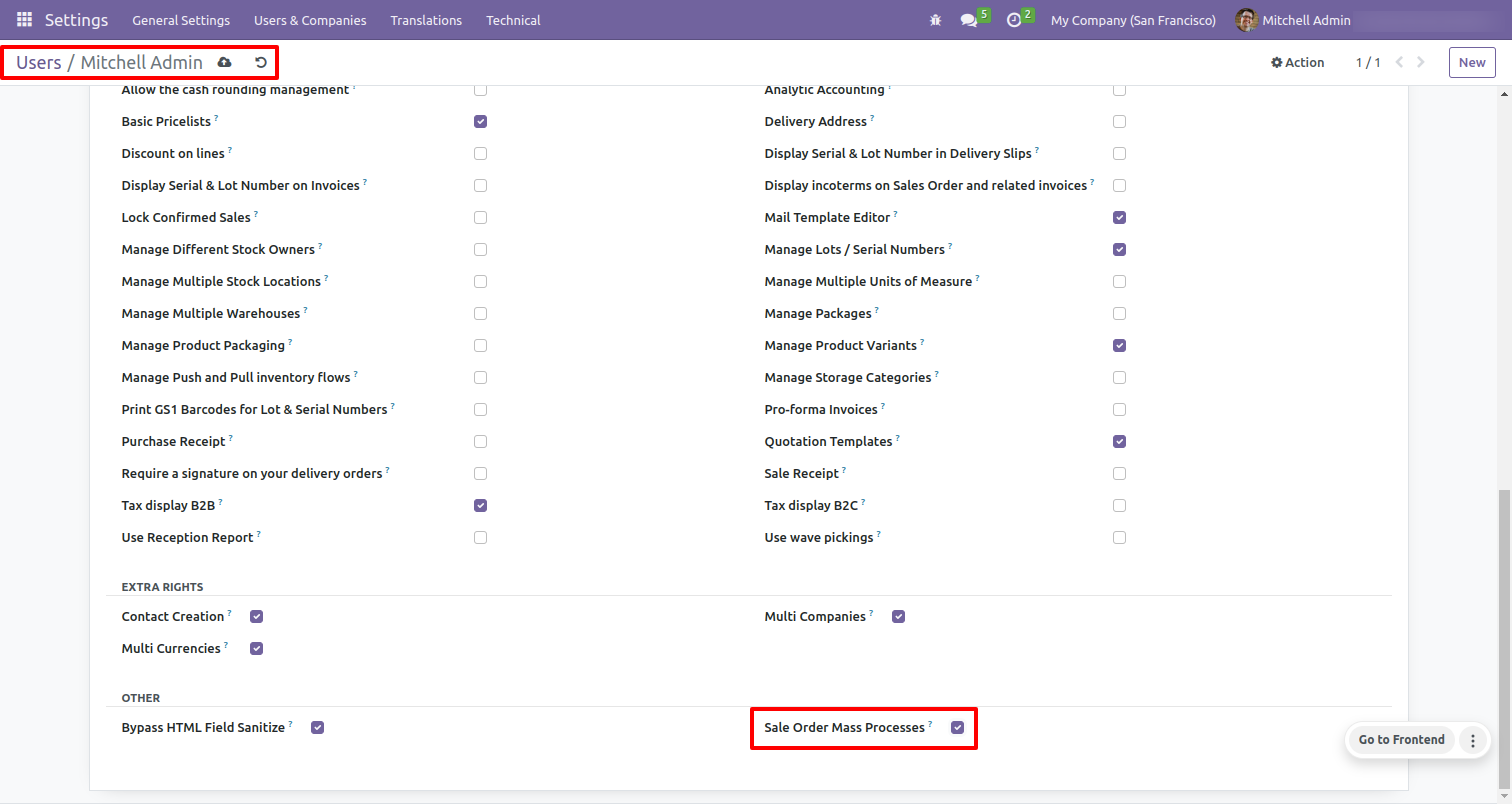
Go to the 'Configuration' ==> Users ==> Allow sale order mass processes.
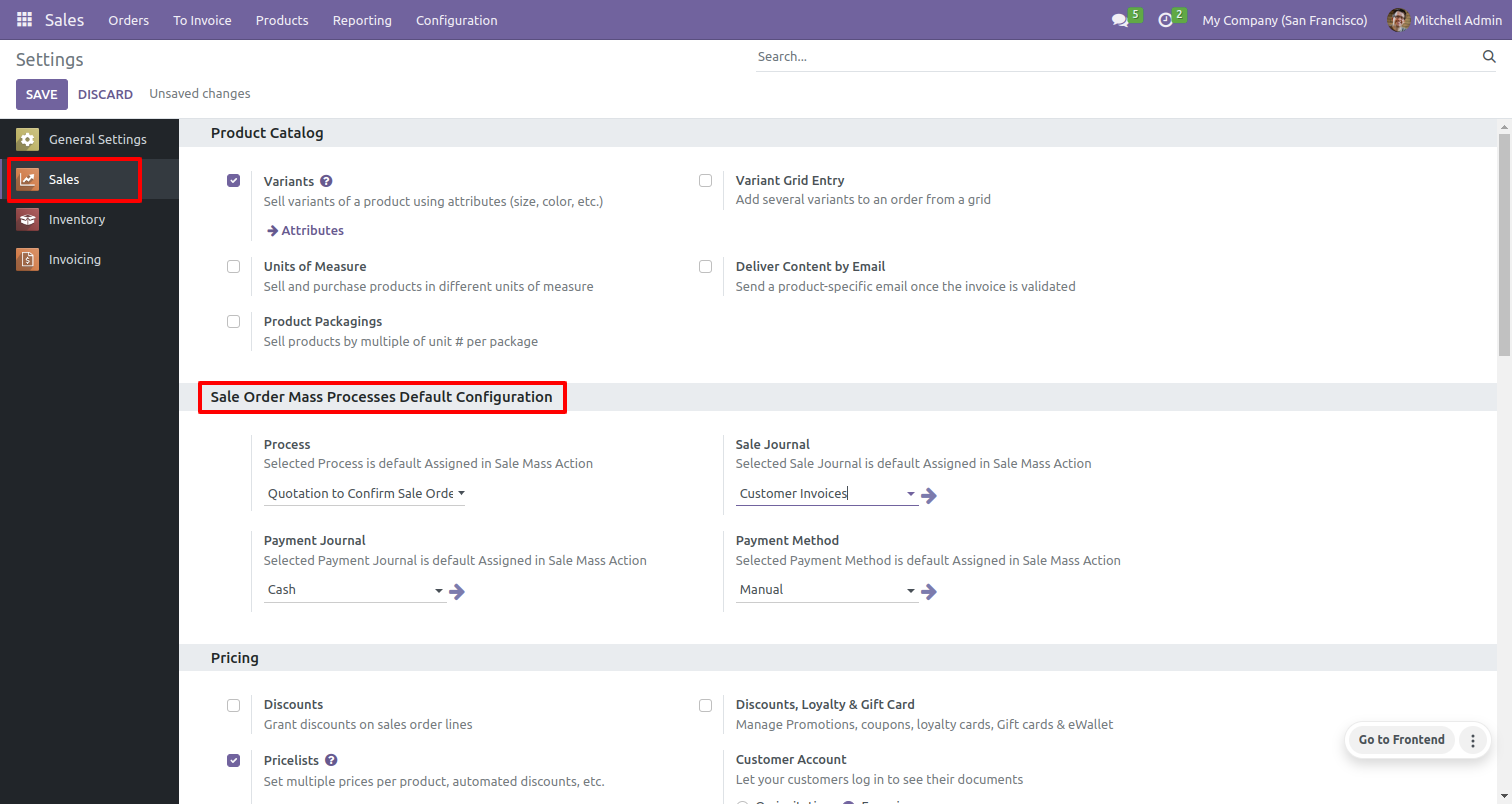
Set sale order mass processes default configurations from sales settings.
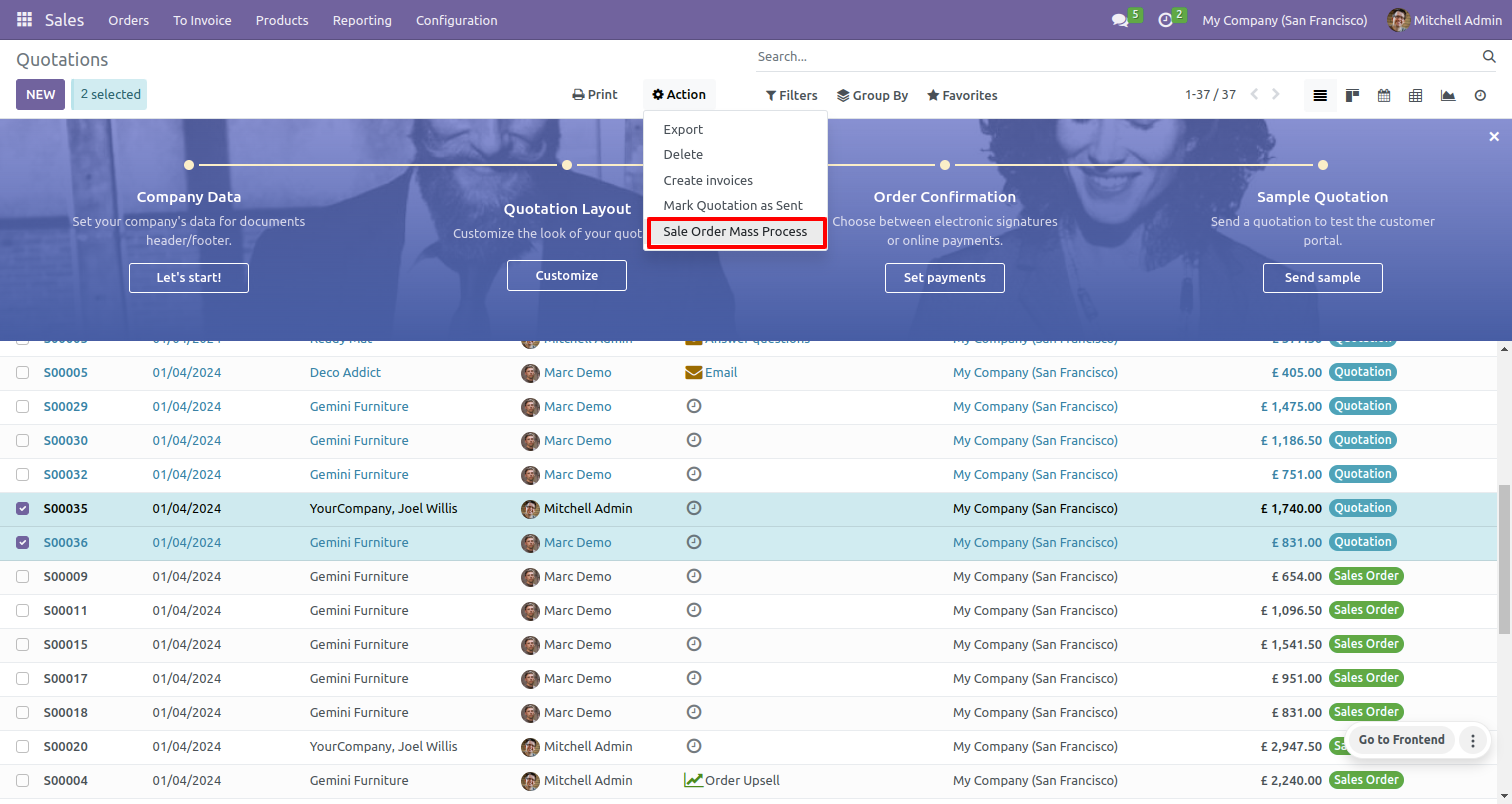
In the quotation list view, select multiple quotations and click the action button, and select sale order mass processes.
On clicking sale order mass processes it will open a popup menu to select mass processes.
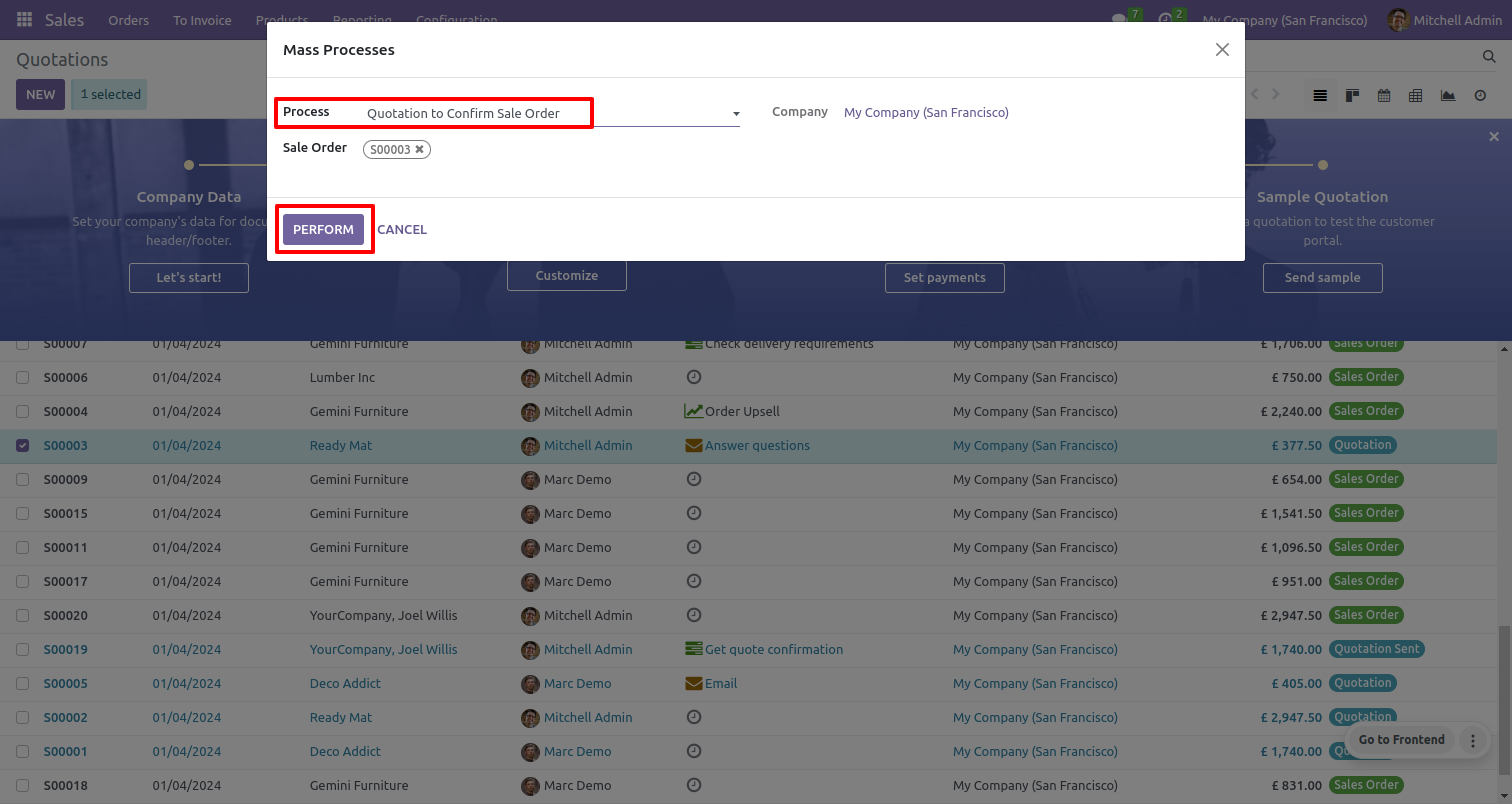
Select process 'Quotation to confirm sale order' and click on perform button.
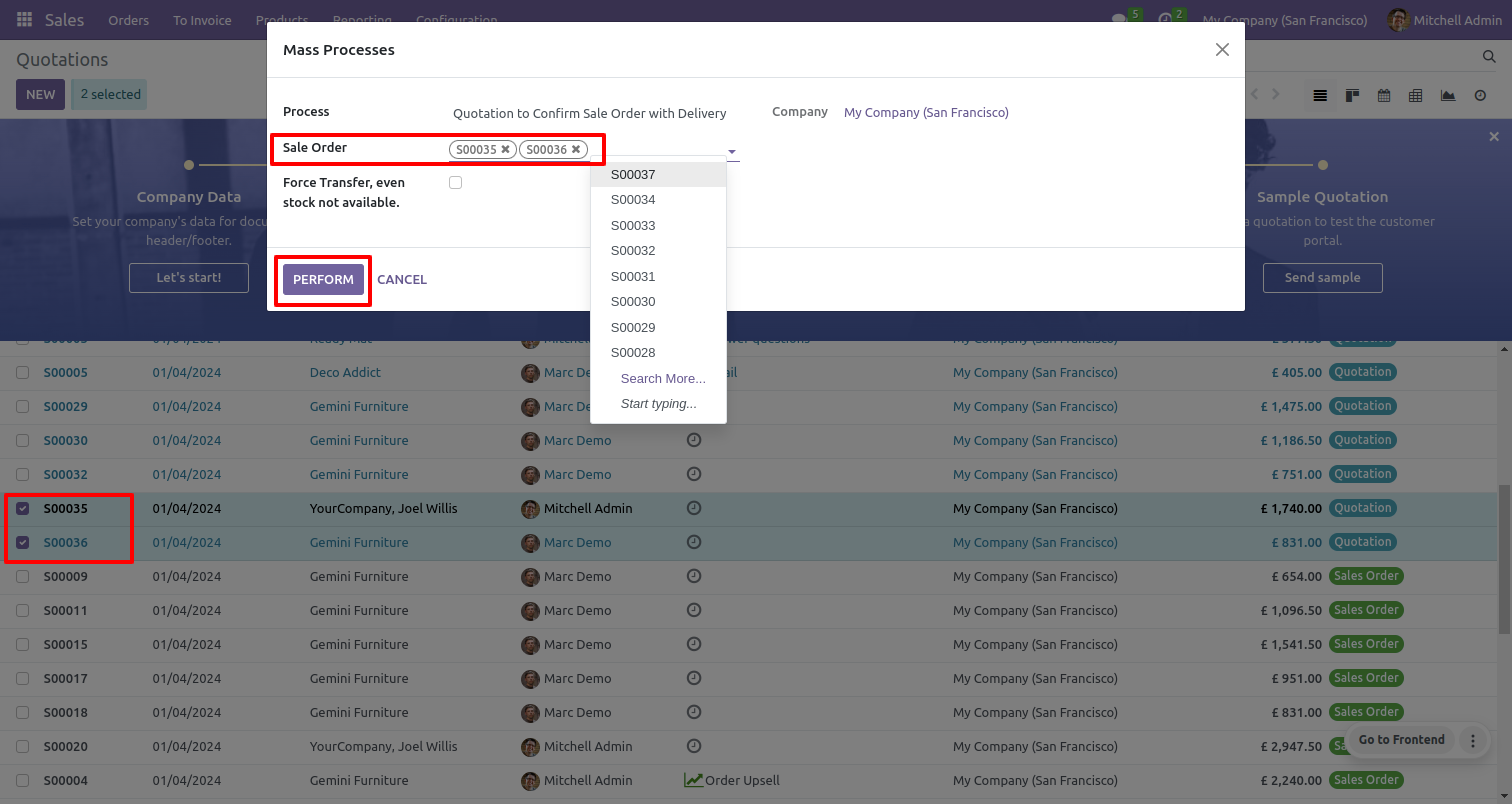
It shows the quotation to the sale order stage.
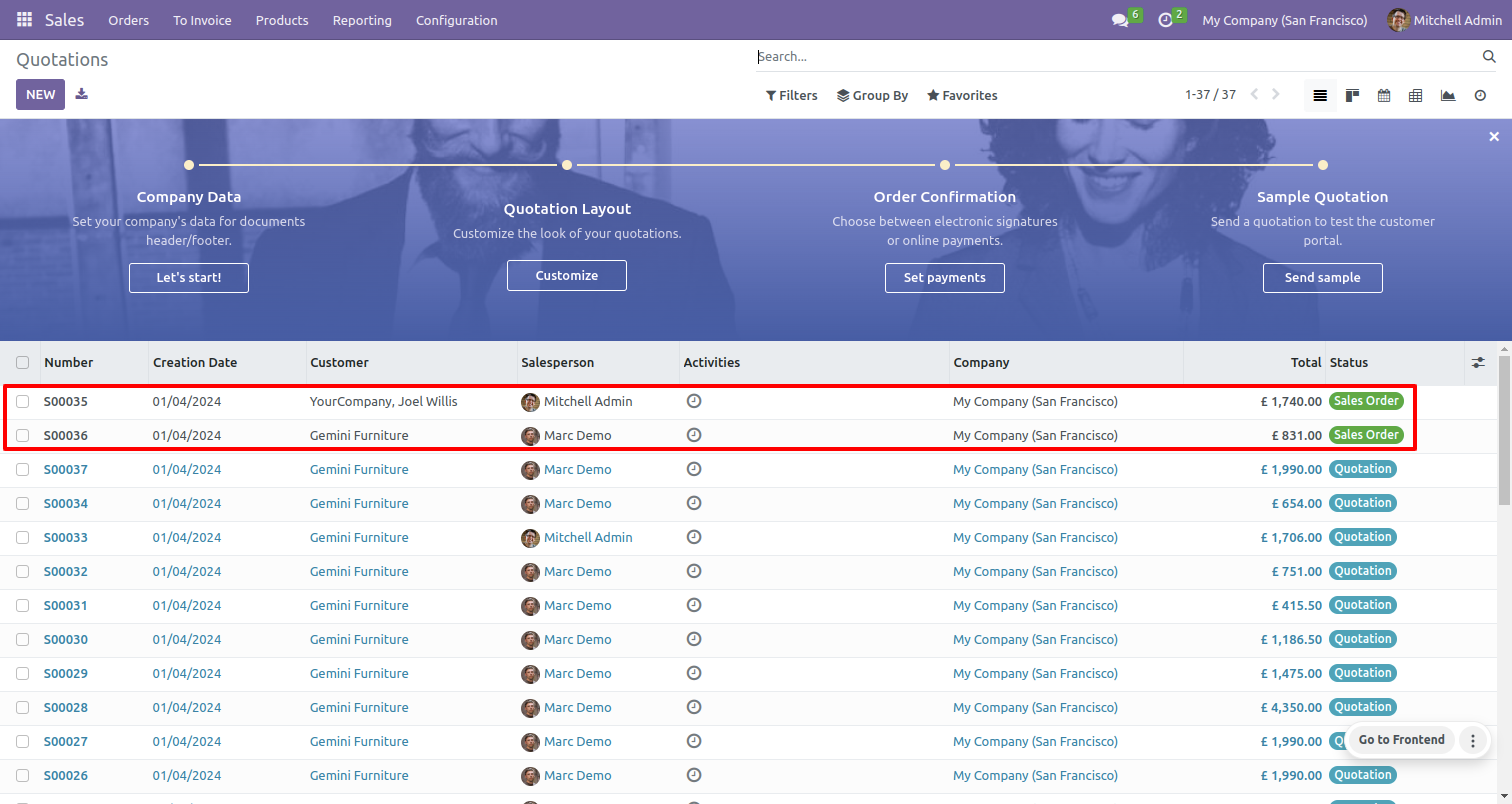
Open a quotation it will confirm and change to the sale order stage.
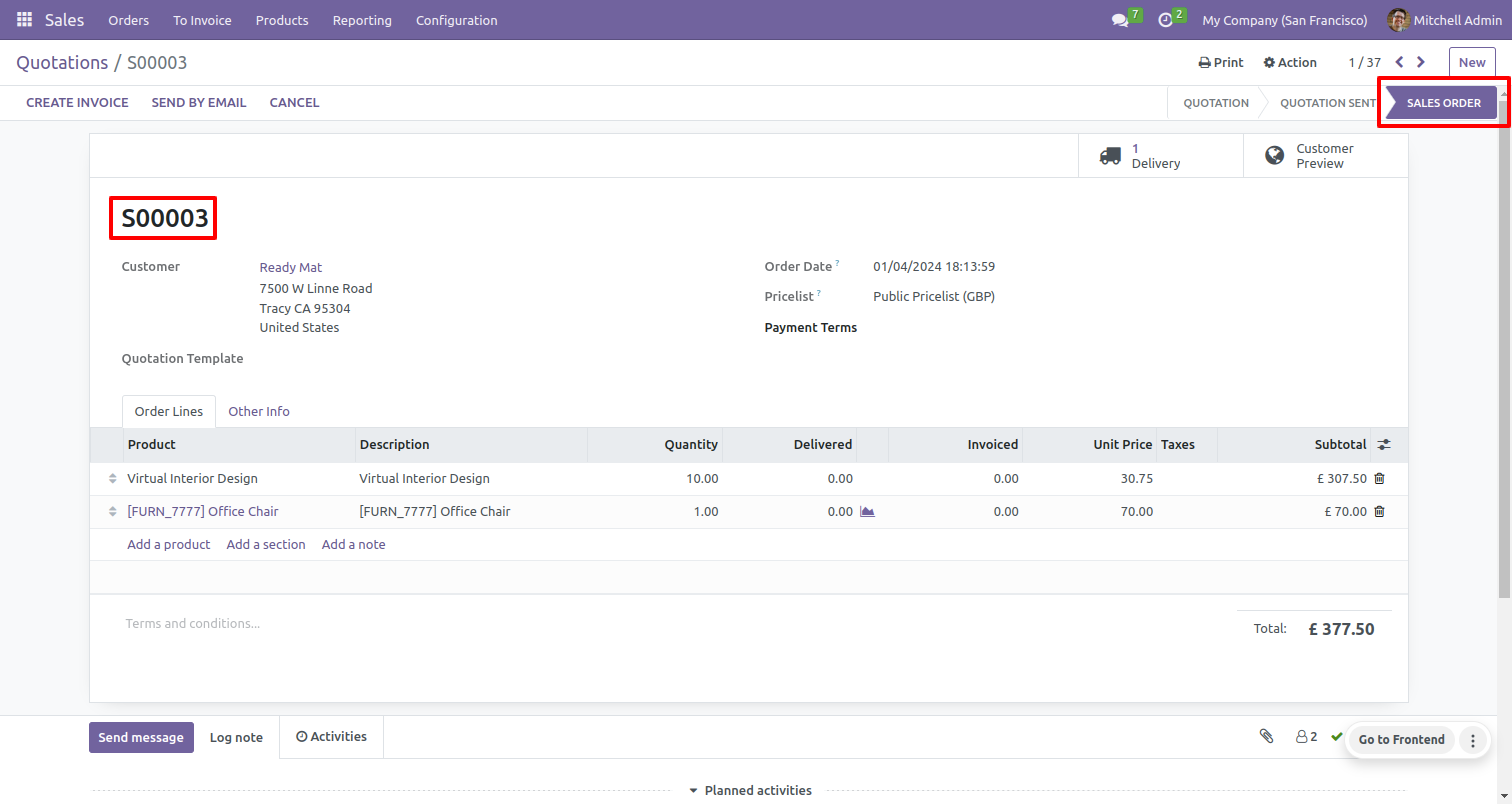
Select multiple quotations and select 'Quotation to confirm sale order with delivery done' process.
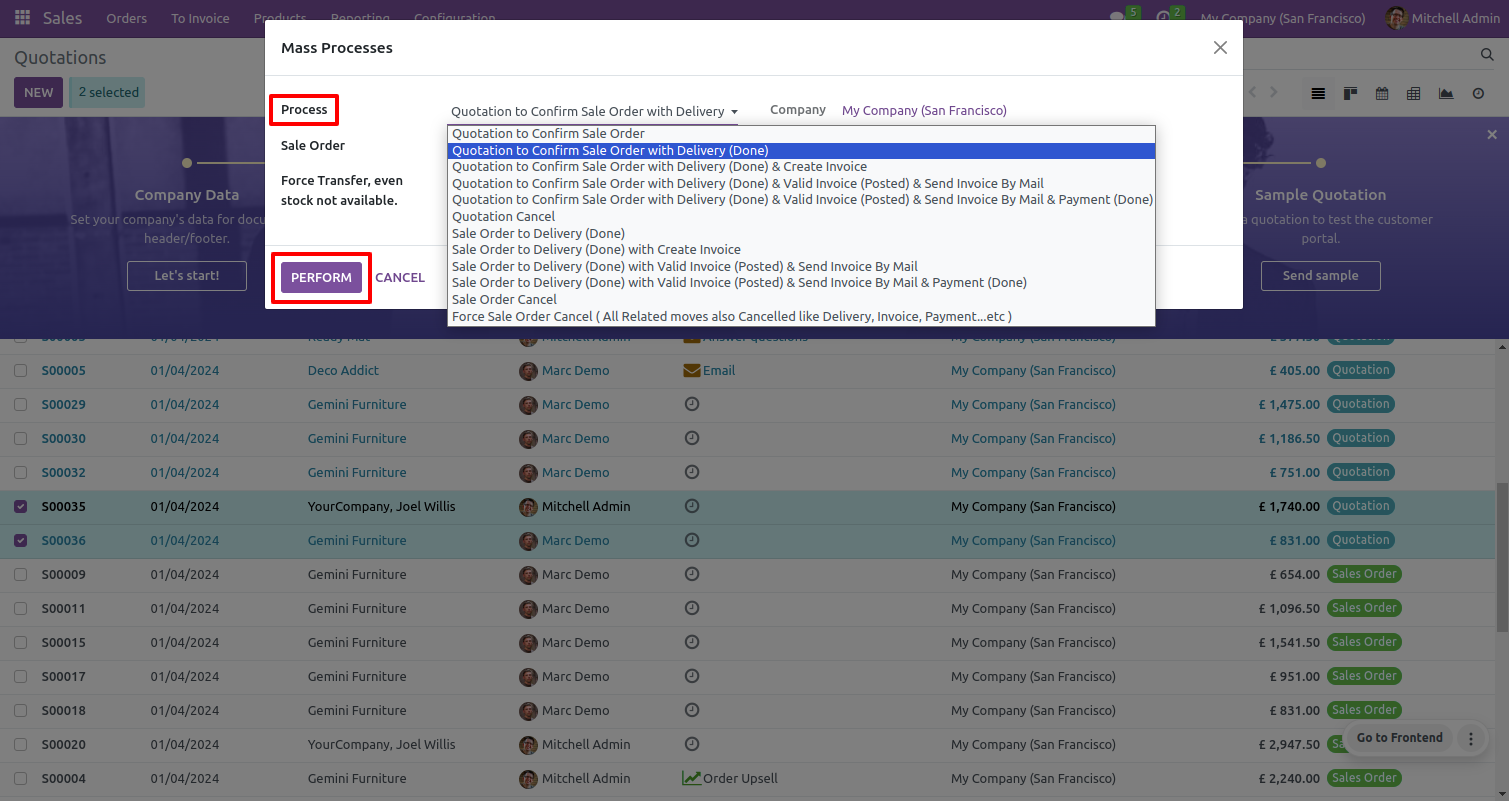
Confirms quotation to sale order.
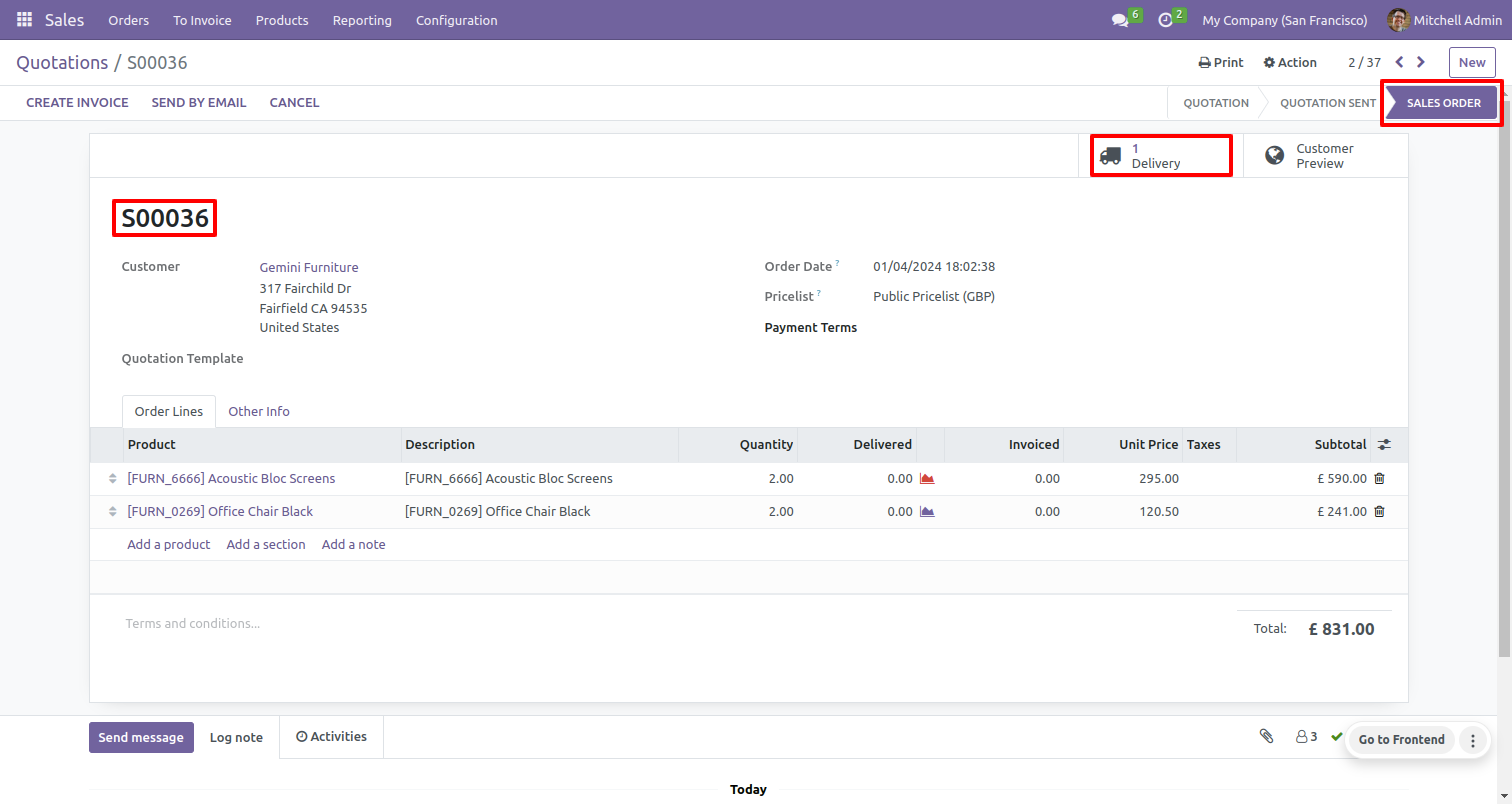
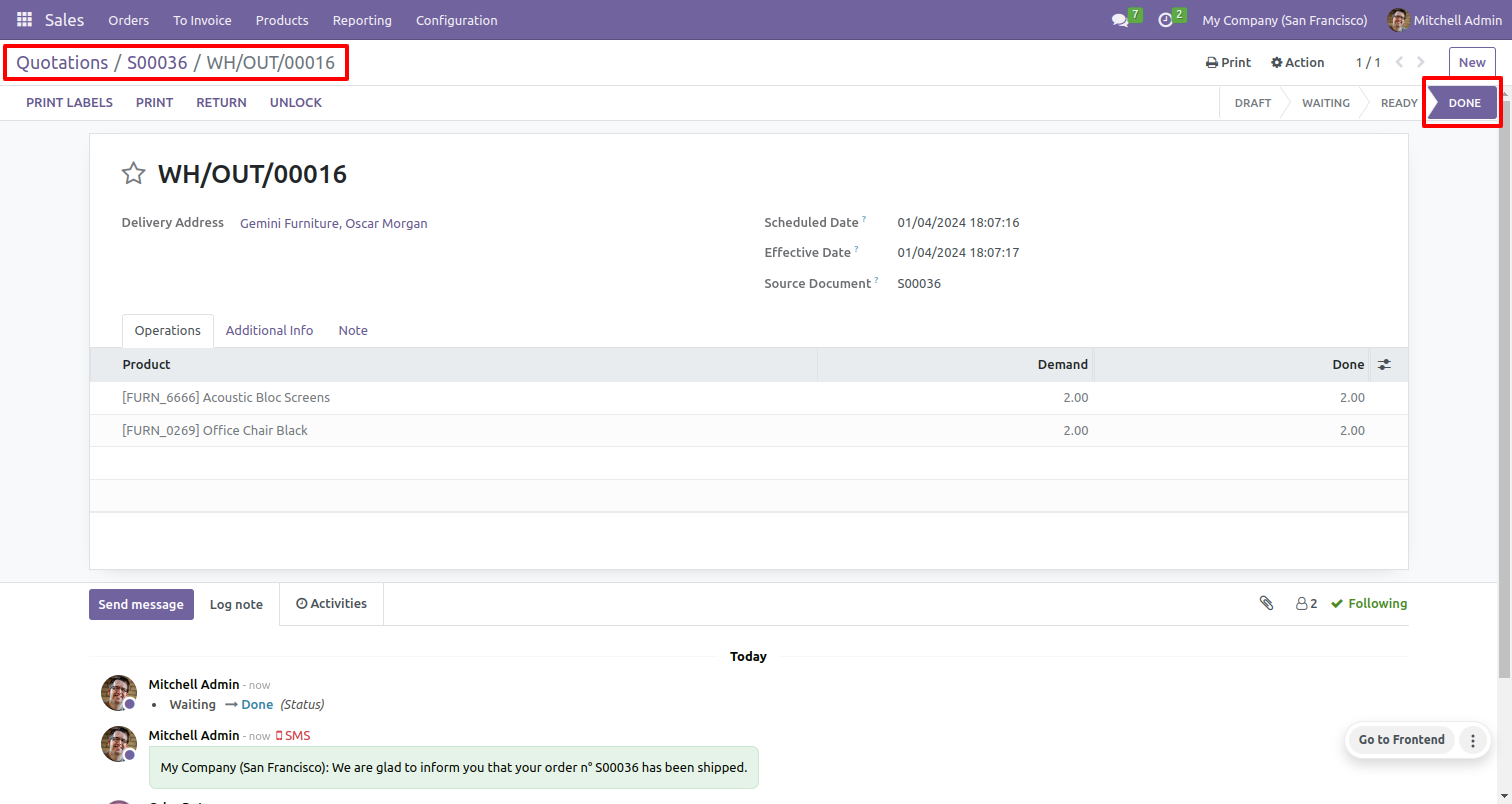
Confirms quotation to sale order with delivery done stage.
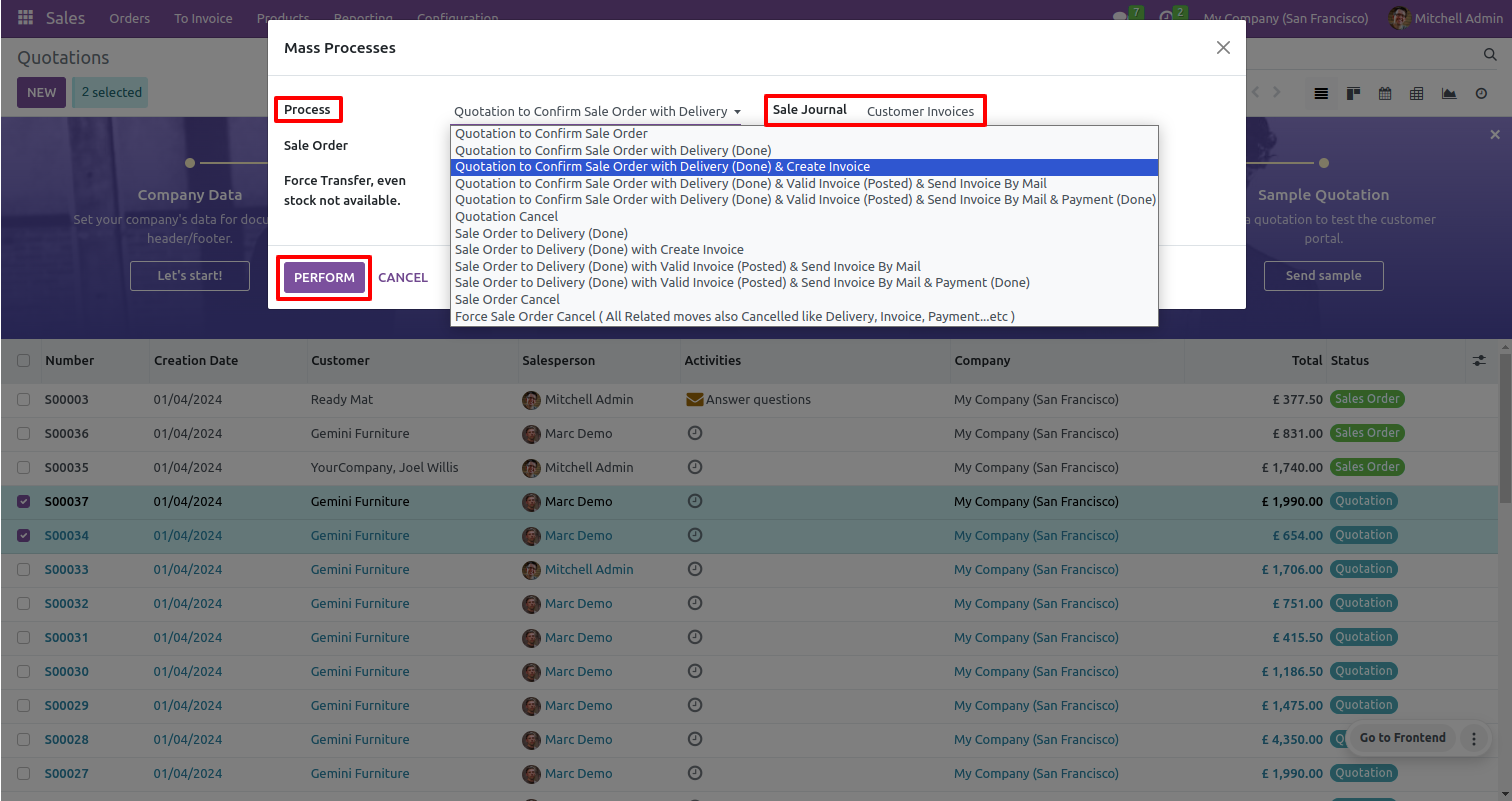
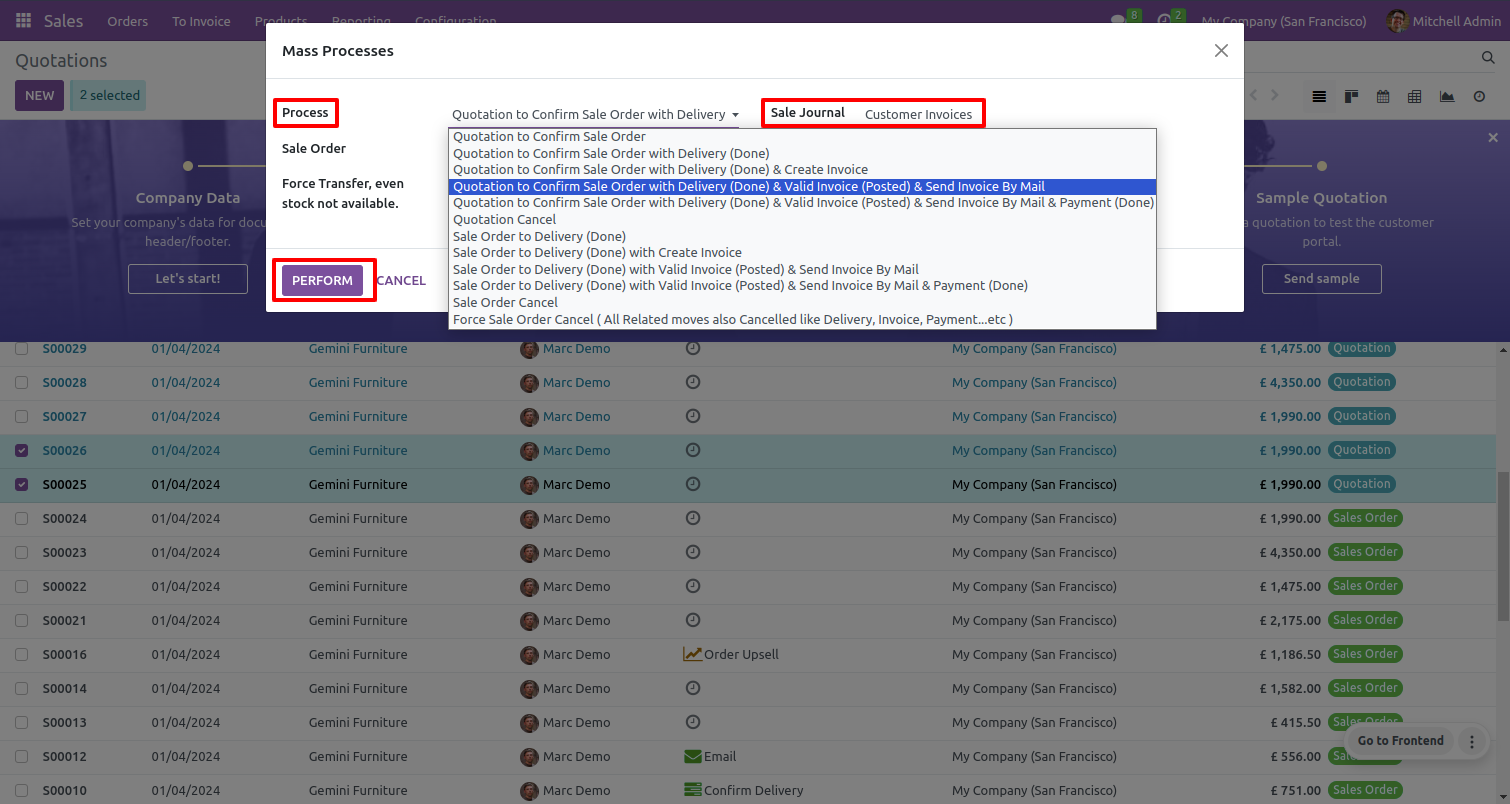
Select multiple quotations and select 'Quotation to confirm sale order with delivery done & create invoice' process and set sale journal.
Confirms sale order.
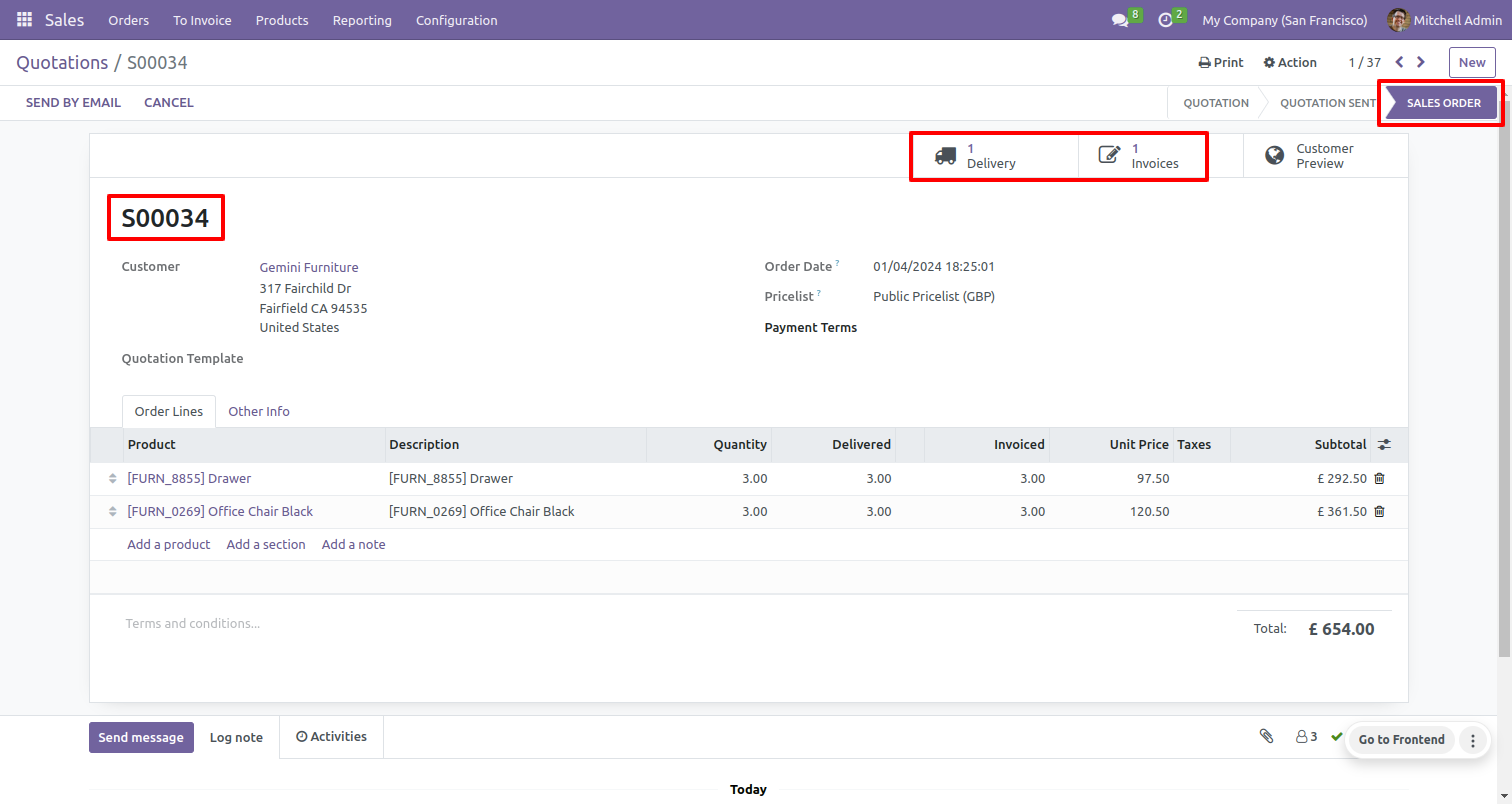
Confirms delivery is done.
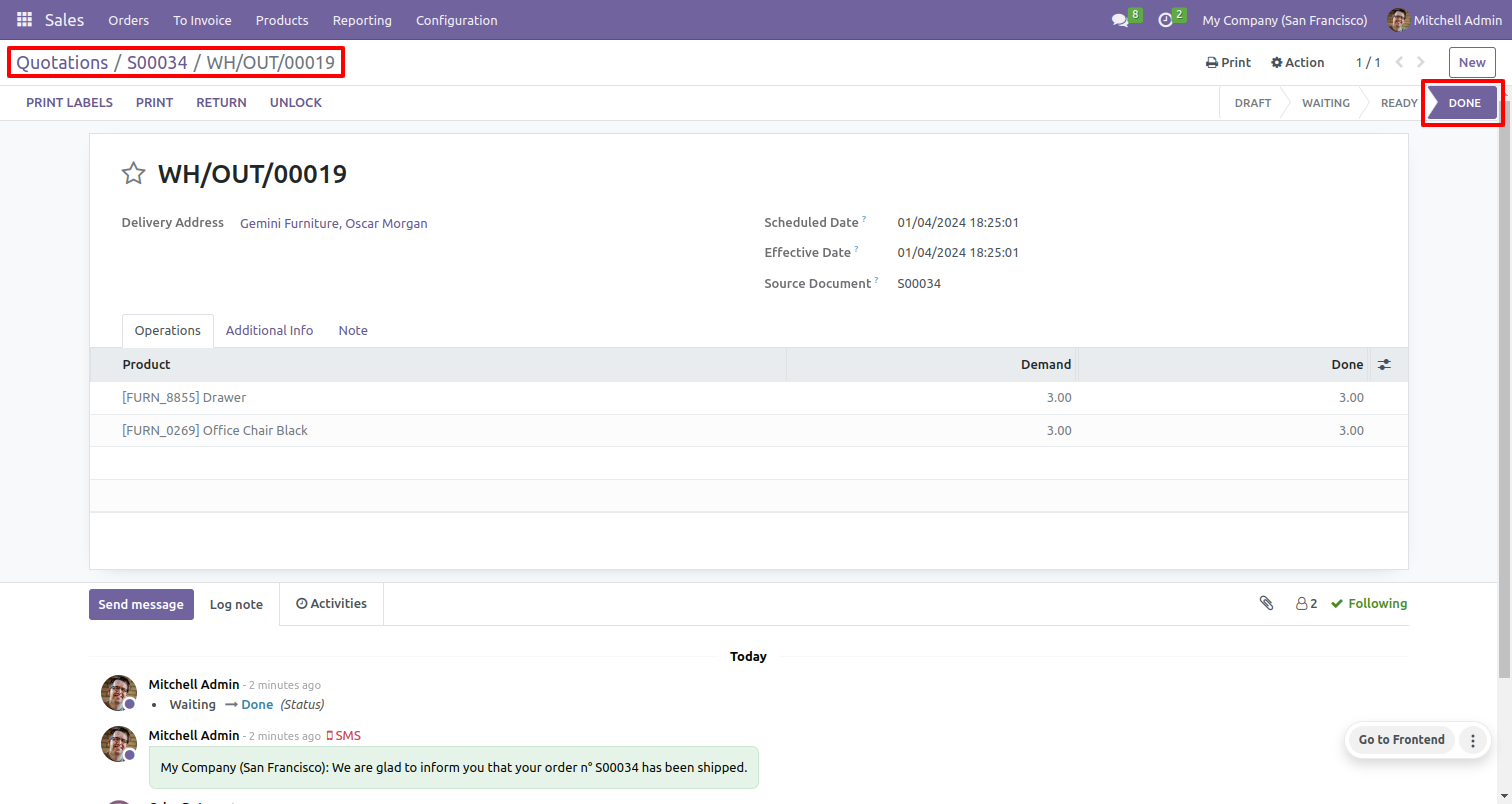
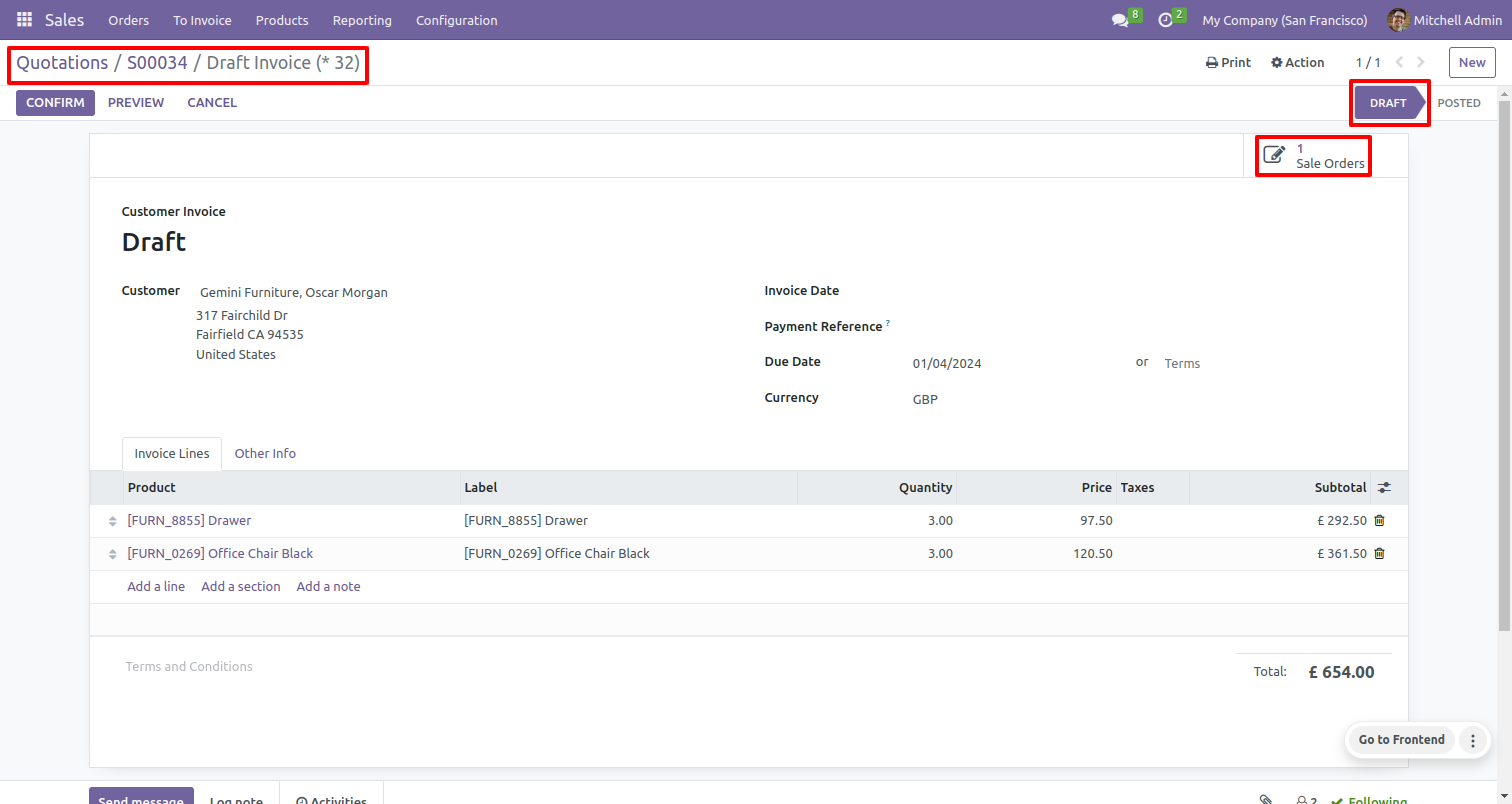
Confirms quotation to sale order, delivery done & creates an invoice in draft stage.
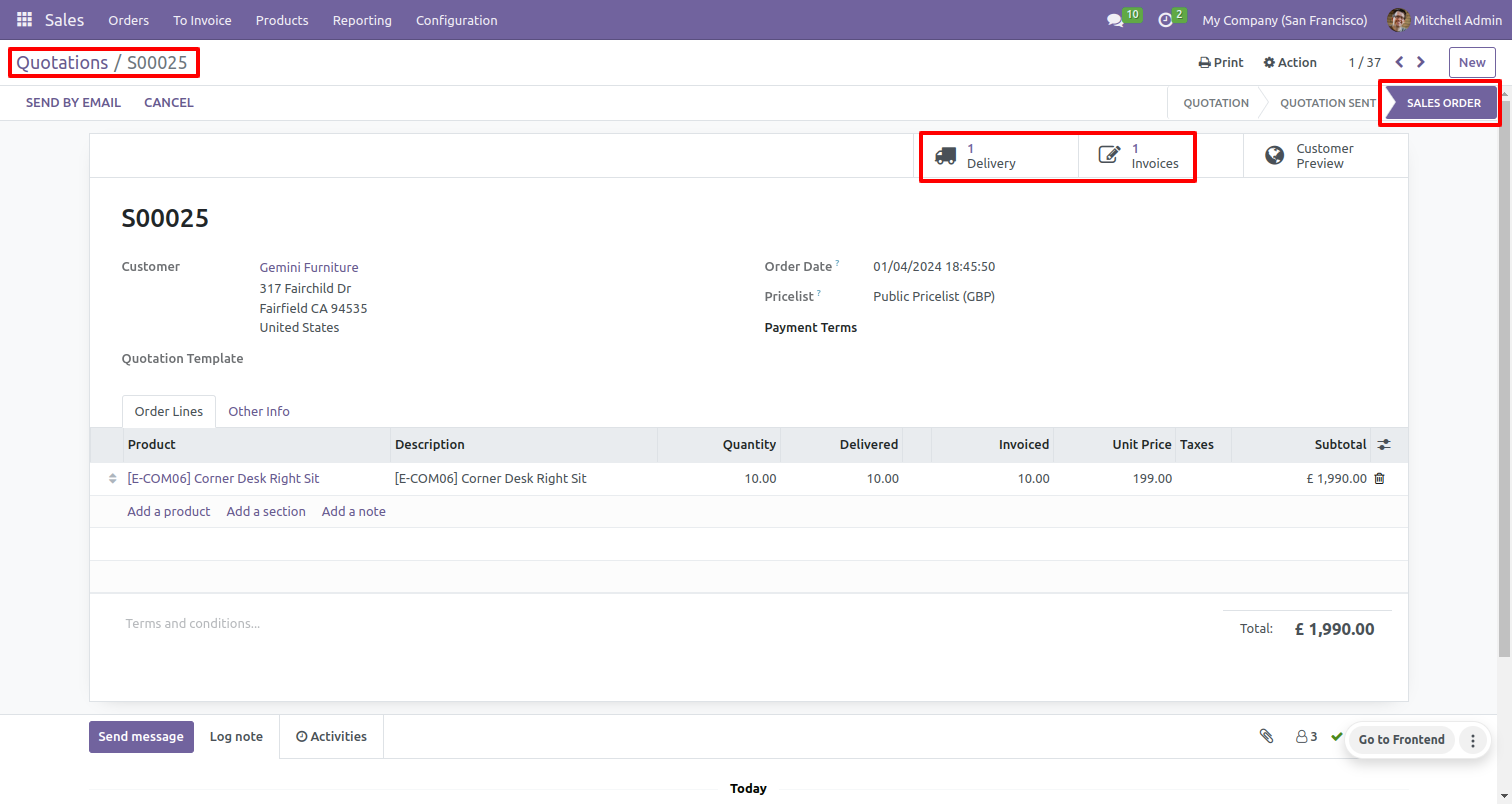
Select multiple quotations and select 'Quotation to confirm sale order with delivery done & valid invoice send invoice by mail' process and set sale journal.
Confirms sale order.
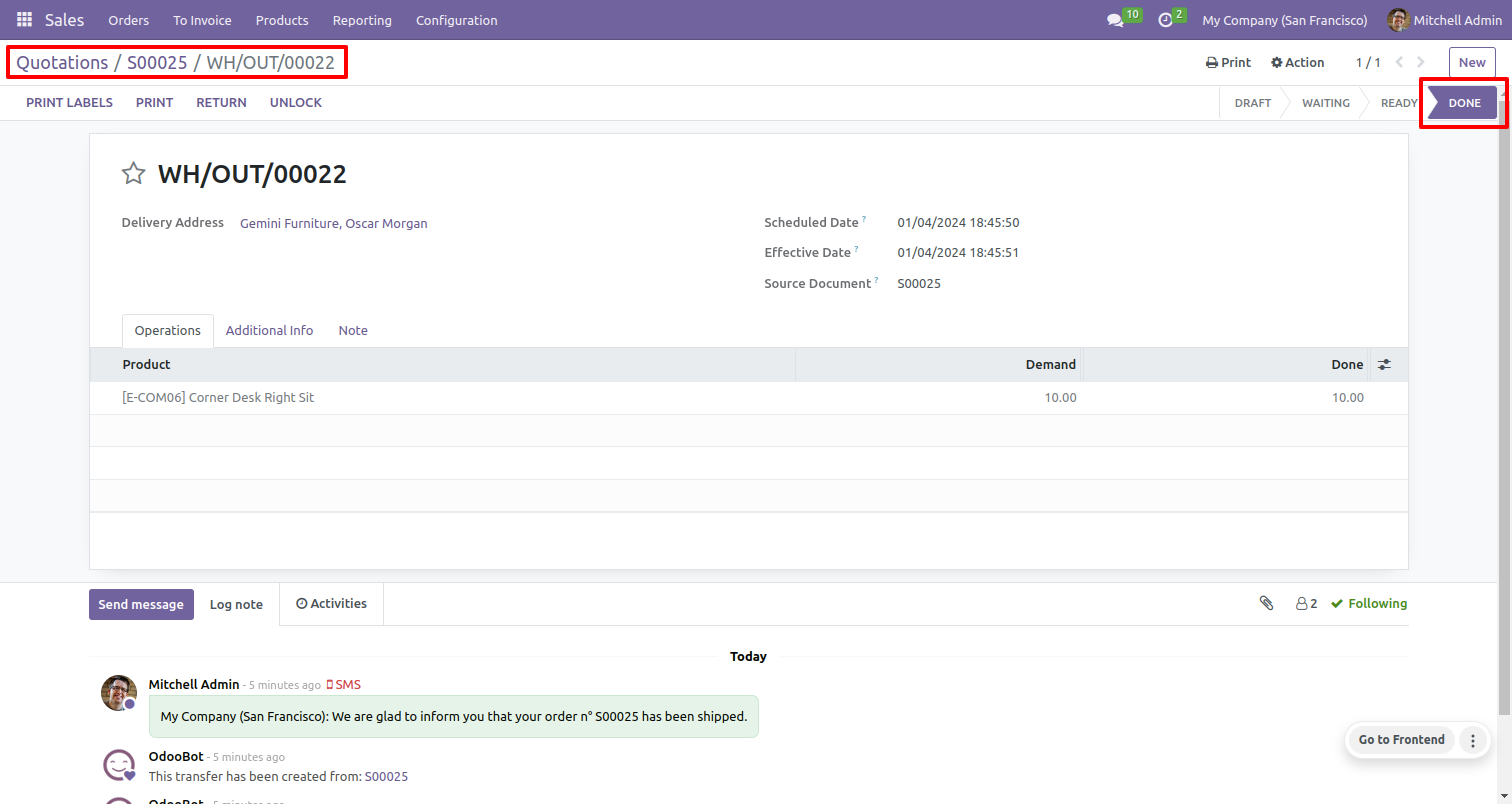
Confirms delivery is done.
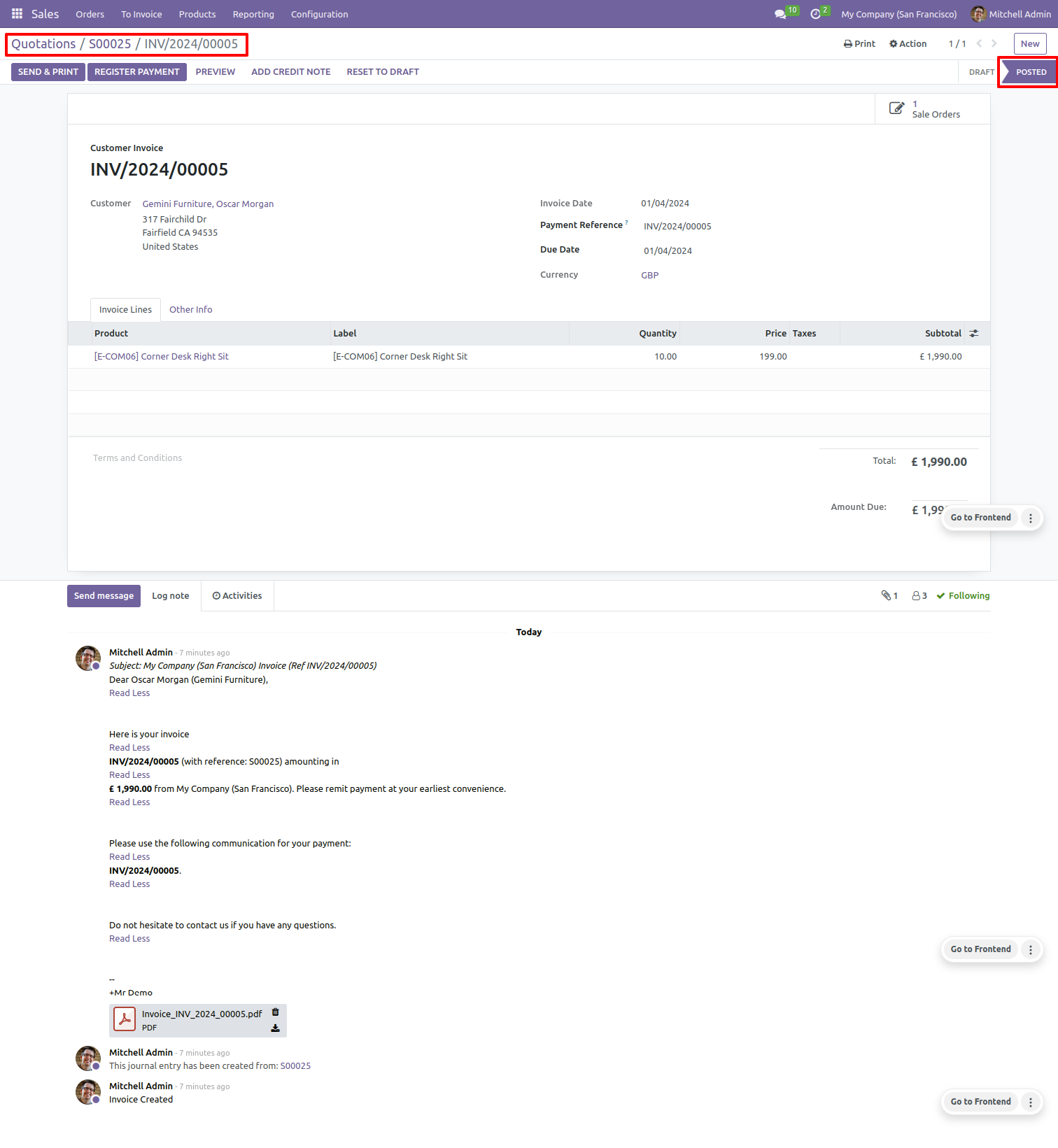
Confirms quotation to sale order , delivery done & validate invoice & send it to customer.
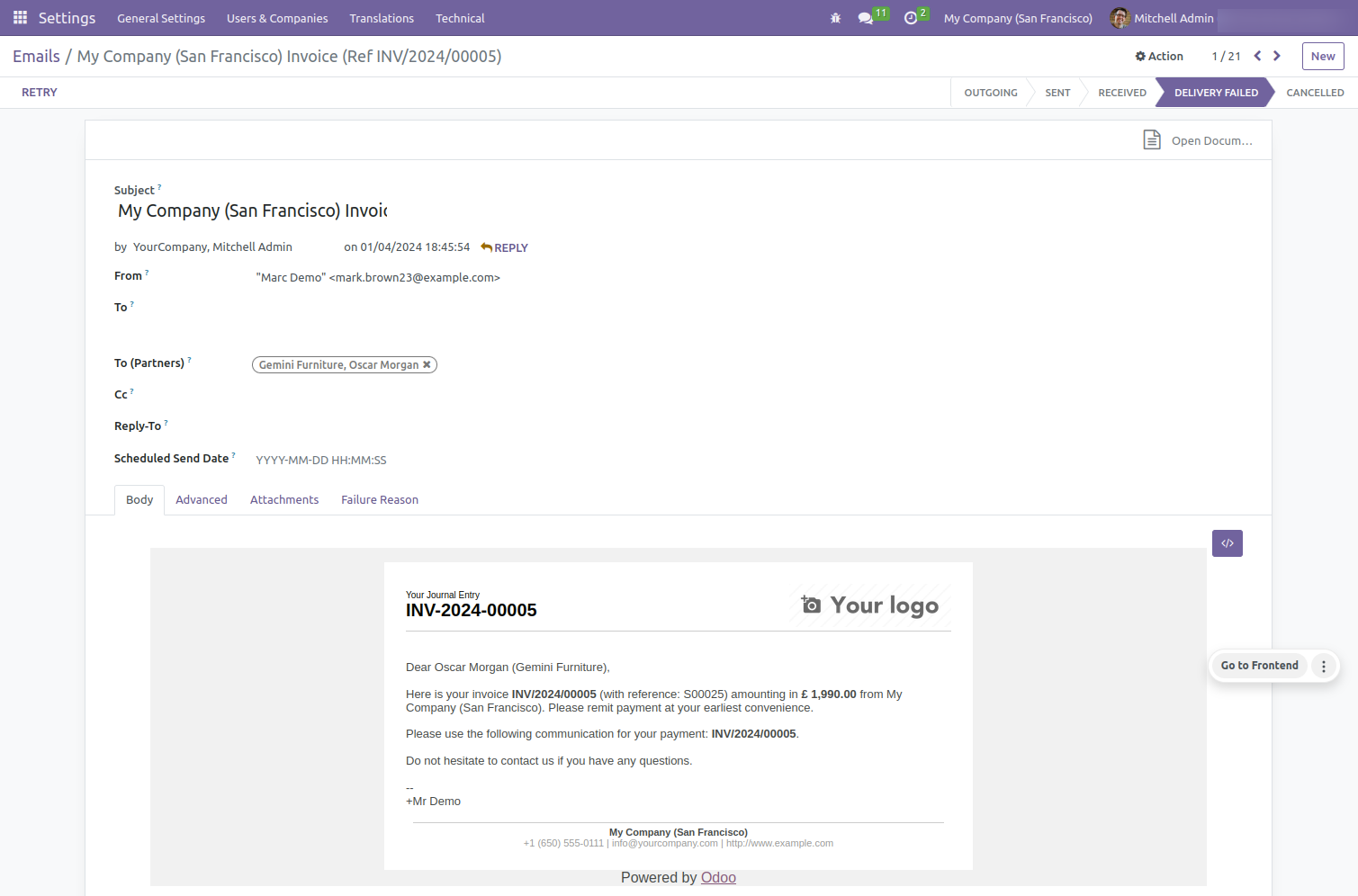
Copy of invoice sent to the customer by email.
Select multiple quotations and select 'Quotation to confirm sale order with delivery done & valid invoice & send invoice by mail & payment done' process.
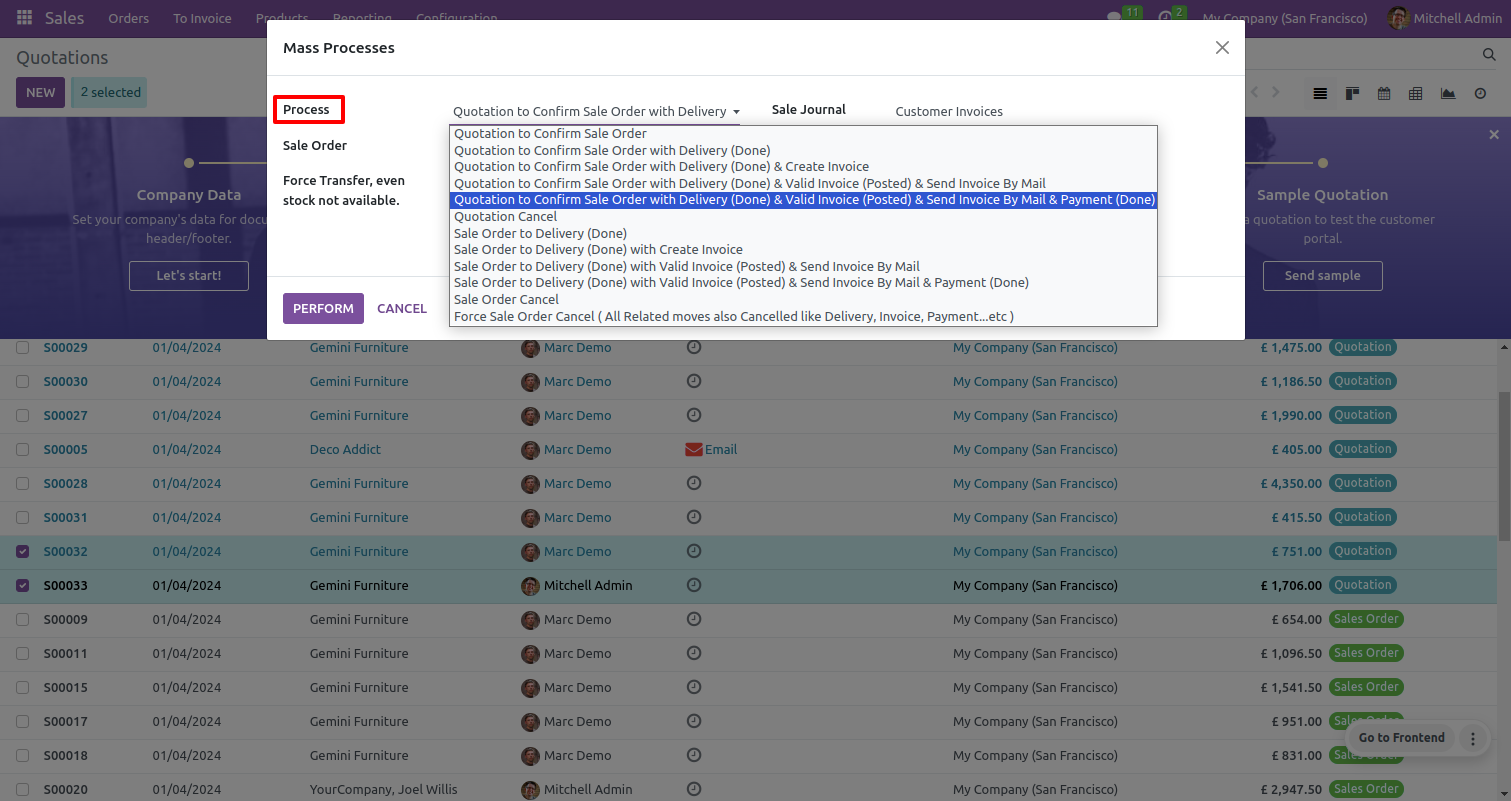
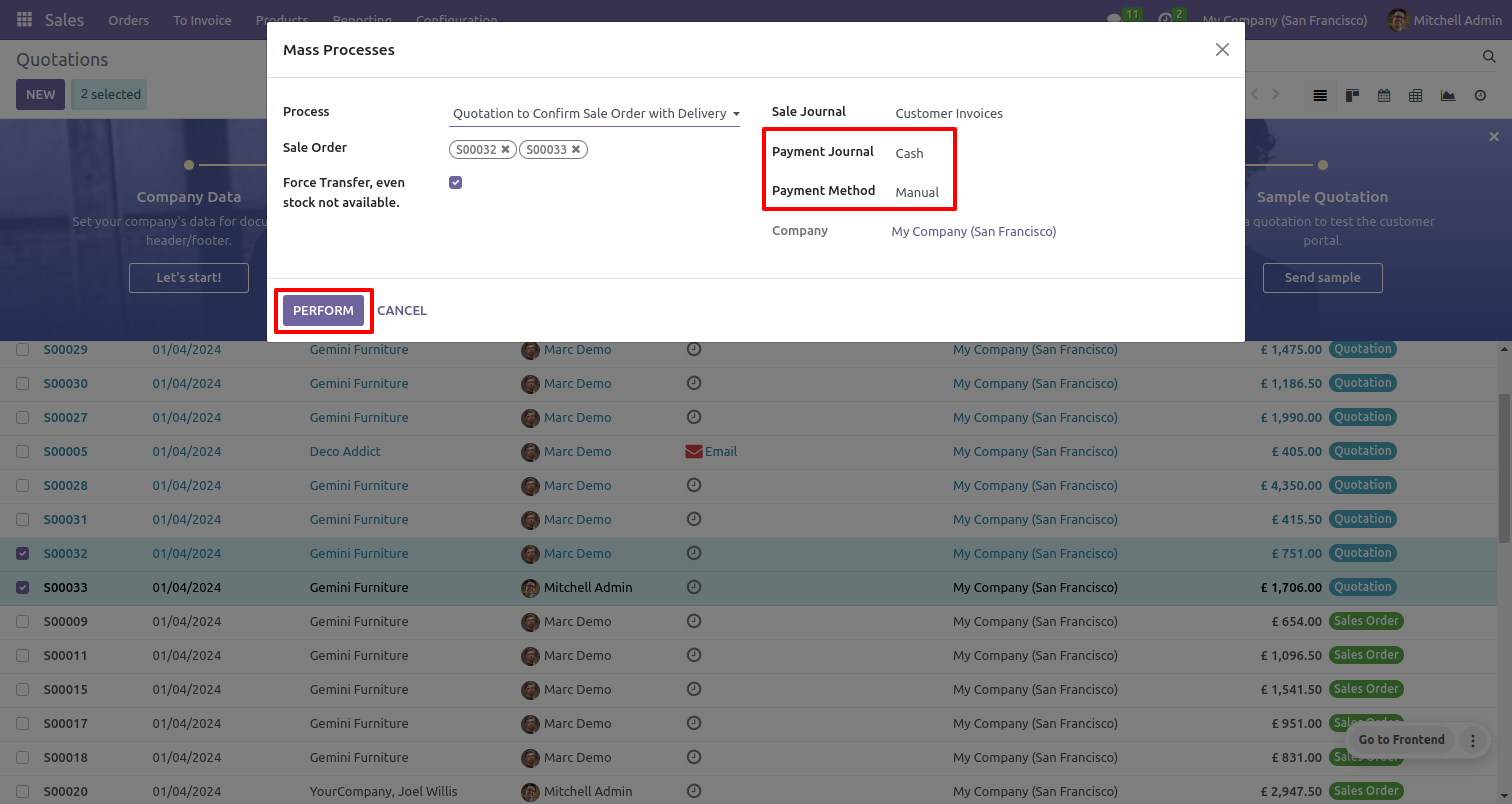
Set payment journal & payment method.
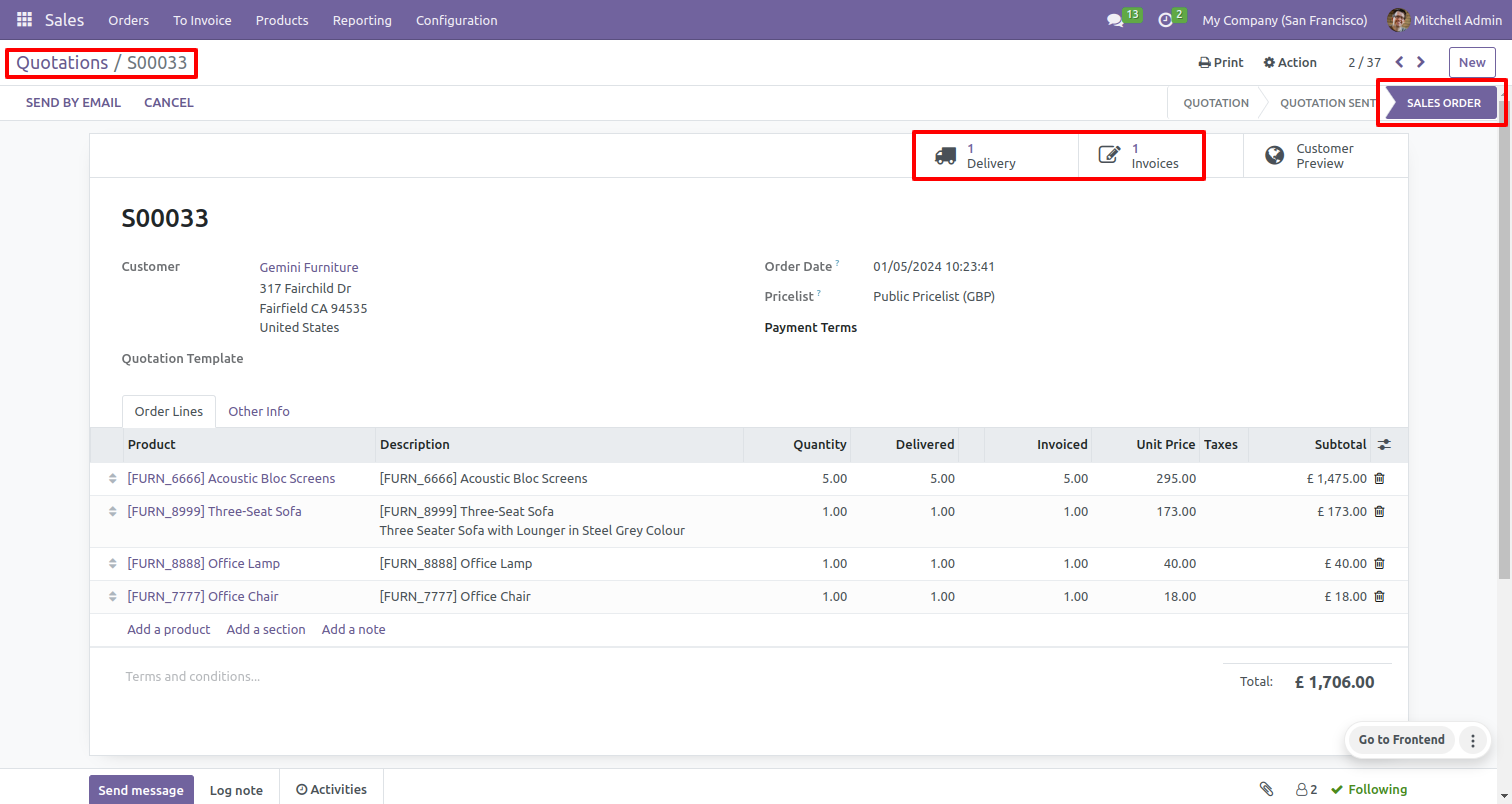
Confirms sale order.
Confirms delivery is done.
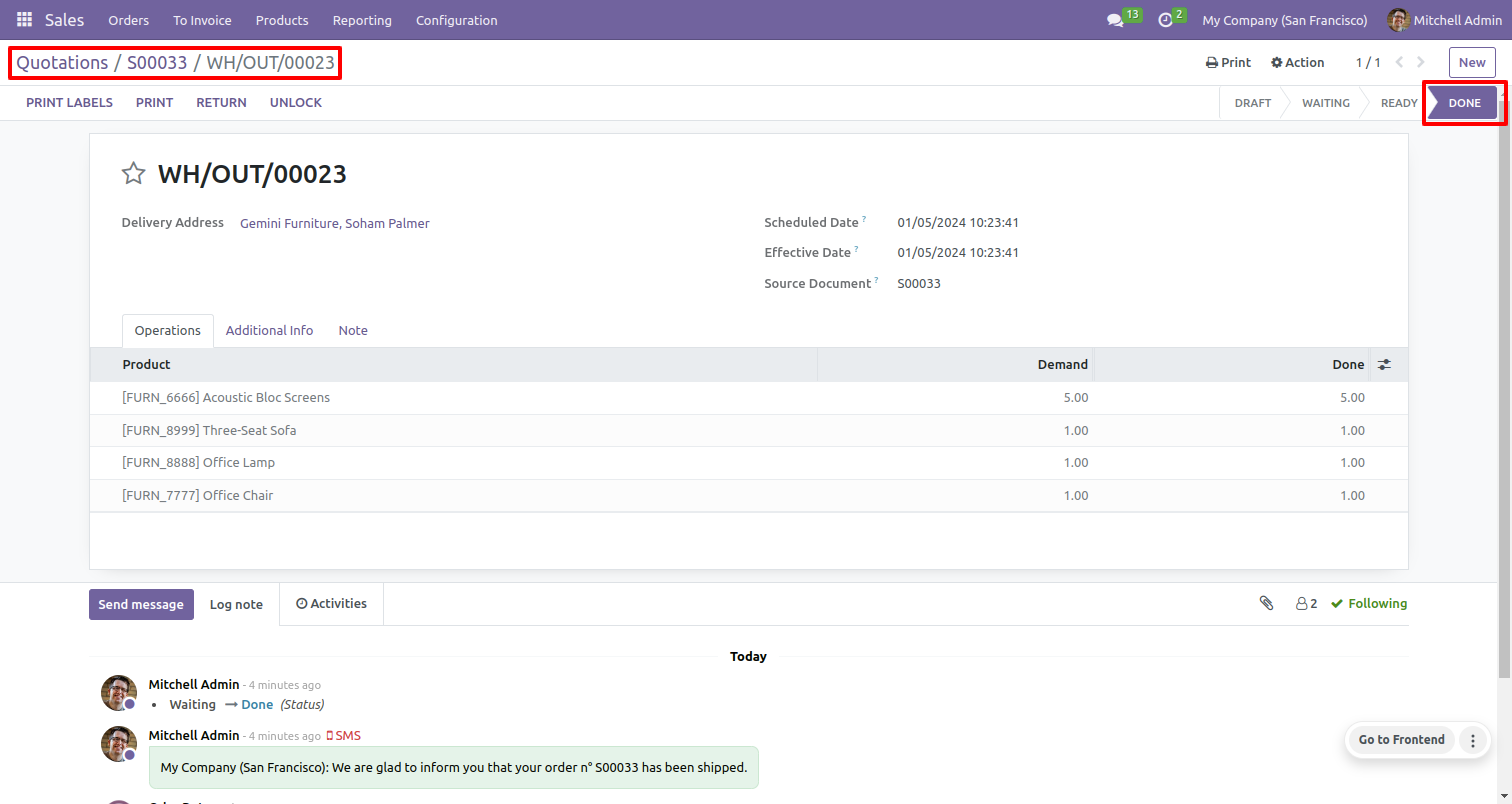
Confirms quotation to the sale order , delivery done & valid invoice & sends it to customer, and payment done.
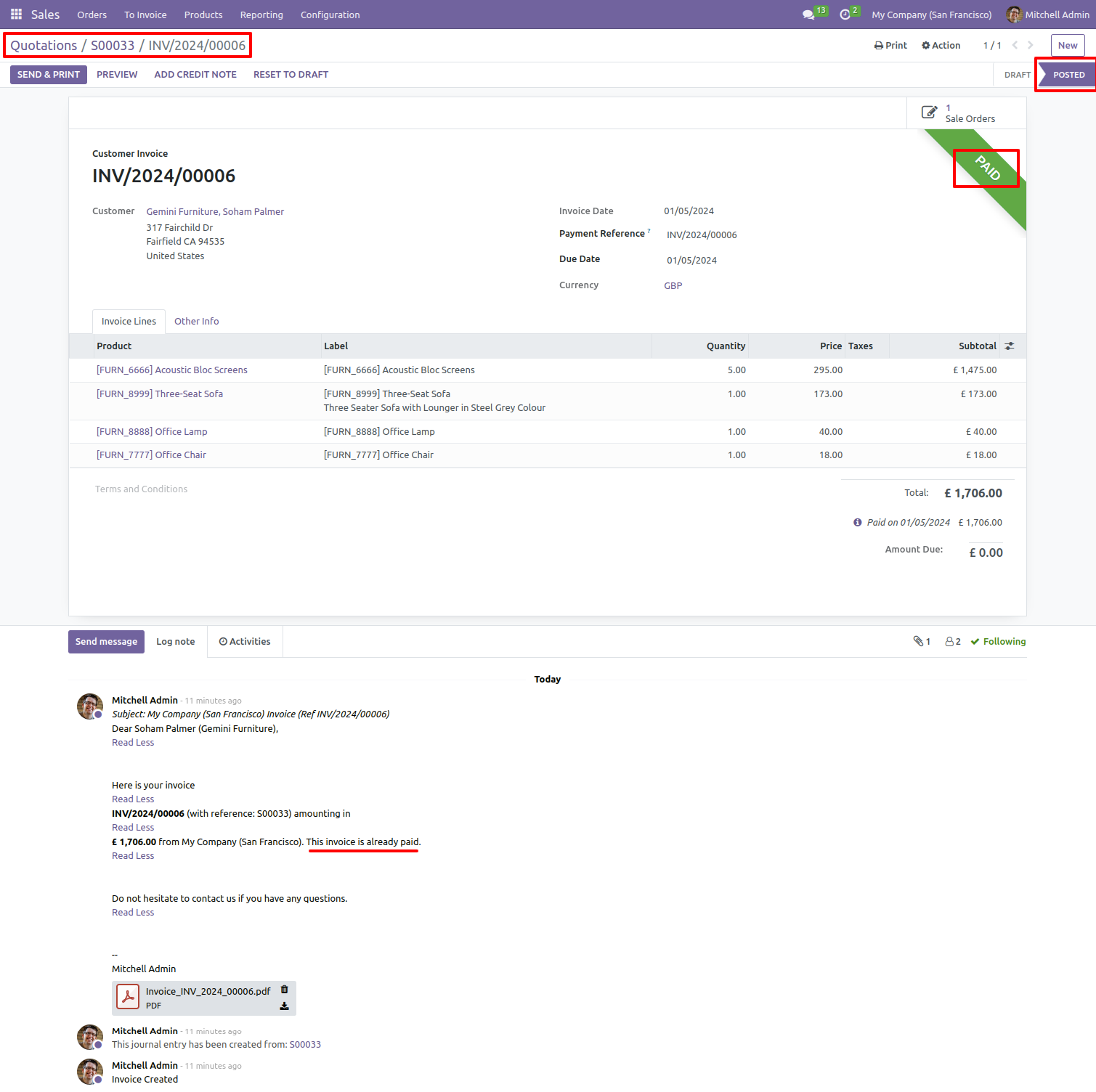
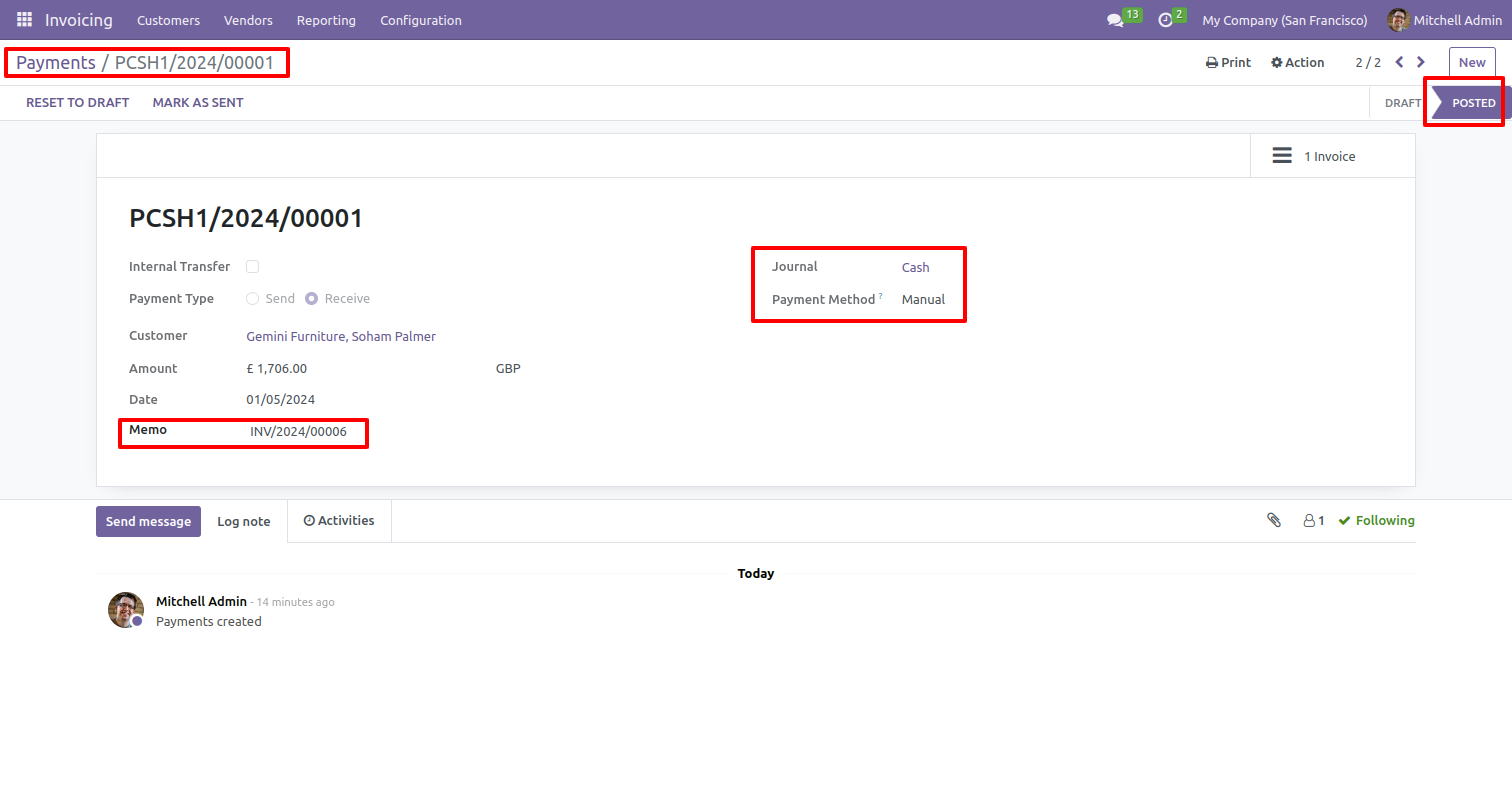
Payment receipt posted.
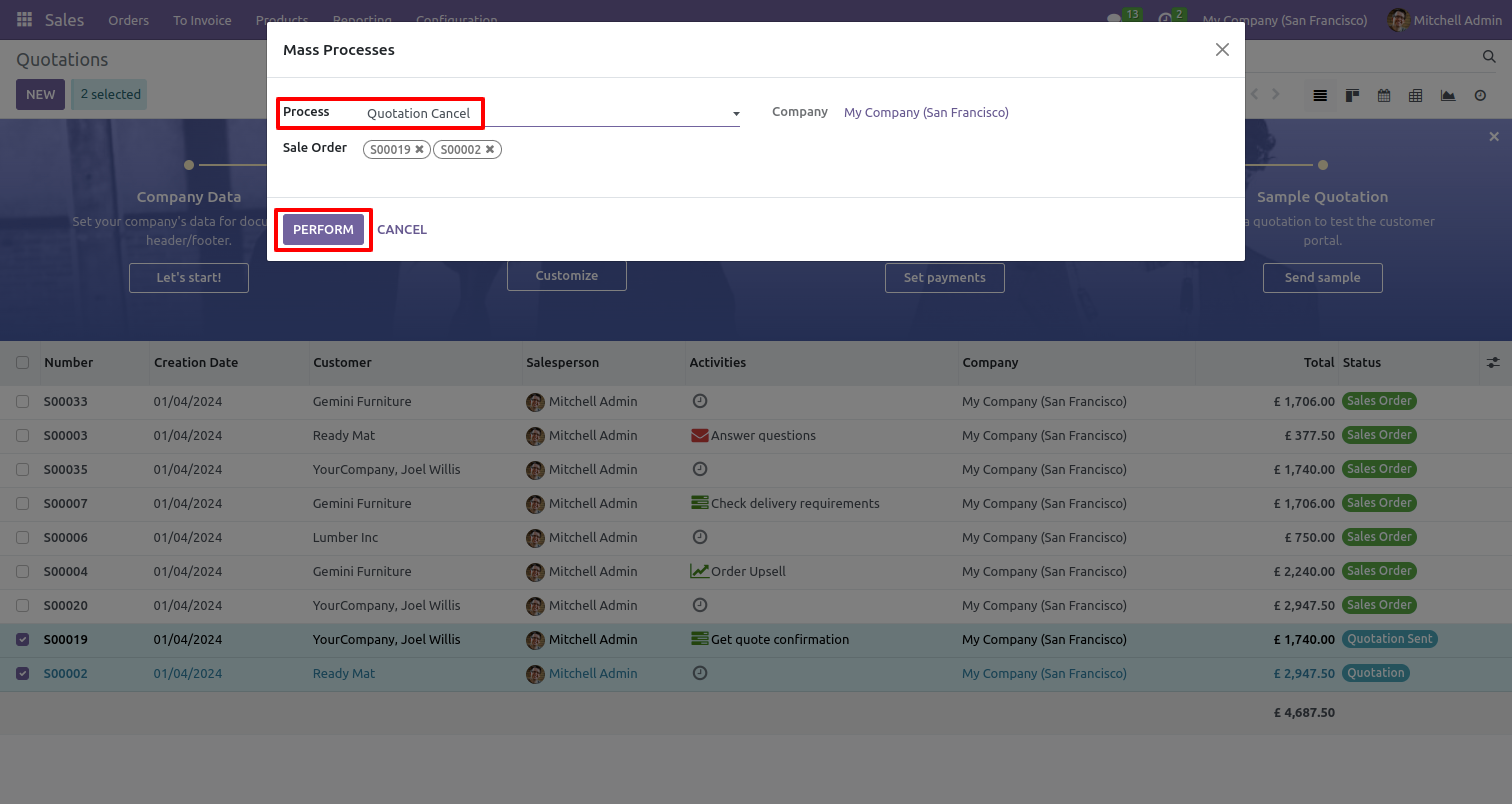
Select multiple quotations and select the 'Quotation cancel' process.
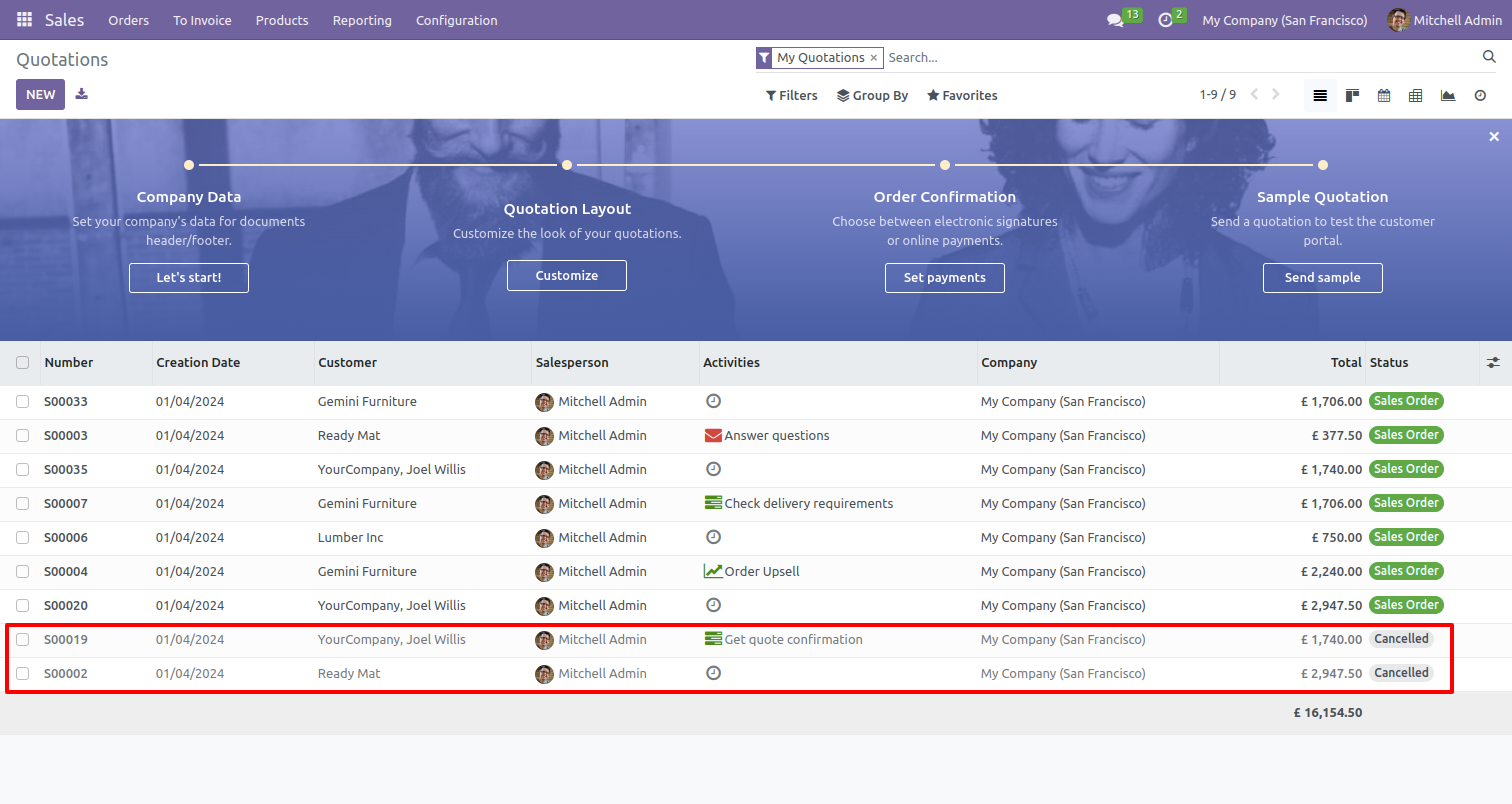
Selected quotations canceled.
Select multiple sale orders and select the 'sale order to delivery done' process.
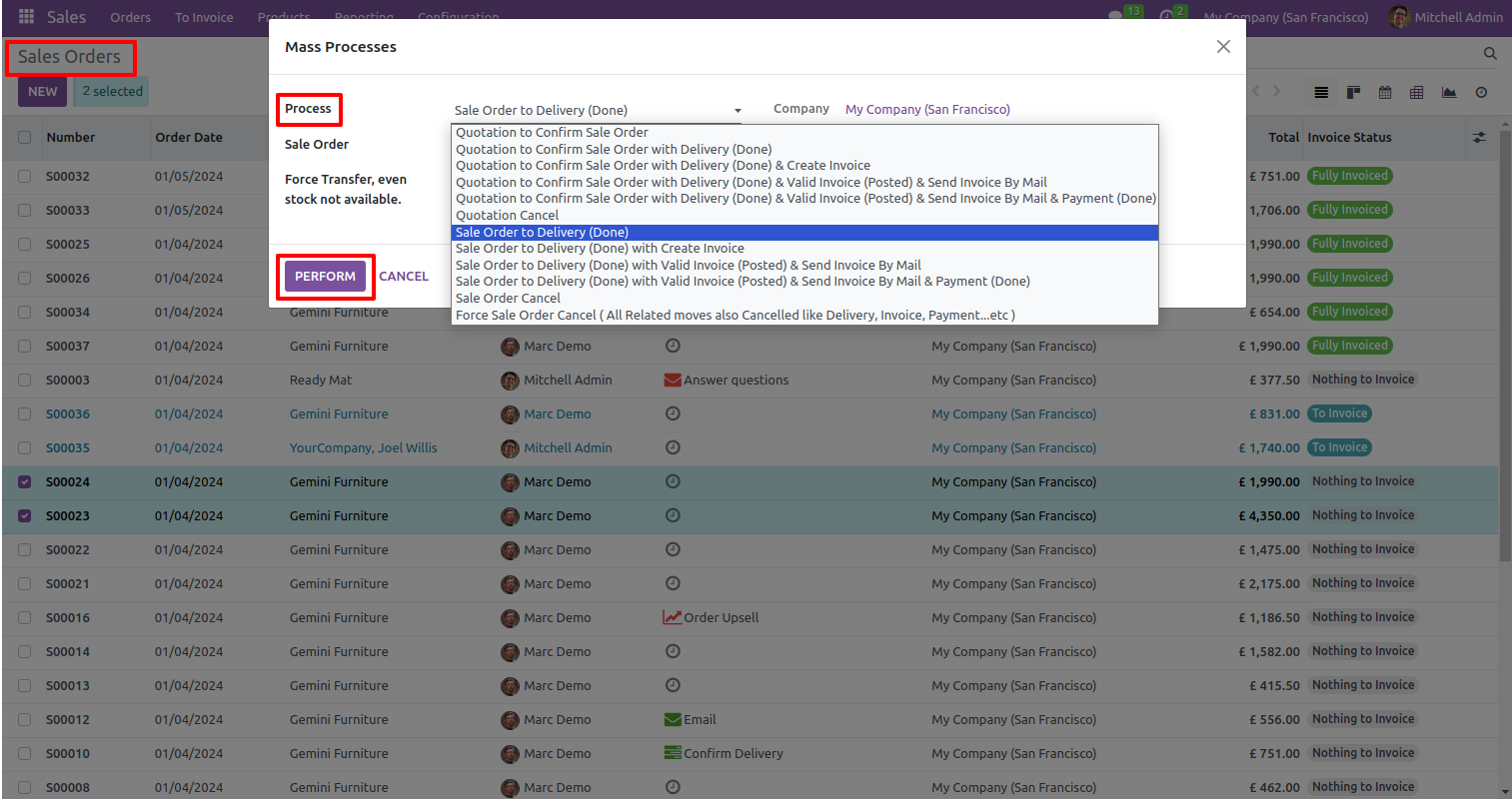
Validates delivery order and sends it to invoice stage.
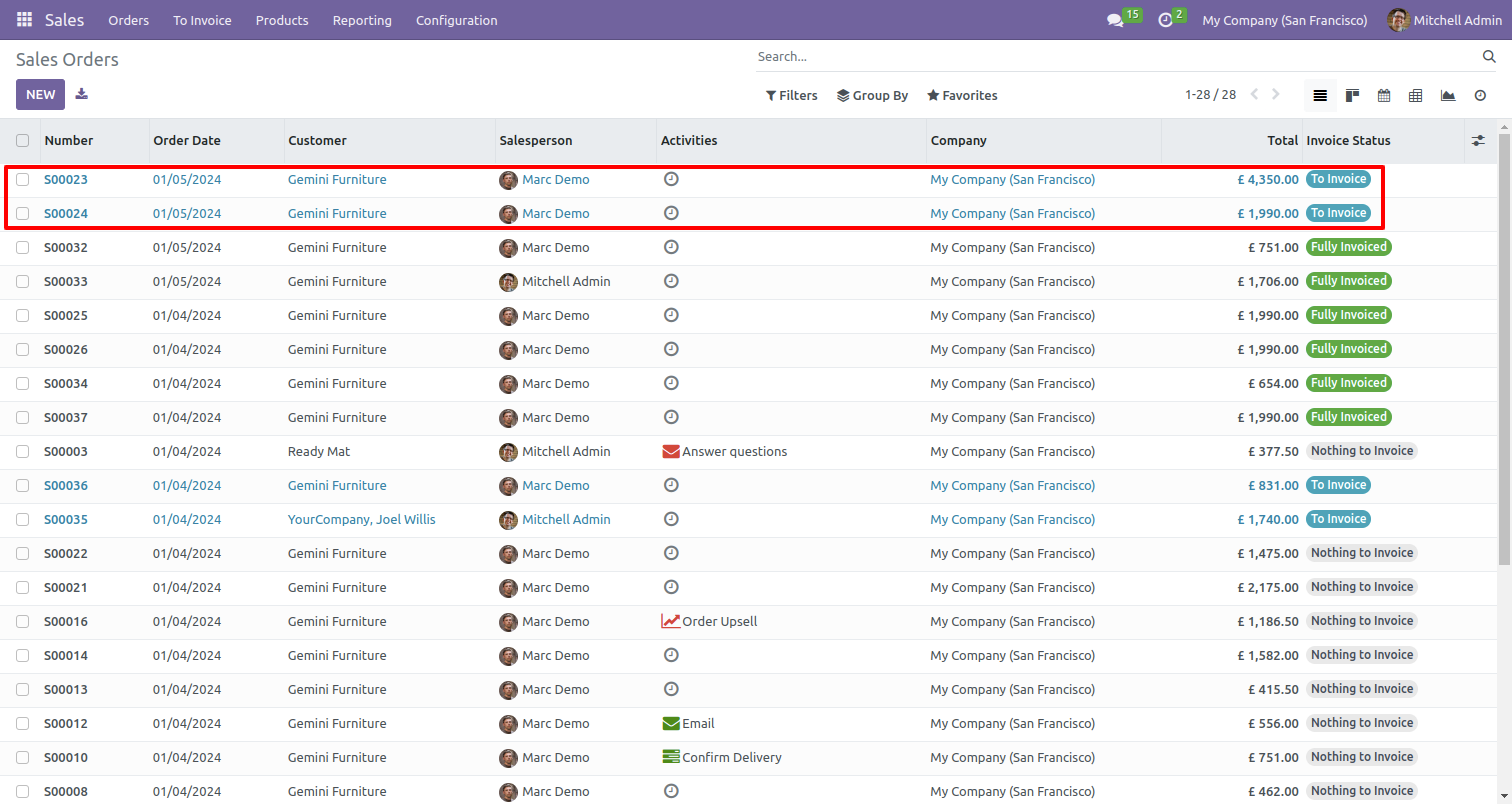
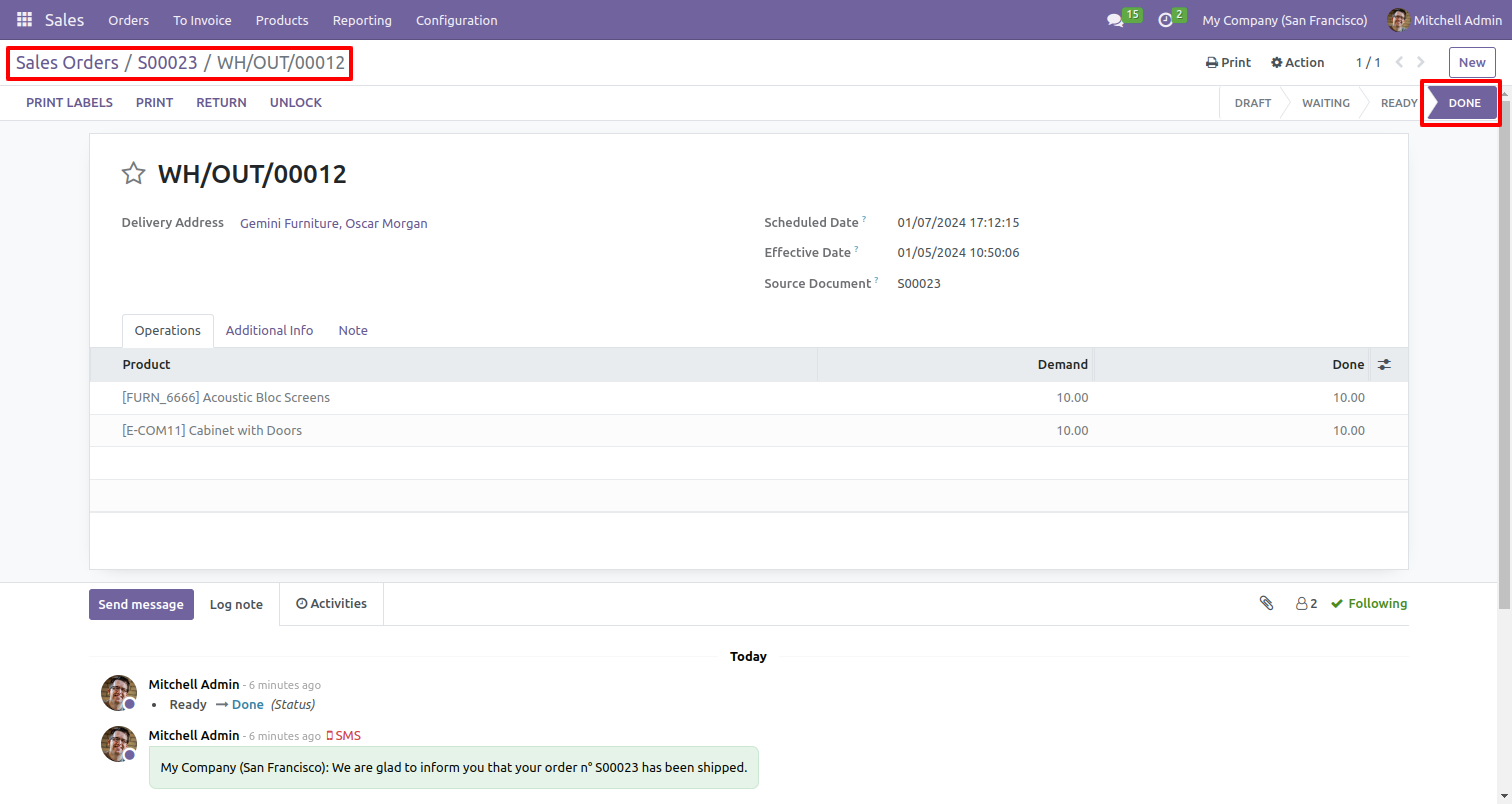
Validates delivery order.
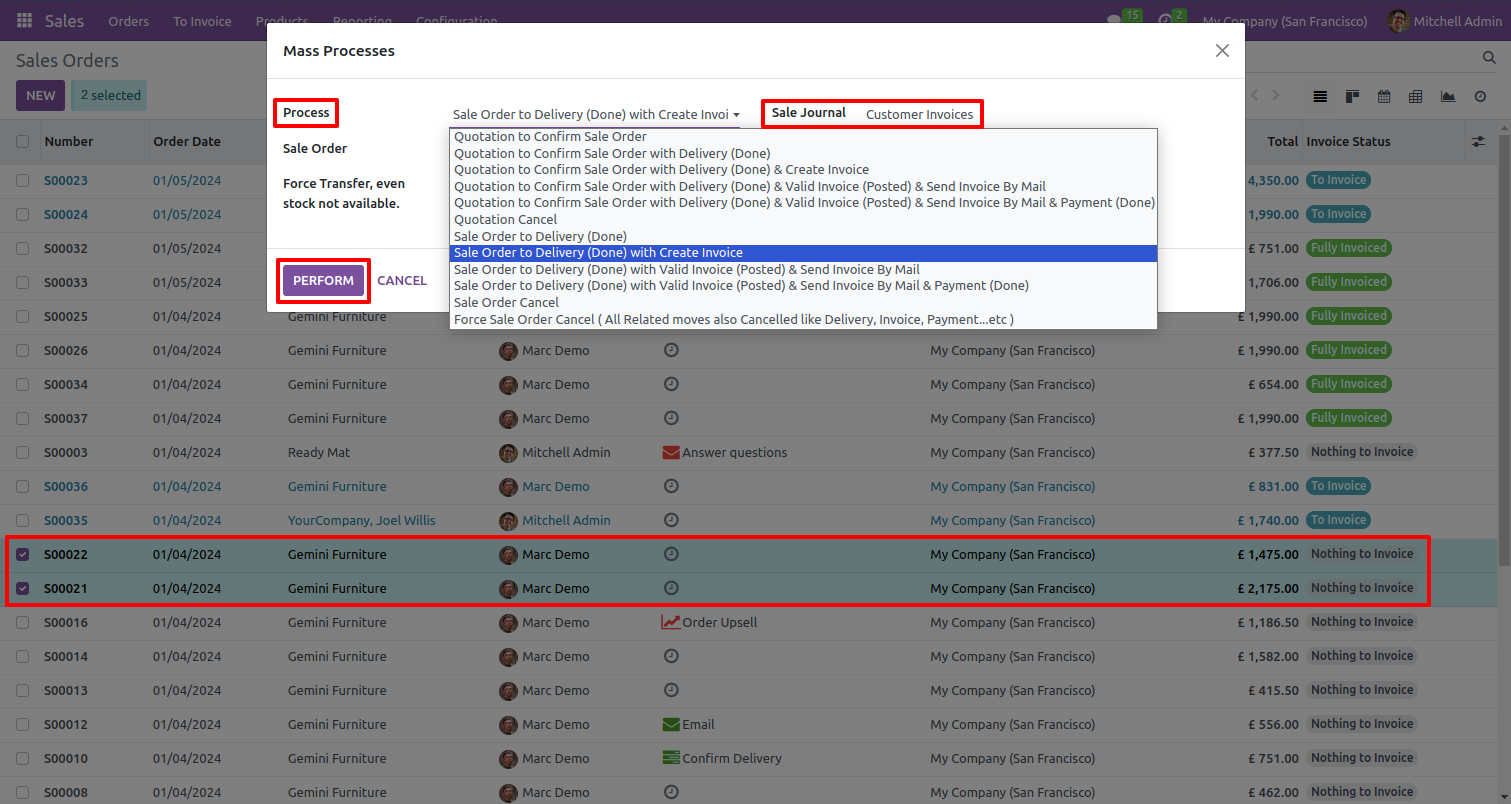
Select multiple sale orders and select 'sale order to delivery done & create invoice' process and set sale journal.
Selected sale order invoice status changed from sale order to fully invoiced.
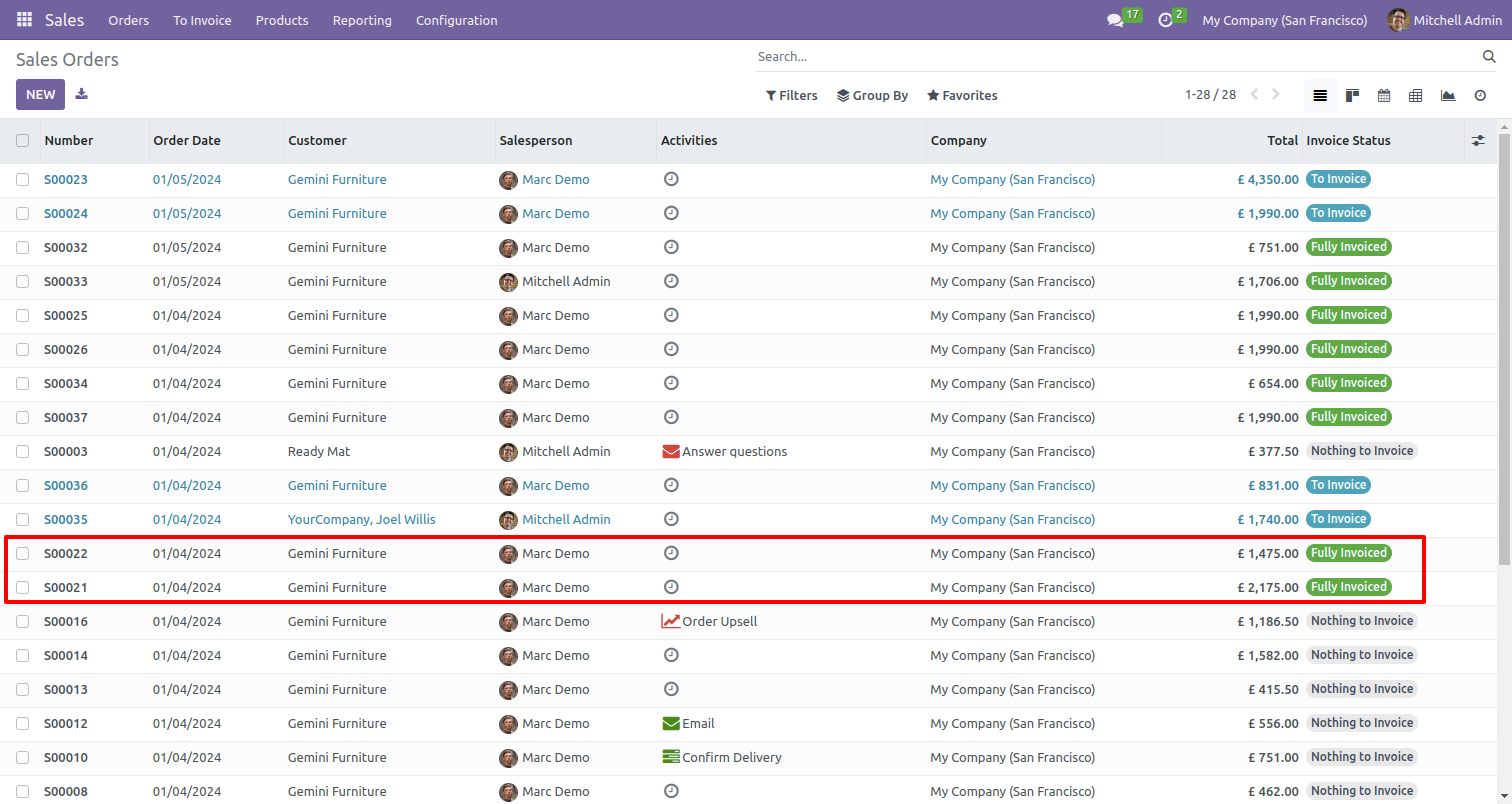
Validates delivery and creates an invoice.
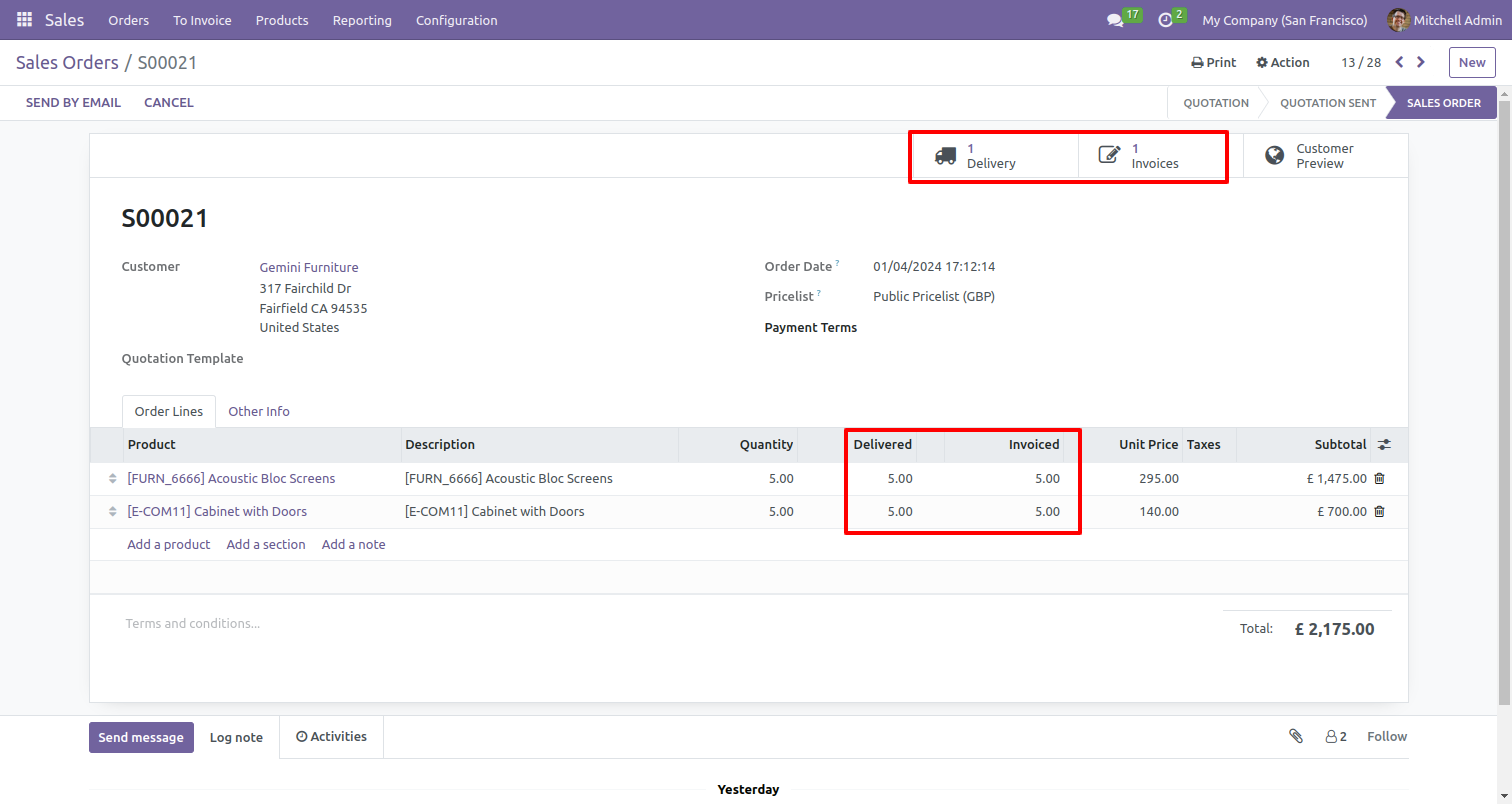
Validates delivery and send it to done stage.
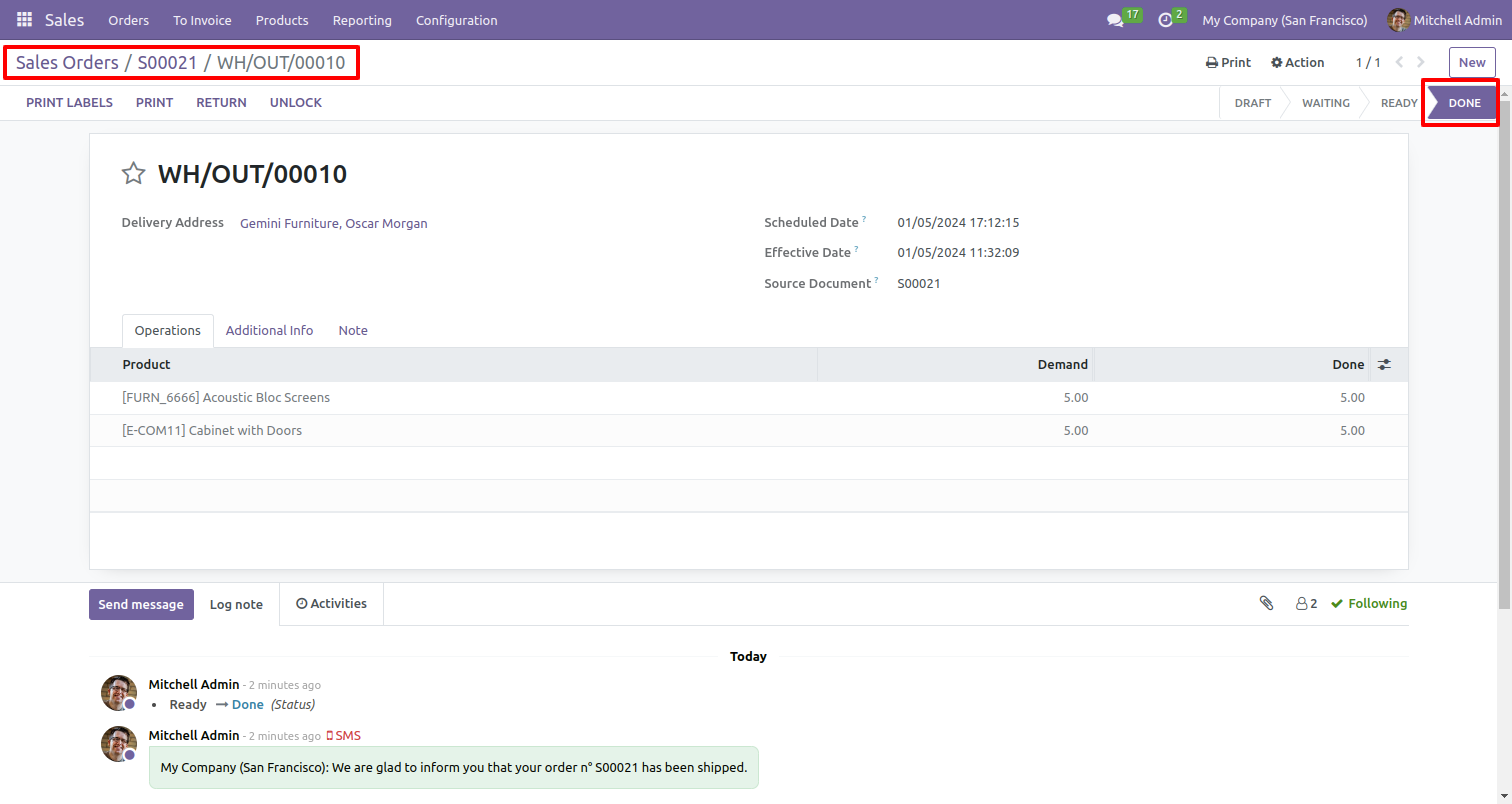
Creates invoice in draft stage.
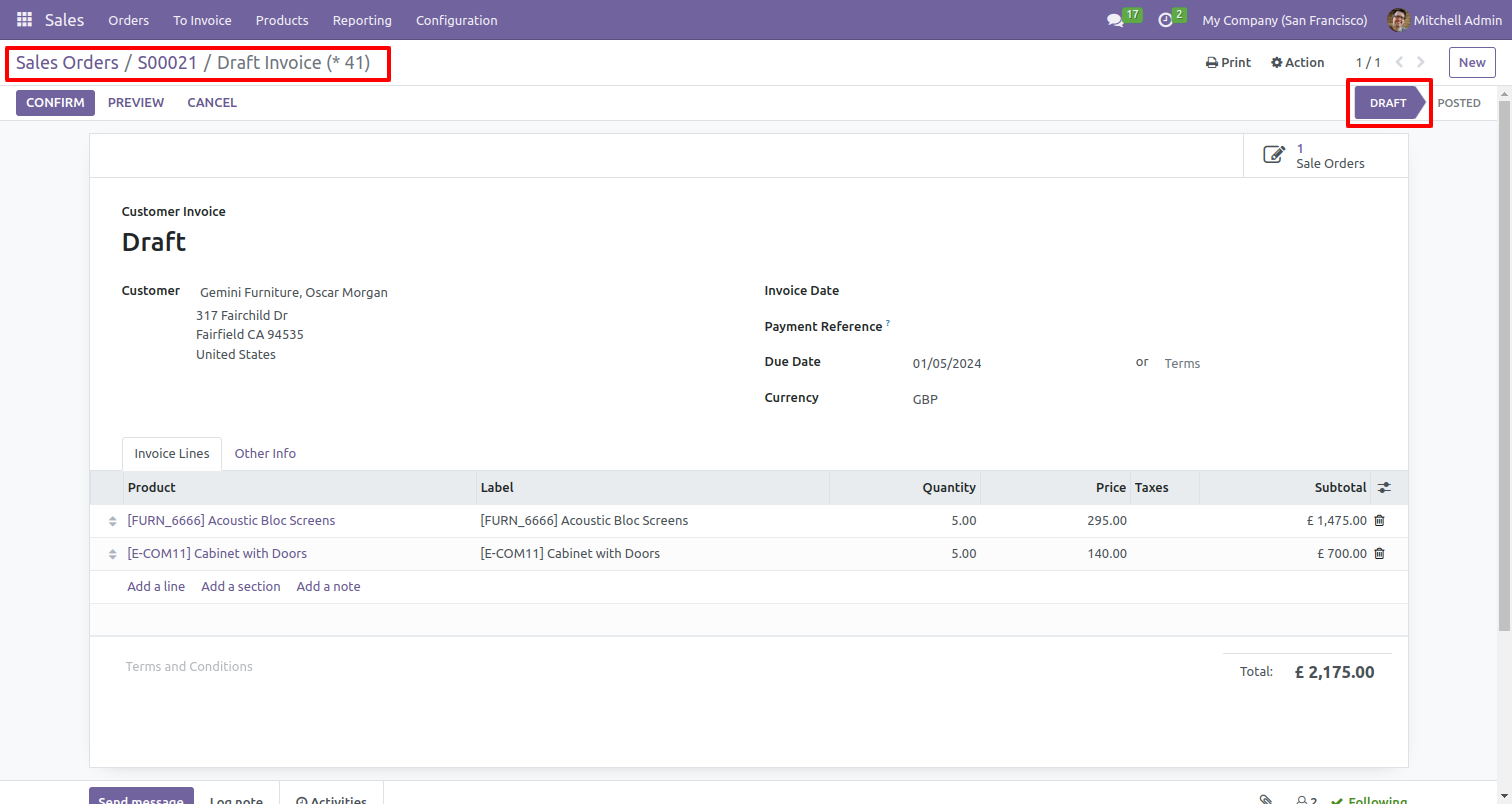
Select multiple sale orders and select 'Quotation to confirm sale order with delivery done & valid invoice & send invoice by mail' process.
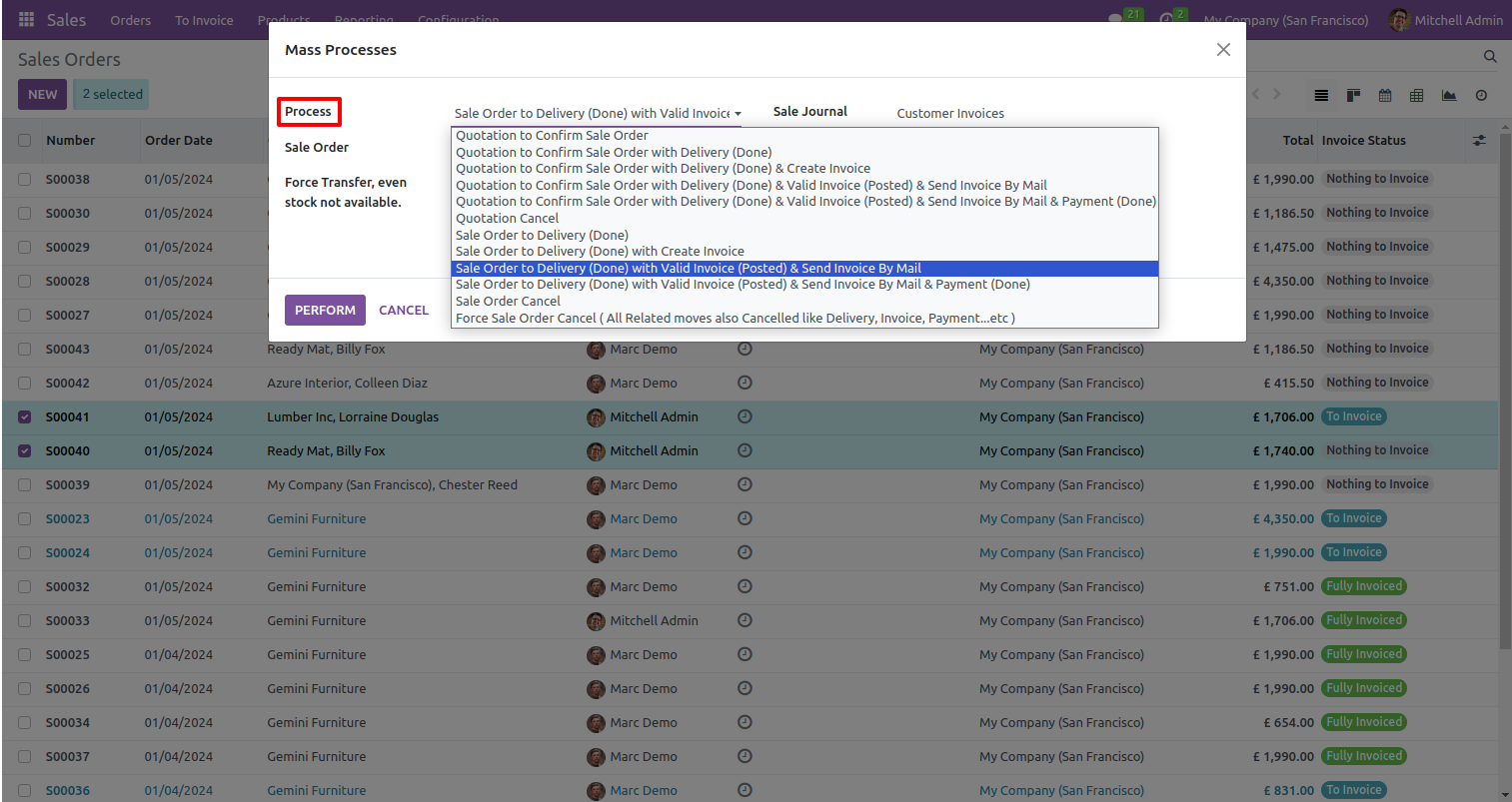
Set payment journal & payment method..
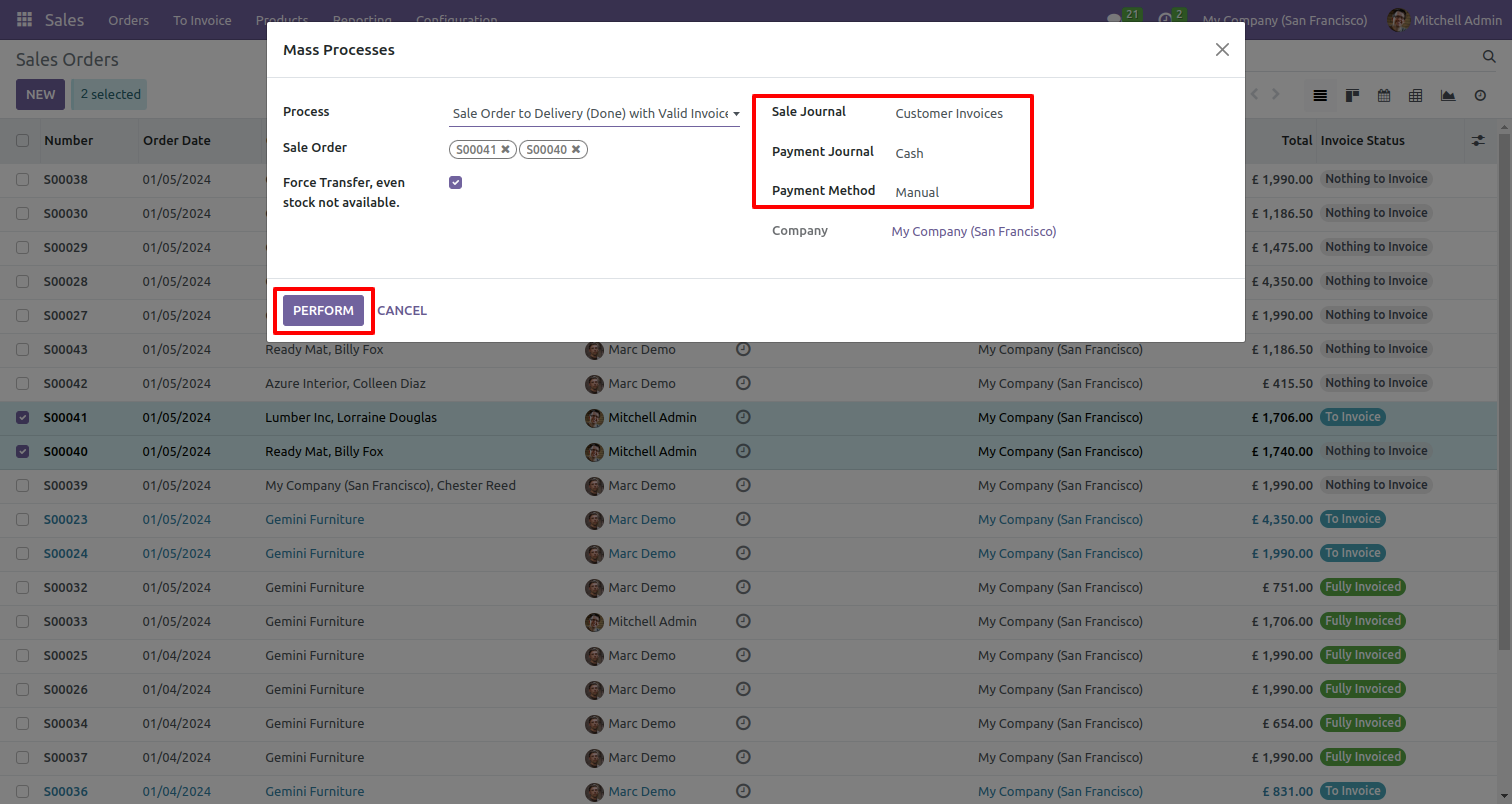
Selected sale order invoice status changed from sale order to fully invoiced.
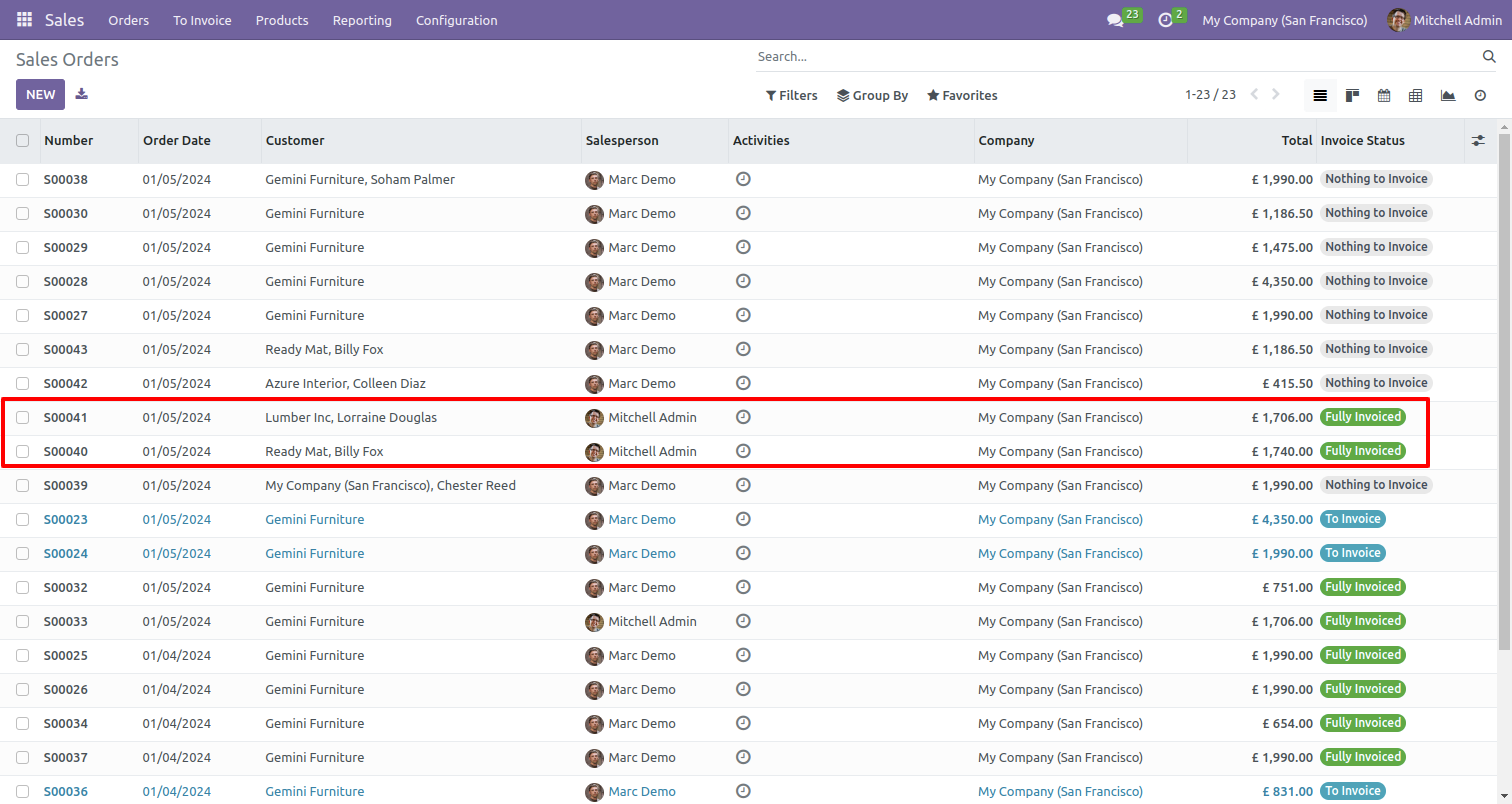
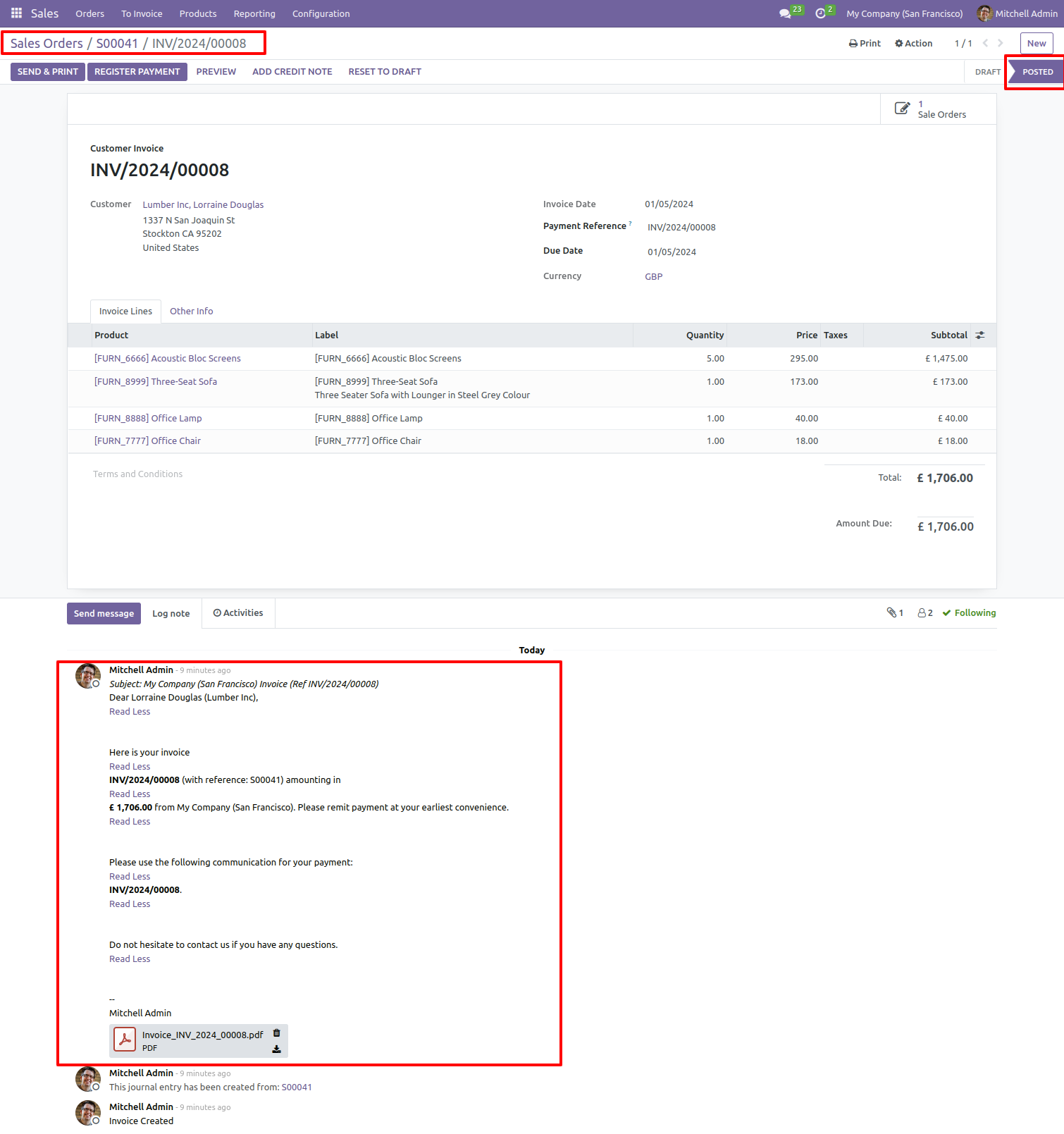
Sale order was delivered and invoiced.
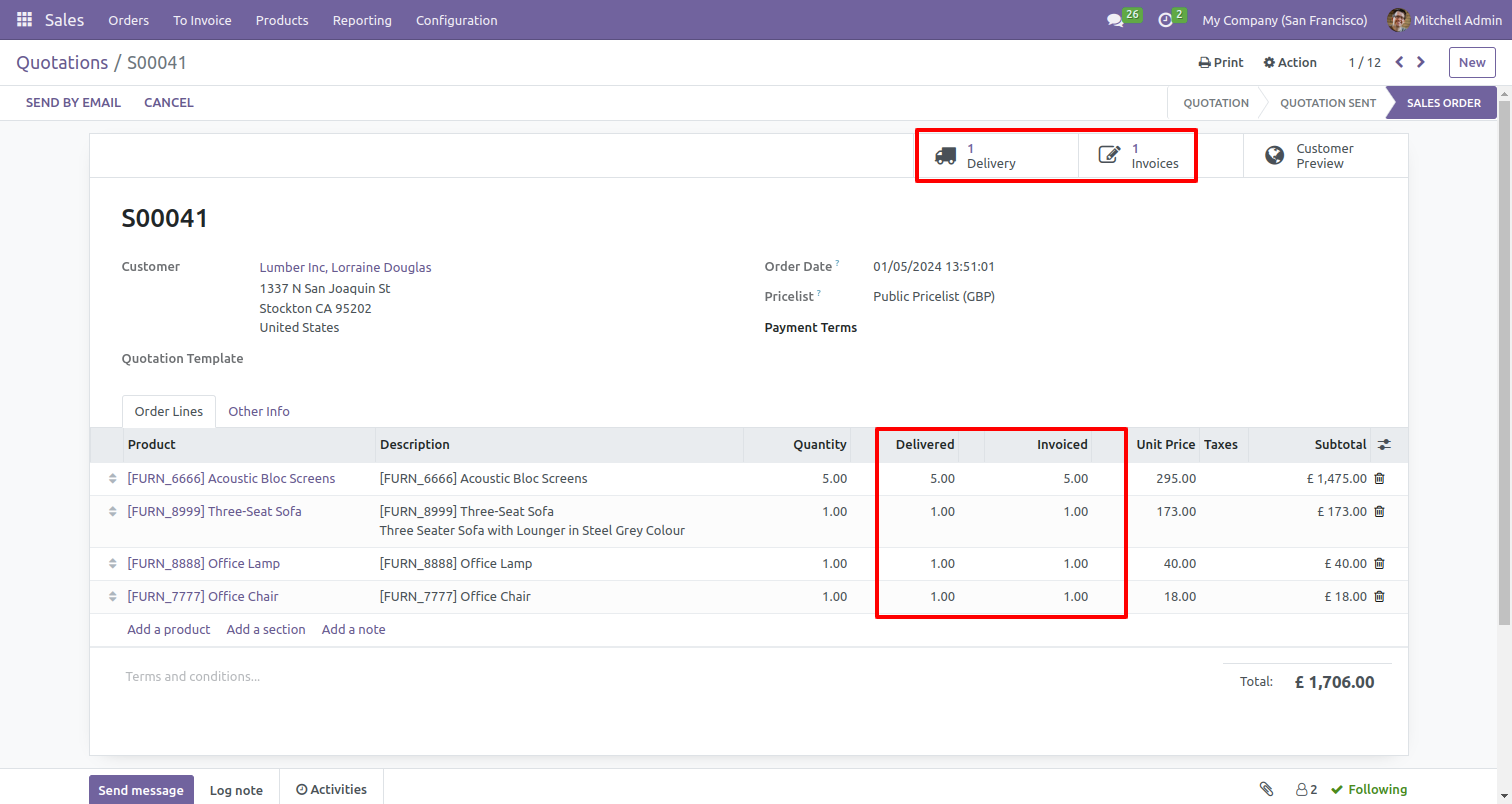
Validates delivery.
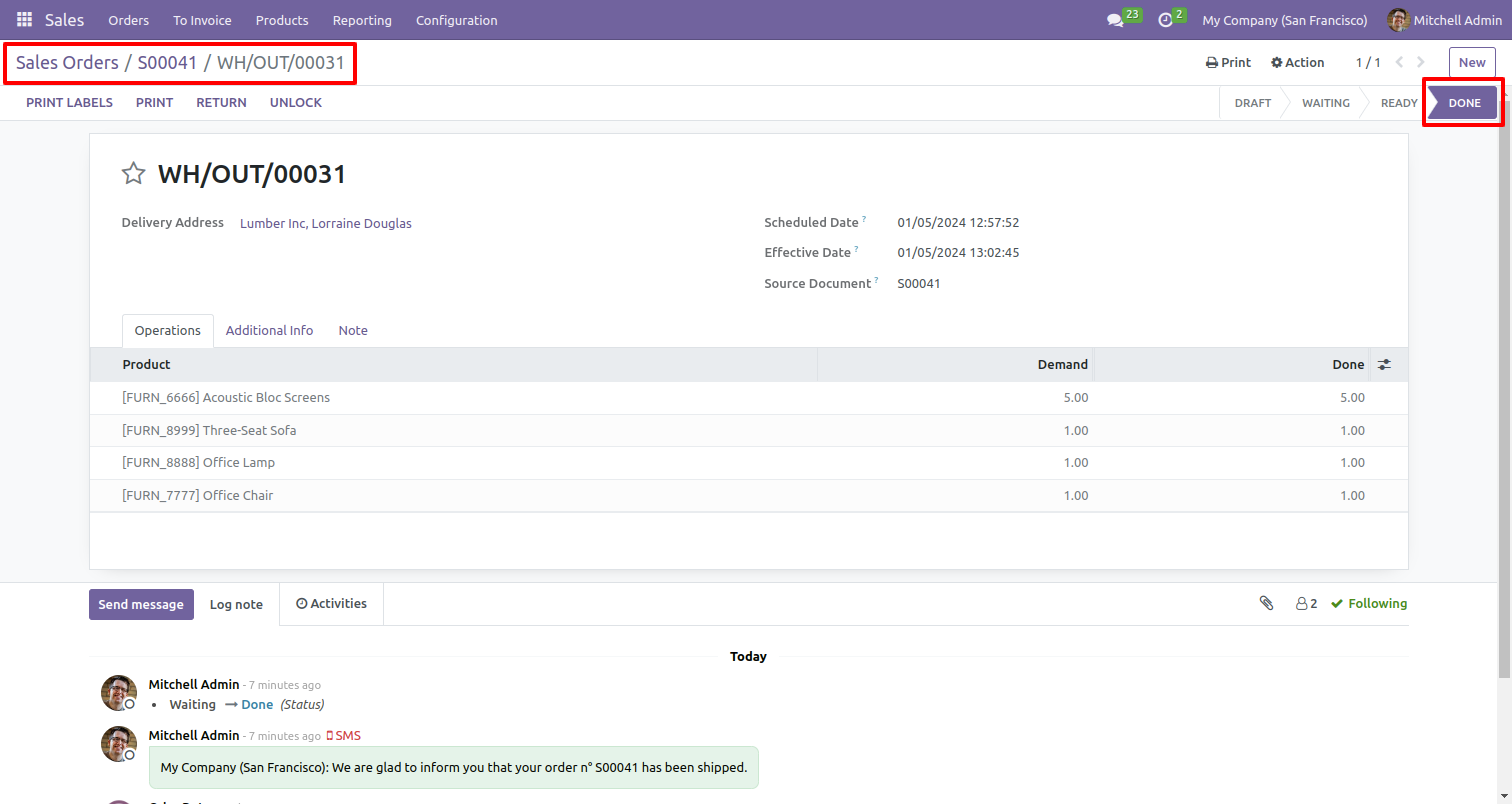
Validates invoices and sends them to customers by email.
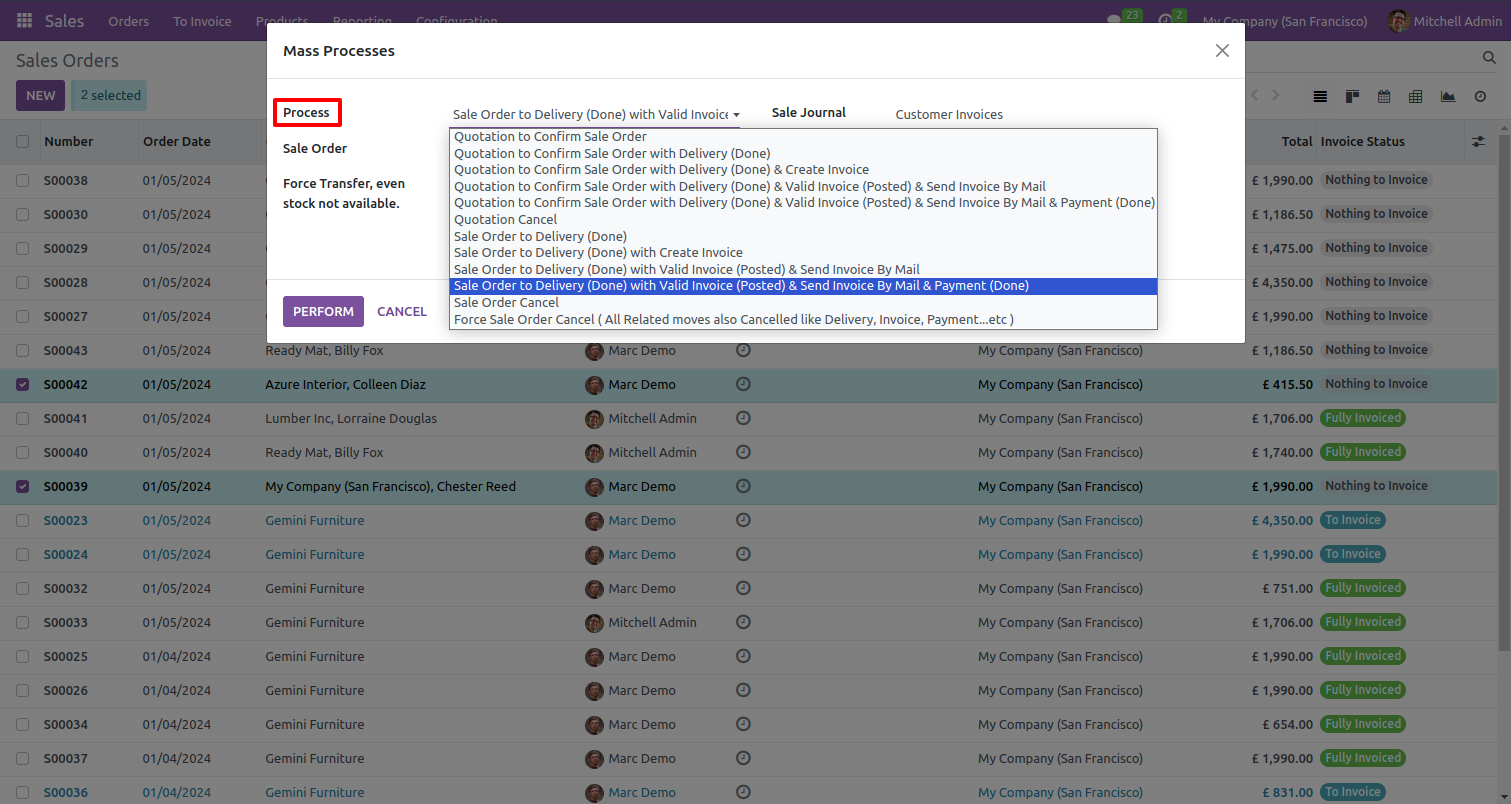
Select multiple sale orders and select 'Quotation to confirm sale order with delivery done & valid invoice & send invoice by mail & payment done' process.
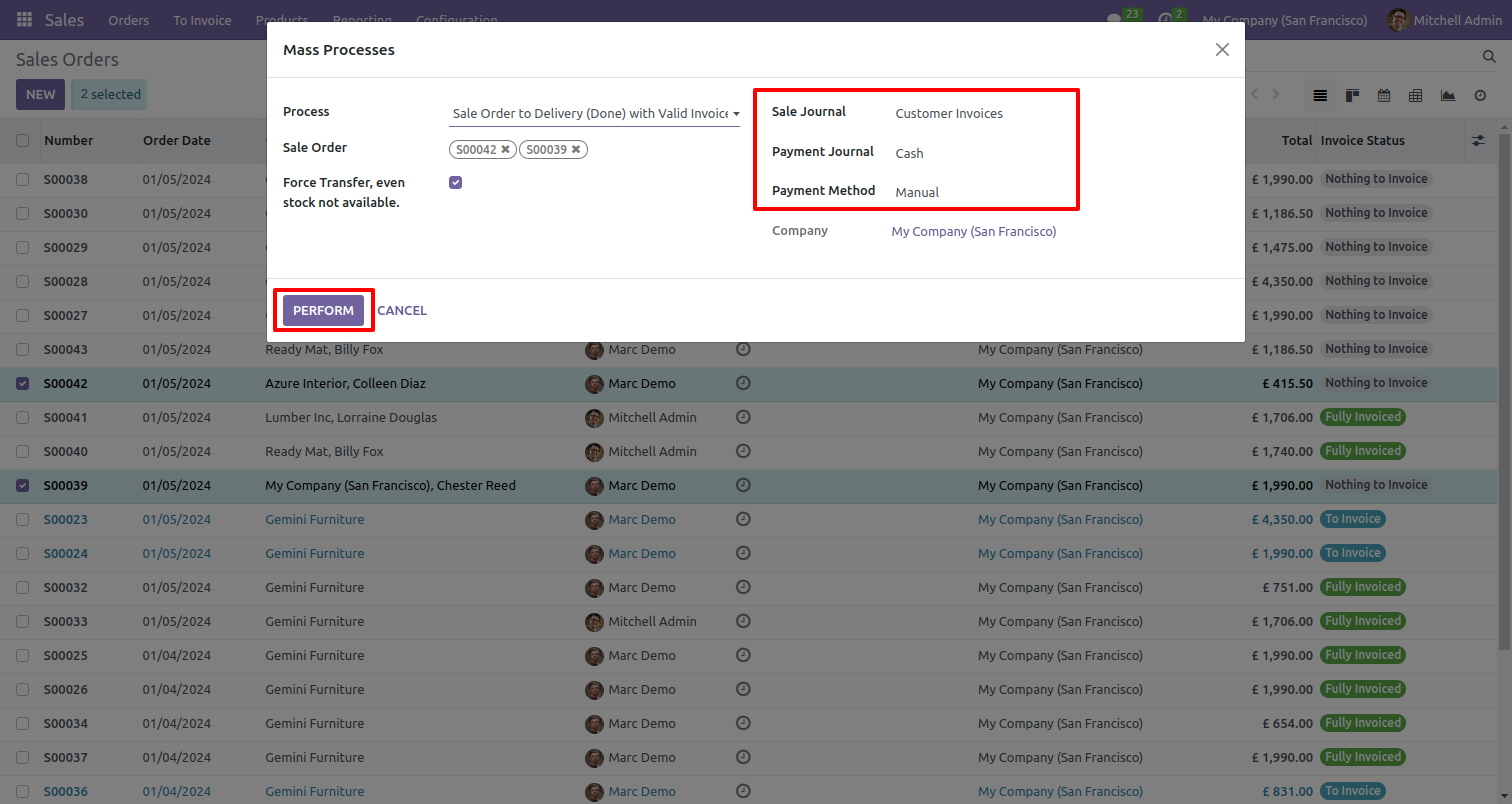
Set payment journal & payment method.
Selected sale order invoice status changed from sale order to fully invoiced.
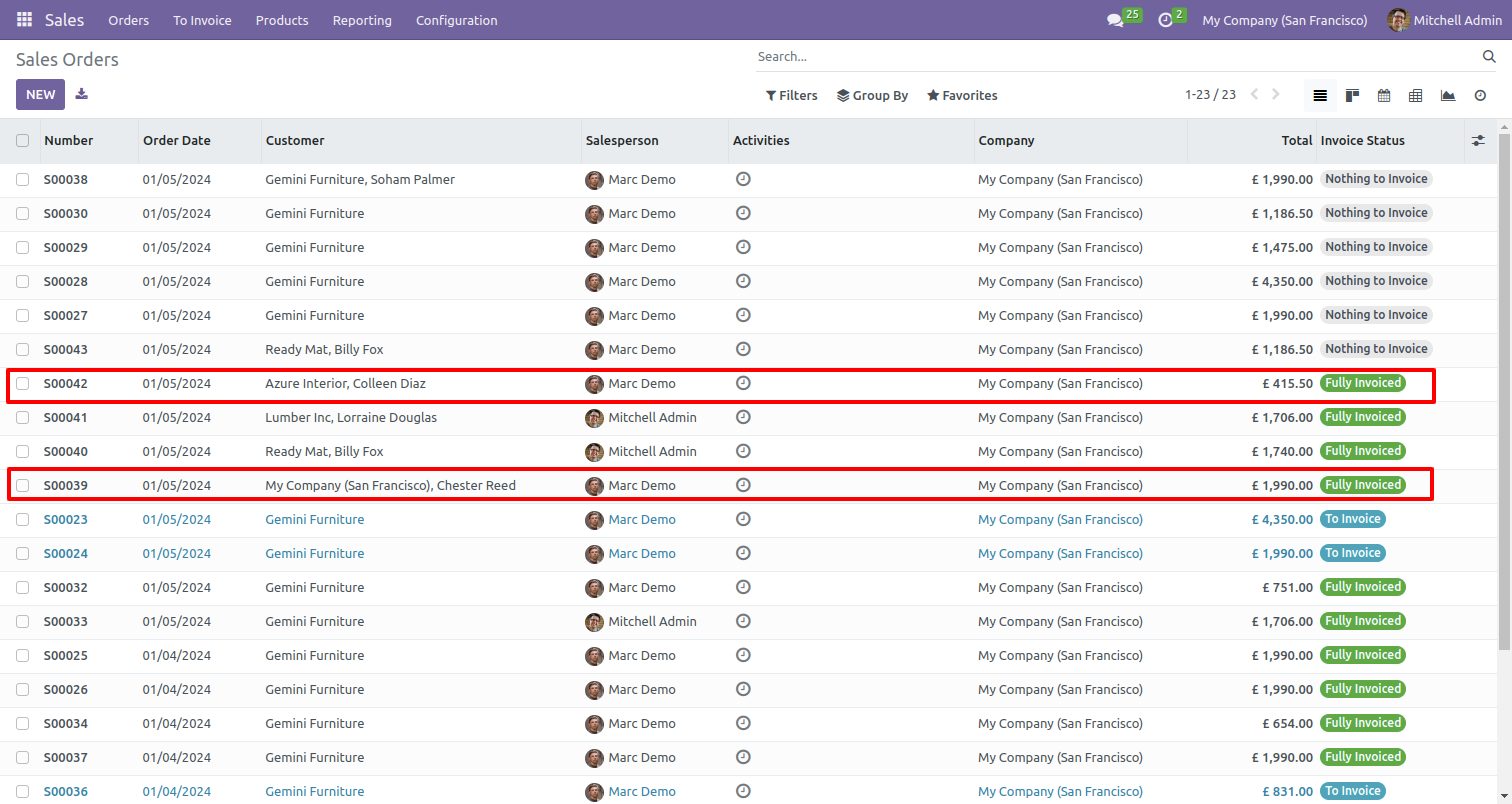
Sale order was delivered and invoiced.
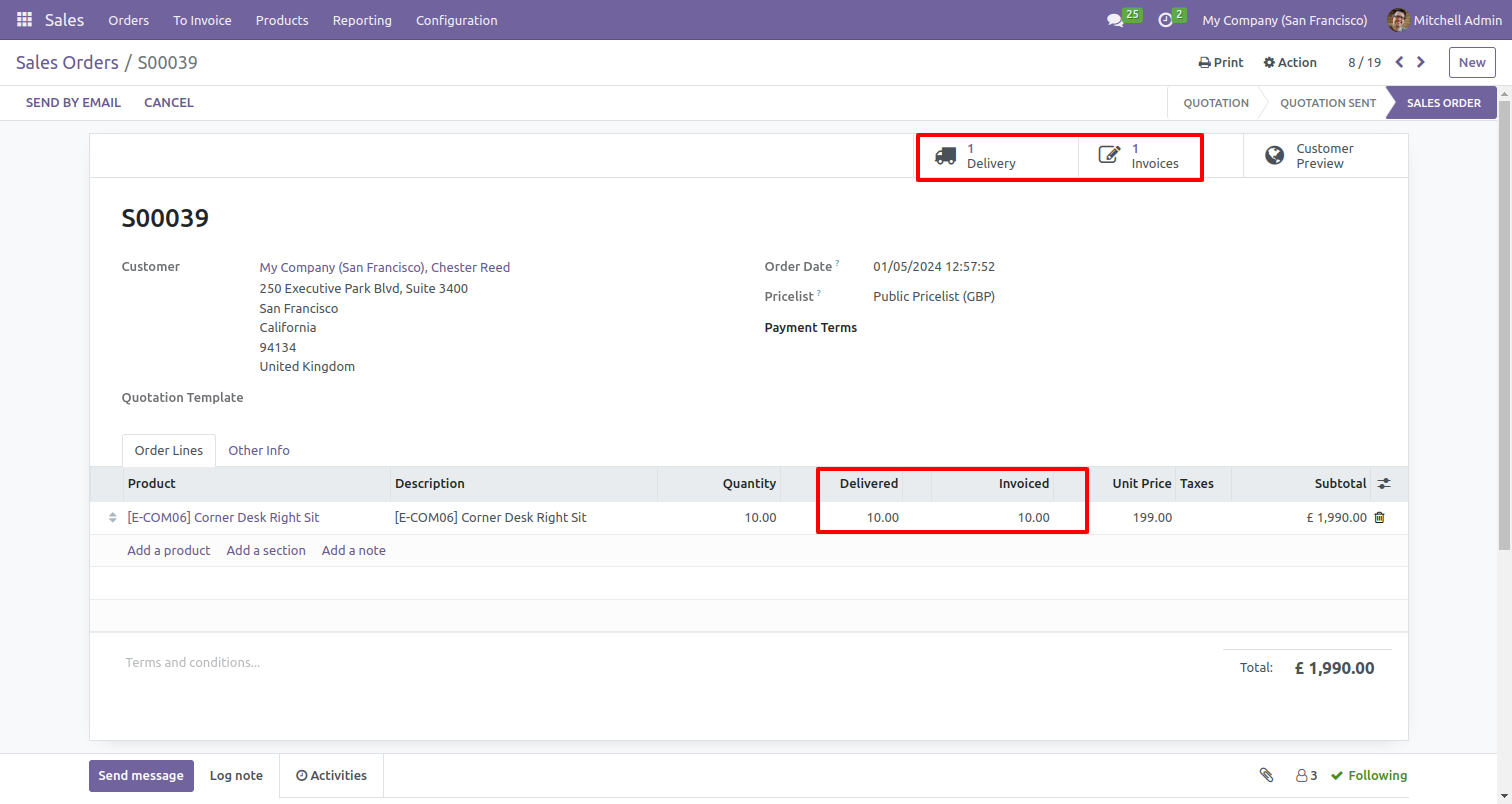
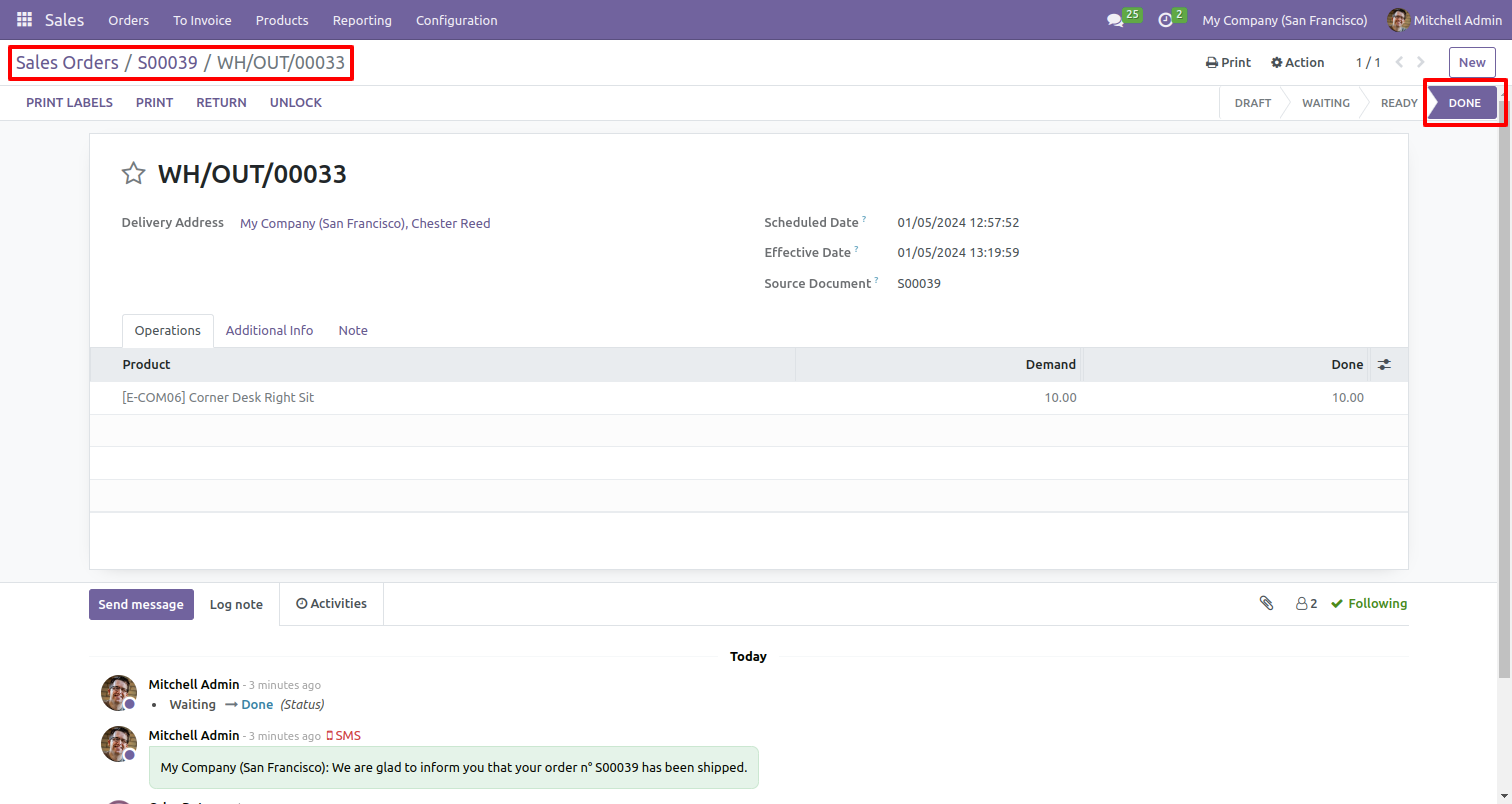
Validates delivery orders.
Payment paid and posted.
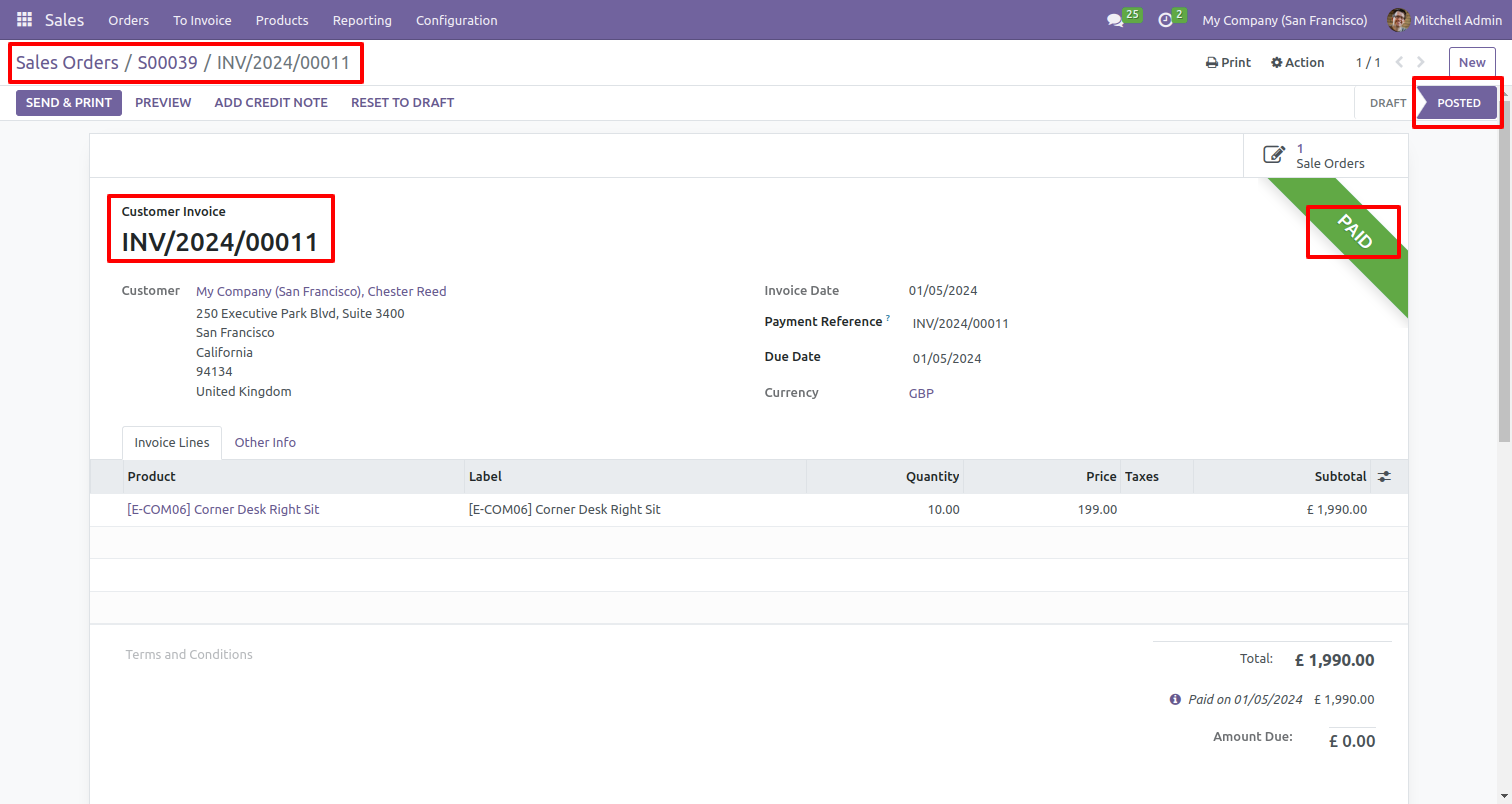
Payment receipt posted.
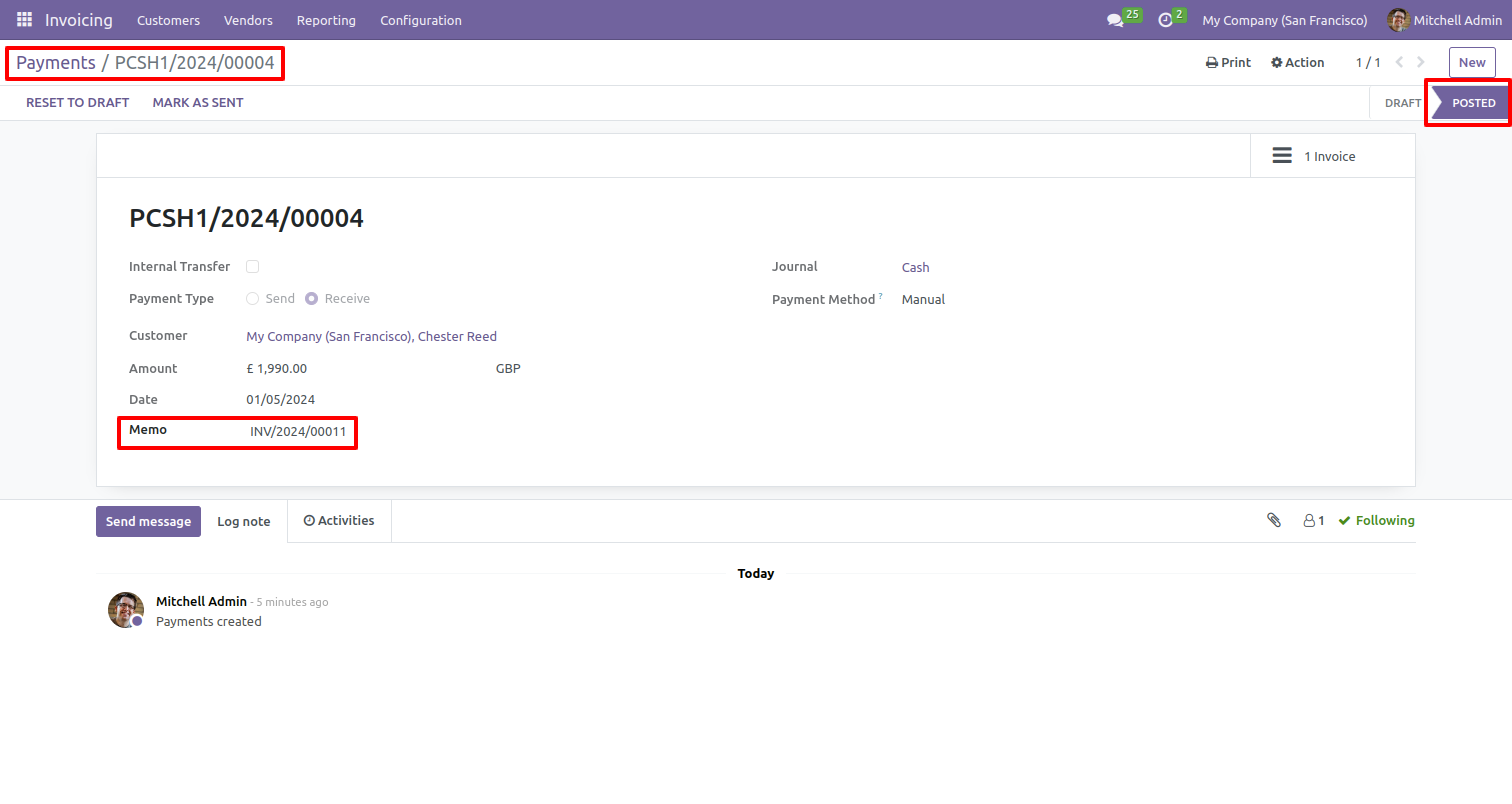
Select multiple sale orders and select 'sale order cancel' process.
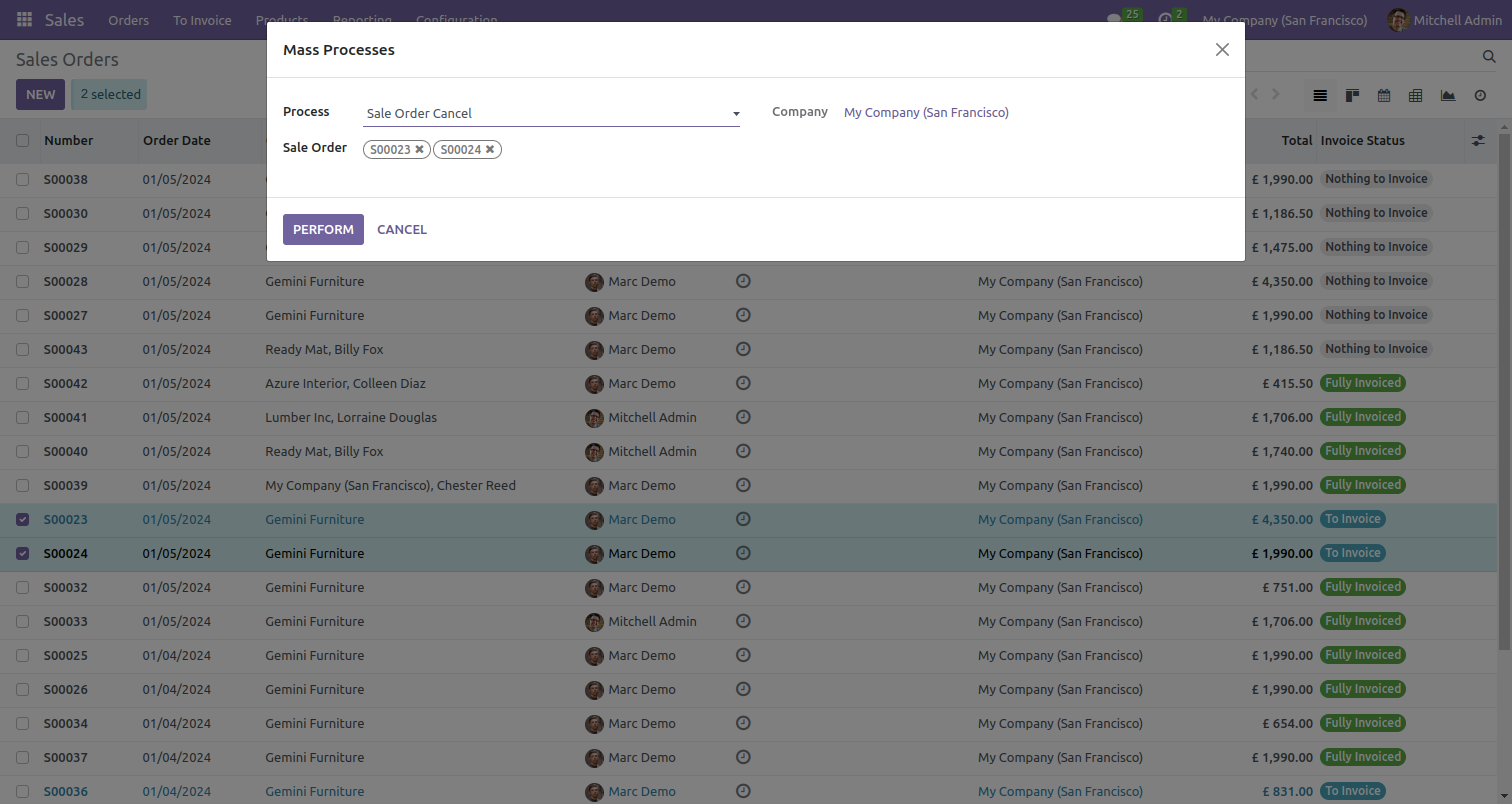
Selected sale order invoice status changed from sale order to canceled.
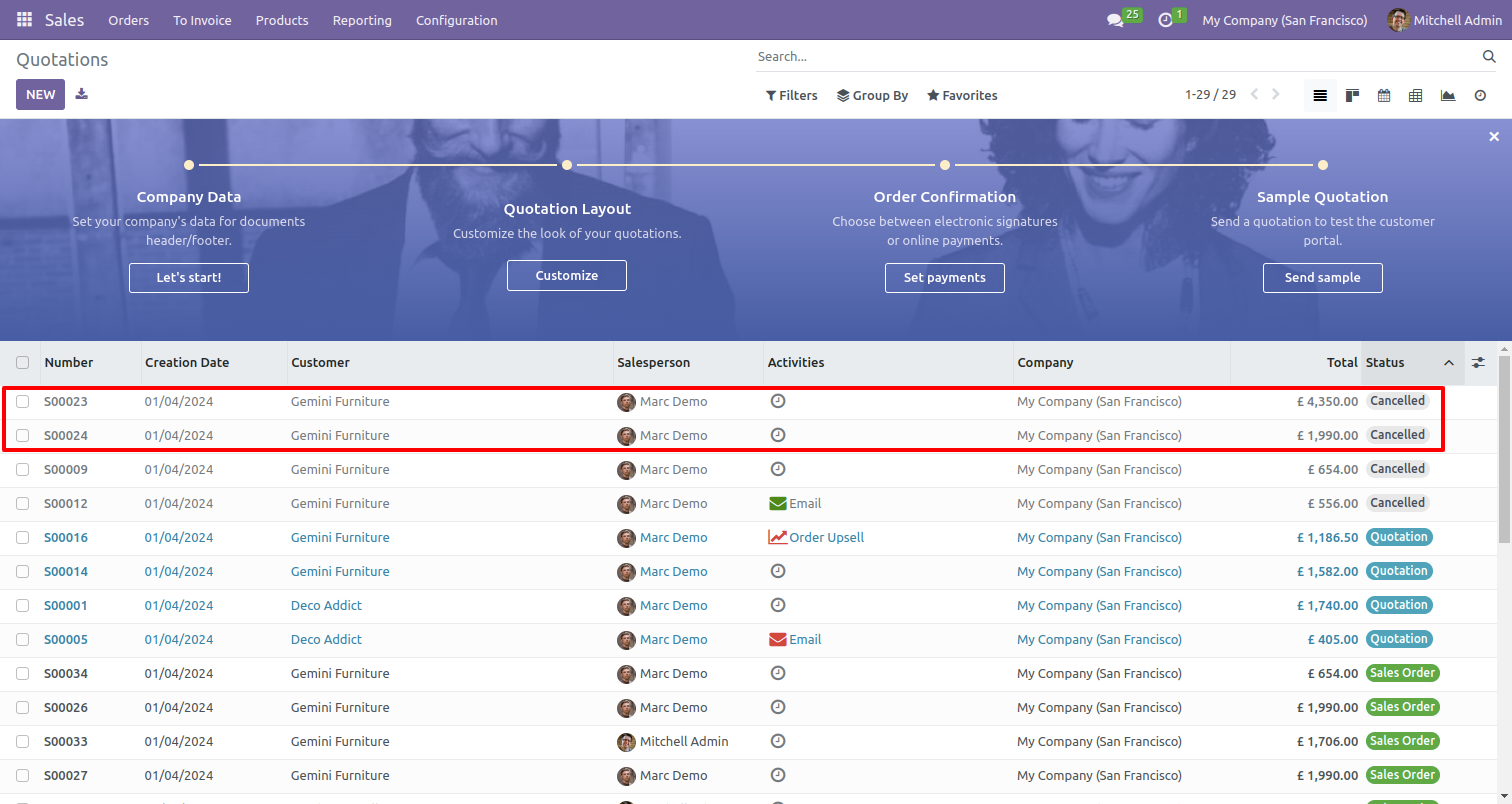
Select multiple sale orders and select 'Force sale order cancel' process to cancel all related moves.
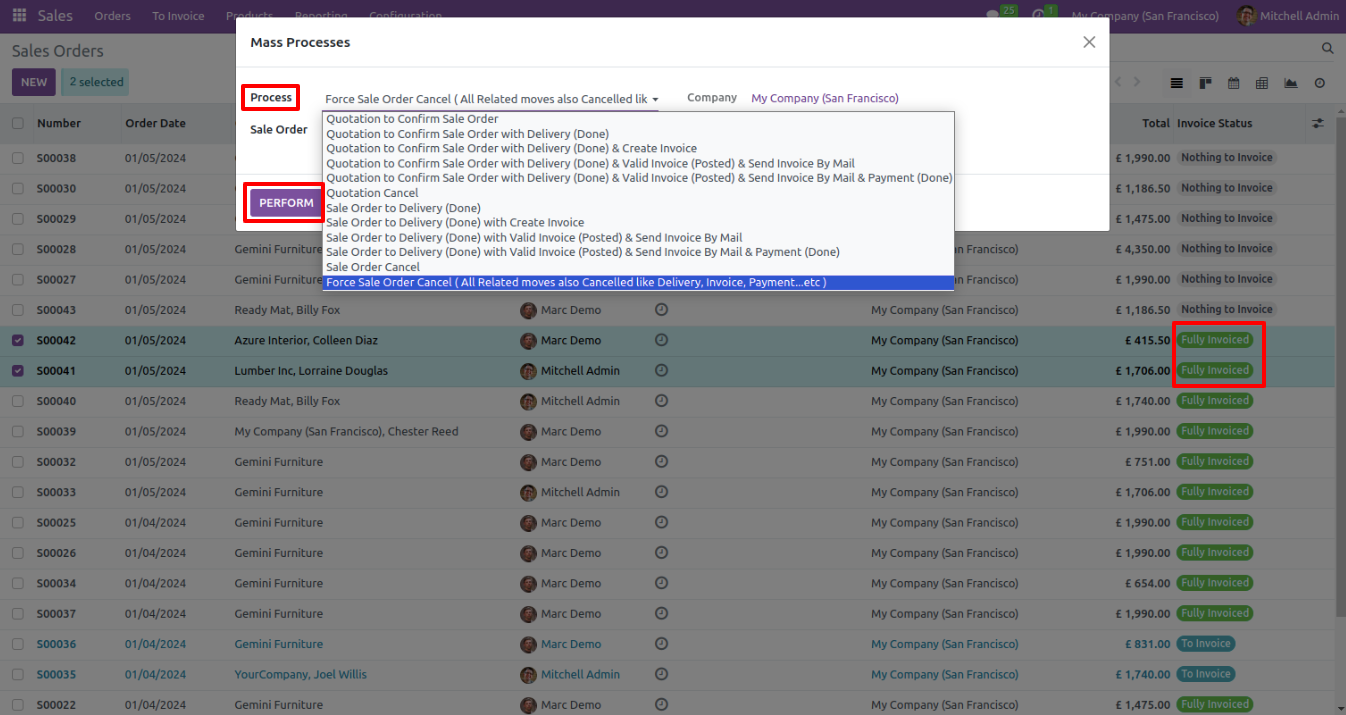
Selected sale order invoice status changed from sale order to canceled.
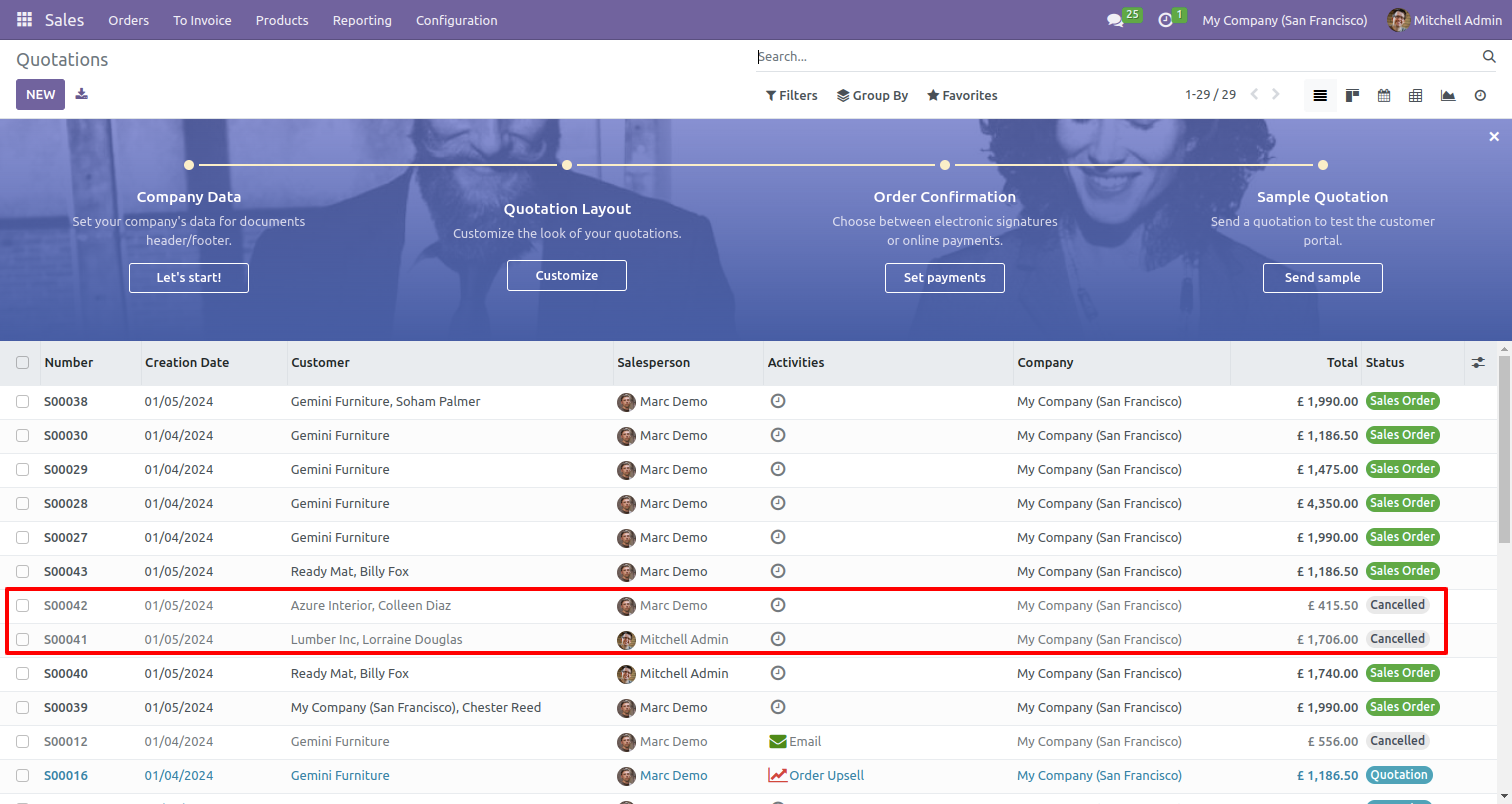
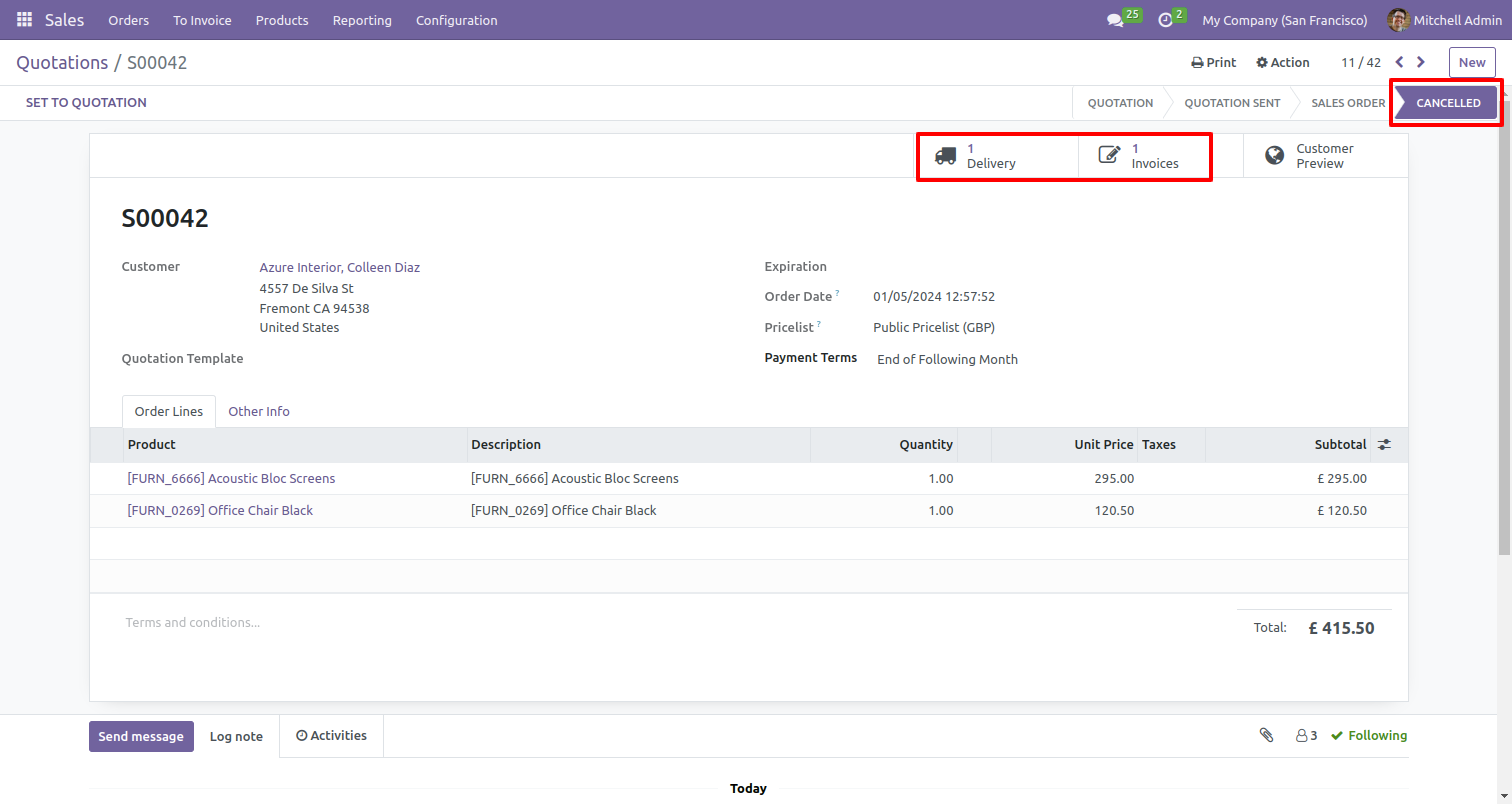
Cancelled sale order, delivery receipt, and invoice.
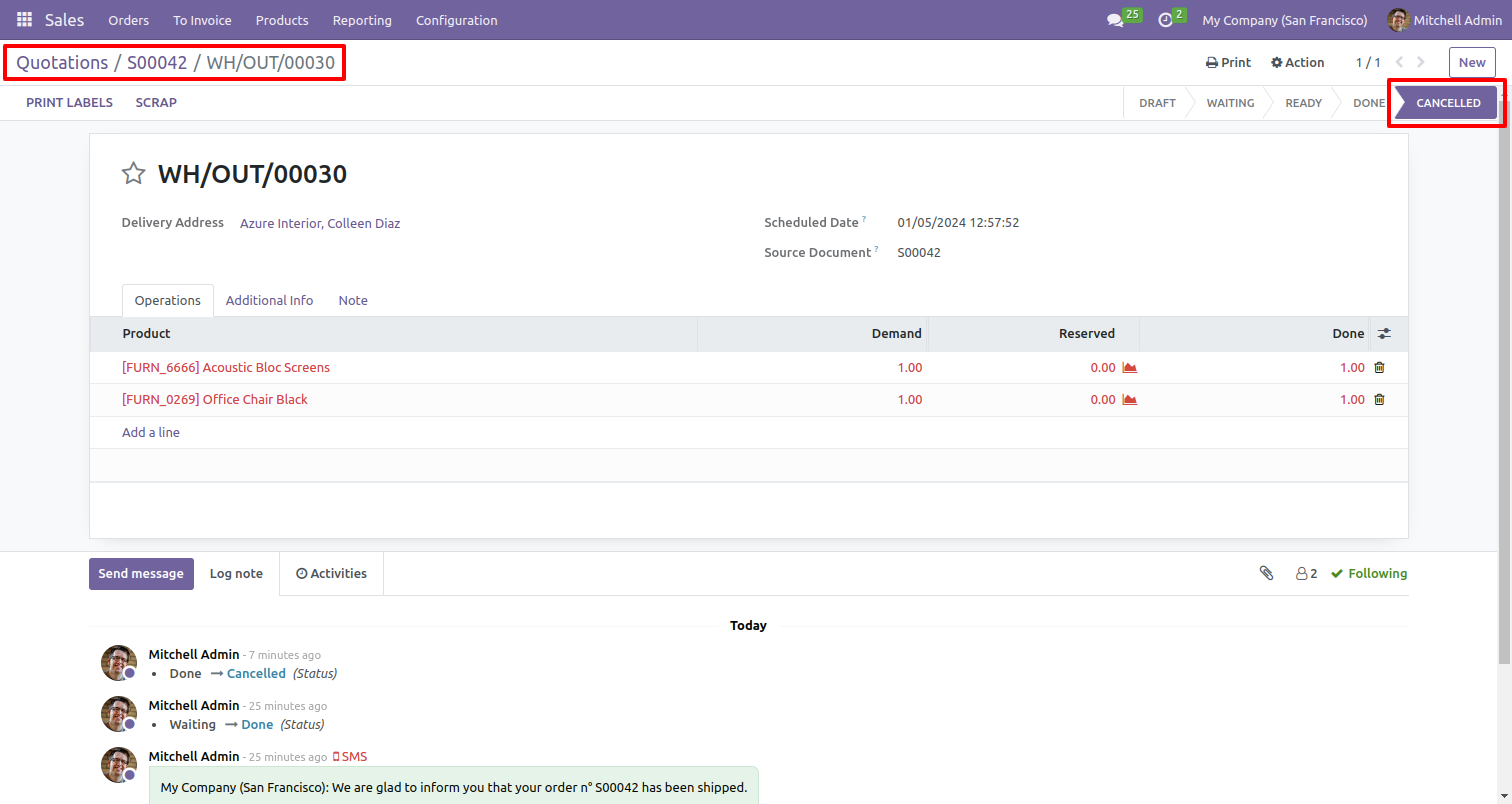
Cancelled delivery orders receipt.
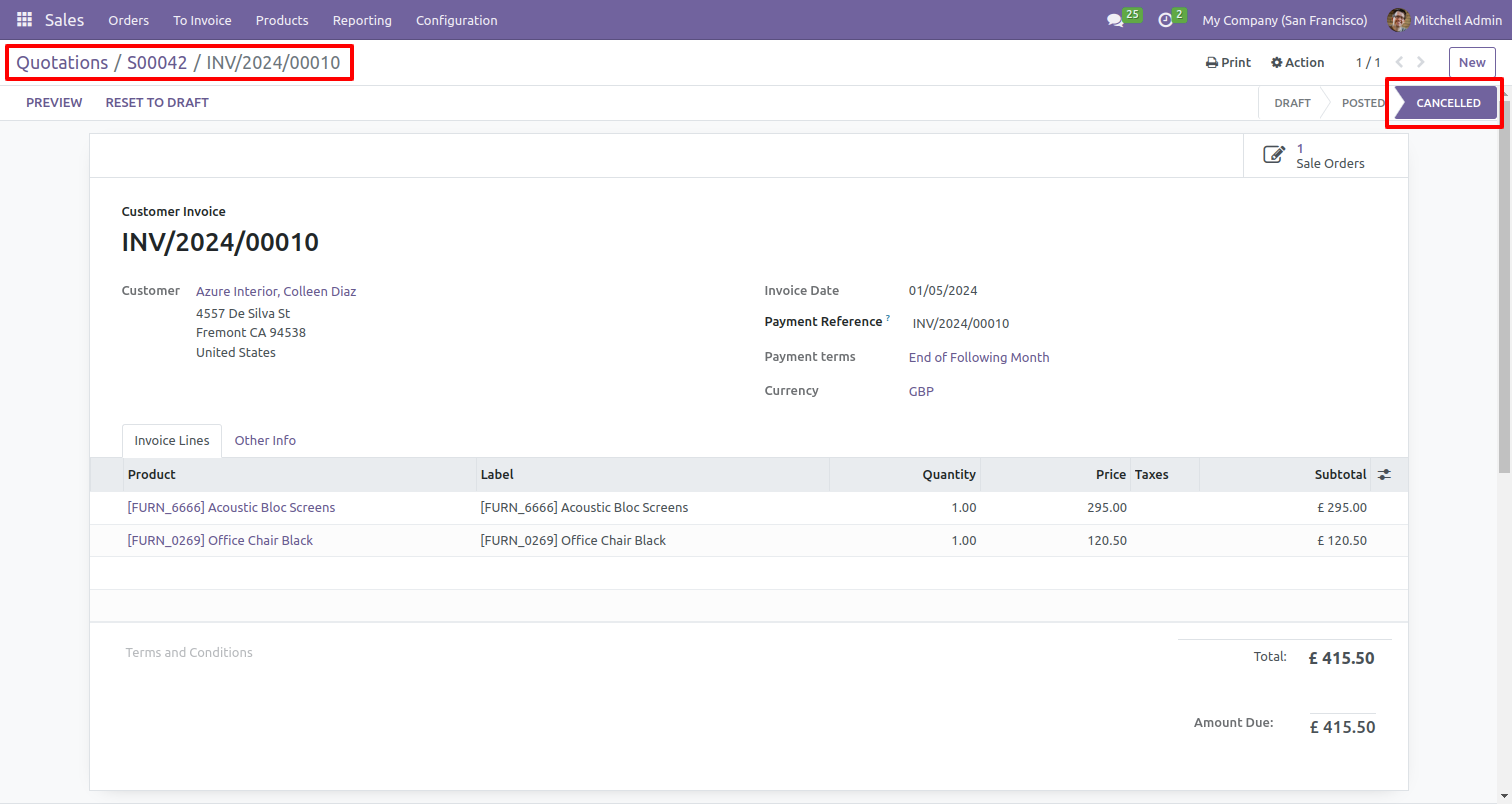
Cancelled invoice receipt.
Version 19.0.1.0.0 | Released on : 9th March 2026
- Yes, this app works perfectly with Odoo Enterprise (Odoo.sh & Premise) as well as Community.
- No, this application is not compatible with odoo.com(odoo saas/Odoo Online)
- Yes, to test this module, please contact us at sales@softhealer.com.
- Please contact us at sales@softhealer.com to request customization.
- Yes, we provide free support for 365 days from the date of purchase.
- Yes, you will receive lifetime free updates for the version of the module you purchased.
- No, there is no need to install any additional libraries.
- Yes, for version 12 and above, you need to purchase the module separately for each version you intend to use.
- No, exchanges or refunds are not allowed. Please make sure to select the correct version before purchasing.
- You can contact us at support@softhealer.com for language translation support. We use Google Translator tools to provide translations in multiple languages, so the accuracy may vary. We welcome your suggestions to help improve translations.
Discover Our Latest Apps