











Sale Order Discount Approval

Enable seamless control over sales discounts with our module, allowing us to set maximum discount limits. Any increase beyond these limits triggers a straightforward approval process, ensuring managerial oversight and accountability.

Features
- You can set a maximum sale discount limit for a salesperson.
- The system issues a warning to the salesperson if the discount exceeds the set limit.
- Exceeding the discount limit triggers approval; Every Sales Administration holds authority for order approval.
Go to the user settings and set the value in the max allow sale discount.
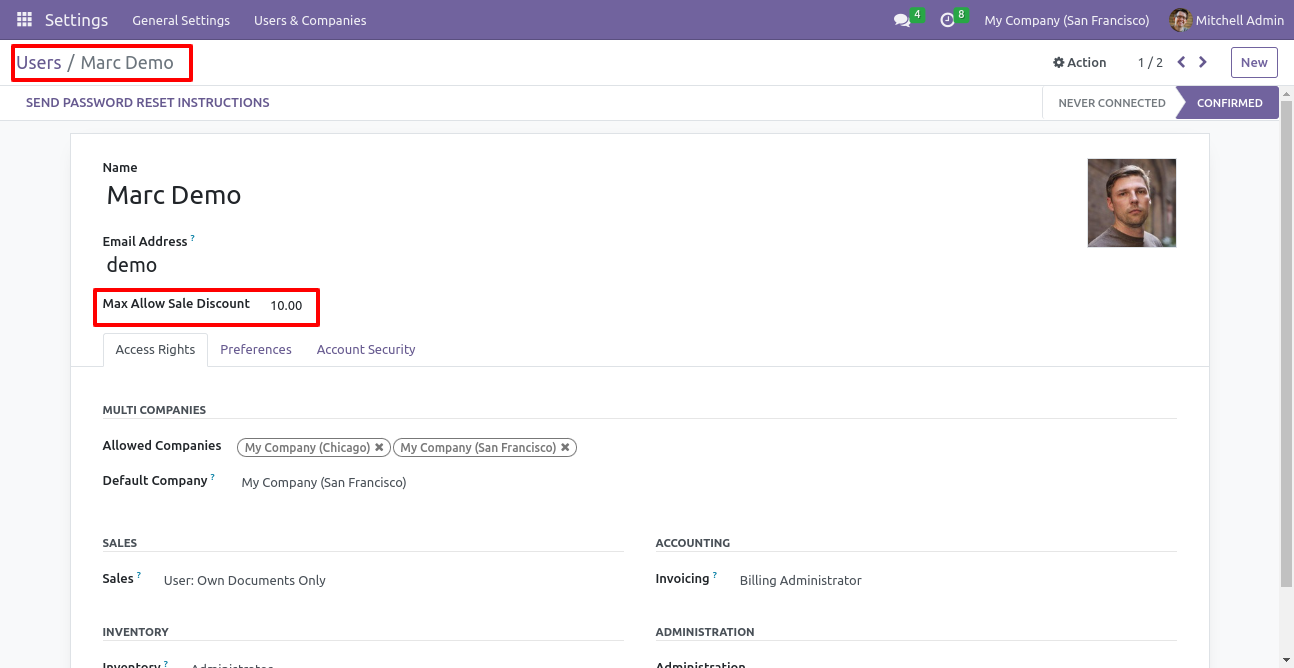
Log in using a user account where you've set a maximum allowed sale discount value.
Try to apply a discount on a new quotation or sale order that exceeds the limit set in the
user settings.
Confirm the order with the discount applied.
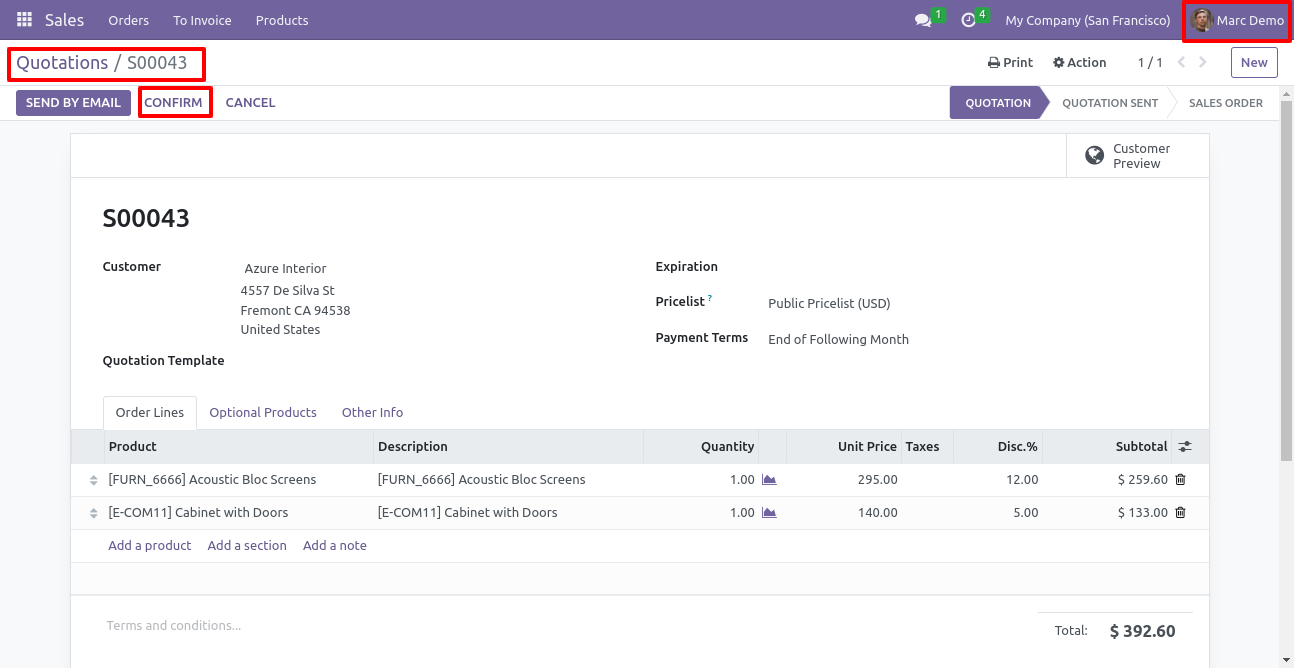
After applying the discount that exceeds the maximum allowed sale discount value, the sale order enters a stage called 'Approve By Manager'.
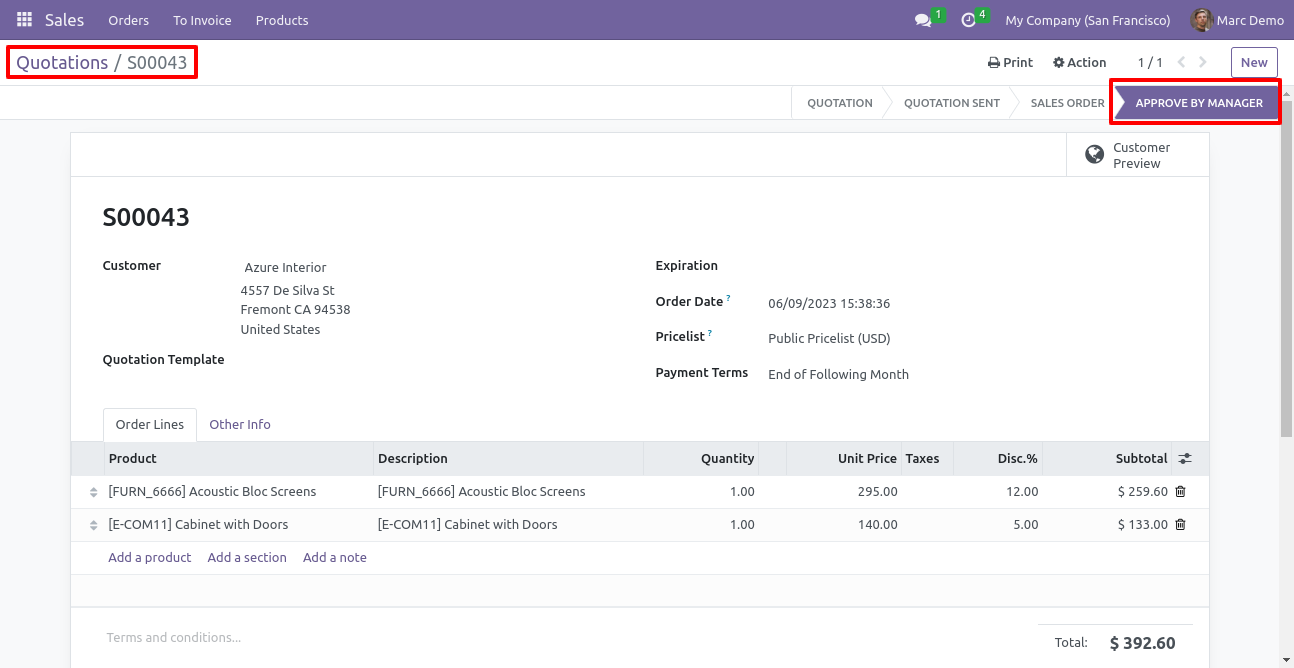
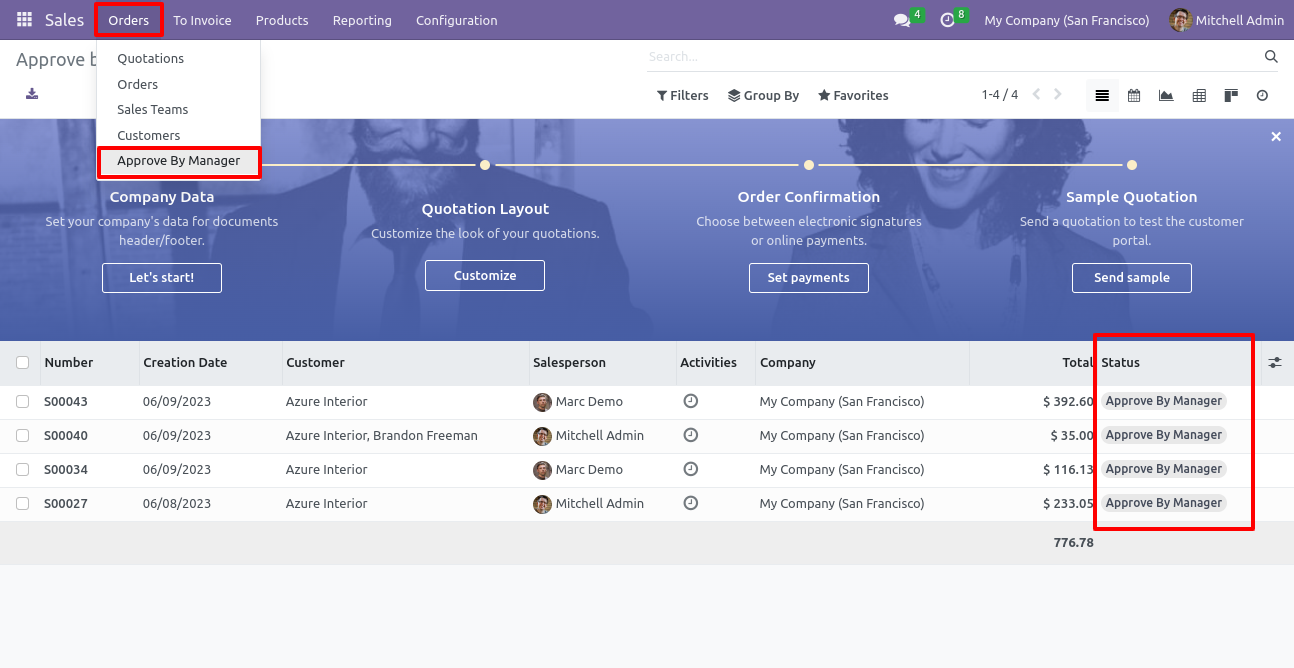
Open the orders menu from sales and select the approve by manager menu.
In the 'Approved By Manager' list view, you can see the status of sale orders that have been
in the approval stage.
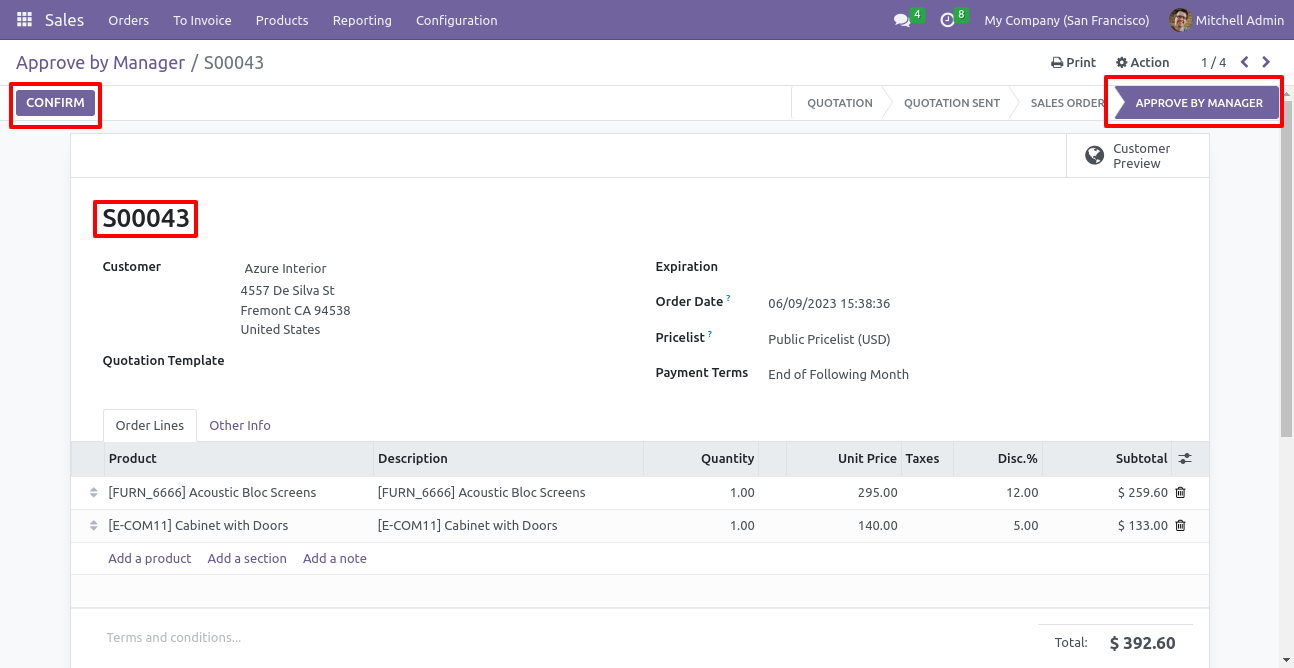
The manager will approve the sale order by clicking on the confirm button.
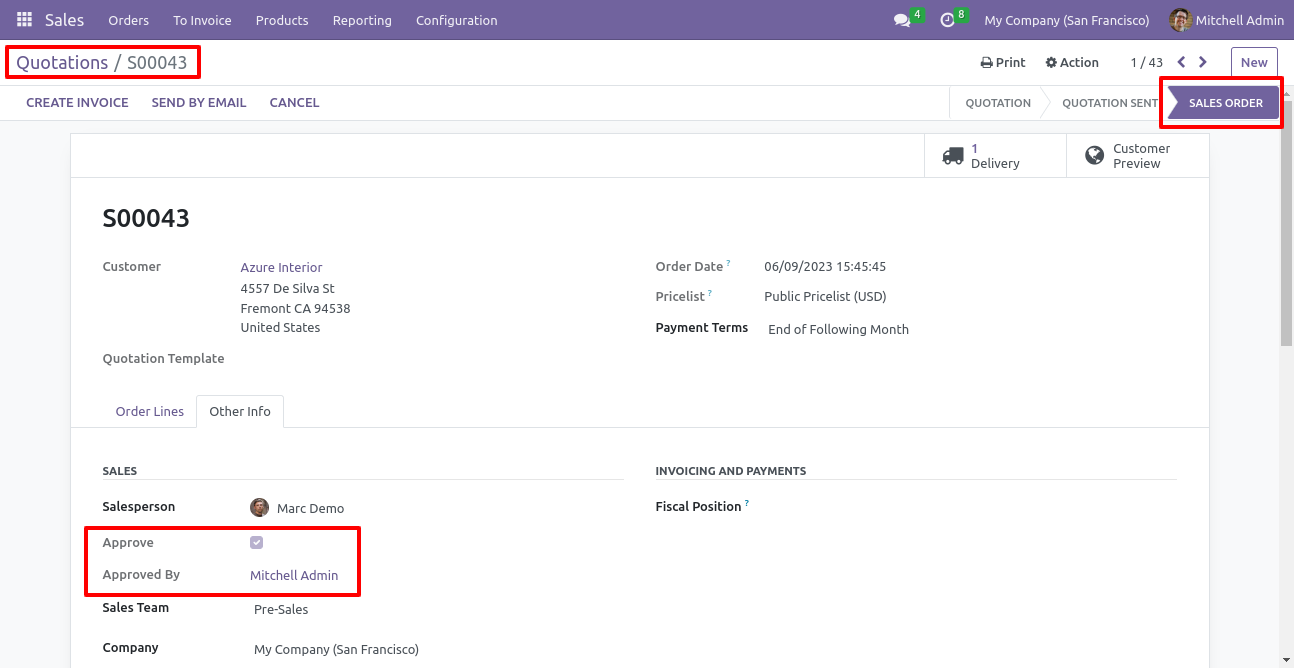
In the "Other Info" tab of the sale orders, you can find details about the approval, including who approved the order.
Version 18.0.1.0.0 | Released on : 12th March 2026
- Yes, this app works perfectly with Odoo Enterprise (Odoo.sh & Premise) as well as Community.
- No, this application is not compatible with odoo.com(odoo saas/Odoo Online)
- Yes, to test this module, please contact us at sales@softhealer.com.
- Please contact us at sales@softhealer.com to request customization.
- Yes, we provide free support for 365 days from the date of purchase.
- Yes, you will receive lifetime free updates for the version of the module you purchased.
- No, there is no need to install any additional libraries.
- Yes, for version 12 and above, you need to purchase the module separately for each version you intend to use.
- No, exchanges or refunds are not allowed. Please make sure to select the correct version before purchasing.
- You can contact us at support@softhealer.com for language translation support. We use Google Translator tools to provide translations in multiple languages, so the accuracy may vary. We welcome your suggestions to help improve translations.
Discover Our Latest Apps