

 Easy to Manage
 Dedicated Support















 Scan to email sales




Sale Order Backdate

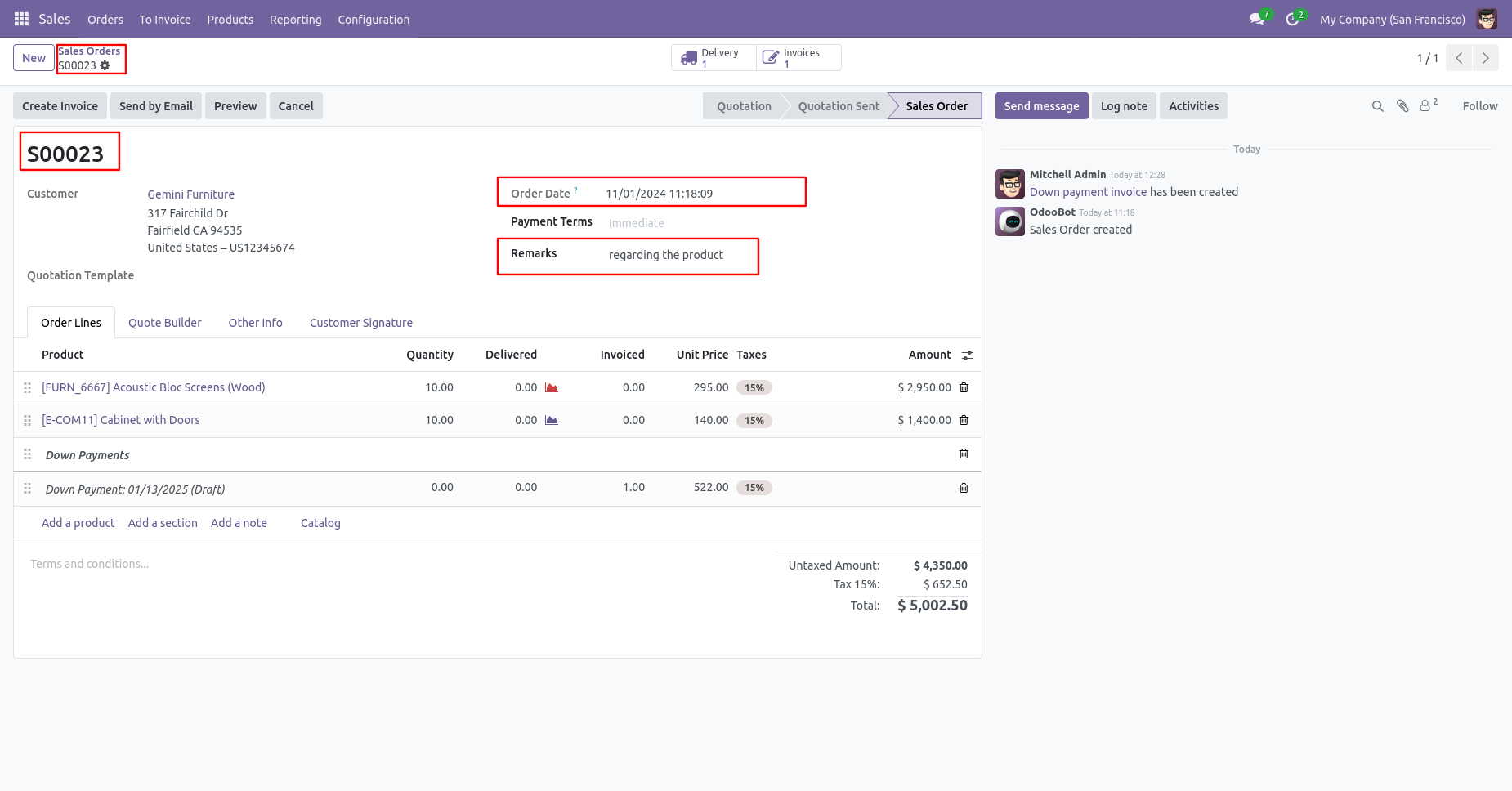
In Odoo, when you confirm a quotation, the system automatically sets the current date as the confirmation date, and it cannot be changed afterward. Our module allows you to confirm sale orders with a selected backdate. You can set a custom backdate and add remarks in sales. Additionally, you can mass assign backdates with a single click. When performing a mass backdate assignment, the system prompts for remarks in the mass assign wizard. The selected date and remarks also reflect in the delivery order, stock moves, product moves, invoices, and journal entries.

Features
- You can confirm sales orders with a custom backdate.
- You can select desired confirmation backdate in sales.
- You can mass assign backdate in sales.
- While you assign backdate, you can put remarks with it.
- We provide an option for mandatory remarks while assigning backdate.
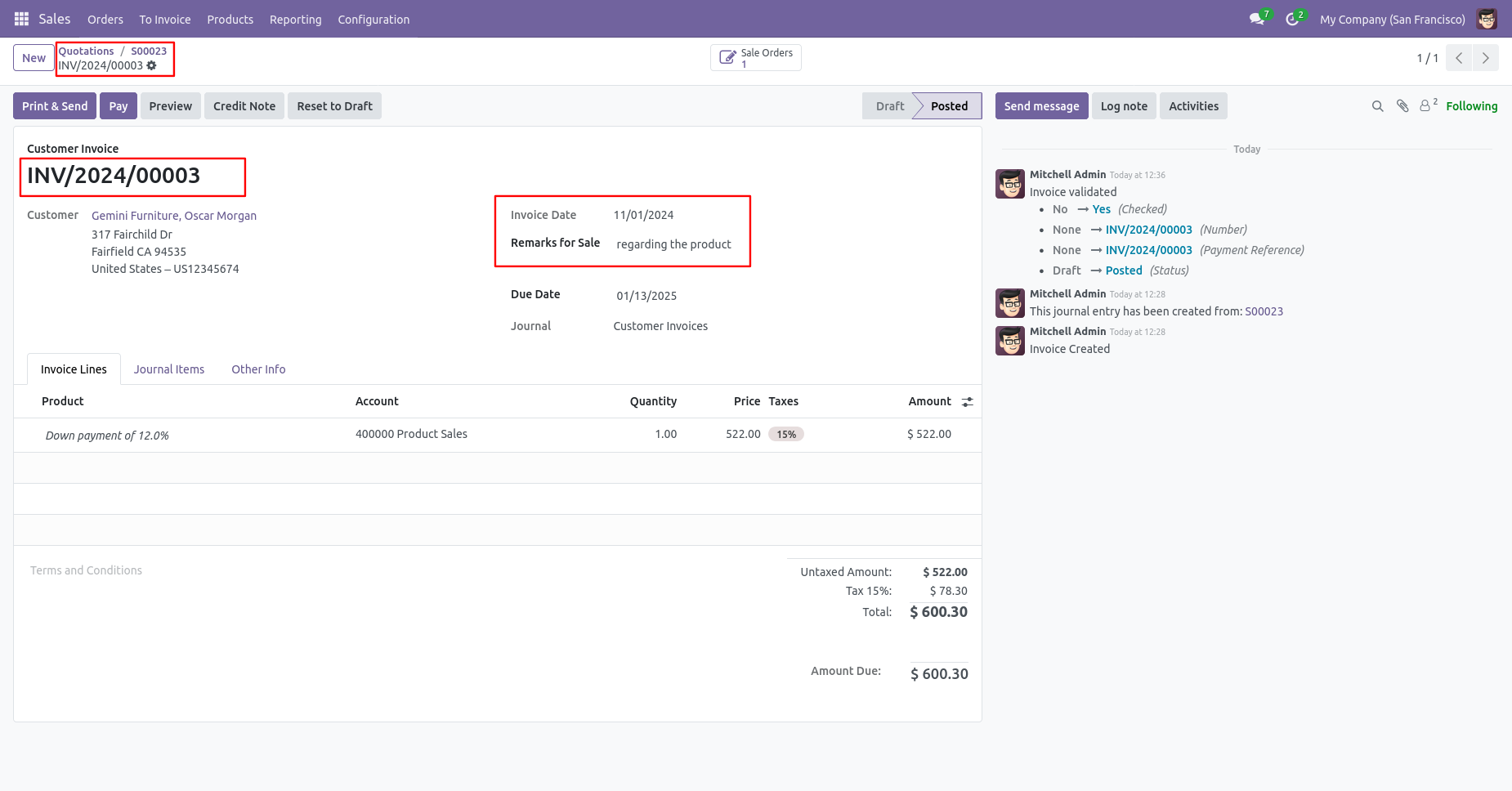
- Backdate and remarks transfer to the invoice and journal entries.
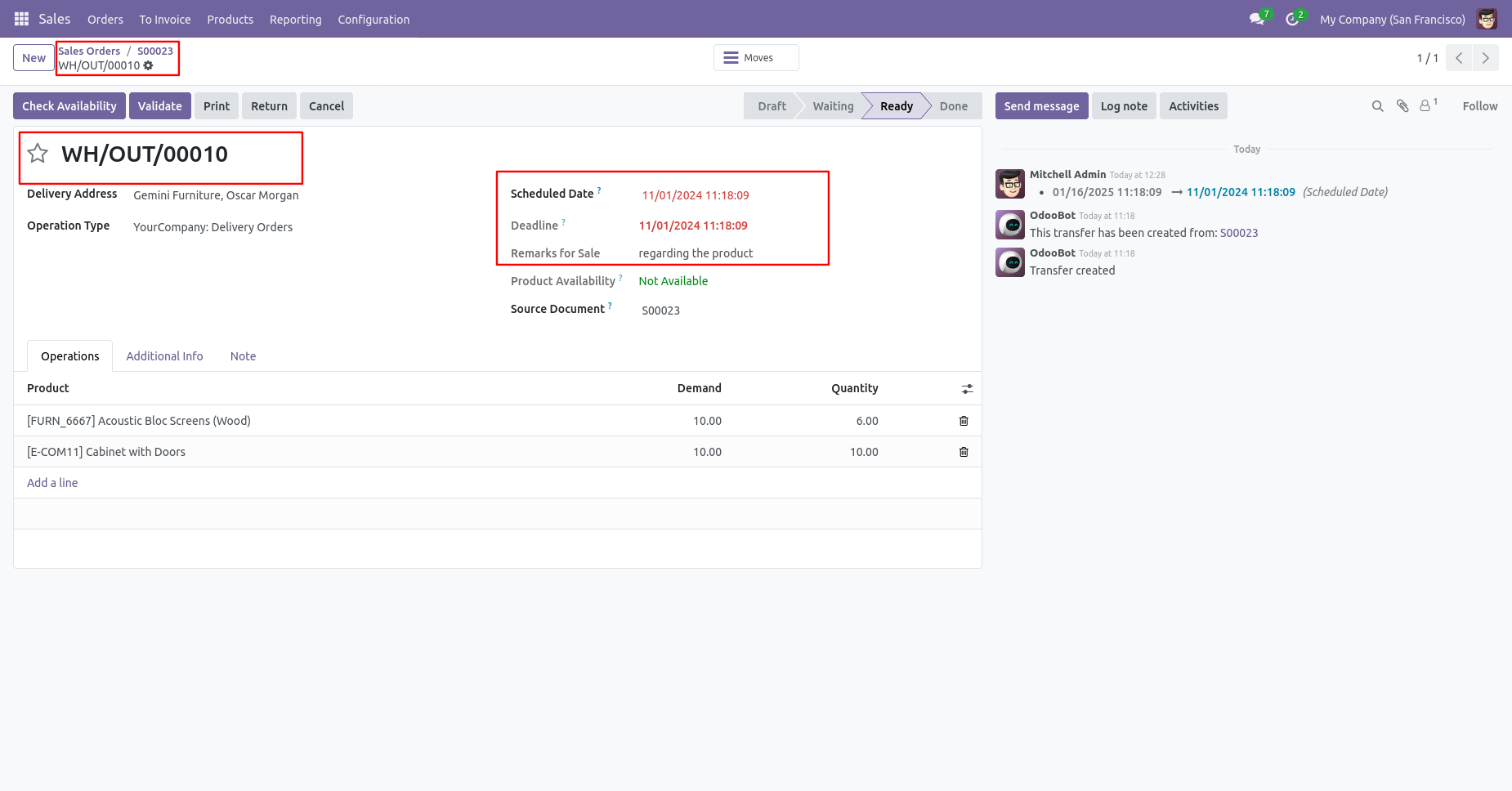
- Backdate and remarks transfer to the delivery order.
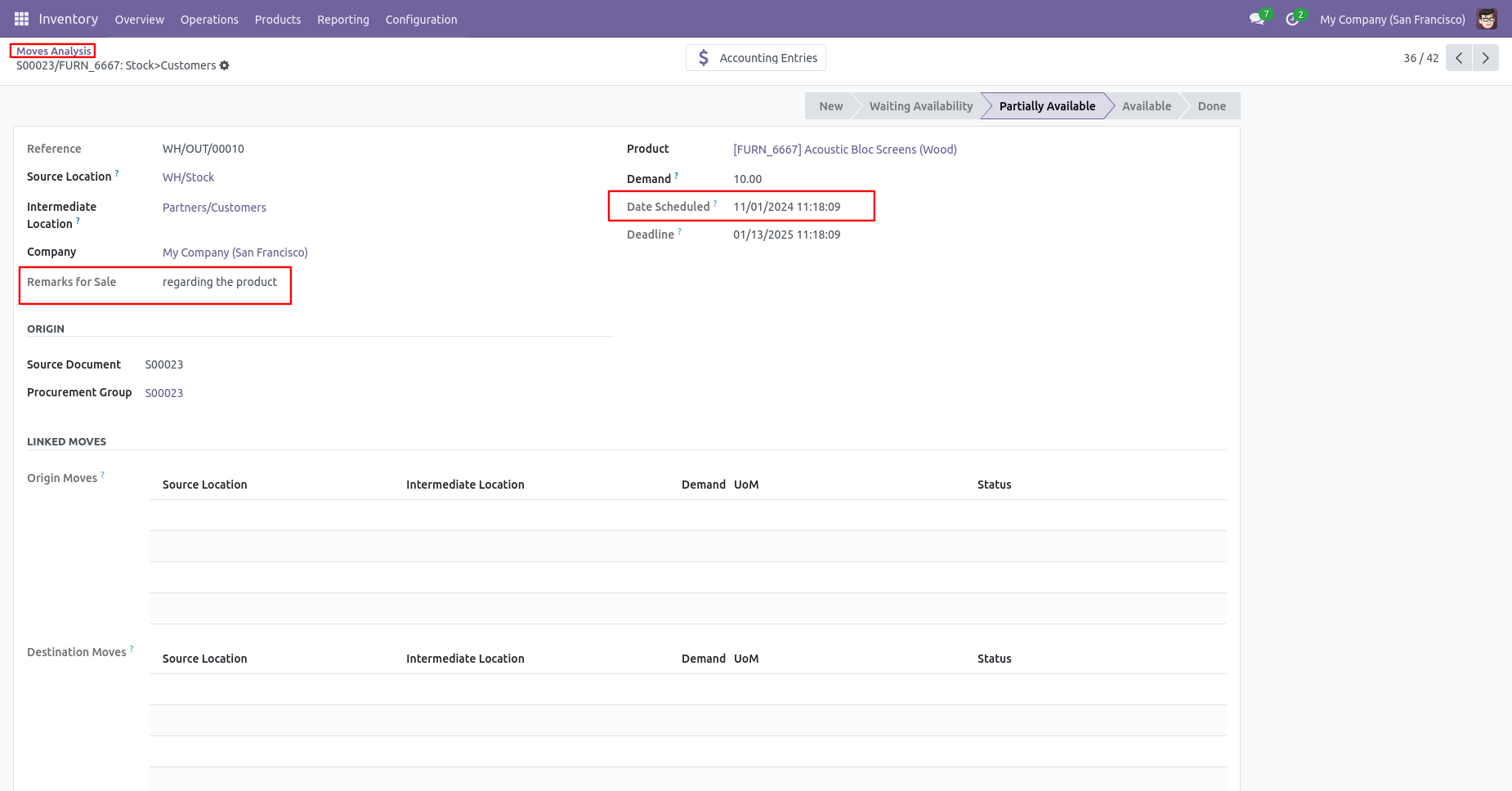
- Backdate and remarks transfer to the stock moves & product moves.
Go to the sales settings and enable the 'Enable Backdate For Sale Order' option.
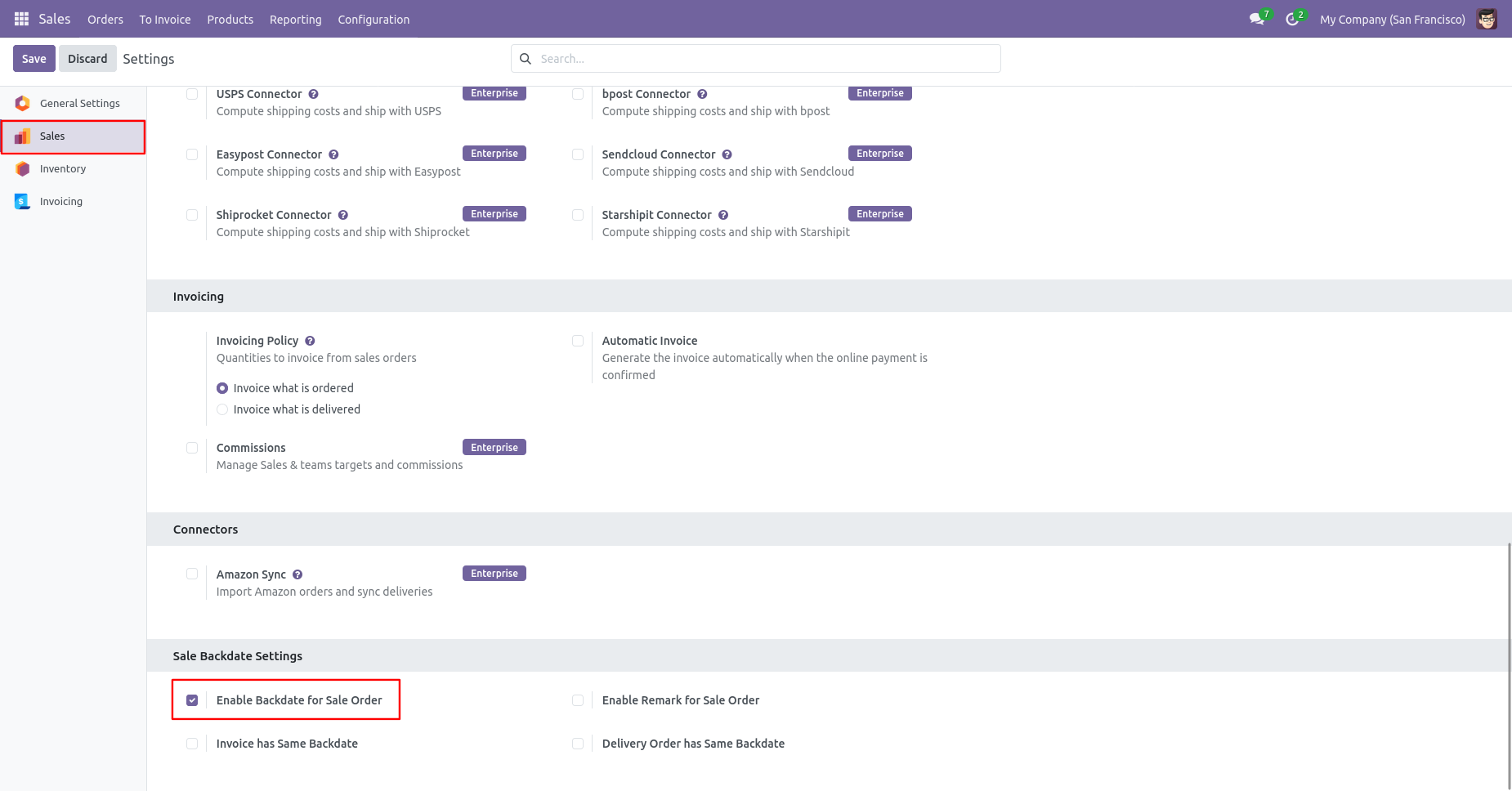
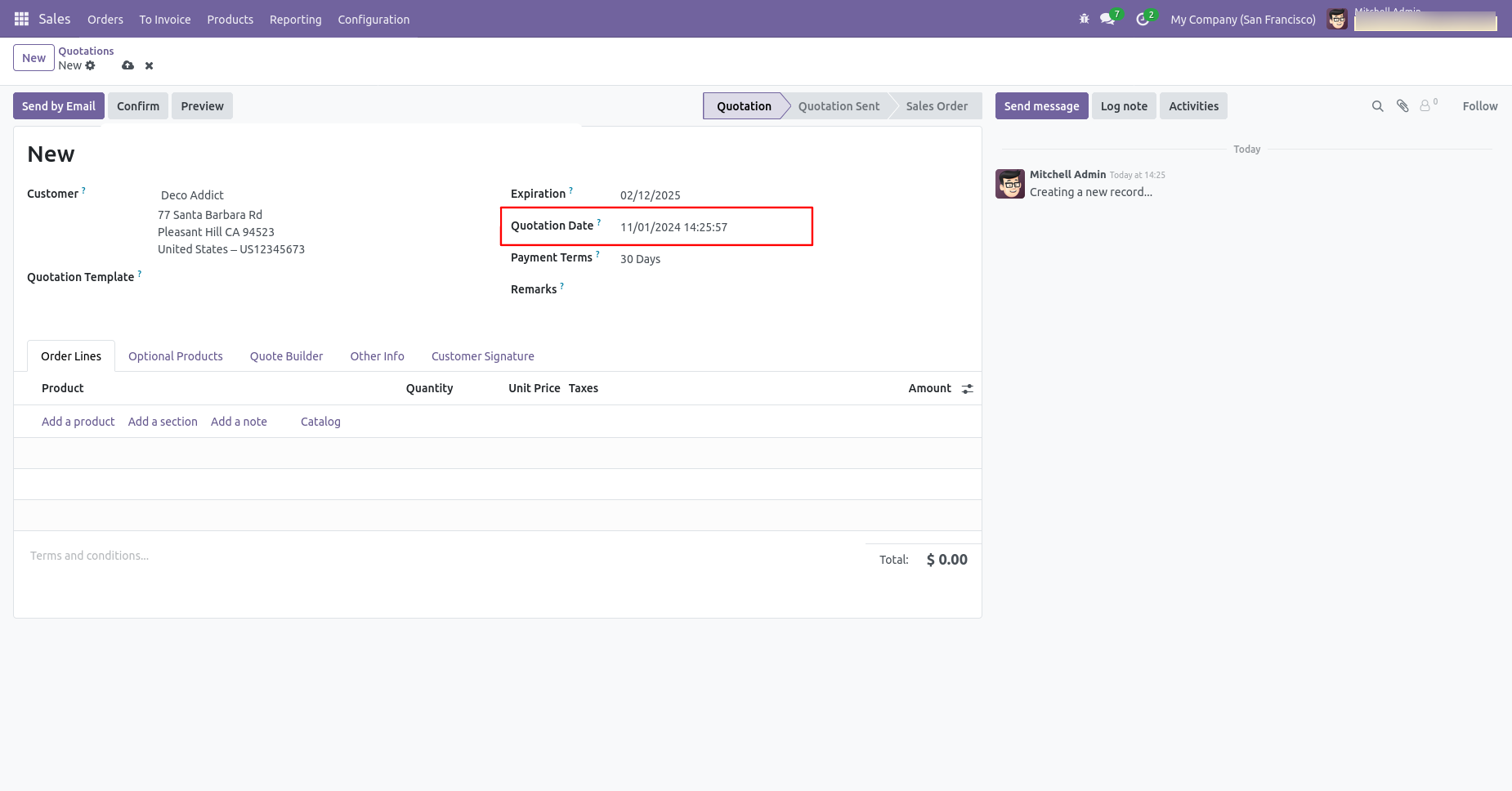
Sale order form view with backdate.
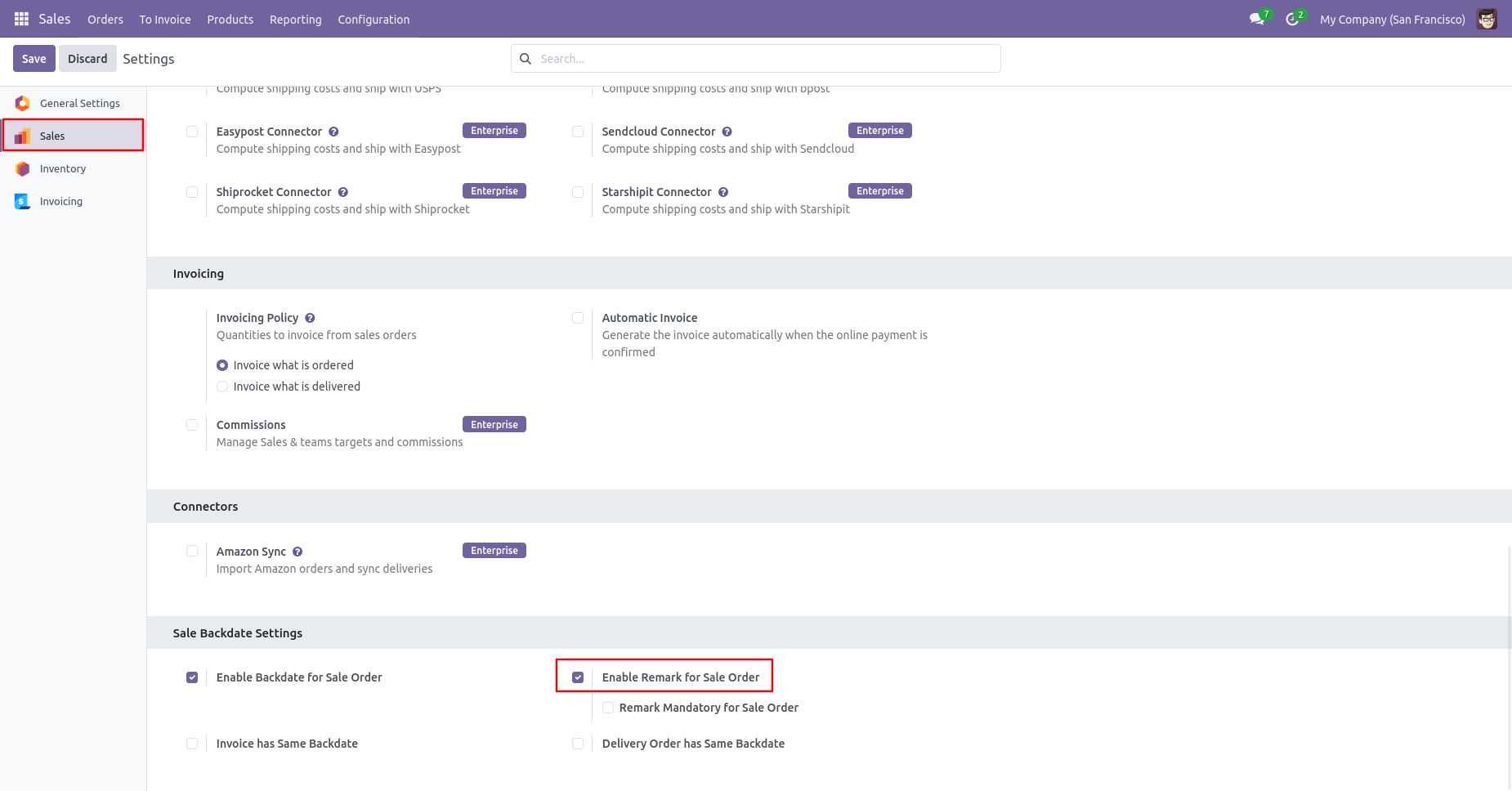
Enable the 'Enable Remark For Sale Order' option.
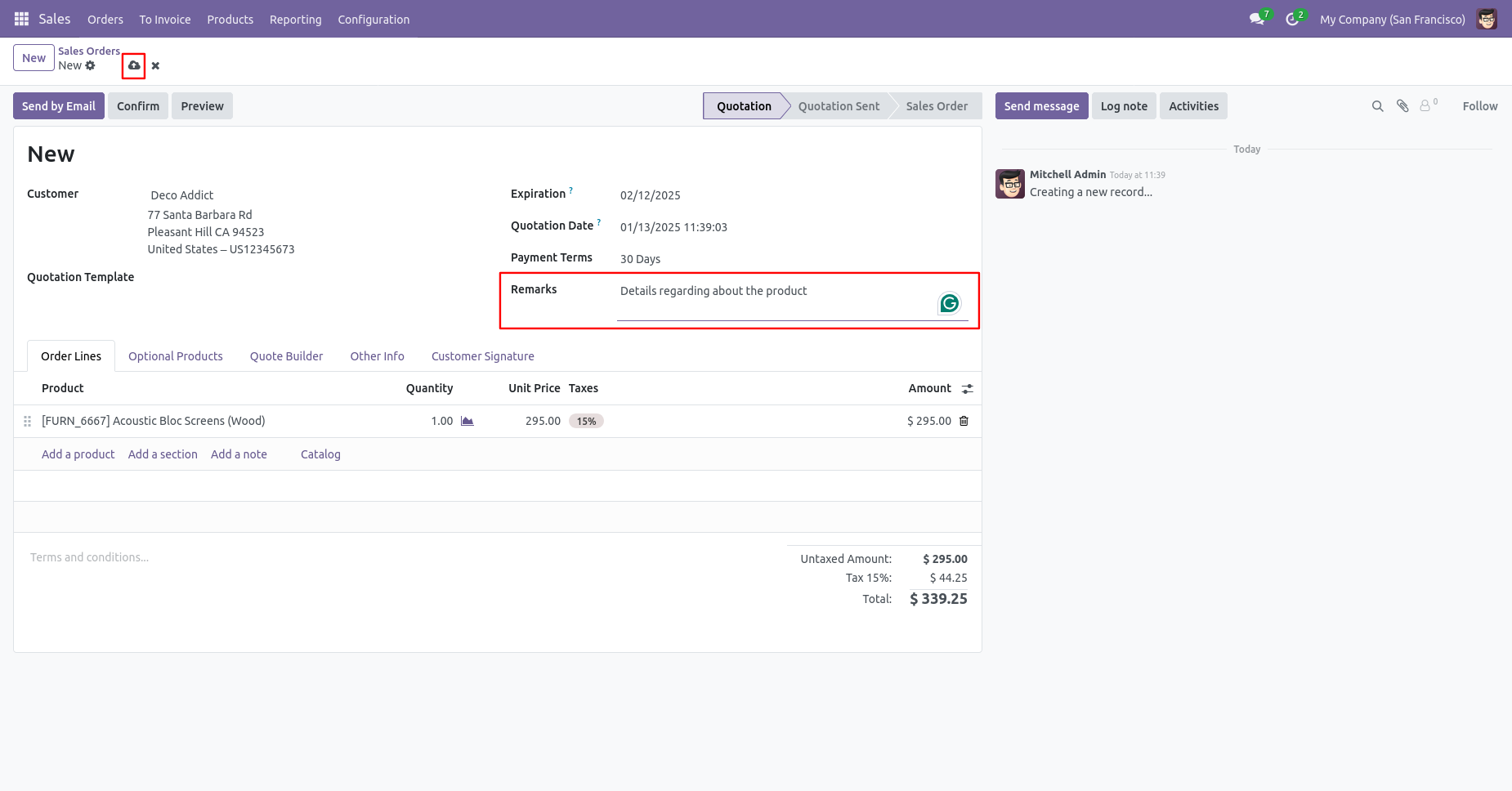
Sale order form view with remarks.
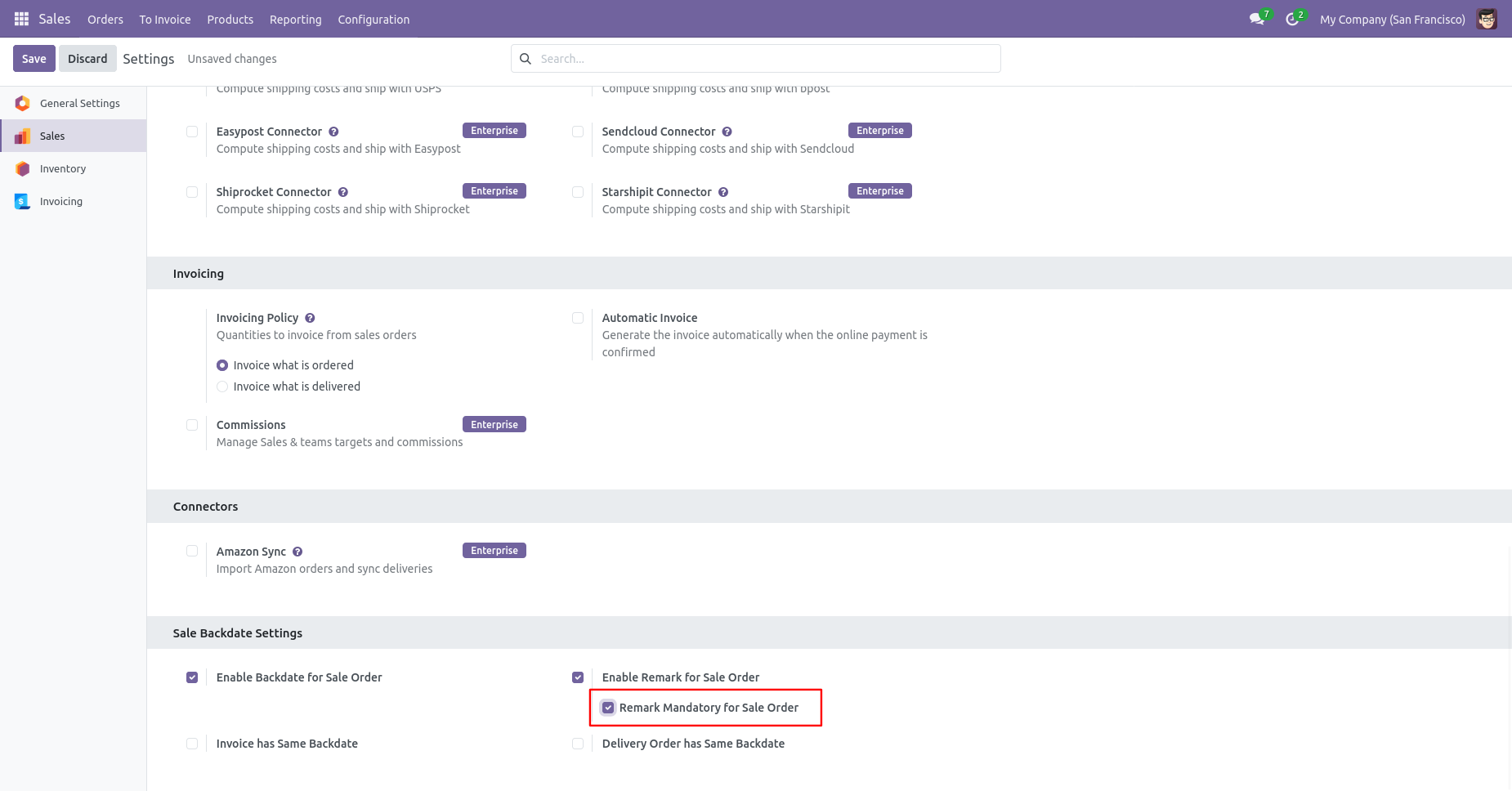
Enable the 'Remark Mandatory For Sales Order' option.
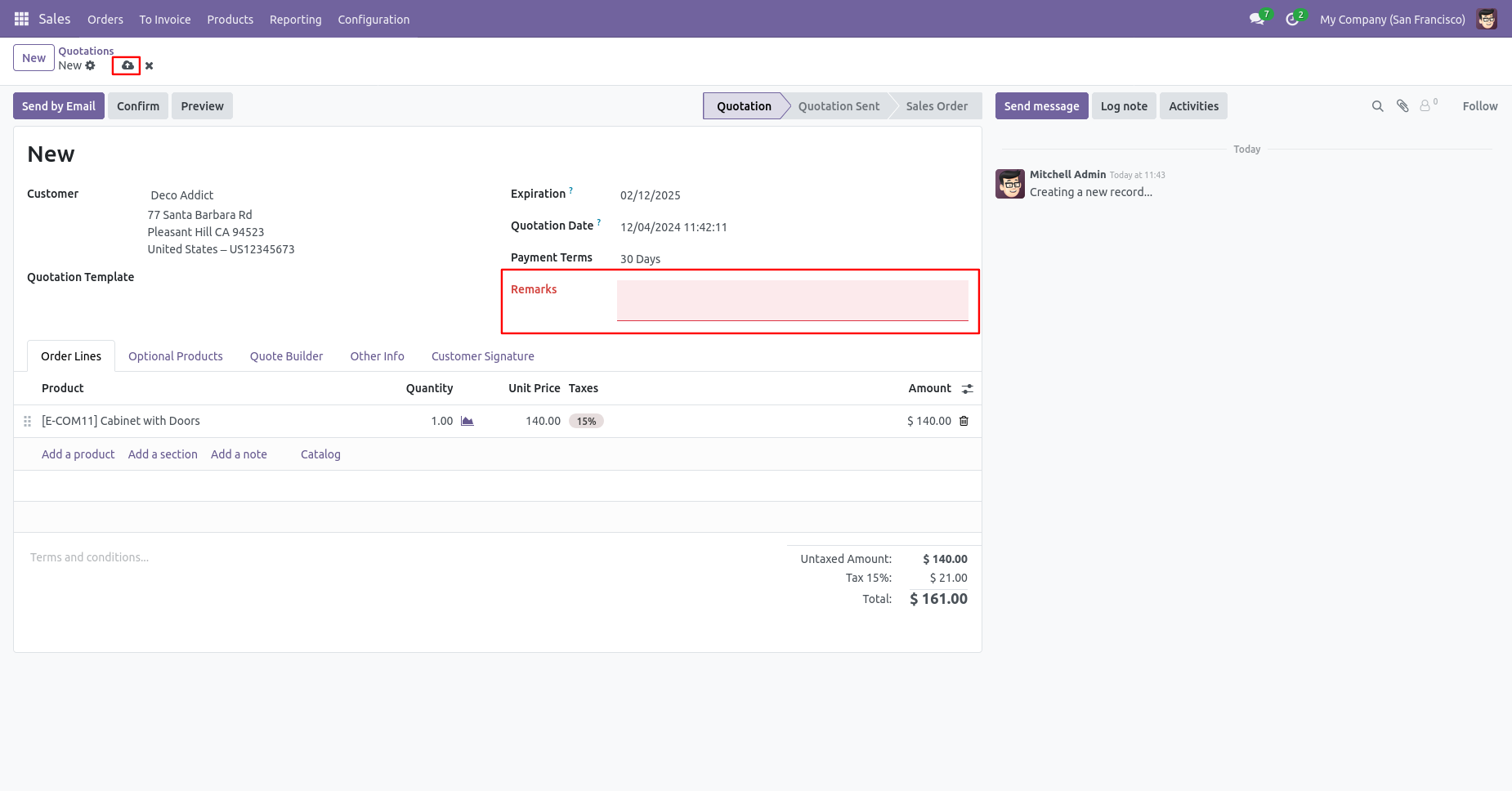
You can't save the SO without entering a remark.
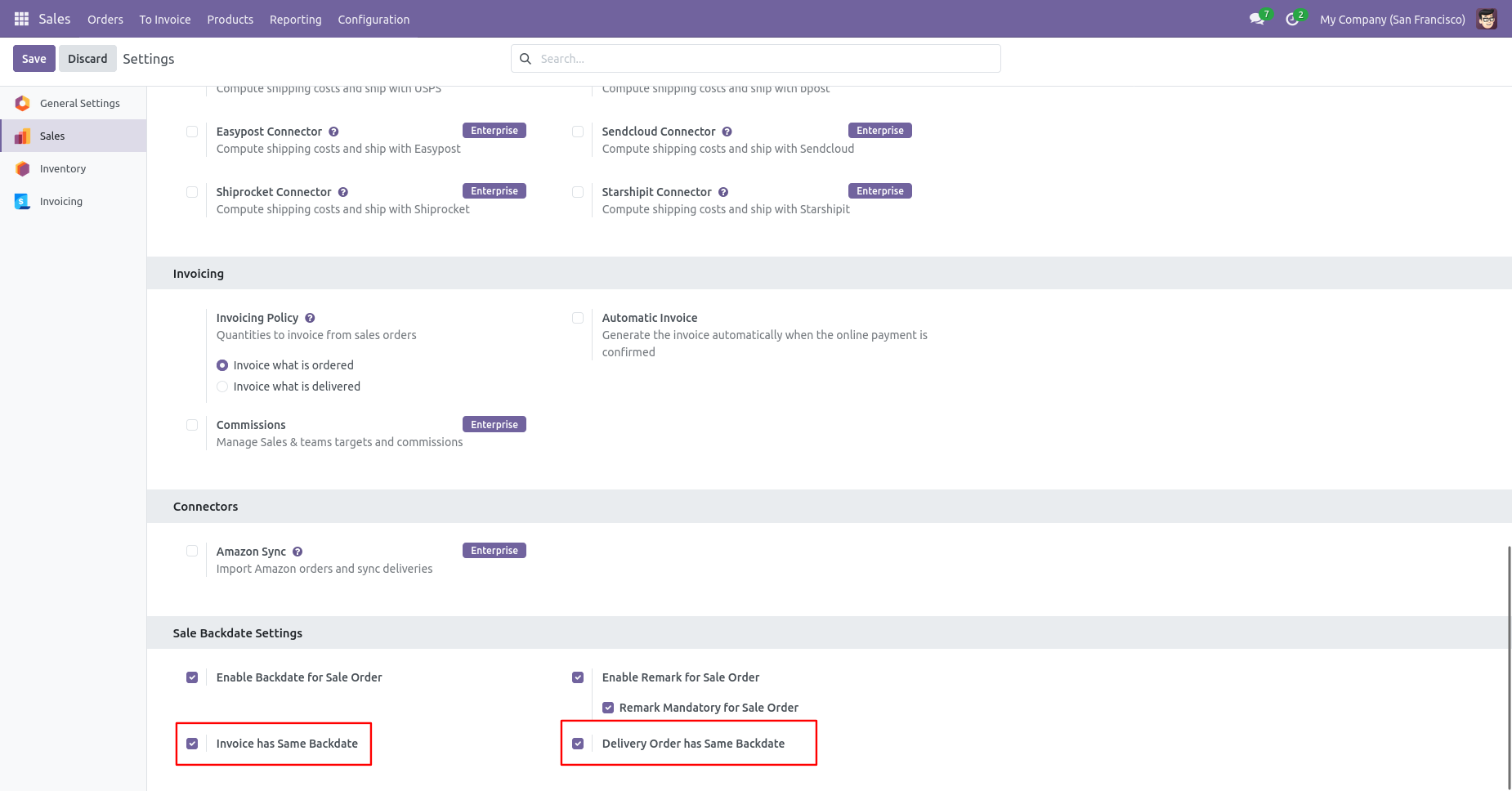
Enable the 'Invoice Has Same Backdate' & 'Delivery Order has Same Backdate' option.
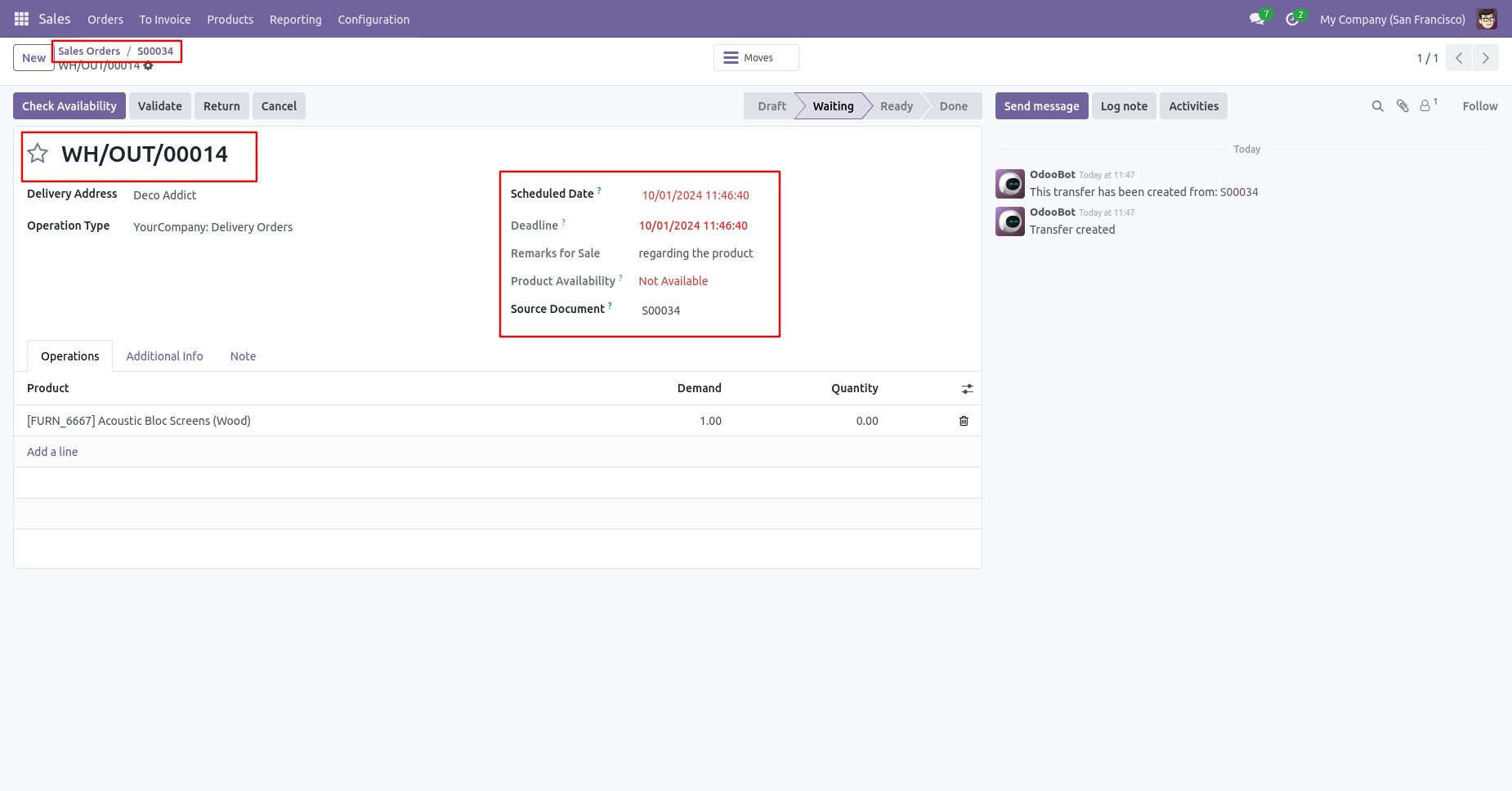
Delivery order with backdate and remarks.
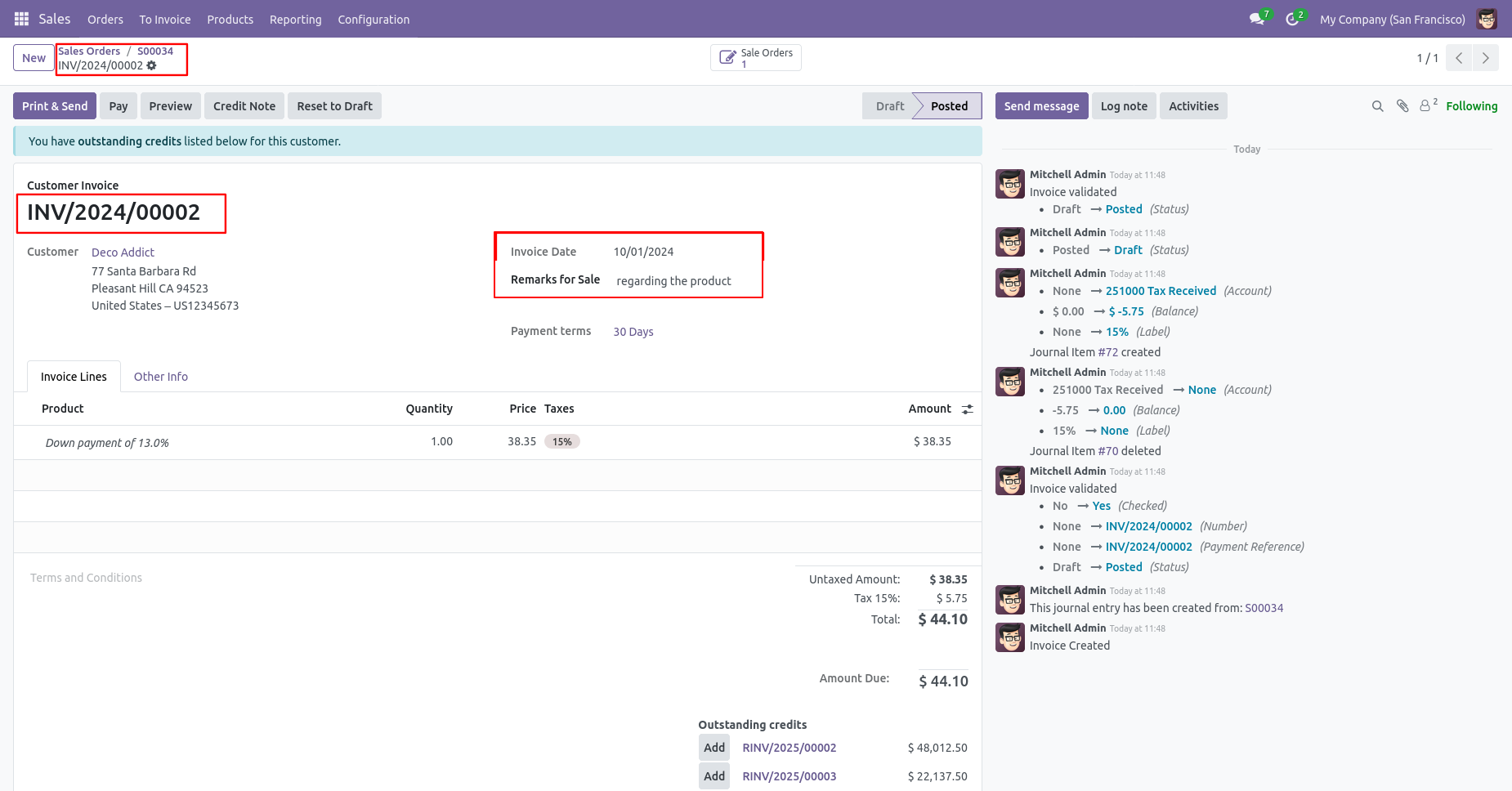
Invoice with backdate and remarks.
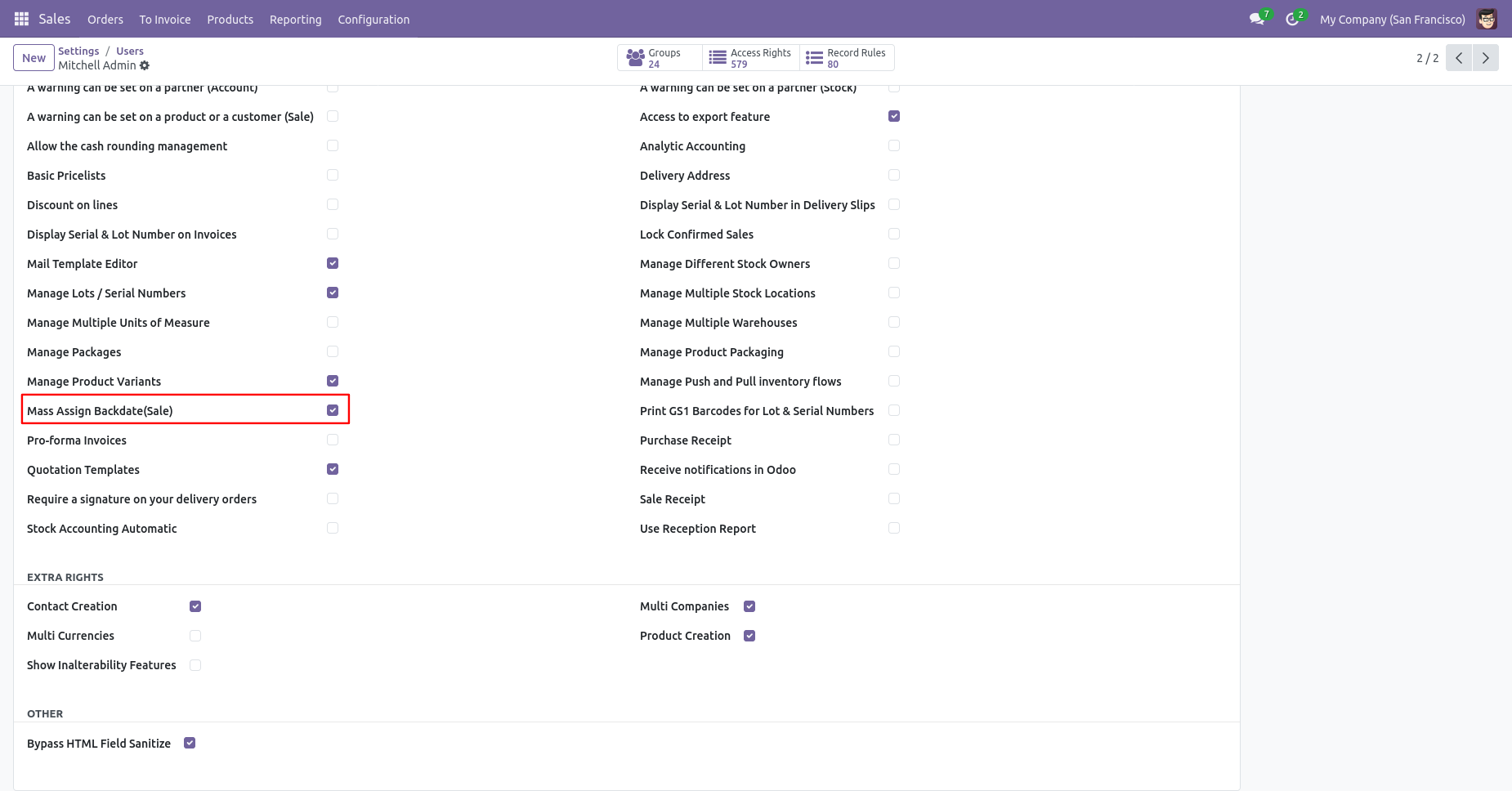
Enabling 'Mass Assign Backdate' allows you to assign backdates in sales in bulk.
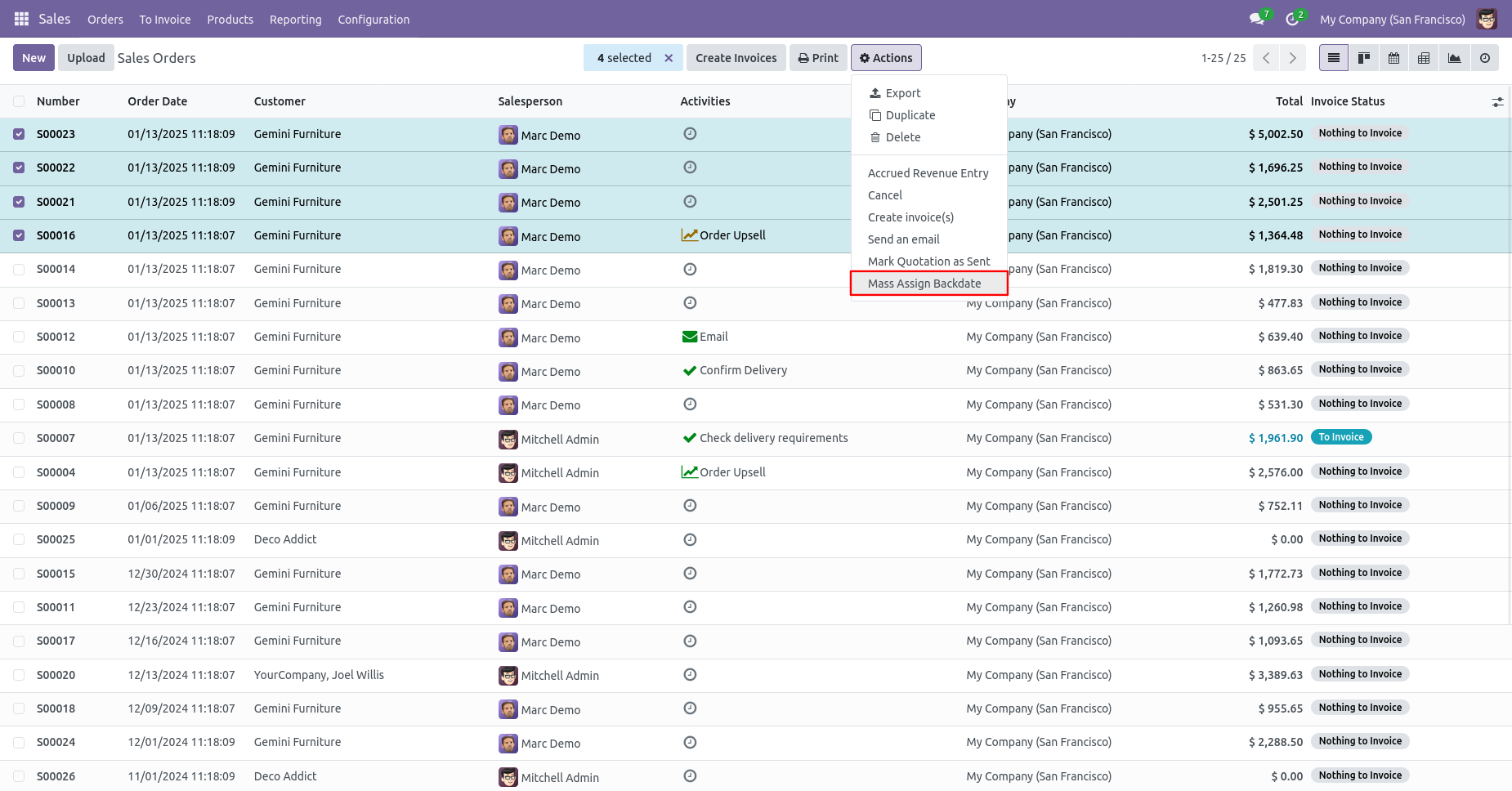
From the list view, select sale orders and click on 'Mass Assign Backdate'.
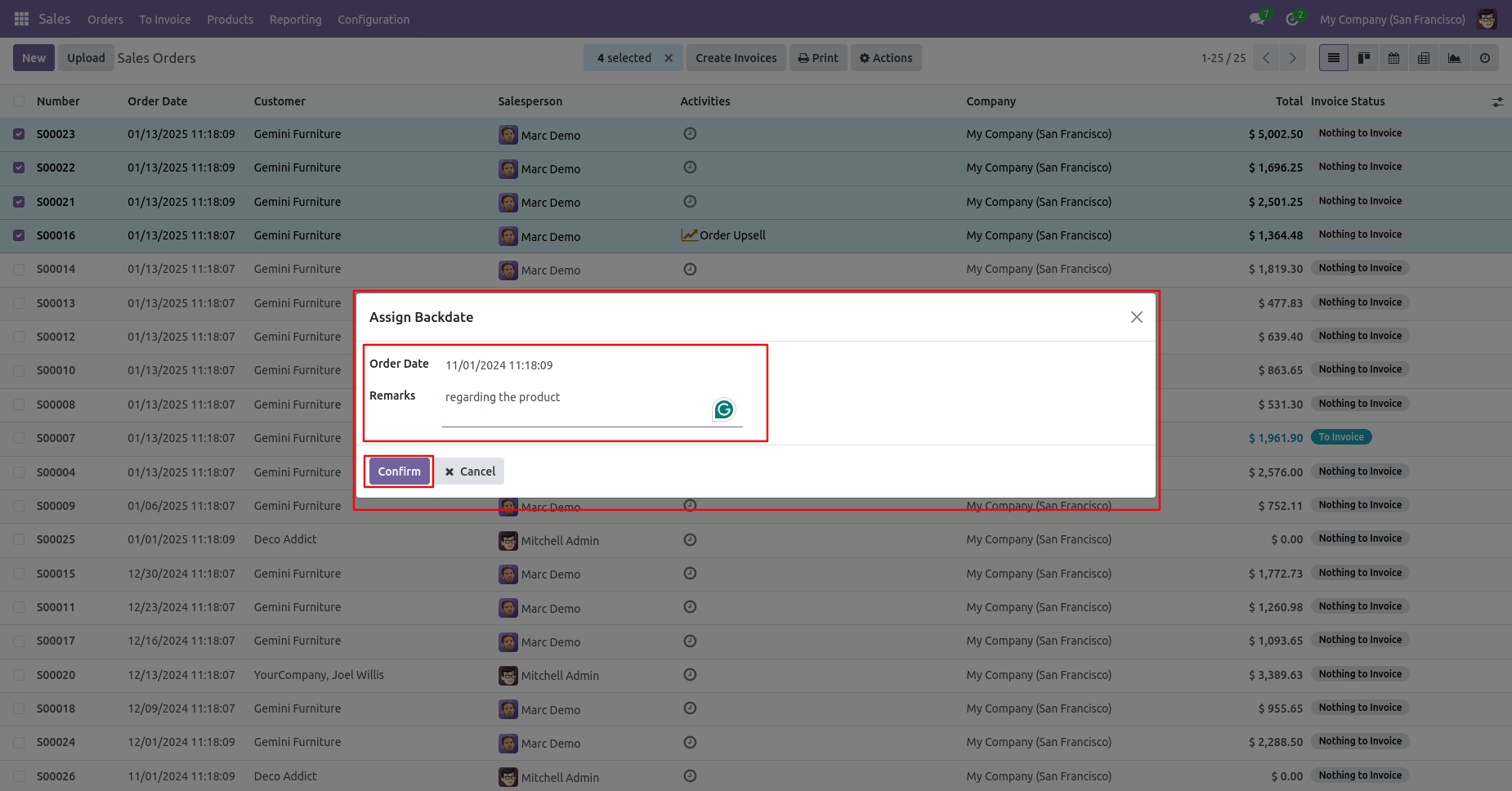
After that, this wizard opens, enters the order date and remarks. Here remarks come if you have enabled that feature.
Sale order form view with backdate and remarks.
Delivery order with backdate and remarks.
Move analysis with backdate and remarks.
Invoice date with backdate and remarks.
Version 19.0.1 | Released on : 11th August 2025
- Yes, this app works perfectly with Odoo Enterprise (Odoo.sh & Premise) as well as Community.
- No, this application is not compatible with odoo.com(odoo saas/Odoo Online)
- Yes, to test this module, please contact us at sales@softhealer.com.
- Please contact us at sales@softhealer.comto request customization.
- Yes, we provide free support for 365 days from the date of purchase.
- Yes, you will receive lifetime free updates for the version of the module you purchased.
- No, there is no need to install any additional libraries.
- Yes, for version 12 and above, you need to purchase the module separately for each version you intend to use.
- No, exchanges or refunds are not allowed. Please make sure to select the correct version before purchasing.
- You can contact us at support@softhealer.com for language translation support. We use Google Translator tools to provide translations in multiple languages, so the accuracy may vary. We welcome your suggestions to help improve translations.
Discover Our Latest Apps