











Sale Automated Landed Cost

The Sale Automated Landed Cost module is an essential Odoo application designed to streamline your business operations by automatically generating landed costs directly from your sales orders. By eliminating manual data entry, the module significantly reduces errors and solves valuable time for your team. It seamlessly links landed costs to source sale orders, ensuring accurate final cost analysis.

Related Modules
Features

Automated Landed Cost
Automatically generates landed costs directly from your confirmed sales orders.

Accurate Costing
Ensures precise final product cost calculation by including transportation and duties.

Link to Sales
Seamlessly connects landed cost records to their source sale orders for easy reference.

Custom Split Methods
Supports different landed cost splitting methods like equal, by quantity, or by weight.
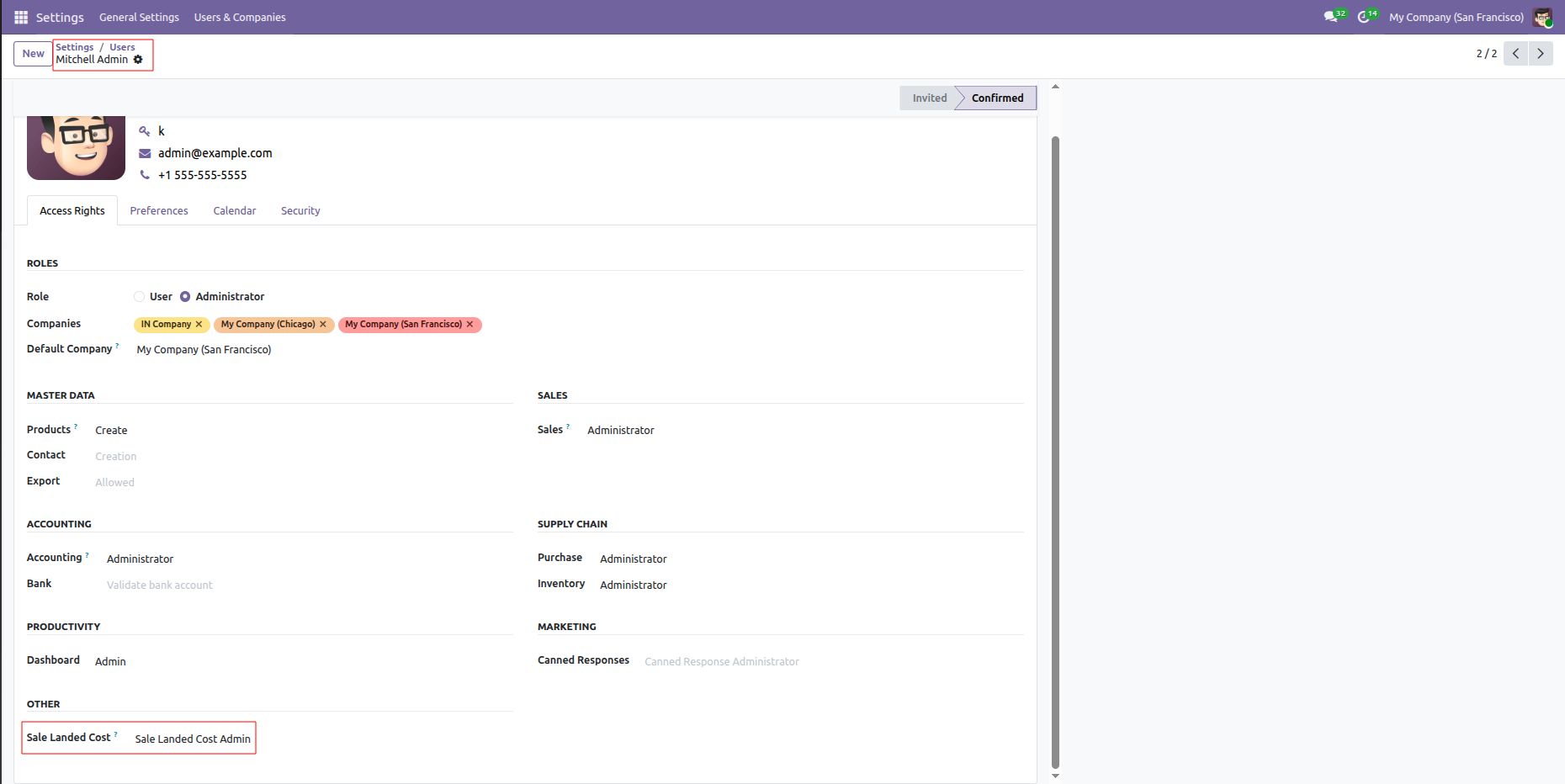
Assigning the Sale Landed Cost Admin role to Mitchell Admin within the user Access Rights configuration.
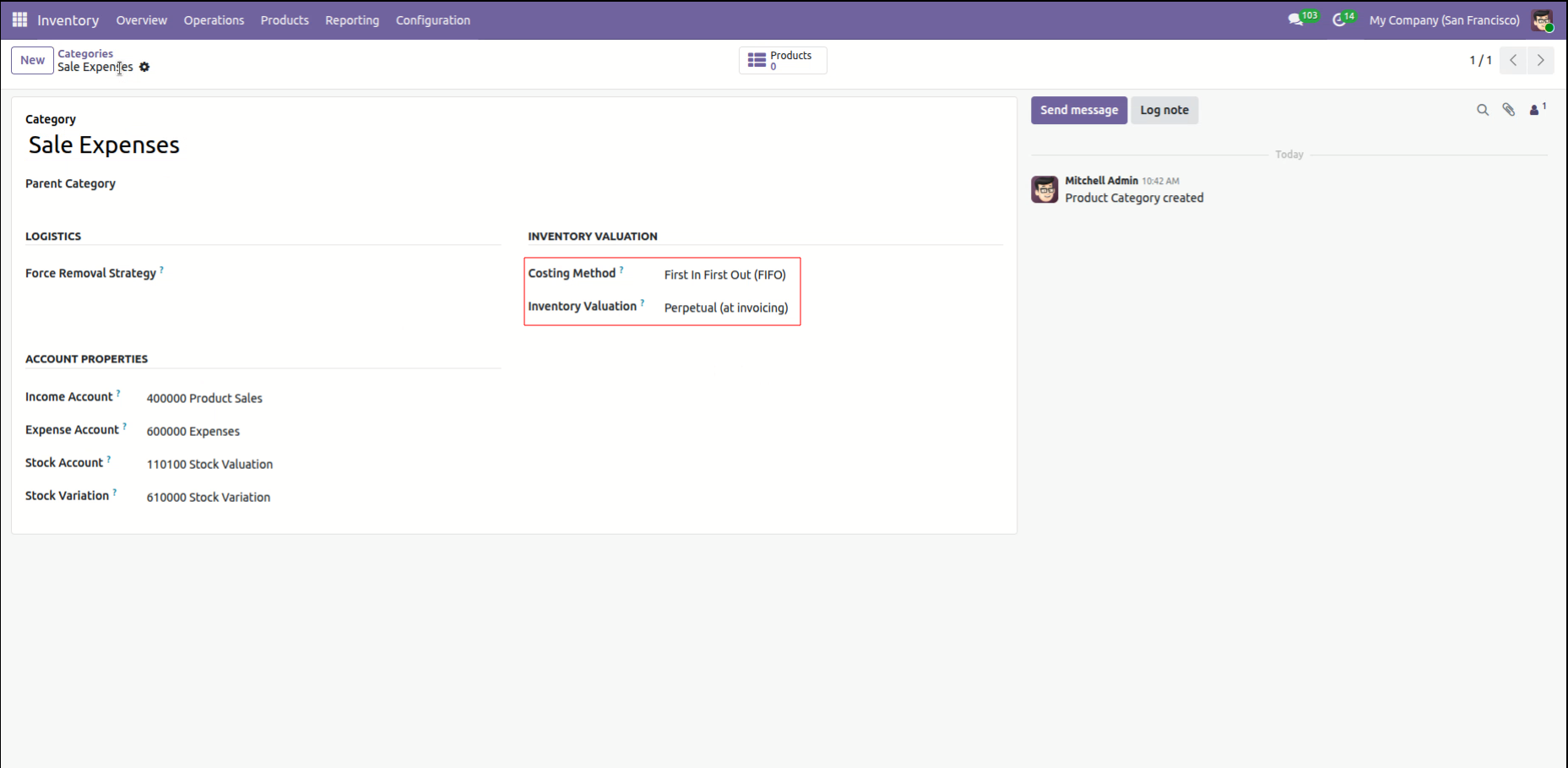
Configuring the Sale Expenses category with First In First Out (FIFO) costing and Perpetual inventory valuation to automate accounting entries.
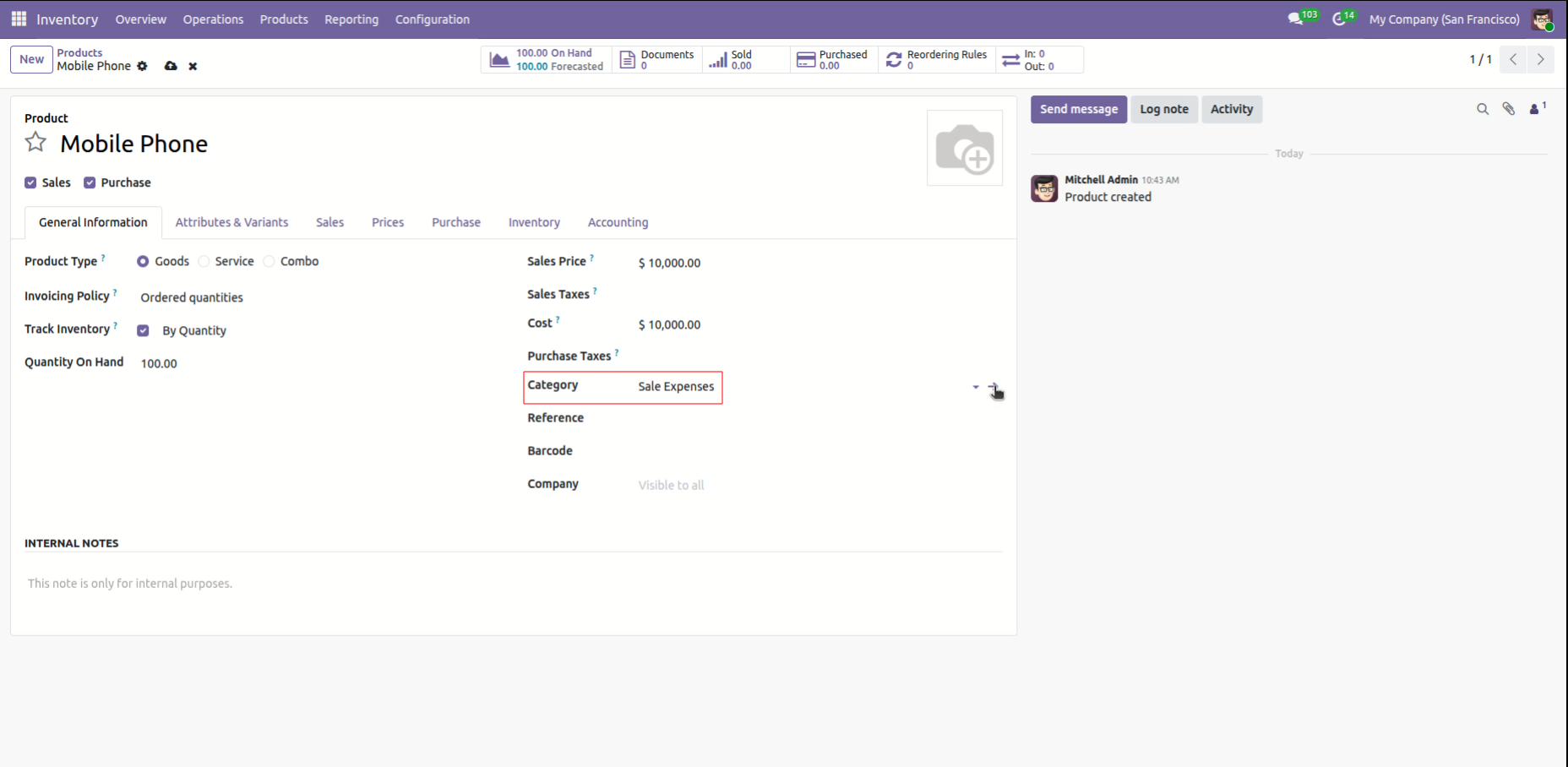
Assigning the Mobile Phone to the Sale Expenses product category within the General Information tab to ensure correct accounting mapping.
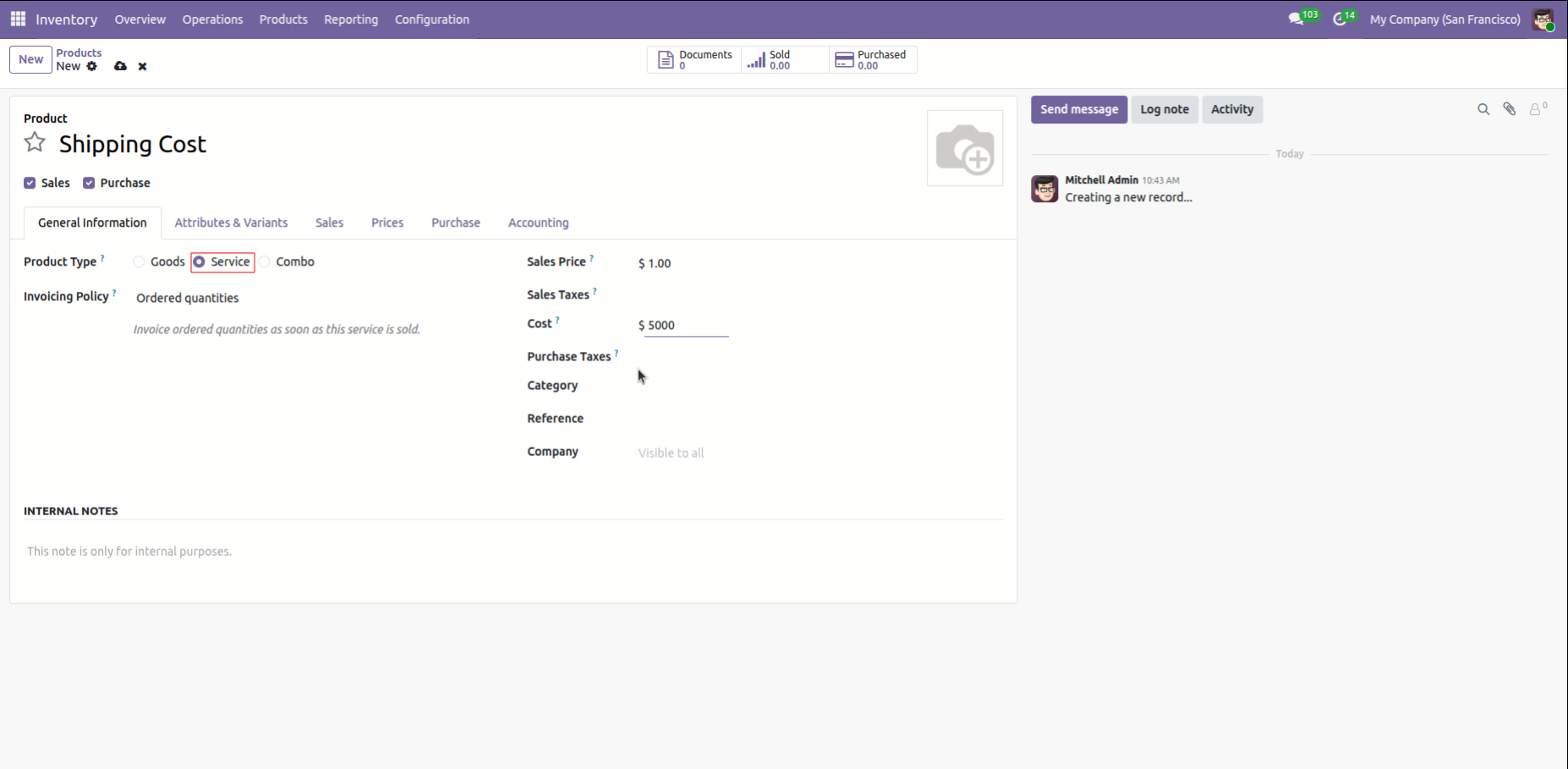
Creating a Shipping Cost product as a Service type with a designated cost of $5,000.00 to be used for landed cost calculations.
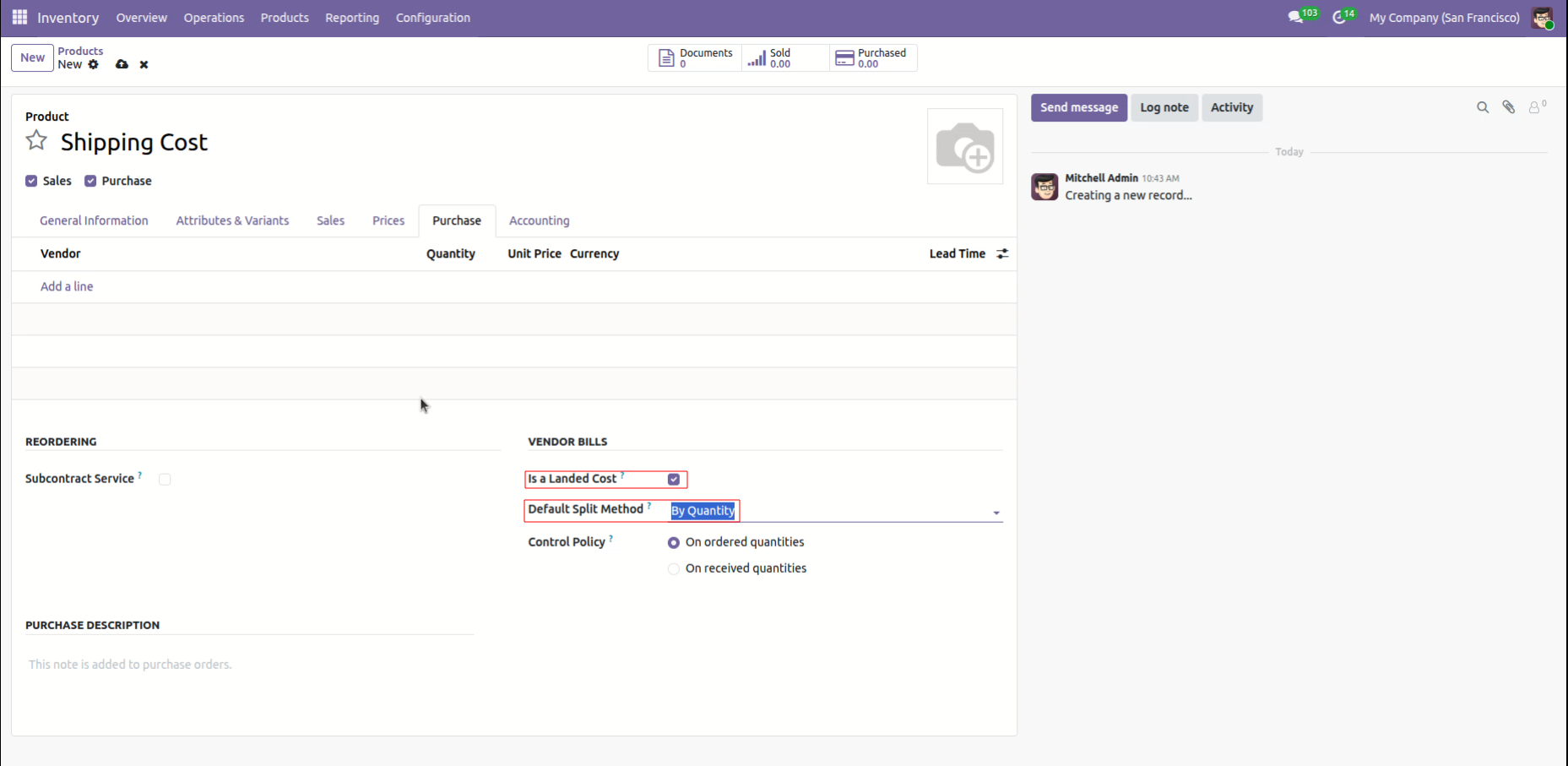
Enabling the Is a Landed Cost checkbox for the Shipping Cost product and setting the Default Split Method to "By Quantity."
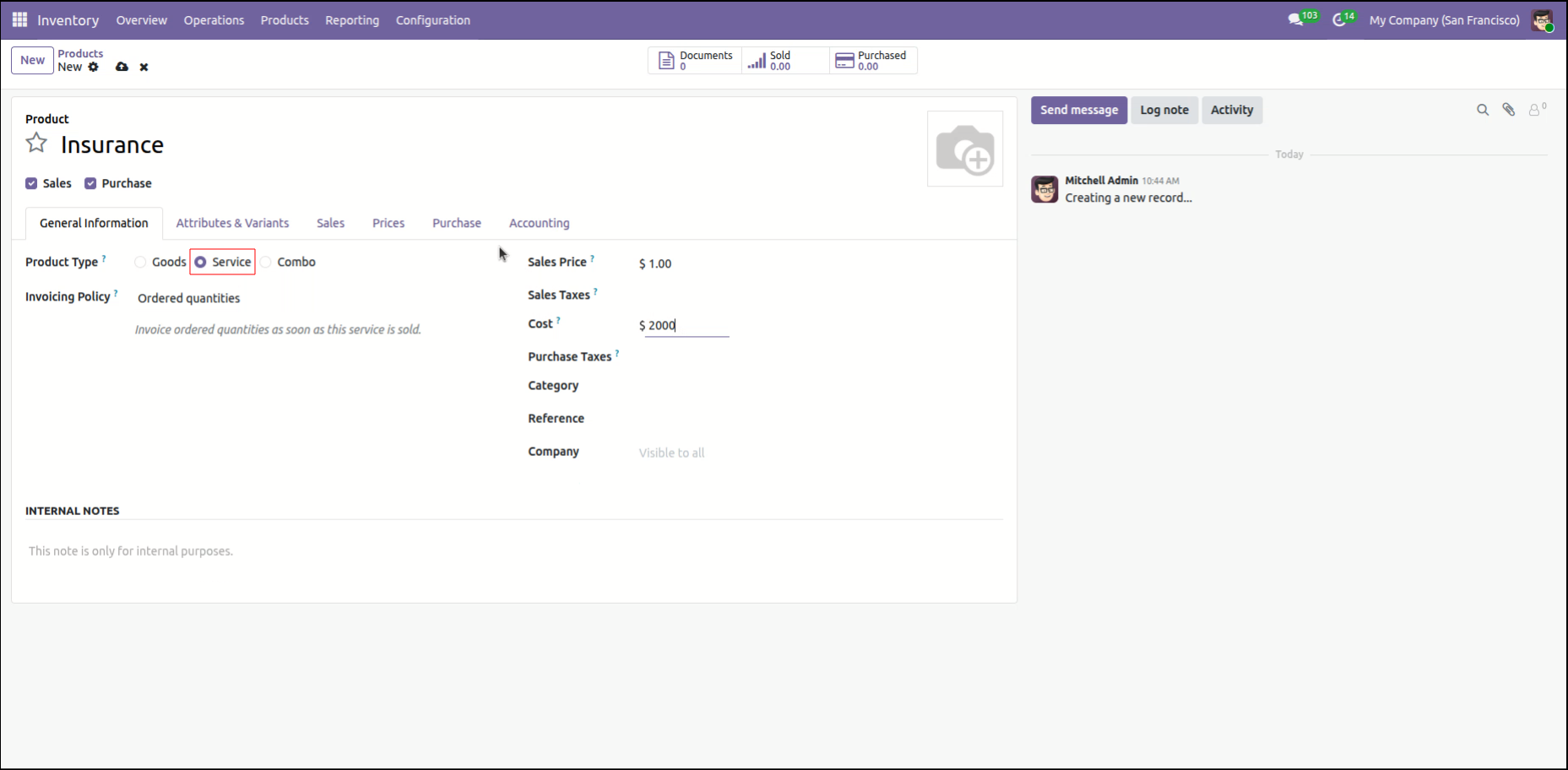
Creating an Insurance product as a Service type with a cost of $2,000.00 to be utilized in landed cost distributions.
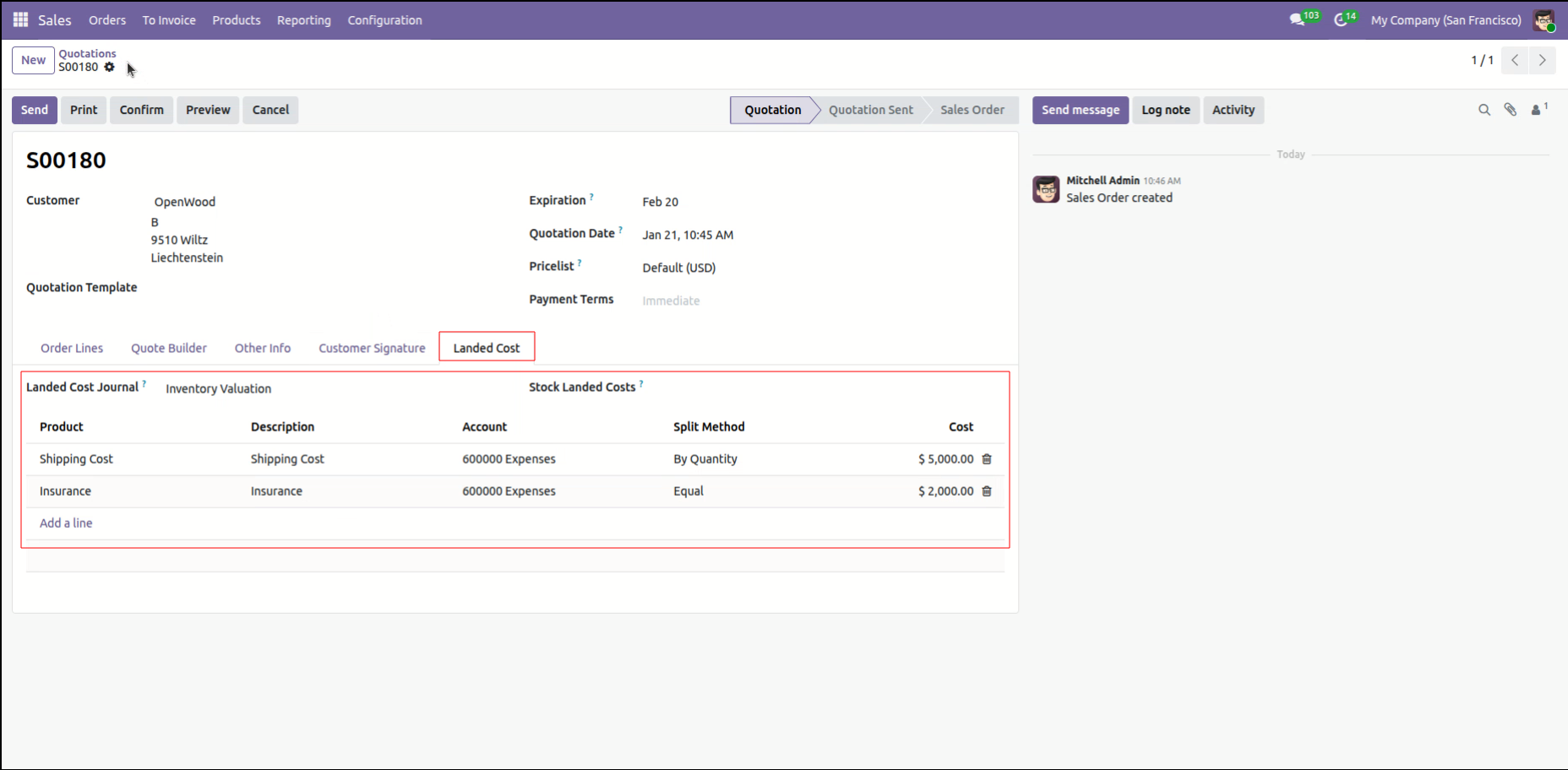
Reviewing the Landed Cost tab for Quotation S00180, where Shipping Cost ($5,000.00) and Insurance ($2,000.00) are added to the order.
Validating delivery order WH/OUT/00399 for OpenWood, processing a partial shipment of 5.00 units against a total demand of 10.00 Mobile Phones.
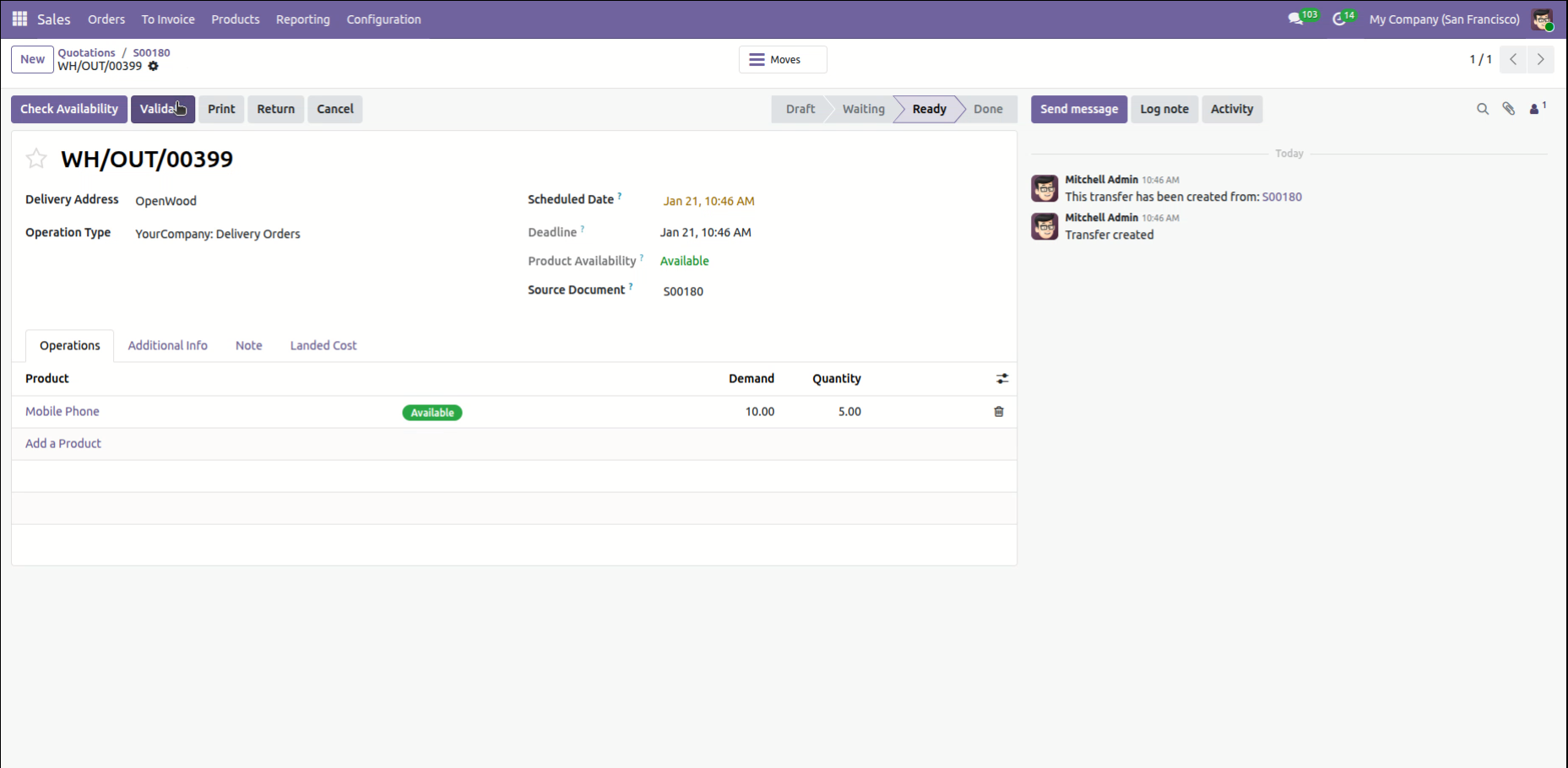
Choosing to Create Backorder for delivery WH/OUT/00399 after processing fewer products than the initial demand.
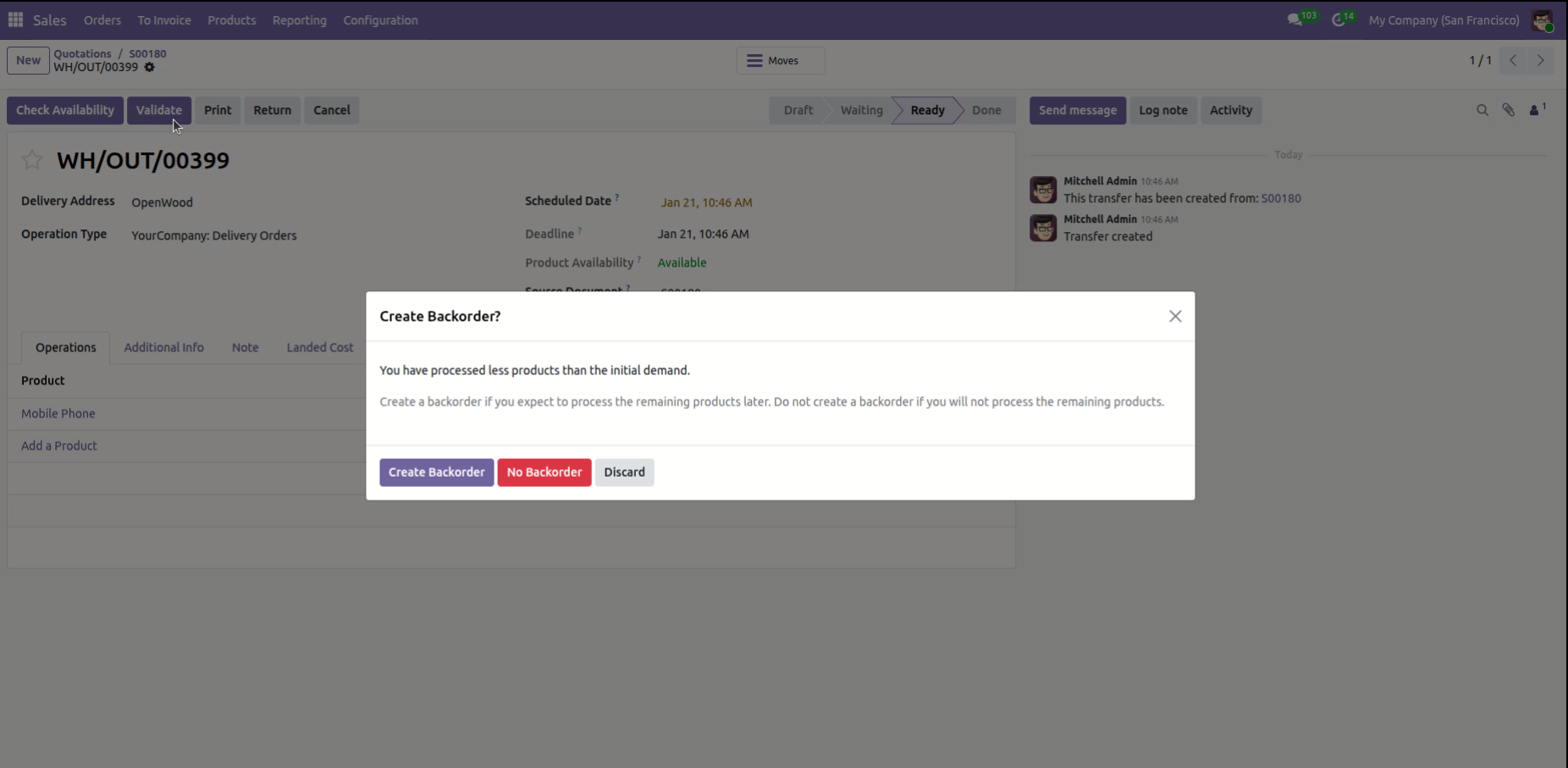
Reviewing the Landed Cost tab for delivery WH/OUT/00399, where shipping and insurance expenses are distributed across the shipped products.
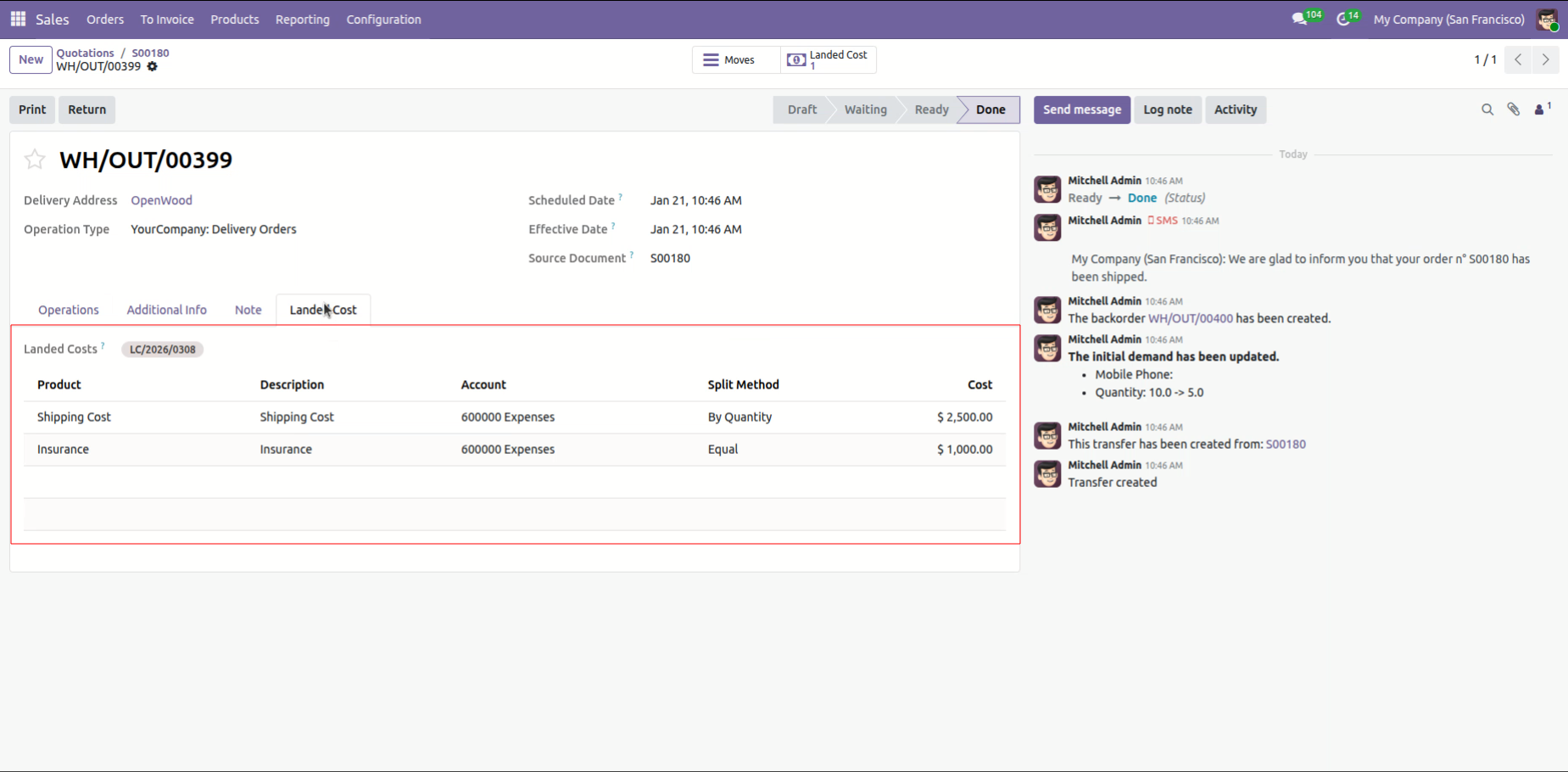
Reviewing total Landed Costs for Sales Order S00180, featuring a $5,000.00 shipping charge and $2,000.00 insurance fee linked to stock movement LC/2026/0308.
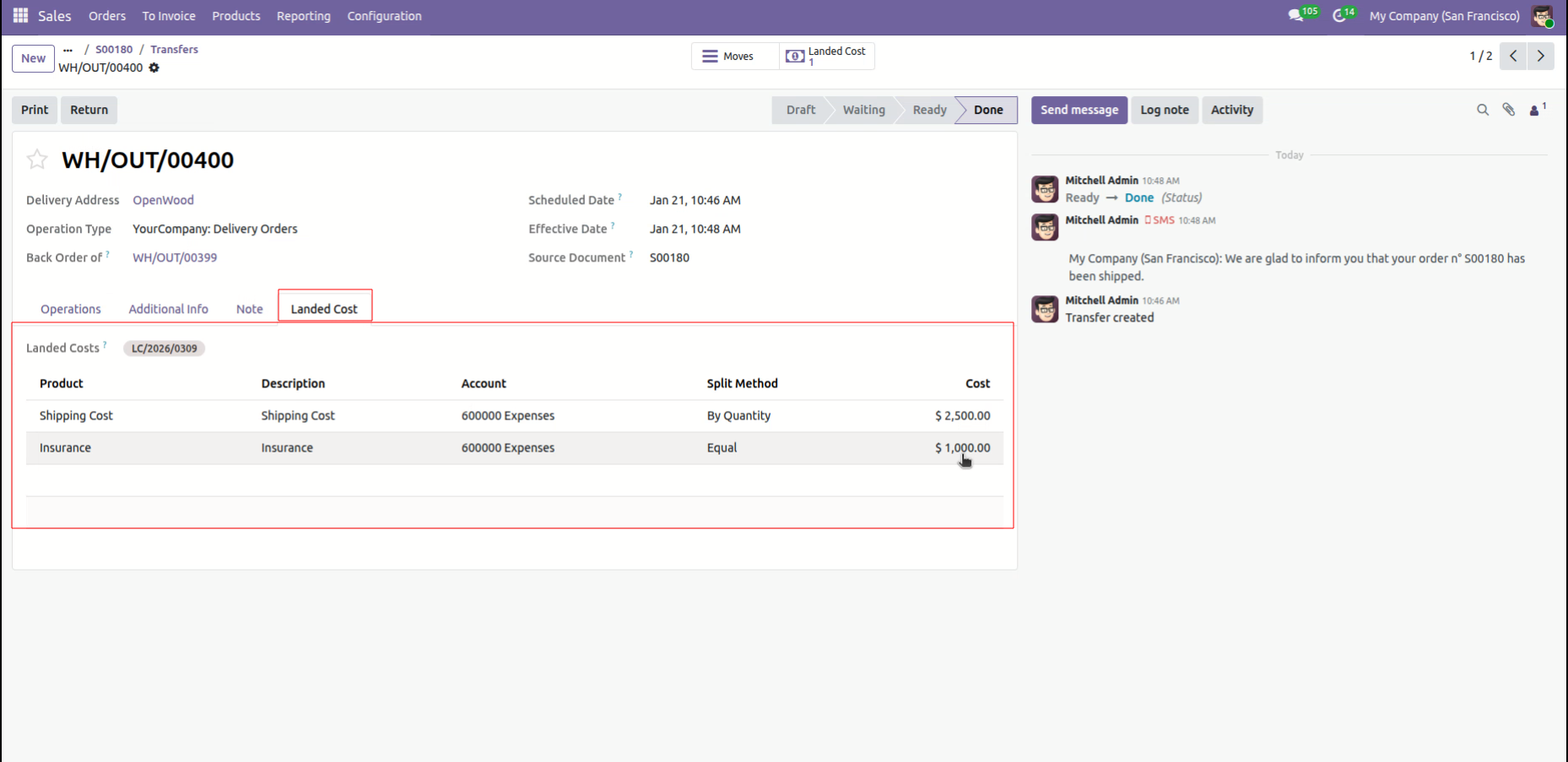
Reviewing the Landed Cost distribution for backorder WH/OUT/00400, showing shipping and insurance costs applied to the remaining units for OpenWood.
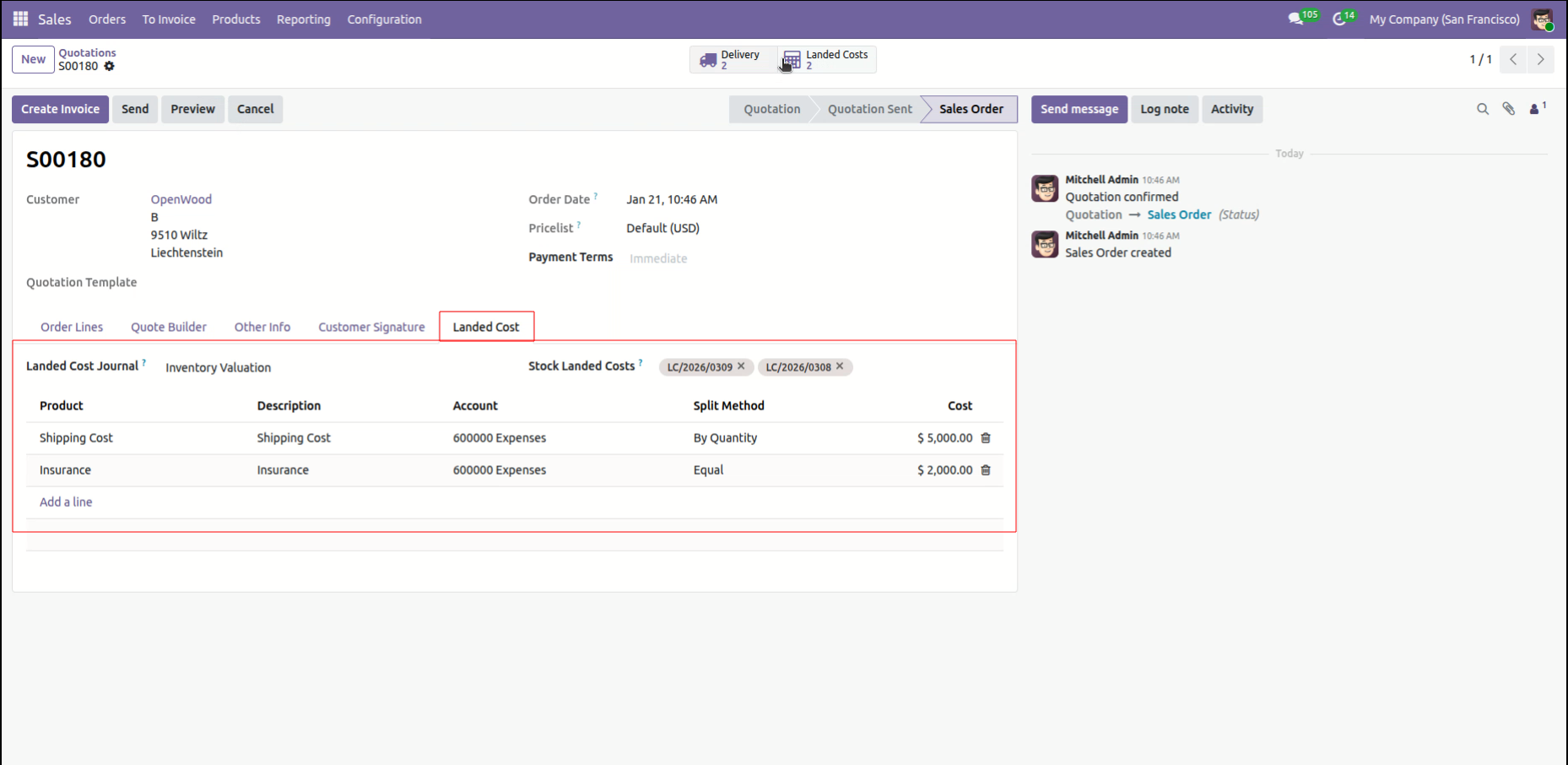
Viewing the aggregated Landed Cost Journal for Sales Order S00180, showing combined expenses from both the original delivery and backorder stock moves.
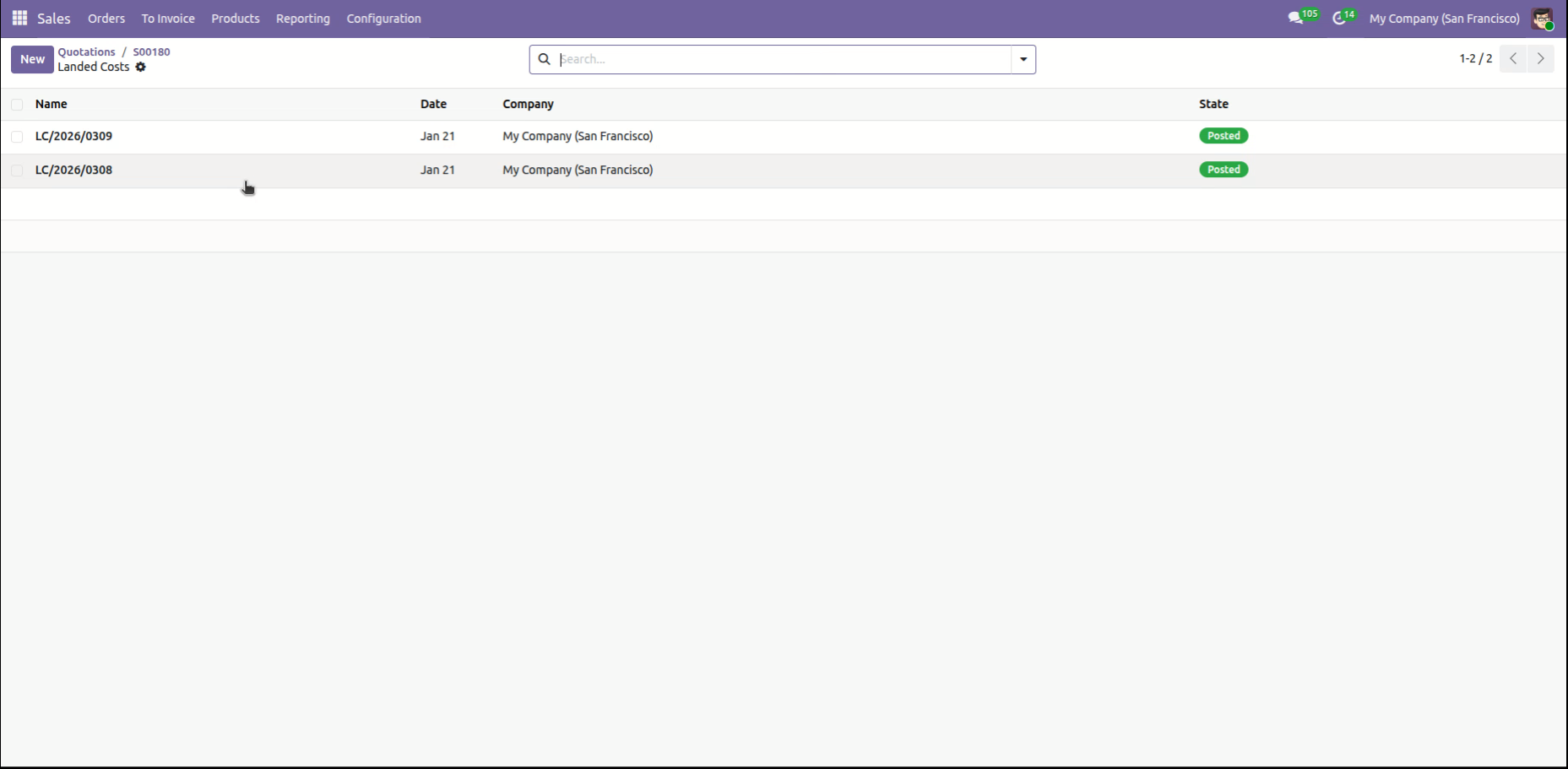
Reviewing the list of Posted landed cost records for the San Francisco branch, showing completed entries for January 21.
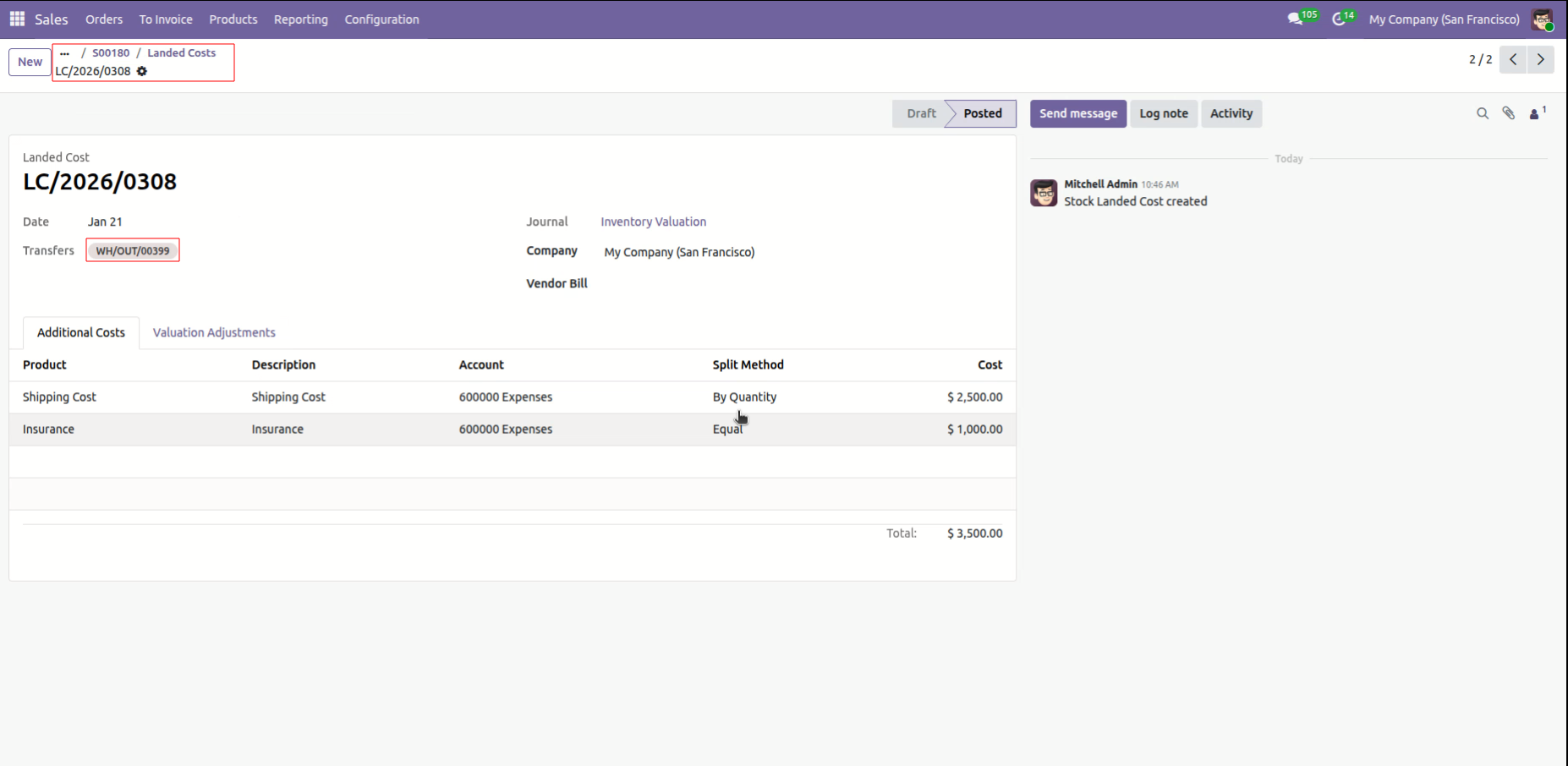
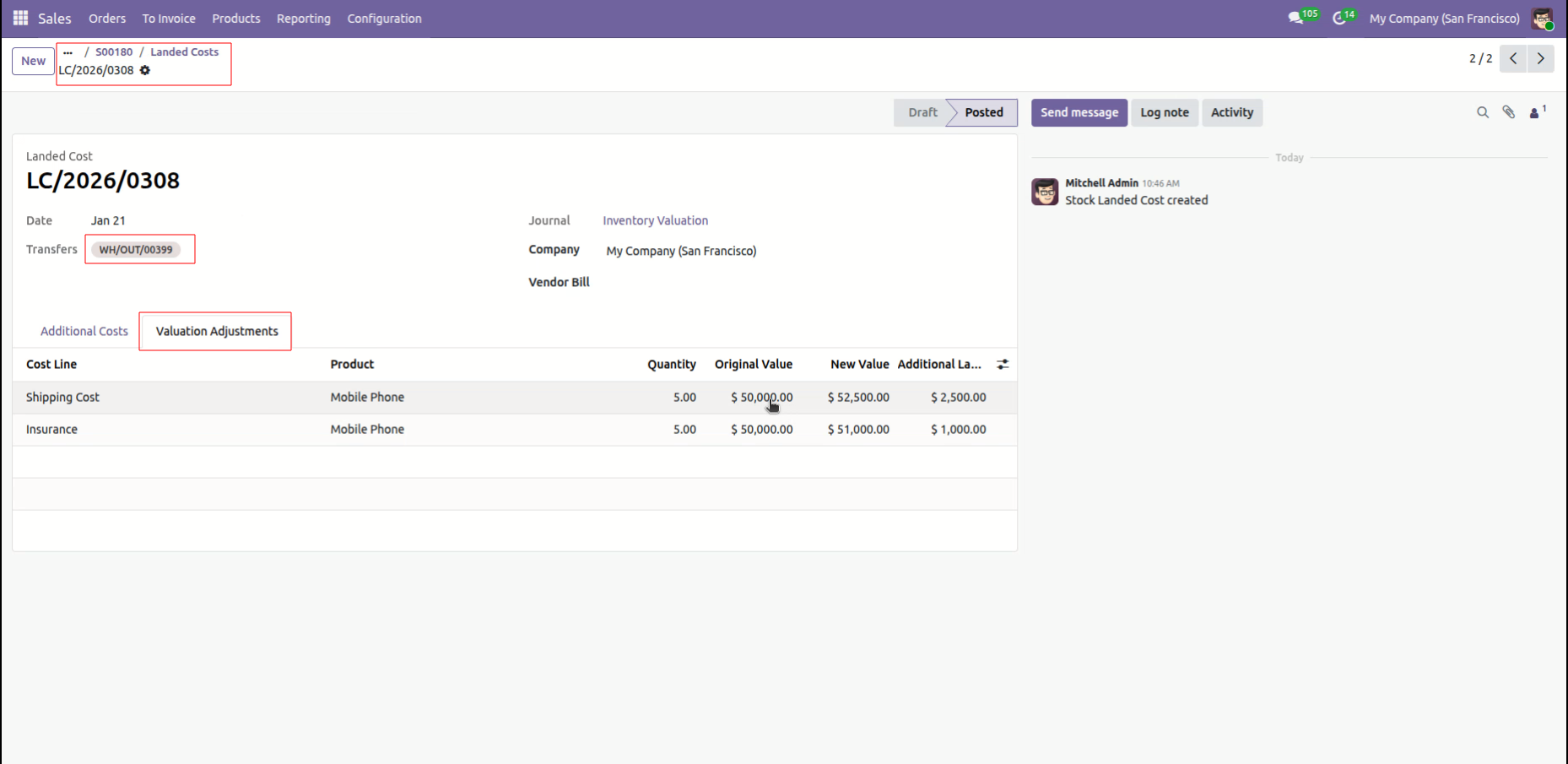
Reviewing the Posted landed cost LC/2026/0308, which allocates a total of $3,500.00 in shipping and insurance expenses to the delivery transfer WH/OUT/00399.
Reviewing the Valuation Adjustments for LC/2026/0308, showing how shipping and insurance costs increase the original value of 5 Mobile Phones from $50,000.00 to a new value of $52,500.00.
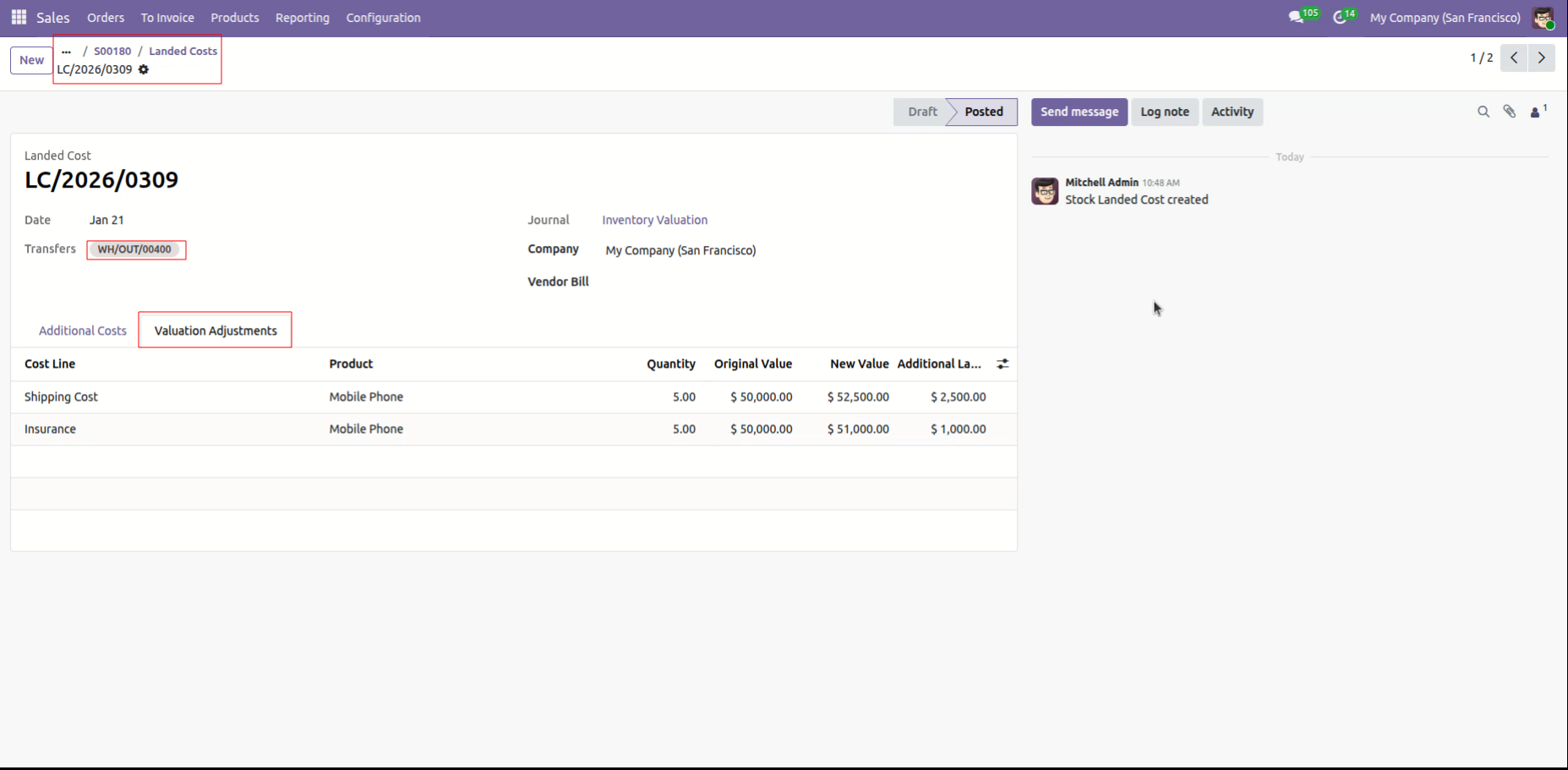
Reviewing Valuation Adjustments for backorder LC/2026/0309, showing the cost increase for 5 Mobile Phones after allocating shipping and insurance fees.
Version 19.0.1.0.0 | Released on : 22nd April 2026
- Yes, this app works perfectly with Odoo Enterprise (Odoo.sh & Premise) as well as Community.
- No, this application is not compatible with odoo.com(odoo saas/Odoo Online)
- Yes, to test this module, please contact us at sales@softhealer.com.
- Please contact us at sales@softhealer.com to request customization.
- Yes, we provide free support for 365 days from the date of purchase.
- Yes, you will receive lifetime free updates for the version of the module you purchased.
- No, there is no need to install any additional libraries.
- Yes, for version 12 and above, you need to purchase the module separately for each version you intend to use.
- No, exchanges or refunds are not allowed. Please make sure to select the correct version before purchasing.
- You can contact us at support@softhealer.com for language translation support. We use Google Translator tools to provide translations in multiple languages, so the accuracy may vary. We welcome your suggestions to help improve translations.
Discover Our Latest Apps