









RingCentral Odoo Connector

RingCentral Odoo Connector is a comprehensive integration between RingCentral and Odoo. It enables seamless call log import, two-way contact sync, message import, and webhook automation. Additionally, it supports importing SMS/MMS messages, glip messages, meetings, and detailed call analytics for enhanced productivity and tracking.
Features

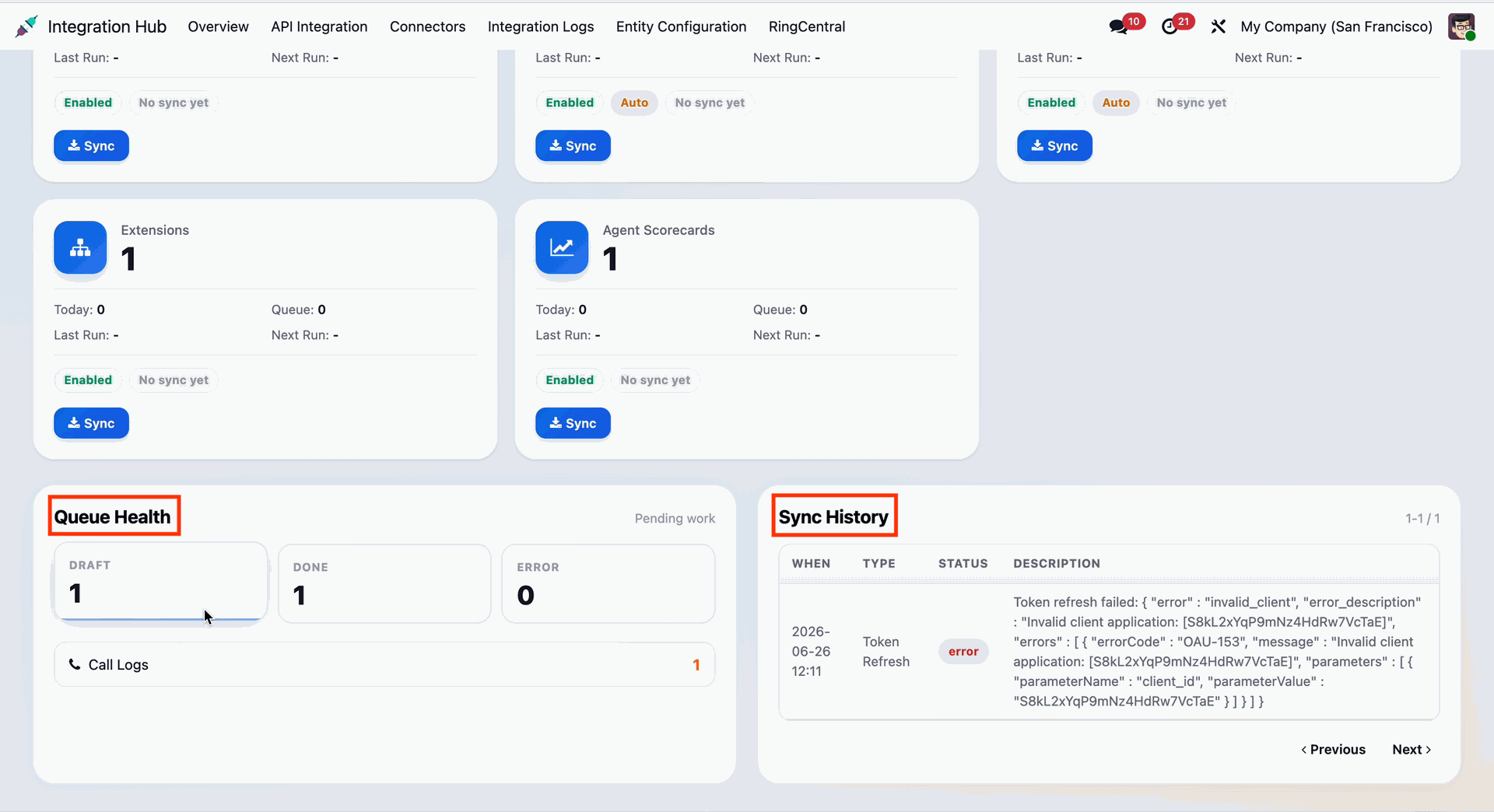
RingCentral Dashboard
-
 Gain real-time insights with a unified RingCentral dashboard displaying call statistics, sync
history, and communication summaries.
Gain real-time insights with a unified RingCentral dashboard displaying call statistics, sync
history, and communication summaries.

OAuth 2.0 Authentication
-
Secure multi-environment sandbox and production connections using modern authorization
standards.

Contacts Synchronization
-
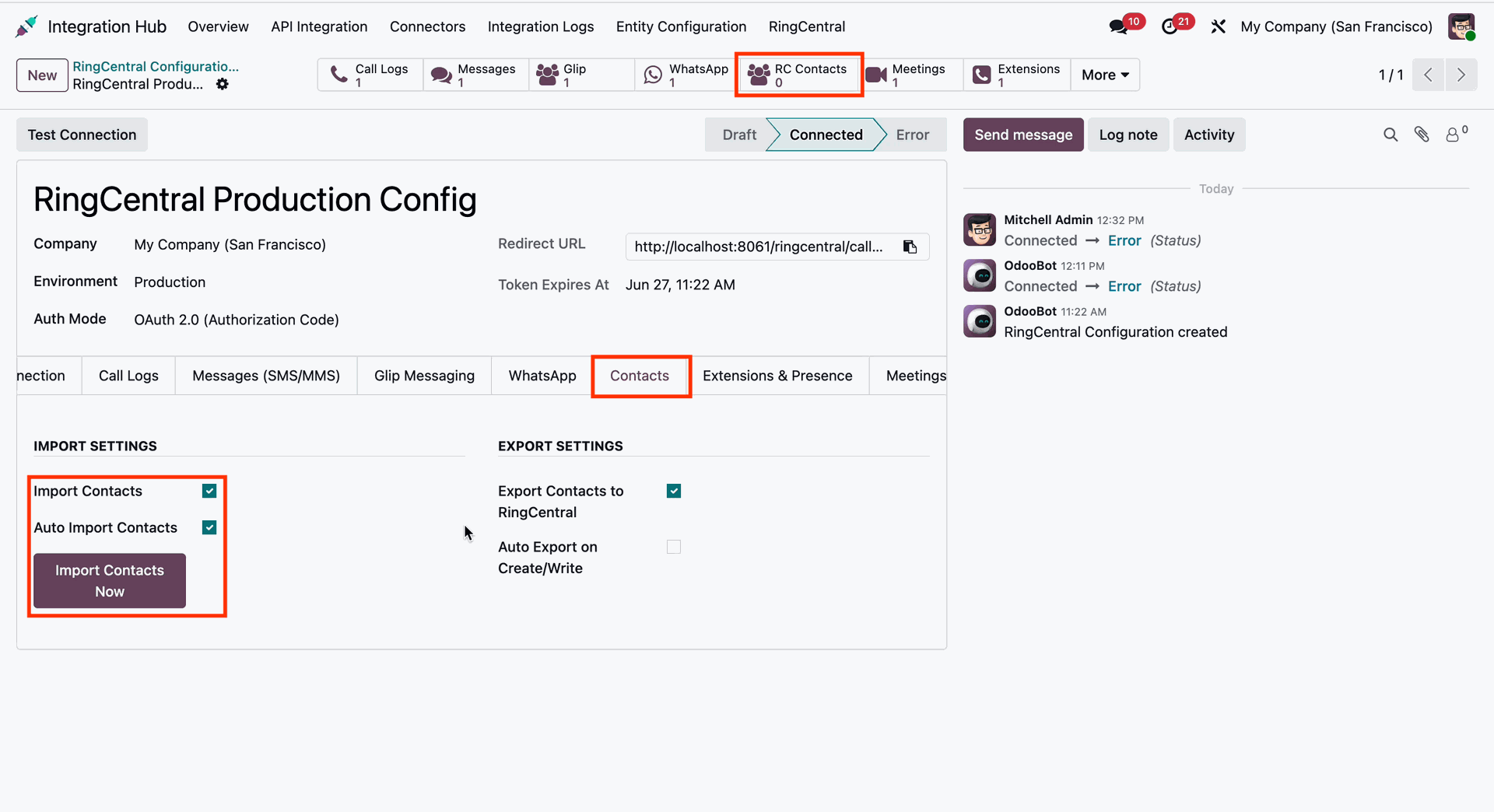
Import and Export Contacts
-
Auto Export on create or write

Call Logs Synchronization
-
Import and Auto Import Call logs
-
Option to import from specific date
-
Auto download recordings
-
Create CRM lead on inbound calls
-
Create Activity on Missed call

Whatsapp Synchronization
-
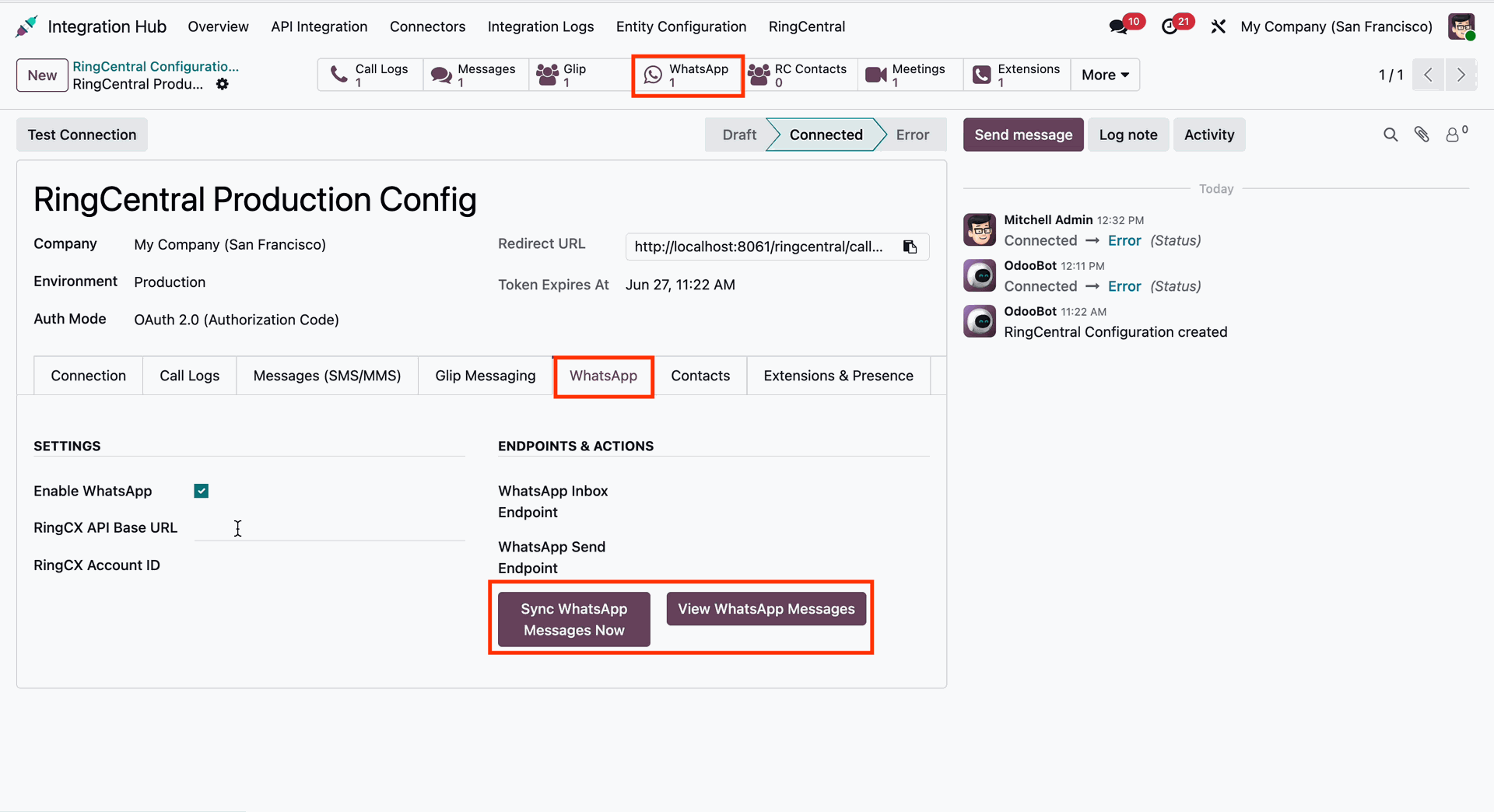
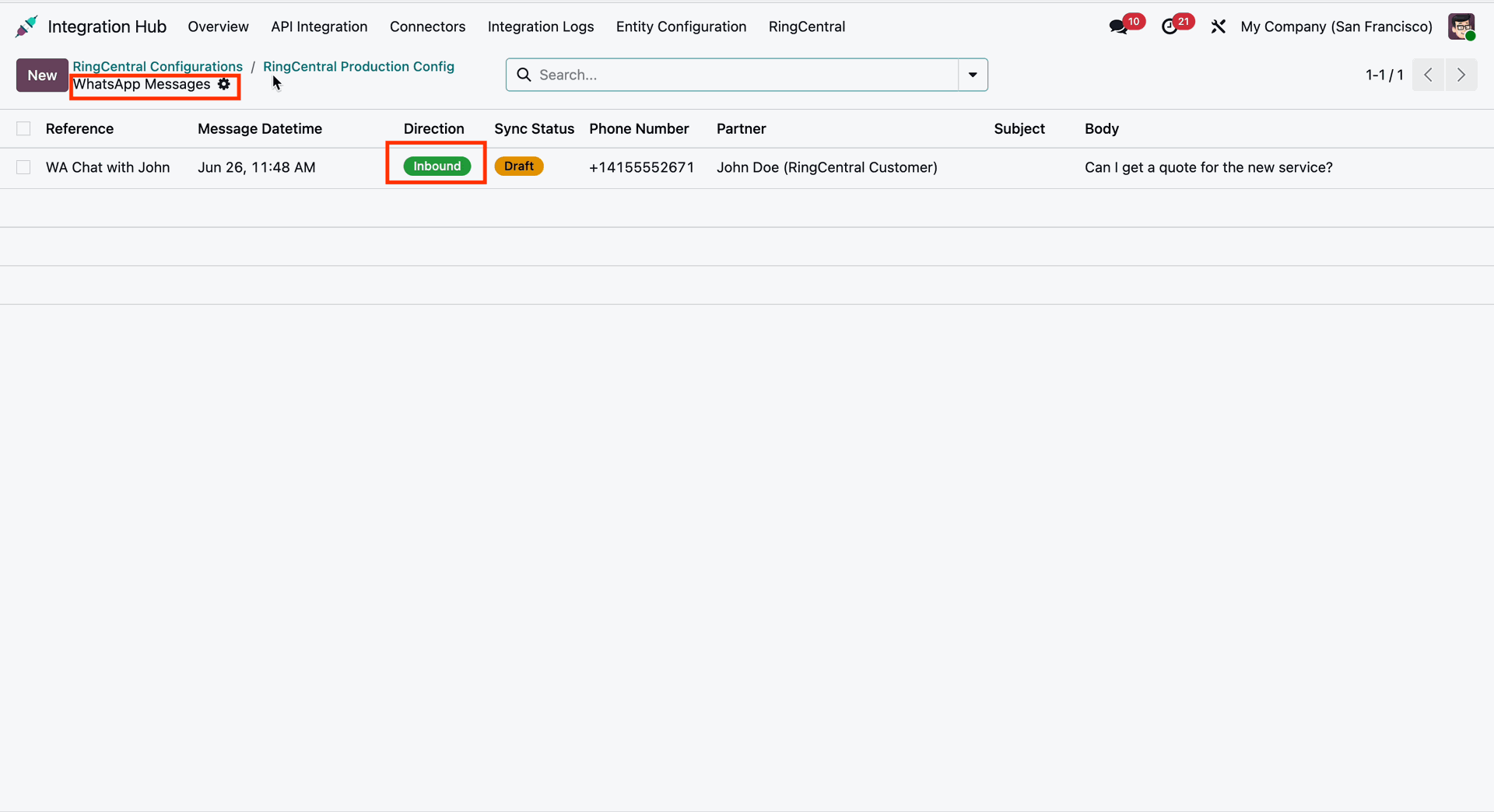
Receiving WhatsApp Messages
- Customers' WhatsApp messages are received in Odoo and automatically linked to the correct customer/contact. The messages are stored in Odoo and added to the Chatter, so the complete conversation history is available in one place.
-
Sending WhatsApp Messages
- Users can send WhatsApp messages directly from Odoo by selecting a customer and typing the message. The message is sent to the customer's WhatsApp through RingCX, and the sent message is automatically recorded in the Odoo Chatter for future reference.

Webhook/Real time data update
-
Calls : Receives real-time call events (ringing, connected, disconnected).
-
Messages : Receives real-time notifications for new SMS and MMS messages so they can be
instantly fetched and stored in Odoo.
-
Presence : Listens for real-time changes to a user's status in RingCentral (Available, Busy,
Do Not Disturb, Offline) and updates the Odoo Extension record immediately.

SMS and MMS Synchronization
-
Import and Auto Import SMS/MMS
-
Send SMS from Odoo

Glip Message Synchronization
-
Users can view Glip messages in Odoo for viewing purposes only.

Extension and presence Synchronization
-
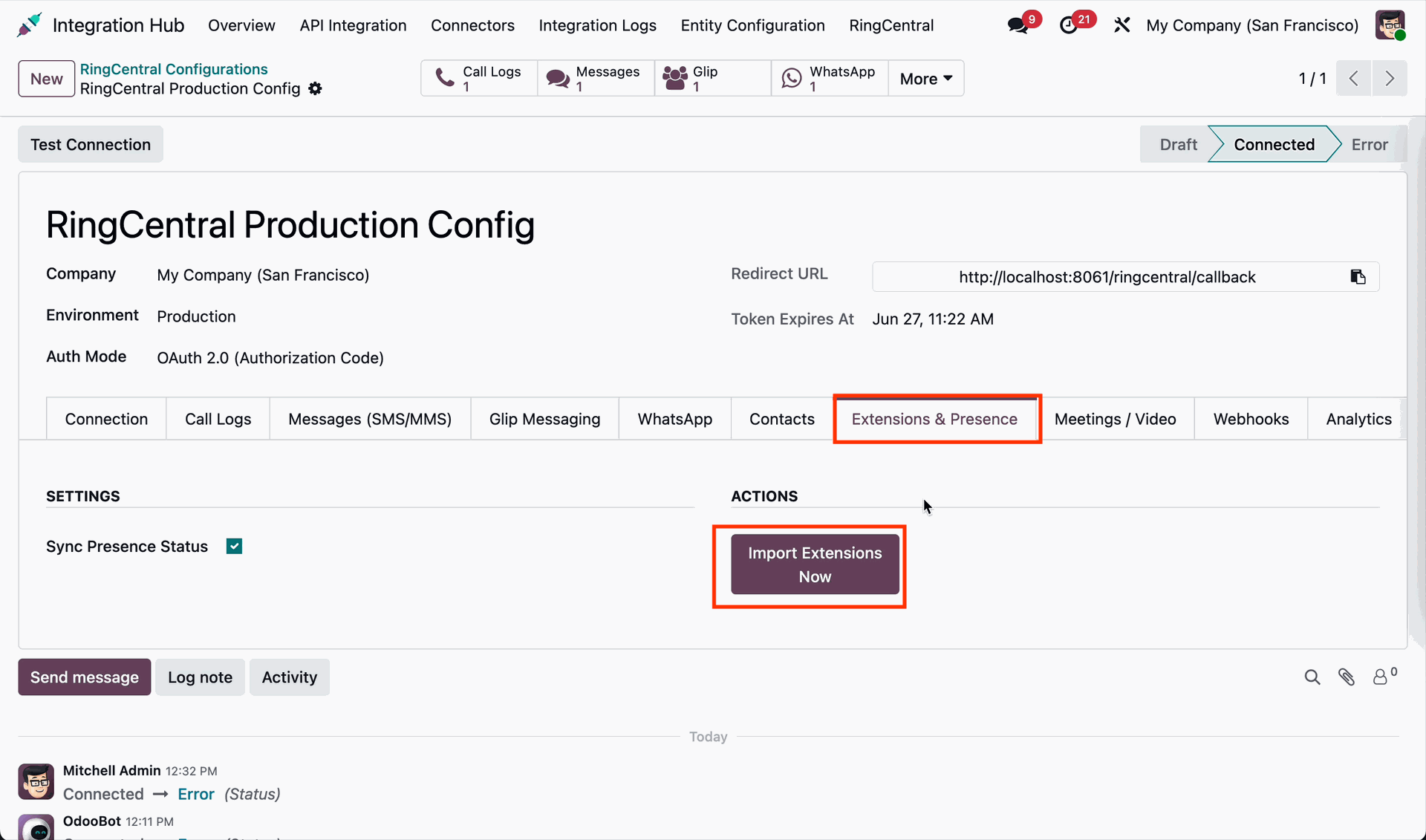
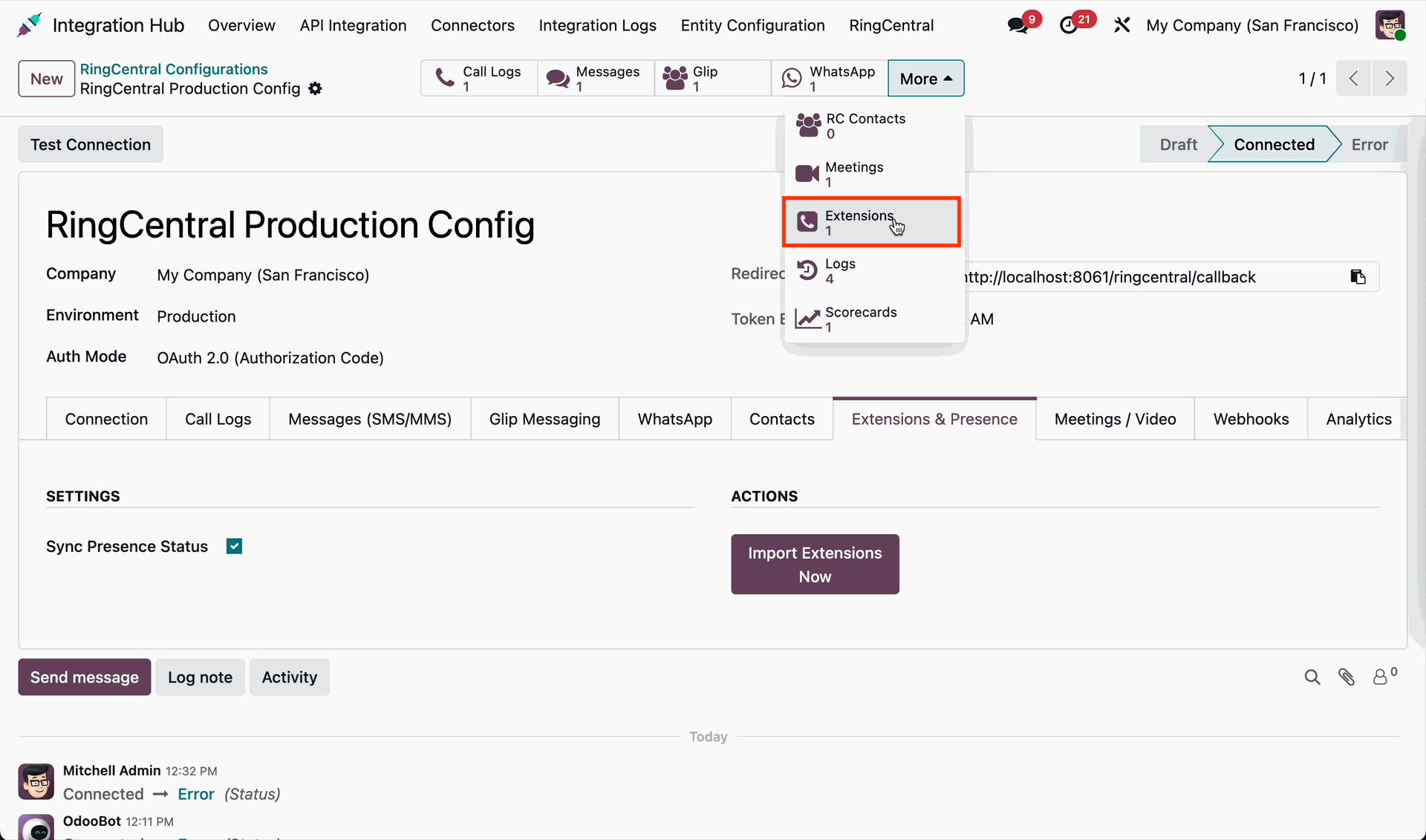
Import user extensions and track their presence status inside Odoo.

Meetings Synchronization
-
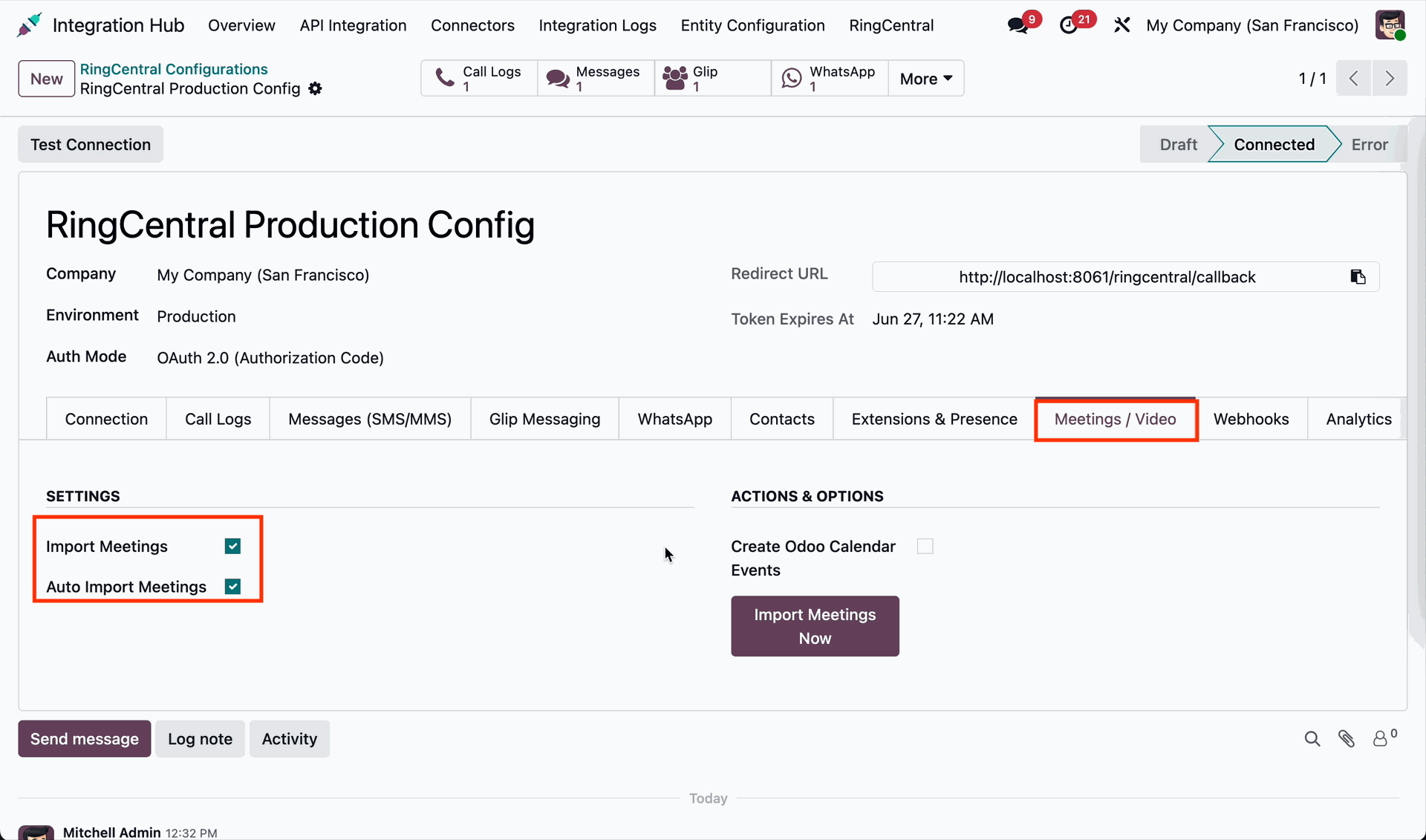
Import and Auto Import Meetings
-
Create Odoo Calendar Events

RingCentral Analytics Synchronization
-
View RingCentral analytics within odoo

Configurable Field Mapping
-
Define custom field mappings between RingCentral properties and Odoo models via a simple
UI.

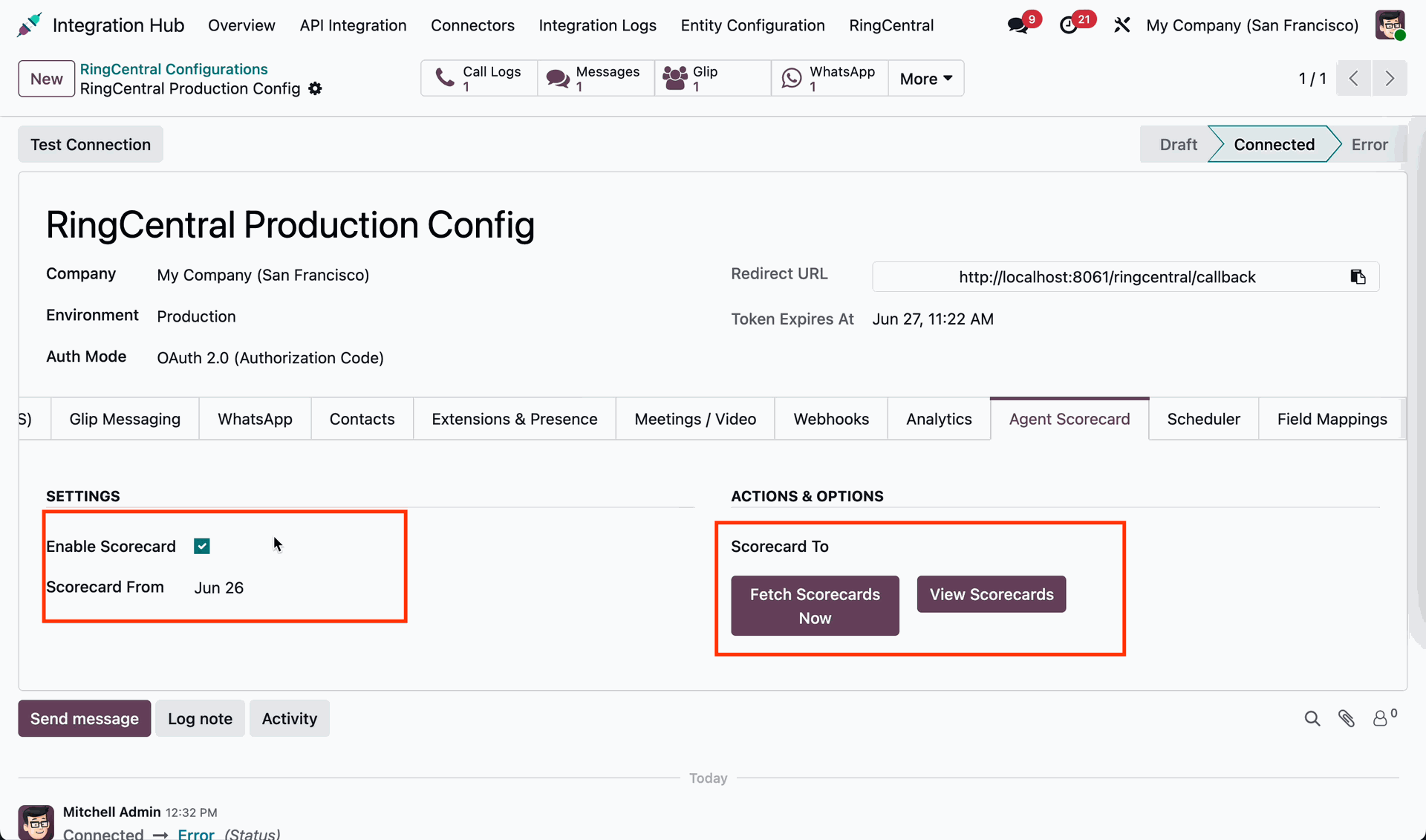
Scorecard Synchronization
-
View RingCentral call scorecards directly within Odoo for performance monitoring and
evaluation

Multi-Company Capabilities
-
Fully configure and operate RingCentral connections individually for different Odoo
companies.
Platform Walkthrough
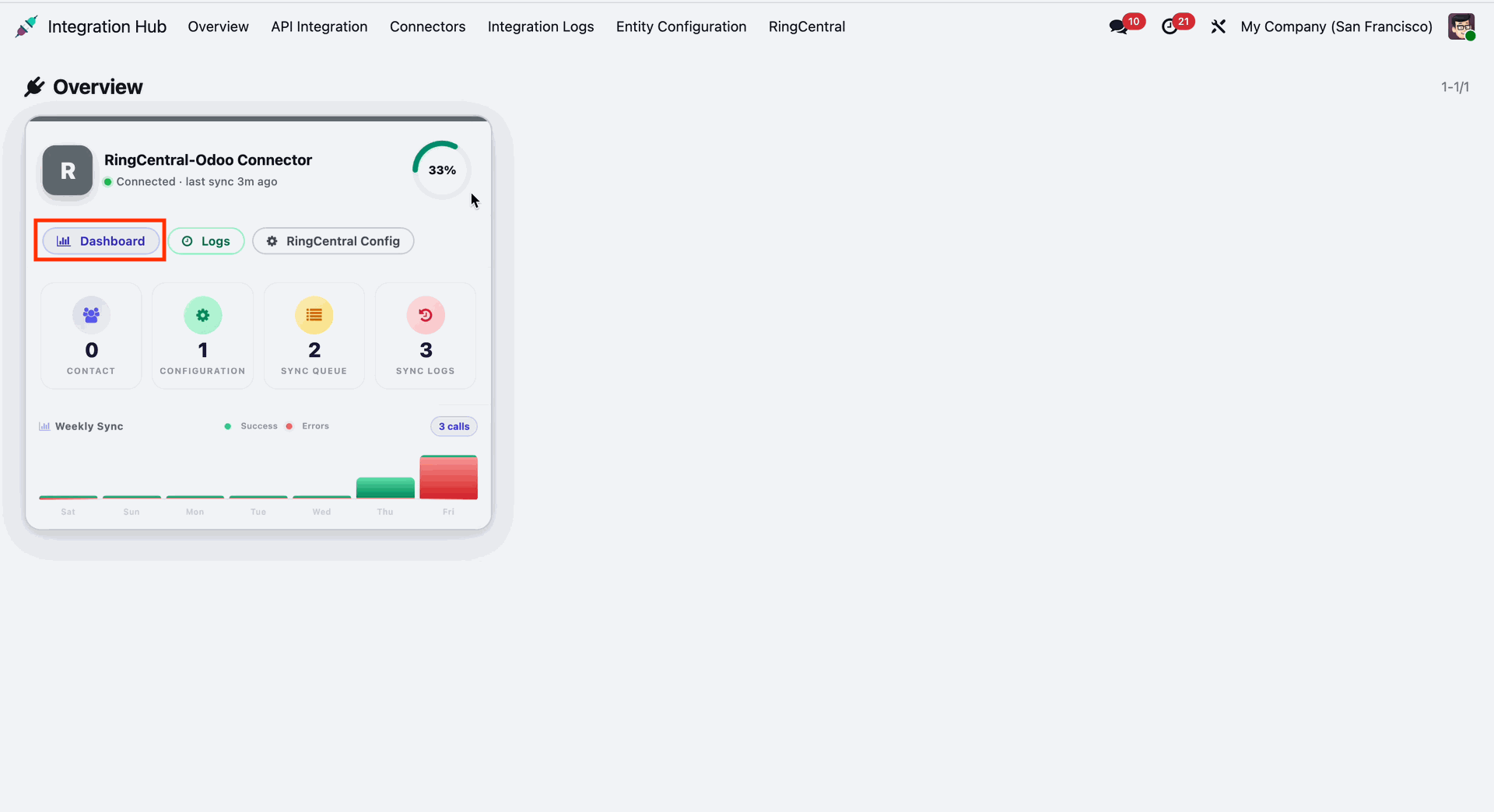
Centralized dashboard to manage and monitor all connectors from one place. Quickly access sync summary, activity logs, and configuration controls with improved visibility.
Open the RingCentral dashboard.

Workflow
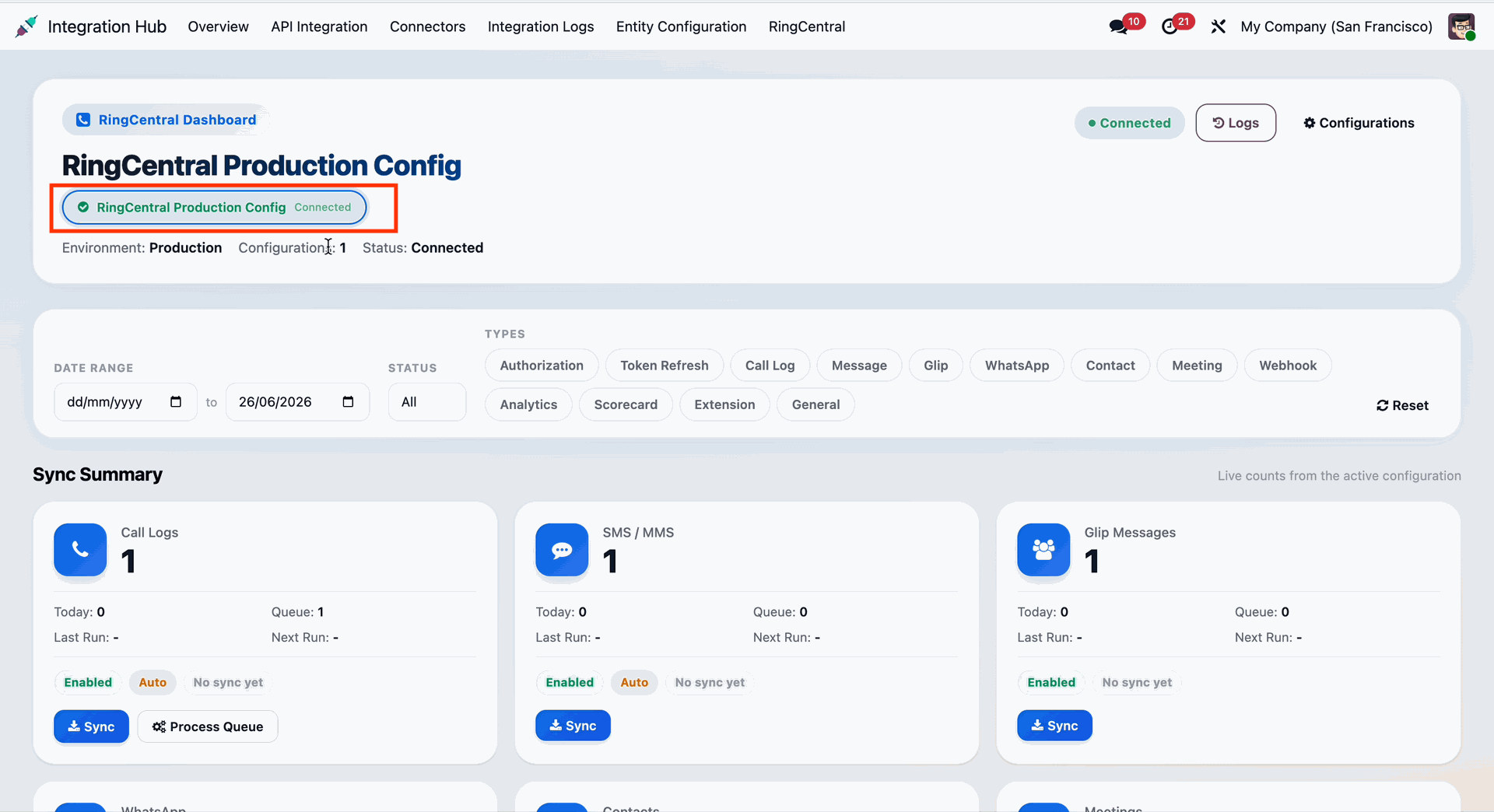
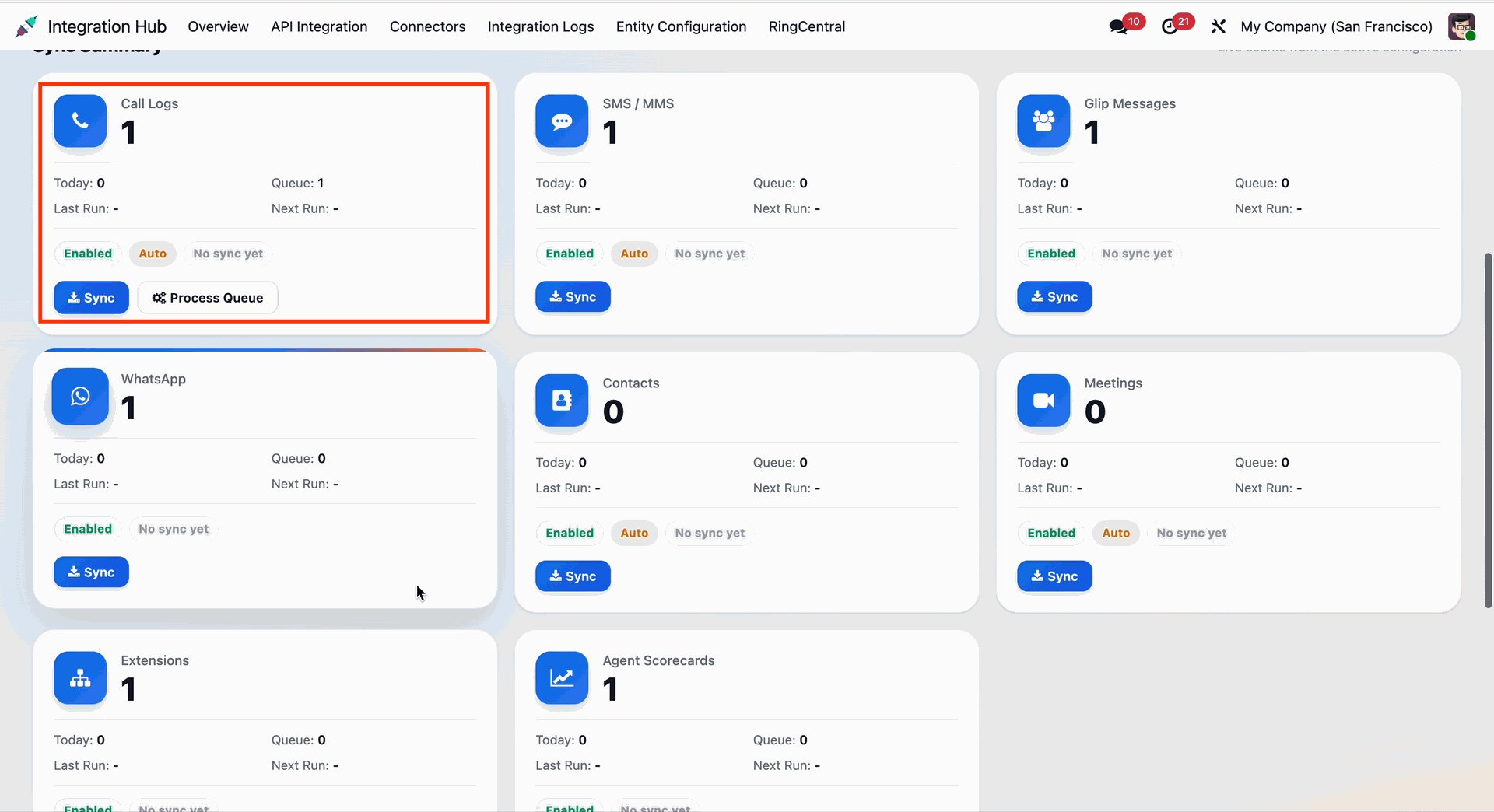
Gain real-time insights with a unified RingCentral dashboard displaying call statistics, sync history, and communication summaries.
Workflow
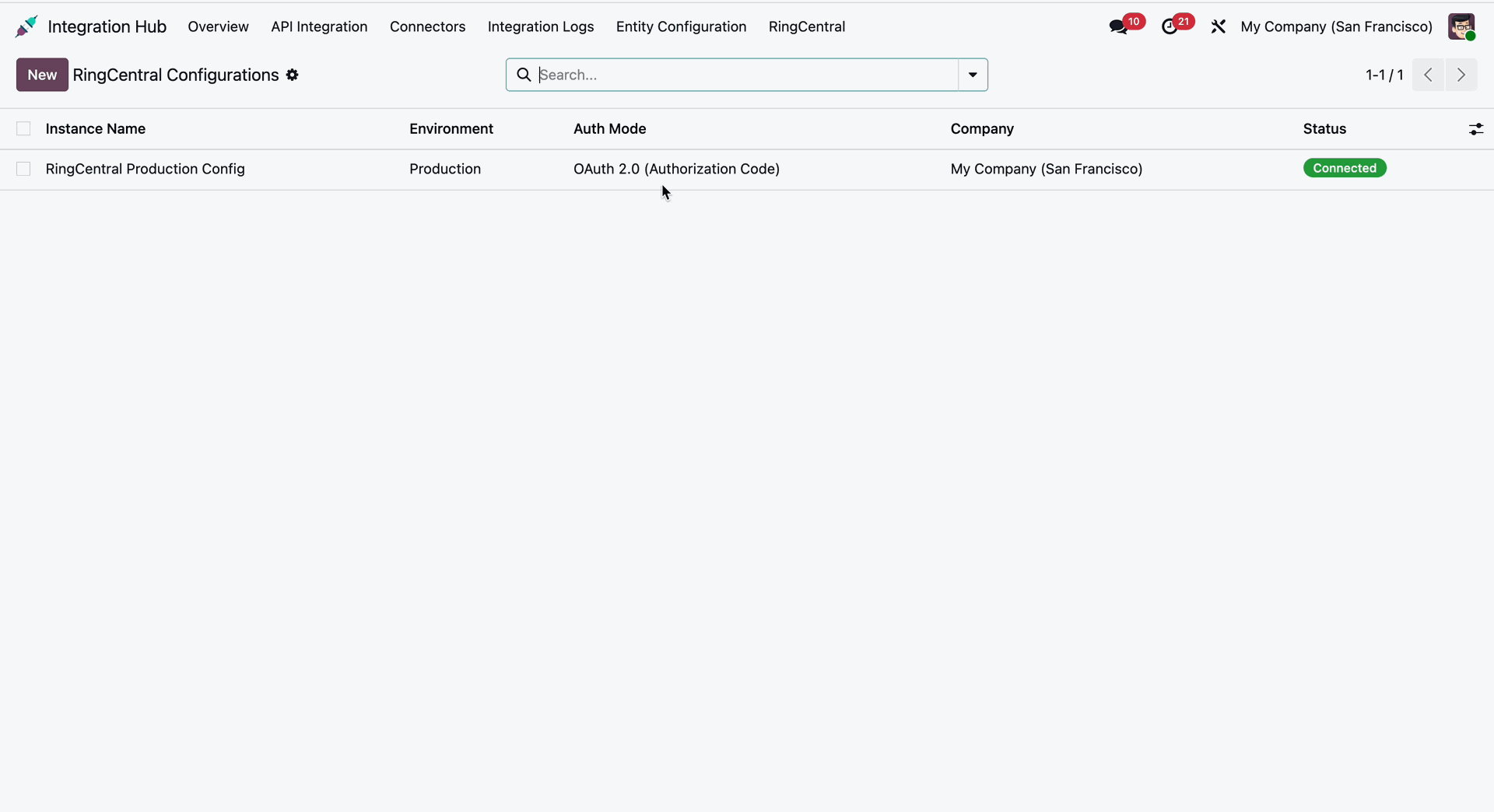
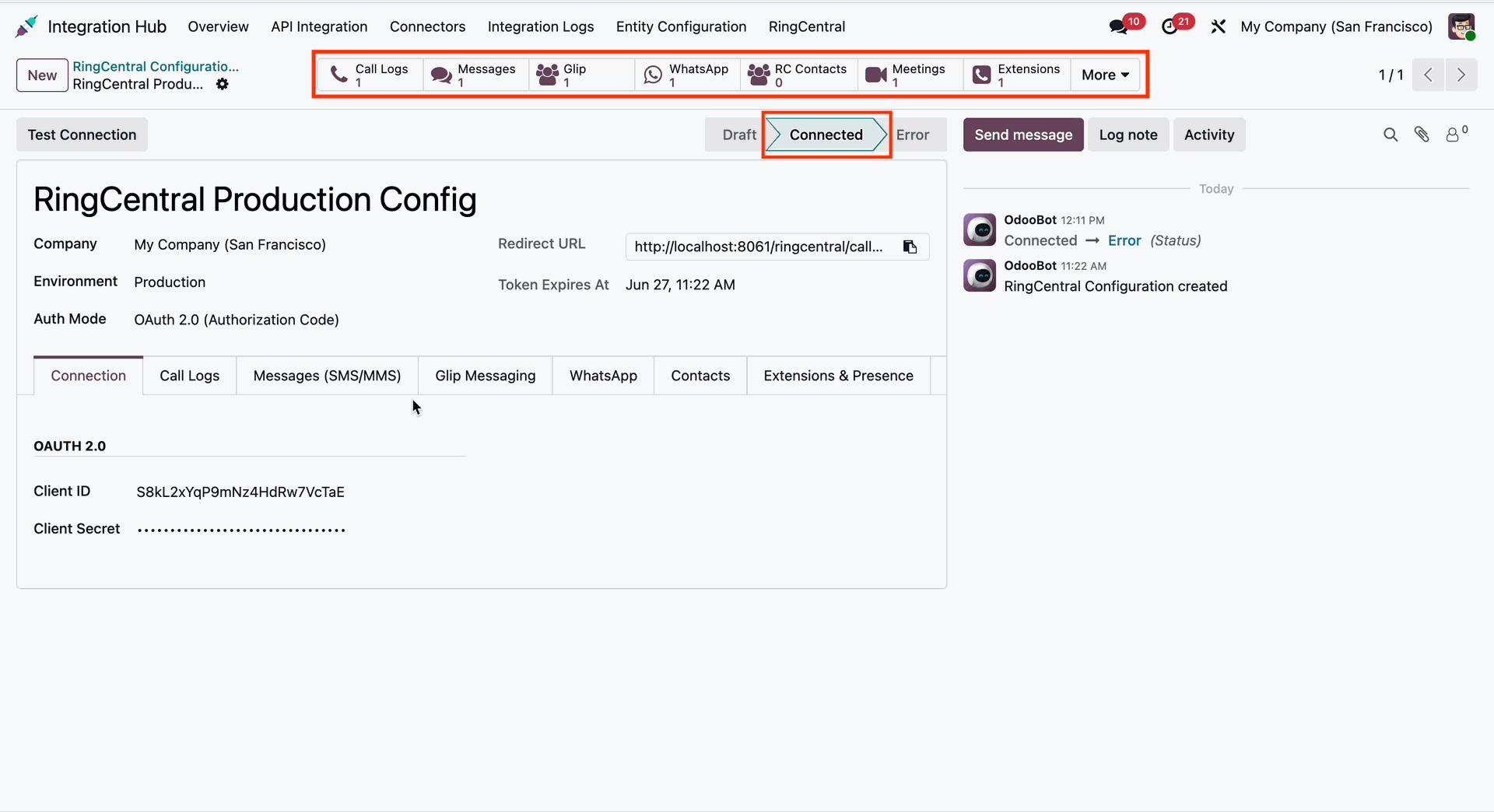
Easily configure OAuth 2.0 authentication. Toggle between sandbox and production environments to test your settings safely.
Successfully authorized.
Workflow
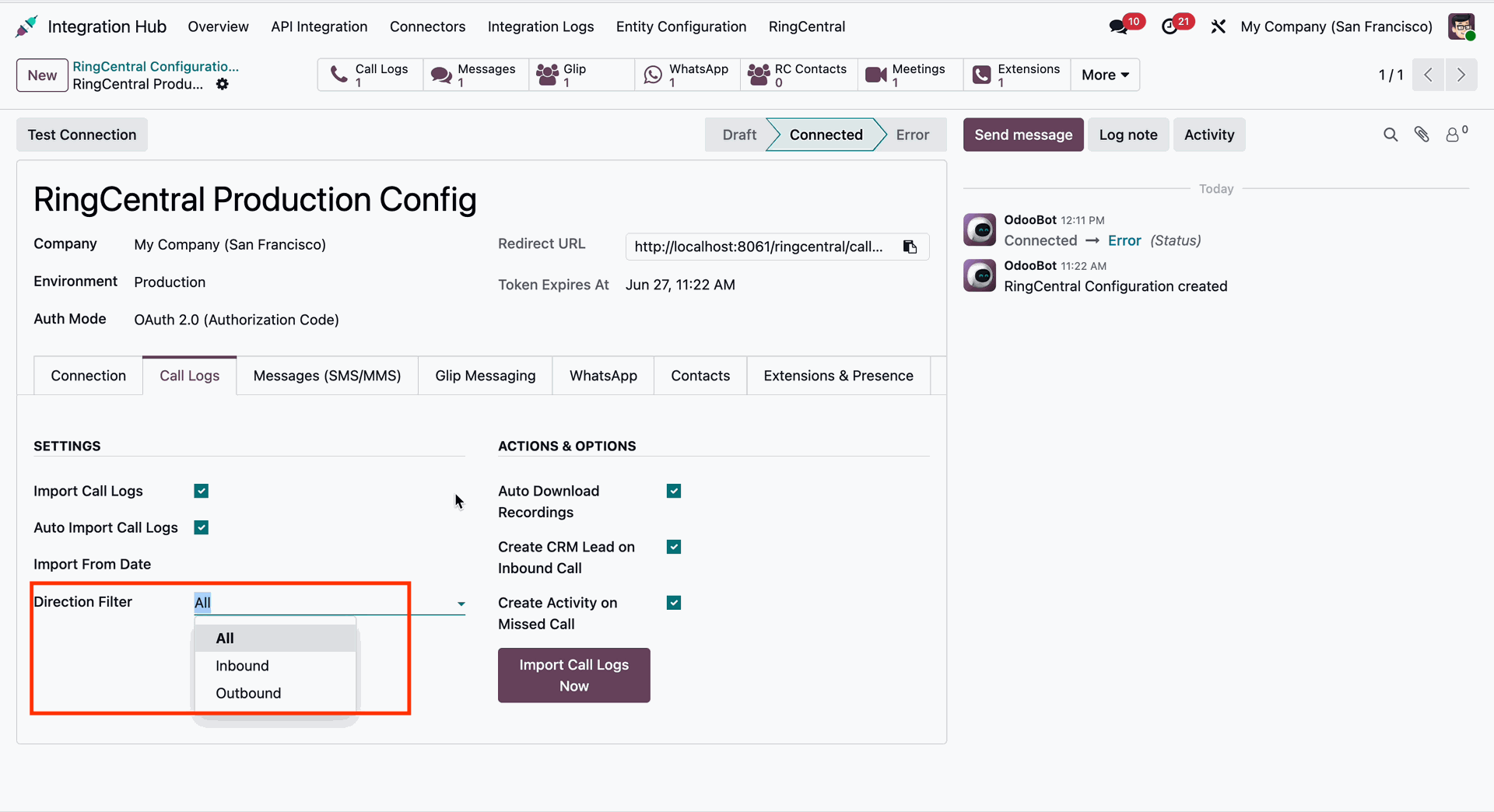
Enable/disable call log options as per requirement.
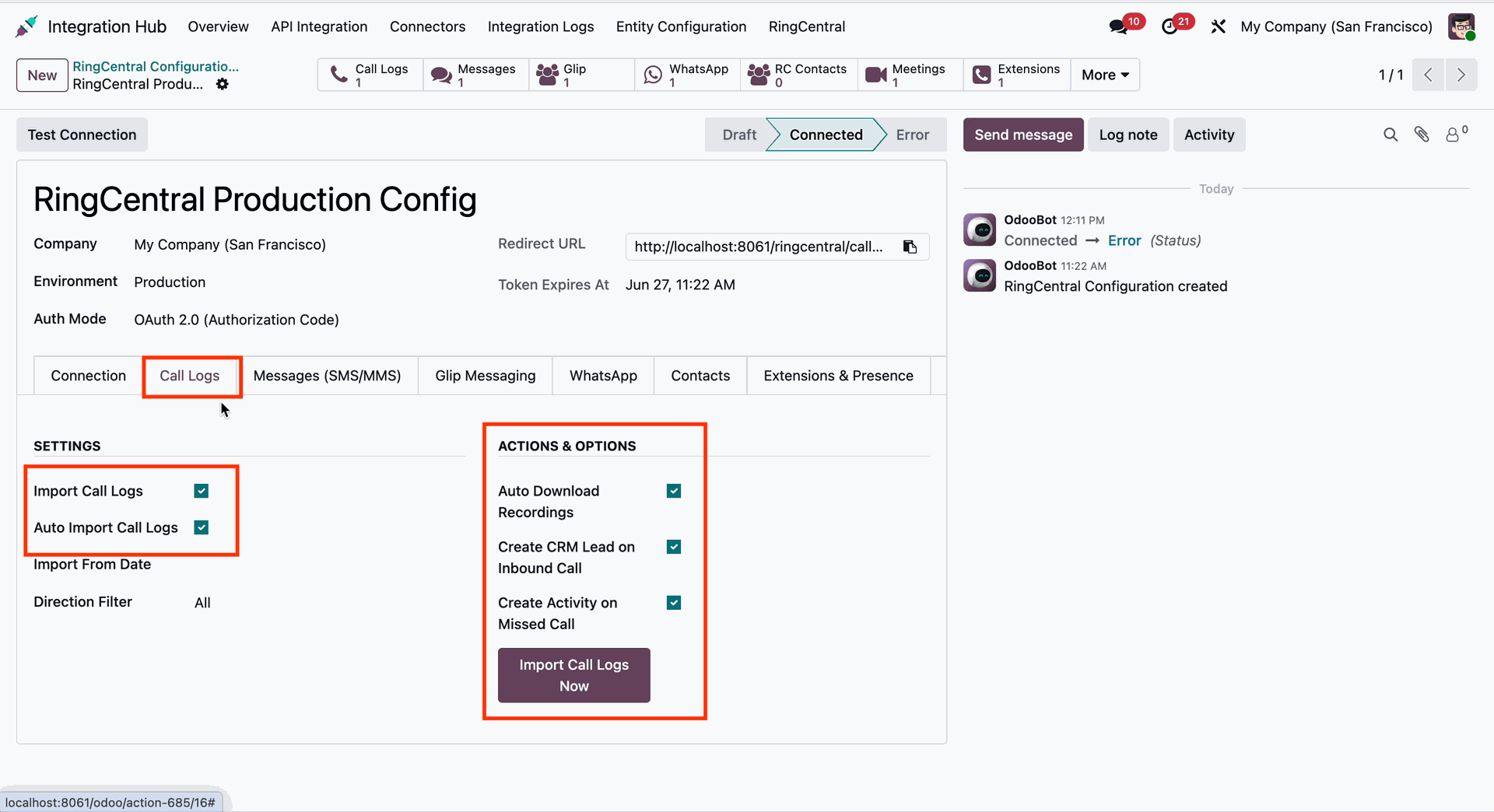
Direction filter for call logs.
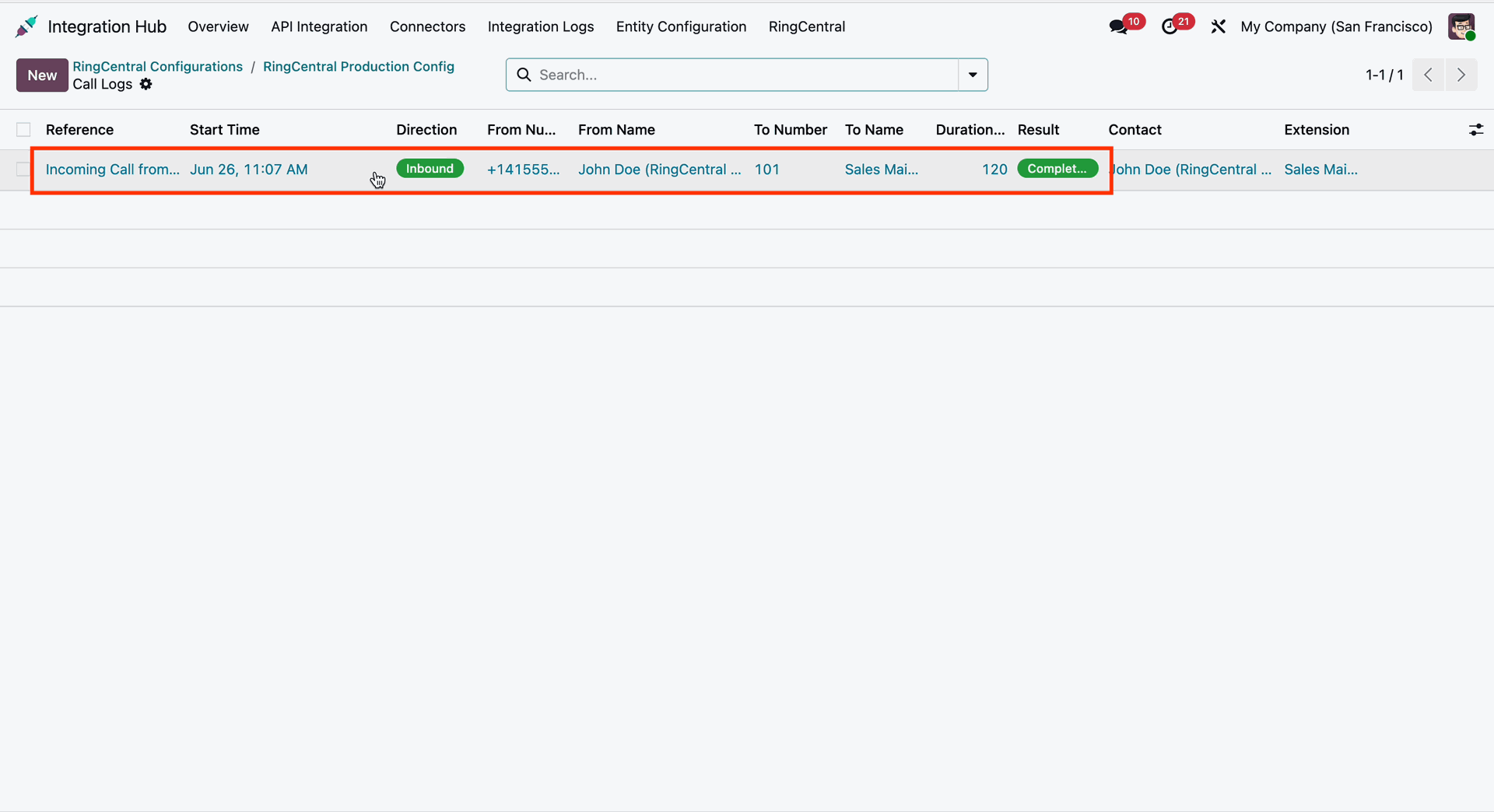
Call logs list view with all details.
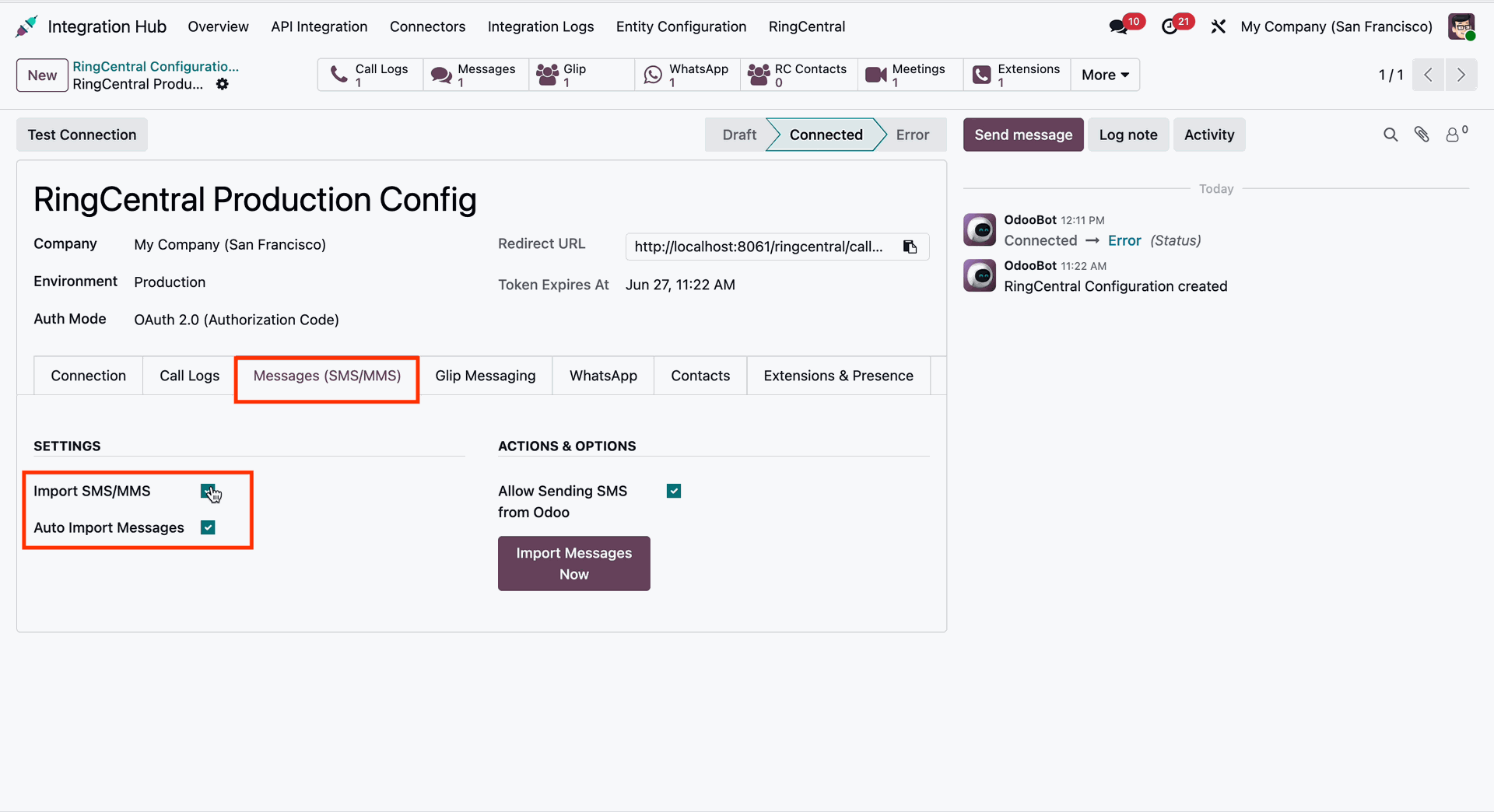
Workflow
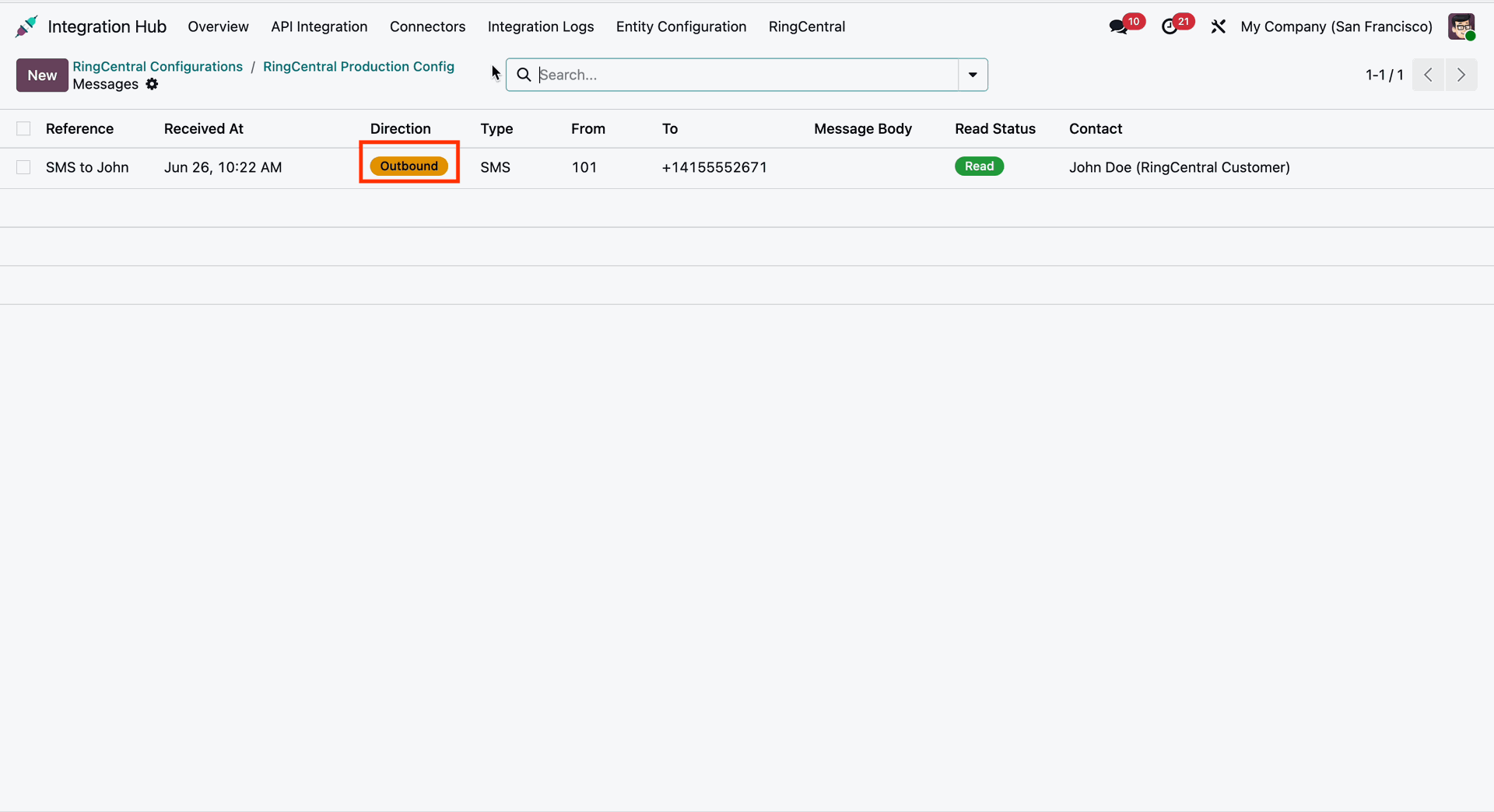
Import and send SMS or MMS messages using enable/disable options.
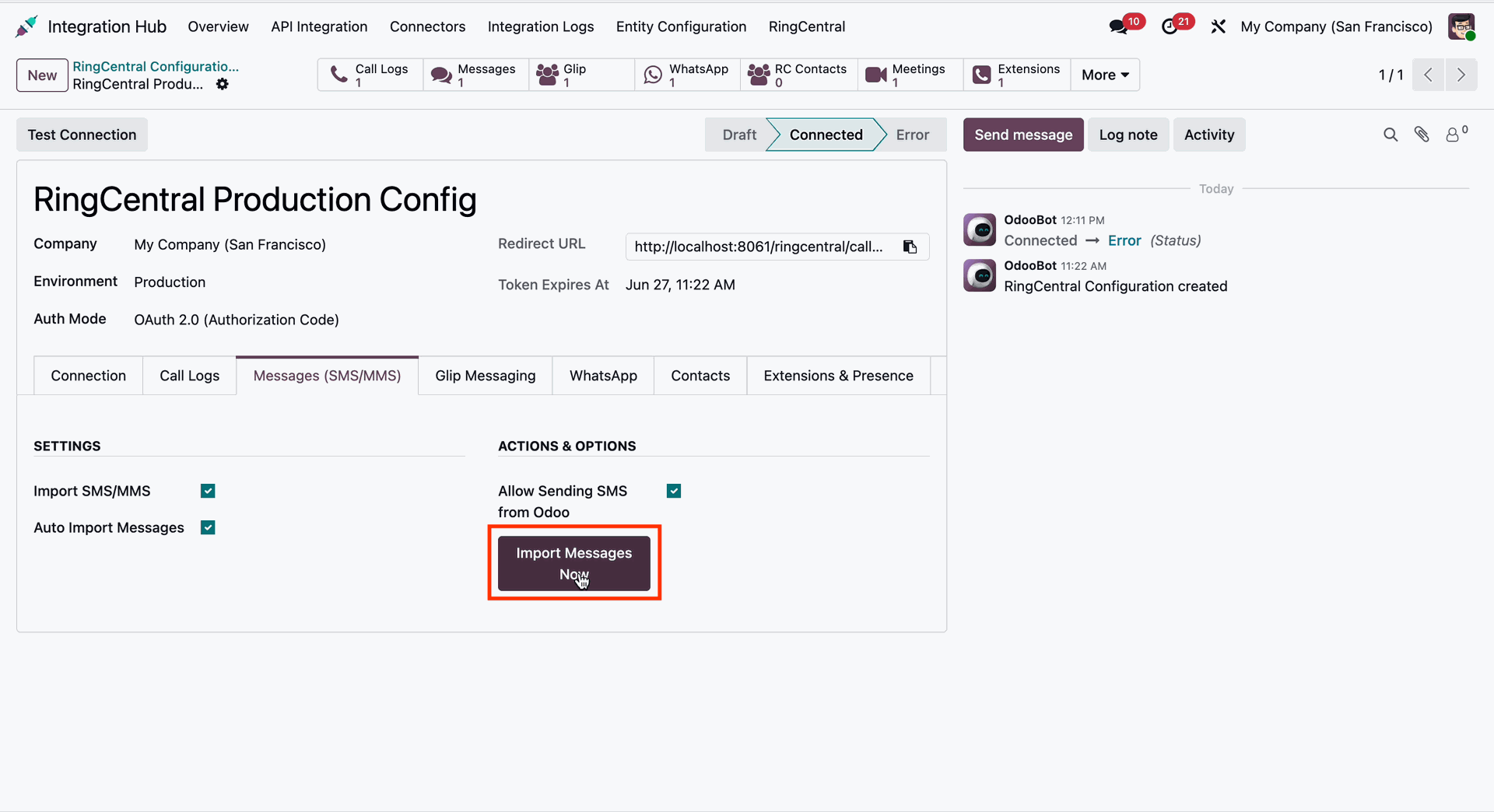
Click 'Import Messages Now' to import messages.
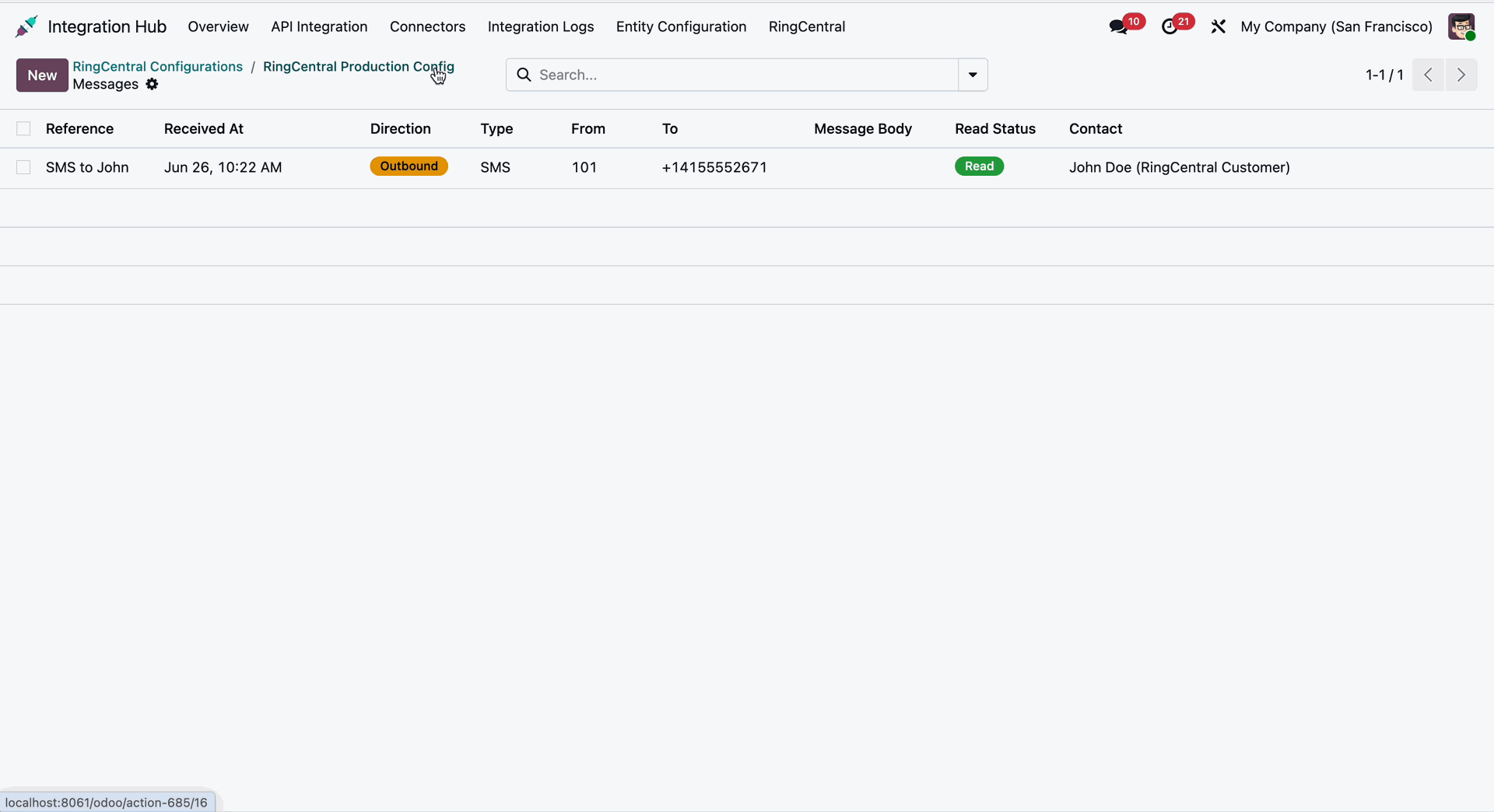
Message list view with directions and other details.
Workflow
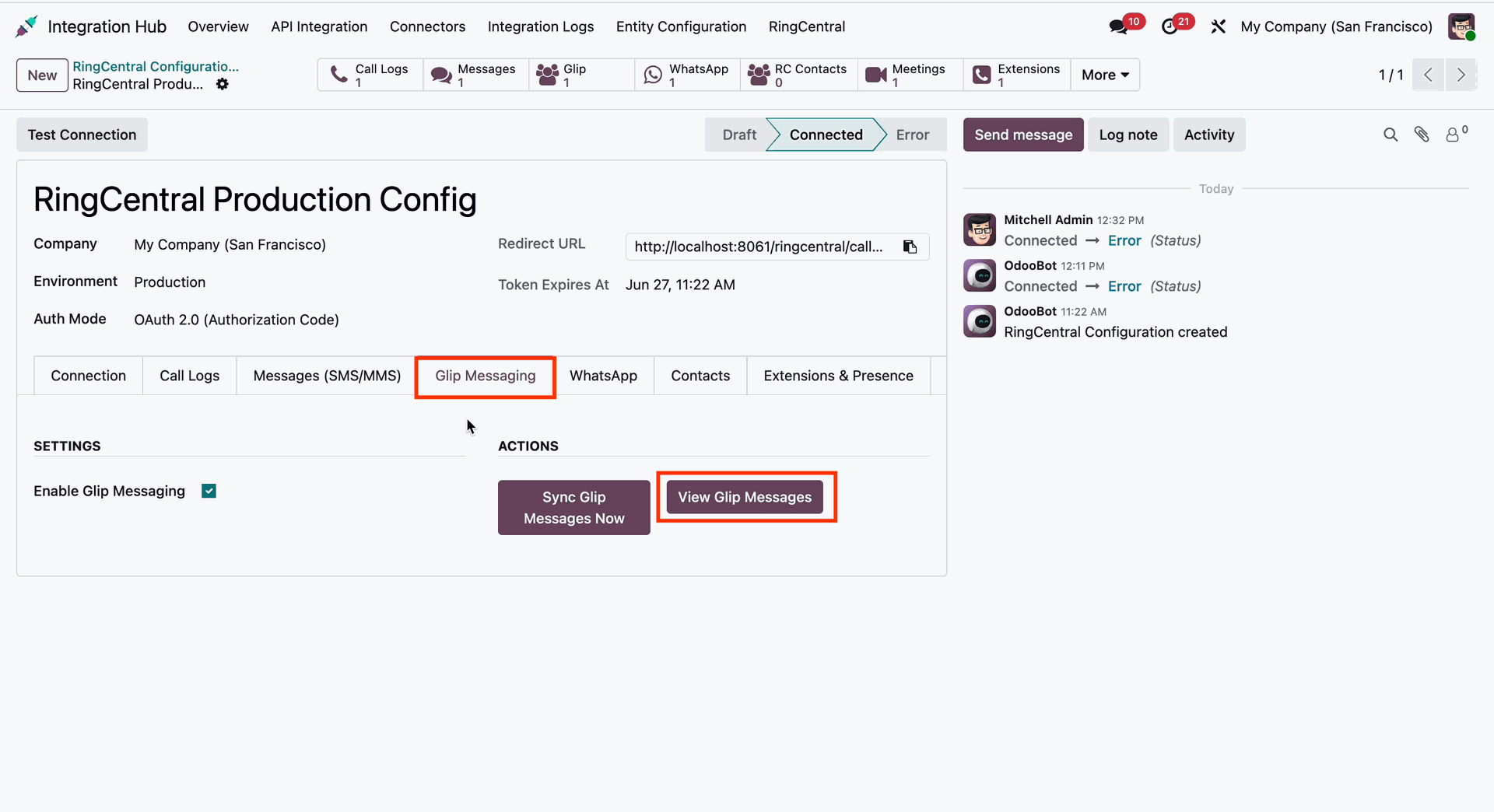
Enable 'Glip Messaging,' and you can sync and view from actions.
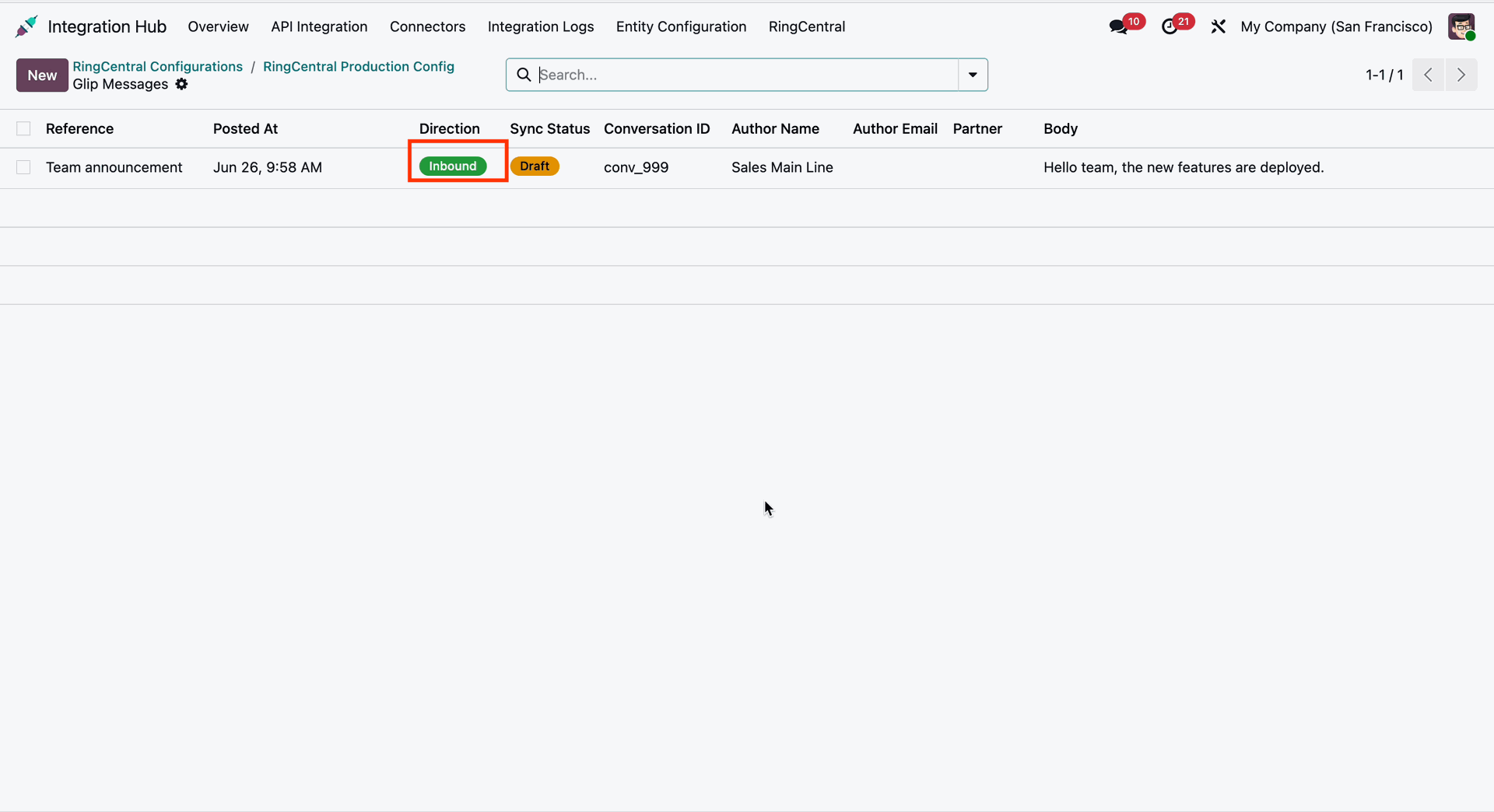
Glip Message list view.
Workflow
WhatsApp settings, endpoints & actions.
WhatsApp Message list view.
Workflow
Contacts import/export settings.
Workflow
Manage RingCentral extensions for Odoo employees.
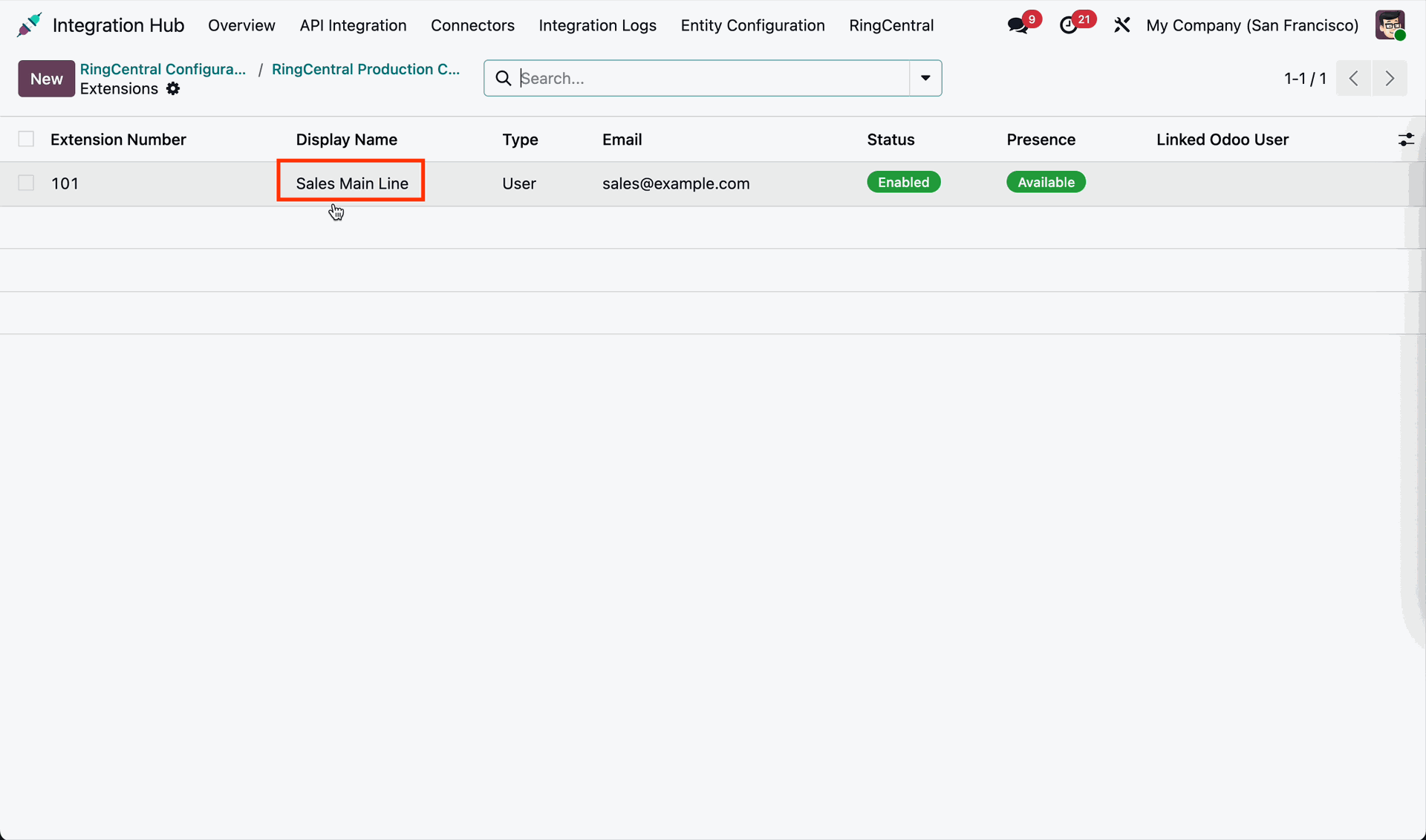
Extension list view.
Workflow
Import scheduled meetings and create events with the Odoo Calendar.
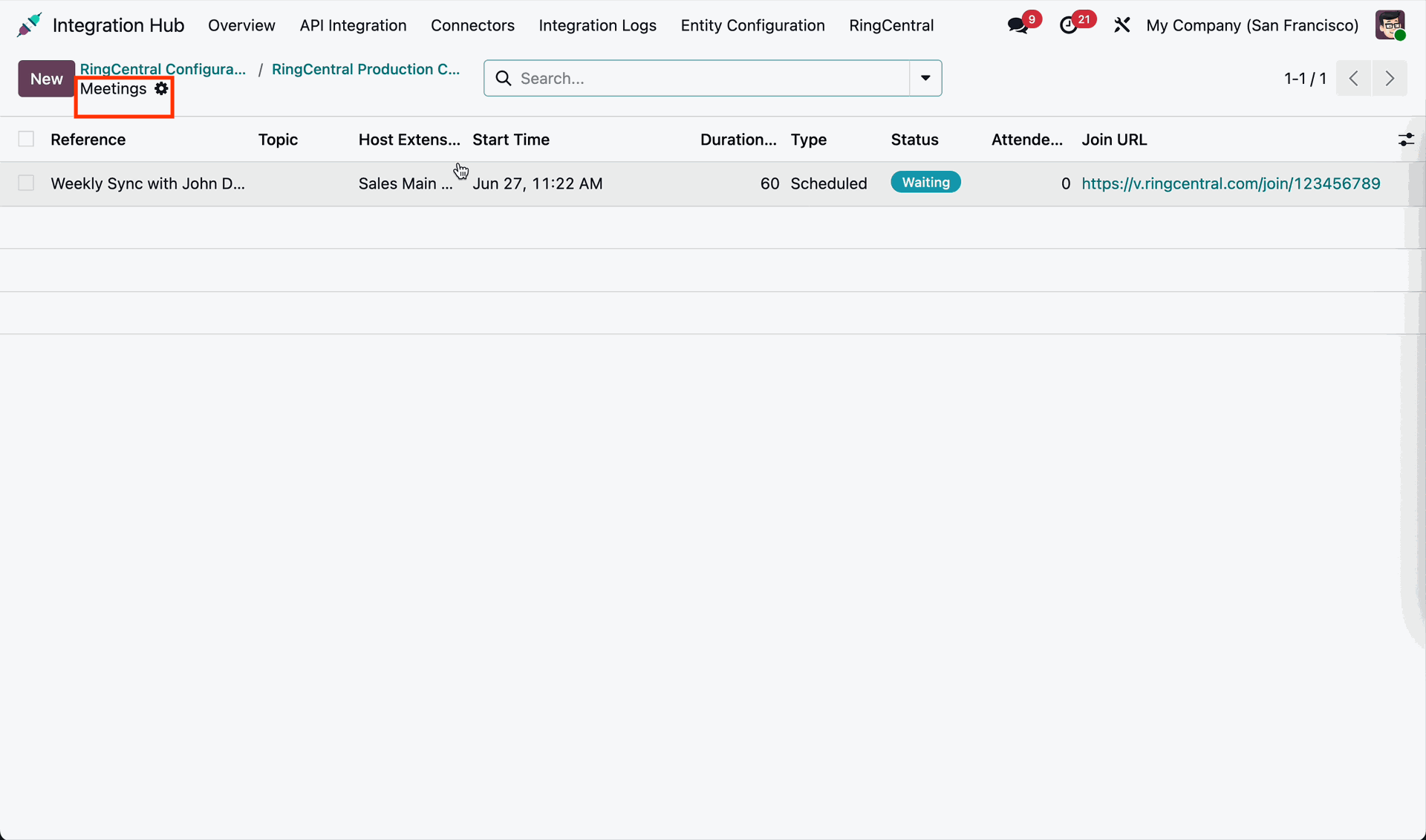
Meetings list view.
Workflow
Enable webhook and enter webhook ID for automation.
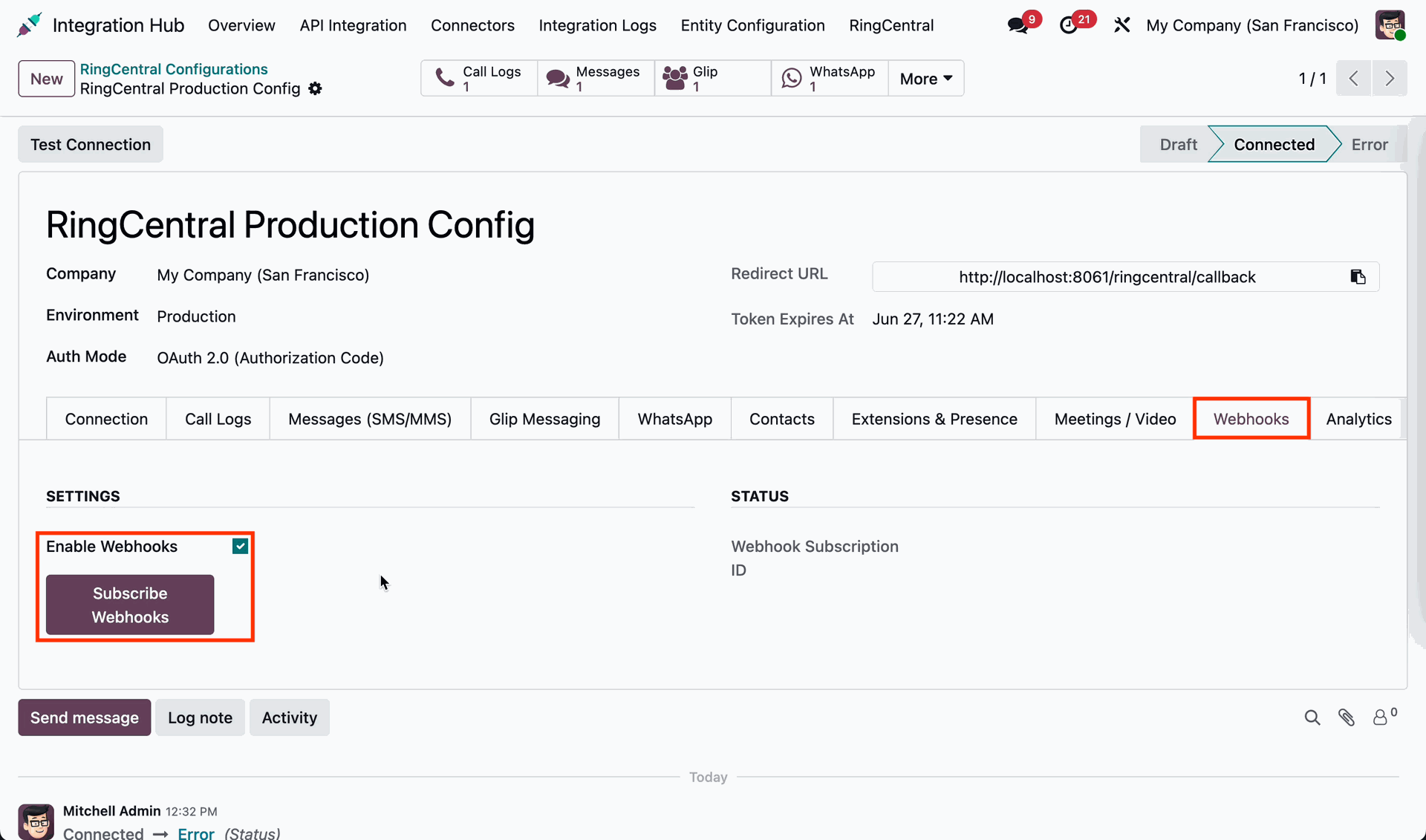
Workflow
Enable Analytics and click 'View Analytics Reports'.
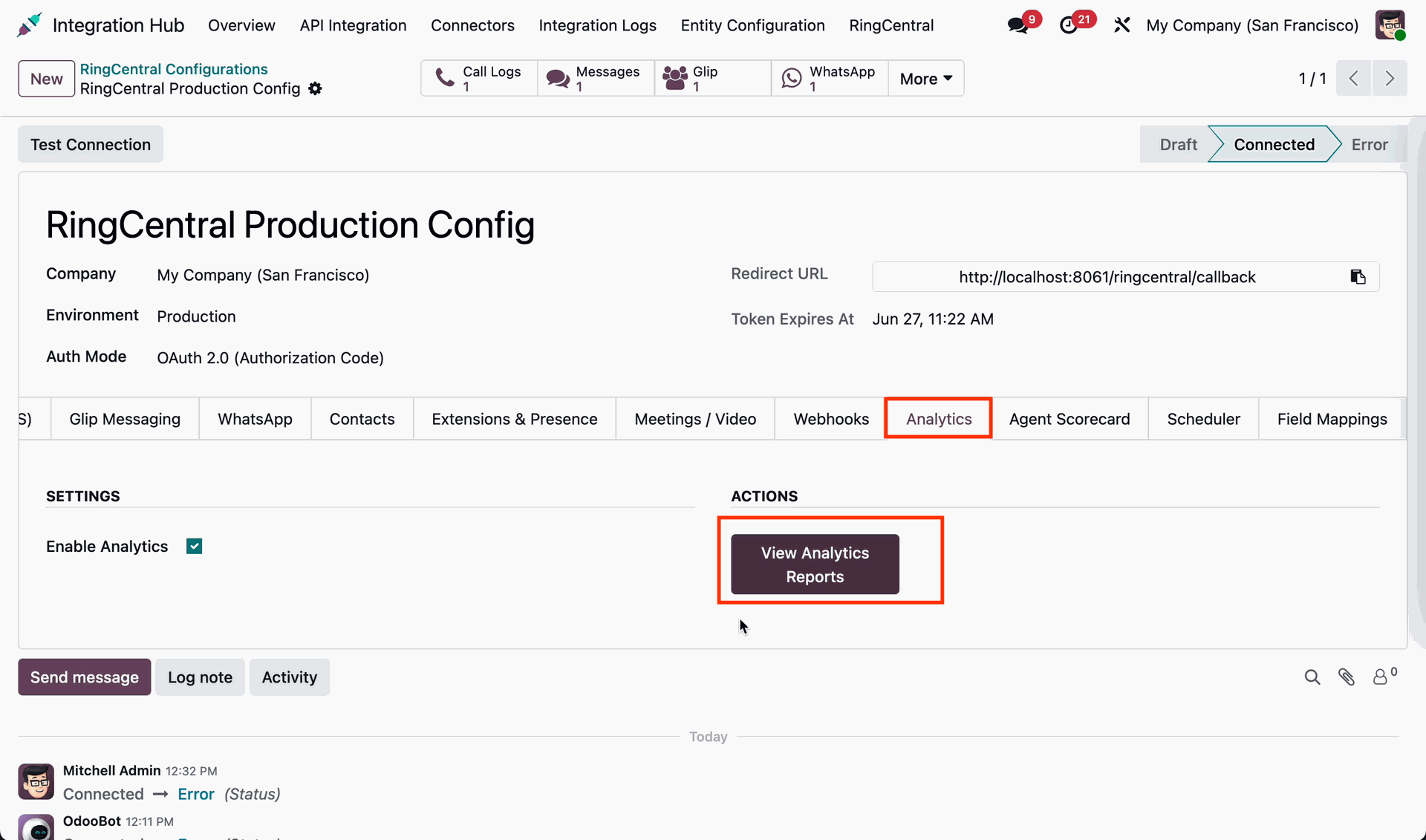
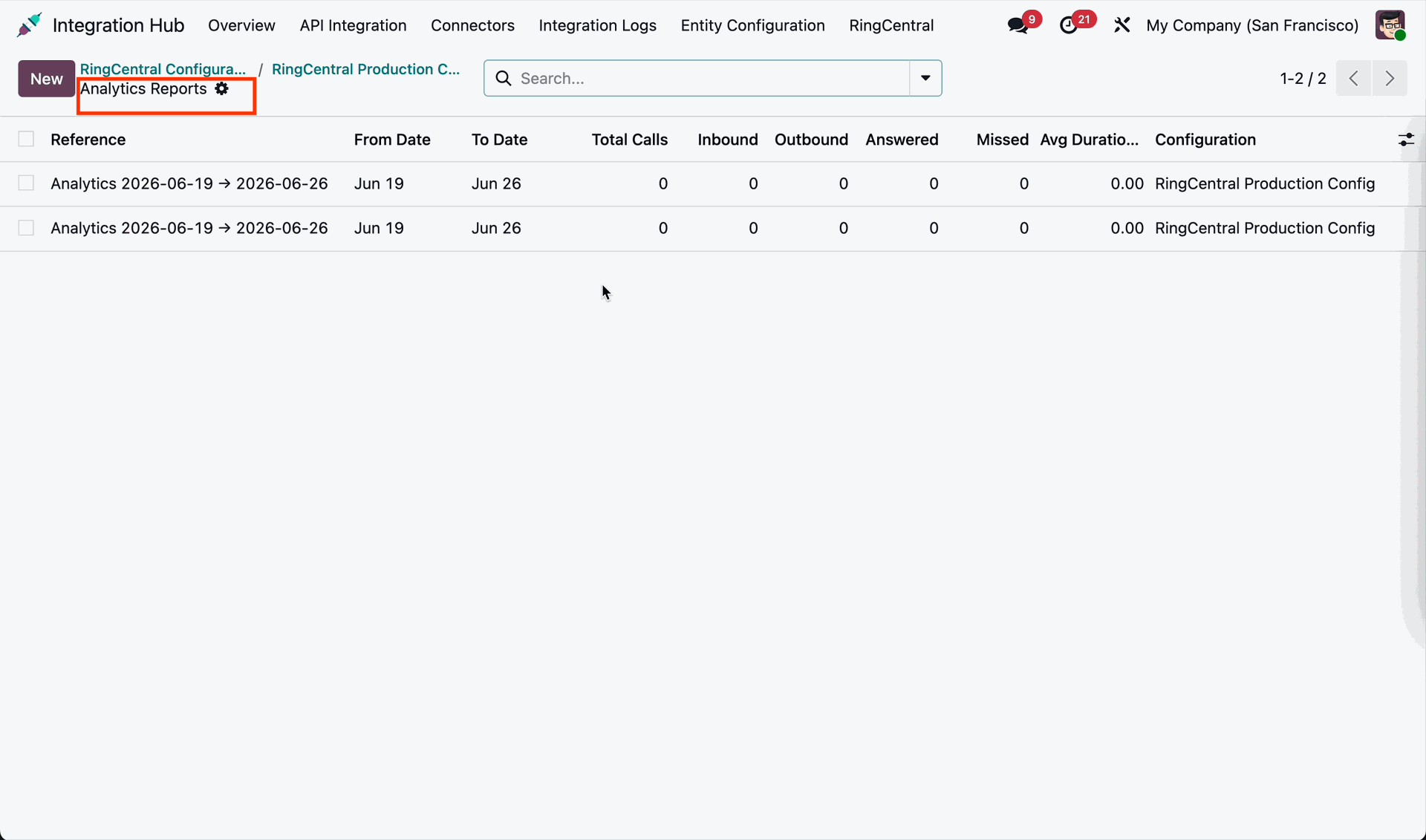
Analytics report list view.
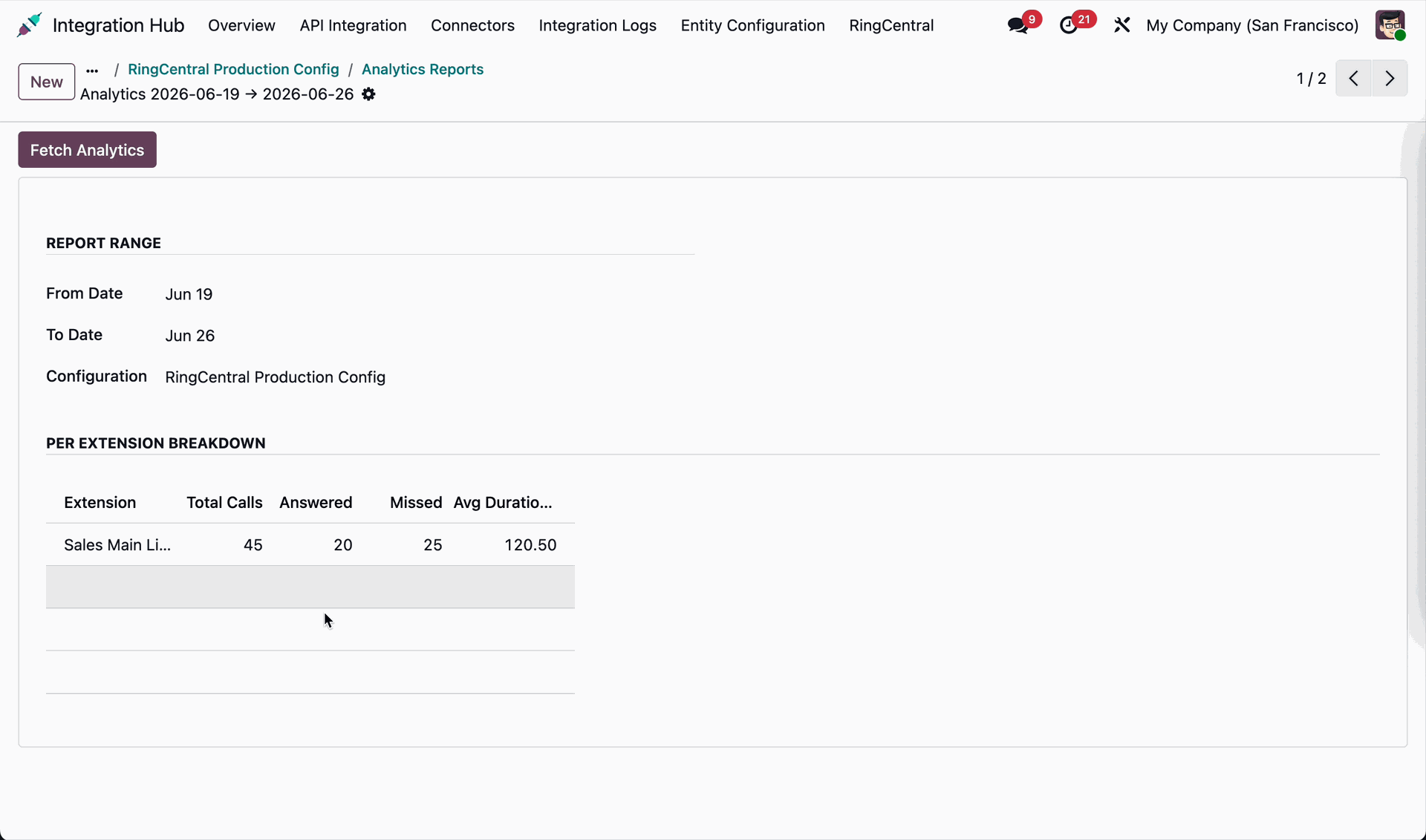
Analytics report form view.
Workflow
Set scheduler cron for fields alignment between Odoo and RingCentral.
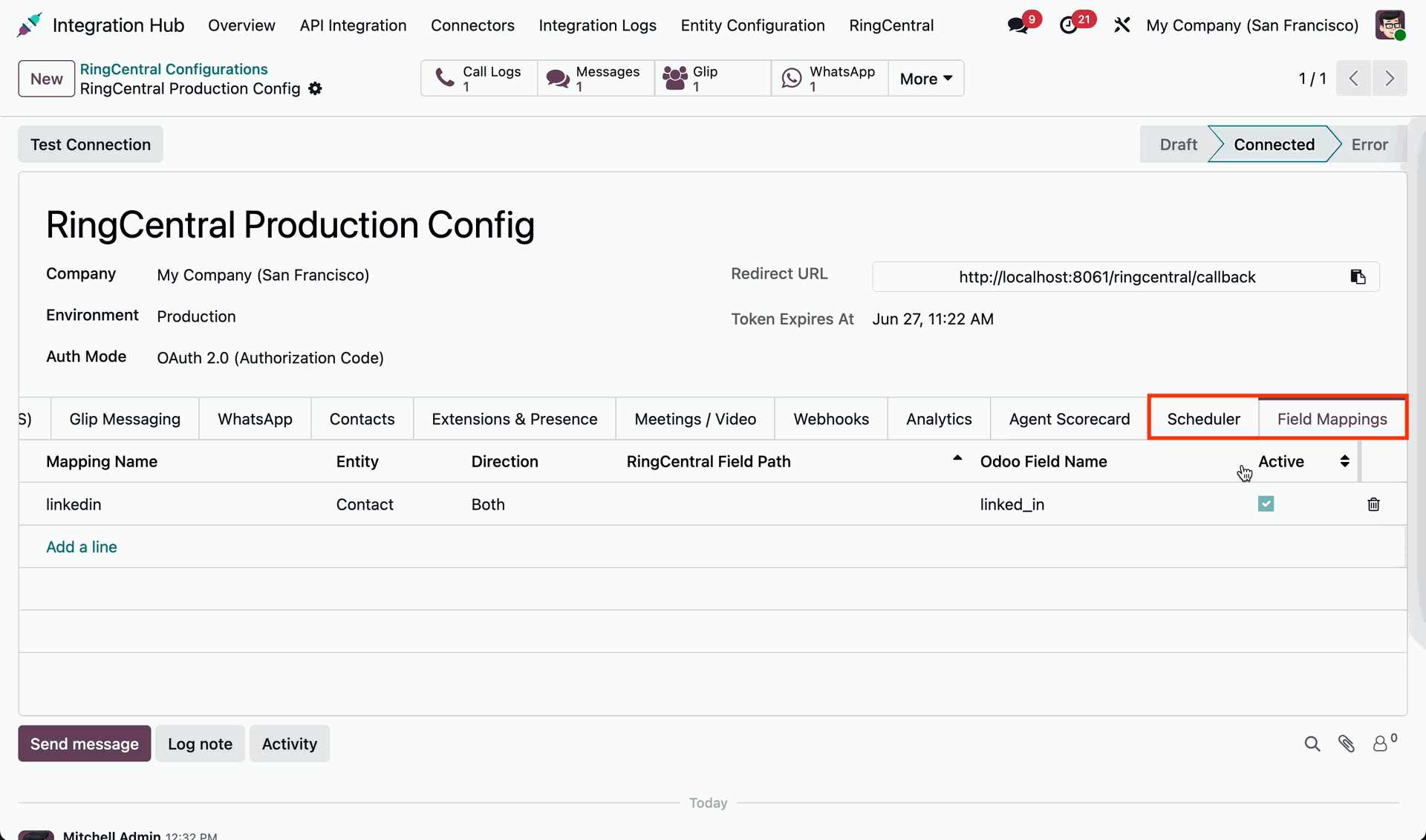
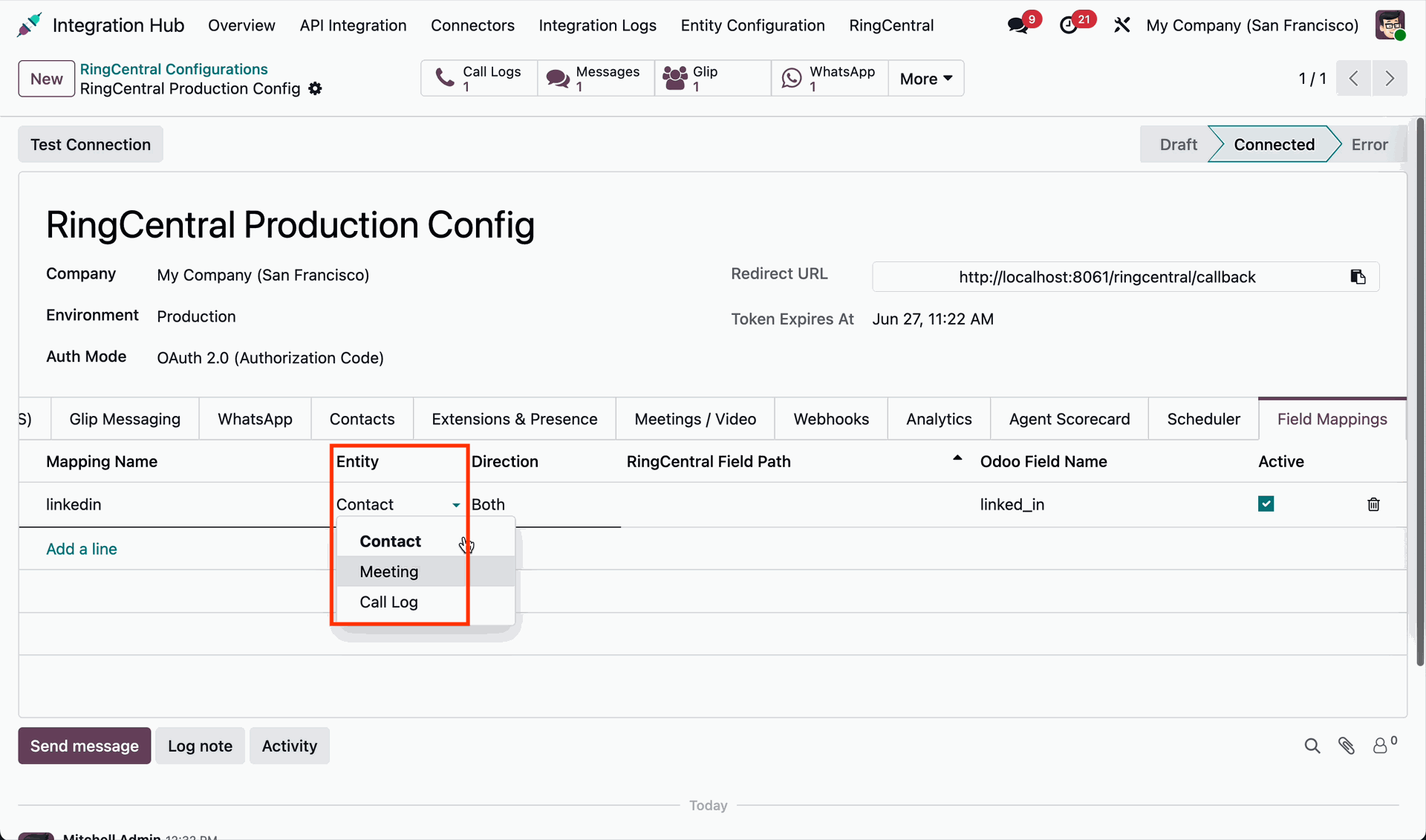
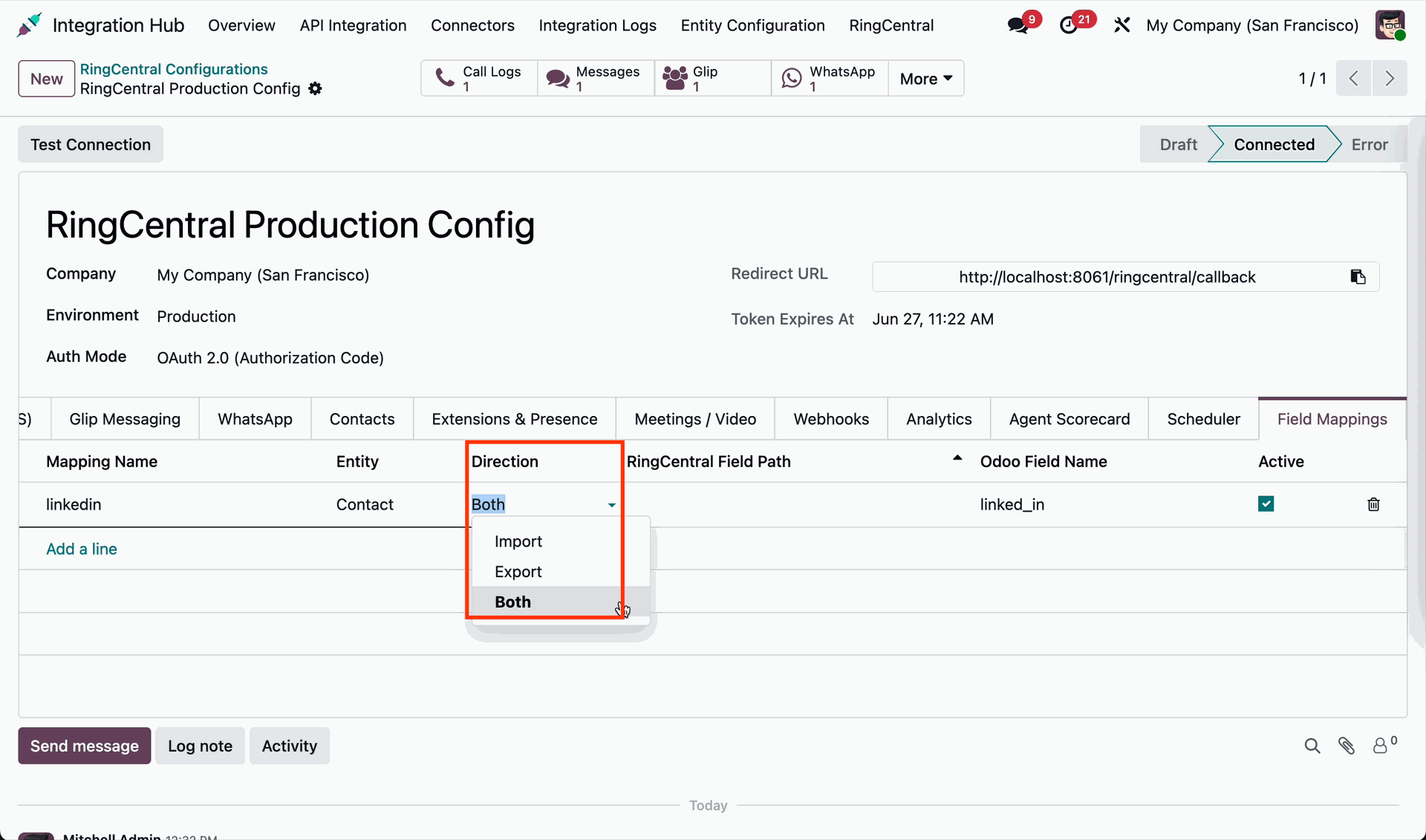
Select entity & direction.
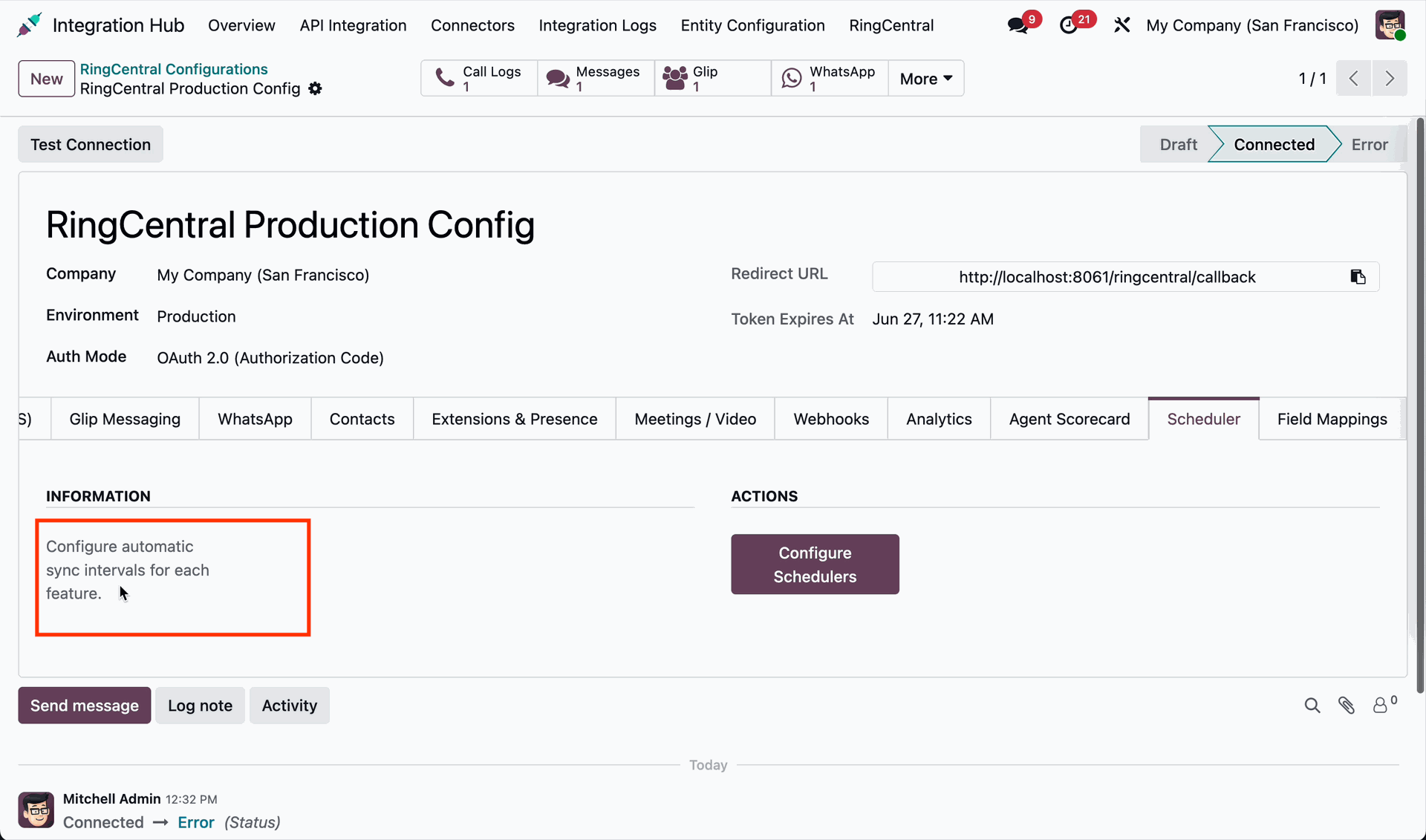
Scheduler information and actions.
Workflow
Agent scorecard settings, actions & options.
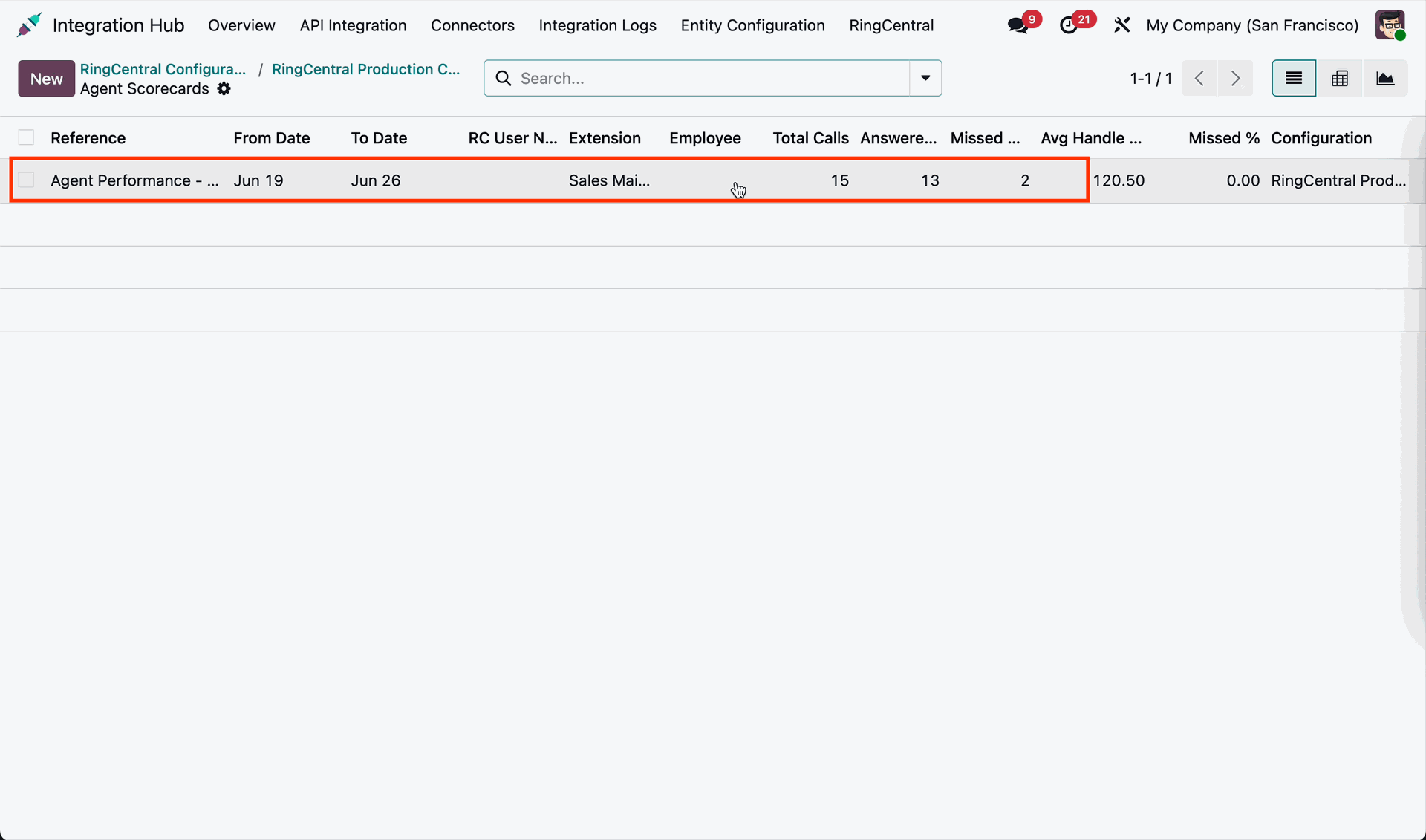
Agent scorecard list view.
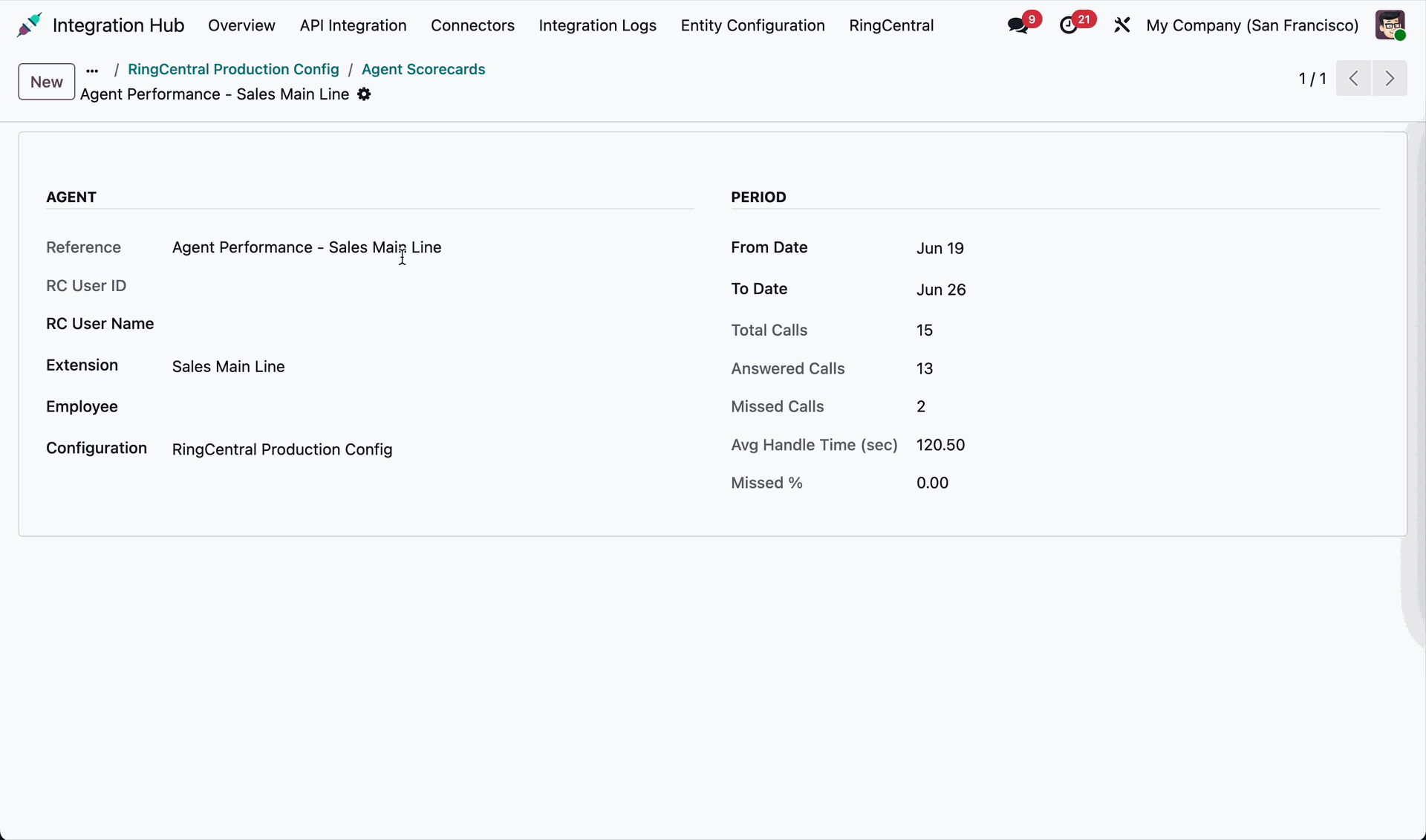
Agent scorecard form view.
Version 19.0.1.0.0 | Released on : 28th July 2026
- Yes, this app works perfectly with Odoo Enterprise (Odoo.sh & Premise) as well as Community.
- No, this application is not compatible with odoo.com(odoo saas/Odoo Online)
- Yes, to test this module, please contact us at sales@softhealer.com.
- Please contact us at sales@softhealer.com to request customization.
- Yes, we provide free support for 365 days from the date of purchase.
- Yes, you will receive lifetime free updates for the version of the module you purchased.
- No, there is no need to install any additional libraries.
- Yes, for version 12 and above, you need to purchase the module separately for each version you intend to use.
- No, exchanges or refunds are not allowed. Please make sure to select the correct version before purchasing.
- You can contact us at support@softhealer.com for language translation support. We use Google Translator tools to provide translations in multiple languages, so the accuracy may vary. We welcome your suggestions to help improve translations.
Discover Our Latest Apps