

 Easy to Manage
 Dedicated Support















 Scan to email sales


RabbitMQ Odoo Connector

Integrate RabbitMQ with Odoo to automate data synchronization. Configure consumers and producers. Process incoming messages with log-only, no-code mappings or custom callbacks. Publish messages automatically through triggers, manage routing and bindings, configure message payload, and monitor message logs.

Features

RabbitMQ Connection Setup
Configure host, port, virtual host, and credentials for secure broker connectivity.
Flexible Connector Roles
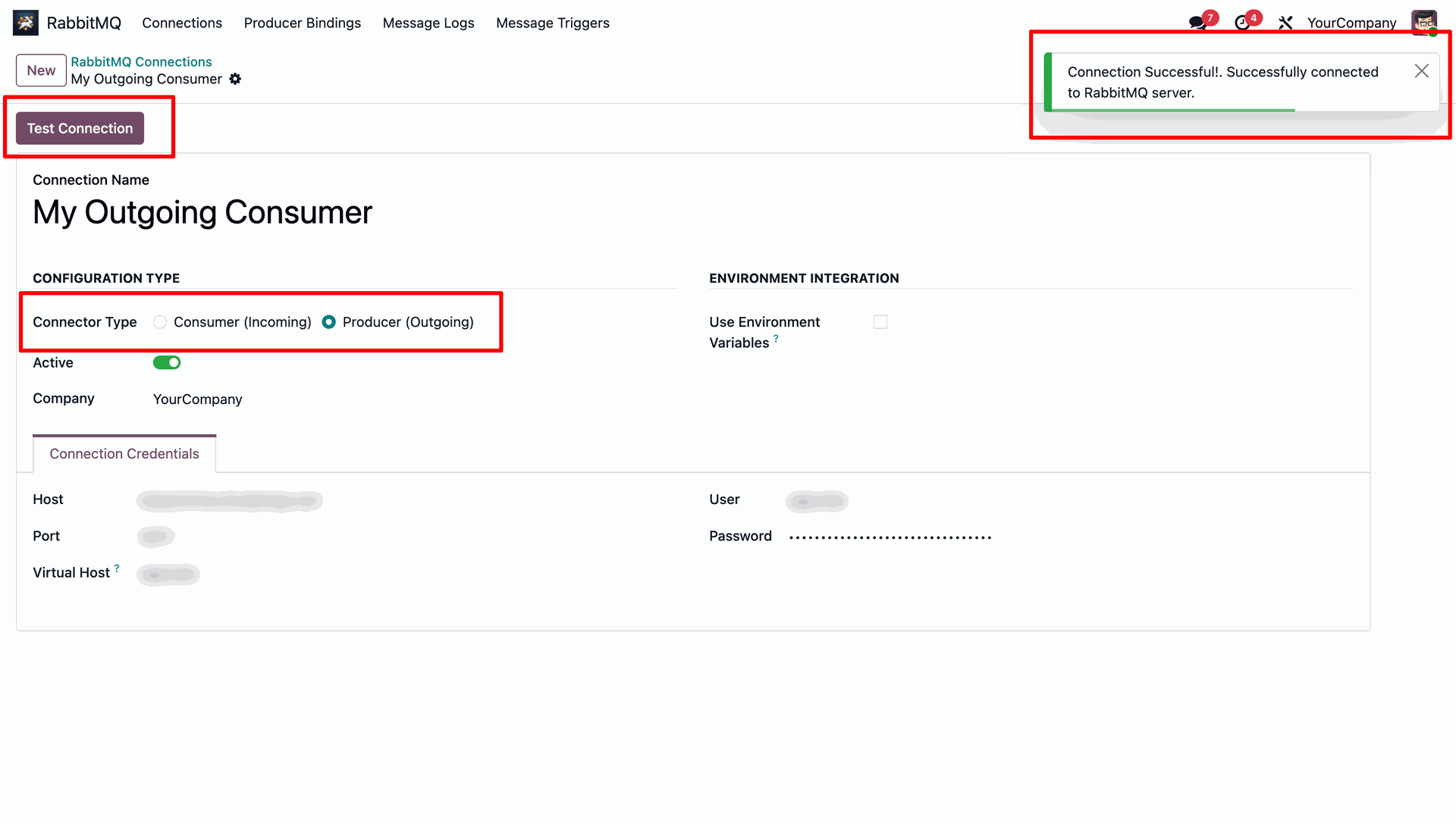
Define connection profiles as either incoming consumers or outgoing producers.

No-Code Record Creation
Map incoming JSON keys to Odoo fields to automatically create database records.
Automated Database Triggers
Publish message payloads automatically on Odoo record creation, update, or deletion.

Customizable Payload Fields
Select specific Odoo model fields to serialize and include in outgoing messages.
Flexible Consumer Actions
Process incoming messages using log-only mode, no-code record creation or custom developer callbacks.
Producer Binding Management
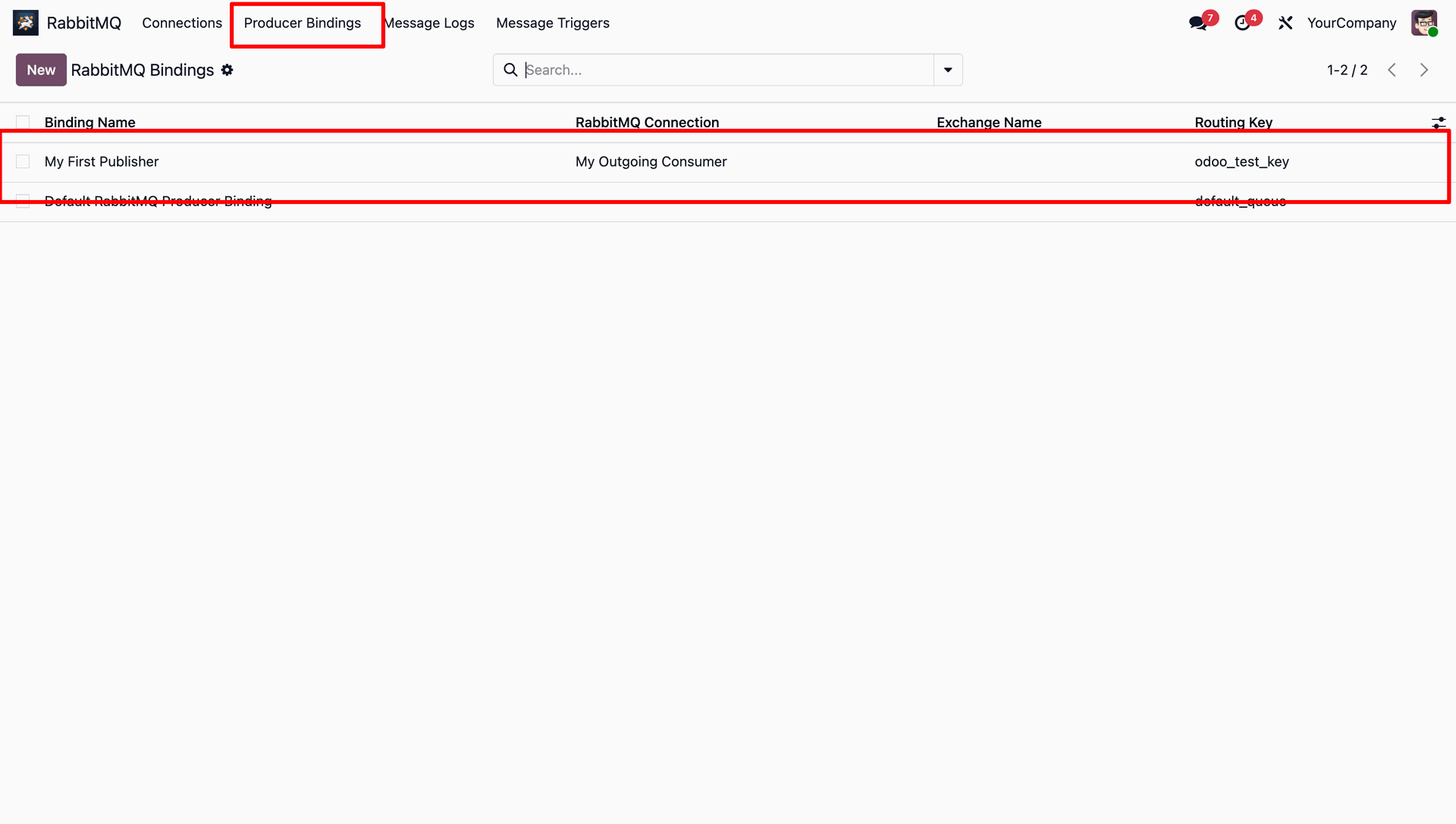
Configure exchange names, routing keys and publisher bindings for reliable outgoing message delivery.
Scheduled Queue Processing
Run automated cron scheduled actions to fetch and process incoming queue messages.
Connection Testing
Validate RabbitMQ credentials server access and connection settings directly from Odoo.
Audit Logs
Track message history, payload content, direction, and error tracebacks.
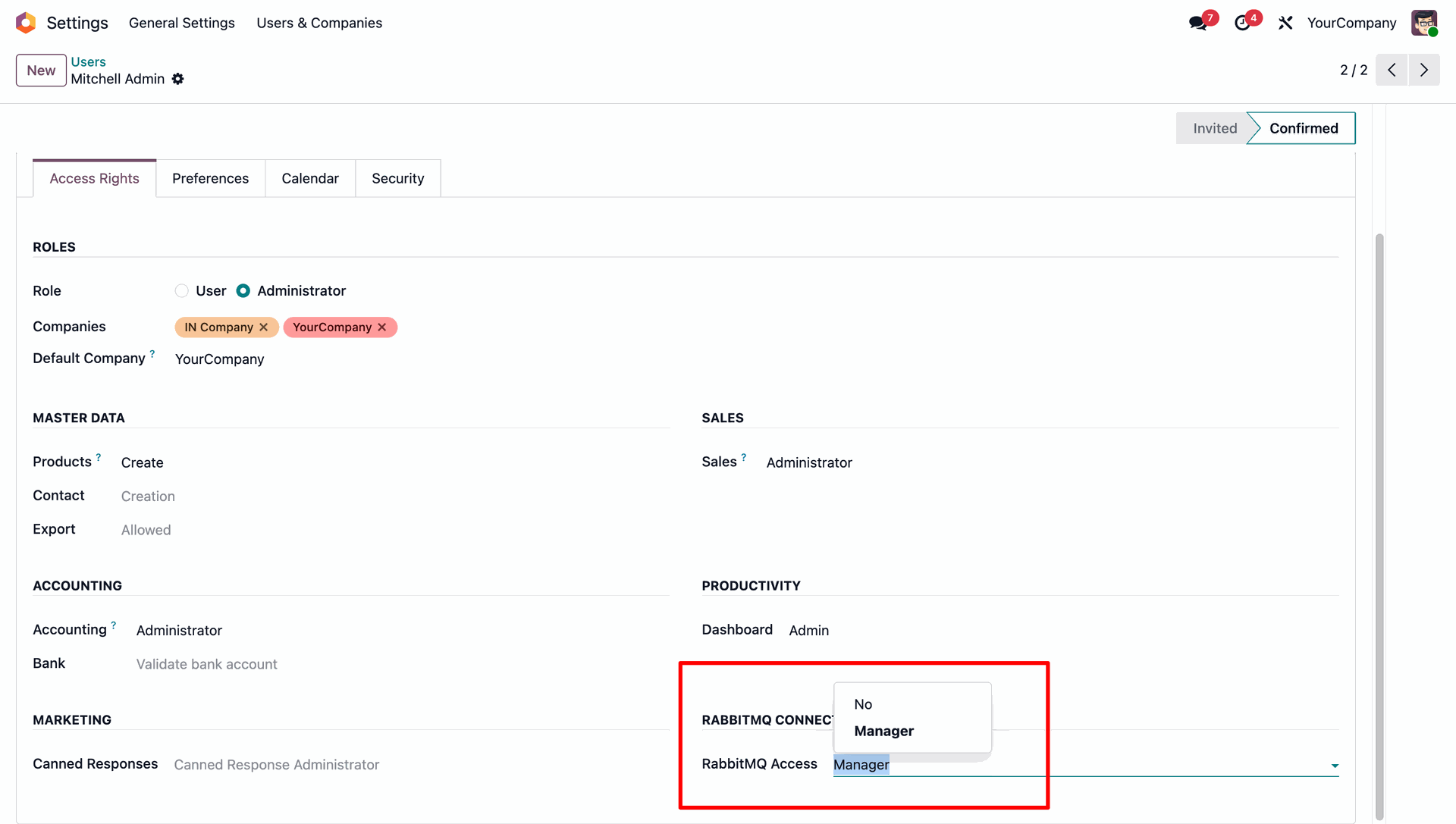
Assign configuration permissions to users under Odoo user settings to control access.
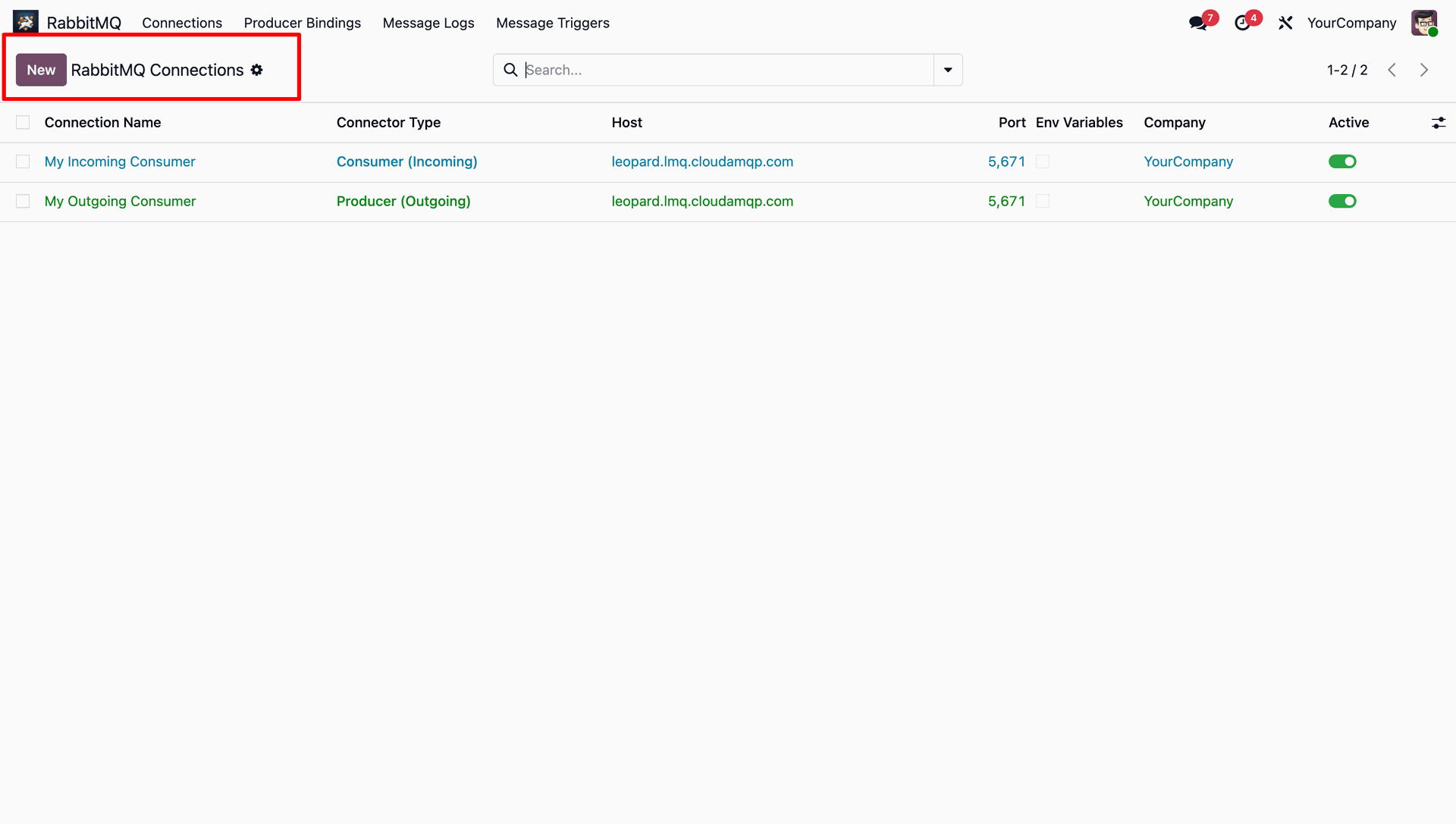
View and manage all configured RabbitMQ connection profiles.
Configure and test outgoing connections directly from Odoo settings, showing a connection successful alert.
Define Bindings linking Odoo connection profiles to specific exchanges and routing keys.
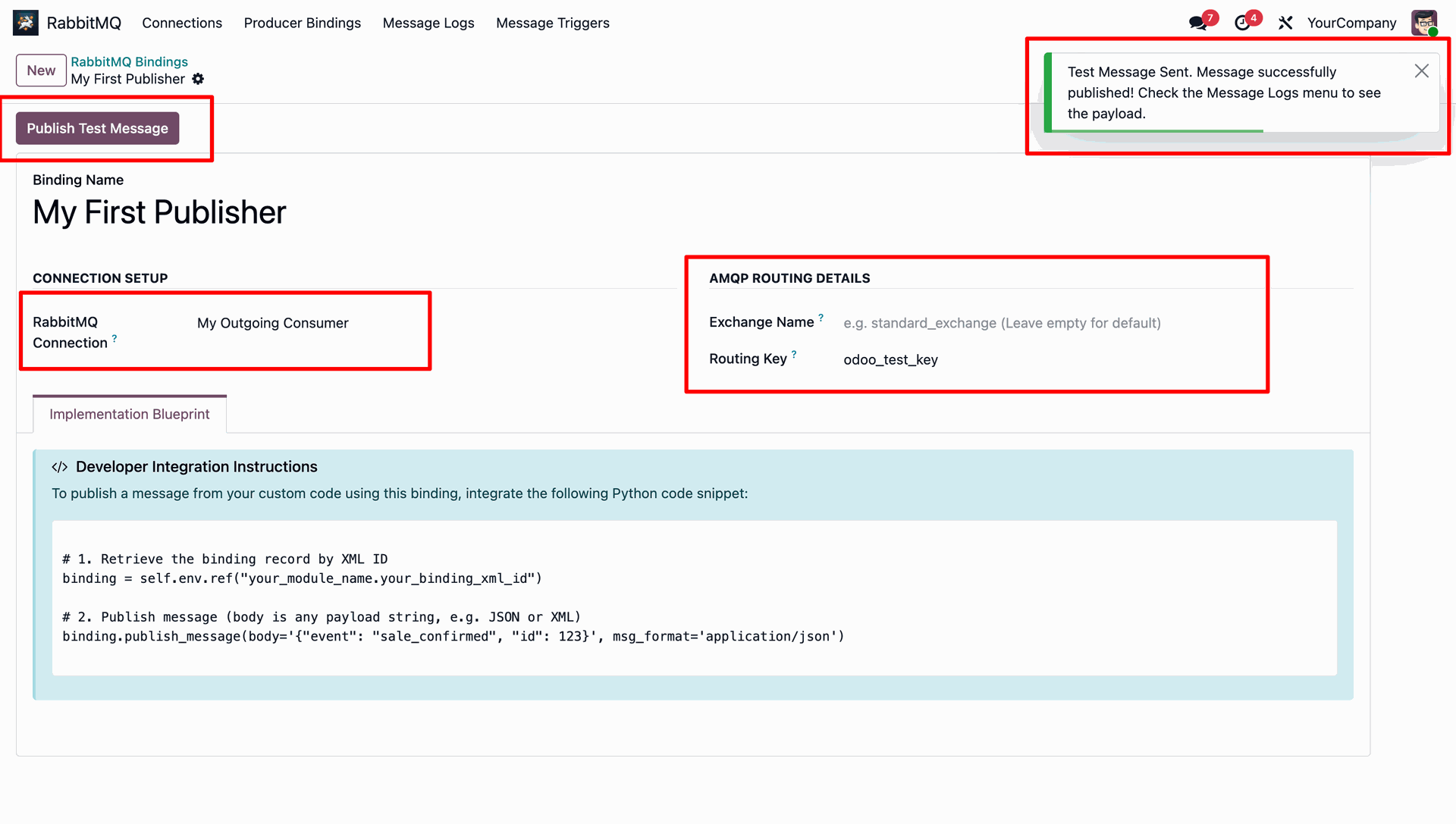
Map RabbitMQ connection to Exchange and Routing Key, view the developer implementation blueprint, and send a test message with success feedback.
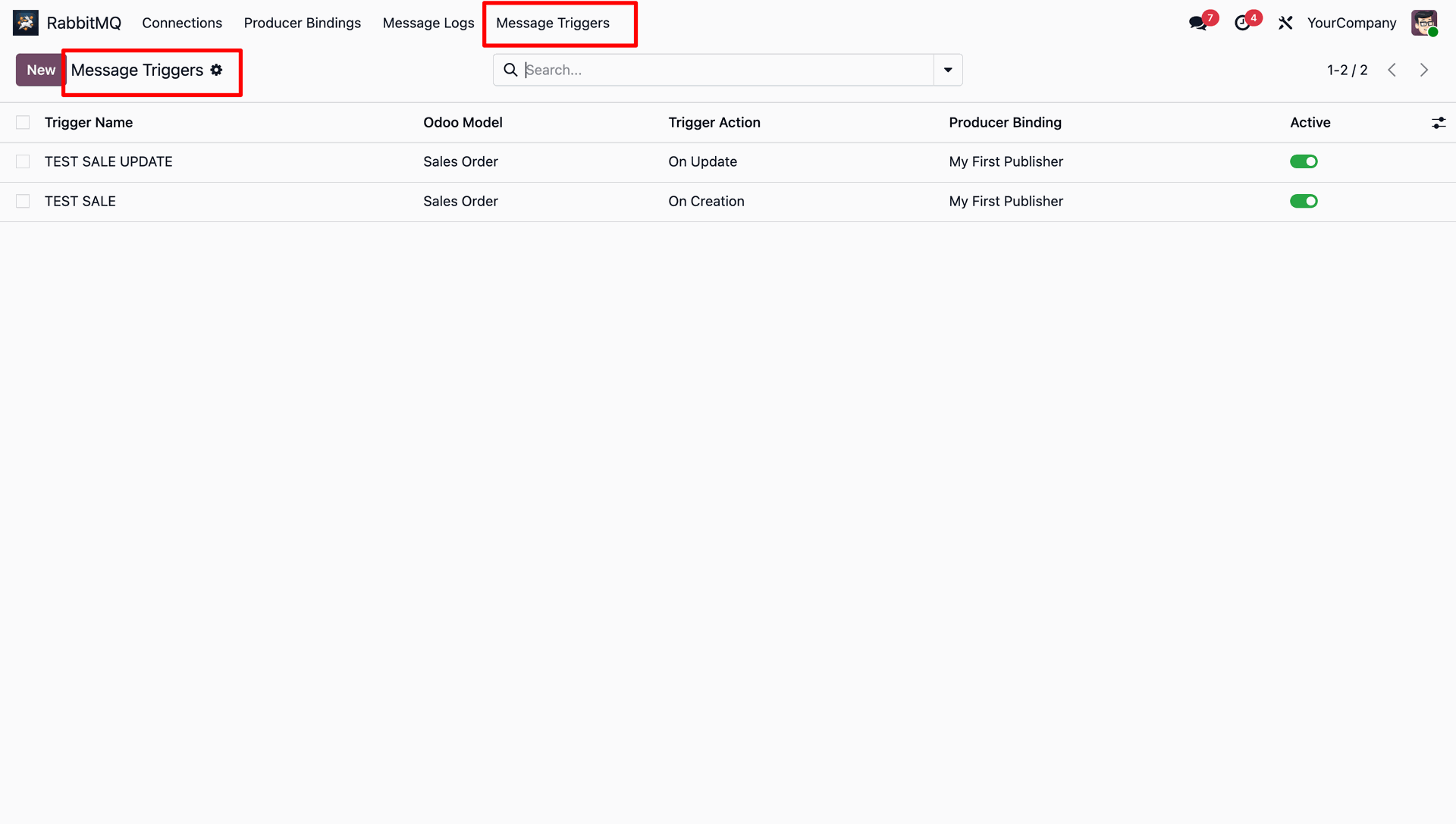
RabbitMQ message trigger menu and list view.
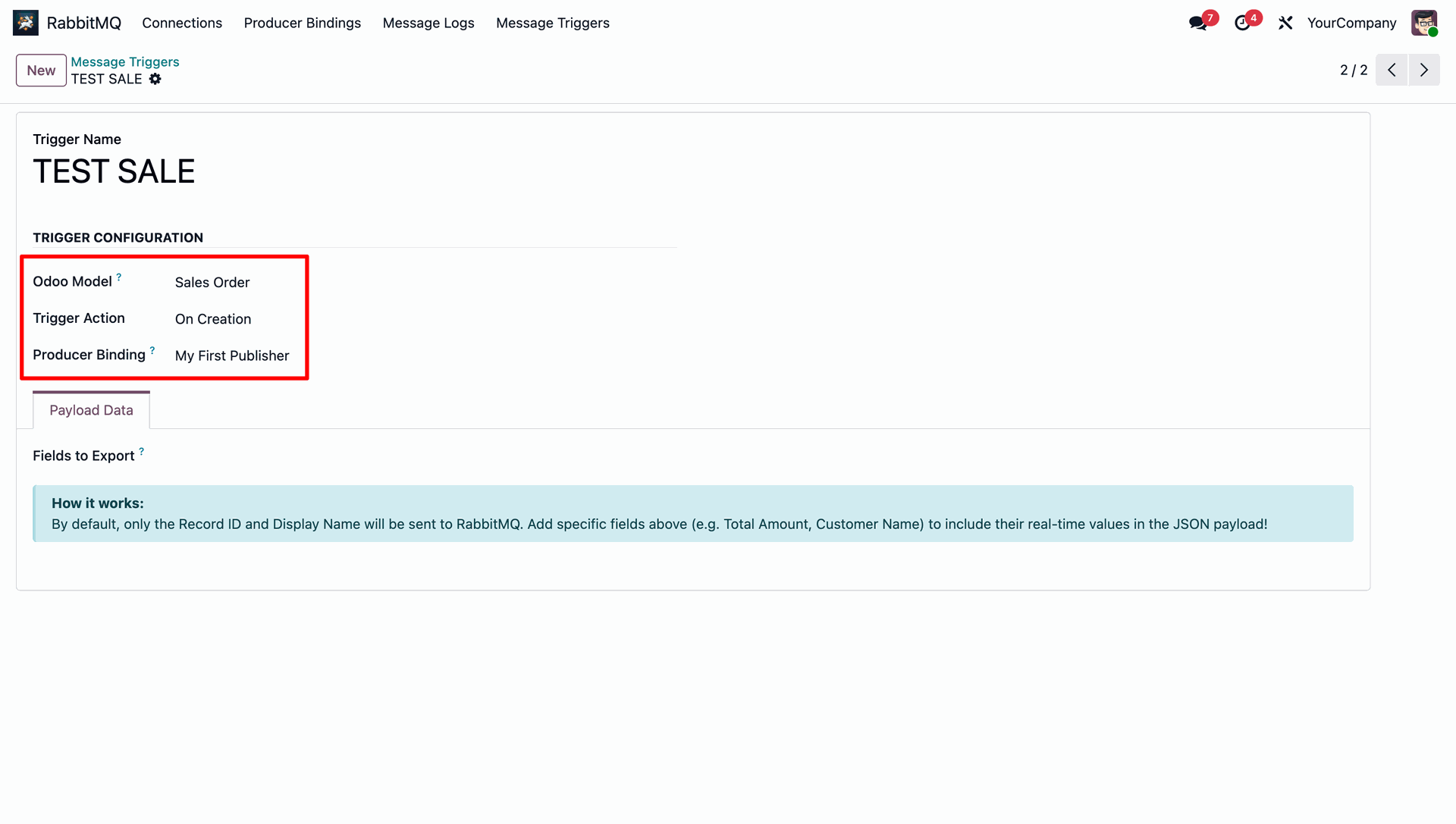
Configure the message trigger by selecting the target Odoo model, defining the trigger action, and linking the appropriate producer binding.
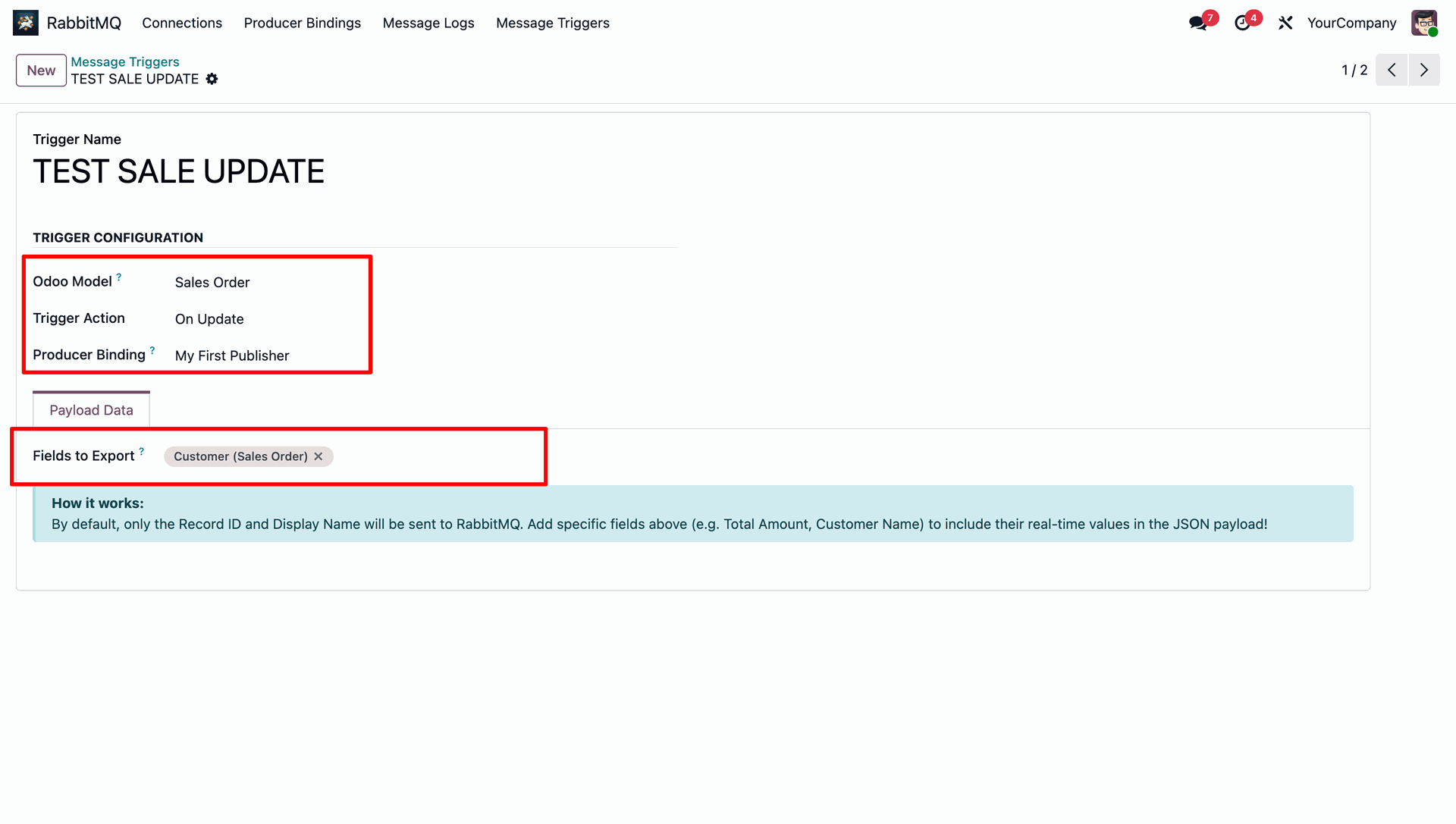
Configure a trigger on Sales Order update event, specifying extra fields (like Customer) to export in the JSON payload.
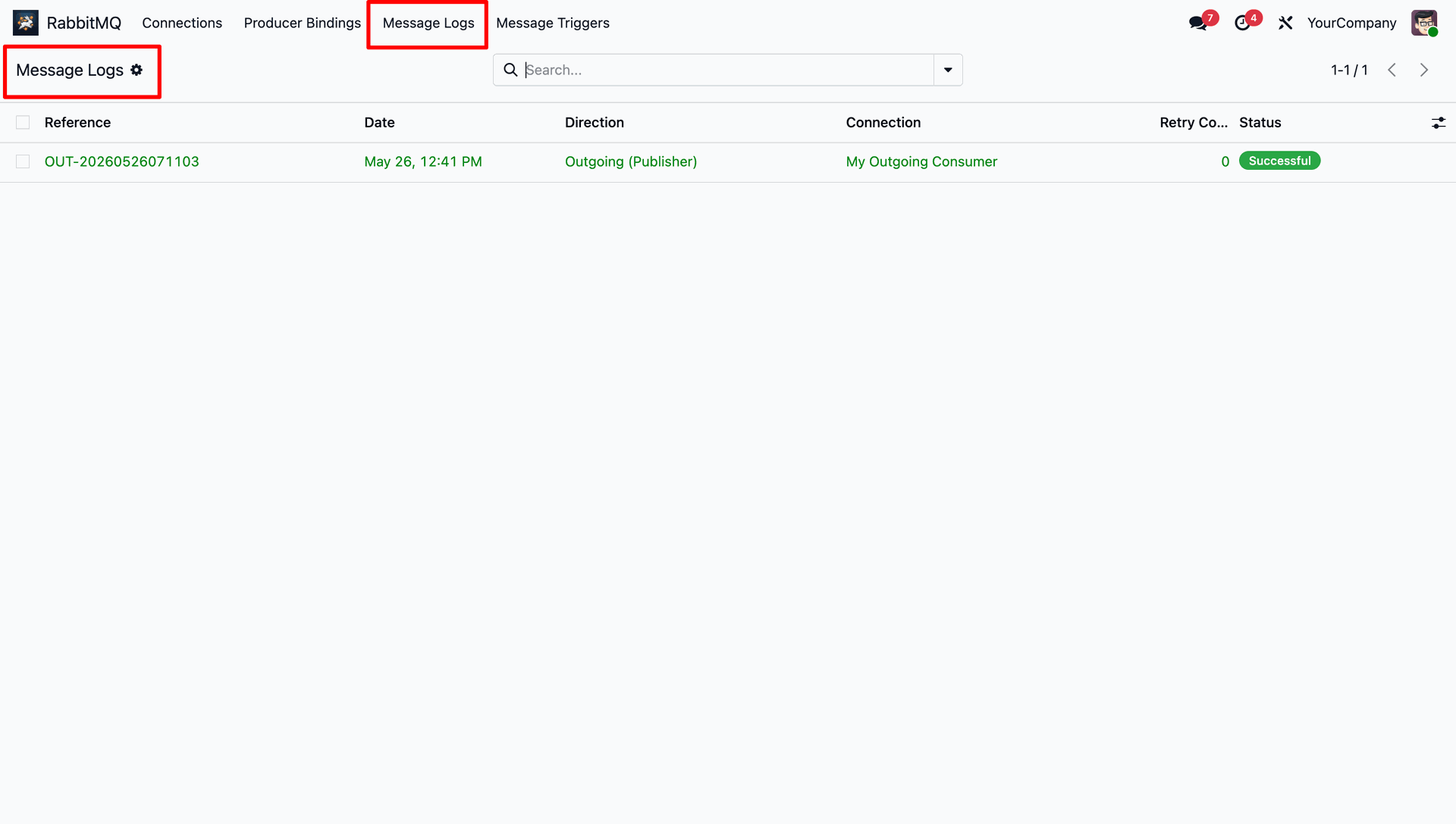
Review the audit log history of outgoing messages, tracking connection details, status, and direction.
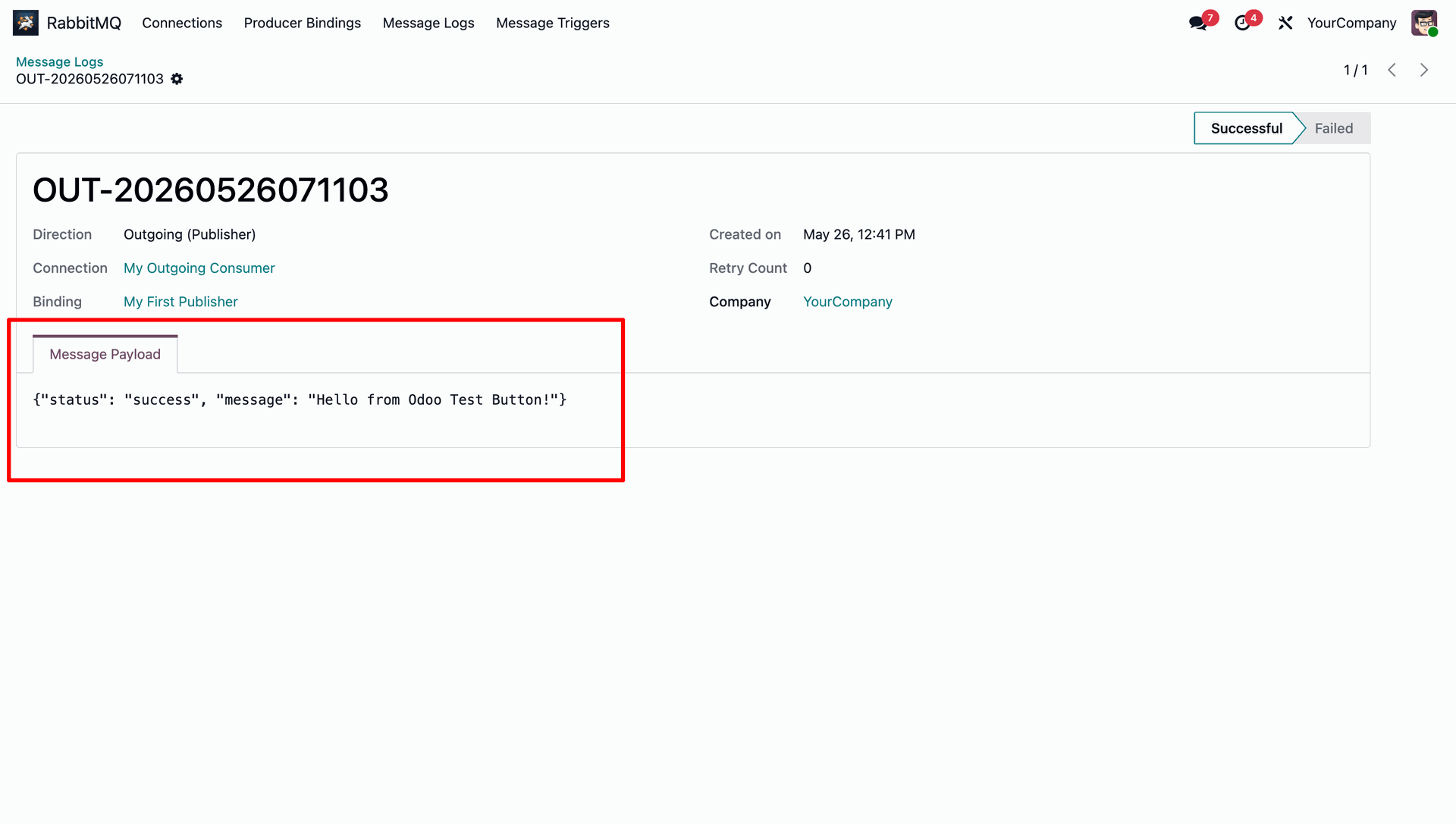
View full details of a sent message.
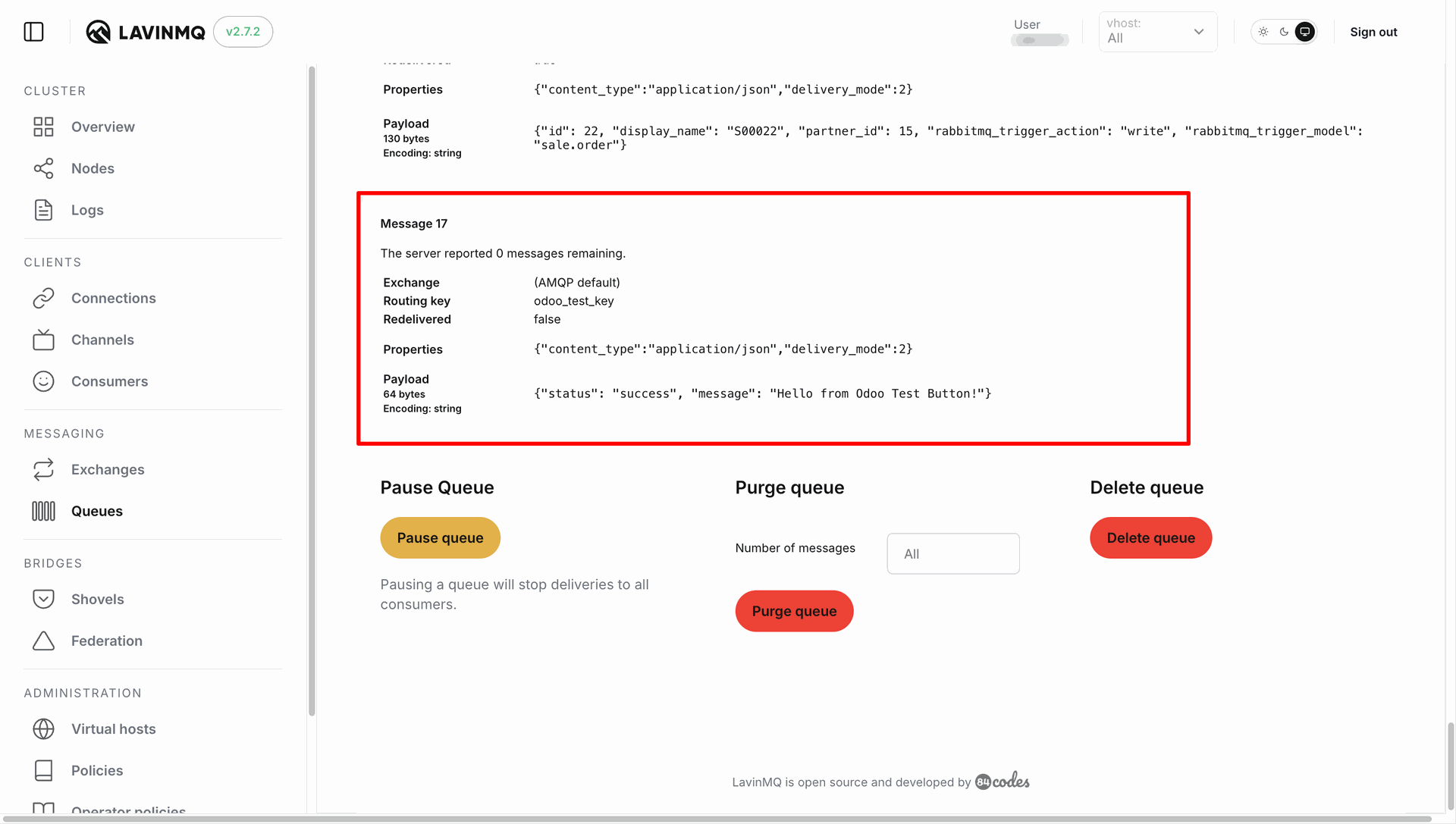
Verify that the manual test message sent from Odoo has successfully reached the LavinMQ broker queue with the exact JSON payload.
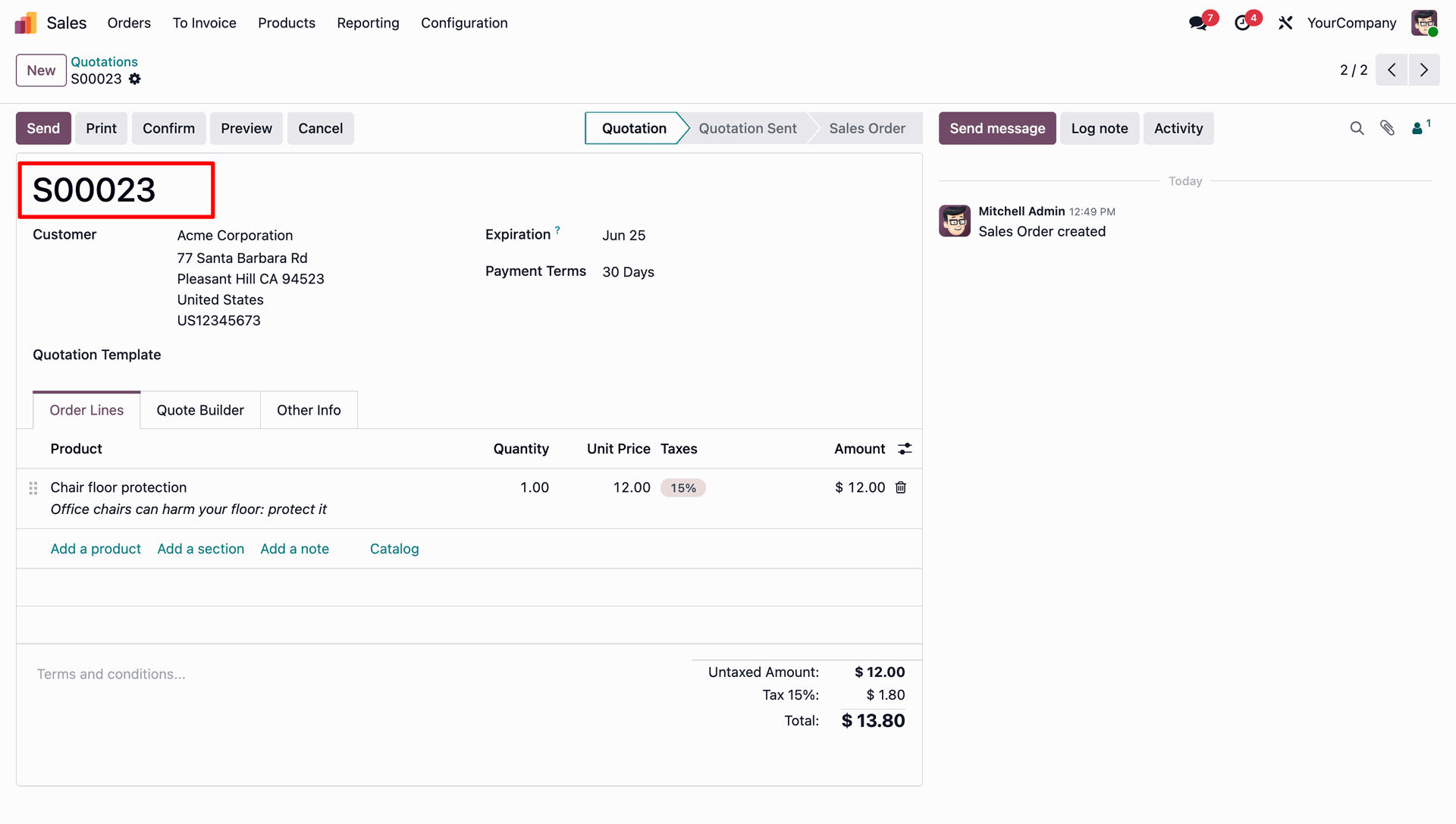
Create a new Sales Quotation (e.g. S00023) in Odoo to trigger the automated creation message.
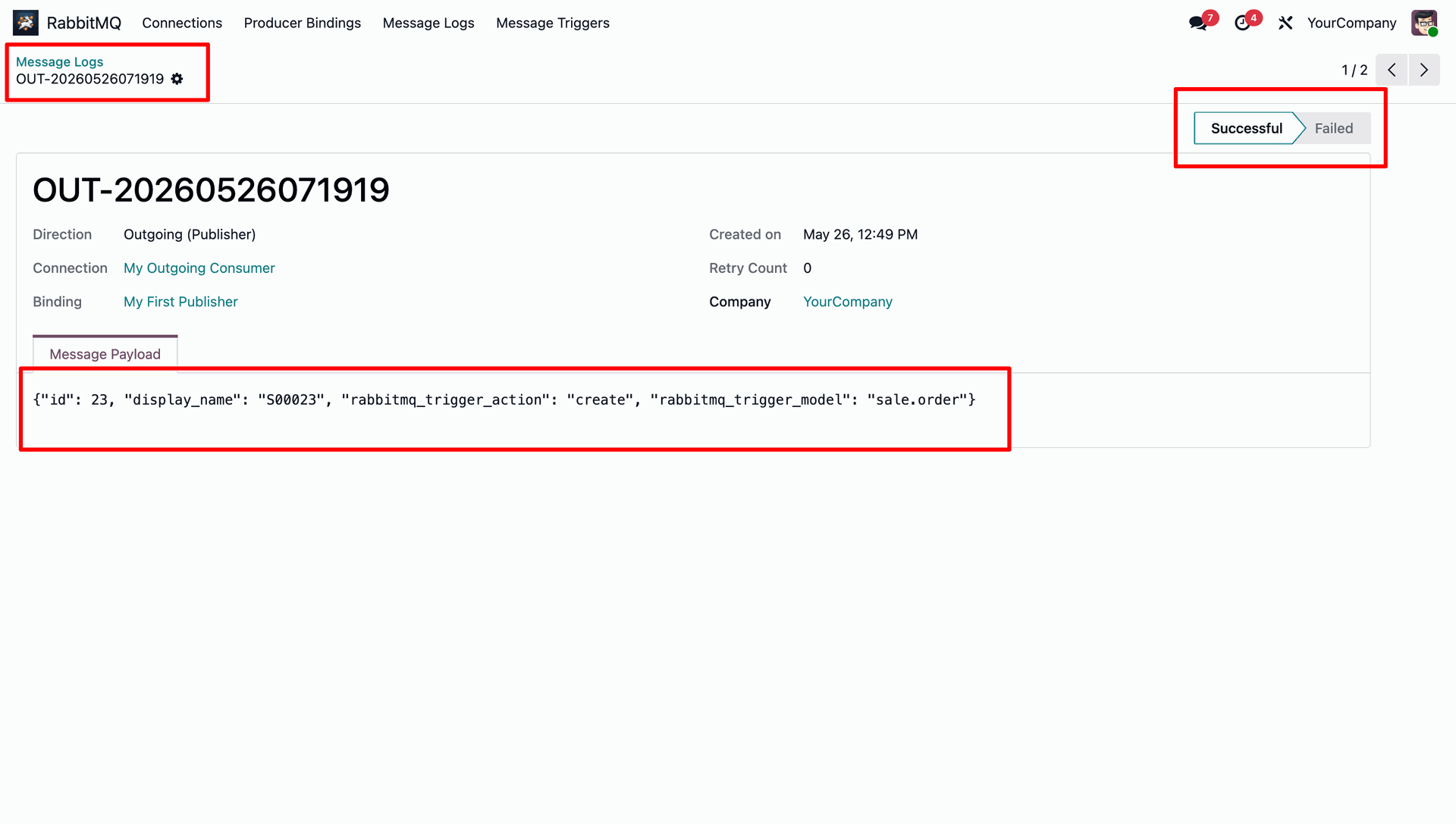
Review the generated JSON payload and successful execution status for the record creation event trigger.
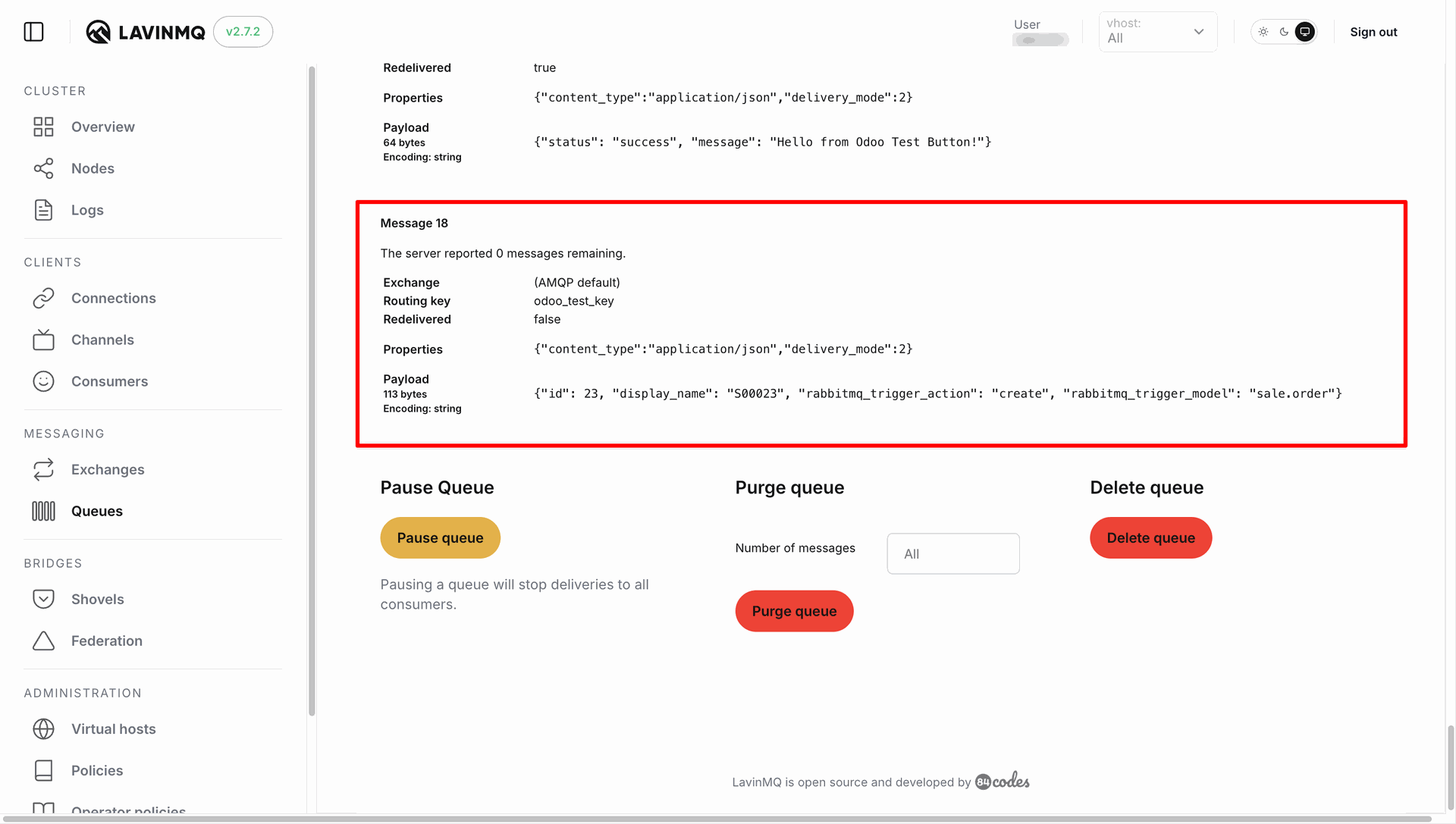
Confirm that the creation event payload has successfully reached the broker queue.
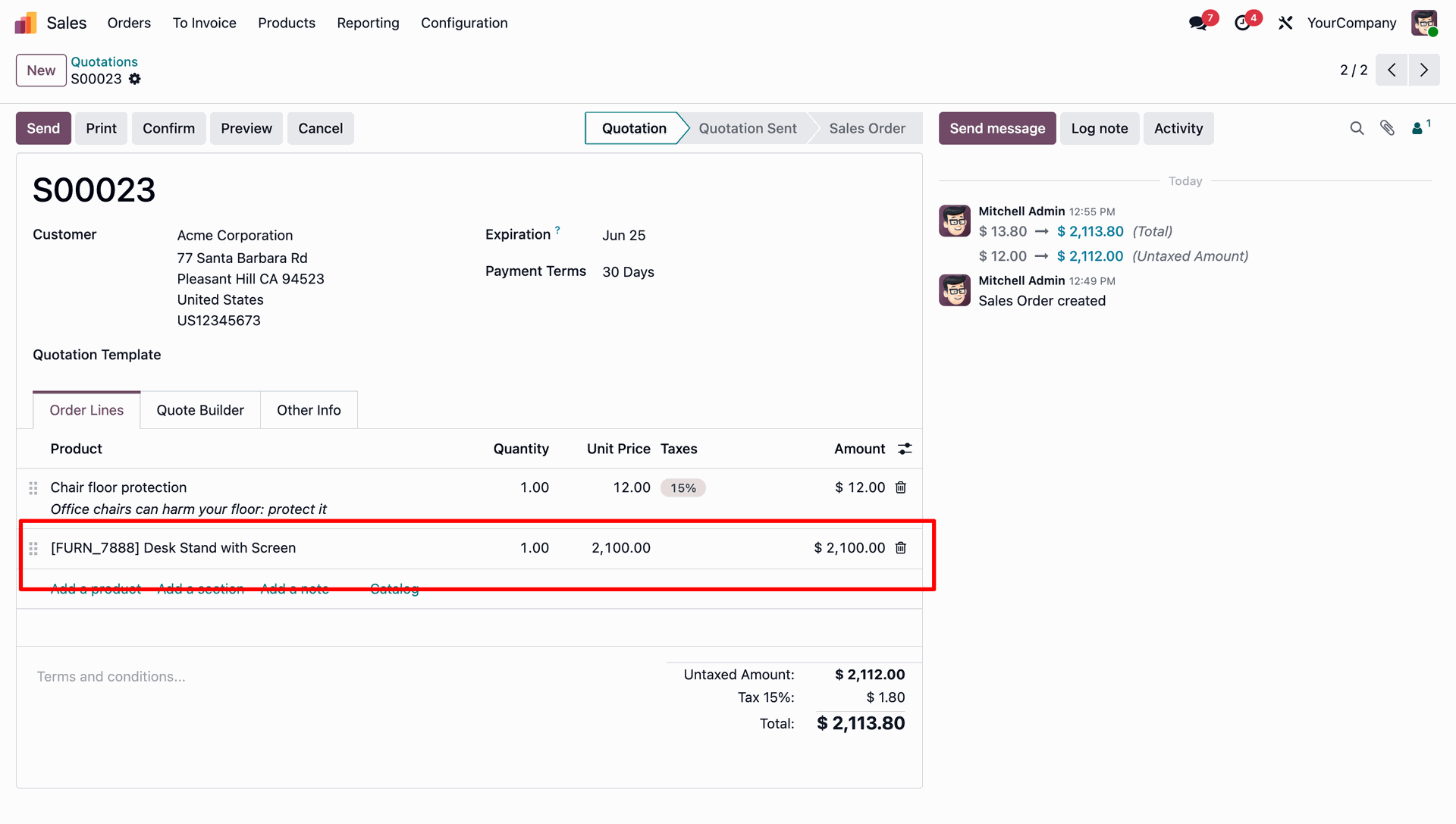
Modify the Sales Quotation in Odoo (e.g., add a new order line and save) to trigger the update message.
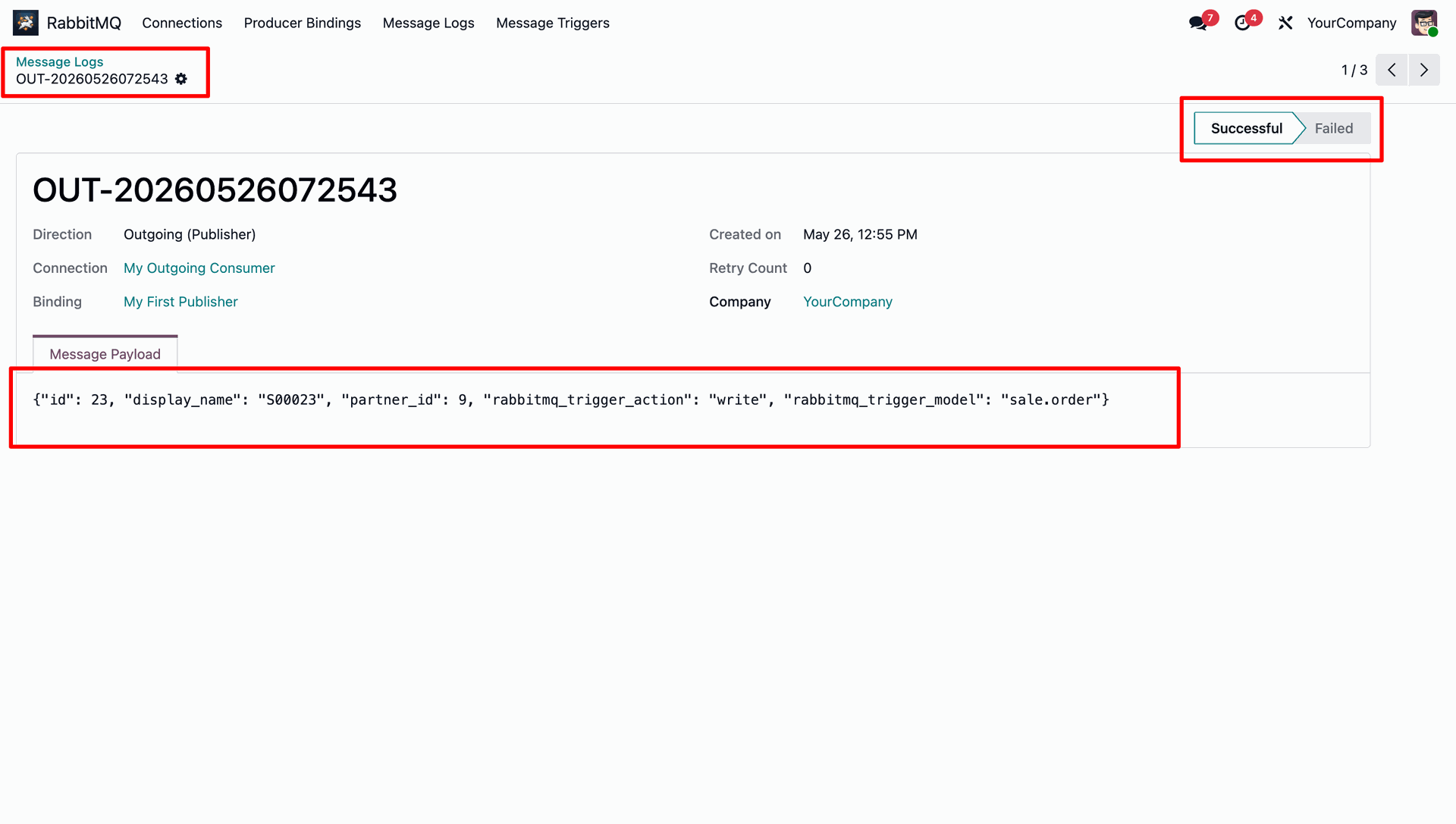
Review the generated JSON payload for the update trigger, confirming the inclusion of the exported Customer field.
Confirm that the update event payload has successfully reached the broker queue.
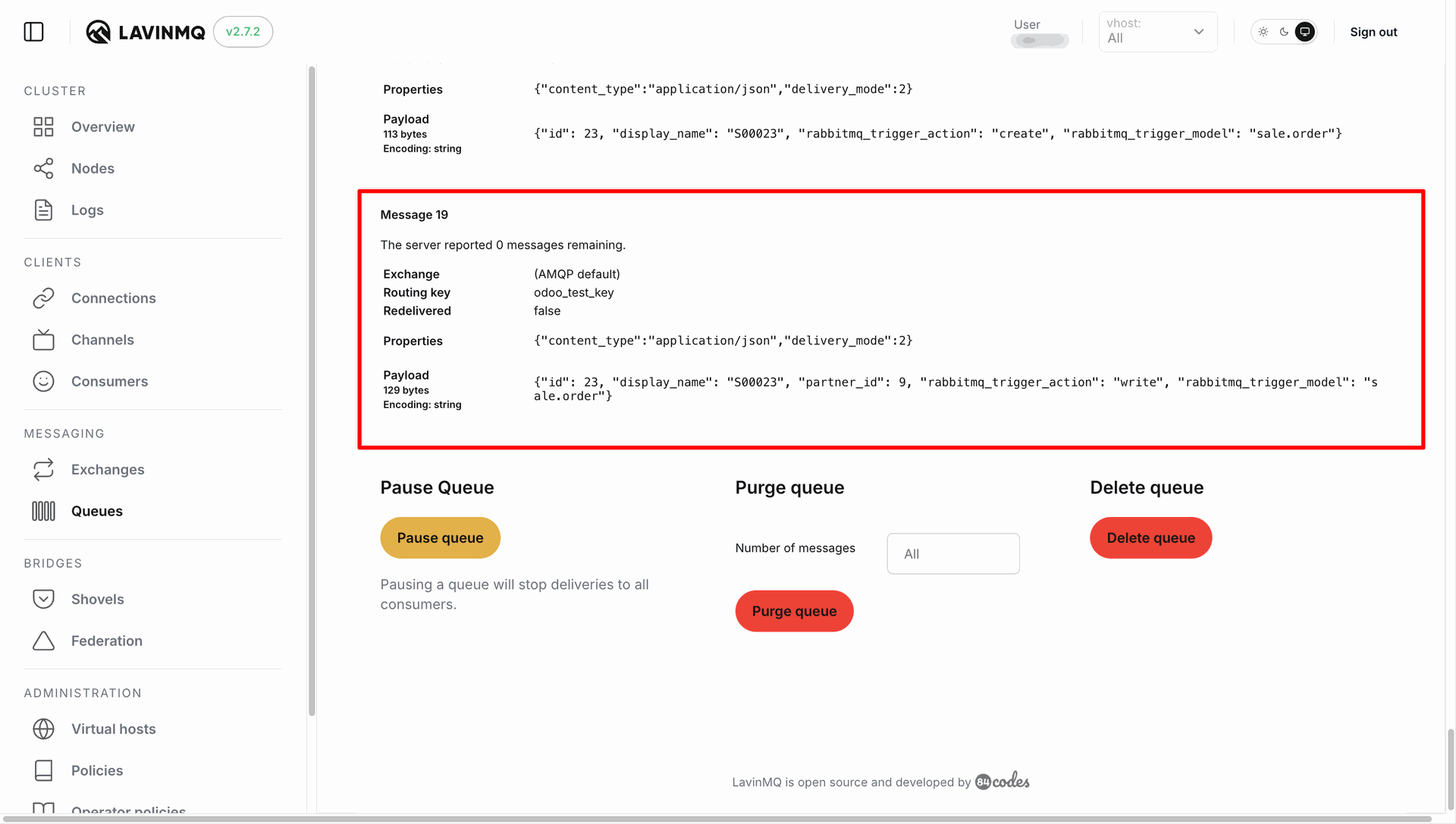
Configure and successfully test an incoming consumer connection profile.
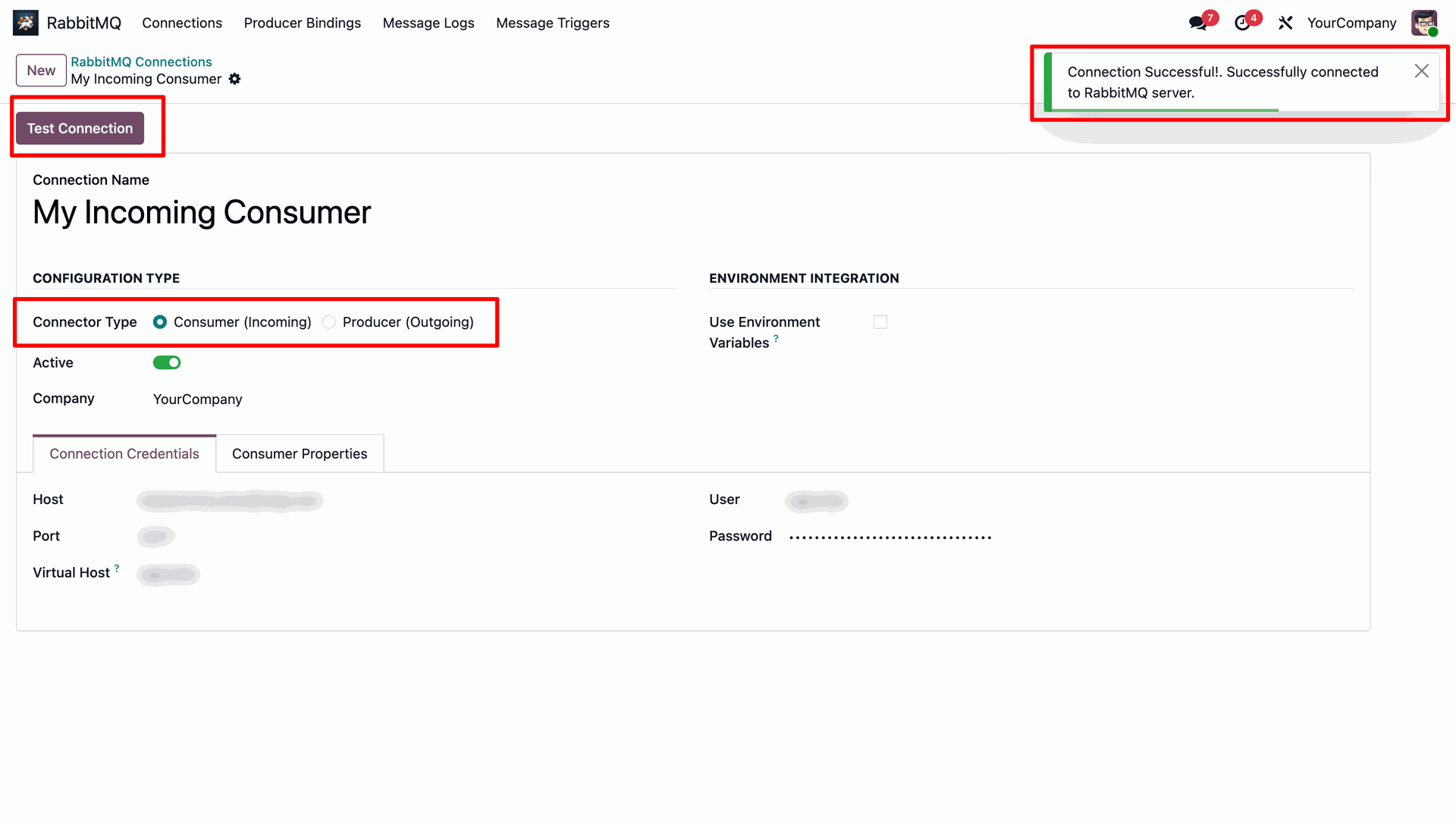
Specify the queue name ('odoo_incoming_queue'), retry limits, and set the consumer action to 'Log Only'.
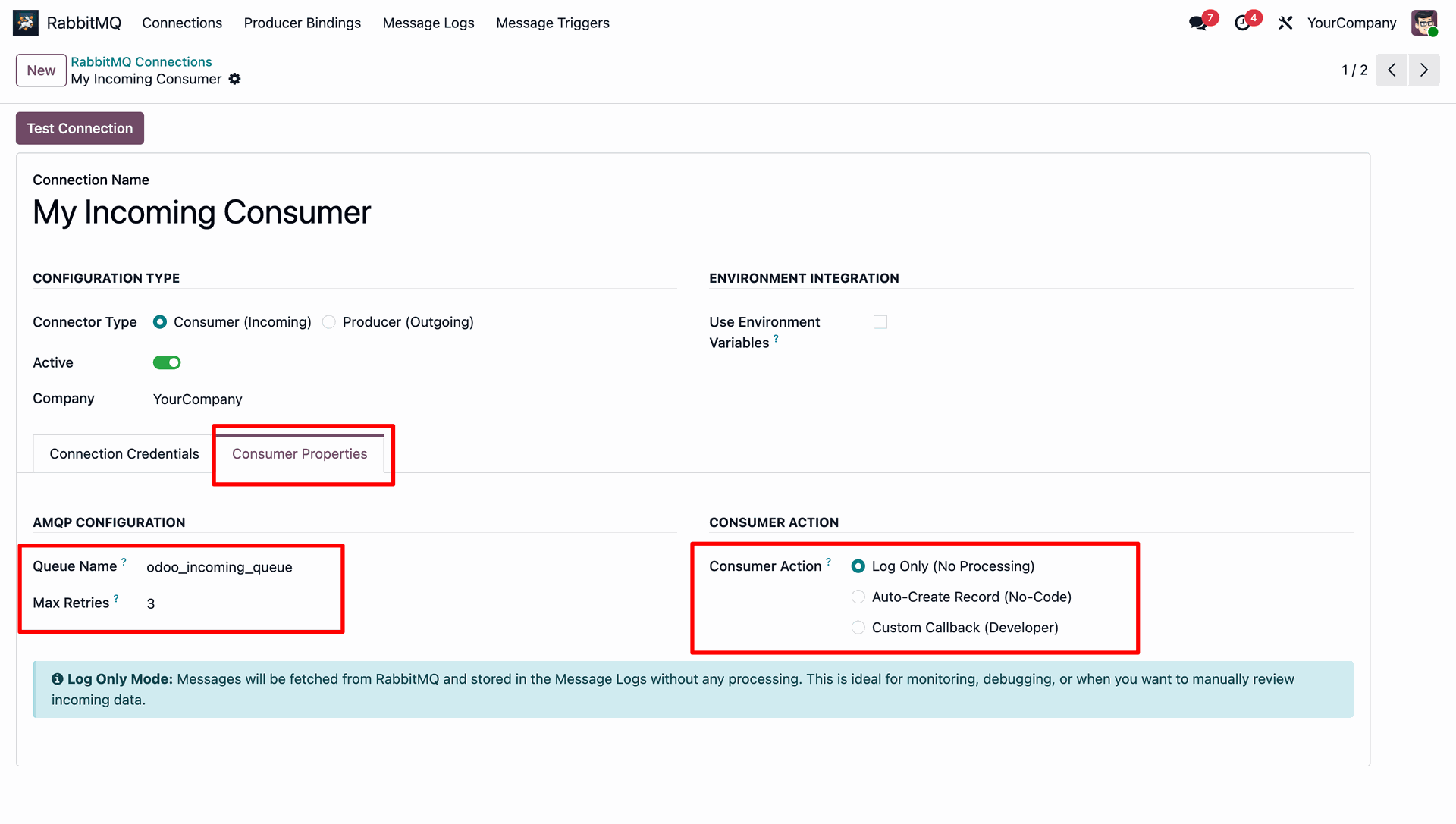
Configure 'Auto-Create Record' consumer action to map JSON keys directly to Odoo fields for automated record creation.
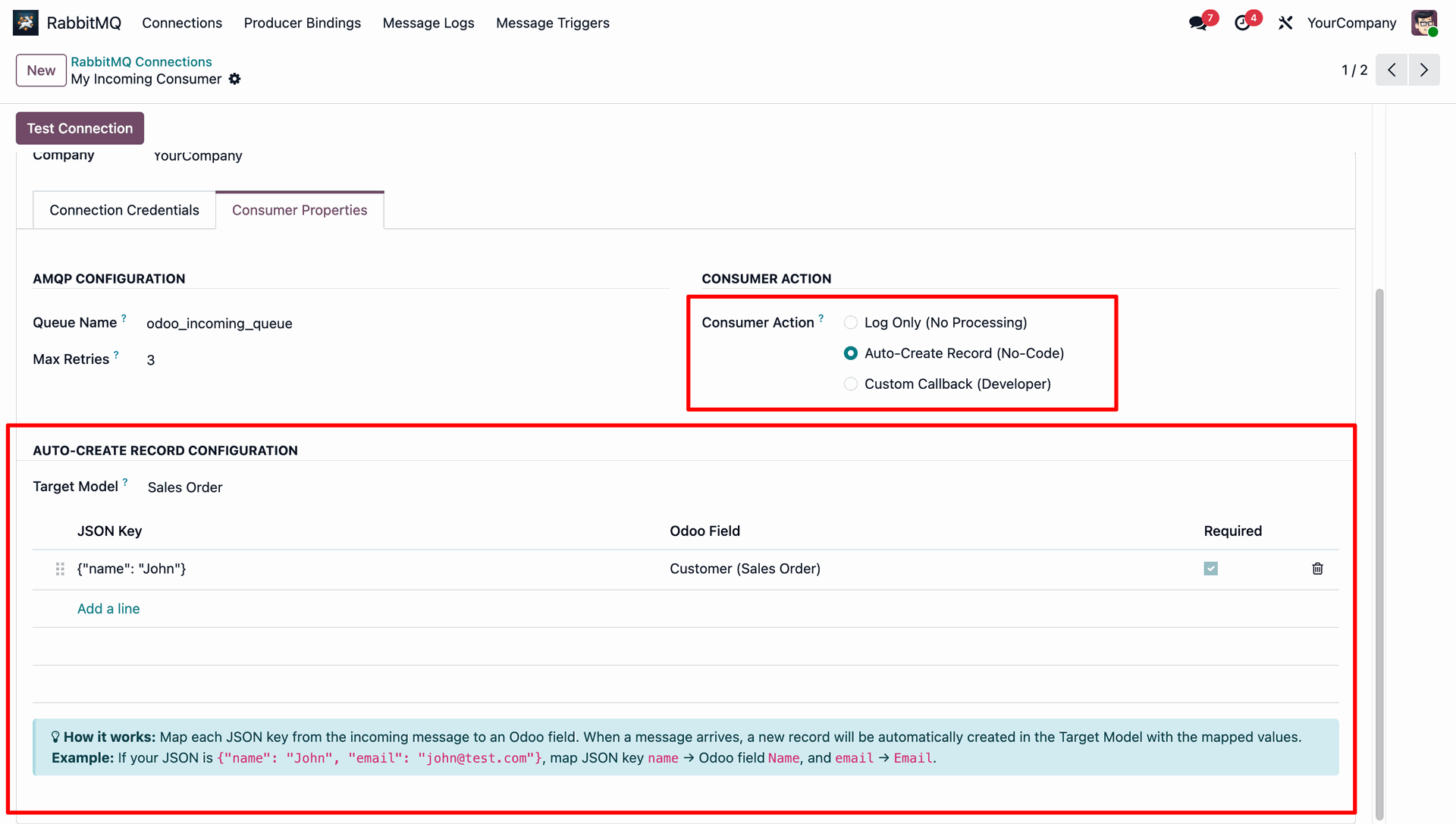
Monitor the state and messages ready status of the active queues like `odoo_incoming_queue` and `odoo_test_key`.
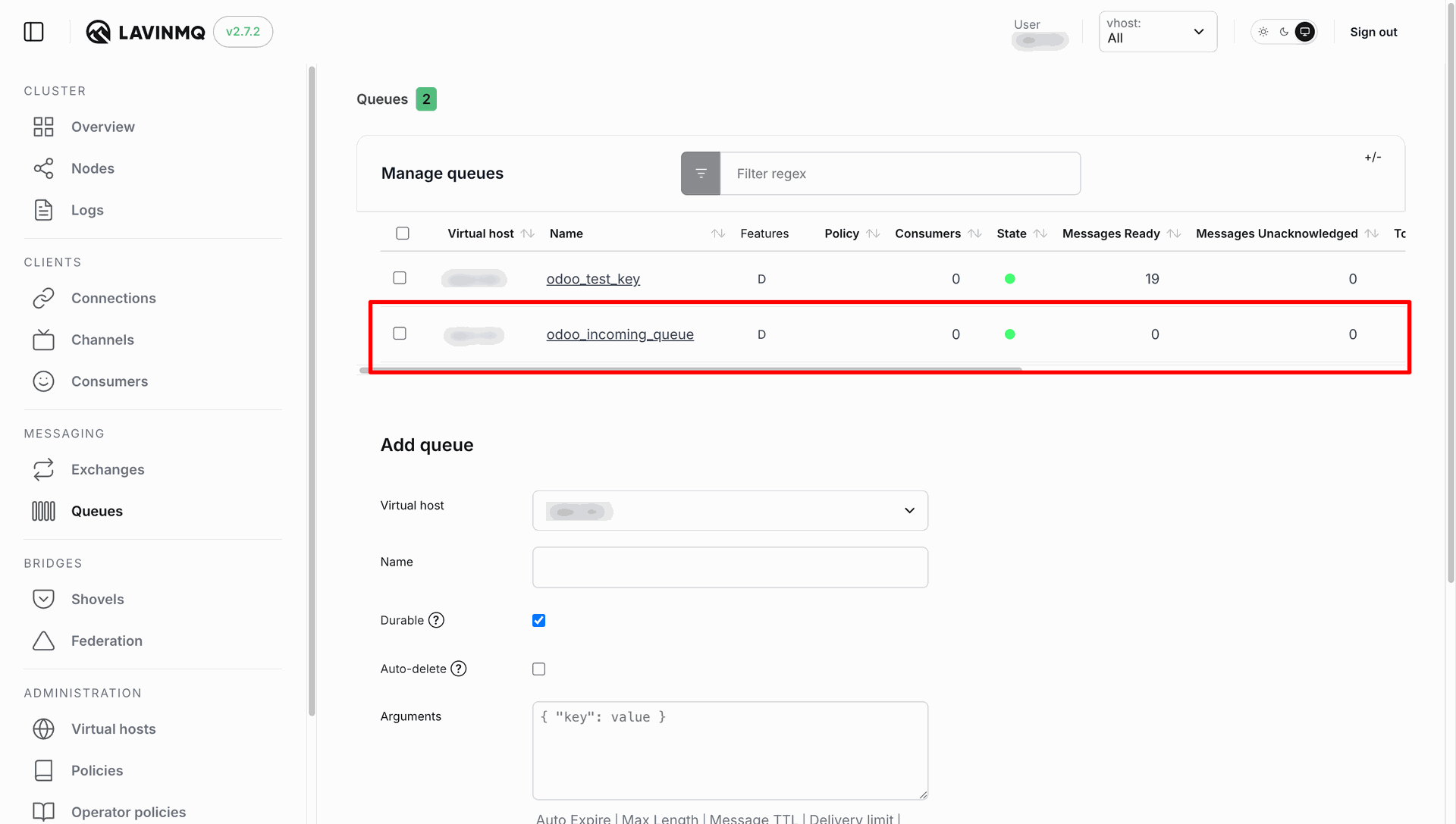
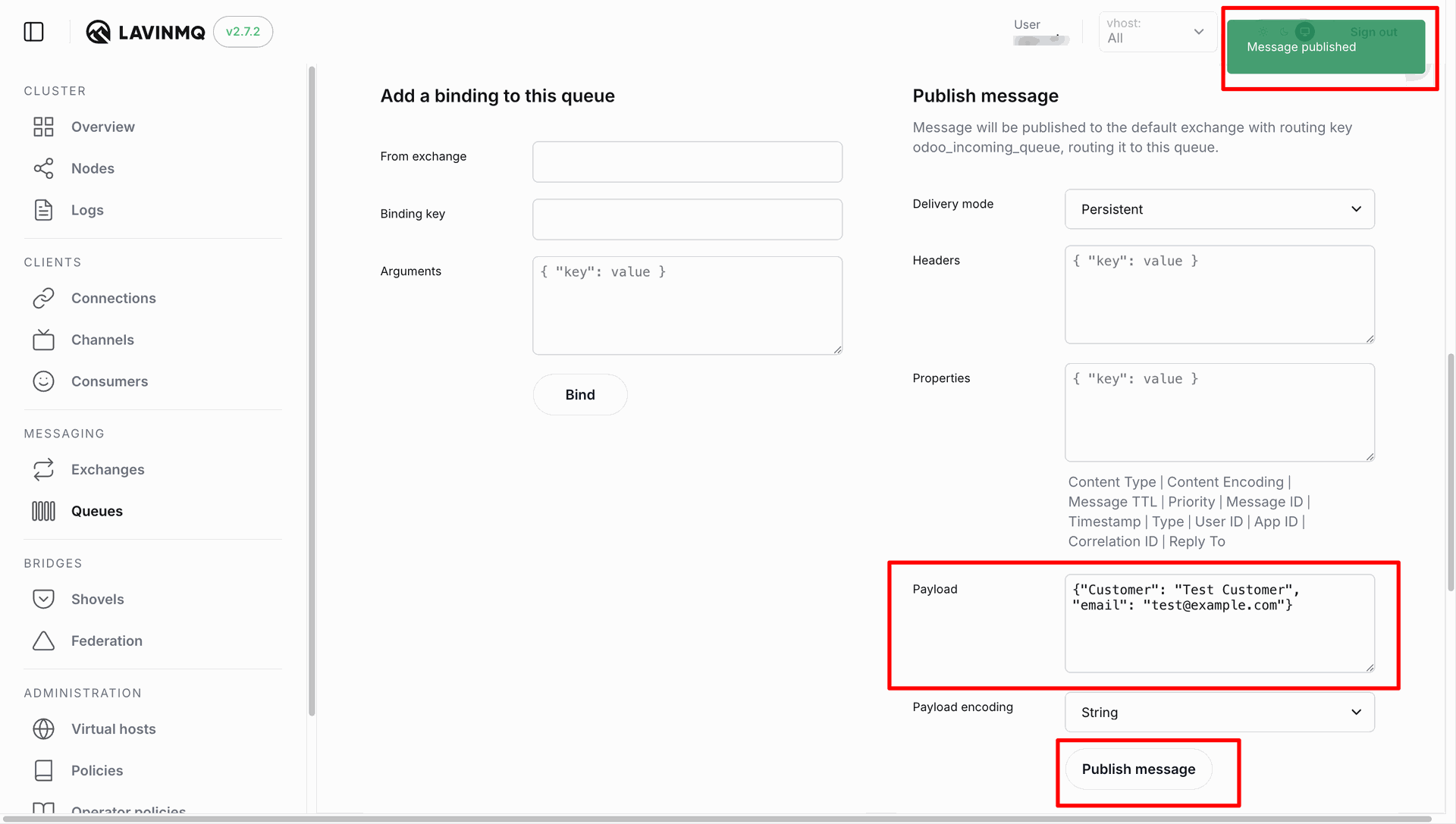
Publish a test JSON payload manually from the LavinMQ broker panel to `odoo_incoming_queue`.
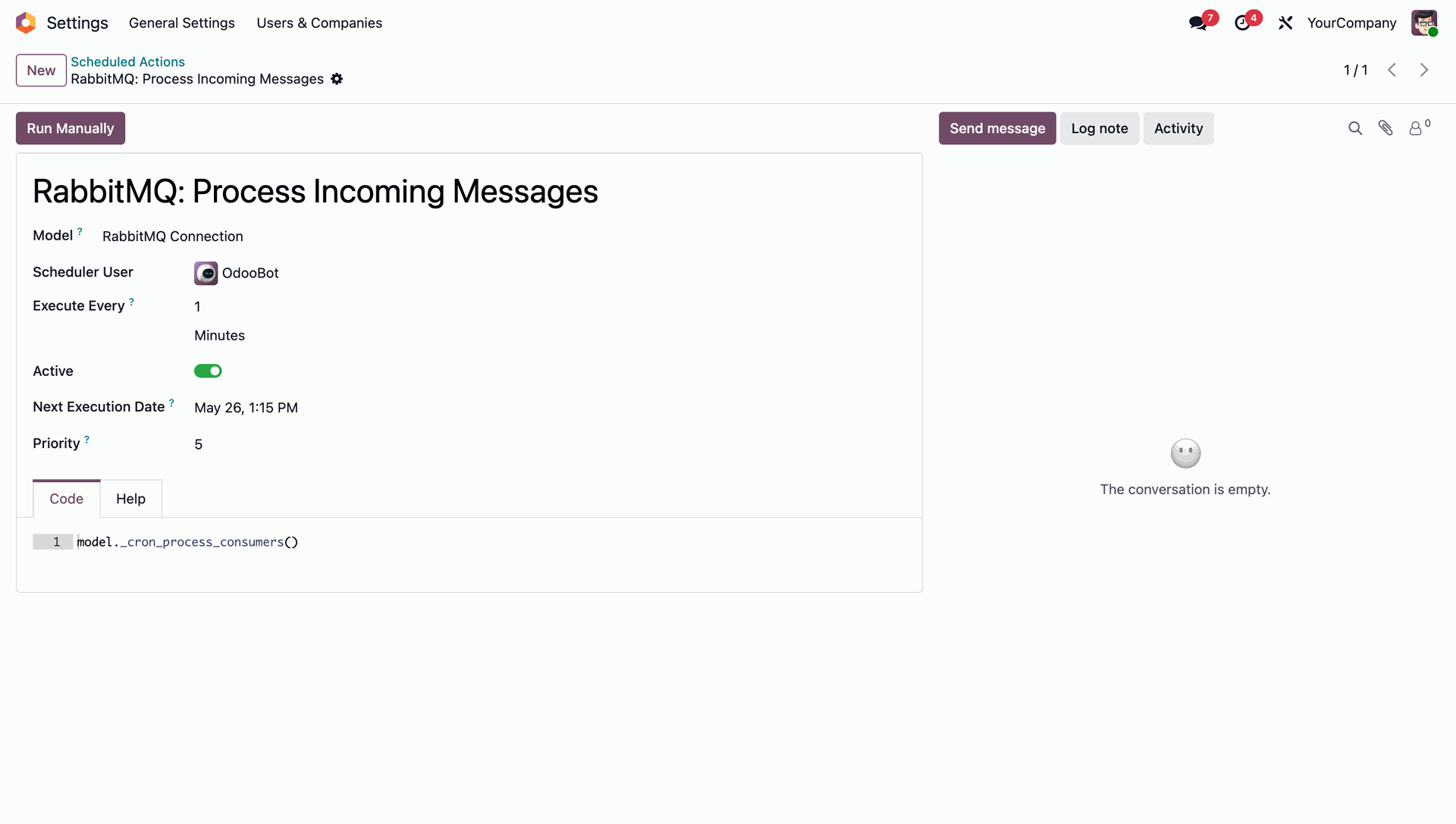
Configure the Odoo cron job (`RabbitMQ: Process Incoming Messages`) to process consumer queues at scheduled intervals.
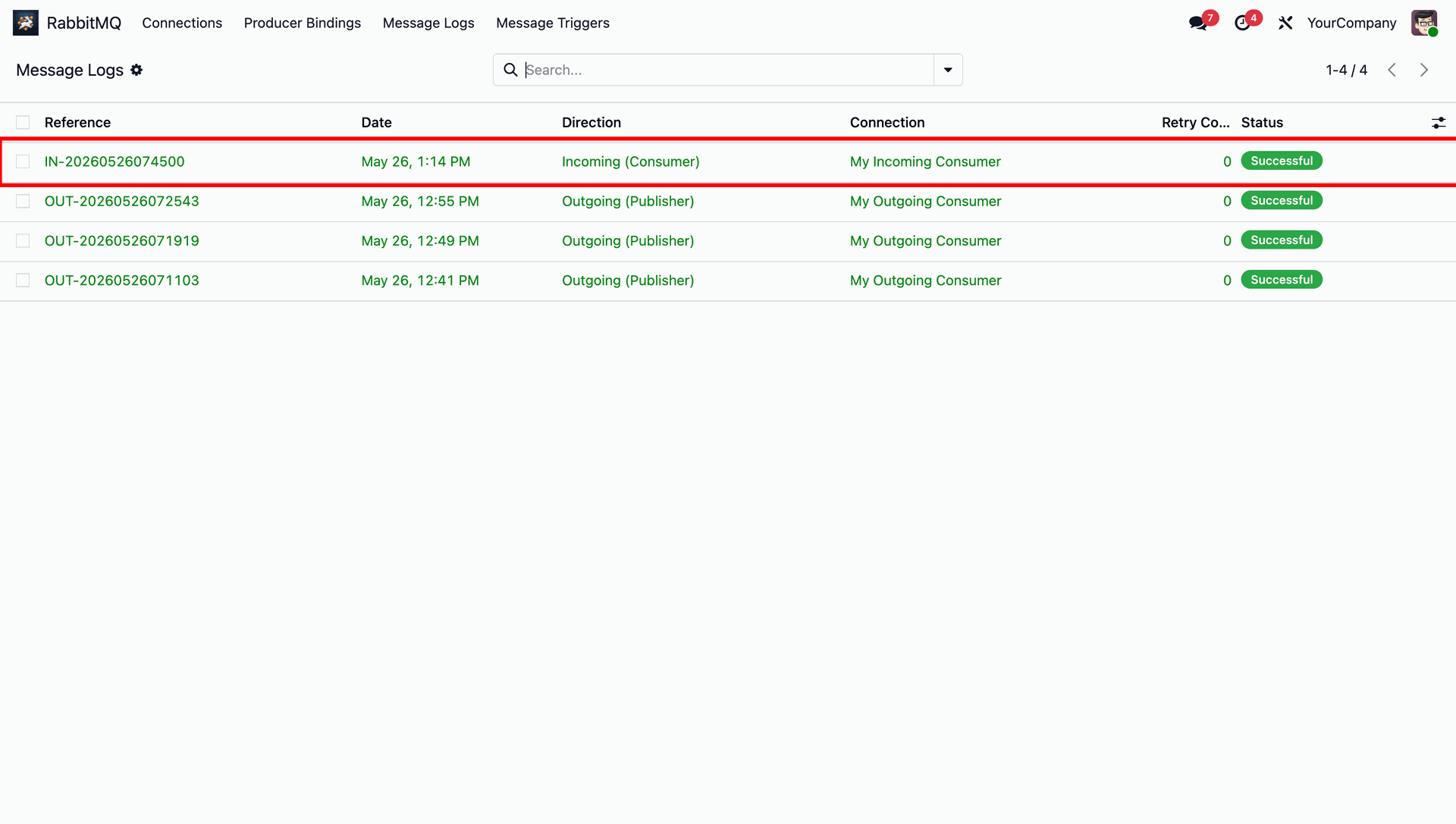
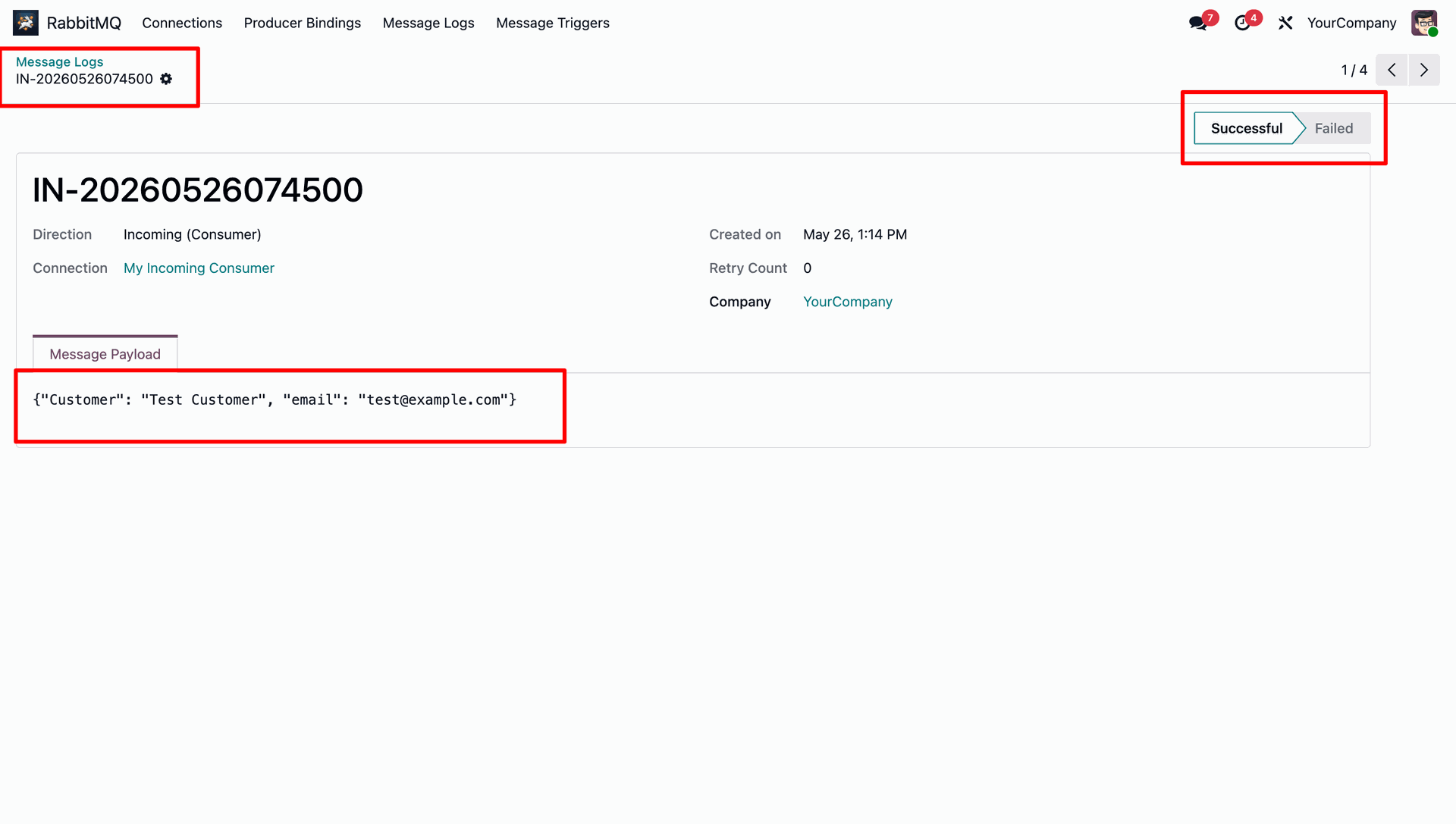
Verify that the incoming message from the broker has been successfully fetched and logged by Odoo.
View the fetched JSON payload and metadata for the incoming message processed by Odoo.
Version 18.0.1.0.0 | Released on : 08th July 2026
- Yes, this app works perfectly with Odoo Enterprise (Odoo.sh & Premise) as well as Community.
- No, this application is not compatible with odoo.com(odoo saas/Odoo Online)
- Yes, to test this module, please contact us at sales@softhealer.com.
- Please contact us at sales@softhealer.com to request customization.
- Yes, we provide free support for 365 days from the date of purchase.
- Yes, you will receive lifetime free updates for the version of the module you purchased.
- No, there is no need to install any additional libraries.
- Yes, for version 12 and above, you need to purchase the module separately for each version you intend to use.
- No, exchanges or refunds are not allowed. Please make sure to select the correct version before purchasing.
- You can contact us at support@softhealer.com for language translation support. We use Google Translator tools to provide translations in multiple languages, so the accuracy may vary. We welcome your suggestions to help improve translations.
Discover Our Latest Apps