












Quick Book POS Interface

This module transforms the standard Odoo Point of Sale into a modern and efficient Quick Book-style POS experience. The module provides a streamlined layout with quick product and customer search, enhanced order line management, configurable action buttons, and a quick payment button. Helping businesses reduce clicks, speed up transactions, and improve cashier productivity.

Related Modules
Features

Quick Book POS Mode
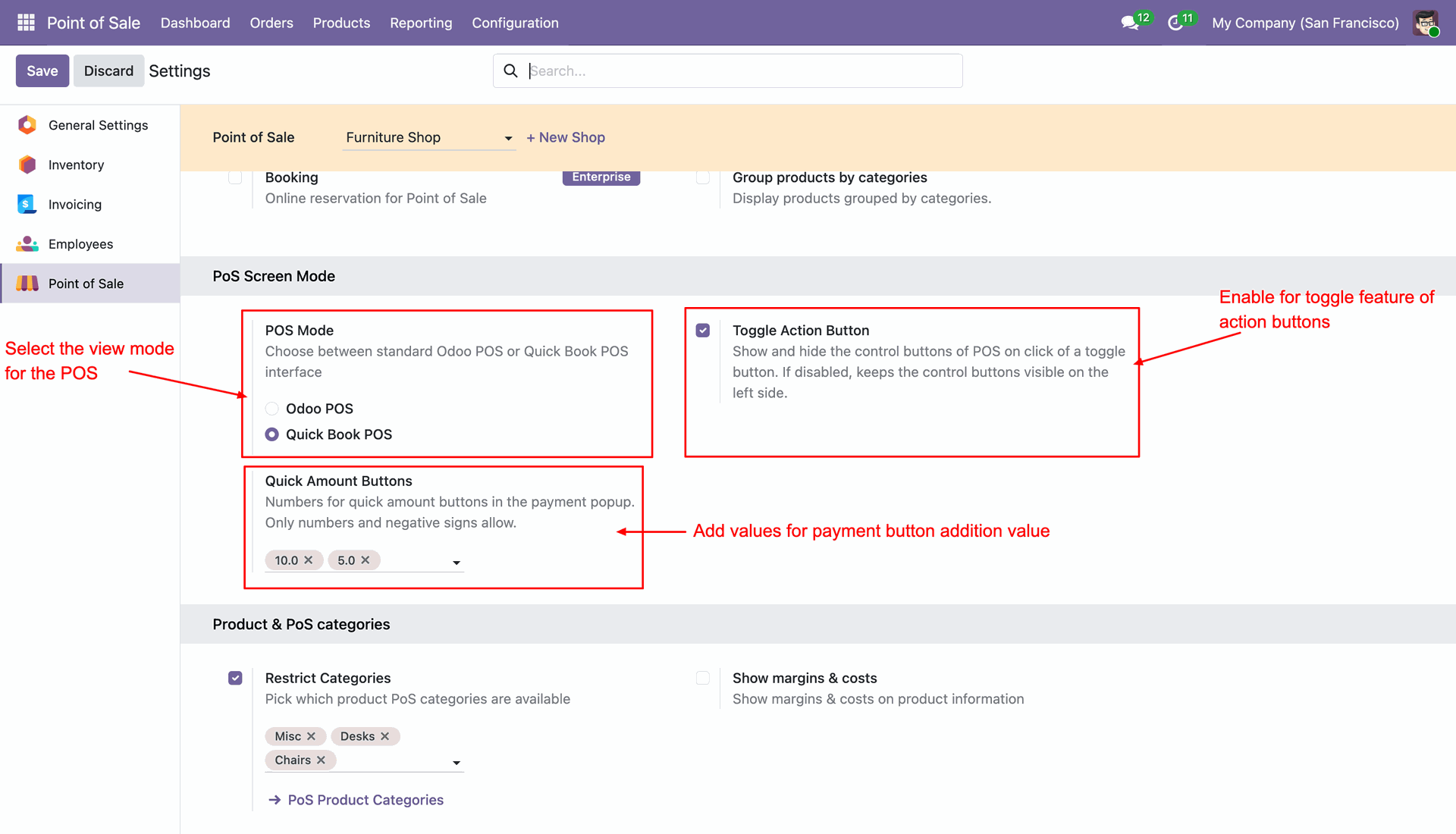
Switch between the standard Odoo POS interface and the Quick Book POS layout based on your business requirements.

Toggle Action Buttons
Show or hide POS action buttons using a toggle option to maximize workspace and improve usability.

Quick Amount Buttons
Configure predefined payment amounts for faster and more efficient checkout processing.

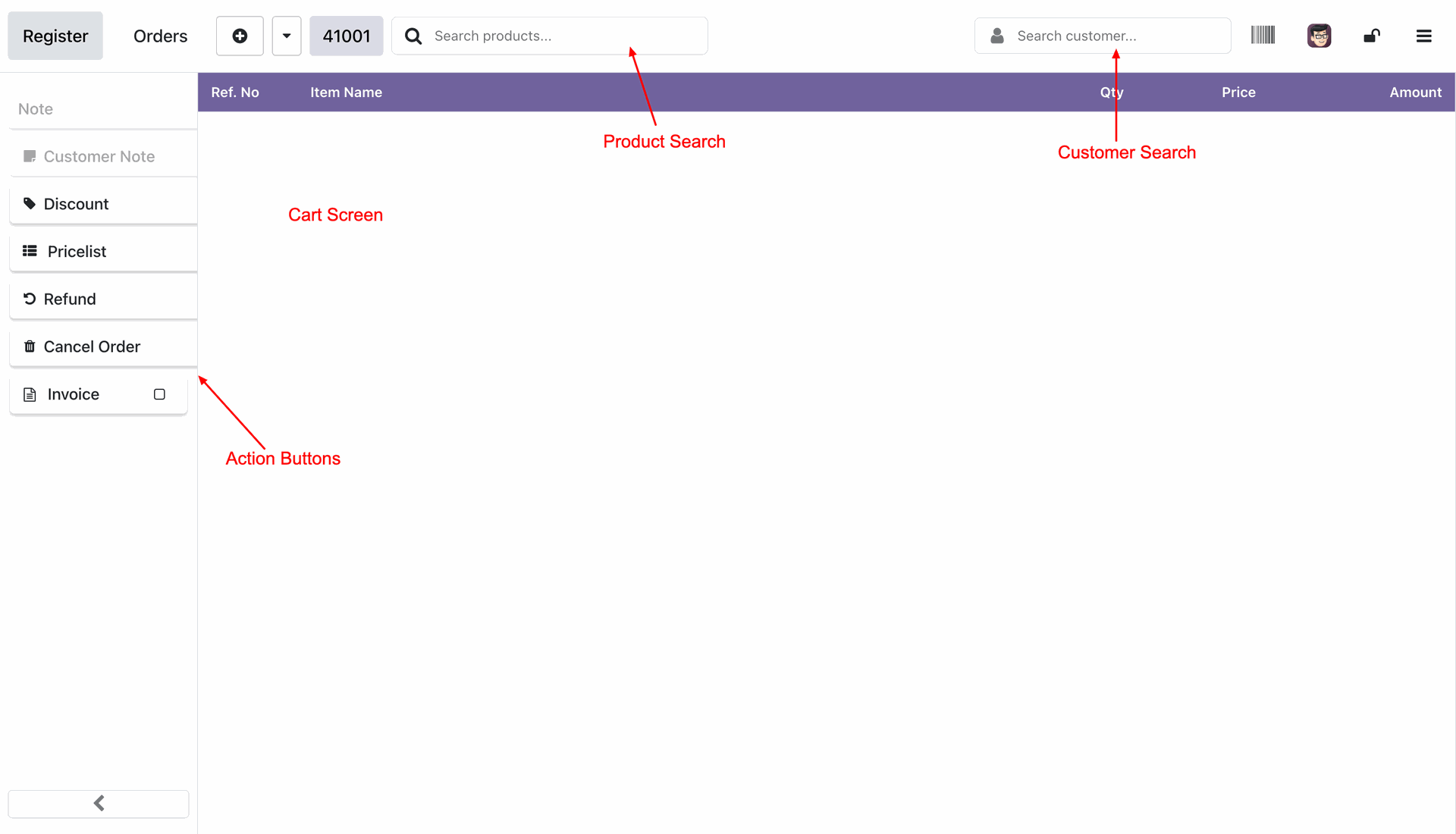
Product Search
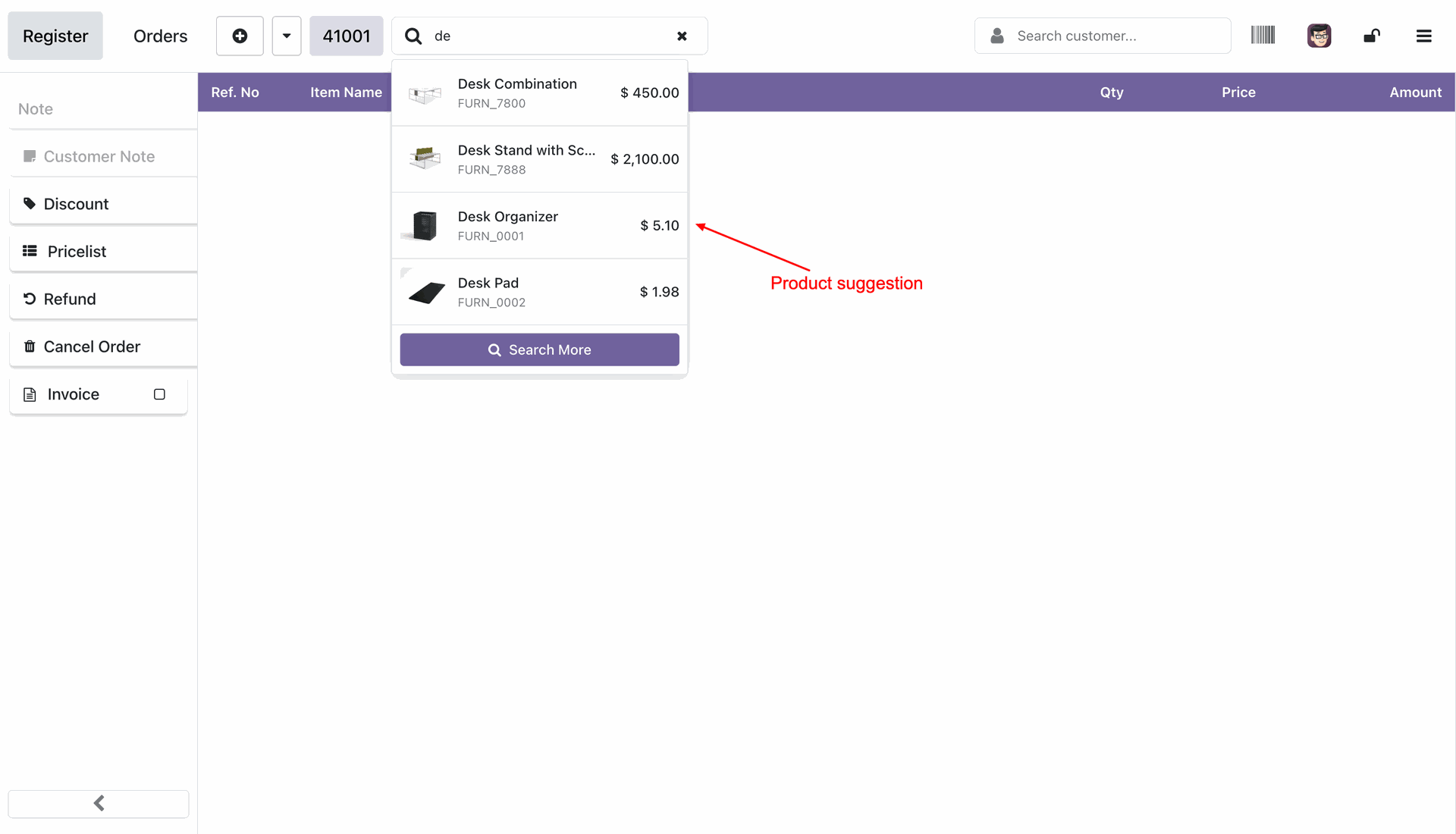
Quickly locate products using the integrated search bar for faster order creation.

Customer Search
Search and select customers instantly during POS transactions without leaving the sales screen.

Compact Cart View
View all order lines in a clean and organized cart layout designed for high-speed billing.
Enhanced Order Line Controls
Modify quantities, prices, discounts, and product details directly from the order line.
Quick Payment Processing
Process payments rapidly using dedicated payment method buttons and simplified checkout workflows.
Save POS Order
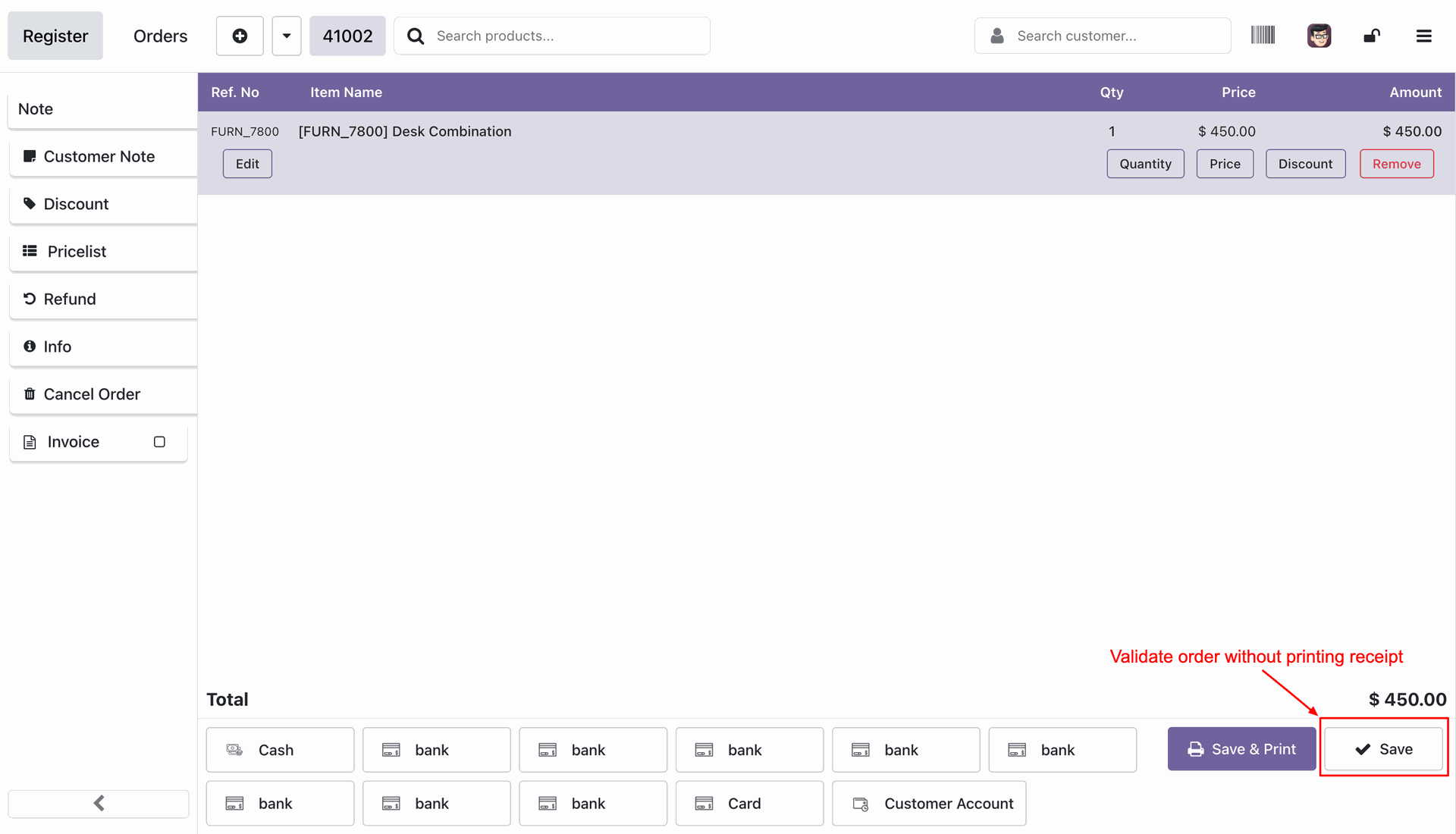
Save completed POS orders directly from the Quick Book POS interface without printing a receipt.

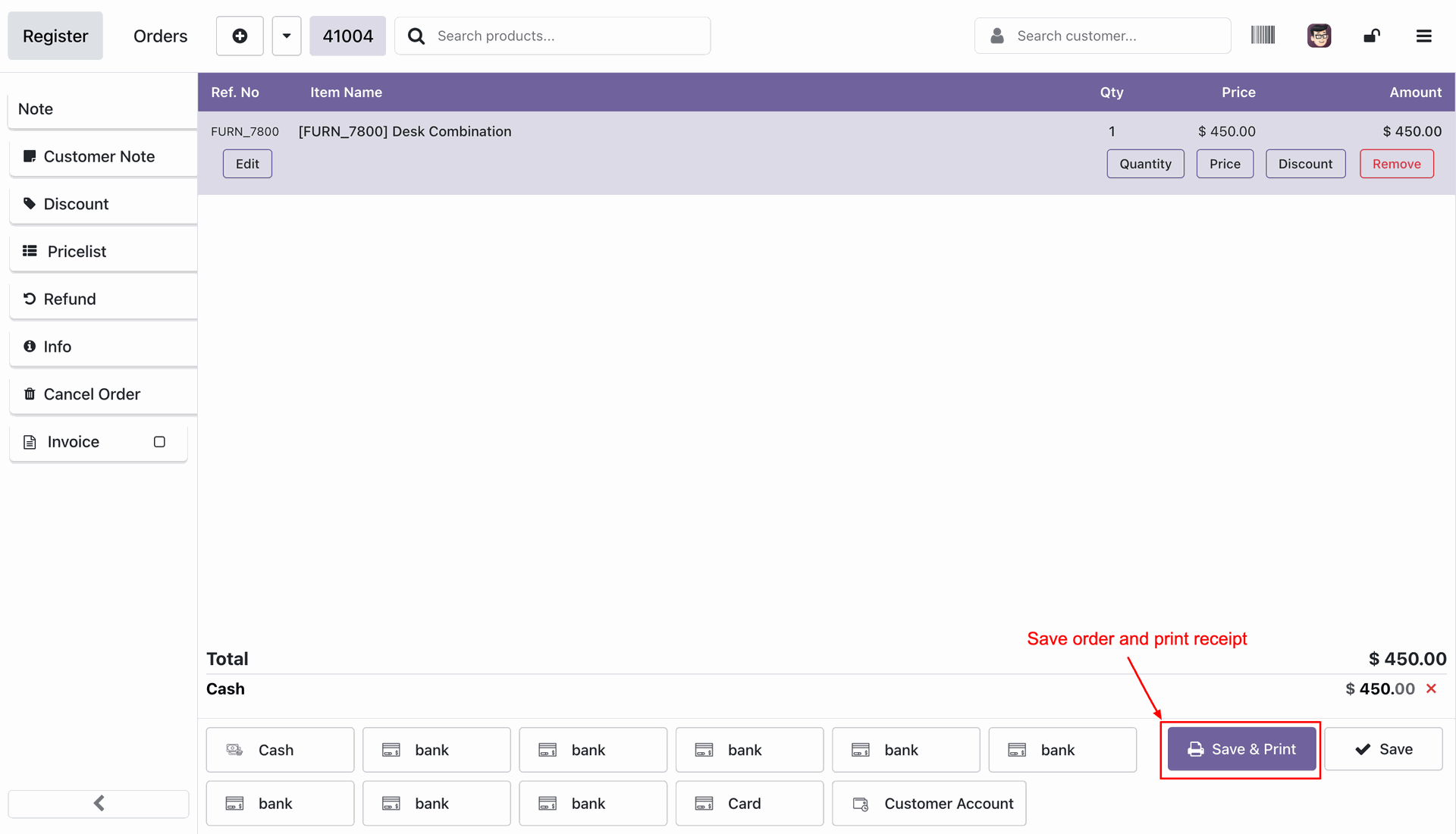
Save & Print POS Order
Save the POS order and print the customer receipt in a single action button.
POS Mode Configuration: Easily switch between Standard and Quick Book mode in POS settings. Selecting Quick Book POS, enabling the Toggle Action Button, and setting custom Quick Amount Buttons values.
Quick Book Interface Overview: A clean, unified screen for both product selection and payments.
Selecting the Products.
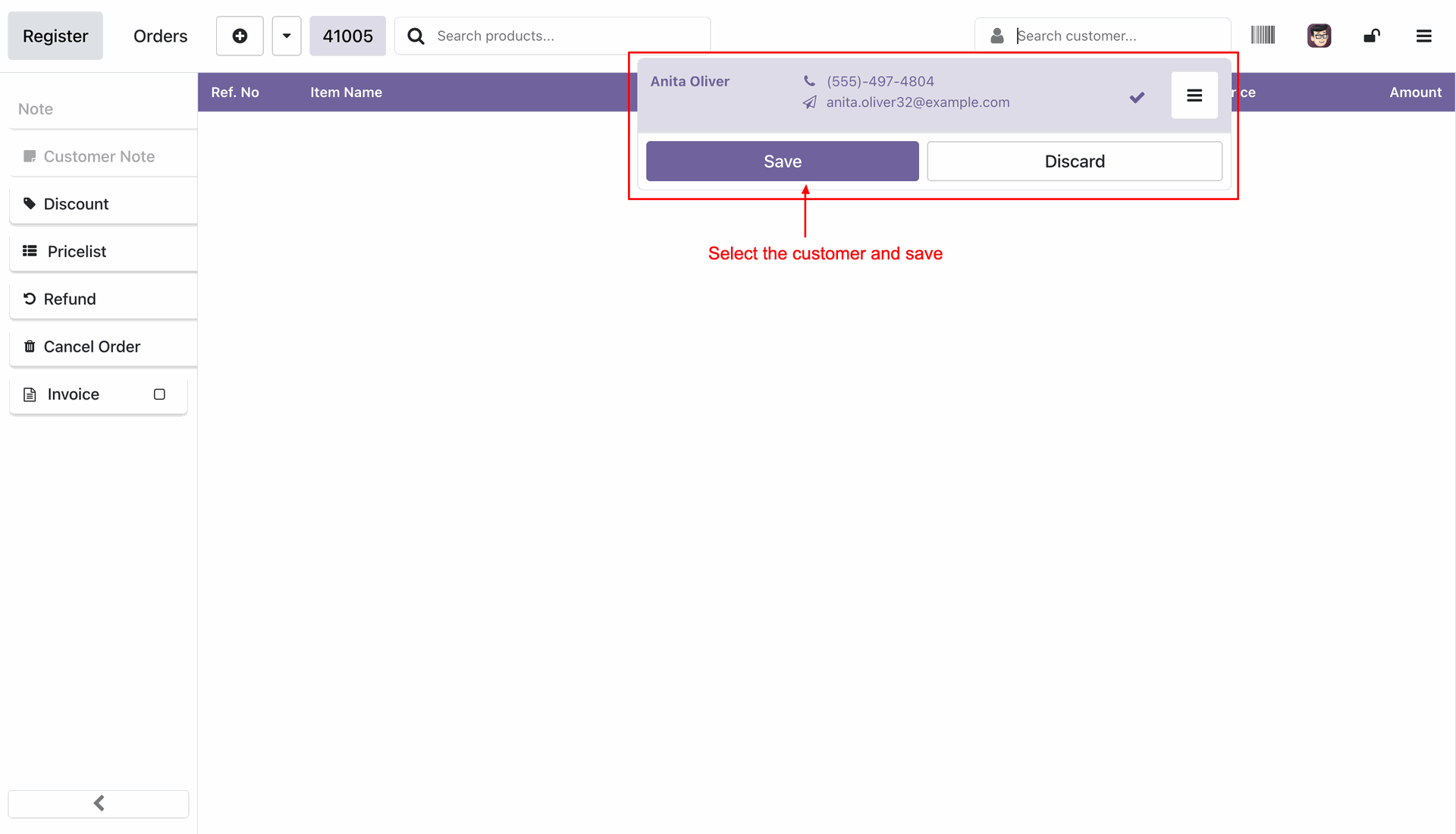
Selecting customer.
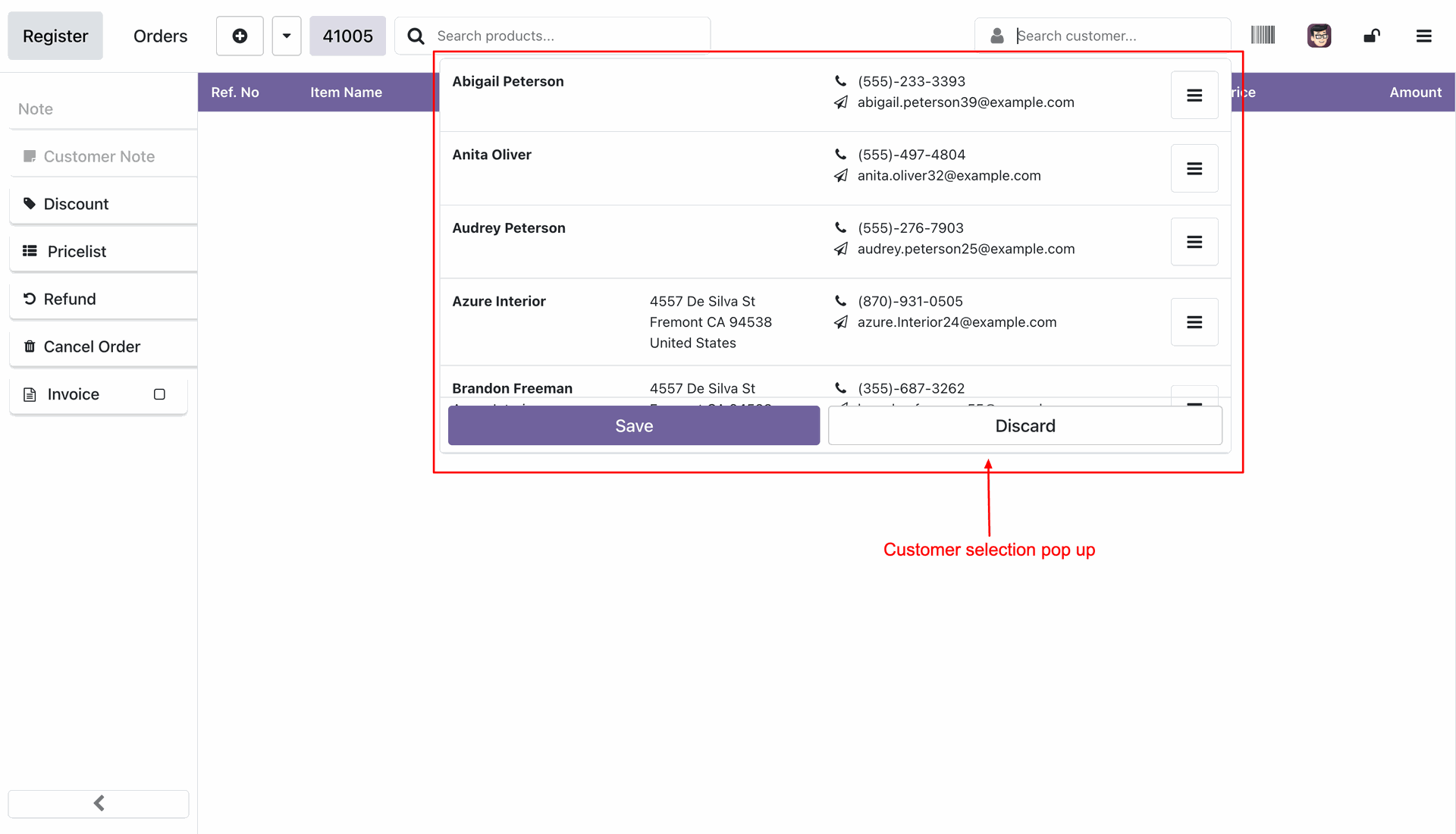
Click save to select the customer.
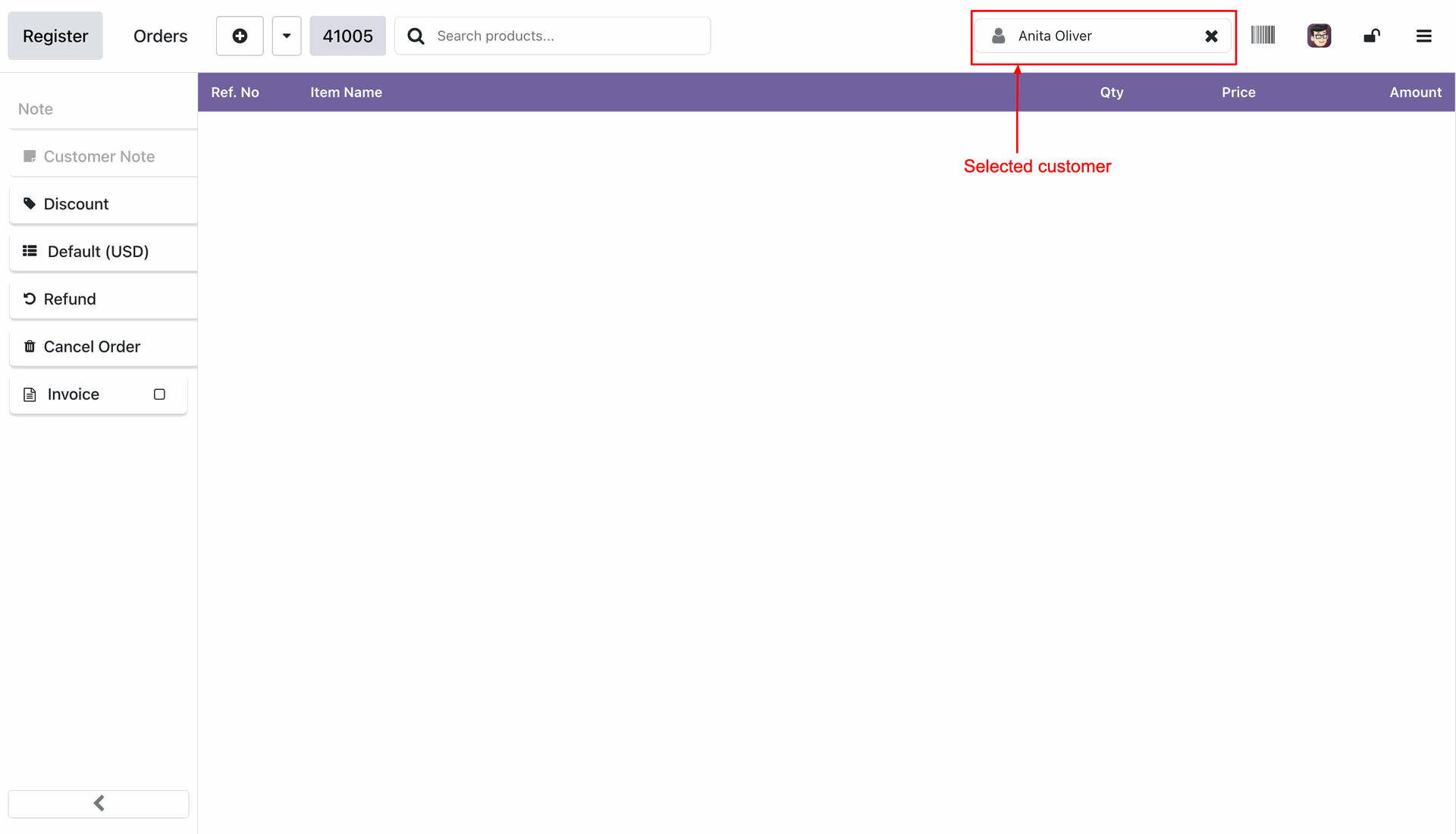
The selected customer then appears on the top status bar.
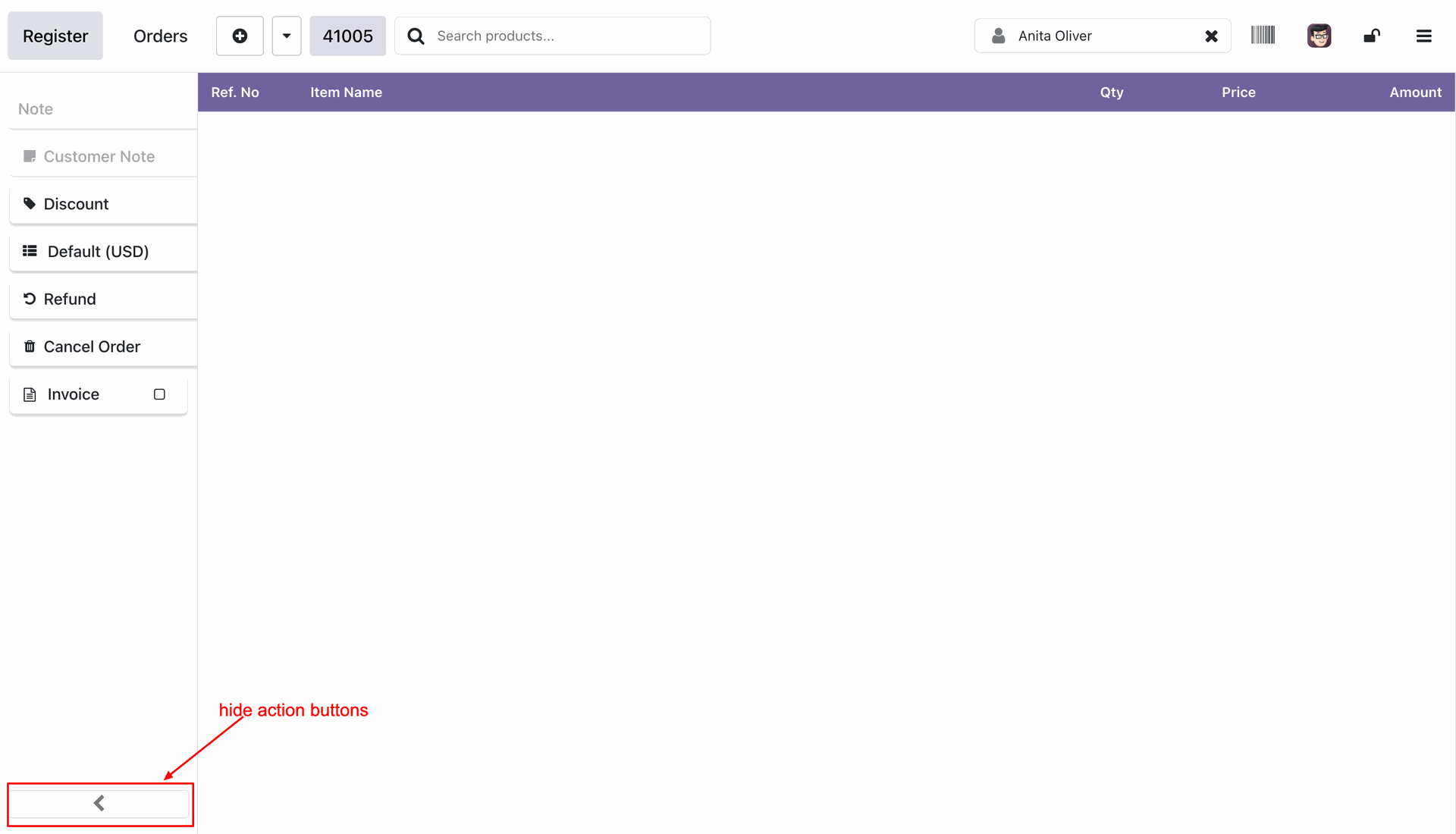
Press the left arrow button to hide the action buttons.
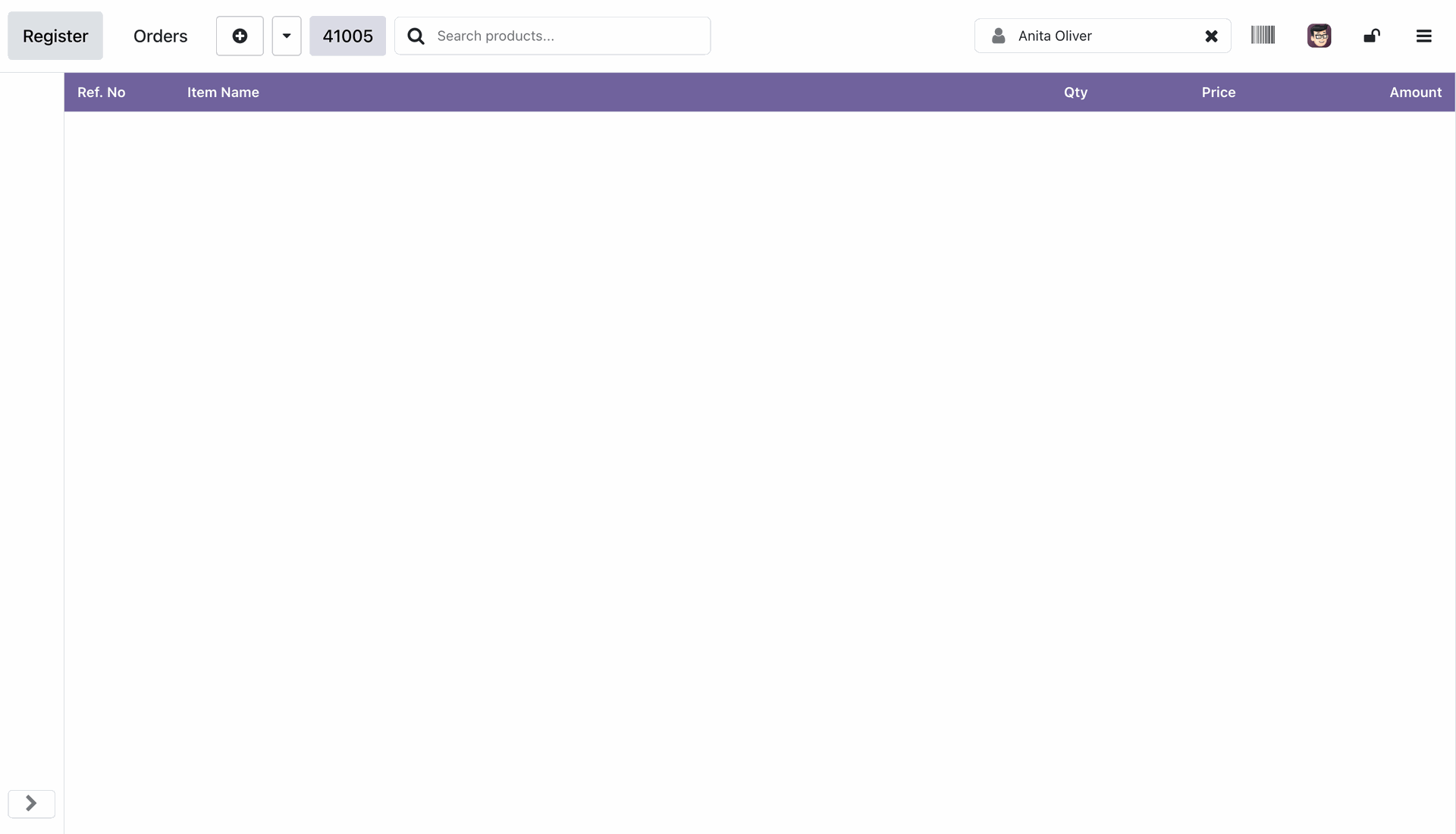
Hidden the unnecessary buttons to maximize product display area.
Adding products in to the order.
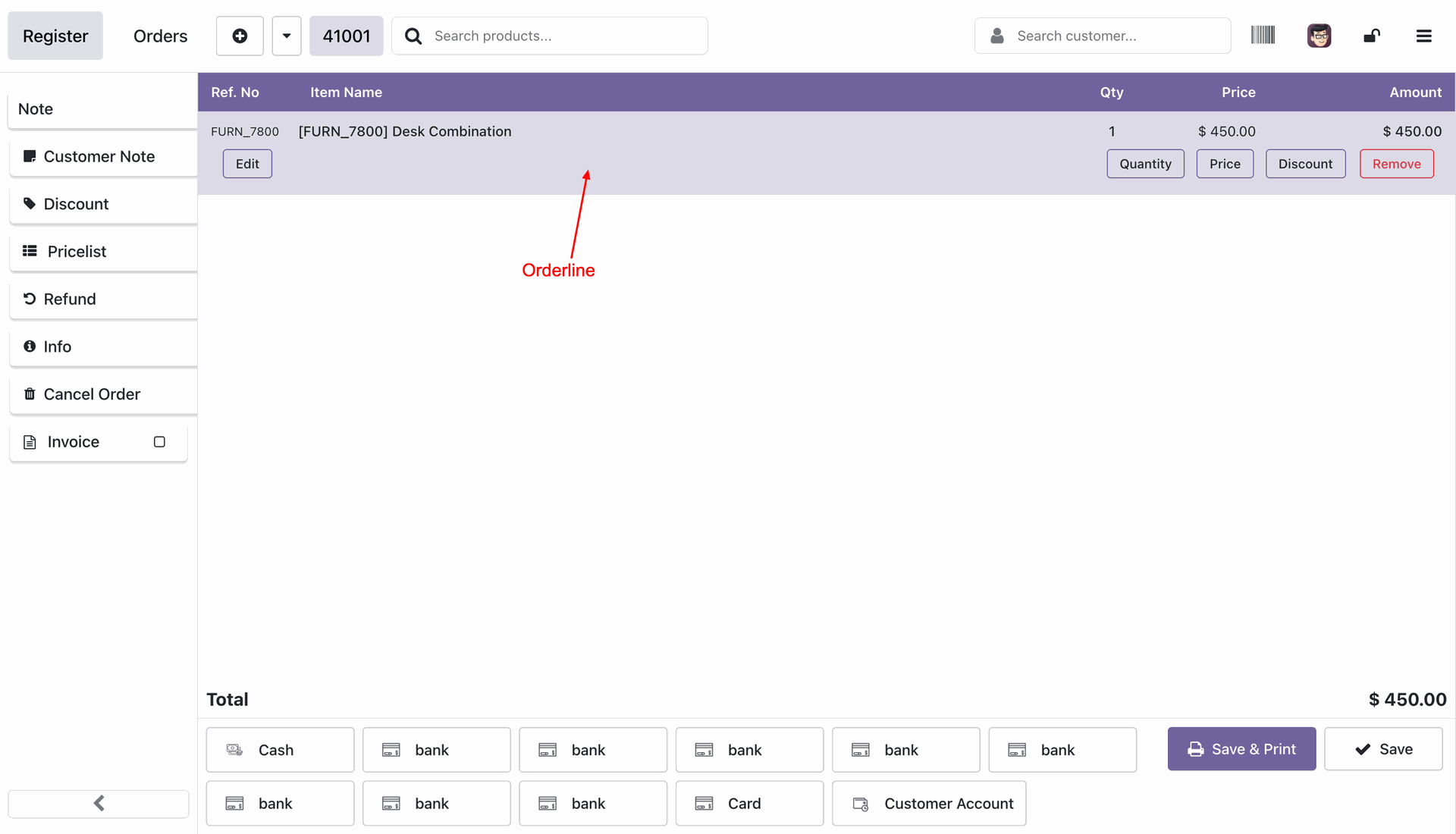
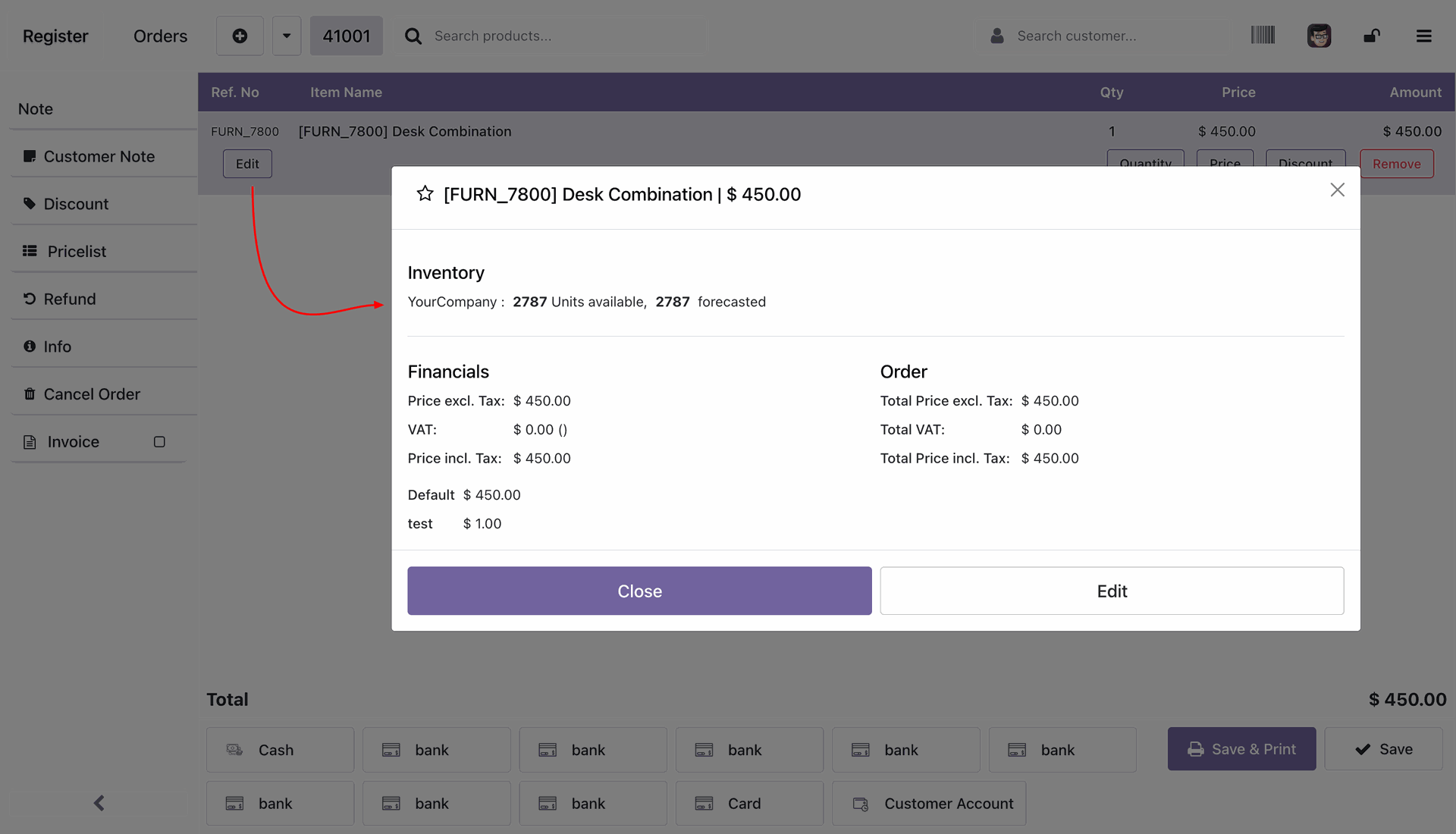
You can edit the product details like price, quantity, etc by clicking the edit button.
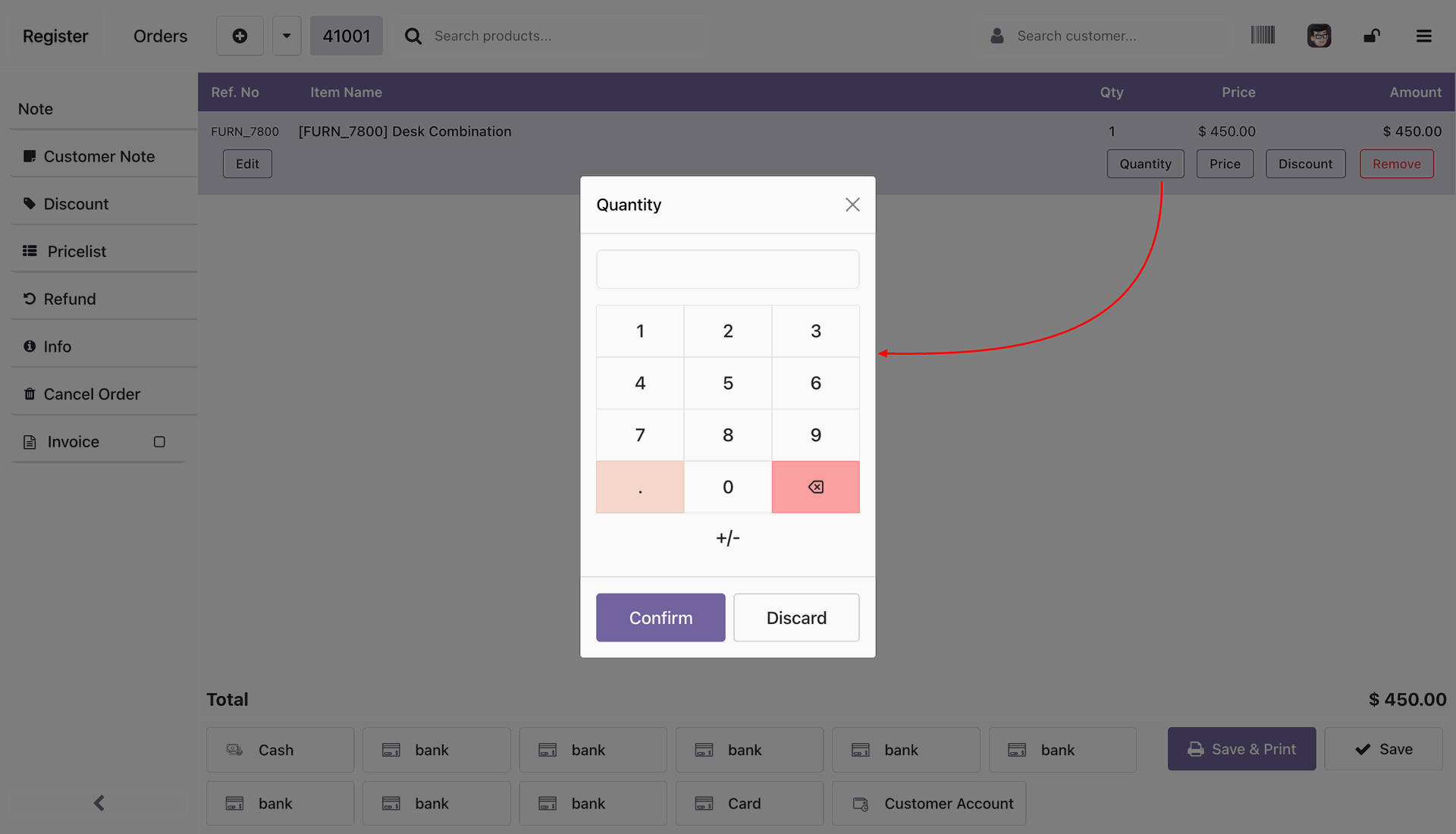
Adding the quantity of the product.
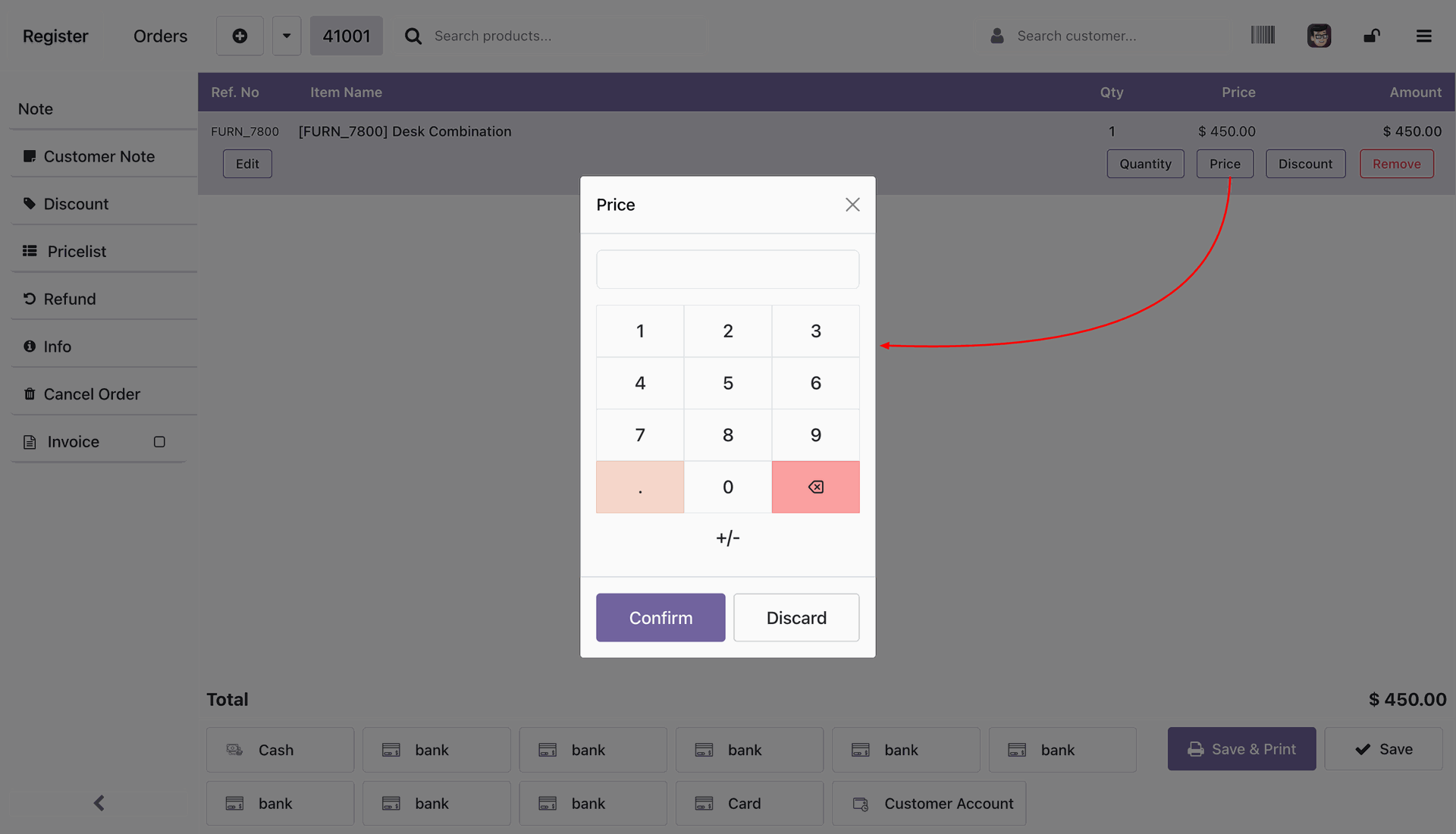
Adding the unit price of the product.
Adding the discount to the product either Fixed or Percentage.
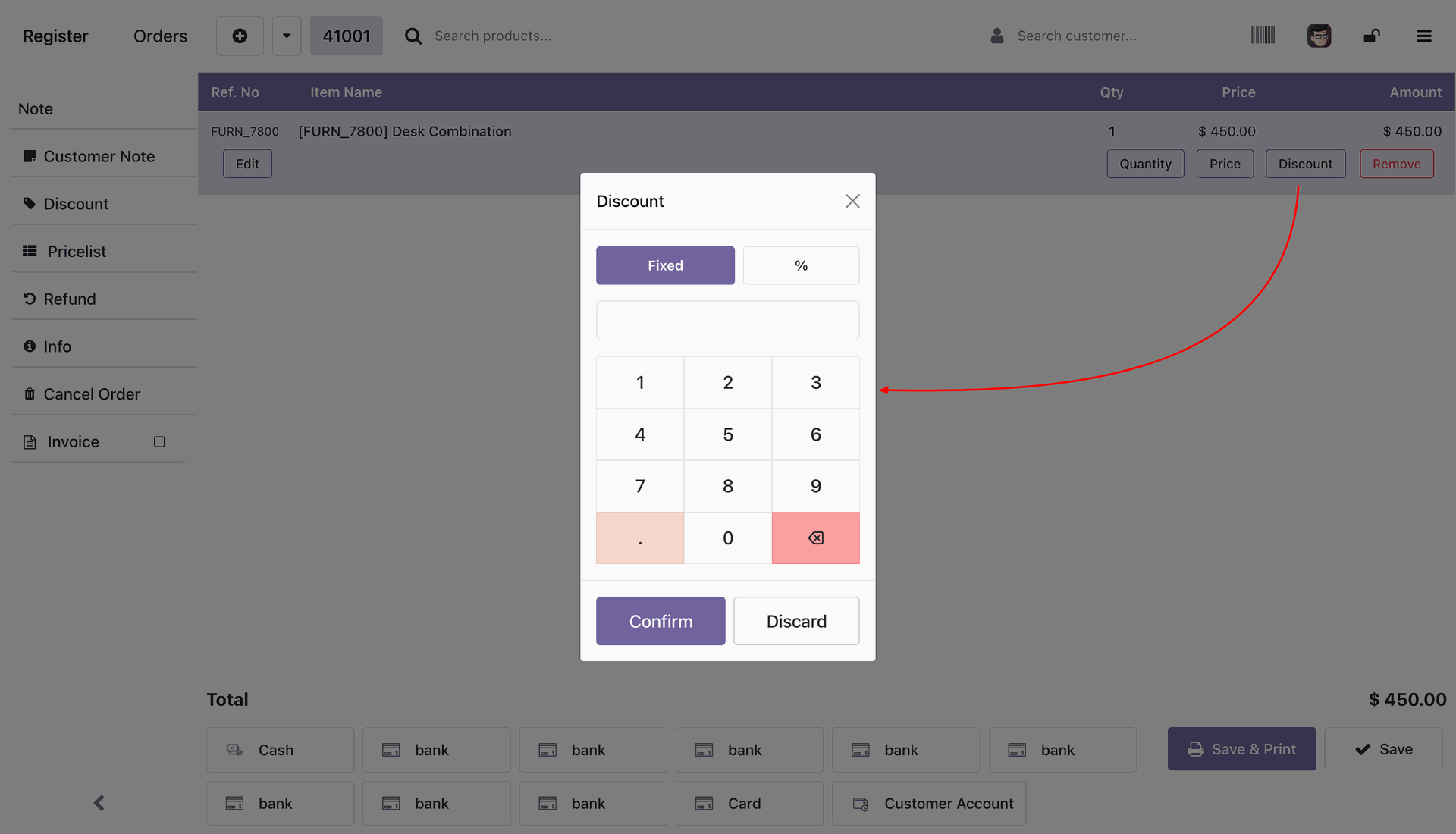
Creating the cash payments by selecting the cash option.
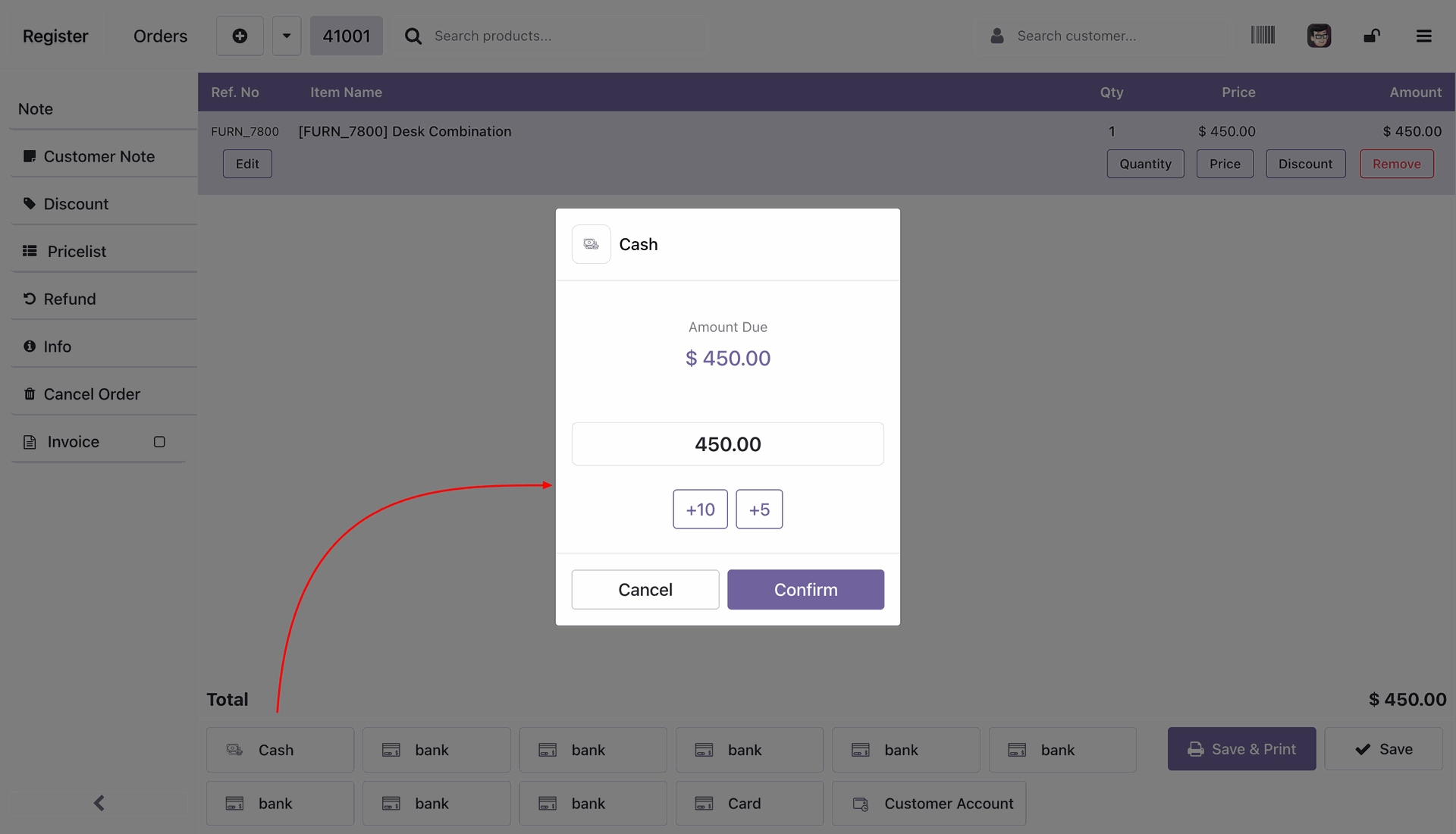
Payment lines at the bottom of the screen.
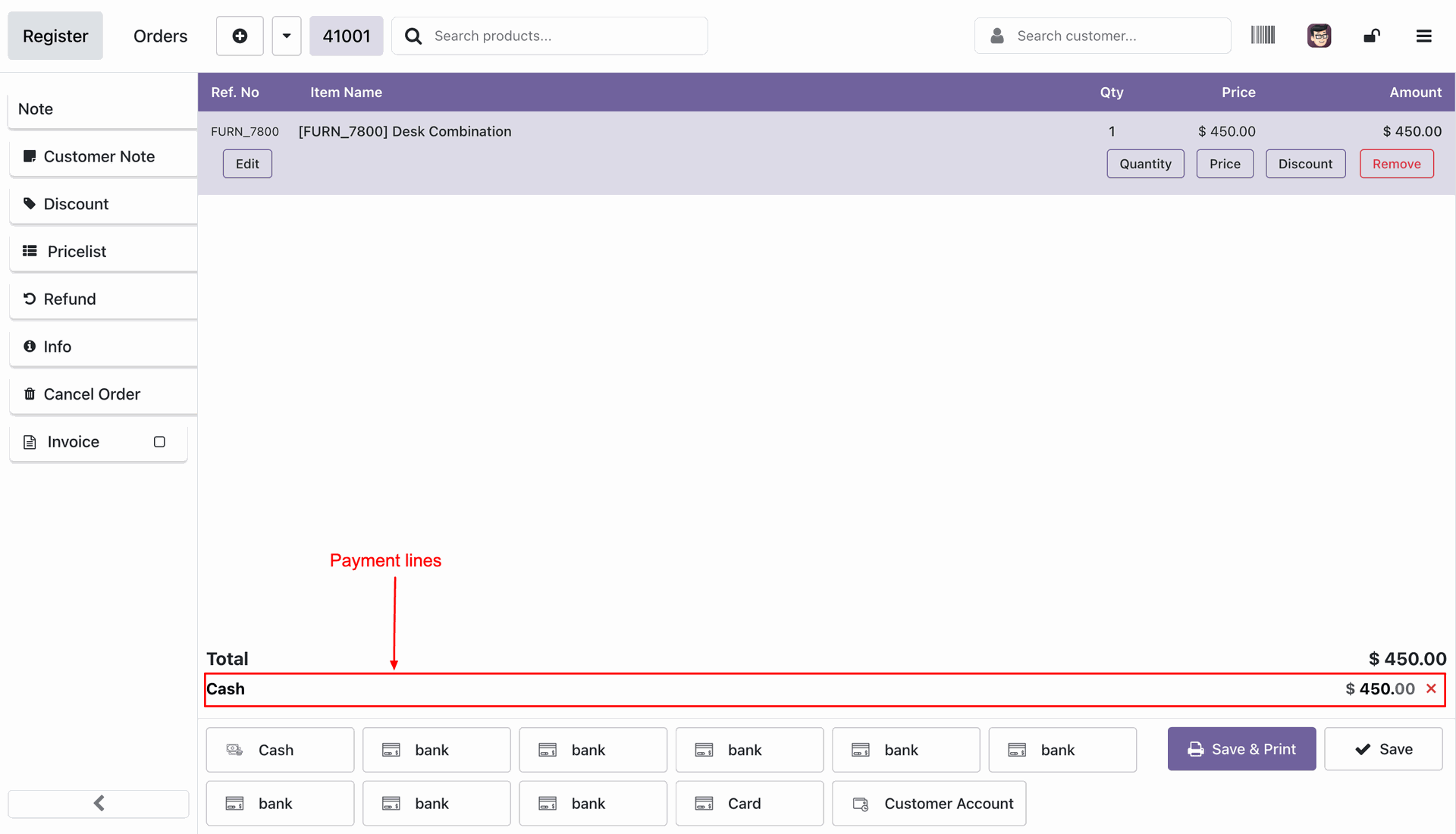
Validating the order without printing the receipt after pressing the Save button at the bottom right corner.
Validating the order with printing the receipt after pressing the Save & Print button at the bottom right corner.
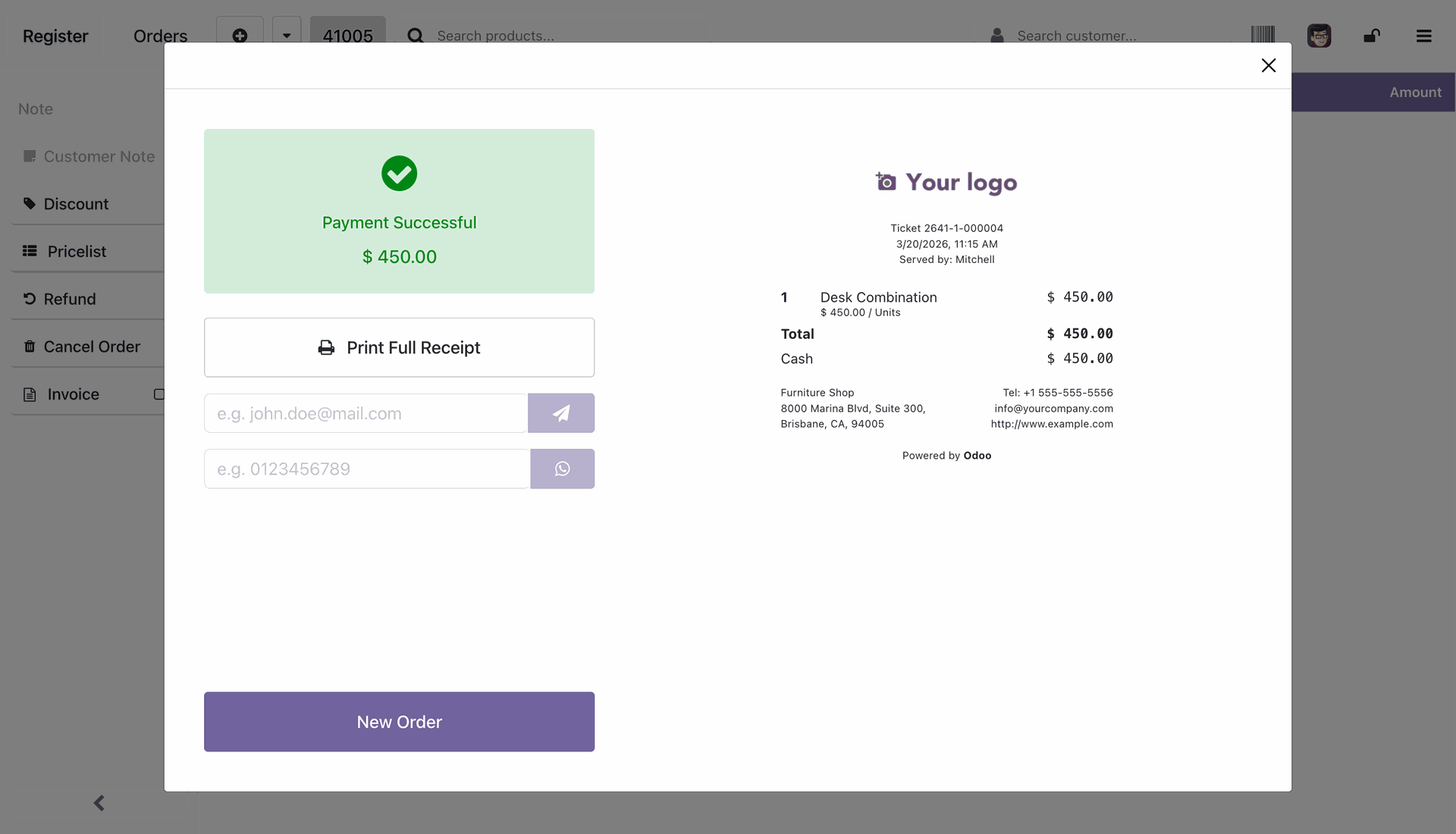
Successful payment upon validating the order.
Version 18.0.1.0.0 | Released on : 02nd July 2026
- Yes, this app works perfectly with Odoo Enterprise (Odoo.sh & Premise) as well as Community.
- No, this application is not compatible with odoo.com(odoo saas/Odoo Online)
- Yes, to test this module, please contact us at sales@softhealer.com.
- Please contact us at sales@softhealer.com to request customization.
- Yes, we provide free support for 365 days from the date of purchase.
- Yes, you will receive lifetime free updates for the version of the module you purchased.
- No, there is no need to install any additional libraries.
- Yes, for version 12 and above, you need to purchase the module separately for each version you intend to use.
- No, exchanges or refunds are not allowed. Please make sure to select the correct version before purchasing.
- You can contact us at support@softhealer.com for language translation support. We use Google Translator tools to provide translations in multiple languages, so the accuracy may vary. We welcome your suggestions to help improve translations.
Discover Our Latest Apps