










Qlik Odoo Connector

The Odoo Qlik Connector seamlessly integrates Odoo with Qlik, enabling secure data synchronization. Import and manage Qlik apps and spaces, configure secure data endpoints, extract live Odoo data, and build interactive dashboards to gain real-time insights and make data-driven business decisions.
Key Features
Features

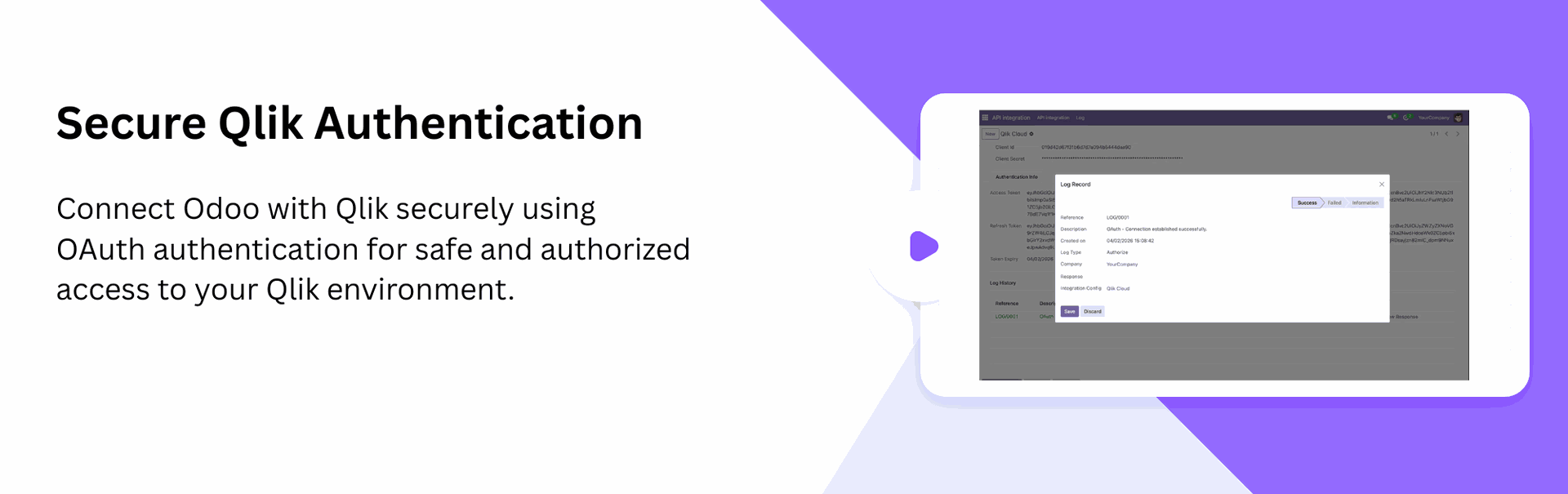
Qlik Connection Configuration
Configure and manage Qlik connection directly from Odoo for secure integration and communication.
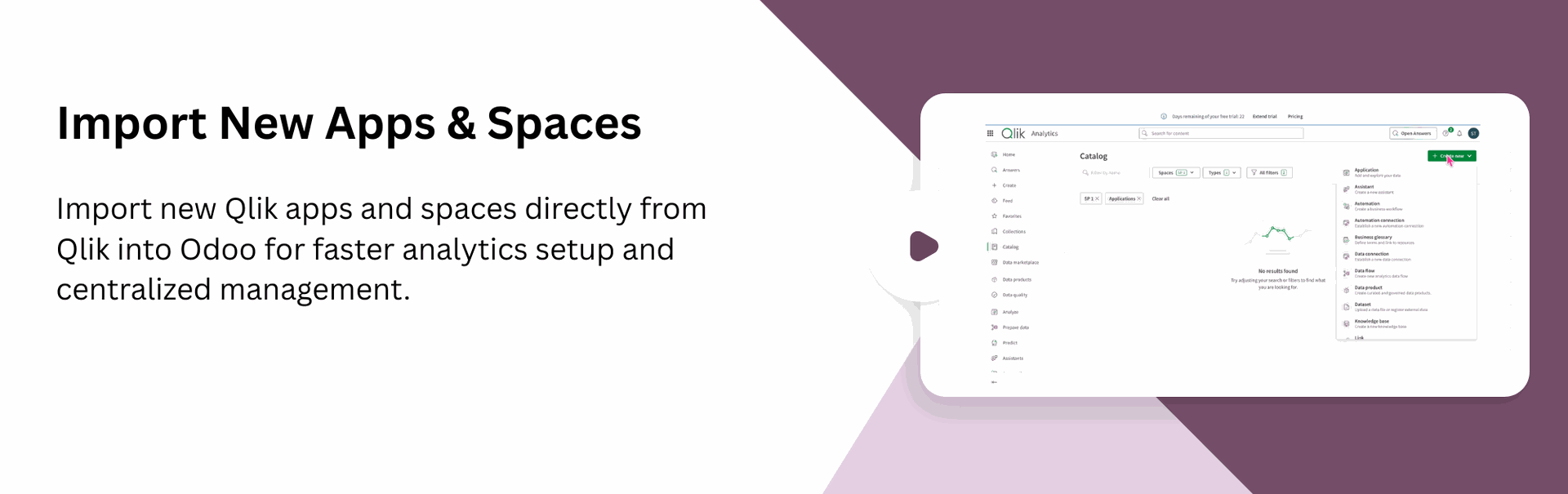
Create Qlik Spaces
Easily create and manage Qlik spaces directly from Odoo with a simple and streamlined process.
Create Qlik Applications
Create Qlik applications directly within your Qlik environment to build interactive dashboards and business intelligence solutions.
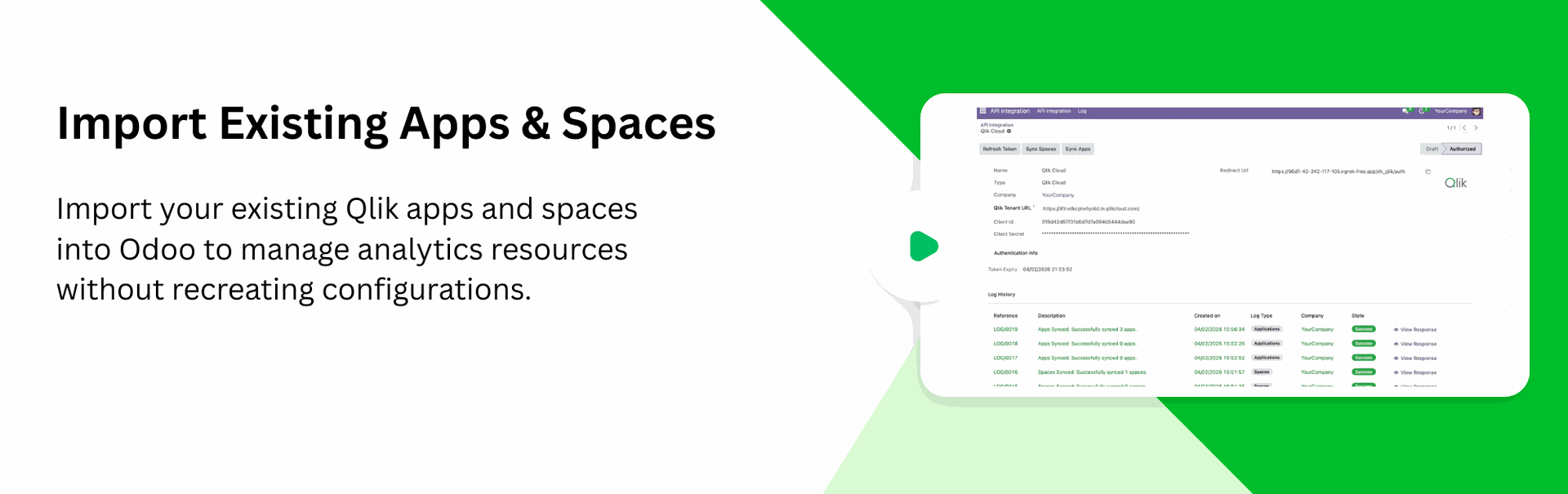
Import Qlik Spaces
Import and synchronize available Qlik spaces into Odoo for simplified administration.
Import Qlik Applications
Fetch and manage Qlik applications directly from Odoo without manual configuration.
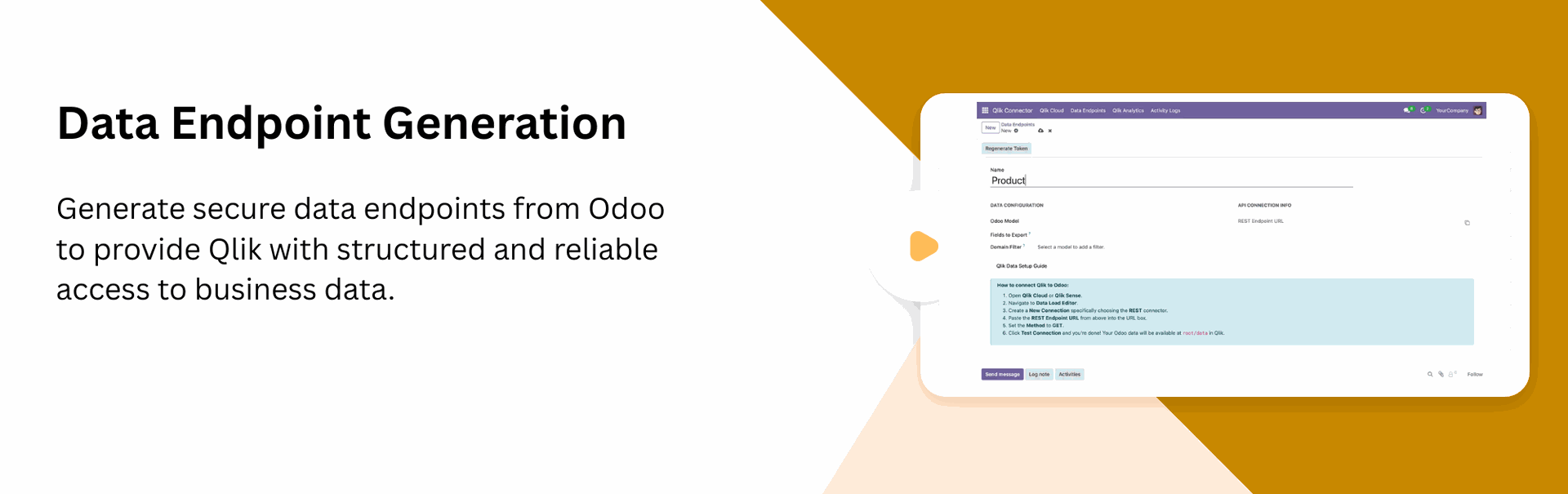
Data Endpoint Management
Create and manage dedicated Odoo data endpoints for Qlik data consumption.
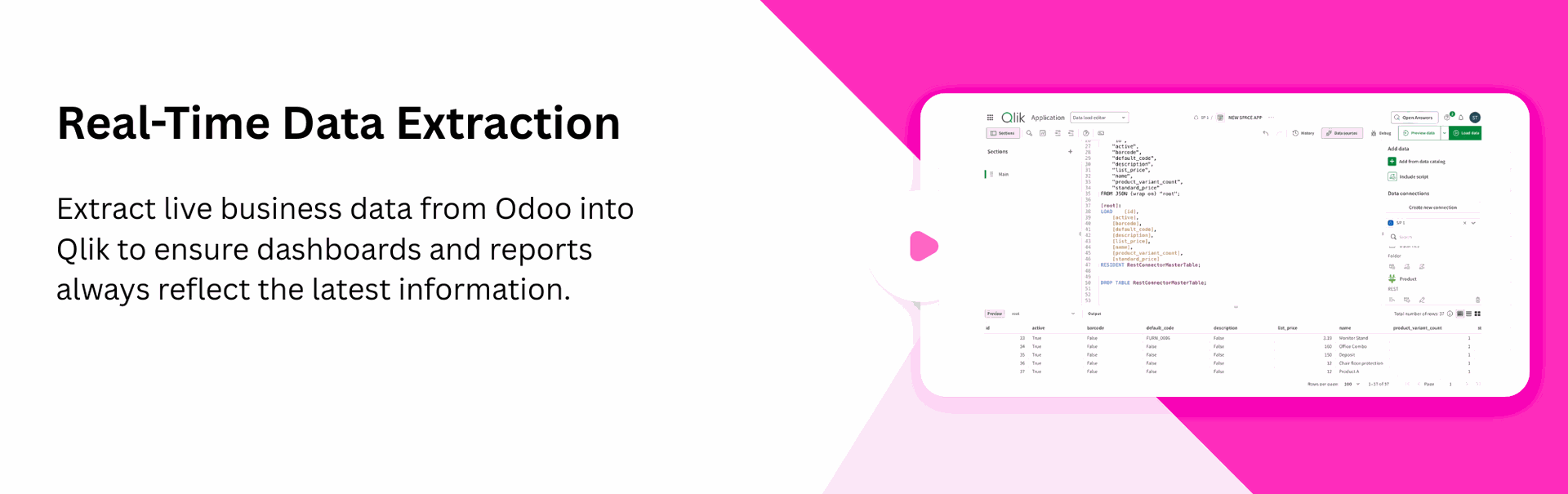
Live Data Extraction
Allow Qlik to retrieve live business data directly from Odoo endpoints.

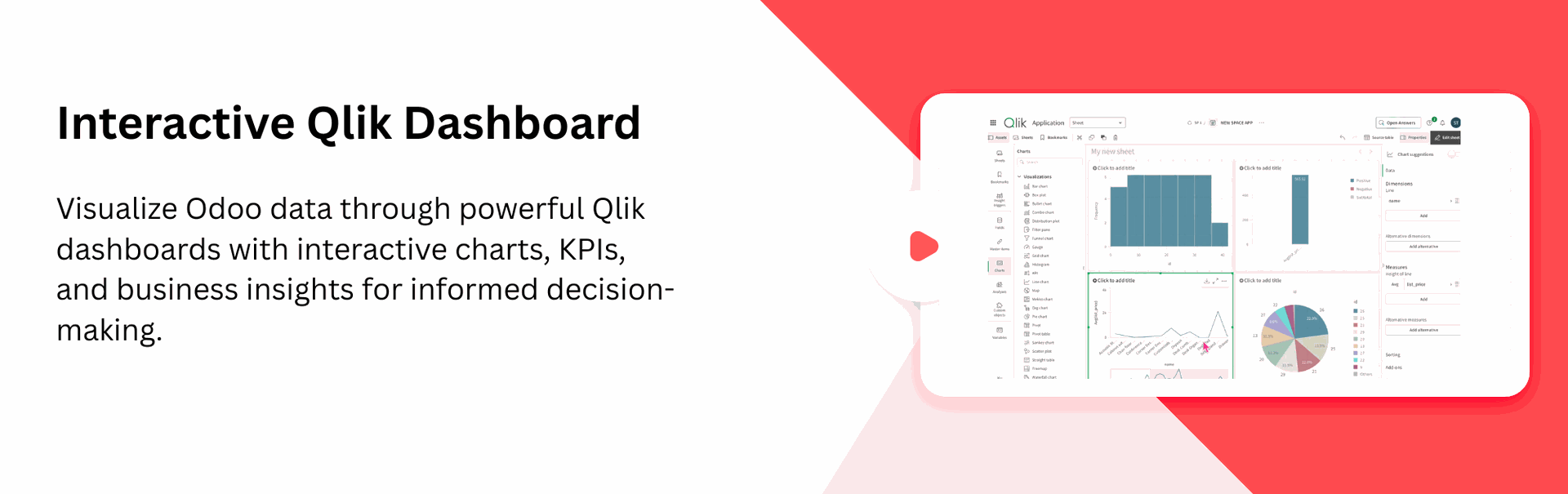
Qlik Analytics Dashboard
Access Qlik analytics dashboards and business intelligence reports directly within Odoo.
Data Synchronization Logs
Track synchronization activity with detailed logs for spaces and applications.
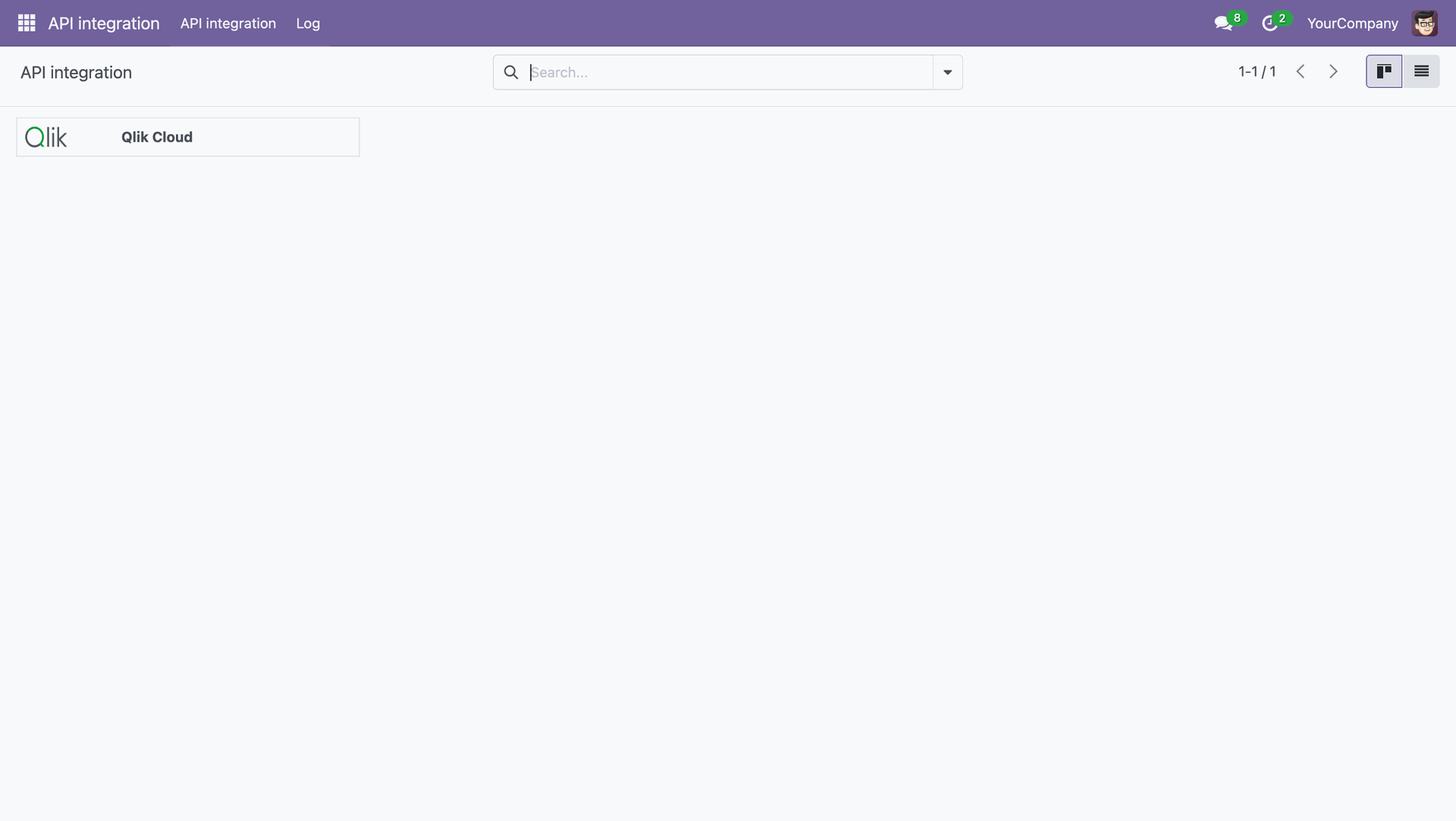
Click Qlik Cloud in API Integration.
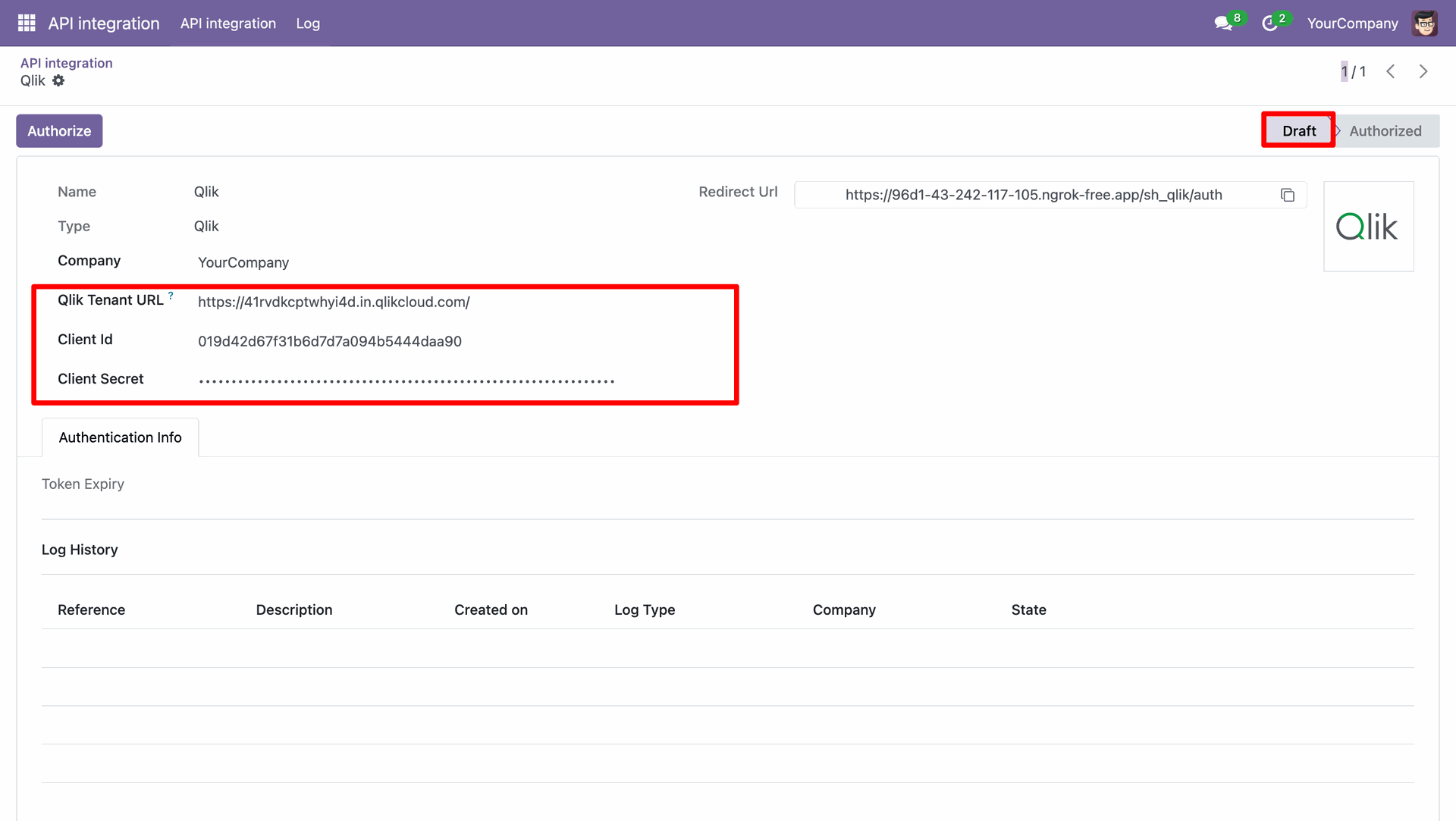
Enter the Qlik credentials for API integration.
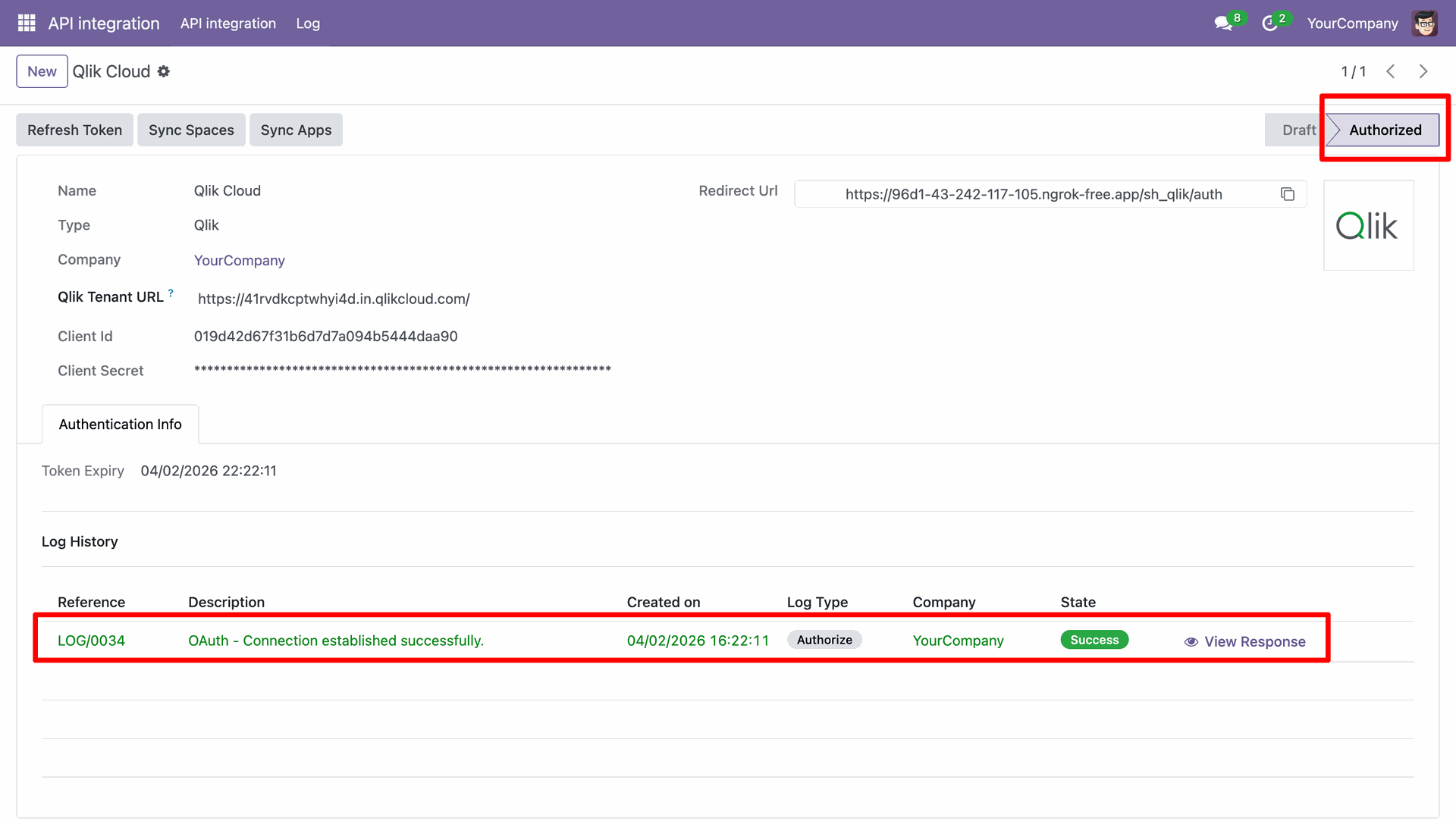
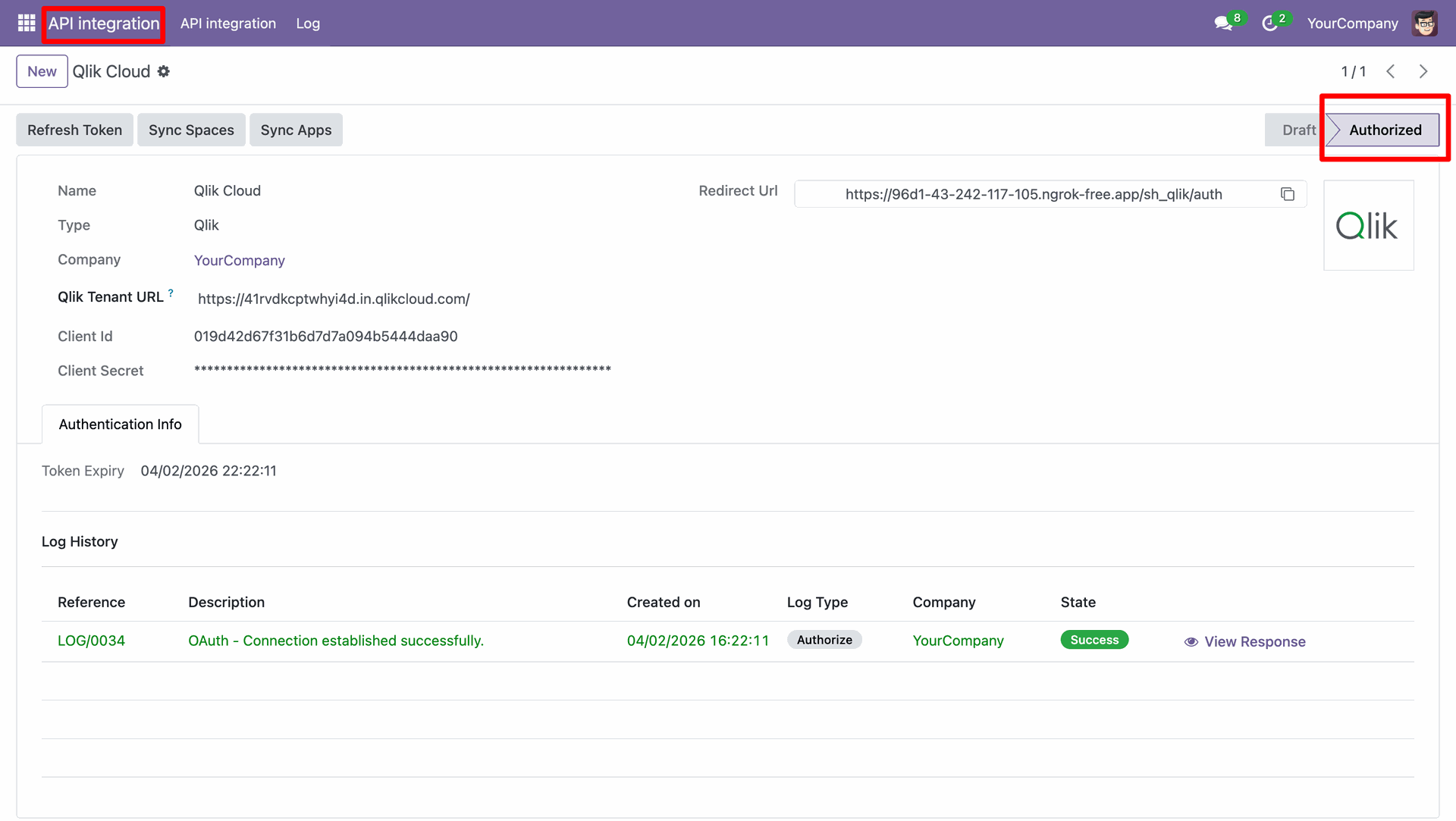
Authorize the credentials.
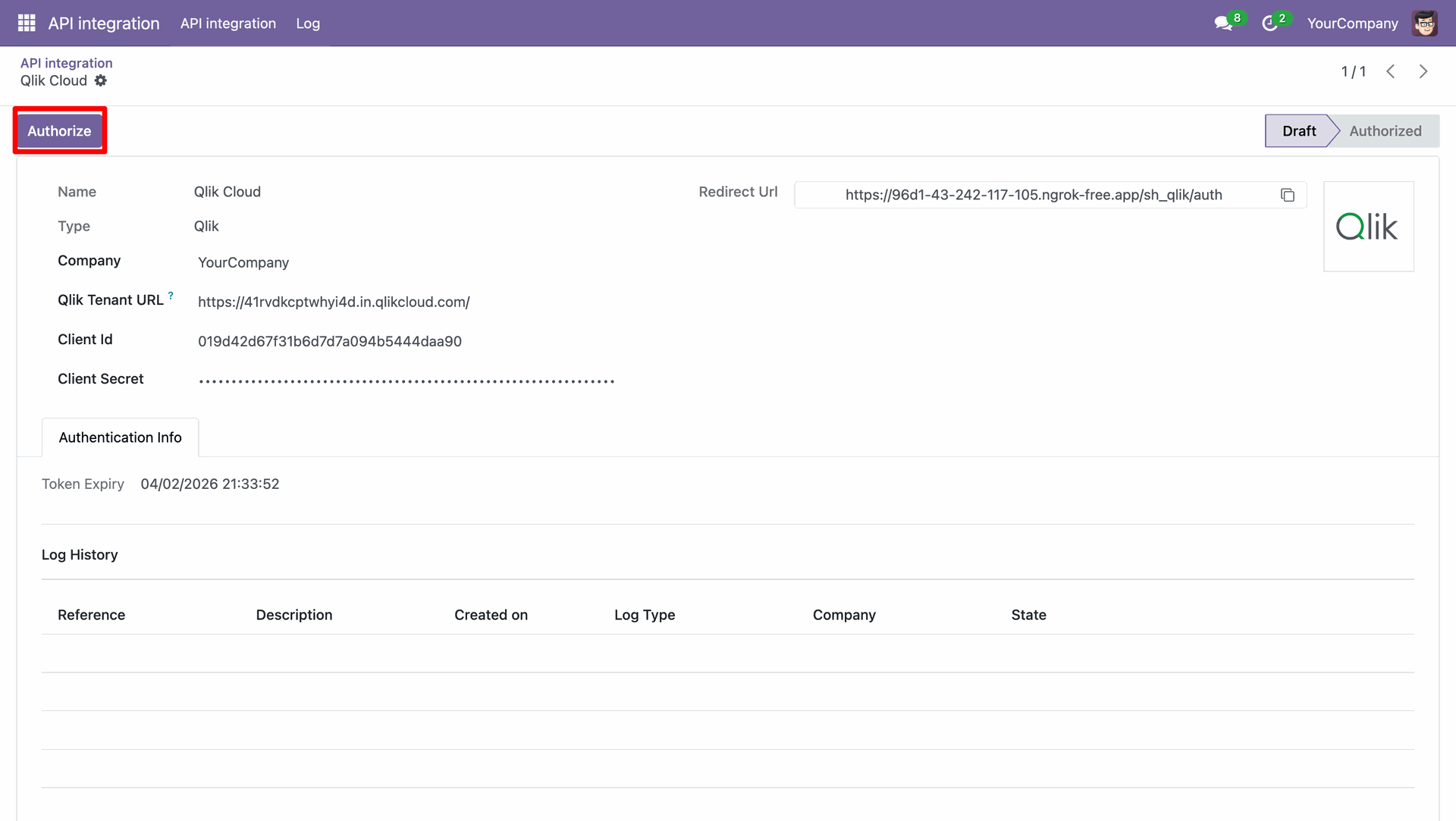
Log stating that the credentials are authorized.
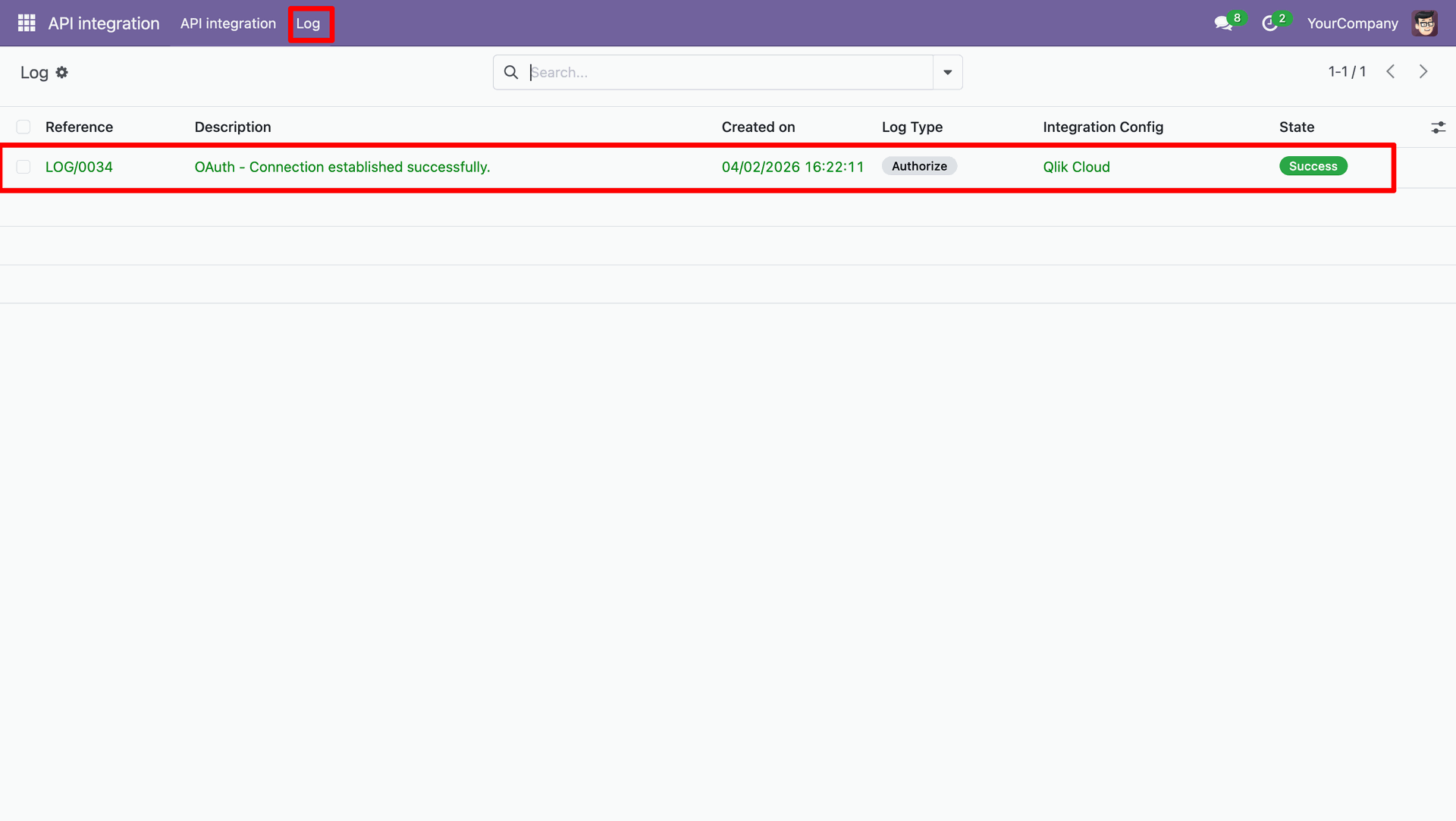
We can review all the logs in the Log menu.
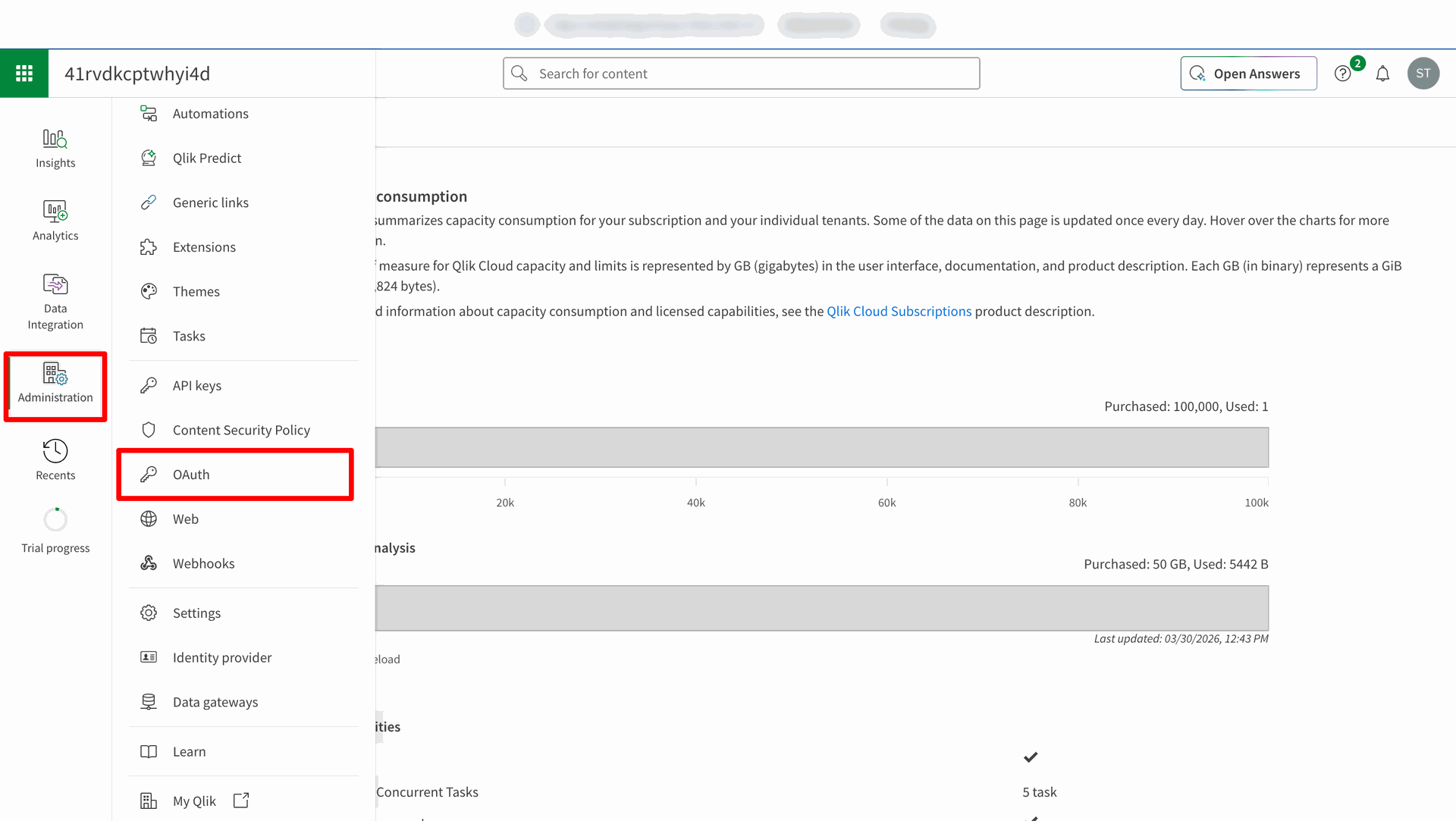
Log in to Qlik Cloud Management Console to start creating a new OAuth client.
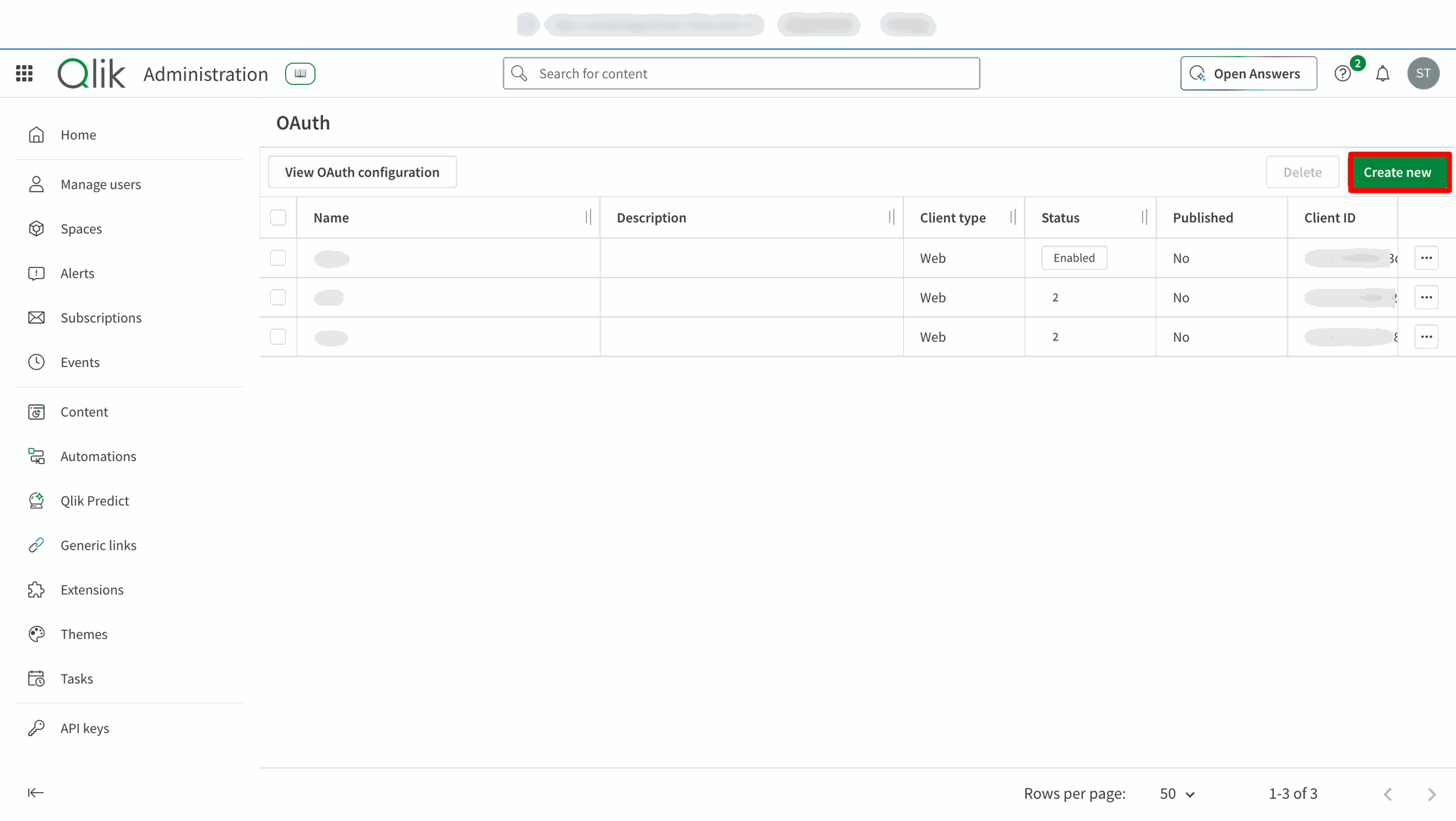
Click Create new in the Qlik Cloud.
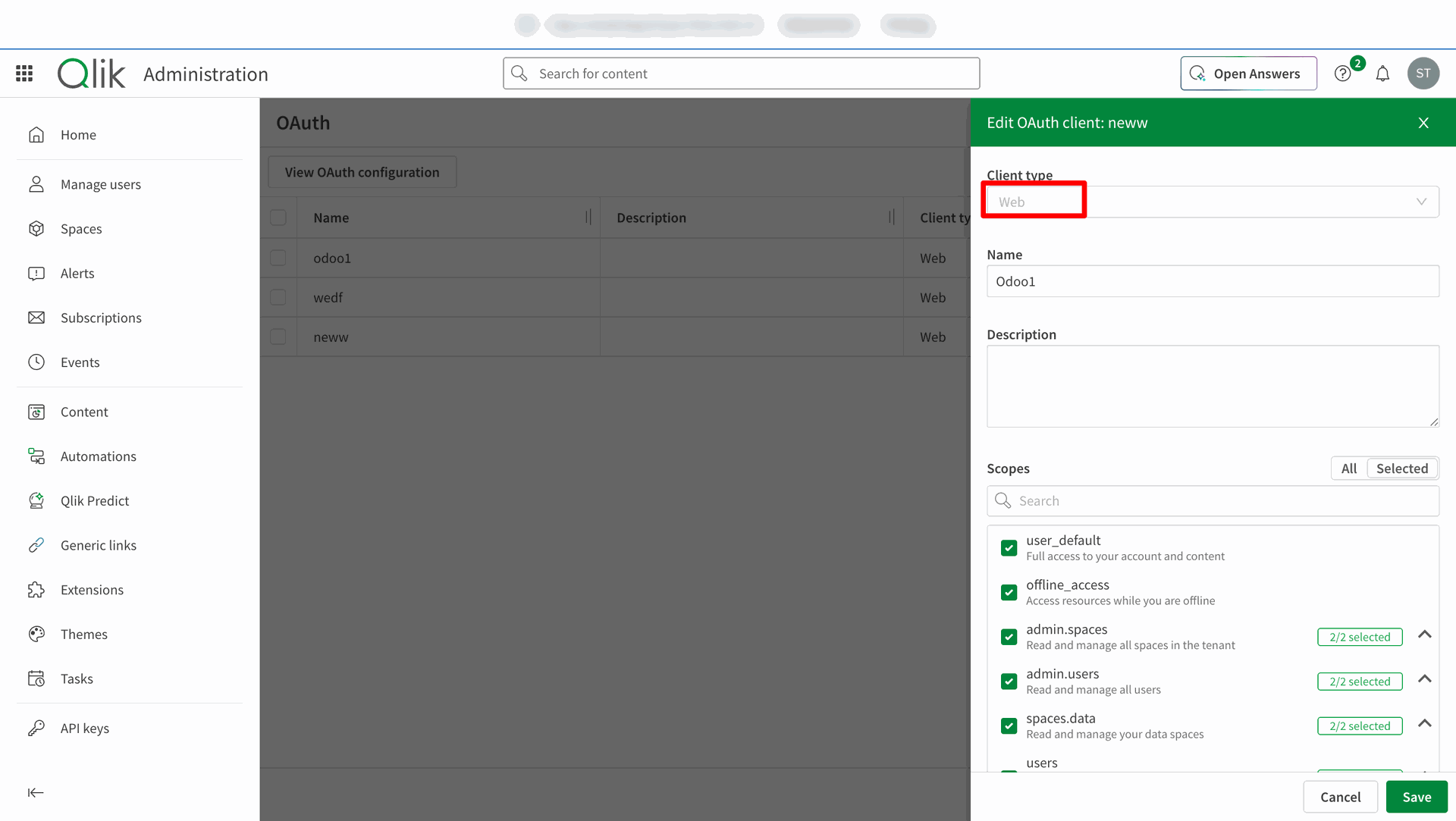
Select the Client Type in Qlik.
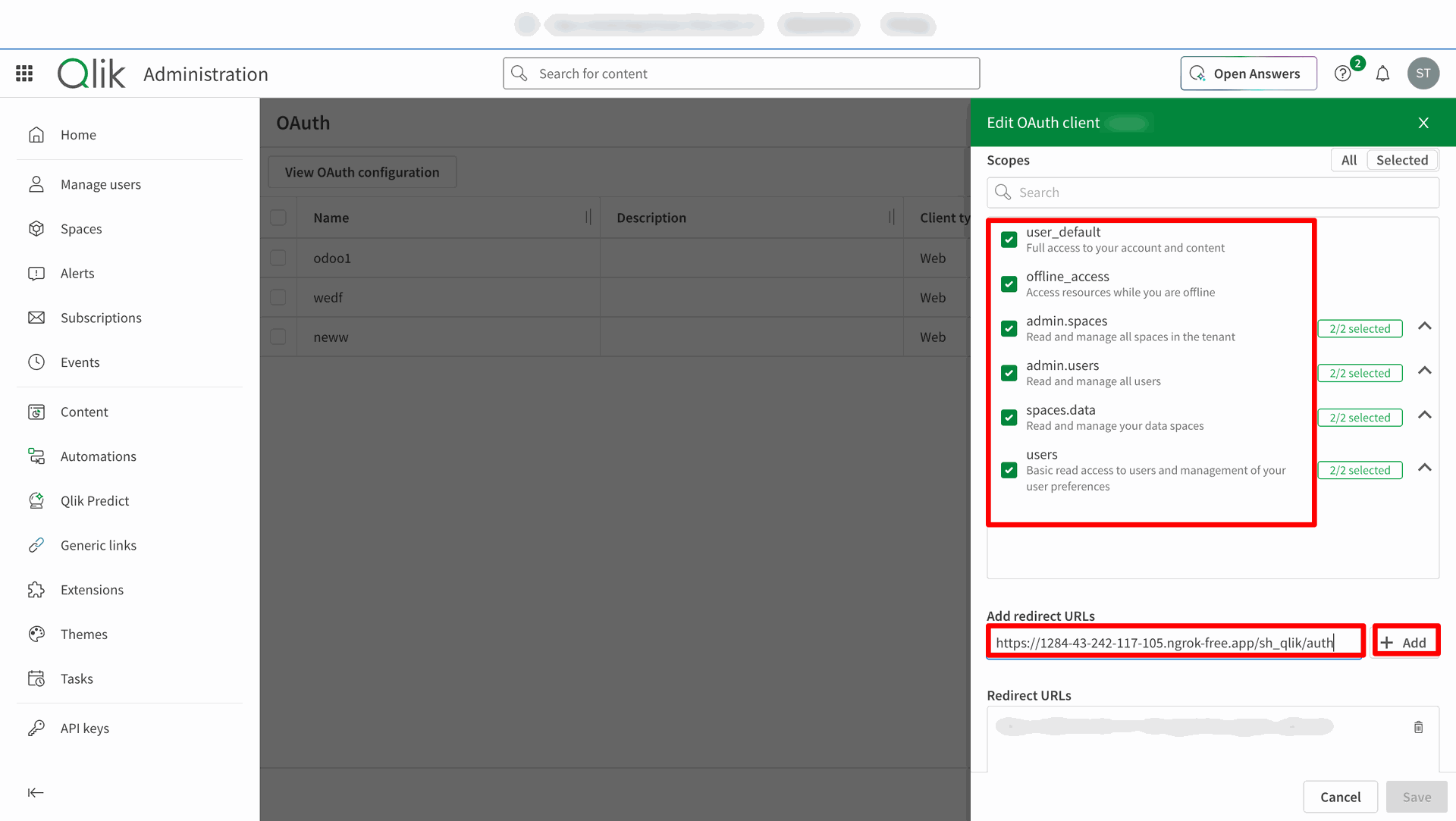
Entering the redirect URLs.
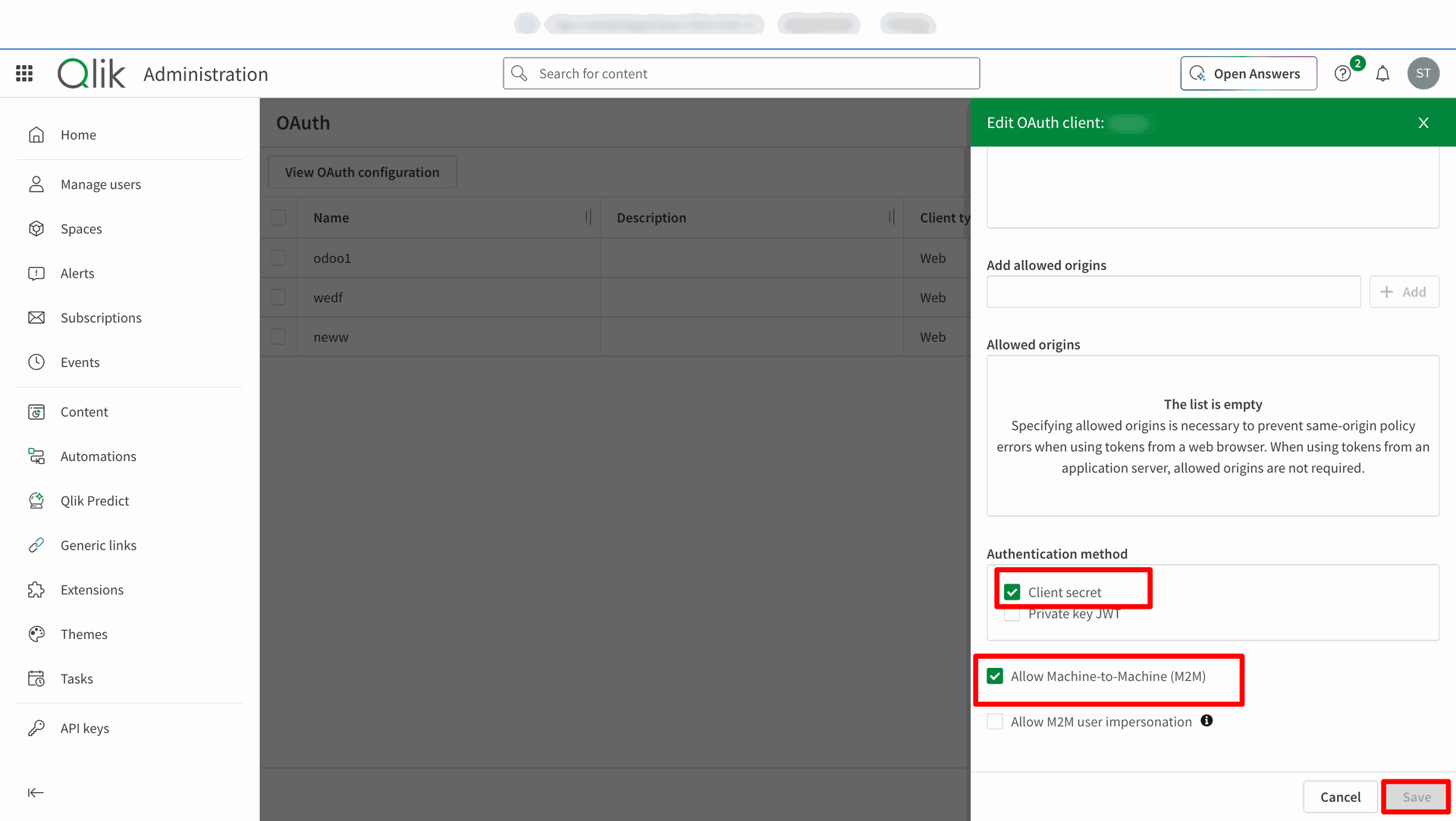
Enabling the Client Secret and Machine to Machine Authentication Methods.
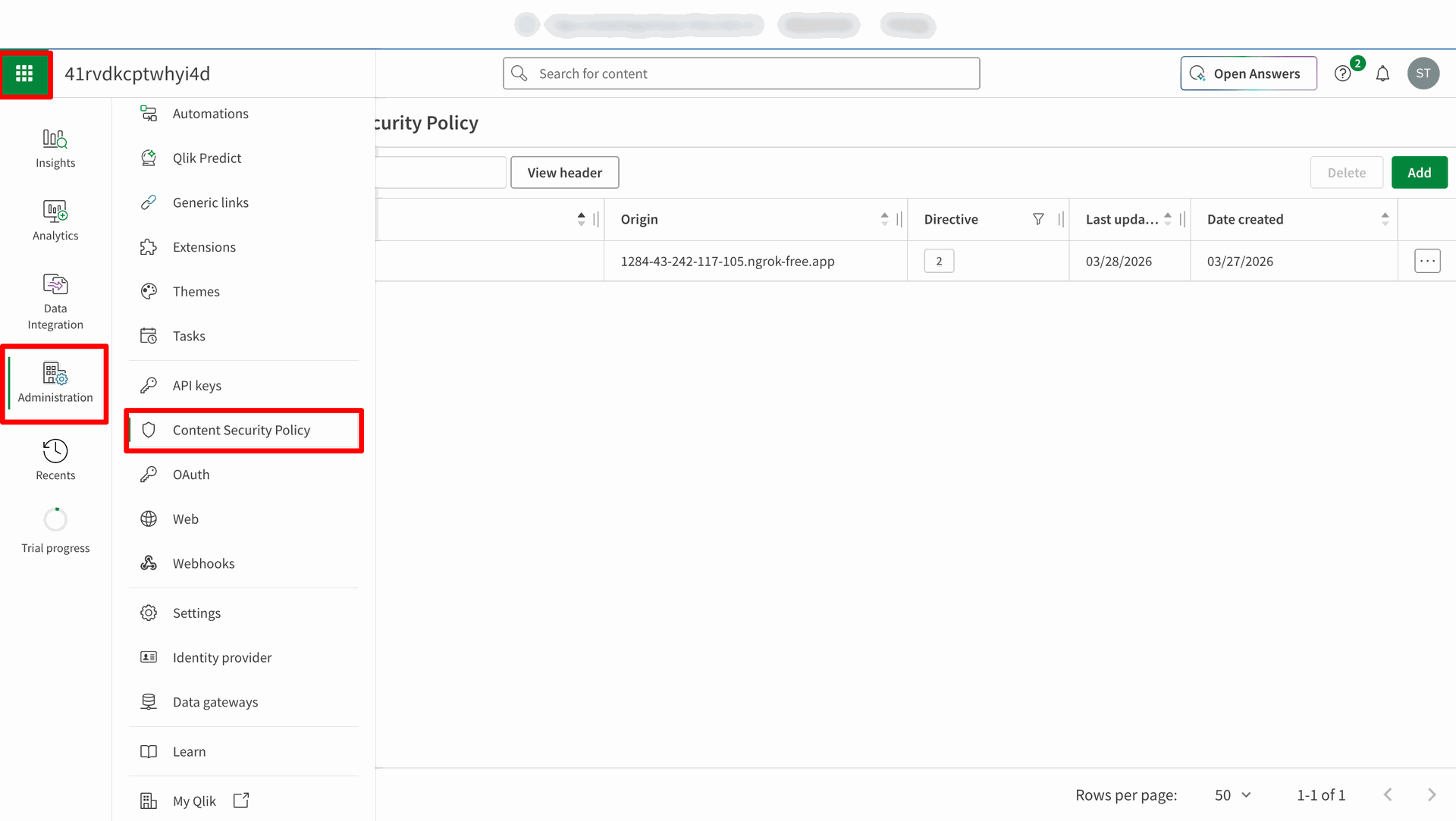
Navigate to Administration => Content Security Policy.
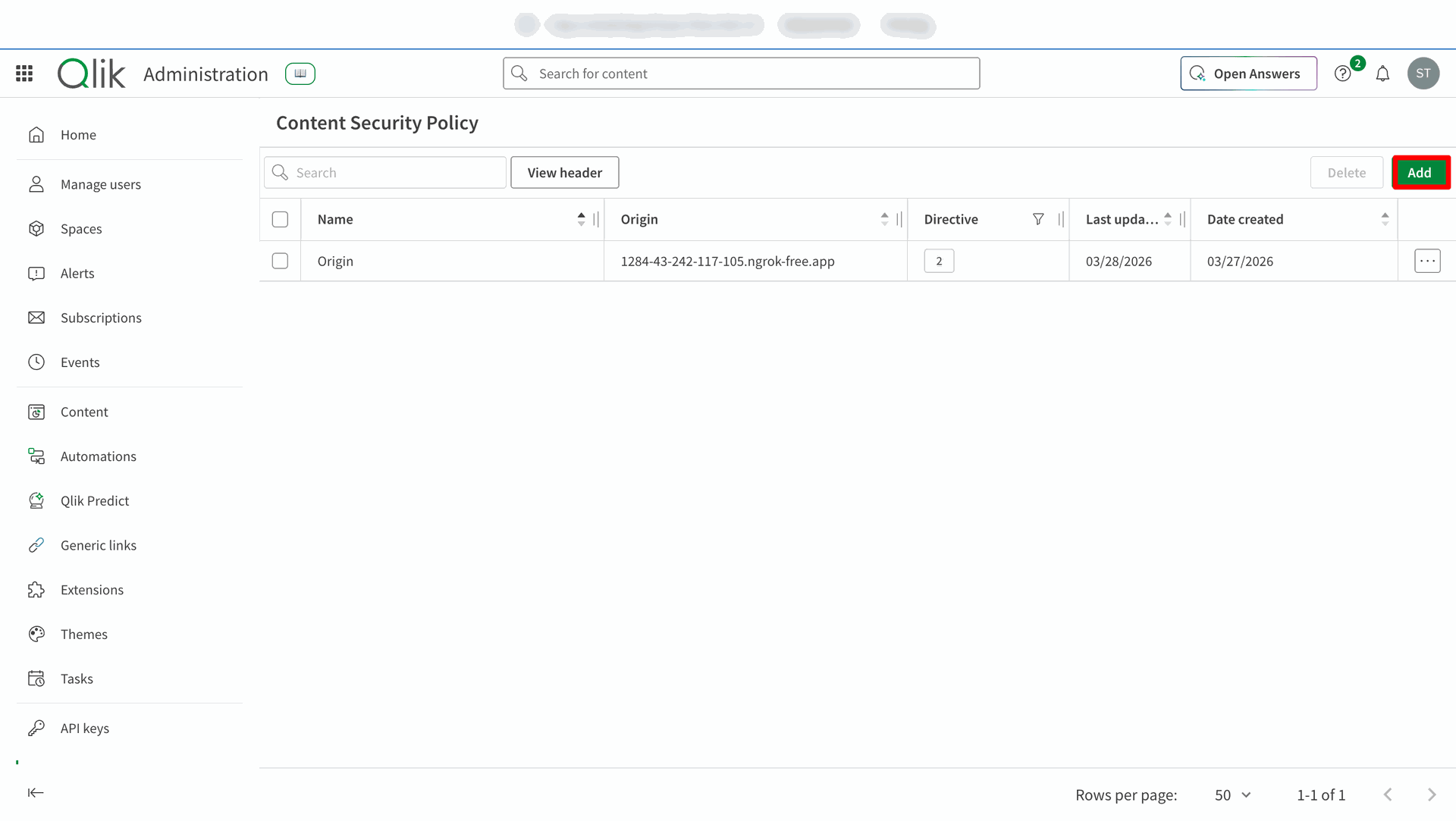
Click on Add button in the Content Security Policy.
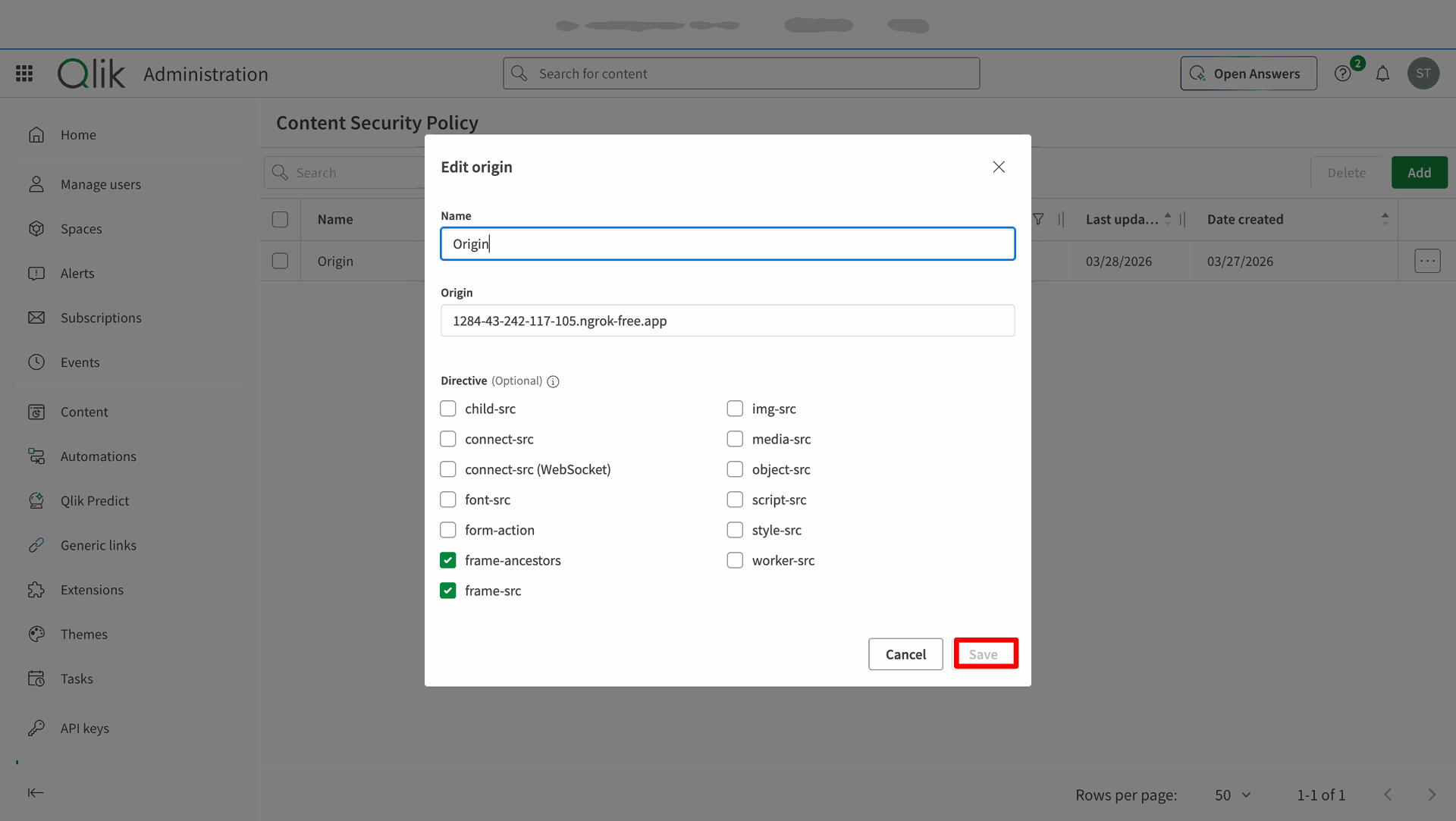
Enter the Name, Origin and Directive in Edit Origin and Click Save.
Reviewing the authorized Qlik Cloud configurations.
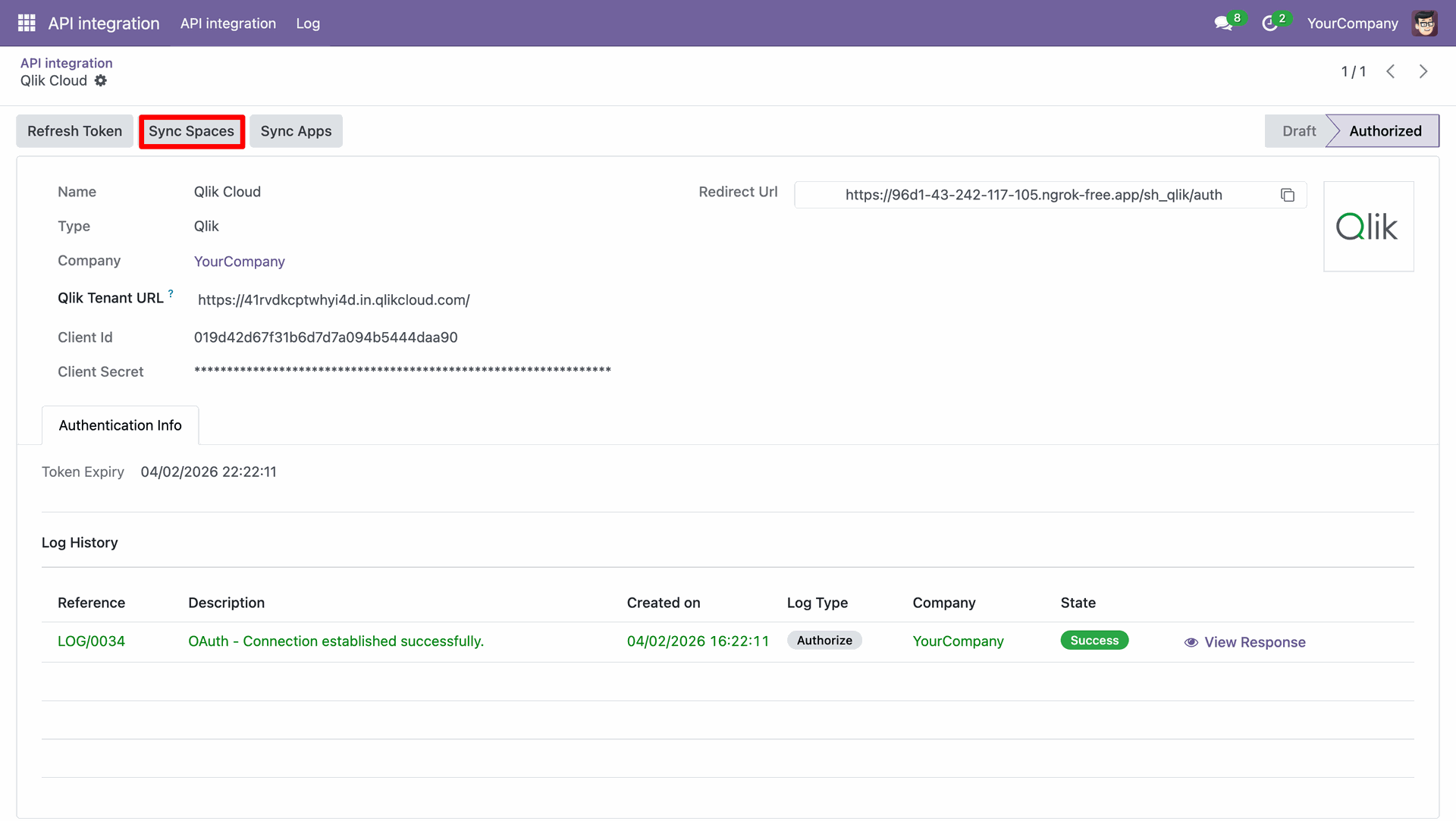
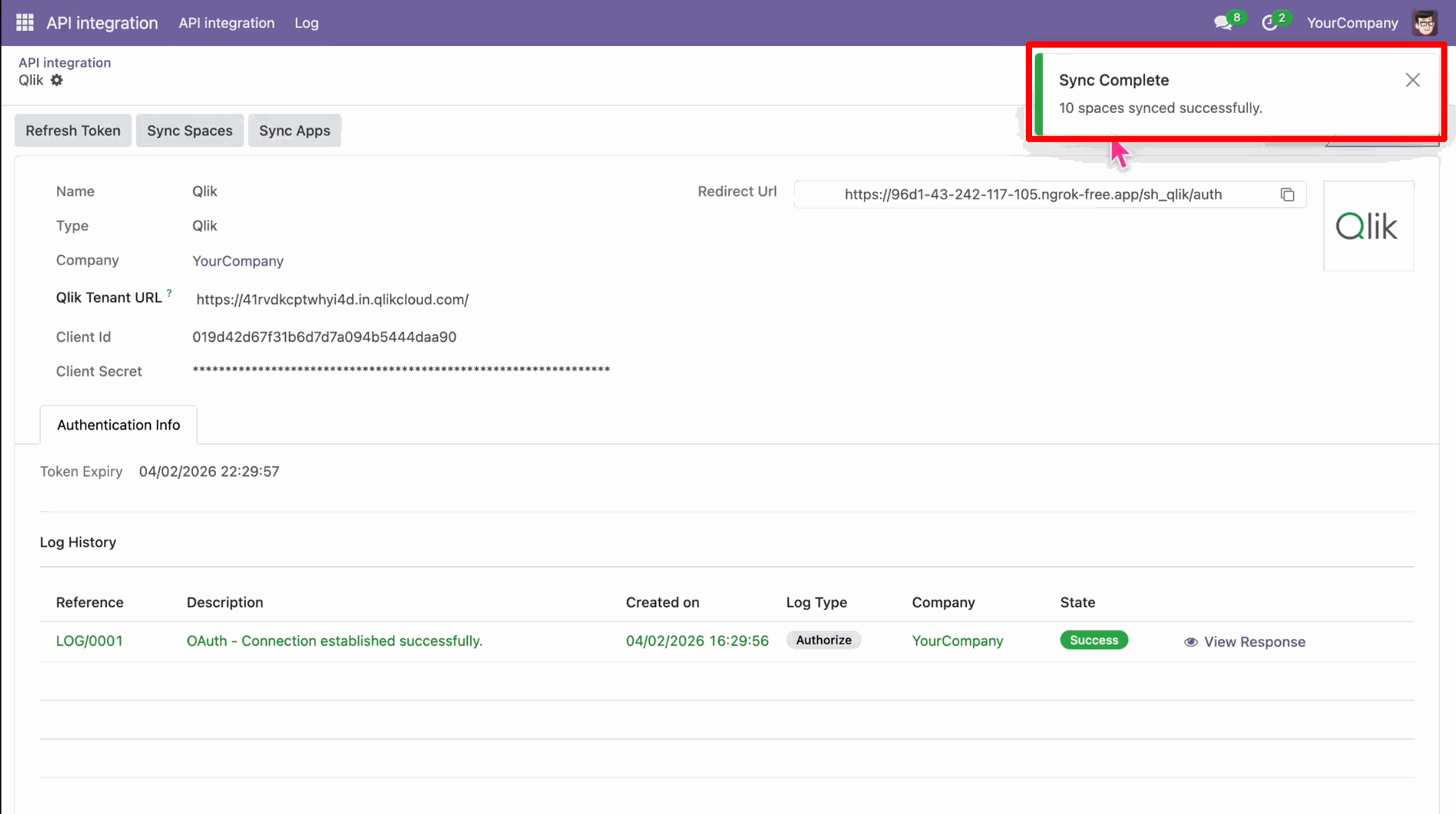
Click on the Sync Spaces to synce the records between Clik and Odoo.
Notification stating that the sync was successful and the number of record synced.
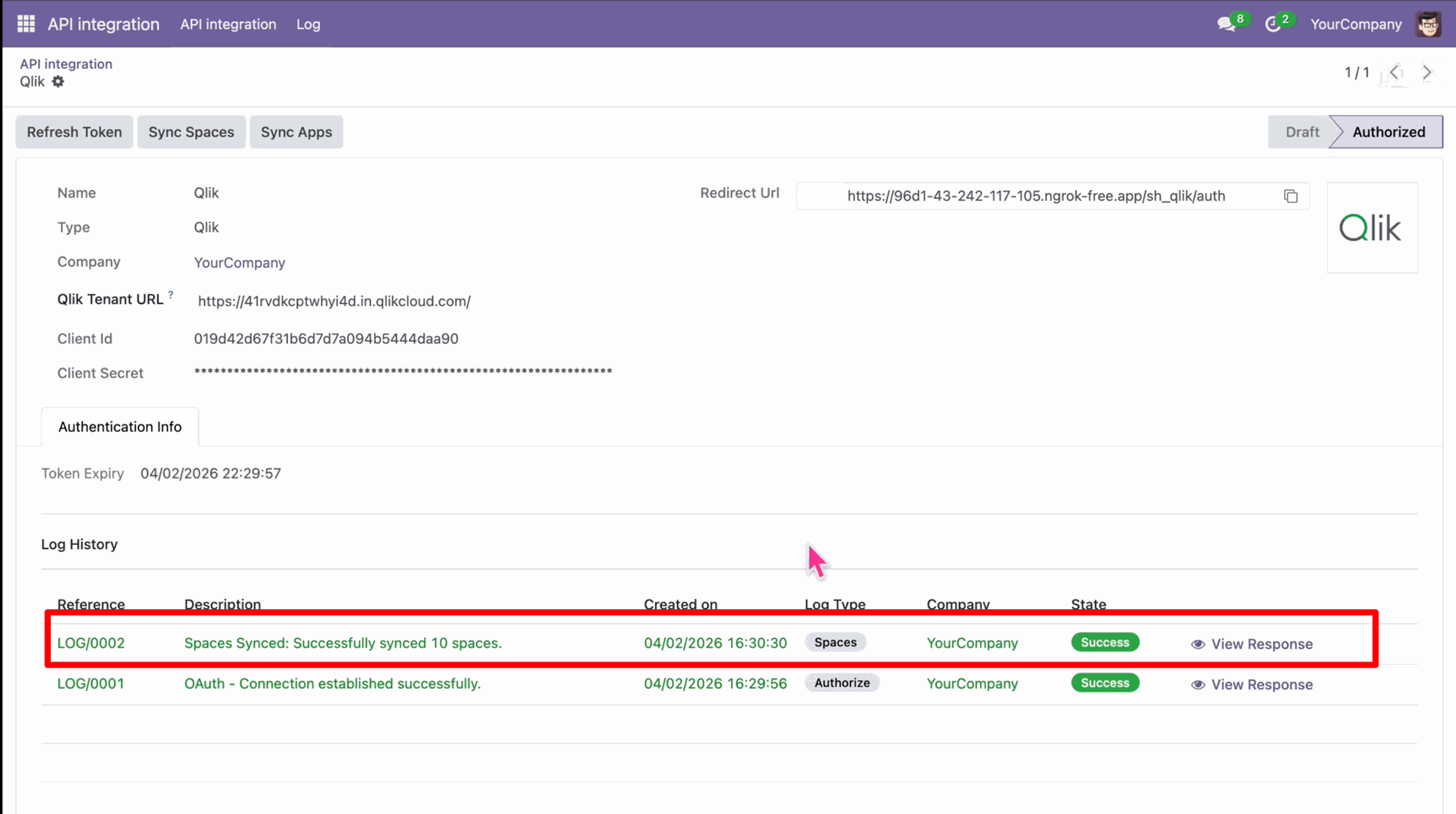
Log stating the synchronized Qlik Spaces in Odoo backend.
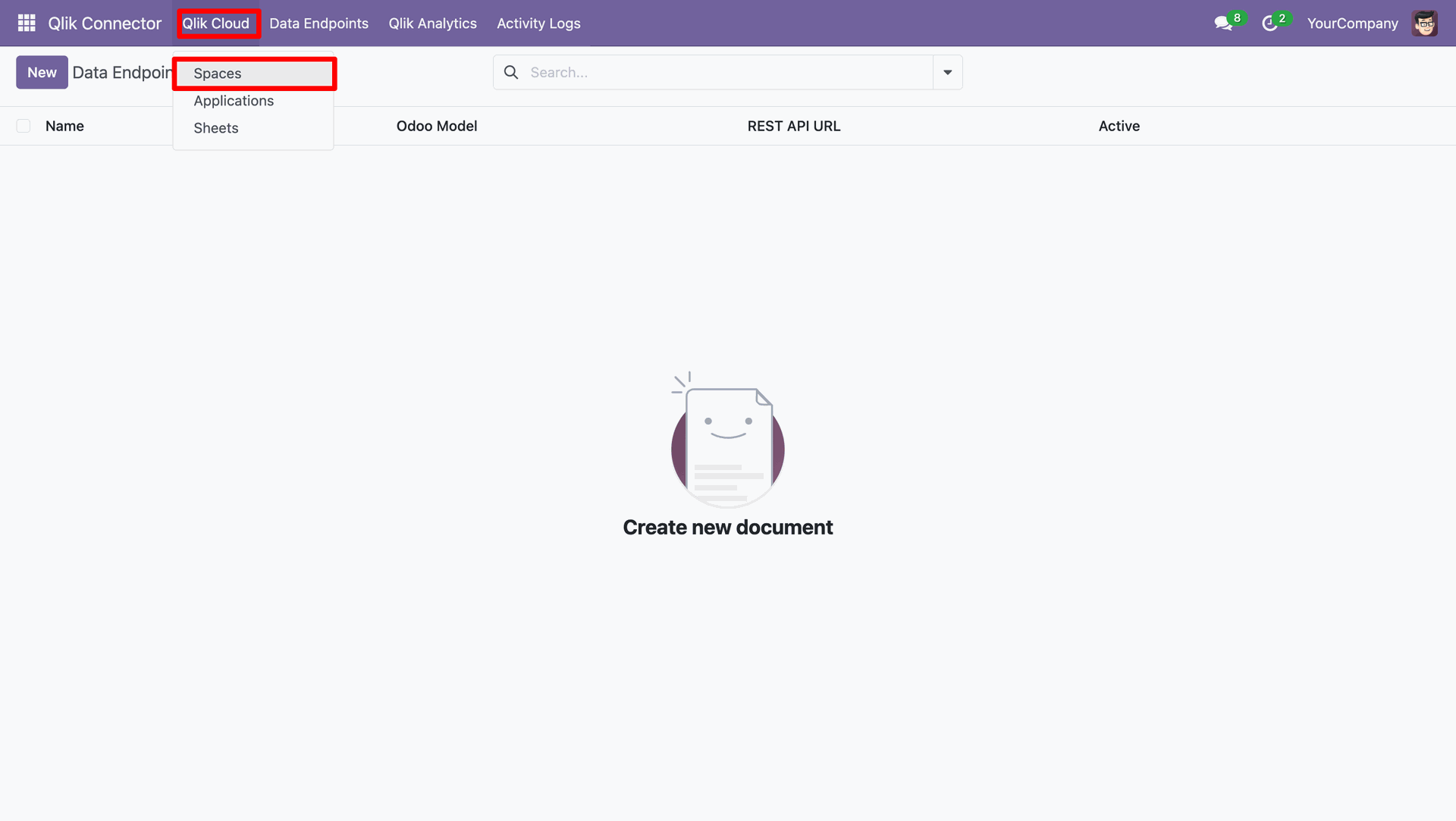
Navigating to Spaces in the Qlik Cloud menu.
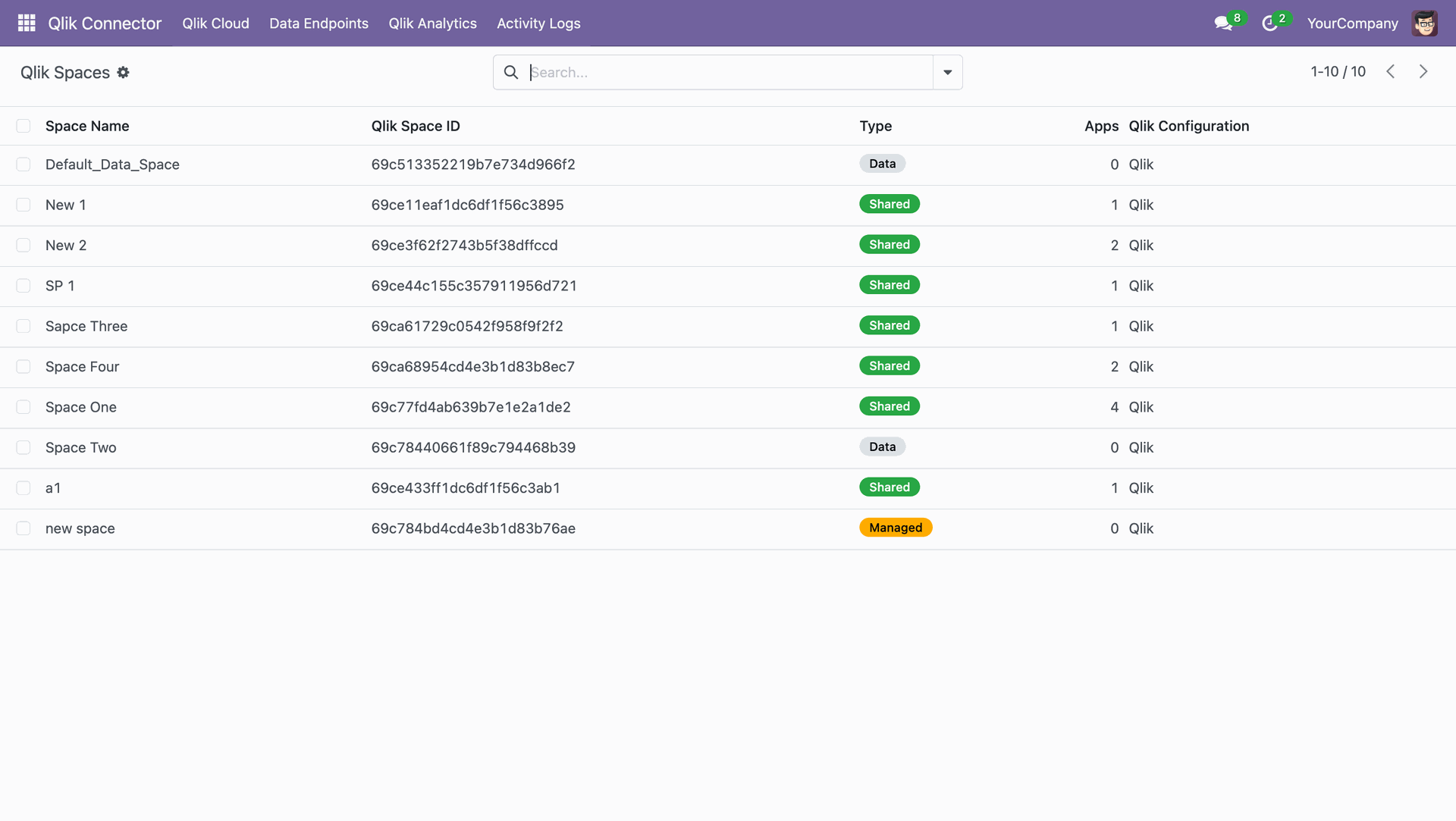
List view of the synced Qlik Spaces records.
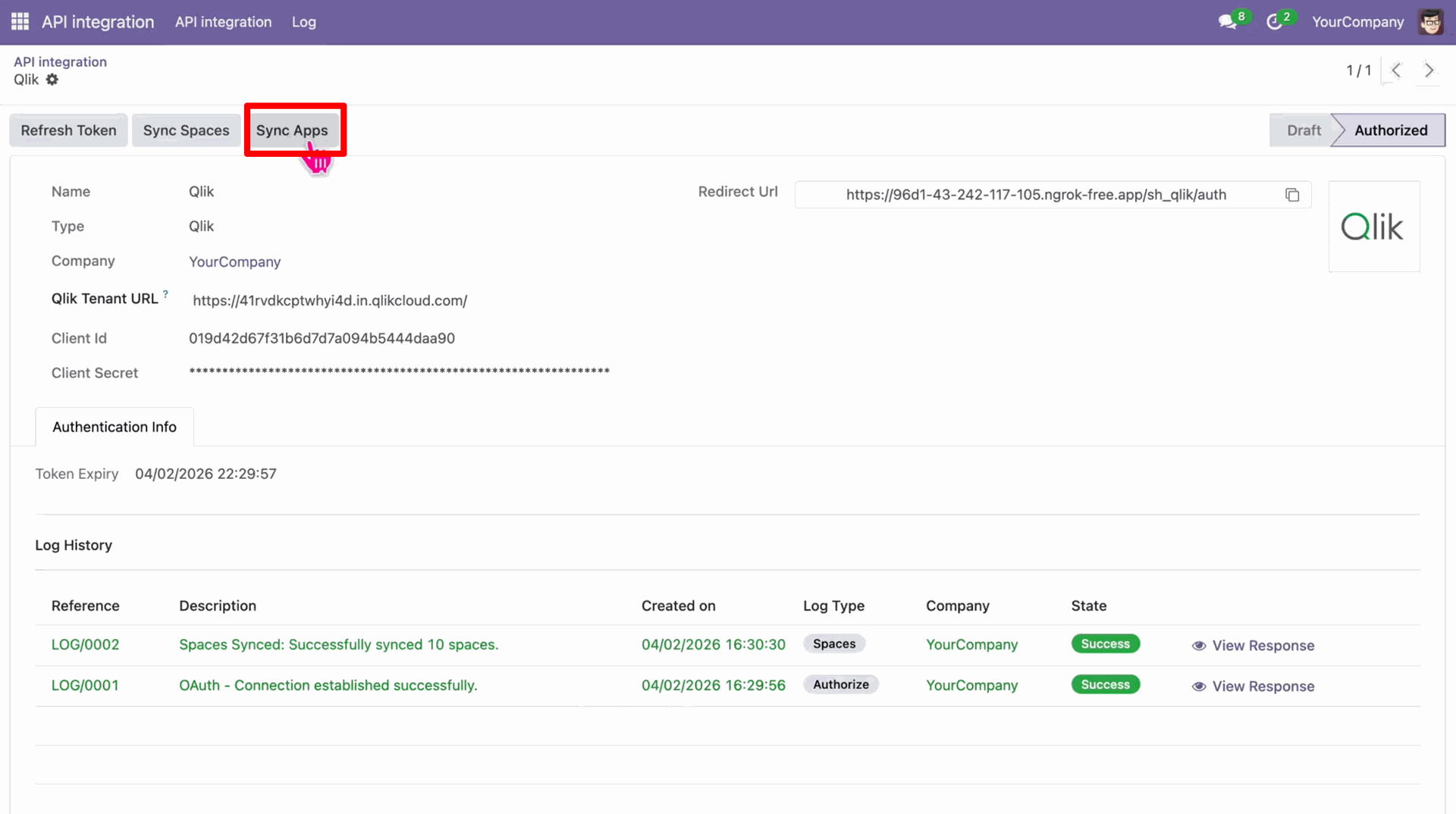
Click on the Sync Apps button in the Qlik Configuration.
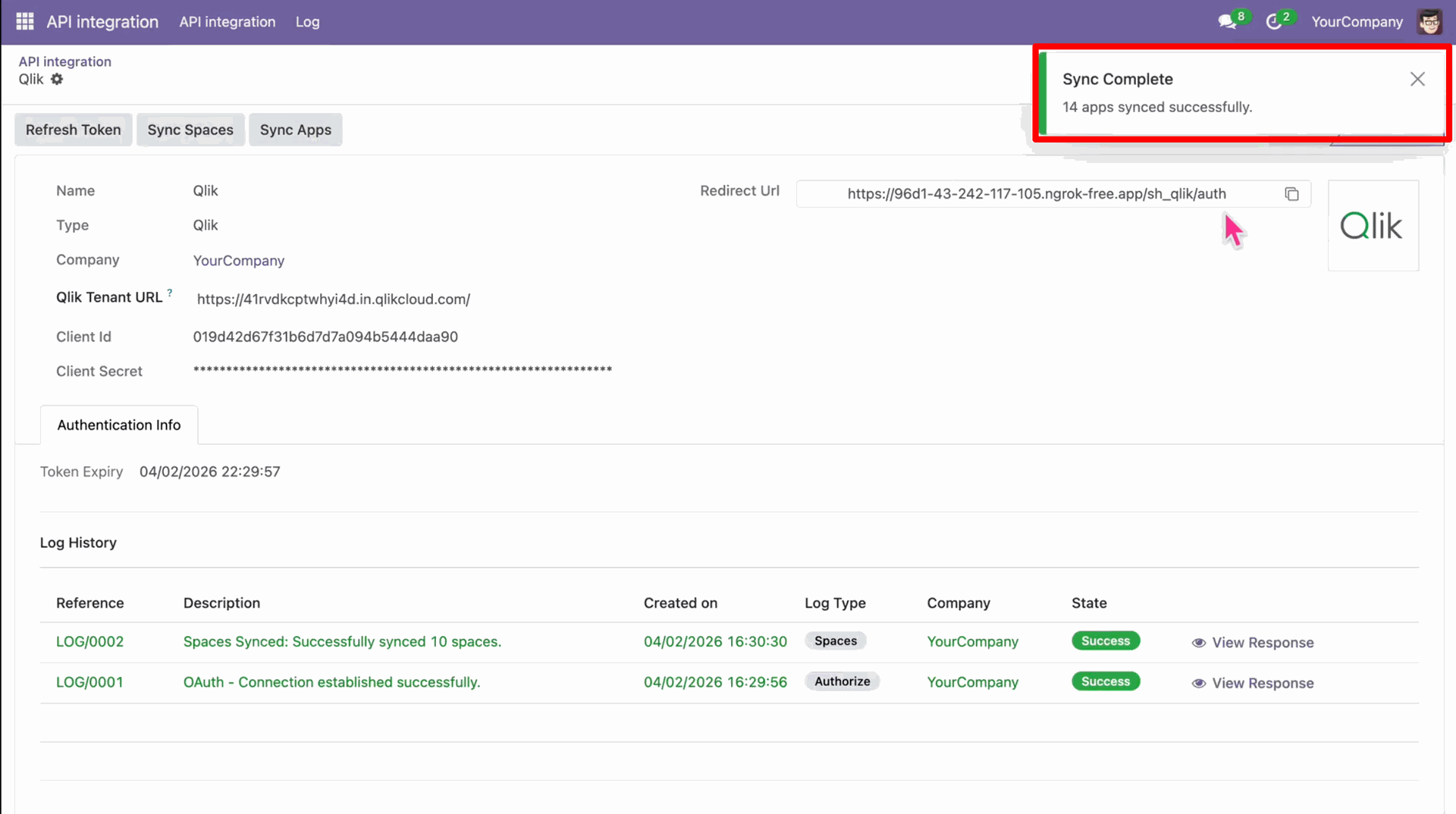
Notification stating that the records synced successfully.
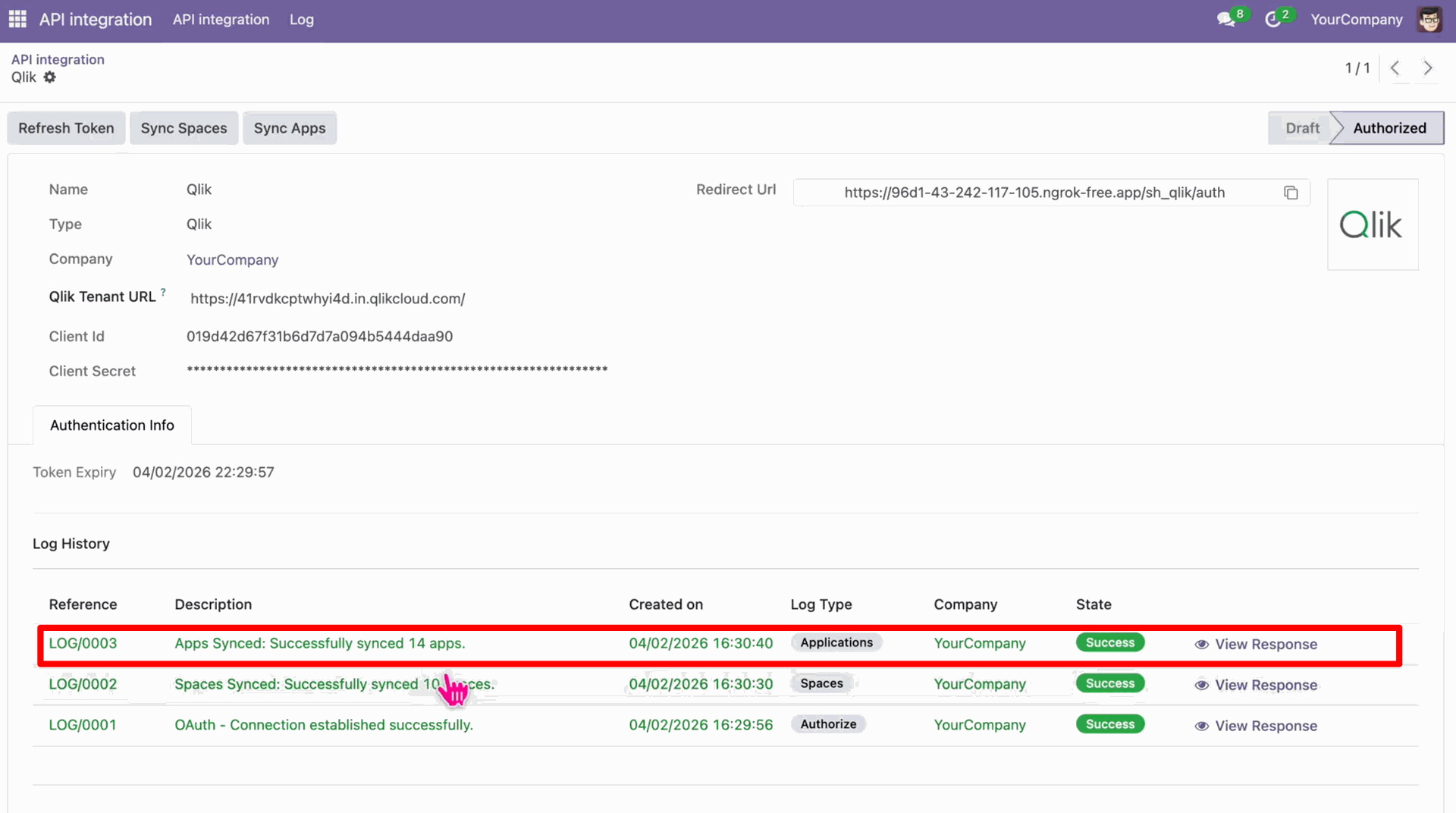
Logs stating that the Apps have synced successfully.
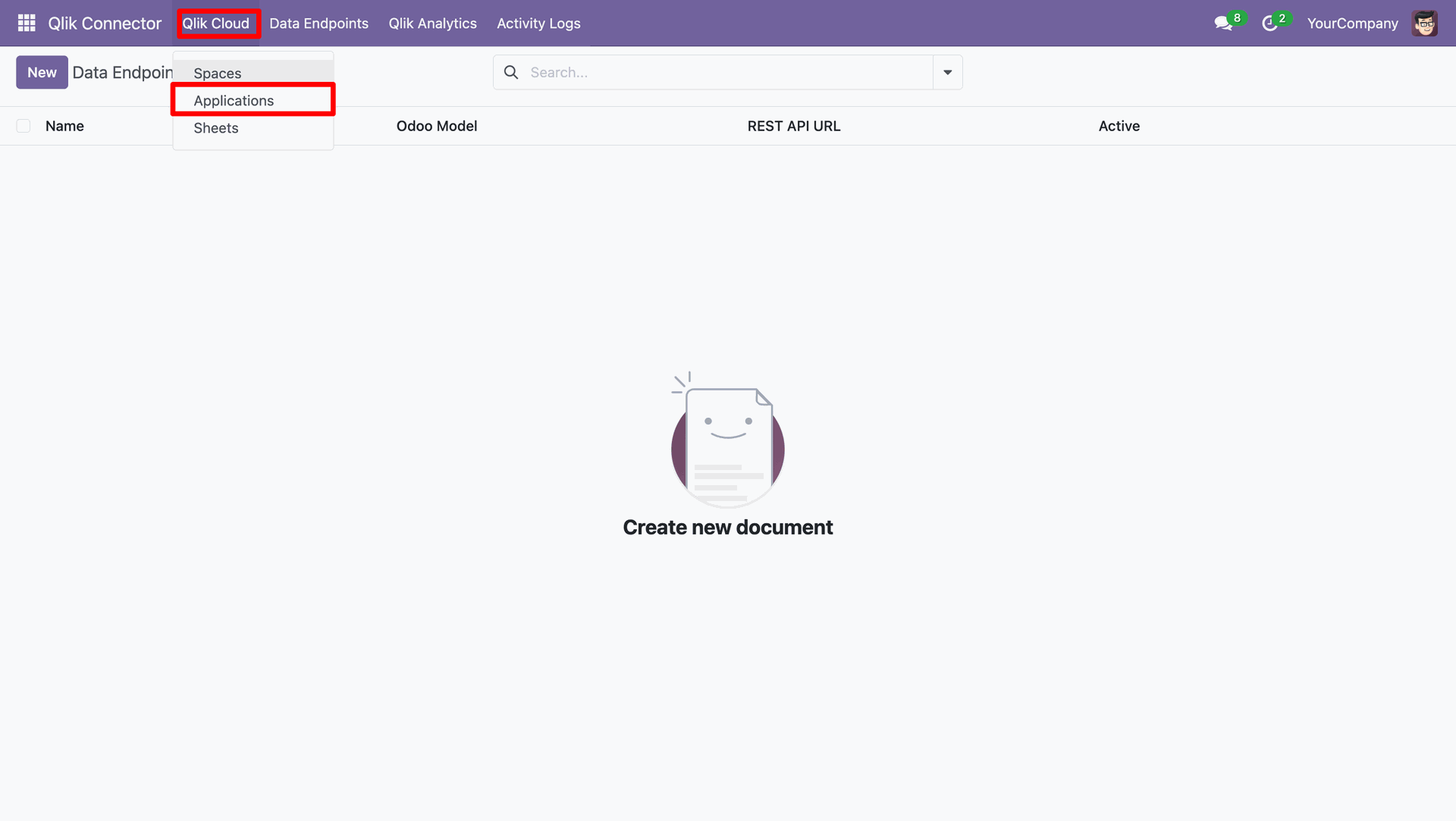
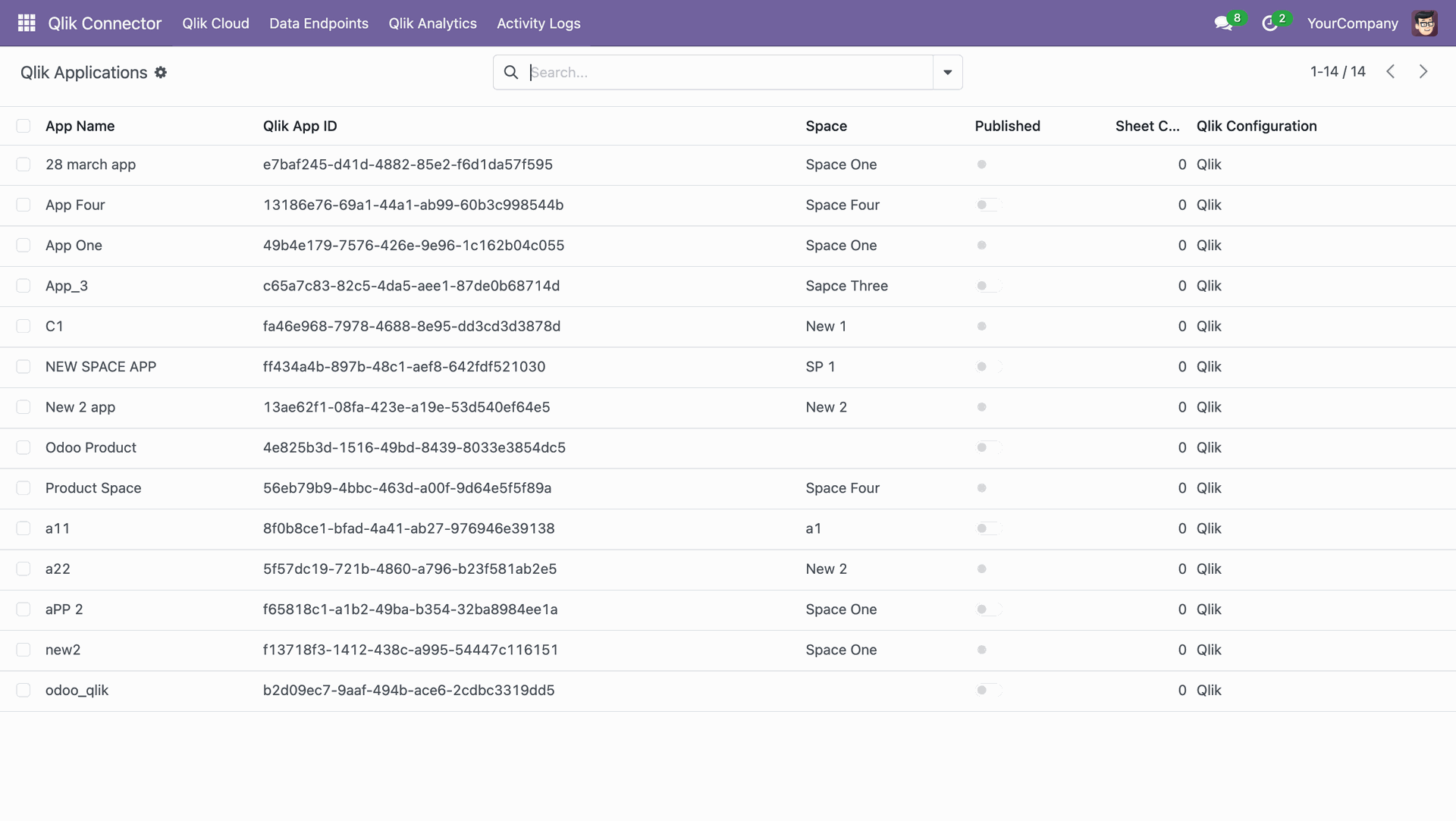
Navigating to Applications in the Qlik Cloud menu.
List view of the Qlik Applications.
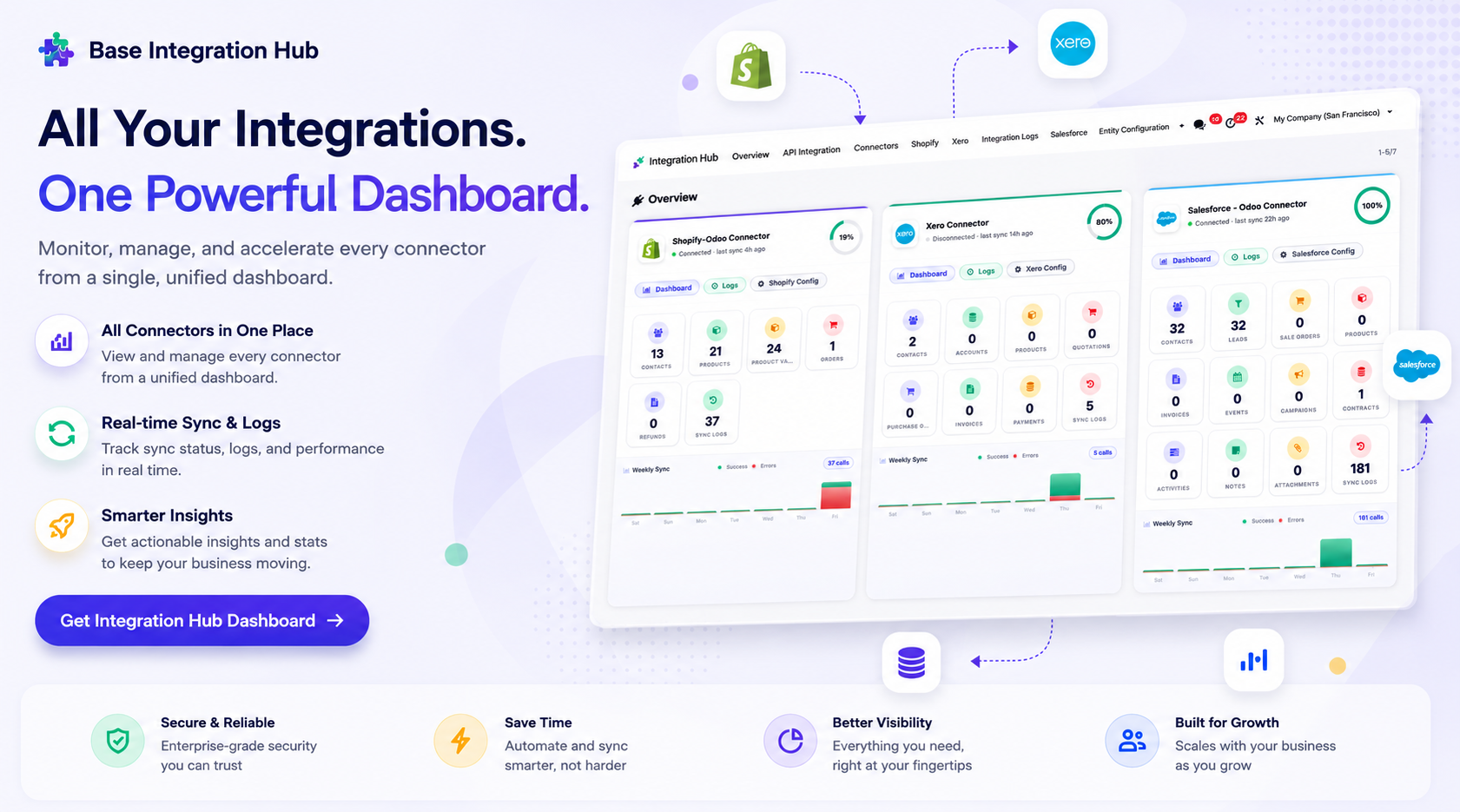
Centralized dashboard to manage and monitor all connectors from one place. Quickly access sync summary, activity logs, and configuration controls with improved visibility.
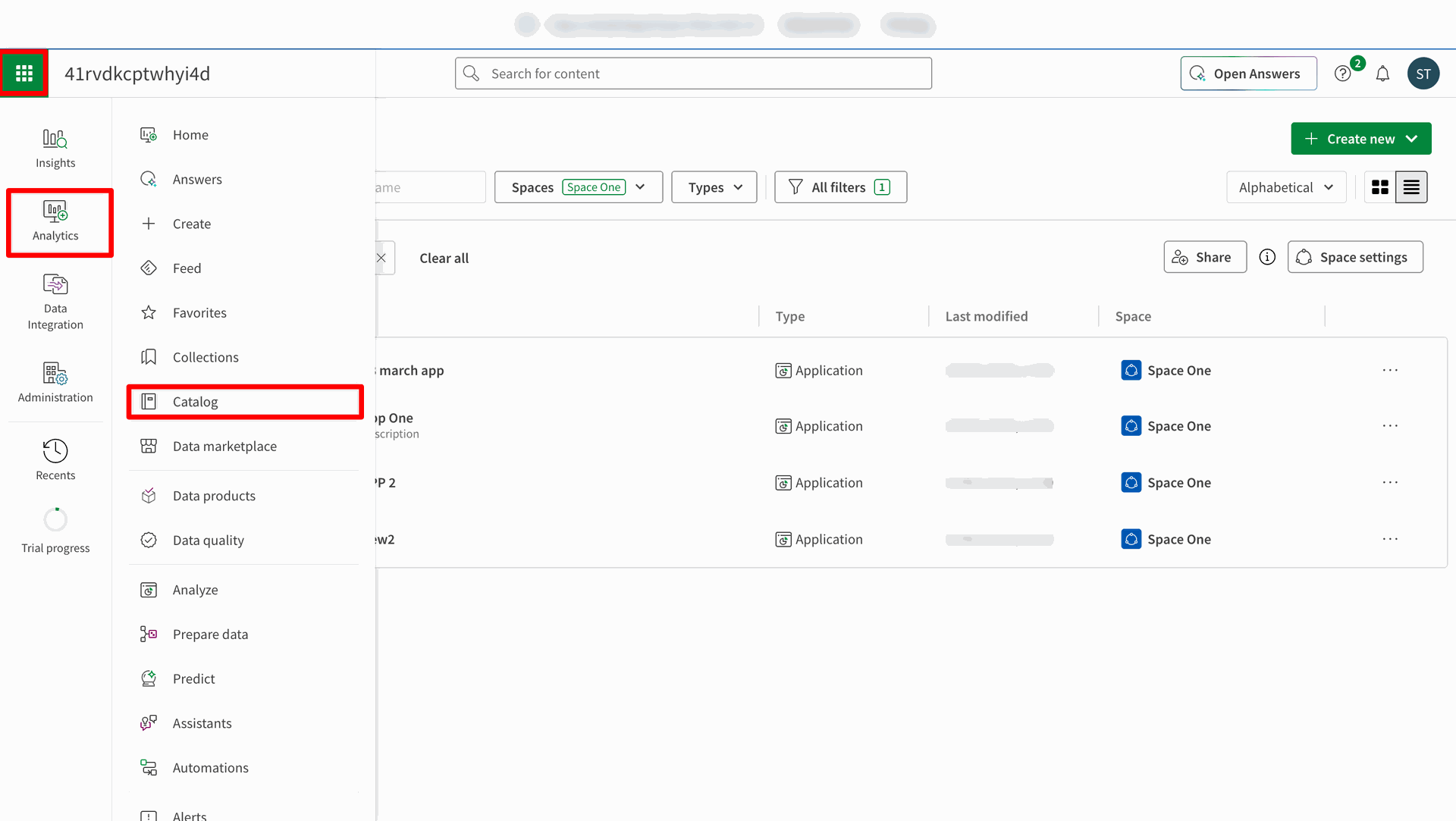
Navigate to Analytics => Catalog.
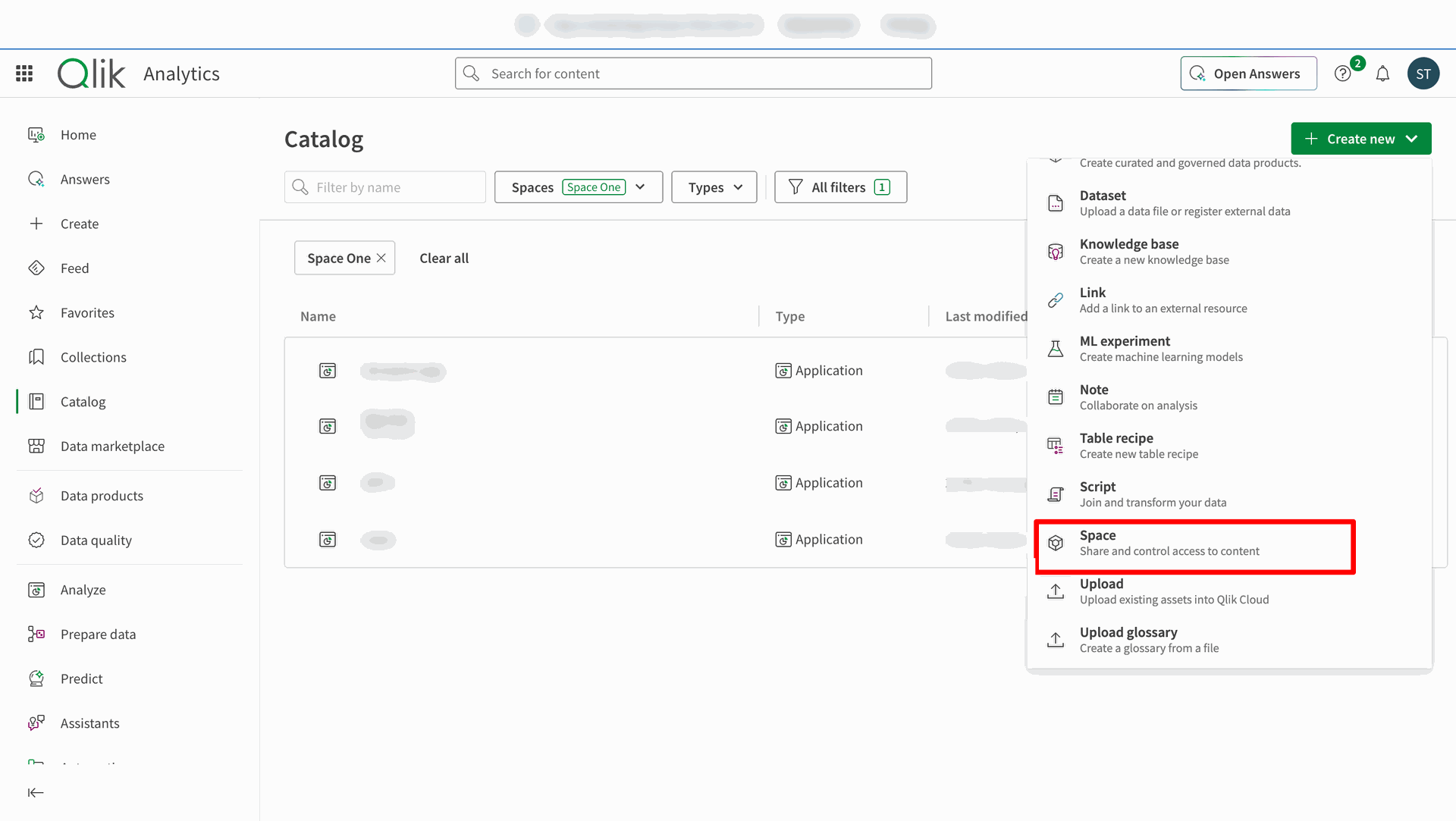
Click 'Space' to create a new space.
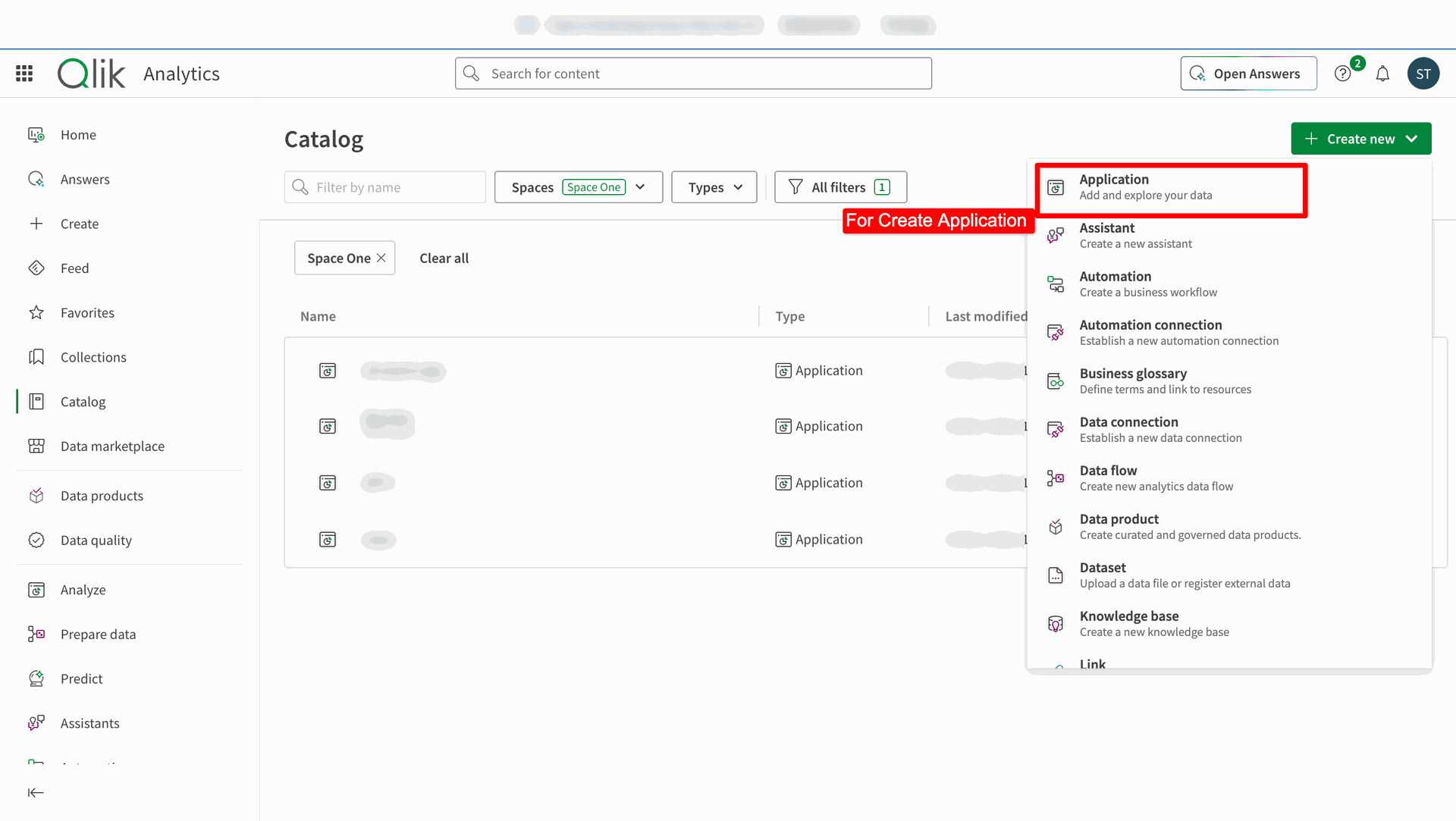
Click 'Application' to create a new application.
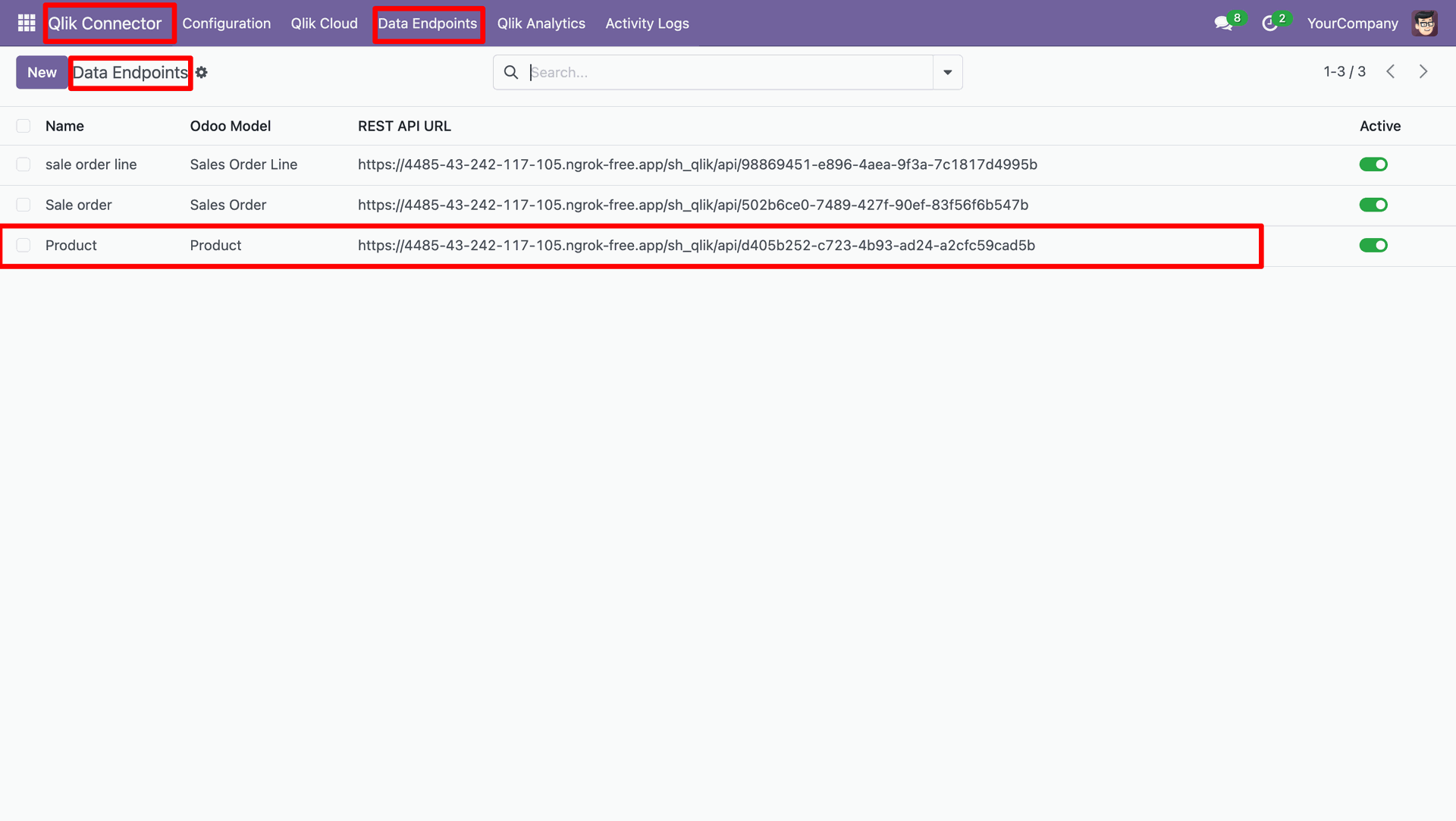
Access Data Endpoints records.
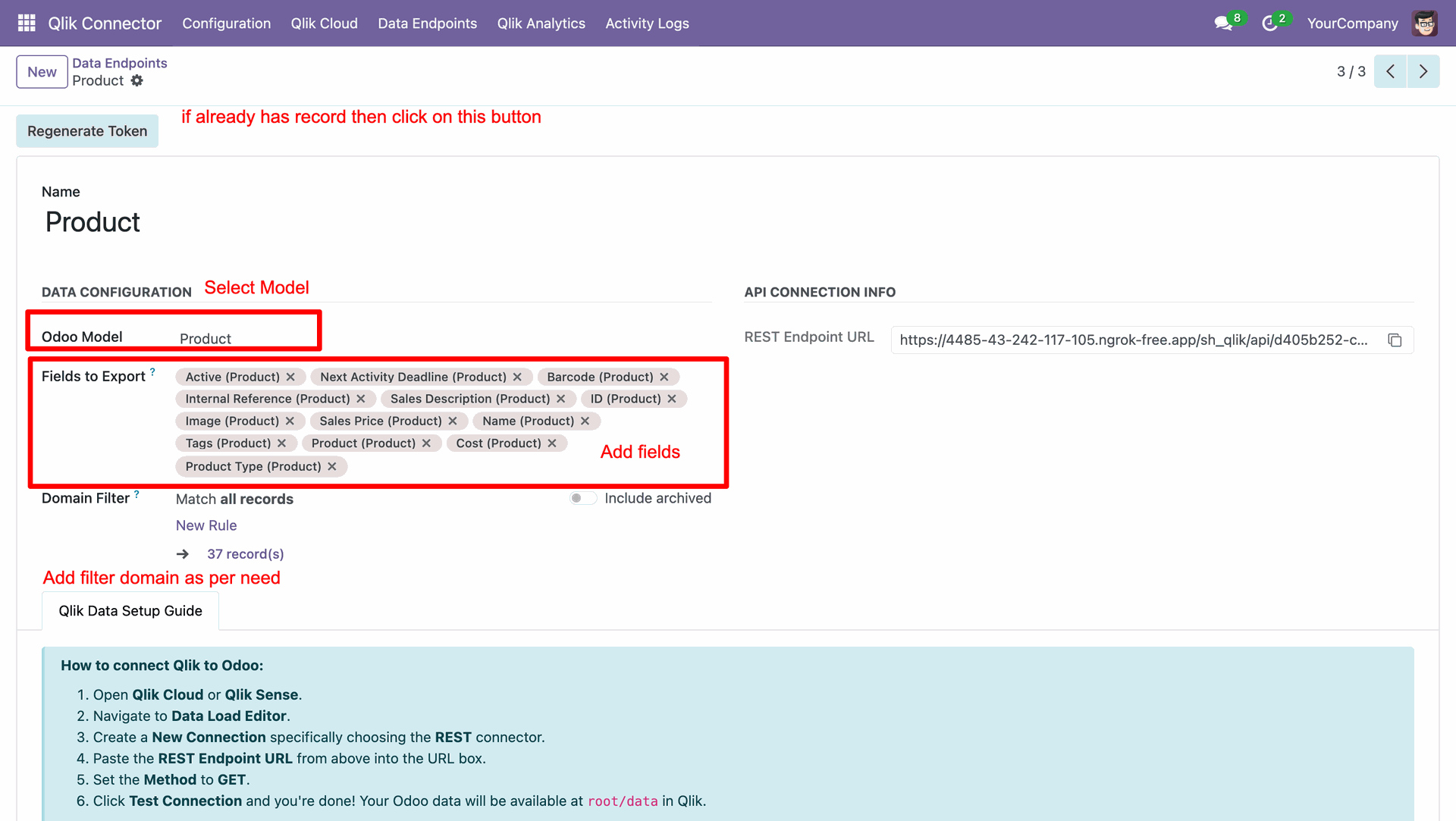
Selecting the model and its fields to export and set the domain filters.
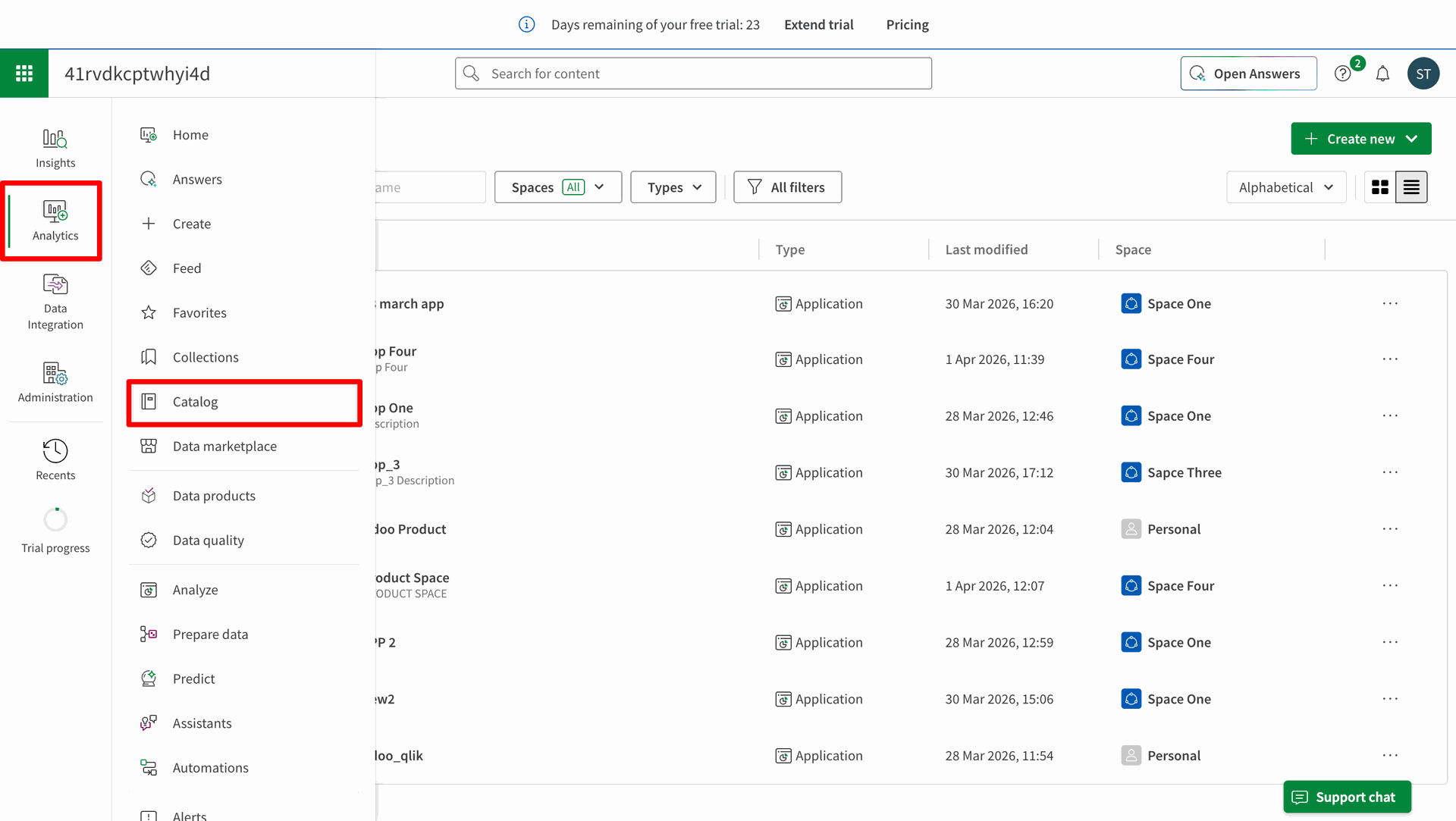
Navigate to Analytics => Catalog in Qlik.
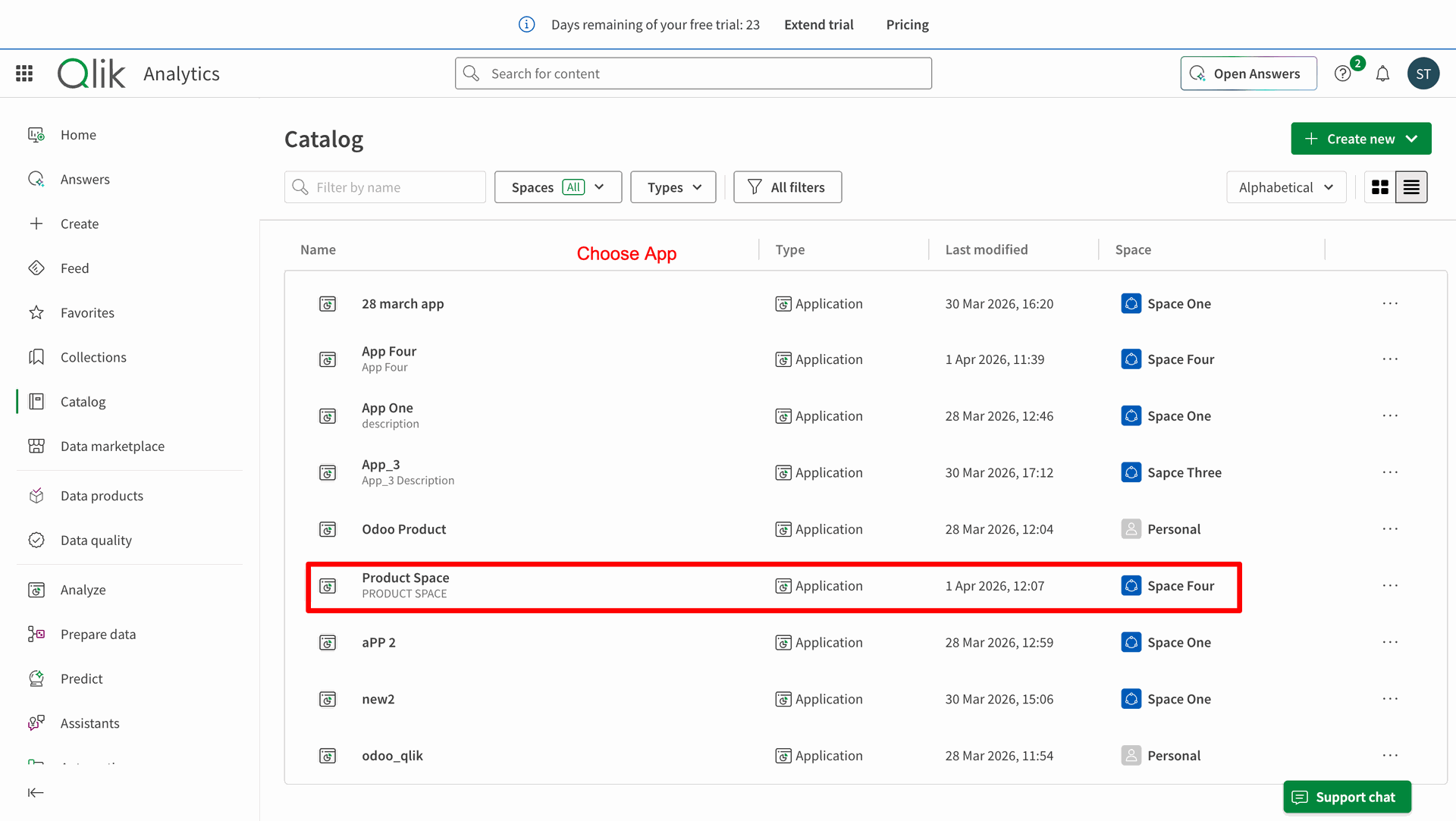
Choose the App on the Catalog.
Click on the Create new connection.
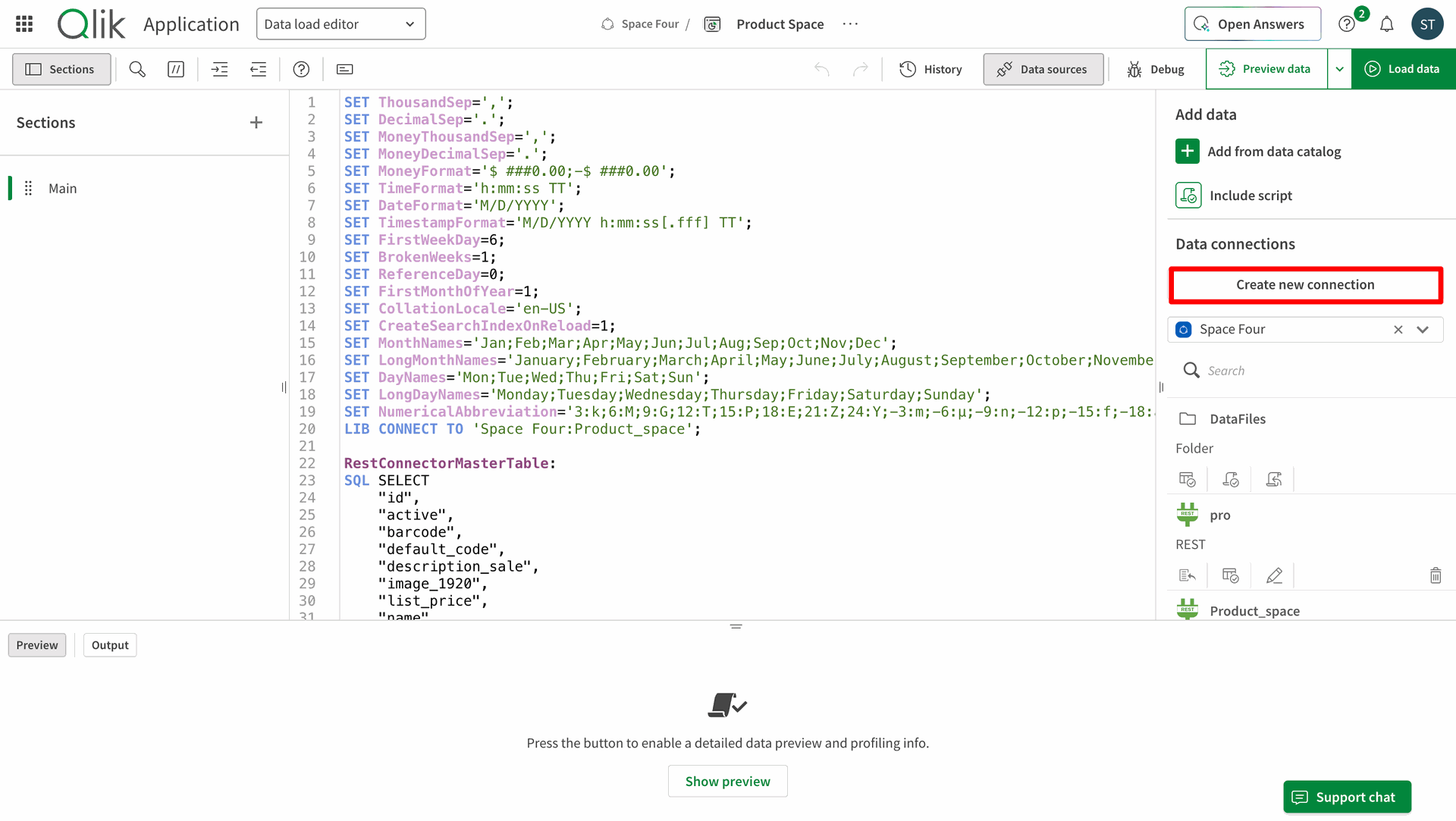
Select your Data Connectors for creating the data connection.
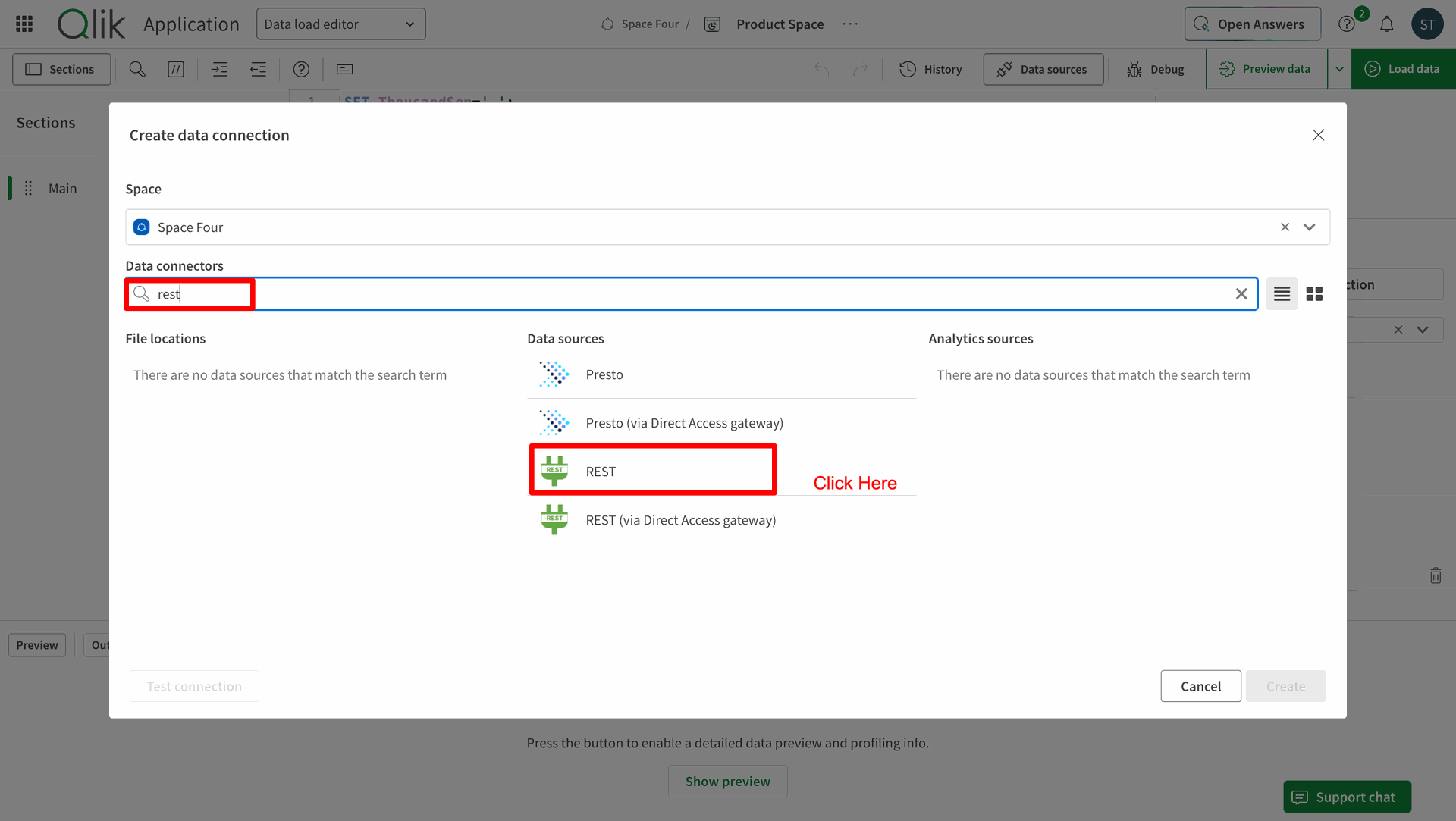
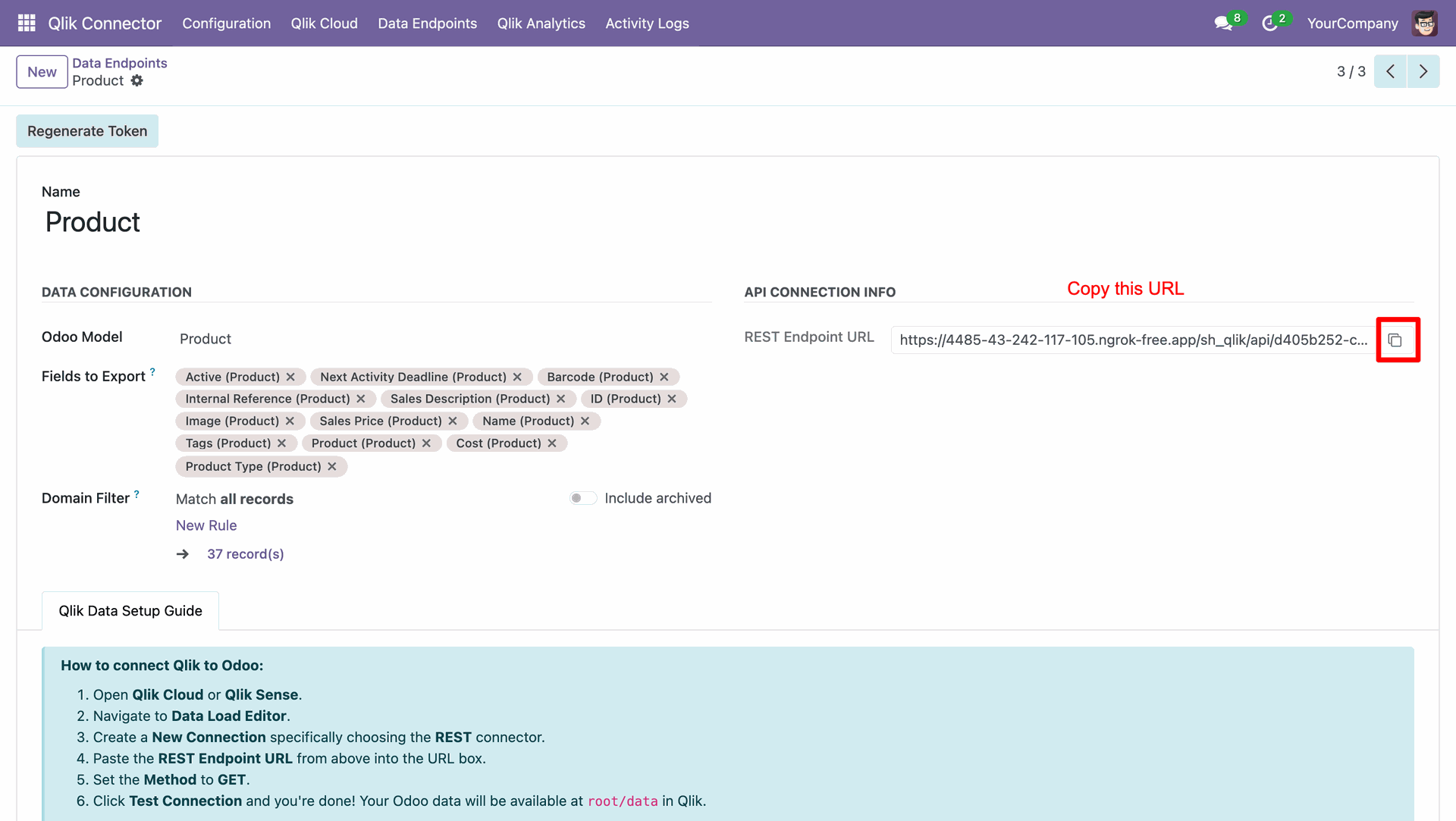
Copy the REST Endpoint URL from Odoo.
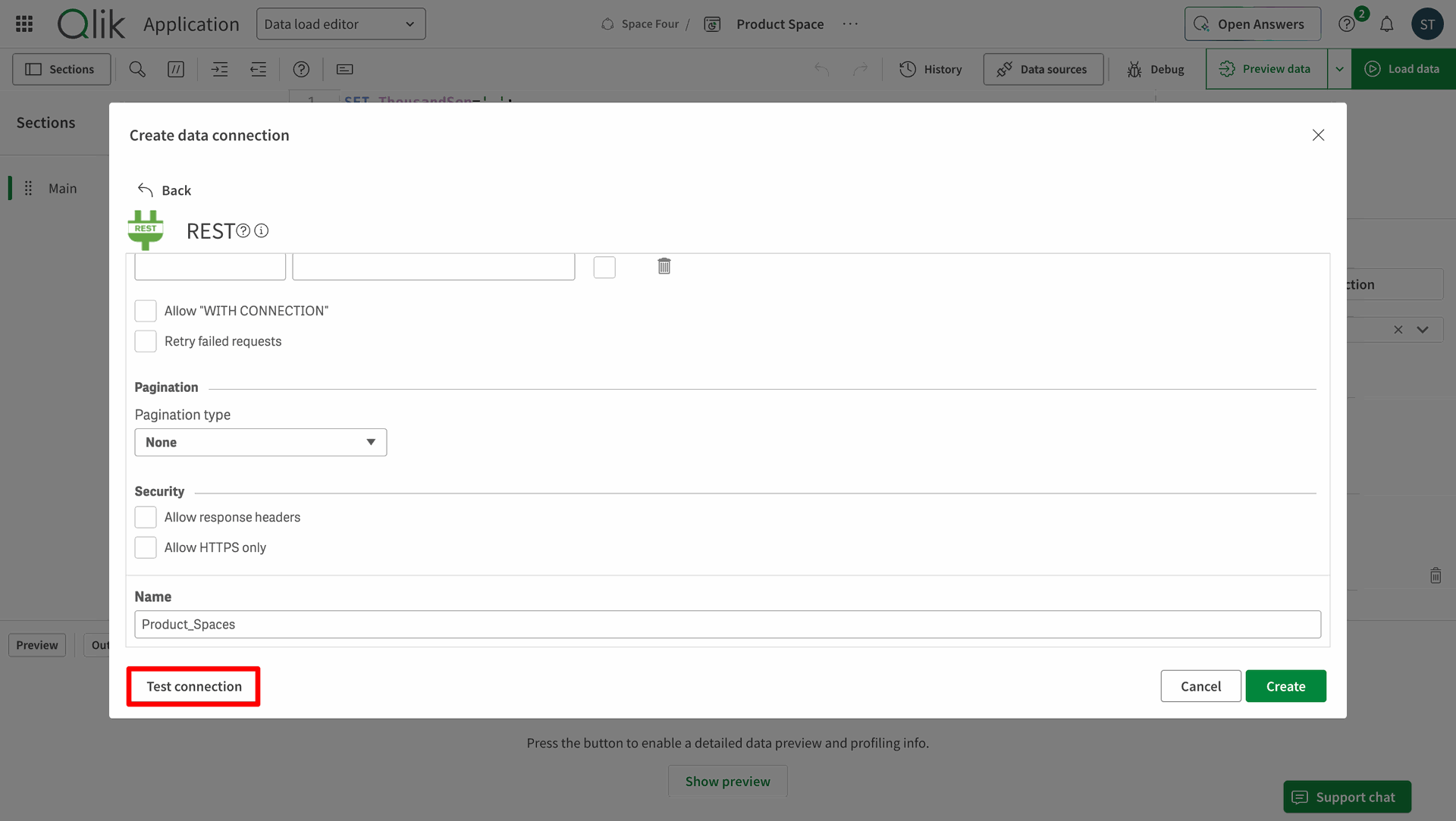
Enter the link in the Qlik and click Test Connestion.
A popup stating that the connection was successful.
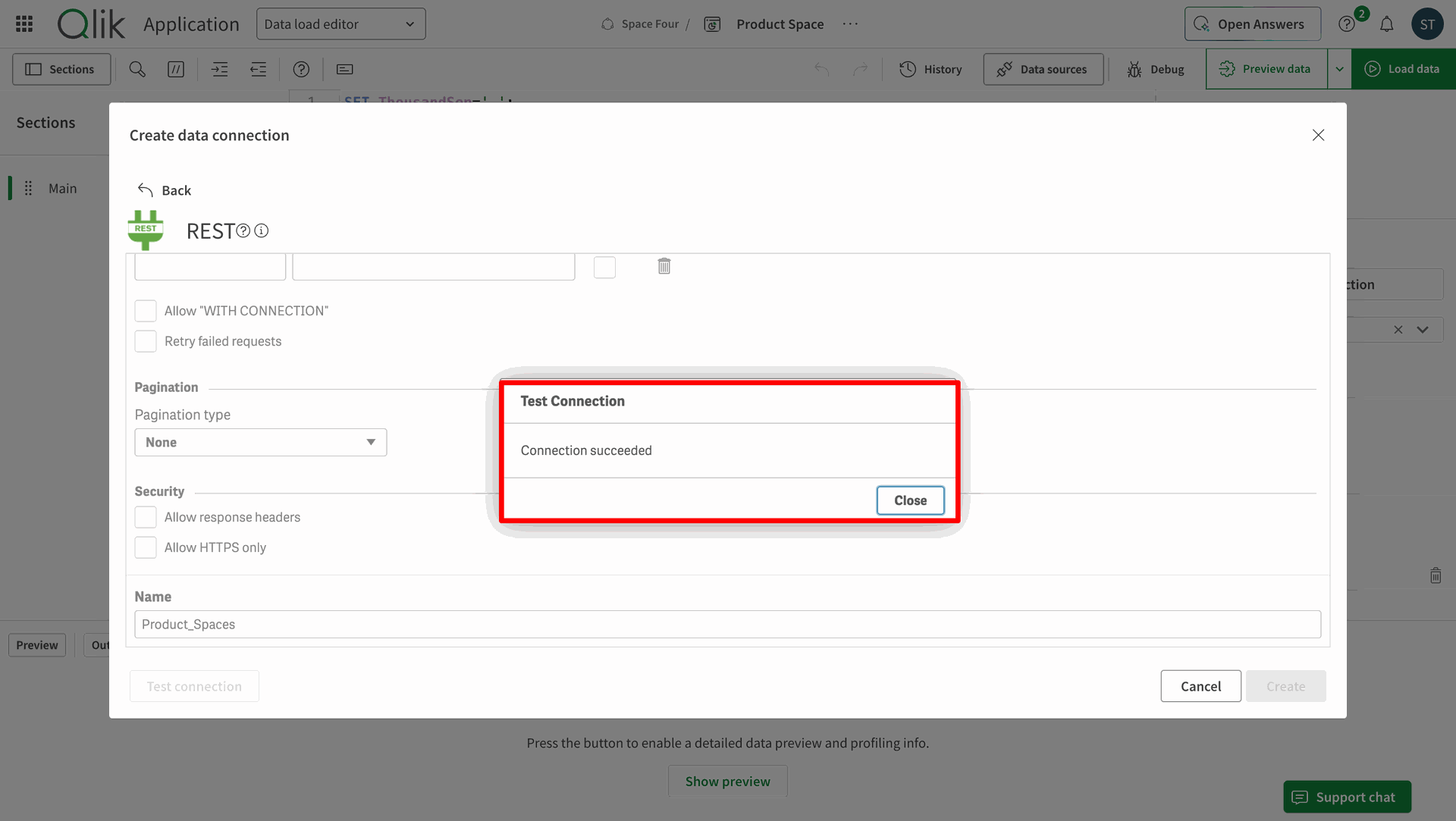
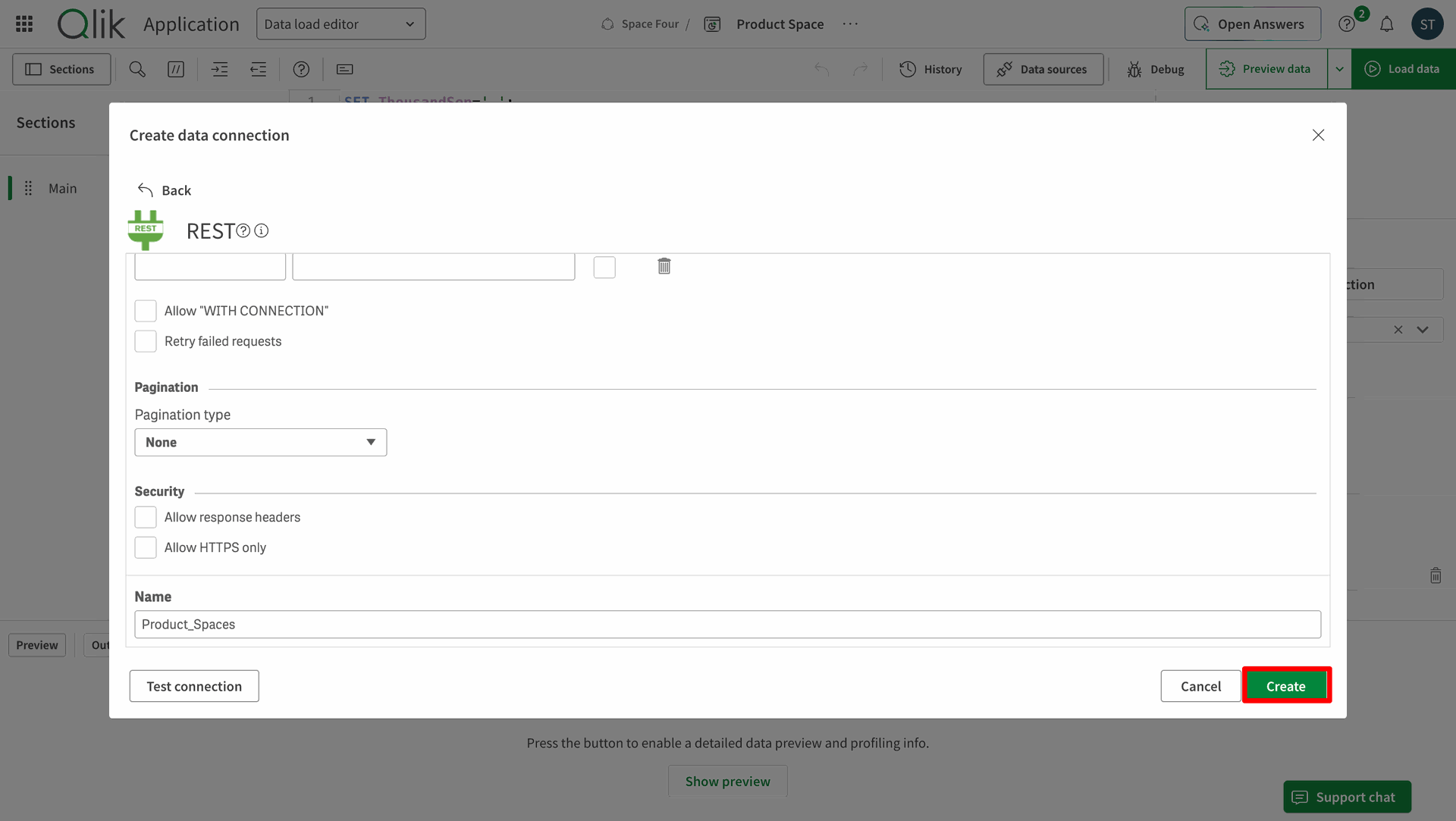
Once connection is successful click on the Create button.
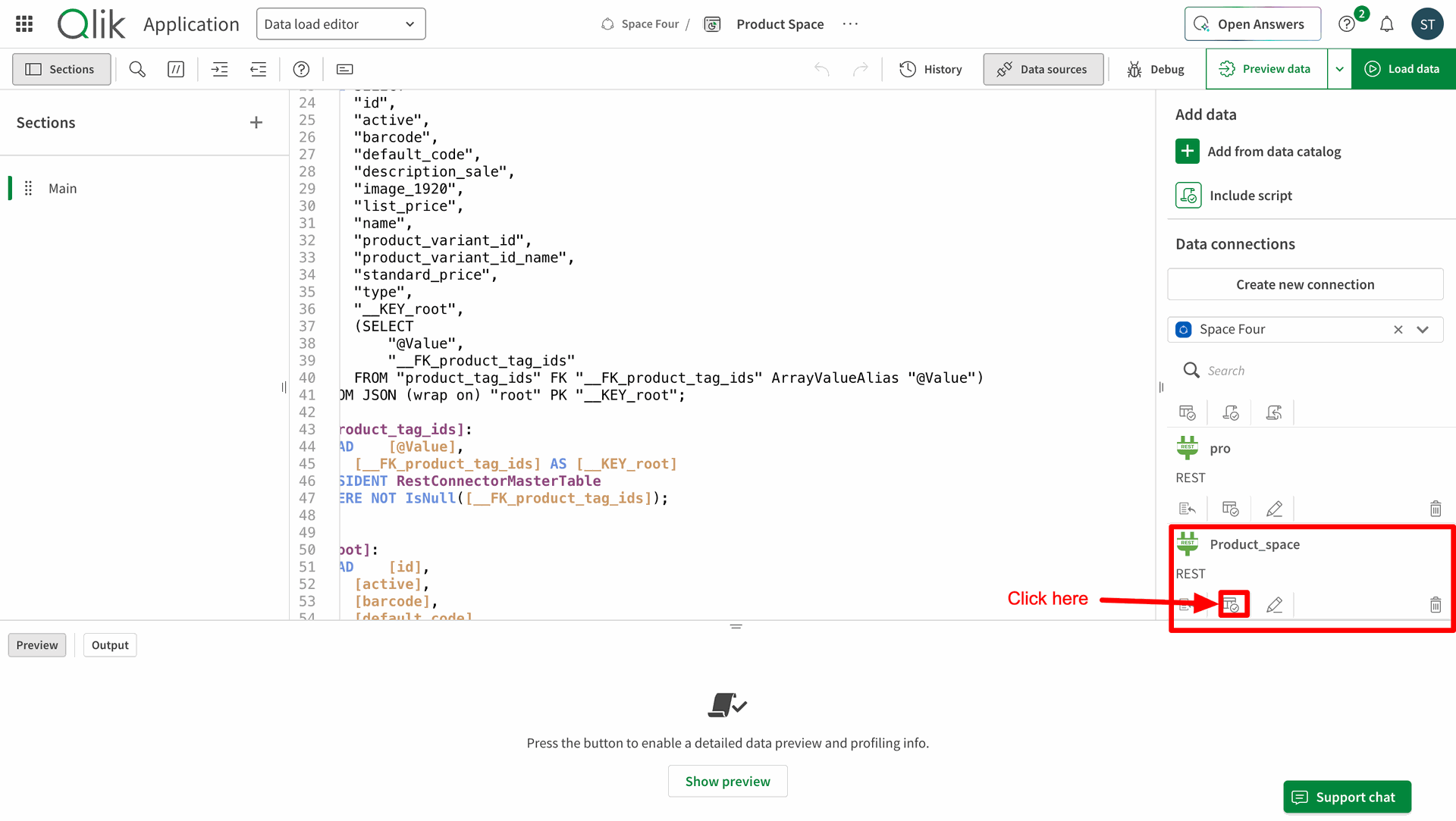
Click on the Select Data icon.
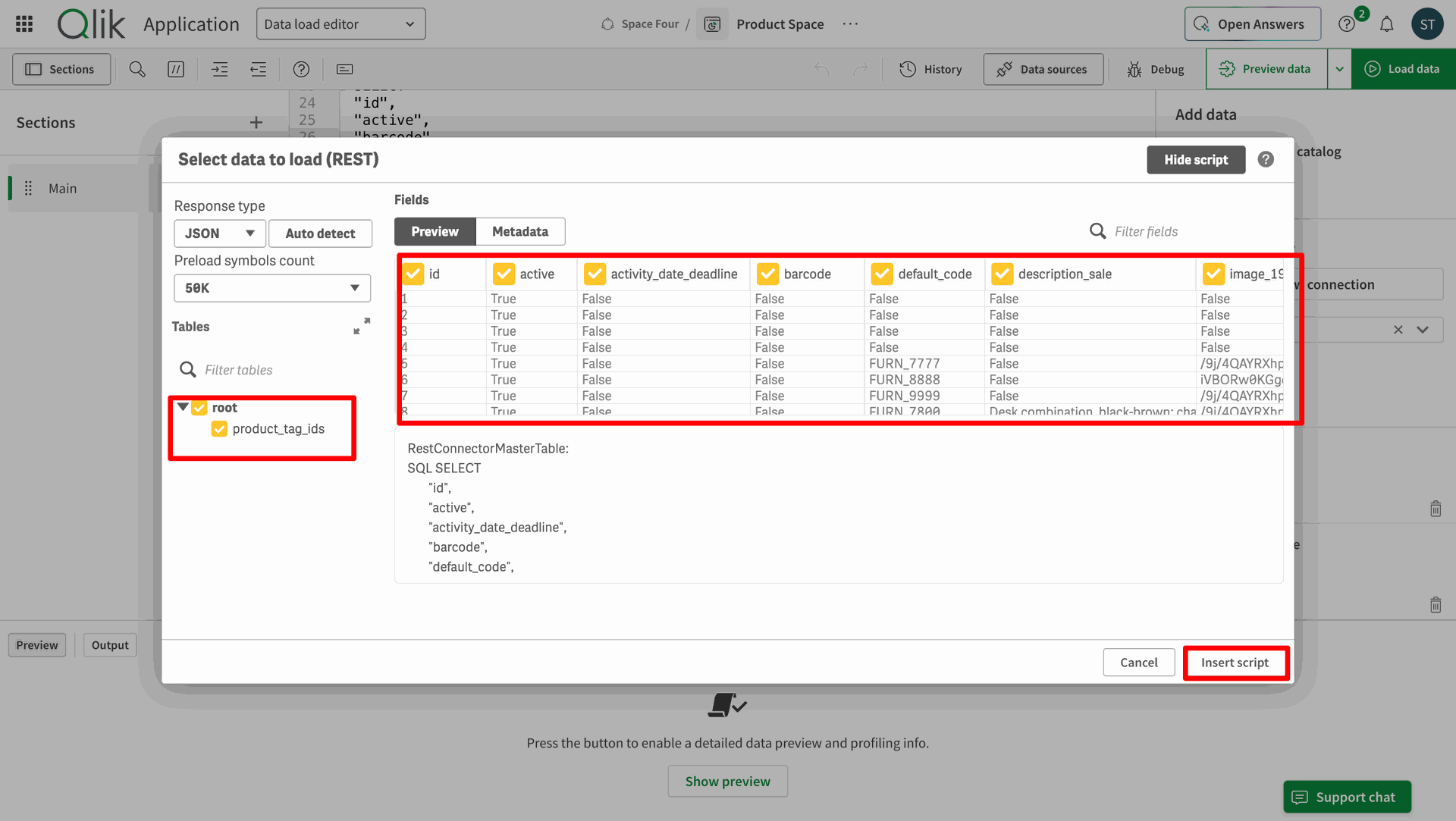
Select data to load(REST) and click Insert script.
Click on Load Data in Qlik.
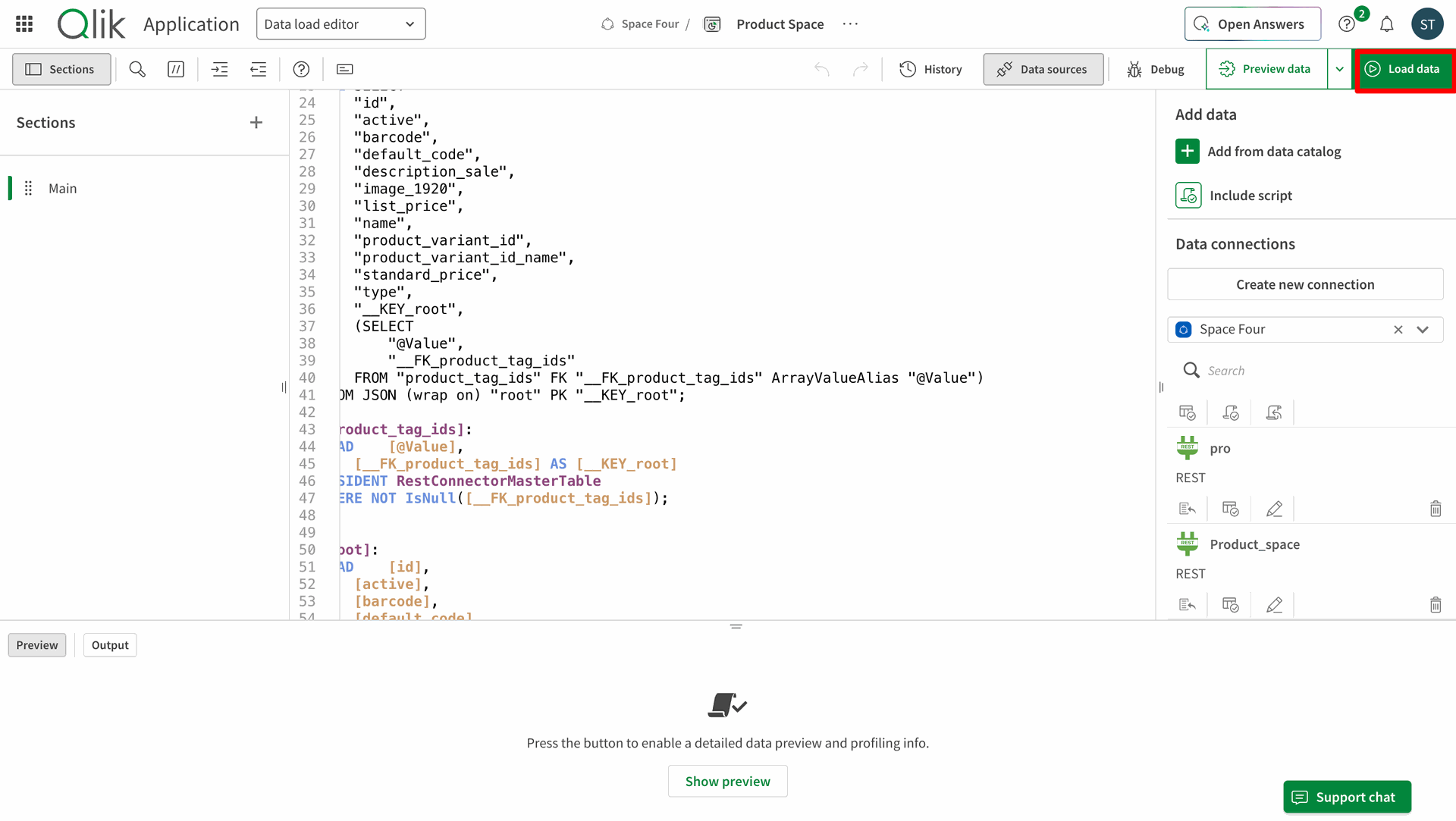
Previewing the loaded data.
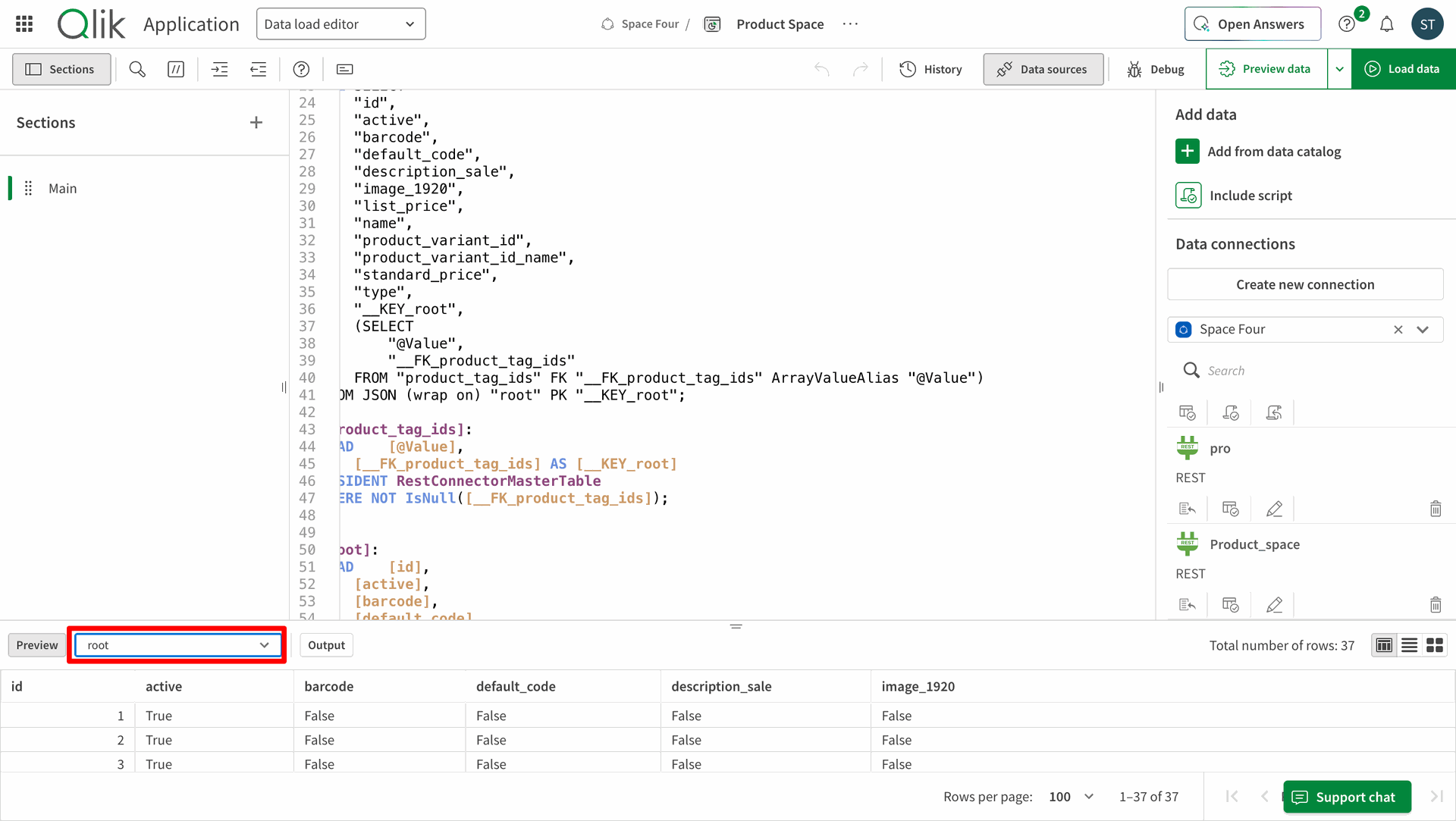
In data endpoints as of now in the Product model there are 36 records are present.
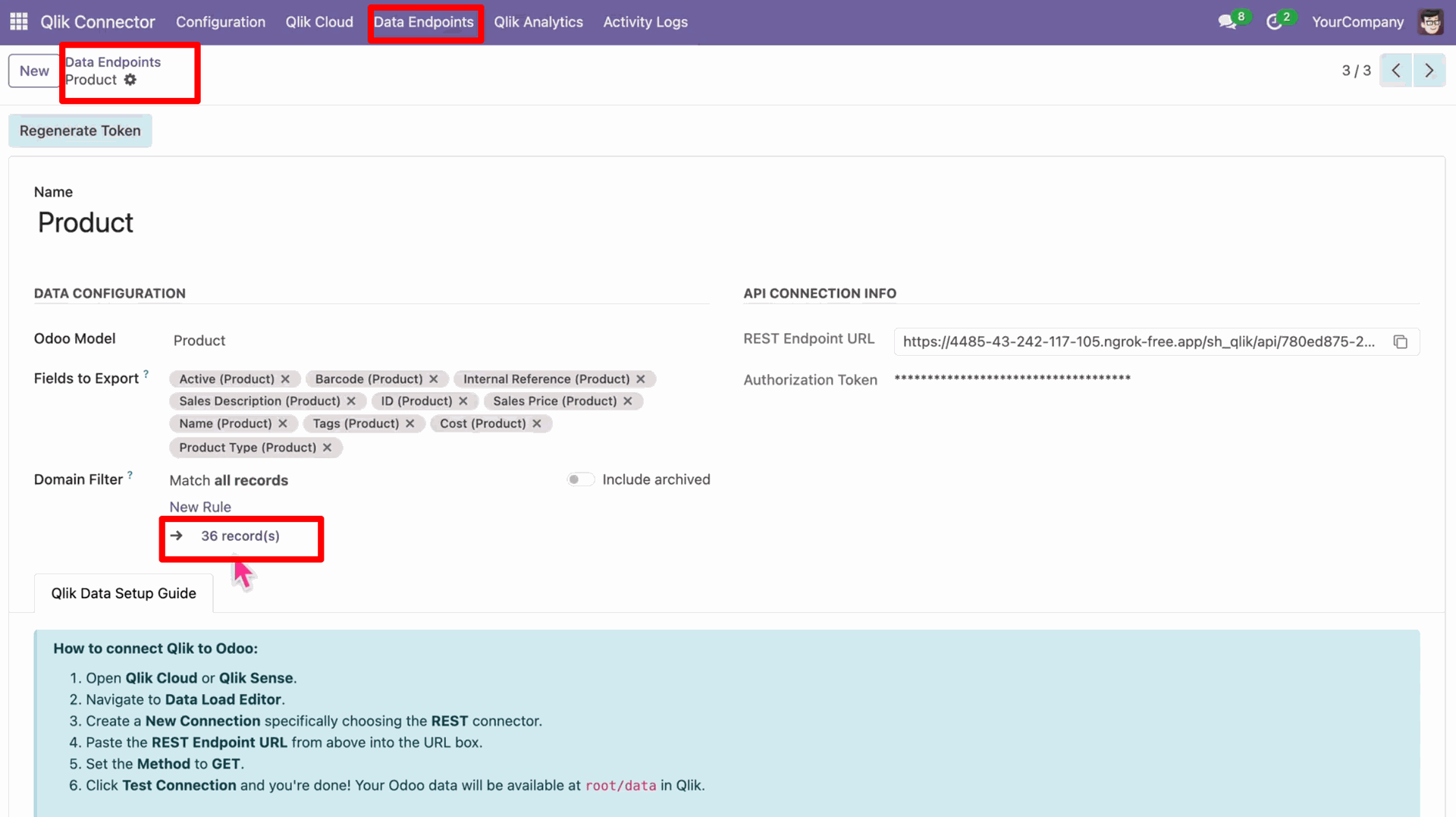
In Qlik also we can see that there are 36 records.
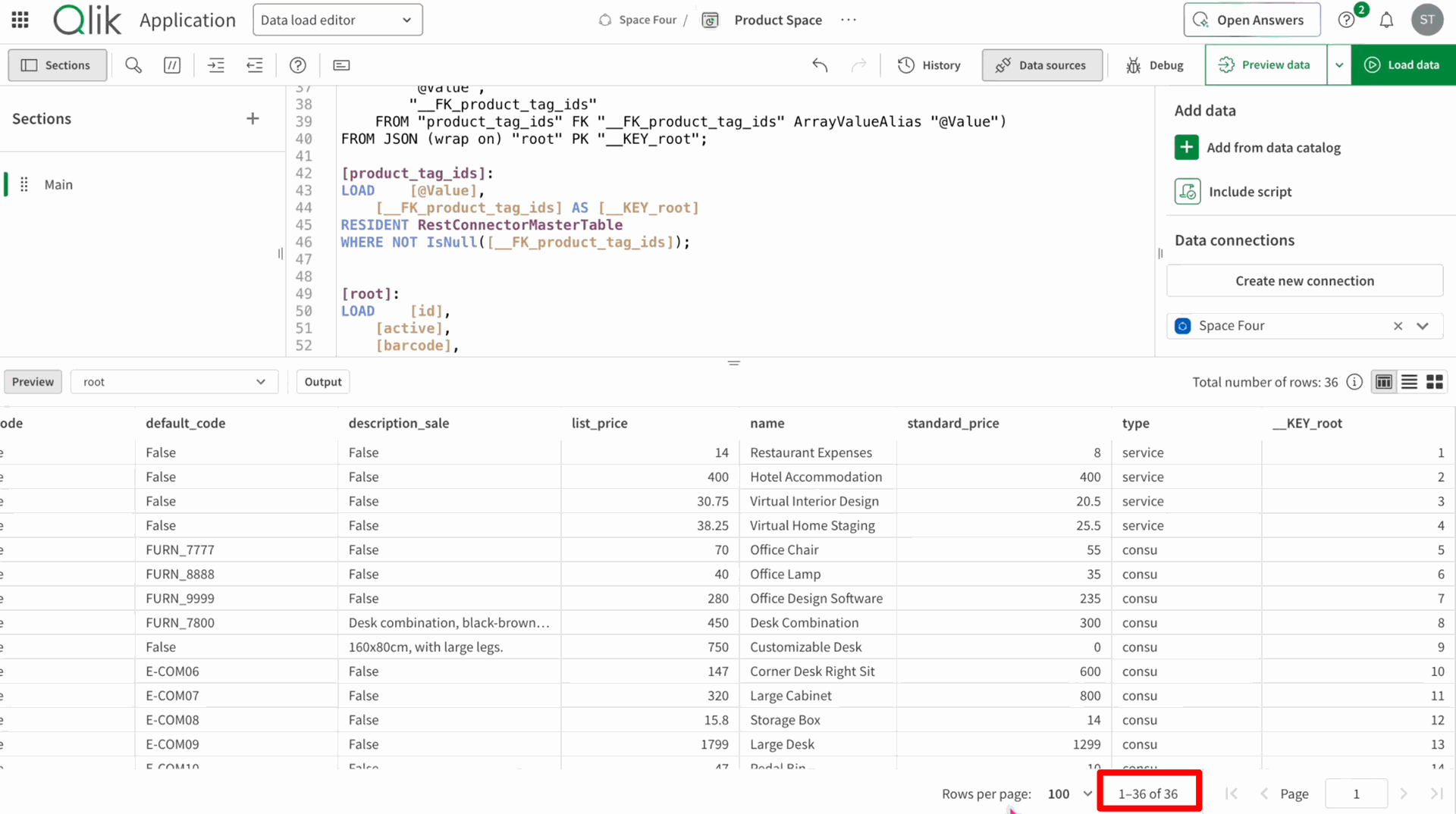
Now creating a new product record in Odoo.
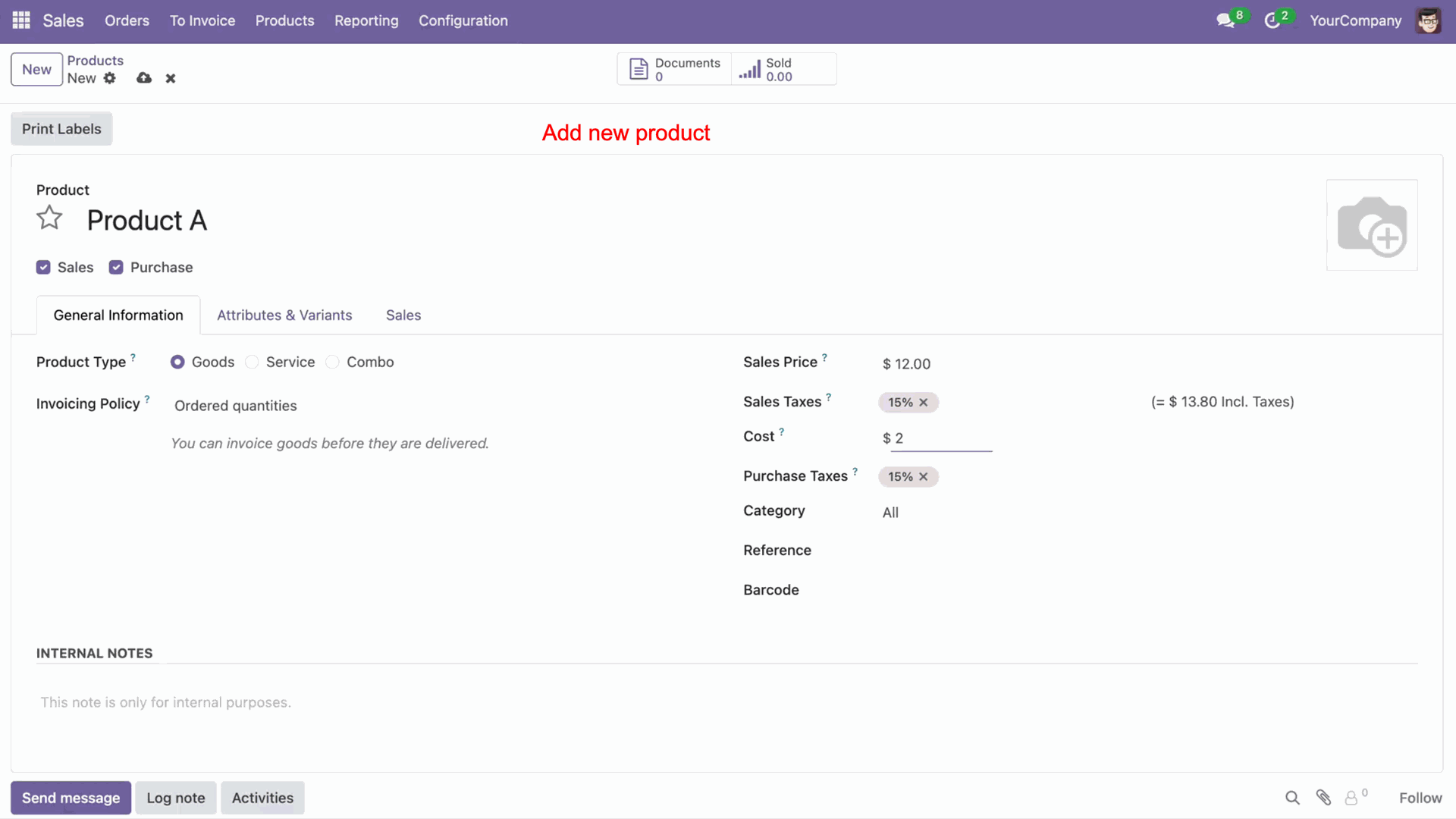
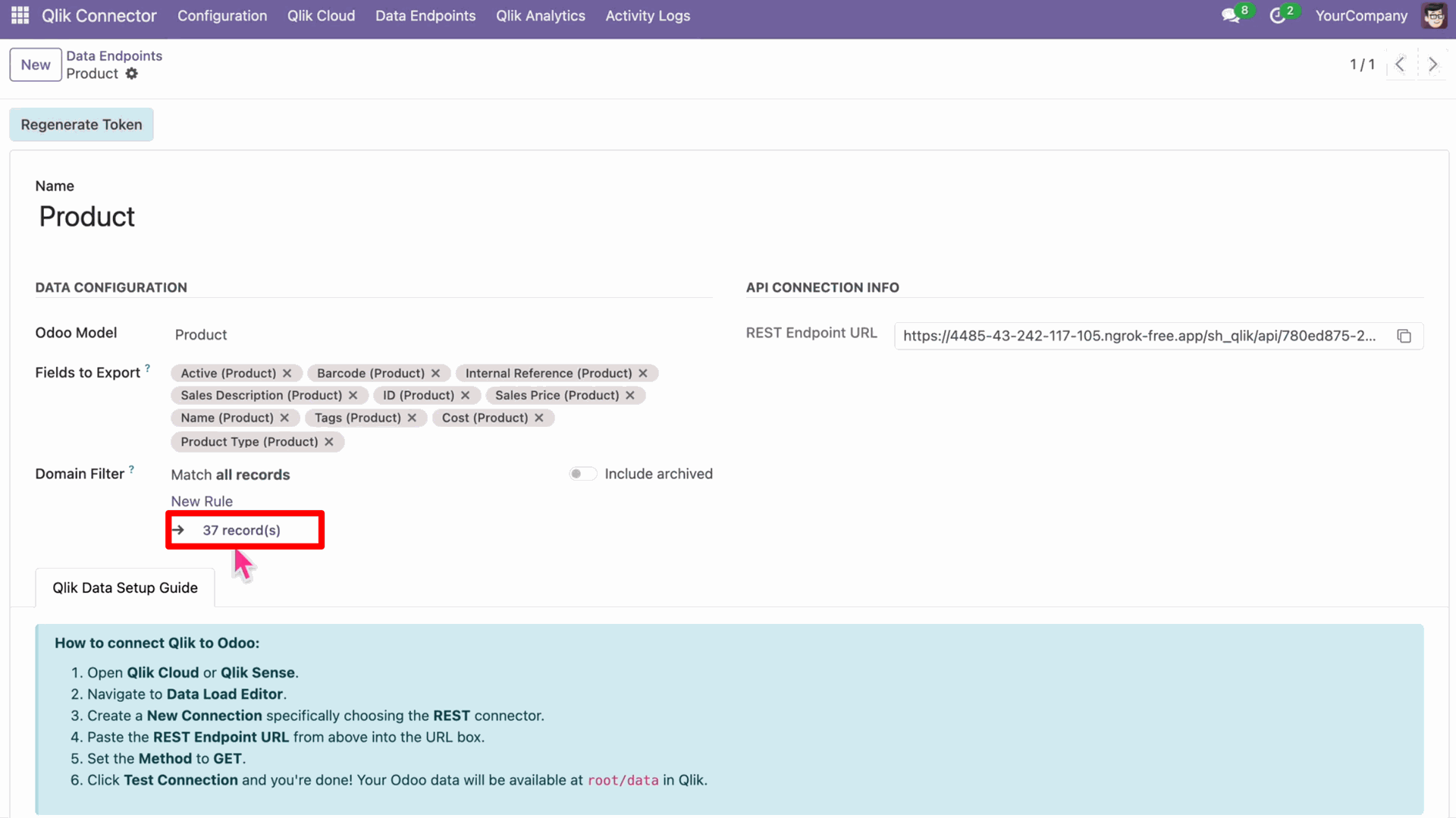
We can see that one record added and the total makes it to 37.
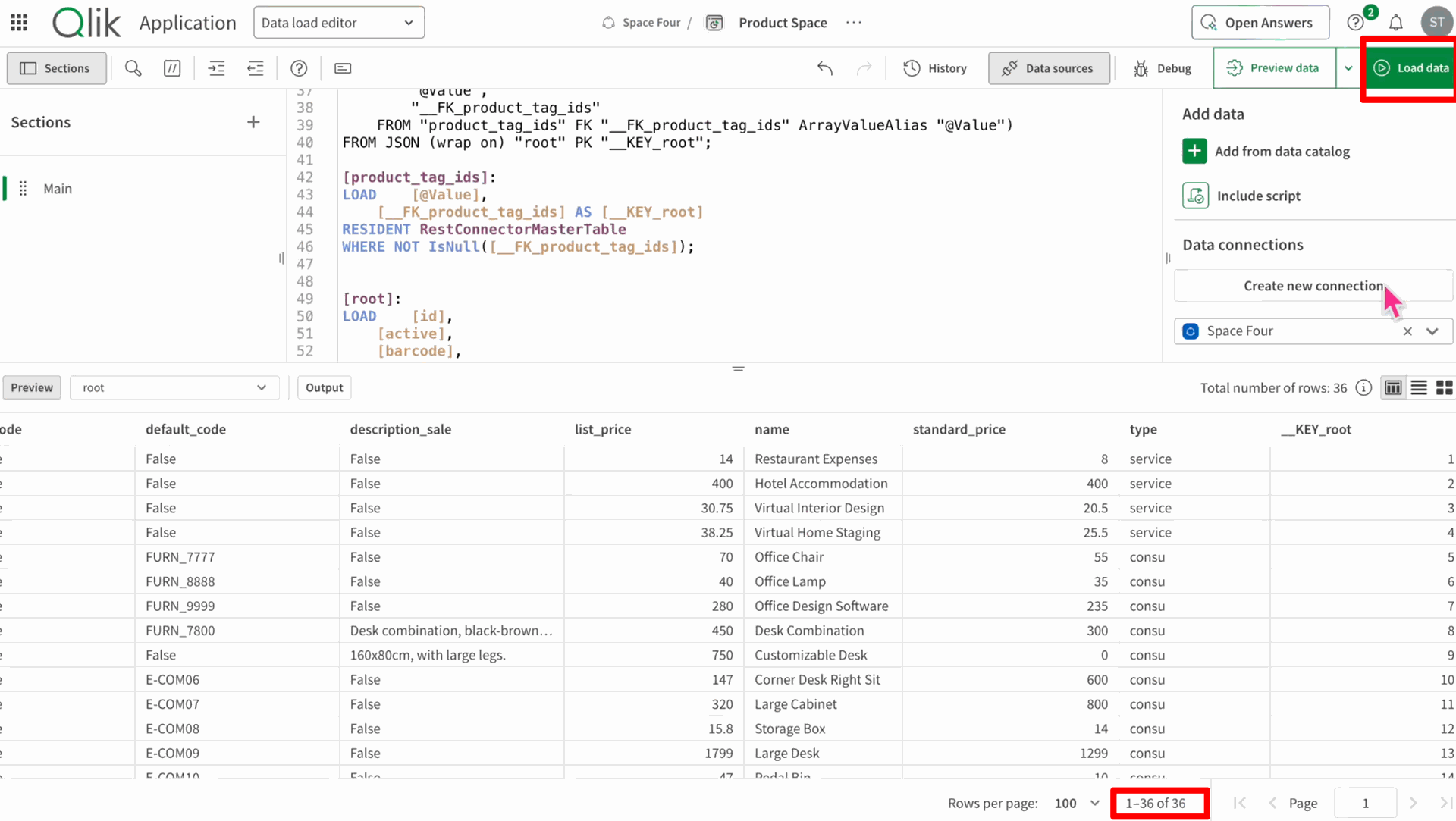
Click on Load Data to sync records in the Qlik.
Click the Continue Editing in order to edit/update the existing Qlik records if any.
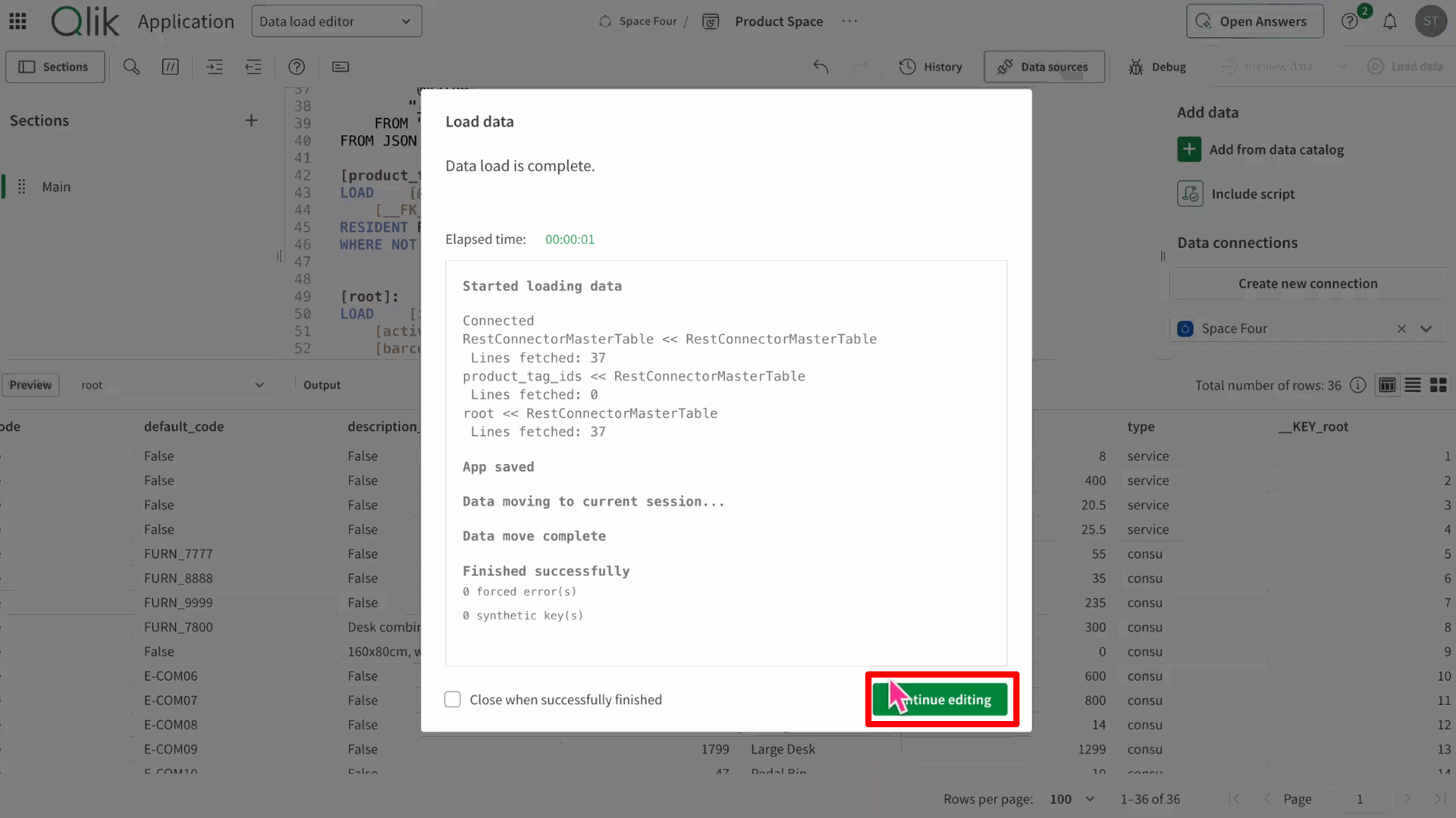
We can see that one record is added.
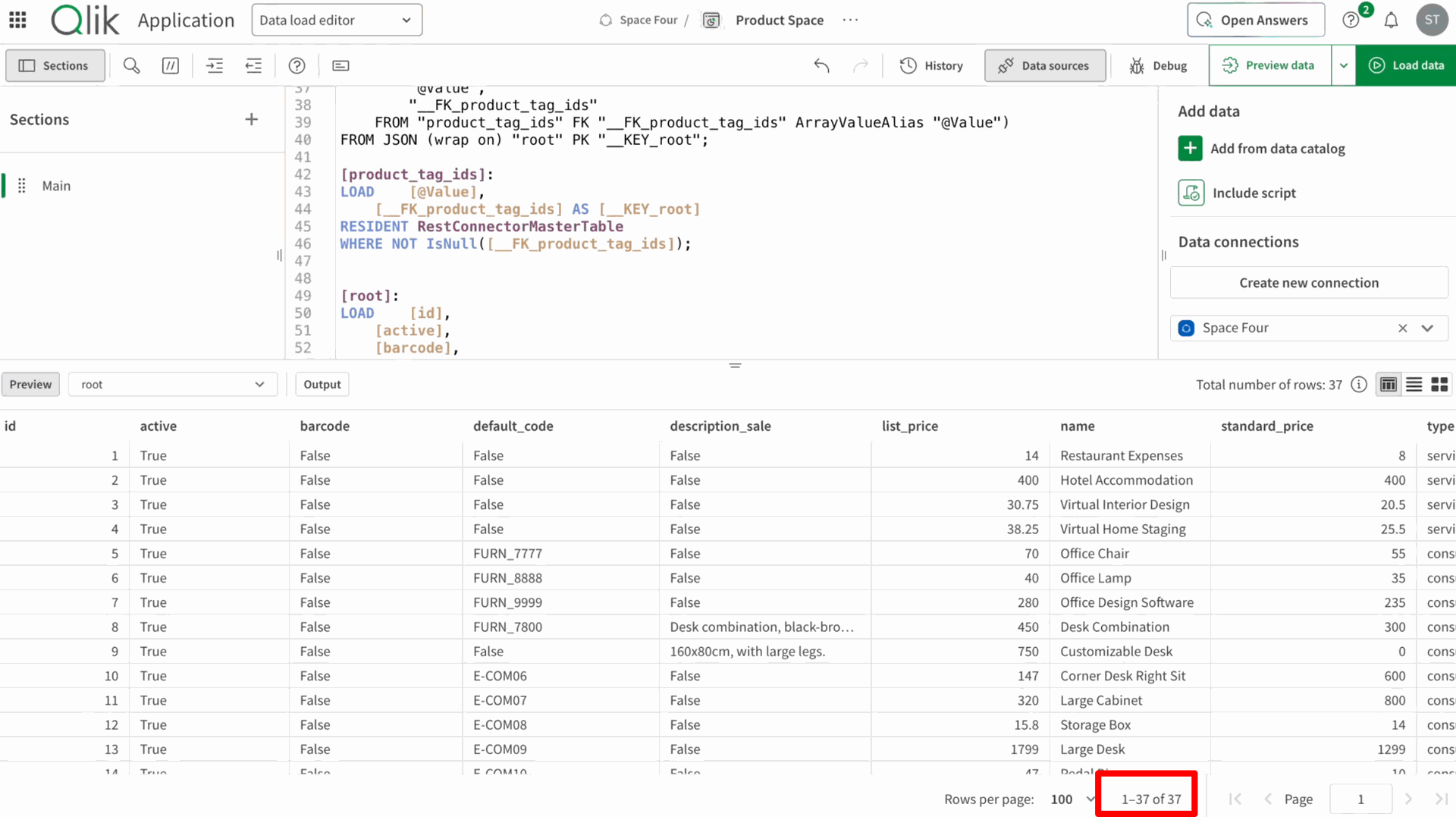
Newly added record.
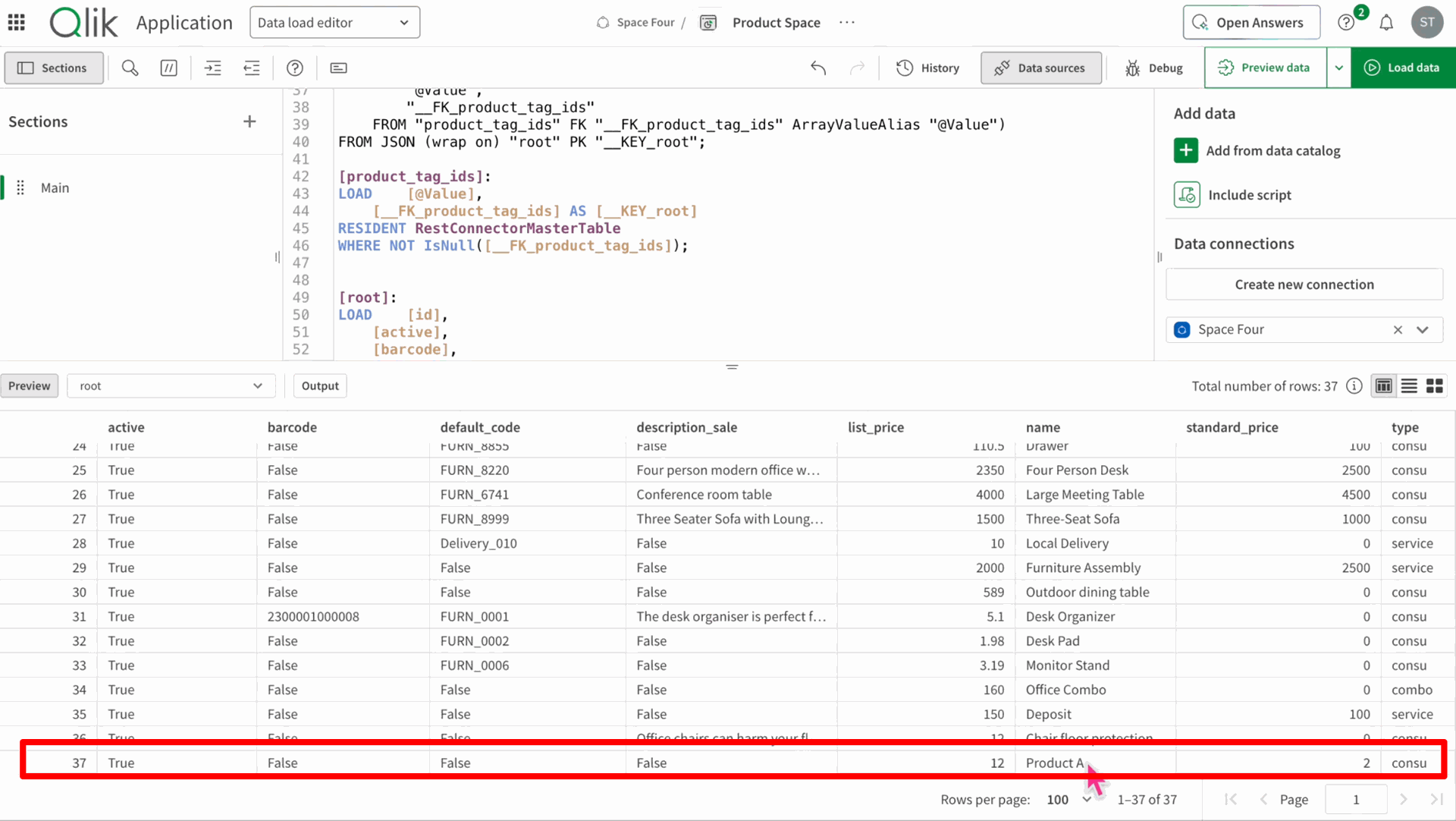
Navigate to Data Load Editor => Sheet in the Qlik Application.
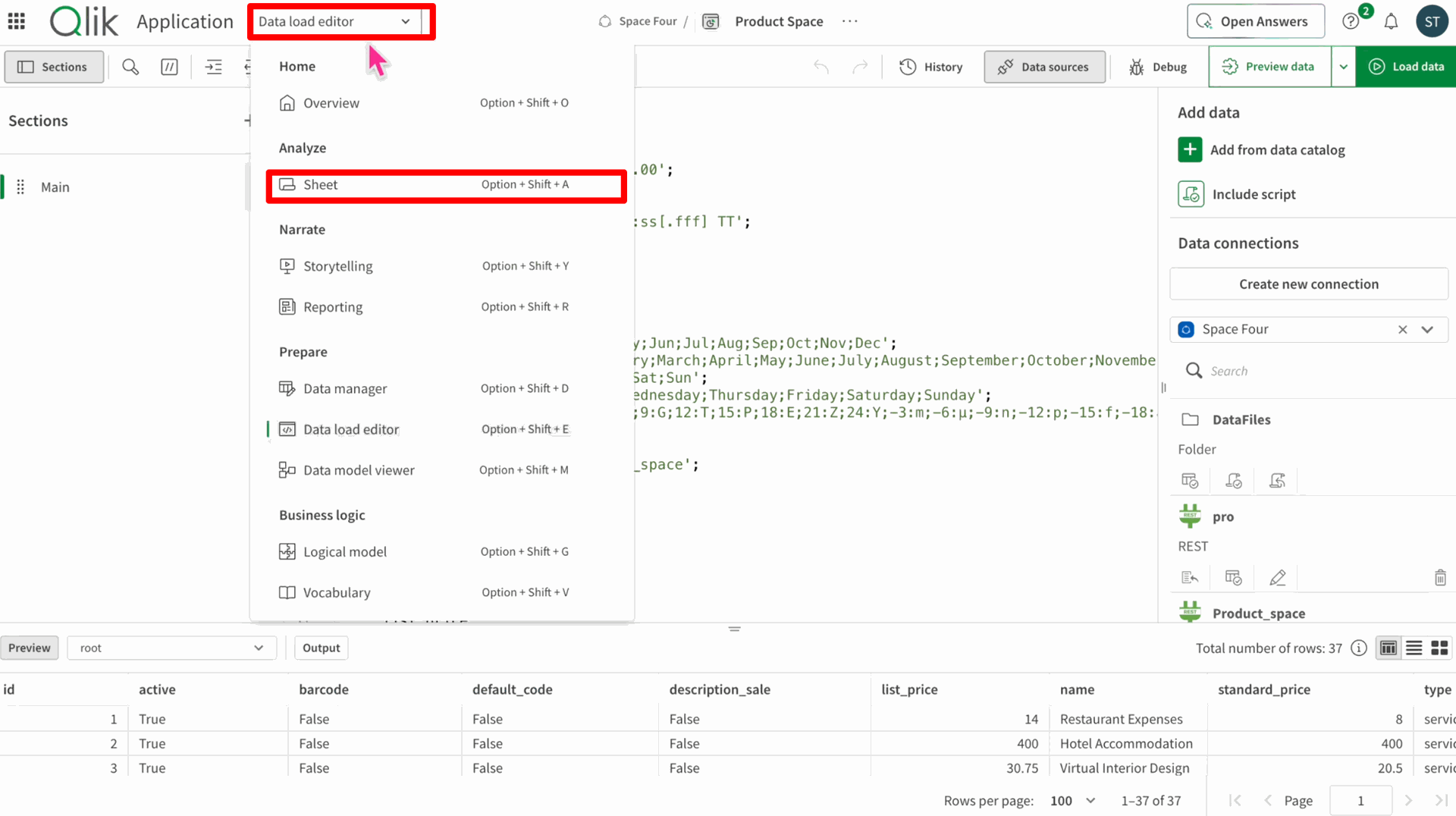
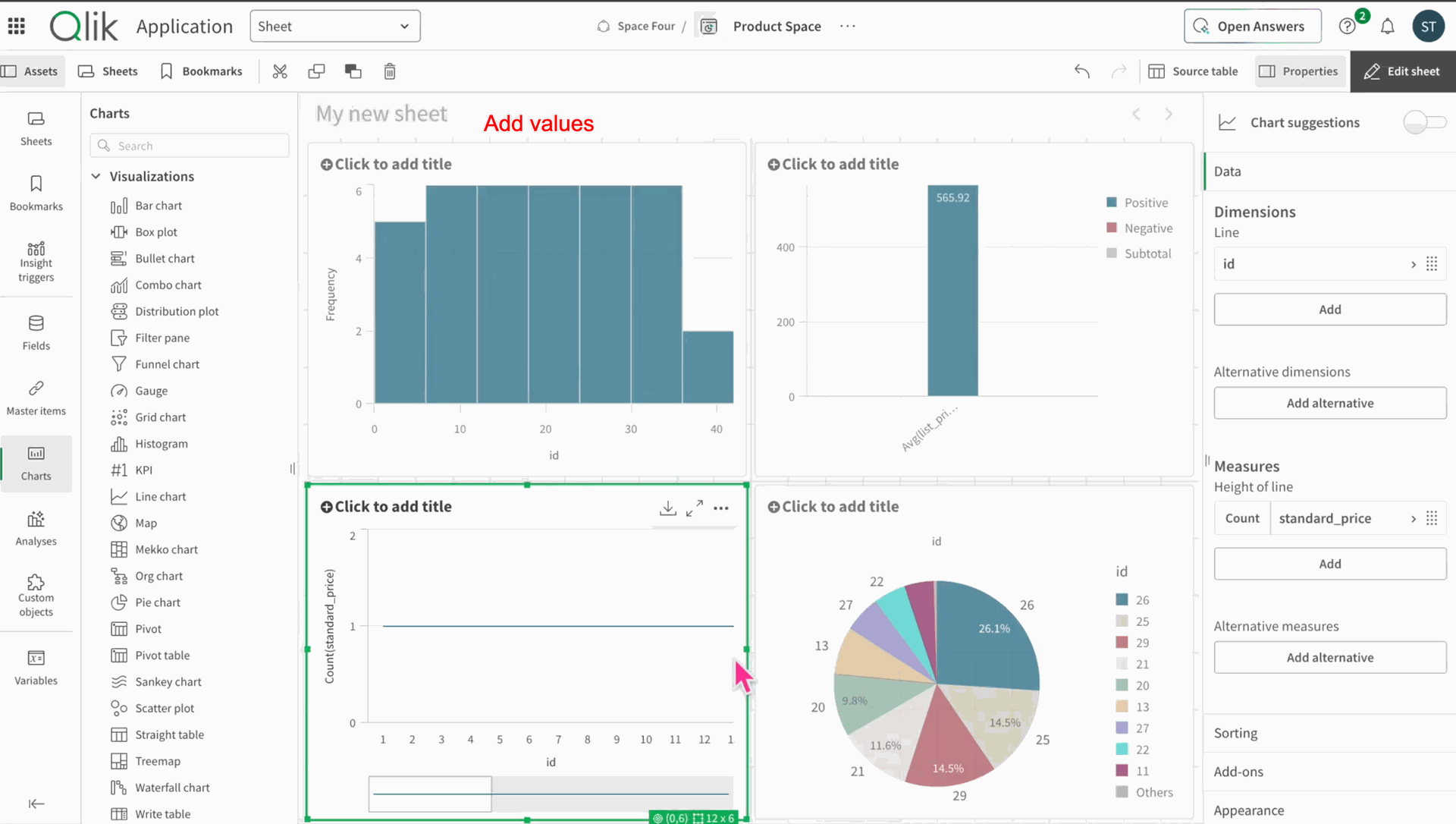
Drag and drop charts.
Add the charts and its values.
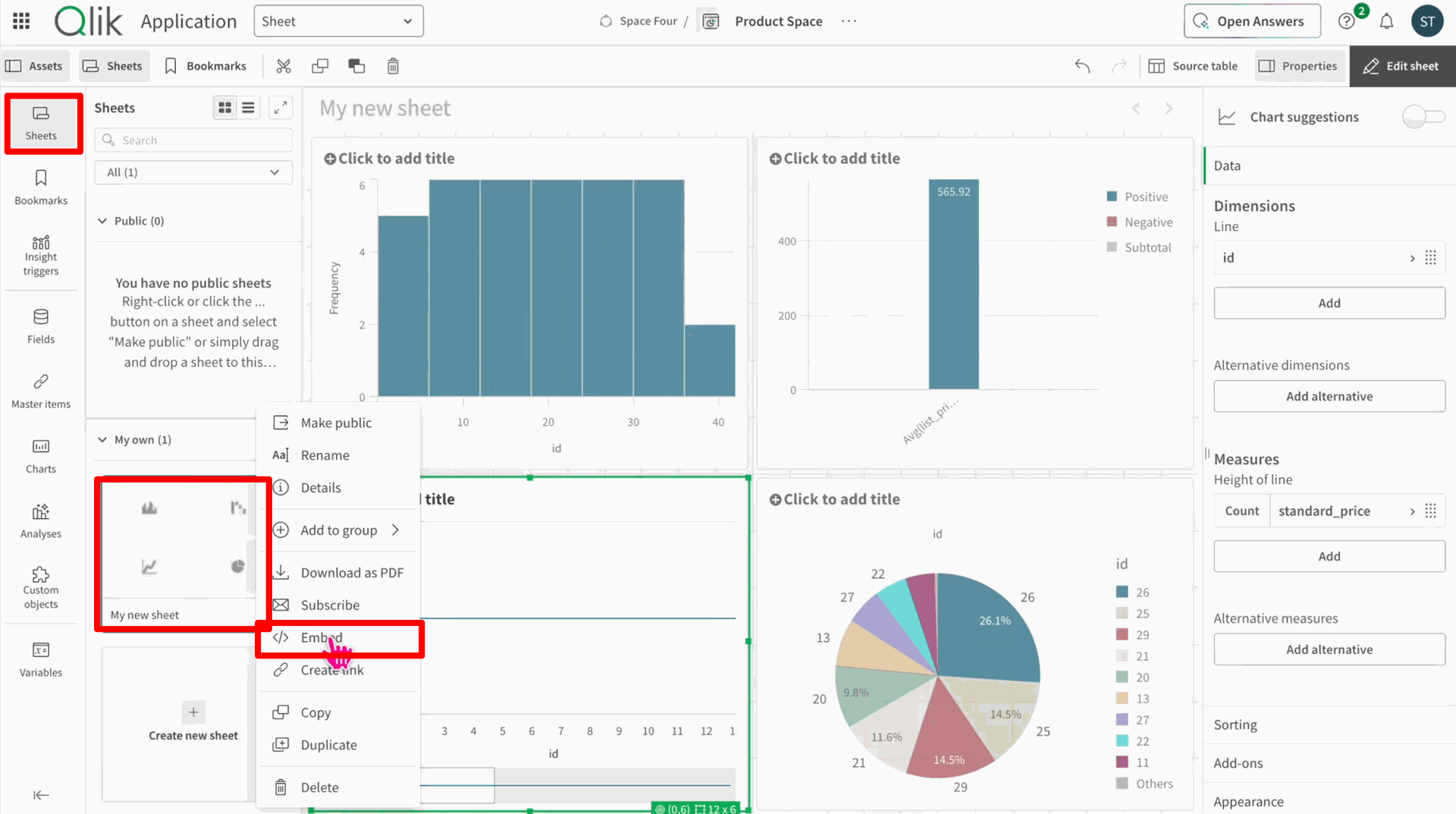
Click on the Embedded to create a link to embed charts.
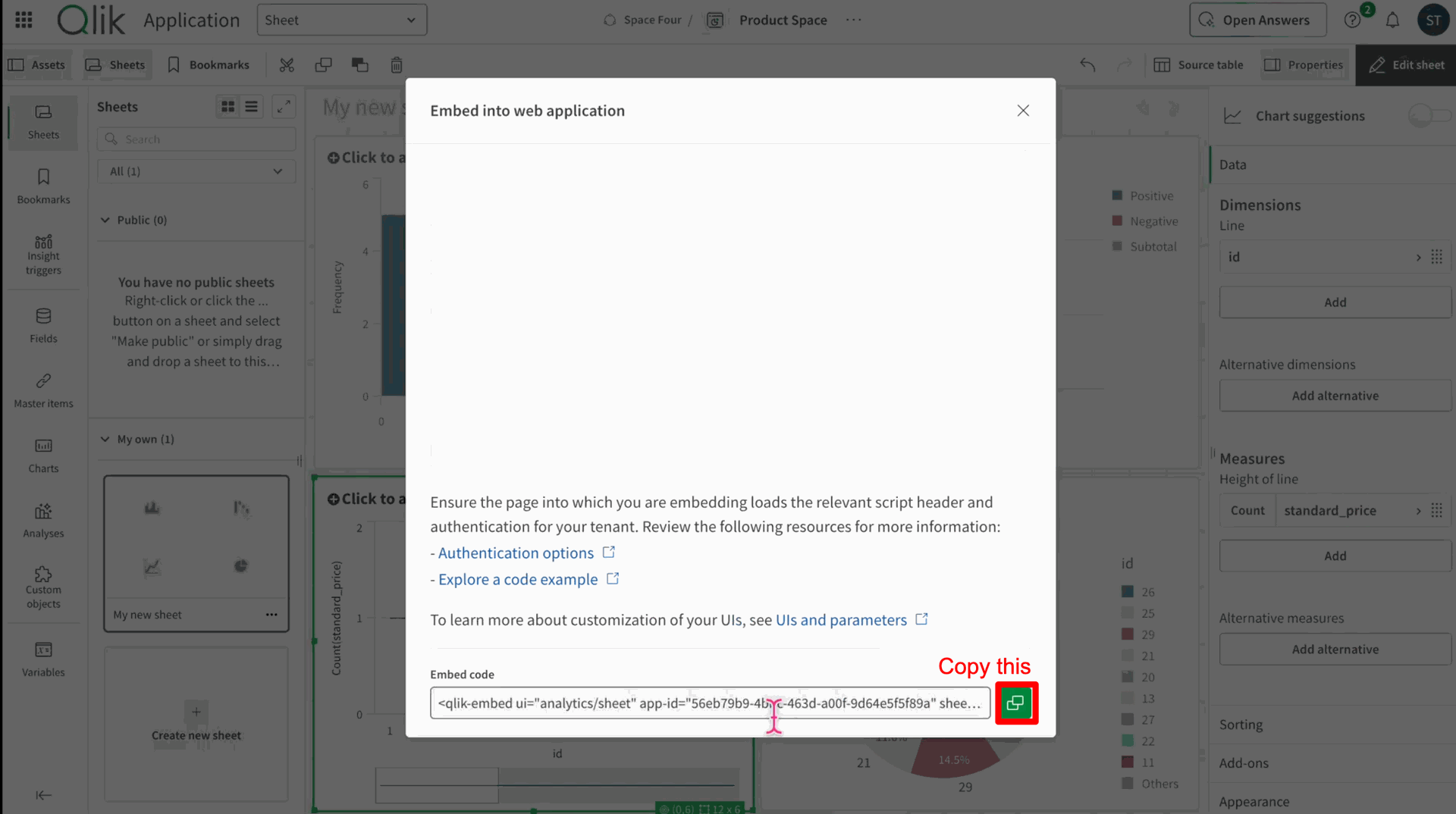
Click on copy link button.
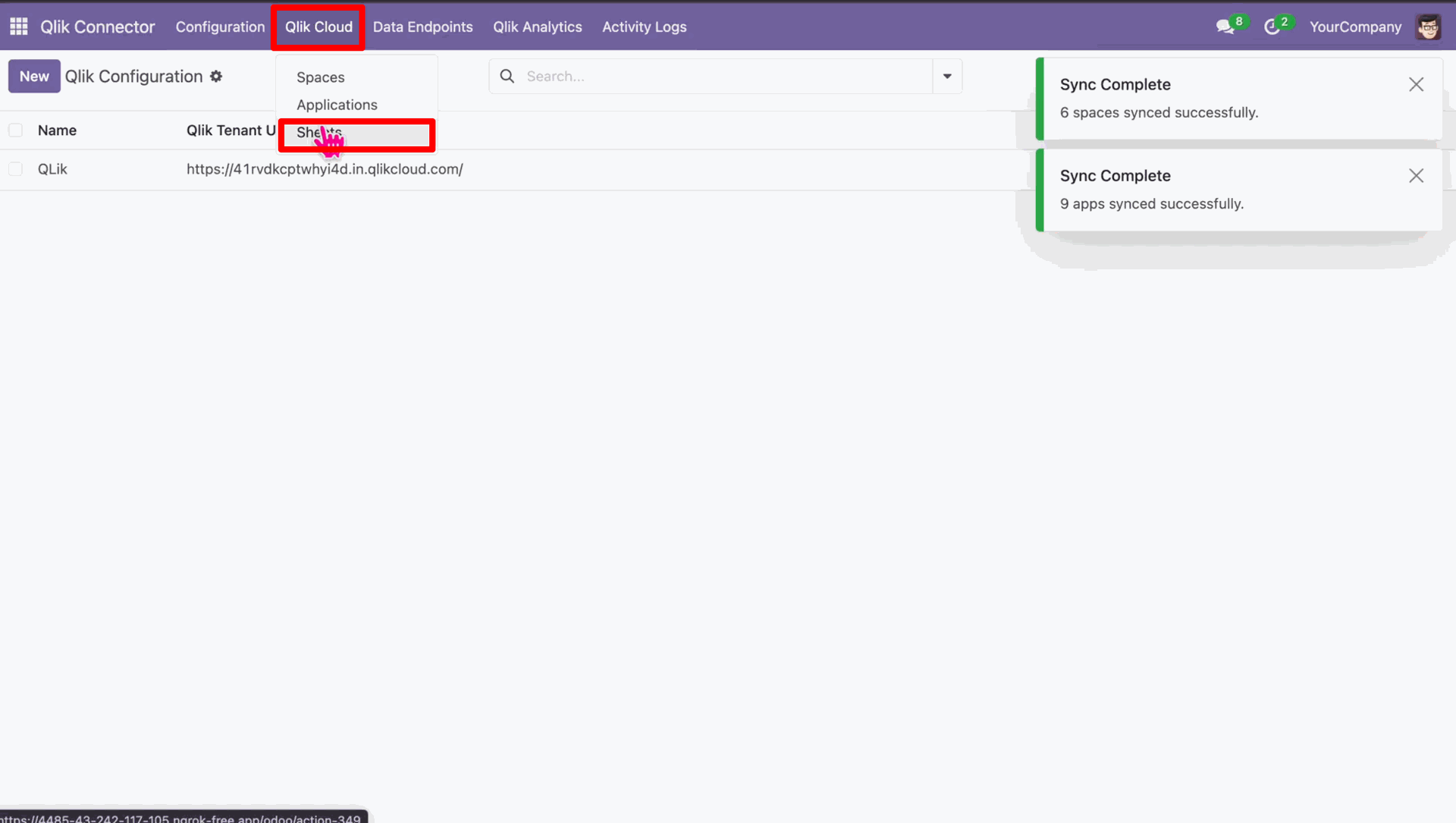
In the Odoo in Qlik Cloud navigate to Sheets.
Create a new sheet and paste the embeded code here.
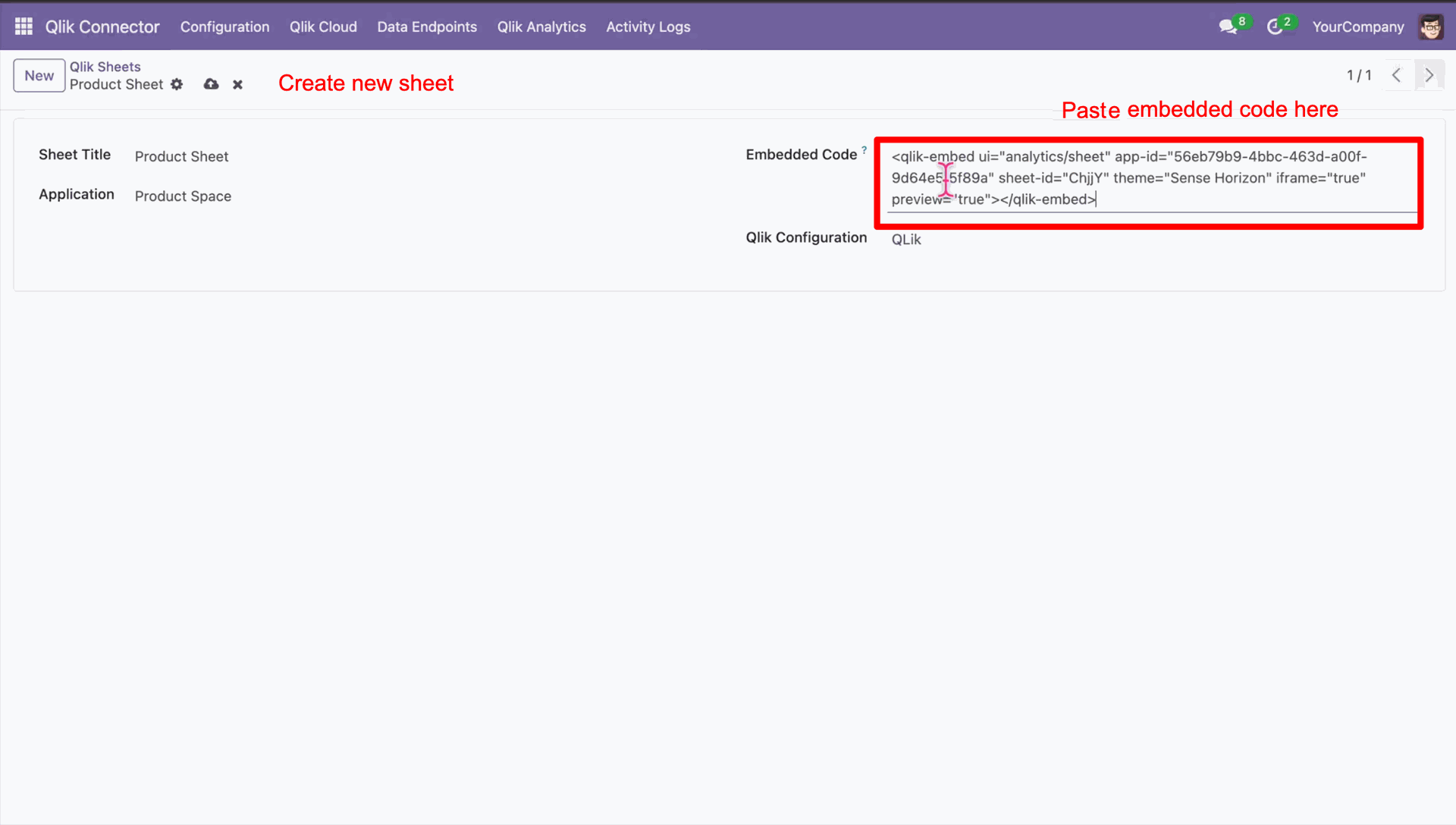
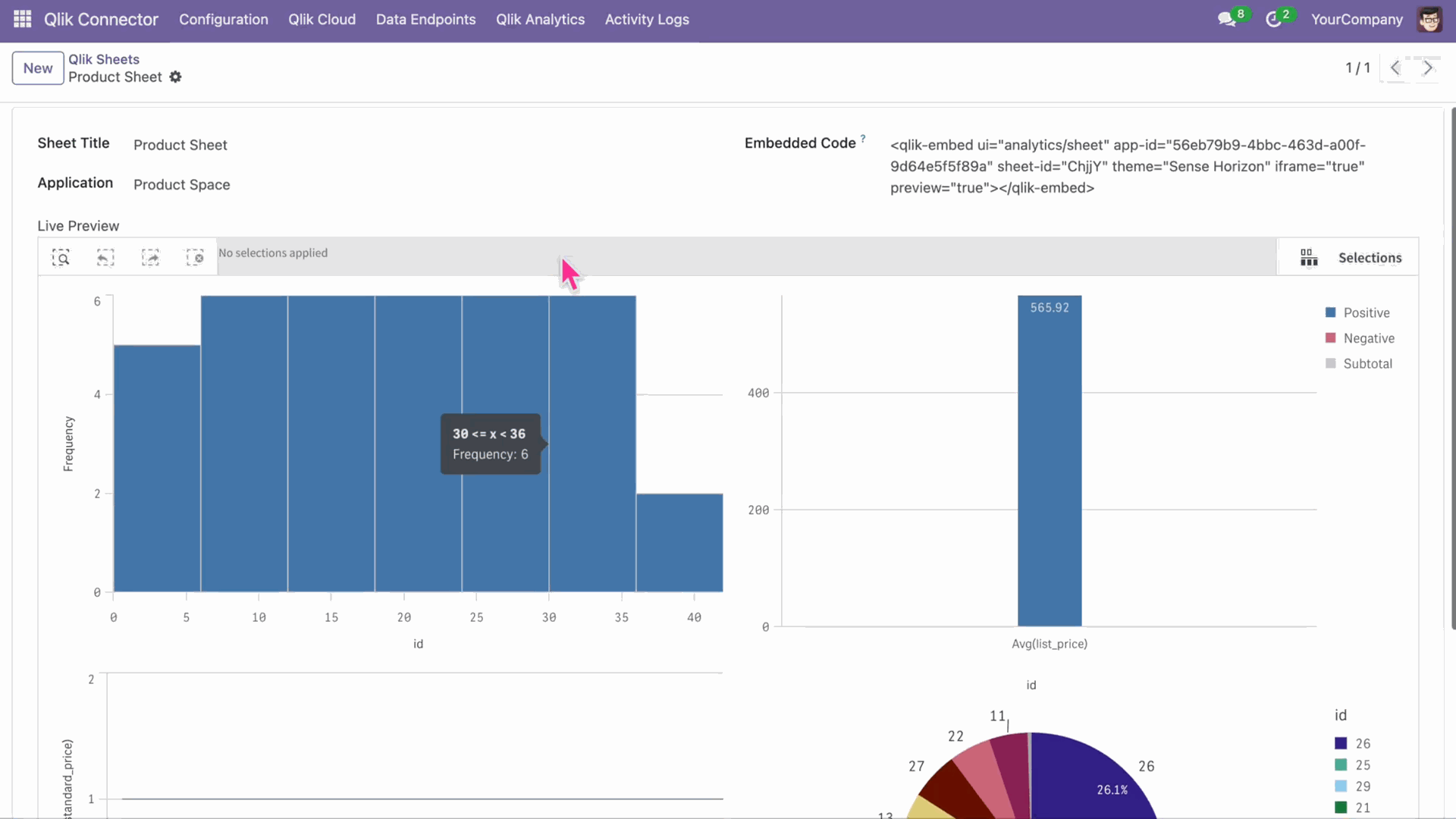
Reviewing the charts synced from Qlik.
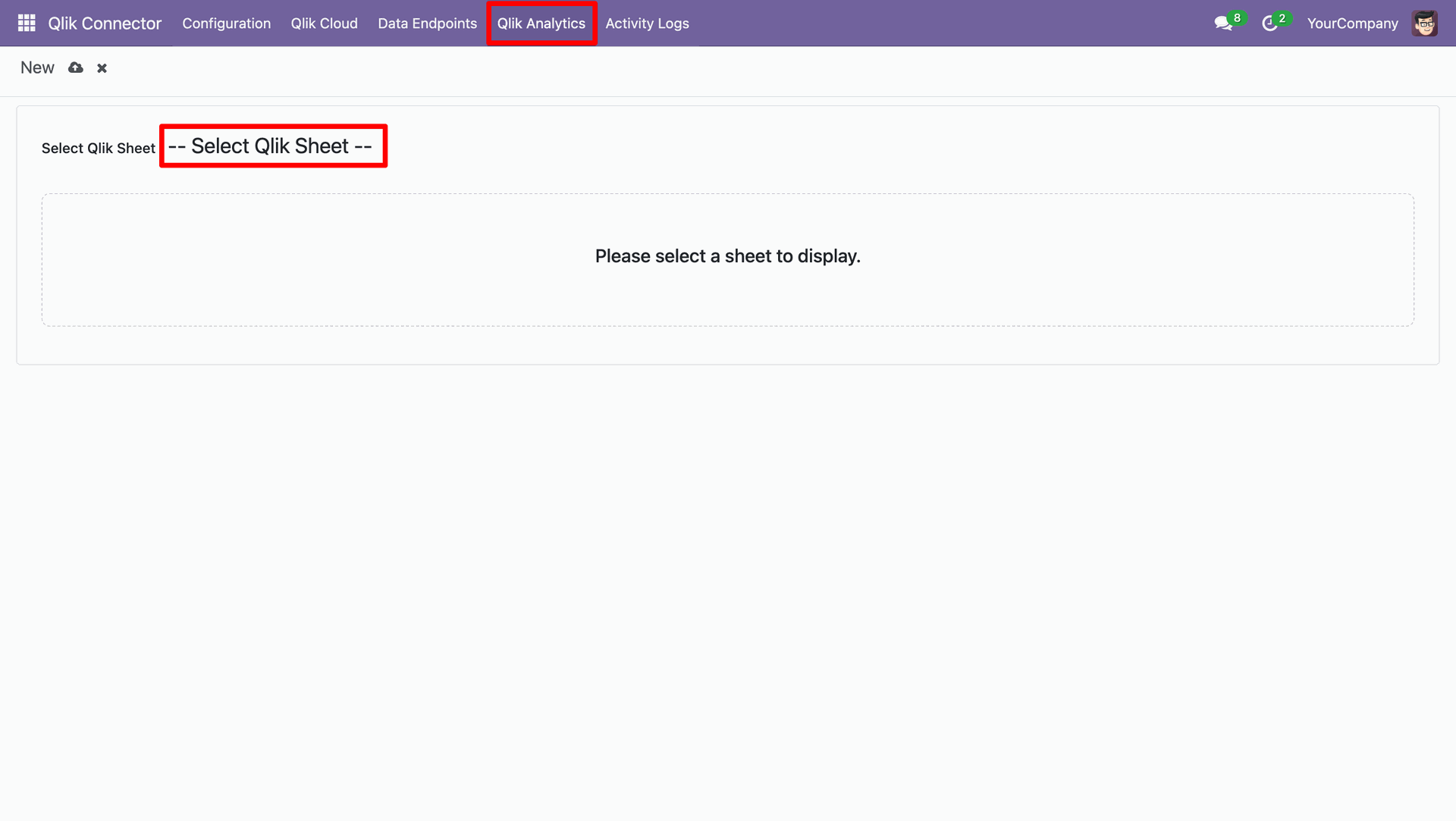
In the Qlik Analytics select Qlik sheets.
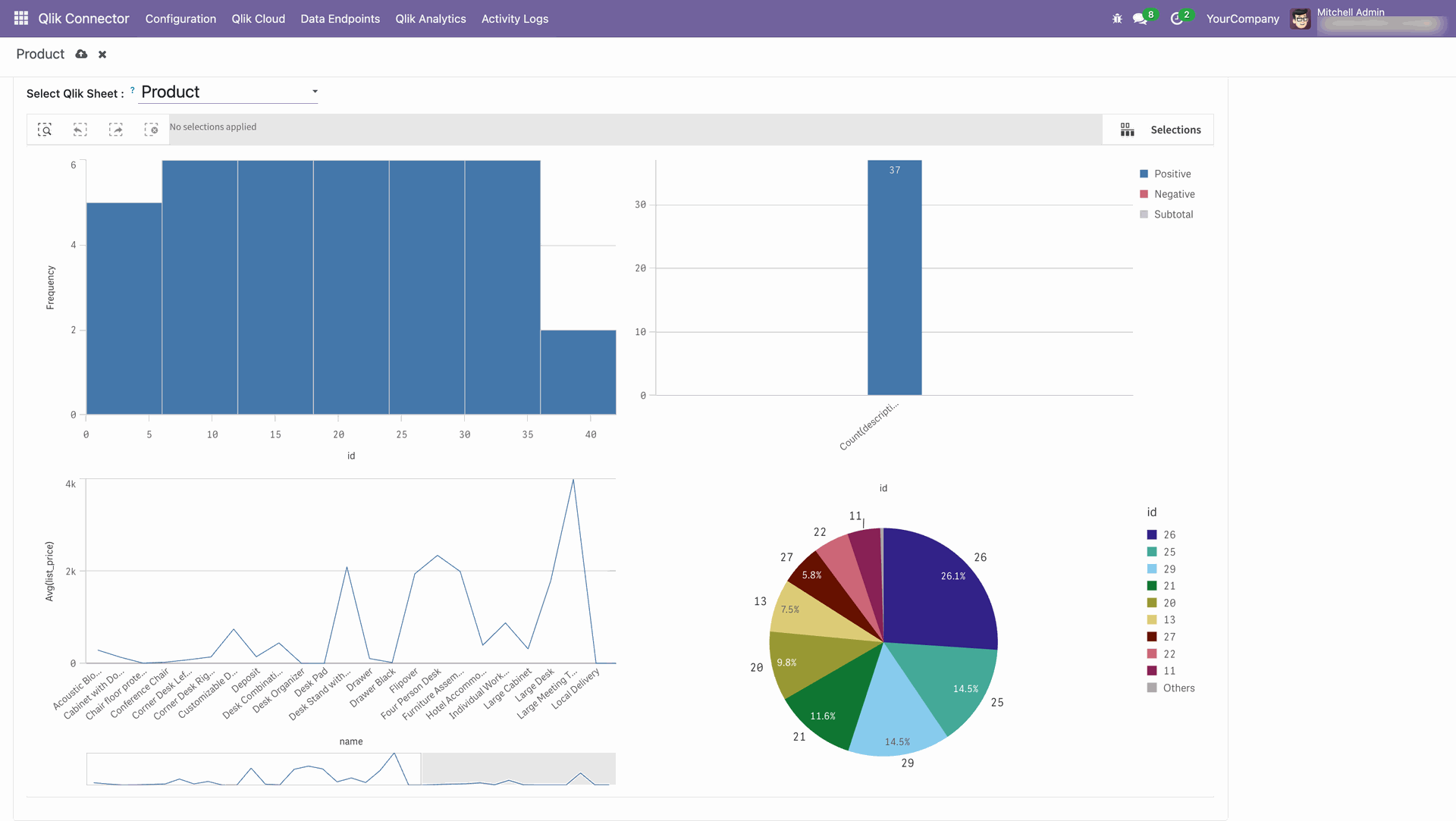
We can see that Qlik sheet analytics for Product sheet.
Version 18.0.1.0.0 | Released on : 16th July 2026
- Yes, this app works perfectly with Odoo Enterprise (Odoo.sh & Premise) as well as Community.
- No, this application is not compatible with odoo.com(odoo saas/Odoo Online)
- Yes, to test this module, please contact us at sales@softhealer.com.
- Please contact us at sales@softhealer.com to request customization.
- Yes, we provide free support for 365 days from the date of purchase.
- Yes, you will receive lifetime free updates for the version of the module you purchased.
- No, there is no need to install any additional libraries.
- Yes, for version 12 and above, you need to purchase the module separately for each version you intend to use.
- No, exchanges or refunds are not allowed. Please make sure to select the correct version before purchasing.
- You can contact us at support@softhealer.com for language translation support. We use Google Translator tools to provide translations in multiple languages, so the accuracy may vary. We welcome your suggestions to help improve translations.
Discover Our Latest Apps