
 Easy to Manage
 Dedicated Support
















 Scan to email sales






Purchases Details Report

Do you want to get detailed information about a purchase, such as which products were purchased, how many quantities were purchased, the payment methods used, the tax amount, and tax details? Our app will help you obtain all this information very easily. You need to enter a date range, and you can also select the status. You will then receive a detailed report with purchase information. This app will help you access more information beyond the total purchase order. Cheers!

Features
- You can generate the report for a specific date-time.
- You can generate reports for single companies as well as multiple companies.
- Multi-company users can print reports for more than one company assigned to them.
- Single company users are only allowed to print their own company's reports.
- You can view the report directly from the wizard.
- It's easy to filter records by different statuses.
- You can print the report in PDF as well as in Excel format.
- You can easily access payment and tax information.
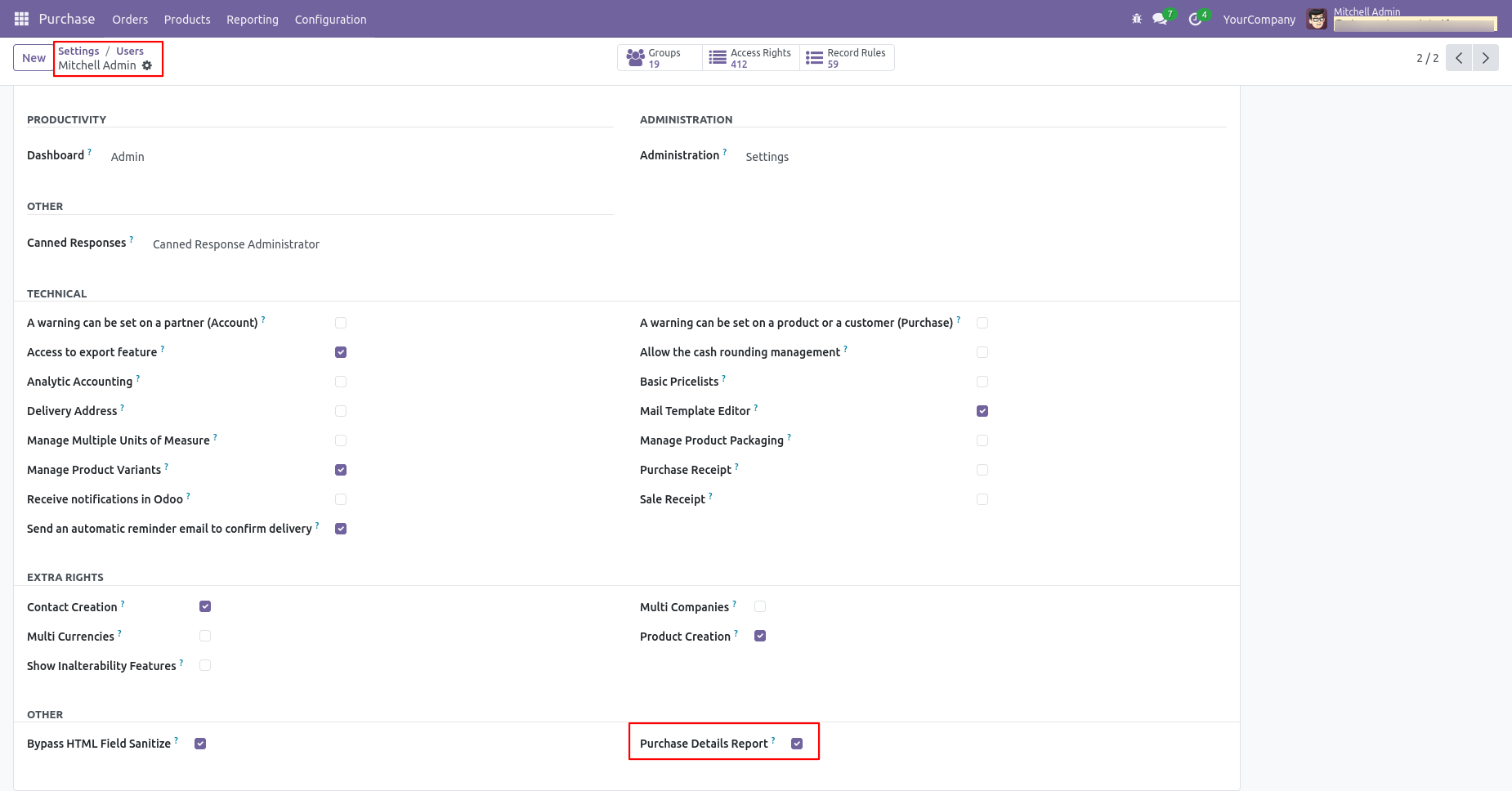
Go to user configuration and enable 'Purchase Detail Report'.
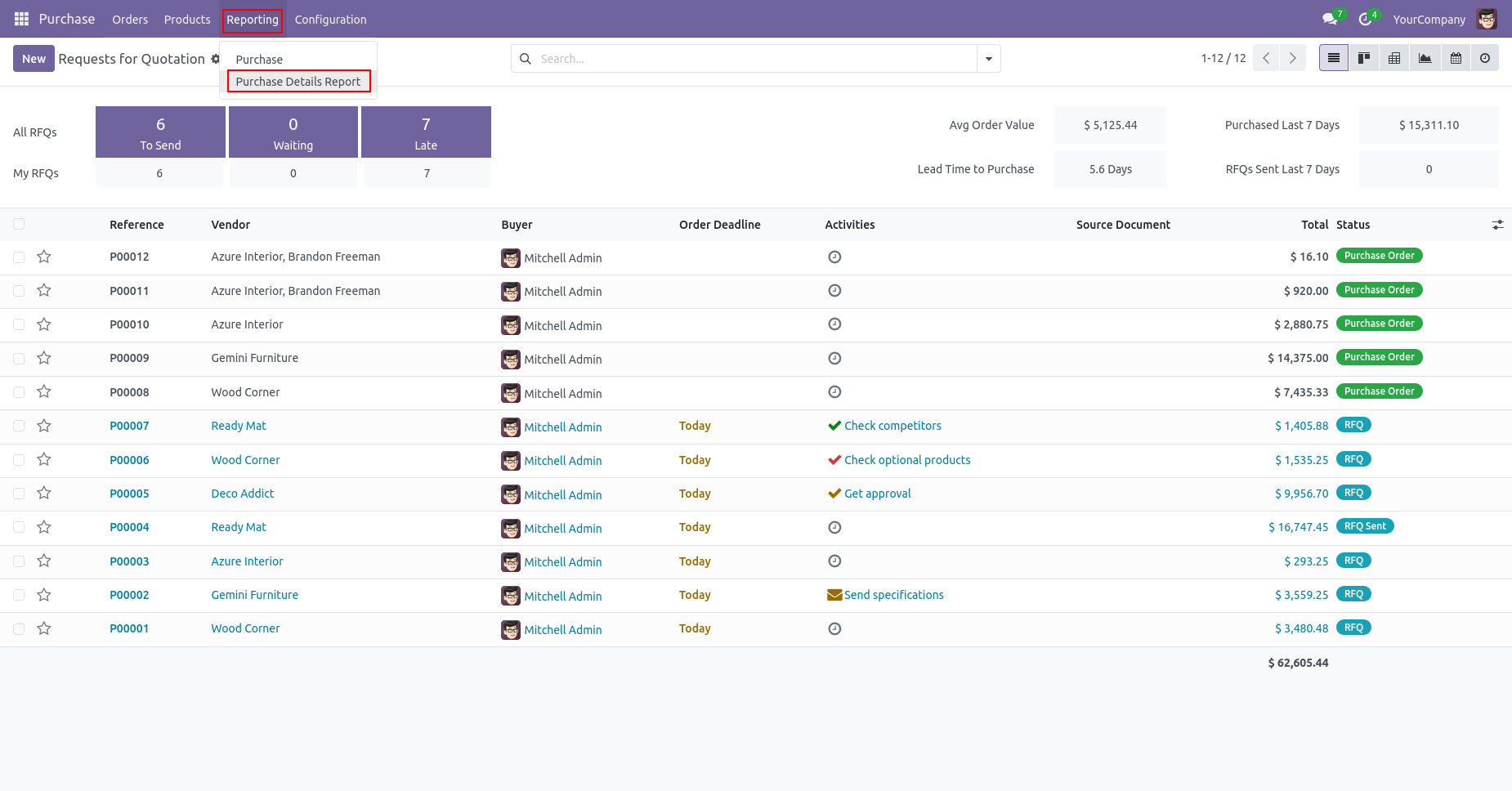
Go to reporting and click on 'Purchase Details Report'.
We view the report using the PDF/Excel report wizard
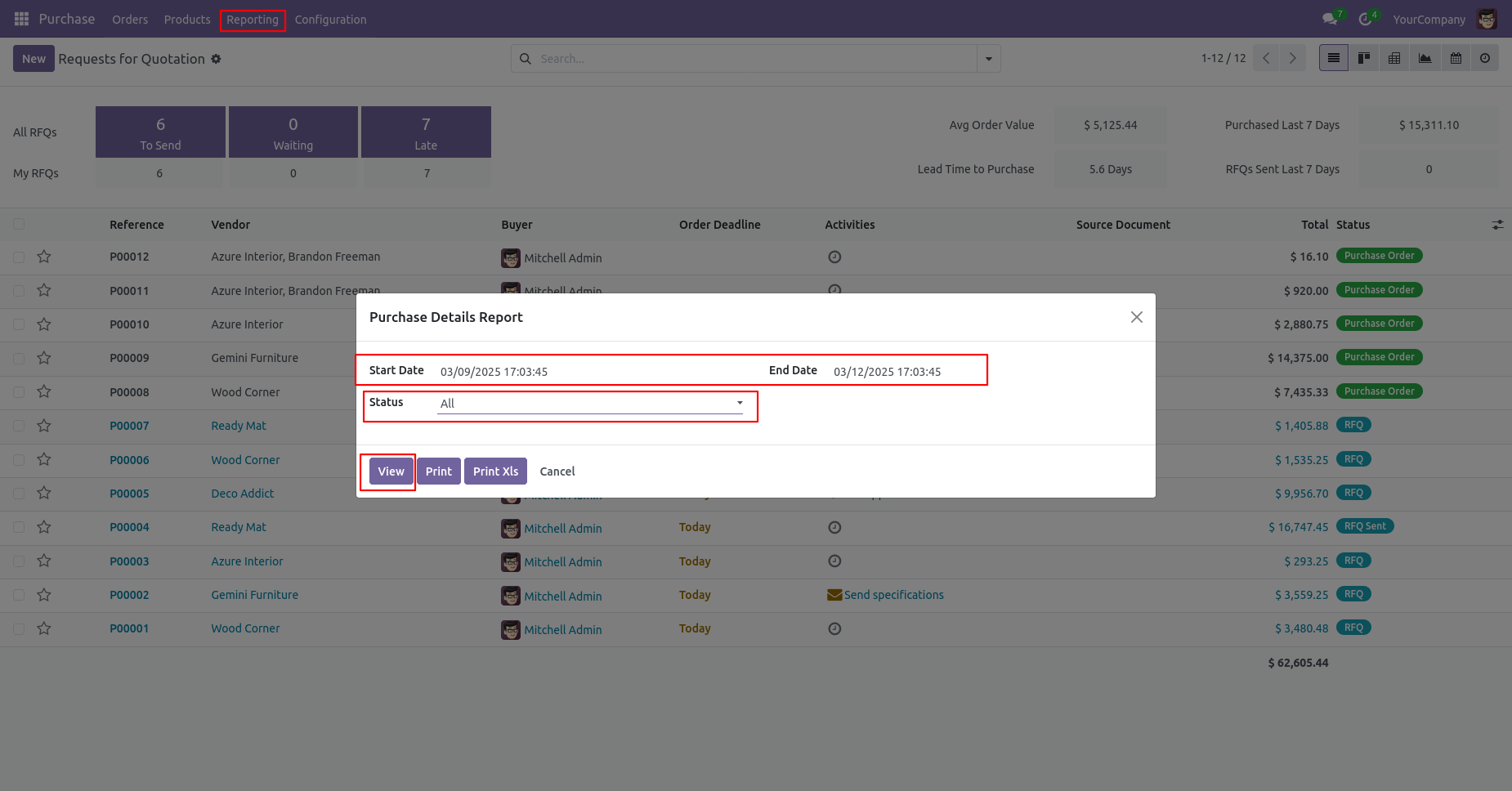
This is a list view of the Purchase Details Report.
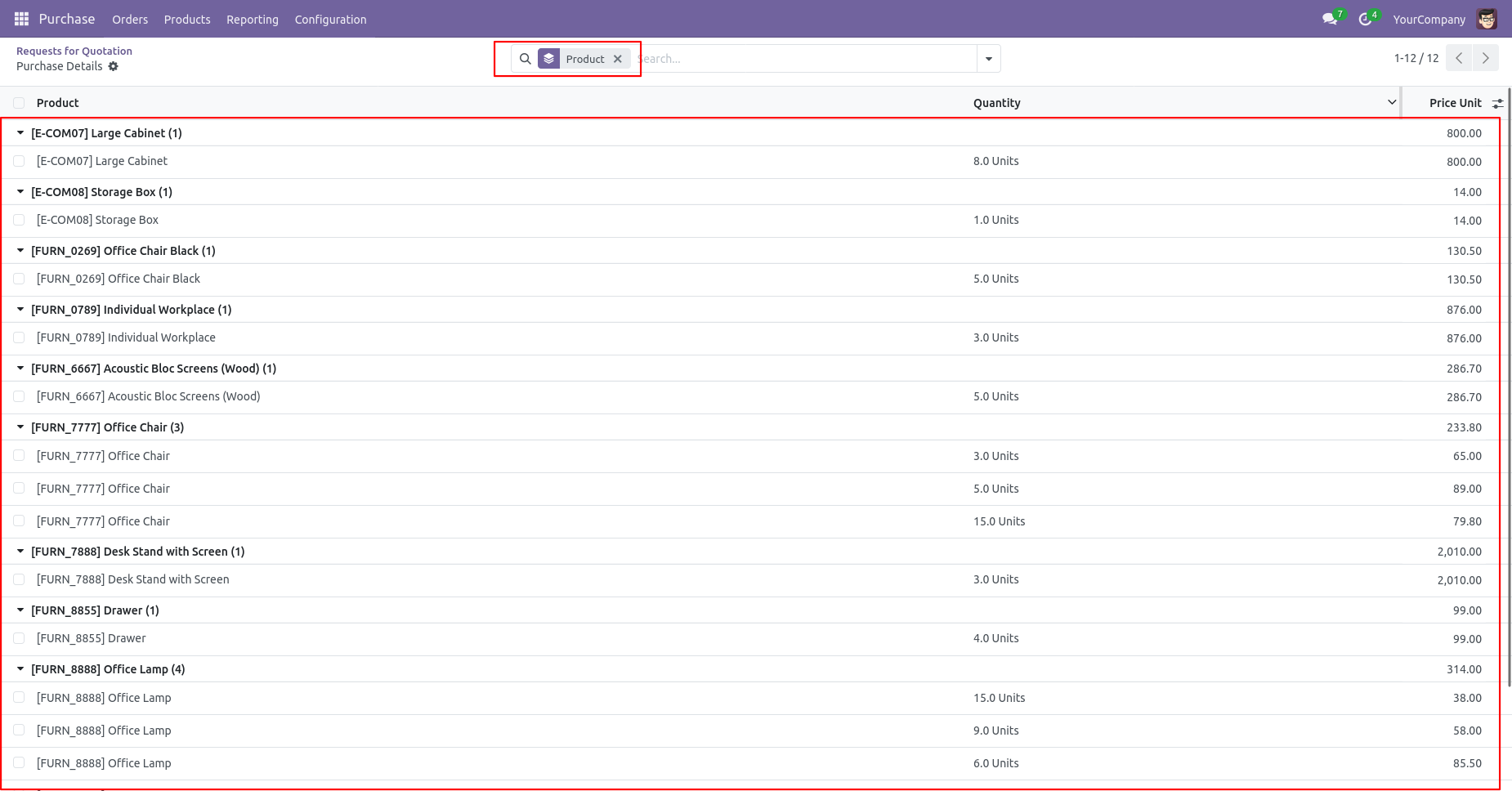
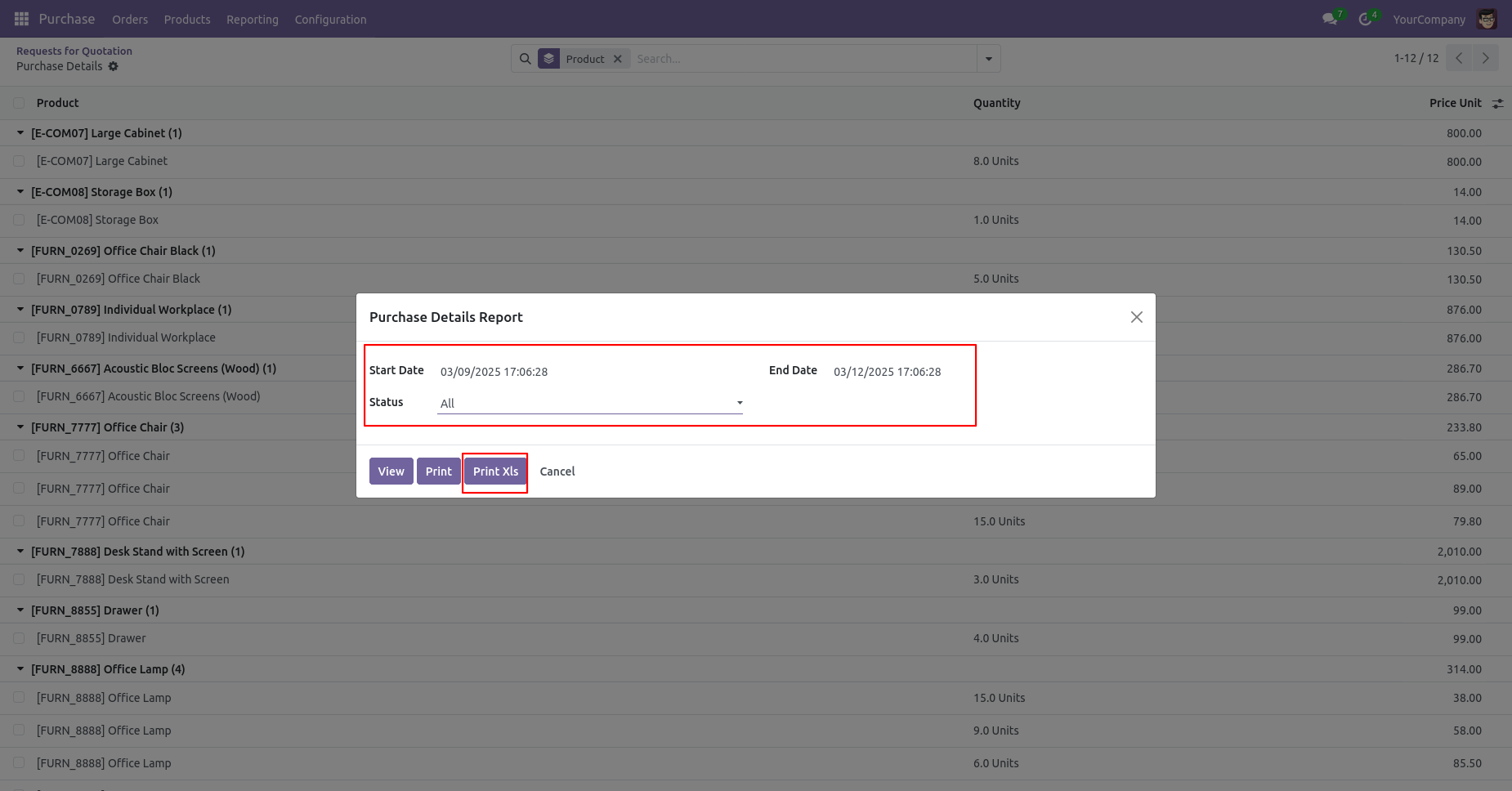
Purchase details PDF/Excel report wizard. Select a date and time to get a report between particular date-time.
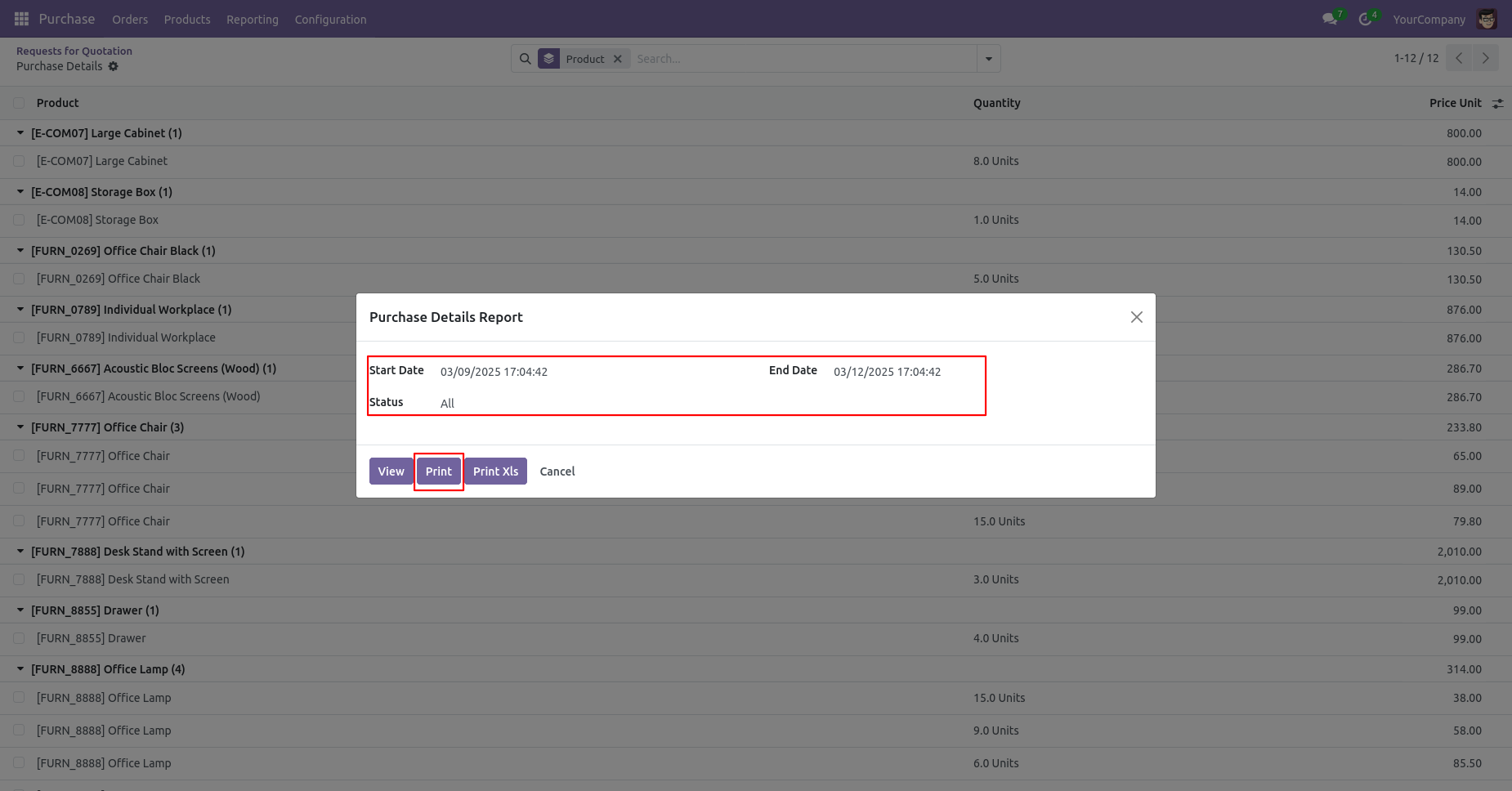
The Purchase Details PDF report looks like the below.
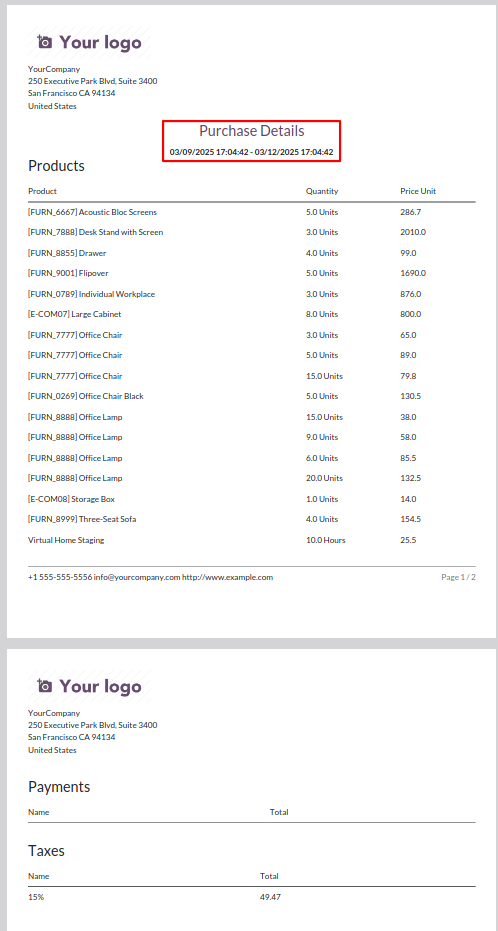
Purchase Details PDF/Excel report wizard and then print the Excel report.
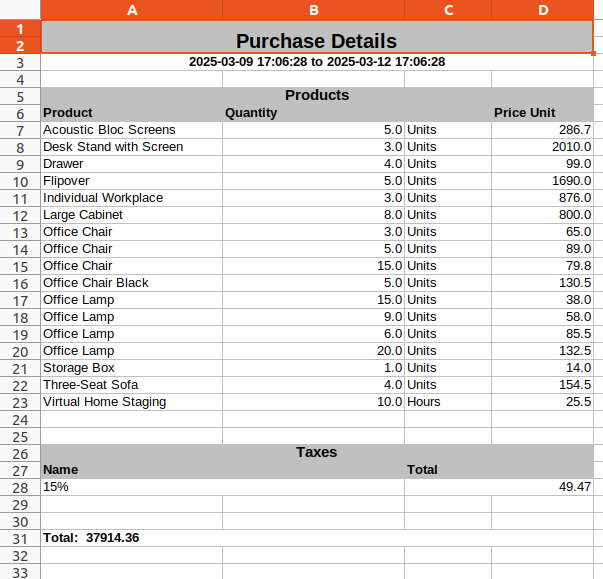
The purchase details Excel report is formatted as below.
In the report view, you have the option to group the report.

Version 18.0.1 | Released on : 14th September 2024
- Yes, this app works perfectly with Odoo Enterprise (Odoo.sh & On-Premise) as well as Community.
- No, this application is not compatible with odoo.com(odoo saas/Odoo Online).
- Please Contact Us at sales@softhealer.com to request customization.
- Yes, you will get free update for lifetime.
- No, you don't need to install addition libraries.
- For version 12 or upper, you will need to purchase the module for each version that you want to use.
- Yes, we provide free support for 100 days.
- No, We do not provide any kind of exchange.
