


 Easy to Manage
 Dedicated Support















 Scan to email sales




Purchase Terms & Conditions

Each and every company have to declare its policy that provides terms & condition. This module is used to display terms and conditions when any request for quotation creates. You can create terms and conditions easily using the HTML input tool. You can print terms & conditions in the request for quotation and purchase order report.

Related Modules
Features
- You can translate terms & conditions value in multi languages.
- You can pass terms & conditions in the 'Create Bill'.
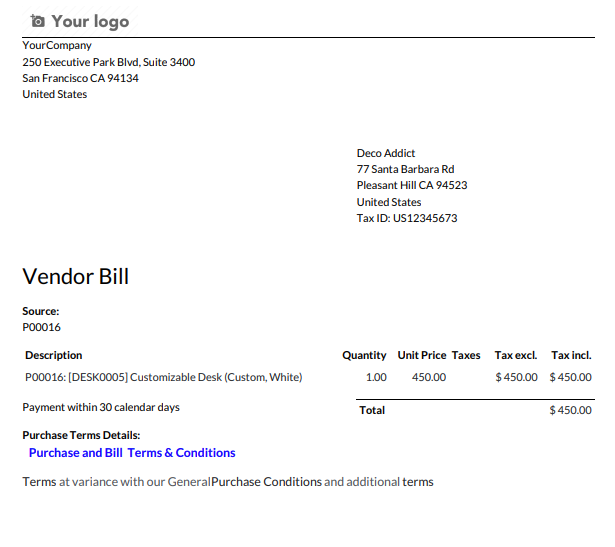
- You can print terms & conditions in the bill report.
- You can set terms and conditions for requests for quotation and purchase orders.
- You can print the terms & conditions in the report.
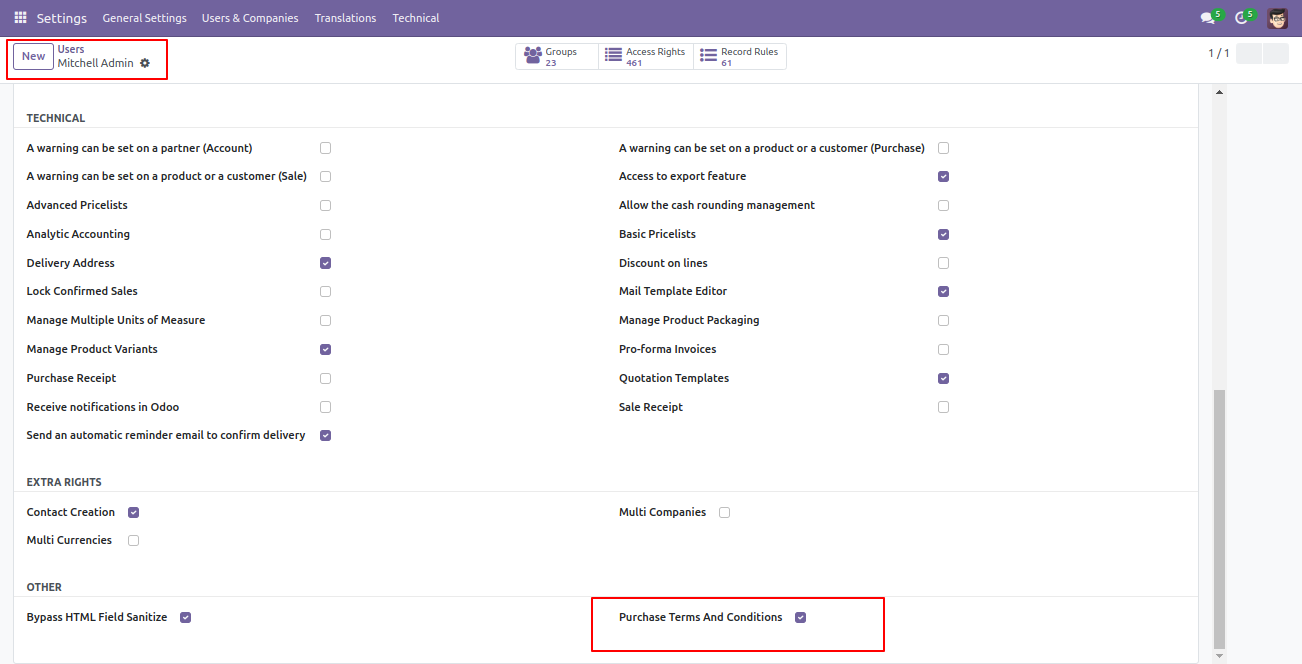
Enable 'Purchase Terms And Conditions' to create terms & conditions.
Go to the 'Configuration' => 'Terms And Conditions' menu to create terms & conditions.
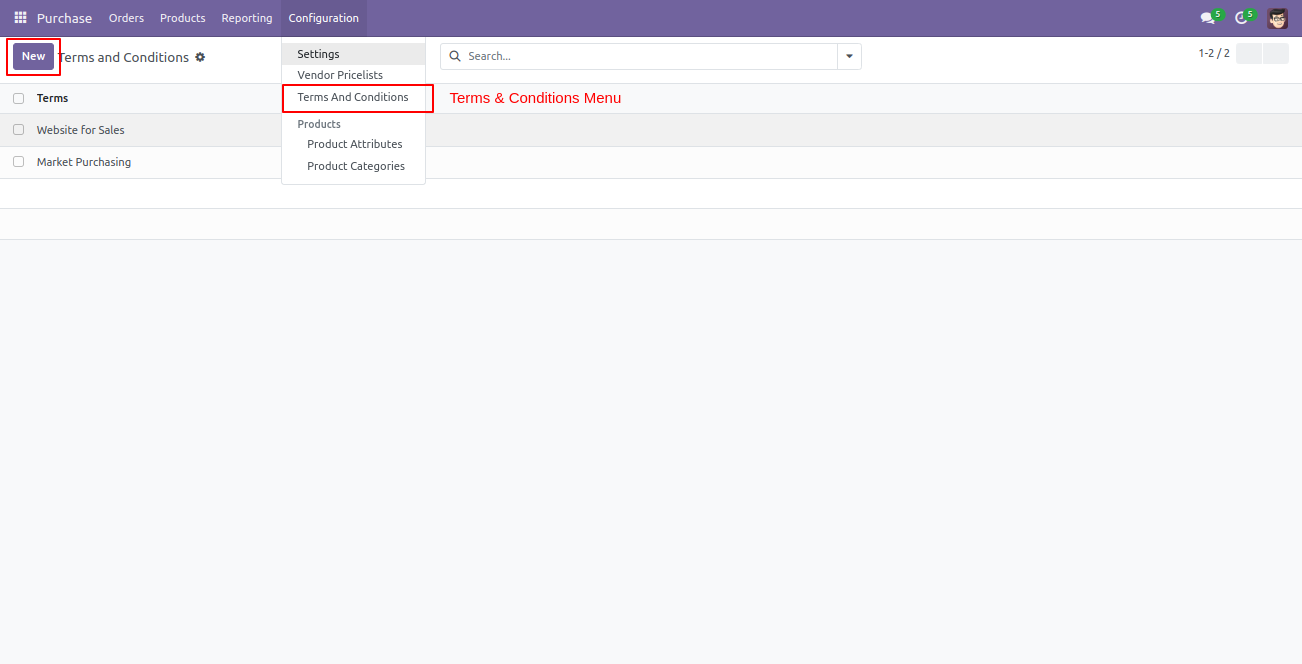
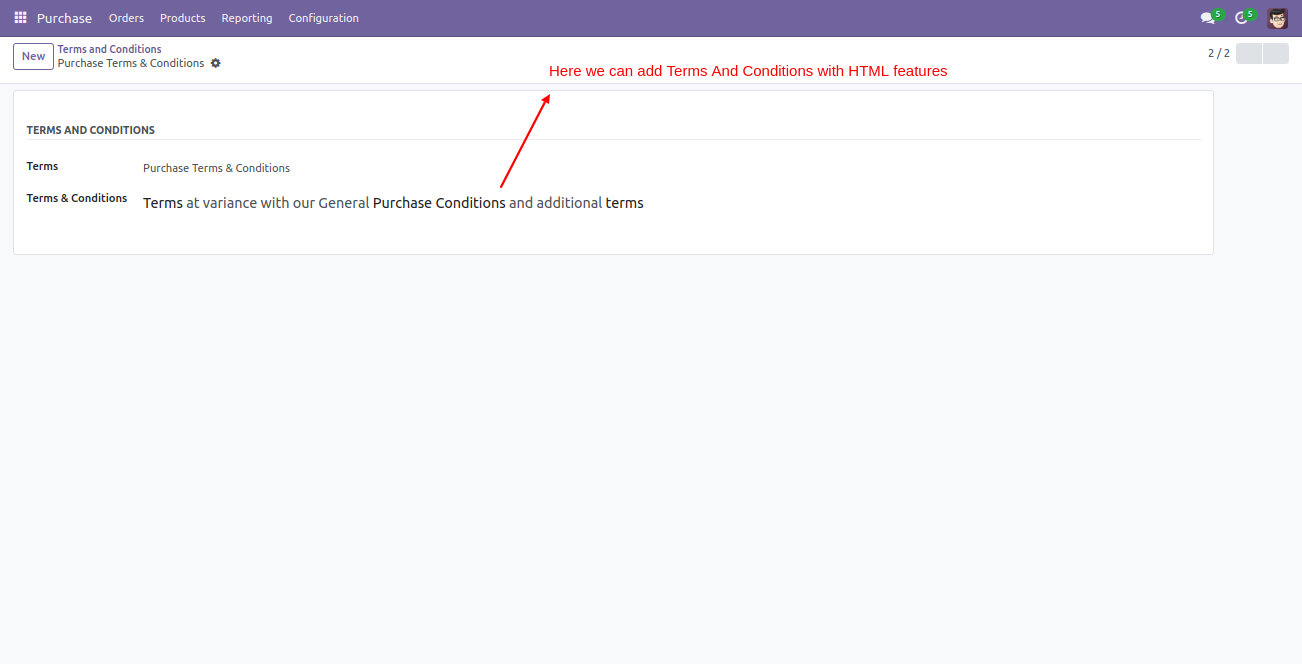
After press the 'New' button, this screen will open, You can create terms & conditions with the HTML feature.
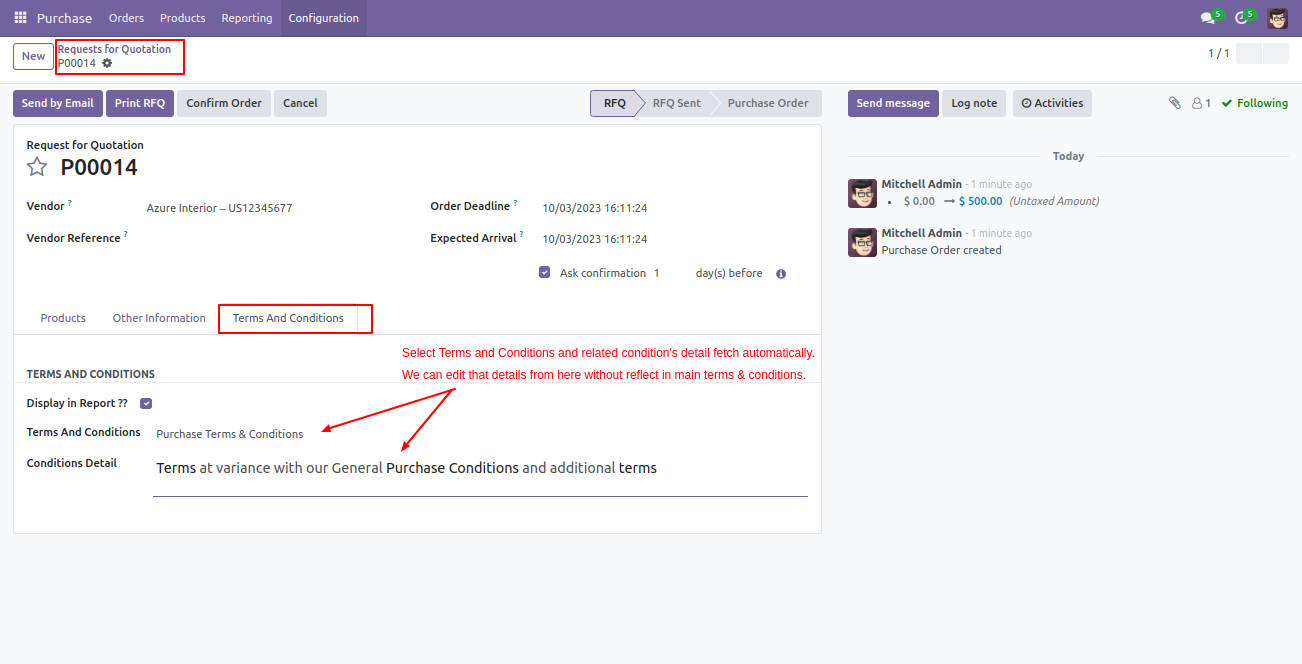
Go to the 'Requests For Quotation' => 'Terms And Conditions' menu to create terms & conditions.
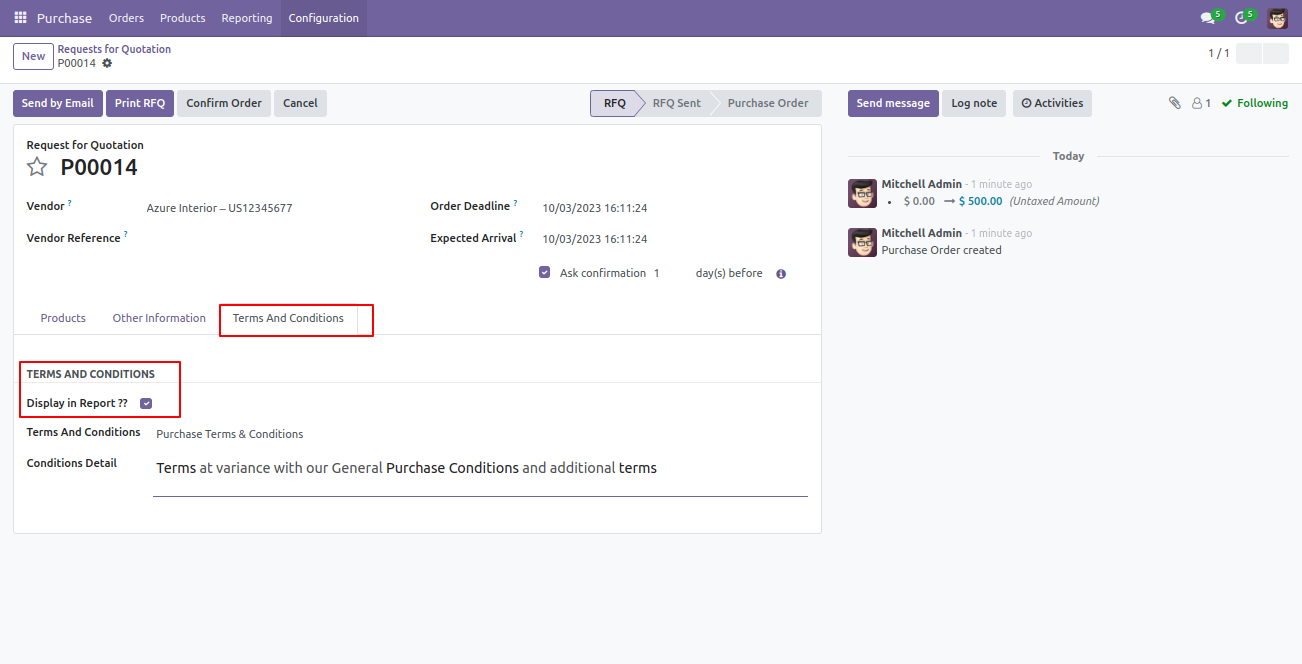
Enable 'Display In Report' to display terms & conditions in report.
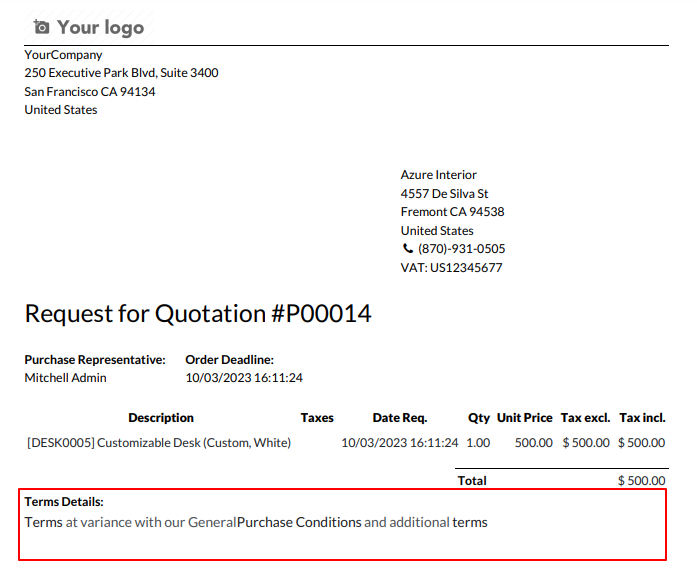
Terms & conditions in the request for quotation/purchase order report.
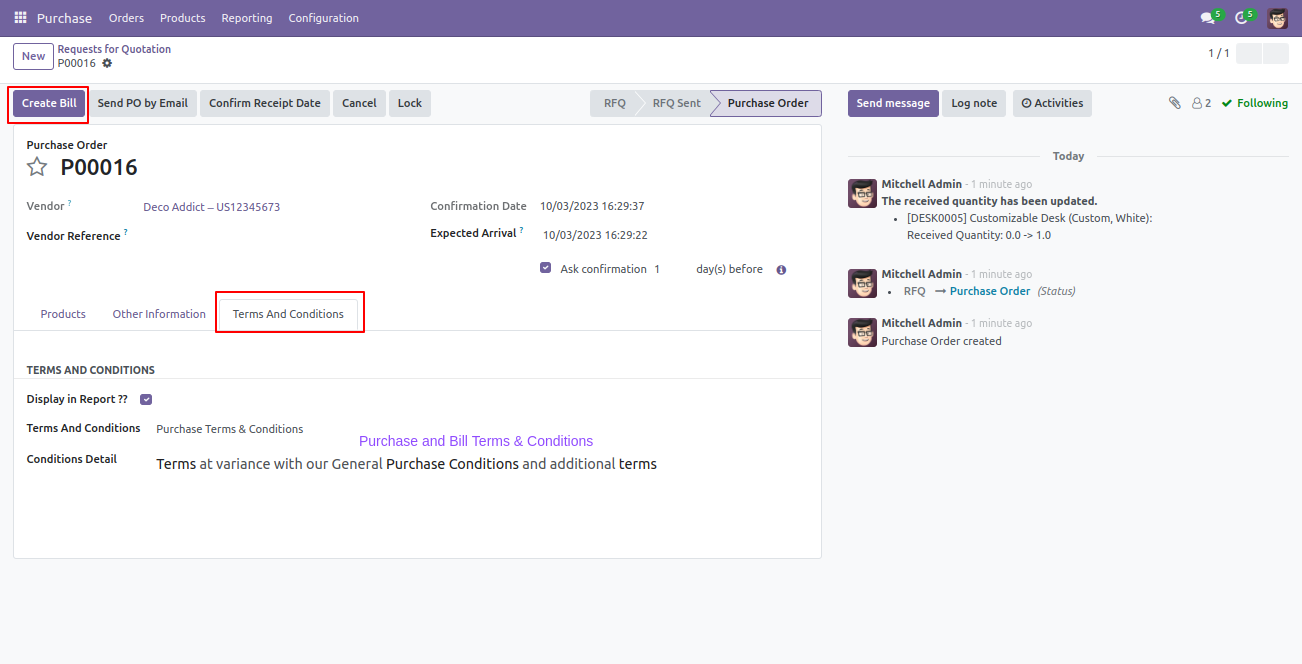
We create bill from RFQ/PO with terms and condition.
Bill with terms and conditions.
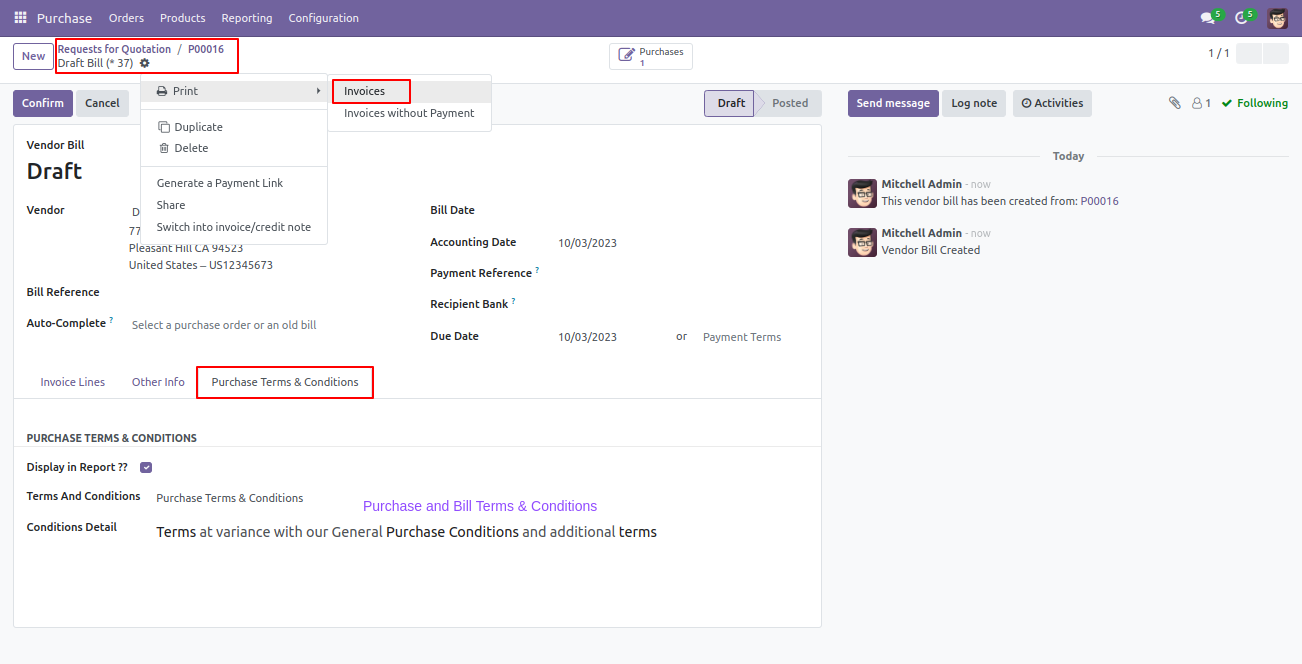
Print bill with terms and conditions.
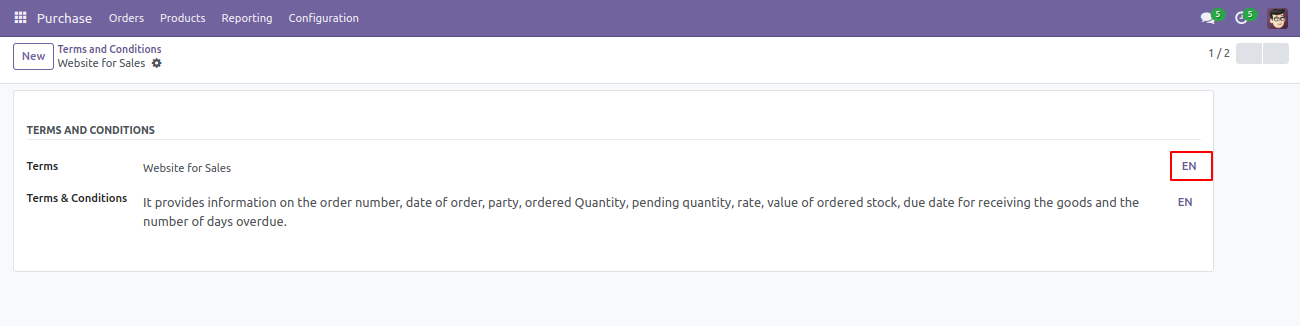
Terms and condition with translation.
Version 19.0.1.0.0 | Released on : 11th February 2026
- Yes, this app works perfectly with Odoo Enterprise (Odoo.sh & On-Premise) as well as Community.
- No, this application is not compatible with odoo.com(odoo saas/Odoo Online).
- Please Contact Us at sales@softhealer.com to request customization.
- Yes, you will get free update for lifetime.
- No, you don't need to install addition libraries.
- For version 12 or upper, you will need to purchase the module for each version that you want to use.
- Yes, we provide free support for 365 days.
- No, We do not provide any kind of exchange.
