












Purchase Recurring Orders Portal

This module helps to view recurring orders at the portal. portal users can see their vendors recurring orders and portal vendors can see their own recurring orders from the portal. portal user and vendor both can discuss also easily using chatter in the portal. we have also given an optional feature to sign and accept recurring orders from the portal vendor. so the portal vendor can accept and sign recurring orders and recurring order state auto change to running state.

Related Modules
Hot Features
Features
- Easy to make recurring orders.
- The purchase user can make recurring orders manually.
- vendors can approve their recurring orders by signature.
- Easy to set an interval date for automatically make a request for quotation/ purchase order after the interval is over.
- Easy to set recurring due time in day/week/month/year. After due time over that recurring order, you can set the stage in renew or expire.
- Easy to know the ending date of recurring after set recurring due time in day/week/month/year.
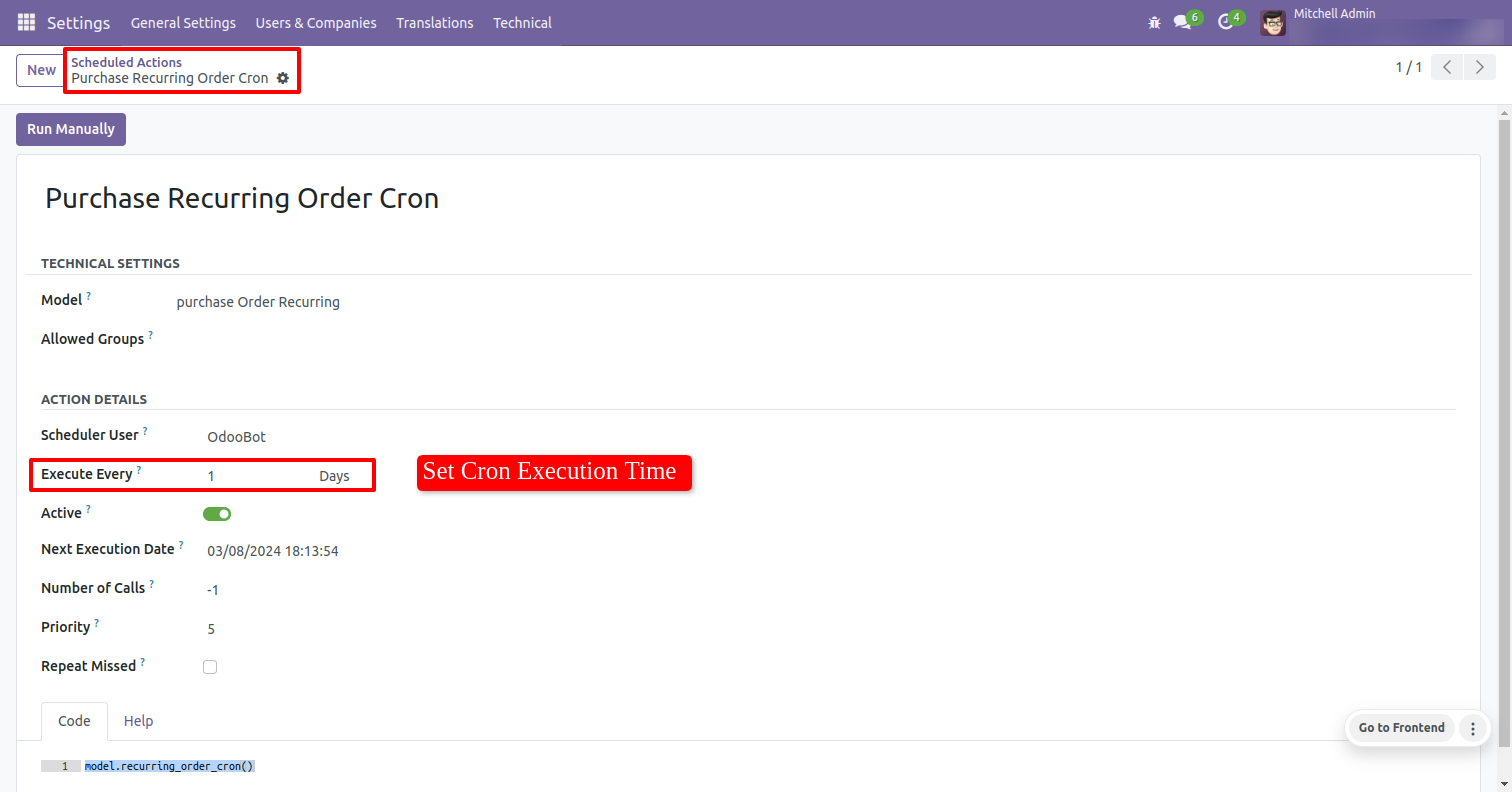
- Easy to set schedule time to execute them all recurring orders scheduled.
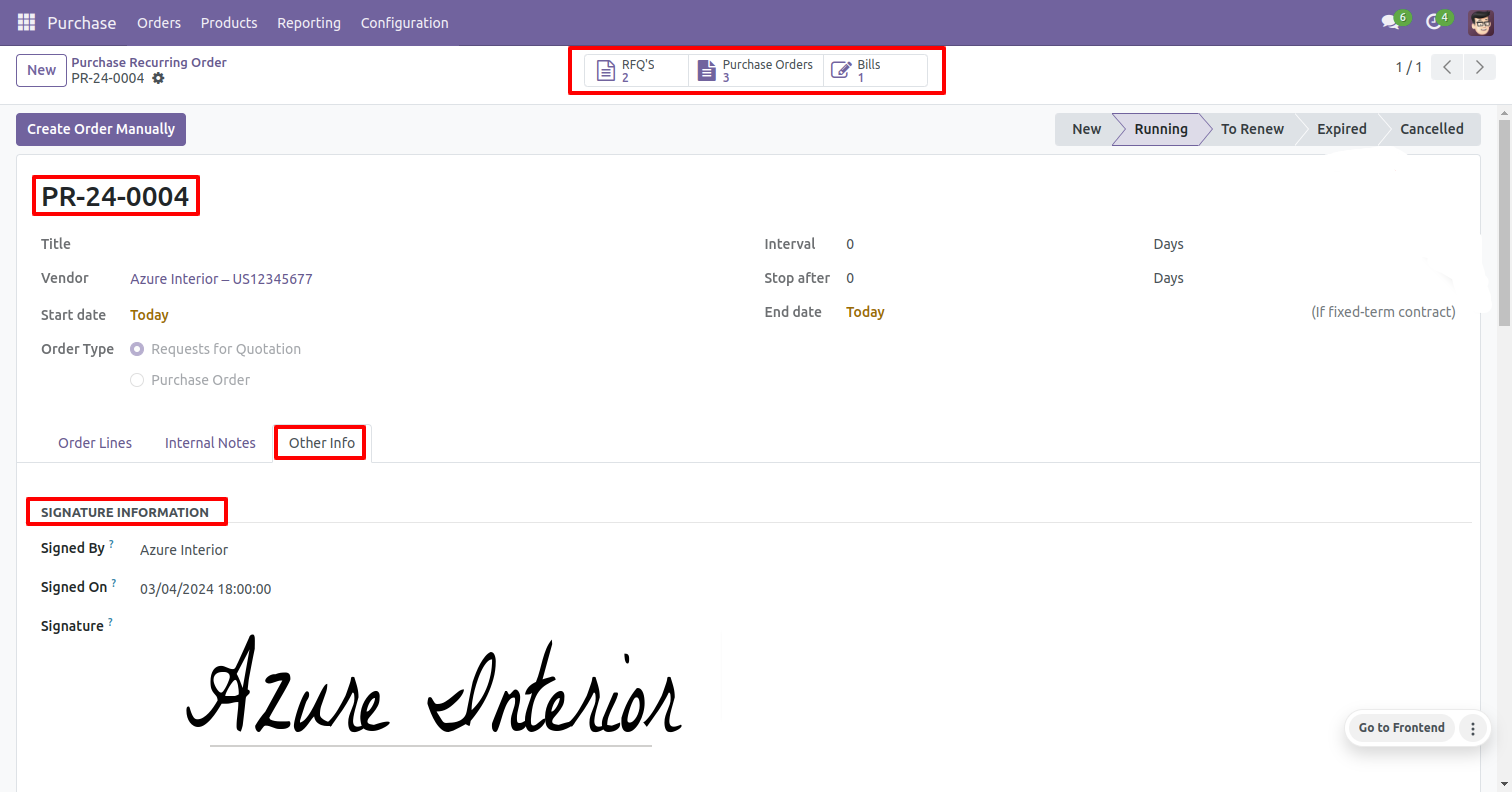
- Easy to count all the request for quotations, purchase order & bills of each and every recurring order by smart buttons into recurring orders.
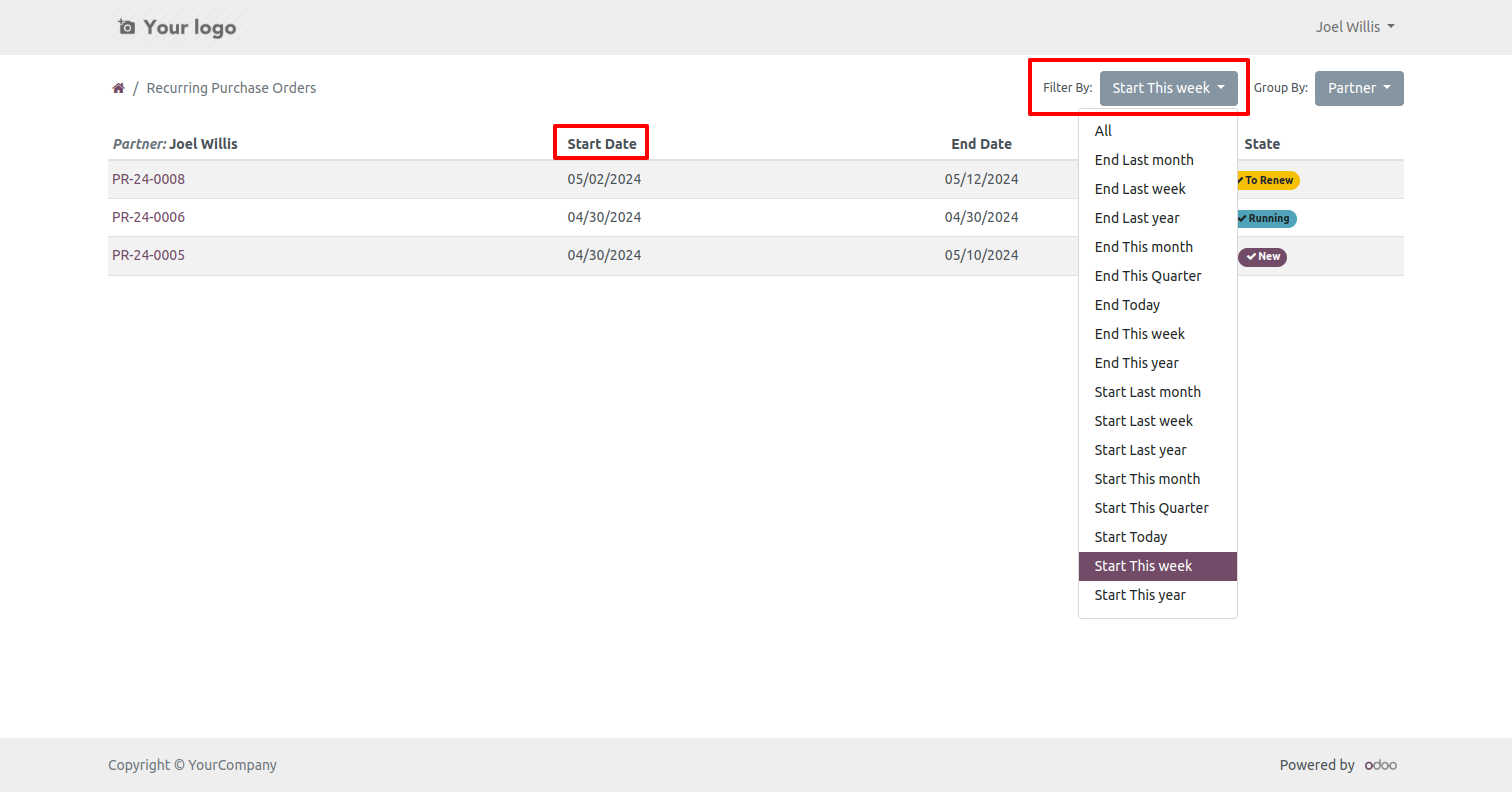
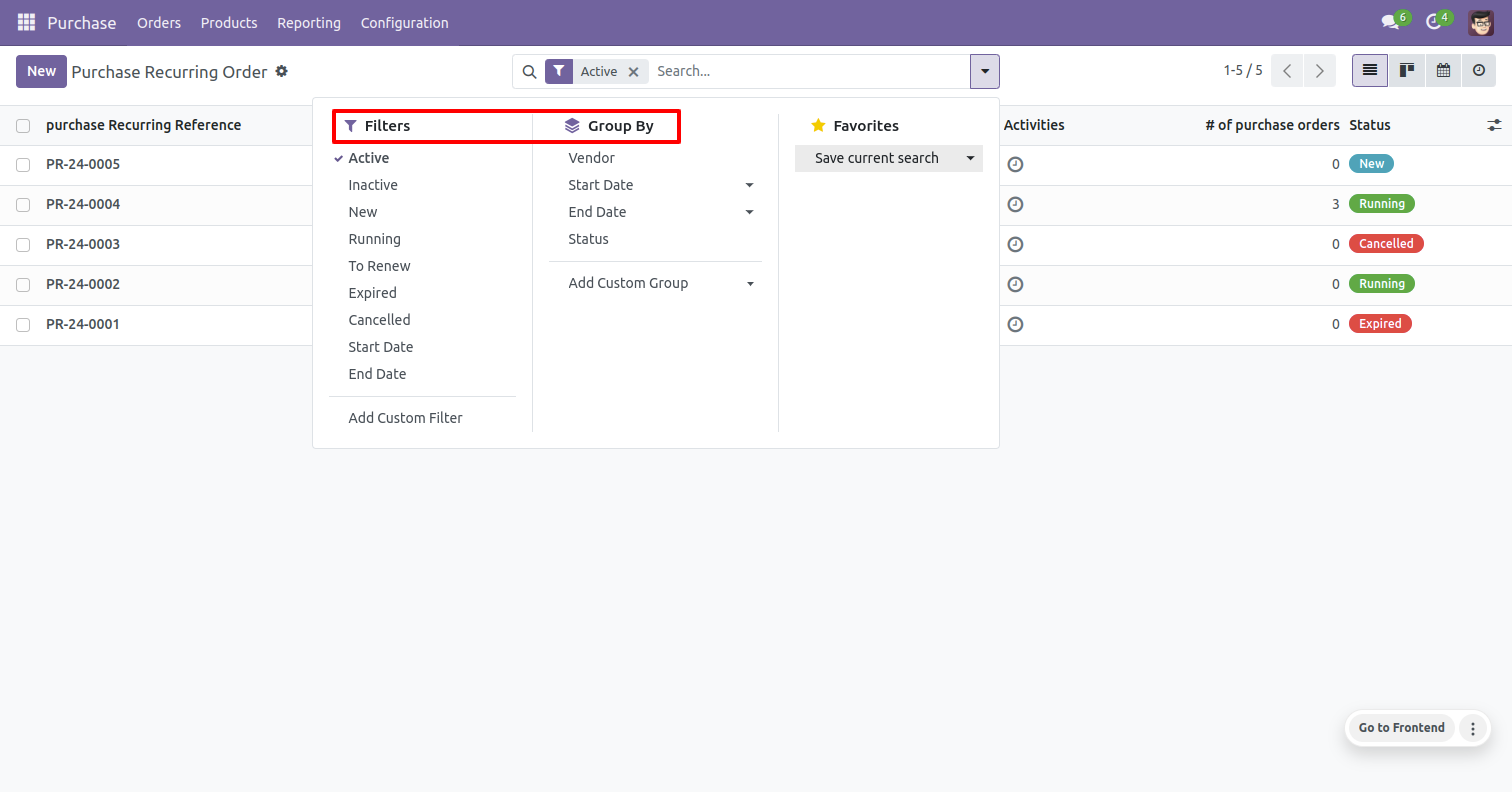
- Easy to filter recurring order with all, end last month, end last week, end last year, end this month, end this quarter, end today, end this week, end this year, start last month,start last week, start last year, start this month, start this quarter, start today, start this week, start this year.
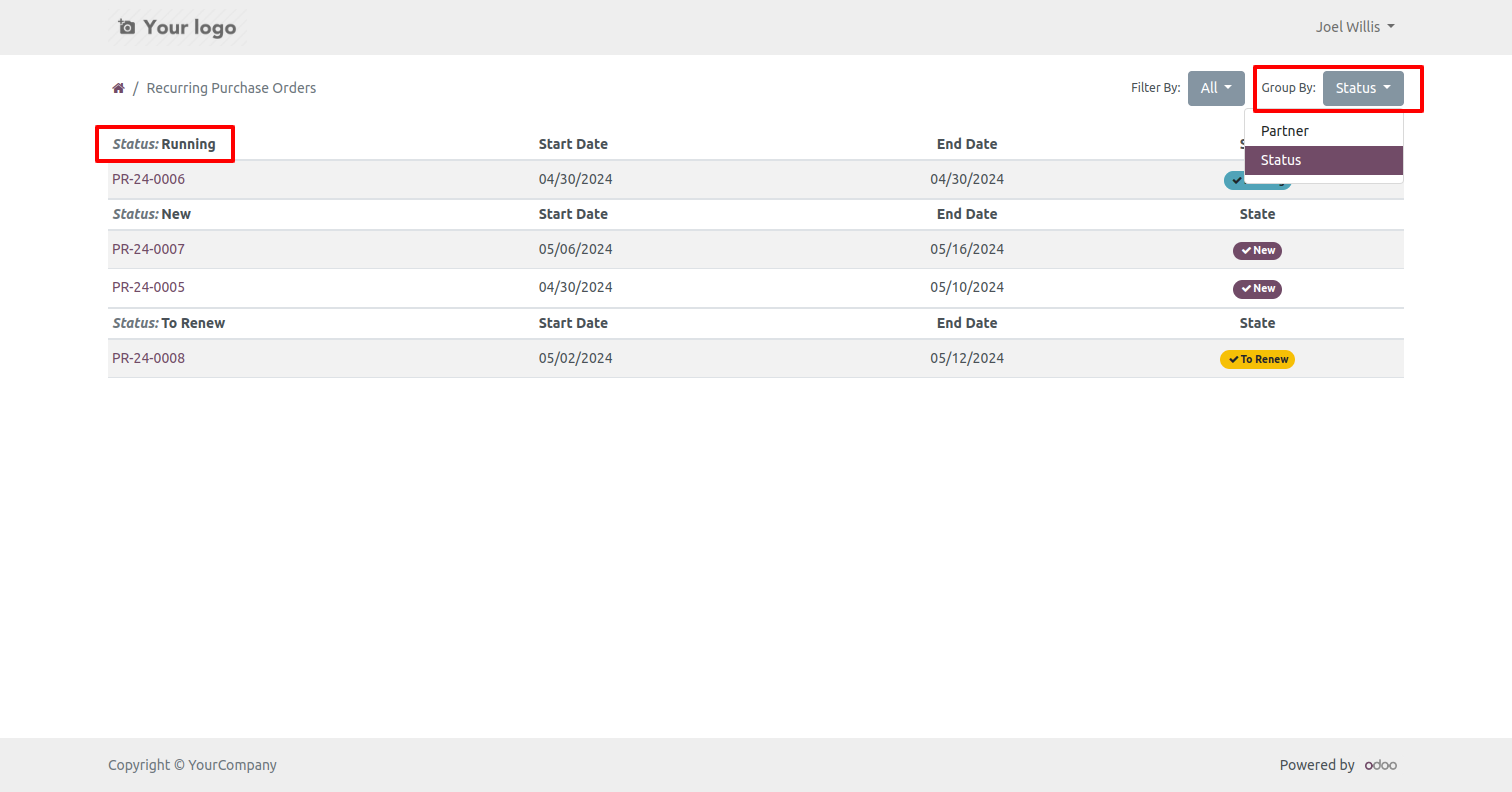
- Easy to group by the list of recurring orders using partner and status.
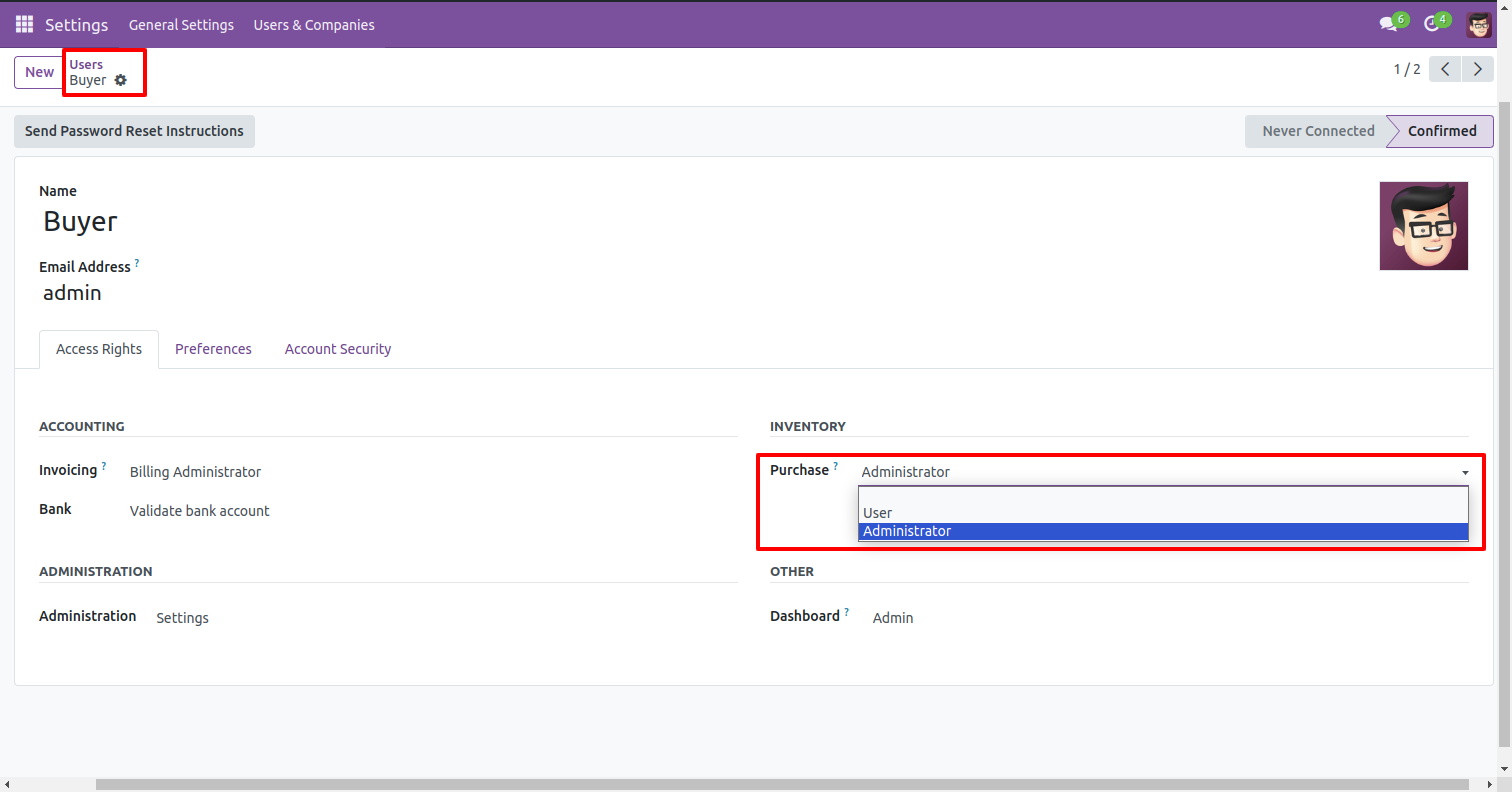
The purchase user must have anyone access rights from below 2 rights. The purchase user must have access as an internal user.
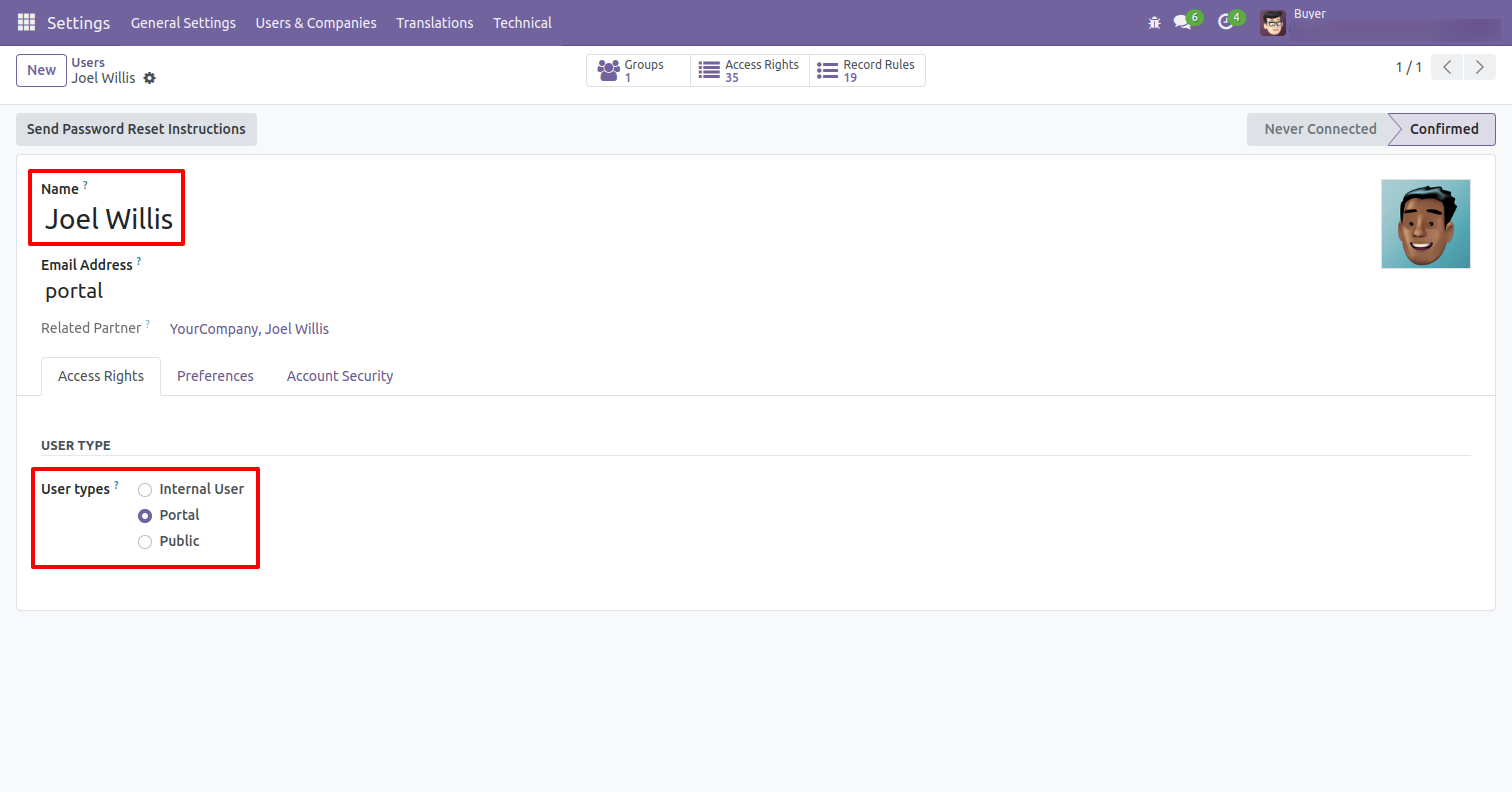
The vendor must have portal access rights to see recurring orders at the portal.
Purchase Recurring Orders Portal With vendor Signature
Workflow
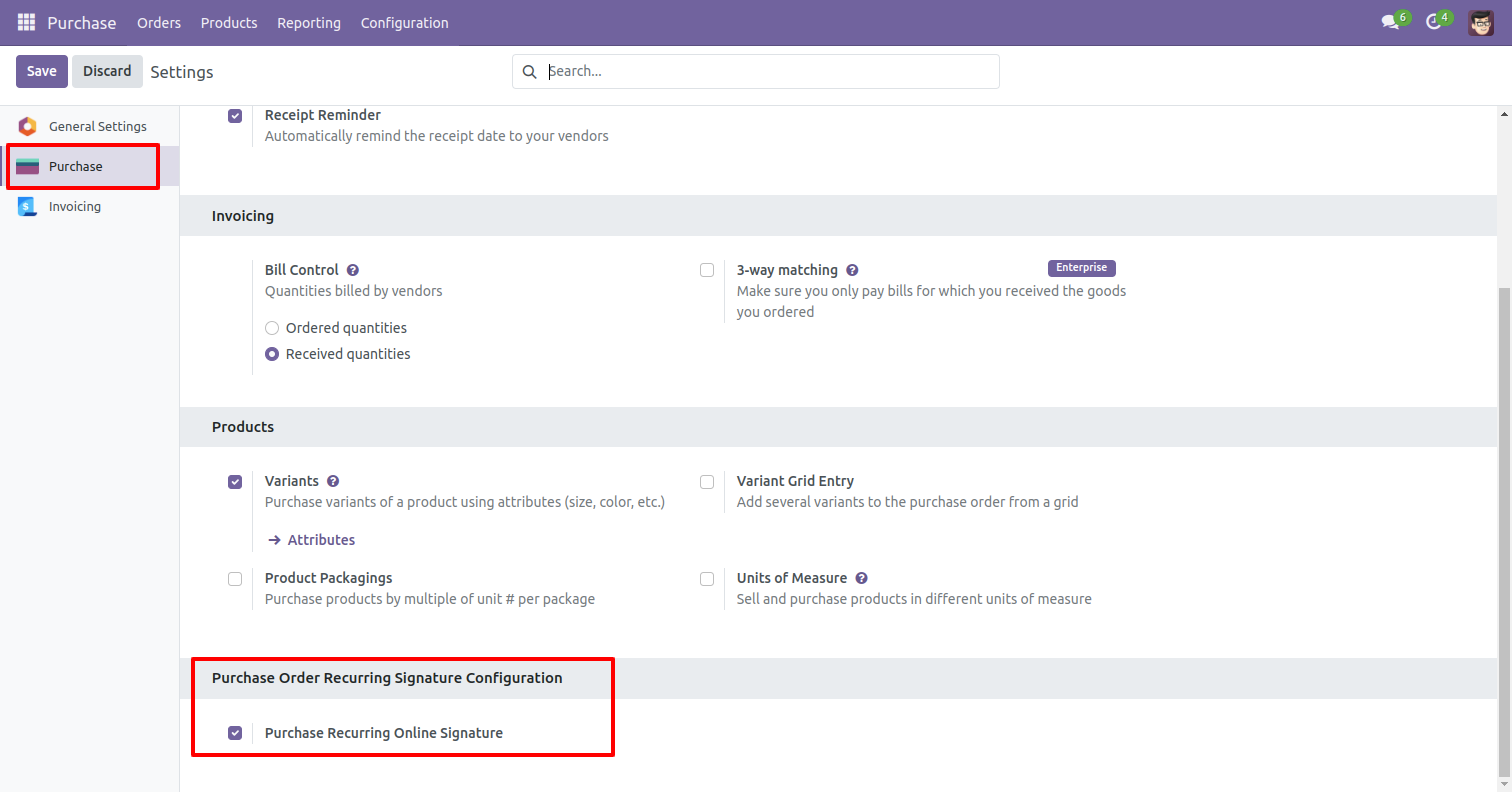
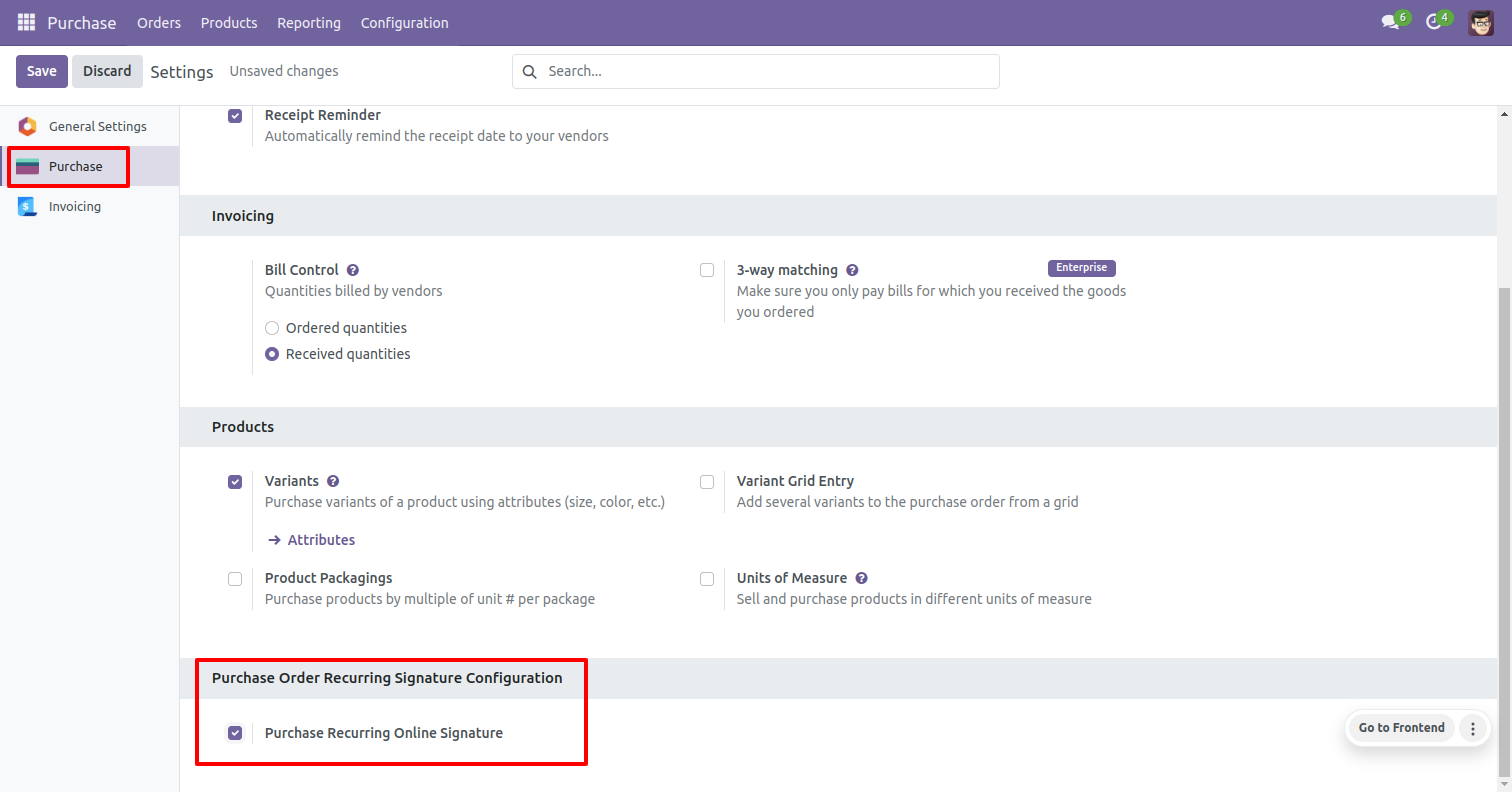
If you check "Purchase Recurring Online
Signature" then vendors can approve their recurring orders by signature.
Go to the "Action" and press "Grant Portal Access" to approve orders by vendors.
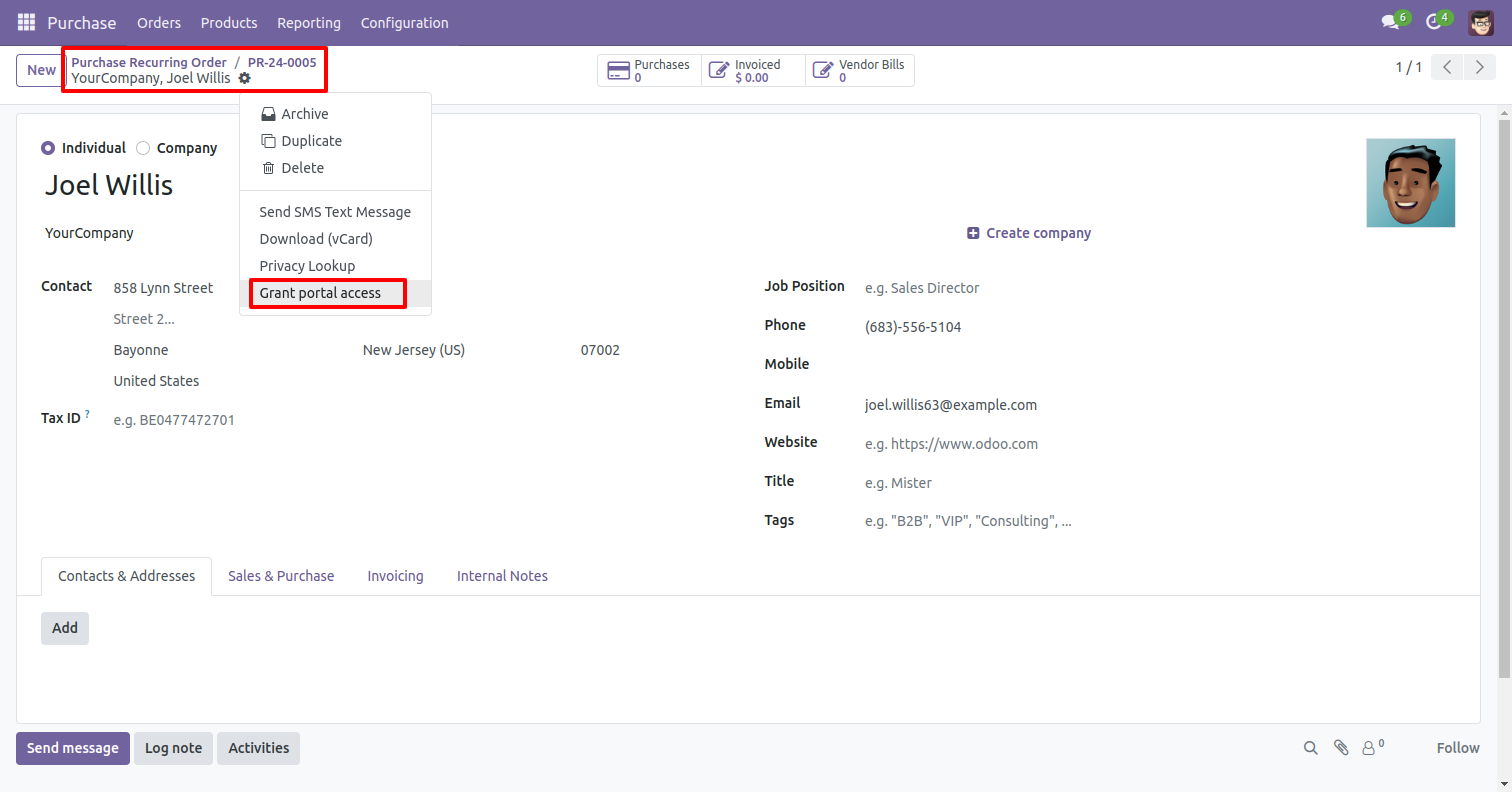
Click on 'Grant Access' button.
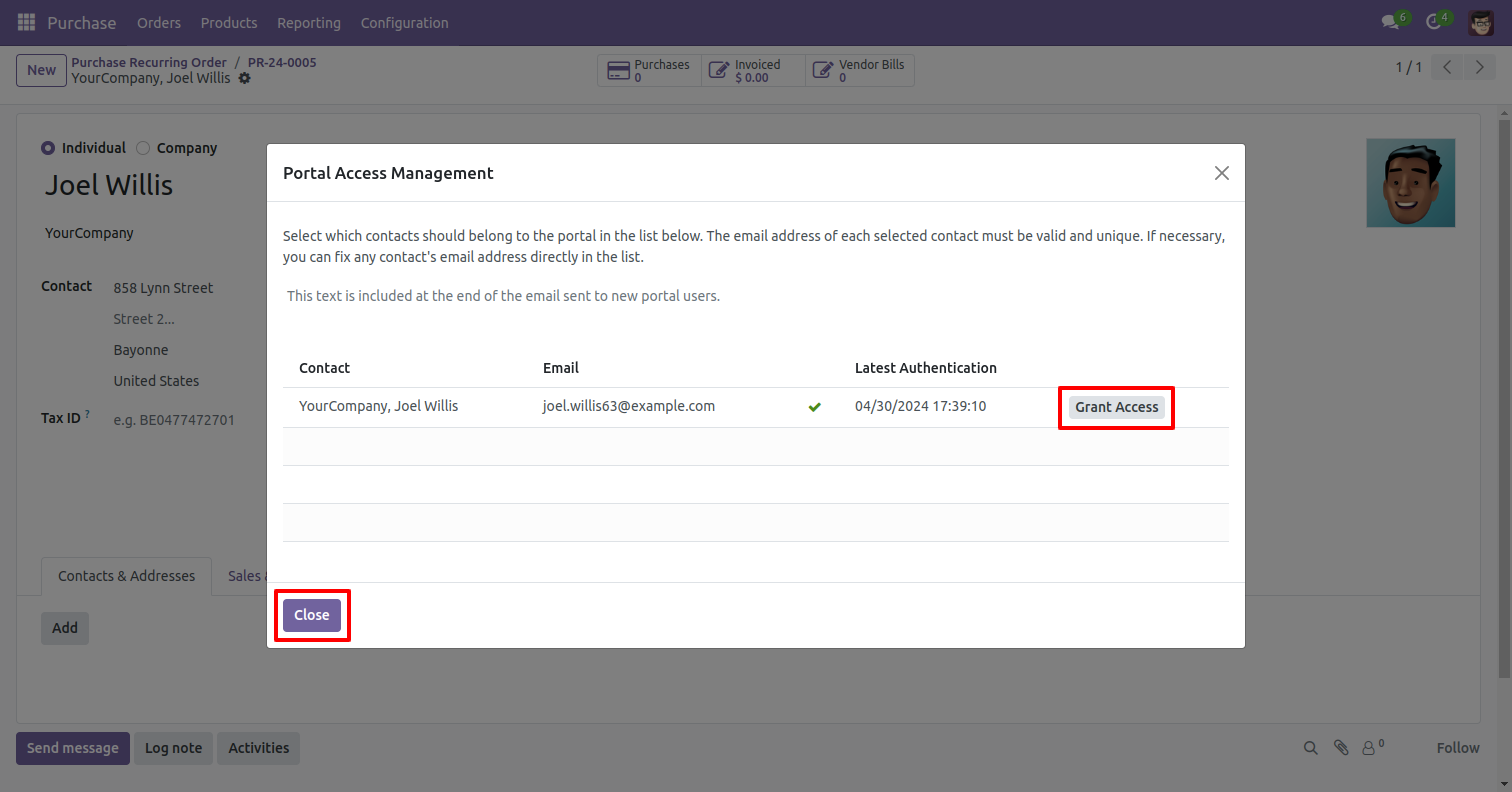
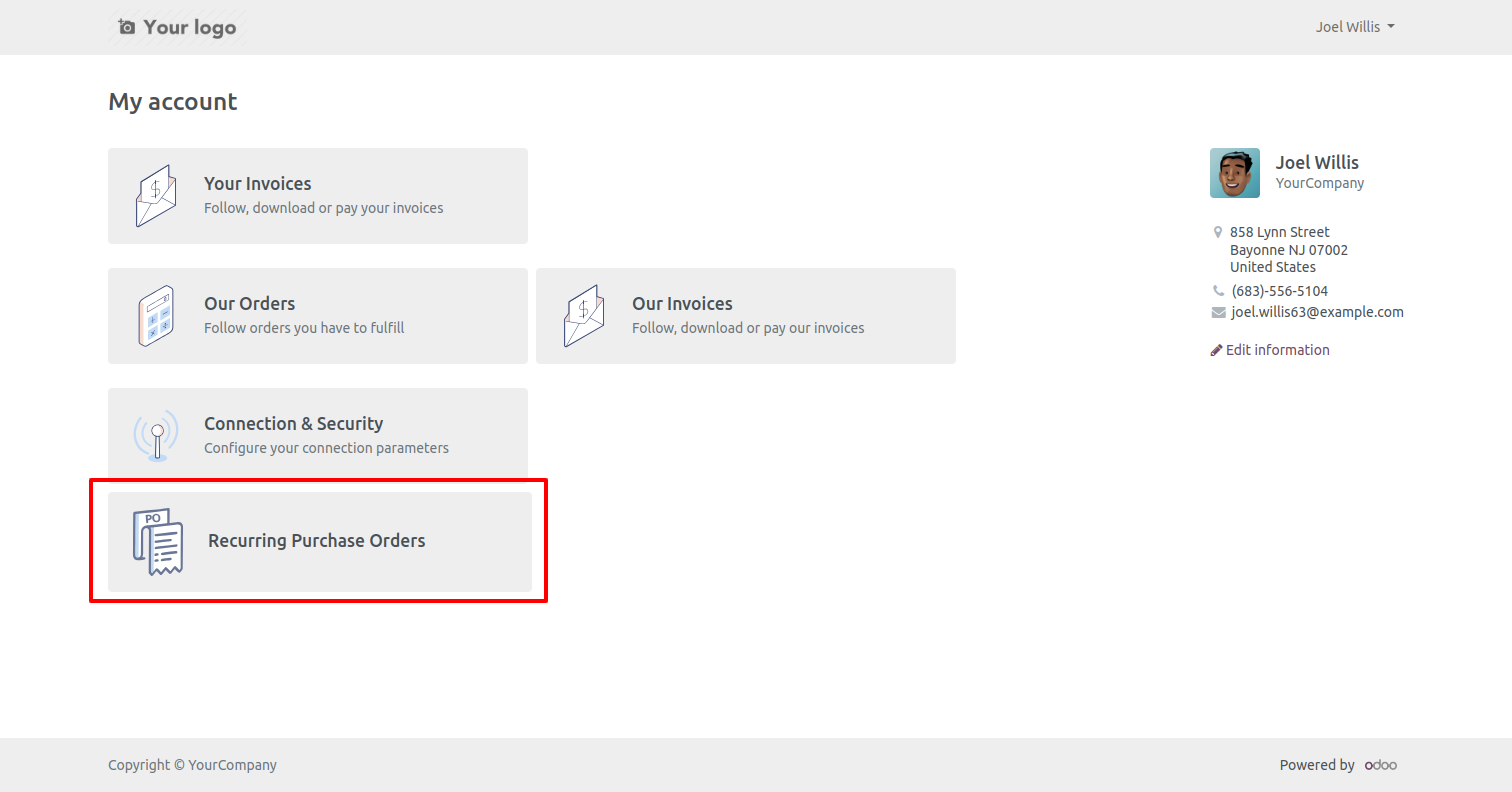
Login with the vendor (my account) portal.
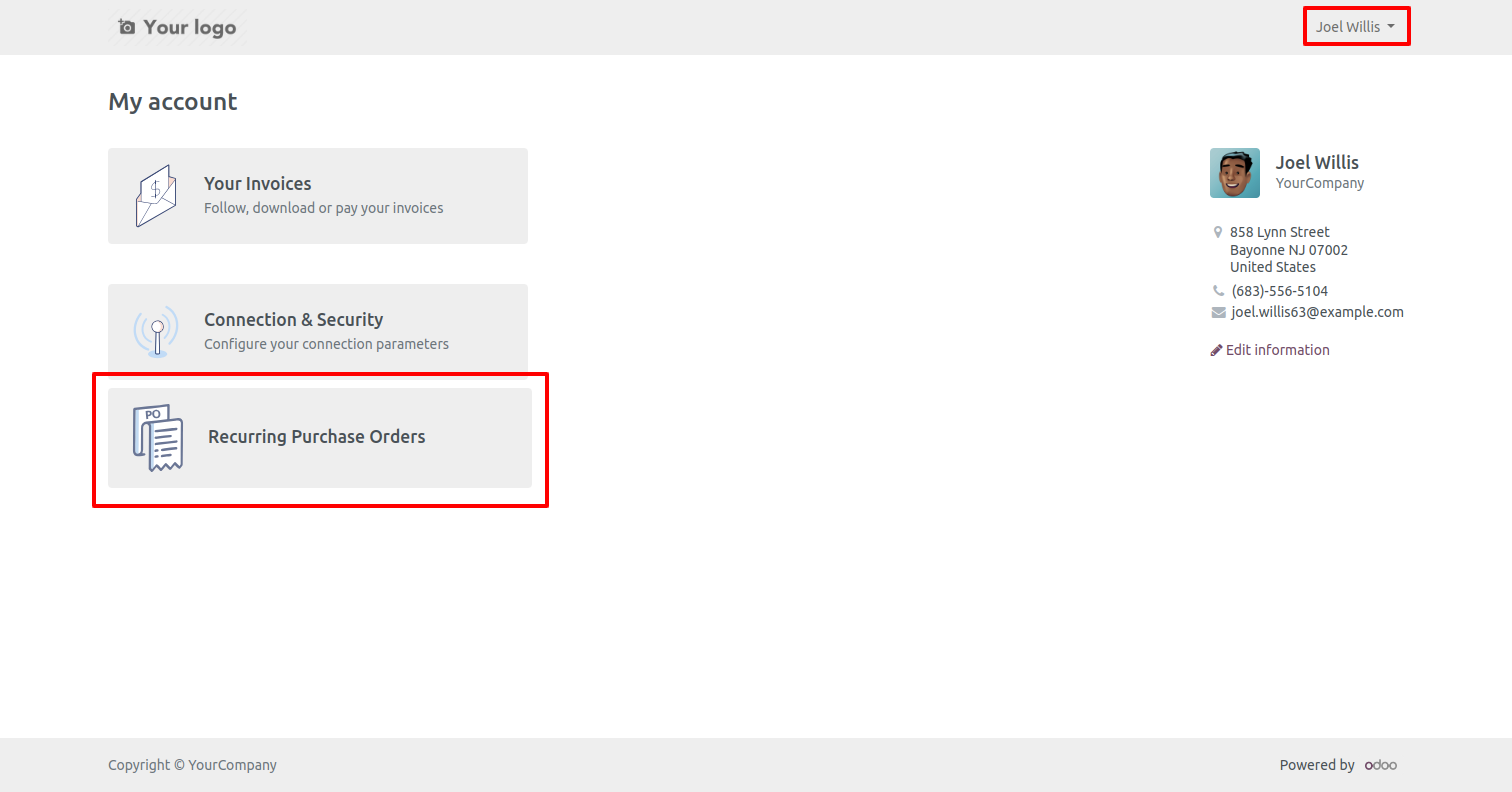
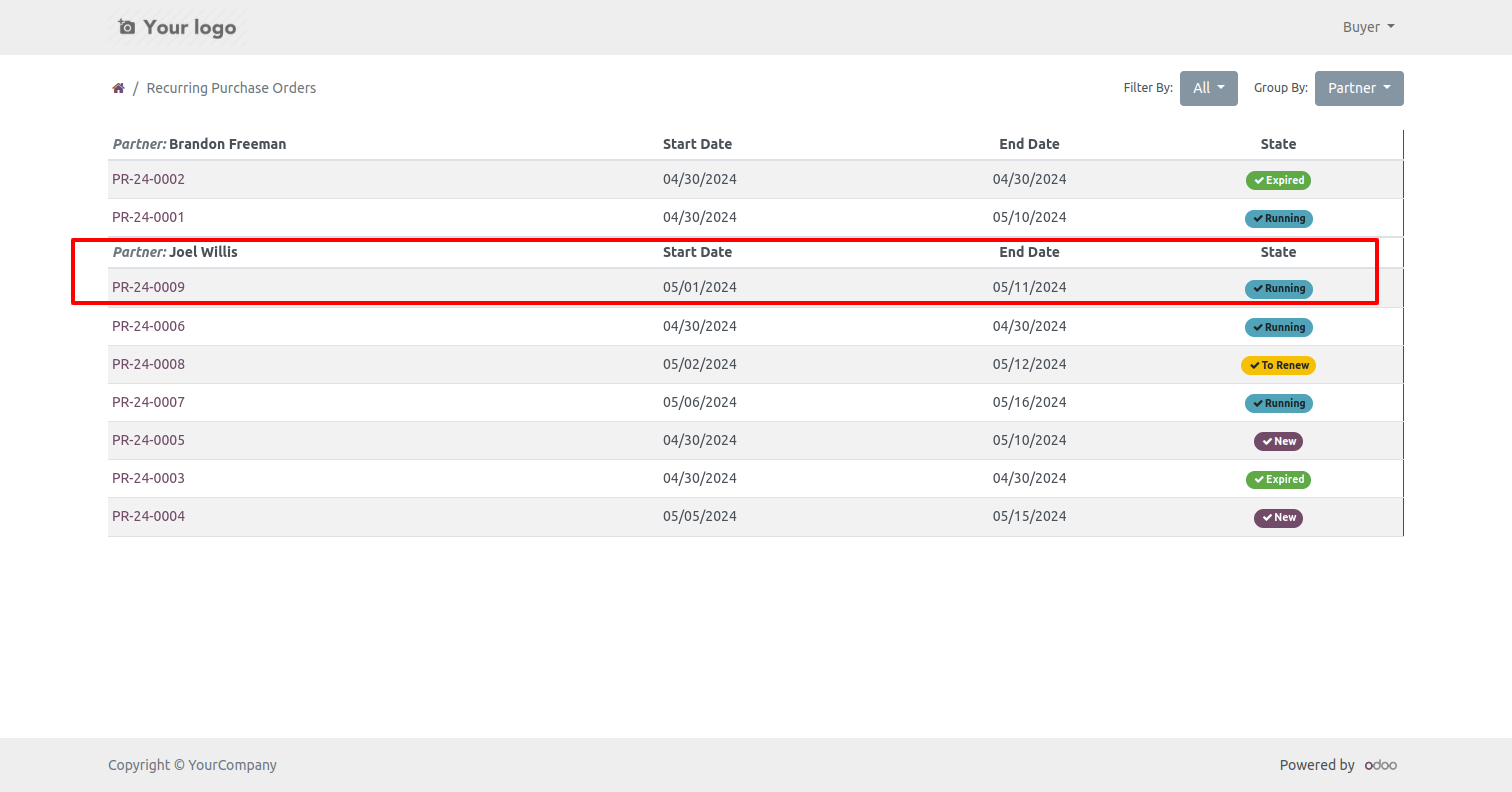
Recurring orders tree view at the portal.
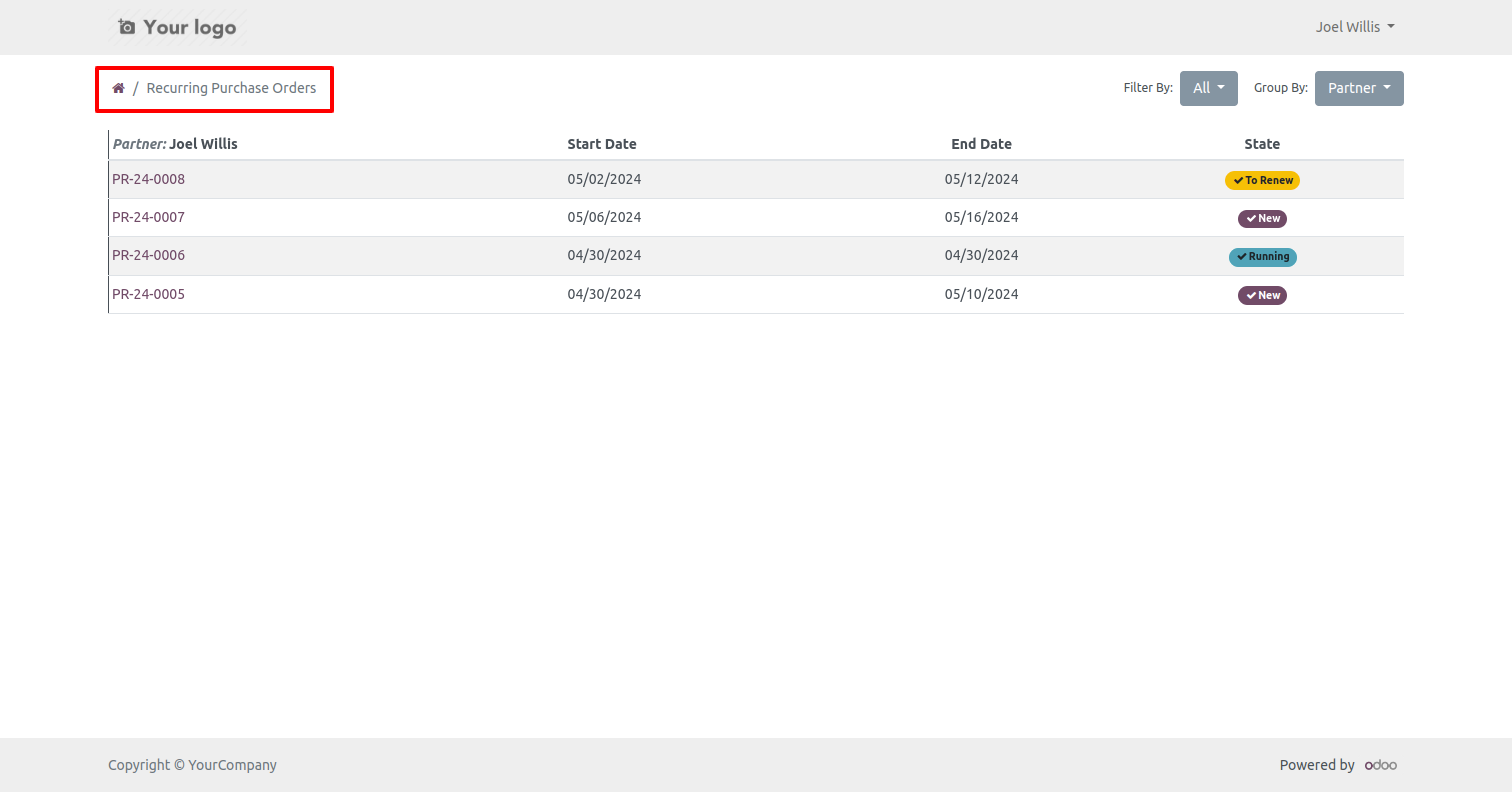
You can filter recurring orders by the provided custom filter list.
You can group by recurring orders by the provided custom group by list.
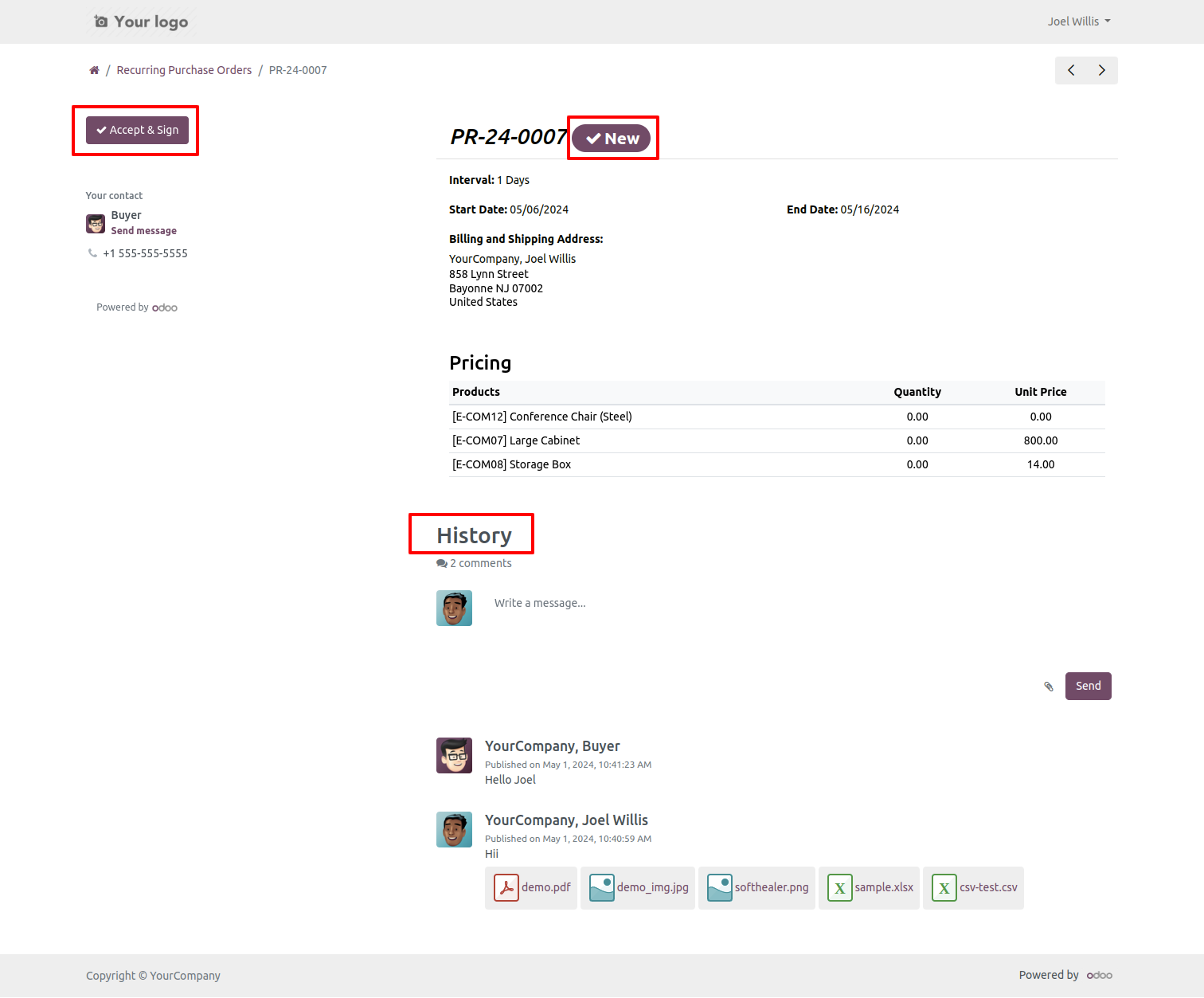
The new recurring order displays in the vendor portal and can be approved by
the vendor after pressing "Accept & Sign".
The vendor and purchase user can communicate using chatter within the portal.
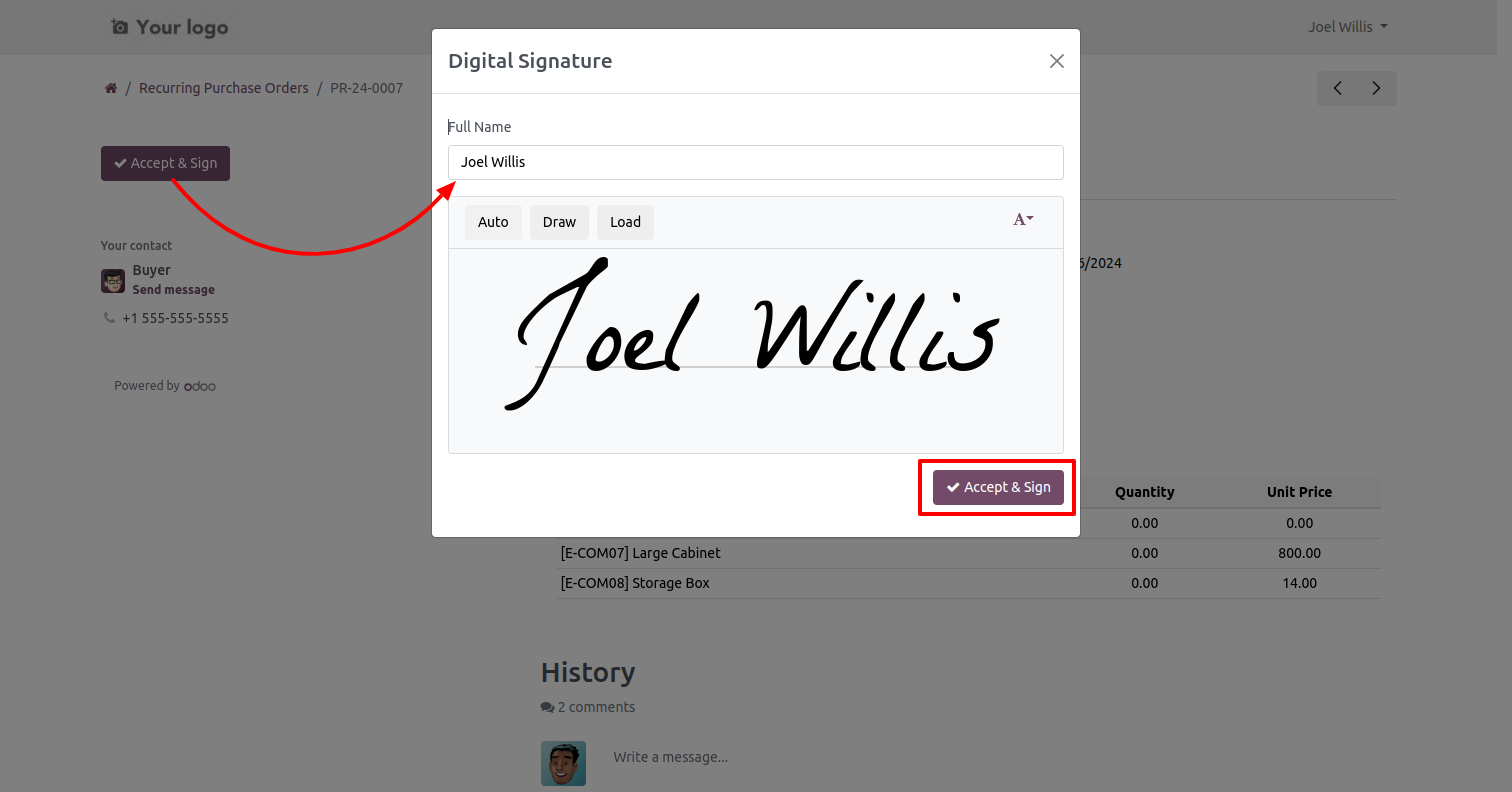
The vendor has to enter the name and sign for approval recurring order.
Now recurring order comes in the running stage.
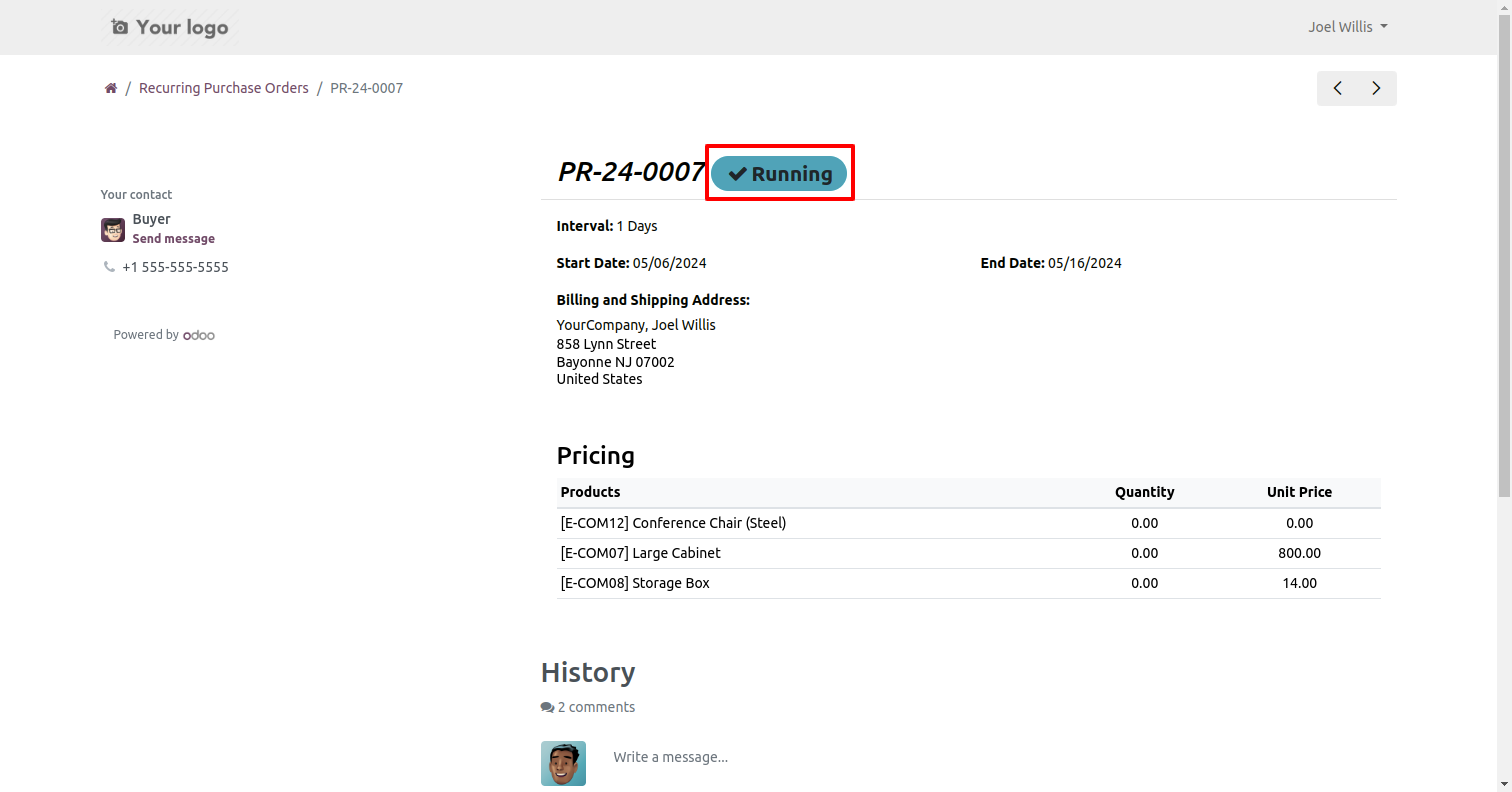
After approving the recurring order our stage is running and you can see
RFQ's, Purchase Orders & Bills from the smart buttons.
You can also see the signature in the "Other Info" tab.
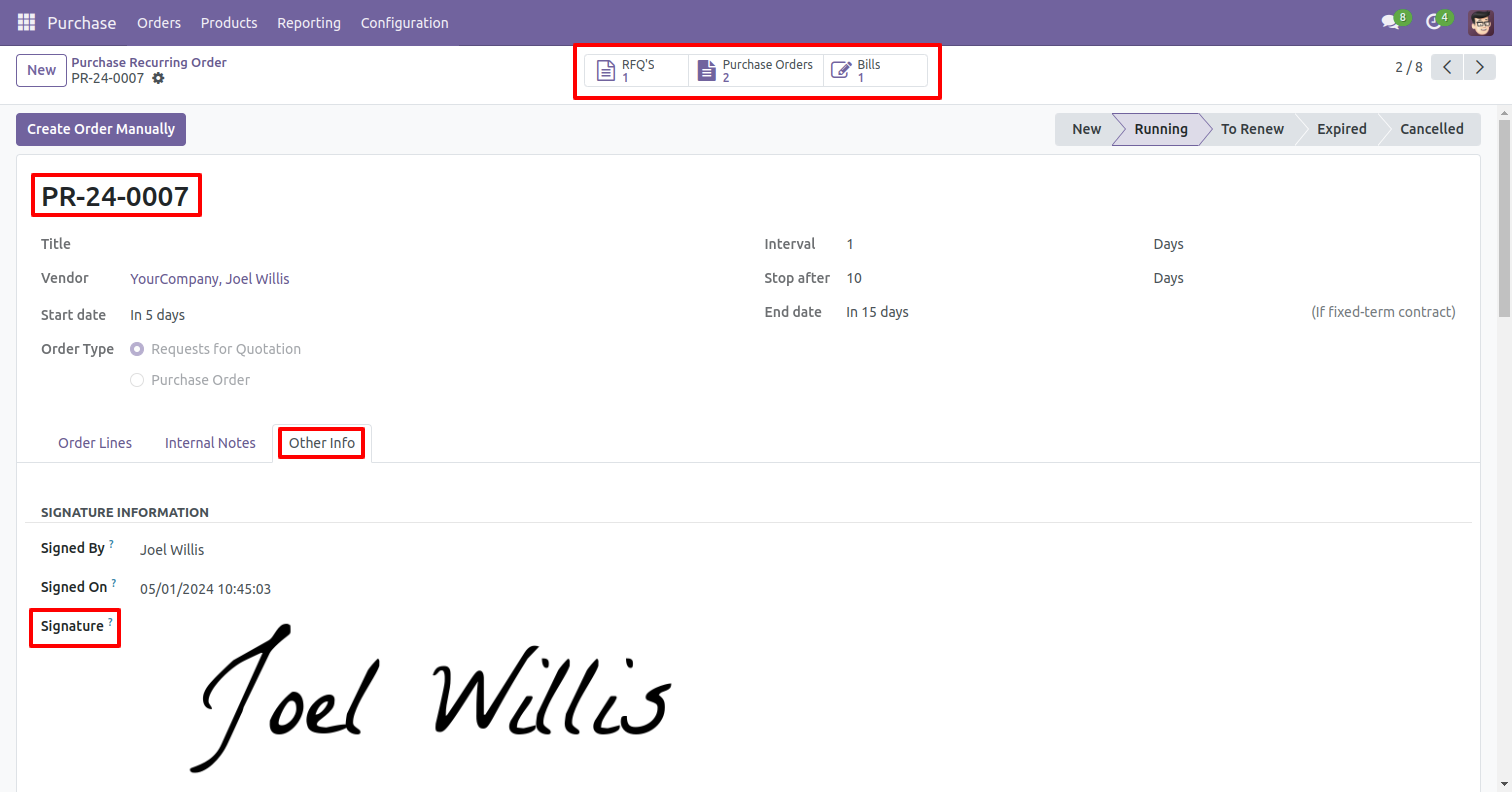
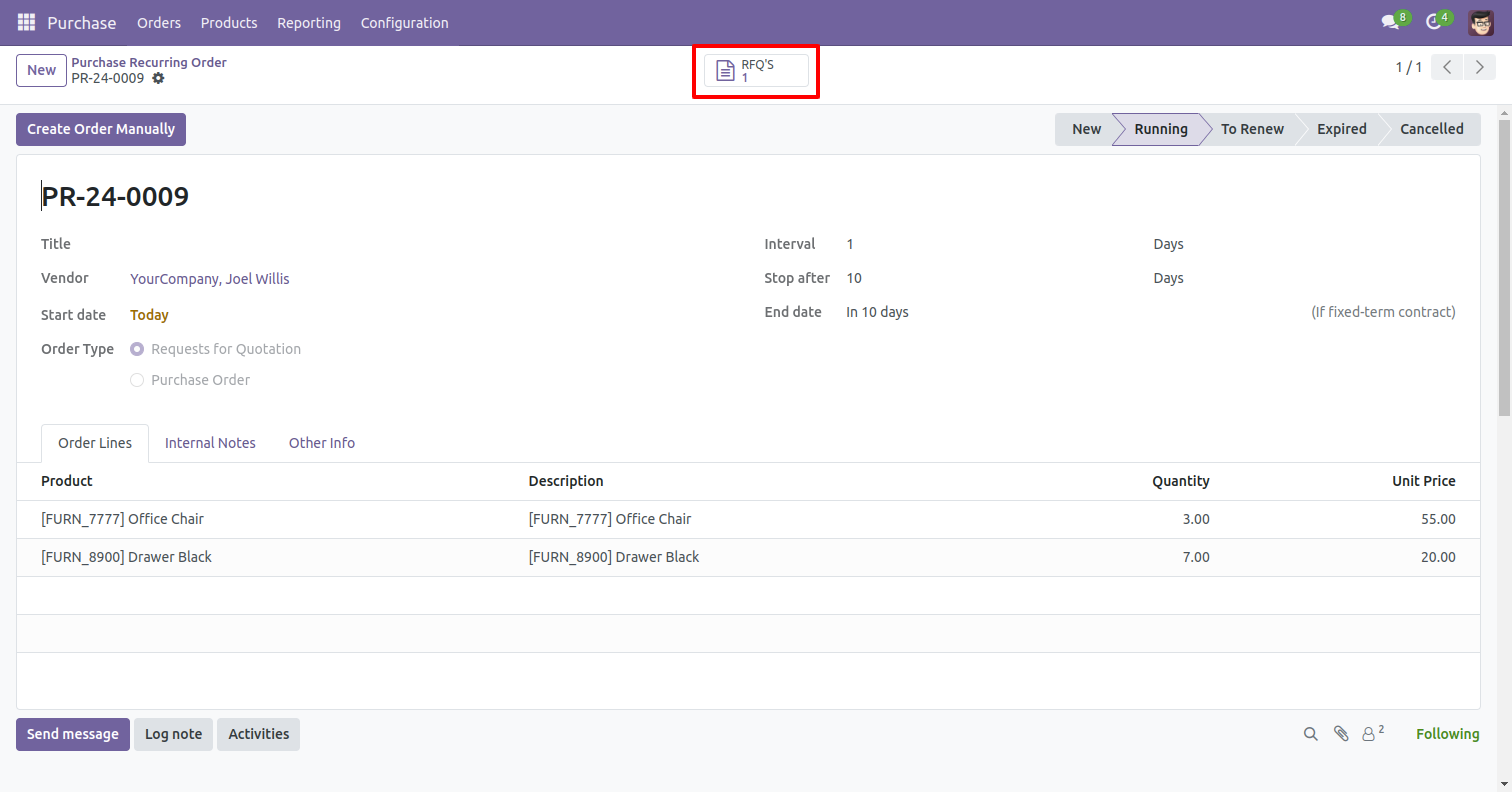
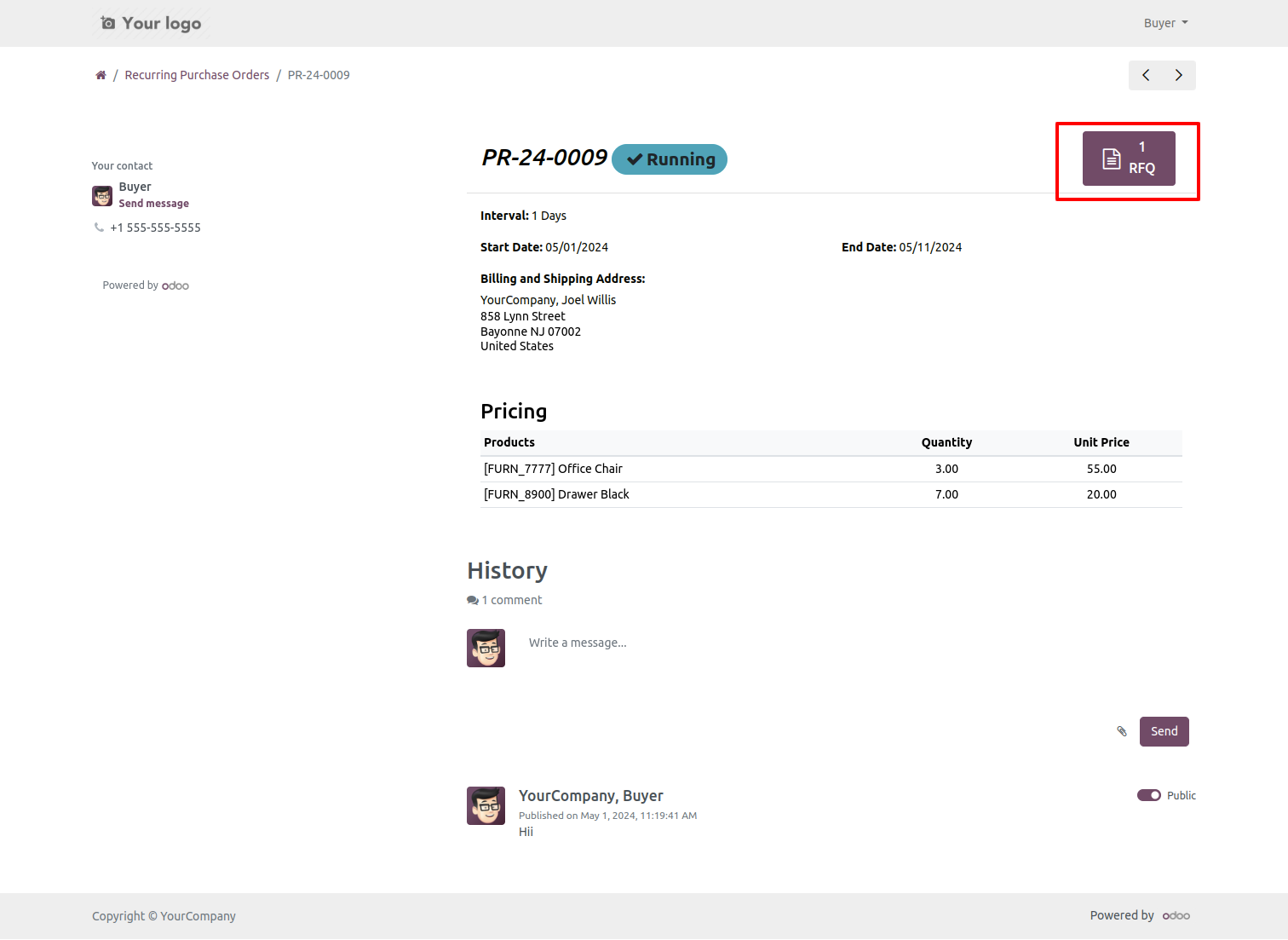
You can count all RFQ, purchase orders & bills of recurring order by smart buttons.
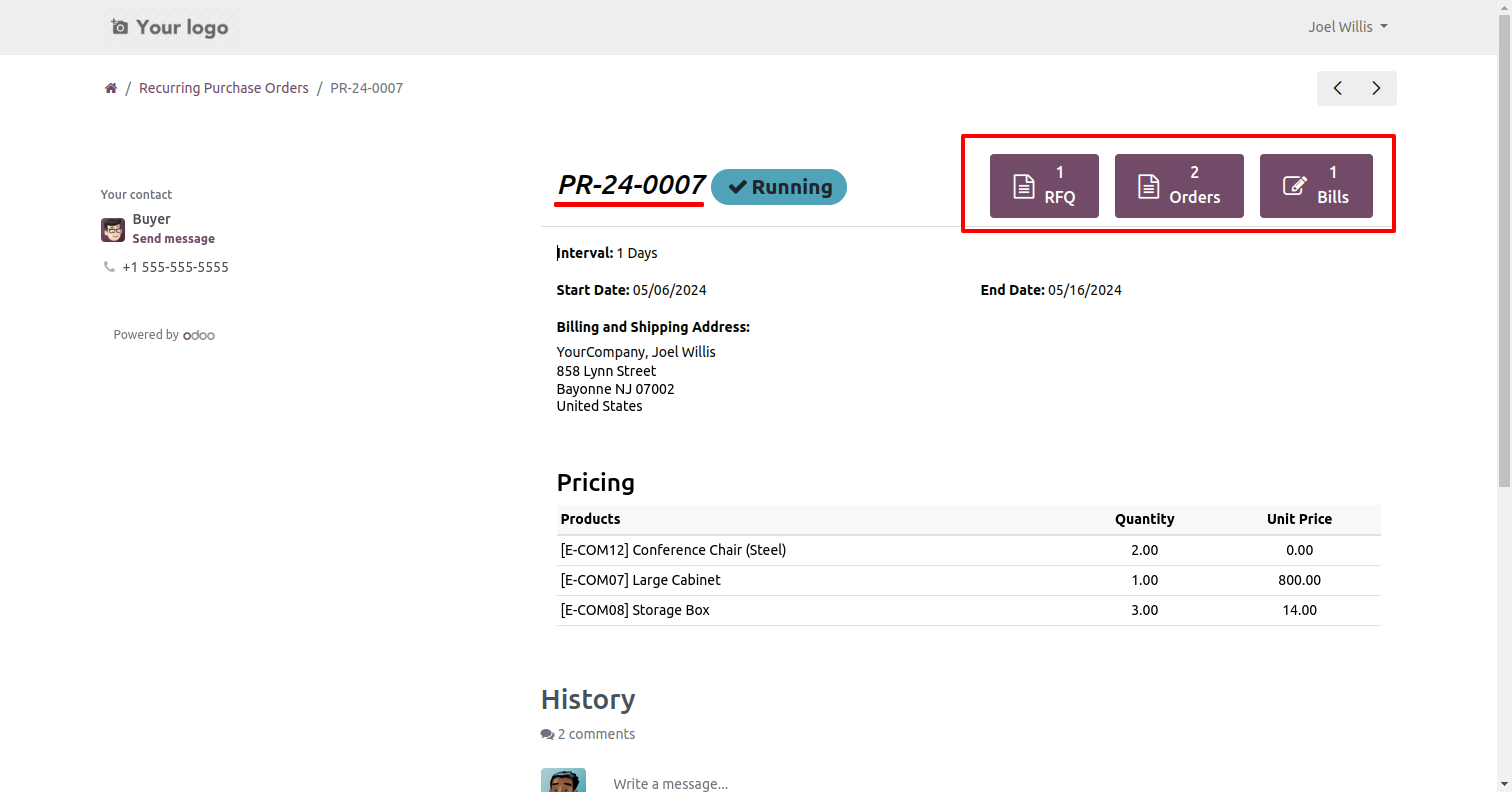
Purchase Recurring Orders Portal Without vendor Signature Workflow
The purchase user makes a new recurring order.
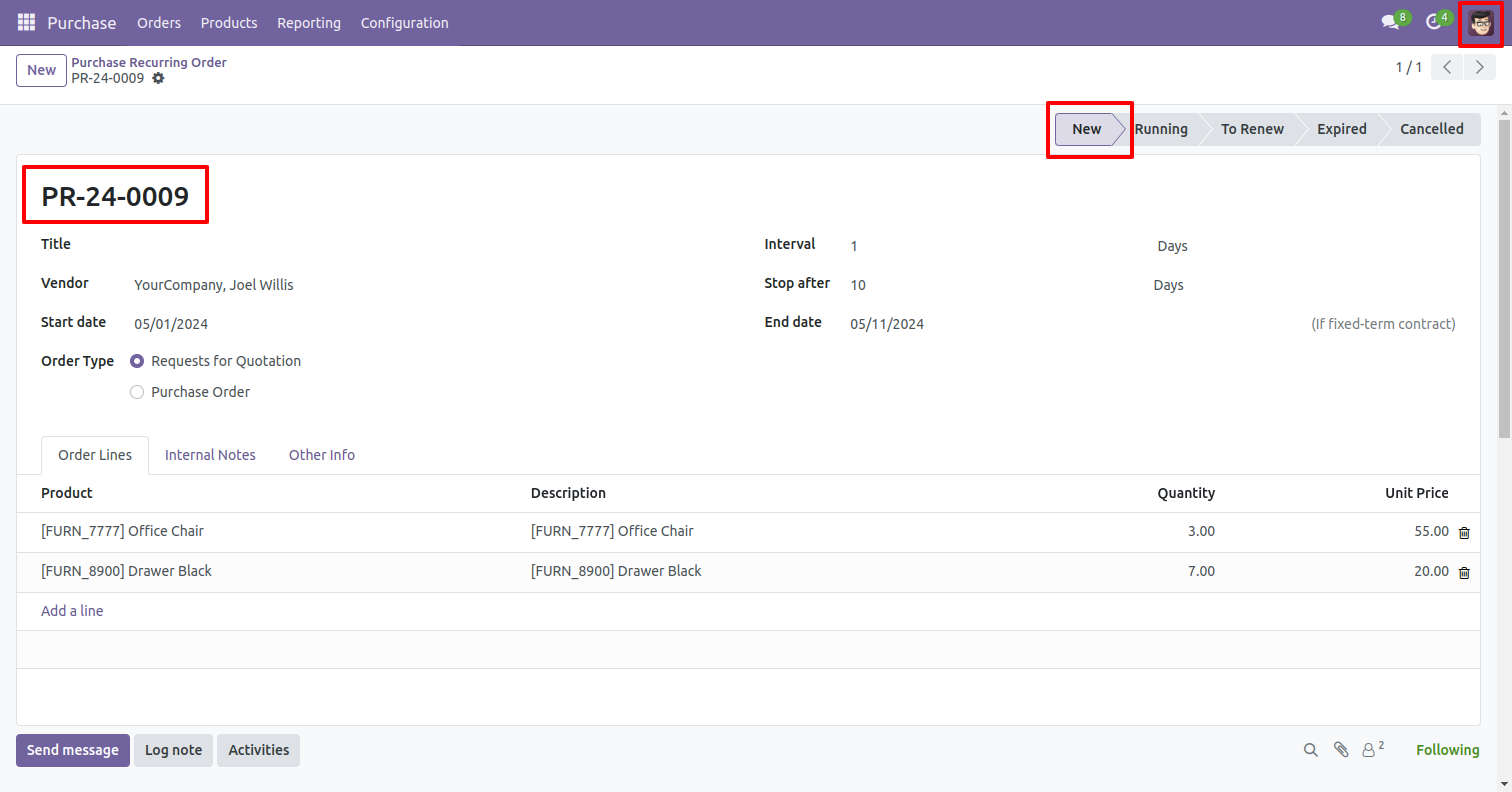
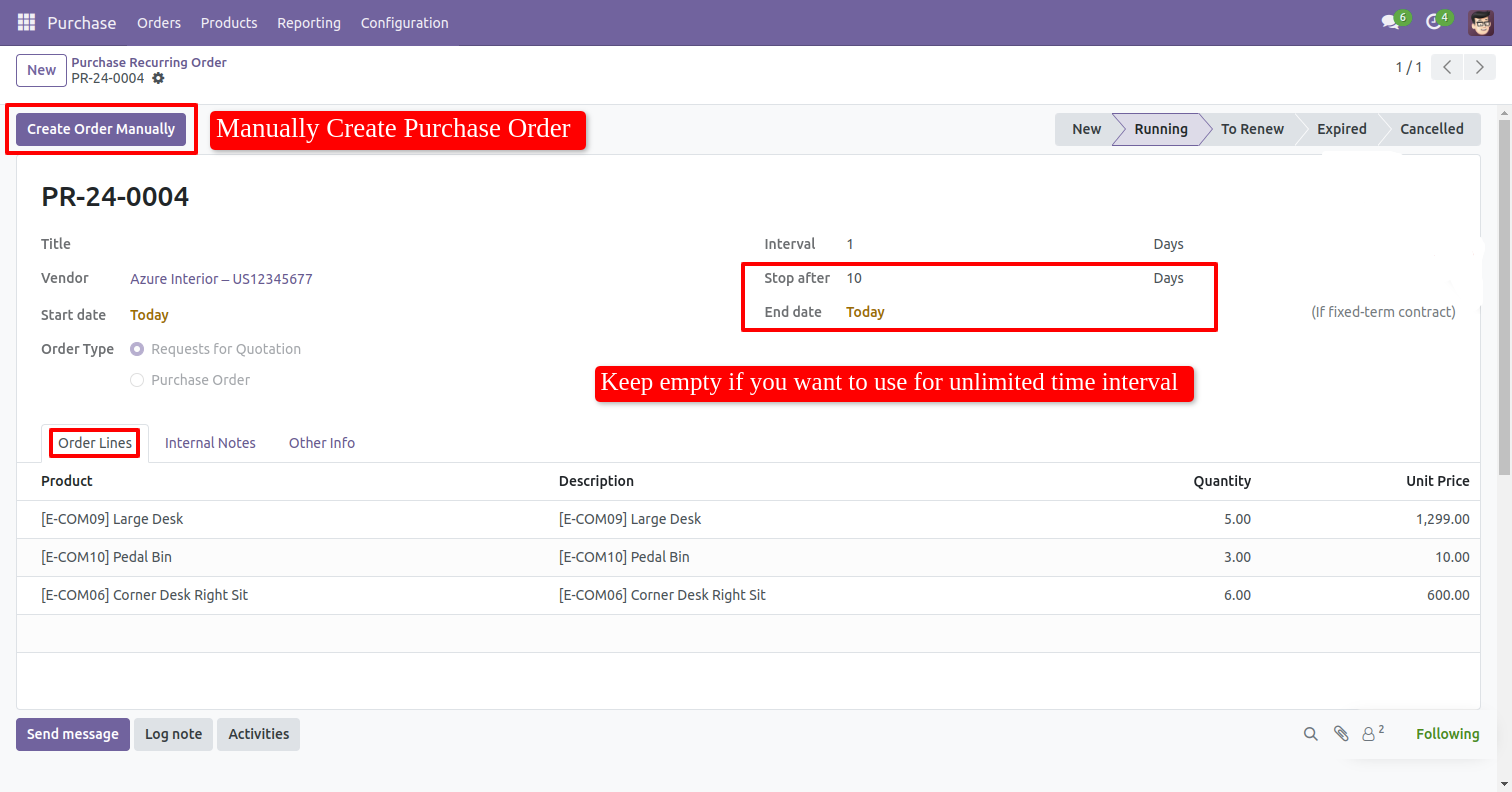
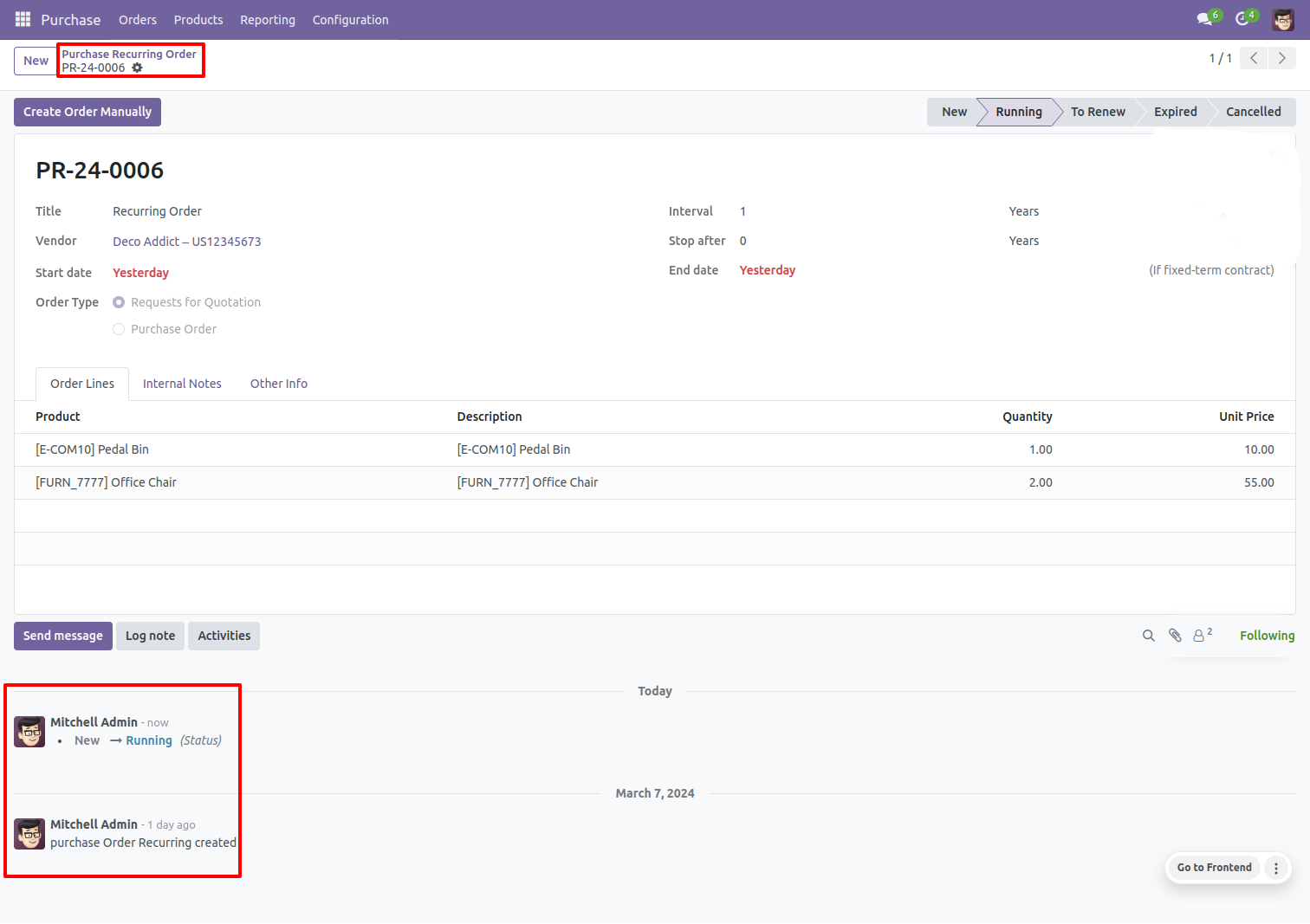
The purchase user has to manually click "Running" Stage and then Create Order Manually if want to create a request for quotation against recurring order.
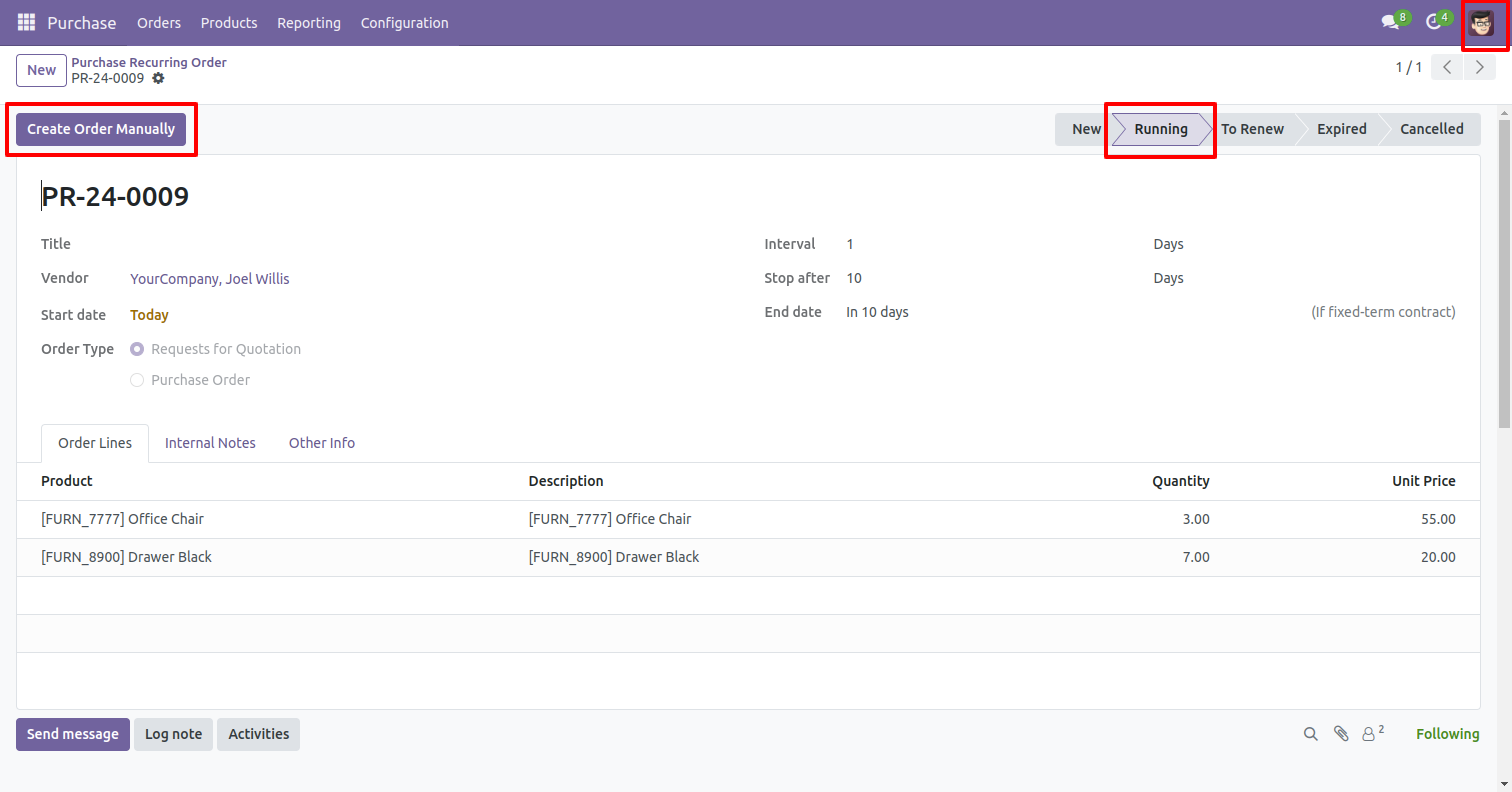
The purchase user can count all RFQ's of recurring orders by smart buttons.
The purchase user can see all recurring orders at the portal.
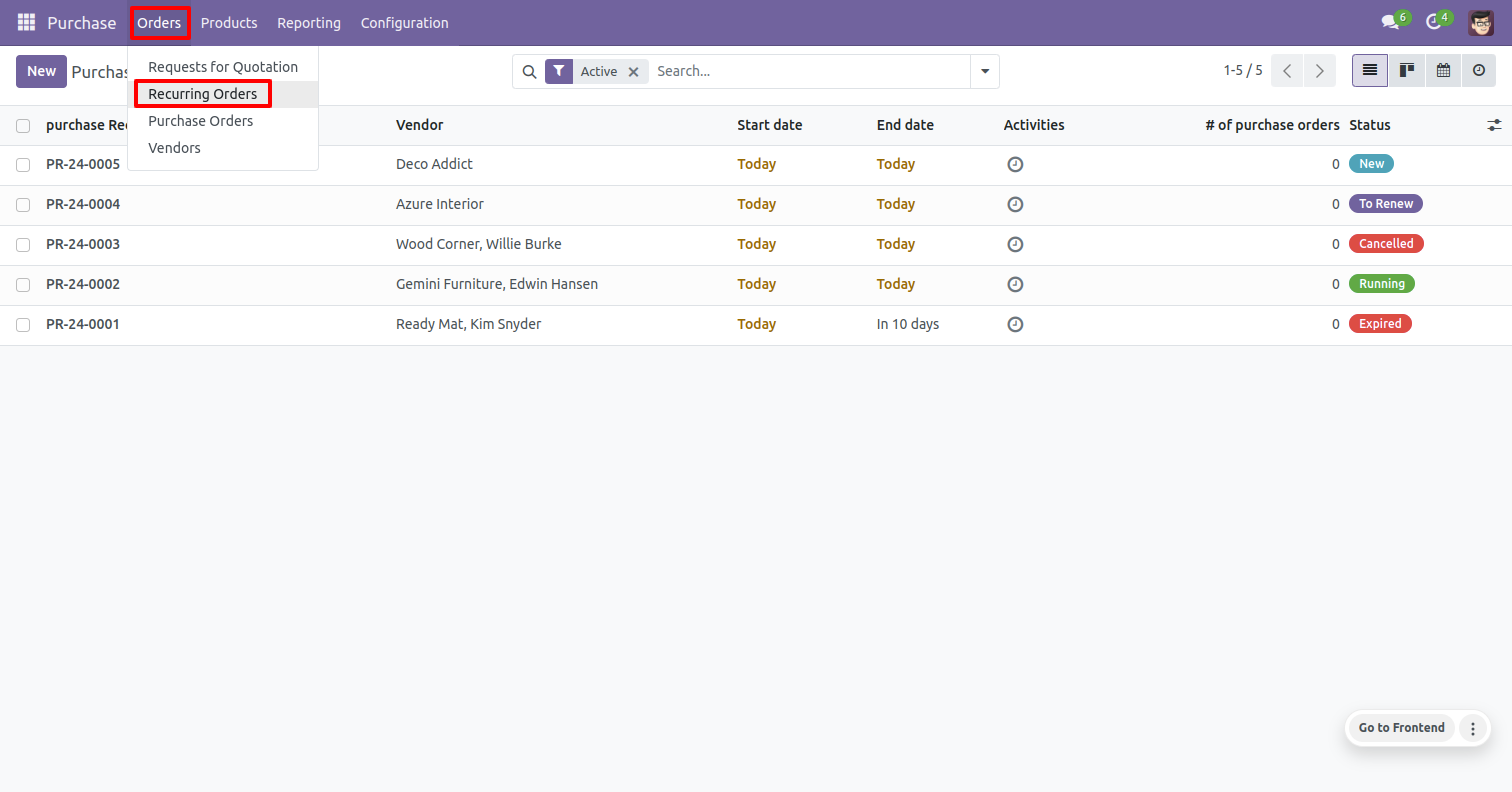
Recurring orders tree view.
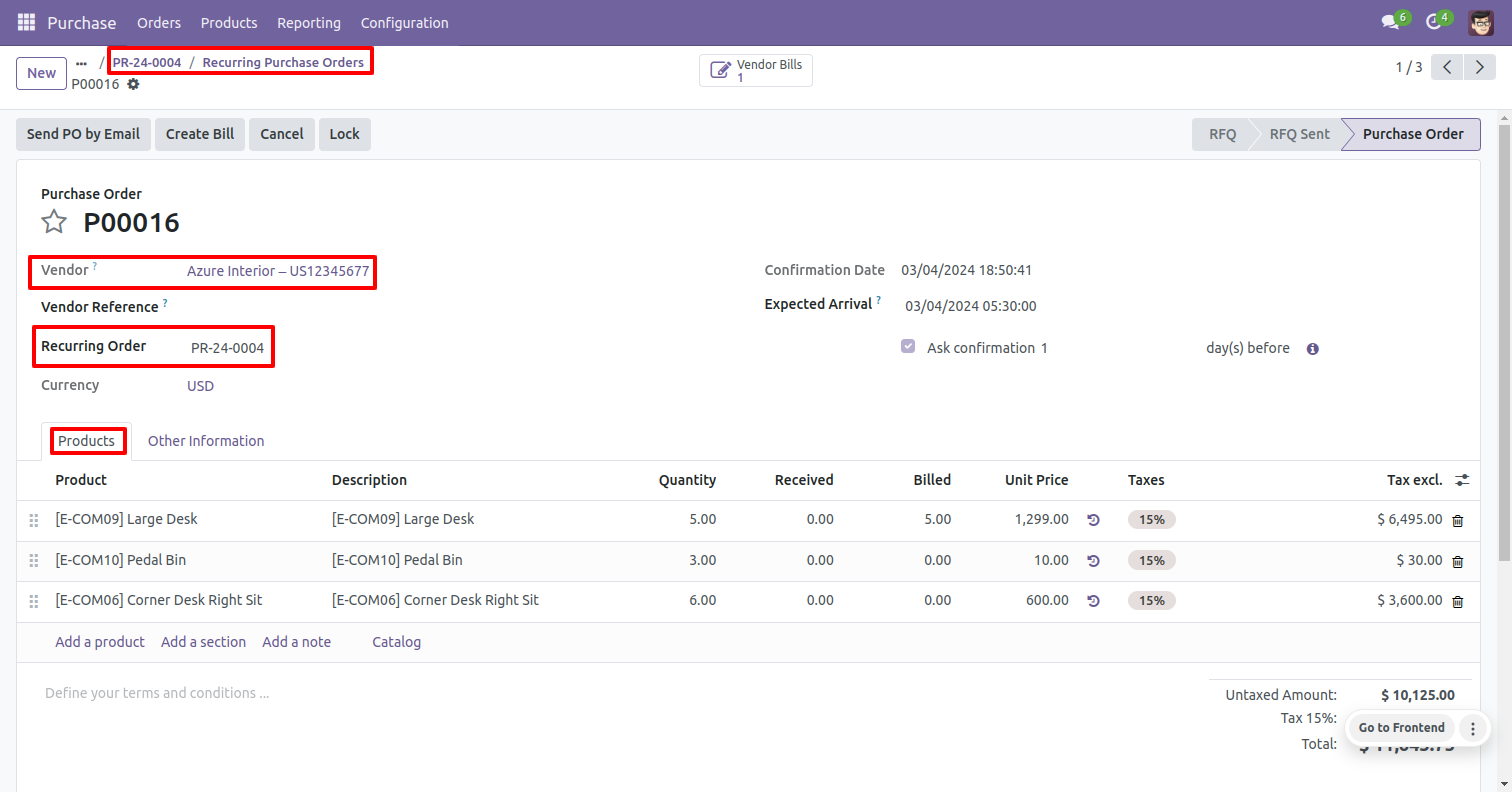
The purchase user can see purchase orders from the recurring orders.
Purchase recurring order tree view and menu look like below.
The purchase recurring order form view looks like below, you can create manually order also. You can see the status of the recurring order. In order type, you can choose both request for quotation or purchase order.
Request for quotation/purchase order created from recurring order looks like below. Recurring order and order date field in the Purchase order.
Purchase recurring order cron look like below, you can set execution time here.
If you check "Purchase Recurring Online Signature" then vendors can approve their recurring orders by signature.
Purchase recurring order with the signature and the "Other Info" tab.
After approving the recurring order our stage is running and you can see
RFQ's, Purchase Orders & Bills from the smart buttons.
You can filter & group by purchase recurring order.
You can communicate using the chatter.
Version 18.0.1.0.0 | Released on : 19th March 2026
- Yes, this app works perfectly with Odoo Enterprise (Odoo.sh & Premise) as well as Community.
- No, this application is not compatible with odoo.com(odoo saas/Odoo Online)
- Yes, to test this module, please contact us at sales@softhealer.com.
- Please contact us at sales@softhealer.comto request customization.
- Yes, we provide free support for 365 days from the date of purchase.
- Yes, you will receive lifetime free updates for the version of the module you purchased.
- No, there is no need to install any additional libraries.
- Yes, for version 12 and above, you need to purchase the module separately for each version you intend to use.
- No, exchanges or refunds are not allowed. Please make sure to select the correct version before purchasing.
- You can contact us at support@softhealer.com for language translation support. We use Google Translator tools to provide translations in multiple languages, so the accuracy may vary. We welcome your suggestions to help improve translations.
Discover Our Latest Apps