












Purchase Order Routing

The Purchase Routes module for Odoo provides a powerful way to manage complex logistics directly from your purchase orders. It allows users to assign specific picking types and multi-step routes to individual order lines. With the convenient mass-assign feature, you can quickly configure entire orders. This ensures products follow the right path from reception to final storage automatically.

Related Modules
Features
Route Selection on Purchase Order Lines
Assign a specific warehouse route directly to each purchase order line for flexible product movement.
Picking Type Configuration
Choose the required picking operation type for every purchase order line to streamline warehouse processing.
Mass Route Assignment
Assign the same route and picking type to multiple purchase order lines in a single click, reducing manual effort.

Pull Rule Configuration
Create and configure pull rules by defining source and destination locations to automate product movement based on demand.
Push Rule Configuration
Set up push rules to automatically move products to the next warehouse location after they arrive at a designated location.
Custom Multi-Step Purchase Routes
Create and manage custom multi-step warehouse routes to control how purchased products move through your warehouse.
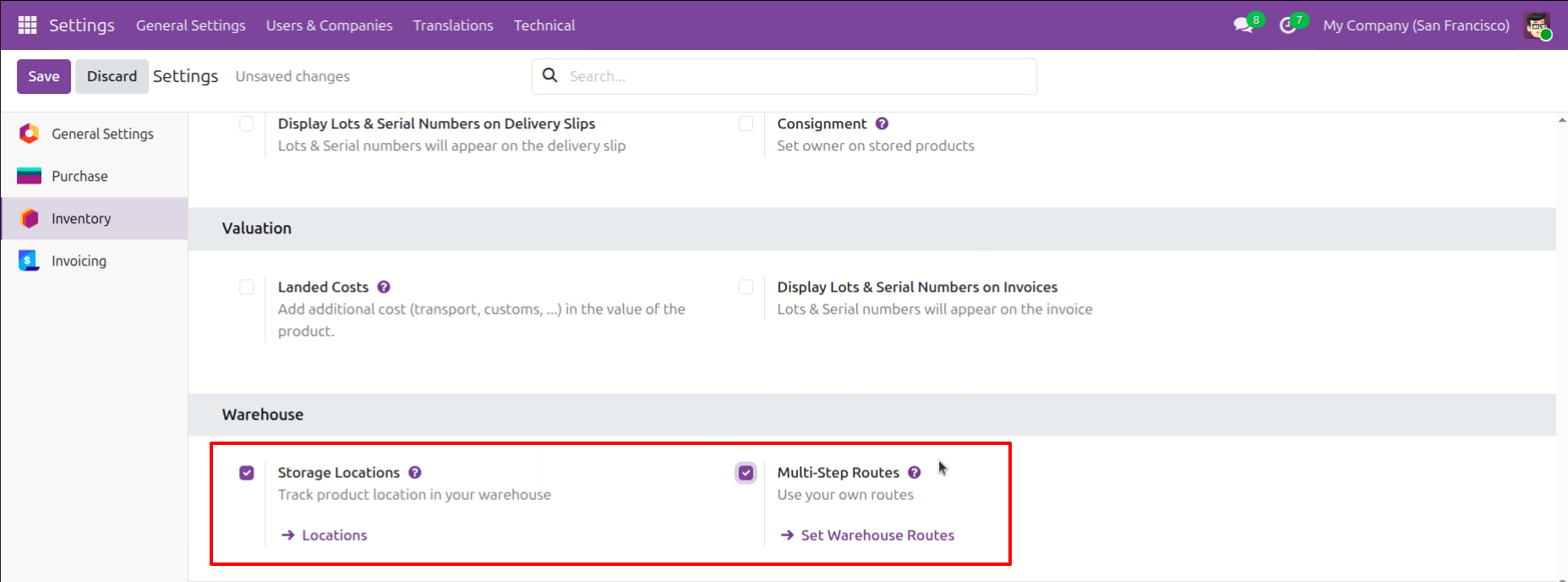
Enabling Storage Locations and Multi-Step Routes in the Odoo Inventory settings.
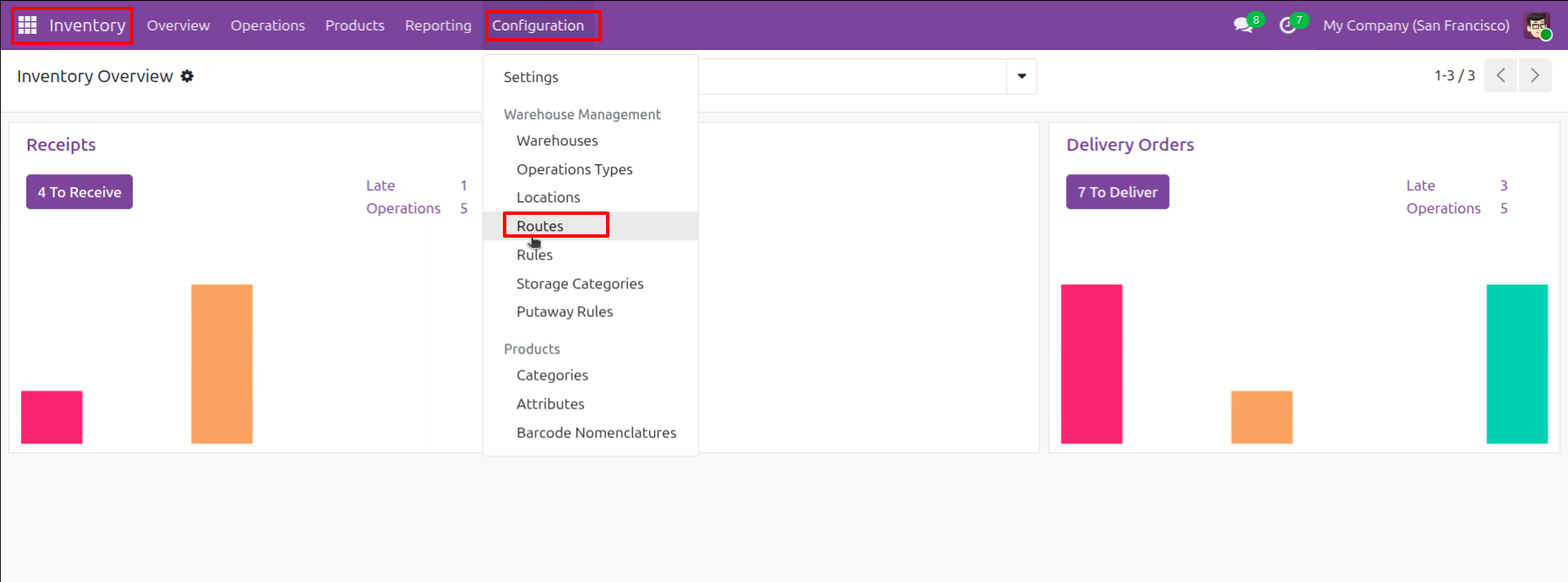
Navigating the Configuration menu -> Routes.
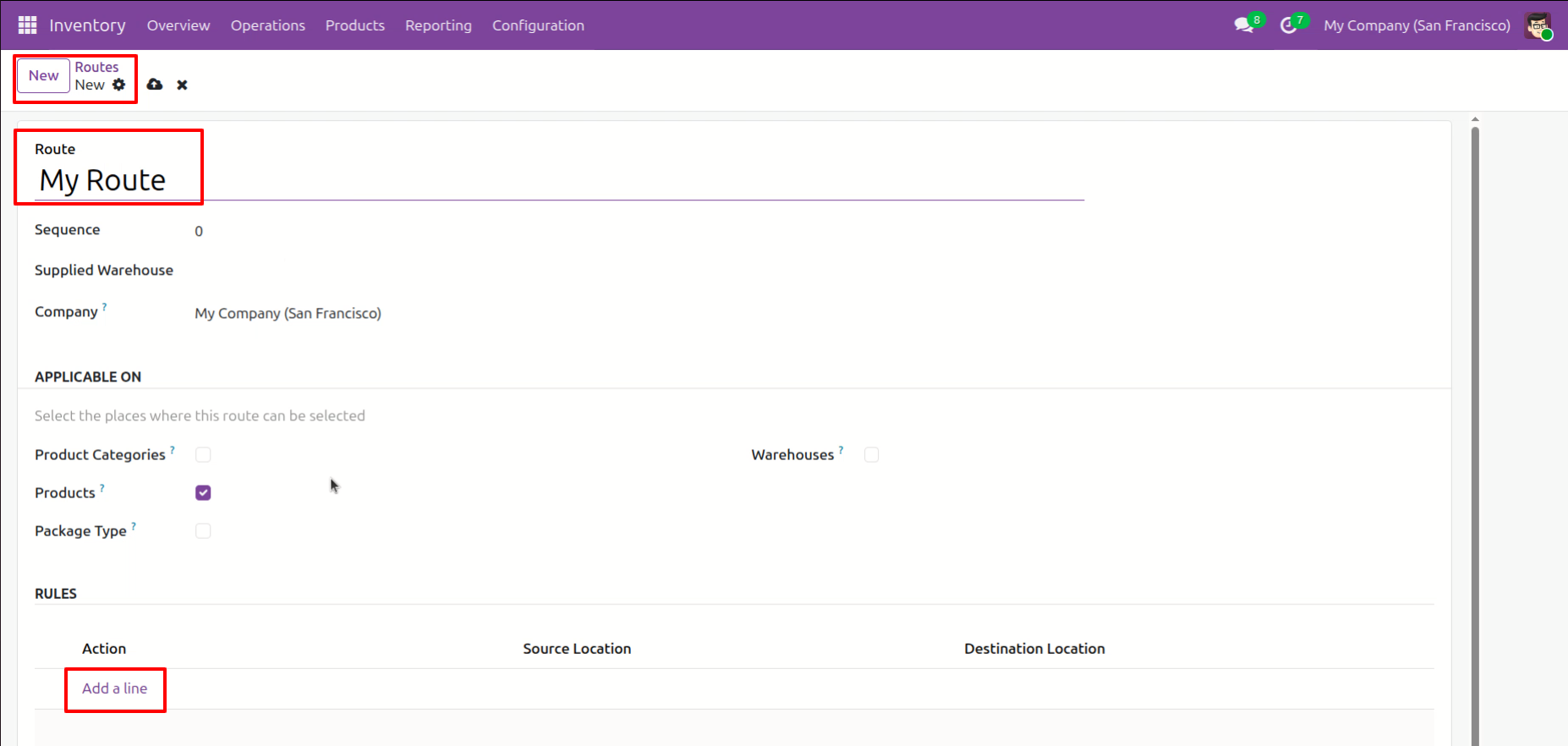
Creating a new path named "My Route" in Odoo.
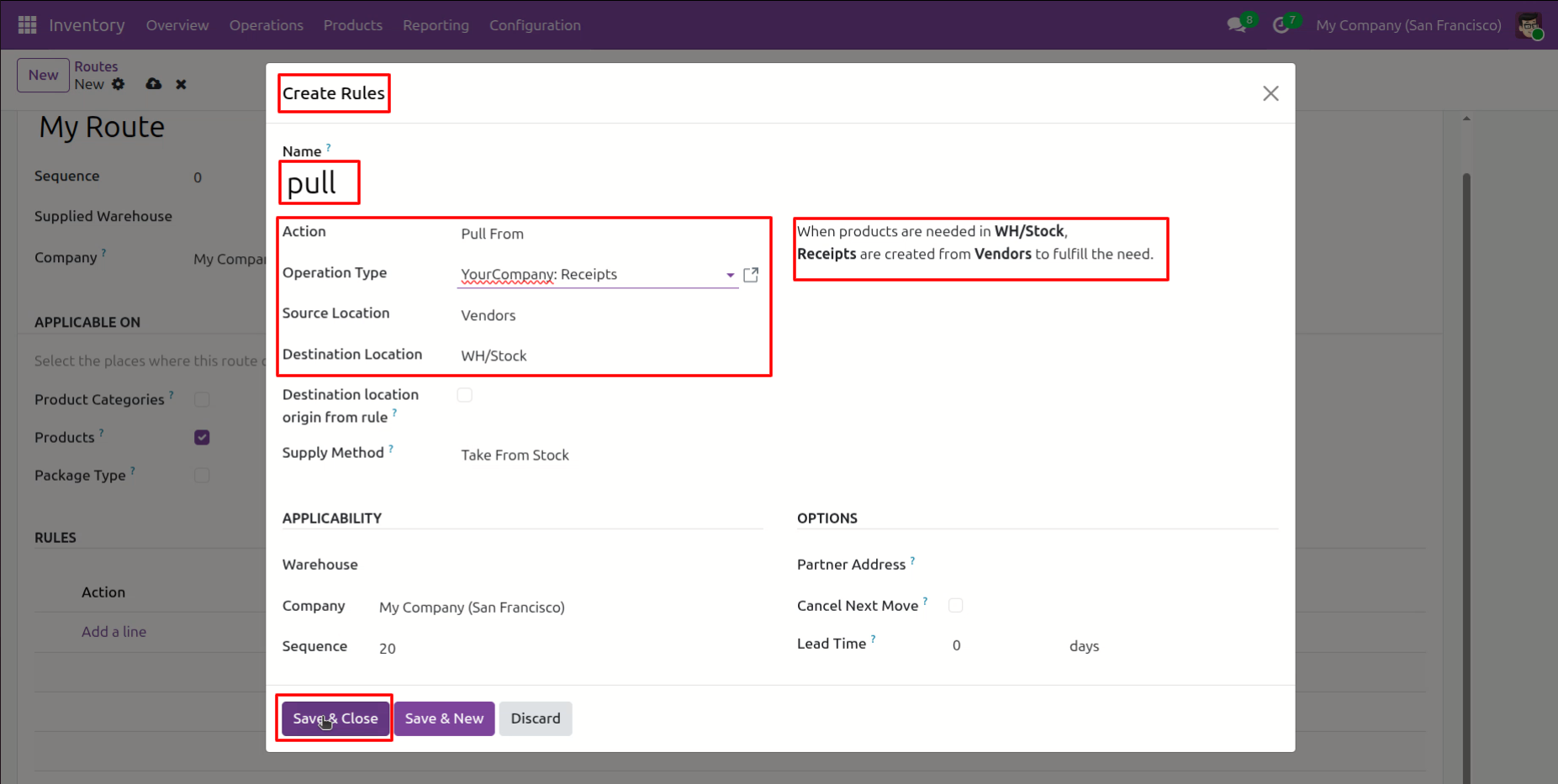
Configuring a Pull From rule named "pull" to automatically create receipts from Vendors to WH/Stock whenever products are needed.
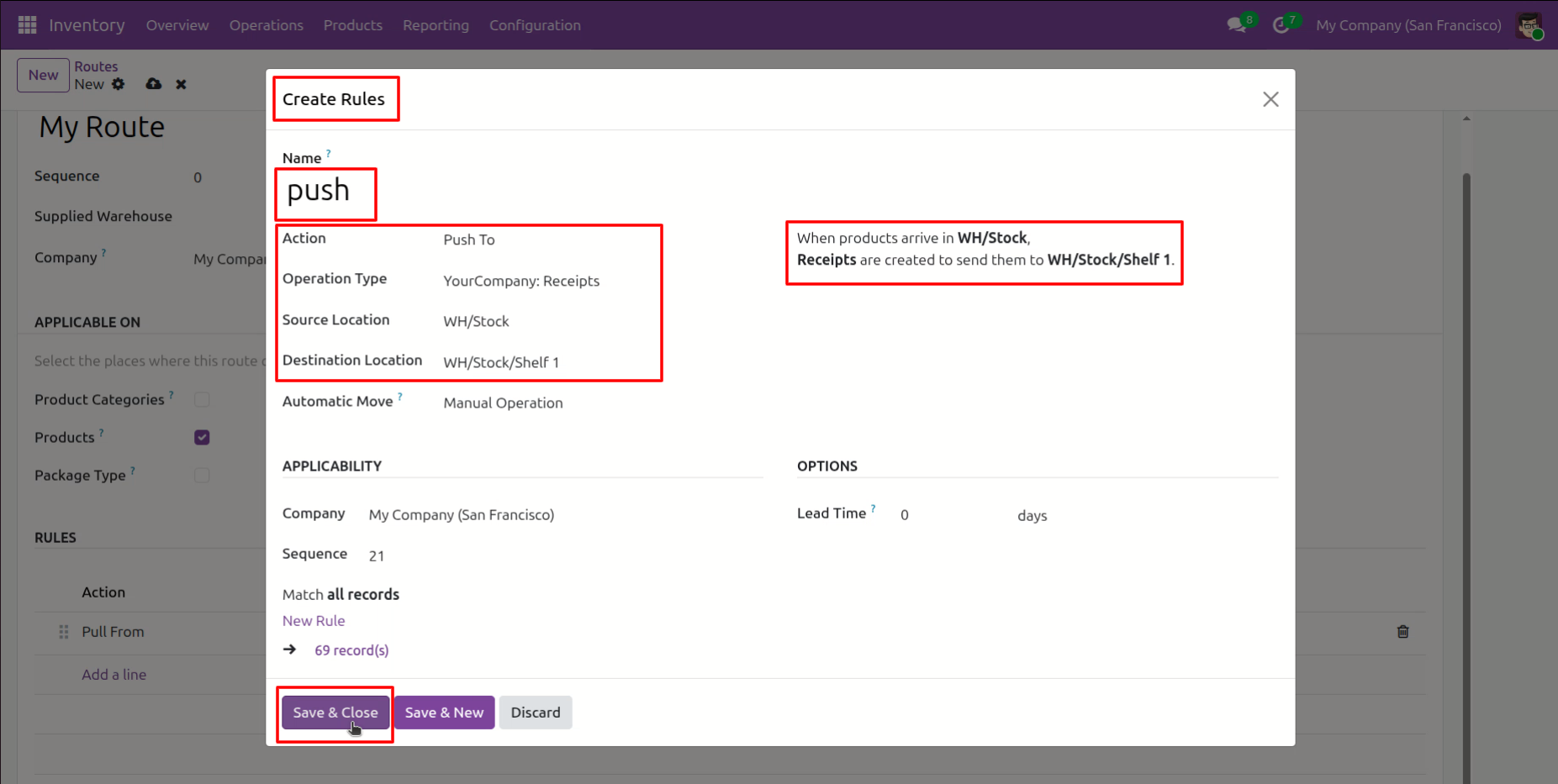
Setting up a Push To rule named "push" to automatically move products from WH/Stock to a specific destination at WH/Stock/Shelf 1 upon arrival.
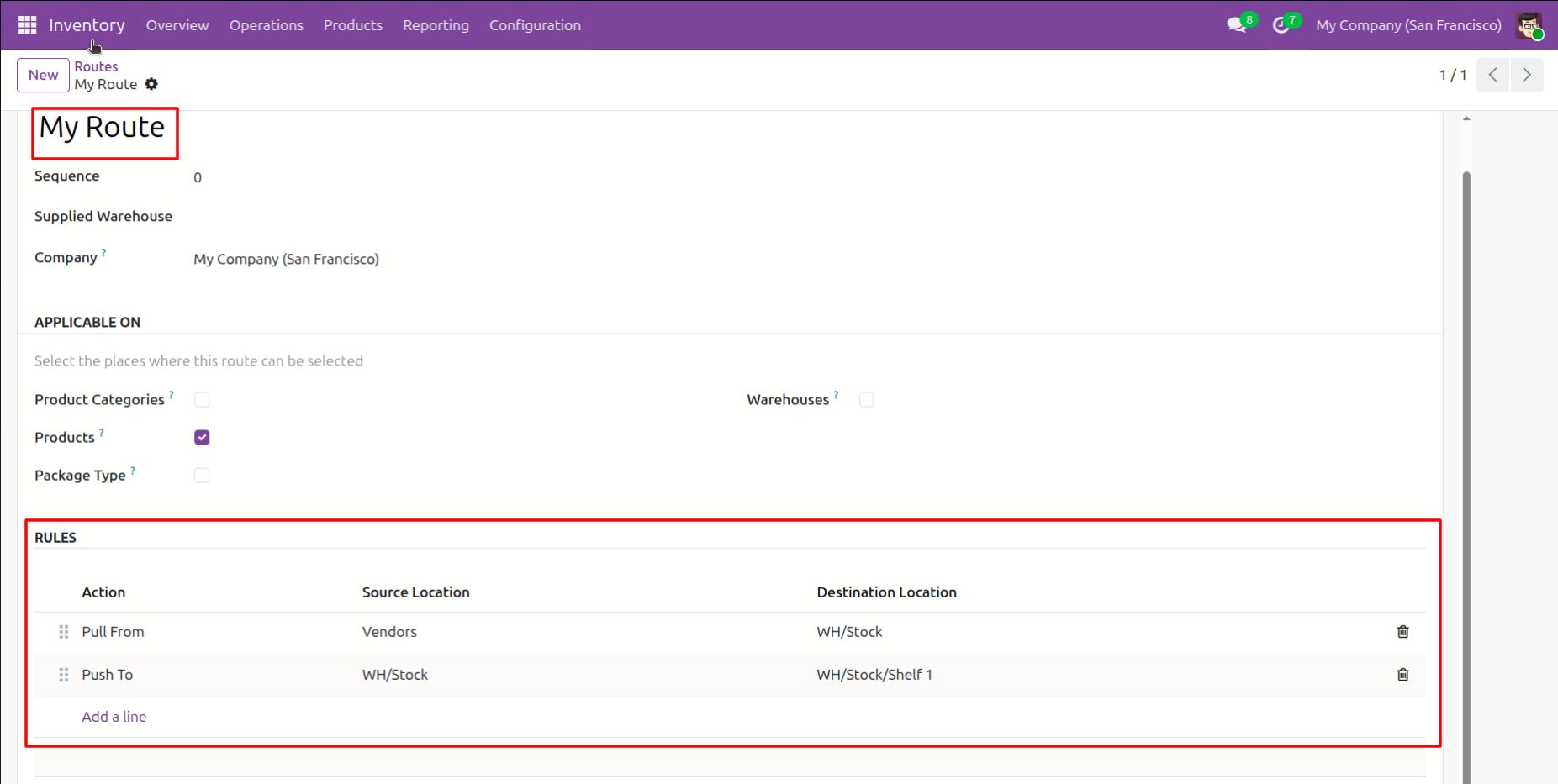
Finalizing "My Route" in Odoo, which now combines a Pull From rule for vendor receipts and a Push To rule for automated shelving at WH/Stock/Shelf 1.
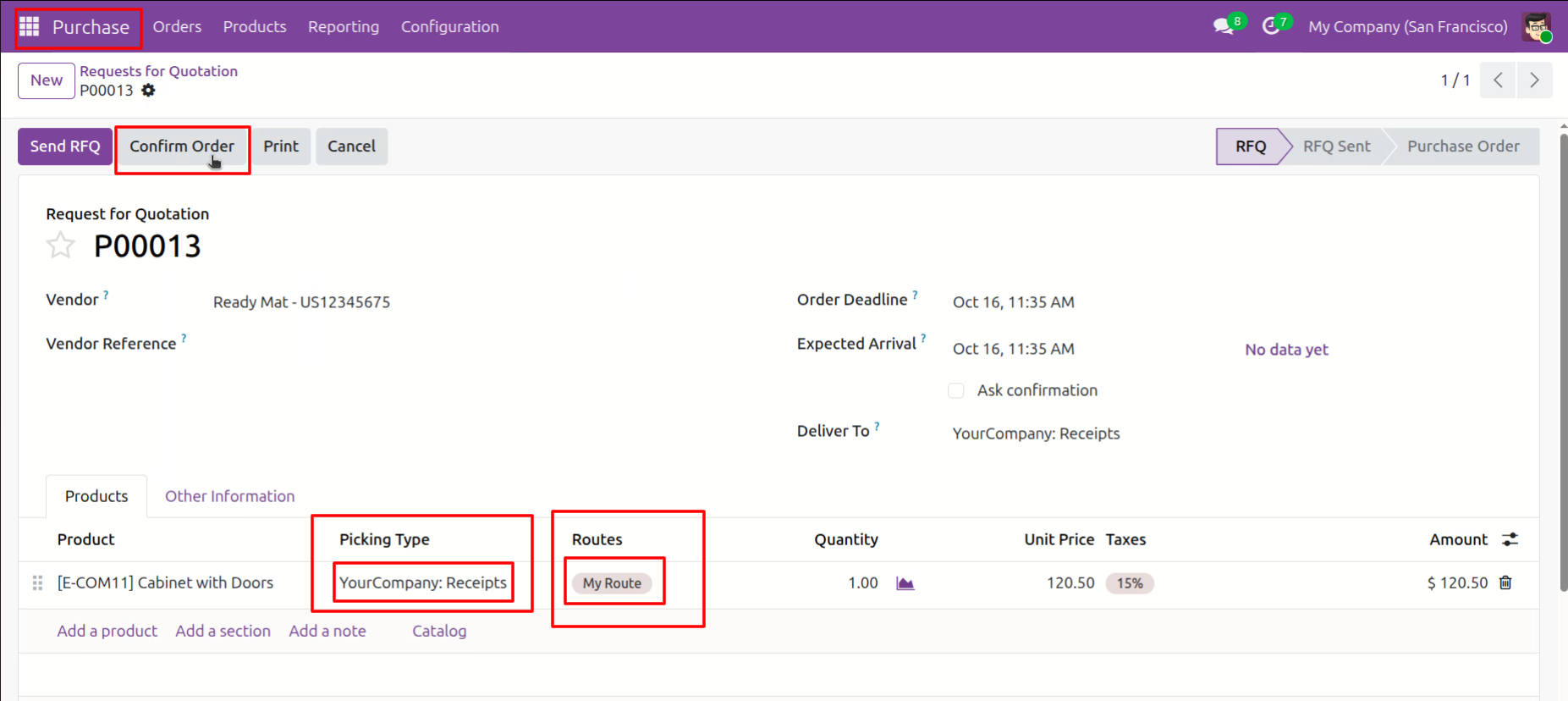
Processing Request for Quotation P00013 by clicking Confirm Order, applying the custom "My Route" logistics path to the incoming cabinet shipment.
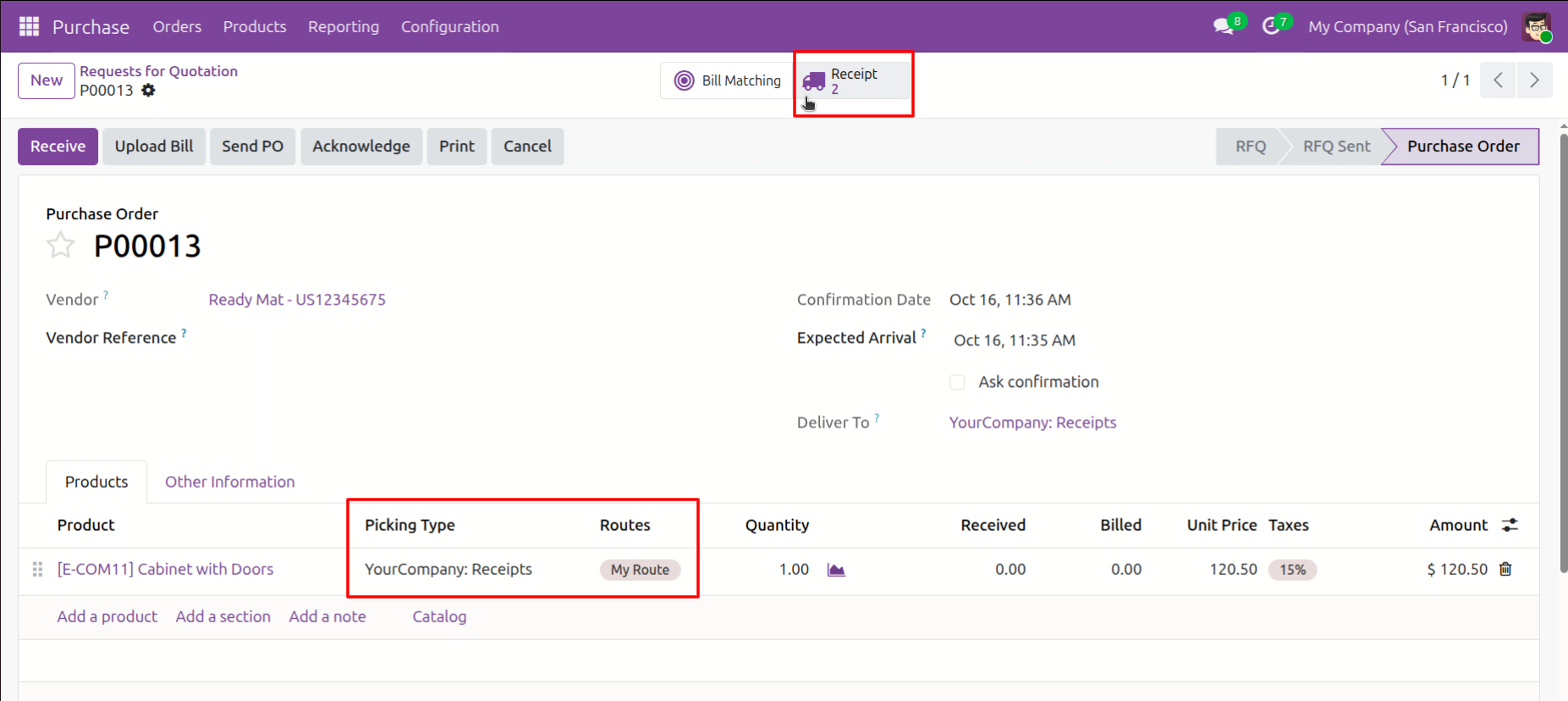
Accessing the linked Receipts for Purchase Order P00013, which has automatically generated two smart-button transfers based on the multi-step "My Route" configuration.
Monitoring the automated multi-step transfers for purchase order P00013, showing the initial vendor receipt as Ready and the subsequent shelf move in Draft status.

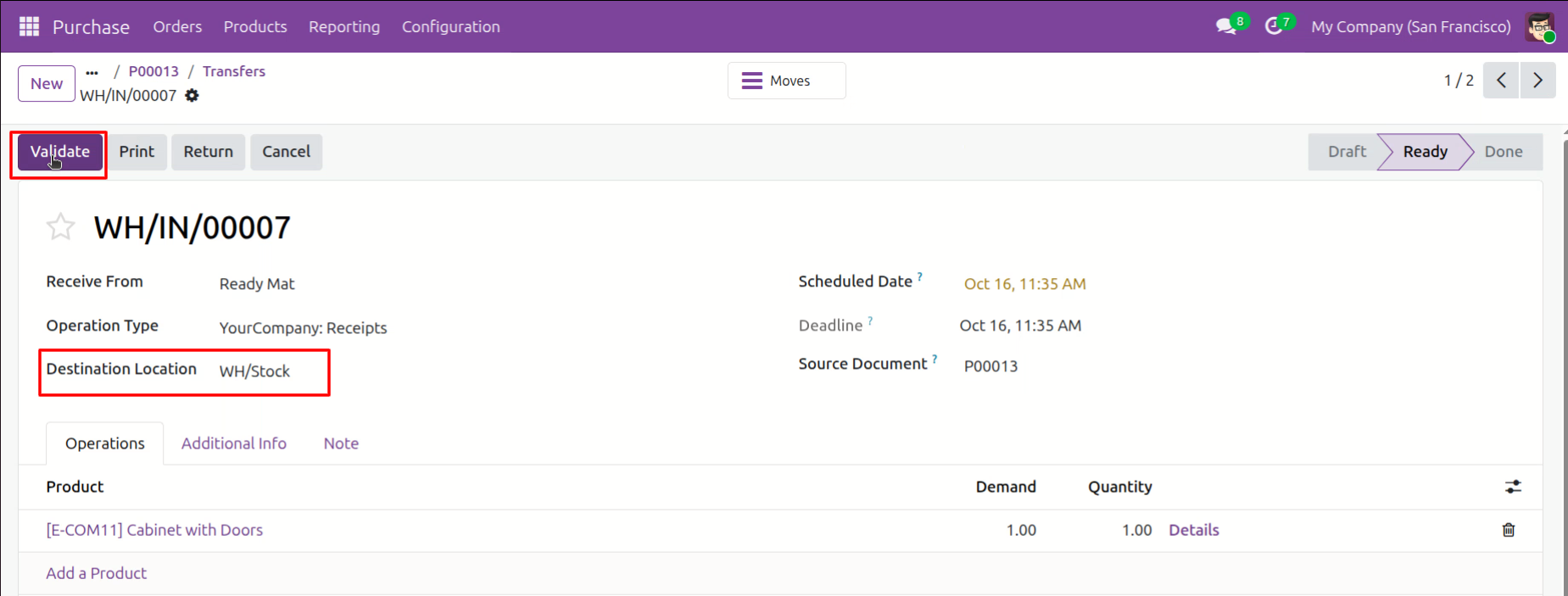
Clicking Validate on receipt WH/IN/00007 to confirm the arrival of goods from the vendor into the primary WH/Stock location.
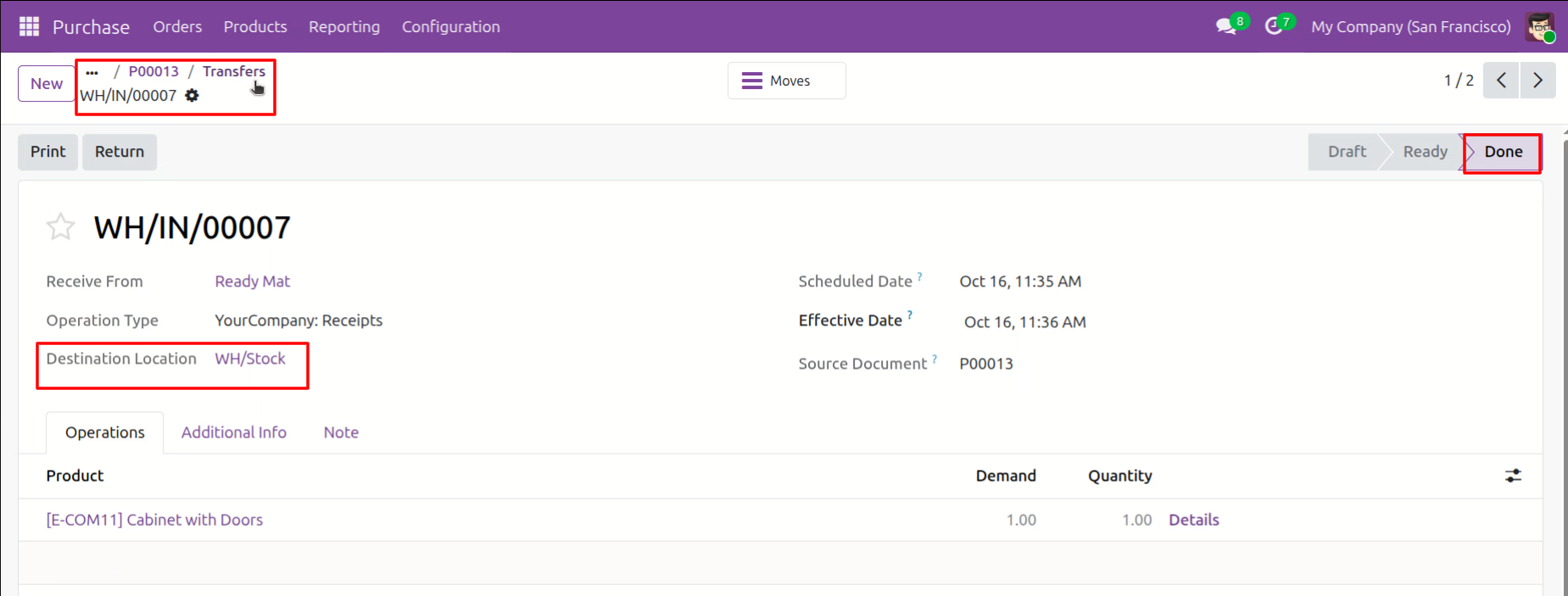
Navigating back to the Transfers list after successfully moving the "Cabinet with Doors" to WH/Stock, with the status for receipt WH/IN/00007 now marked as Done.
Monitoring the progression of multi-step transfers for P00013, where the initial vendor receipt is now Done, triggering the internal move from WH/Stock to Shelf 1.

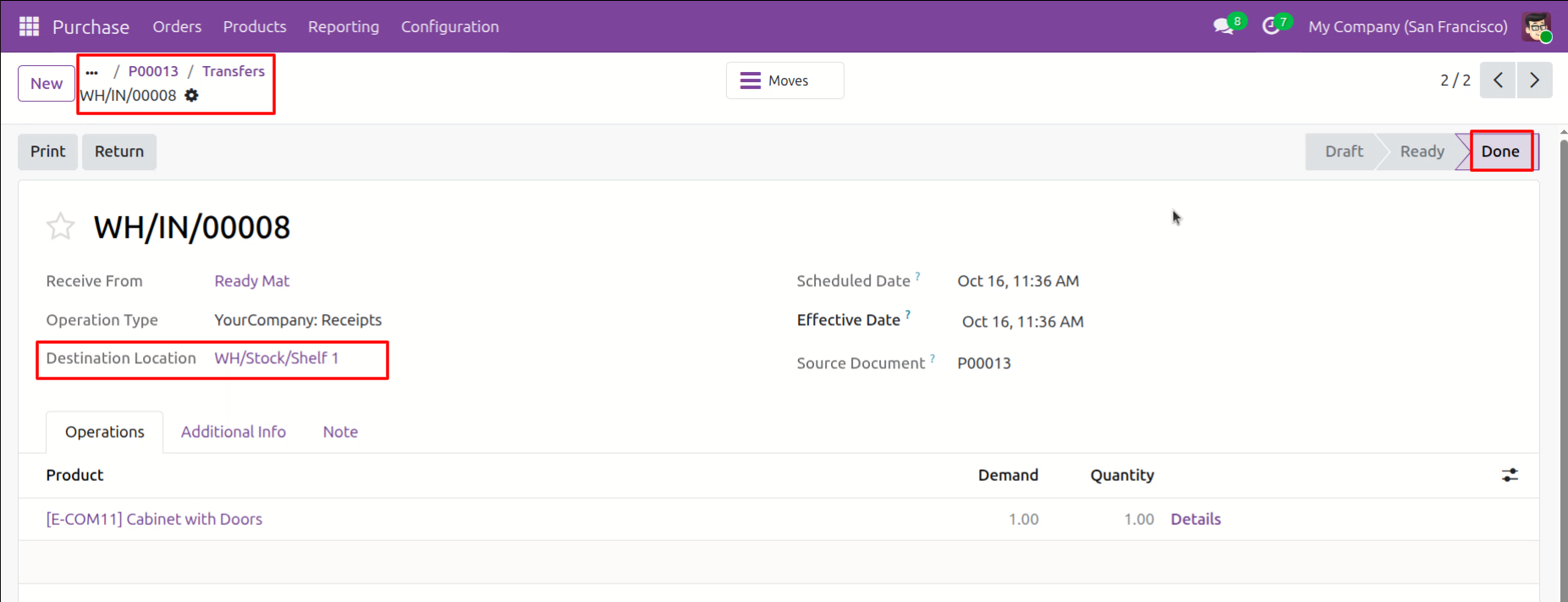
Successfully completing the final stage of the multi-step route, with transfer WH/IN/00008 now marked as Done after moving the product to WH/Stock/Shelf 1.
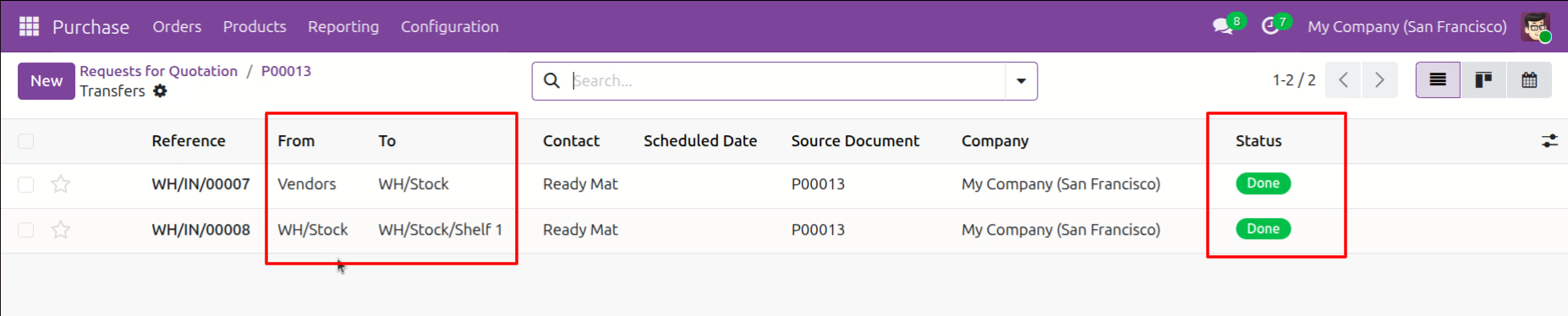
Reviewing the completed transfer log for P00013, showing both the vendor receipt and the internal shelf move in Done status.
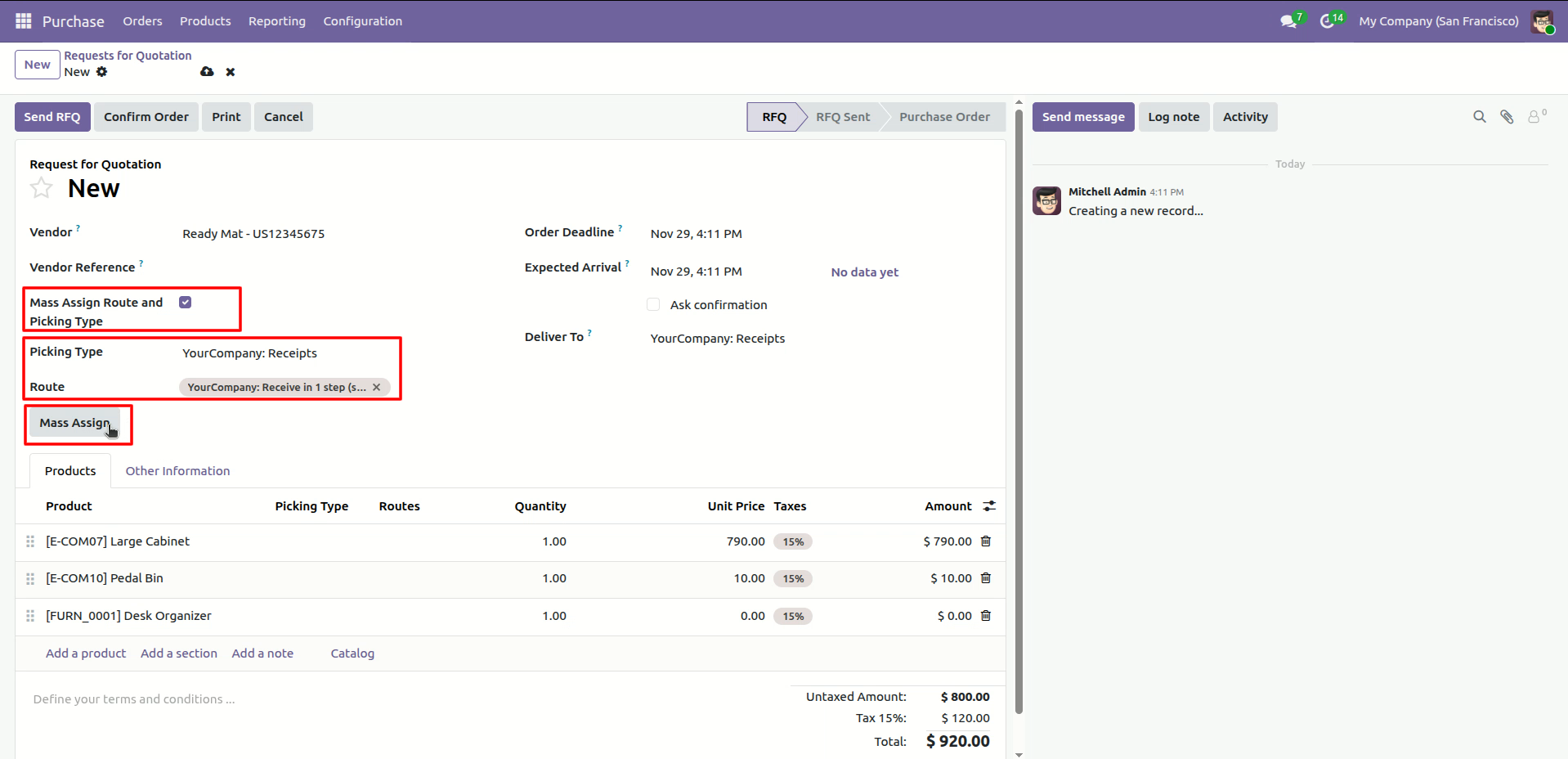
Using the Mass Assign button to quickly apply a specific Picking Type and Route to all product lines in a new Request for Quotation.
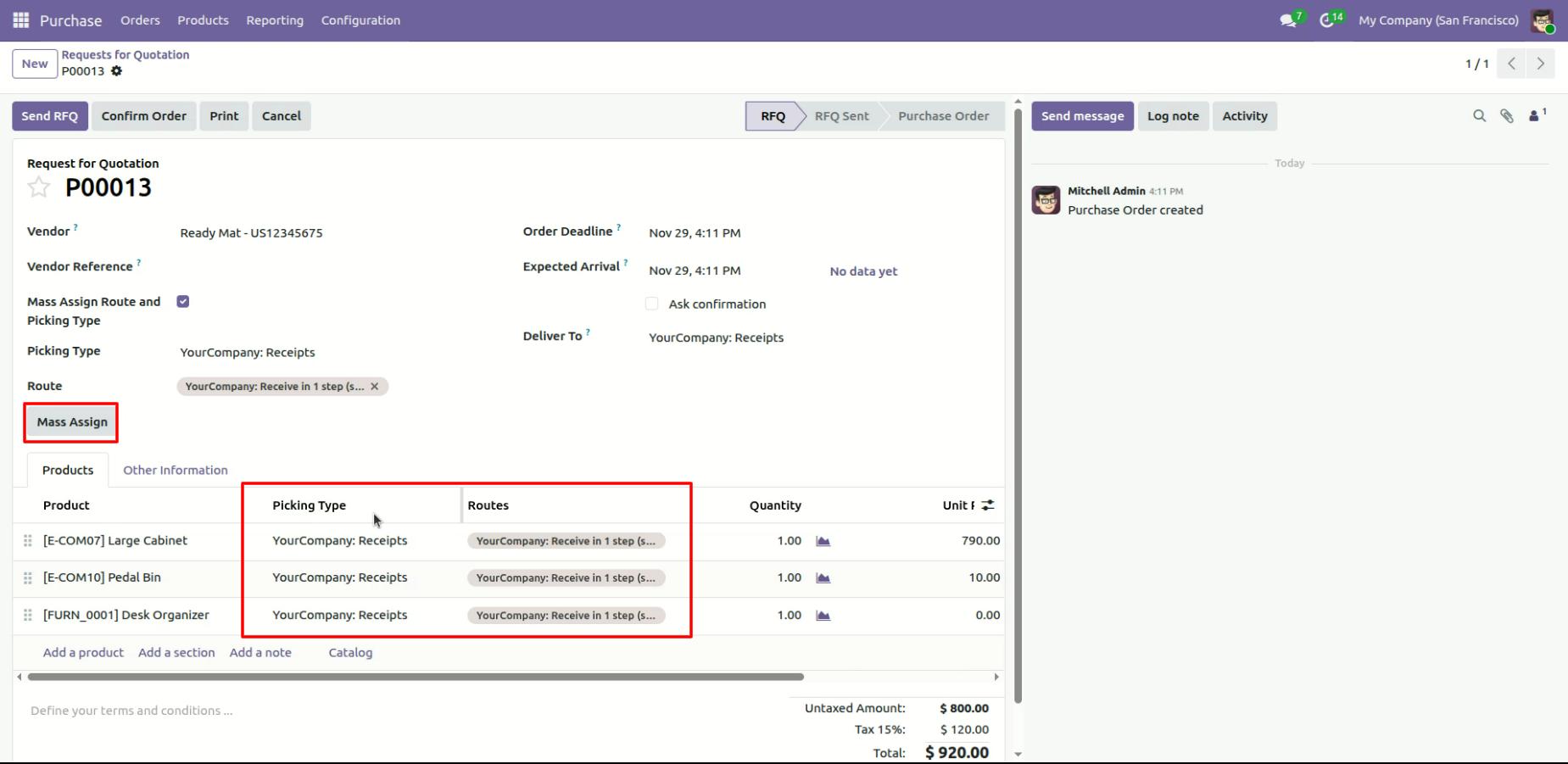
Executing the Mass Assign function to instantly update all order lines with the "YourCompany: Receipts" picking type and specific routing logic.
Version 18.0.1.0.0 | Released on : 10th August 2026
- Yes, this app works perfectly with Odoo Enterprise (Odoo.sh & Premise) as well as Community.
- No, this application is not compatible with odoo.com(odoo saas/Odoo Online)
- Yes, to test this module, please contact us at sales@softhealer.com.
- Please contact us at sales@softhealer.comto request customization.
- Yes, we provide free support for 365 days from the date of purchase.
- Yes, you will receive lifetime free updates for the version of the module you purchased.
- No, there is no need to install any additional libraries.
- Yes, for version 12 and above, you need to purchase the module separately for each version you intend to use.
- No, exchanges or refunds are not allowed. Please make sure to select the correct version before purchasing.
- You can contact us at support@softhealer.com for language translation support. We use Google Translator tools to provide translations in multiple languages, so the accuracy may vary. We welcome your suggestions to help improve translations.
Discover Our Latest Apps