

 Easy to Manage
 Dedicated Support
















 Scan to email sales






Purchase Dynamic Approval

This module allows you to set dynamic and multi-level approvals in the request for quotation/purchase order so each order can be approved by many levels. Purchase orders can be approved based on untaxed/ total amount and approved by particular users or groups they get emails notification about orders that waiting for approval. When a purchase order/RFQ approves or rejects user gets a notification about it.

Hot Features

Features
- You can set dynamic approvals on request for quotation/purchase order.
- You can set different approvals on different orders.
- PO/RFQ can approve based on untaxed/ total amount.
- PO/RFQ can be approved by a particular user or group.
- Users get a notification when the purchase order/RFQ approves or rejects.
- You can create a flexible approval process.
-
Convert foreign-currency purchase orders into the company currency using the exchange rate on the order date before checking approval thresholds, and block confirmation if the required exchange rate is missing.

Notes
- You have to disable the odoo feature "Purchase Order Approval" When you install this module otherwise conflicts both.
 Latest Updates
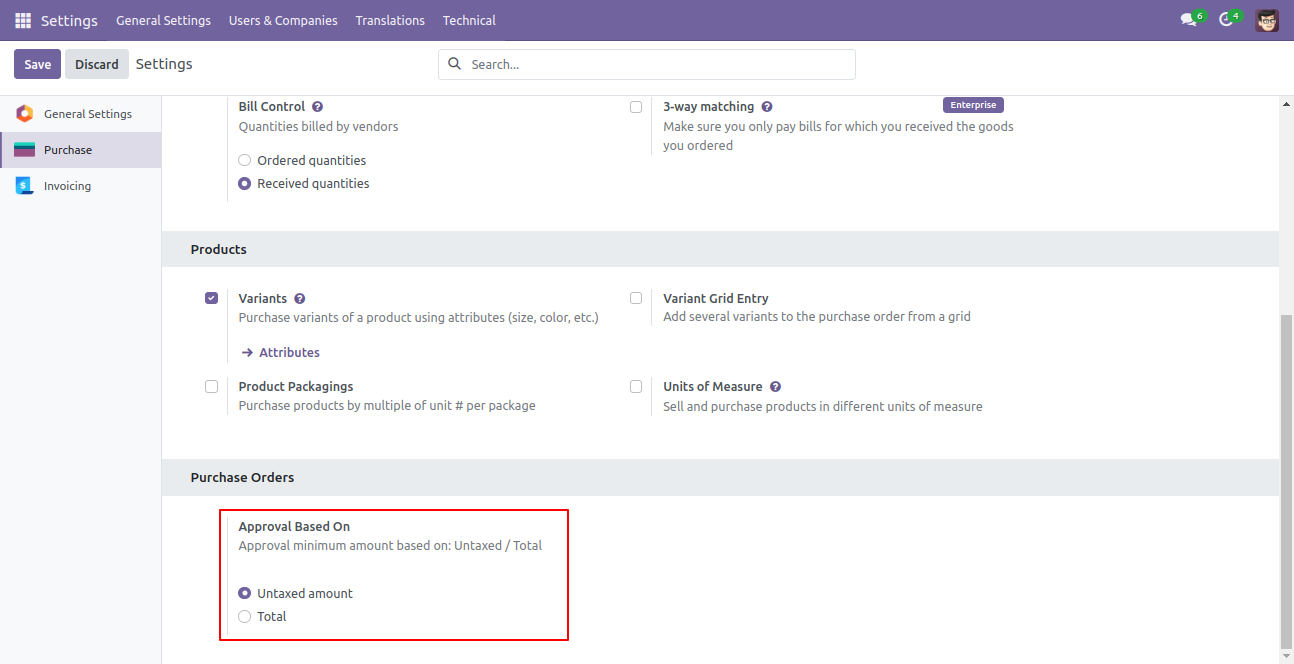
You have to define the minimum amount based on tax amount or without tax amount.
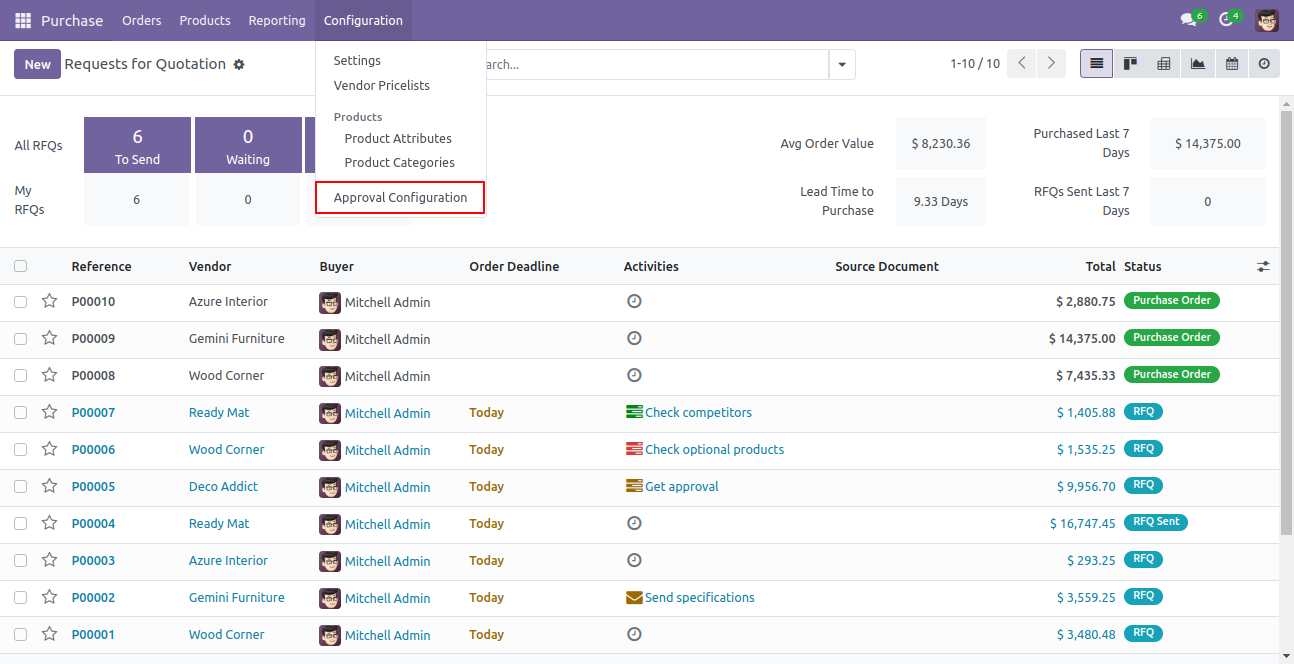
Approval configuration menu.
Approval Configuration: Setup approval levels based on minimum amount and users level. Also select companies.
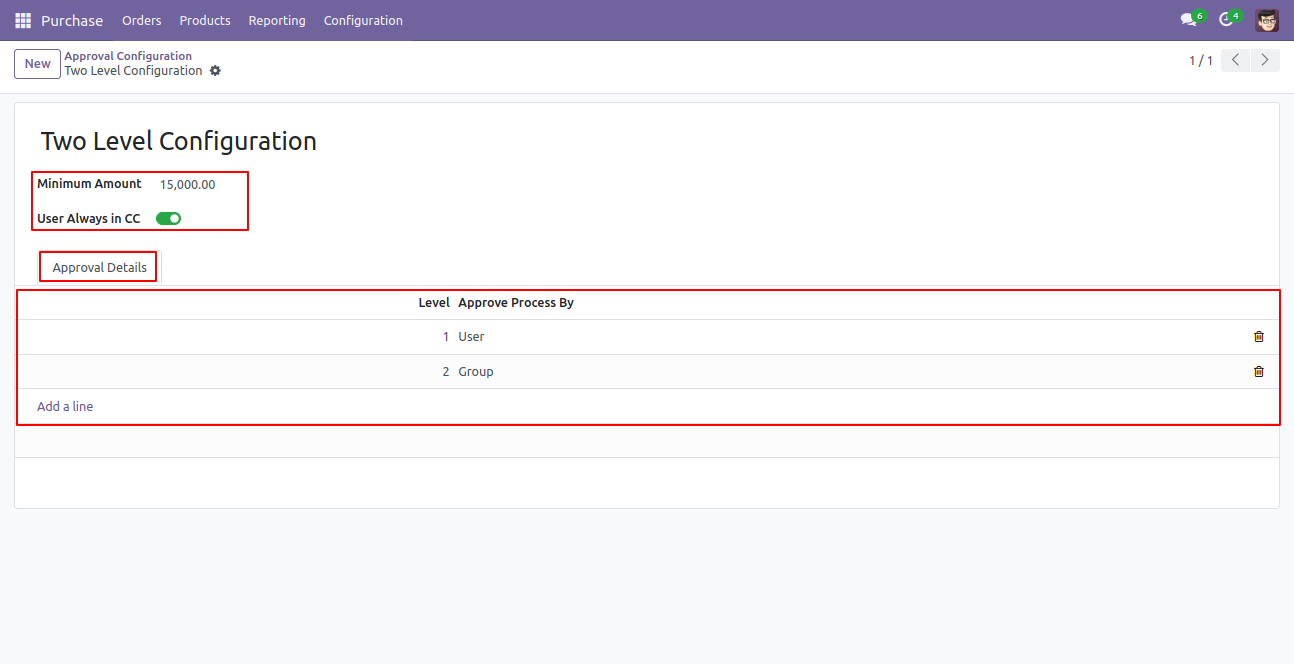
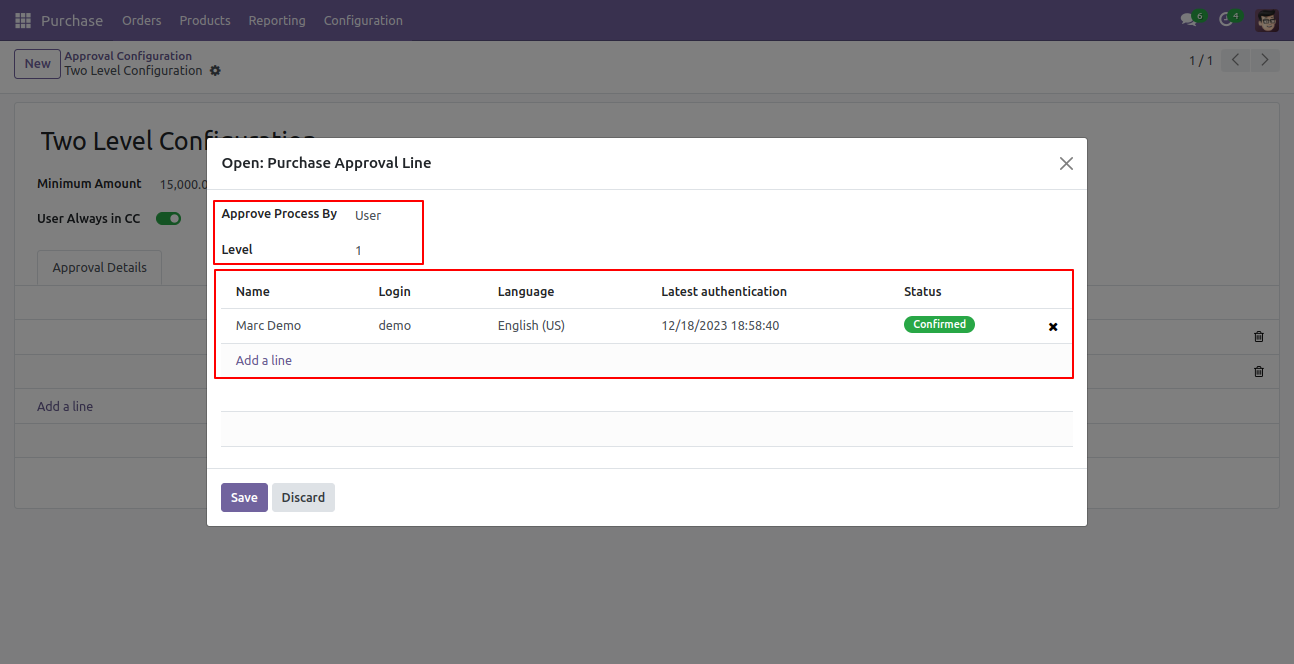
Approved Process By, there are two types 1. User , 2. Group. Userwise means to define that person who approved the purchase order, in this wizard select the user.
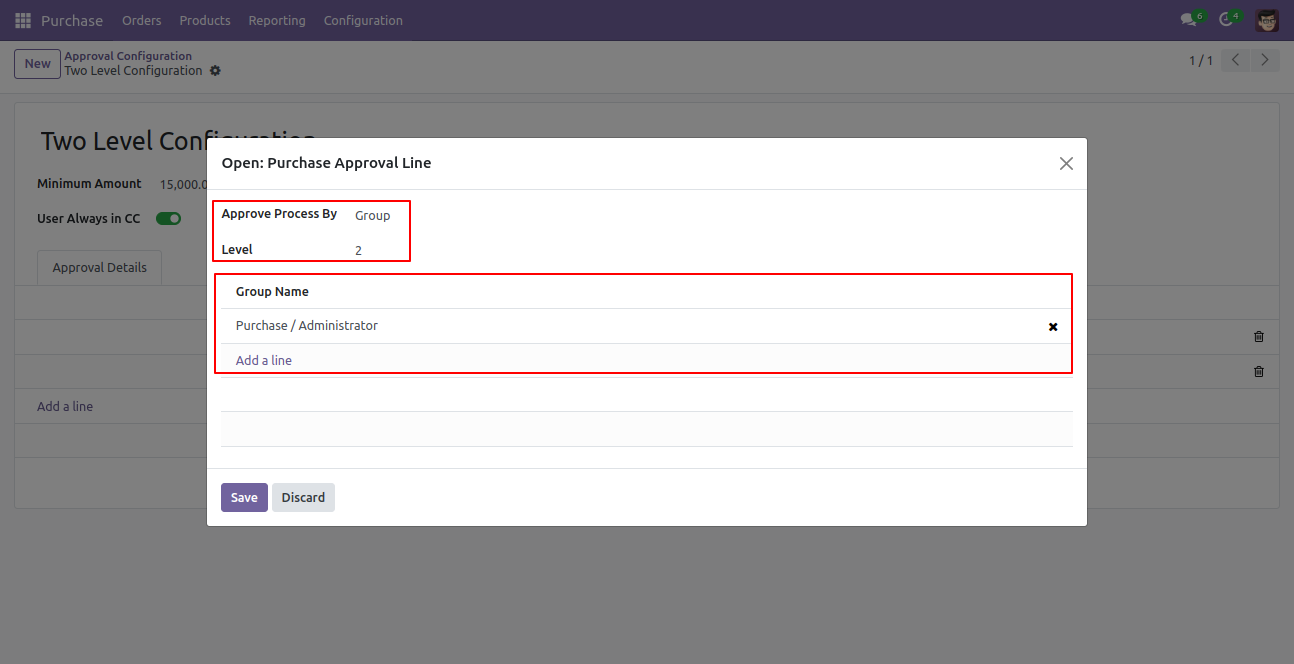
Approve type 2. Group that means only specific groups users will give approval.
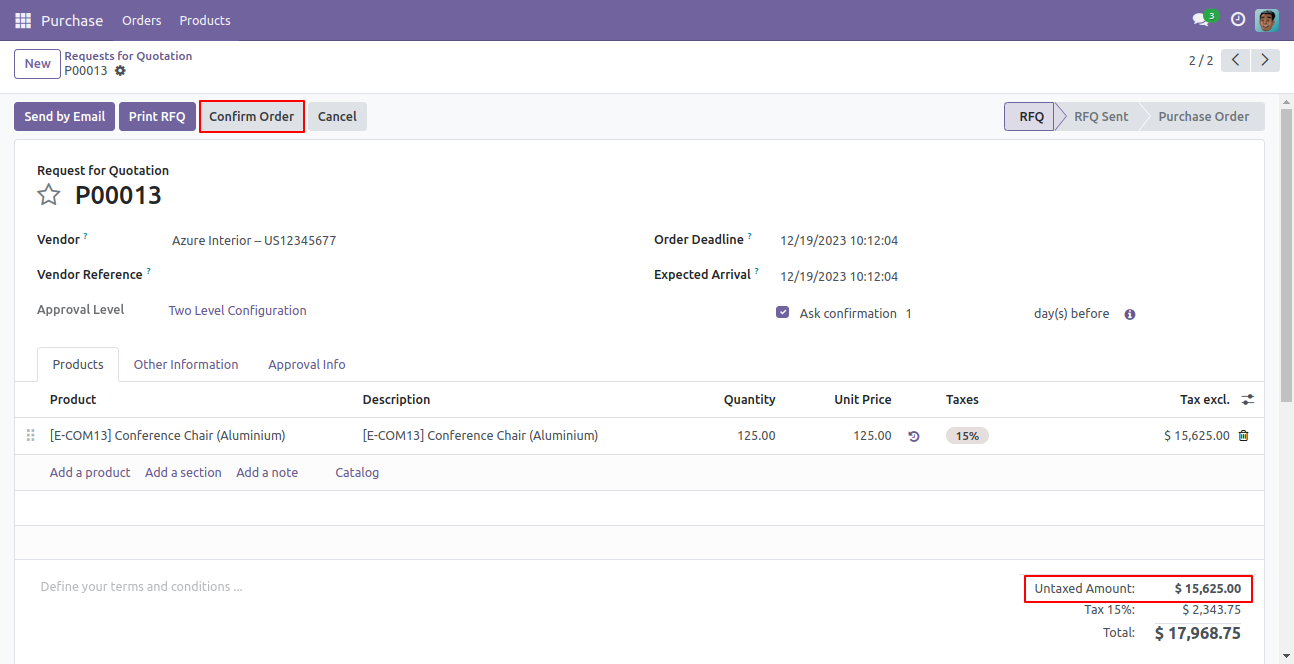
User submits RFQ for approval by pressing the ‘Confirm Order’ button. so that RFQ will automatically set the ‘Waiting for Approval’ stage. Auto fetch Approval Level based on configured approvals setup and minimum limit.
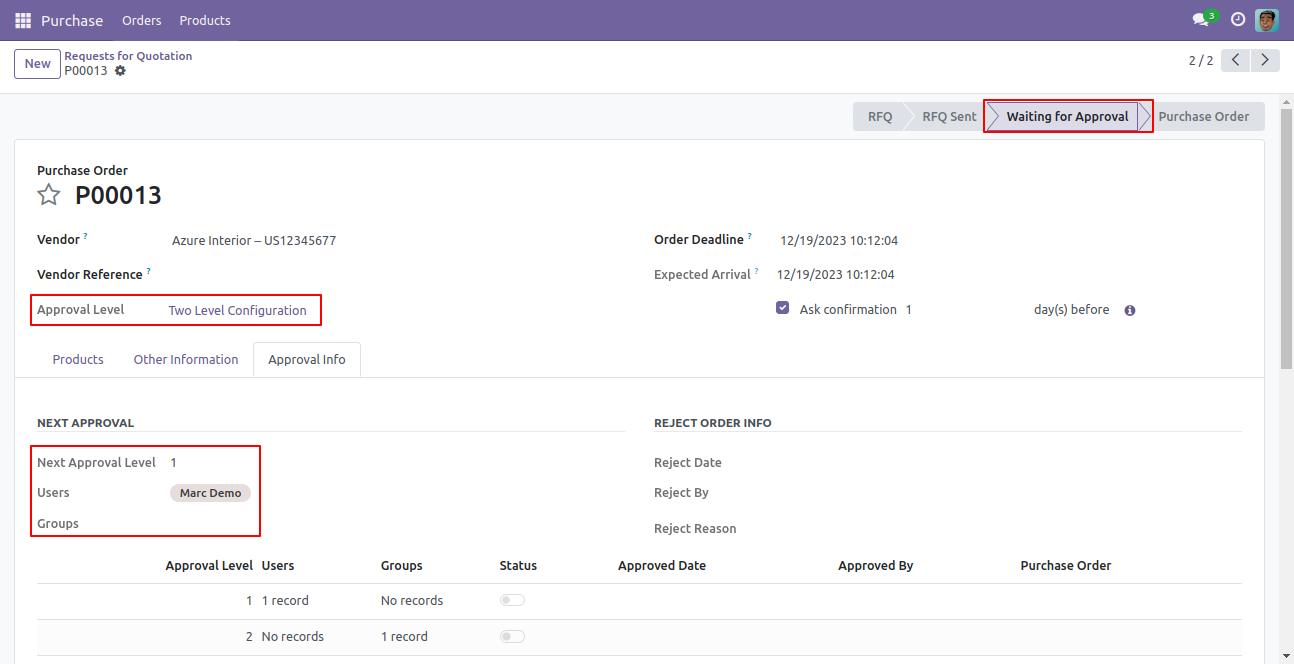
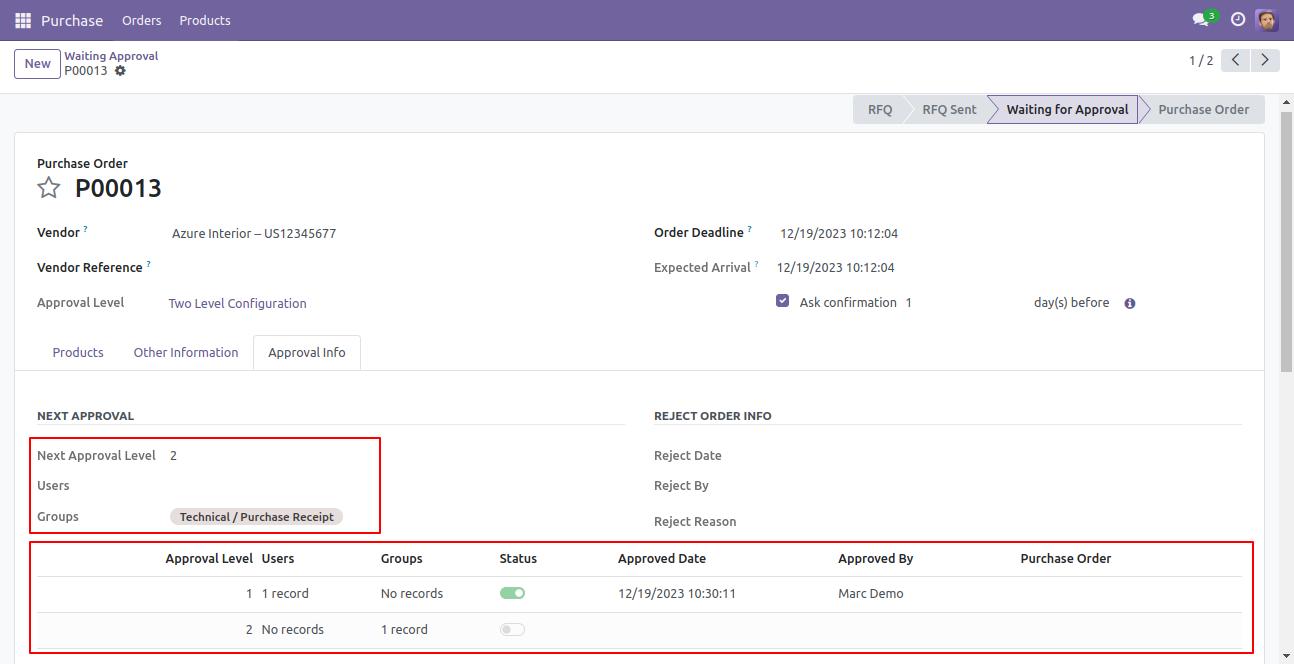
After confirmed by the user, Auto set next level approvers in the Approval Info tab. If next approval is required.
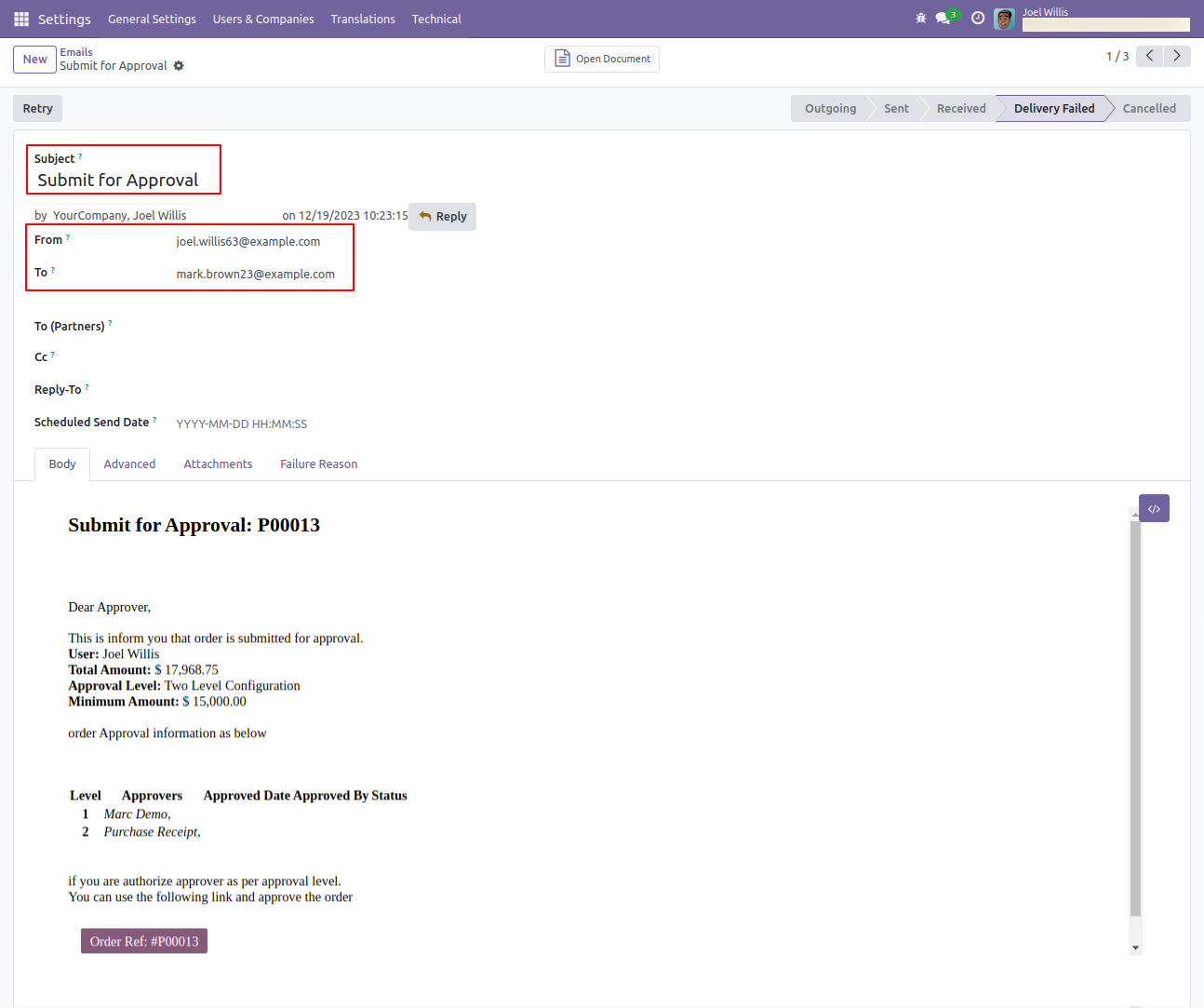
Email notification sent to approvers for approval RFQ.
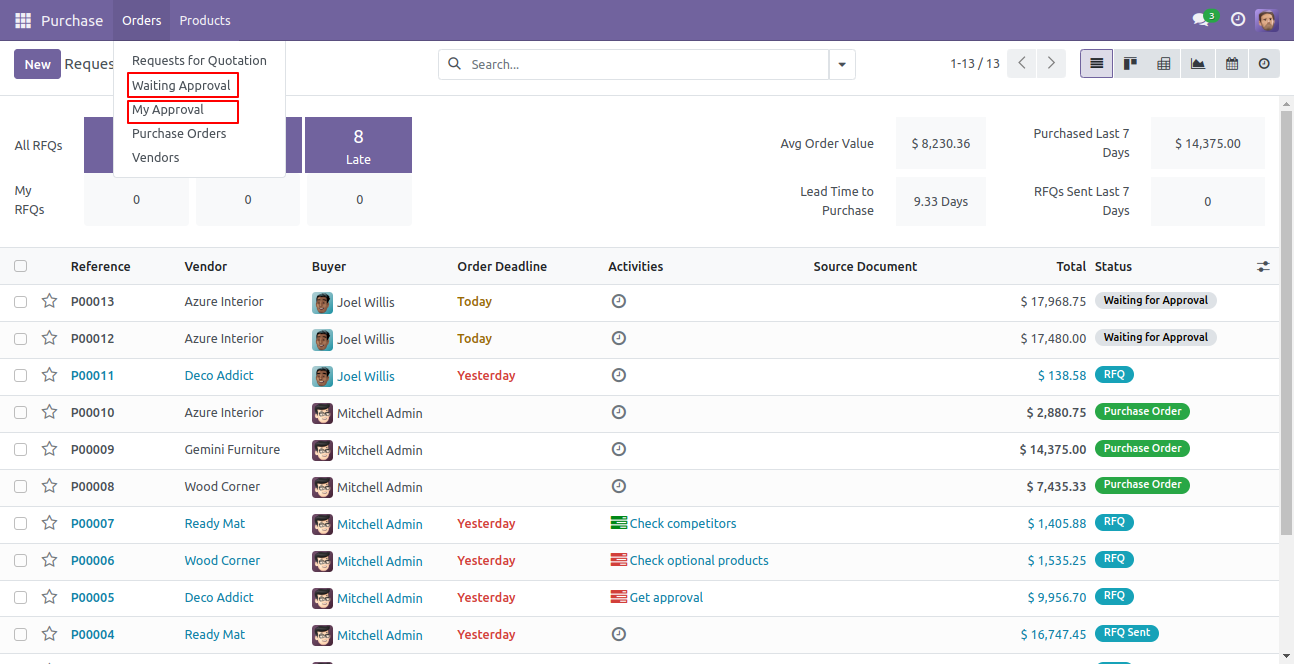
There are two menus for
1. My Approval: Only access those RFQs which are assigned to
him.
2. Waiting Approval: user can access own RFQ which is in Waiting for Approval and
Approved stage.
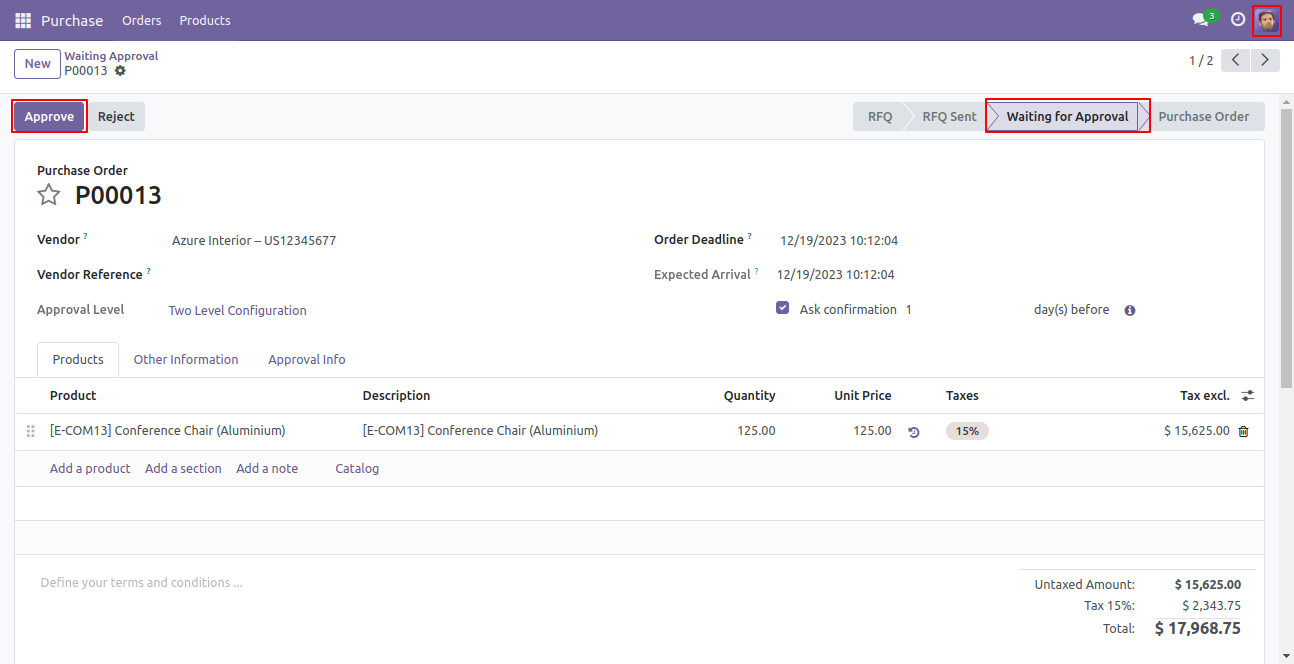
Approval Flow
There are 2 approvers the first approver approves the RFQ.
After approved by the approved person, Auto set the next level approvers in the Approval Info tab. If next approval is required.
Email notification sent to approvers for approval RFQ.
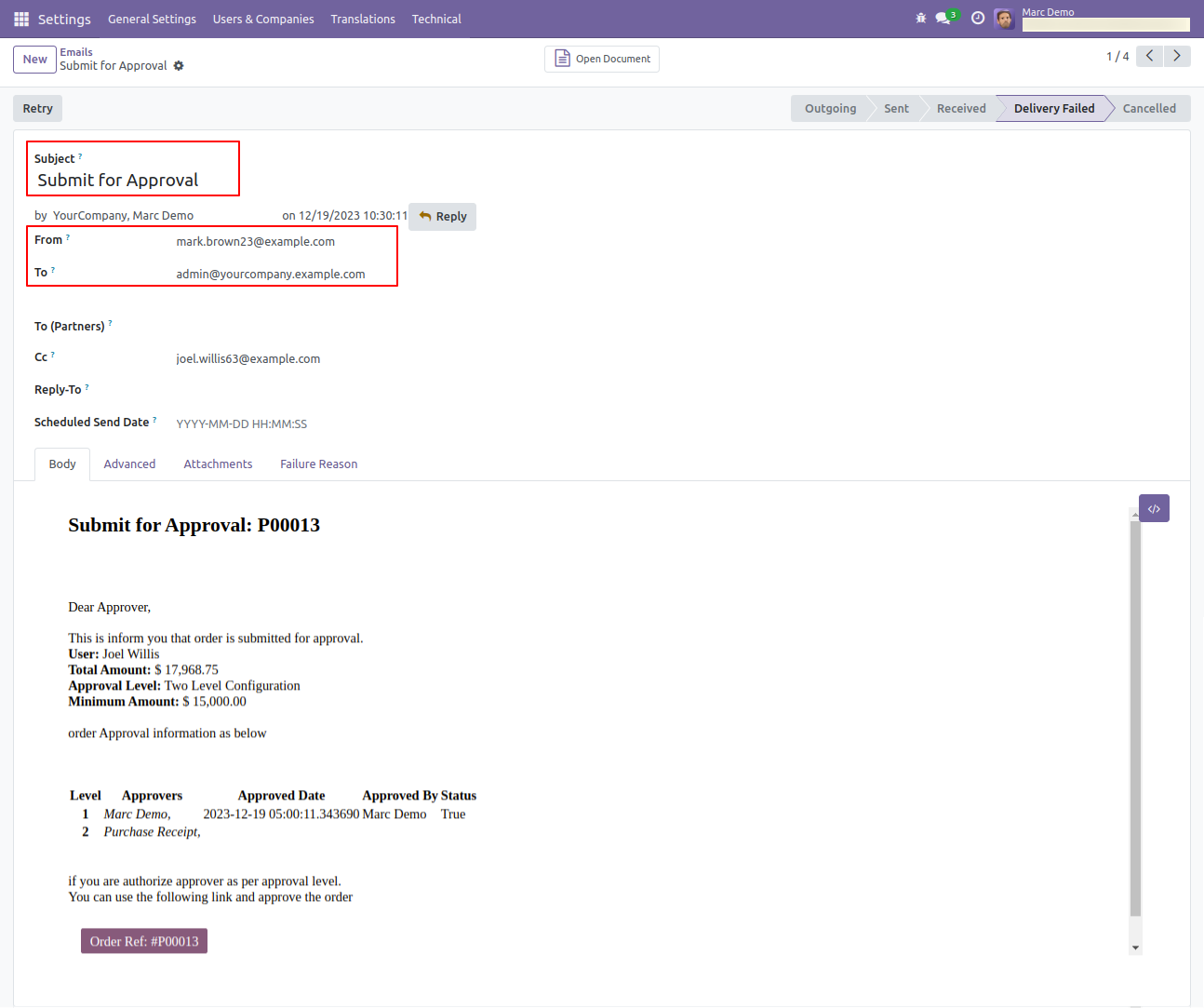
Now the second approver approves the RFQ.
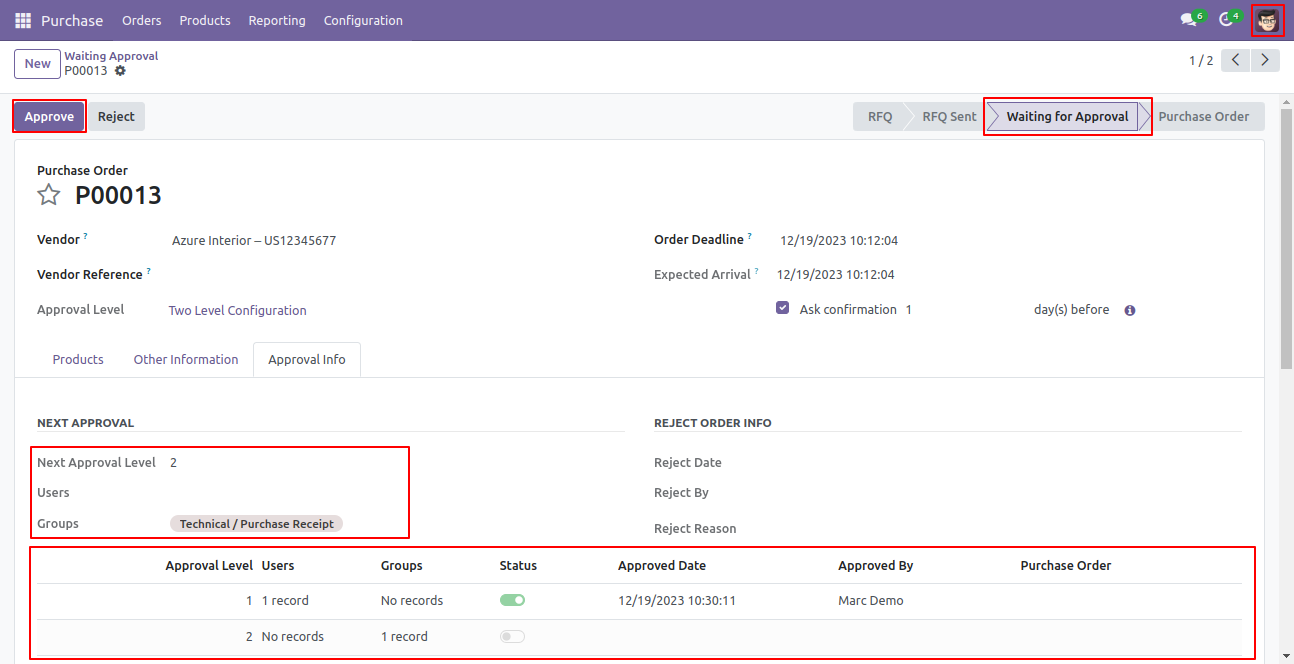
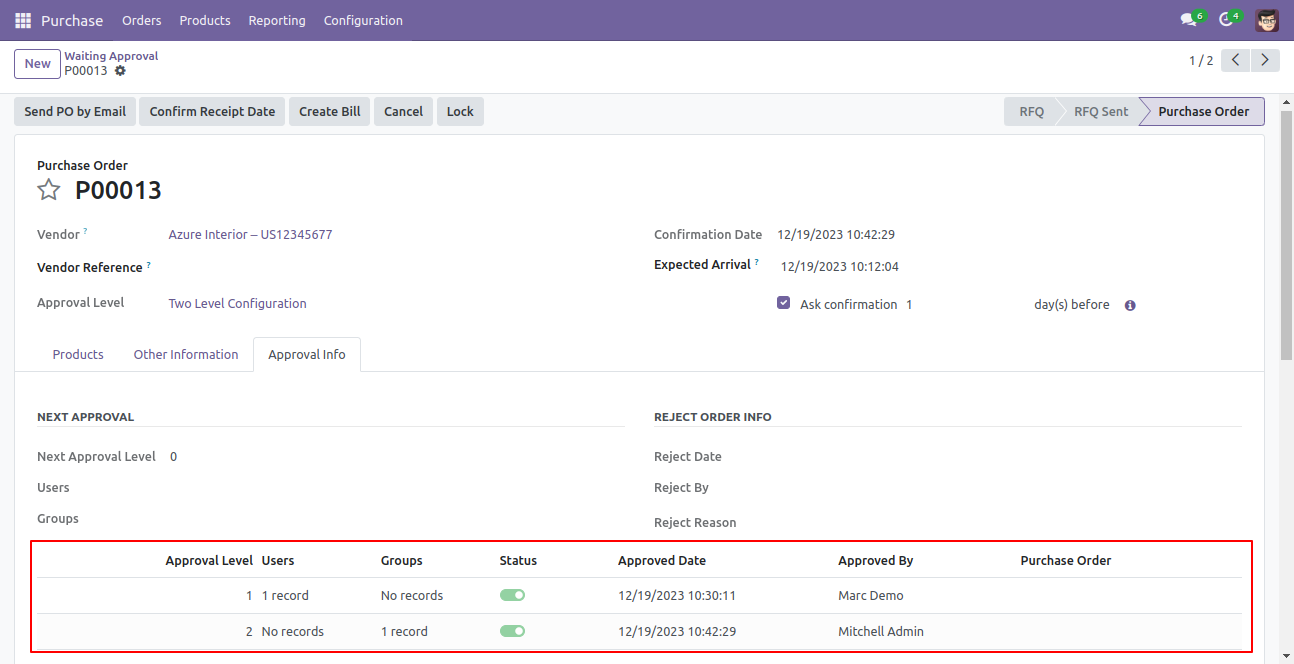
So purchase order created.
Email notification sent to approvers for approval RFQ.
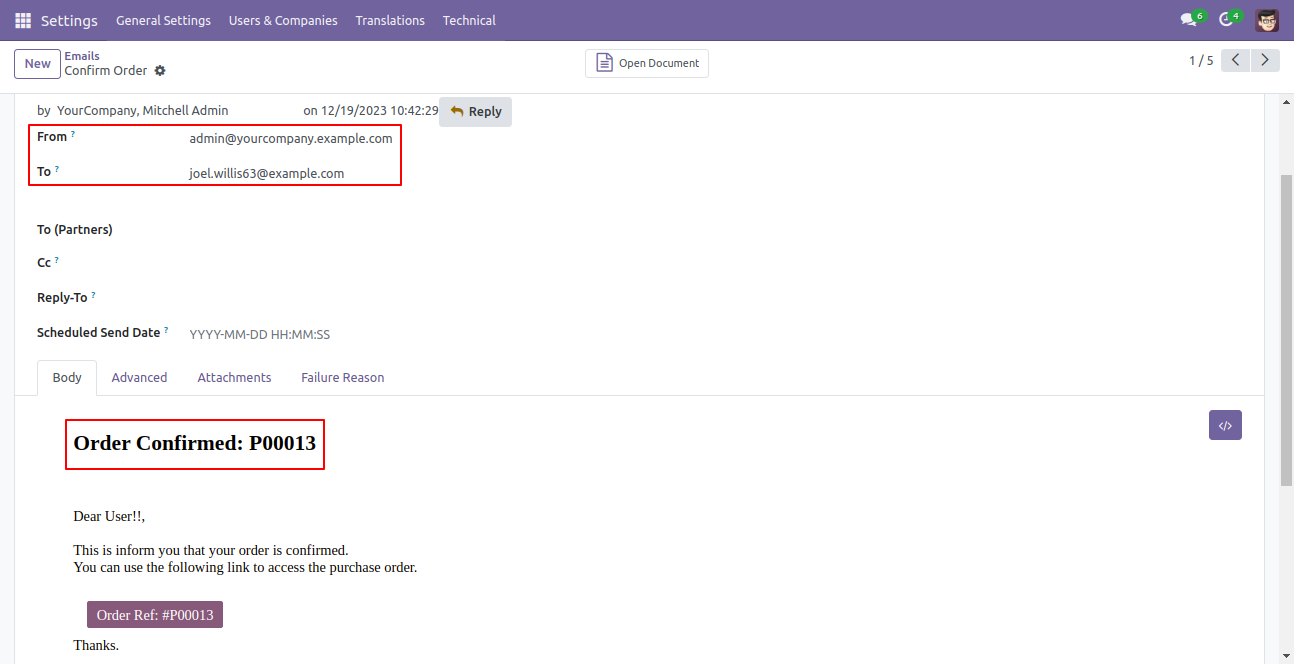
Rejection Flow
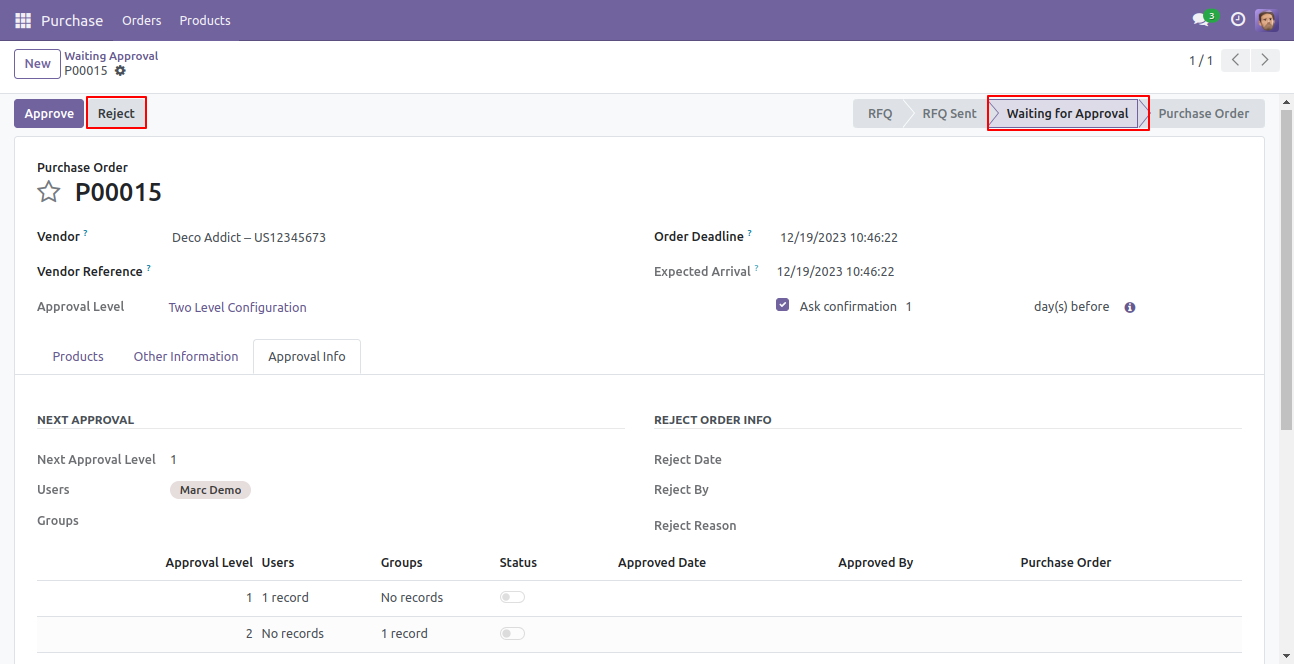
There are 2 approvers If the first approver rejects the RFQ that means that RFQ will be canceled no more second approver is needed.
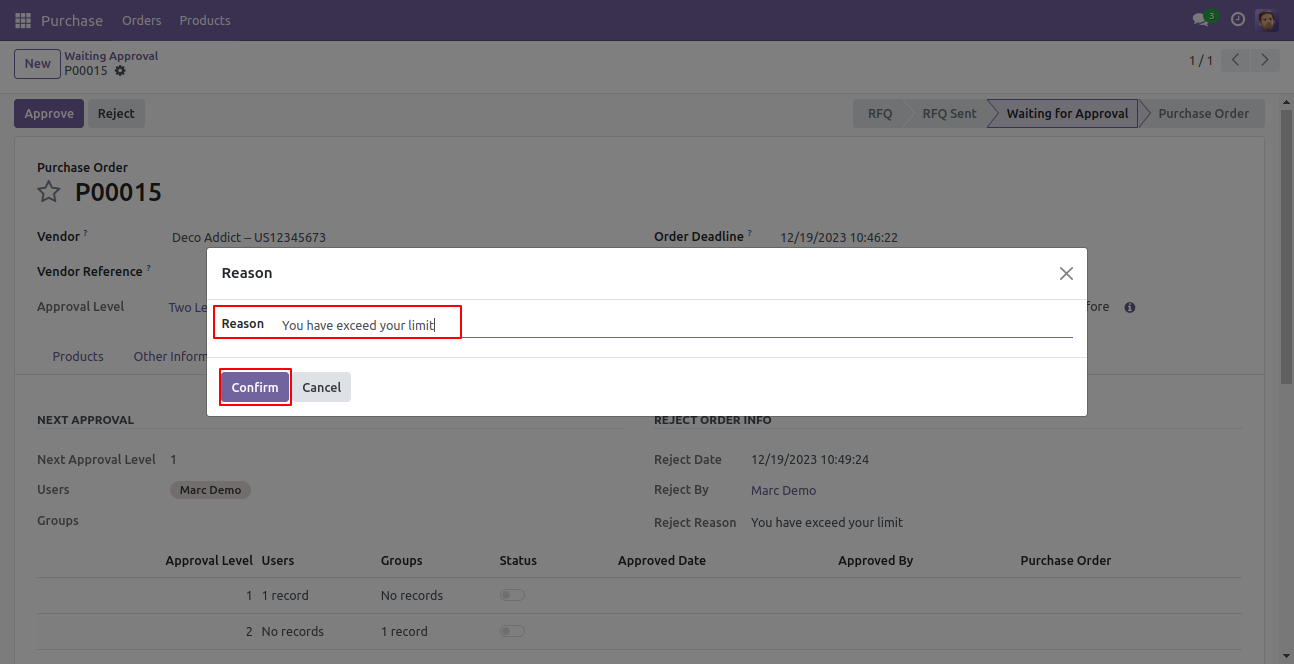
After click on the ‘Reject’ button, this wizard will pop up, here the approver has to add a reason for rejecting the RFQ.
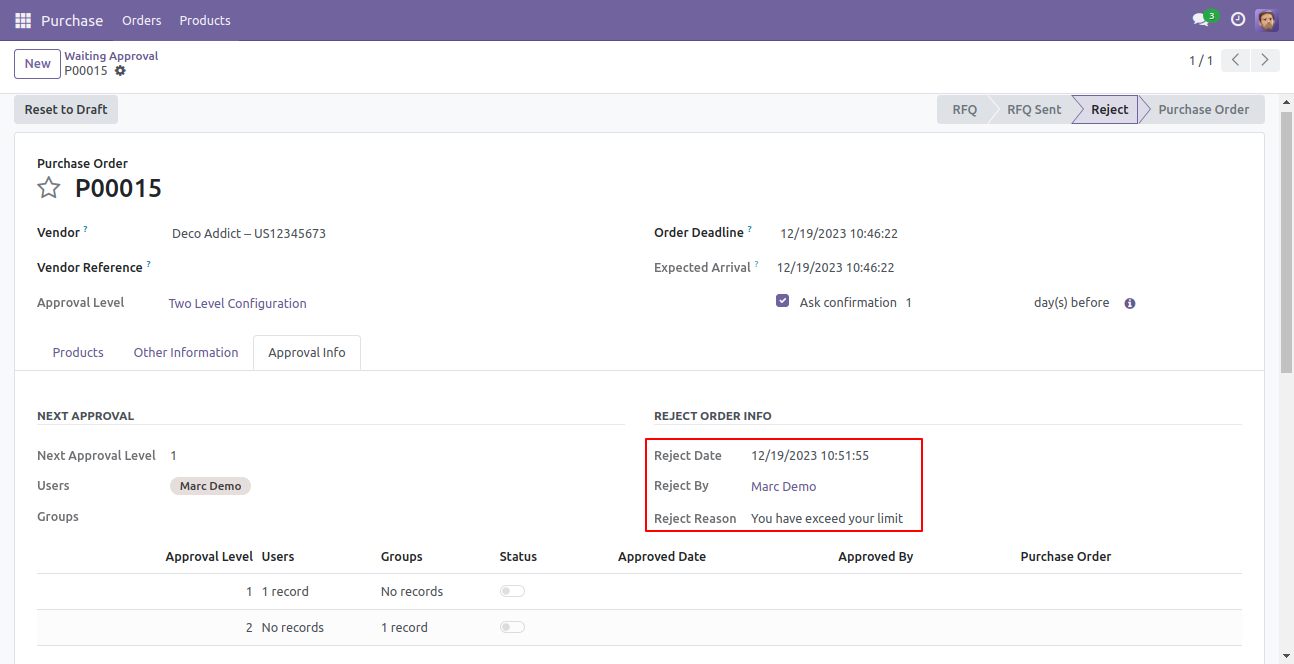
After rejection, it auto set the rejection information in the "Reject Order Info".
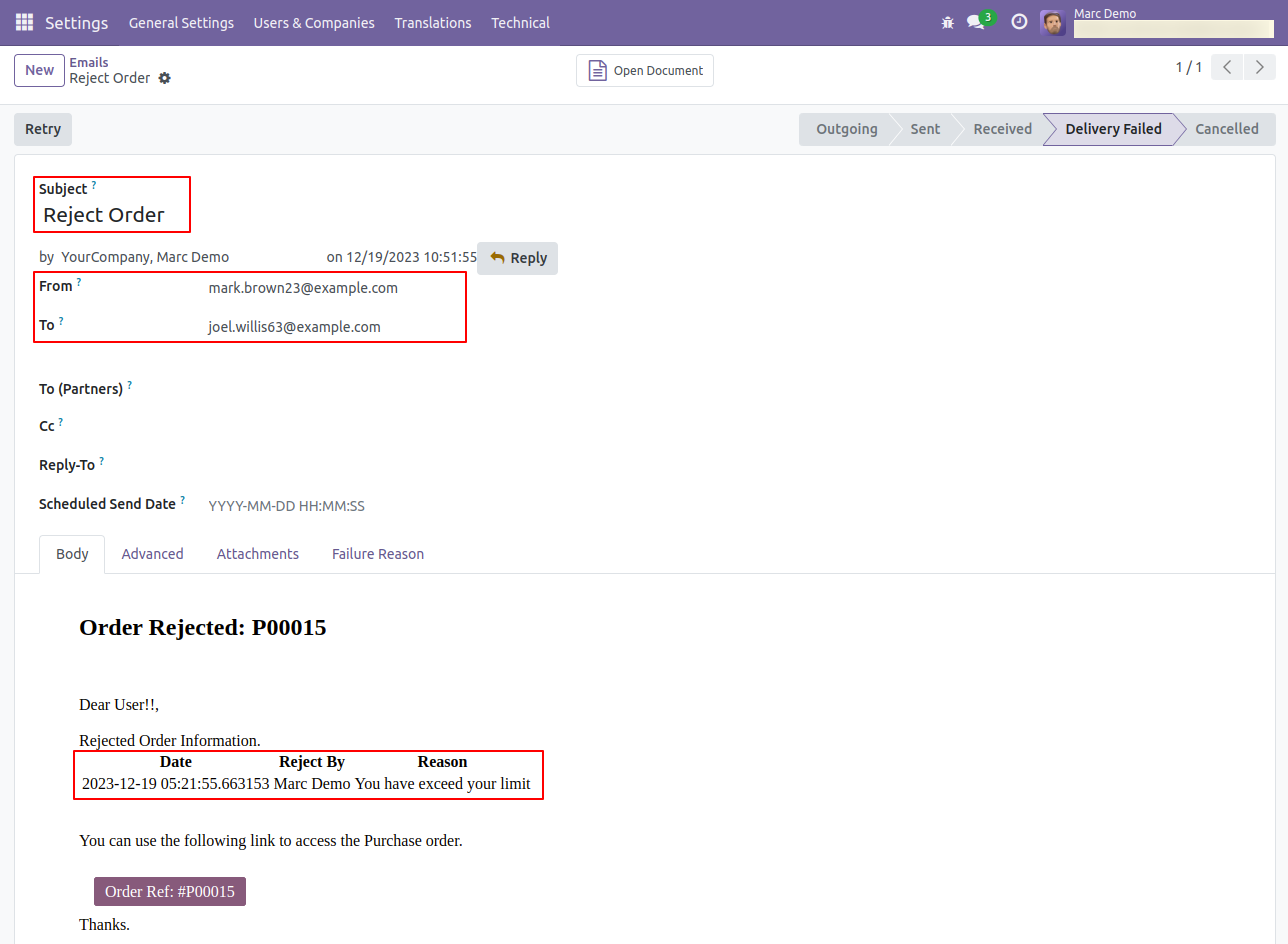
Email notification of rejection looks like this.
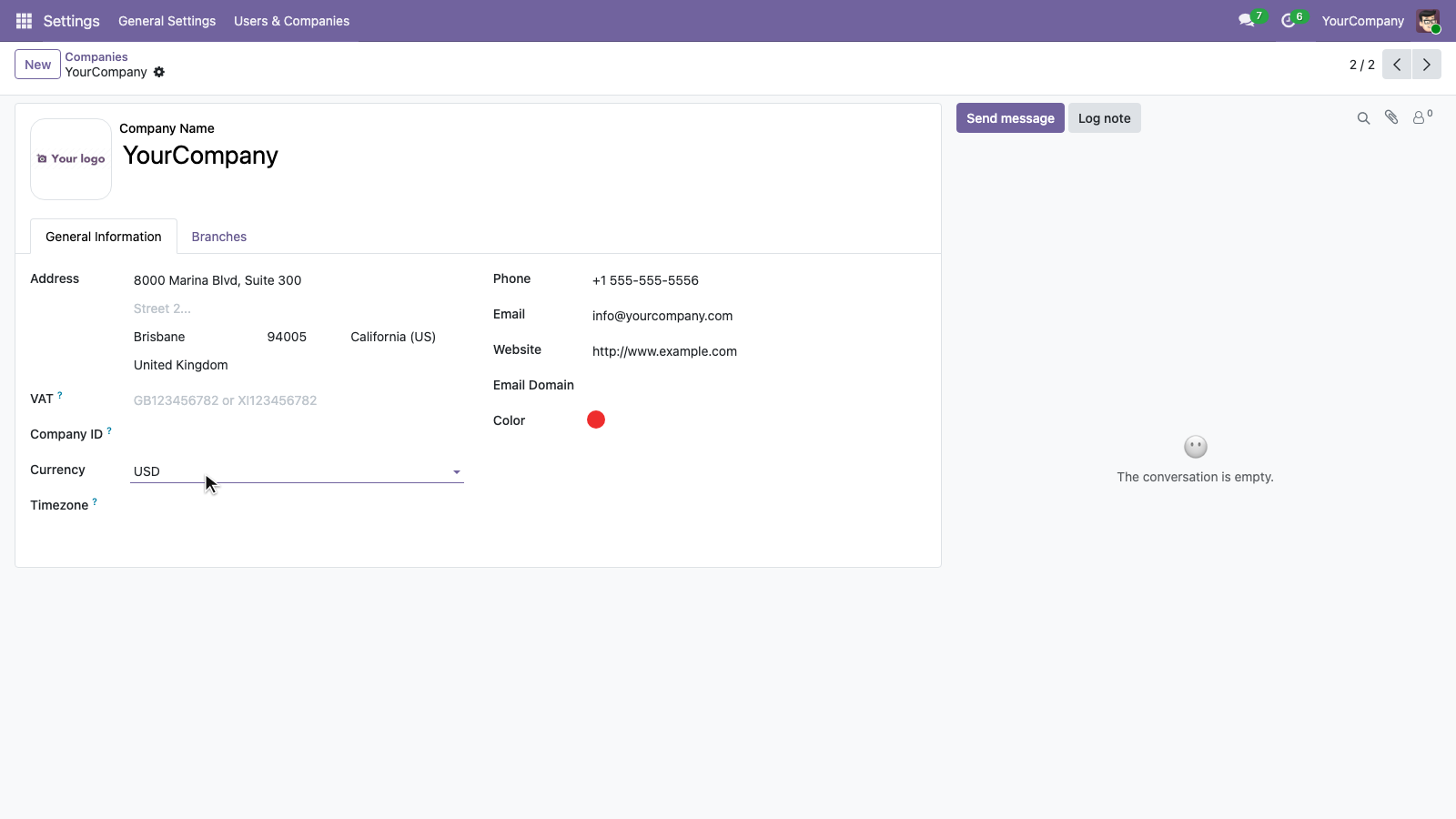
Set the company currency under Settings > Users & Companies > Companies. In this example, USD is the company currency used for approval thresholds.
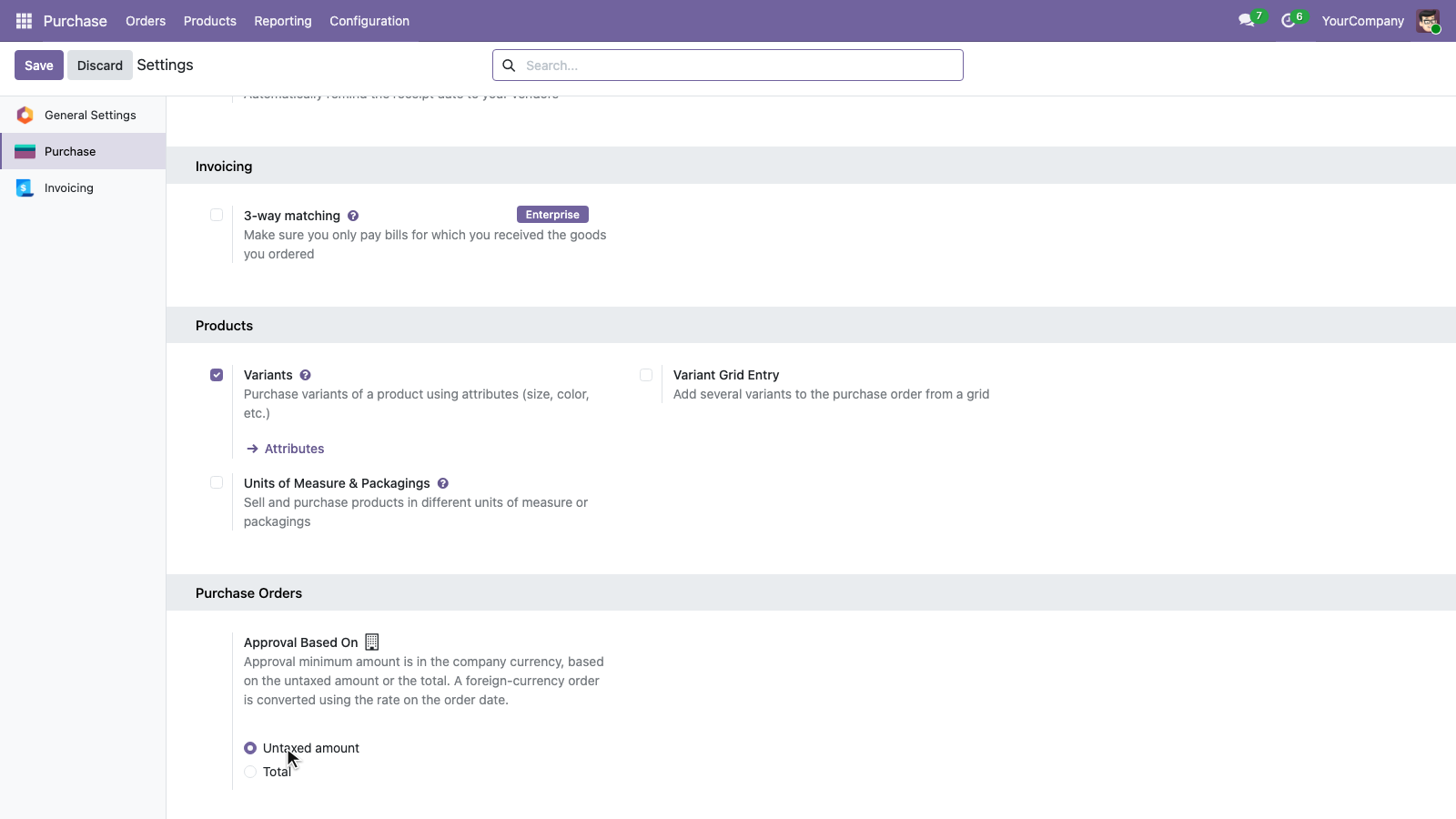
In Purchase Settings, choose whether approval is based on the Untaxed amount or the Total. Approval thresholds use the company currency, and foreign-currency orders are converted using the exchange rate on the order date.
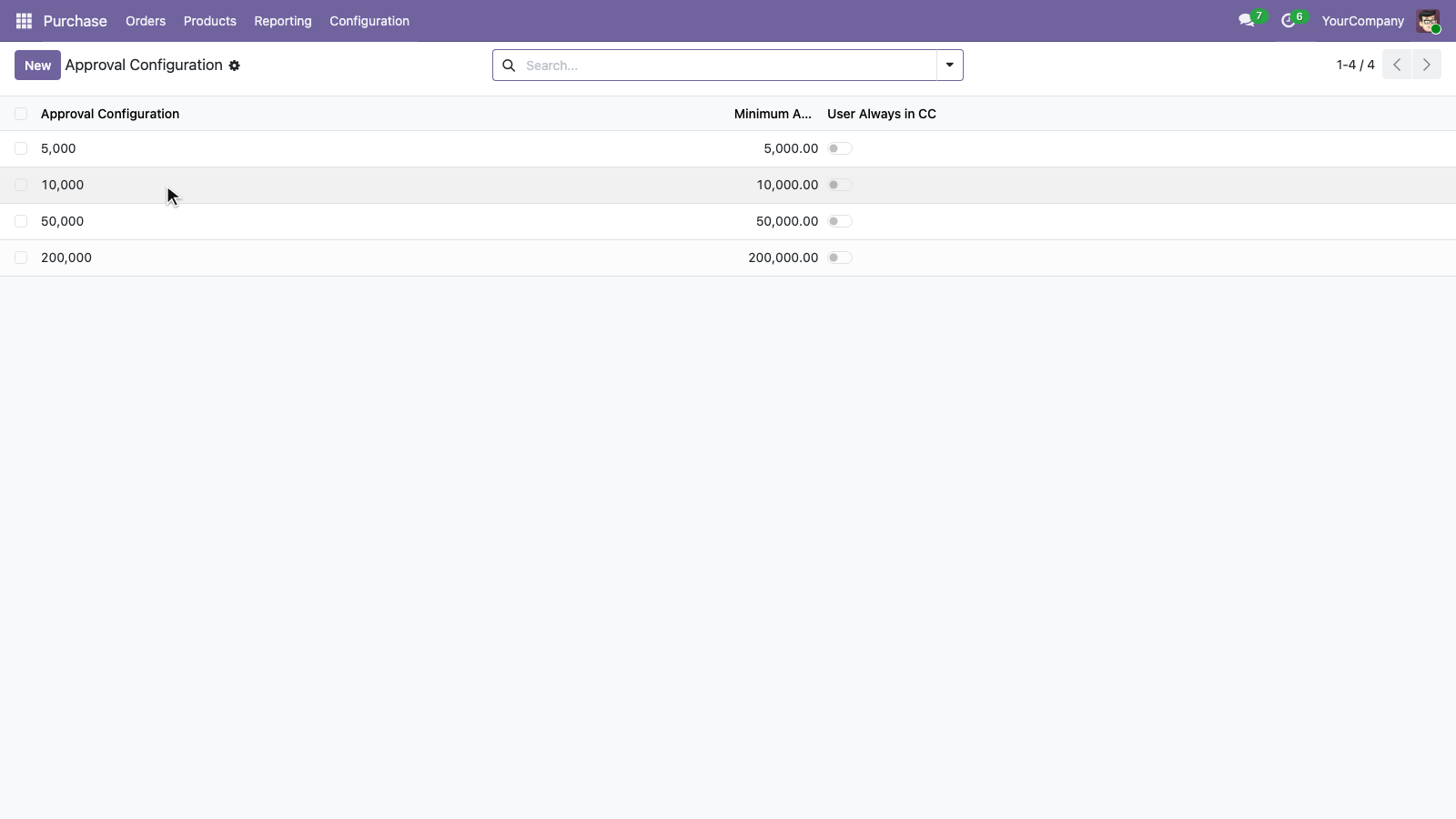
Configure approval levels with minimum amounts in the company currency. This example shows thresholds of 5,000, 10,000, 50,000, and 200,000.
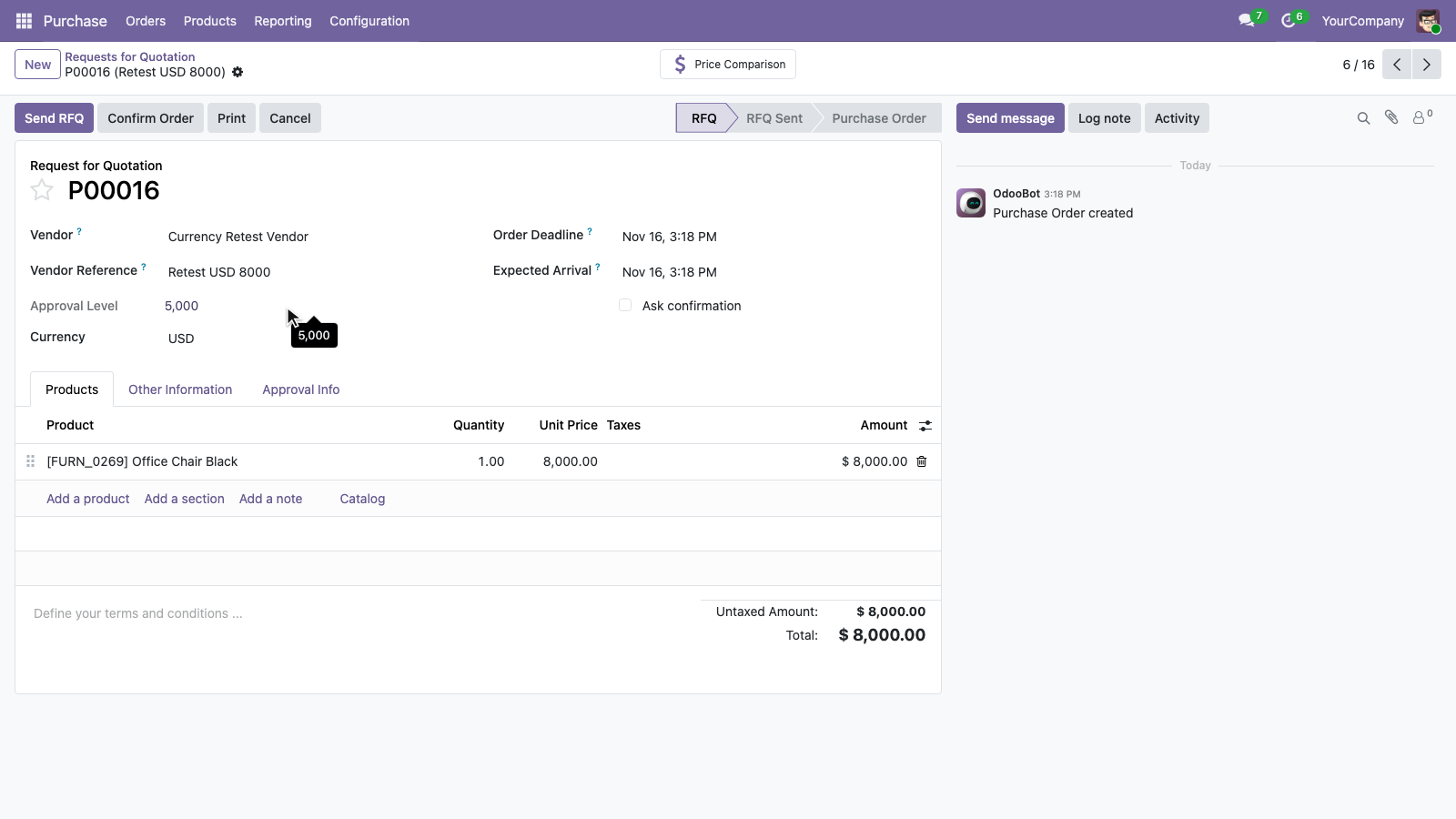
For a purchase order in the company currency, the approval level is determined directly from the selected order amount. This USD 8,000 order is assigned the 5,000 approval level.
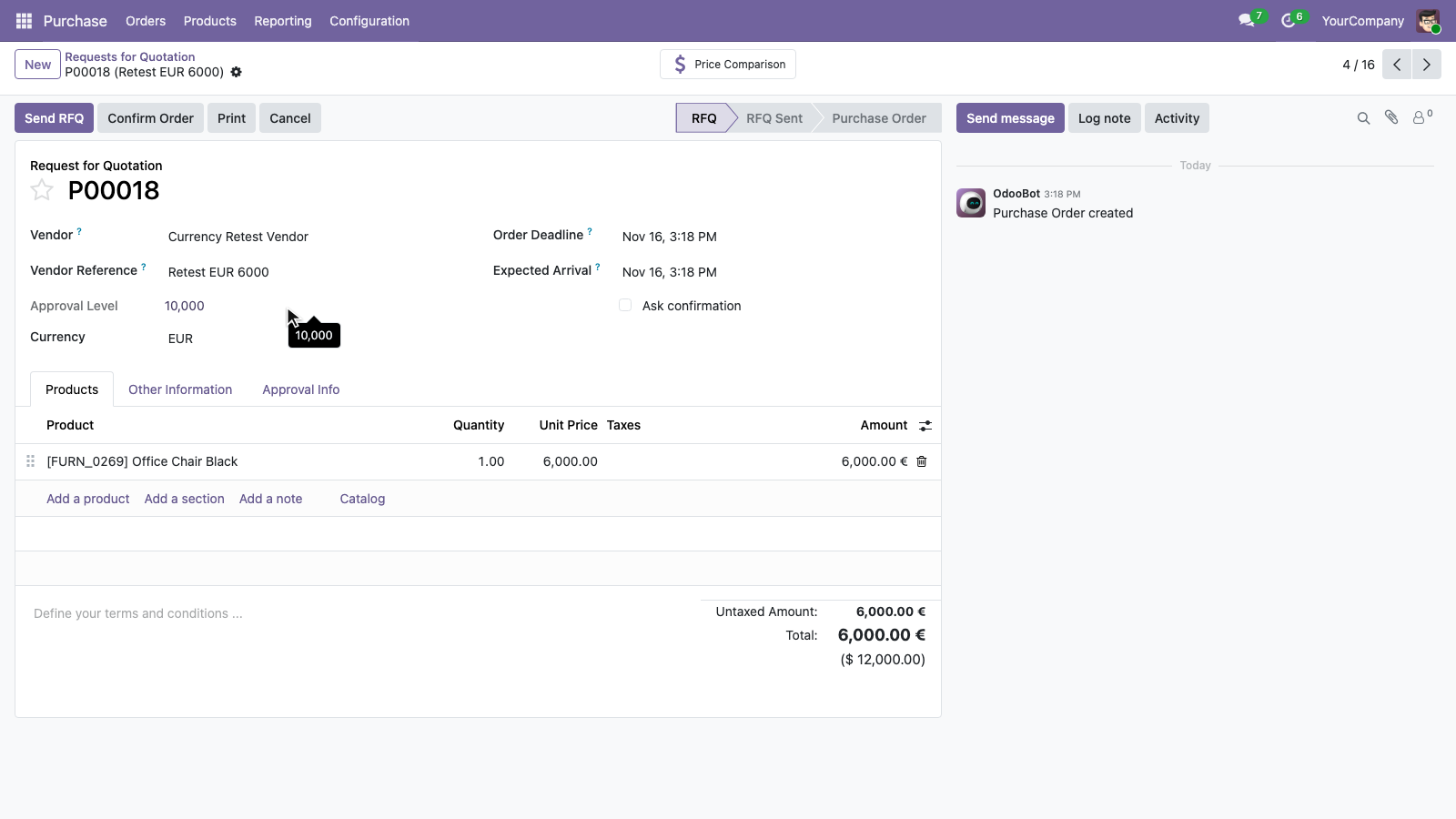
For a foreign-currency purchase order, the amount is converted to the company currency to determine the approval level. This EUR 6,000 order is equivalent to USD 12,000 and is assigned the 10,000 approval level.
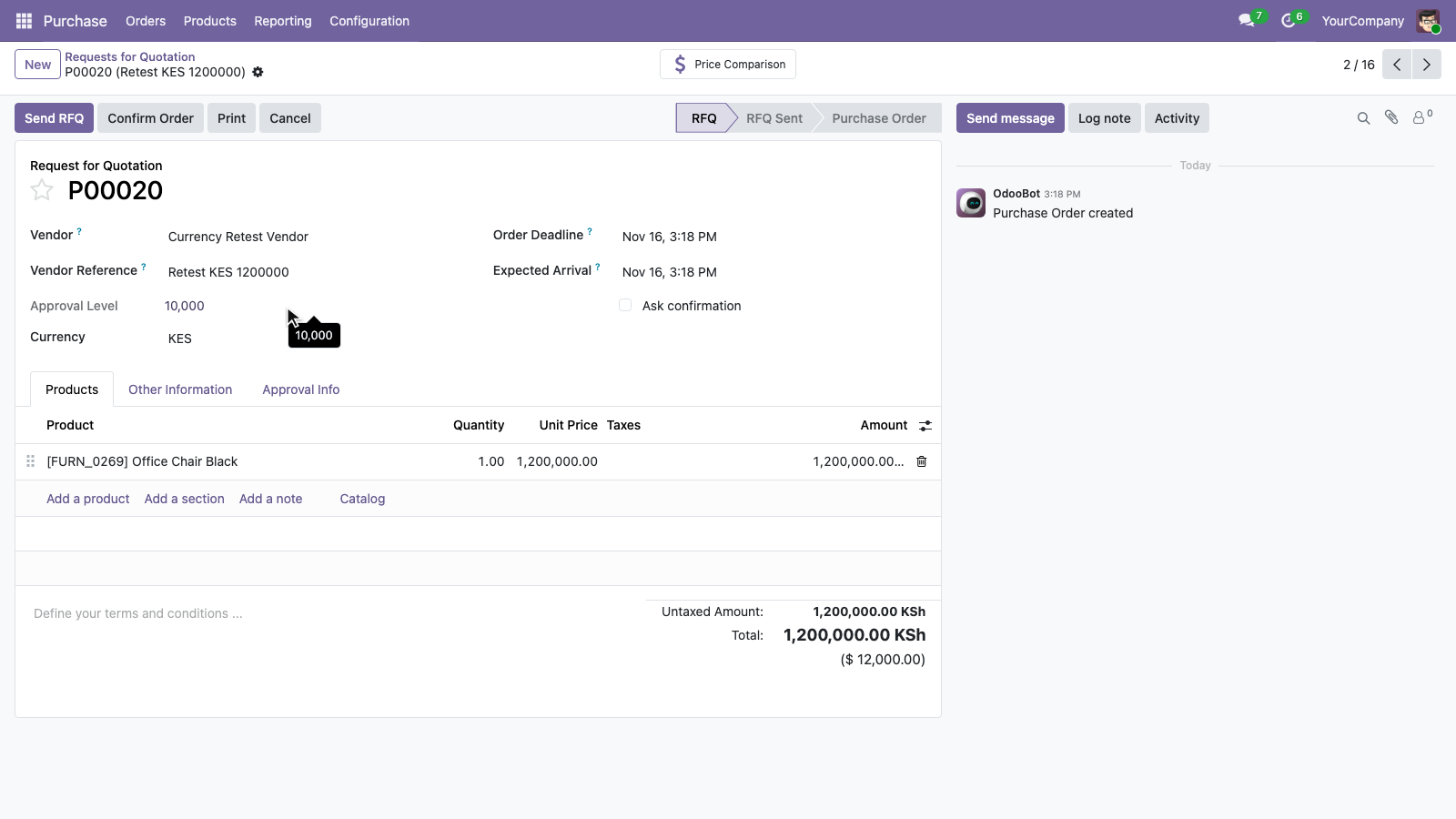
The same approval thresholds apply across different order currencies after conversion. This KES 1,200,000 order is equivalent to USD 12,000 and is also assigned the 10,000 approval level.
Version 19.0.2.0.0 | Released: 17th November 2026
Version 19.0.1.0.0 | Released on : 12th August 2025
- Yes, this app works perfectly with Odoo Enterprise (Odoo.sh & Premise) as well as Community.
- No, this application is not compatible with odoo.com(odoo saas/Odoo Online)
- Yes, to test this module, please contact us at sales@softhealer.com.
- Please contact us at sales@softhealer.comto request customization.
- Yes, we provide free lifetime support for the version you purchased.
- Yes, you will receive lifetime free updates for the version of the module you purchased.
- No, there is no need to install any additional libraries.
- Yes, for version 12 and above, you need to purchase the module separately for each version you intend to use.
- No, exchanges or refunds are not allowed. Please make sure to select the correct version before purchasing.
- You can contact us at support@softhealer.com for language translation support. We use Google Translator tools to provide translations in multiple languages, so the accuracy may vary. We welcome your suggestions to help improve translations.
Discover Our Latest Apps