











Purchase Budget Limit - Enterprise Edition

Control your purchasing costs easily with the Purchase Budget Limit module for Odoo. This module works
with Odoo's analytic accounting to check budgets automatically when creating purchase orders. You can
decide whether to completely block a purchase order when the budget is exceeded or just show a warning so
authorized users can continue. The system compares the purchase amount with the assigned analytic budget
for the selected period, helping you avoid overspending in advance. This module is perfect for businesses
that want better budget control while keeping their purchasing process simple and aligned with financial
plans.

Features

Budget Control Modes
Choose how the system should control Purchase Orders based on budget availability, such as strict blocking, warning only or no restriction.
Automatic Budget Validation
Automatically checks the available budget when confirming a Purchase Order without any manual verification.

User-Based Approval Flexibility
Allows authorized users to confirm Purchase Orders even after budget warnings.

Strict Blocking Mechanism
Prevents the confirmation of Purchase Orders if the 'Restrict' configuration is active and funds are insufficient, eliminating unauthorized overspending.
Period-Based Budget Validation
Validates Purchase Orders only within the active date range defined in the budget lines.
Warning Popup for Budget Exceed
Displays a warning message when the budget is exceeded and allows users to proceed based on permission.
The user navigates to the Accounting menu in the top bar and selects Analytic Budget from the dropdown options to view financial plans.
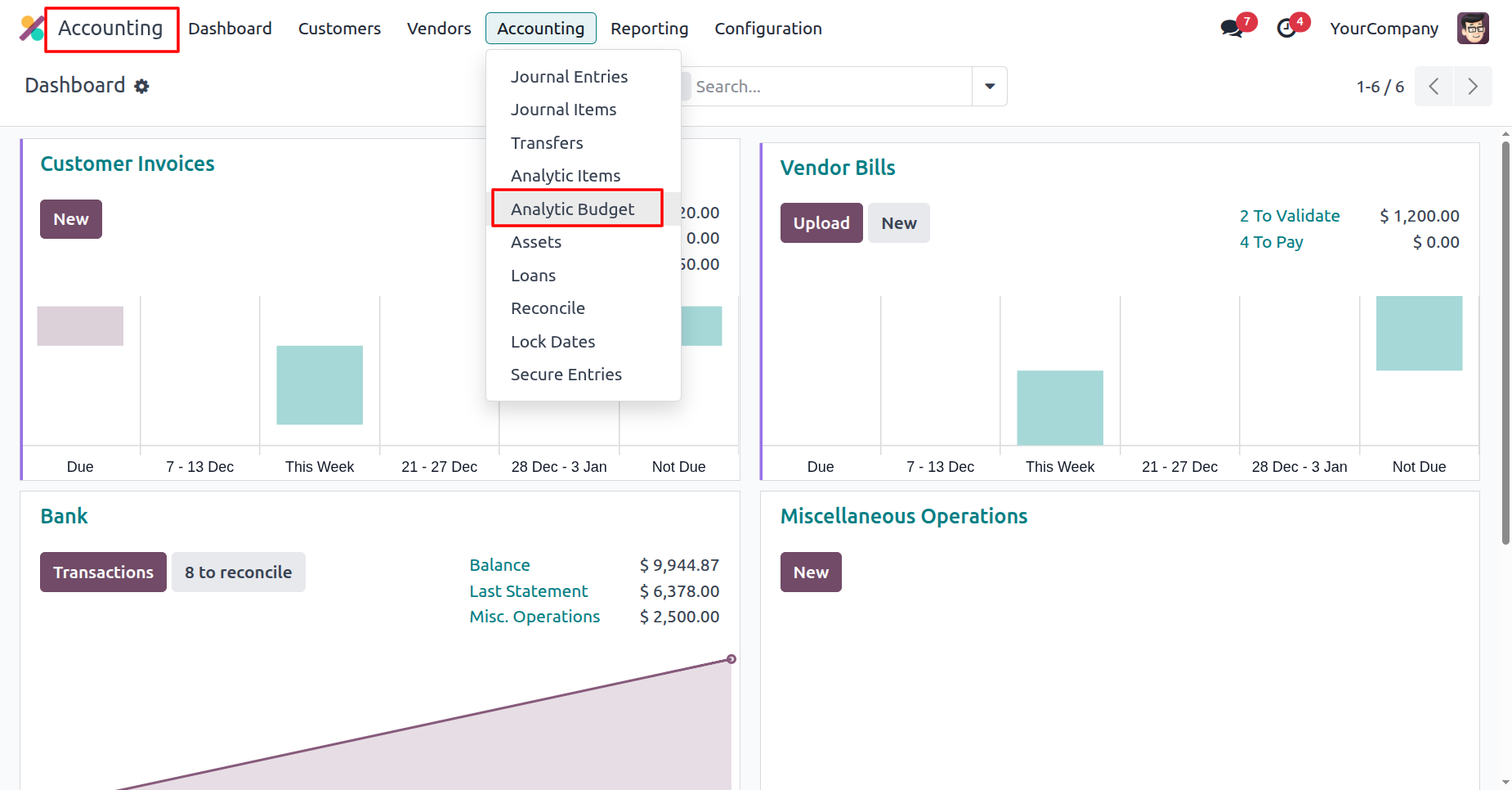
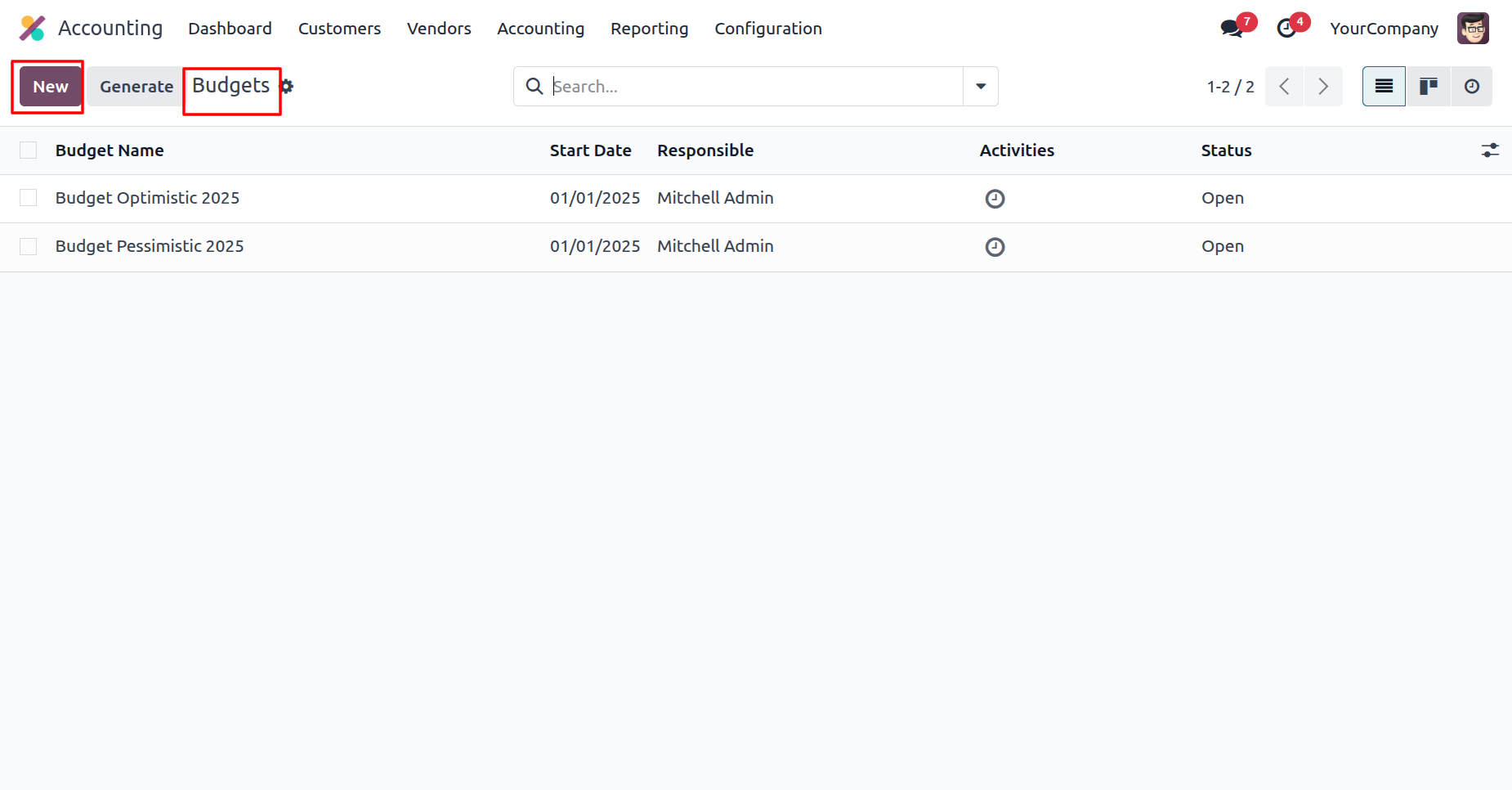
The user clicks the New button on the Budgets to create a new budget entry.
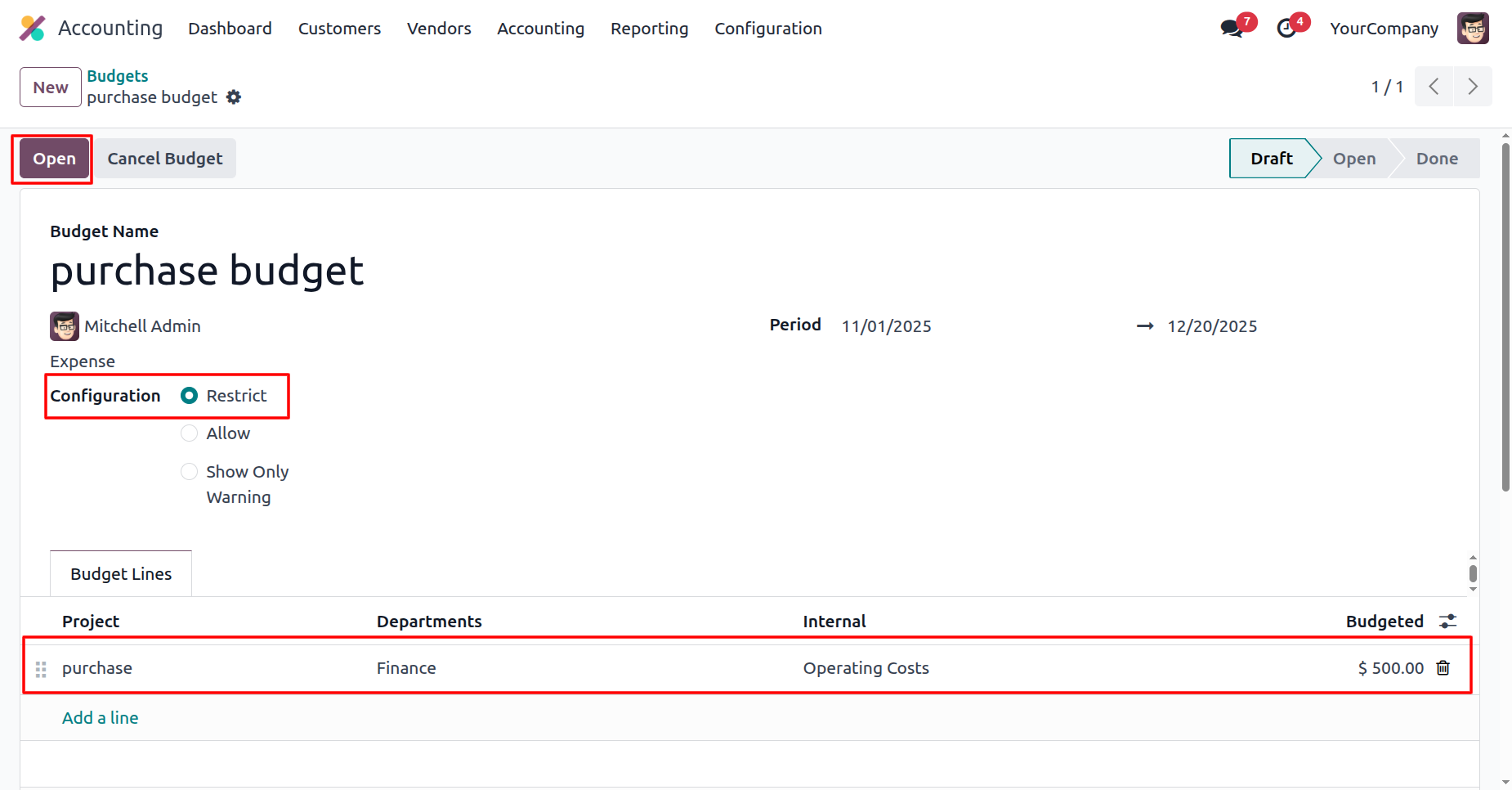
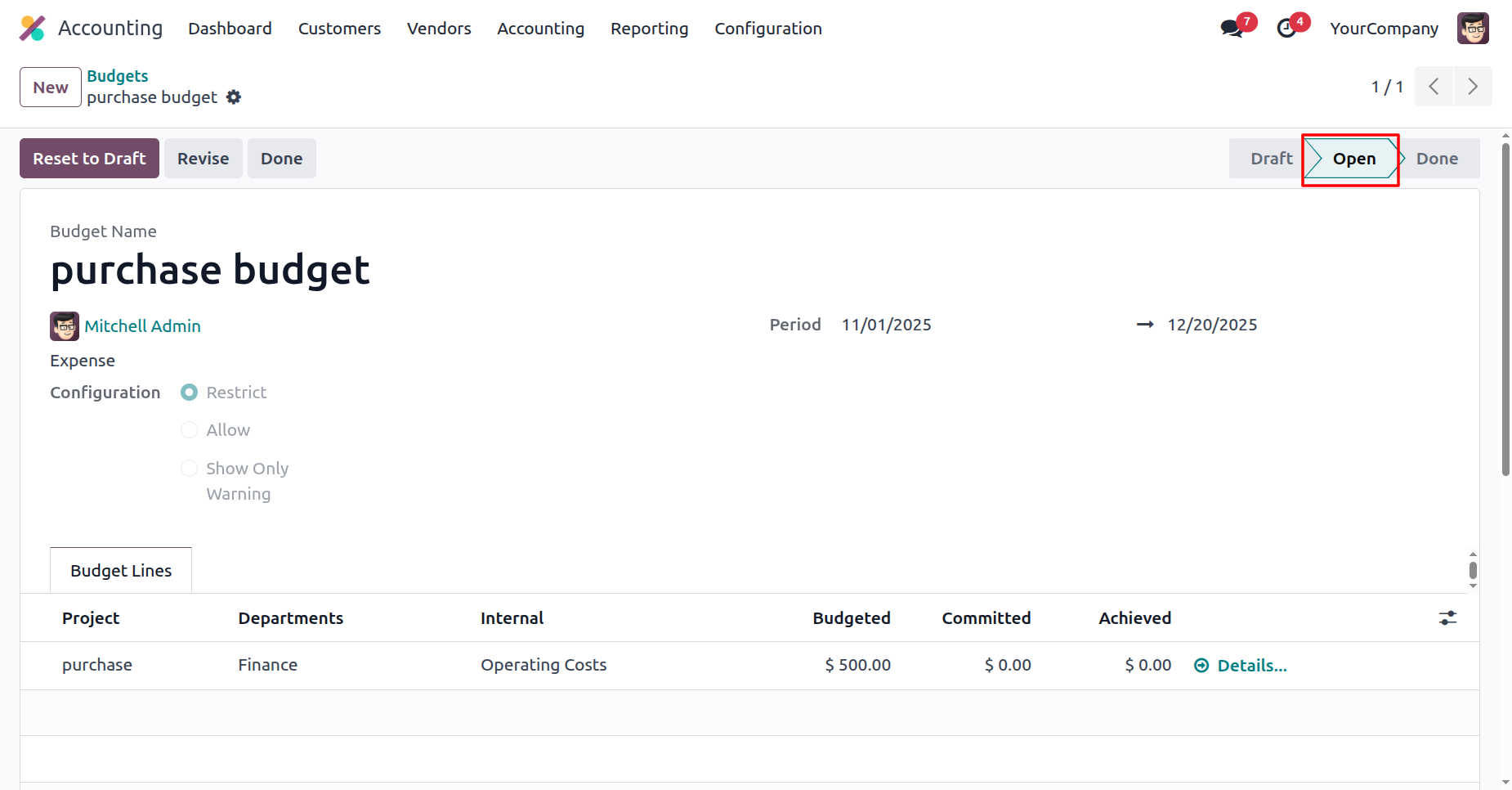
The user selects the Restrict configuration to enforce spending limits, adds a budget line of $ 500.00, and clicks Open to activate the 'purchase budget'.
The system displays the 'purchase budget' in the Open stage, as highlighted in the status bar, indicating that the financial plan is now active.
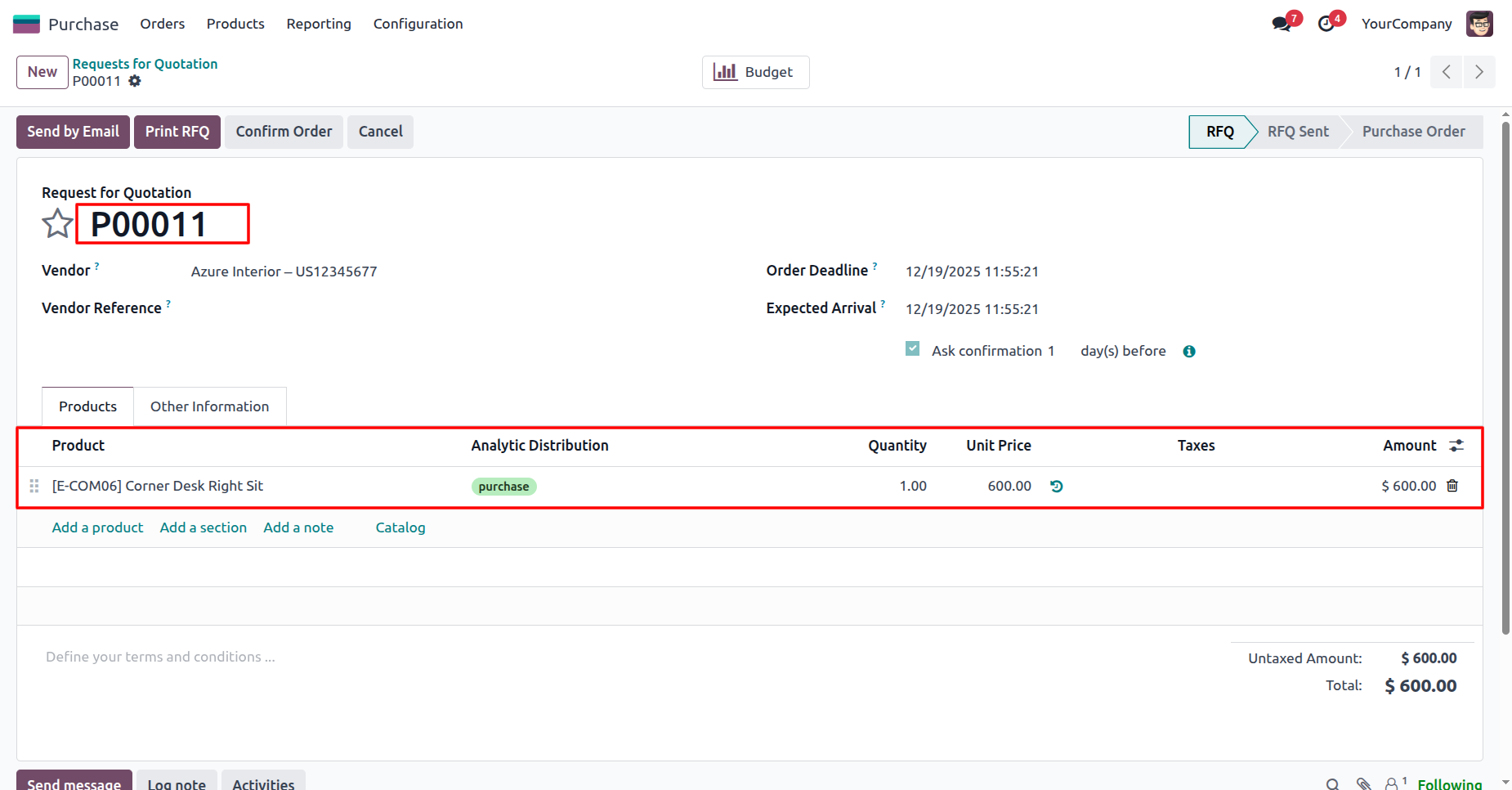
The user creates RFQ P00011 for $ 600.00, assigning the expense to the purchase analytic account to ensure it is tracked against the defined budget.
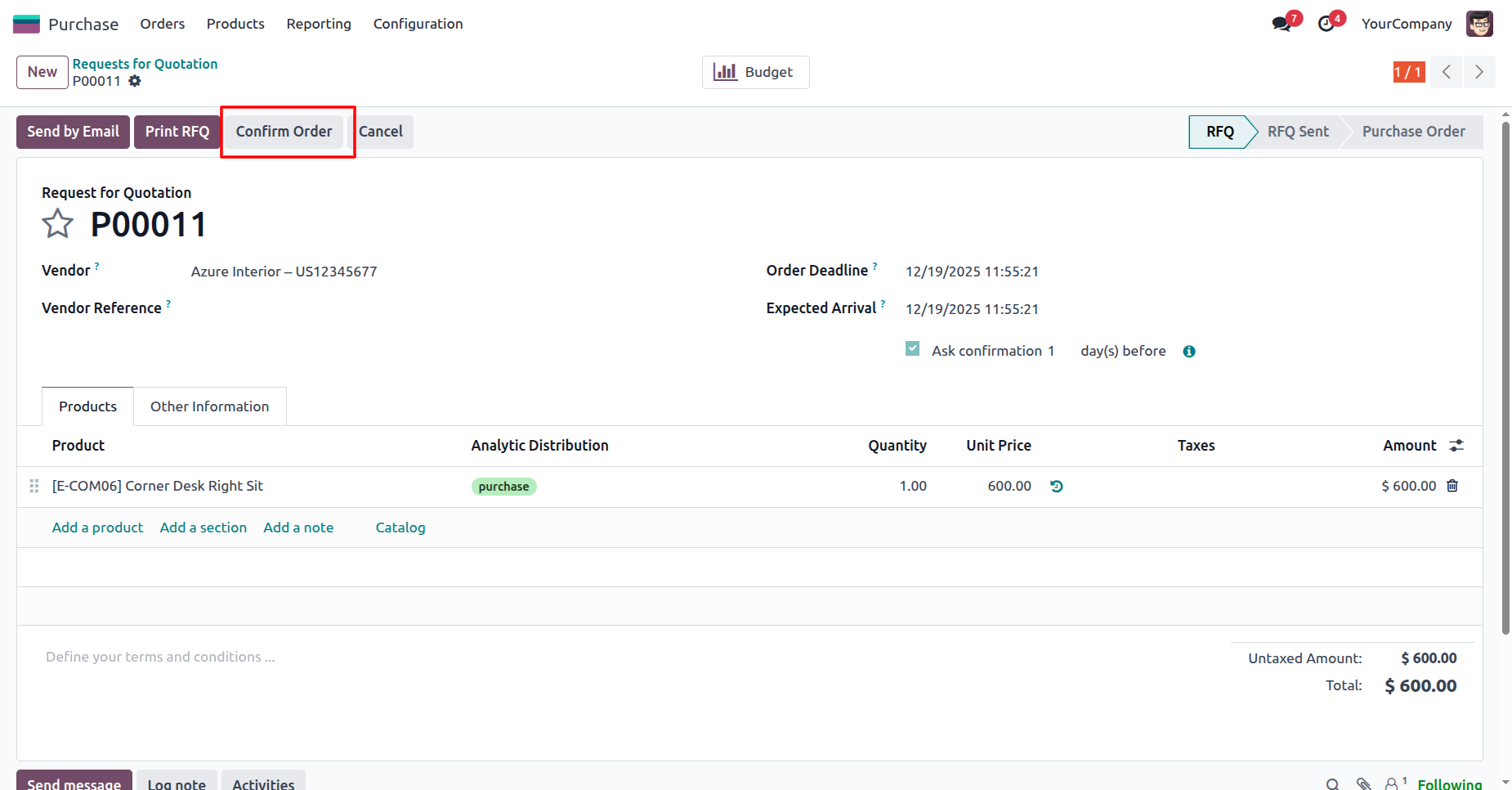
The user clicks the Confirm Order button to approve the Request for Quotation P00011 and officially generate the Purchase Order for $ 600.00.
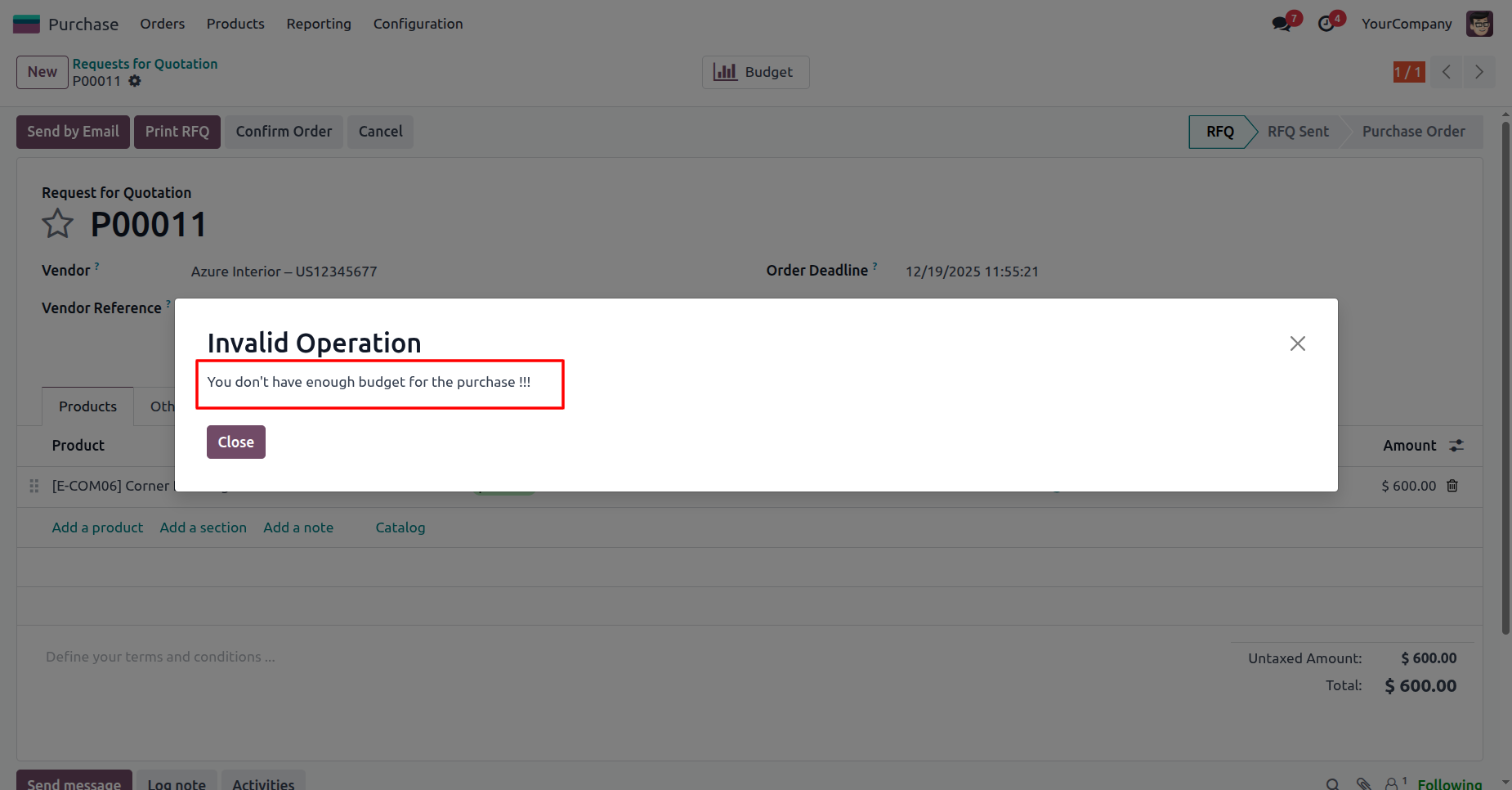
The system prevents the order confirmation by displaying an Invalid Operation modal with the error 'You don't have enough budget for the purchase !!!', enforcing the strict budget limits.
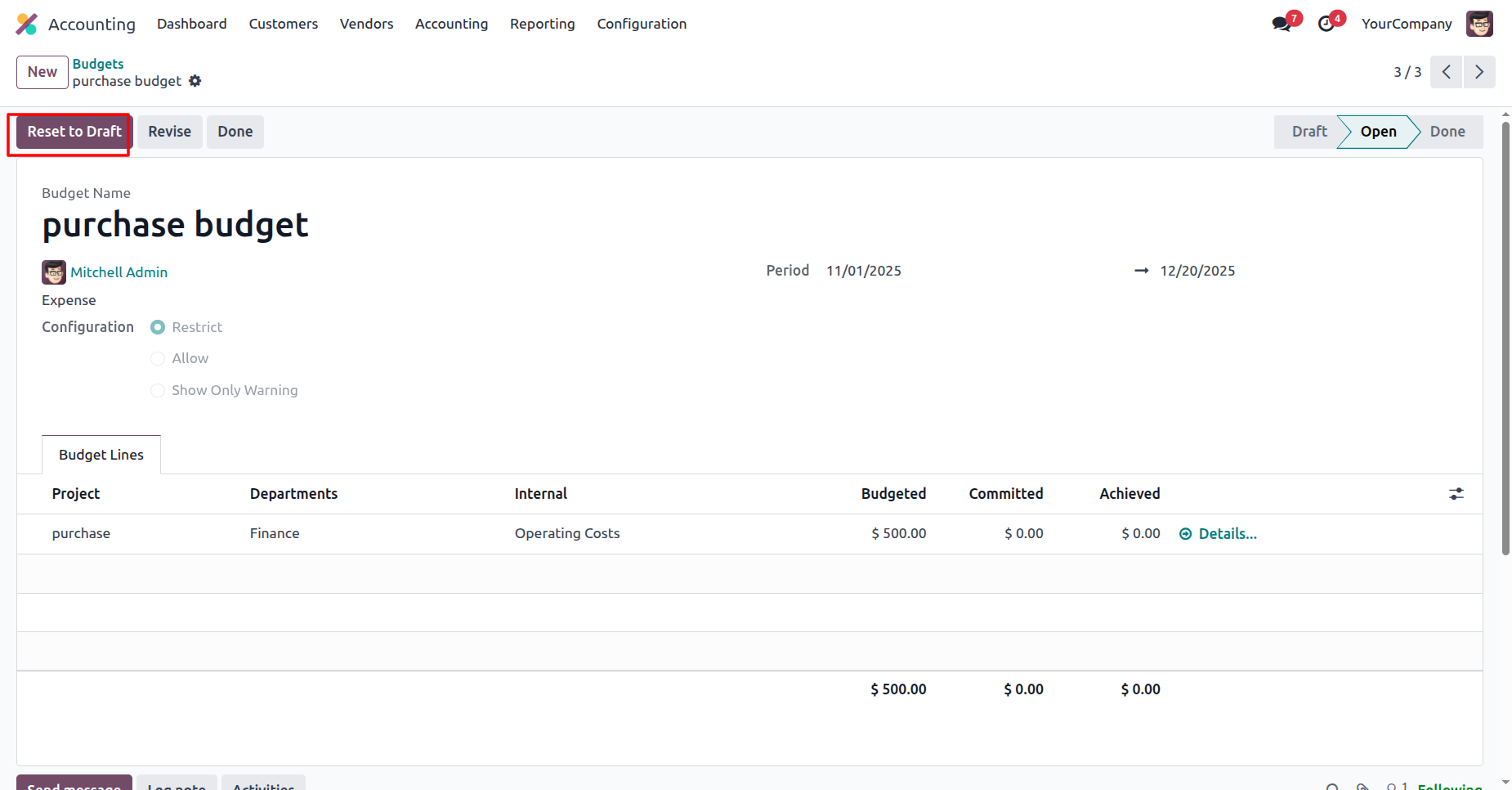
The user clicks the Reset to Draft button on the 'purchase budget' record to revert the active financial plan to a draft state for editing.
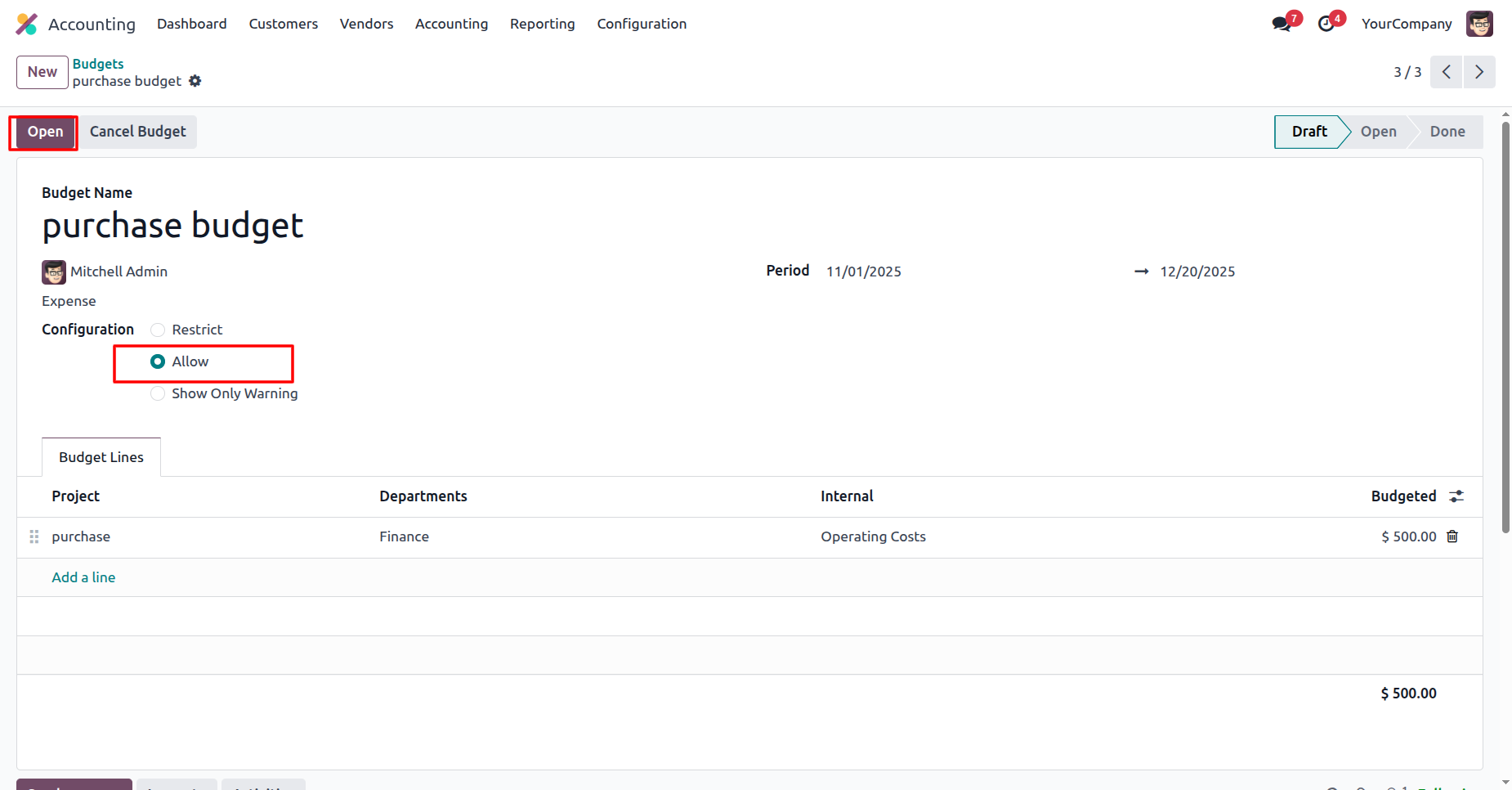
The user selects the Allow configuration to permit overspending and clicks the Open button to reactivate the 'purchase budget' with the updated settings.
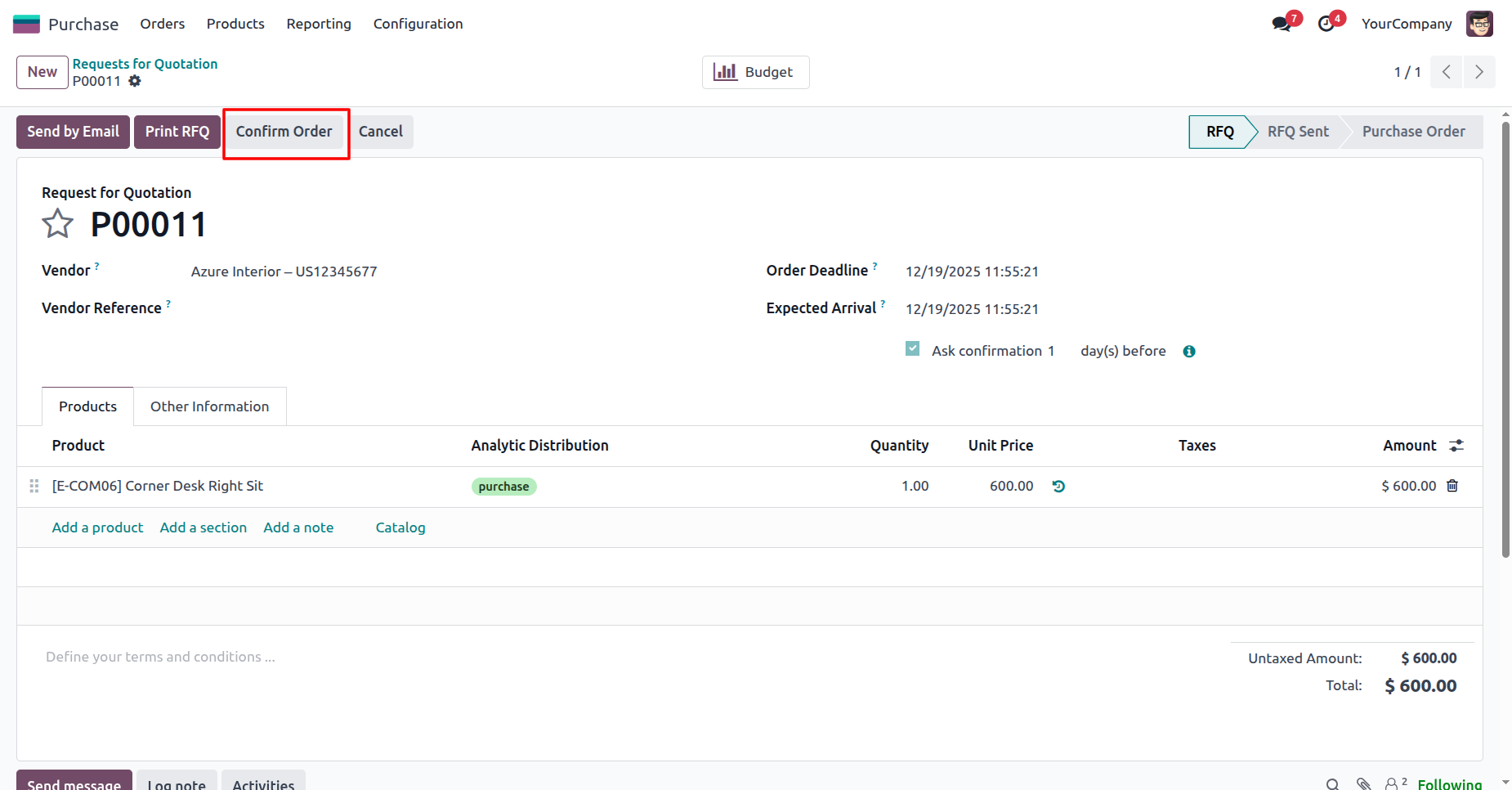
The user clicks the Confirm Order button on RFQ P00011 to finalize the $ 600.00 purchase now that the budget restriction has been lifted.
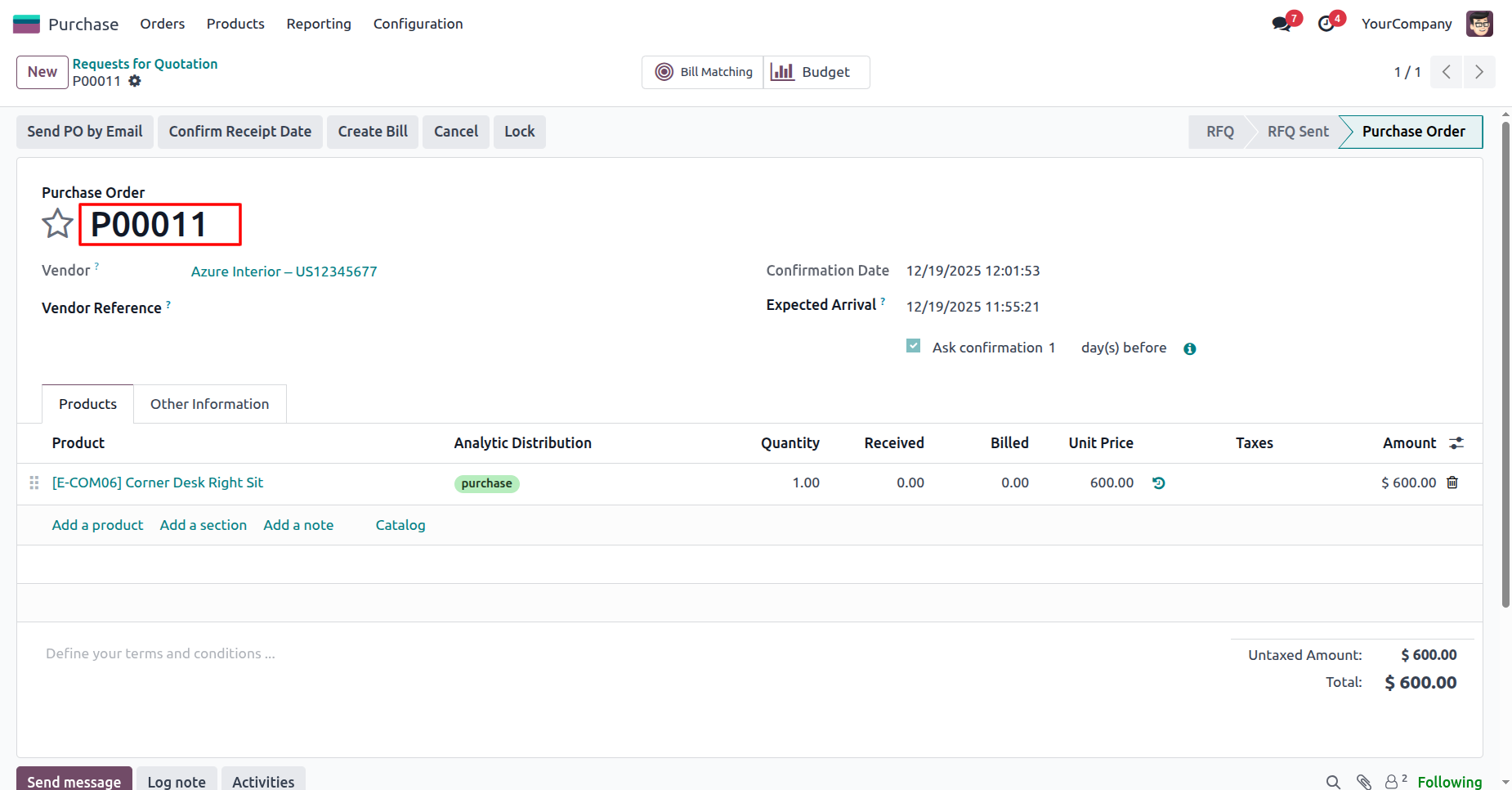
The system displays the finalized Purchase Order P00011, indicating that the transaction for $ 600.00 was successfully confirmed after the budget adjustment.
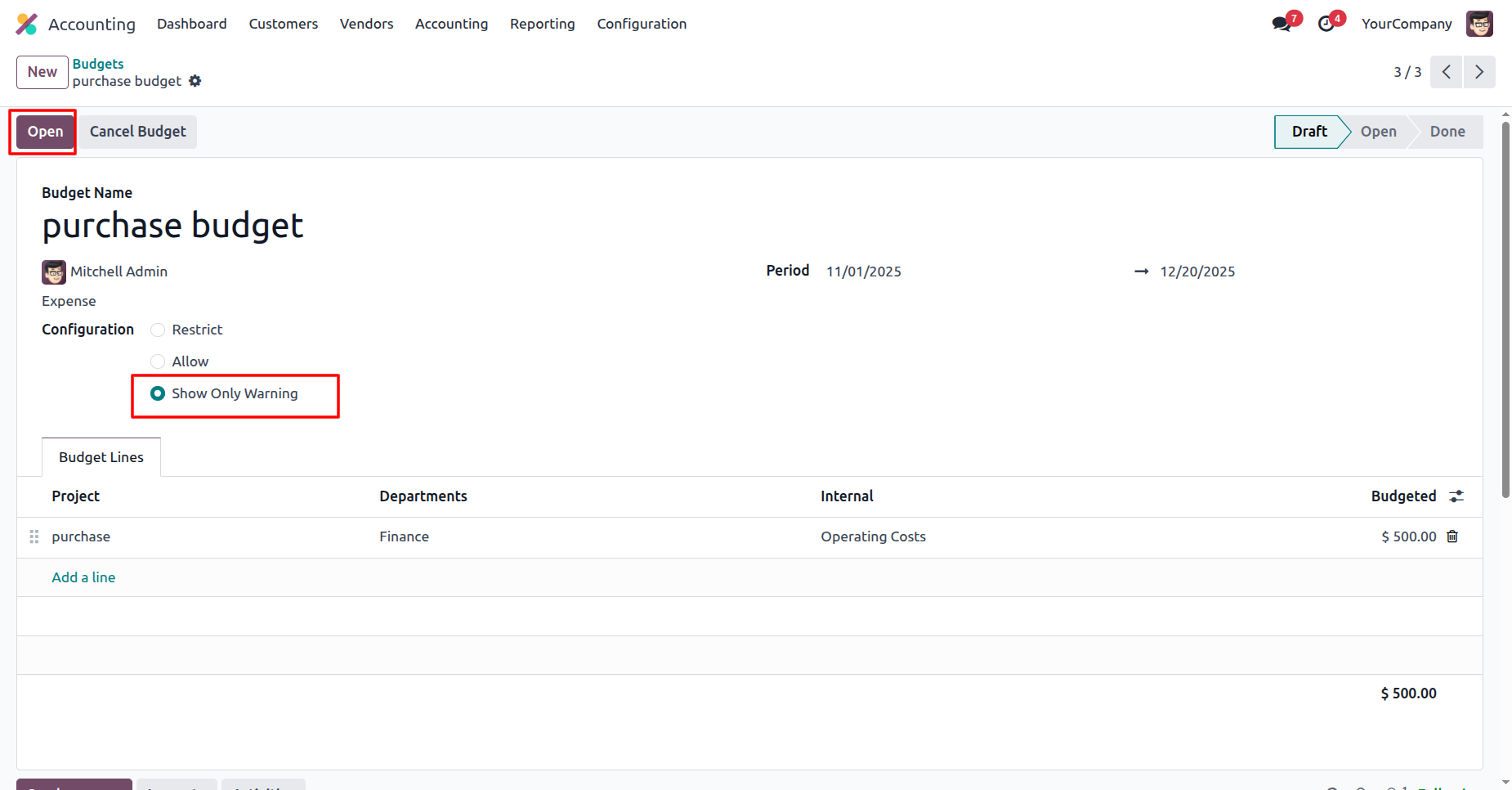
The user selects the Show Only Warning configuration to enable alerts for overspending and clicks Open to apply the changes to the 'purchase budget'.
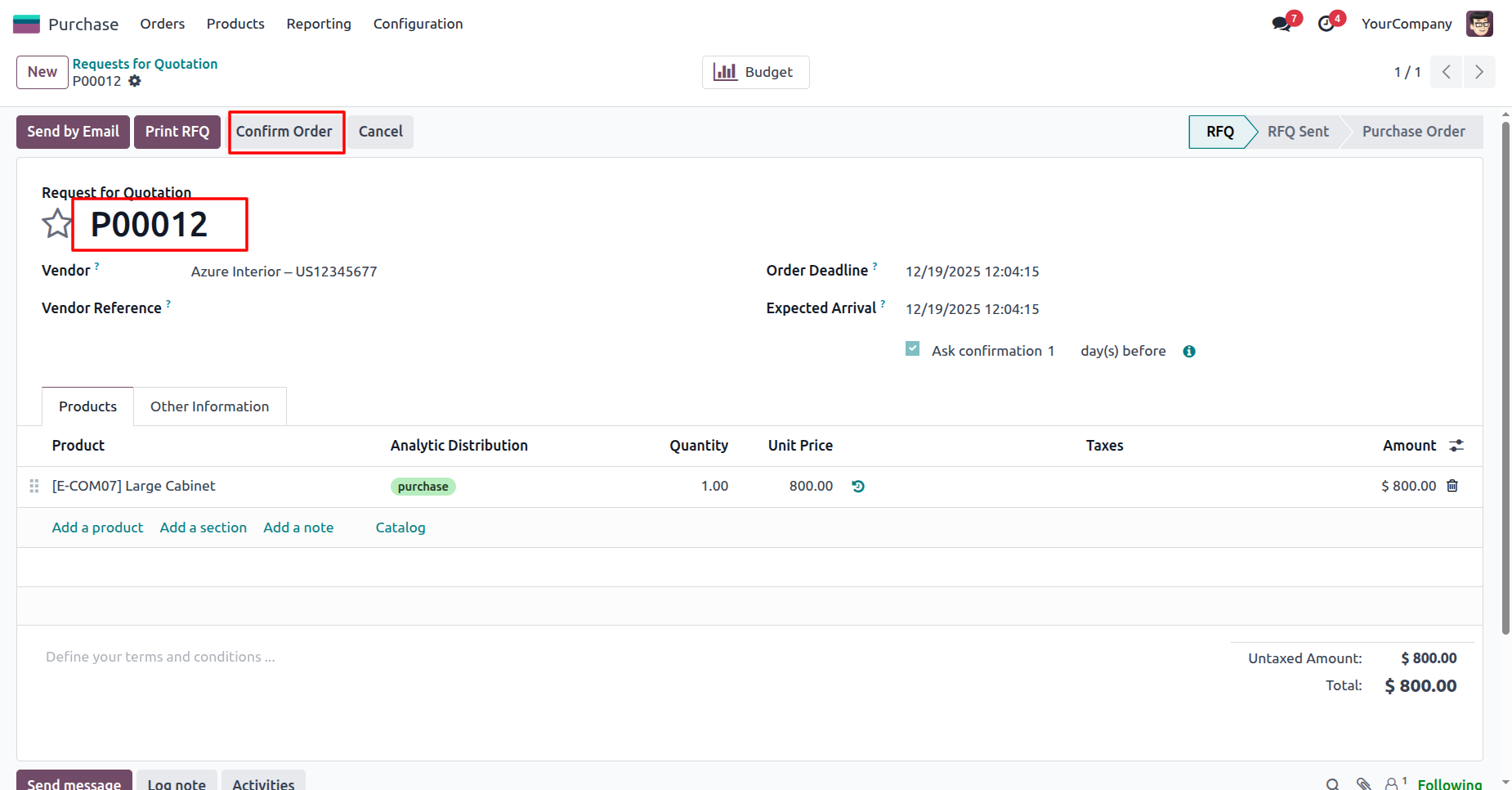
The user attempts to confirm RFQ P00012 for $ 800.00 by clicking the Confirm Order button, testing the system's response under the 'Show Only Warning' configuration.
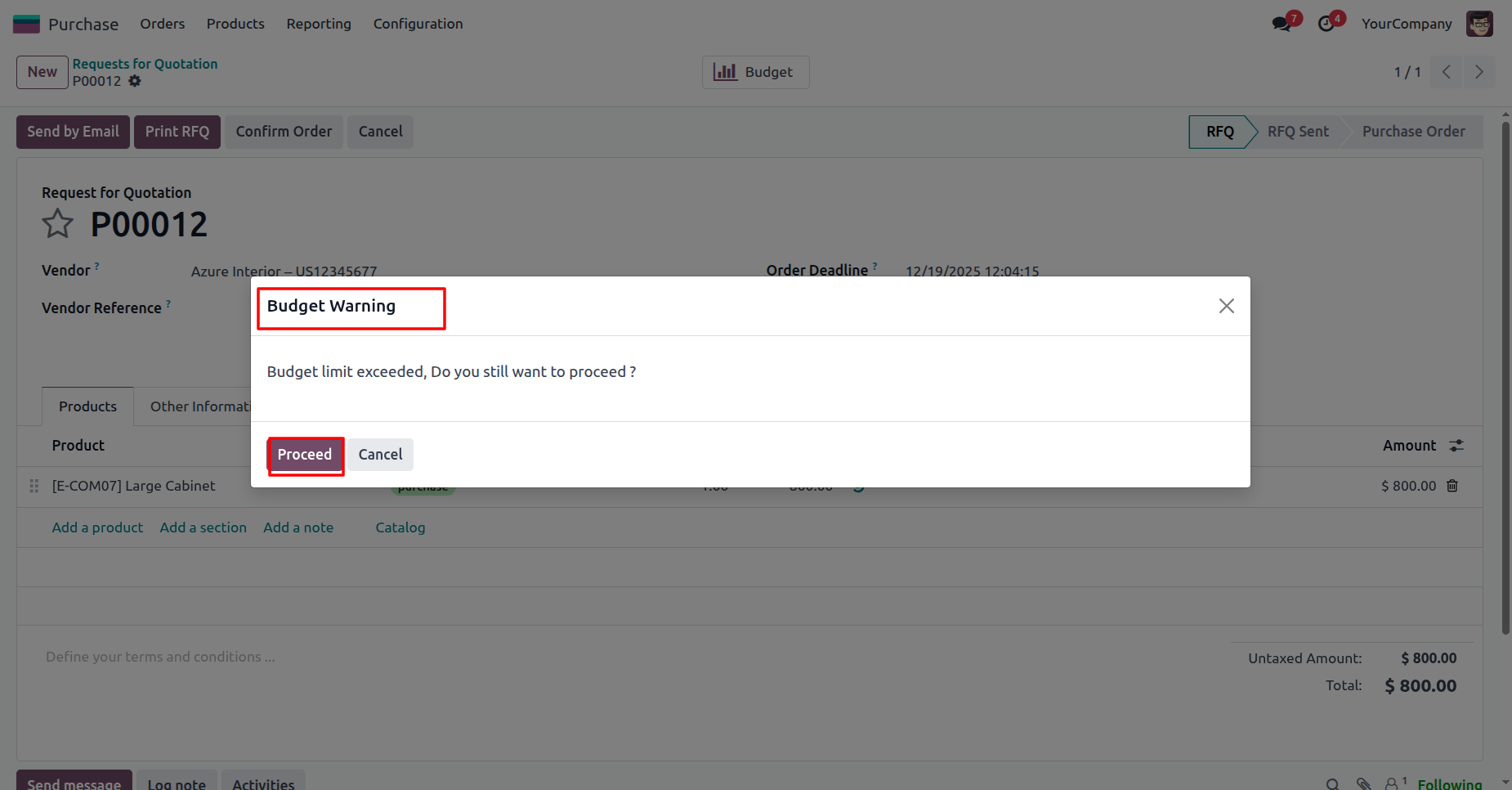
The system displays a Budget Warning modal stating the limit has been exceeded; the user clicks Proceed to override the alert and confirm the purchase.
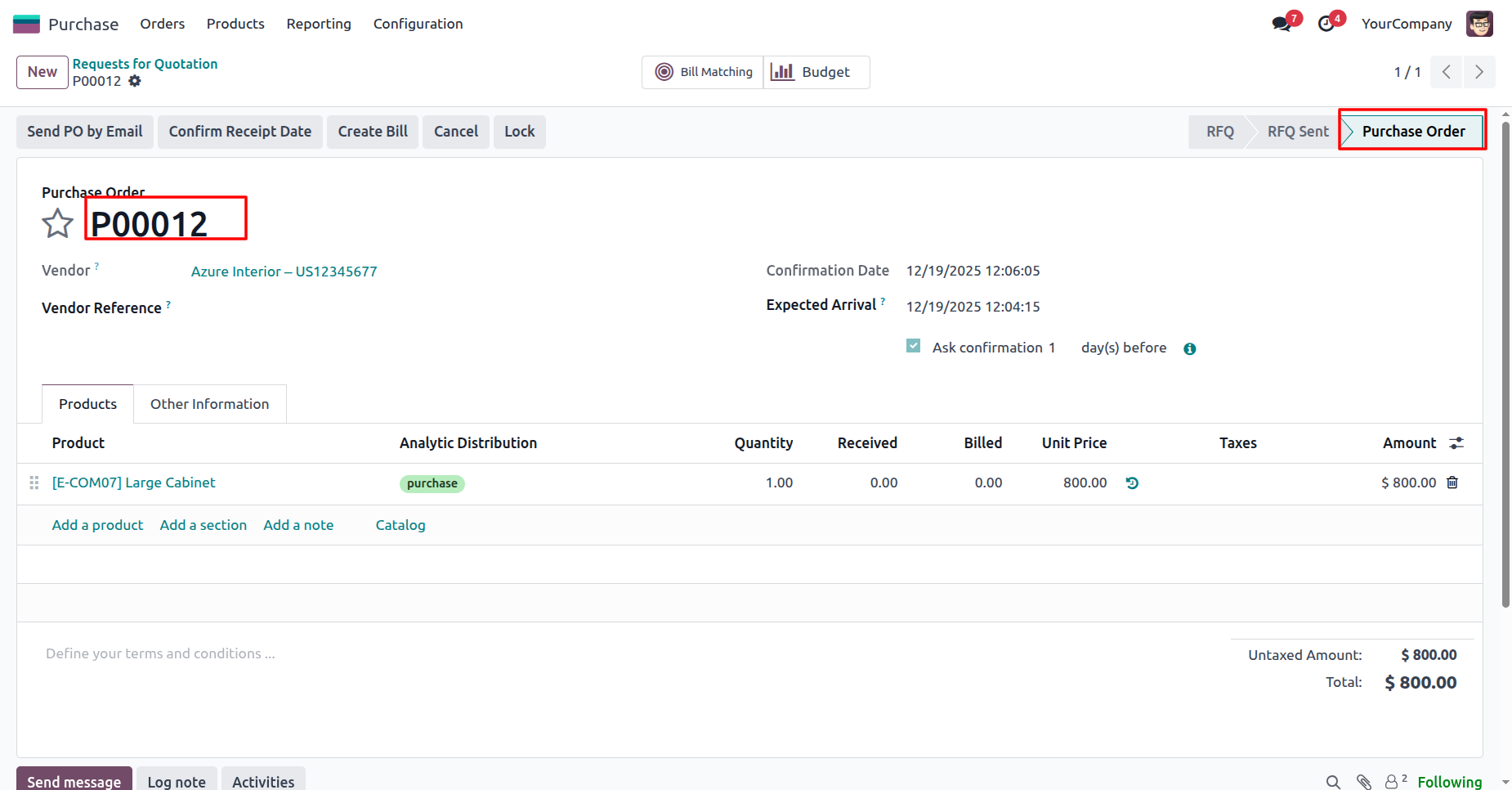
The system finalizes Purchase Order P00012 for $ 800.00, confirming that the transaction was processed successfully after the user acknowledged the budget warning.
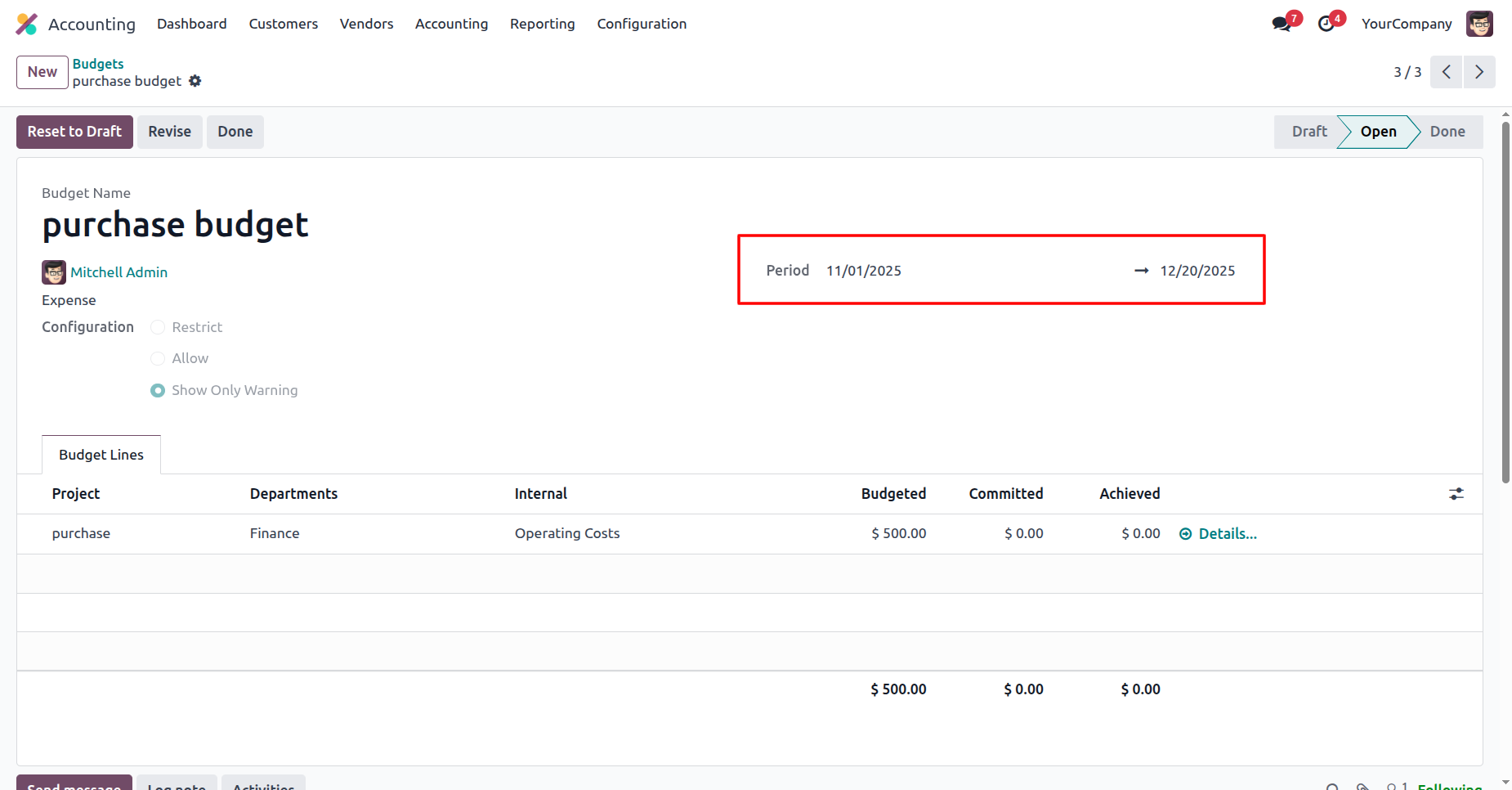
The user verifies the active timeframe of the 'purchase budget', which is set for the Period from 11/01/2025 to 12/20/2025, as highlighted in the header.
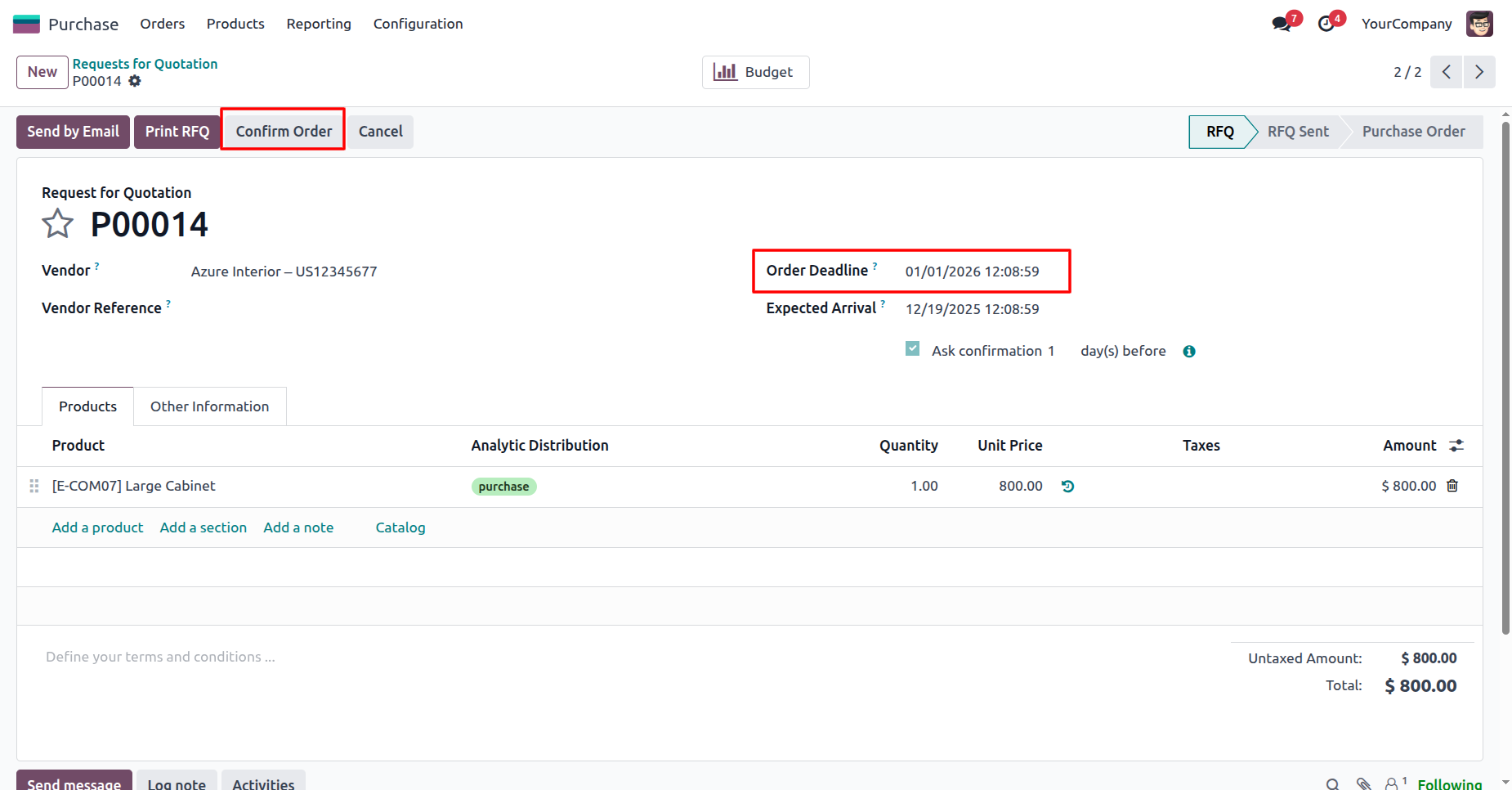
The user clicks the Confirm Order button for RFQ P00014, which has a specific Order Deadline of 01/01/2026 highlighted in the header.
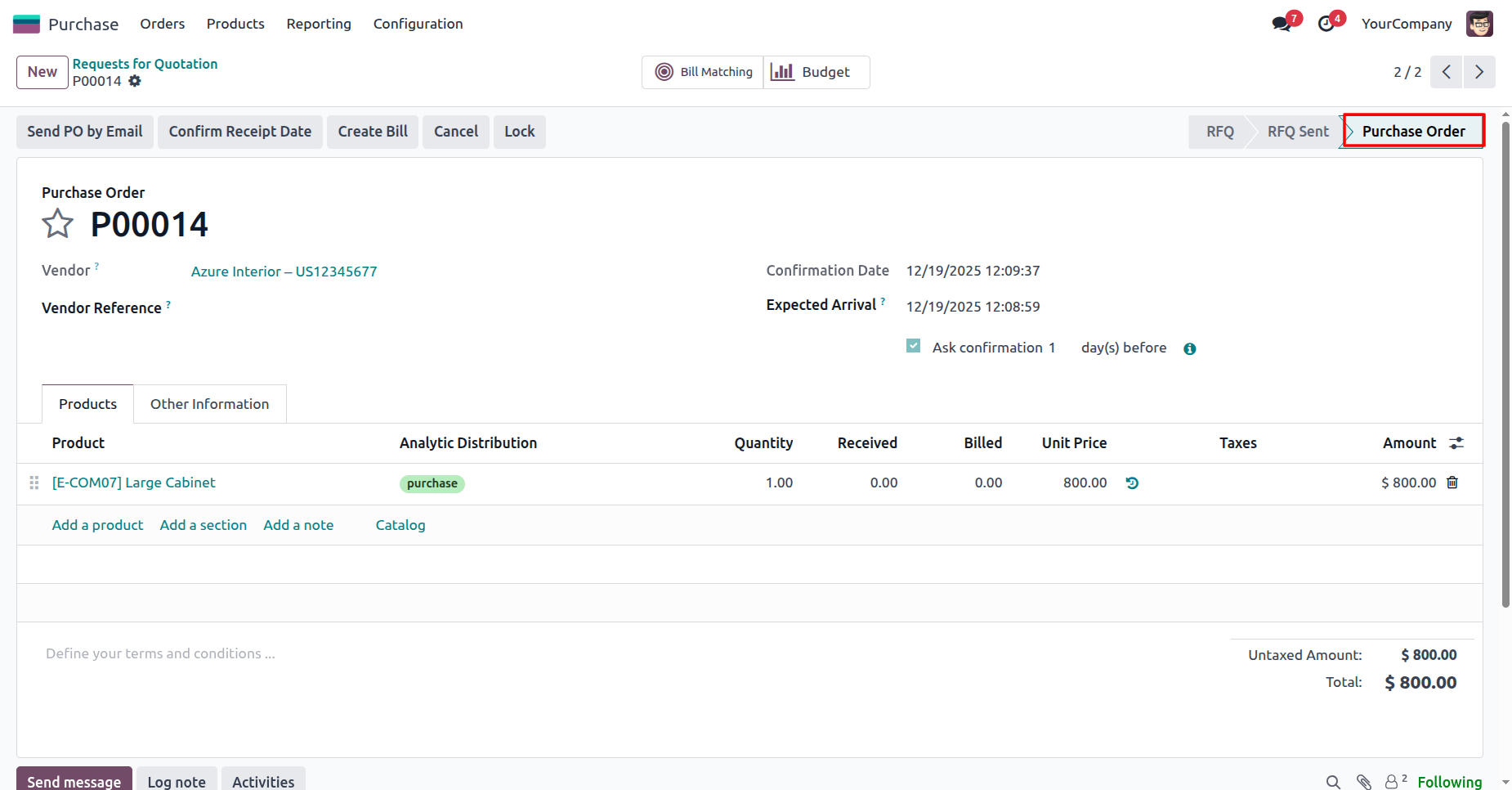
The system displays the confirmed Purchase Order P00014, with the status bar advancing to the Purchase Order stage to indicate the successful transaction.
Version 18.0.1 | Released on : 27th January 2026
- No, this app works perfectly only with Odoo Enterprise (Odoo.sh & Premise) edition.
- No, this application is not compatible with odoo.com(odoo saas/Odoo Online)
- Yes, to test this module, please contact us at sales@softhealer.com.
- Please contact us at sales@softhealer.comto request customization.
- Yes, we provide free support for 365 days from the date of purchase.
- Yes, you will receive lifetime free updates for the version of the module you purchased.
- No, there is no need to install any additional libraries.
- Yes, for version 12 and above, you need to purchase the module separately for each version you intend to use.
- No, exchanges or refunds are not allowed. Please make sure to select the correct version before purchasing.
- You can contact us at support@softhealer.com for language translation support. We use Google Translator tools to provide translations in multiple languages, so the accuracy may vary. We welcome your suggestions to help improve translations.
Discover Our Latest Apps