










Purchase Auto Landed Cost Calculation

This module automates the allocation of landed costs on purchase receipts. It seamlessly handles partial deliveries and multiple backorders, ensuring precise cost distribution across all incoming shipments. Enhance inventory valuation accuracy and streamline your procurement workflow with this efficient Odoo solution.

Related Modules
Features
Automatic Landed Cost Calculation
Automatically compute landed costs based on purchase order data.

Backorder Support
Efficiently distribute landed costs across original receipts and all associated backorders.

Partial Receipt Support
Accurately allocate costs even when items are received in multiple batches.

Real-time Valuation
Update product valuation immediately upon receipt processing.
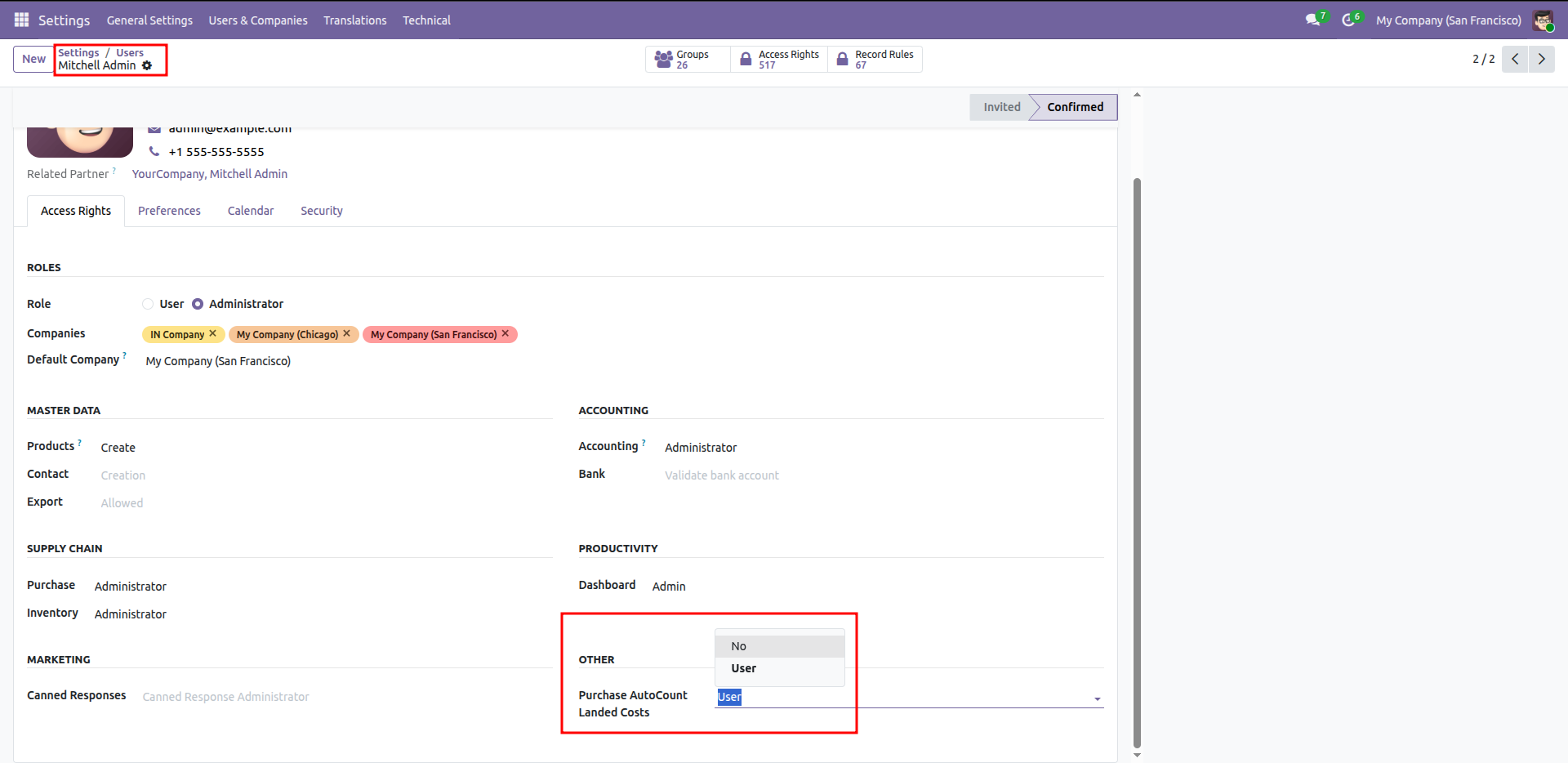
Granting "User" access rights for Purchase AutoCount Landed Costs within the user profile settings.
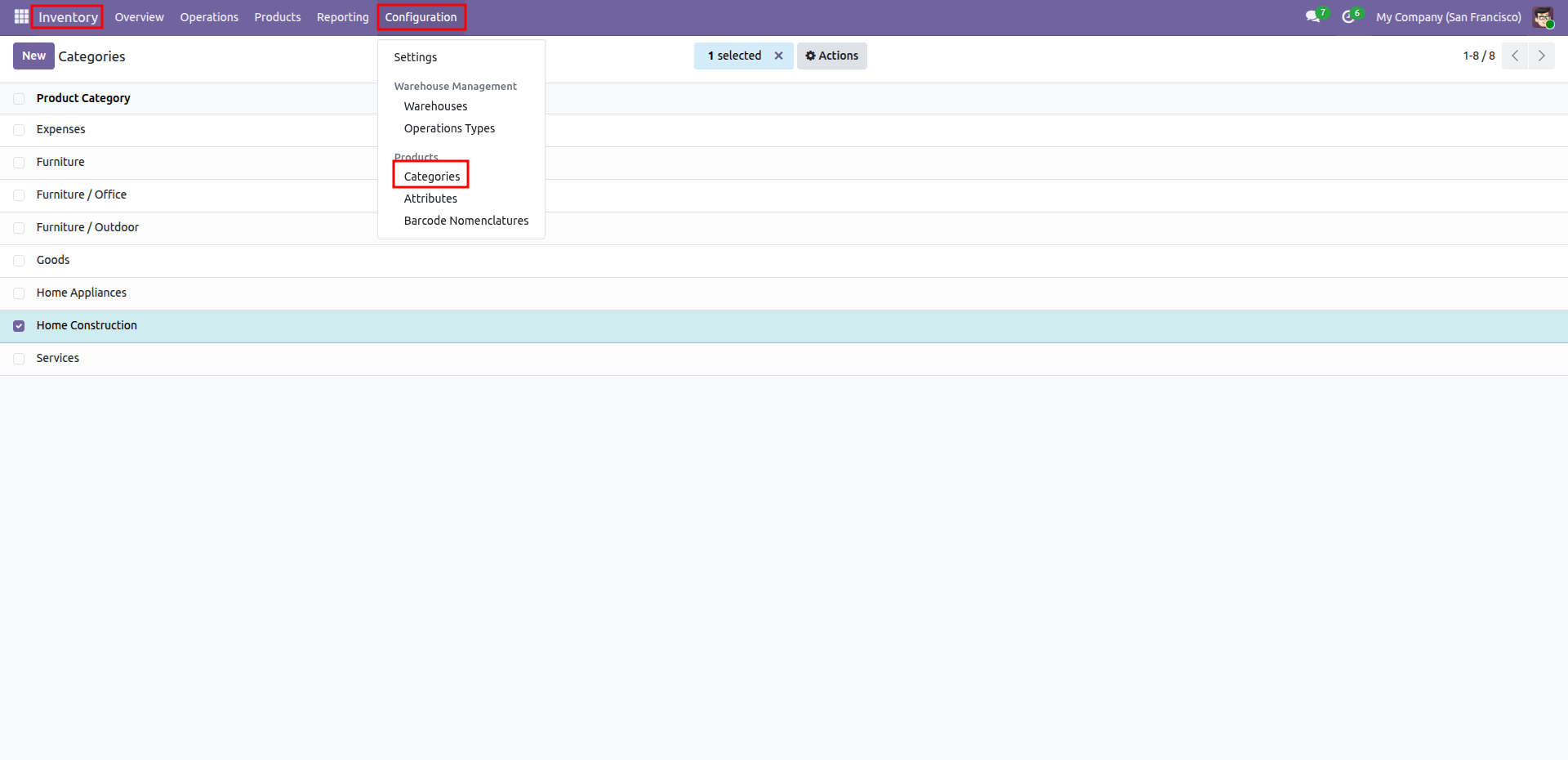
Navigating to Product Categories via the Configuration menu within the Odoo Inventory module.
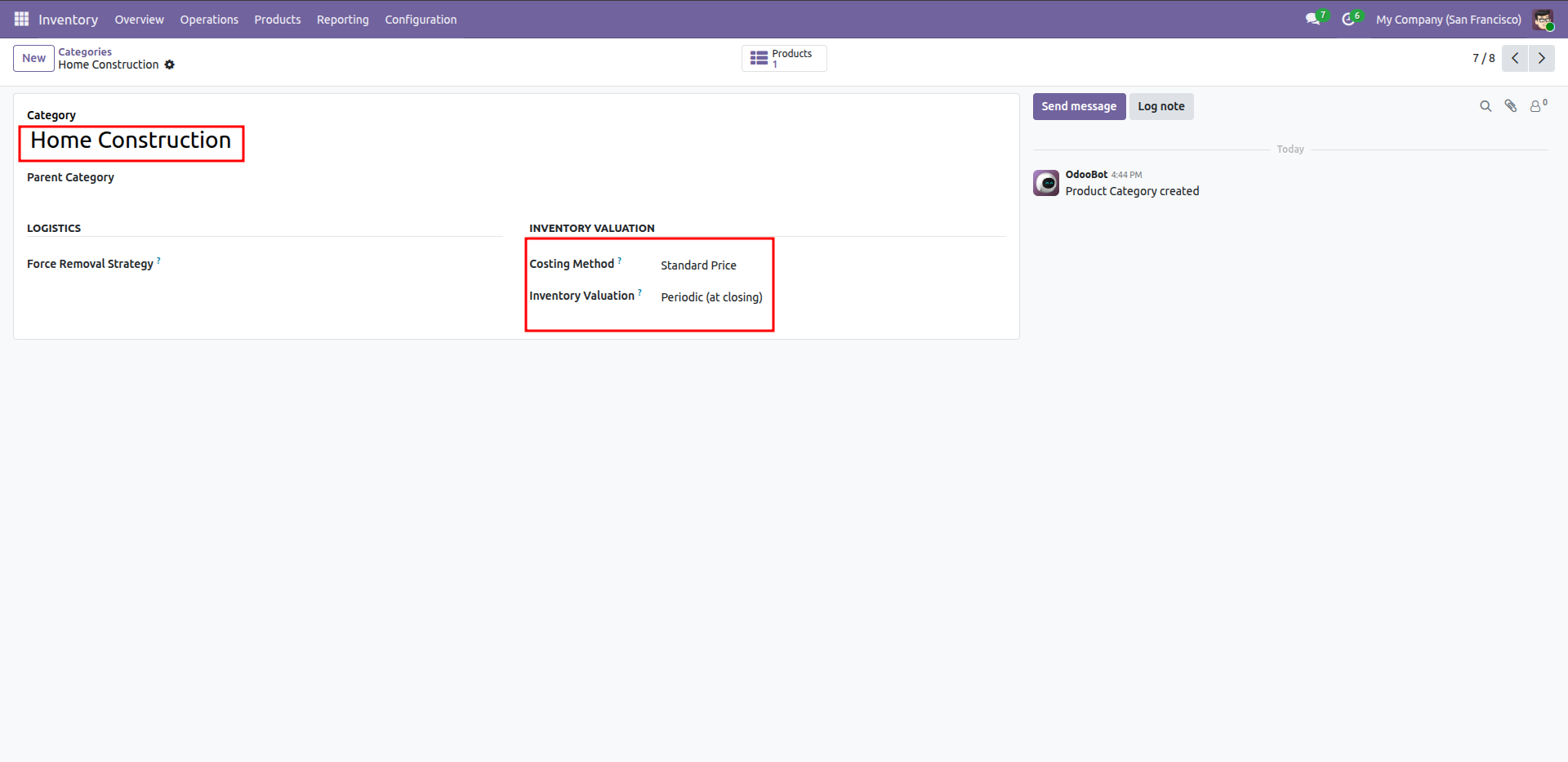
Configuring the Home Construction category with a Standard Price costing method and Periodic inventory valuation.
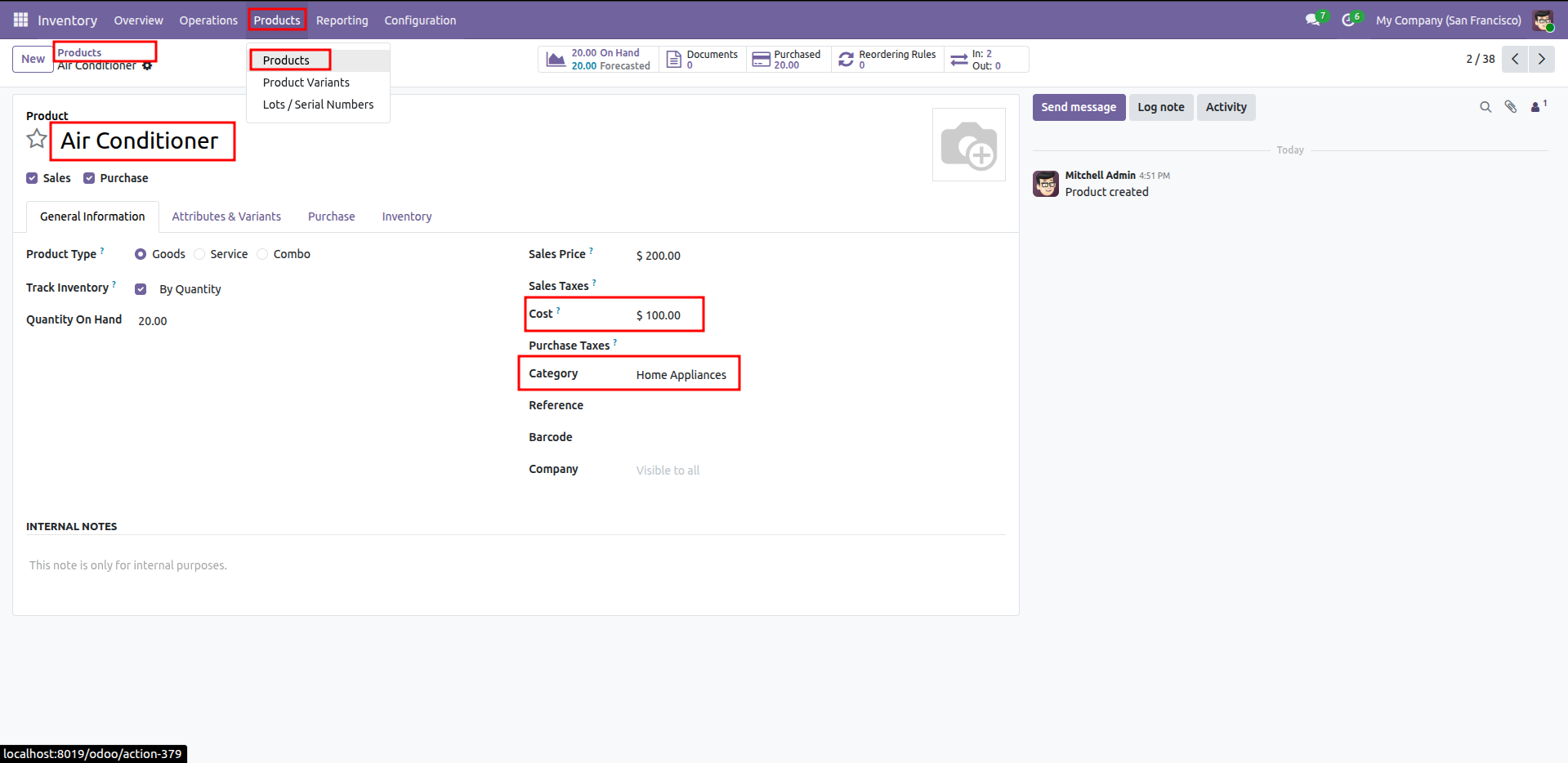
Reviewing the Air Conditioner product profile, which is assigned to the Home Appliances category with a defined cost of $100.00.
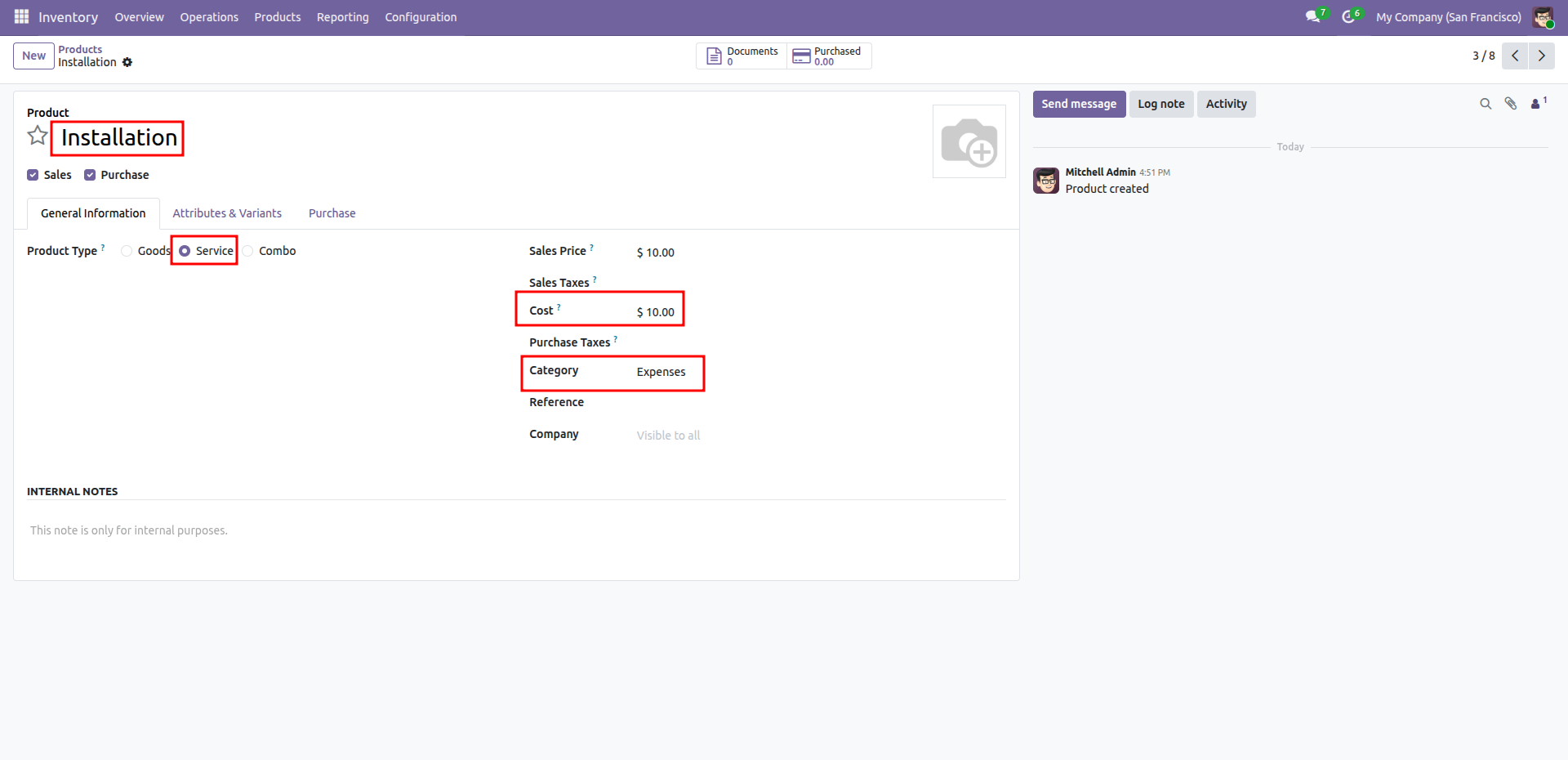
Creating a new Service type product named Installation, assigned to the Expenses category with a cost of $10.00.
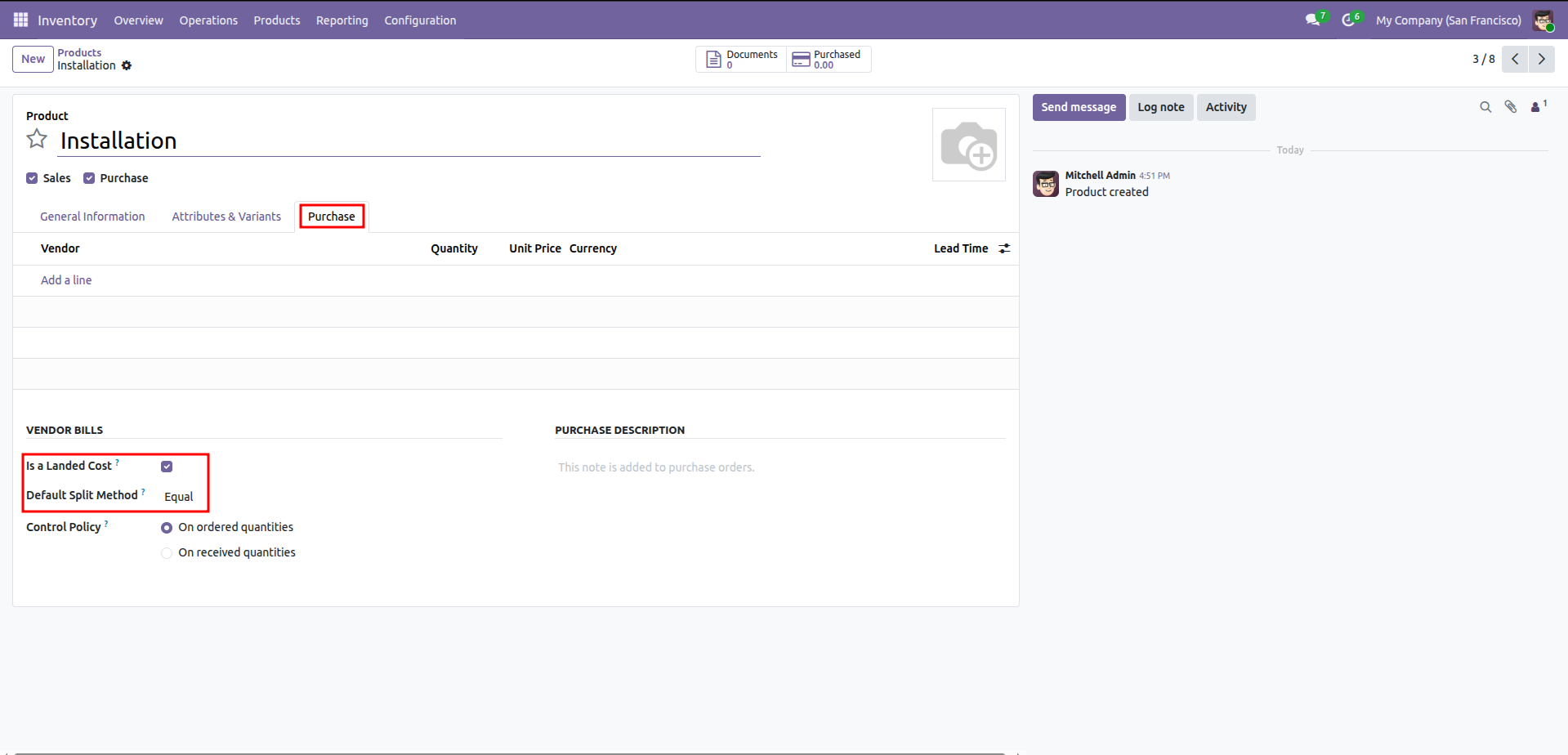
Enabling the Is a Landed Cost option for the Installation service and setting the default split method to Equal.
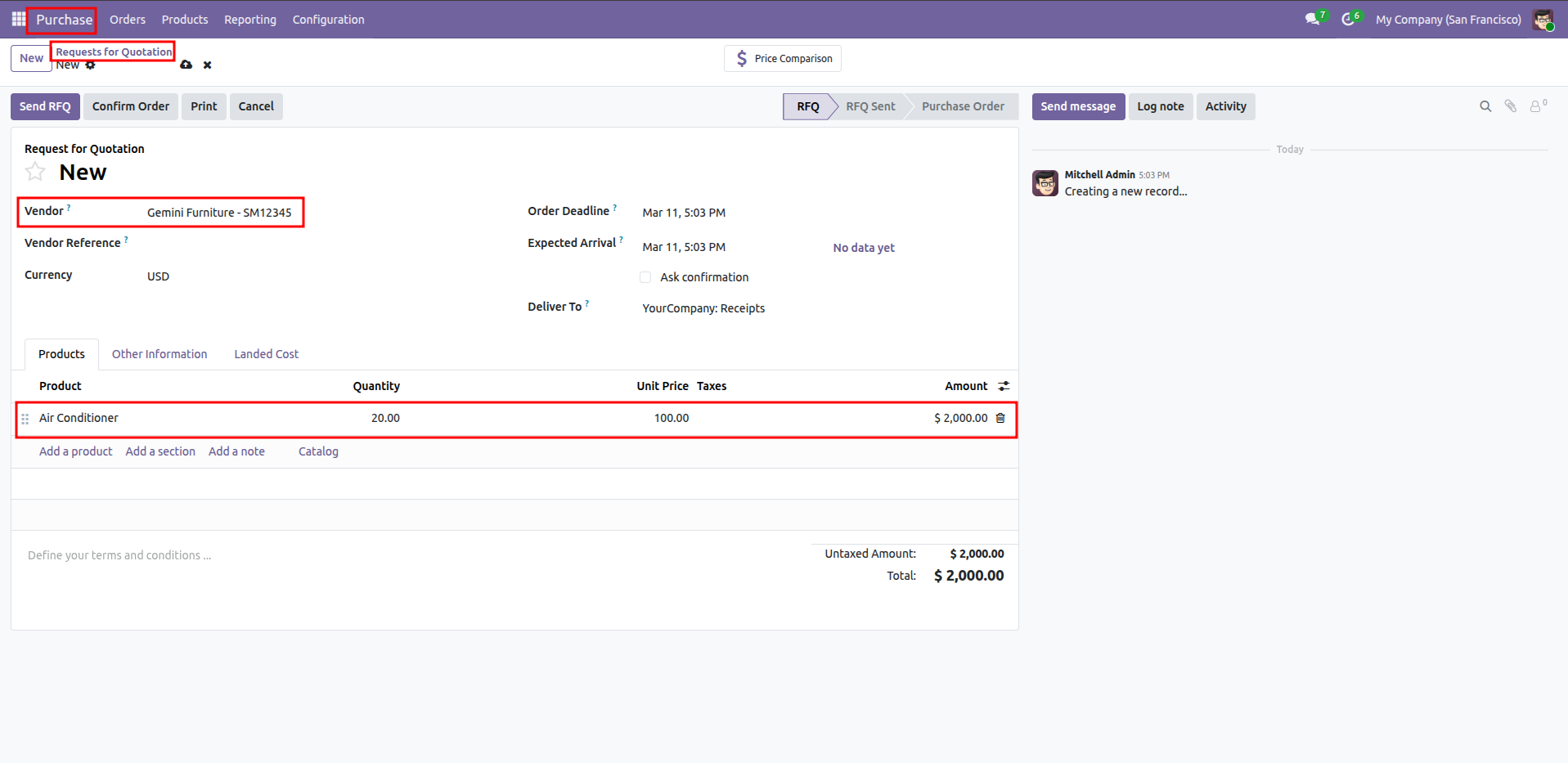
Creating a new Request for Quotation (RFQ) for Gemini Furniture to purchase 20 Air Conditioners at $100.00 each.
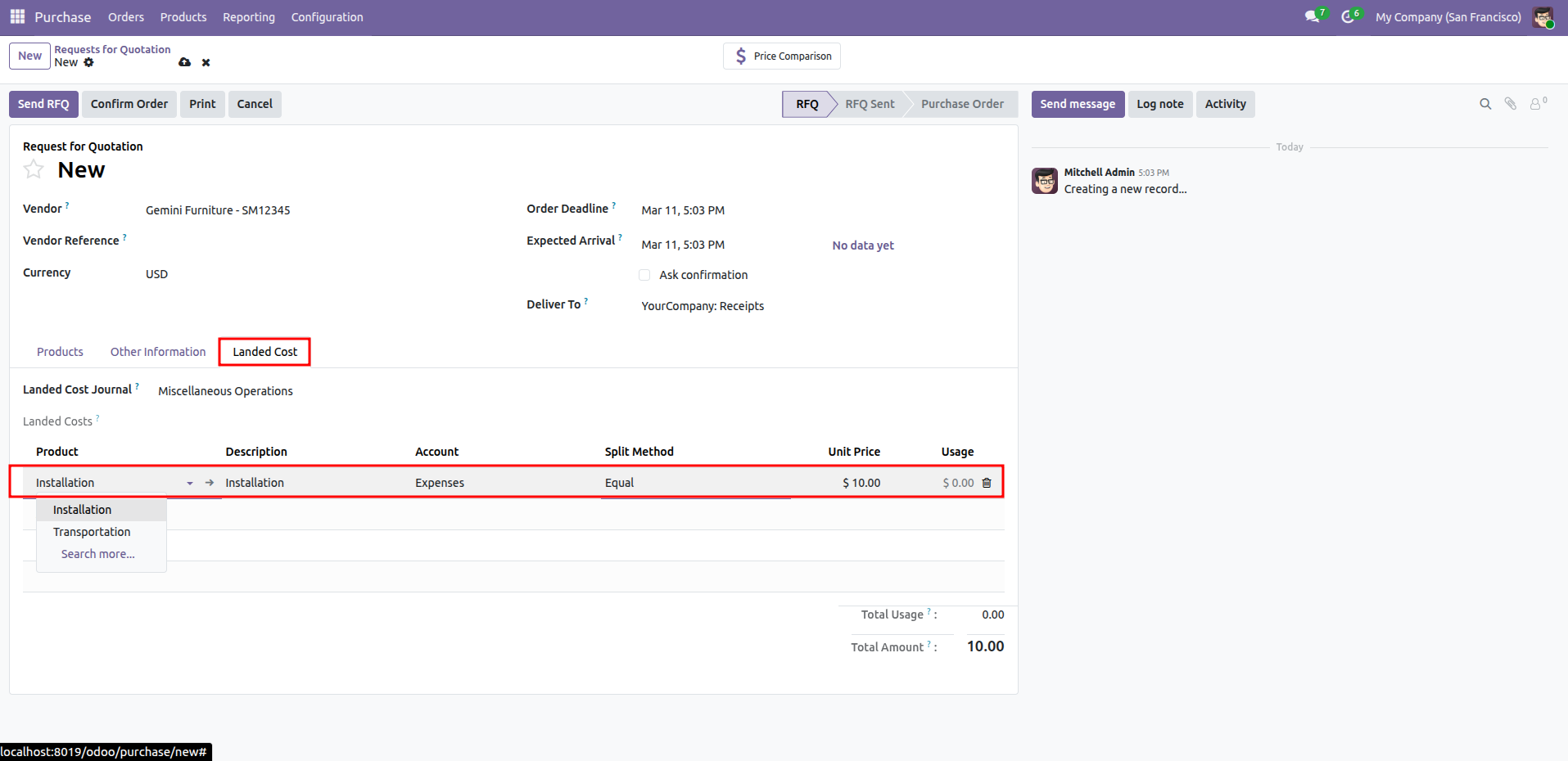
Adding an Installation charge as a landed cost to the RFQ, utilizing the Equal split method for cost distribution.
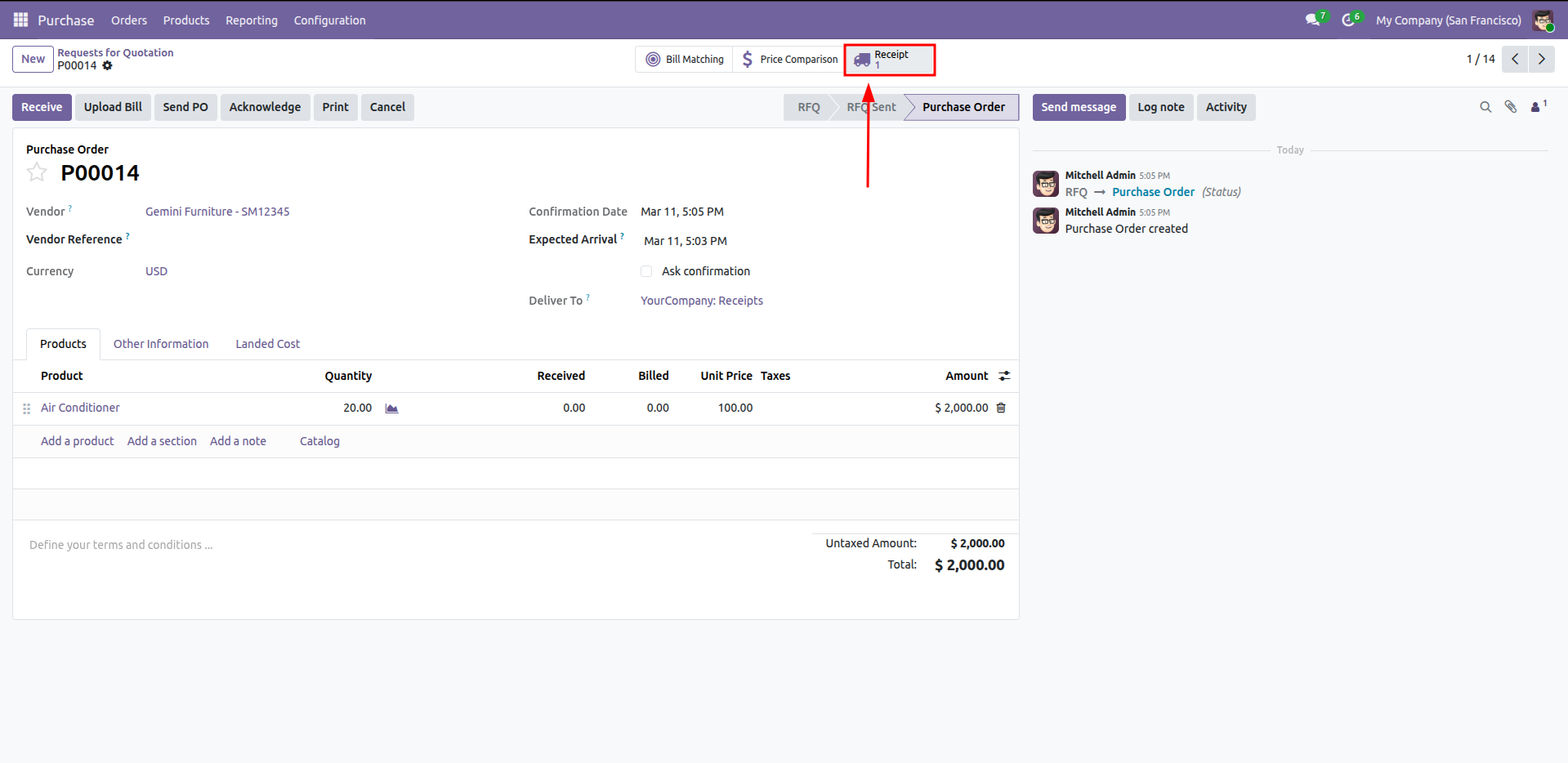
Navigating to the linked Receipt from confirmed Purchase Order P00014 to process the incoming shipment of 20 Air Conditioners.
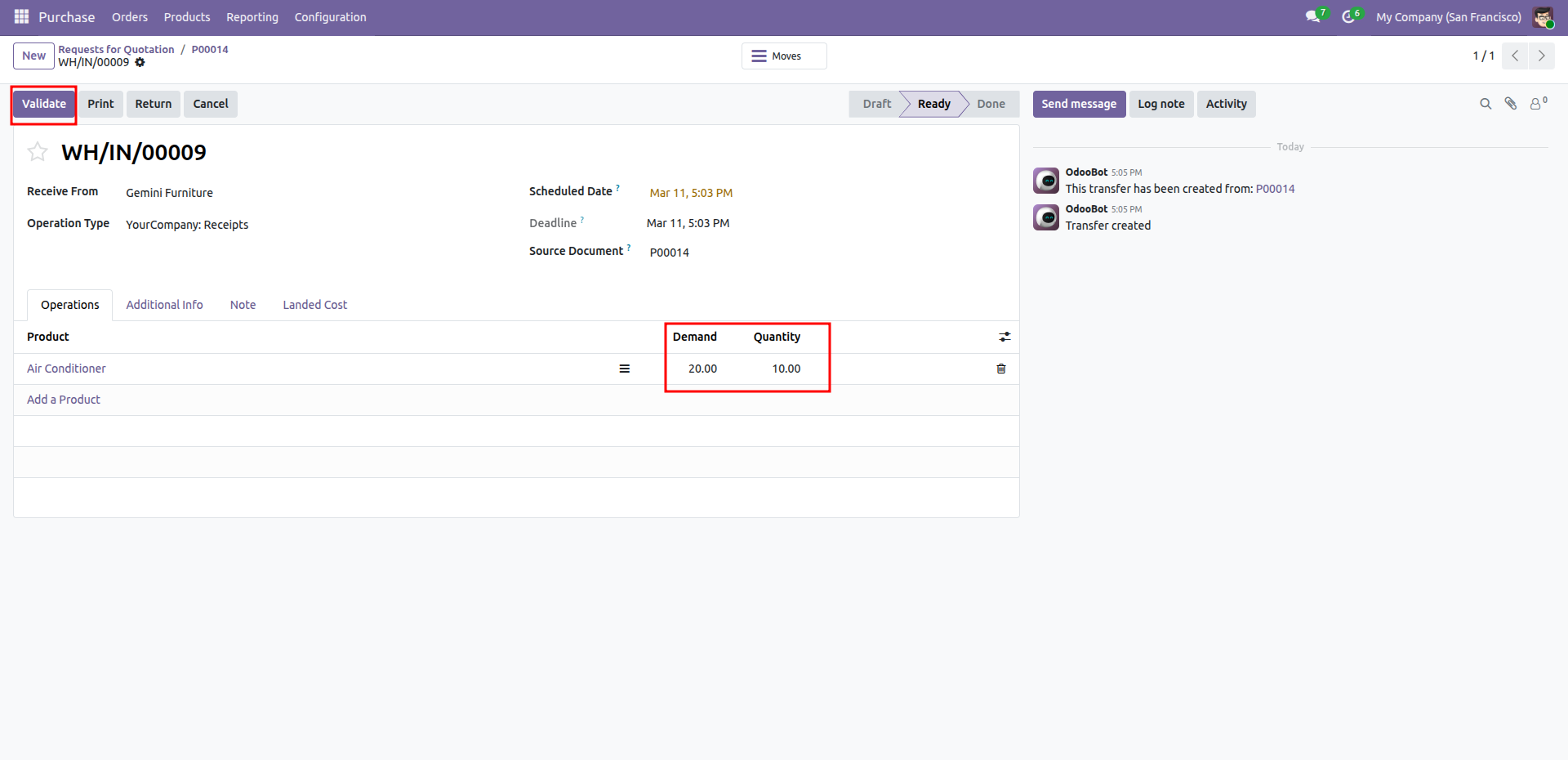
Preparing to Validate the receipt of 10 Air Conditioners against an original demand of 20 for incoming transfer WH/IN/00009.
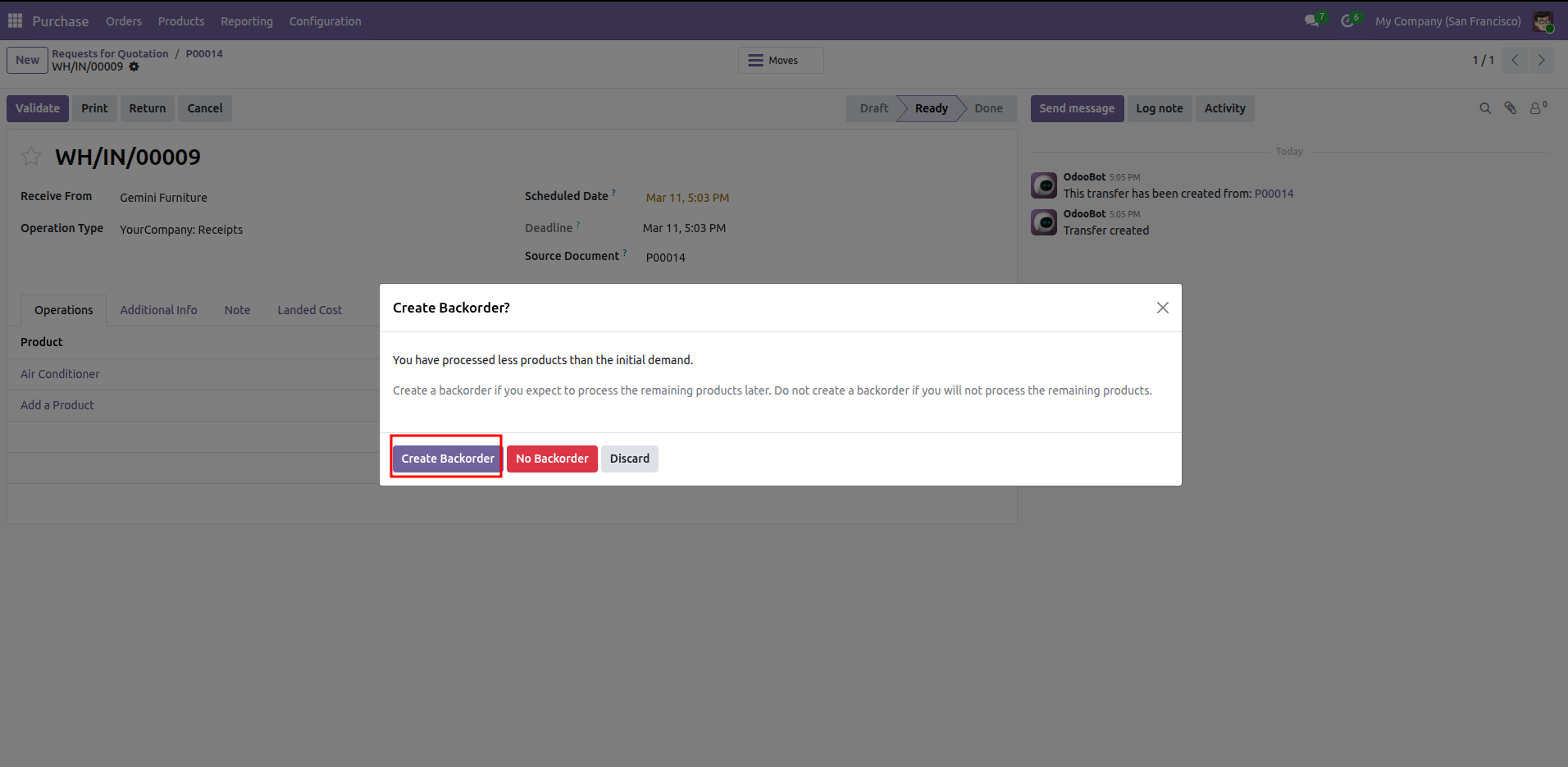
Selecting the Create Backorder option in Odoo to track the remaining 10 units of Air Conditioners from a partial shipment.
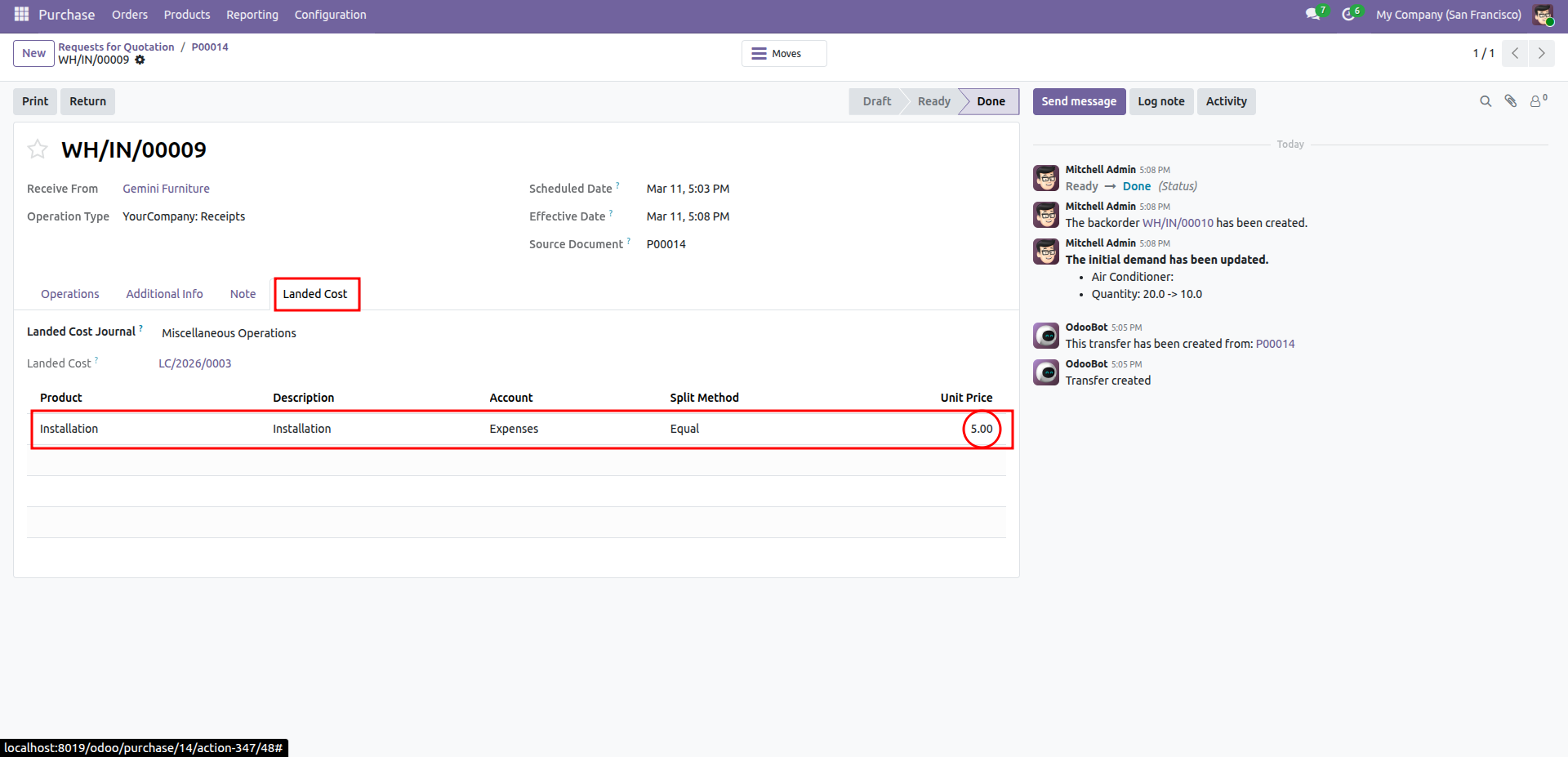
Reviewing the linked Landed Cost (LC/2026/0003) for the completed transfer WH/IN/00009, showing an installation charge with an equal split method.
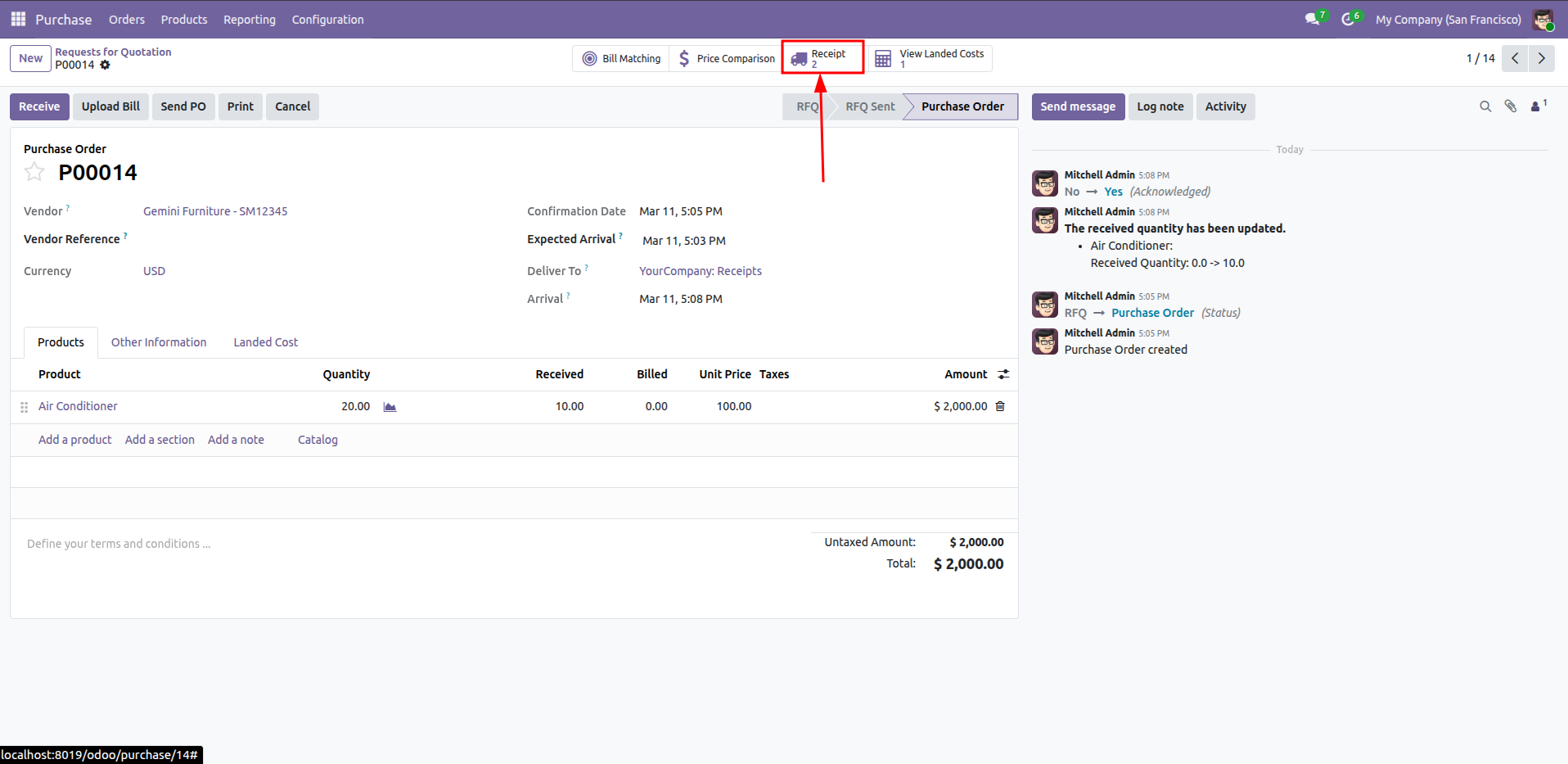
Accessing the two linked Receipts for Purchase Order P00014, following the initial partial delivery of 10 Air Conditioners.
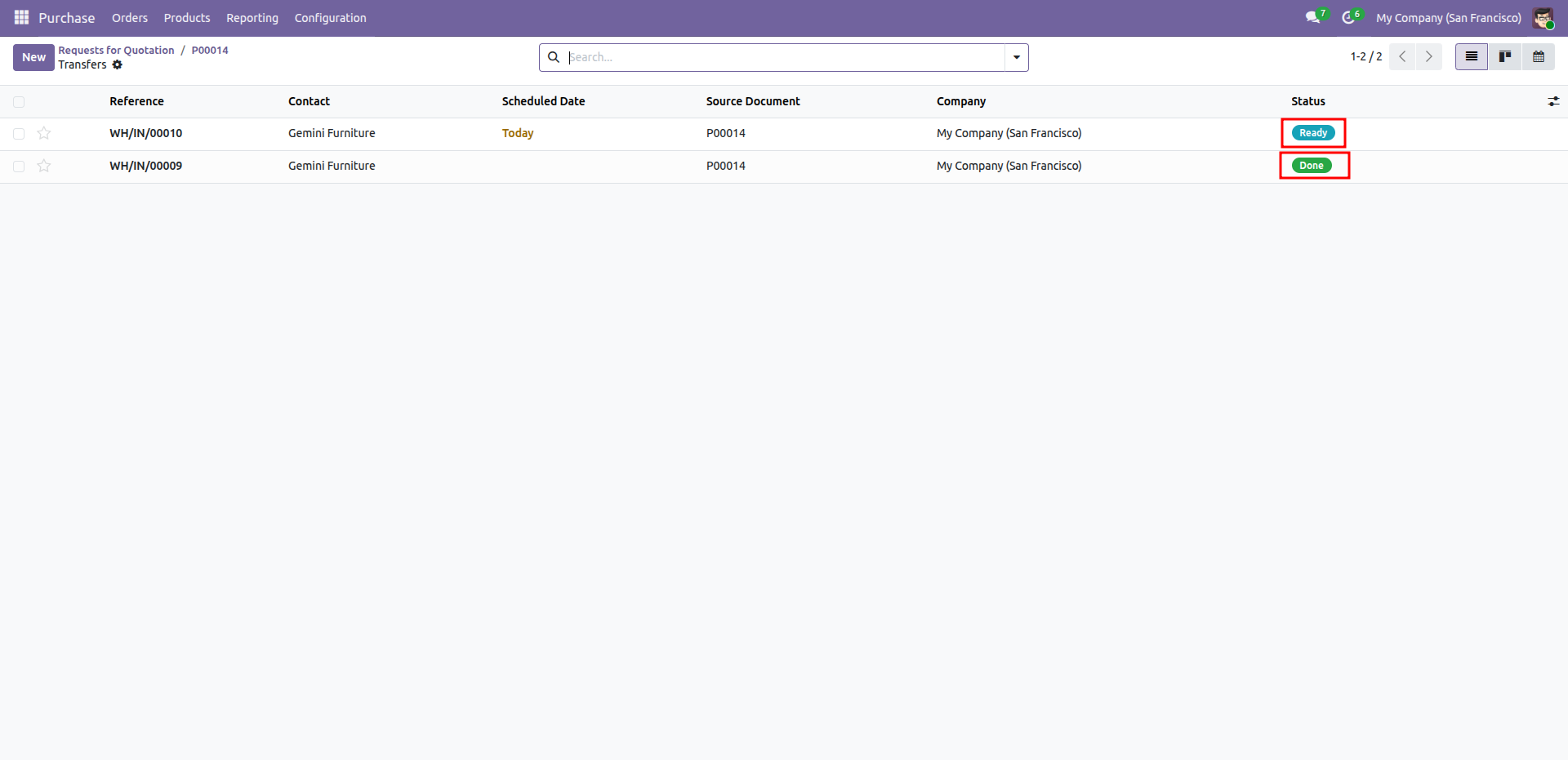
Reviewing the transfer statuses for Purchase Order P00014, featuring the completed receipt WH/IN/00009 and the newly generated backorder WH/IN/00010.
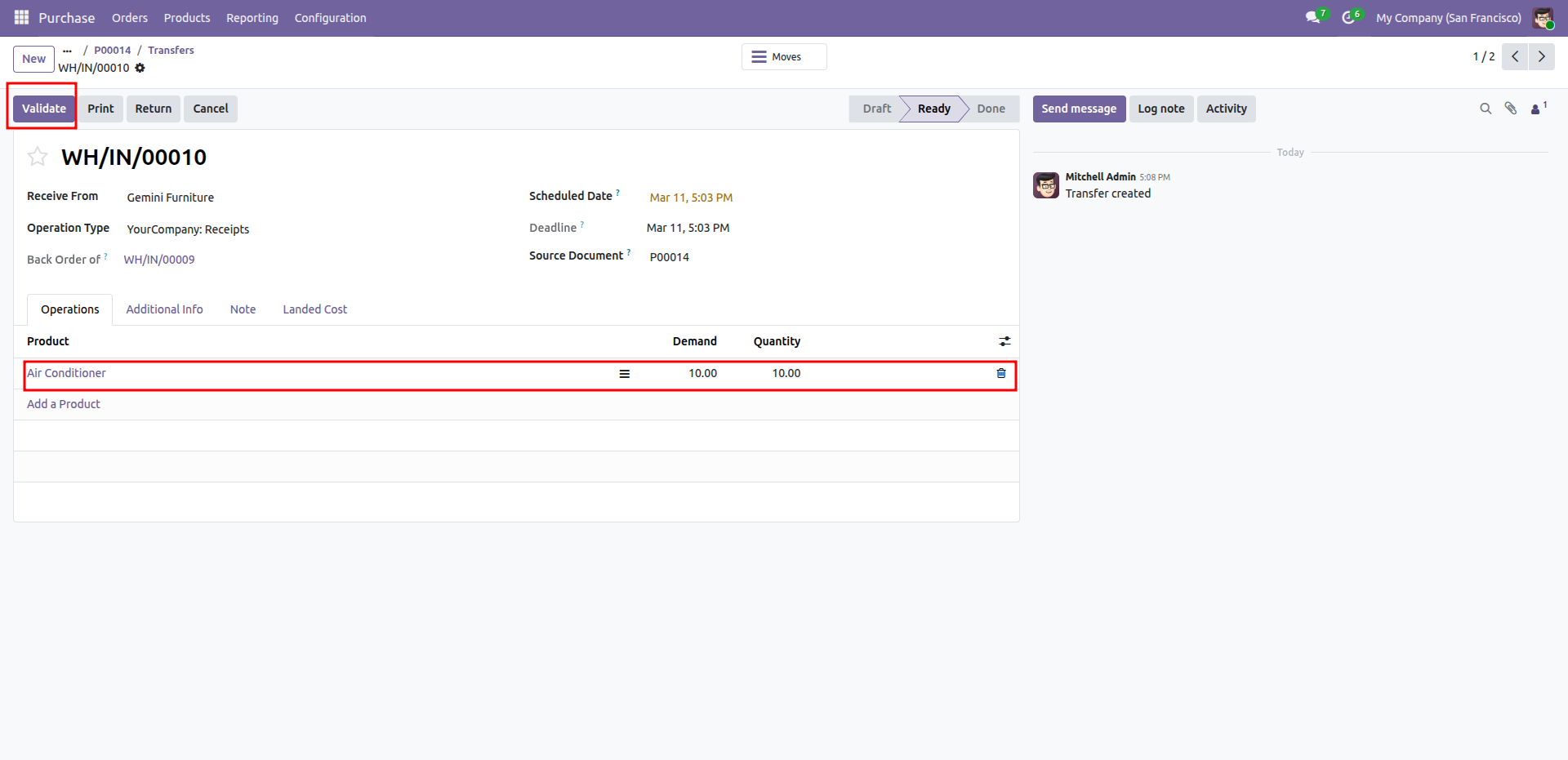
Preparing to Validate backorder WH/IN/00010 to receive the remaining 10 Air Conditioners from Gemini Furniture.
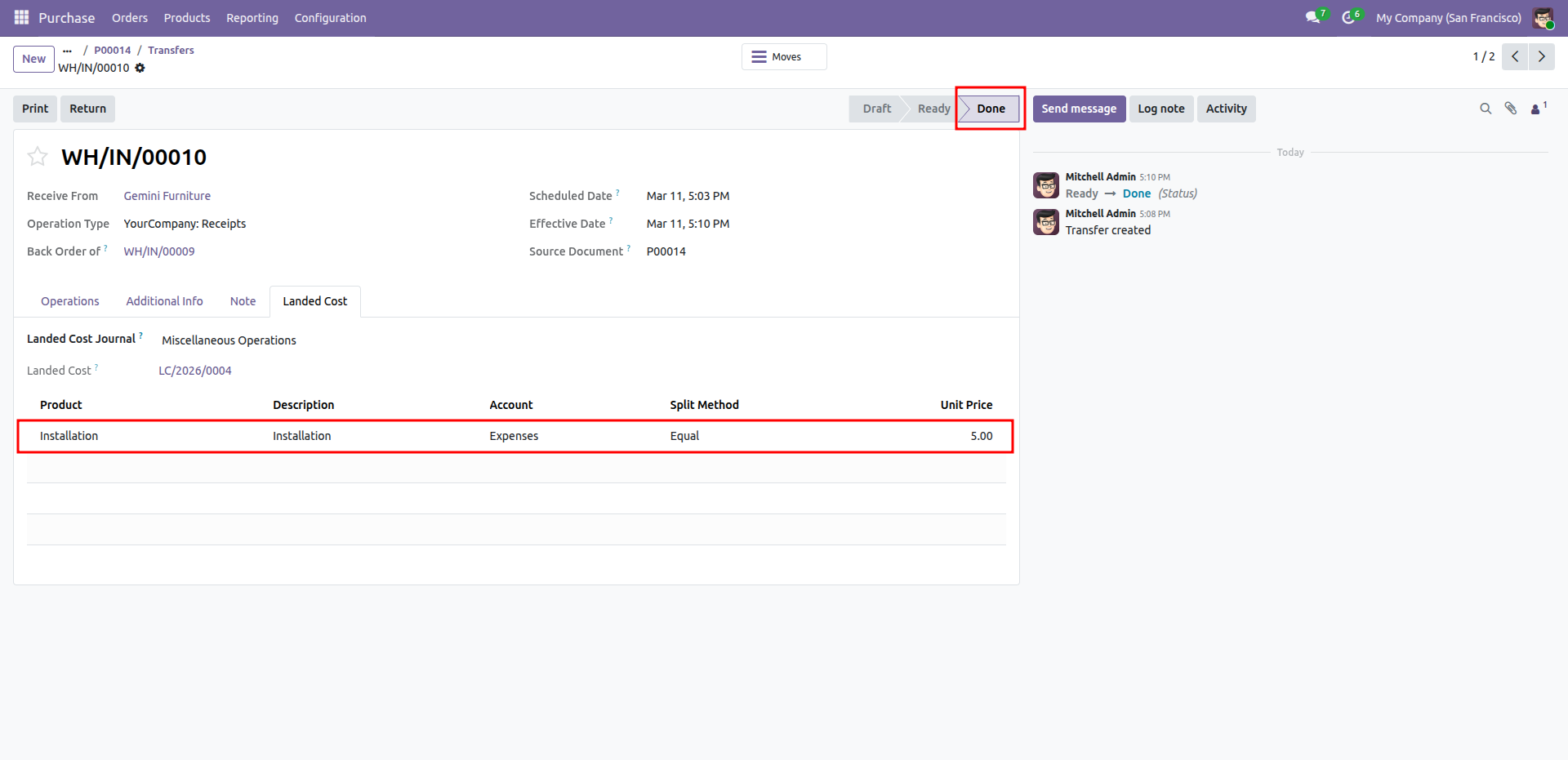
Finalizing the backorder WH/IN/00010 and reviewing the allocated installation landed cost in the "Done" state.
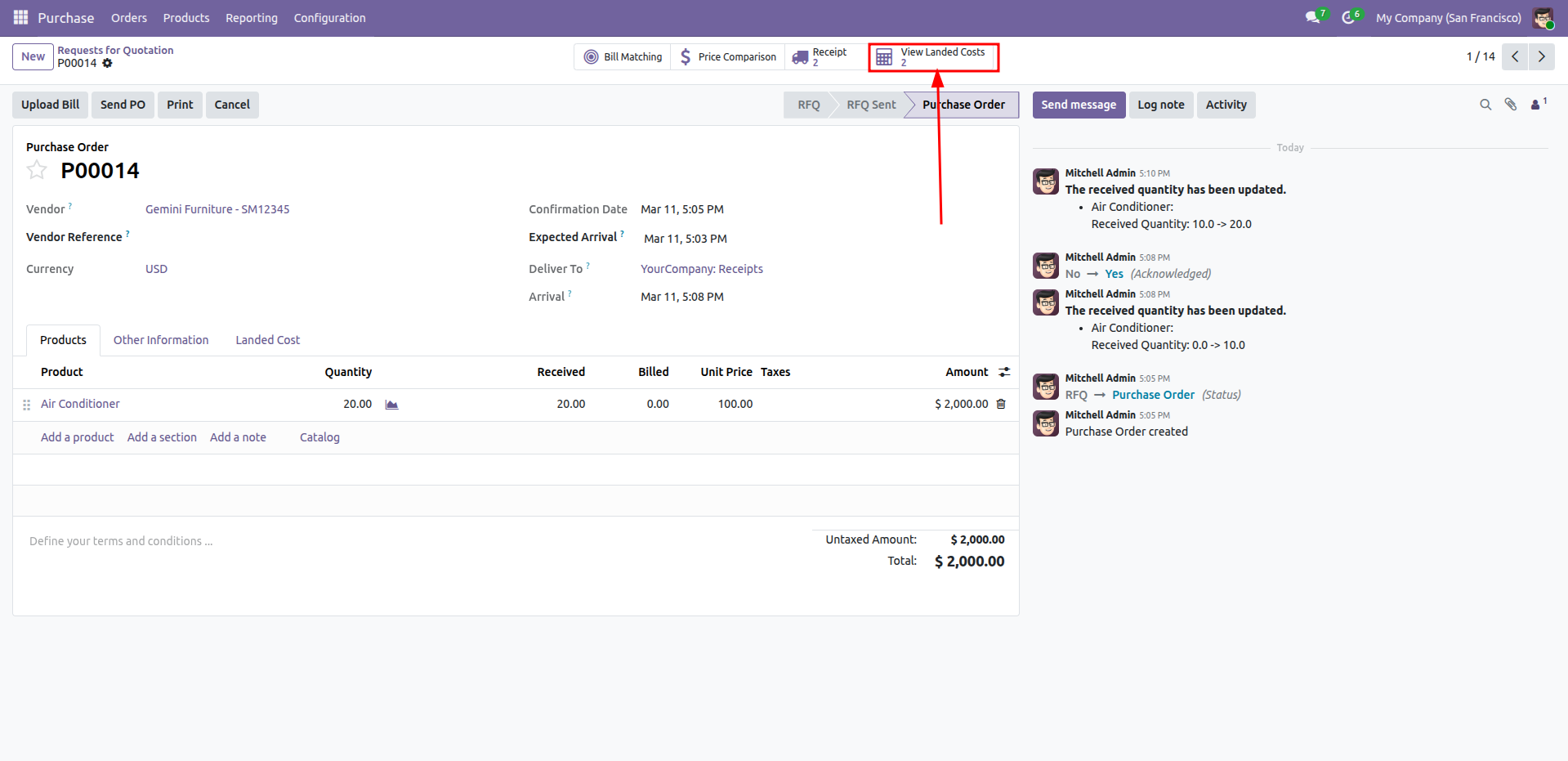
Accessing the two linked Landed Costs from confirmed Purchase Order P00014 after fulfilling the total demand of 20 Air Conditioners.
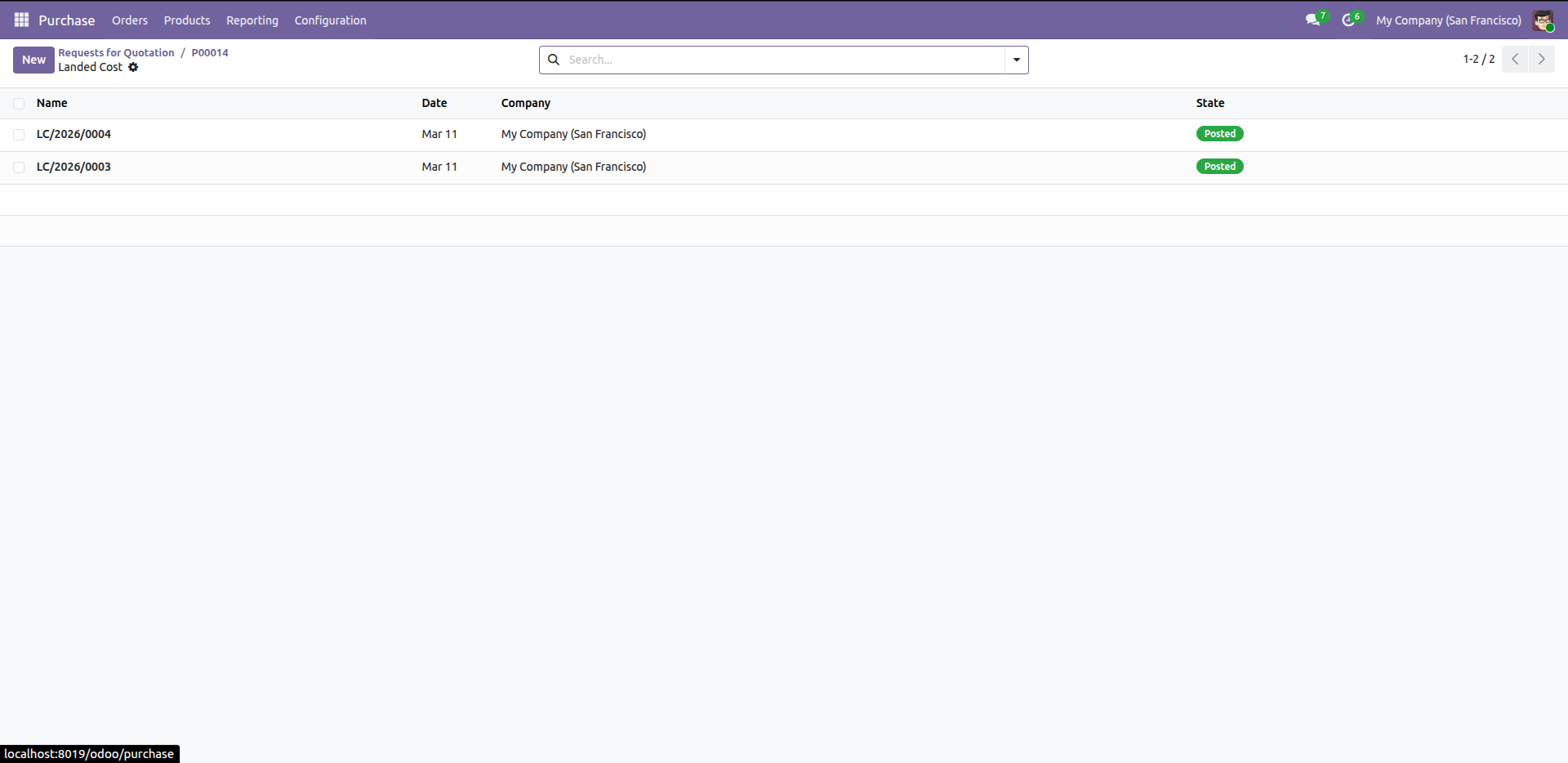
Reviewing the status of landed costs LC/2026/0003 and LC/2026/0004, both successfully "Posted" for Purchase Order P00014.
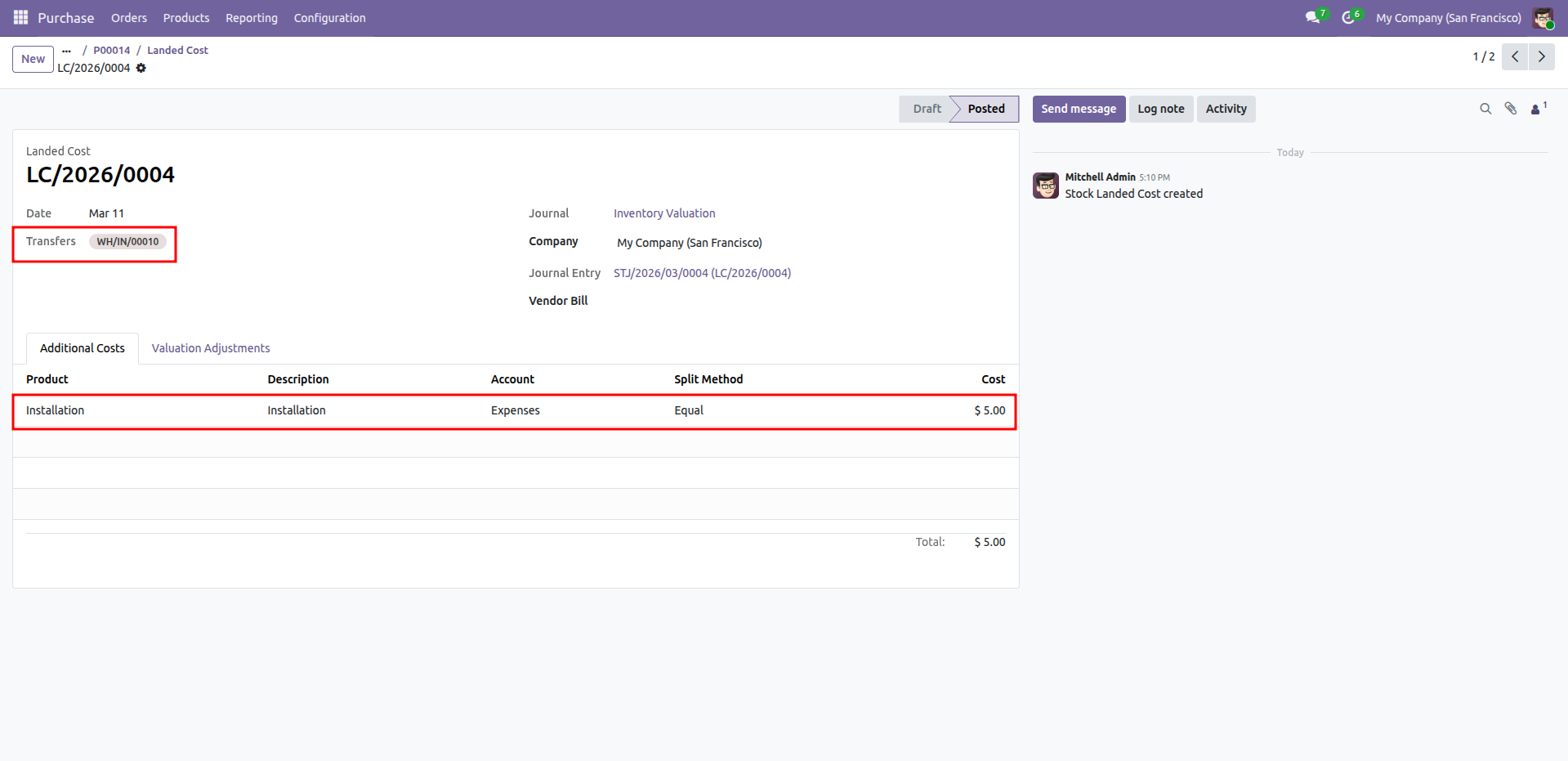
Reviewing the Posted landed cost record LC/2026/0004, which allocates a $5.00 installation fee to the backorder transfer WH/IN/00010.
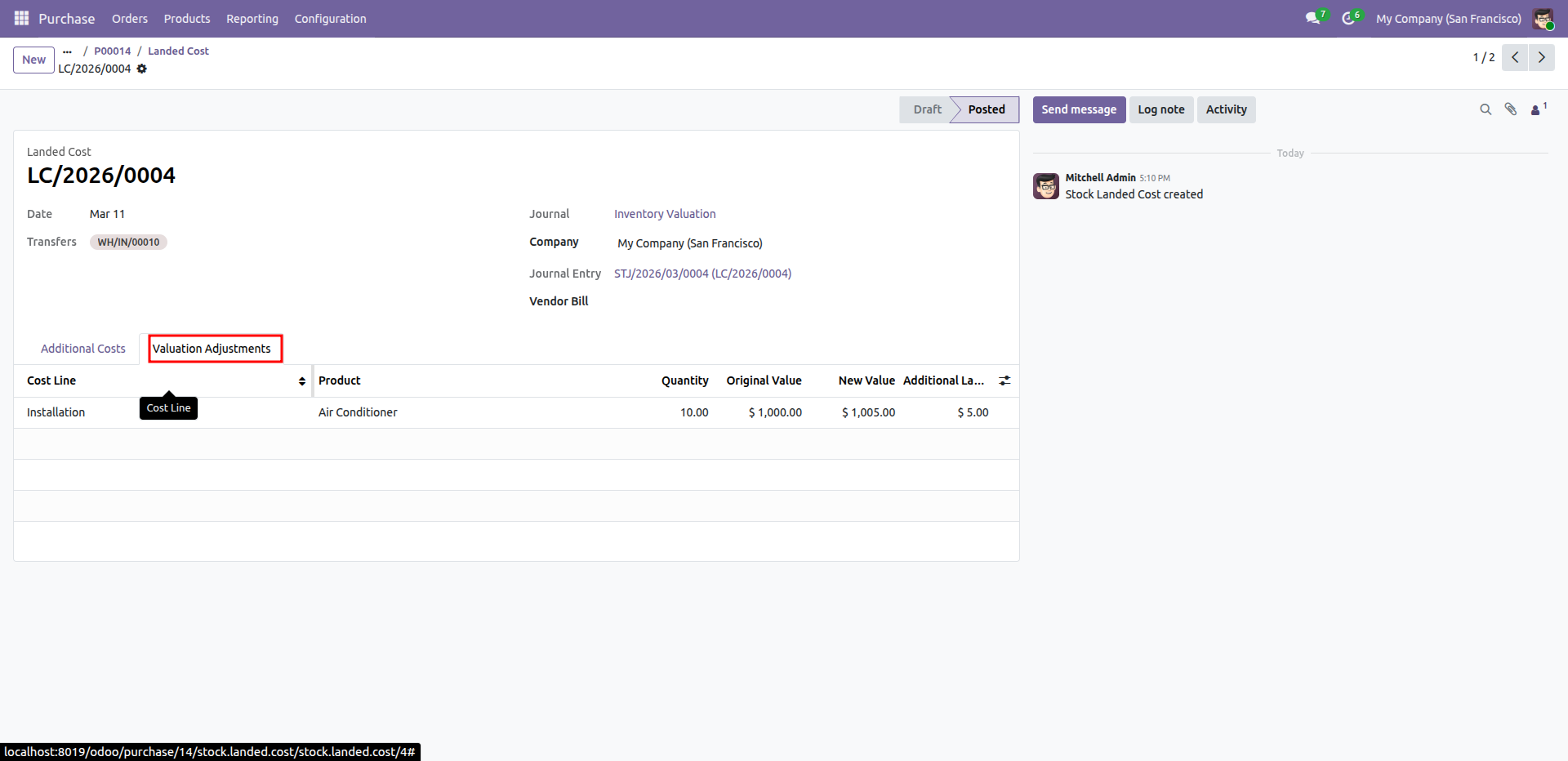
Reviewing the Valuation Adjustments for landed cost LC/2026/0004, showing the increase in the Air Conditioner's inventory value from $1,000.00 to $1,005.00.
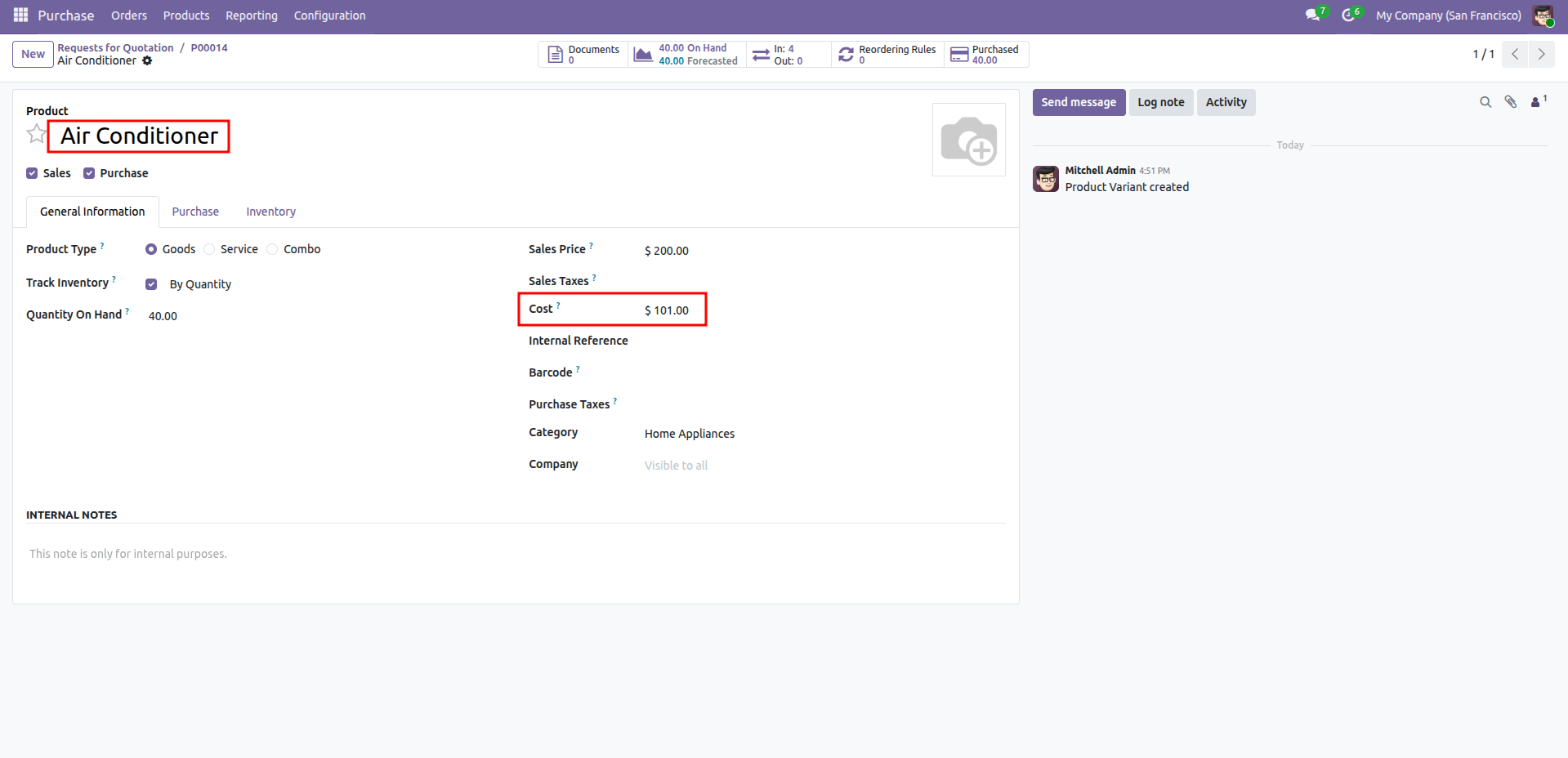
Reviewing the updated cost of the Air Conditioner at $101.00, reflecting the addition of the allocated landed costs to the base purchase price.
Version 18.0.1.0.0 | Released on : 22nd April 2026
- Yes, this app works perfectly with Odoo Enterprise (Odoo.sh & Premise) as well as Community.
- No, this application is not compatible with odoo.com(odoo saas/Odoo Online)
- Yes, to test this module, please contact us at sales@softhealer.com.
- Please contact us at sales@softhealer.com to request customization.
- Yes, we provide free support for 365 days from the date of purchase.
- Yes, you will receive lifetime free updates for the version of the module you purchased.
- No, there is no need to install any additional libraries.
- Yes, for version 12 and above, you need to purchase the module separately for each version you intend to use.
- No, exchanges or refunds are not allowed. Please make sure to select the correct version before purchasing.
- You can contact us at support@softhealer.com for language translation support. We use Google Translator tools to provide translations in multiple languages, so the accuracy may vary. We welcome your suggestions to help improve translations.
Discover Our Latest Apps