












Project Profitability Analysis Report

Project Profitability Analysis provides a comprehensive control center to track and analyze project financial performance in real time. Effortlessly monitor planned vs actual profitability, employee timesheet costs, customer revenues, manual adjustments, and budget gaps. Generate detailed PDF/Excel profitability reports to optimize project margins.

Features

Role-Based Access
Configure user roles and permissions to control access to project profitability information and related operations.

Project Profit Control Center
Monitor project revenue, costs, profit, margins, billing gaps, cost gaps, and profitability status from a centralized project view.

Profitability Analysis
Analyze project-wise revenue, cost, expected profit, profit percentage, pending billing, pending costs, and overall profitability metrics.
Manual Profit Lines
Add manual income or cost entries to projects with configurable amounts, categories, reasons, and approval states.

Profit Snapshots
Create and review project profitability snapshots to preserve financial performance details for specific dates.
Cost Categories
Configure cost categories to organize and classify different project costs for clearer profitability analysis and cost tracking.
Billing & Cost Gap Finder
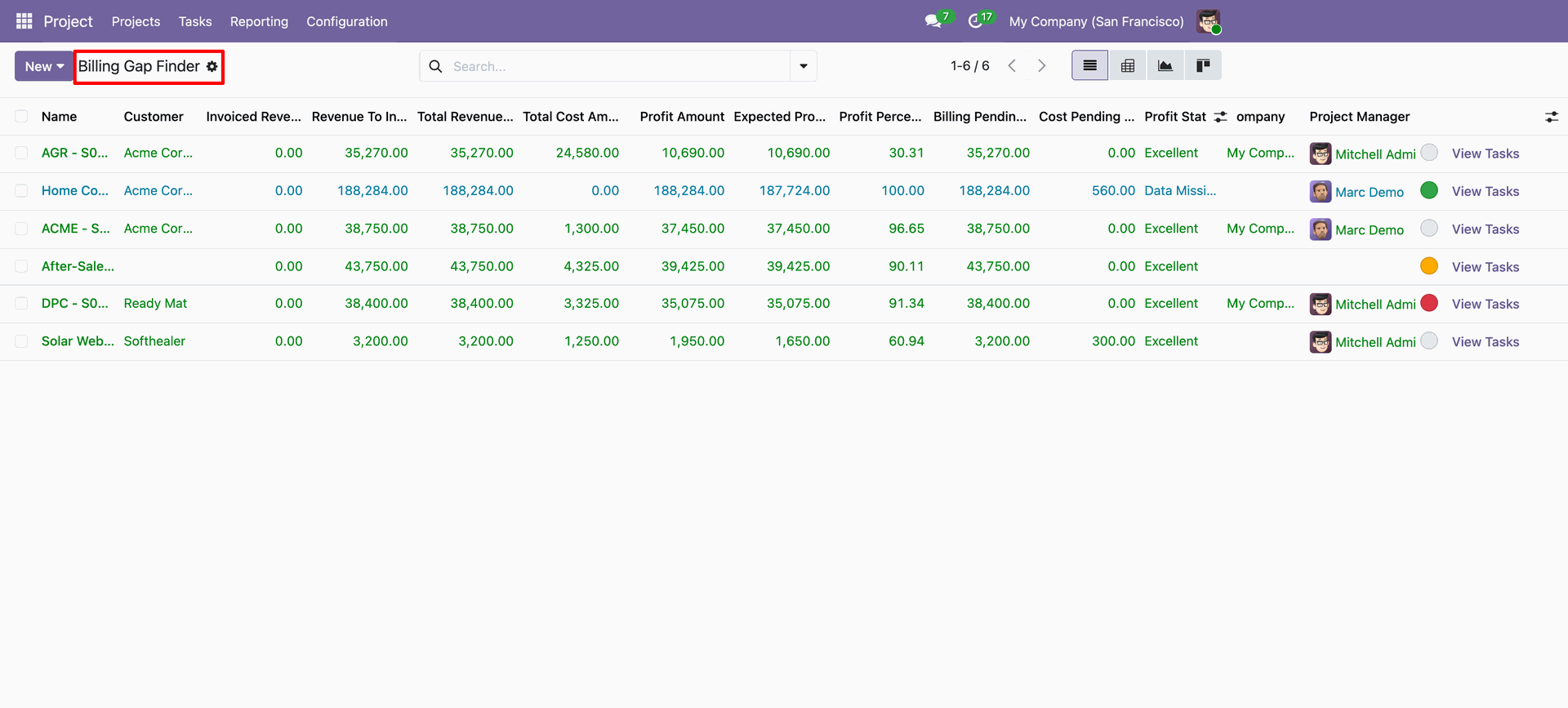
Monitor billing pending amounts and cost pending amounts directly from the project profitability summary.
Profitability Reports
Export detailed project profitability information to Excel and print profitability reports for further analysis and record keeping.
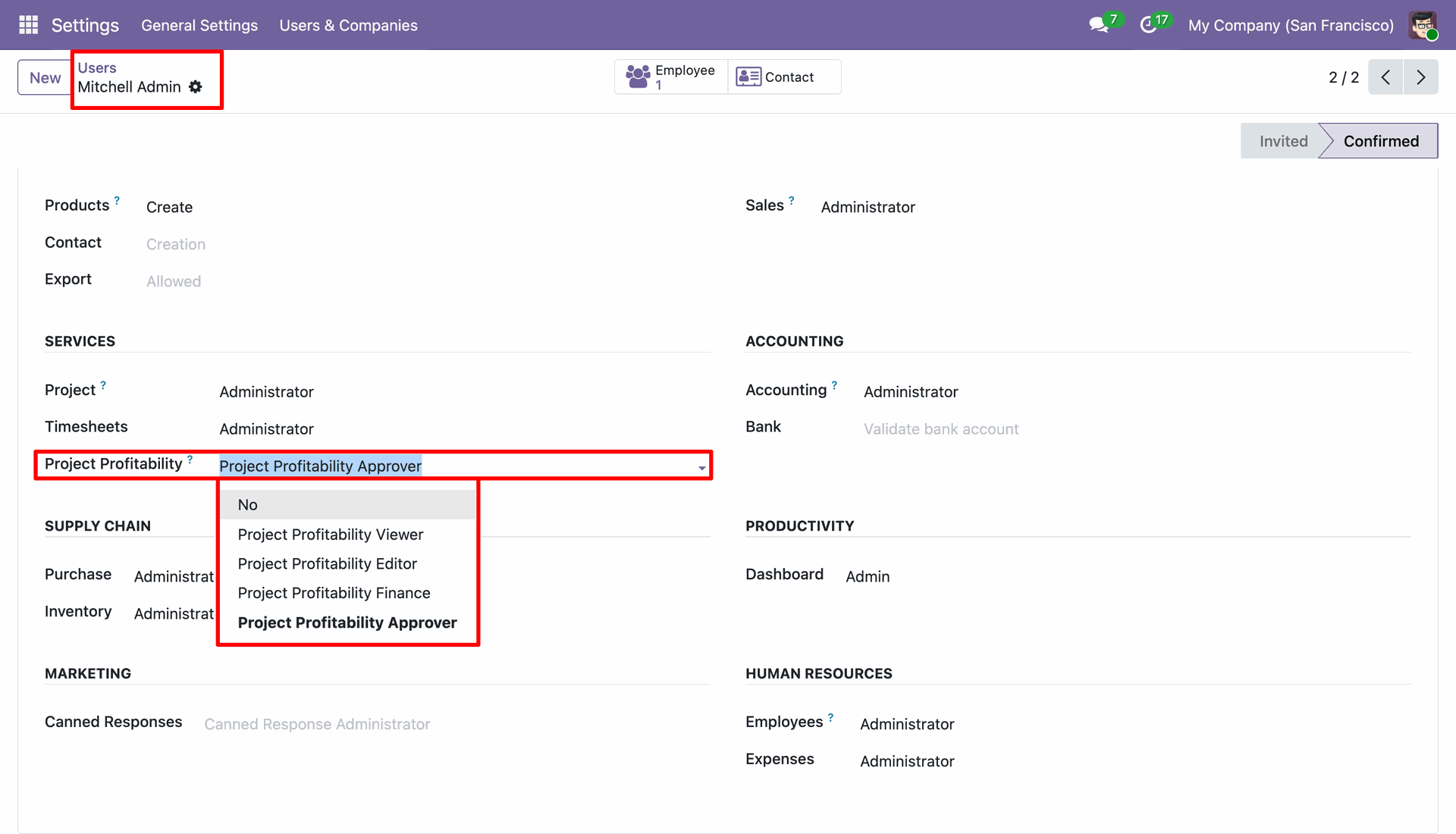
Select the Project Profitability access level under user settings to grant specific user permissions.
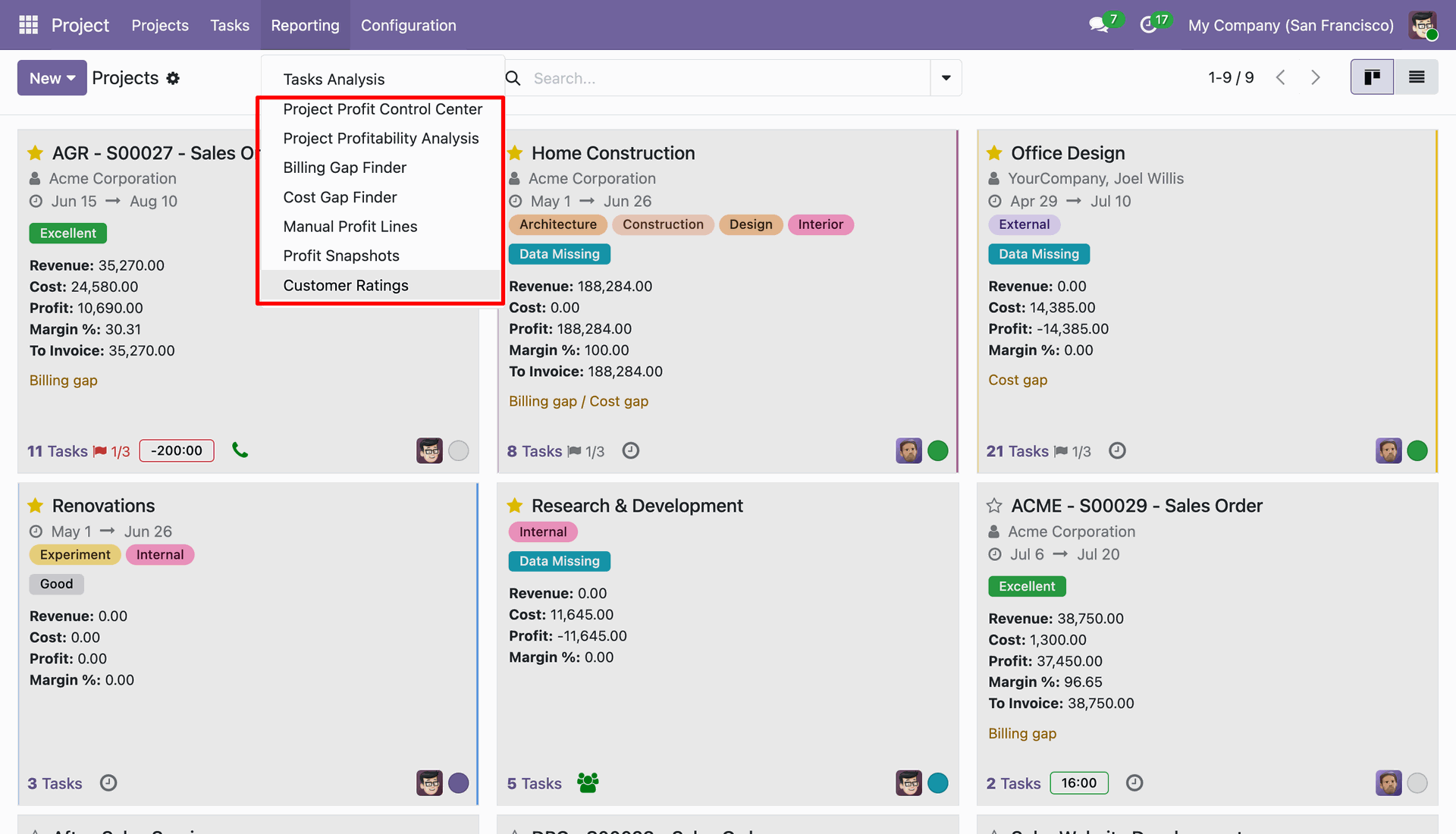
Open the Reporting menu in Projects to access profitability analysis and gap finder reporting options.
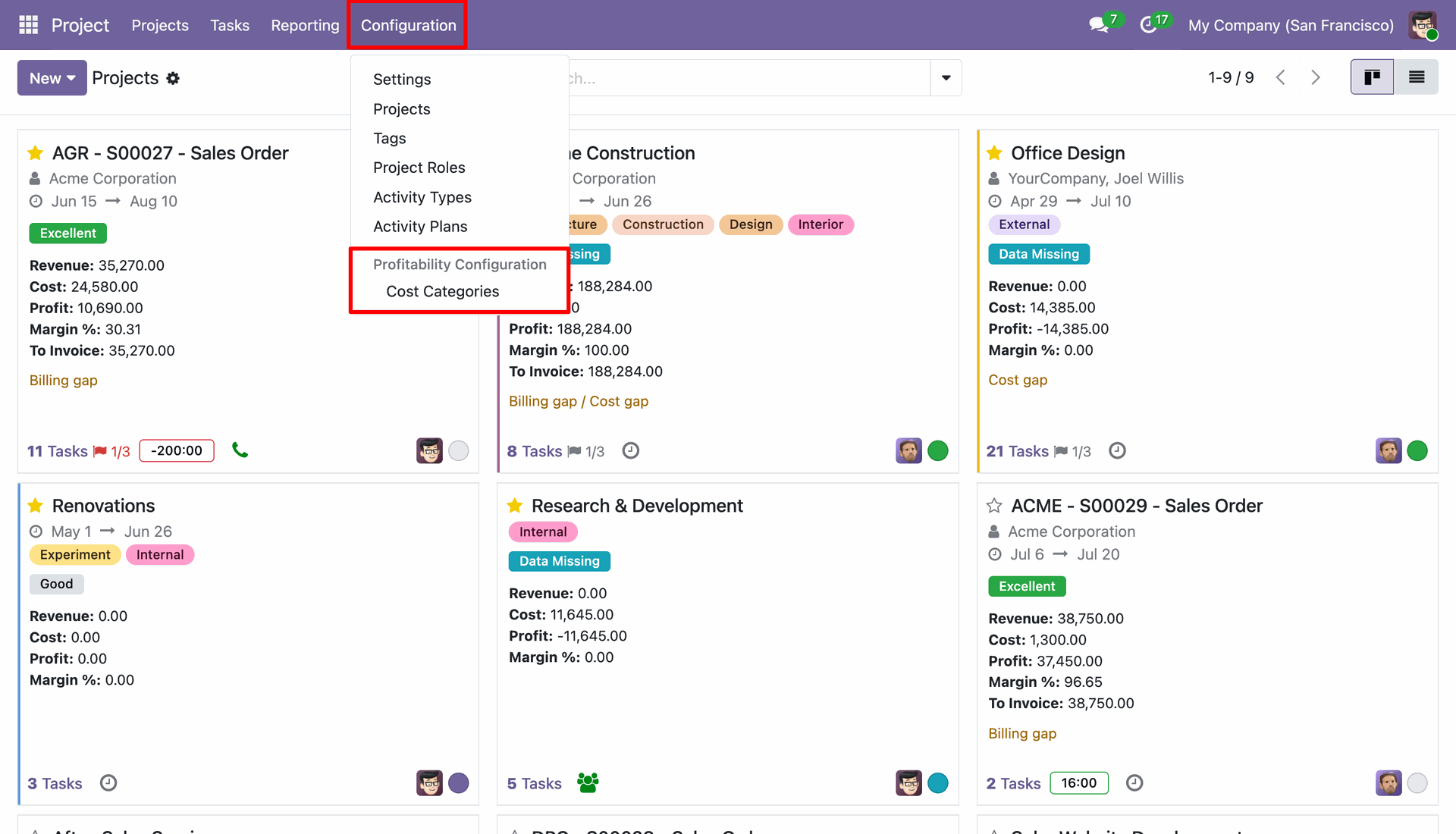
Access the Configuration menu to manage Profitability Configuration and Cost Categories for project financial tracking.
View configured cost categories with defined line types for manual income and cost tracking.
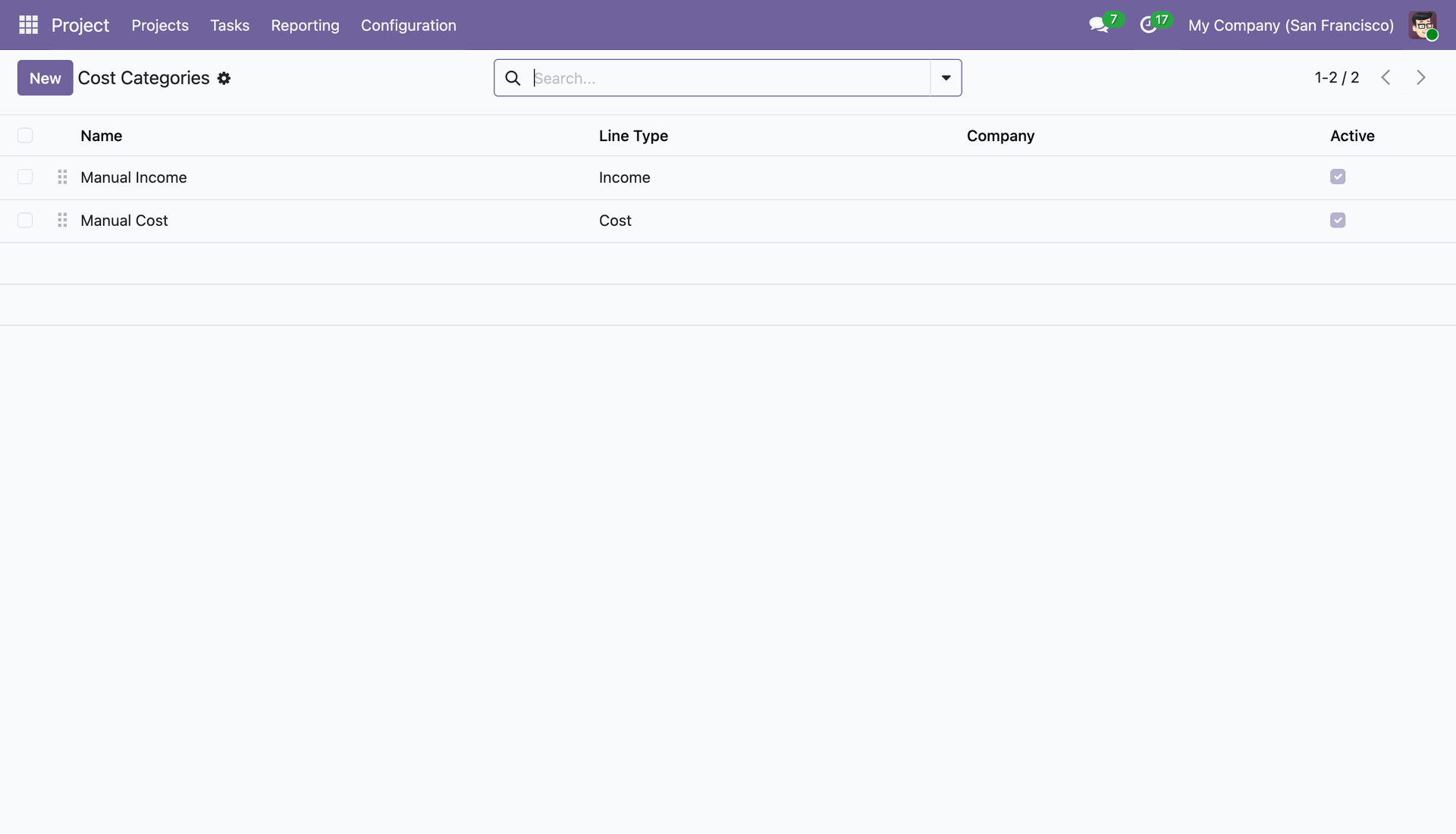
Select Project Profit Control Center from the Reporting menu to launch the project financial overview.
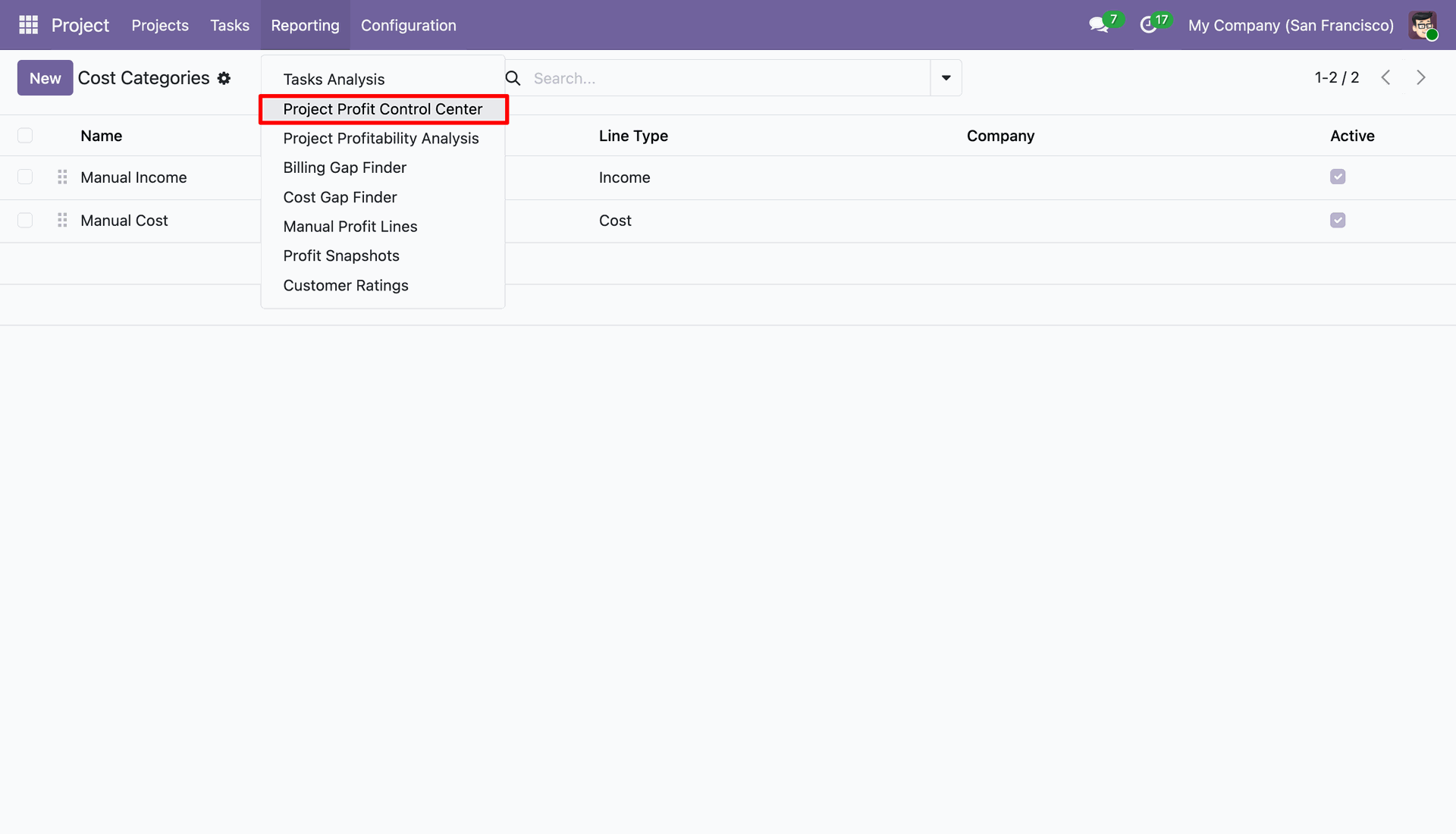
Review project Kanban cards showing highlighted revenue, cost, profit, margin percentage, and invoice totals.
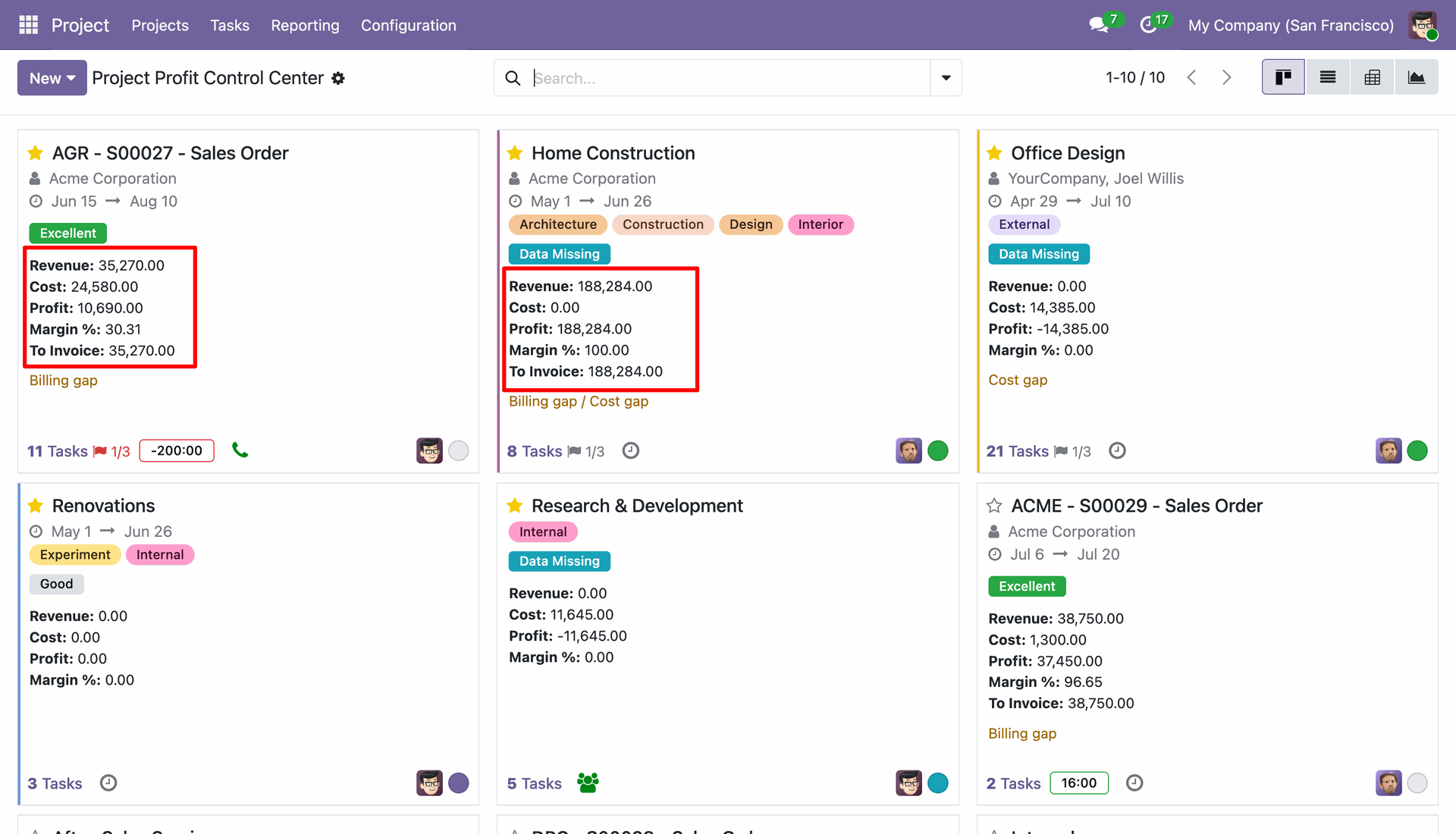
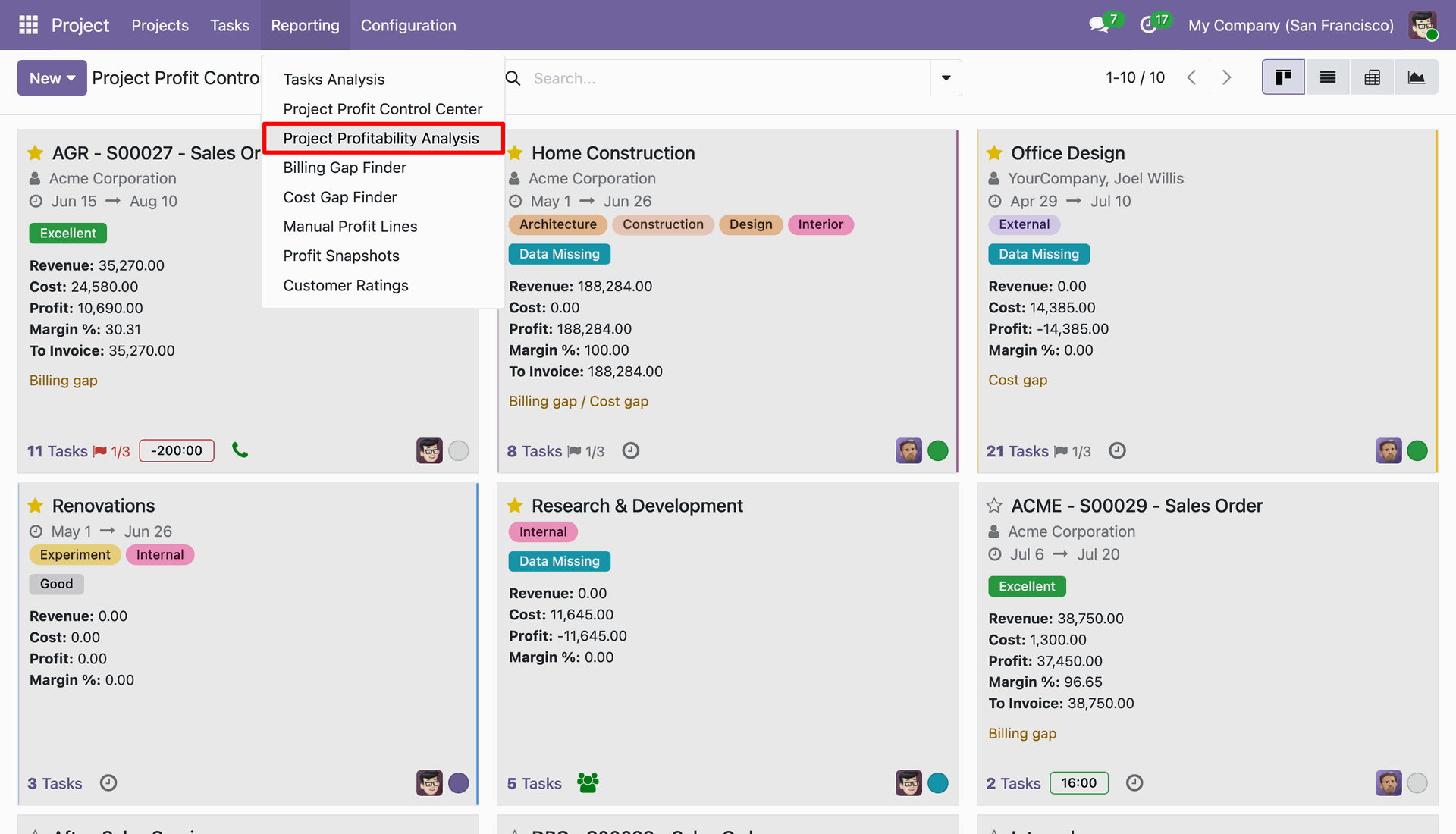
Select Project Profitability Analysis from the Reporting menu to open the full project analysis view.
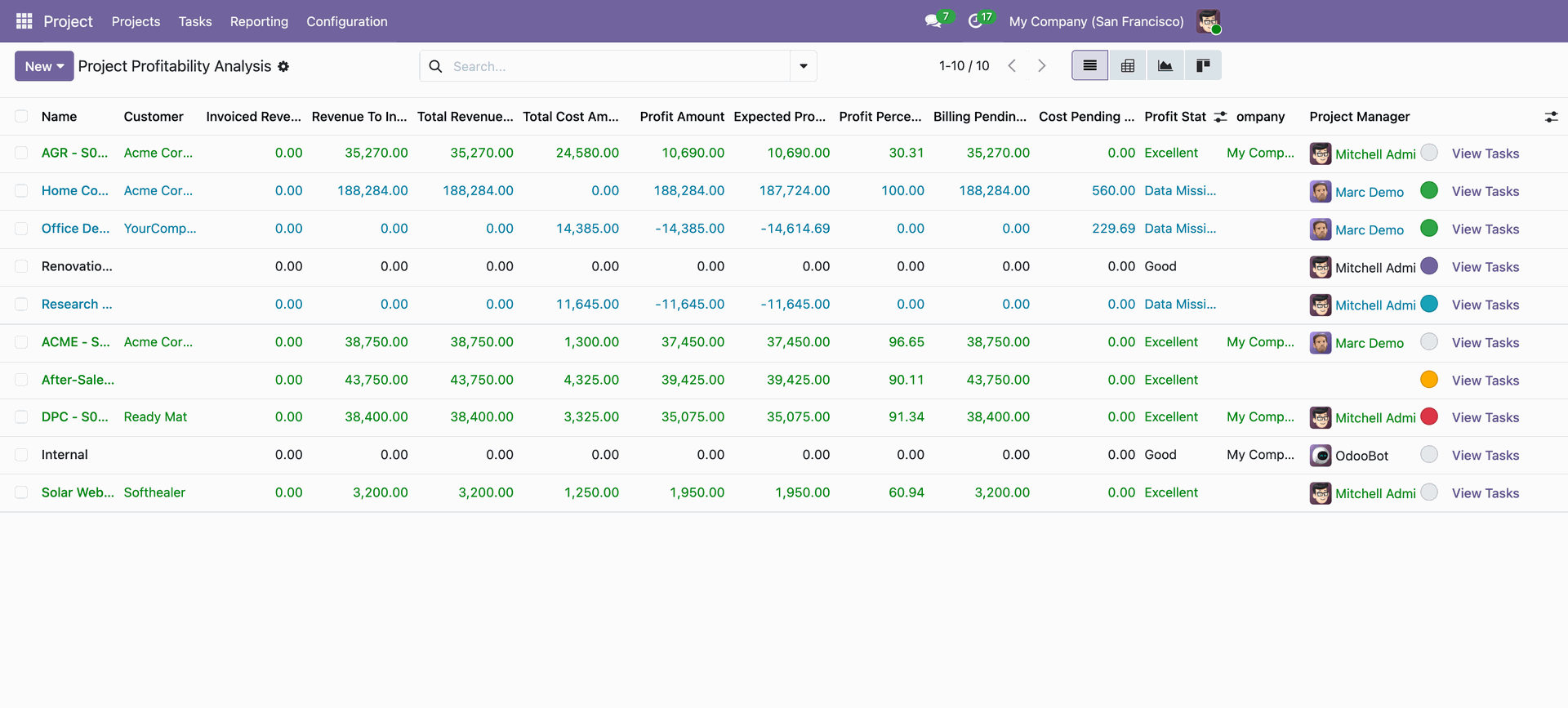
Examine the list overview of project profitability displaying detailed revenue, cost, profit, and status columns.
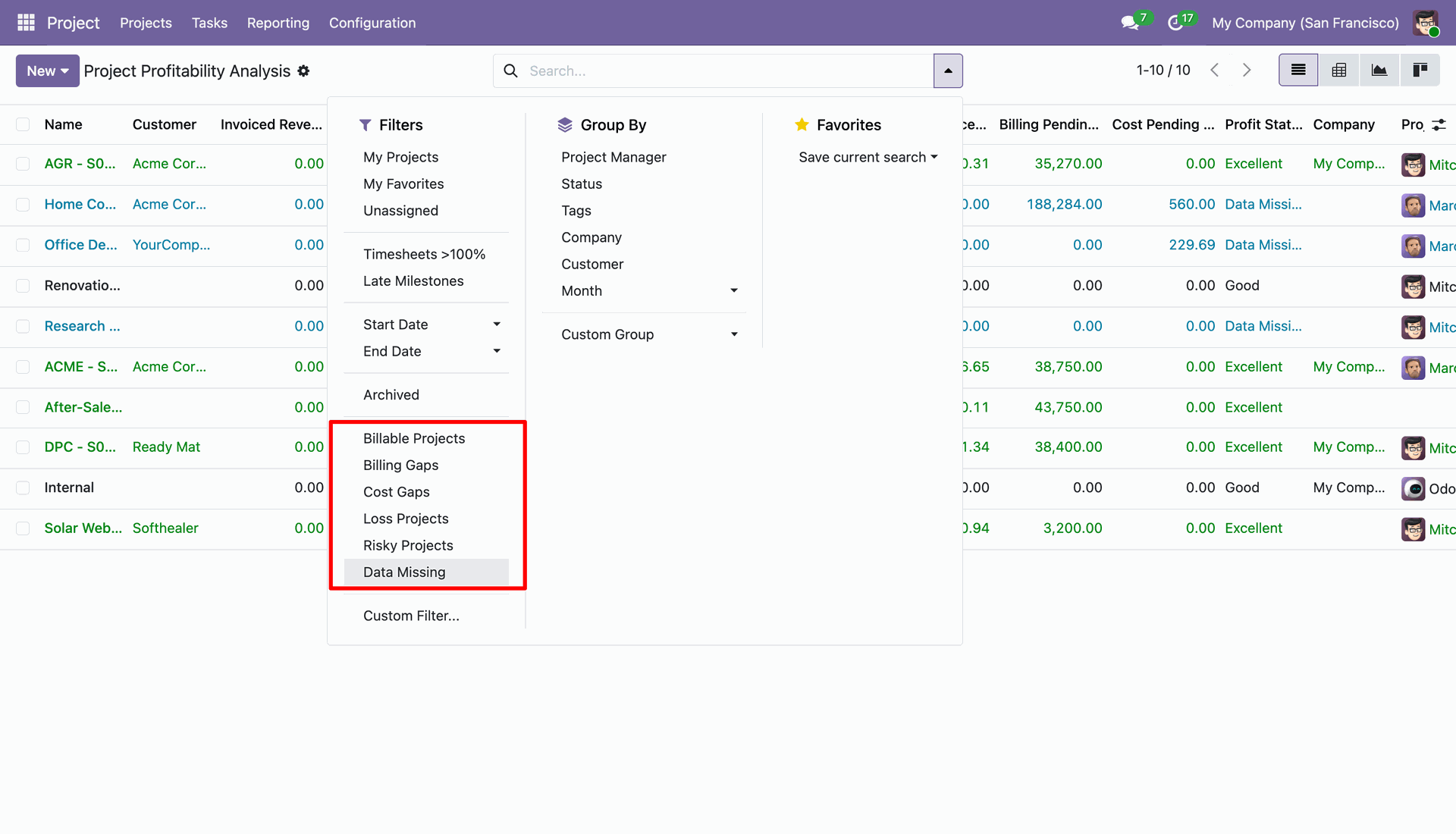
Apply custom search filters to analyze billable projects, billing gaps, cost gaps, and profit statuses.
Review projects with pending invoicing amounts listed in the Billing Gap Finder report view.
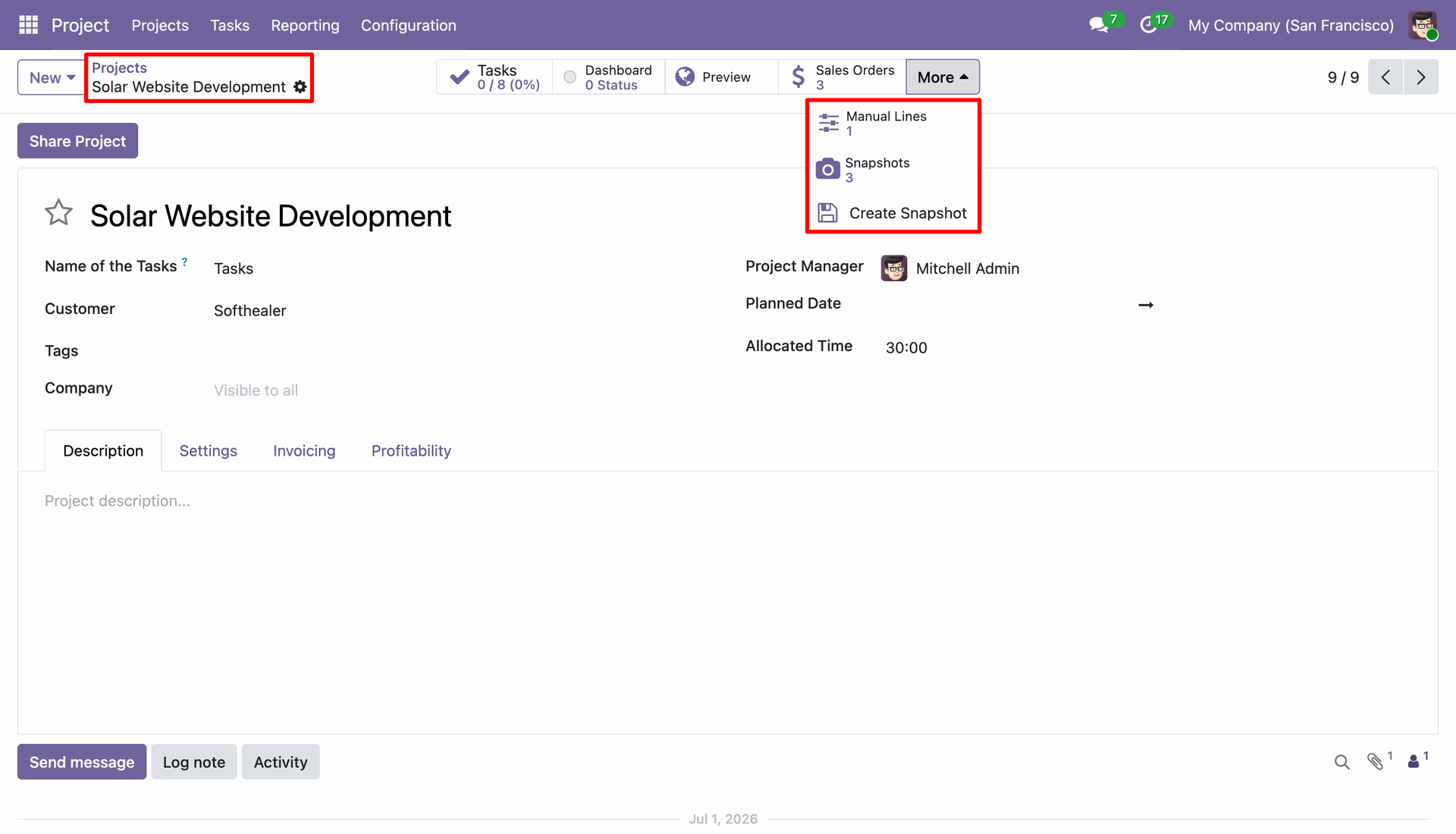
Click the More menu on the project form to access manual lines and snapshot actions.
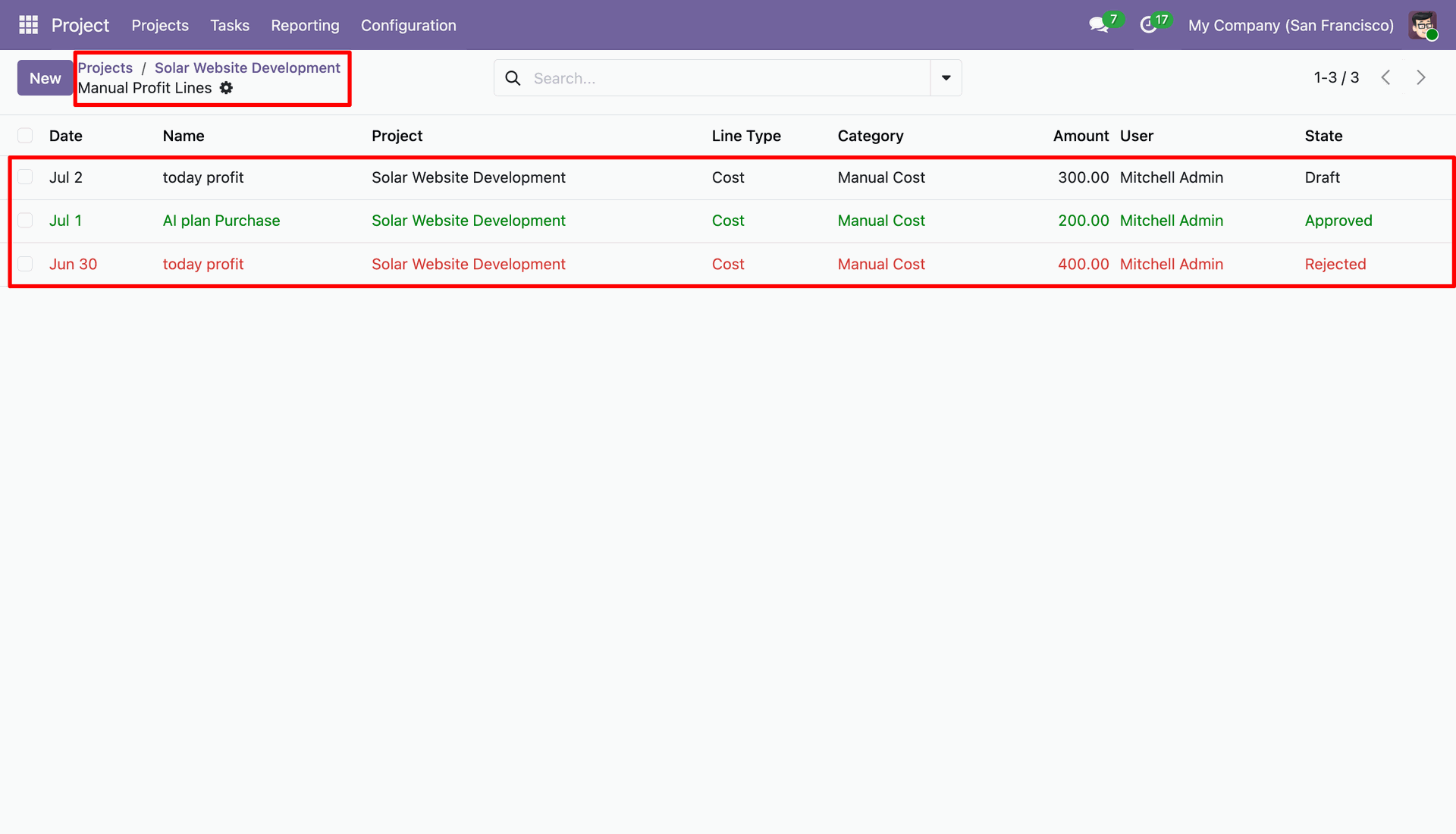
View the manual profit lines list displaying entries with Draft, Approved, and Rejected approval statuses.
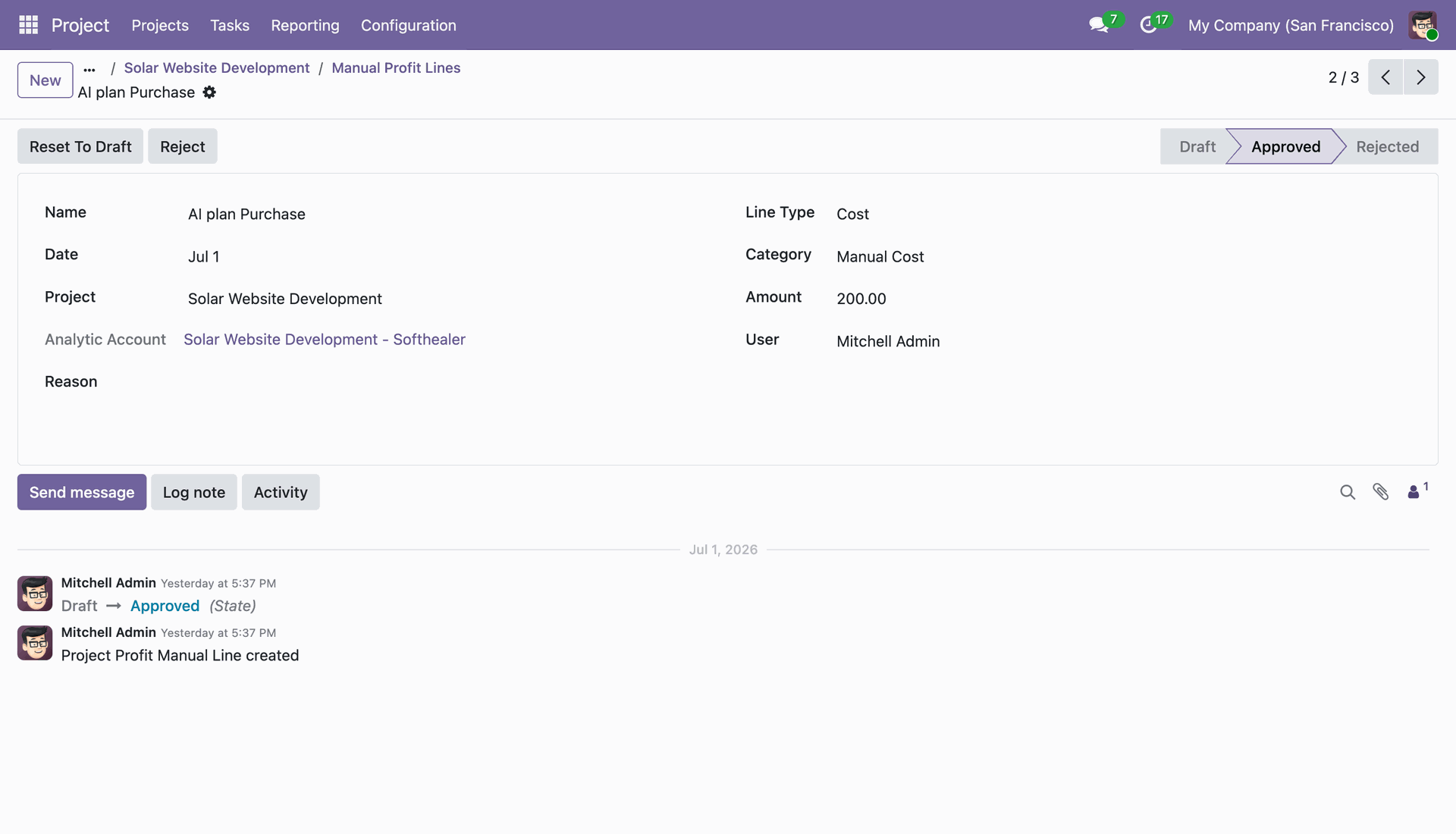
Review an approved manual profit line record showing financial values and status action buttons.
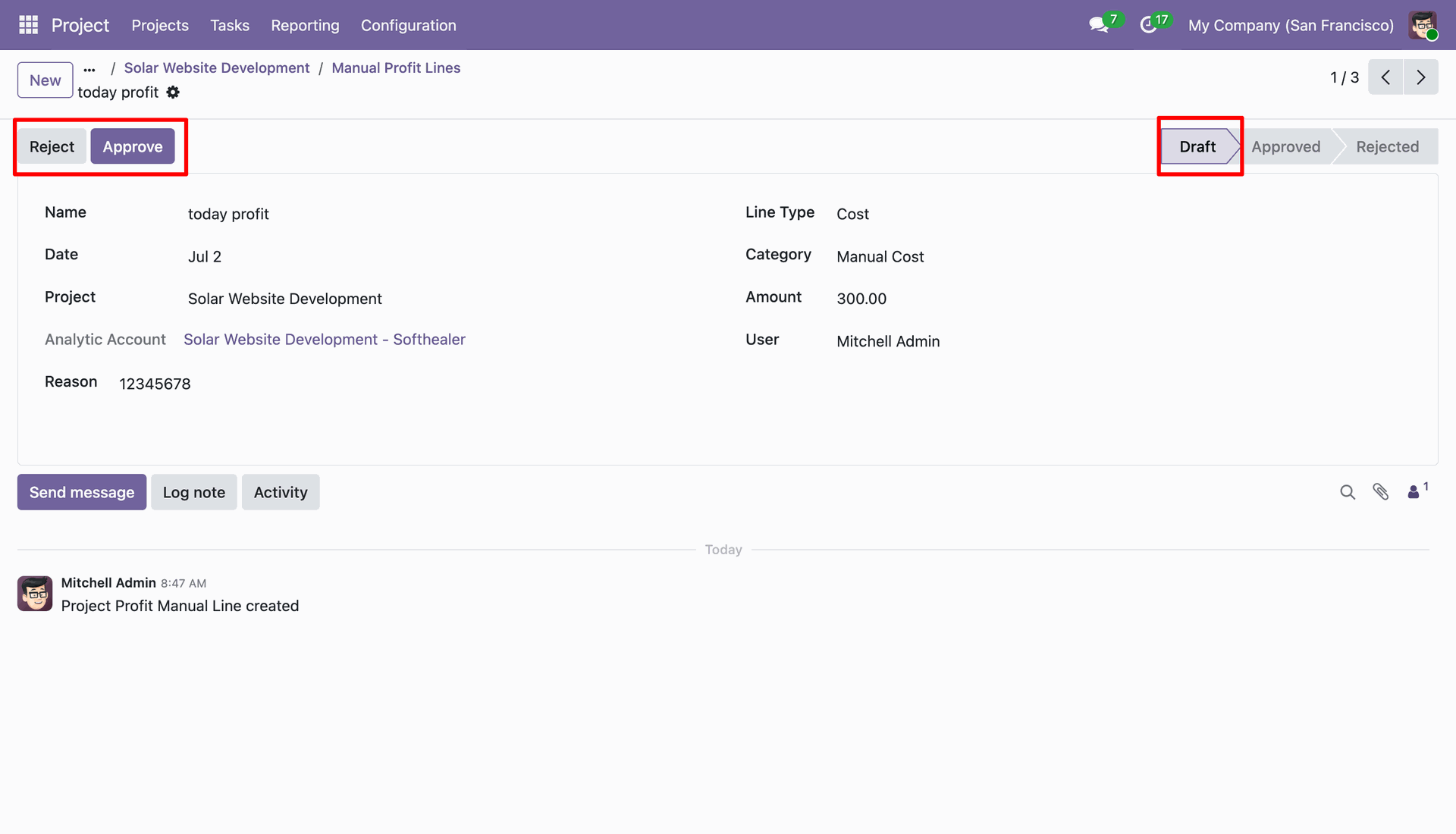
Click Approve or Reject buttons on a draft manual profit line to manage financial adjustments.
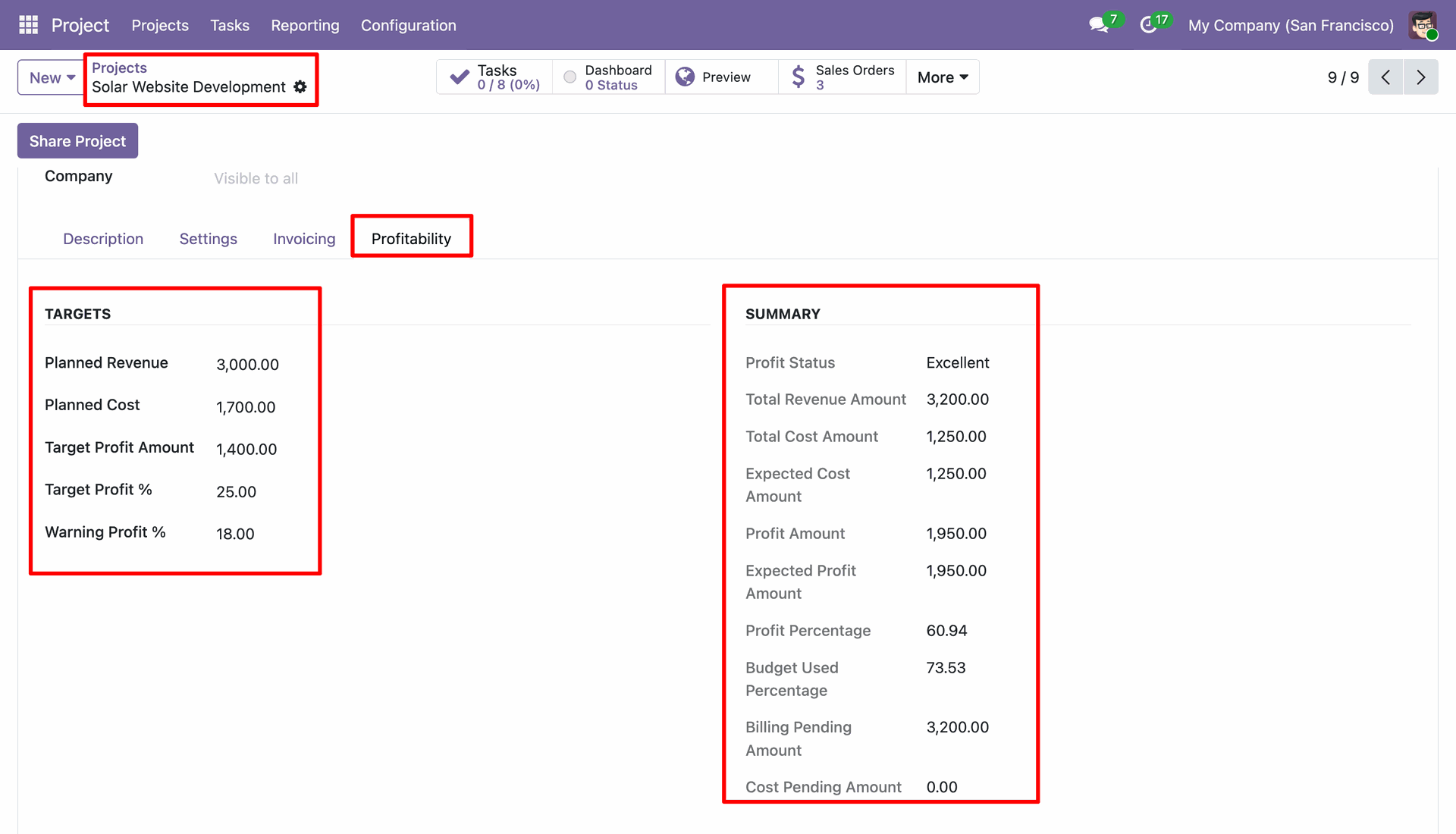
Inspect target settings and real-time profitability summary totals under the Profitability tab of a project.
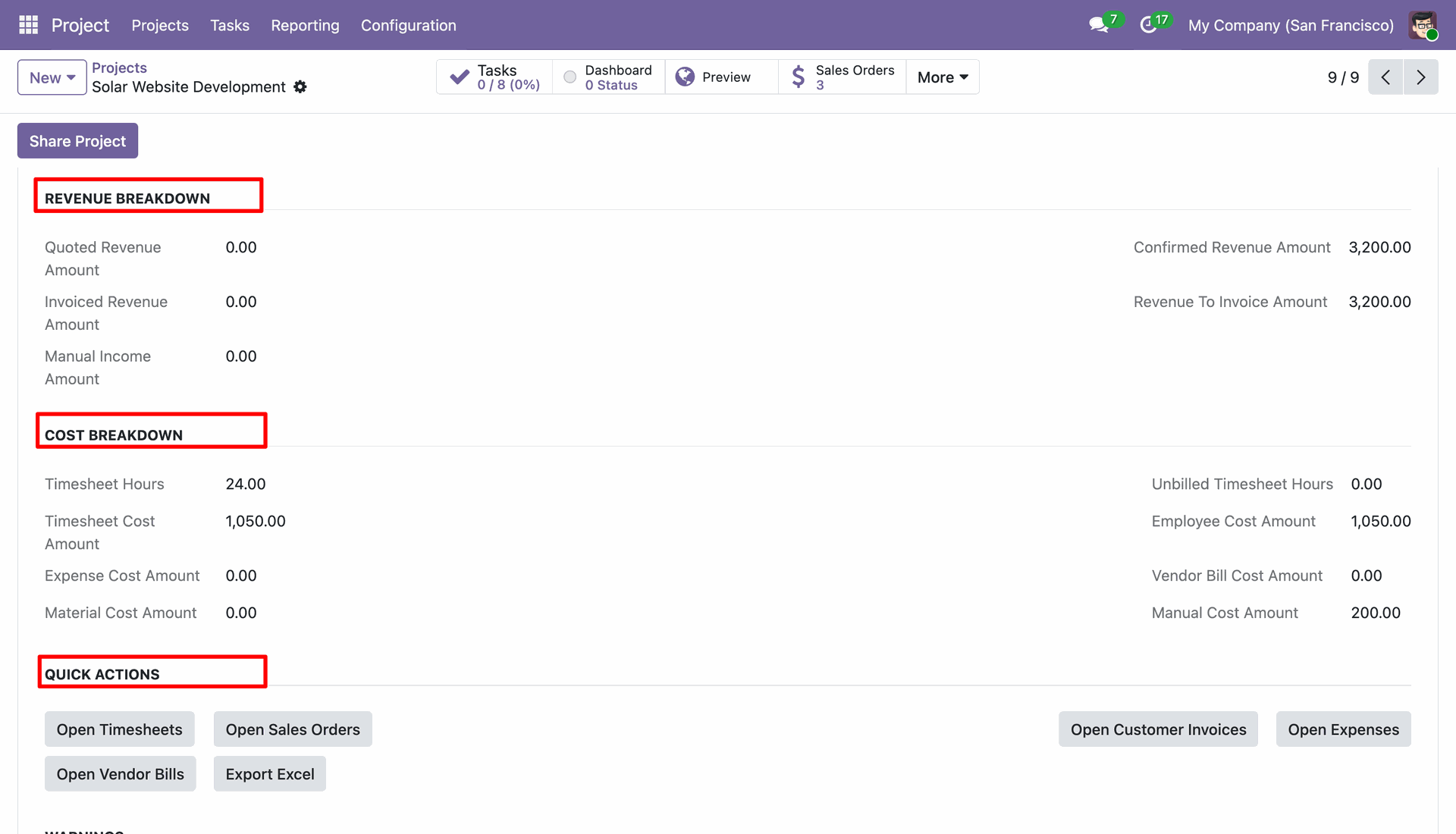
Review detailed revenue breakdown, cost breakdown, and quick action buttons inside the project form.
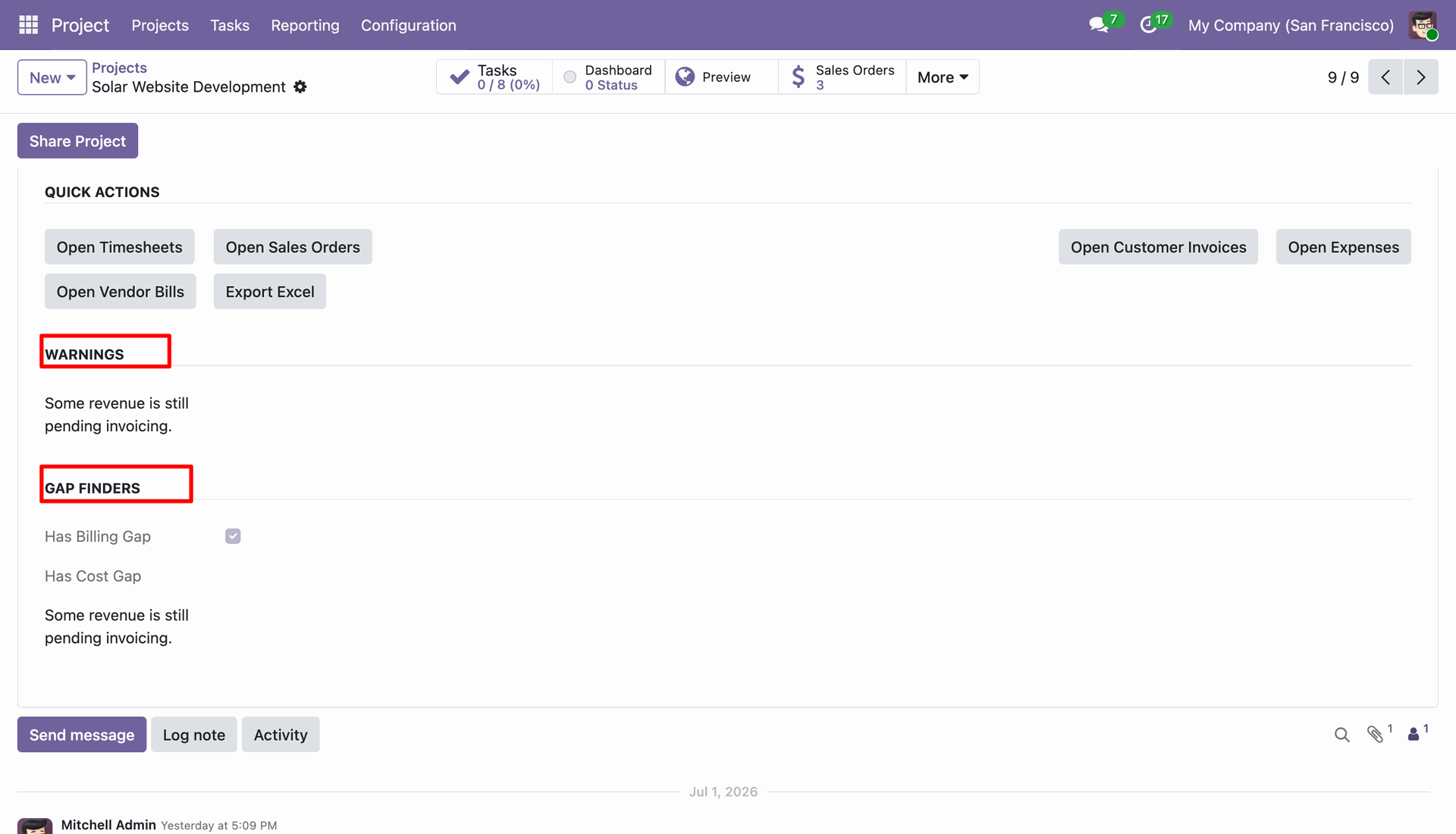
Check automated warnings and gap finder checkboxes to detect pending invoicing and cost gaps.
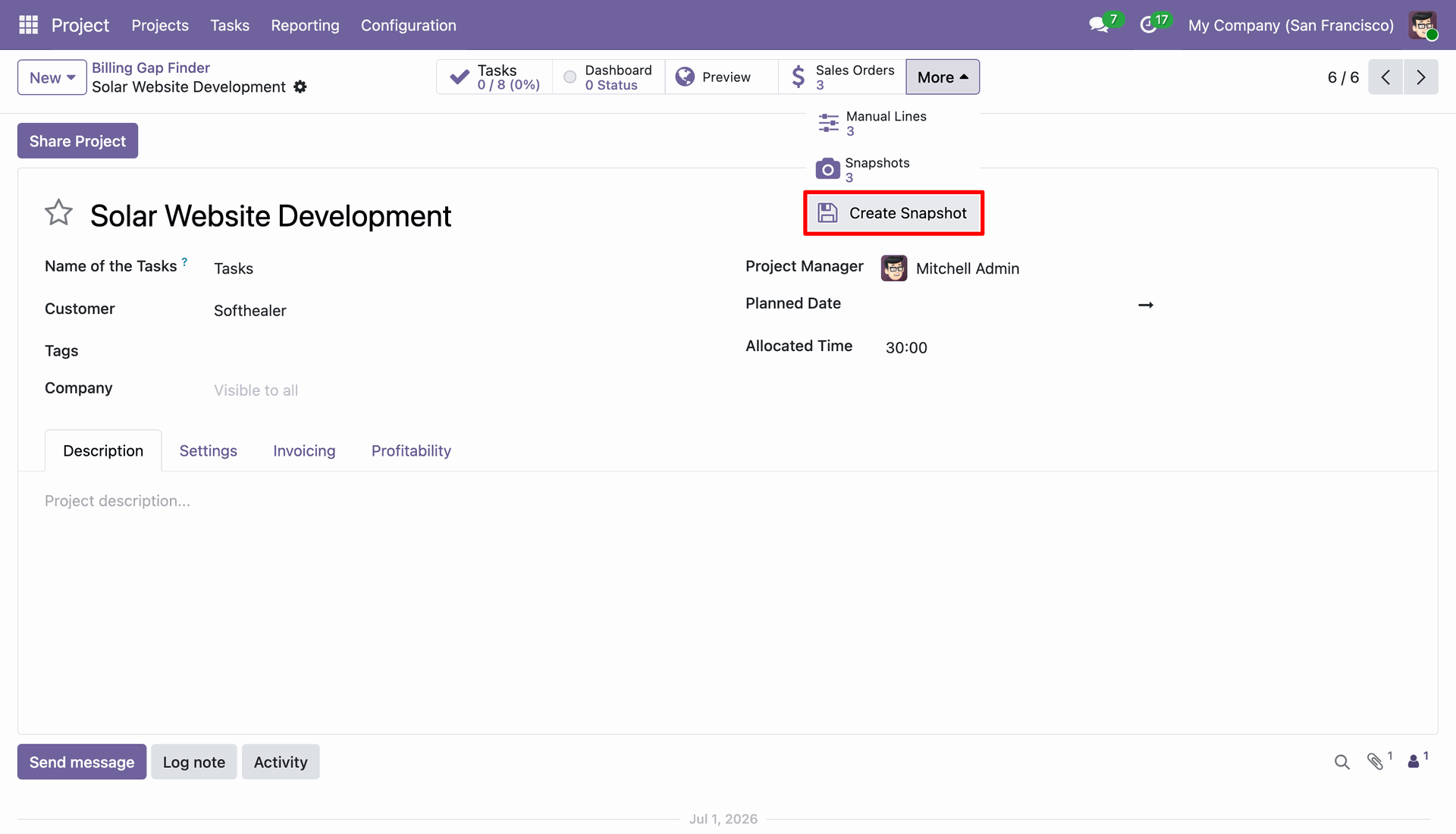
Select Create Snapshot from the project More menu to record current financial figures.
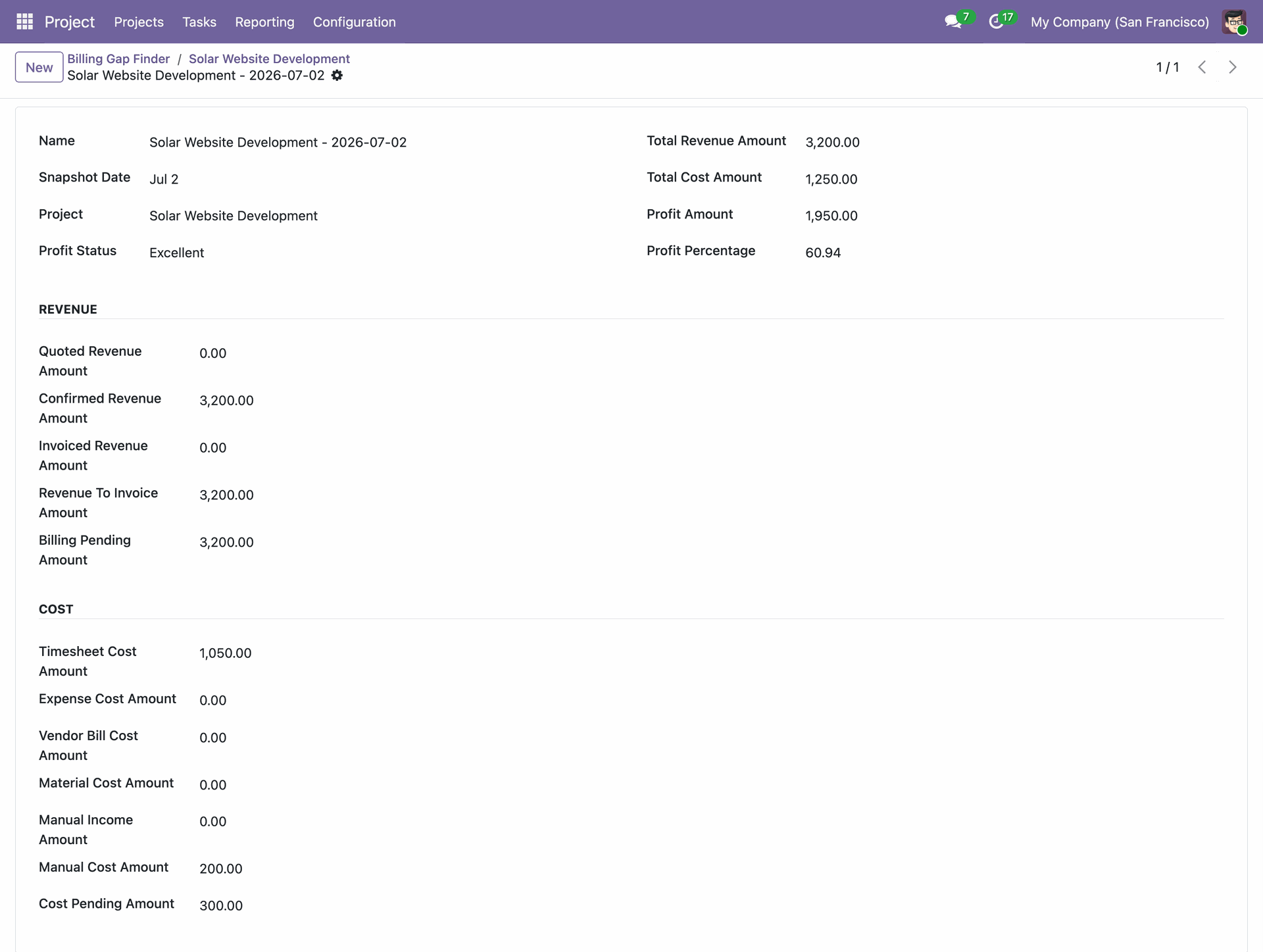
Examine a stored profit snapshot record displaying frozen revenue, cost, and profit values.
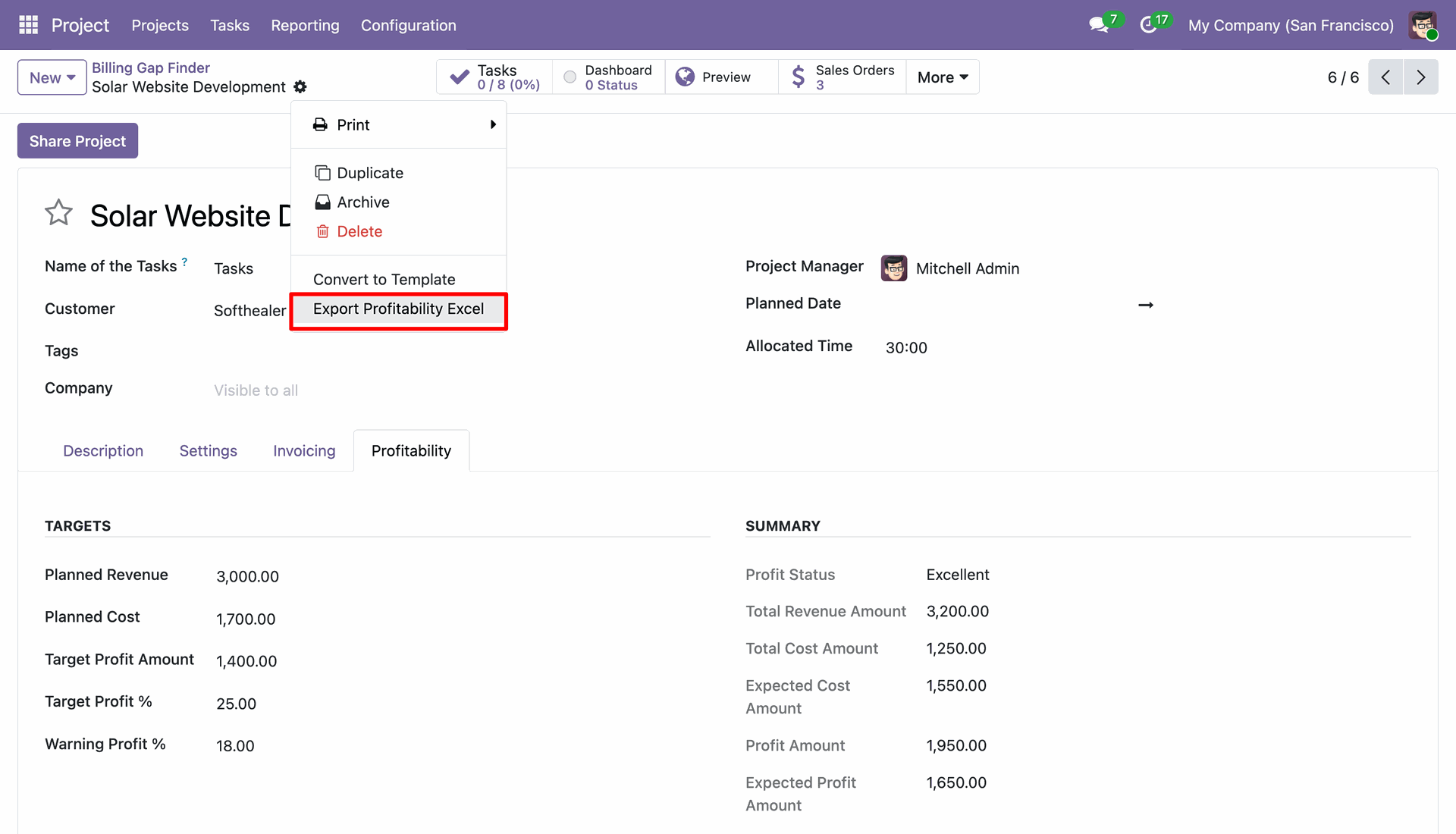
Select Export Profitability Excel from the Action menu to download the project financial report.
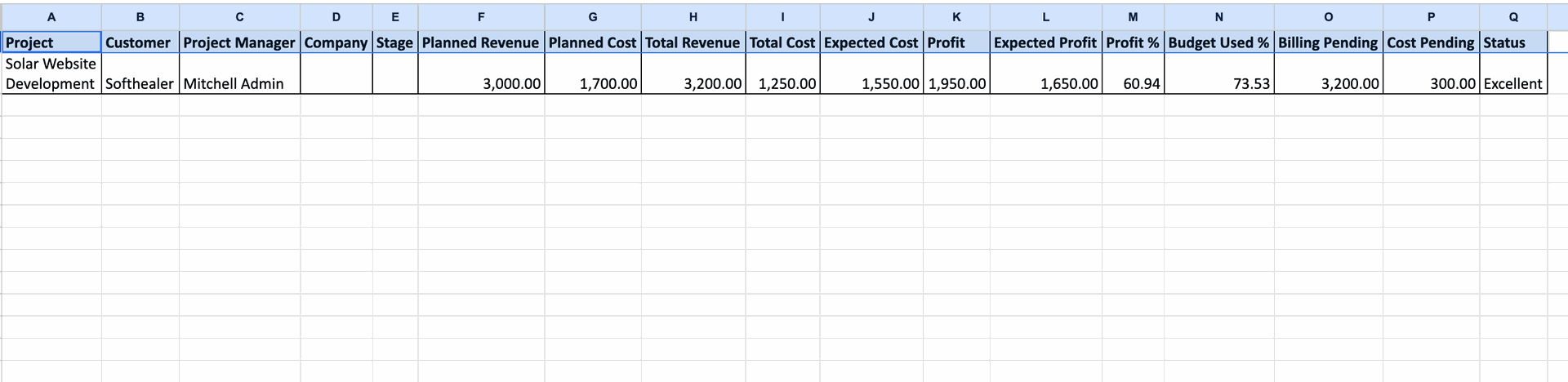
Open the generated Excel spreadsheet to review comprehensive profitability metrics for the project.
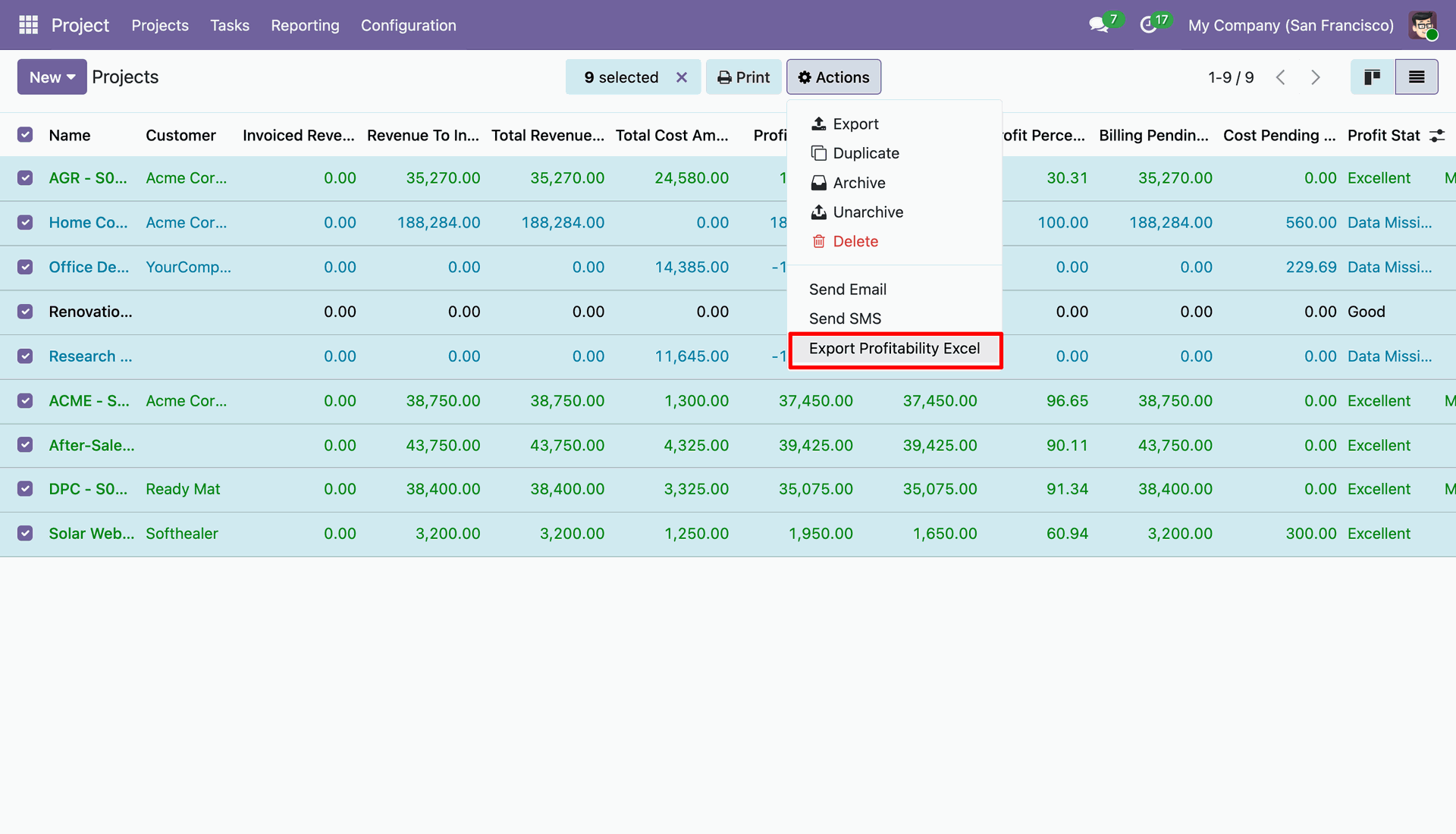
Select multiple project records and click Export Profitability Excel from Actions to export data.
Analyze the exported Excel spreadsheet displaying side-by-side financial comparison metrics for all selected projects.

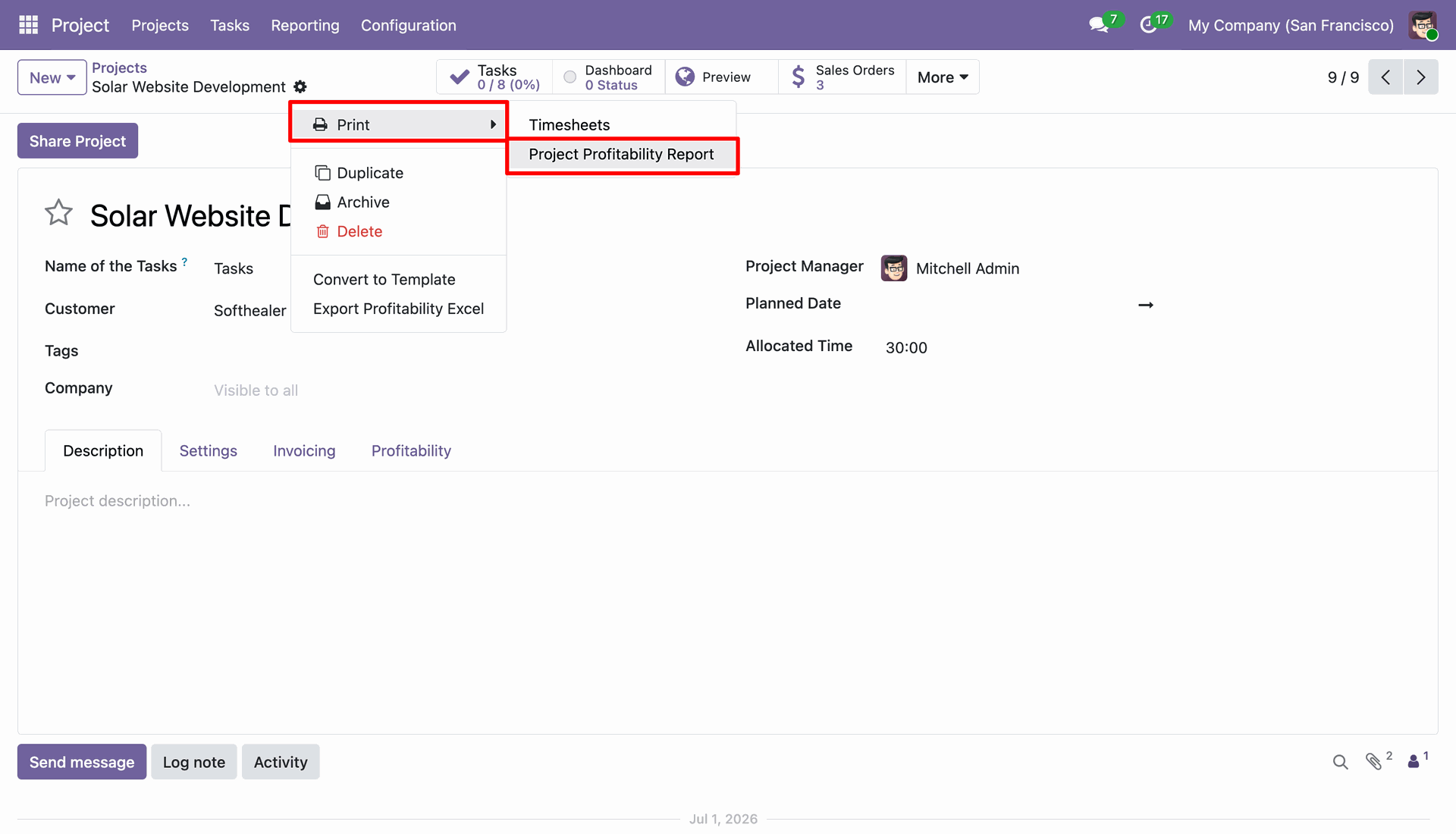
Click Print and select Project Profitability Report from the action menu to generate a PDF.
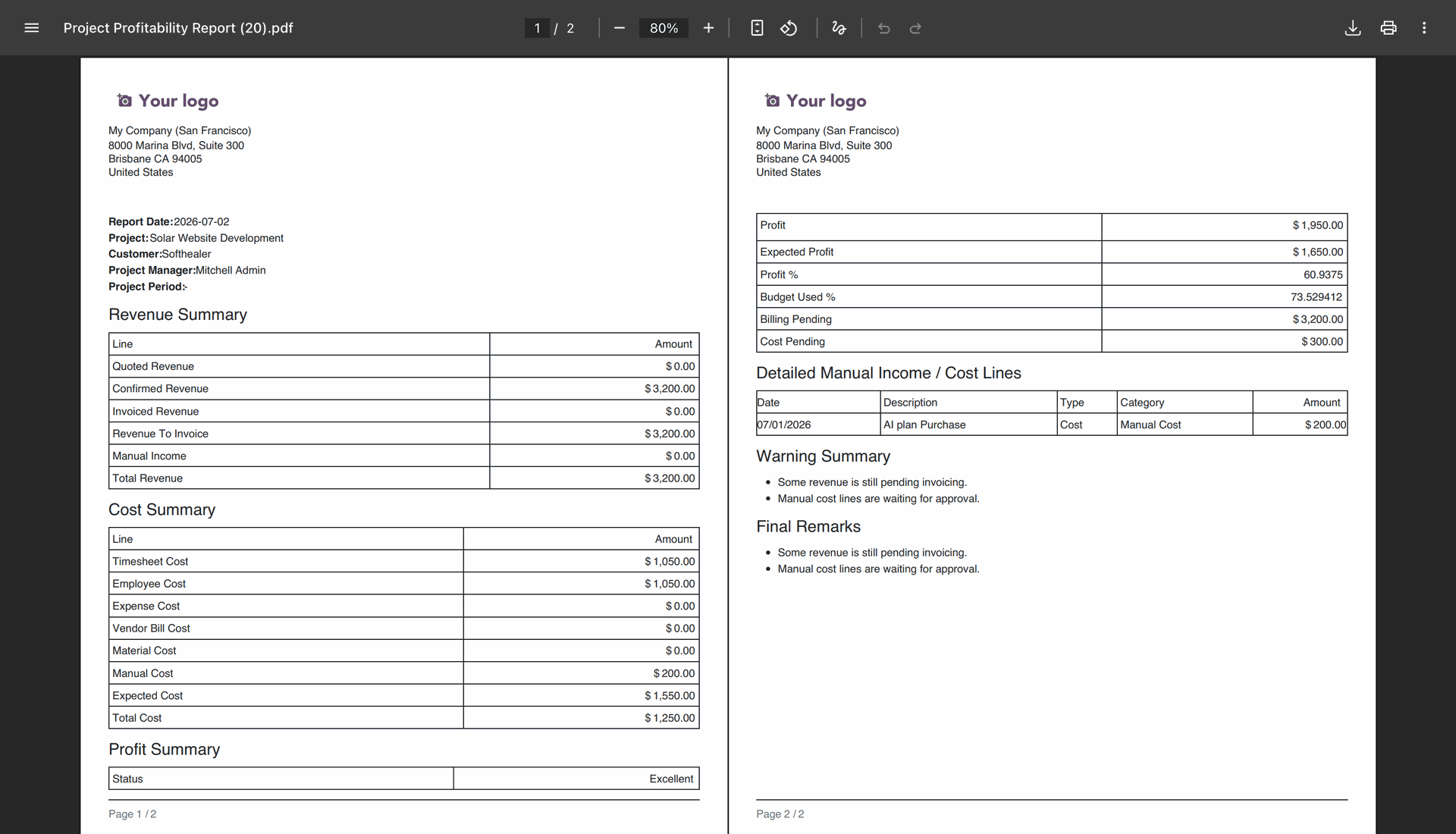
Review the generated PDF report presenting complete project revenue, cost, profit, and warning summaries.
Version 18.0.1.0.0 | Released on : 31st August 2026
- Yes, this app works perfectly with Odoo Enterprise (Odoo.sh & Premise) as well as Community.
- No, this application is not compatible with odoo.com(odoo saas/Odoo Online)
- Yes, to test this module, please contact us at sales@softhealer.com.
- Please contact us at sales@softhealer.com to request customization.
- Yes, we provide free support for 365 days from the date of purchase.
- Yes, you will receive lifetime free updates for the version of the module you purchased.
- No, there is no need to install any additional libraries.
- Yes, for version 12 and above, you need to purchase the module separately for each version you intend to use.
- No, exchanges or refunds are not allowed. Please make sure to select the correct version before purchasing.
- You can contact us at support@softhealer.com for language translation support. We use Google Translator tools to provide translations in multiple languages, so the accuracy may vary. We welcome your suggestions to help improve translations.
Discover Our Latest Apps