












Product Multi Website

Sometimes we have to manage products for more than one website. This module helps to set multiple websites for each product. You can configure multi-website per product in a single click. You can manage multi-website under a single menu. We provide a mass update feature for multiple websites also, so you can update the multi-product for multi-website quickly.

Notes
-
Please don't
use the standard website field which allows to select only one website. Use our customized website
field which will allow you to select multiple websites.
Features

Multi-Website Product Assignment
Assign multiple websites to each product to show products on selected websites with ease.

Single-Click Website Selection
Select one or more websites for a product in one click from the product form view.

Mass Update Website for Products
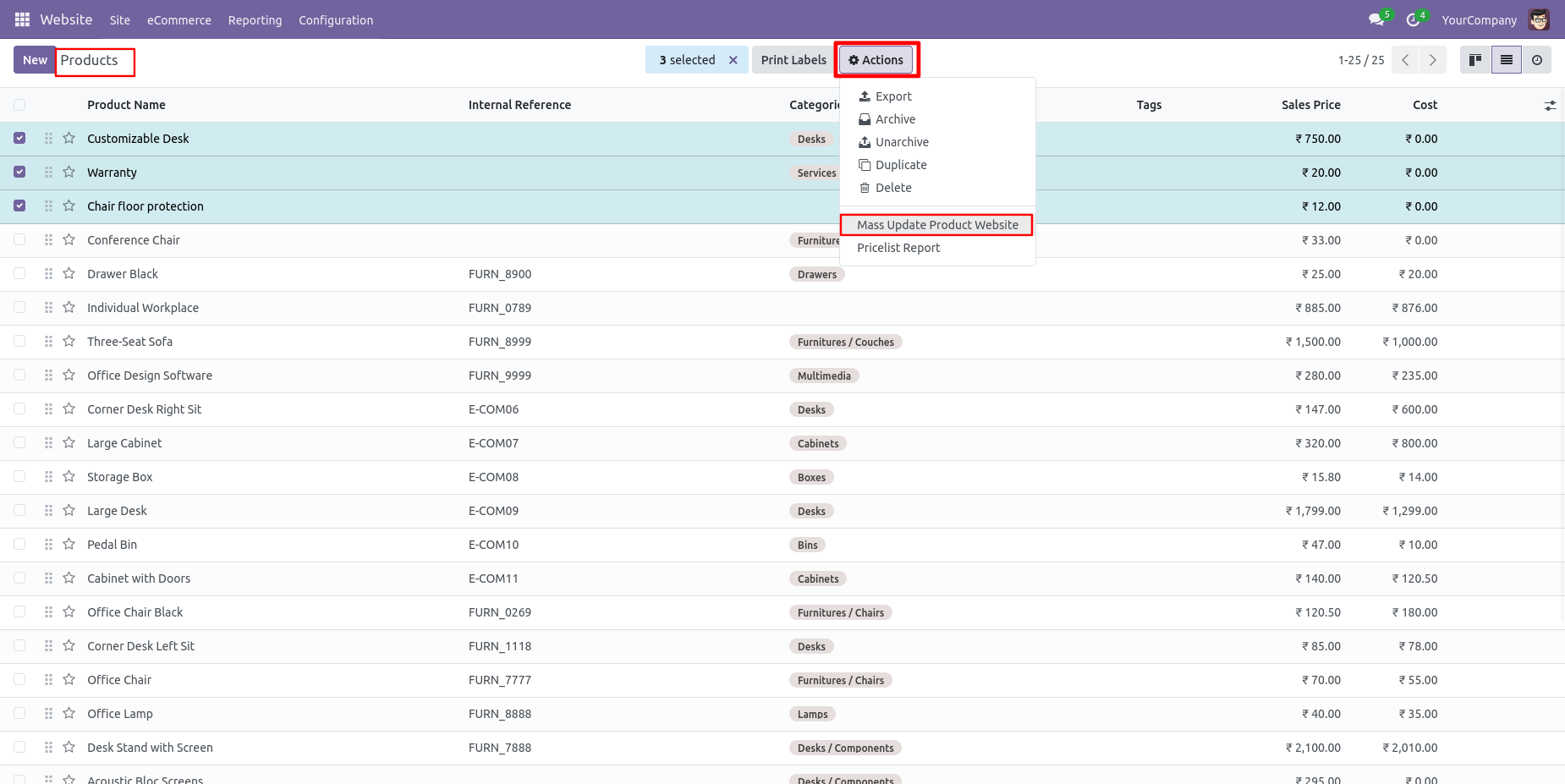
Use the “Mass Update Product Website” action to assign websites to multiple products in bulk.

Customized Website Field
The module replaces the standard single-website field with a custom multi-select website field.

Improved eCommerce Visibility
Products display only on the websites selected for them, ensuring precise catalog control.

Group By & Filter Products by Website
You can group by and filter products based on the selected website for better organization and easy navigation.
Product Category with Multi Website
Enable or disable the display of product categories for selected websites.
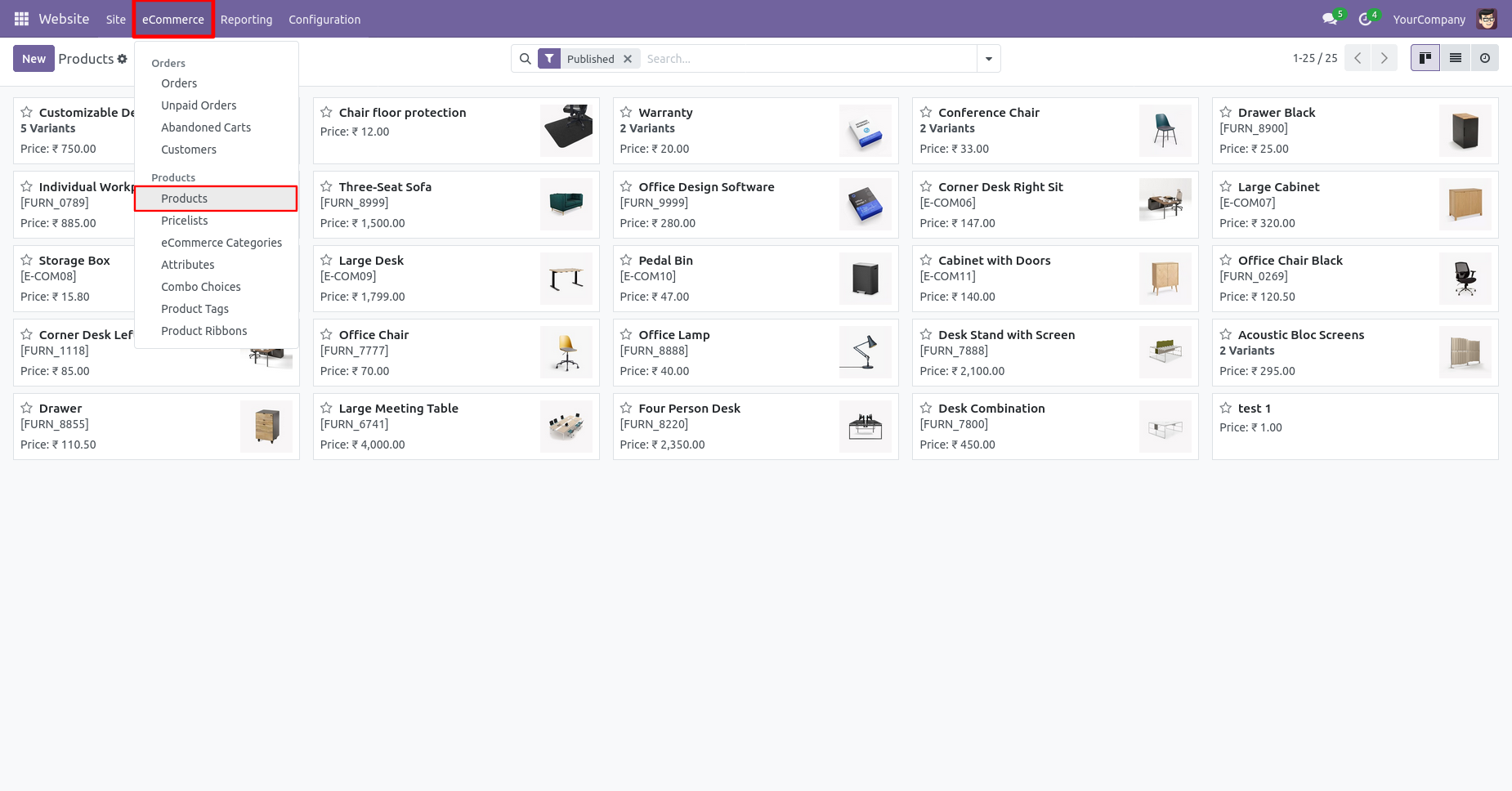
Go to products from eCommerce menu.
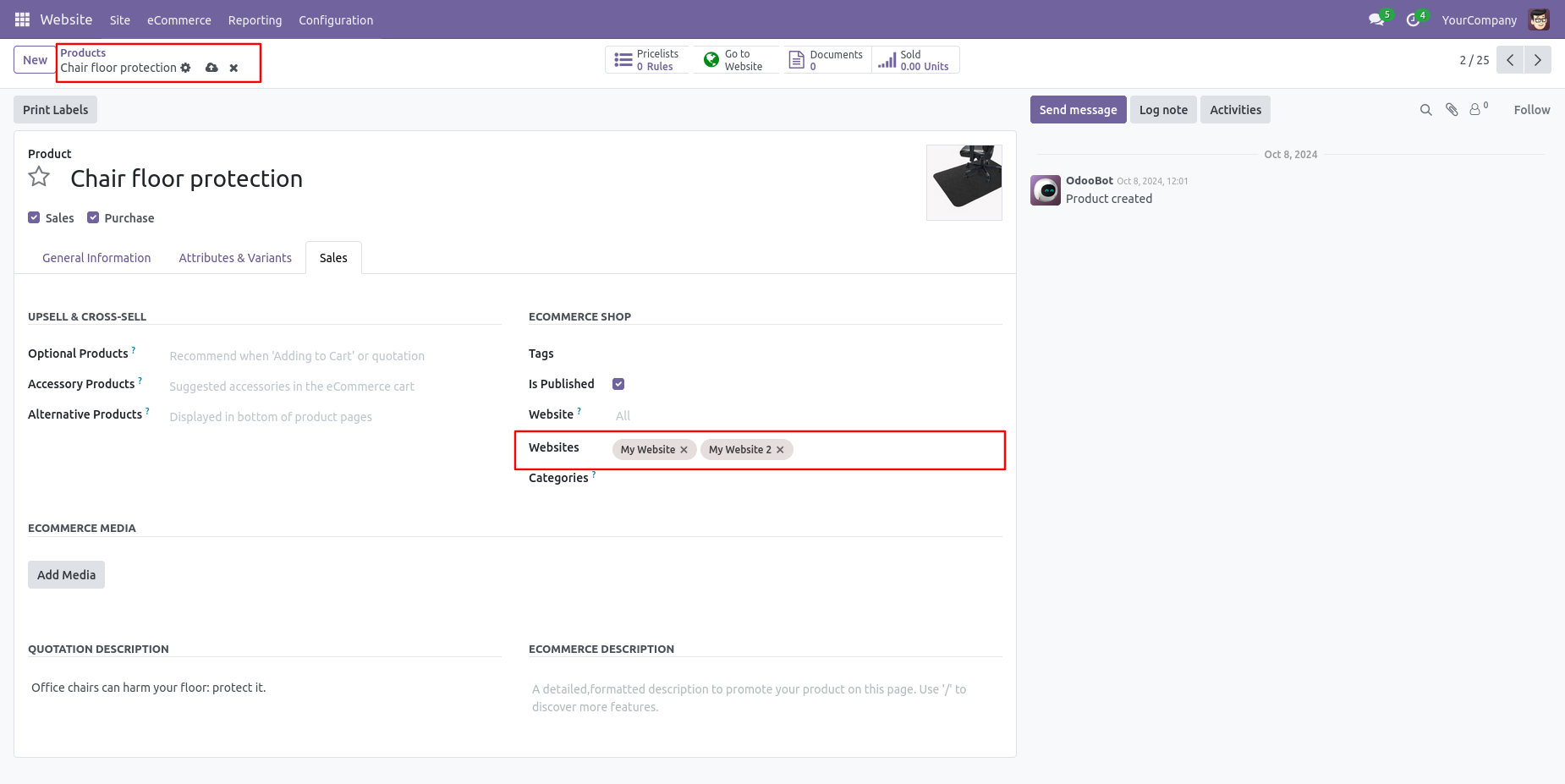
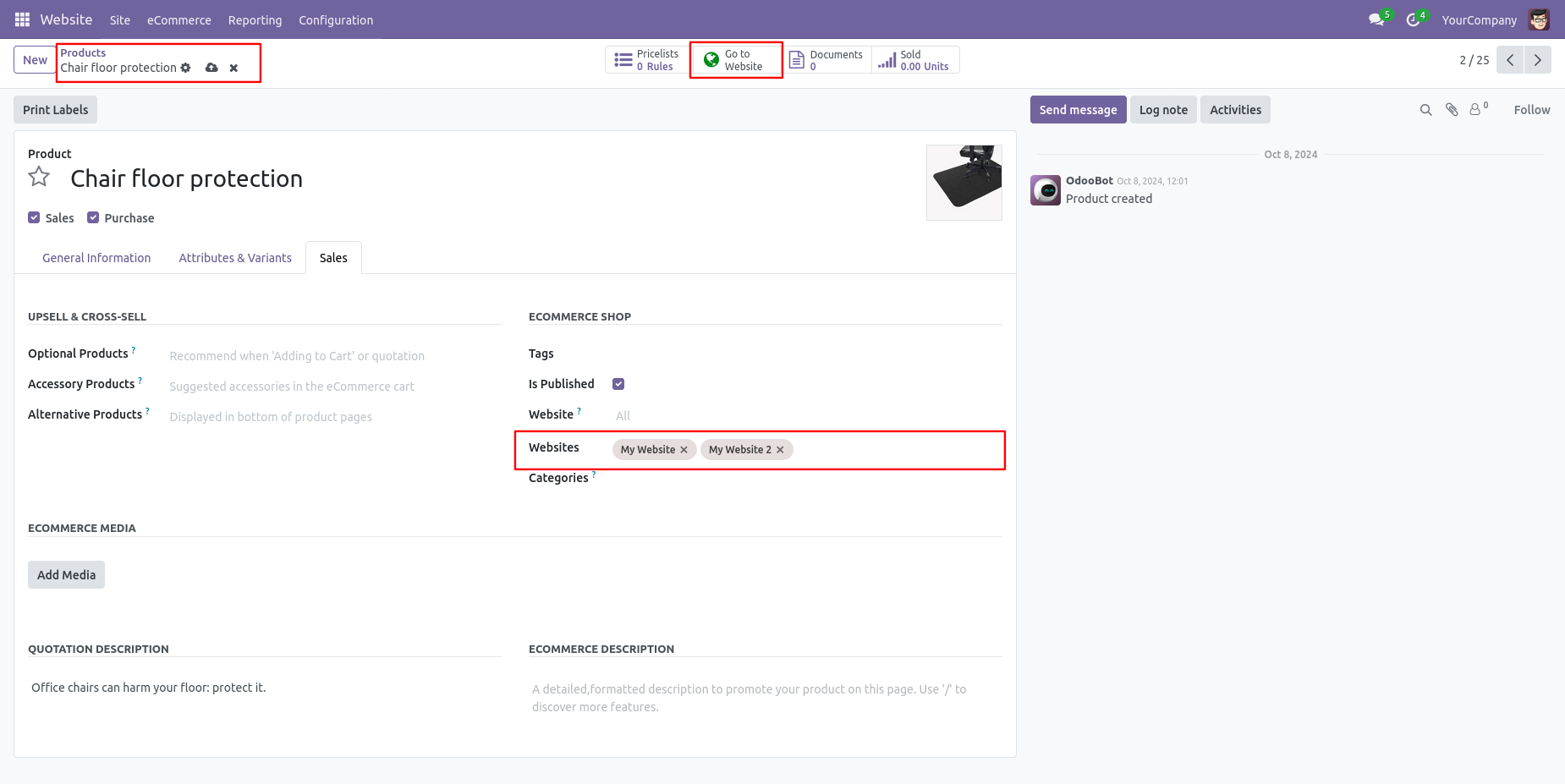
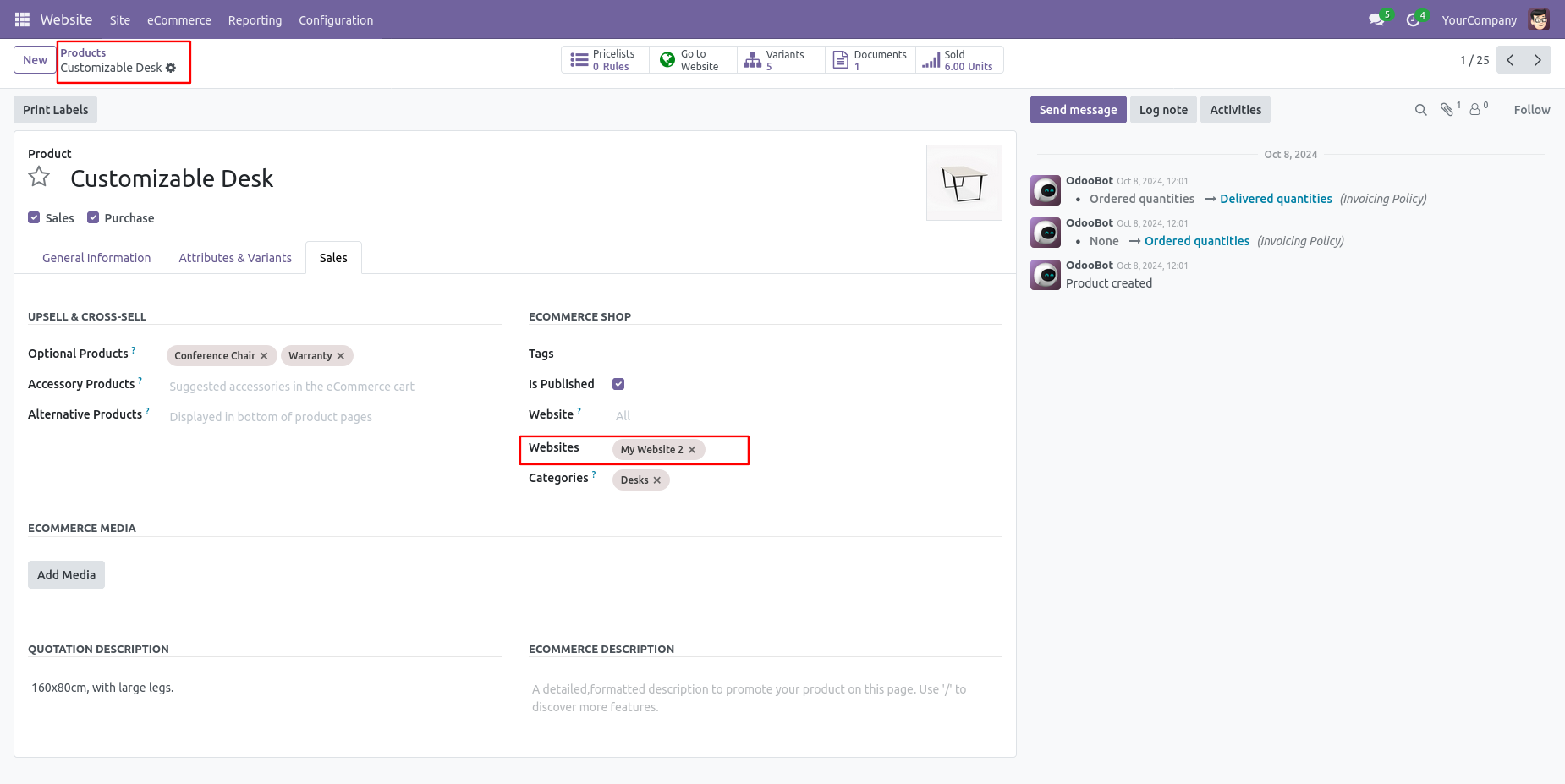
Set multi-website in the sales tab. If no website is selected, they are shown by default.
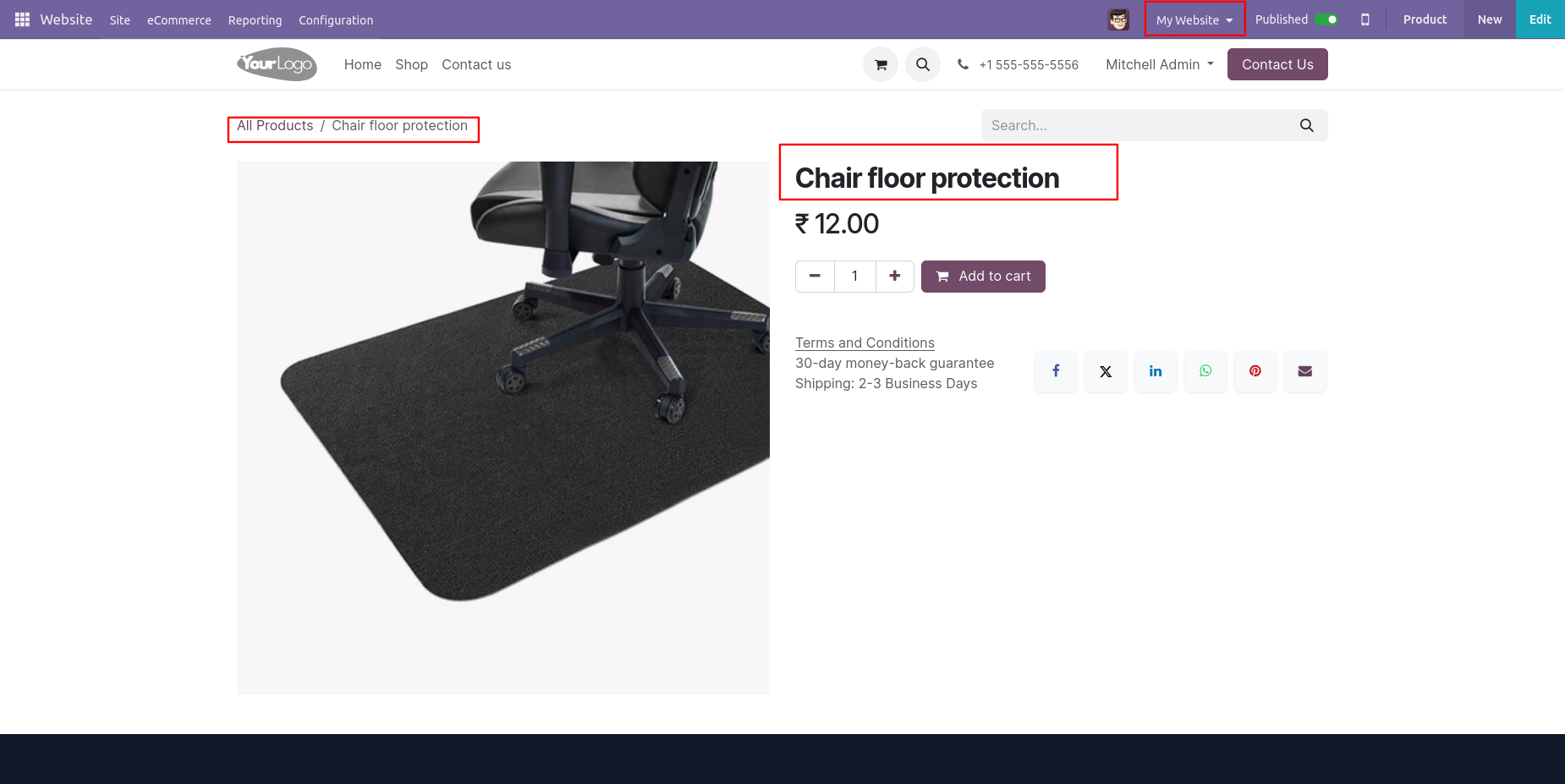
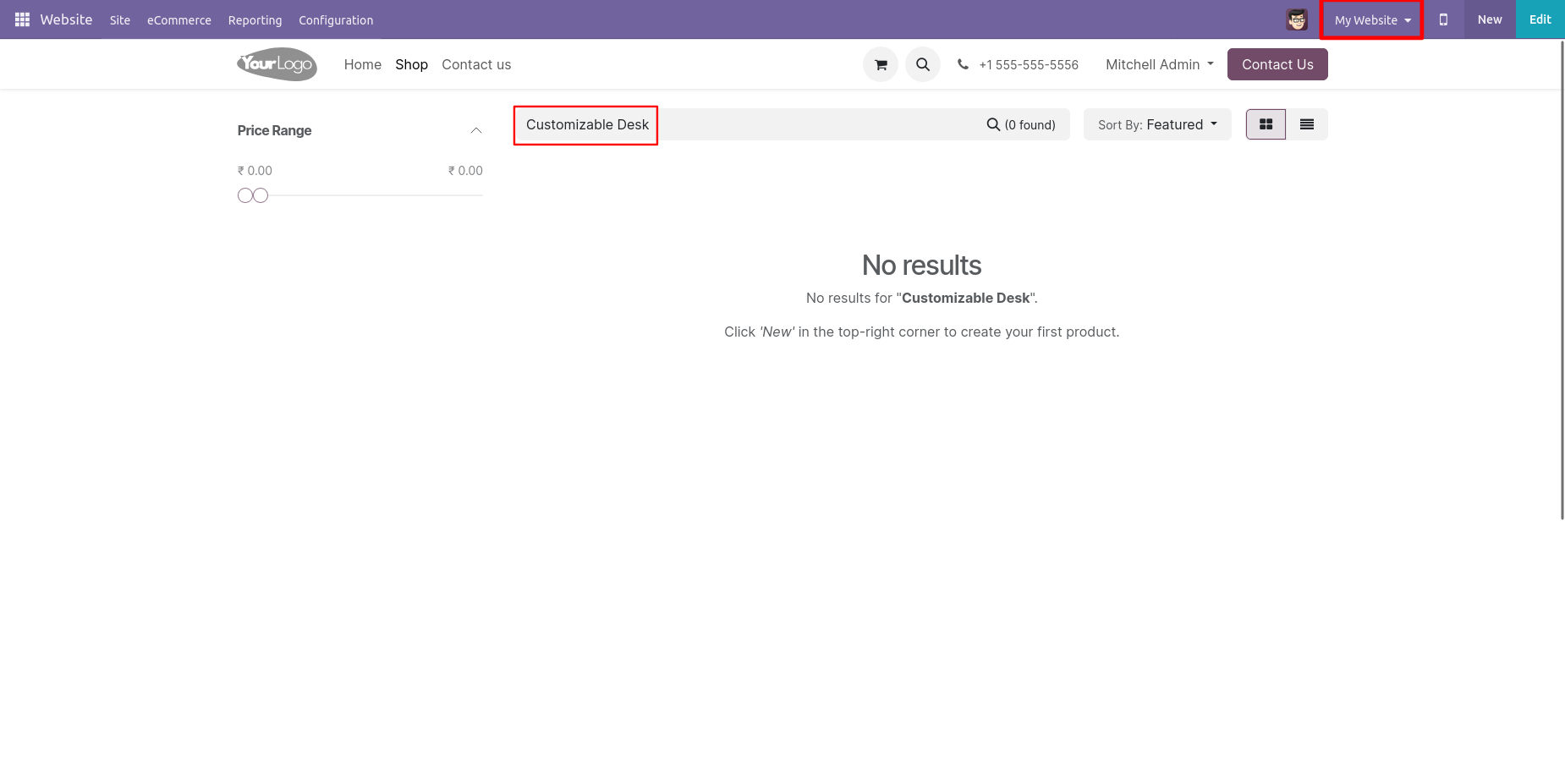
Product on the website-1 shop page.
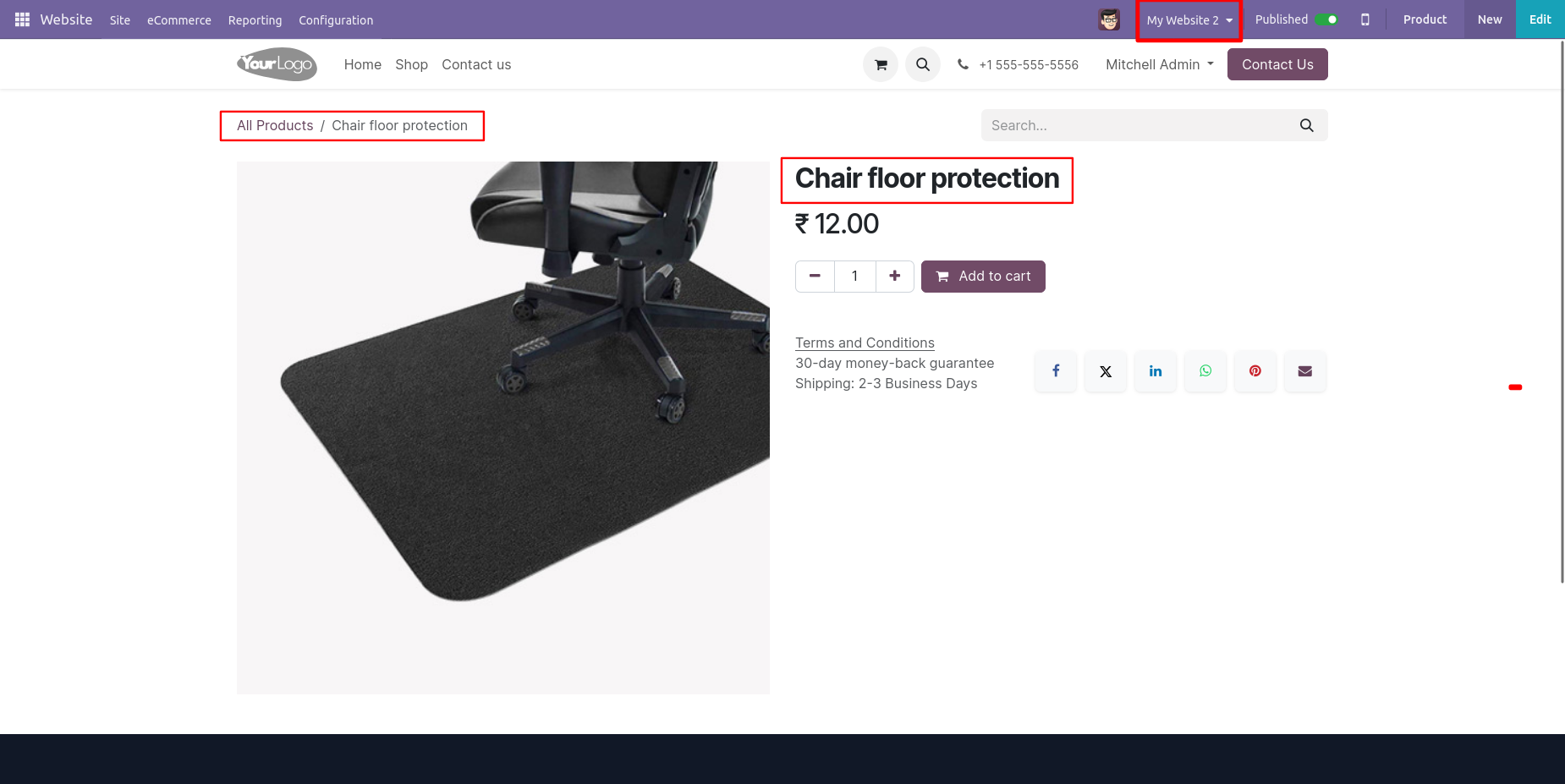
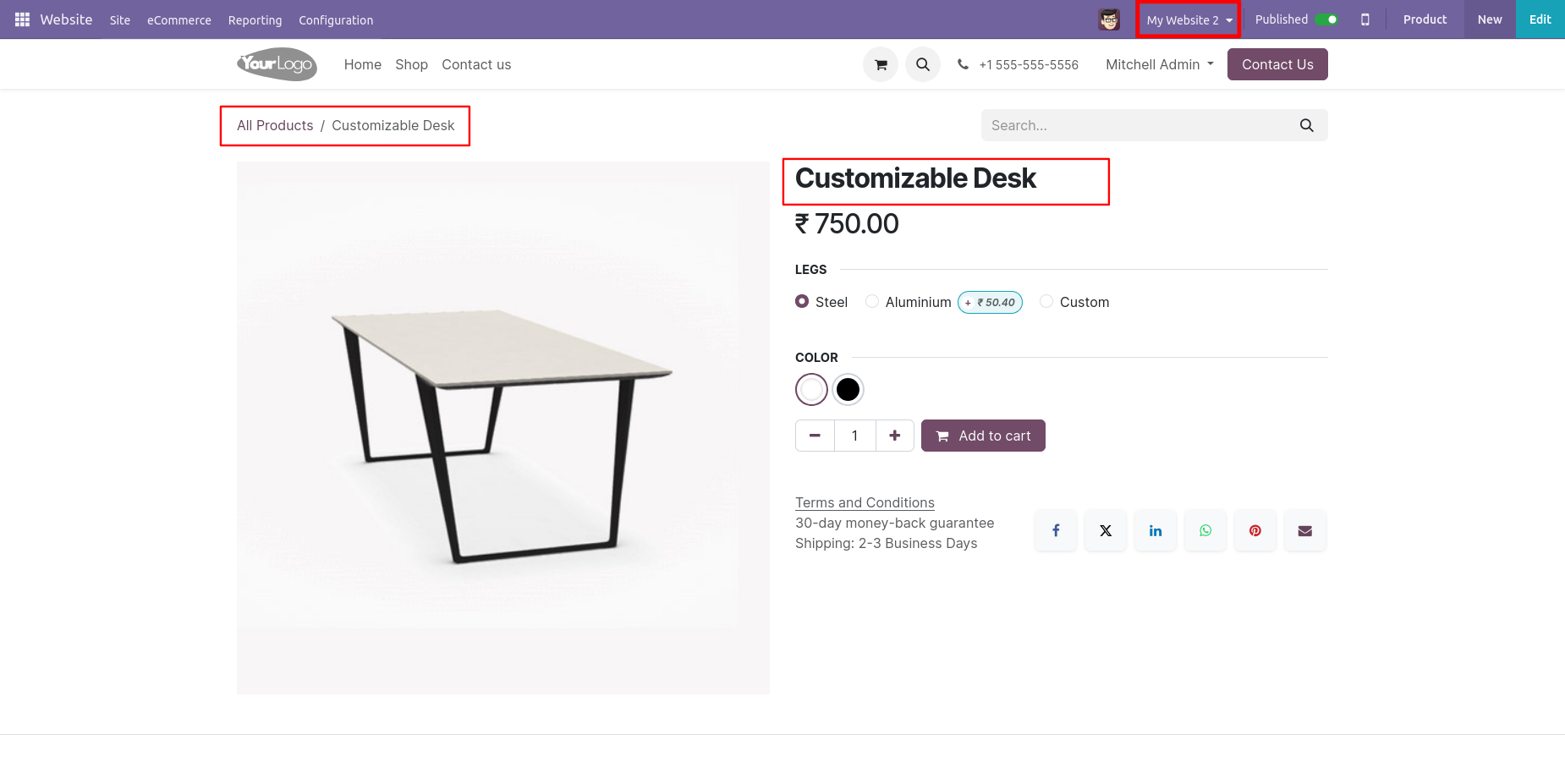
Product on the website-2 shop page.
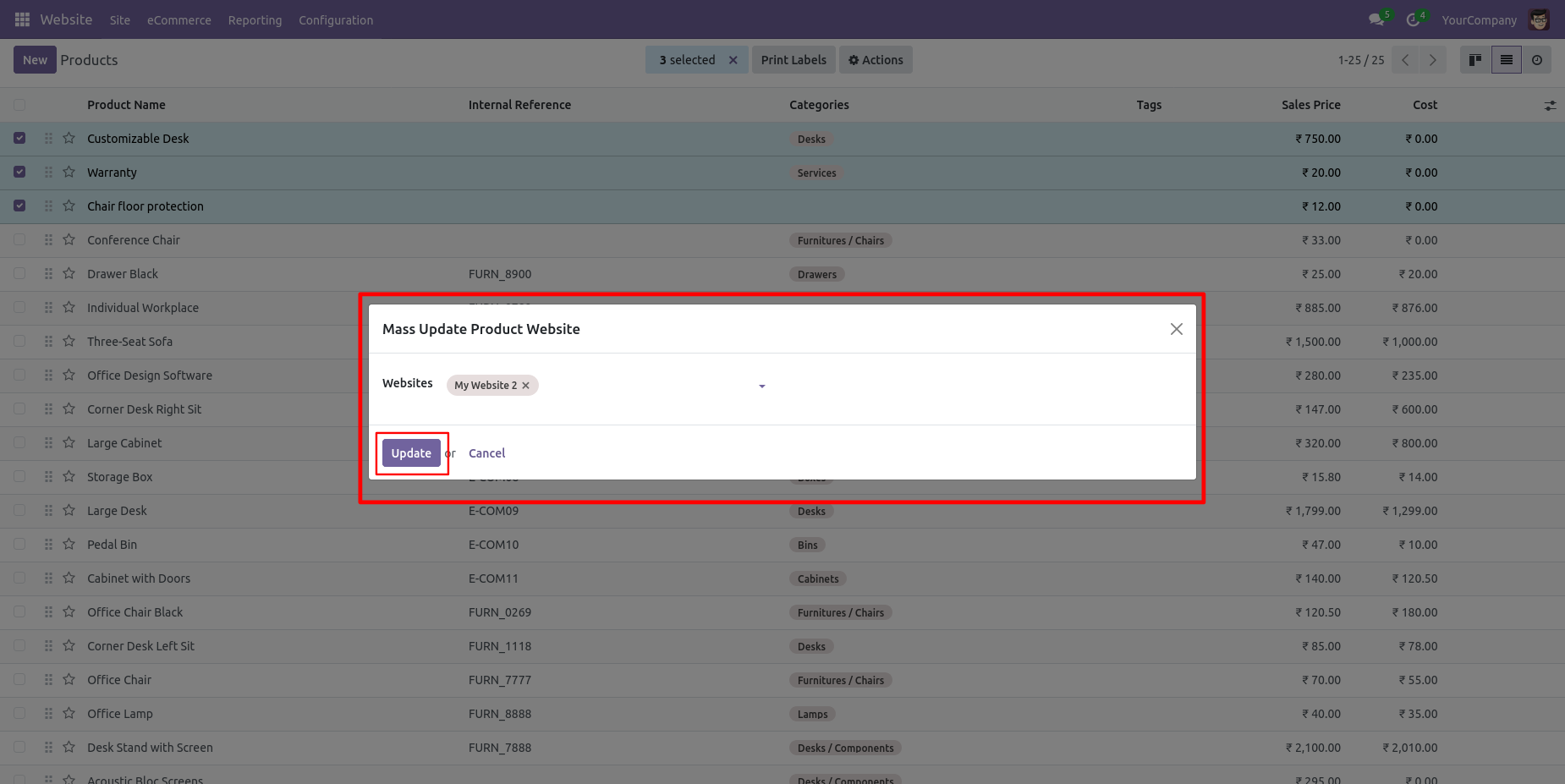
Select products and click on the "Mass Update Product Website" to update products on multi-websites.
After that, it opens one popup, select the website & press the "Update" button.
Form view of the product, open the Sales tab, and select the website.
Product on the website-2 shop page.
The product is not available on the Website-1 shop page because Website-1 is not selected in the product.
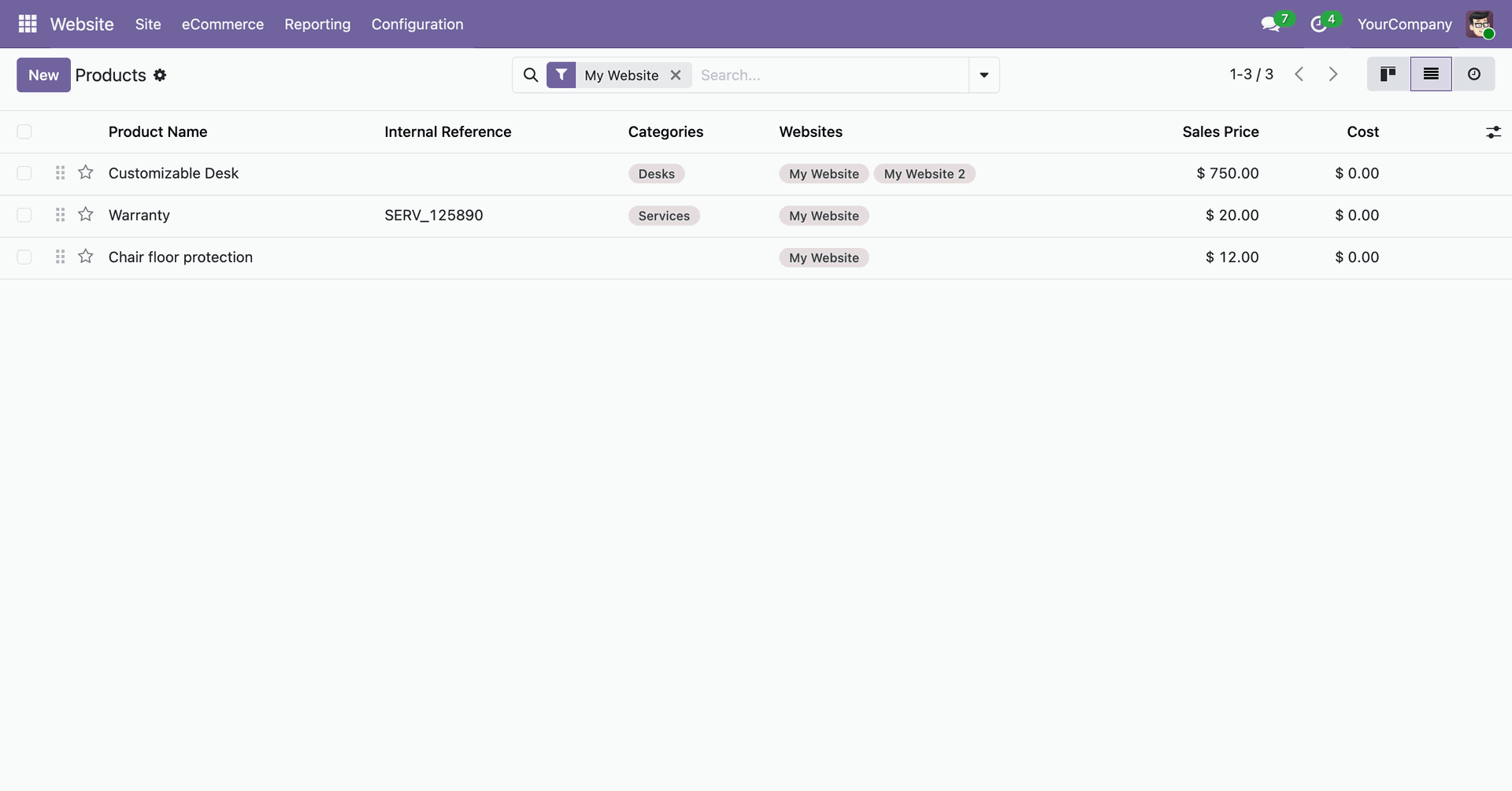
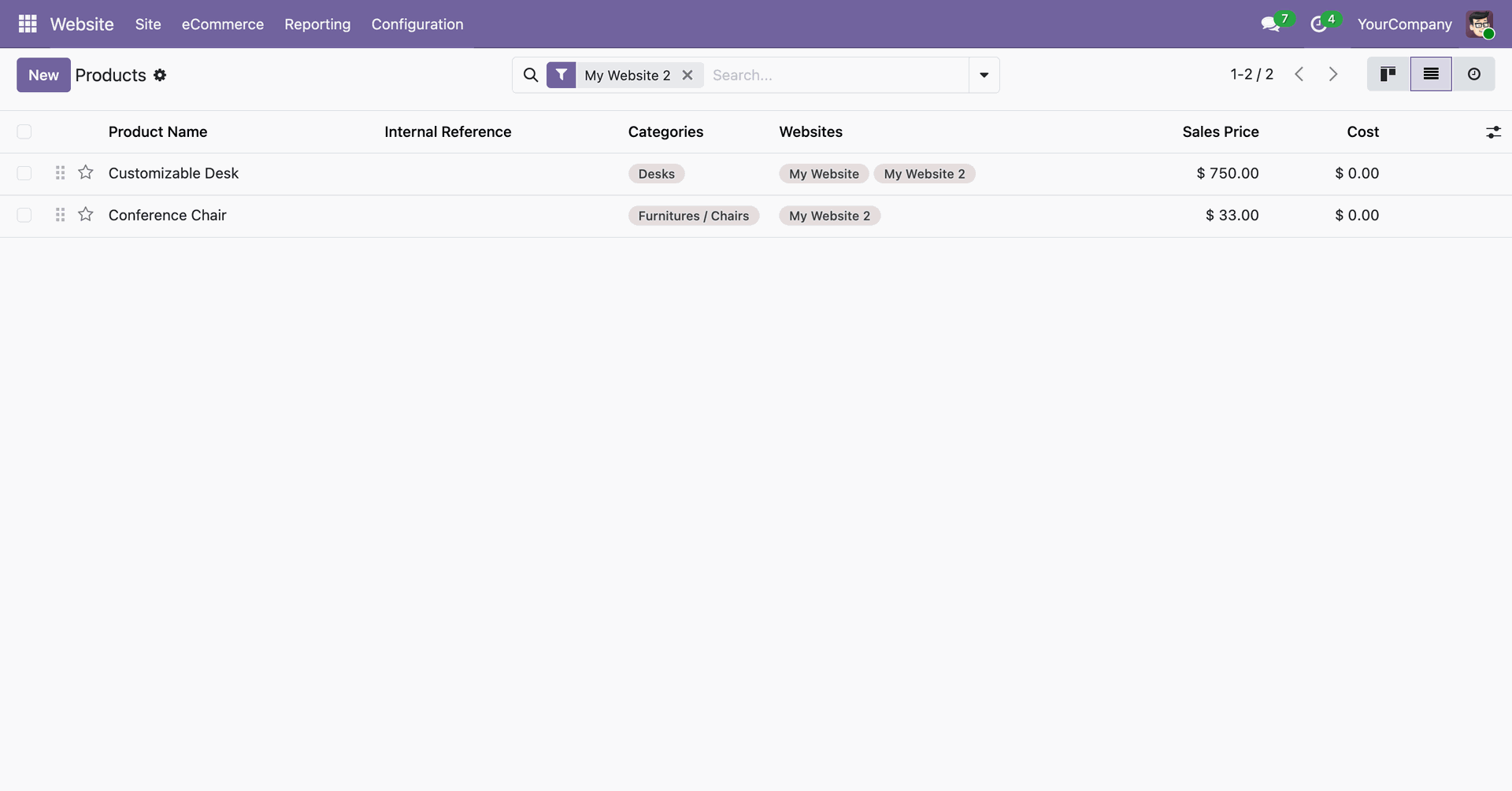
You can group By and Filter products based on the selected website.
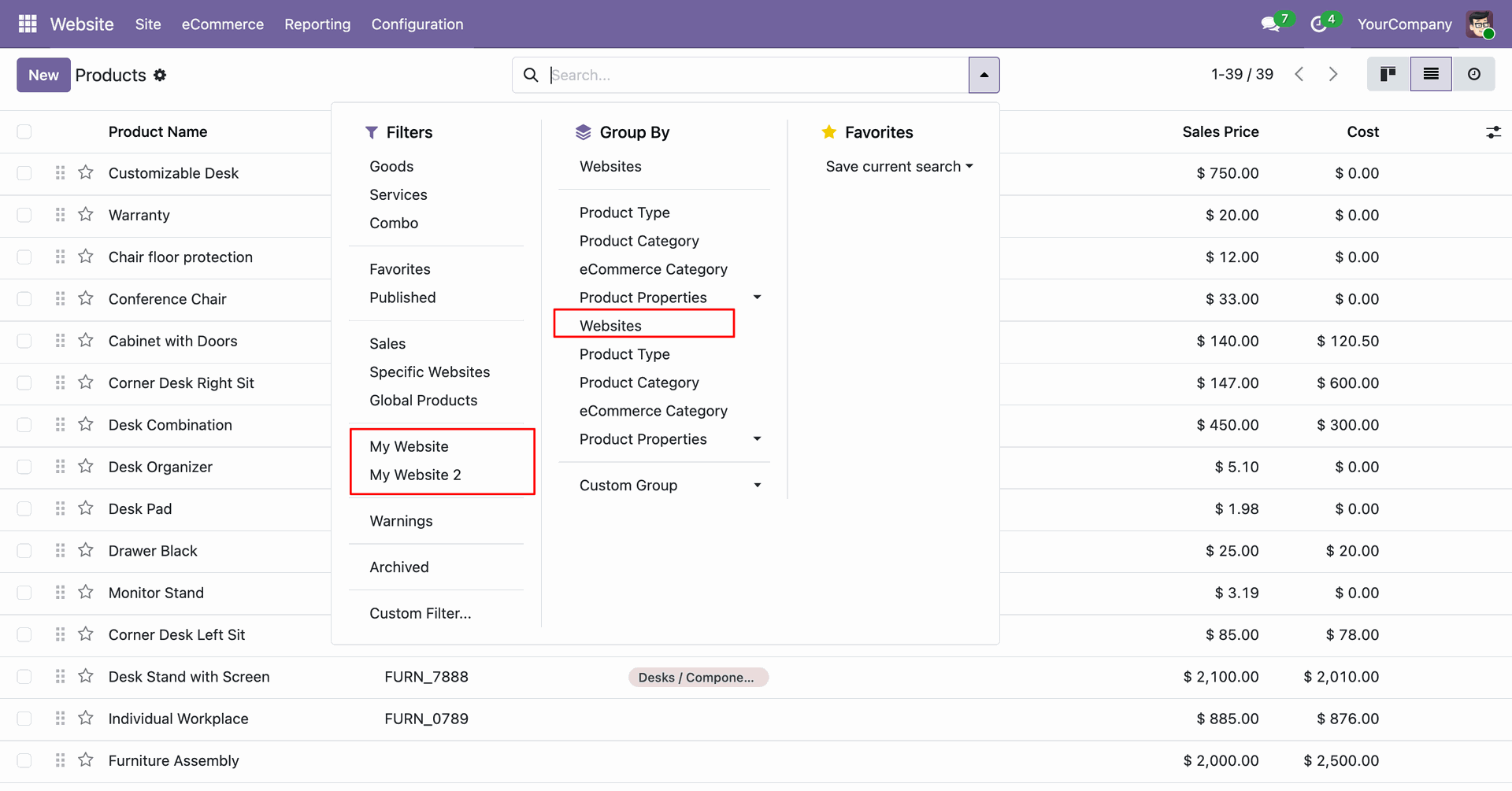
Here, the products are grouo by website.
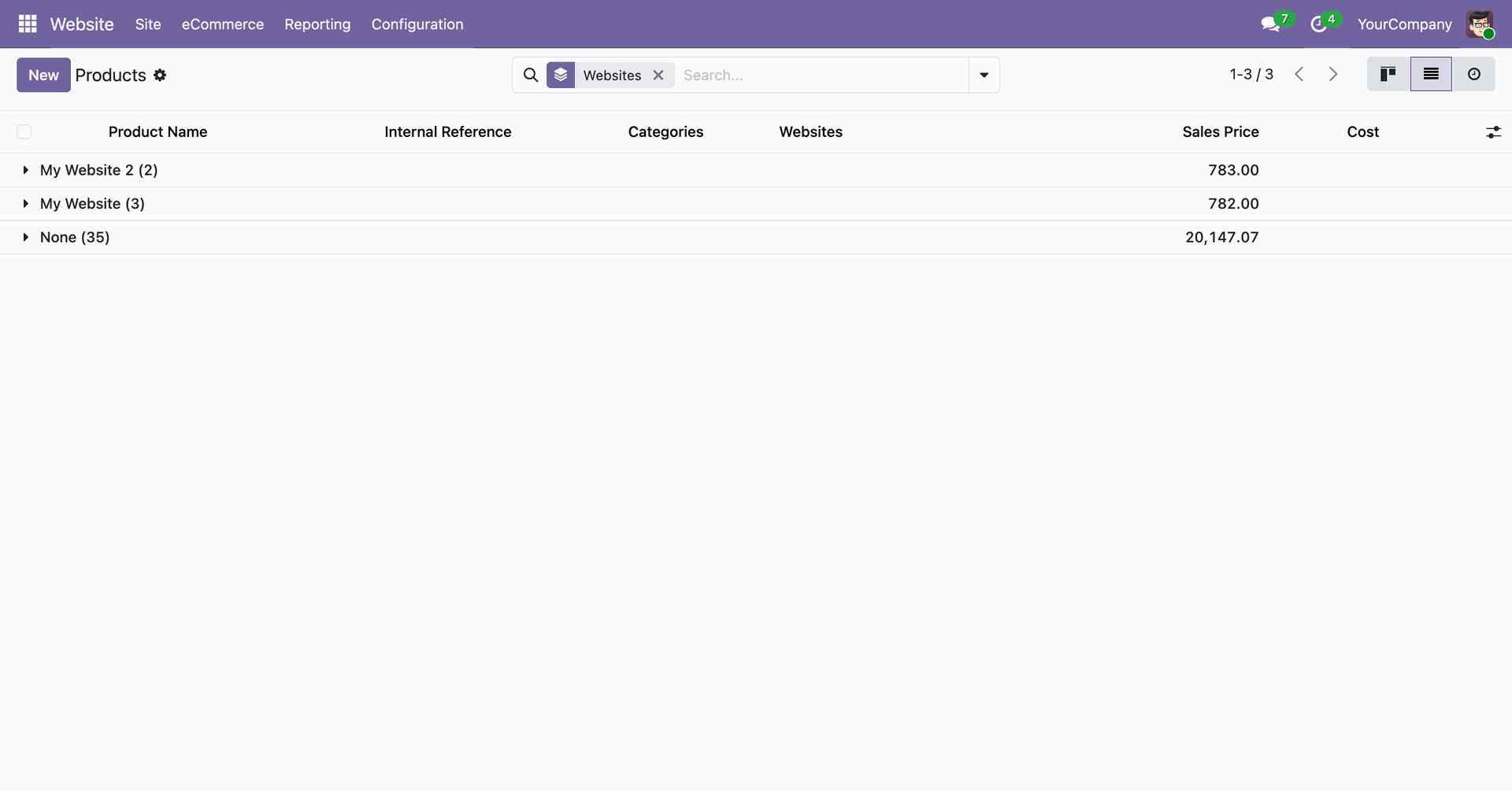
Here, the products are filtered by website.
Navigate to Website > Configuration > eCommerce Categories to view the "Multi Website" and "Disable Category" options in the list view.
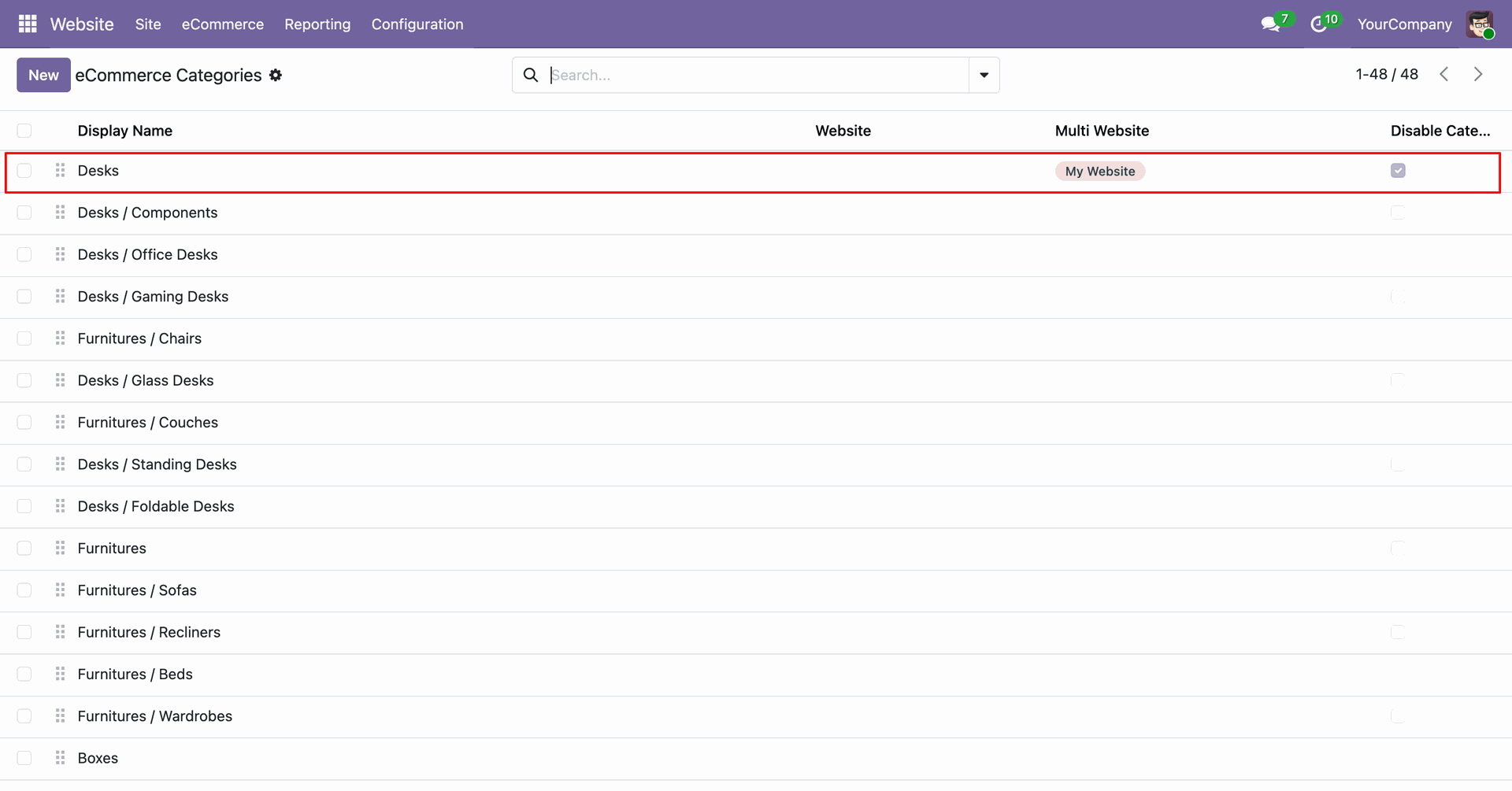
Easily assign multiple websites to a single category using the multi-select dropdown in the list view.
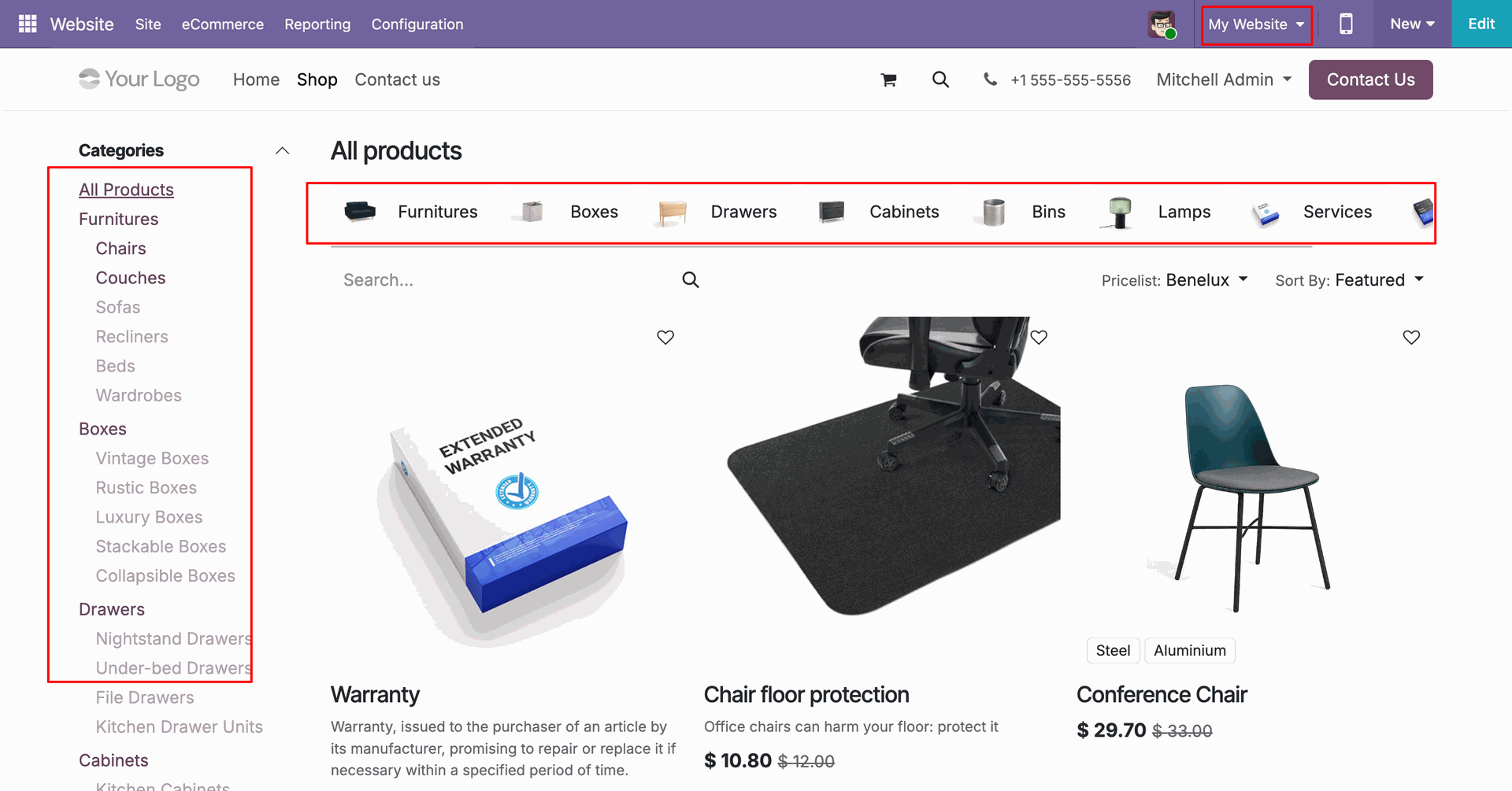
The "Desks" category is hidden from the shop page of "My Website" because the "Disable Category" option was enabled for this website.
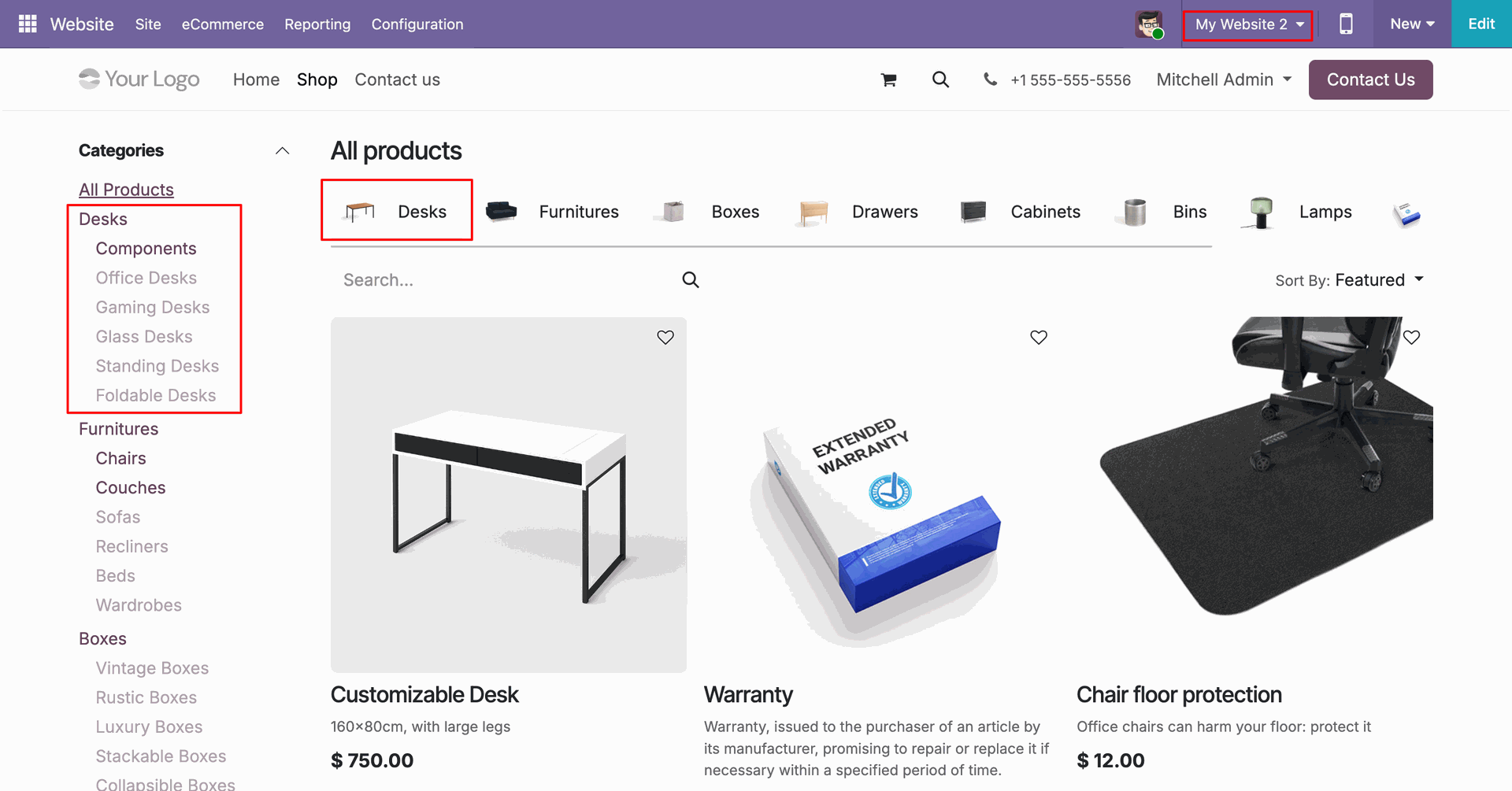
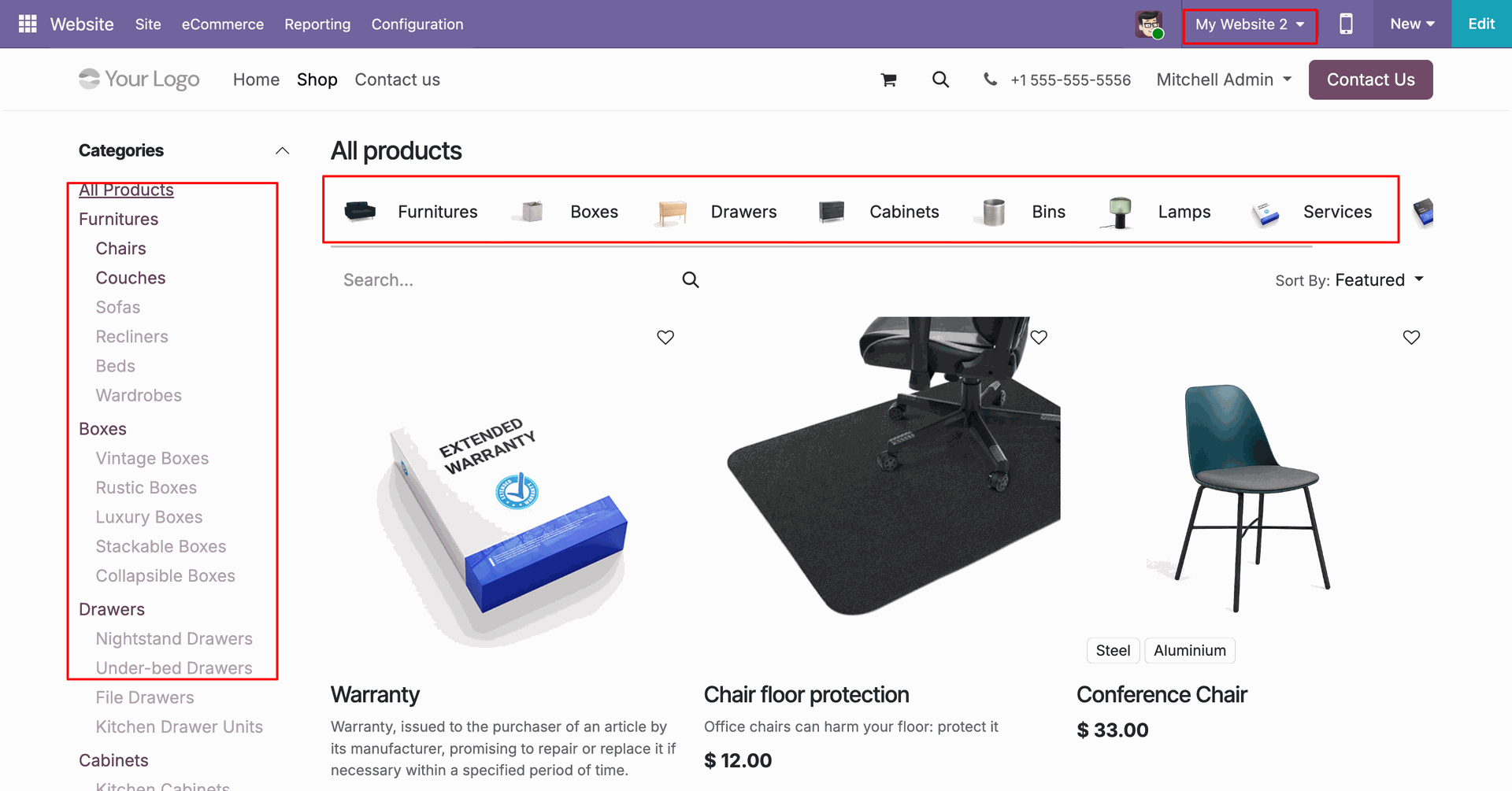
Meanwhile, the "Desks" category remains visible on "My Website 2", ensuring independent category control across websites.
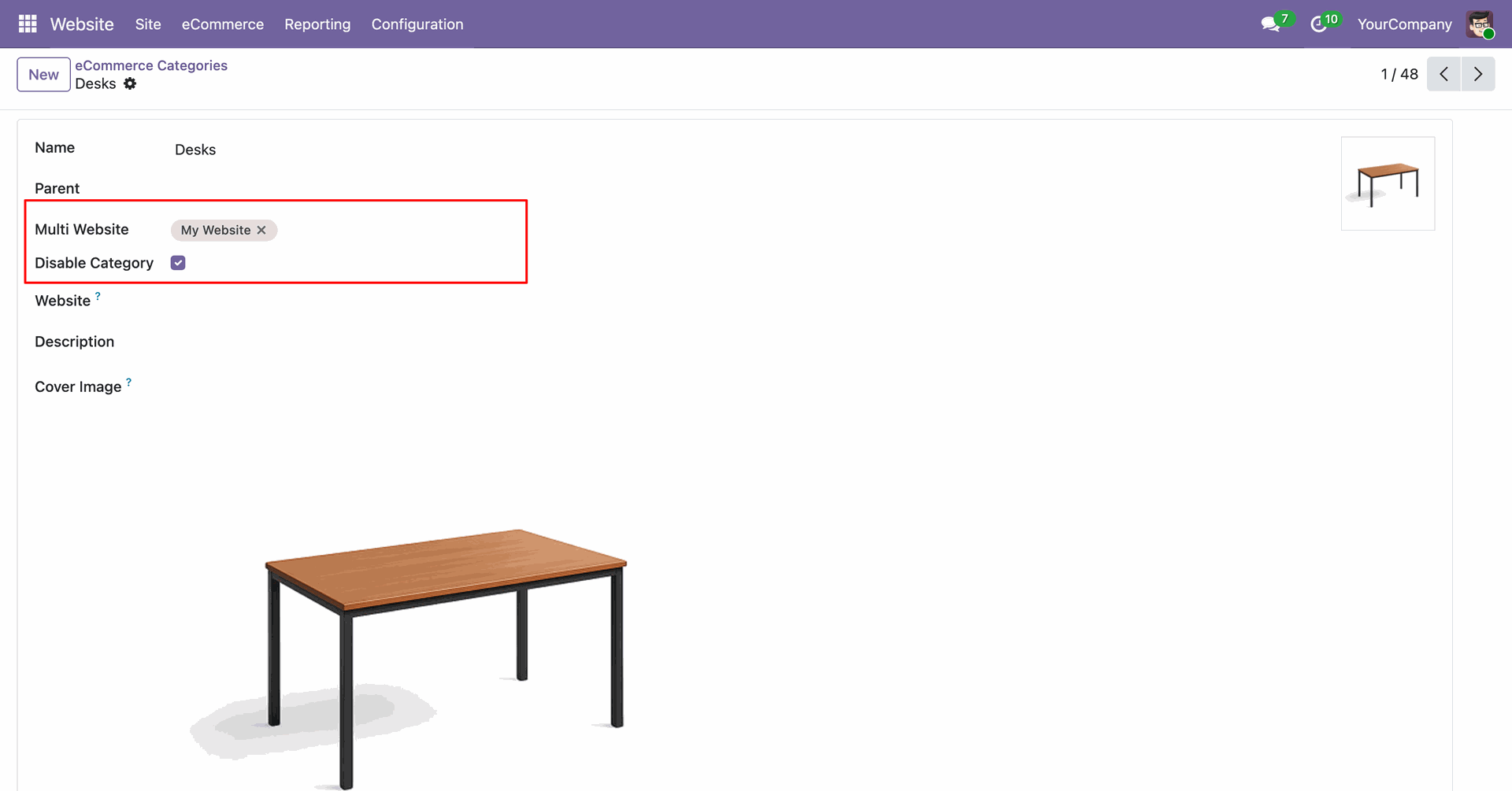
Configure the multi-website settings and visibility status directly from the eCommerce Category form view.
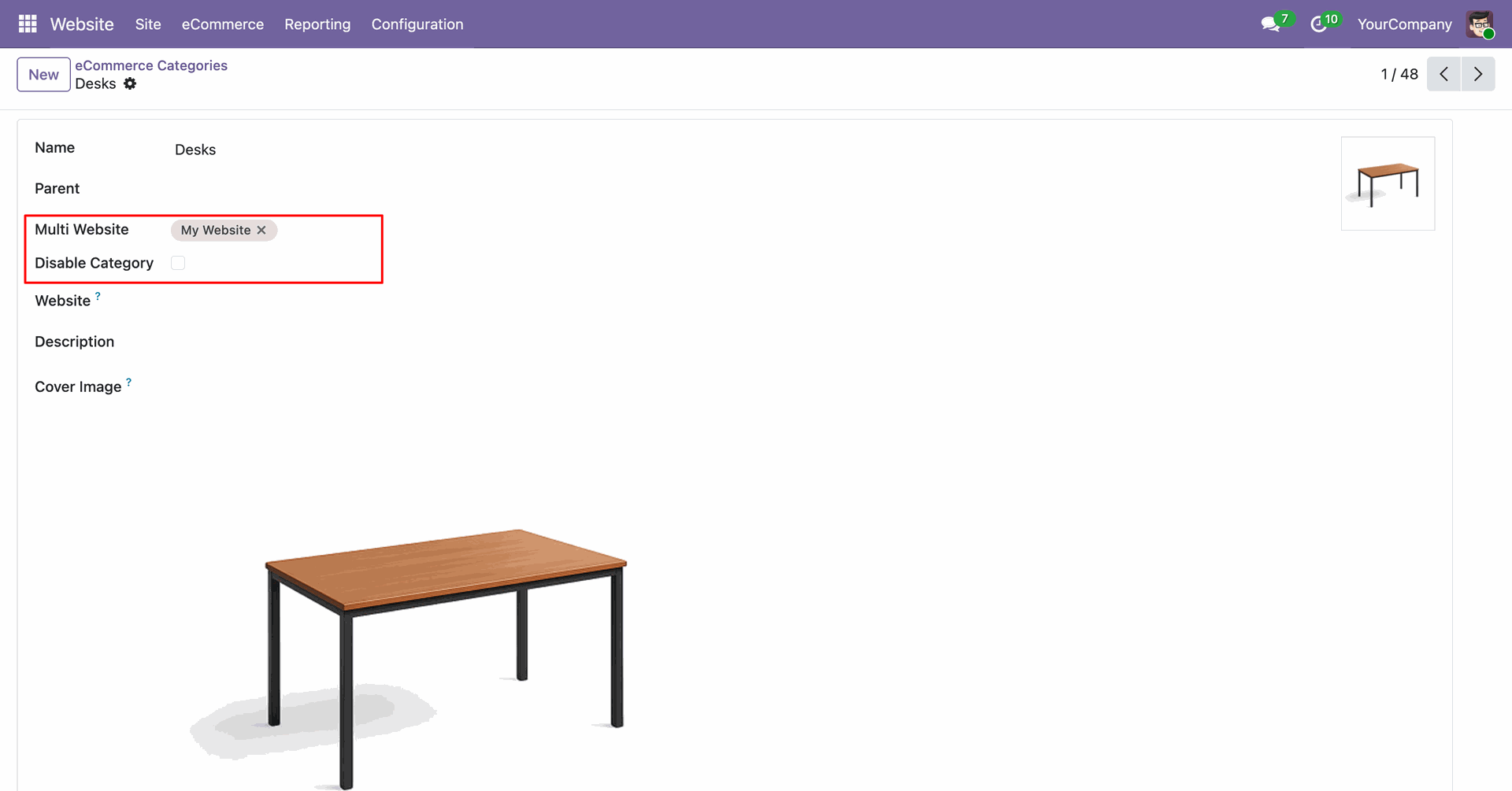
By unchecking the "Disable Category" option, the "Desks" category becomes instantly visible again on the "My Website" shop page.
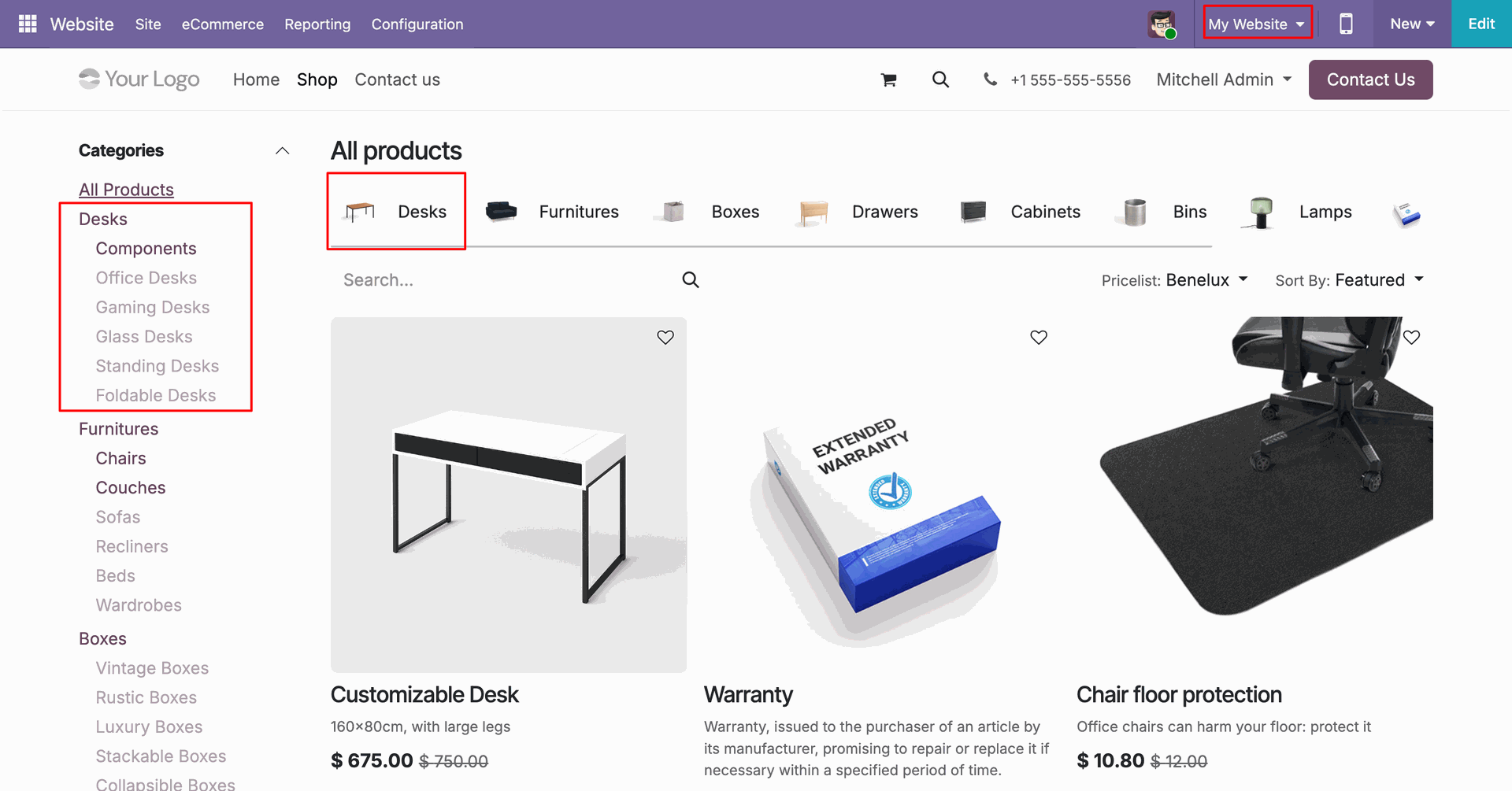
Specifically disable a category for a particular website to maintain a tailored product catalog for each brand or store.
Version 20.0.1.0.0 | Released on : 24th August 2026
- Yes, this app works perfectly with Odoo Enterprise (Odoo.sh & Premise) as well as Community.
- No, this application is not compatible with odoo.com(odoo saas/Odoo Online)
- Yes, to test this module, please contact us at sales@softhealer.com.
- Please contact us at sales@softhealer.comto request customization.
- Yes, we provide free support for 365 days from the date of purchase.
- Yes, you will receive lifetime free updates for the version of the module you purchased.
- No, there is no need to install any additional libraries.
- Yes, for version 12 and above, you need to purchase the module separately for each version you intend to use.
- No, exchanges or refunds are not allowed. Please make sure to select the correct version before purchasing.
- You can contact us at support@softhealer.com for language translation support. We use Google Translator tools to provide translations in multiple languages, so the accuracy may vary. We welcome your suggestions to help improve translations.
Discover Our Latest Apps