

 Easy to Manage
 Dedicated Support















 Scan to email sales



Product Multi Barcode

The Product Multi Barcode module lets you assign and manage multiple barcodes for a single product. Easy to search products using multiple barcodes in sales orders, purchase orders, operations, invoices, and bill lines. It also offers optional duplicate barcode validation and delivers fast, user-friendly performance with zero configuration.

Features

Multiple Barcode Support
Assign multiple barcodes to a single product, giving you full flexibility for supplier variations, packaging differences, or region-based codes.
Easy Barcode Creation
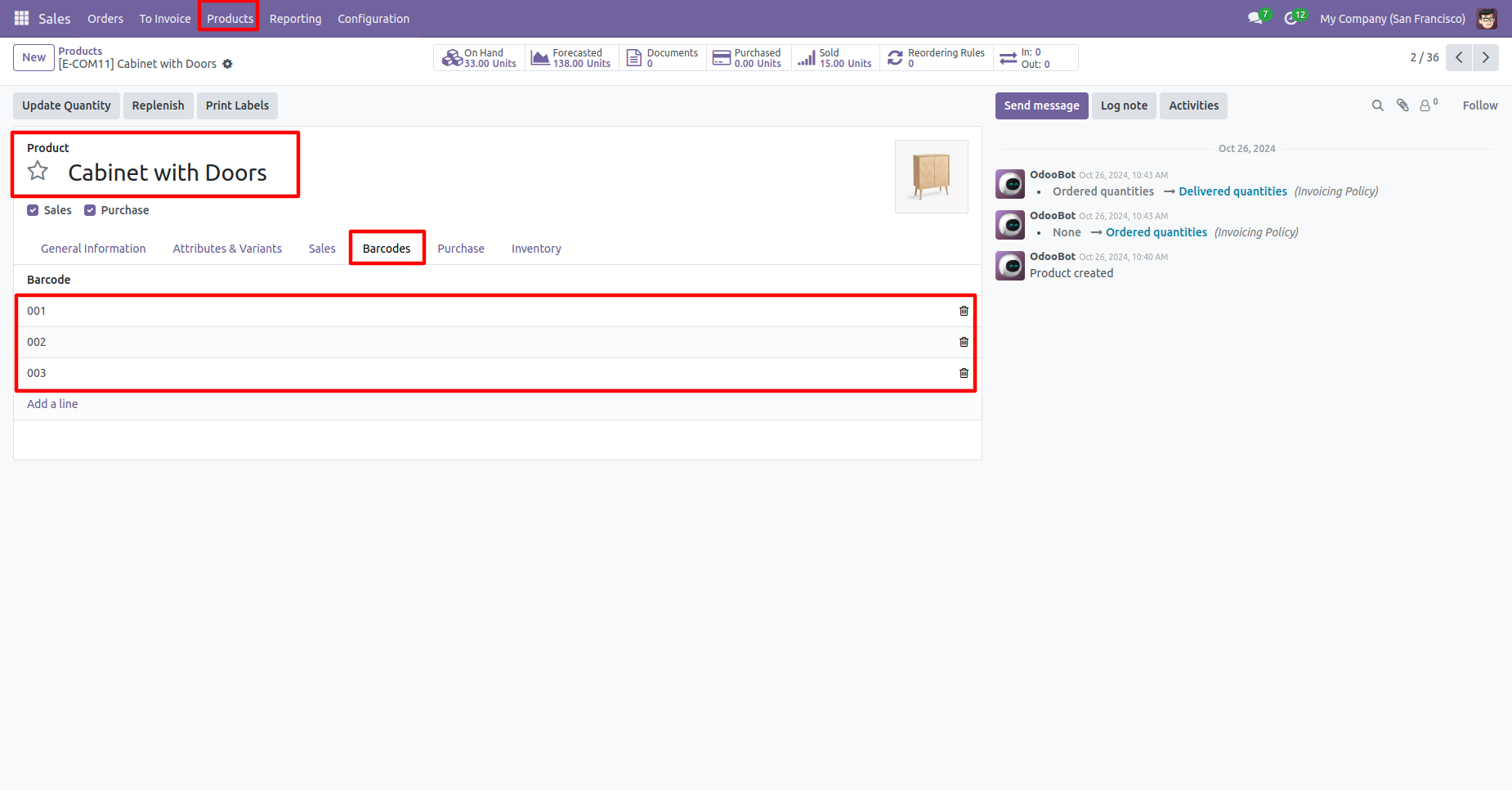
Quickly add new barcodes from the Barcodes tab of any product. Create as many as needed without restrictions.

Unique Barcode Validation
Enable optional duplicate-barcode warnings to maintain clean barcode data and prevent mistakes during product creation or import.

High-Speed Performance
Optimized with fast search_count and efficient database queries to deliver lightning-fast barcode lookup even with thousands of products.
Search Product based on Multiple Barcode
Search products using any linked barcode across Sales, Purchase, Inventory, Accounting, and all product dropdowns—instant and accurate every time.
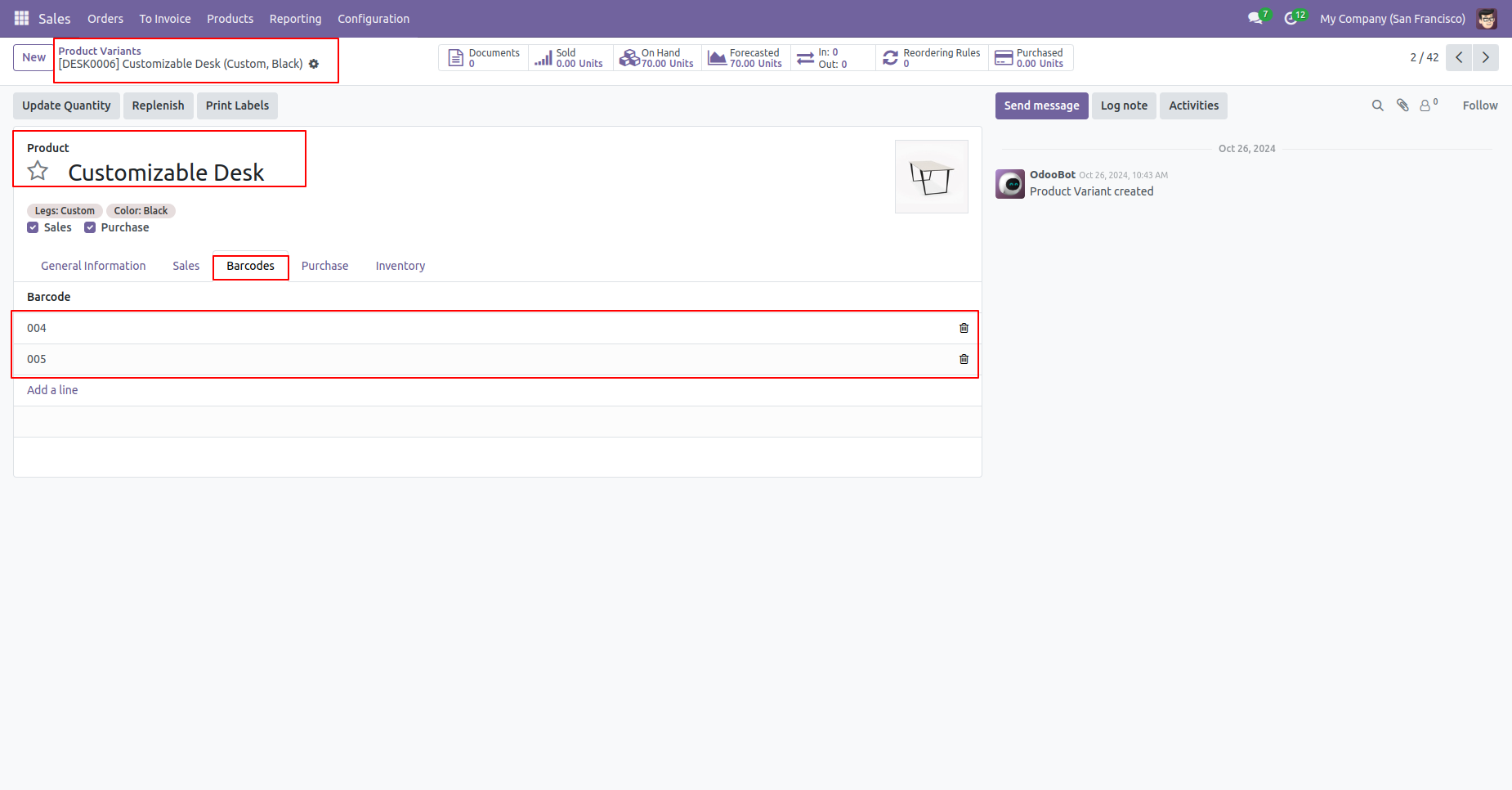
The multi-barcode tab looks like this.
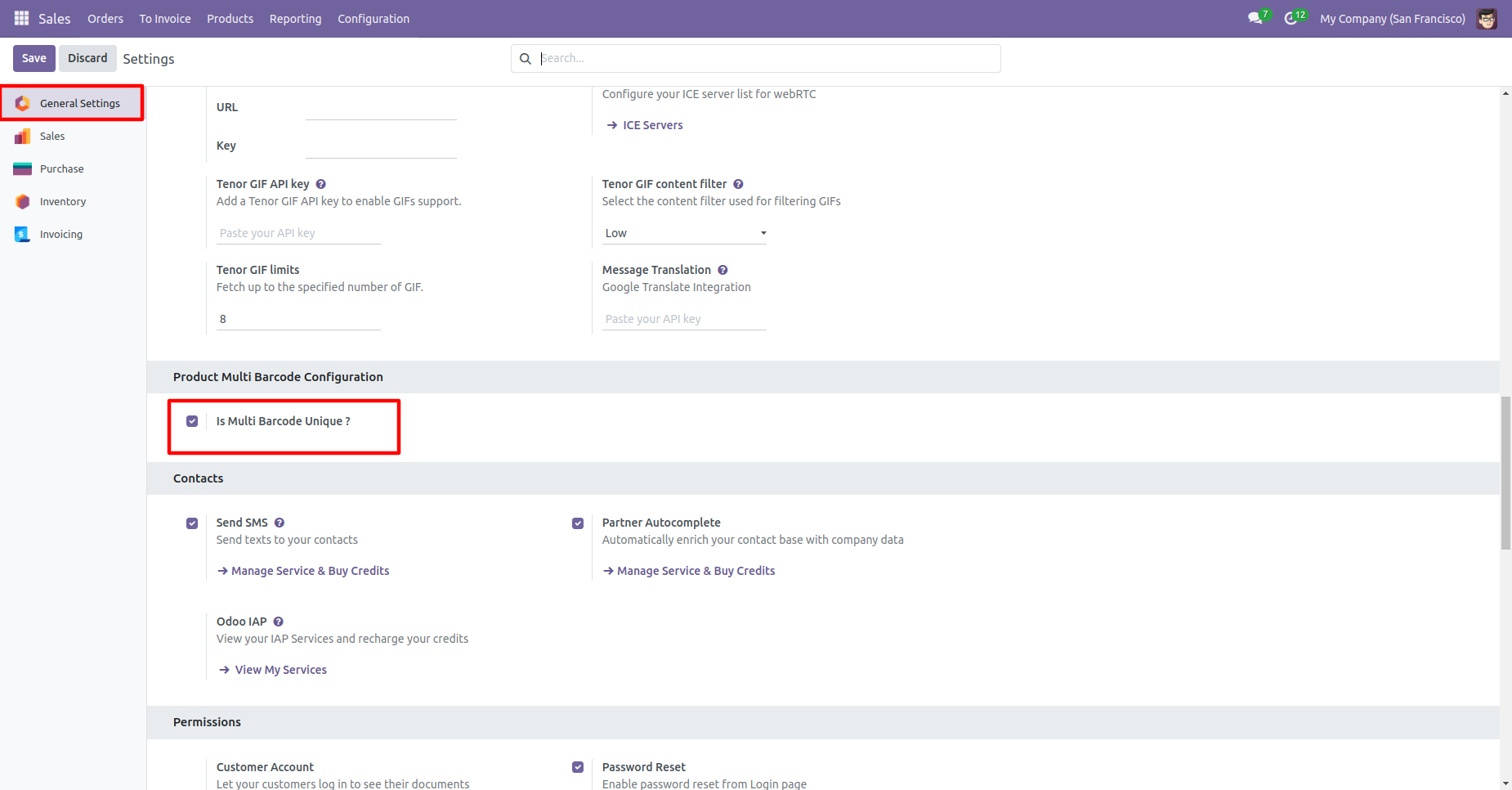
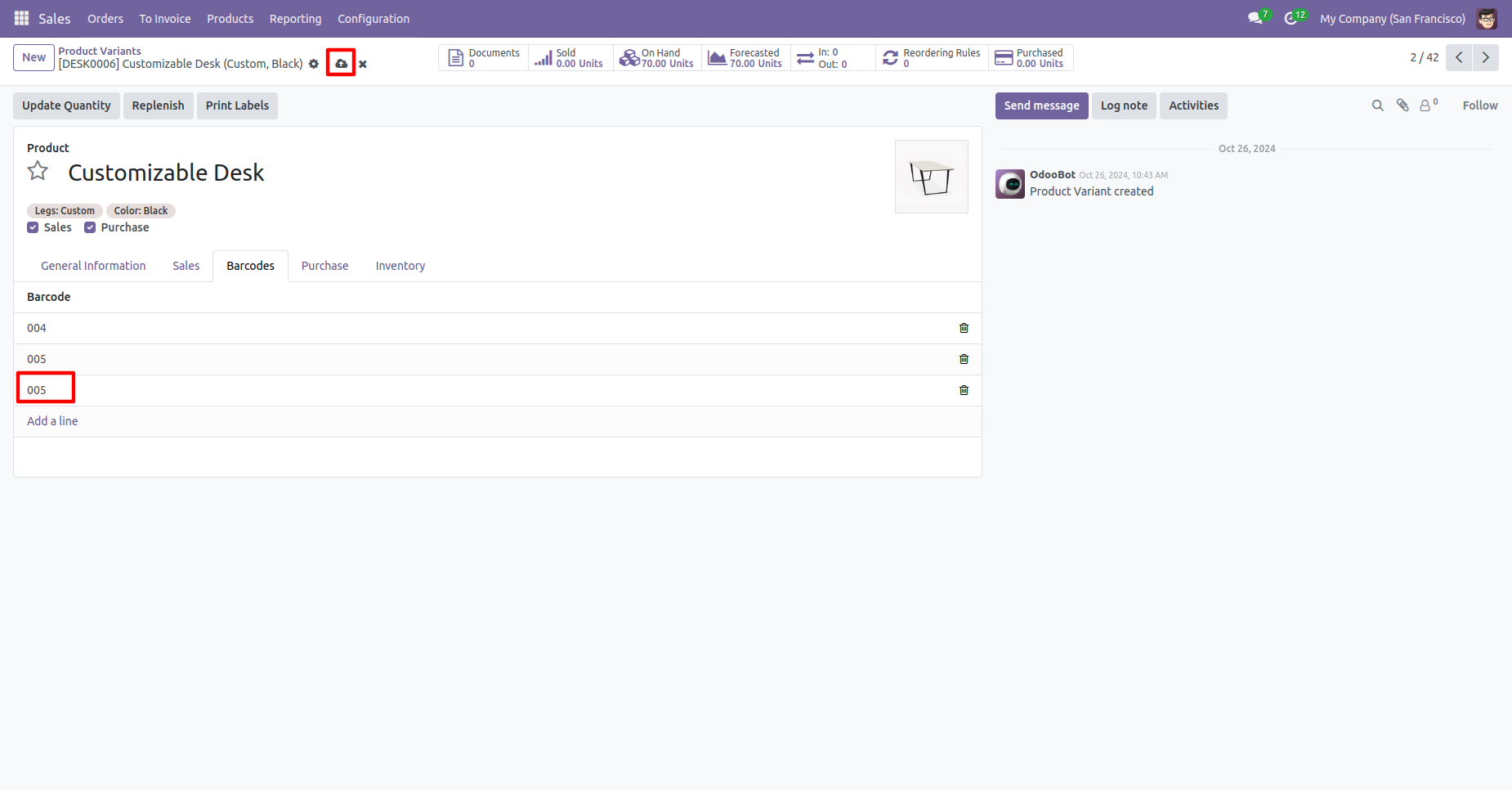
Tick 'Is Multi Barcode Unique?'' to check barcode duplication in the product.
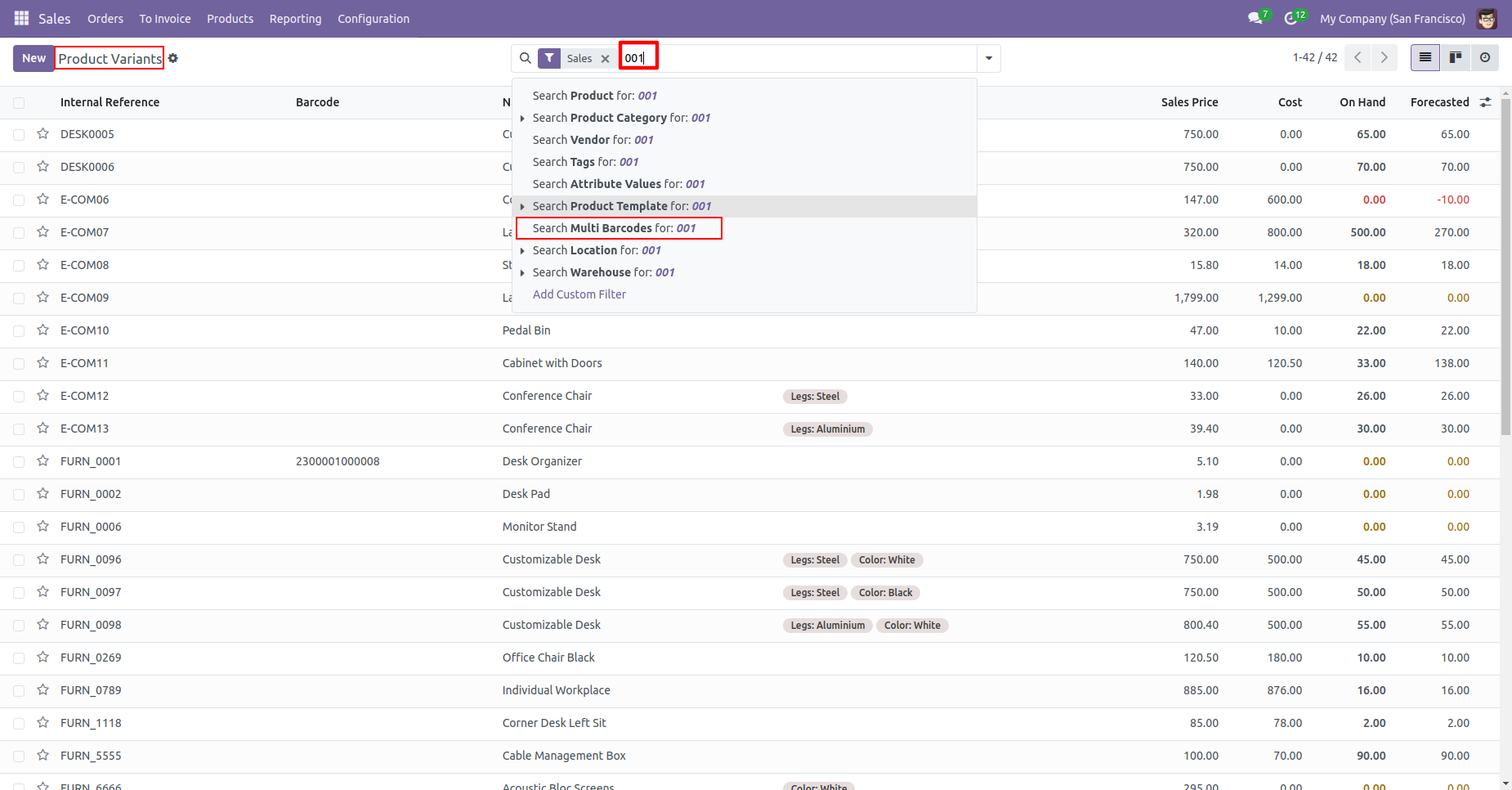
You can search multi-barcodes in the search view.
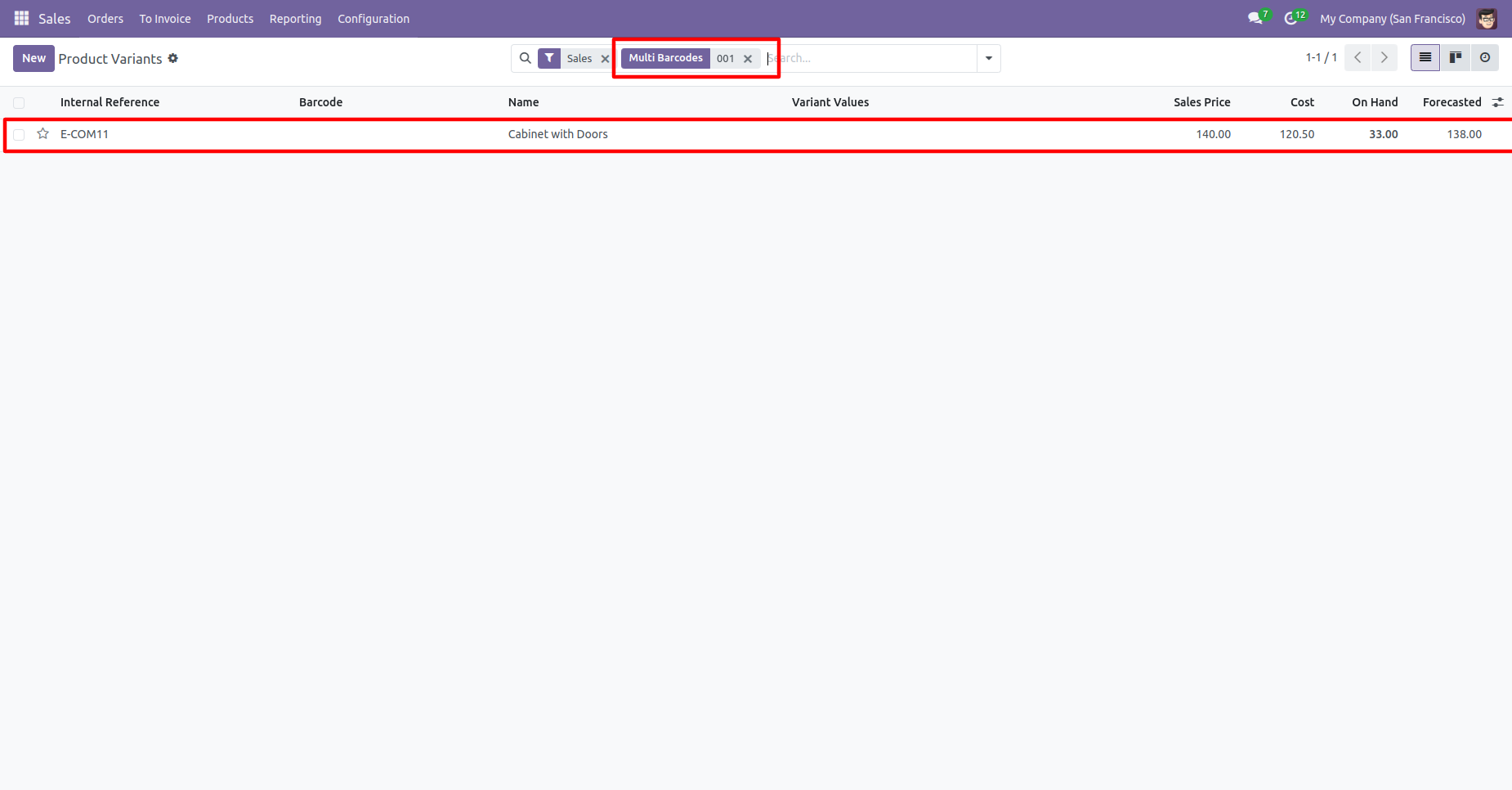
Multi barcodes searched result.
In the product 'Barcode' tab where you can see the multiple barcodes for the product.
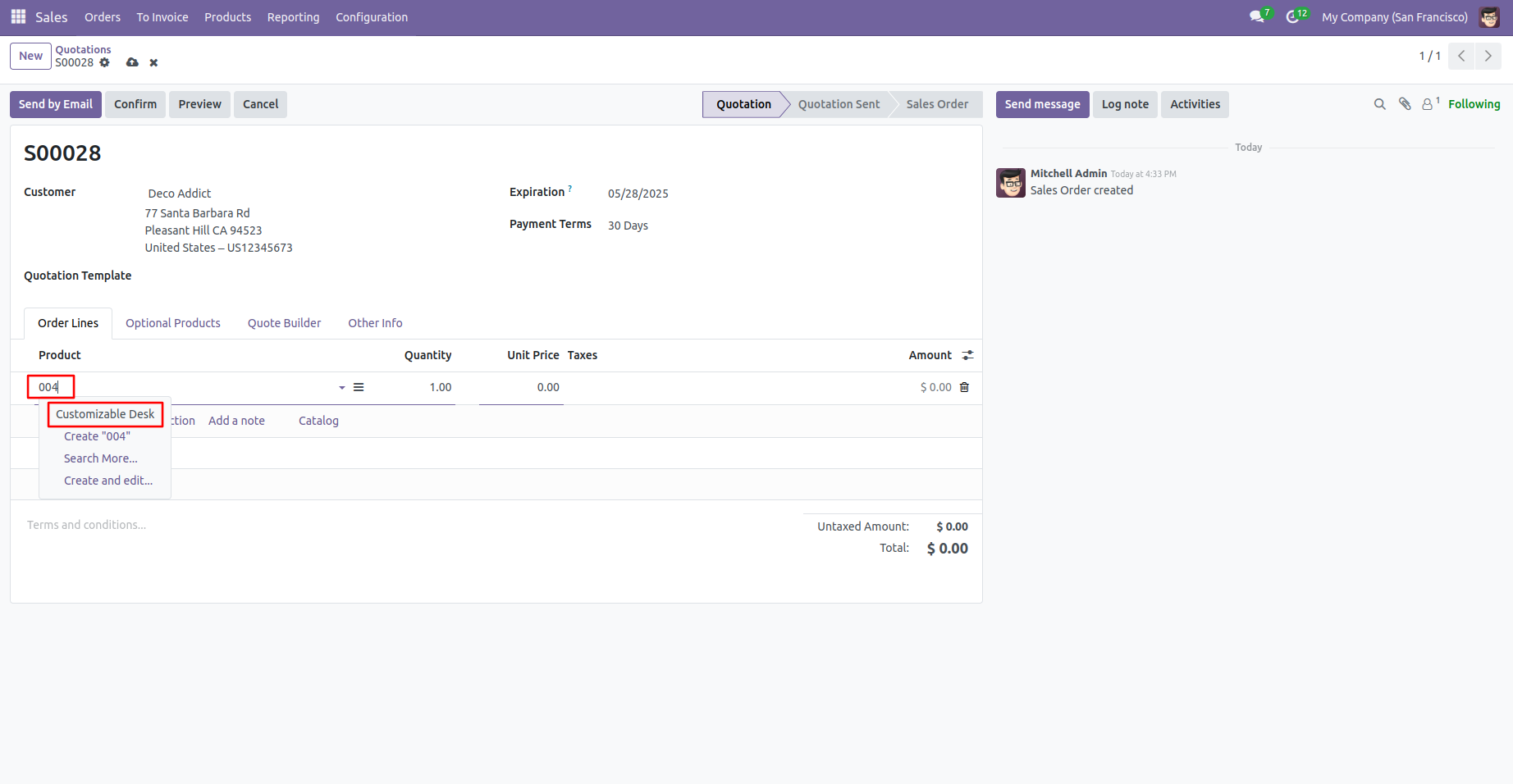
Search products in order lines using a barcode.
Search products in order lines using a same barcode.
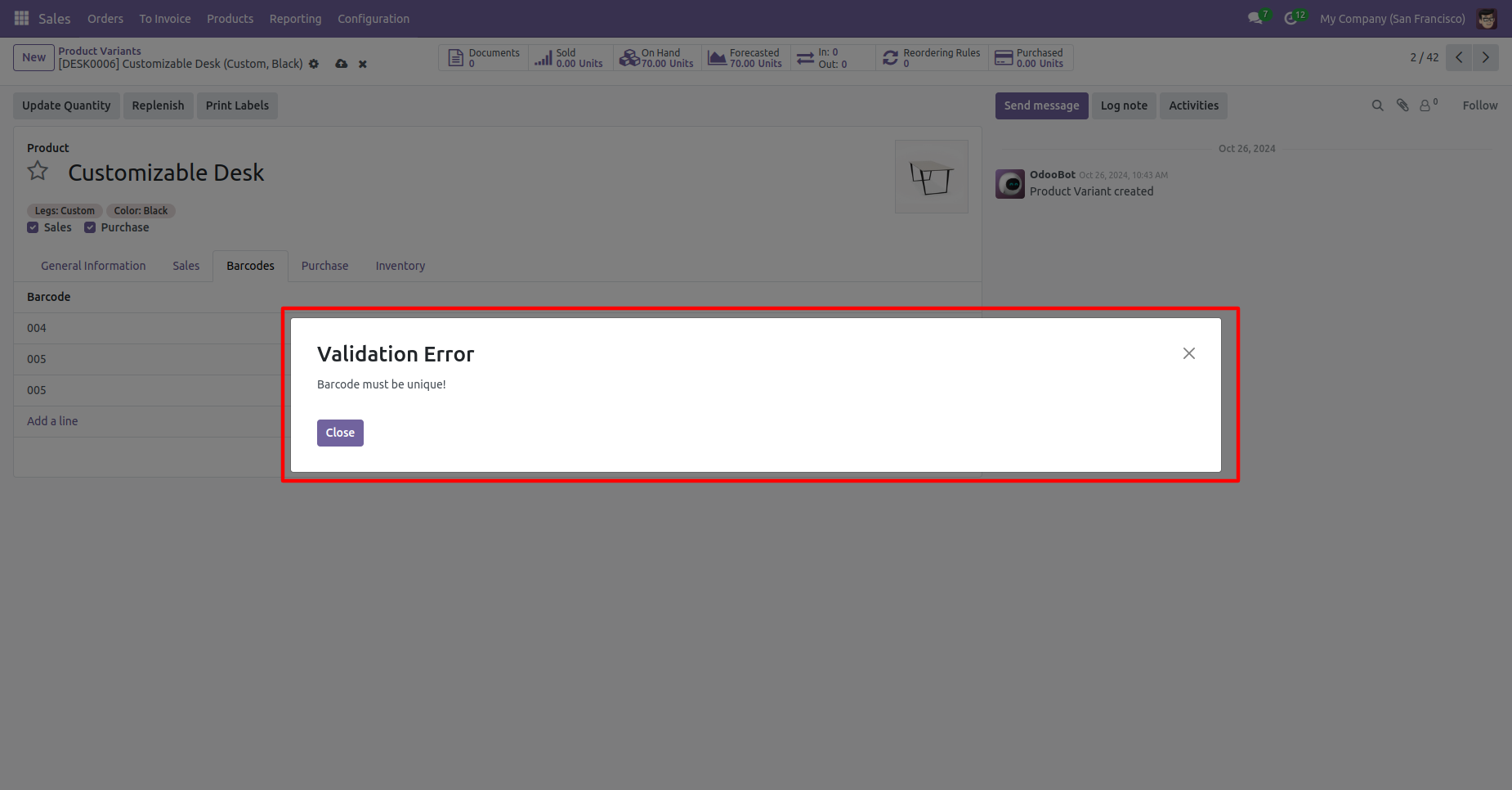
If you search for a product with a barcode that already exists in the order line, a warning will appear.
Version 19.0.1 | Released on : 29th August 2025
- Yes, this app works perfectly with Odoo Enterprise (Odoo.sh & Premise) as well as Community.
- No, this application is not compatible with odoo.com(odoo saas/Odoo Online)
- No, currently it does not work if the product type is selected as a combo product. For more details, please contact our support team at support@softhealer.com.
- Yes, to test this module, please contact us at sales@softhealer.com.
- Please contact us at sales@softhealer.comto request customization.
- Yes, we provide free support for 365 days from the date of purchase.
- Yes, you will receive lifetime free updates for the version of the module you purchased.
- No, there is no need to install any additional libraries.
- Yes, for version 12 and above, you need to purchase the module separately for each version you intend to use.
- No, exchanges or refunds are not allowed. Please make sure to select the correct version before purchasing.
- You can contact us at support@softhealer.com for language translation support. We use Google Translator tools to provide translations in multiple languages, so the accuracy may vary. We welcome your suggestions to help improve translations.
Discover Our Latest Apps