













Product Multi Barcode

The Product Multi Barcode module lets you assign and manage multiple barcodes for a single product. Easy to search products using multiple barcodes in sales orders, purchase orders, operations, invoices, and bill lines. It also offers optional duplicate barcode validation and delivers fast, user-friendly performance with zero configuration.

Features

Multiple Barcode Support
Assign multiple barcodes to a single product, giving you full flexibility for supplier variations, packaging differences, or region-based codes.

Easy Barcode Creation
Quickly add new barcodes from the Barcodes tab of any product. Create as many as needed without restrictions.

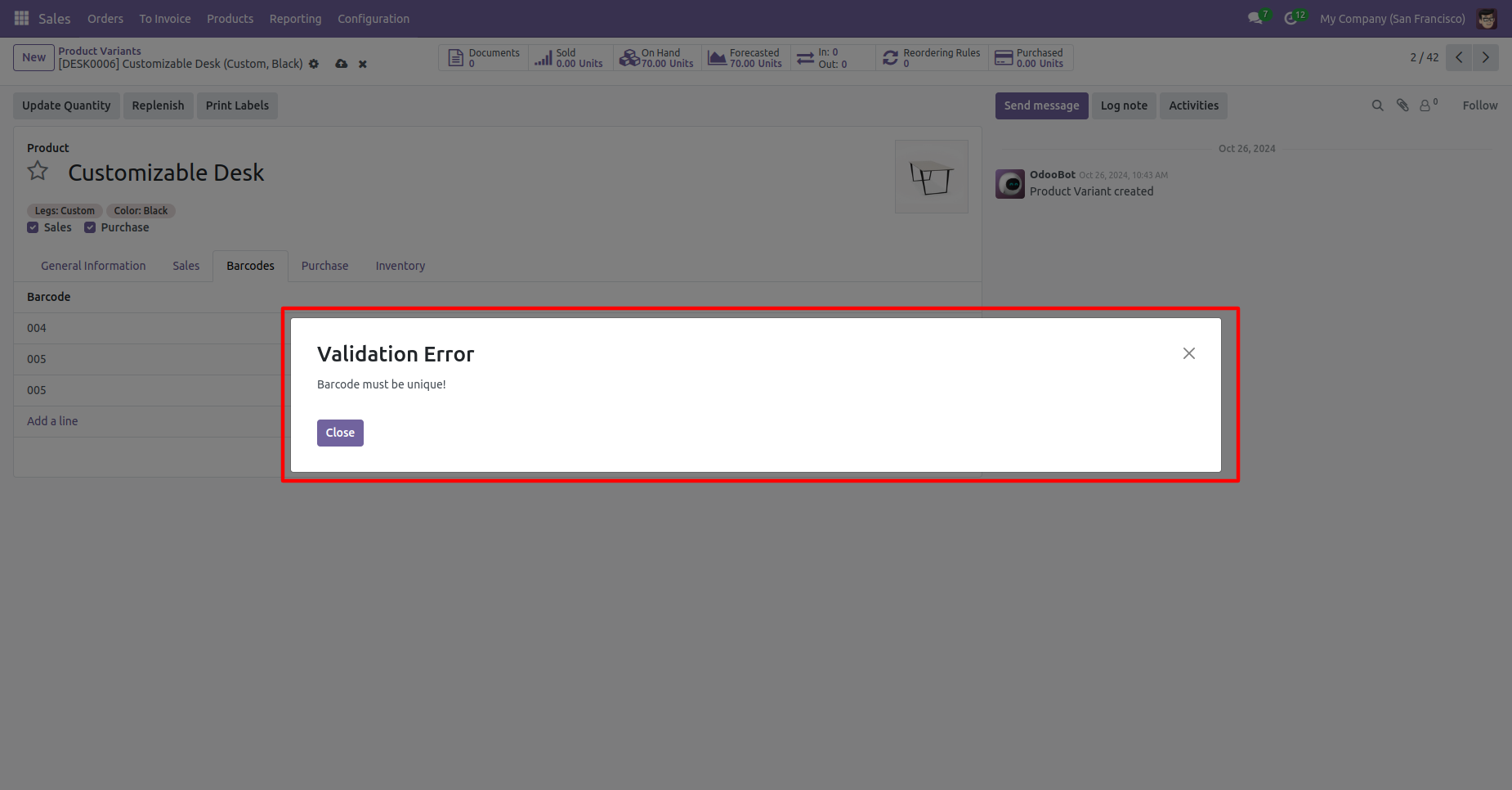
Unique Barcode Validation
Enable optional duplicate-barcode warnings to maintain clean barcode data and prevent mistakes during product creation or import.

High-Speed Performance
Optimized with fast search_count and efficient database queries to deliver lightning-fast barcode lookup even with thousands of products.

Search Product based on Multiple Barcode
Search products using any linked barcode across Sales, Purchase, Inventory, Accounting, and all product dropdowns—instant and accurate every time.
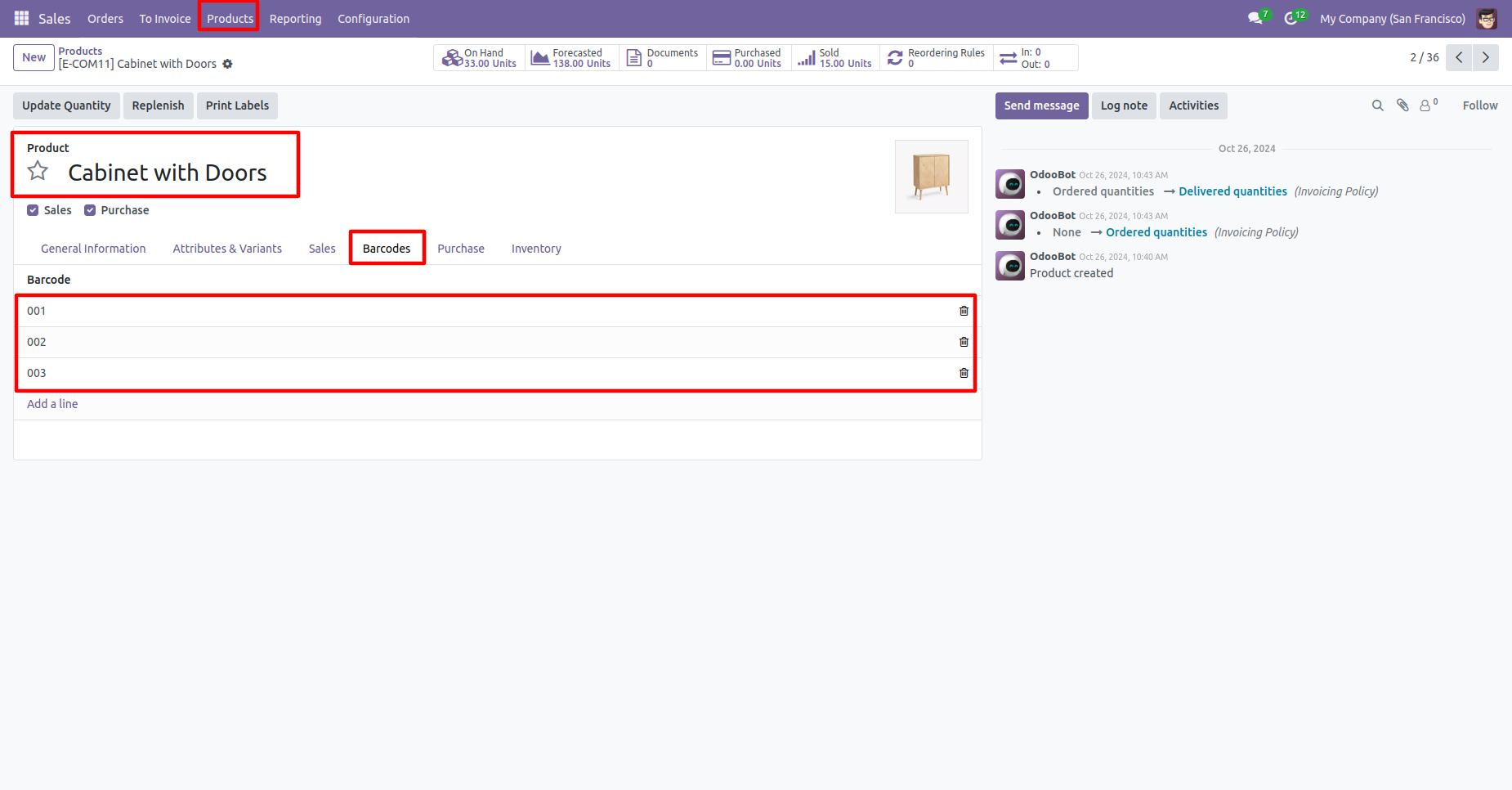
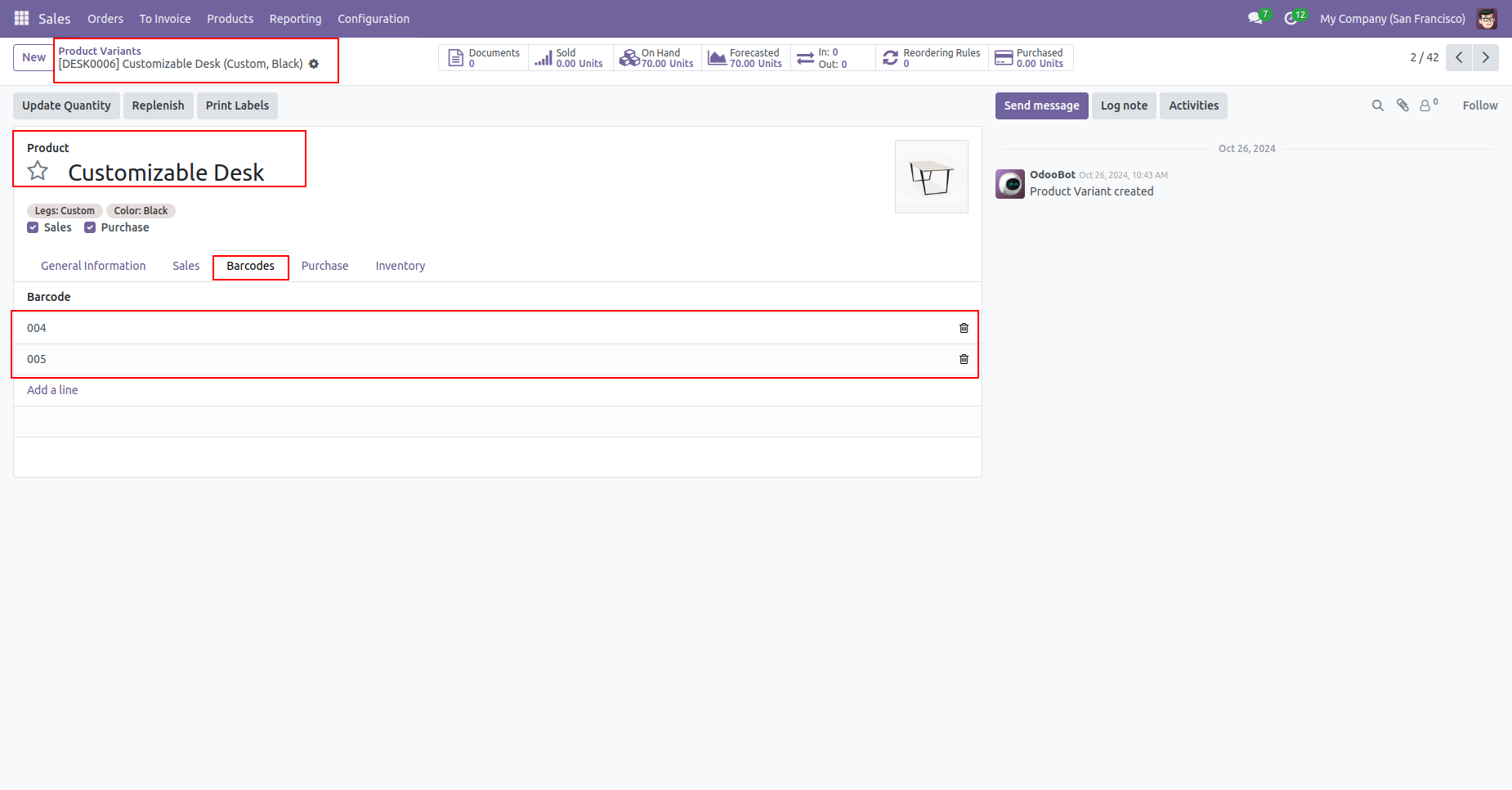
The multi-barcode tab looks like this.
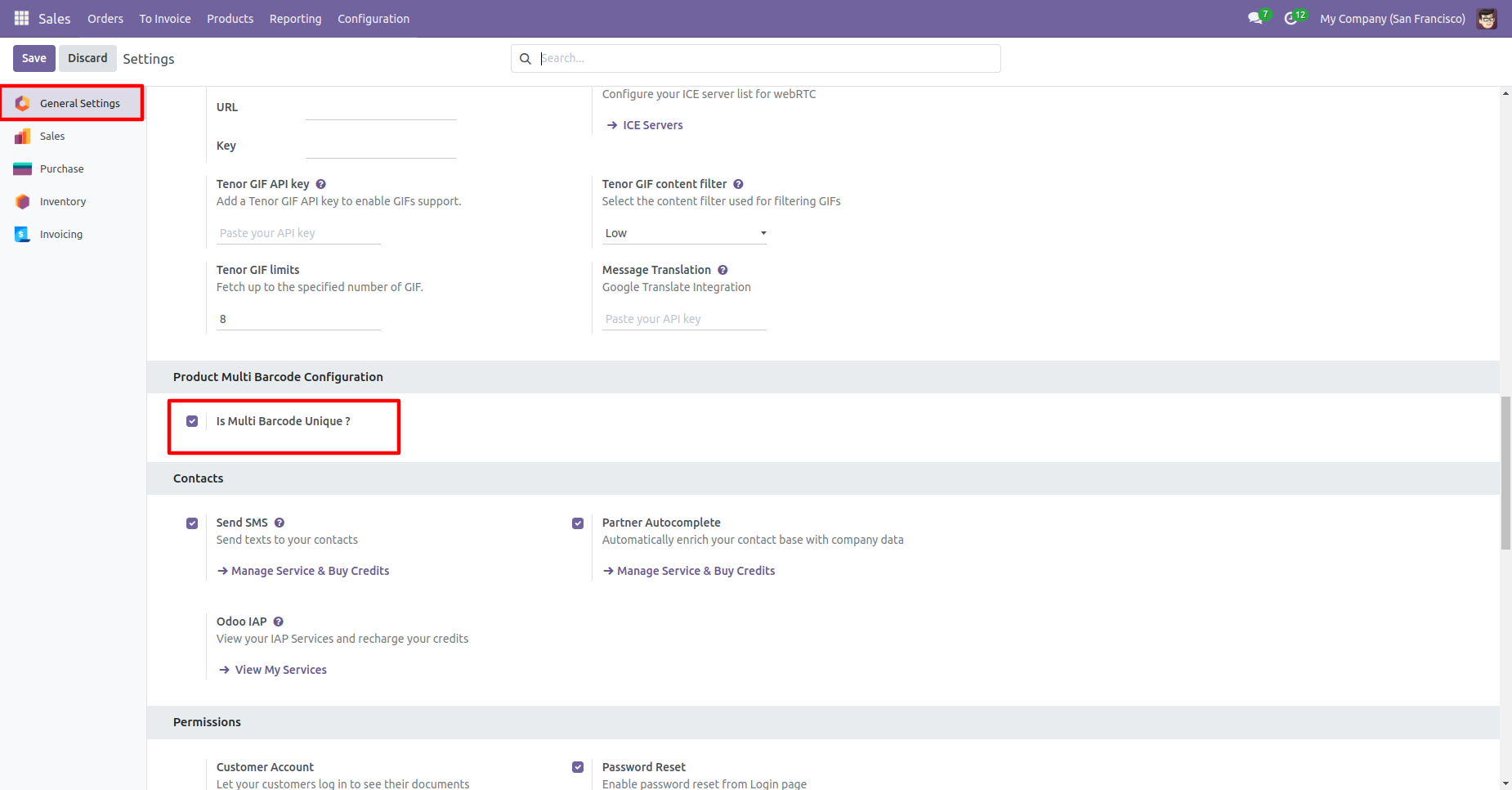
Tick 'Is Multi Barcode Unique?'' to check barcode duplication in the product.
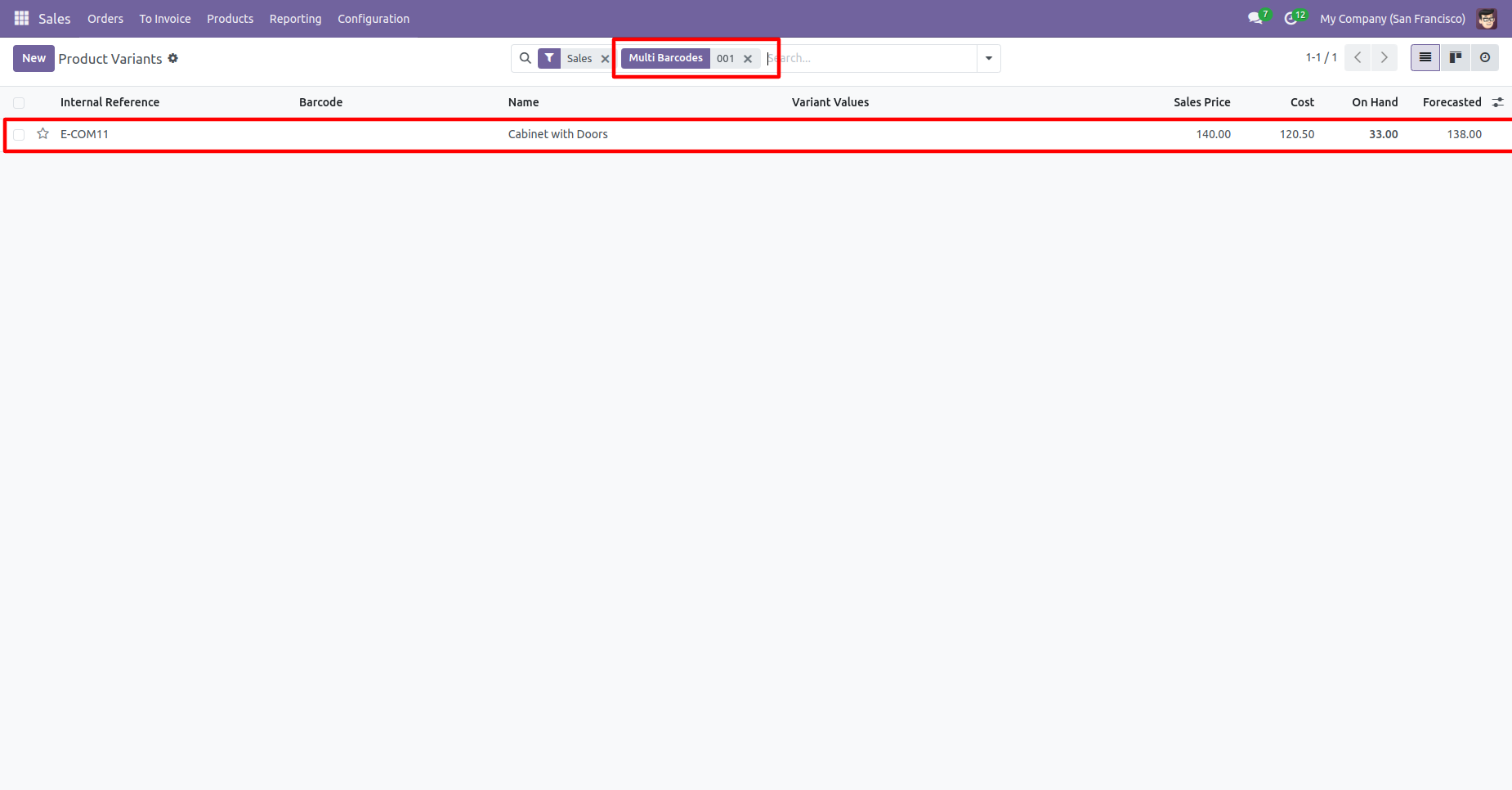
You can search multi-barcodes in the search view.
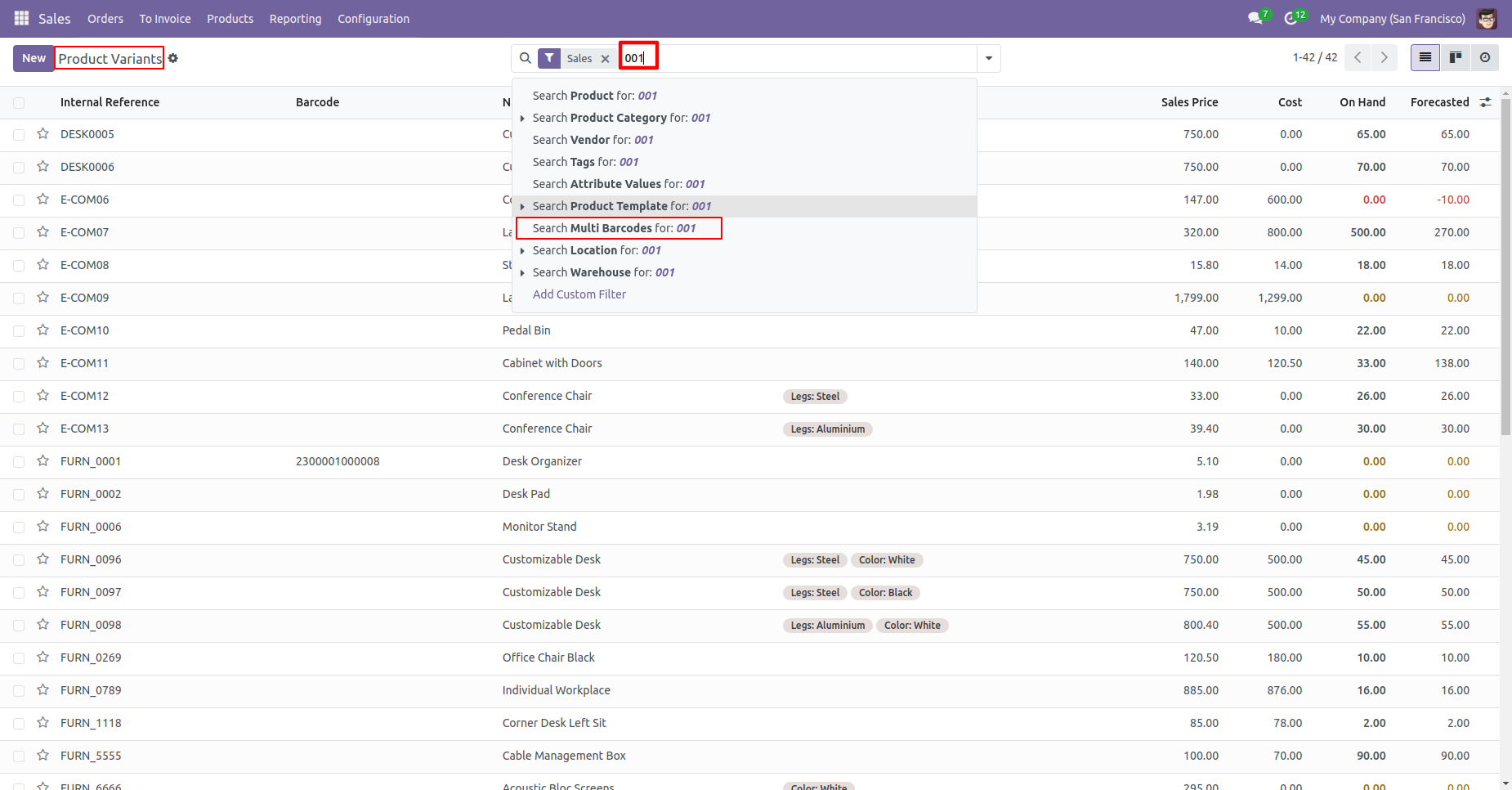
Multi barcodes searched result.
In the product 'Barcode' tab where you can see the multiple barcodes for the product.
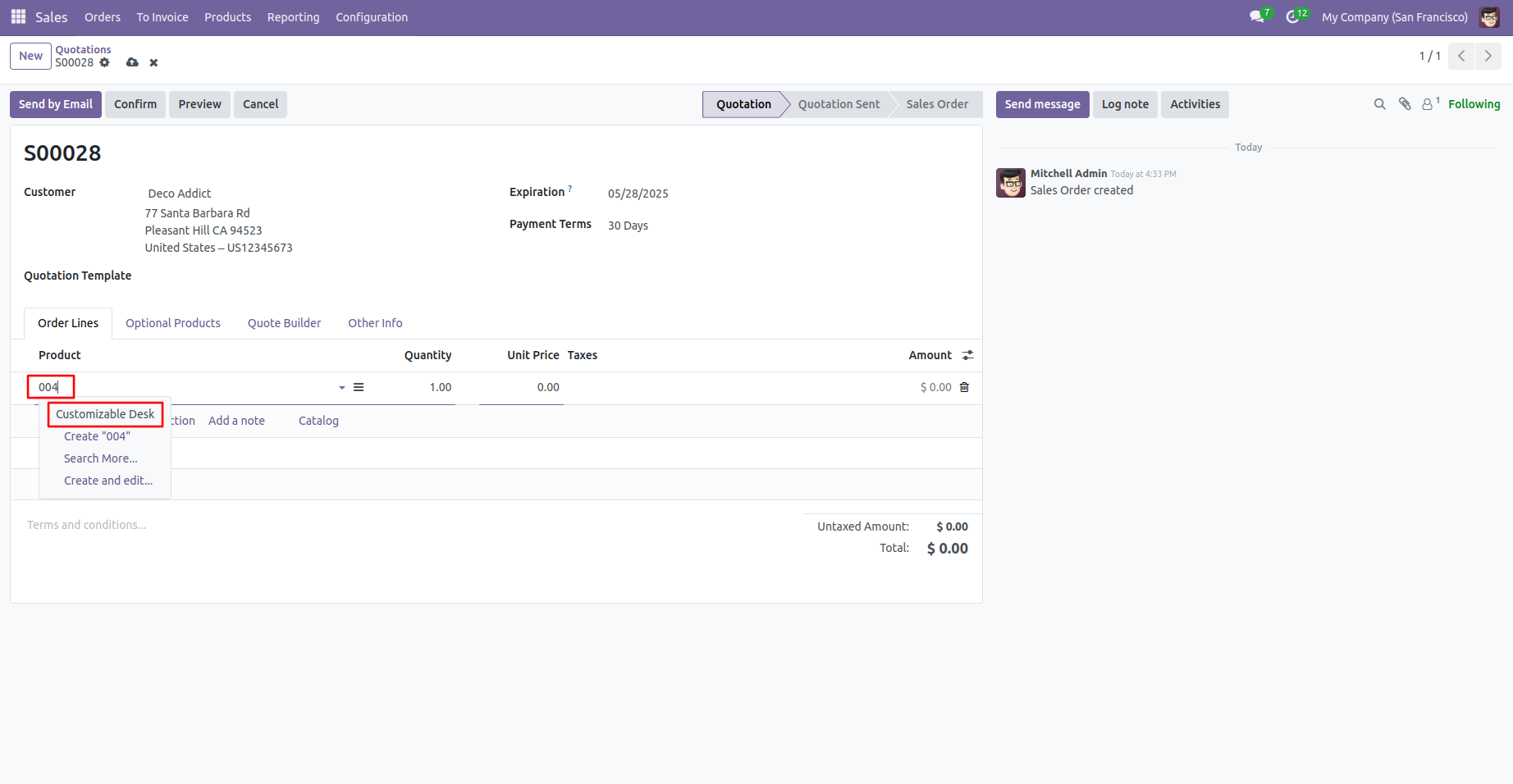
Search products in order lines using a barcode.
Search products in order lines using a same barcode.
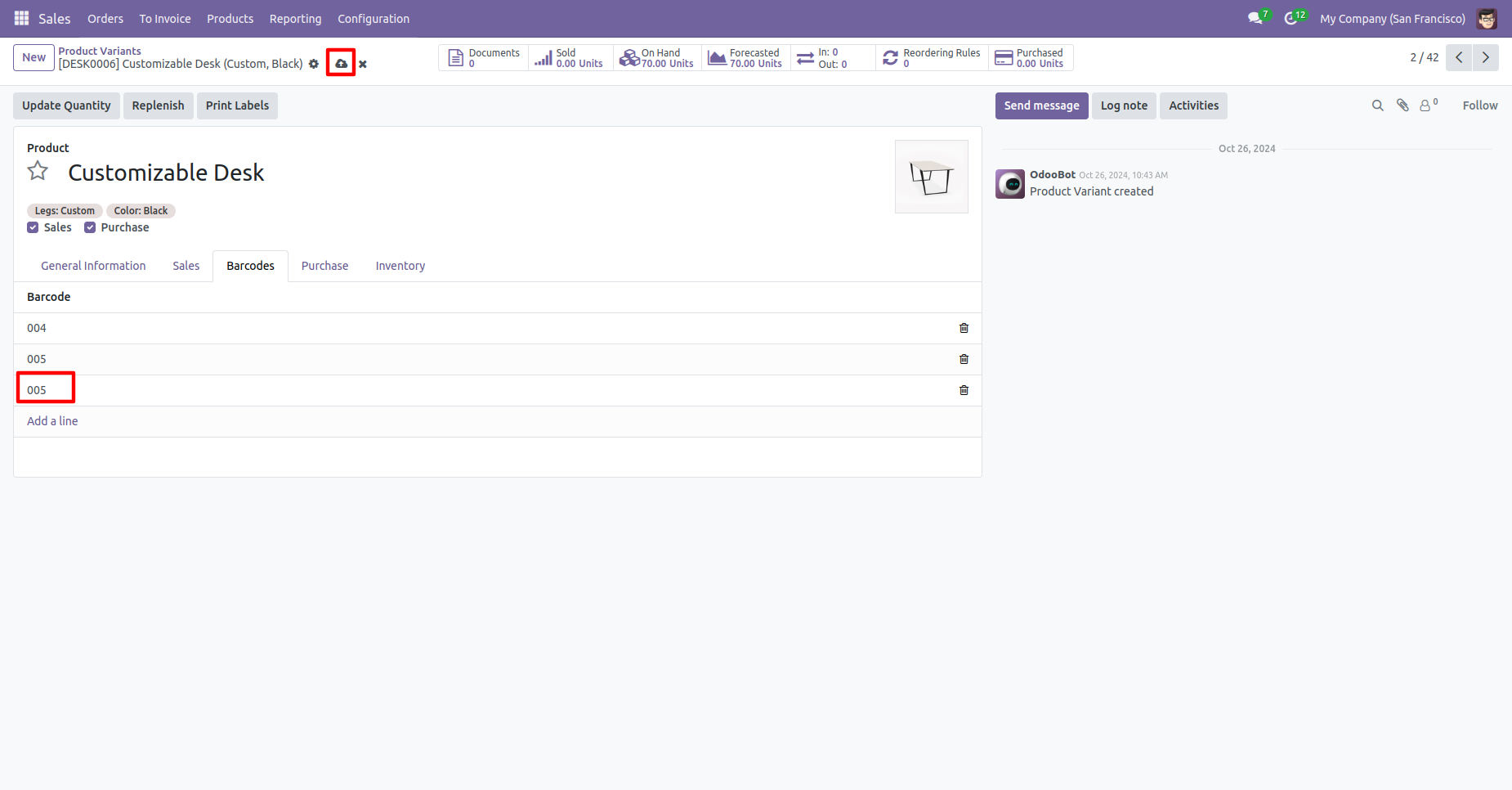
If you search for a product with a barcode that already exists in the order line, a warning will appear.
Version 18.0.7 | Released on : 25th October 2025
Version 18.0.6 | Released on : 30th Jun 2025
Version 18.0.5 | Released on : 18th Jun 2025
Version 18.0.4 | Released on : 3rd April 2025
Version 18.0.3 | Released on : 3rd January 2025
Version 18.0.2 | Released on : 3rd October 2024
Version 18.0.1 | Released on : 30th September 2024
- Yes, this app works perfectly with Odoo Enterprise (Odoo.sh & On-Premise) as well as Community.
- No, this application is not compatible with odoo.com(odoo saas/Odoo Online).
- No, currently it does not work if the product type is selected as a combo product. For more details, please contact our support team at support@softhealer.com.
- Please Contact Us at sales@softhealer.com to request customization.
- Yes, you will get free update for lifetime.
- No, you don't need to install additional libraries.
- For version 12 or upper, you will need to purchase the module for each version that you want to use.
- Yes, we provide free support for 100 days.
- No, We do not provide any kind of exchange.
