












Product Kanban View Editor

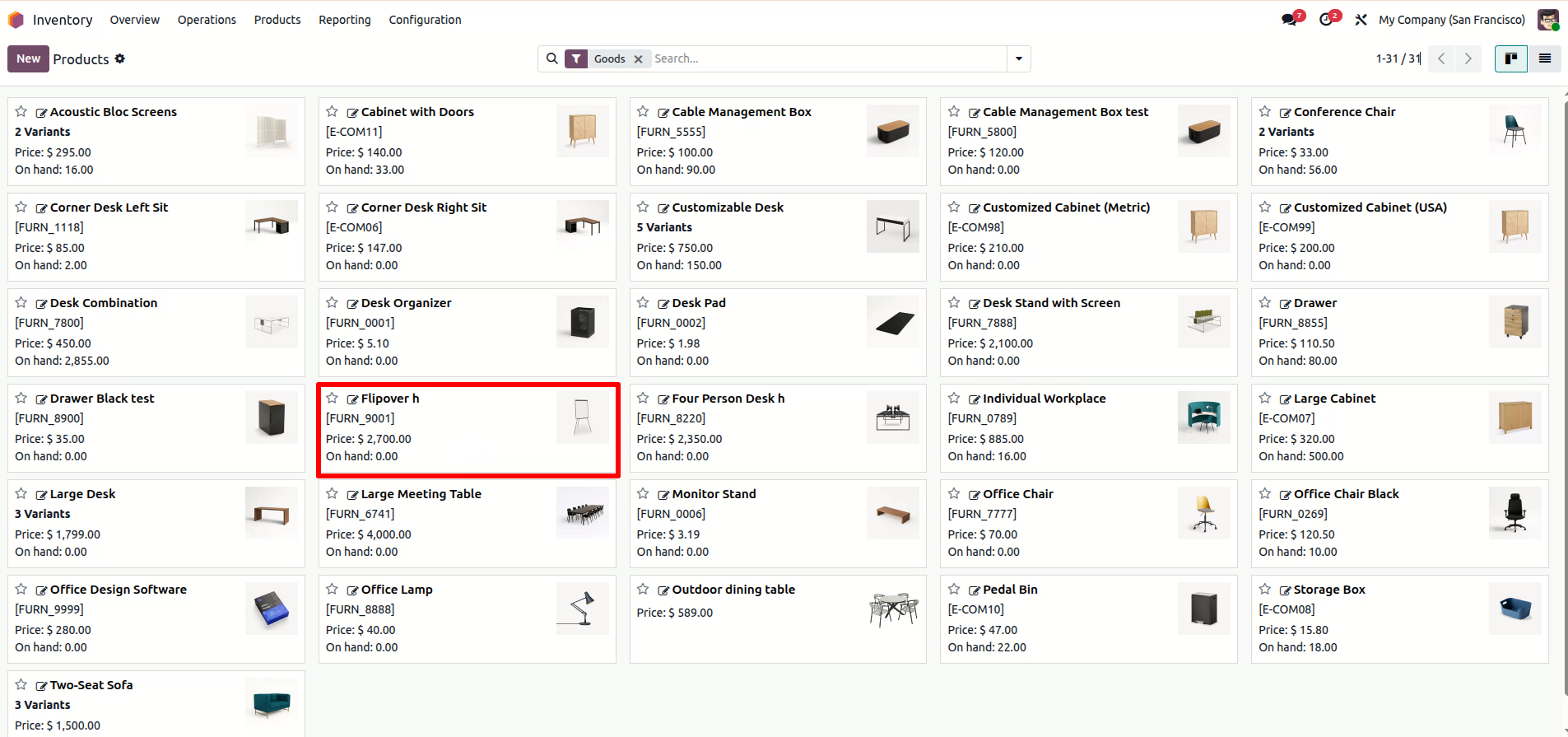
Edit products directly from the Kanban view using the pencil icon on each product card. You can quickly
update the Product Name, Sales Price, Cost, Category, or Internal Reference. This eliminates the need to
open the full product form and helps save time while managing products efficiently.

Features
Direct Kanban Editing
Adds an "Edit" button (pencil icon) to each product card in the Kanban view, allowing for quick access.
Time-Saving Wizard
Eliminate the wait time of opening and closing full product forms. The pop-up wizard loads instantly, keeping your workflow smooth.
Accurate Internal Reference Numbers
Immediately correct or update Internal References (SKUs) directly from the Kanban View.

Sales Price Updates
Instantly update product sales price for multiple products in seconds without opening the form view.

Instant Cost Updates
Update the product cost price the moment you receive new supplier rates, without digging through individual product forms.

Categorize Faster
Quickly reorganize your inventory by updating product categories on the fly as you browse through your items.

Product Name Change
Easily rename products directly from the Kanban view. Just click the edit icon, update the name in the pop-up.
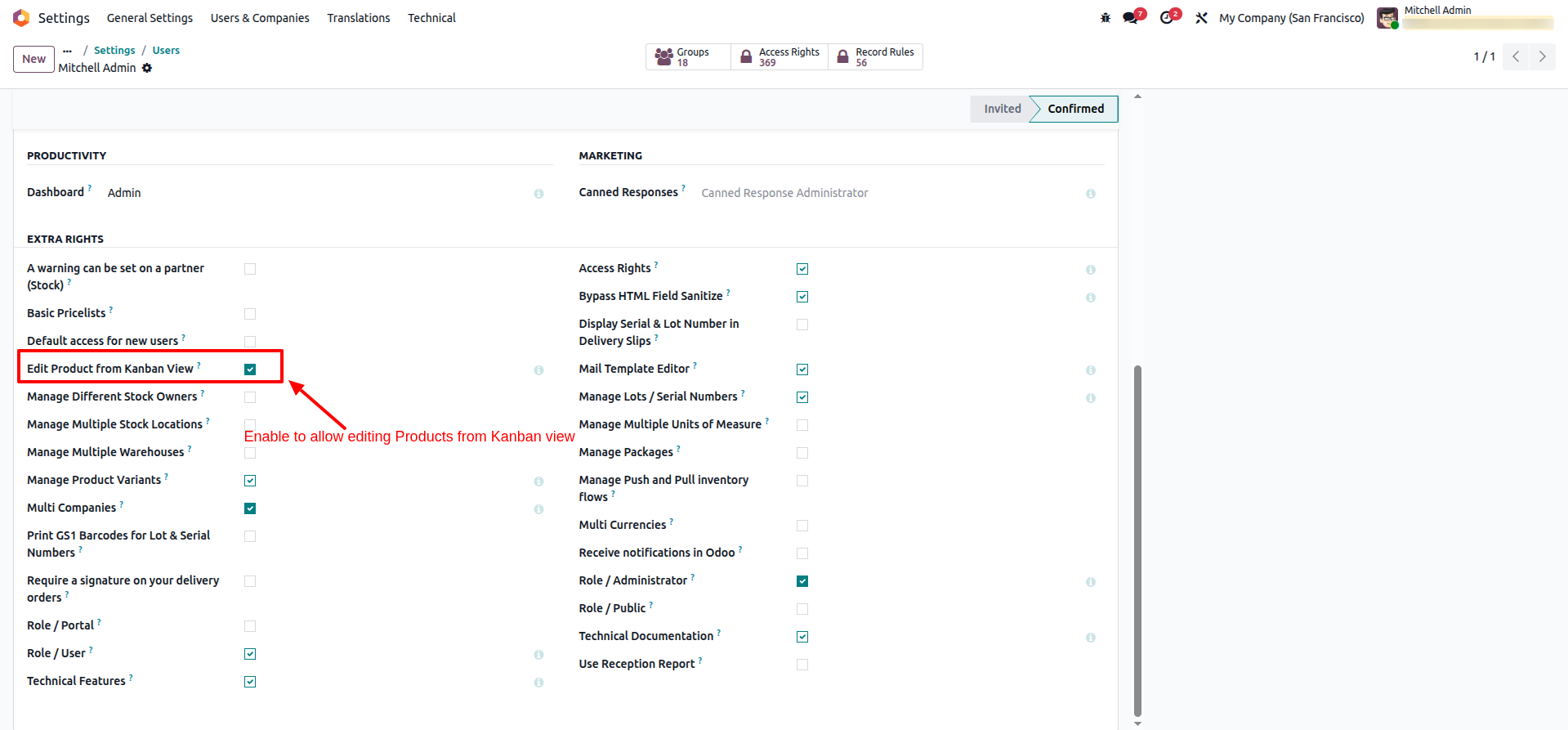
Enable the Edit product form in Kanban view from the settings menu in Users.
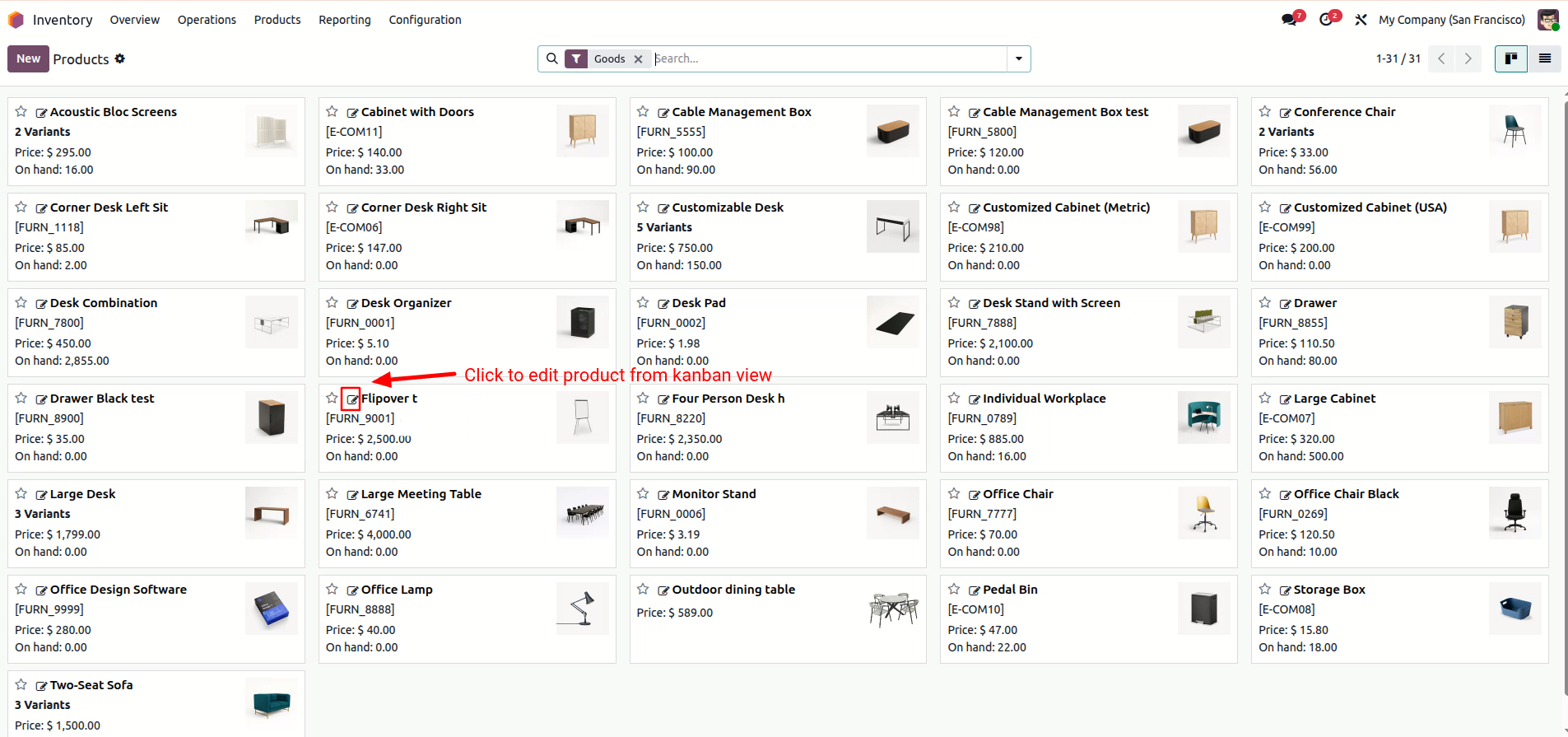
Simply click the pencil icon on the product you want to change. A pop-up window will open immediately.
Edit the Product Name, Sales Price, Cost, Category, or Internal Reference directly inside the pop-up wizard.
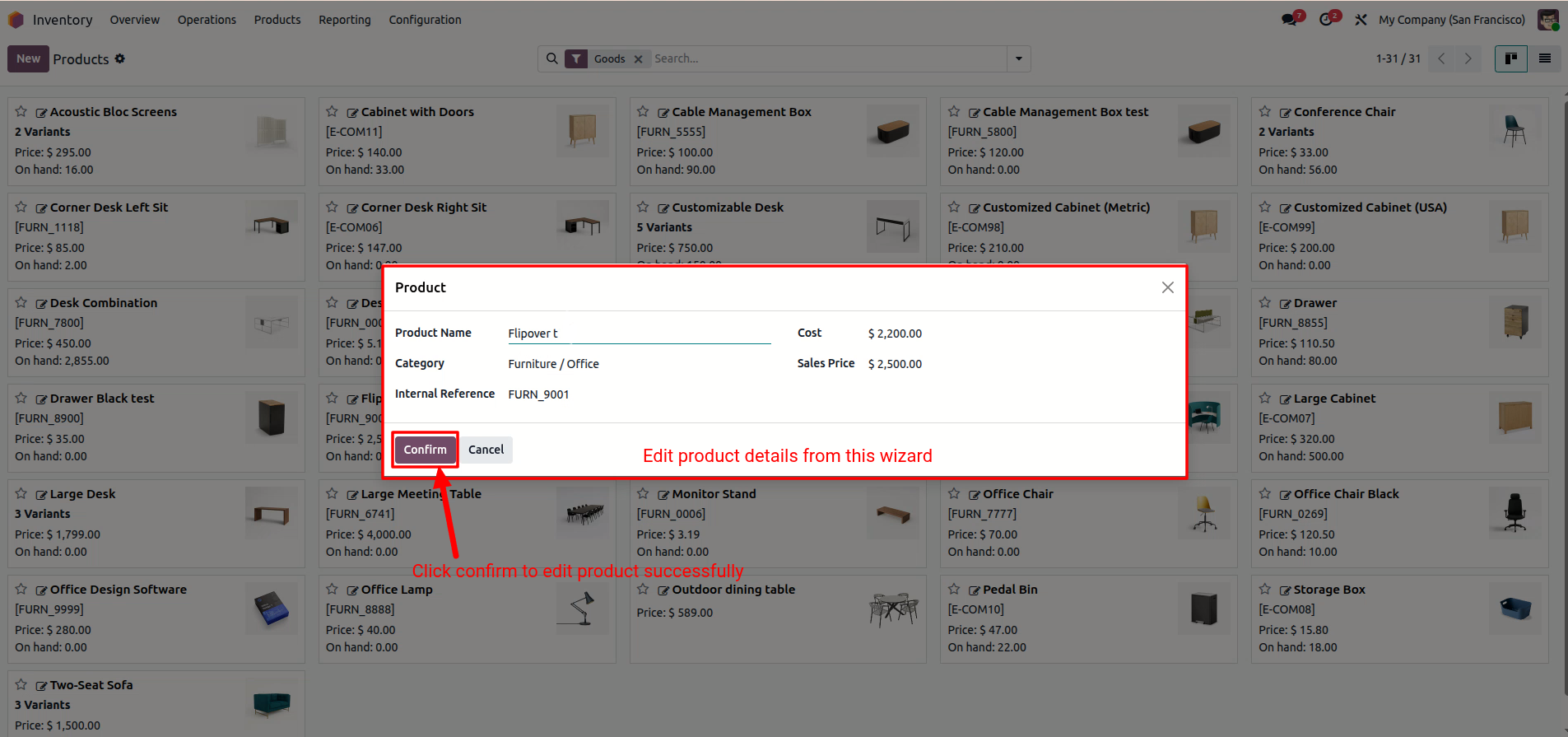
Click Confirm, and you will see the product details are instantly updated in your view.
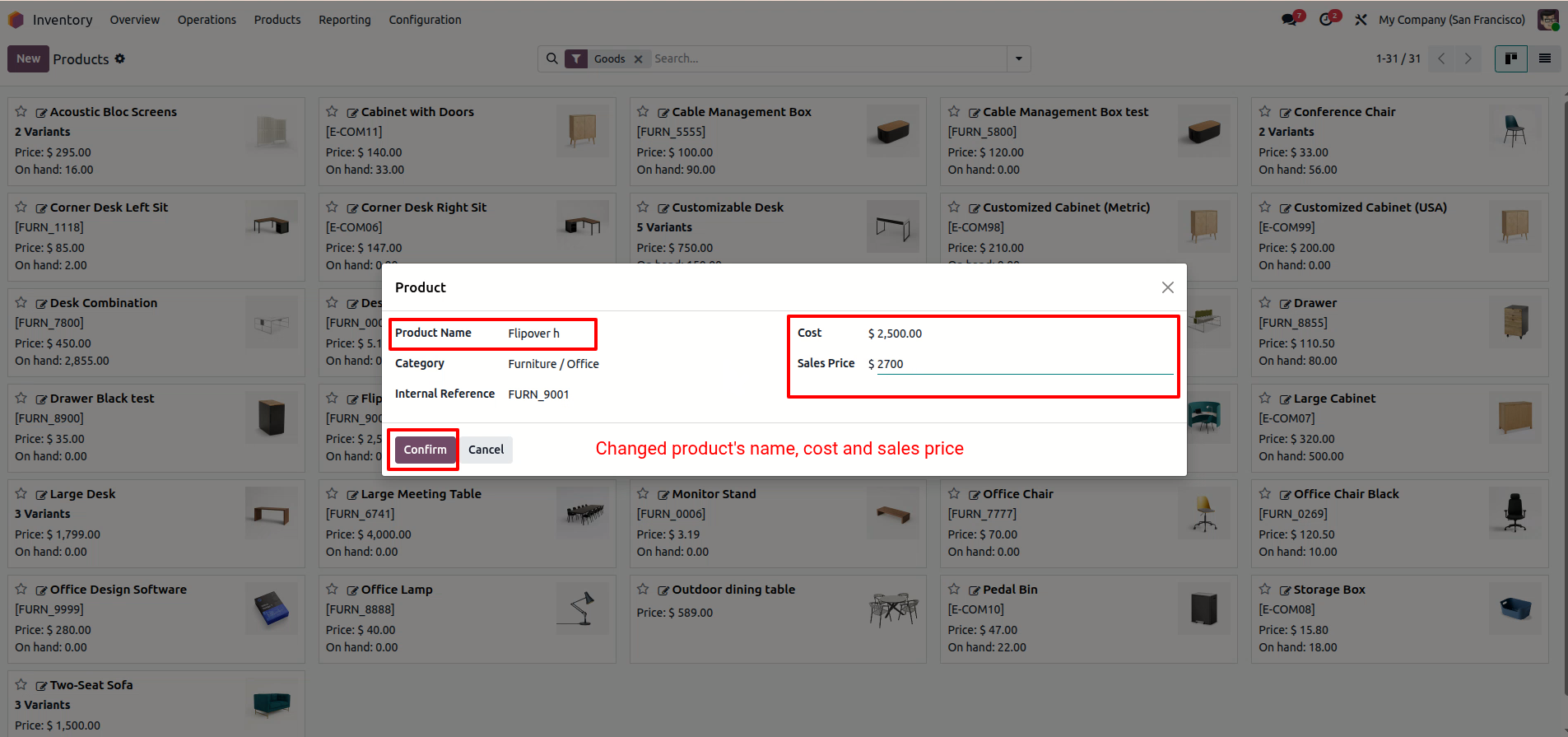
Product details are updated in your view.
Version 18.0.1 | Released on : 23rd December 2025
- Yes, this app works perfectly with Odoo Enterprise (Odoo.sh & Premise) as well as Community.
- No, this application is not compatible with odoo.com(odoo saas/Odoo Online)
- Yes, to test this module, please contact us at sales@softhealer.com.
- Please contact us at sales@softhealer.comto request customization.
- Yes, we provide free support for 365 days from the date of purchase.
- Yes, you will receive lifetime free updates for the version of the module you purchased.
- No, there is no need to install any additional libraries.
- Yes, for version 12 and above, you need to purchase the module separately for each version you intend to use.
- No, exchanges or refunds are not allowed. Please make sure to select the correct version before purchasing.
- You can contact us at support@softhealer.com for language translation support. We use Google Translator tools to provide translations in multiple languages, so the accuracy may vary. We welcome your suggestions to help improve translations.
Discover Our Latest Apps