












Product Catalog Generator

Do you want to represent products in multiple catalogs? Do you want different catalog styles? so you are at the right place. This module helps you to customize the product catalog with the custom style. Here you can design your catalog with catalog type, catalog styles, image options with sizes, box per row, page break, show/hide price, show/hide description, show/hide product link, and show/hide internal reference. You can develop your own catalog using this different customization. You can send the product catalog by email. We provide security groups for the product catalog.

Features
- You can hide/show catagory and UOM based on configuration.
- You can set file name same as catalog name.
- You can generate an XLS report for the product catalog style-1.
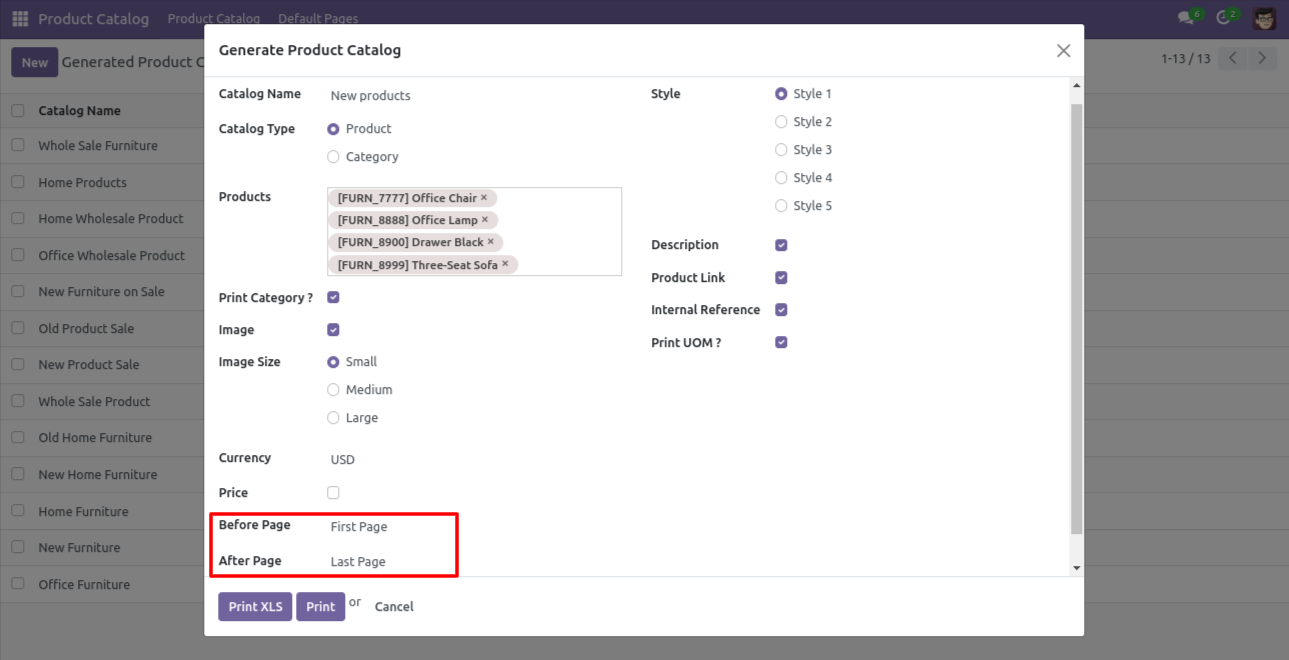
- You can add a default page before and after in the product catalog.
- You can generate different multiple product catalogs.
- 5 styles with unique functionality.
- You can choose catalog types like products or categories.
- You can add an unlimited number of products.
- We provide security groups like, User: If catalog user logins then they can read catalog records only. Manager: If the manager logins then they can create and read records.
- You have different customization like image options with sizes, box per row, page break, show/hide price, show/hide description, show/hide product link, show/hide internal reference.
- The product catalog helps to increase sales.
- You can send the product catalog by email.
- Add a dedicated button in the generated product catalog to quickly view or access the catalog.
-
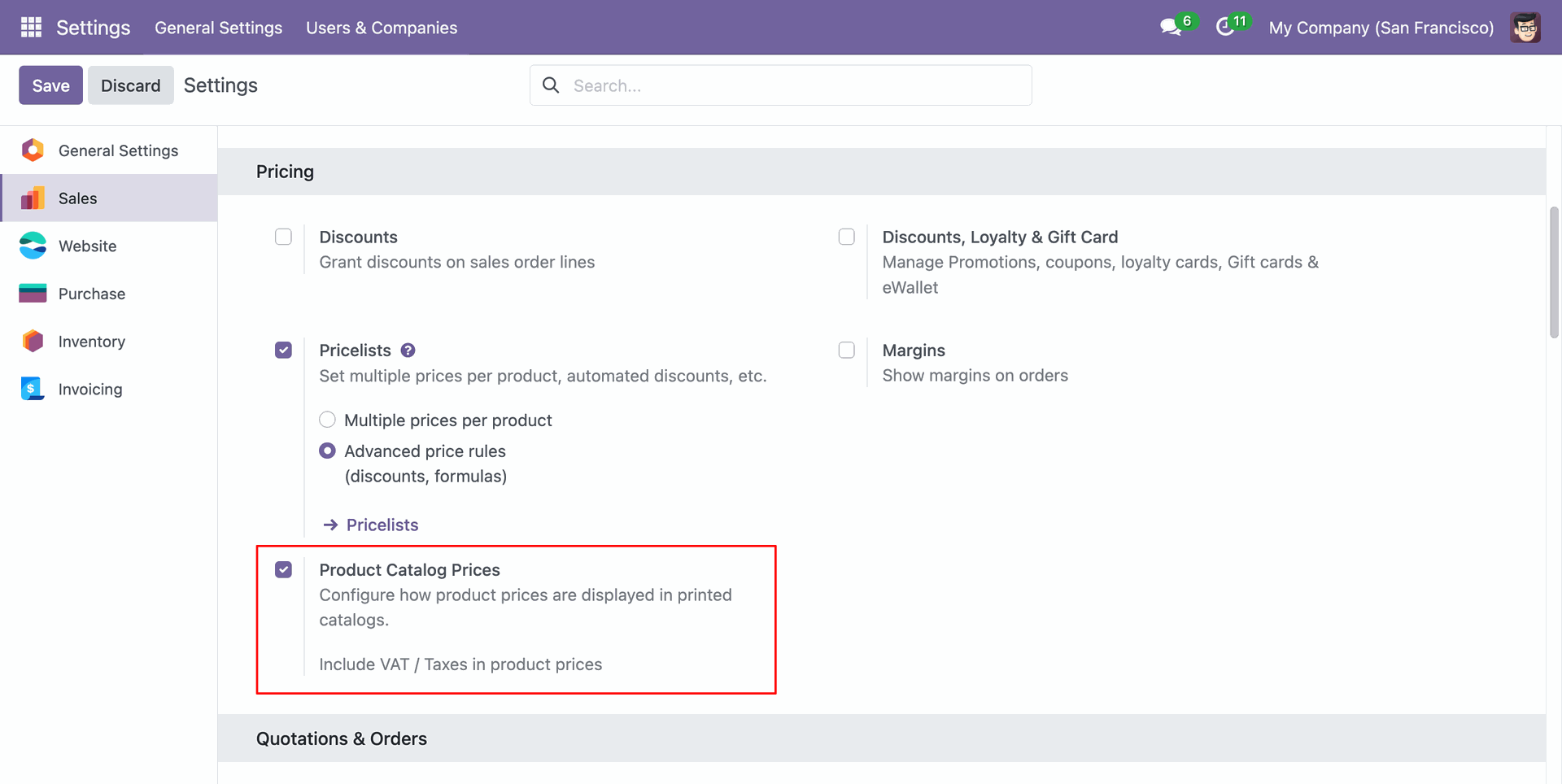
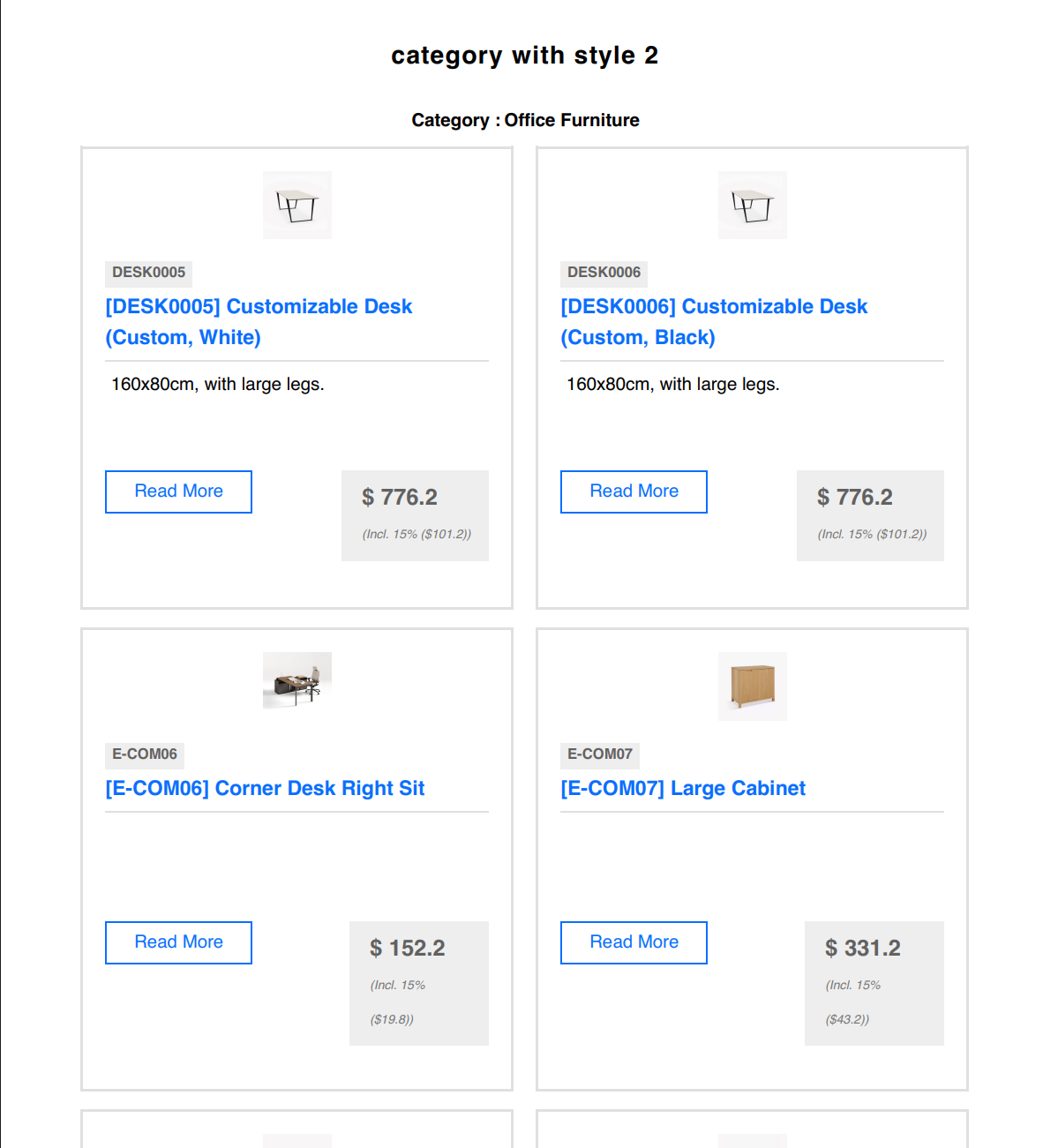
Print product prices including taxes directly in the product catalog for accurate customer pricing.


Go to setting => user & companies, users and choose product catalog security group.
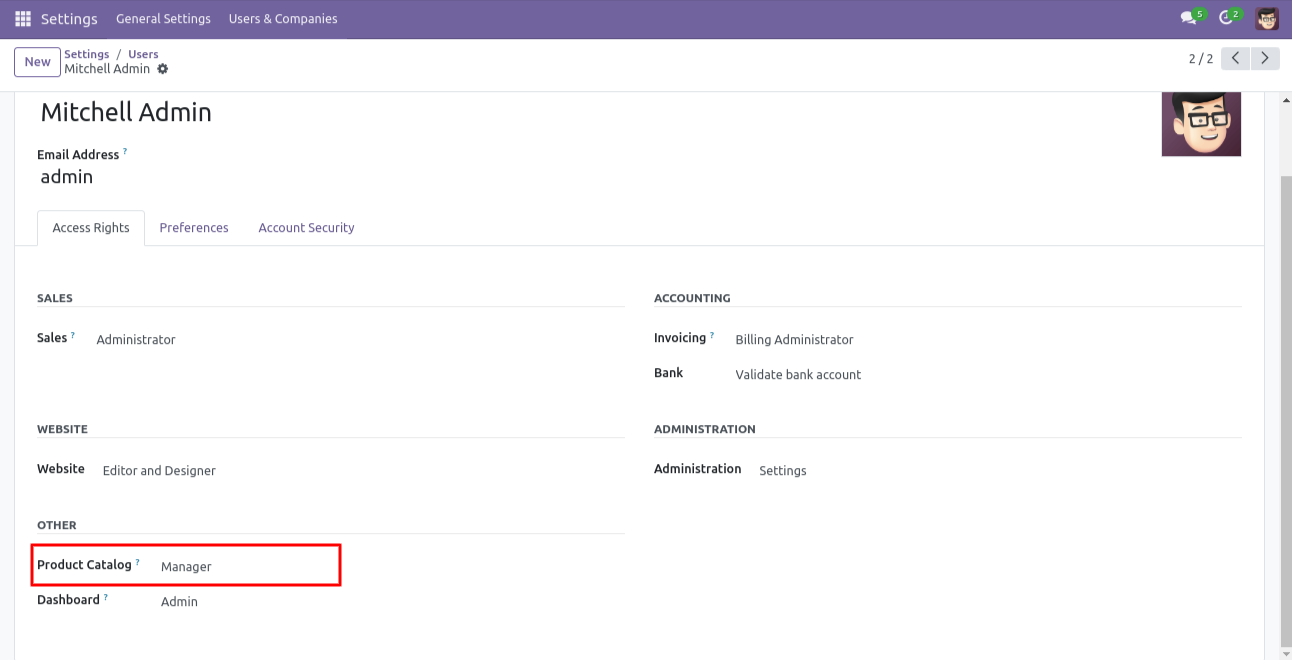
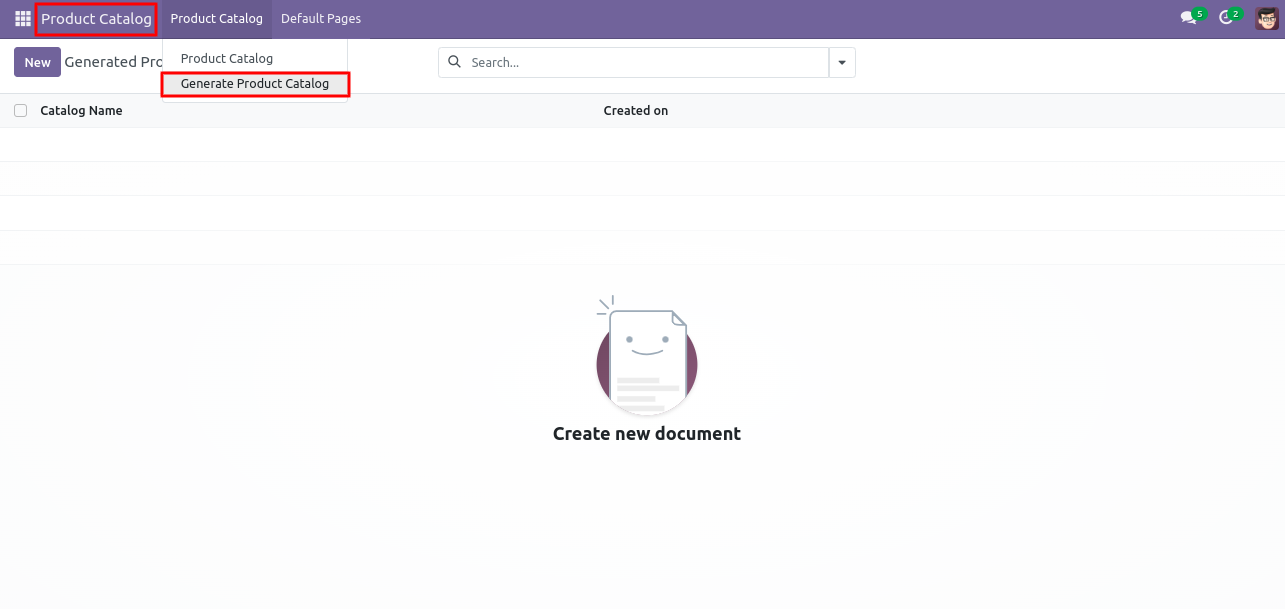
The 'Product Catalog' menu, is used to generate a product catalog or see the generated product catalog.
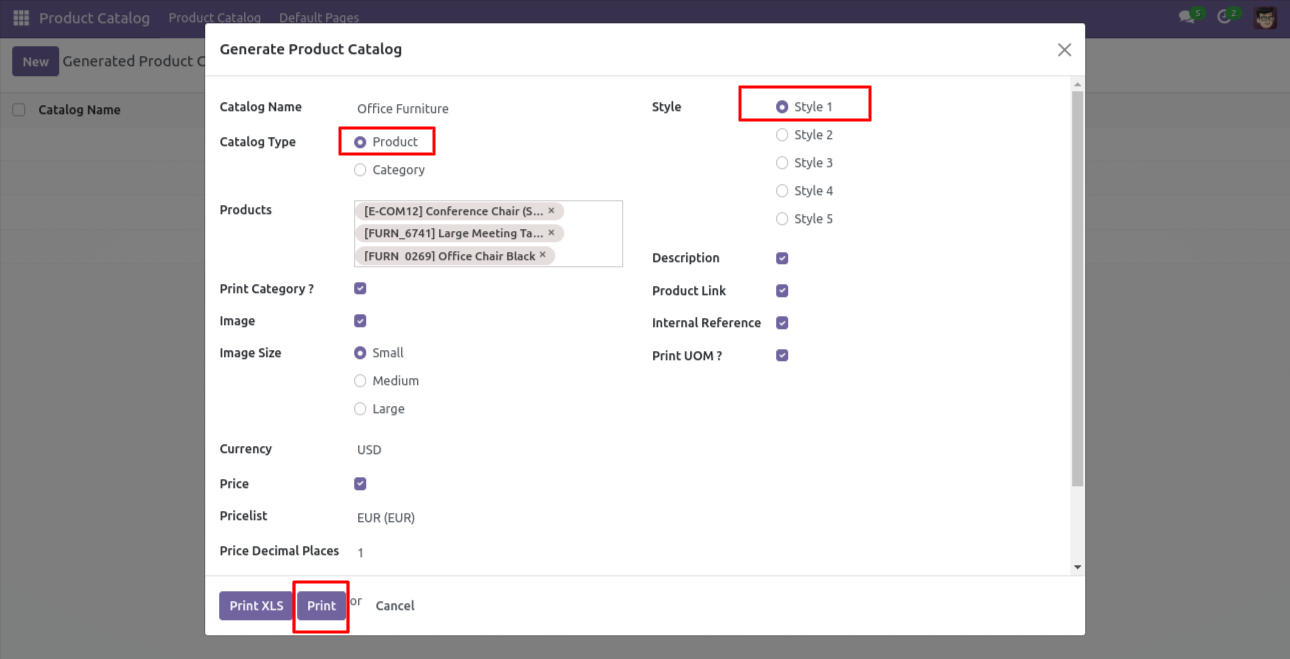
After pressing the 'Generate Product Catalog', it opens the wizard. Select your choice and press the 'Print' button.
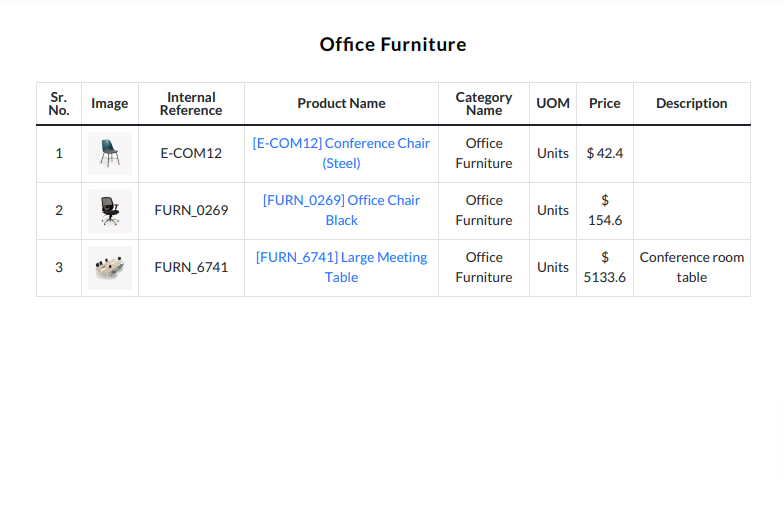
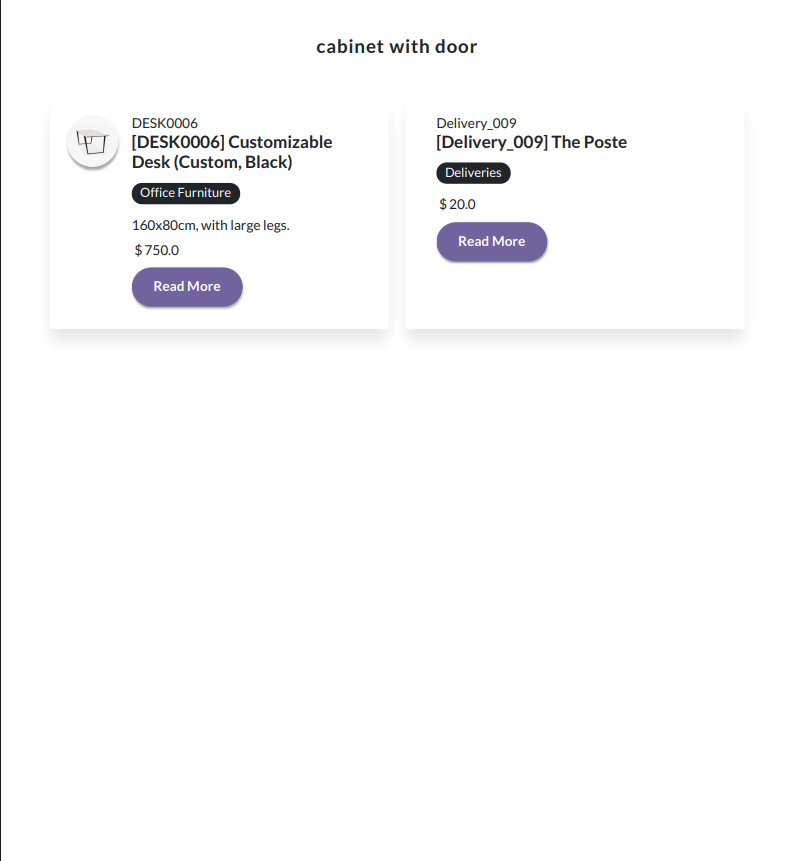
Product catalog style-1 looks like below.
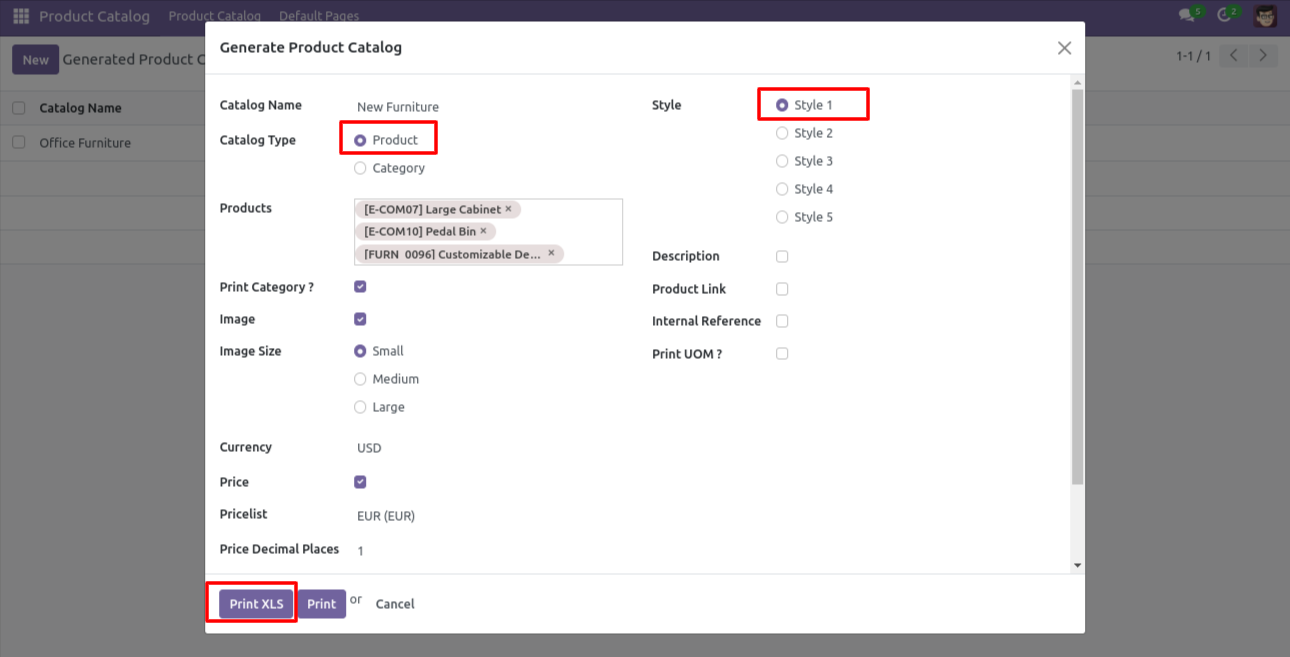
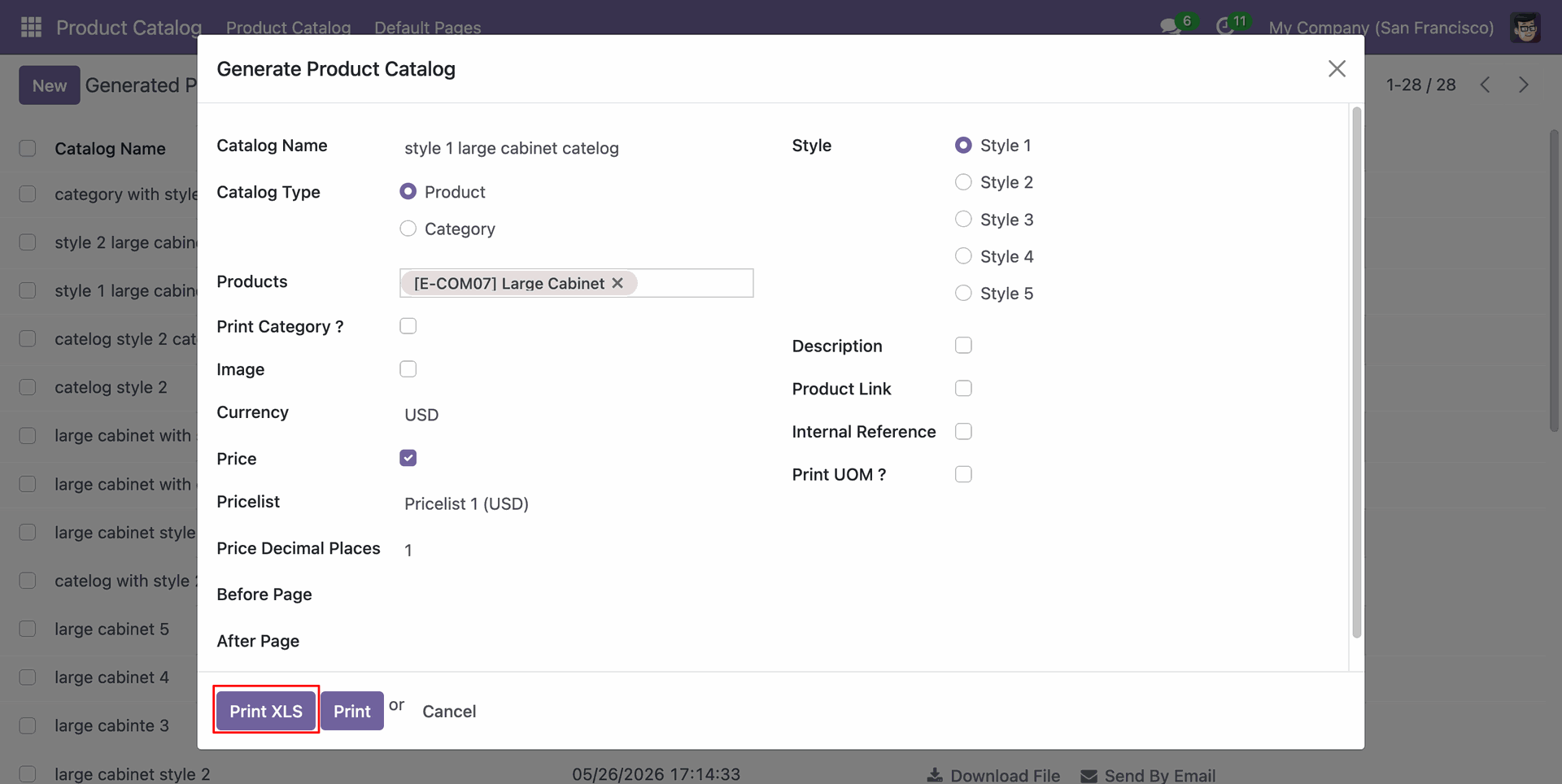
In the product catalog wizard press 'Print XLS' to an print excel report for product catalog style-1.
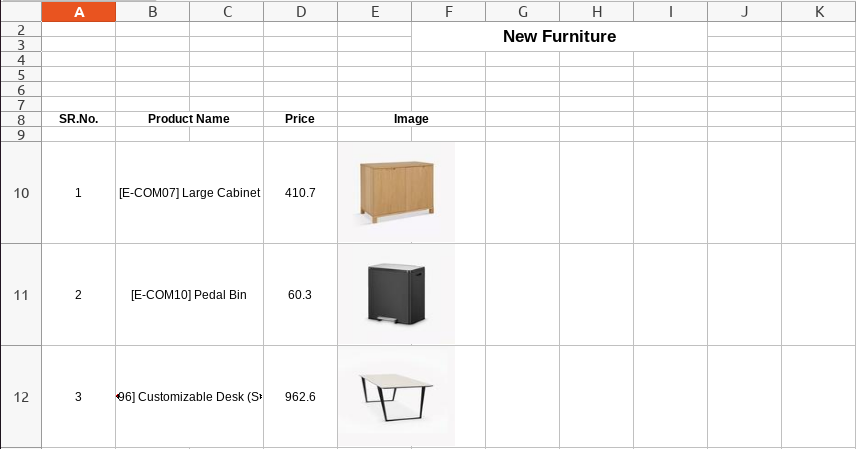
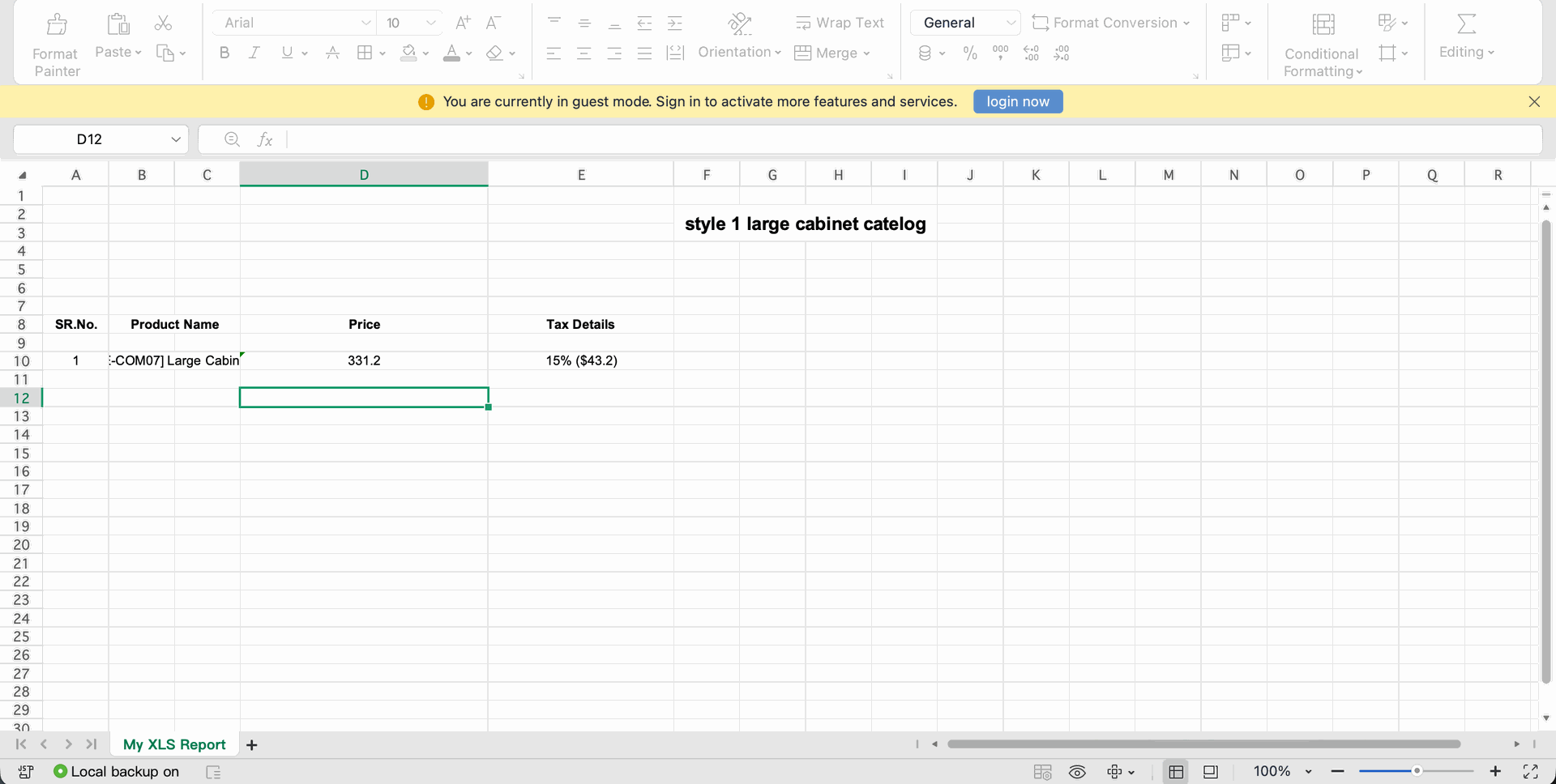
XLS report looks like this.
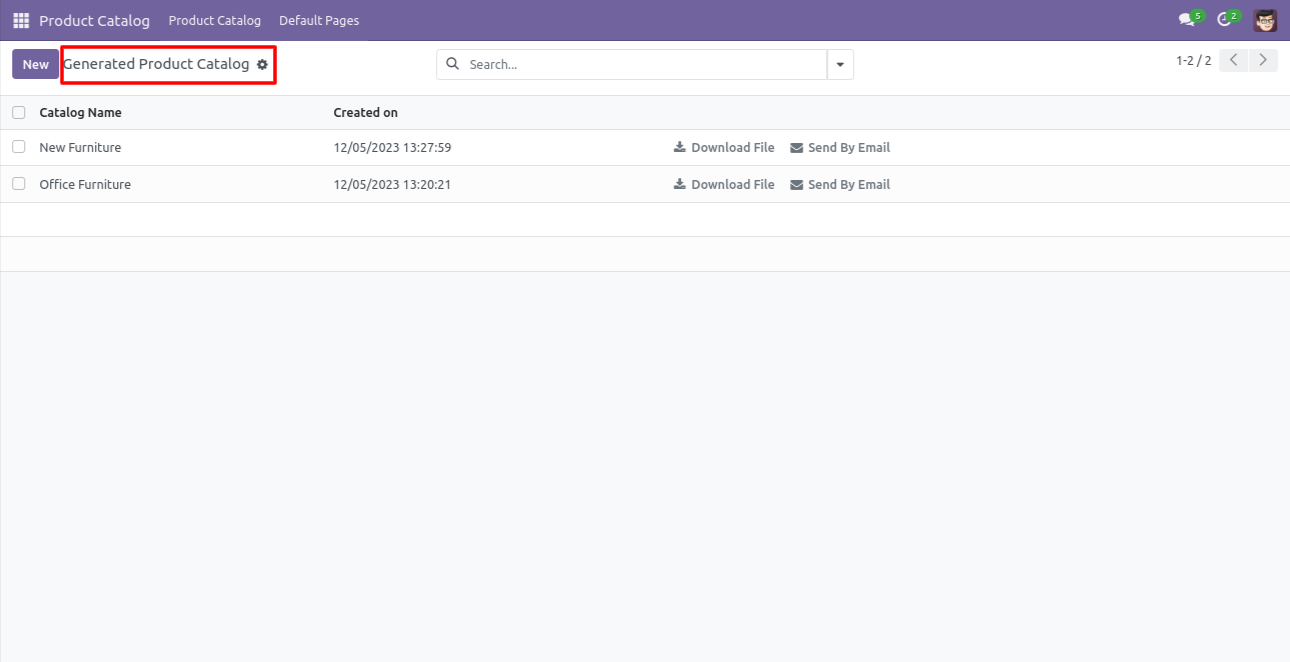
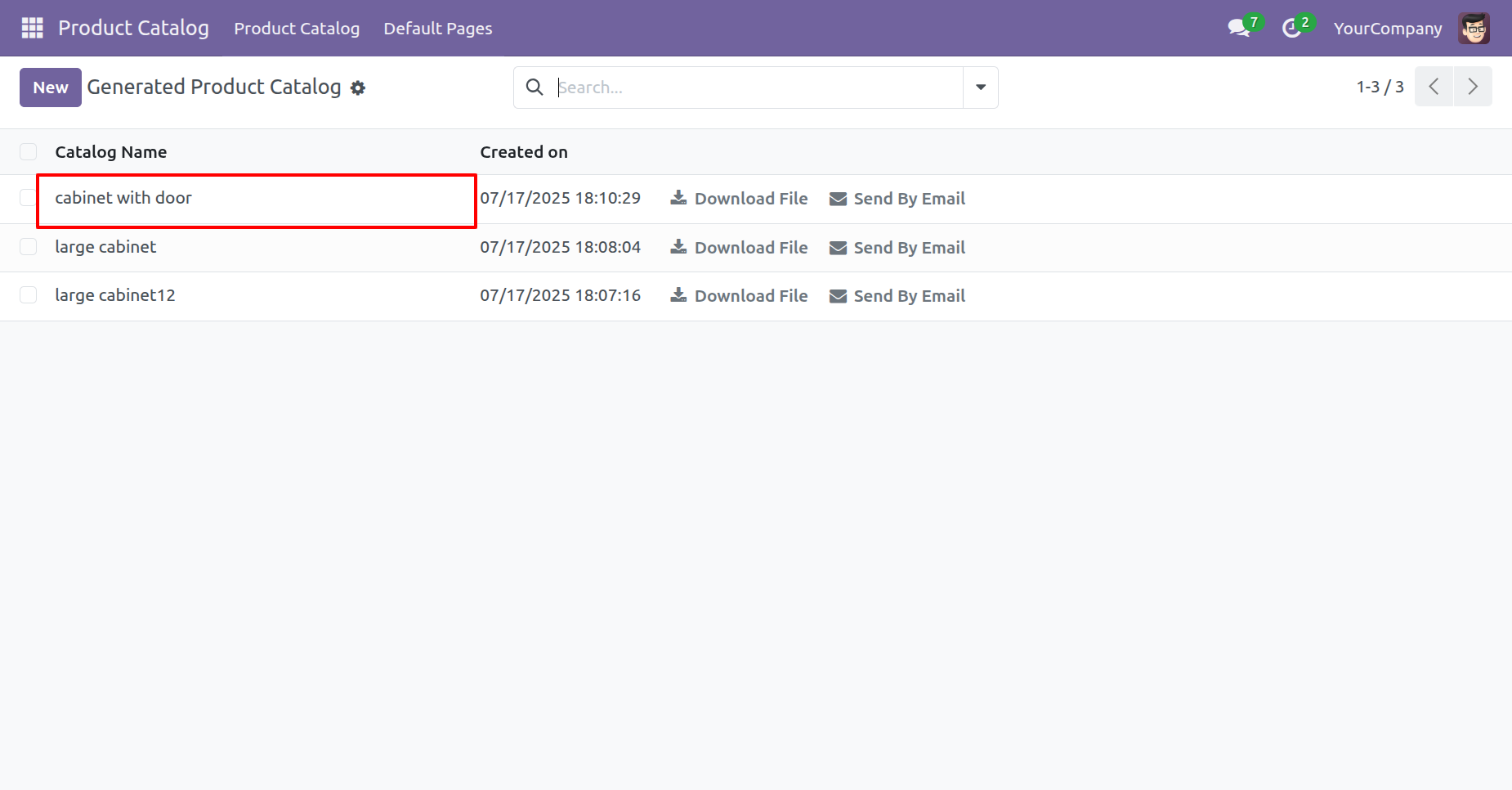
Generated product catalog tree view, you can download or send catalog from here.
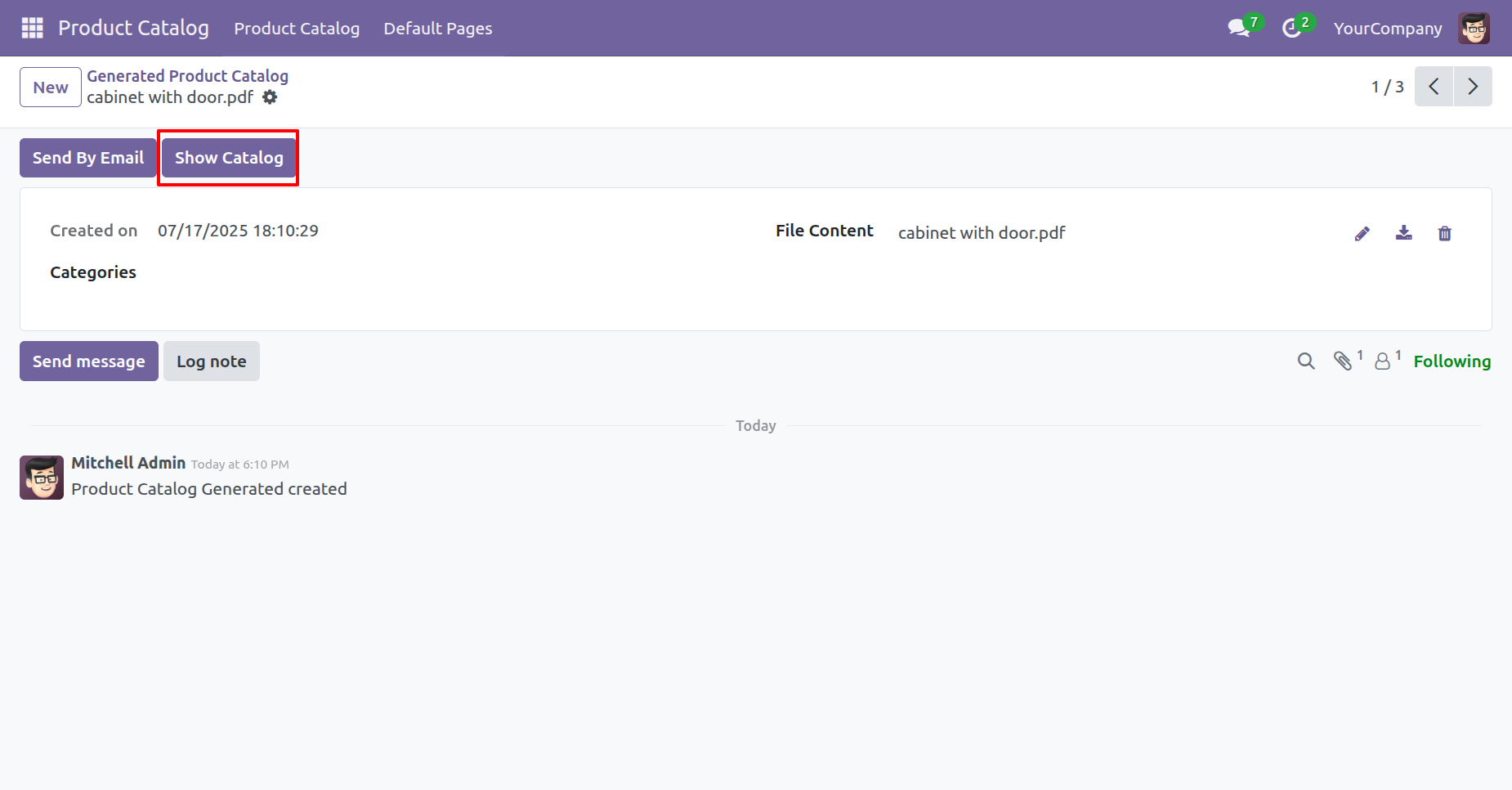
Generated product catalog form view, you can download or send catalog from here.
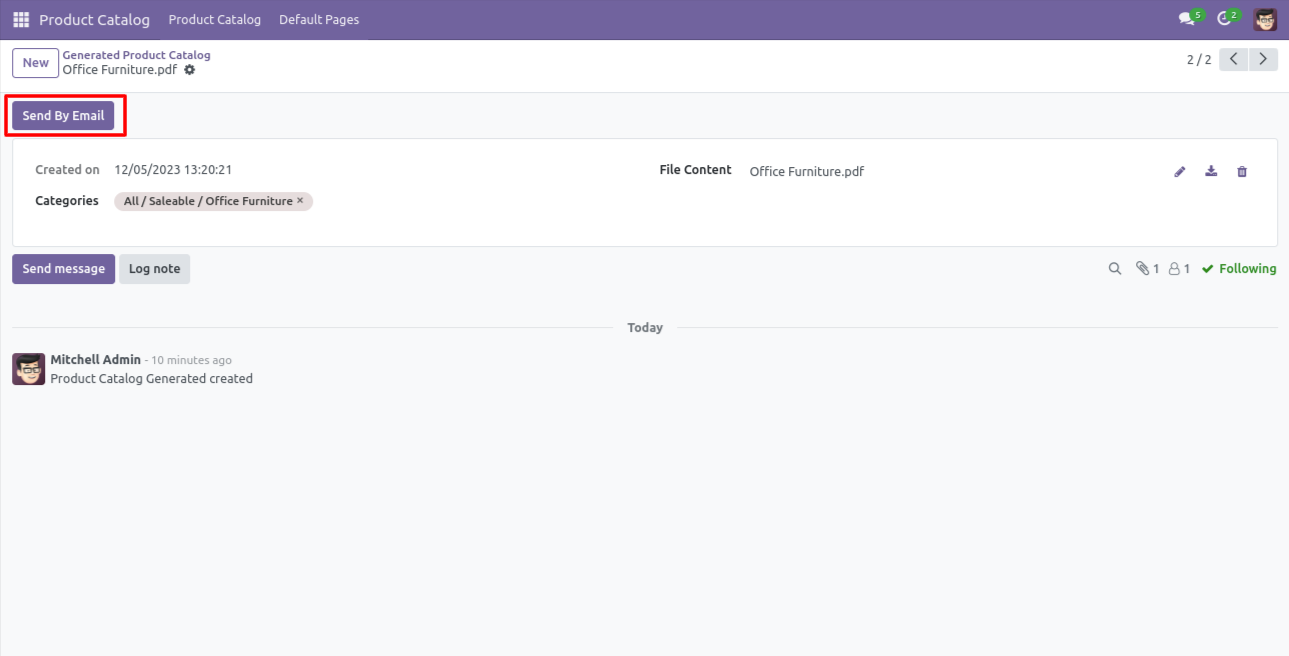
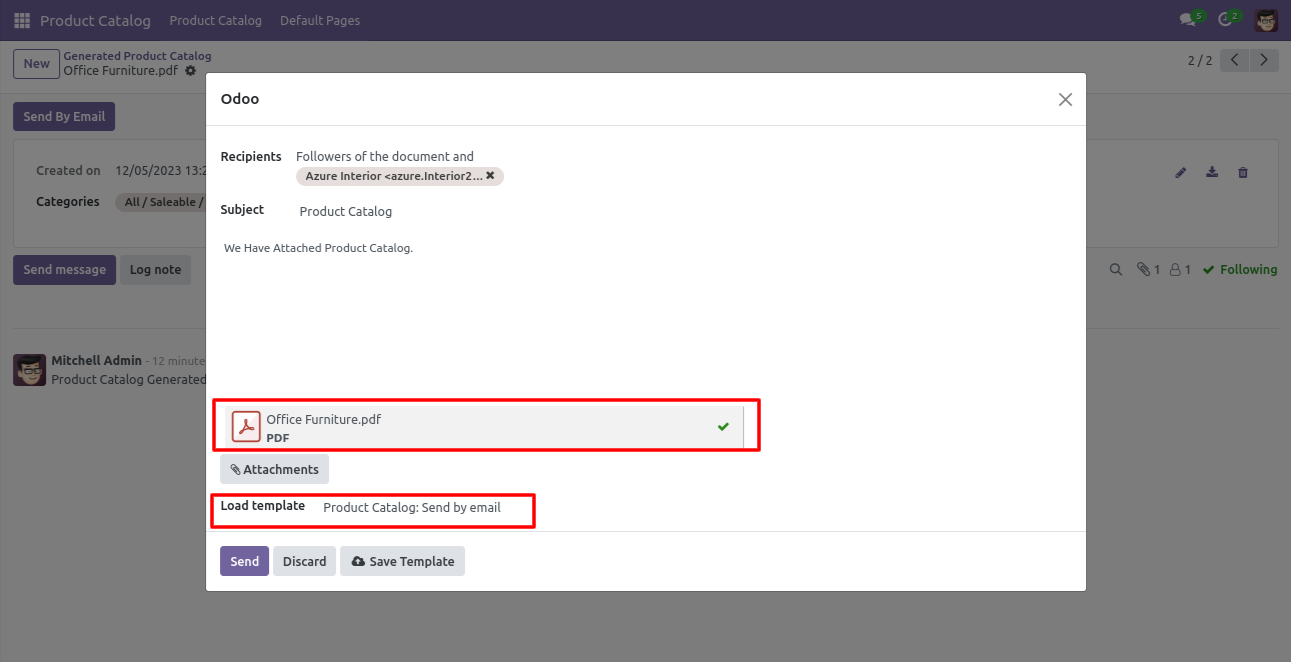
After pressing on the send by email button, this wizard opens.
Attach the file and press the "Send" button.
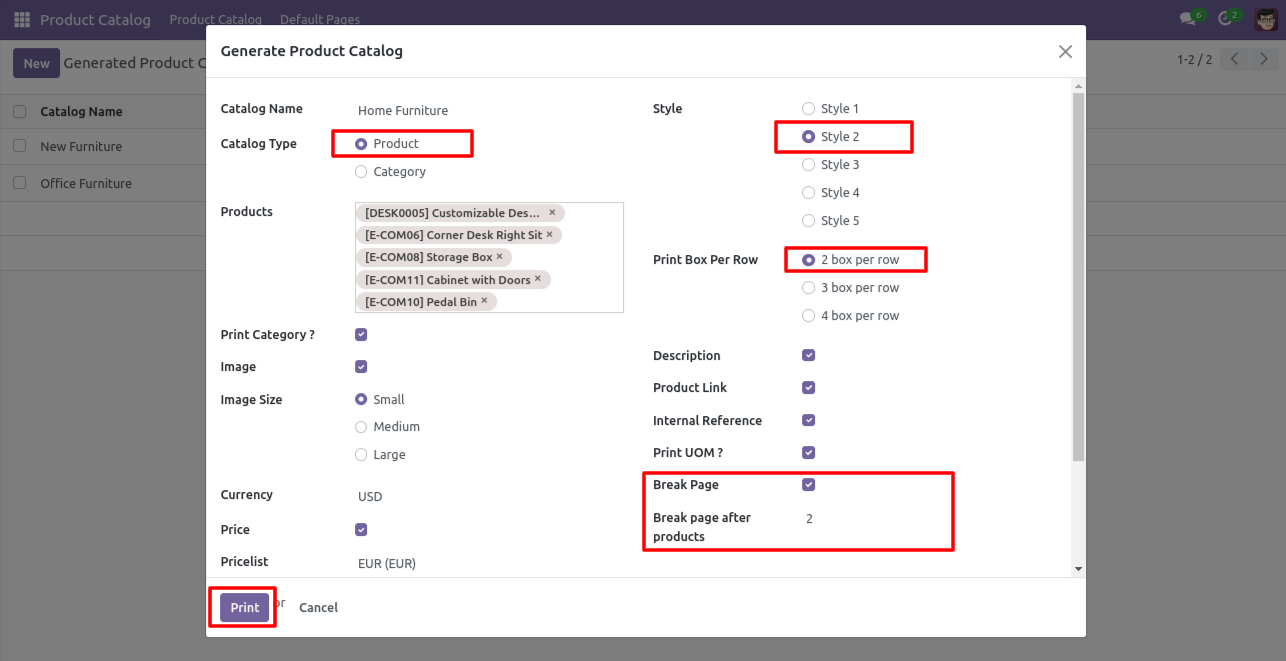
In style-2, you have the extra feature that how many box prints per row and after how many products you want to break the page.
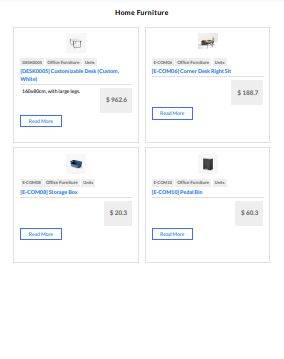
Product catalog style-2 with 2 boxes and small image size in 1 row.
 >
>
Product catalog style-2 with 3 boxes and medium size image in 1 row.
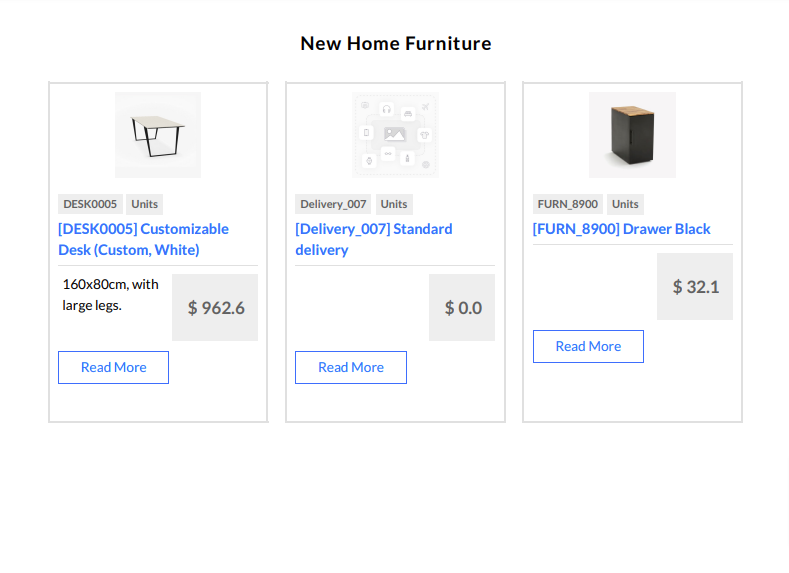
Product catalog style-2 with 4 boxes and a large size image in 1 row.
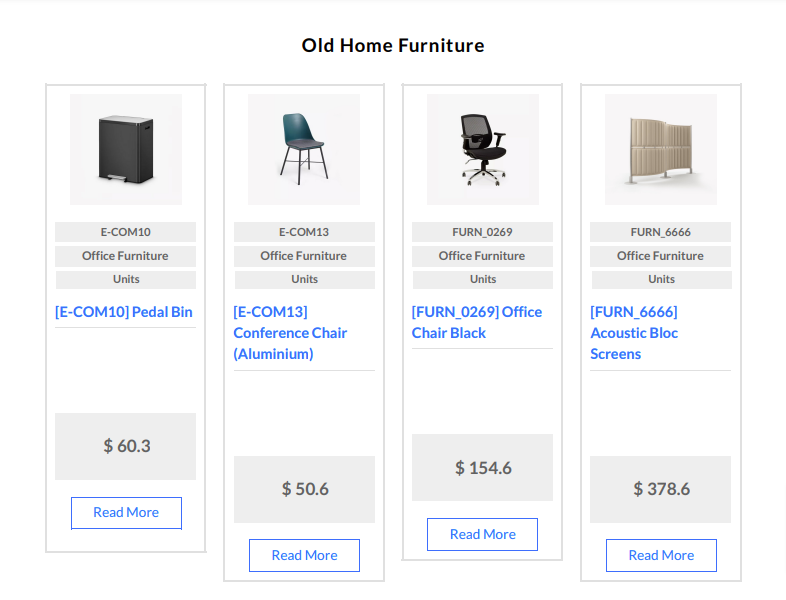
Product catalog style-3.
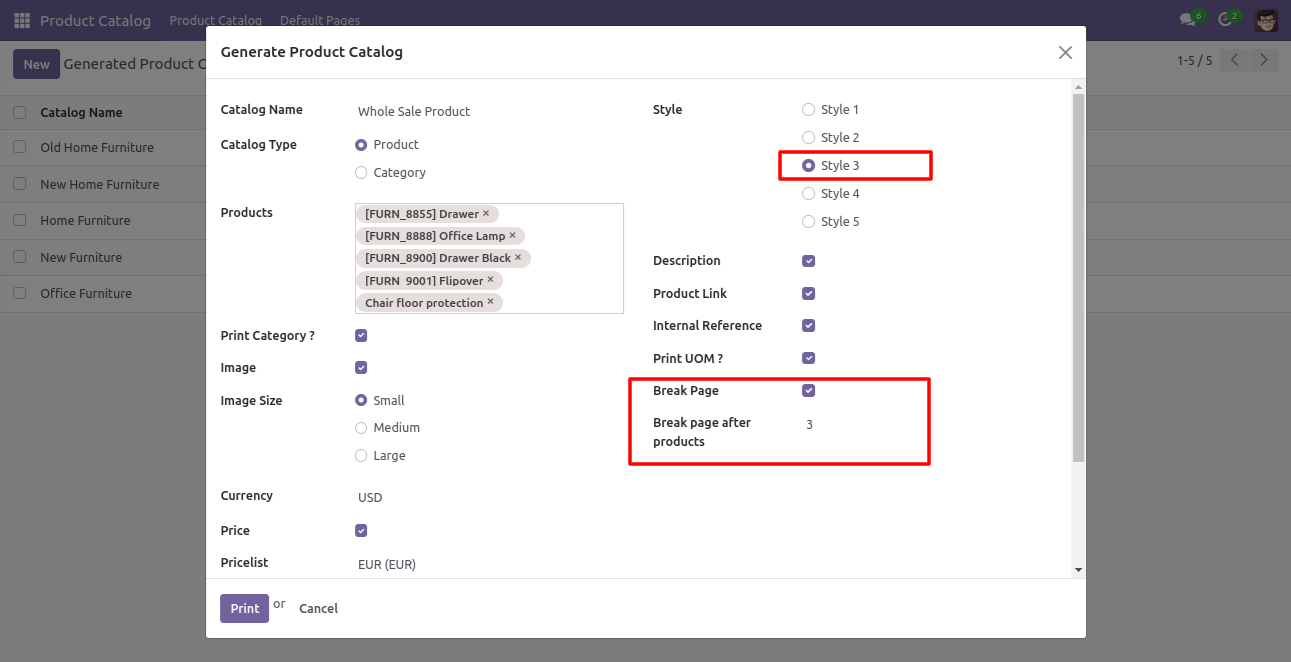
Product catalog style-3 with small size image in 1 row.
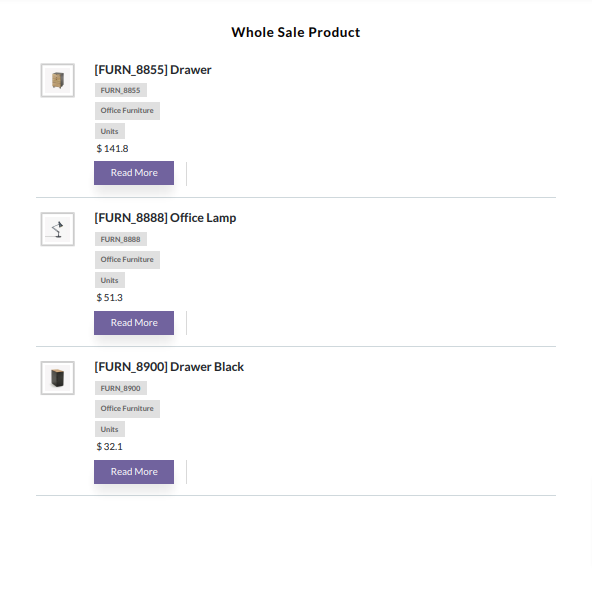
Product catalog style-3 with medium size image in 1 row.
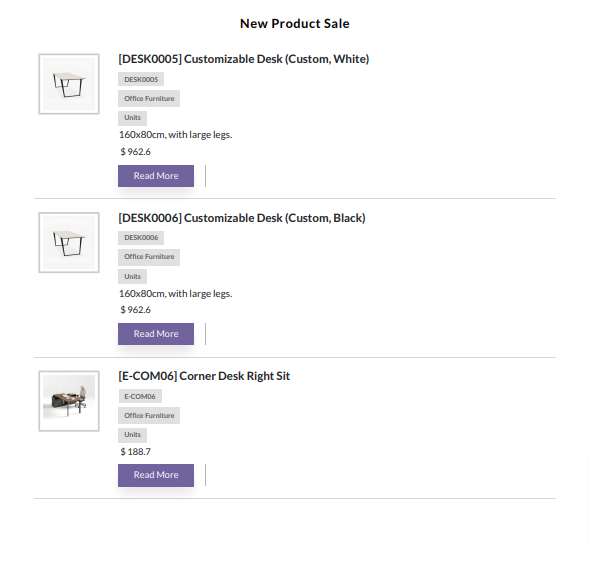
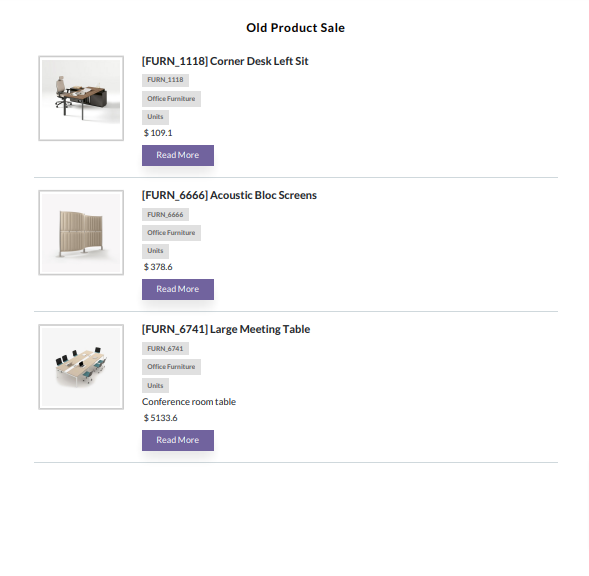
Product catalog style-3 with large size image in 1 row.
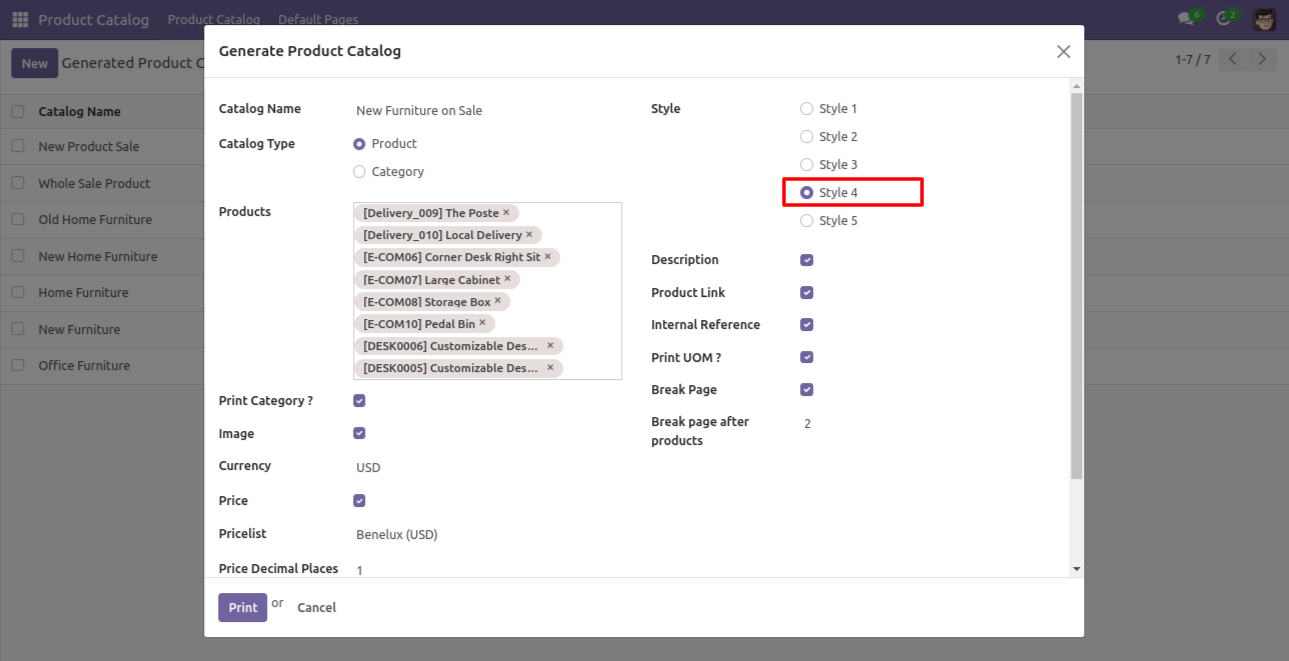
Product catalog style-4.
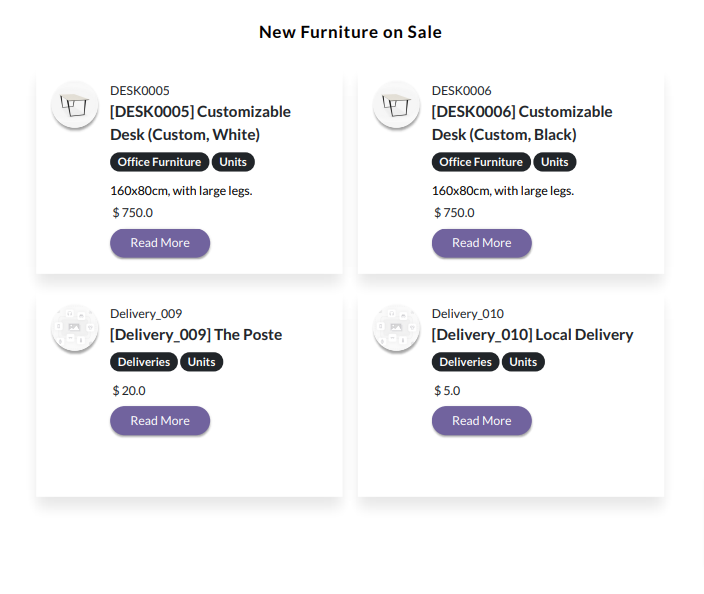
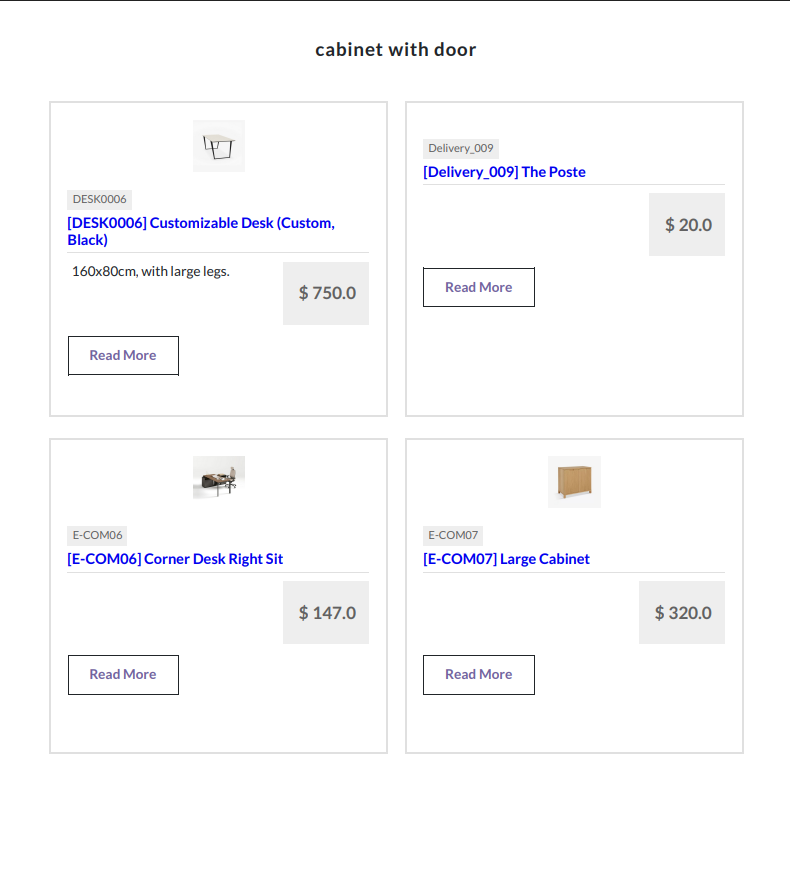
Product catalog style-4 looks like below.
In style-5, you can select how many box prints per row.
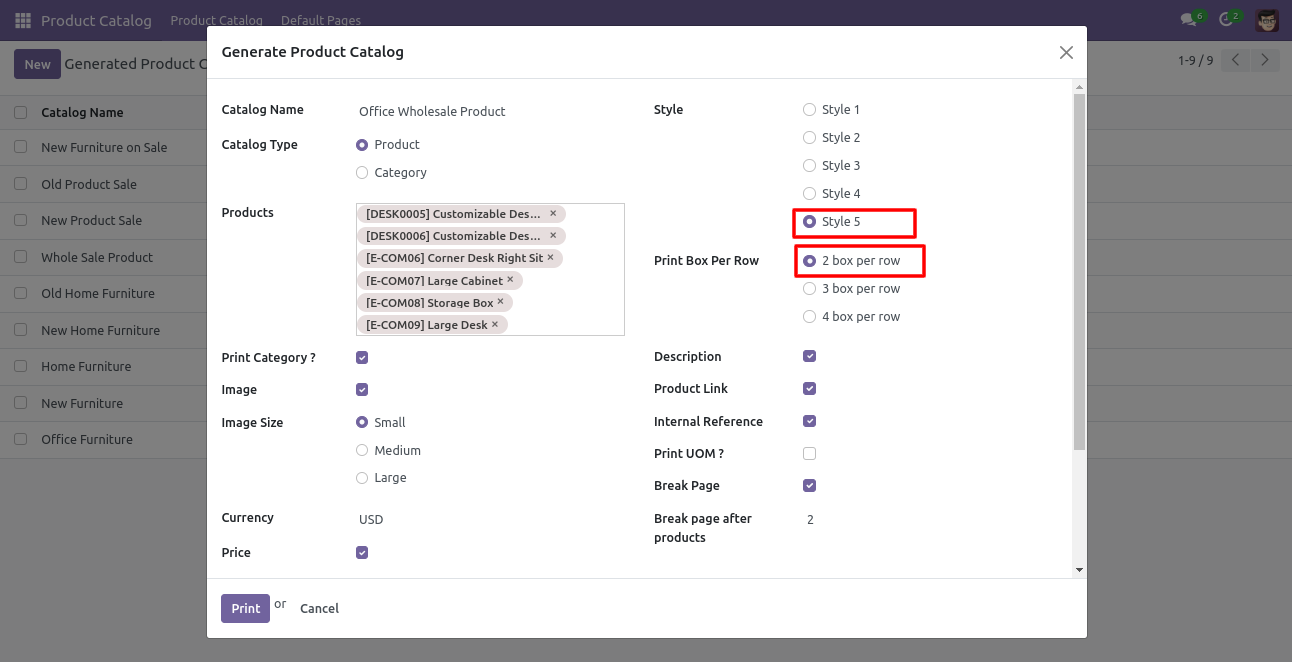
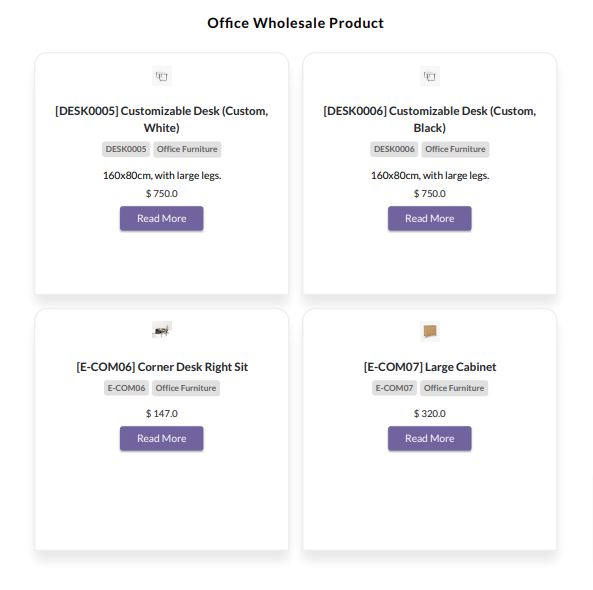
Product catalog style-5 with 2 boxes and small image size.
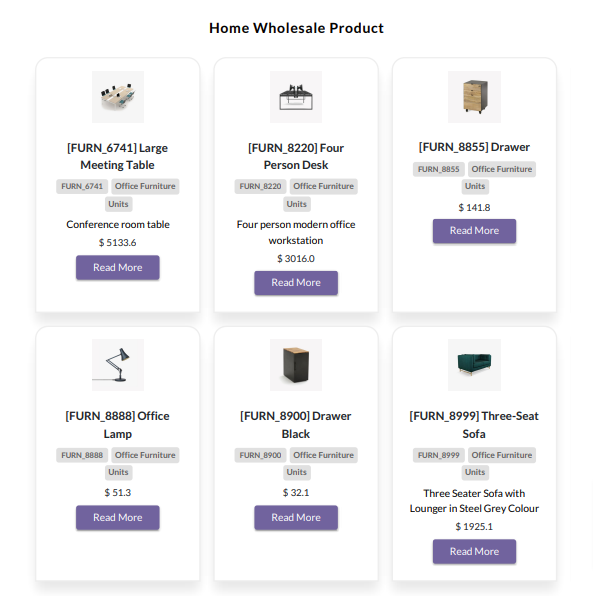
Product catalog style-5 with 3 boxes and medium image size.
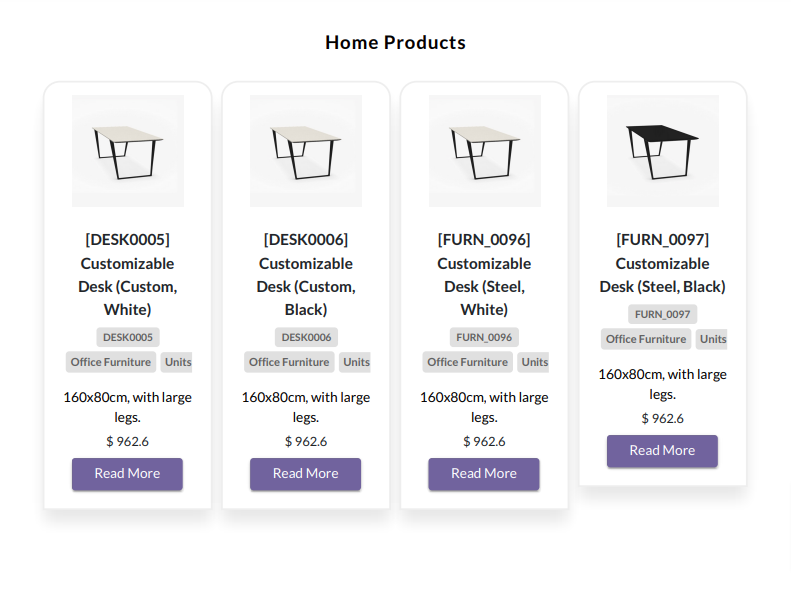
Product catalog style-5 with 4 boxes and large image size.
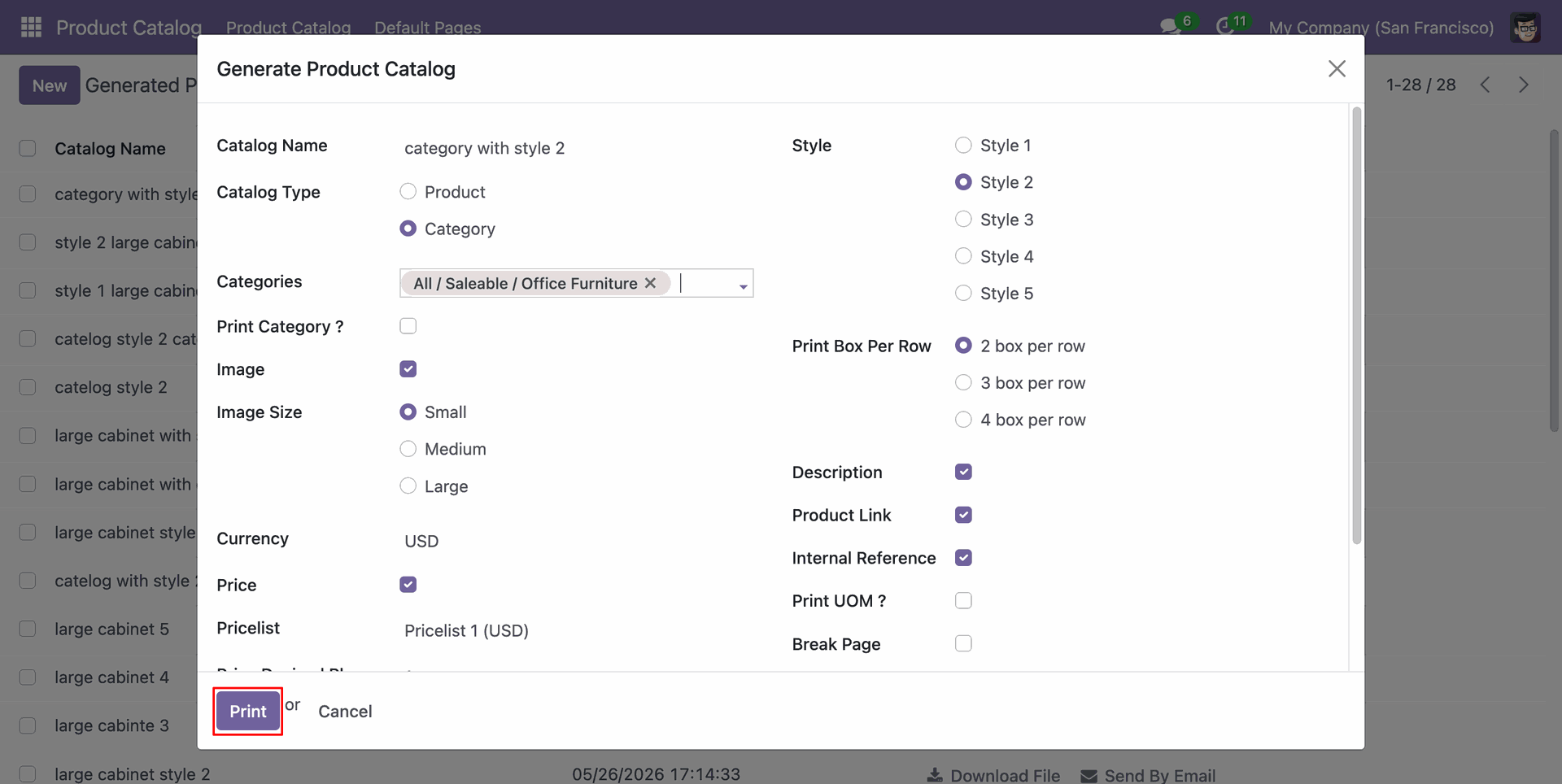
Now we choose a category in the product catalog type.
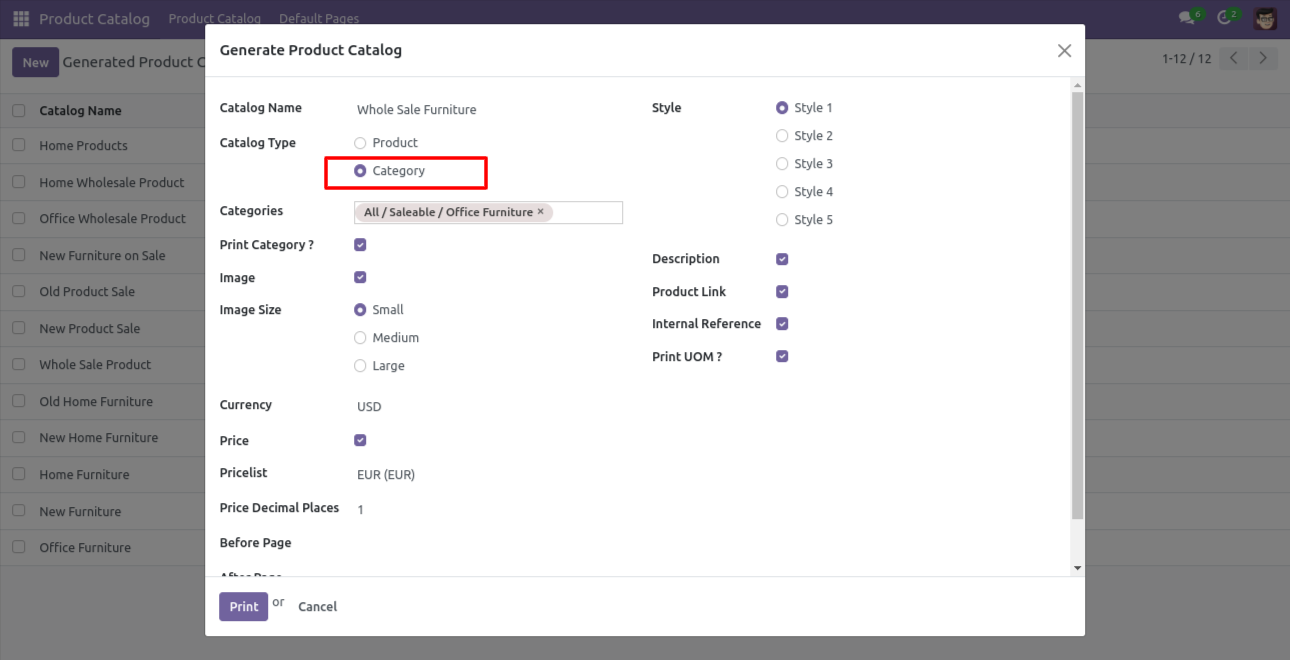
The product catalog with category looks like below.
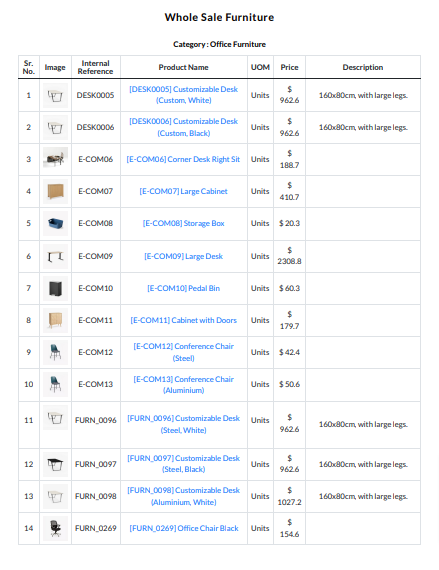
The product catalog wizard with price decimal places field.
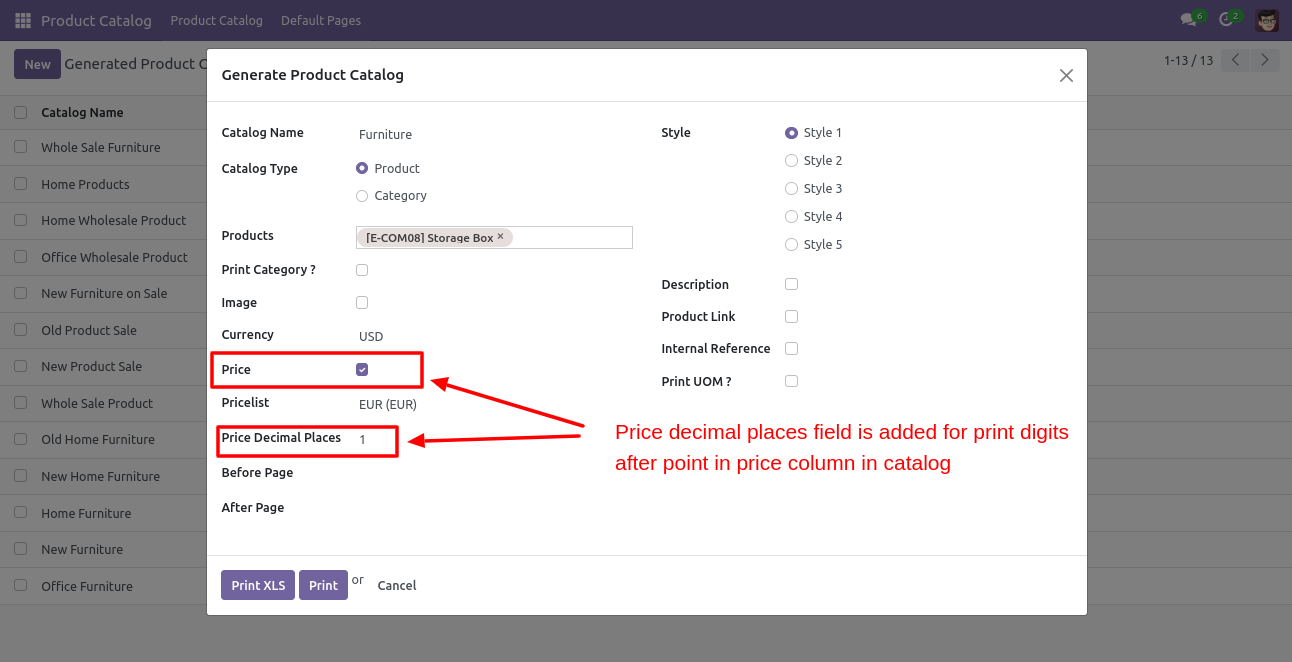
Default pages menu.
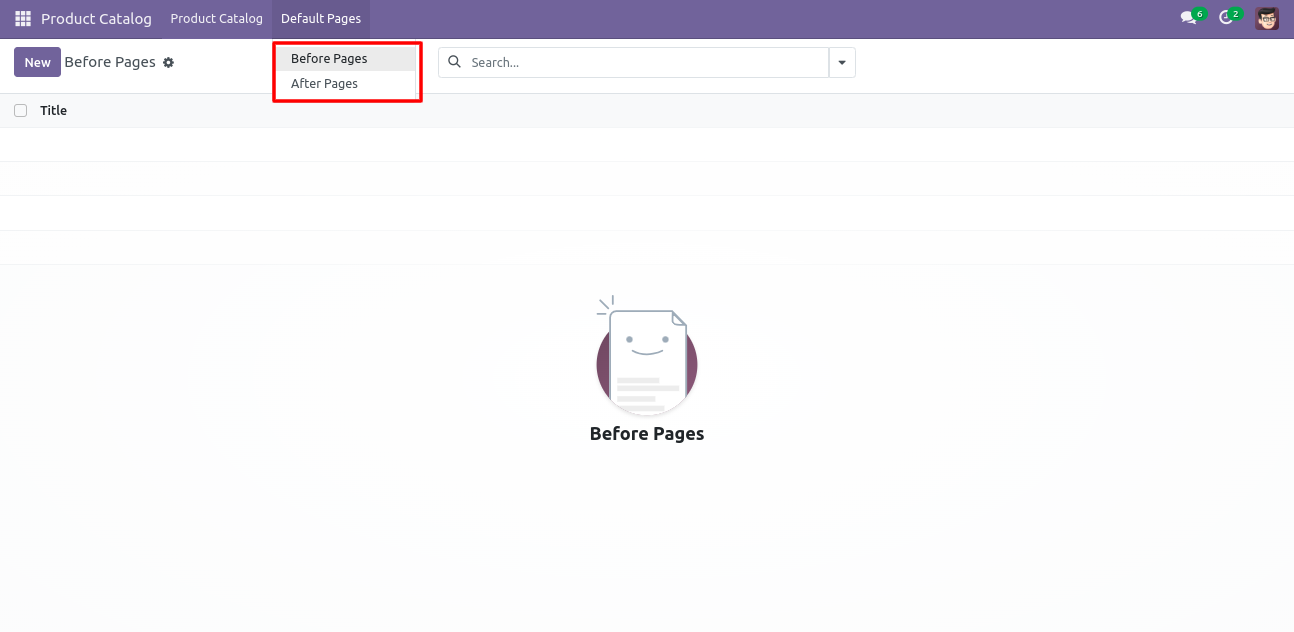
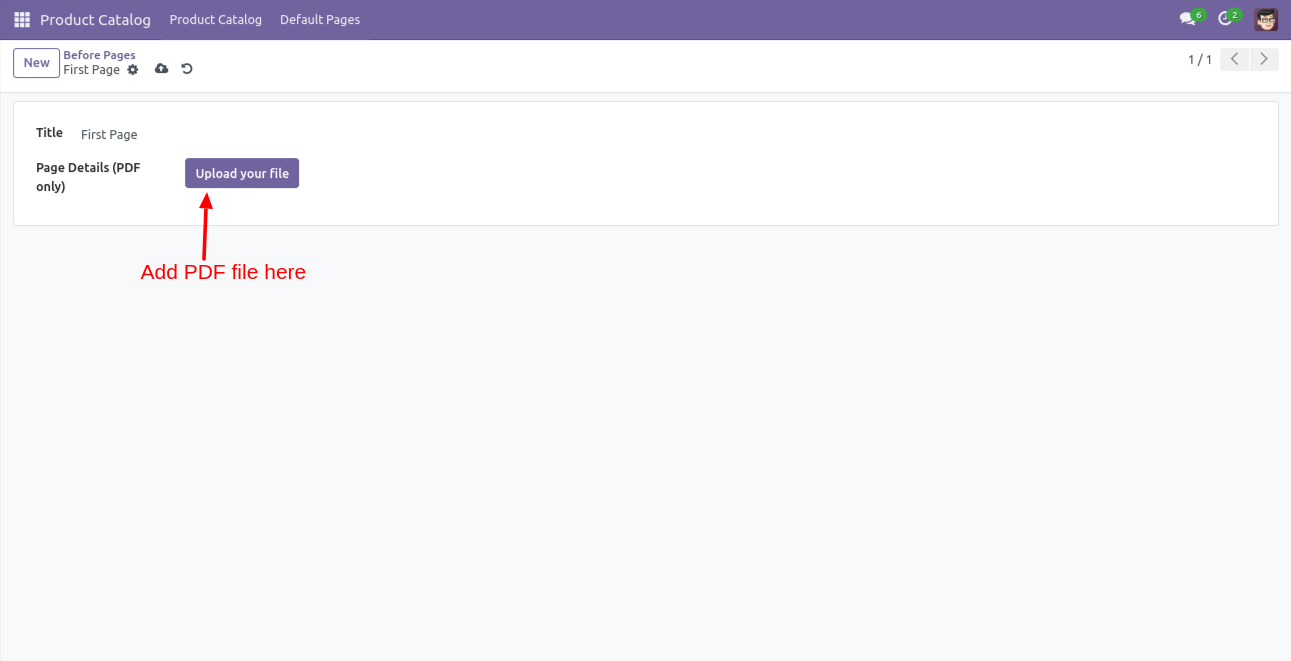
Default pages before form view.
'Generate Product Catalog' wizard with before and after pages.
Product catalog with default before-after pages.

Product catalog with default before-after pages.
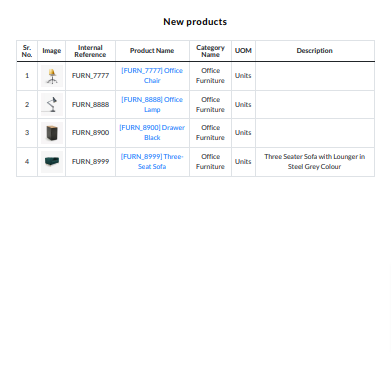
Product catalog with default before-after pages.

In the product catalog wizard press 'Print' to an print the report for product catalog style-2.
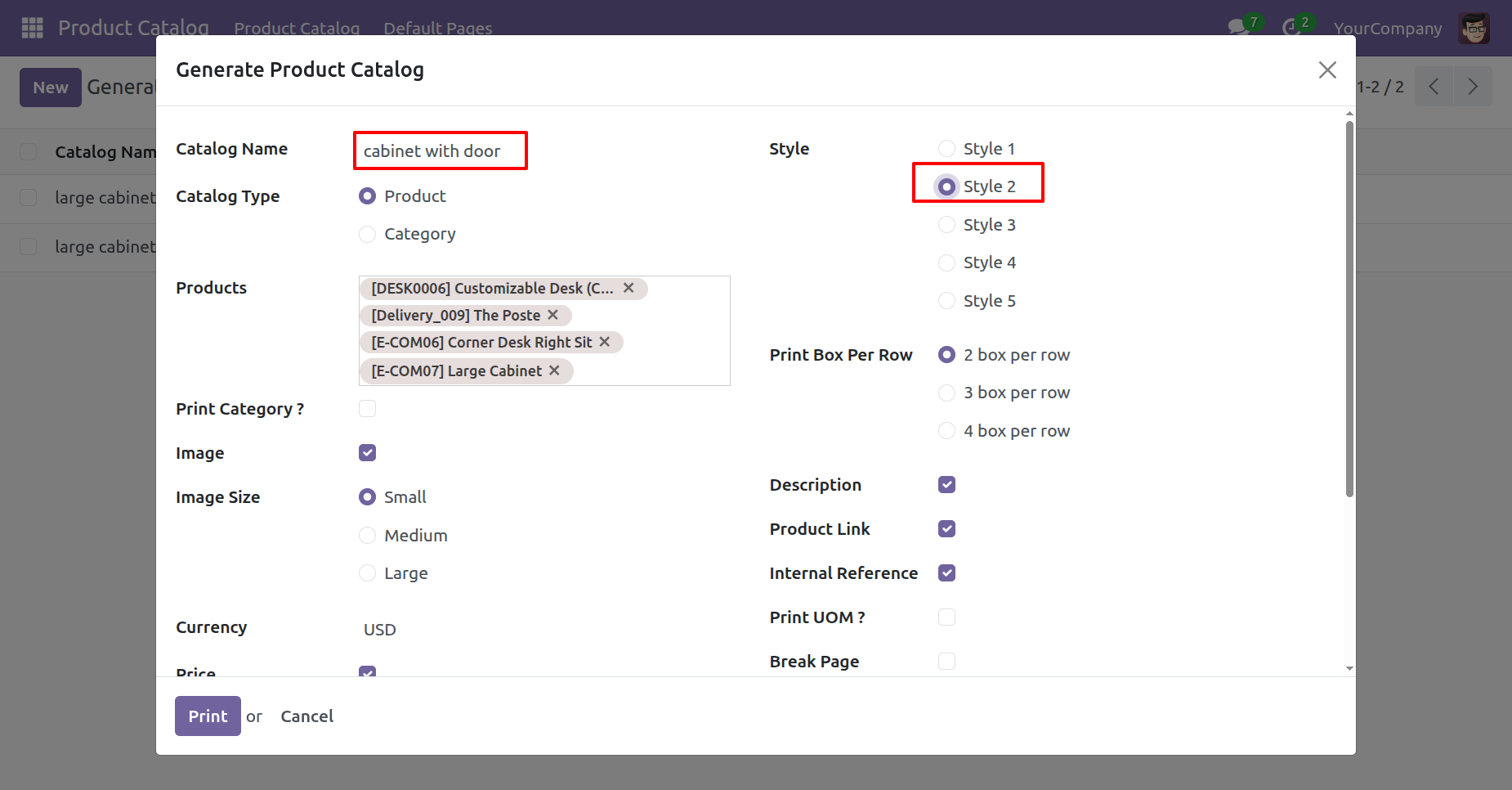
Product catalog style-2 looks like below.
Tree view of the 'Generated Product Catalog'.
To show the generated product catalog, click on the 'Show Catalog' button.
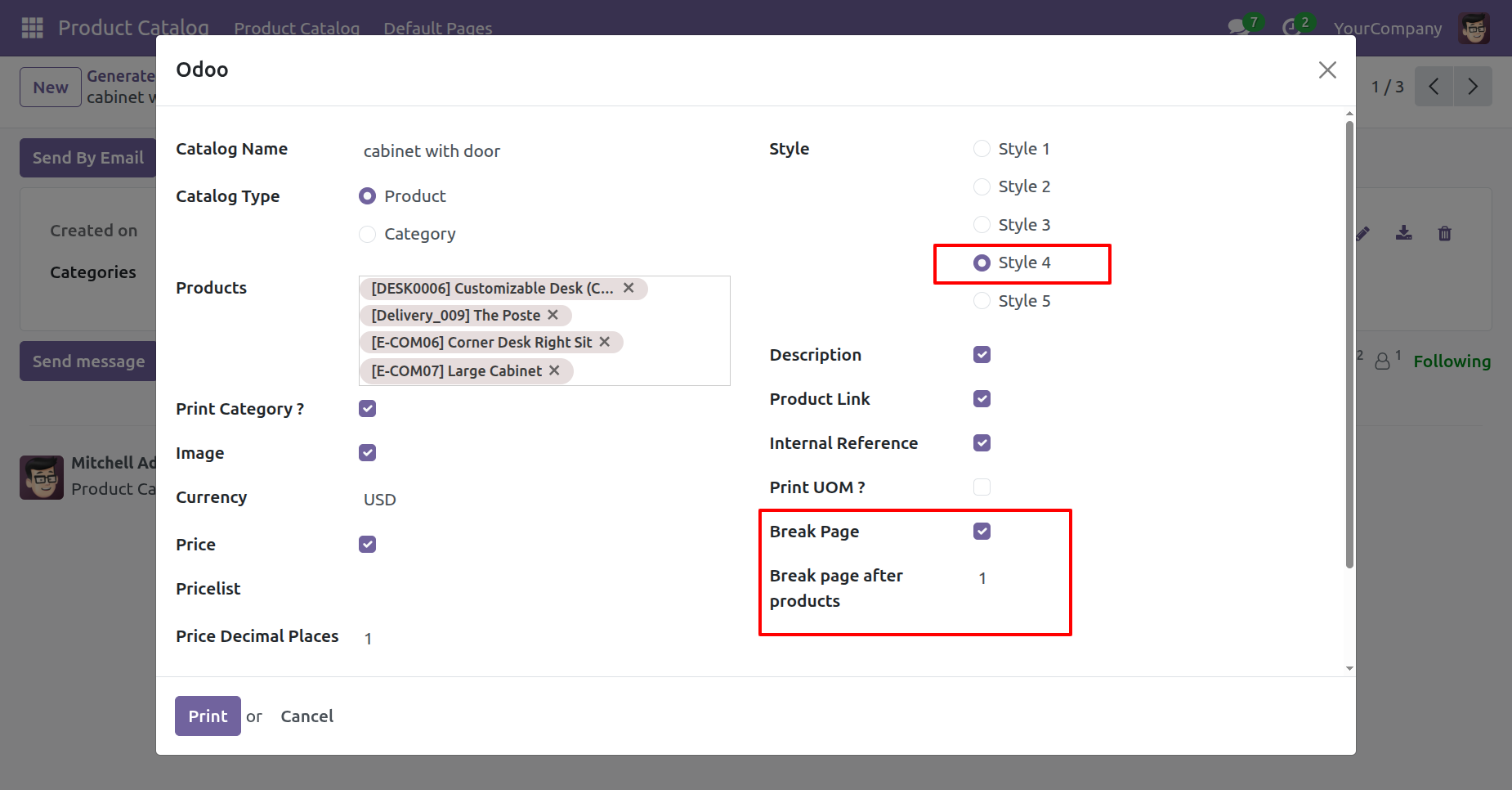
In the product catalog wizard press 'Print' to an print report for product catalog style-4.
Select the break page option.
Here you can also edit the catalog.
Product catalog style-4
Go to the User Settings and enable the Product Catalog Prices option under the Sales Settings.
Generate the product catalog and print it in XLS format.
Users can view prices including taxes in the printed catalog sheet.
Generate the product catalog in all available styles and print it in PDF format.
Users can view prices, including taxes, in all available printed catalog styles in PDF format.
Version 19.0.2.0.0 | Released on : 29th May 2026
Version 19.0.1.0.0 | Released on : 8th October 2025
- Yes, this app works perfectly with Odoo Enterprise (Odoo.sh & Premise) as well as Community.
- No, this application is not compatible with odoo.com(odoo saas/Odoo Online)
- No, currently it does not work if the product type is selected as a combo product. For more details, please contact our support team at support@softhealer.com.
- Yes, to test this module, please contact us at sales@softhealer.com.
- Please contact us at sales@softhealer.com to request customization.
- Yes, we provide free support for 365 days from the date of purchase.
- Yes, you will receive lifetime free updates for the version of the module you purchased.
- No, there is no need to install any additional libraries.
- Yes, for version 12 and above, you need to purchase the module separately for each version you intend to use.
- No, exchanges or refunds are not allowed. Please make sure to select the correct version before purchasing.
- You can contact us at support@softhealer.com for language translation support. We use Google Translator tools to provide translations in multiple languages, so the accuracy may vary. We welcome your suggestions to help improve translations.
Discover Our Latest Apps