









Product Approval

The product approval module will allow you to approve or reject products only by-product manager, Only approved products can be used in Sale, Purchase, Invoices, CRM & Inventory, etc. When product create that will put it in the 'Under Approval' state by default and then after product manager can move in approve or not approve state. The approved product will appear in the whole odoo. This module gives the facility to the product manager to select multiple products means mass approval or mass reject products.
Related Modules
Features
Product Approval
Products can be approved or rejected exclusively by the Product Manager. Only approved products can be used in Sales, Purchases, Invoices, CRM & Inventory, etc

Product Status Search & Filter
Search & filter products based on their status, including Draft, Under Approval, Approved, and Not Approved.

Product Submission for Approval
When a normal user creates a product, it is first saved as a Draft and then automatically moved to the Under Approval state by default.
Product Approval Status
Products can be approved by the Product Manager, making them ready for use across Odoo, or Not Approved, restricting their use.

Bulk Product Approval
The Product Manager can access multiple products at once to review and approve/unapprove them with a single click.
Approval Workflow for Product Template
Provides a structured approval workflow for product templates.
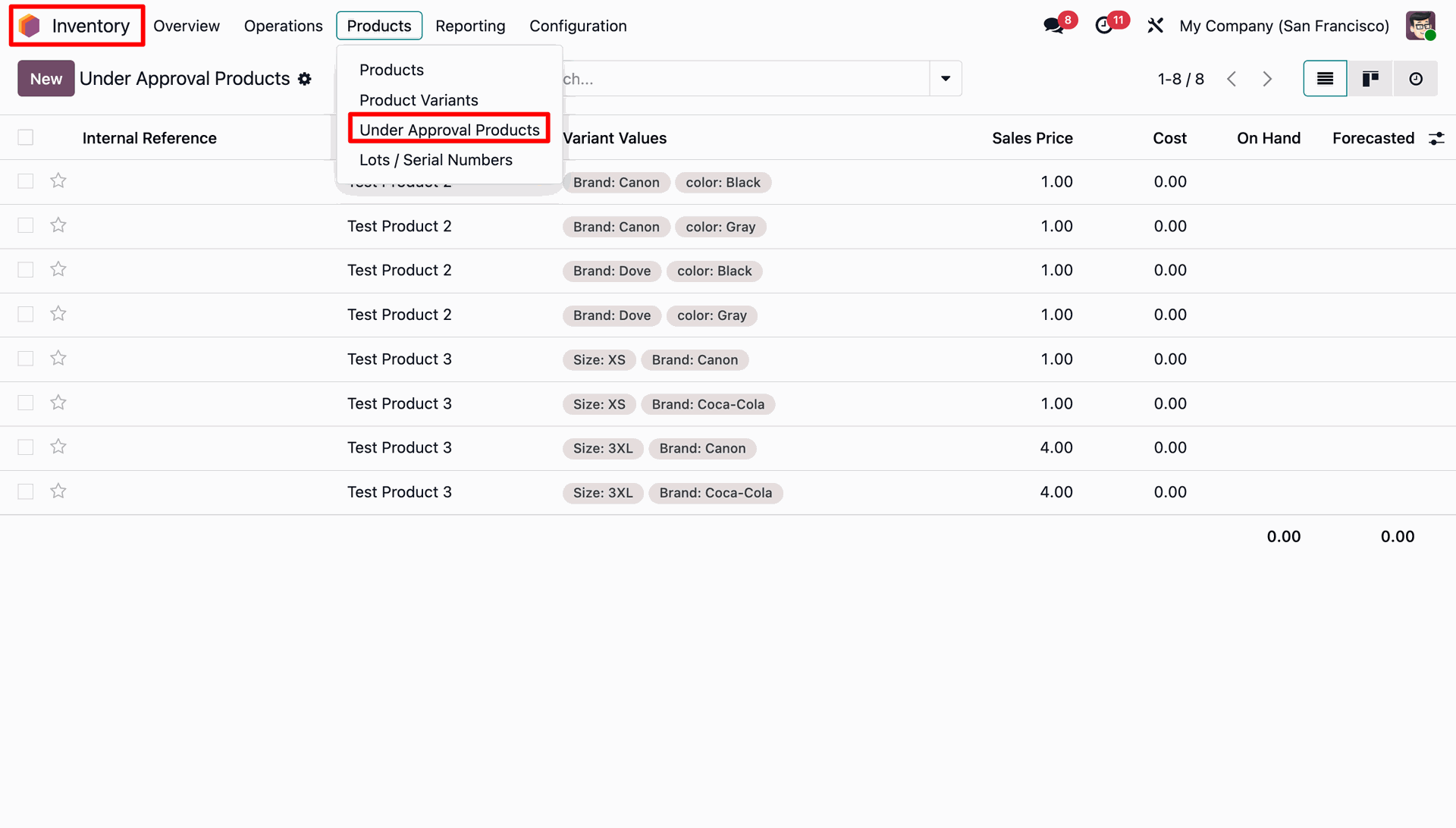
Under Approval Products Menu Under Inventory.
An Under Approval Products menu under the Inventory
Field Update Approval
Manage and track field updates with a structured approval workflow, showing approval status and history for each change.

User-Wise Approval Visibility 
Control approval and unapproval button visibility based on user roles and permissions.

Email Notifications for Approval Actions
Automatically send email, Buzz, and Discuss notifications when product templates are approved or unapproved.


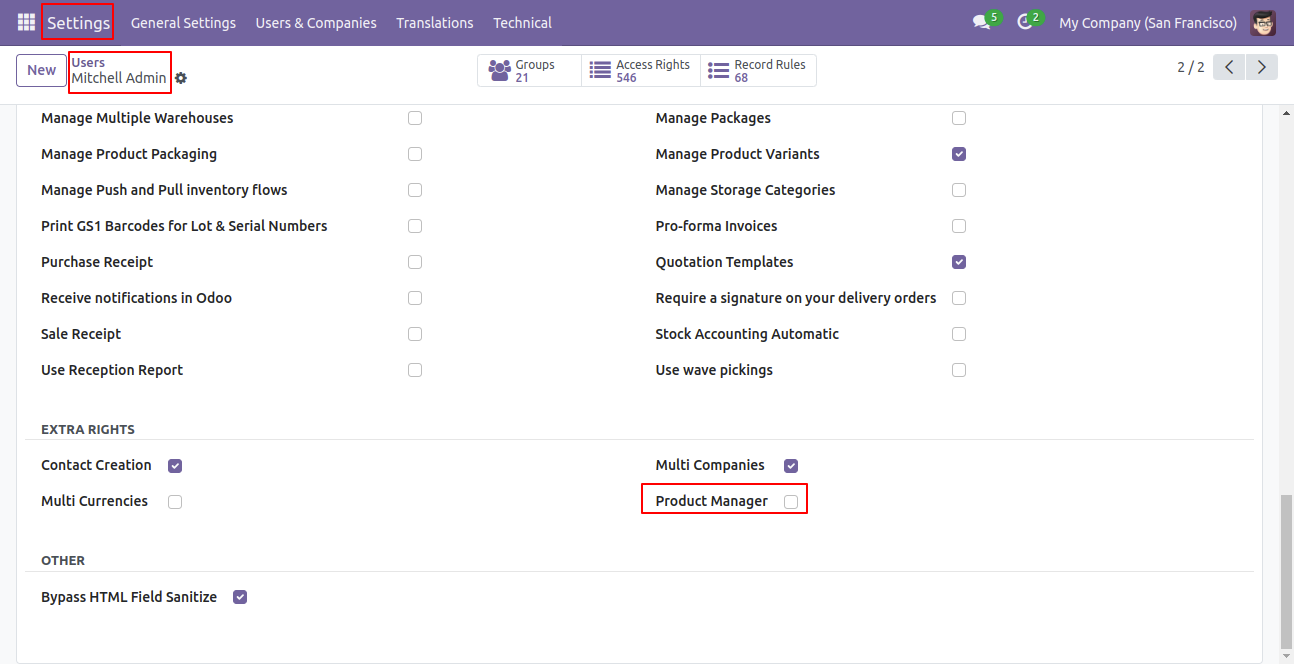
Tick the 'Product Manager' group. if the checkbox is unticked then normal user cant perform 'Mass Approve' or 'Mass Not Approve'.
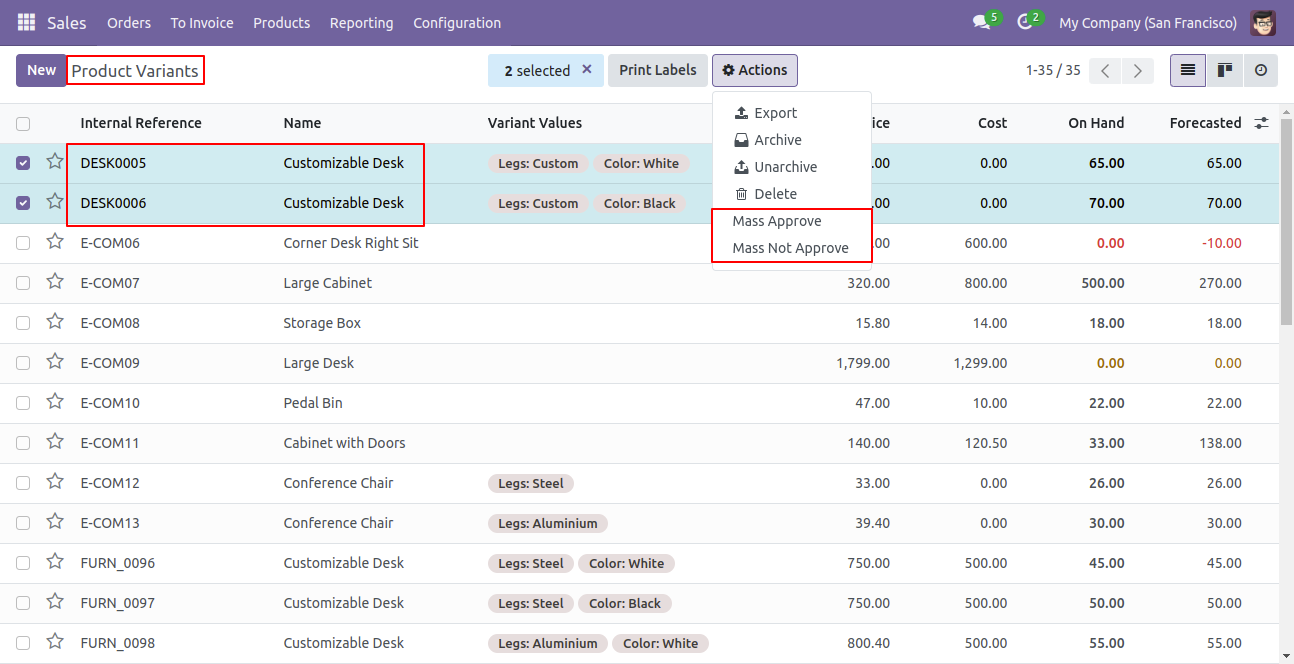
In product variants, if the user selects any products and tries to perform 'Mass Approve' or 'Mass Not Approve' than it shows error.
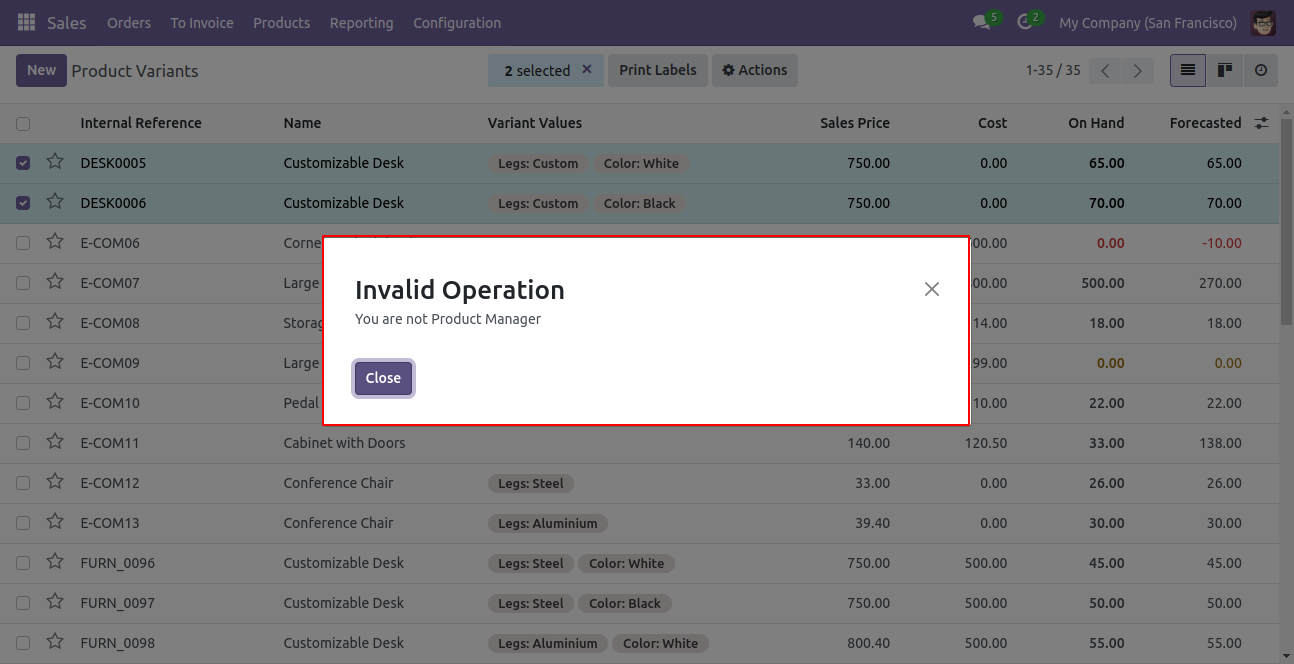
The error looks like below.
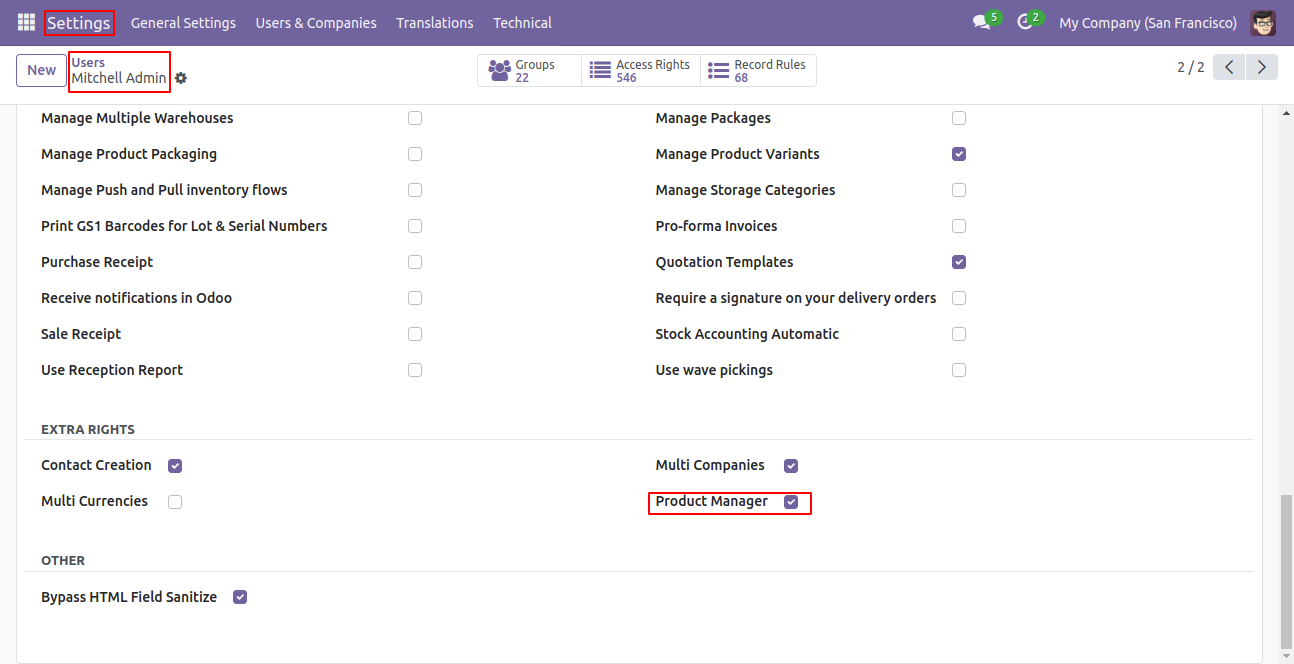
User Setting: Tick the "Product Manager" group.
In Products, you can see the under approval product list.
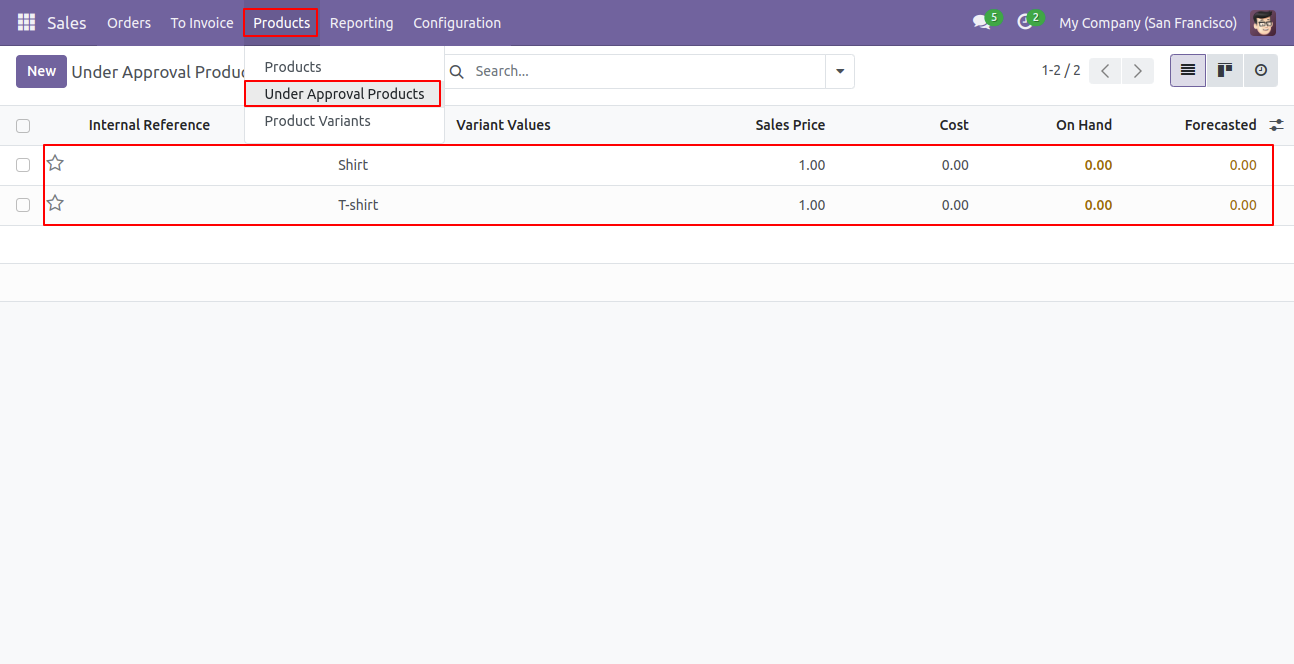
After clicking that product manager can perform two actions,
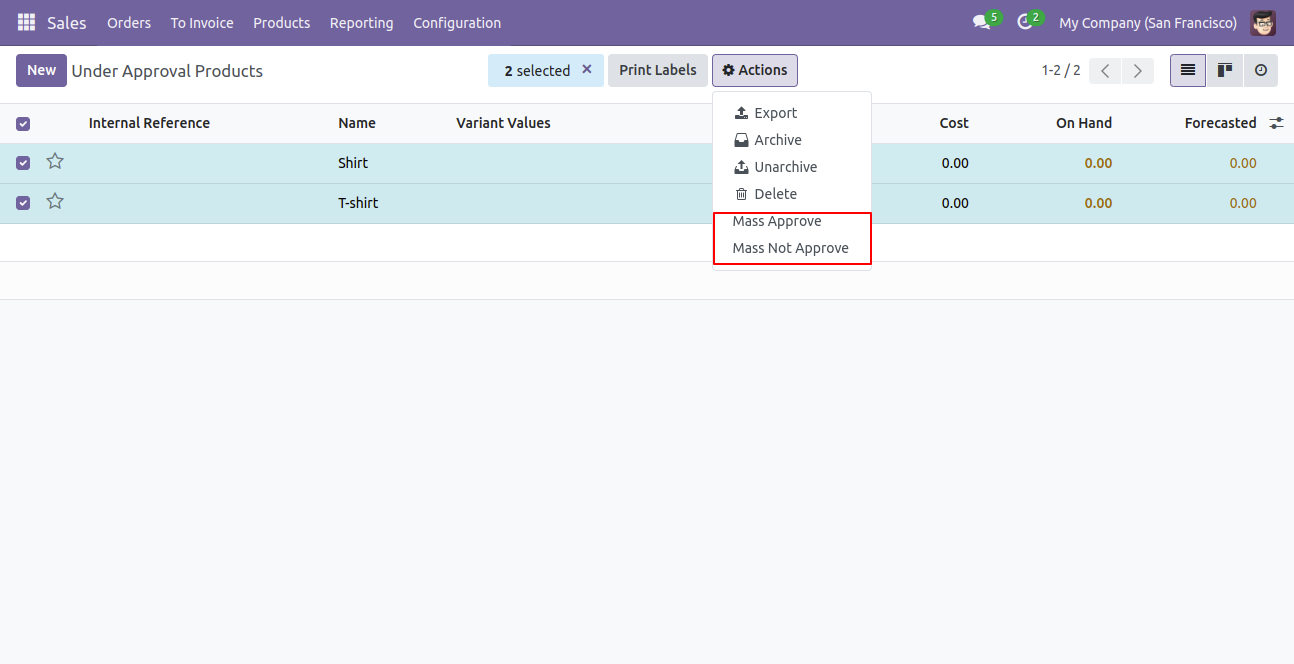
1) Mass Approve: The product manager can select multiple products and do Mass Approve so that
products can use in whole odoo.
2) Mass Not Approve: The product manager can select multiple products and do Mass Not Approve
so that products can not use in whole odoo.
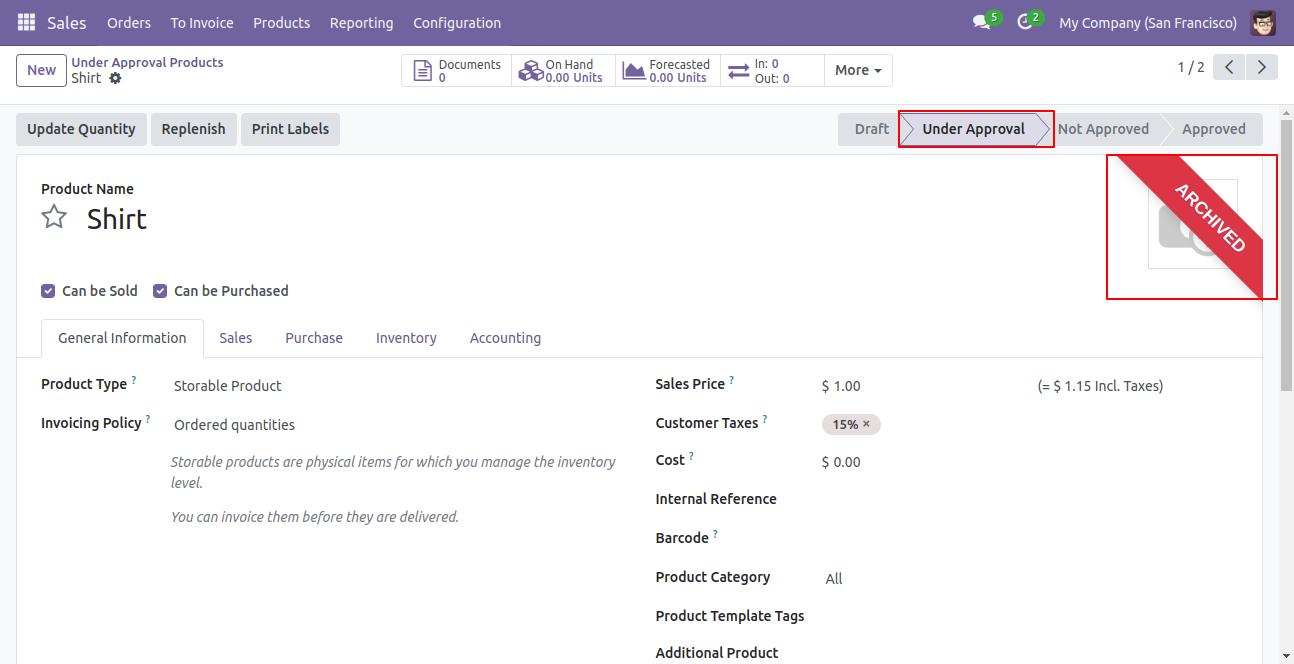
Product is in the under approval state.You can see all states of the product (Draft, Under
Approval, Approved or Not Approved),
1) Draft: hen a normal user makes a product it shows in the draft after creating a product it
moves in 'Under Approval' state by default.
2) Under Approval: That means the product still not approved by the product manager, the
product can move in approve state means that product
can use in the whole odoo or can move in not approved state means that product can not use in
the whole odoo.
3) Approved: Approved means the product is approved by the product manager.
4) Not Approved: Not approved means the product is not approved by the product manager.
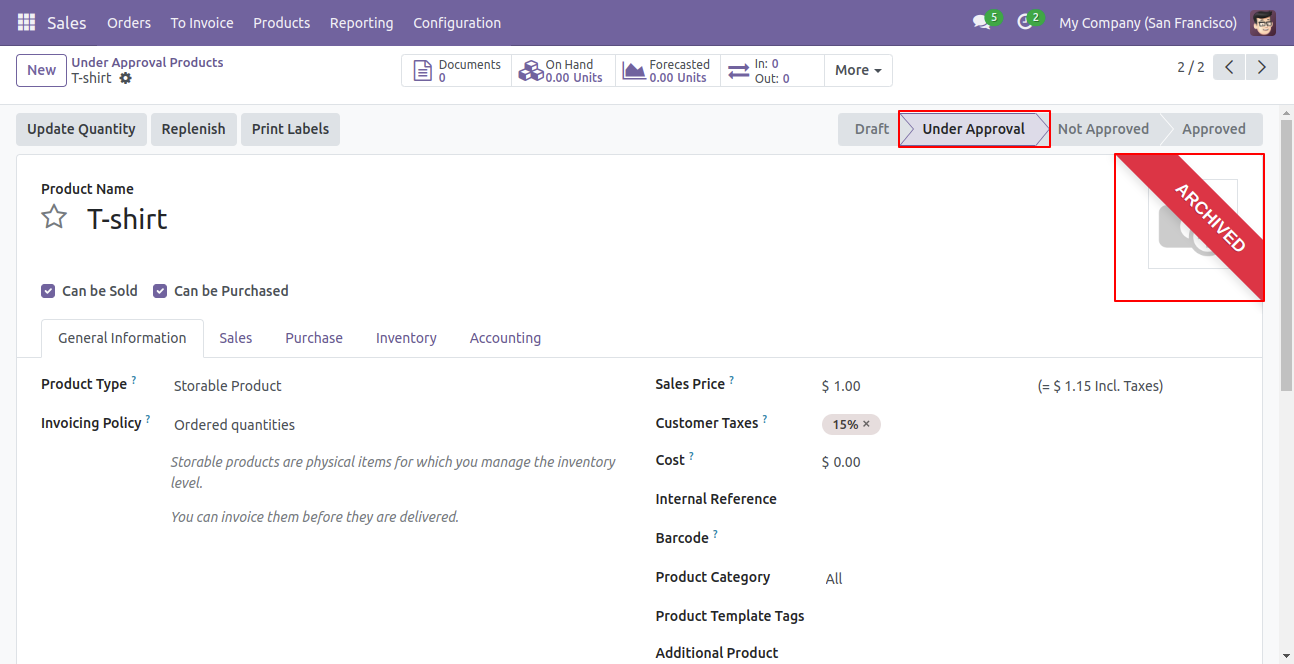
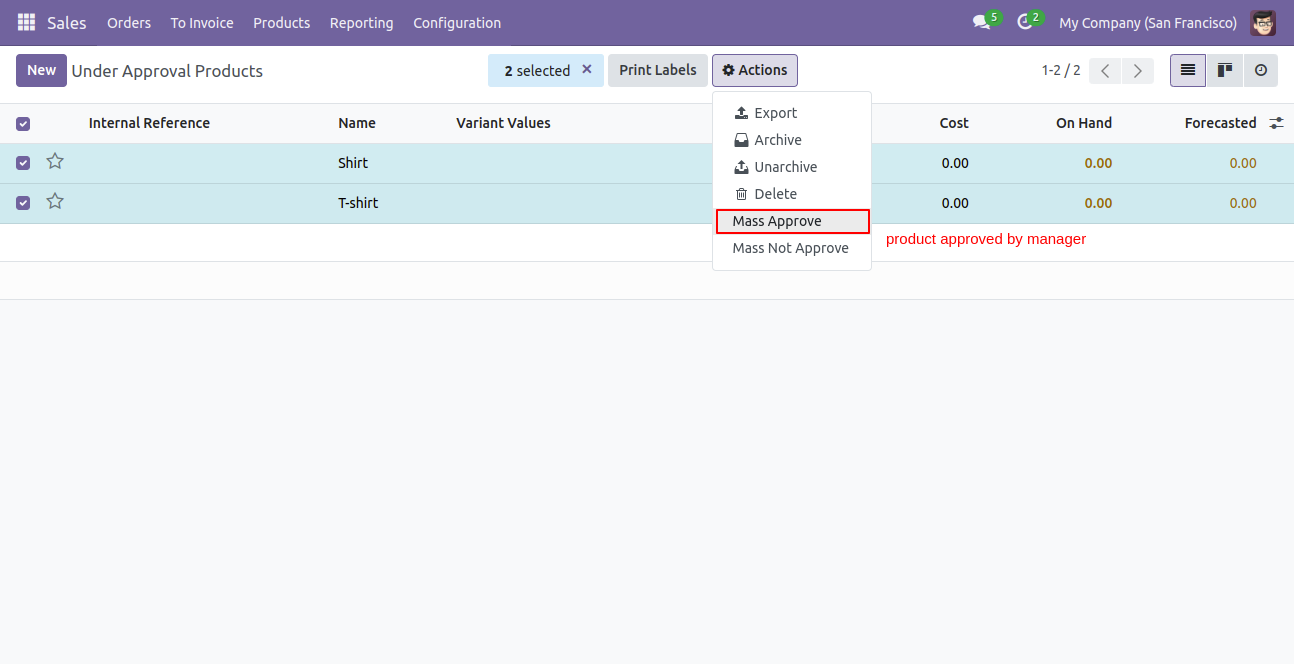
Select multiple products and clcik on the 'Mass Approve' from the action.
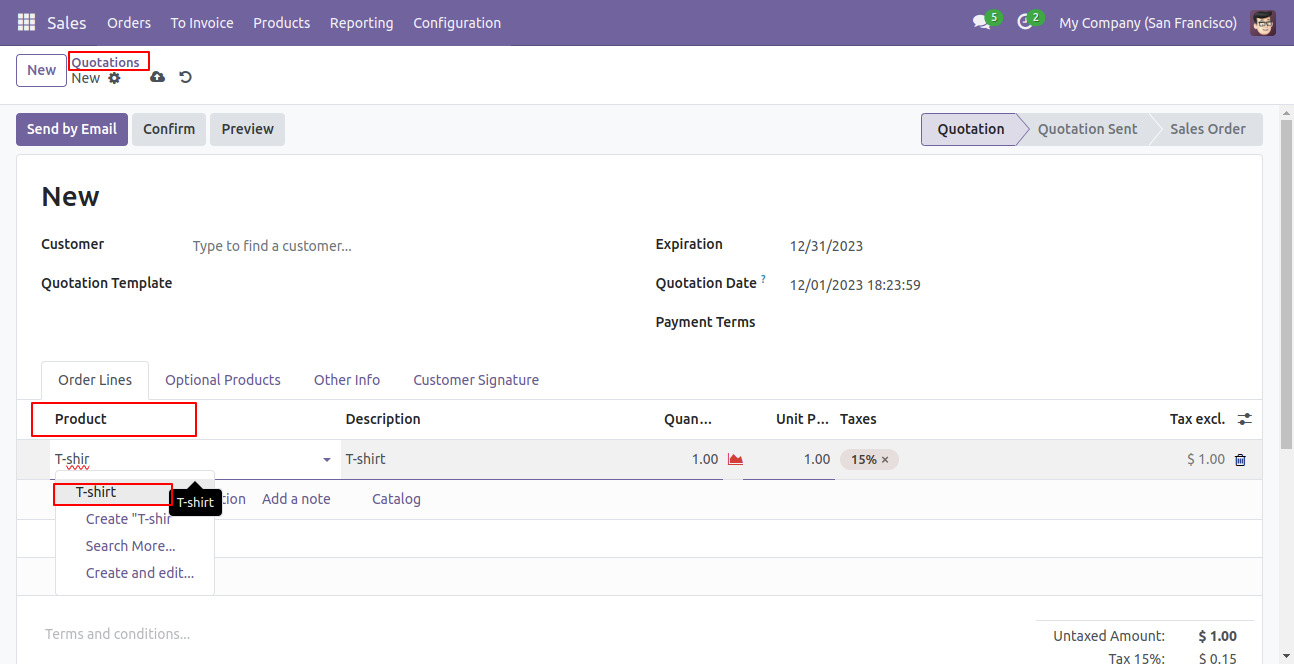
After approved product by product manager that can use in sales order or quotations.
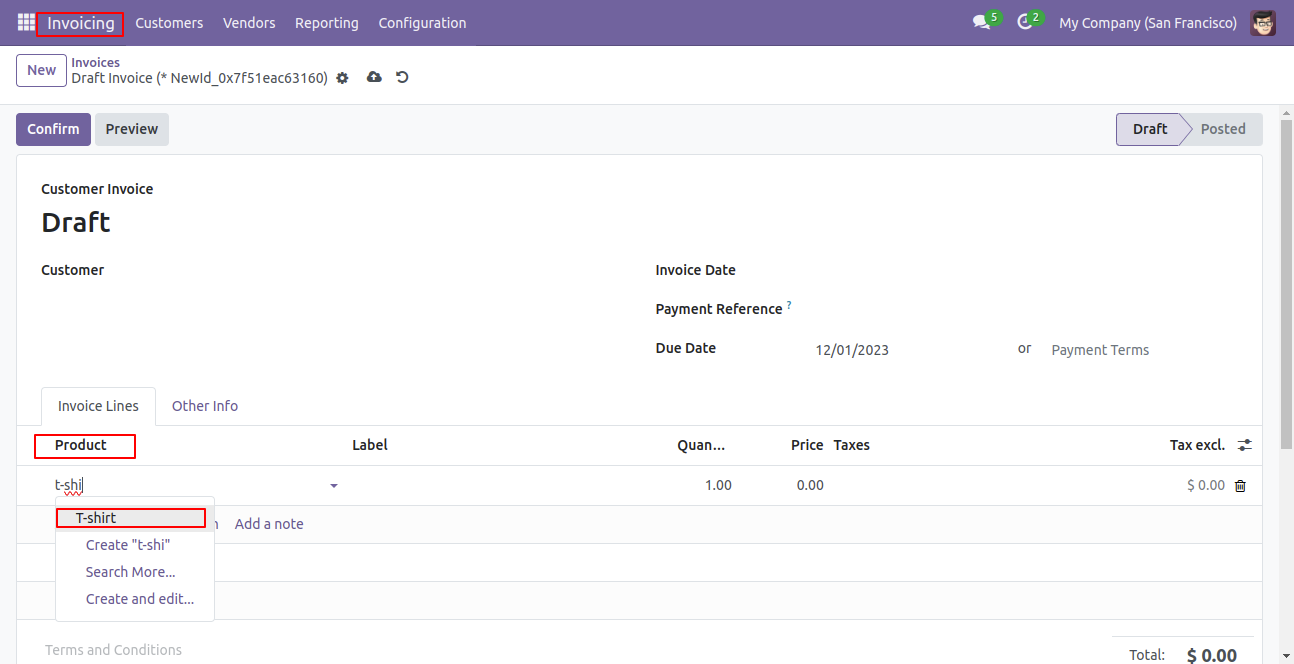
Only approved products will be shown in the invoice or credit note.
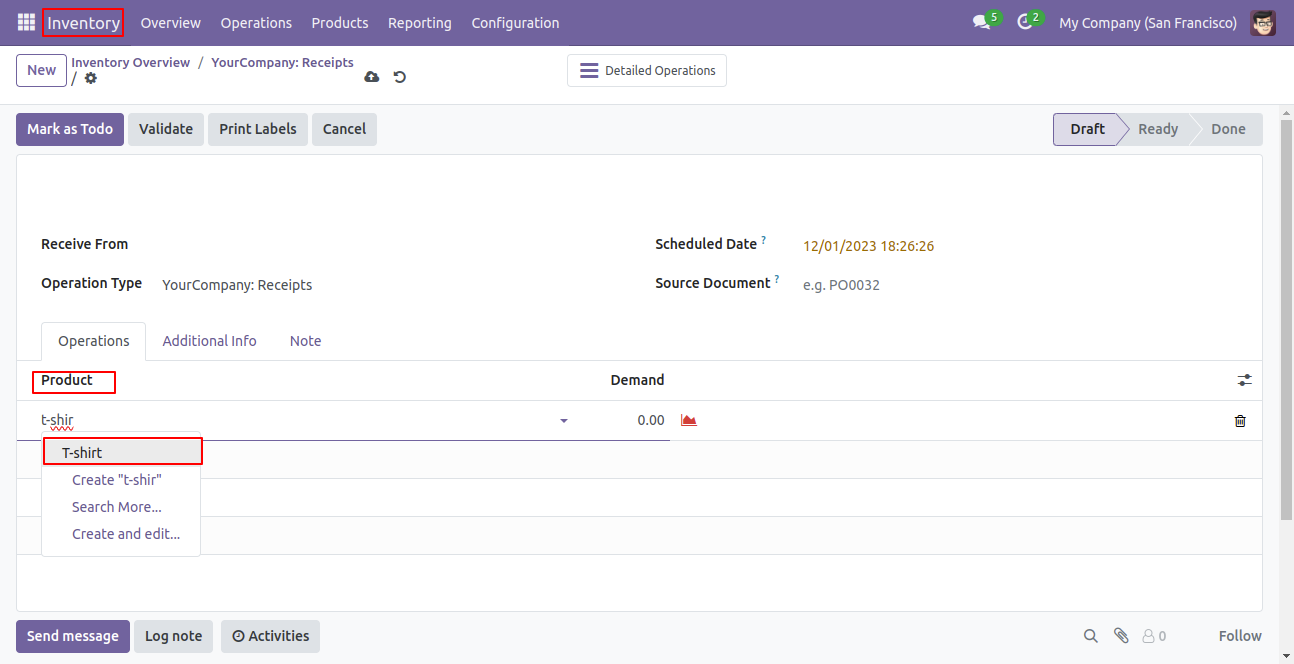
Users can only use the approved product in inventory, stock or warehouse.
Go to Inventory ==> Configuration ==> Settings. Enable the Buzz Notification, Email Notification, and Discuss Notification options to receive alerts for product approval actions.
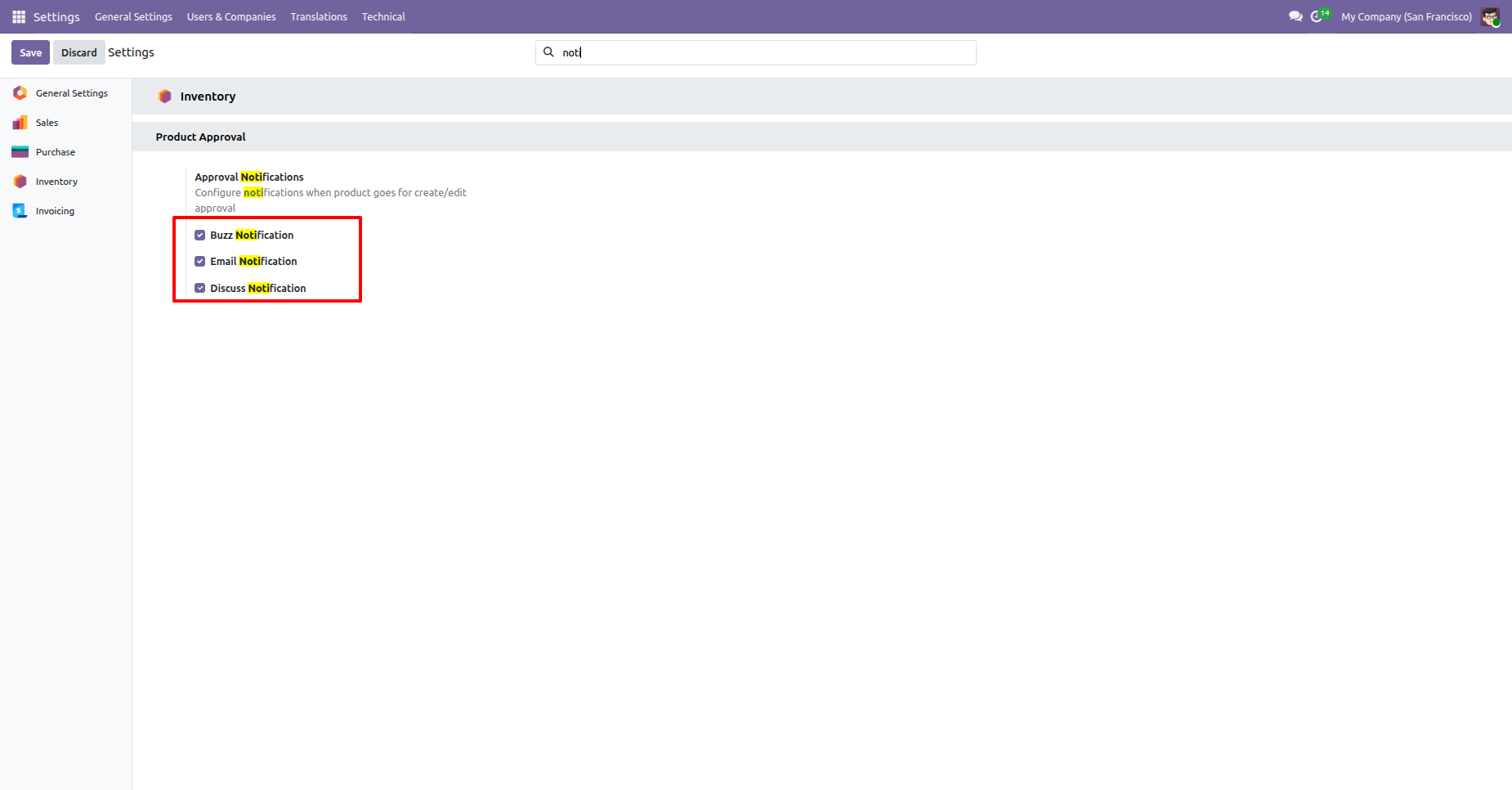
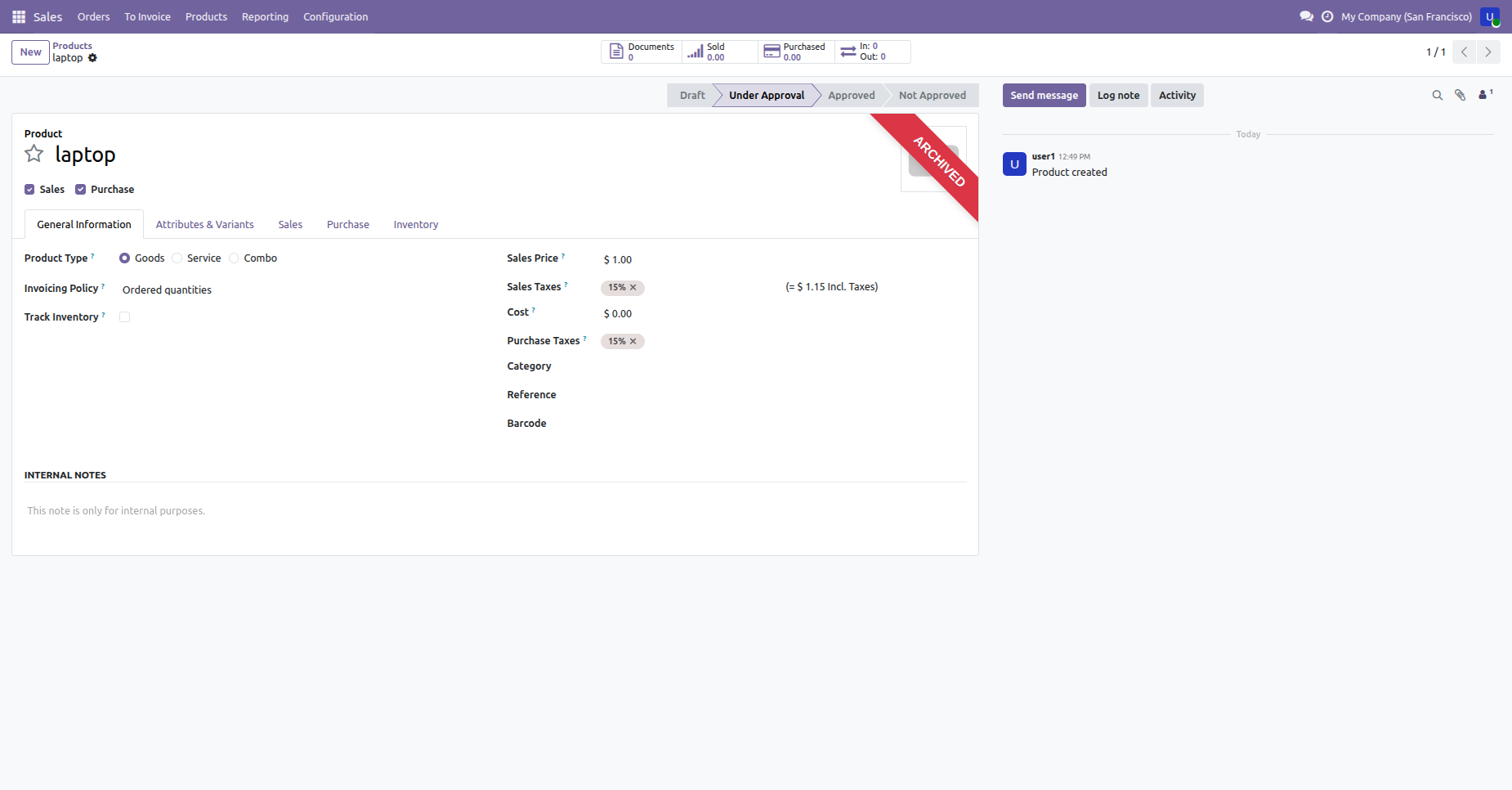
When a new product template is created, its default state is set to "Under Approval" and a request is sent.
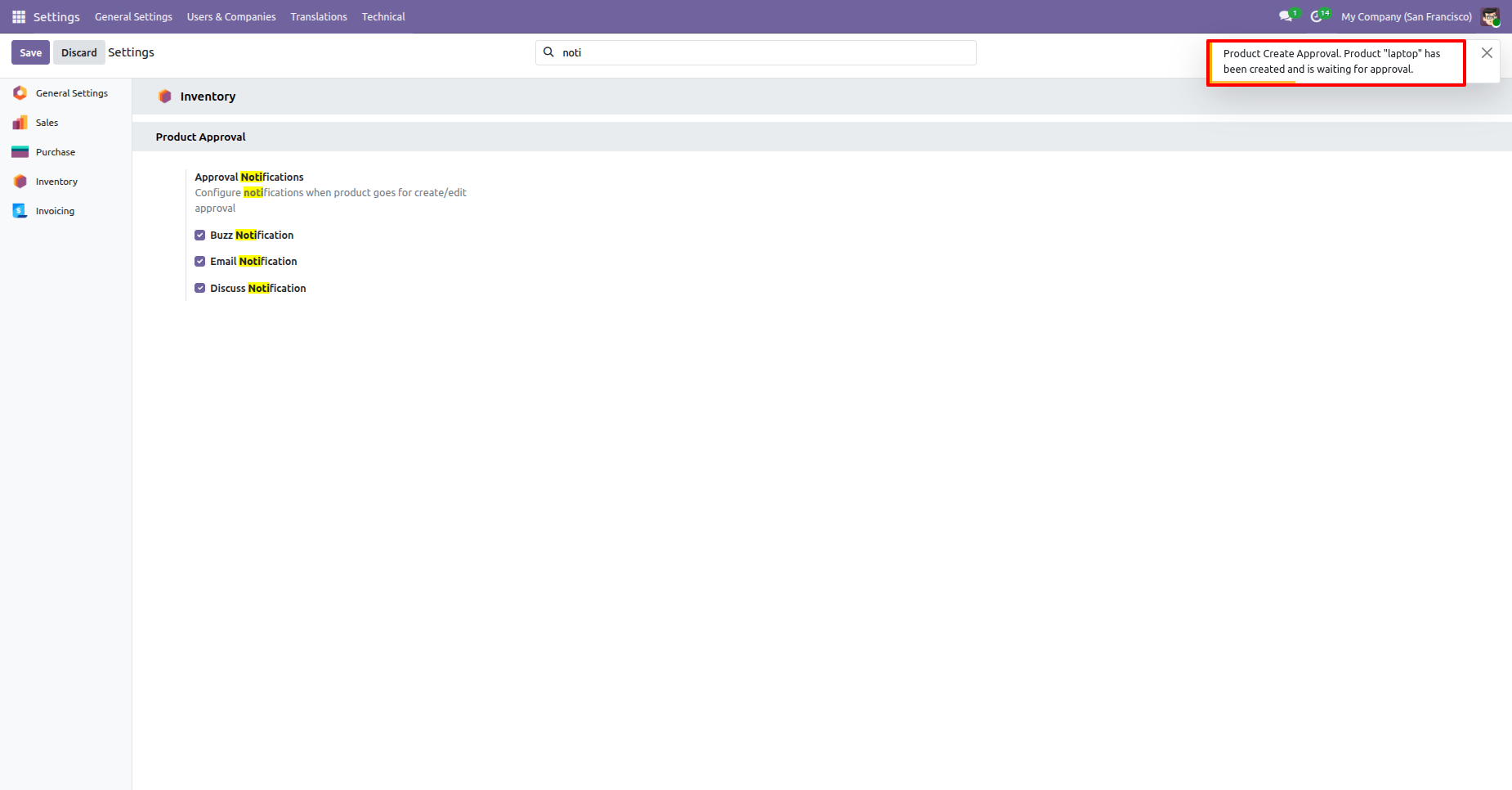
Managers will receive a real-time Buzz notification popup in the system when a new product is waiting for approval.
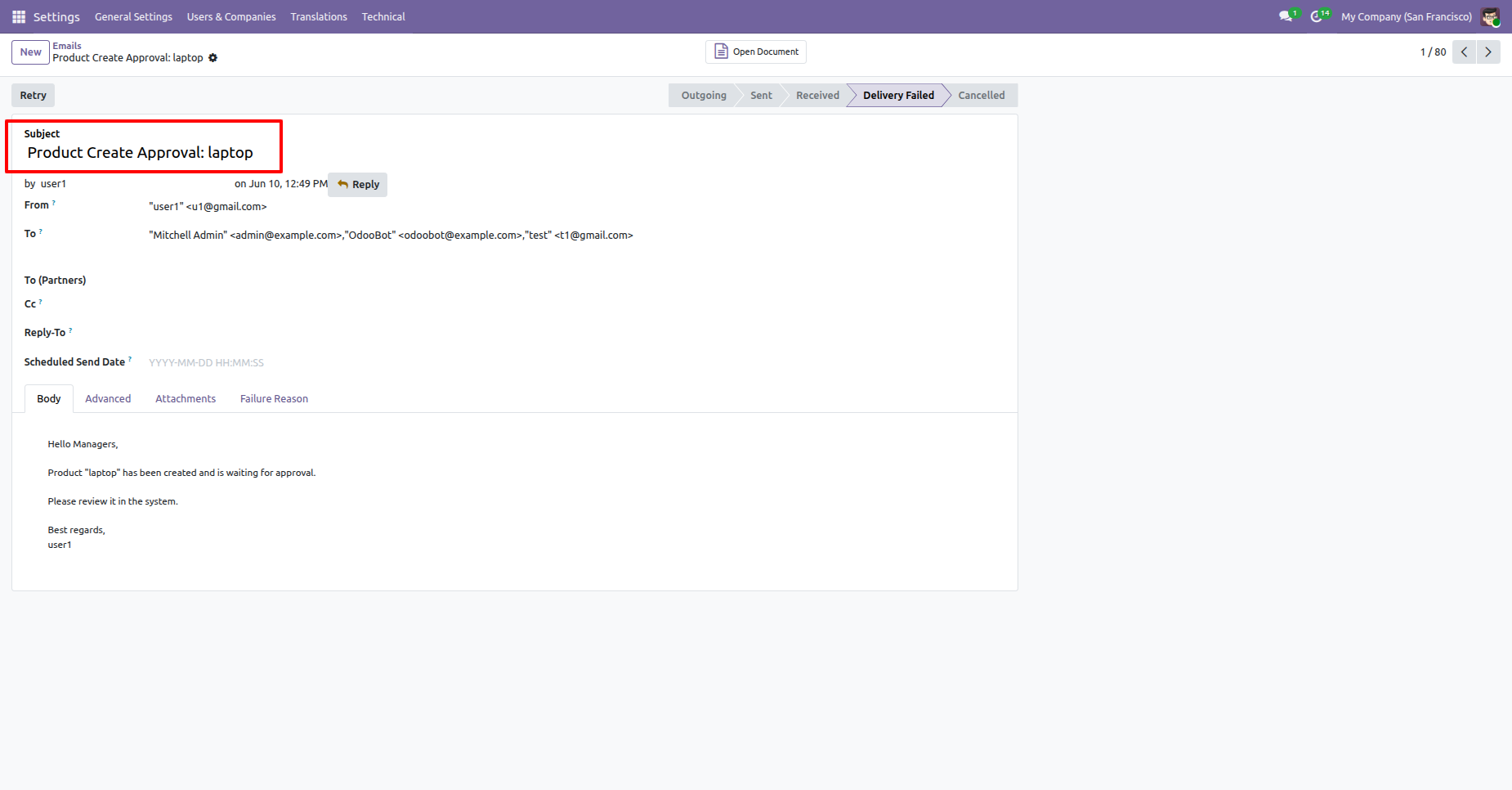
An automated email notification is generated to notify the relevant managers about the pending product approval.
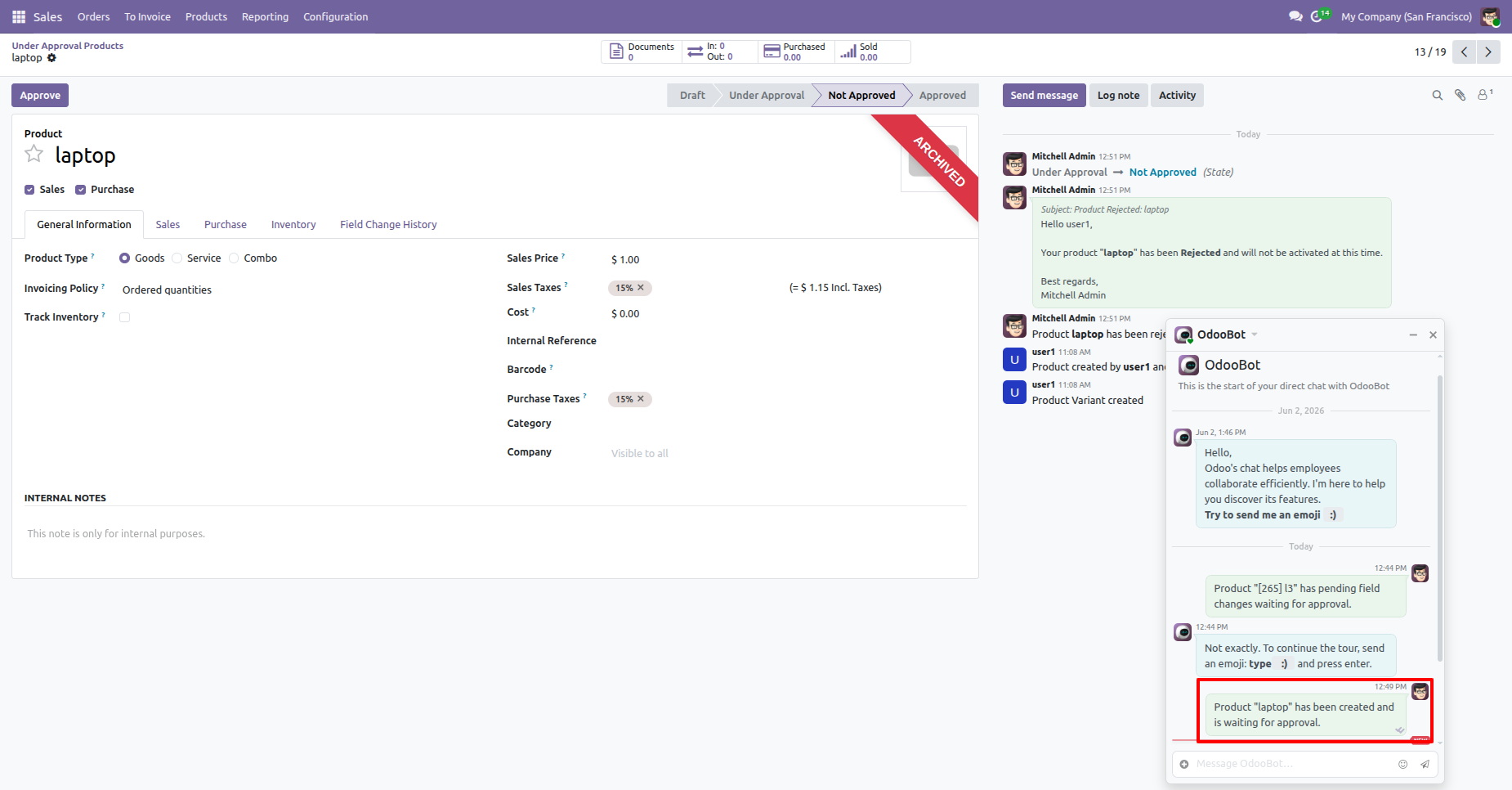
Managers receive direct chat (Discuss) notifications via OdooBot, and the status of approvals/rejections is logged directly in the product's chatter.
In the Products section, you can find the 'Mass Approve' and 'Mass Not Approve' options under the Actions menu.
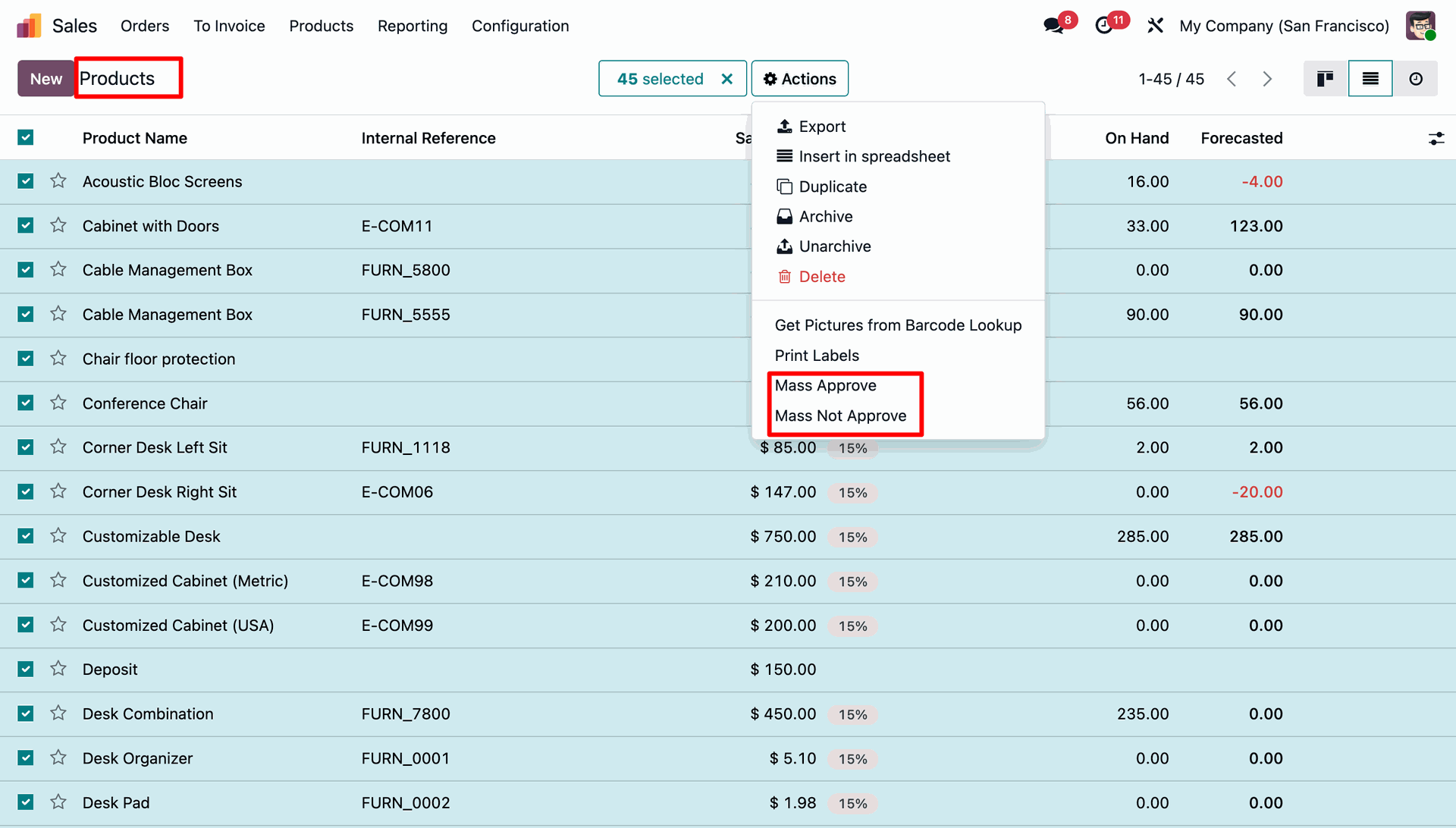
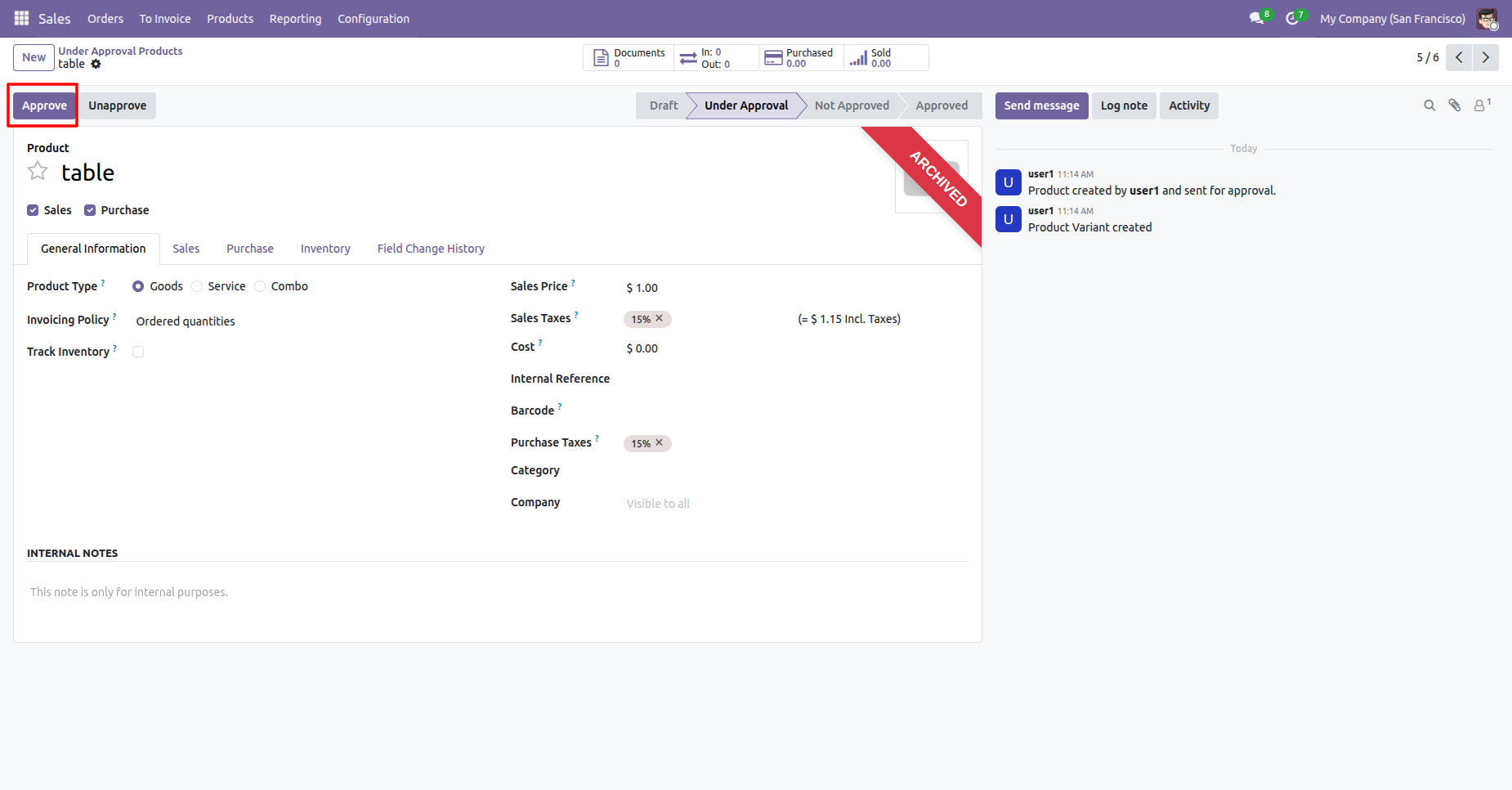
Here you can see the product in the approval stage, where the 'Approve' and 'Unapprove' buttons are displayed.
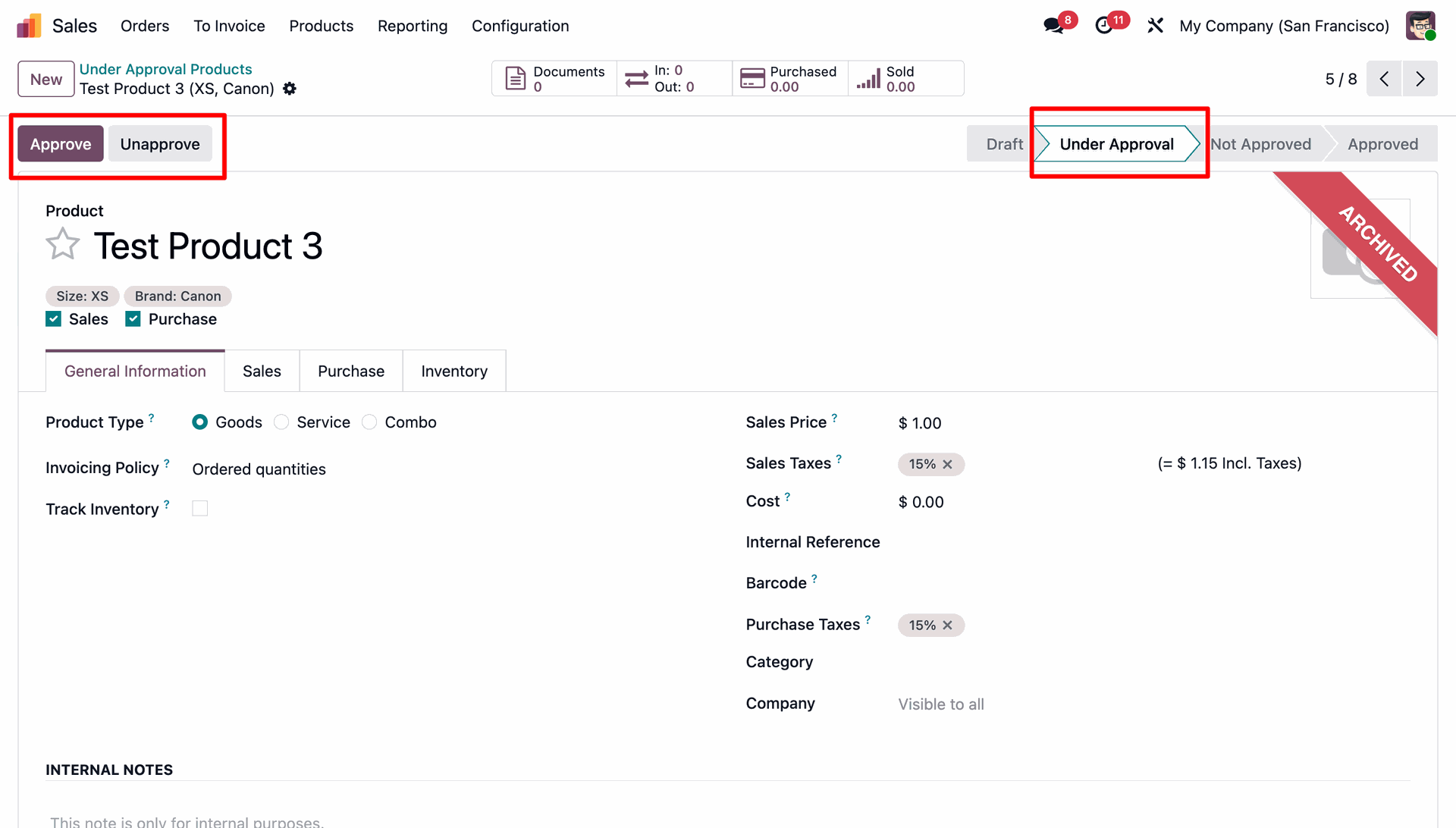
In the Products section, you can find the 'Mass Approve' and 'Mass Not Approve' options under the Actions menu.
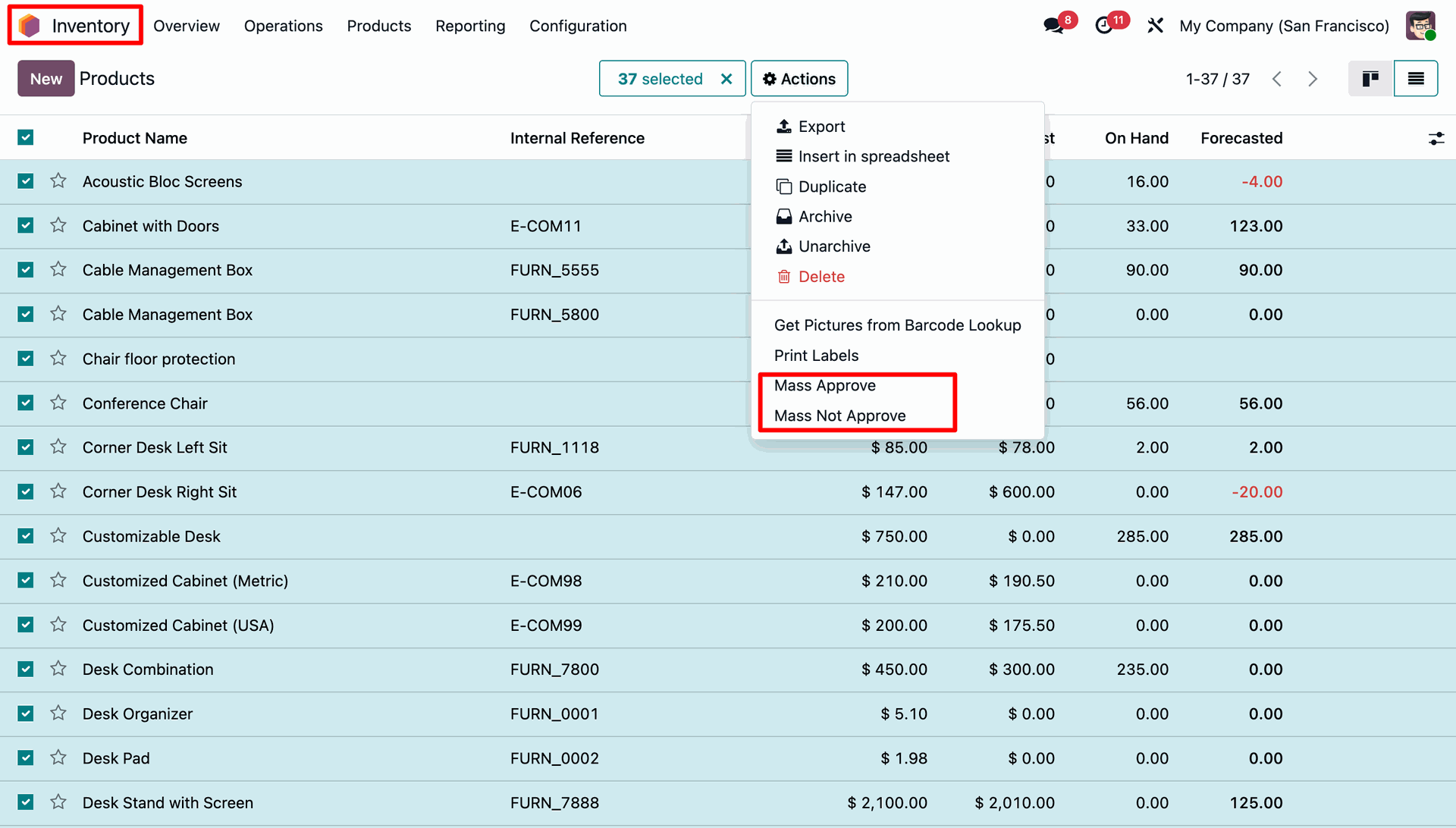
Menu and tree view of the Under Approval Products.
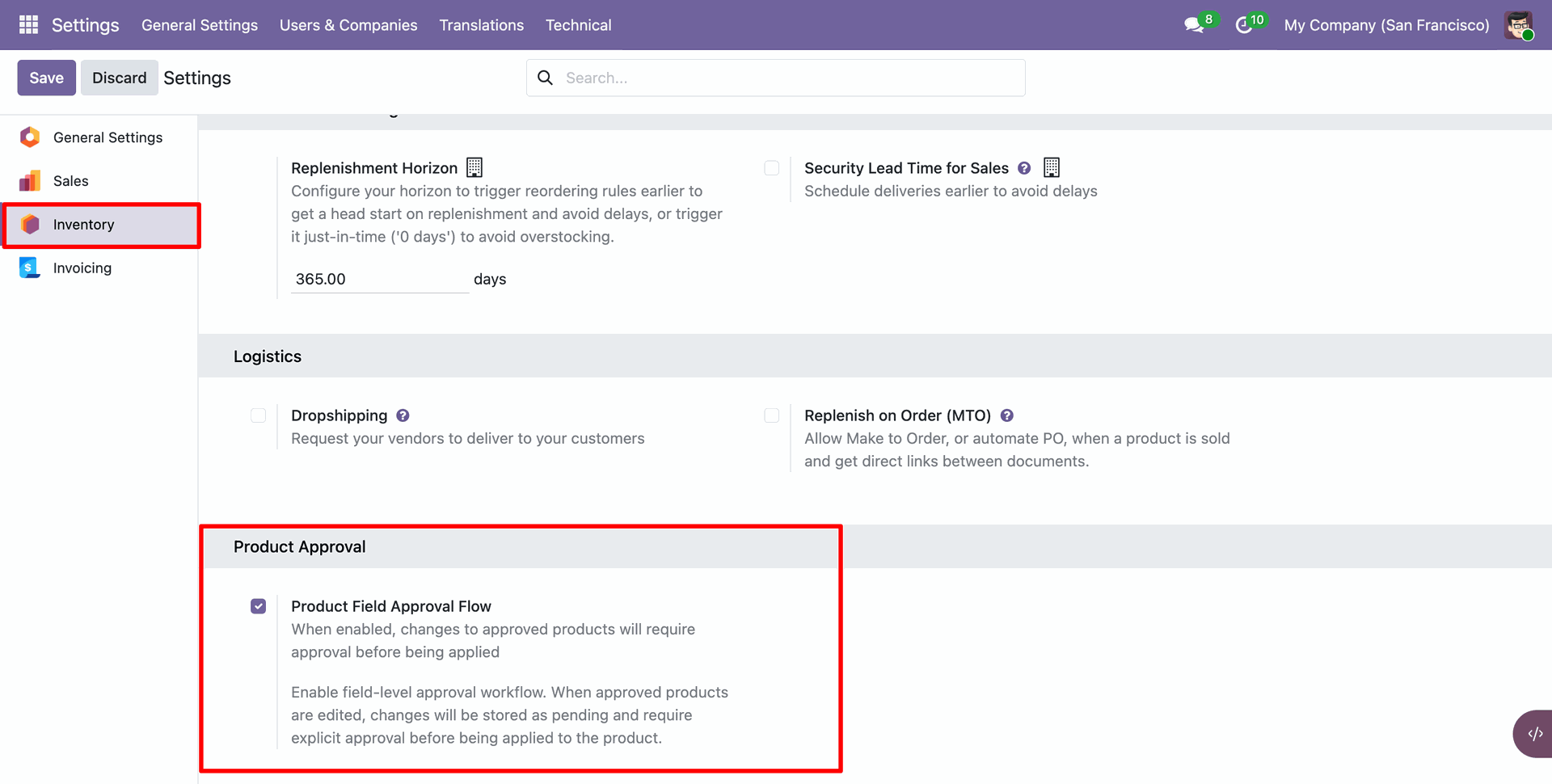
Go to the Inventory ==> Configurations ==> Enable 'Product Field Approval Flow. option.
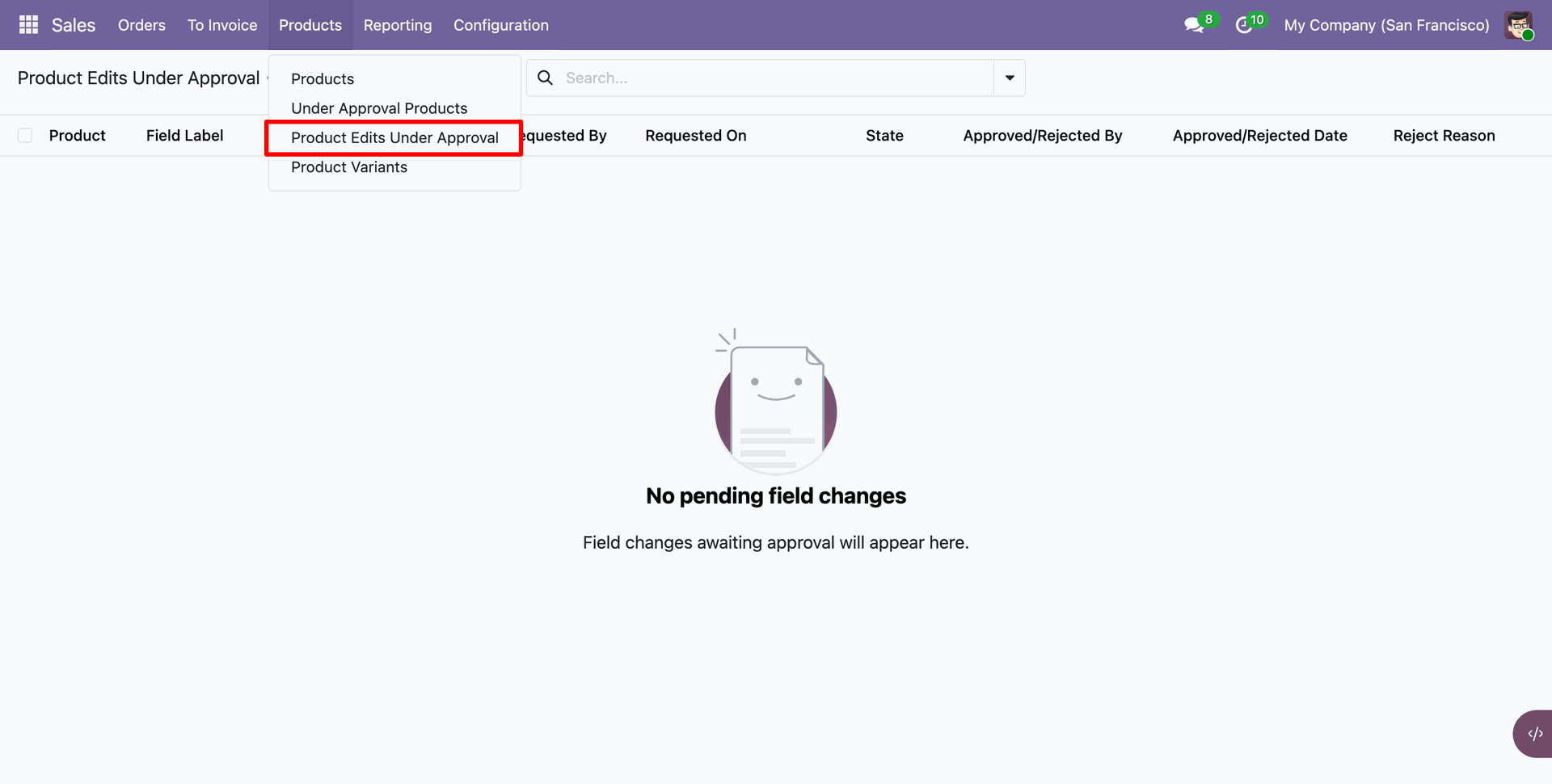
Menu and tree view of the 'Product Edits Under Approval'.
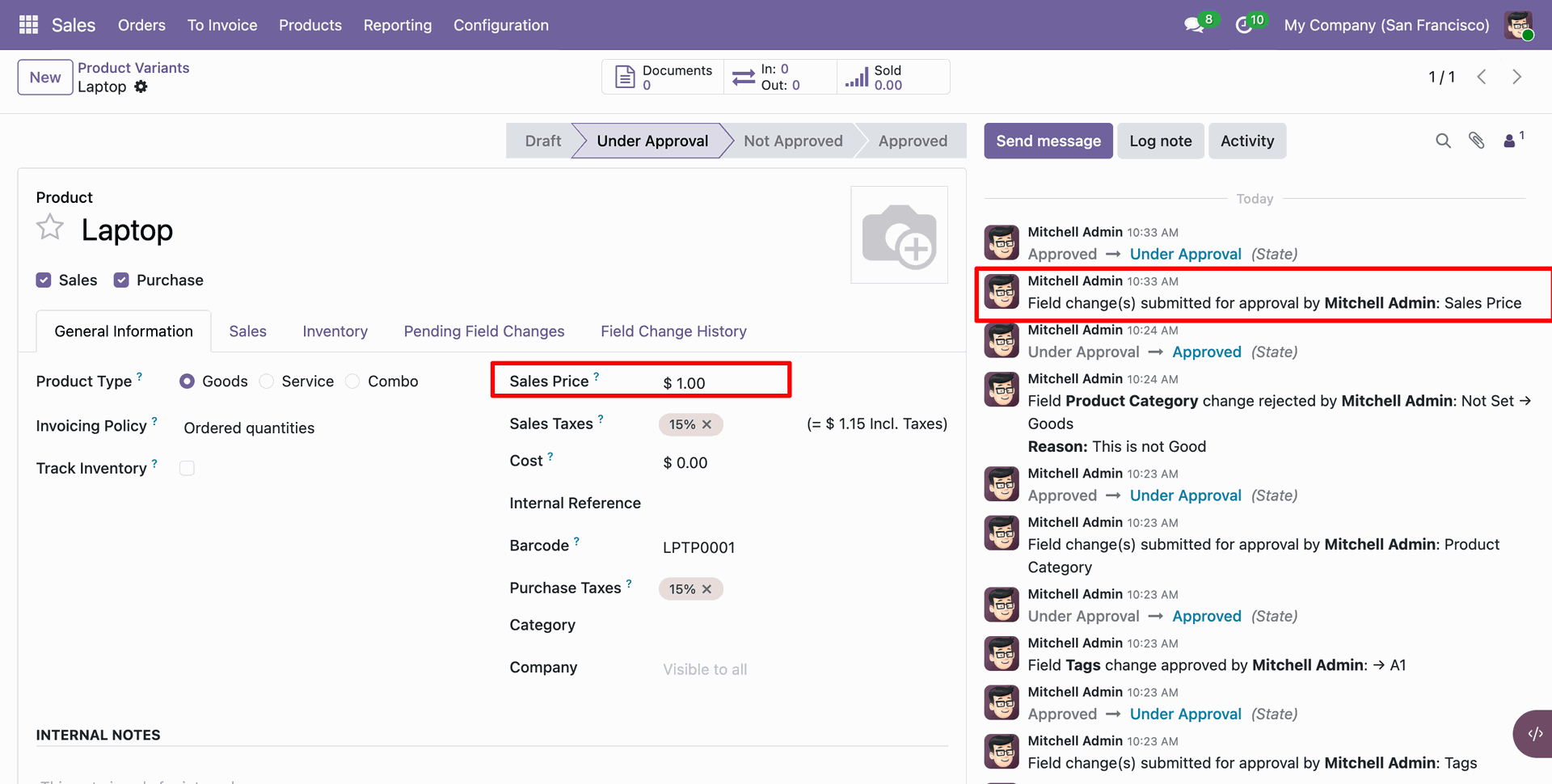
You can view the field change approval history in the chatter.
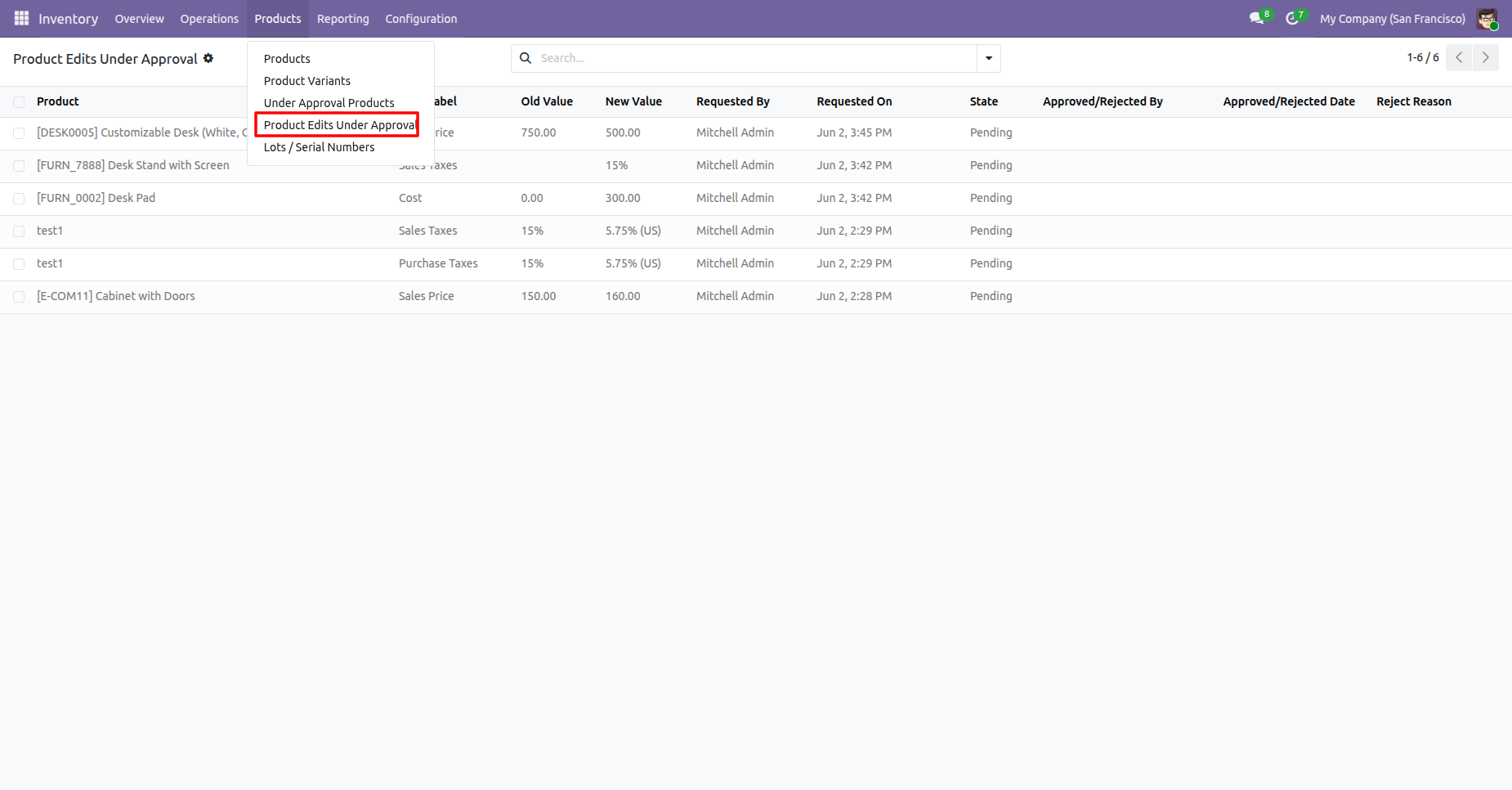
Tree view of the 'Product Edits Under Approval'.
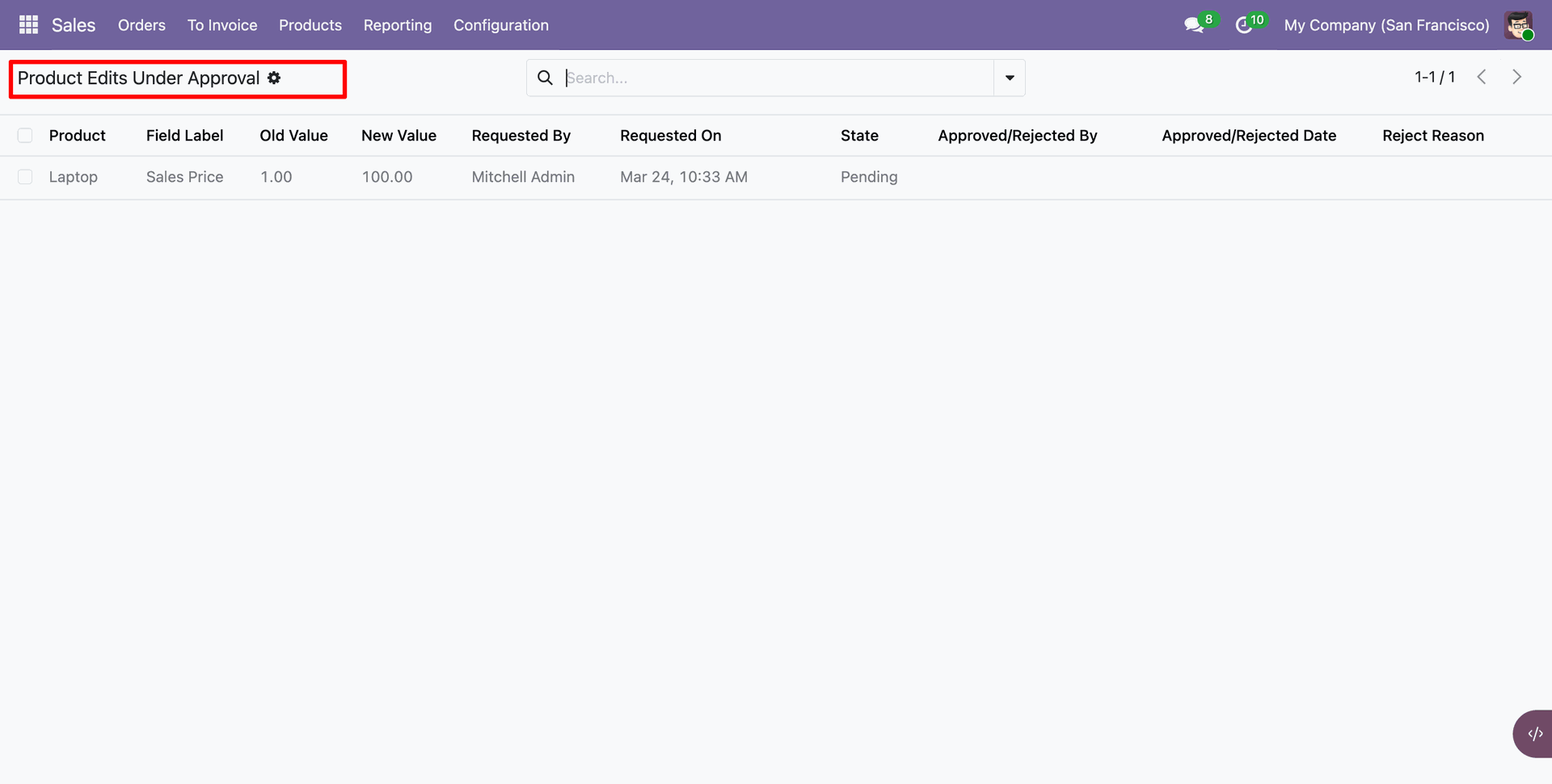
Here you can see the old and new values of the field.
Click on the 'Approve' button.
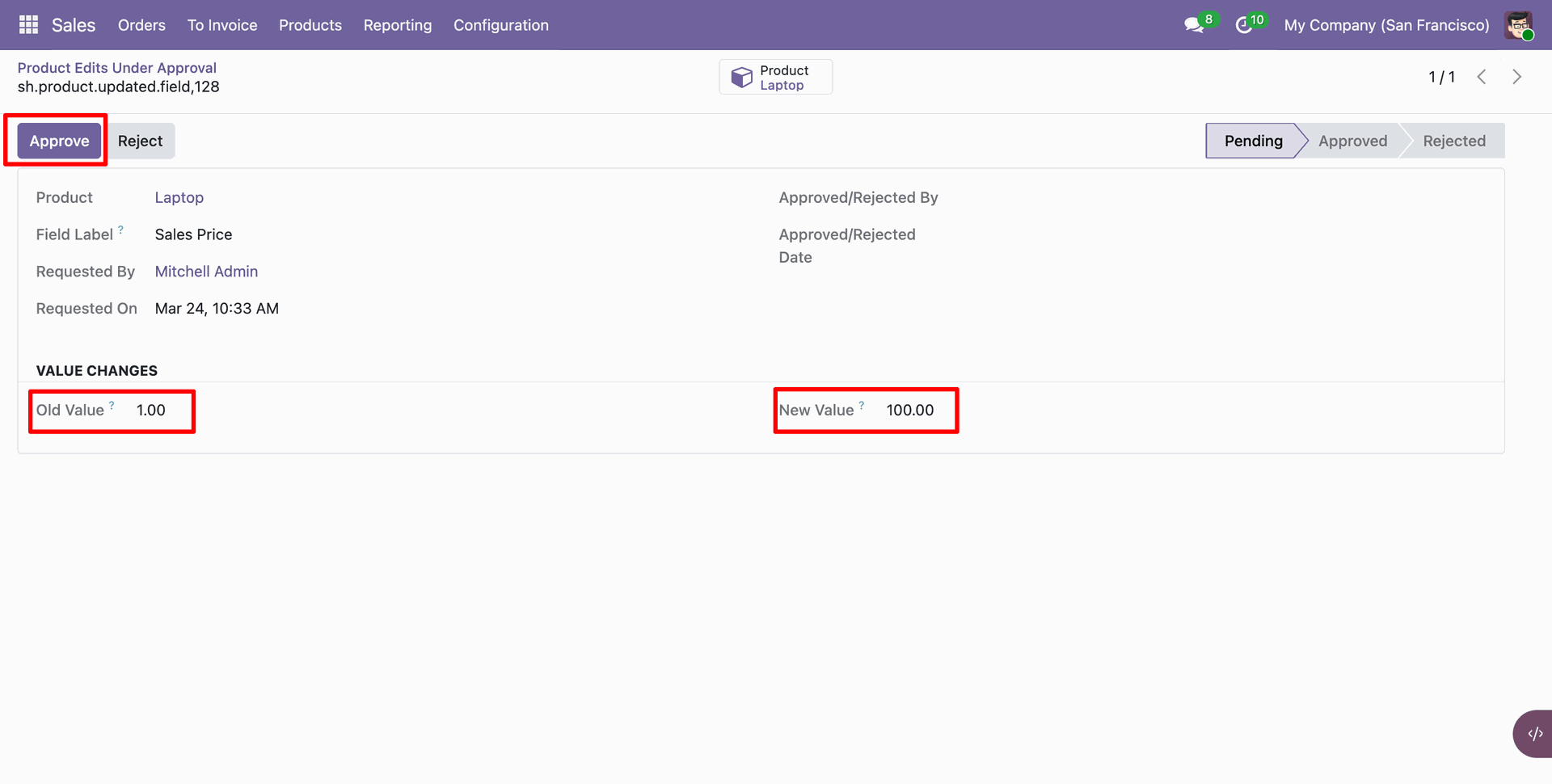
The request is now in the approved stage.
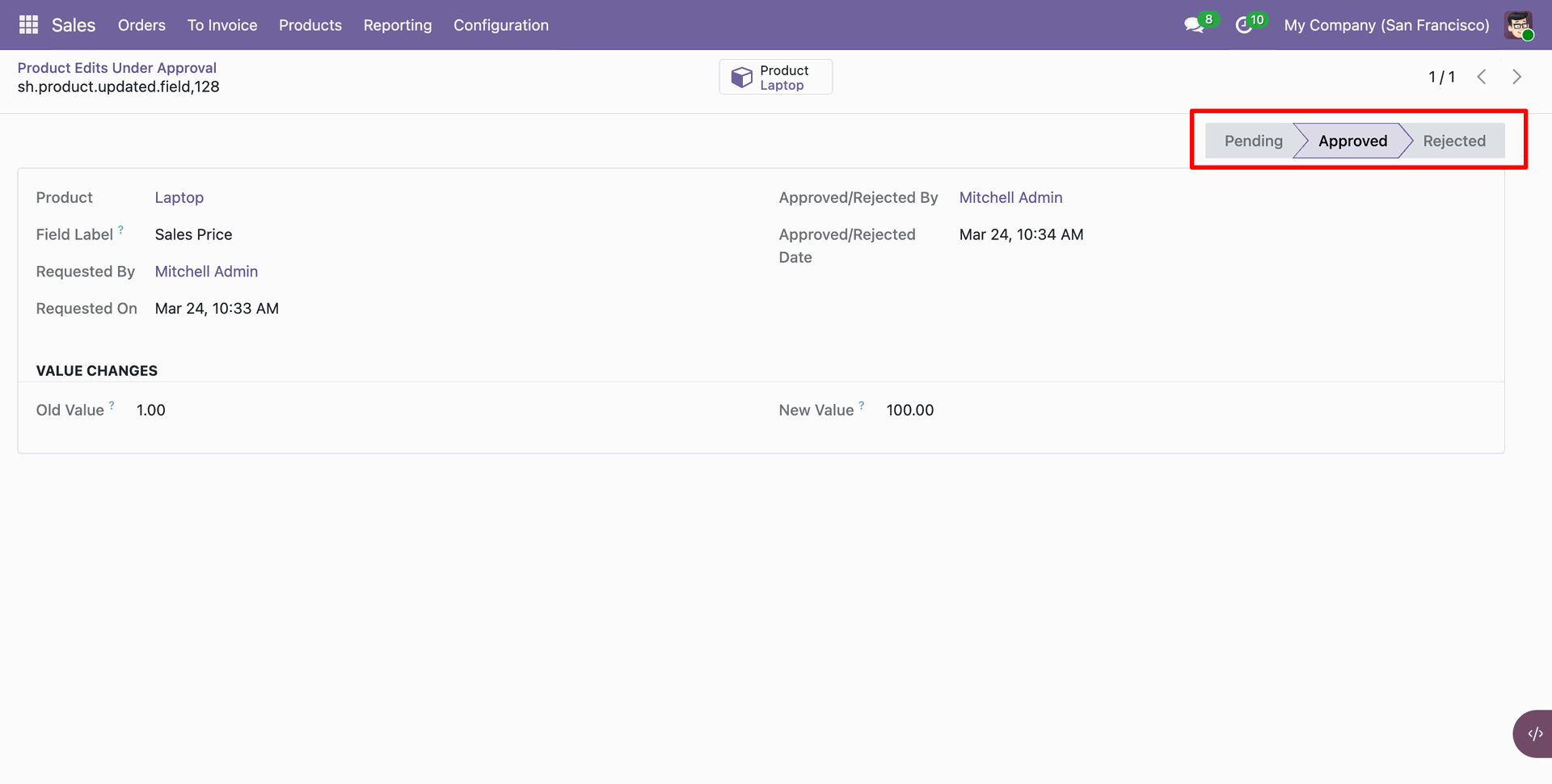
You can also view the approved history in the chatter.
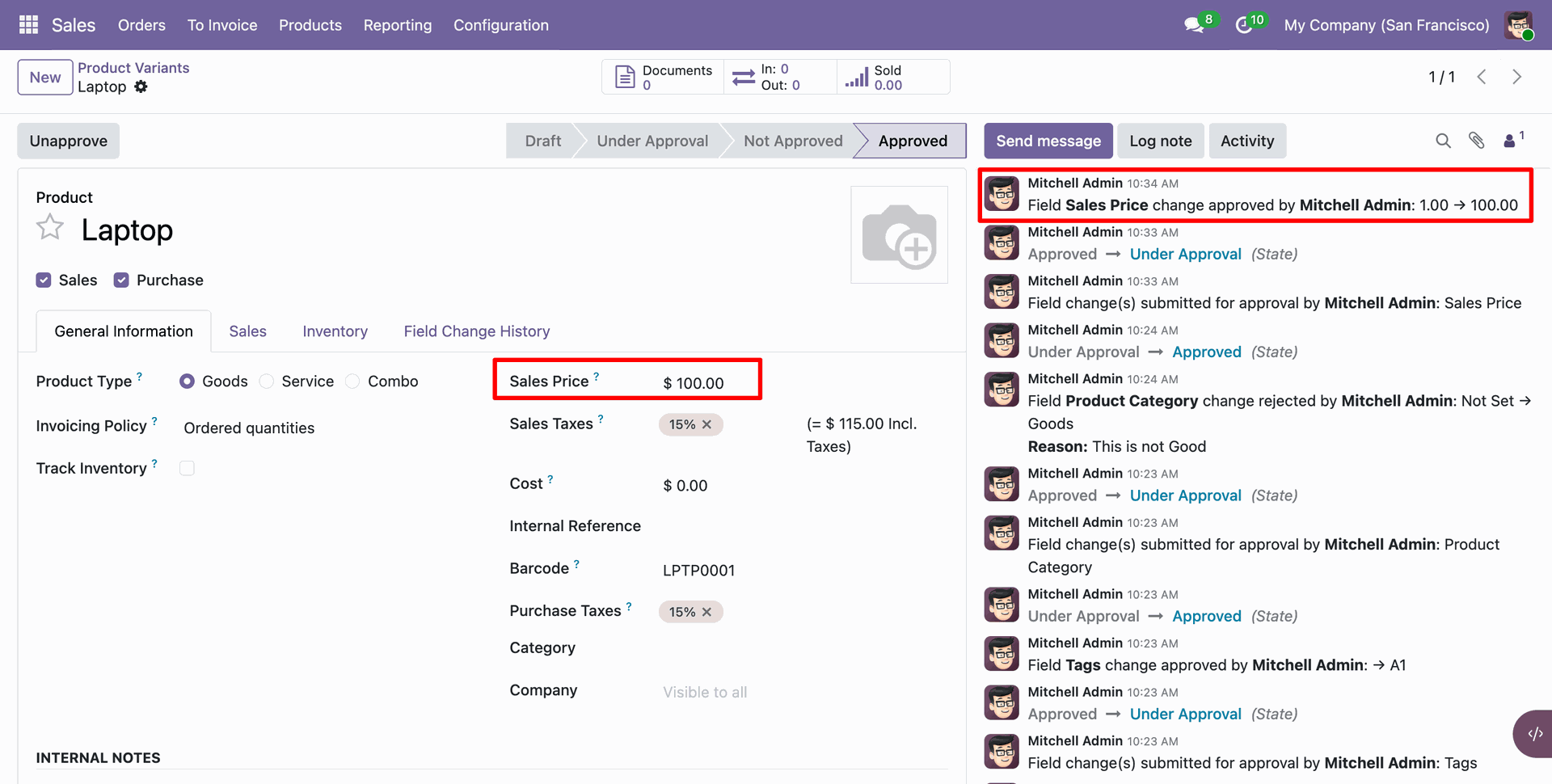
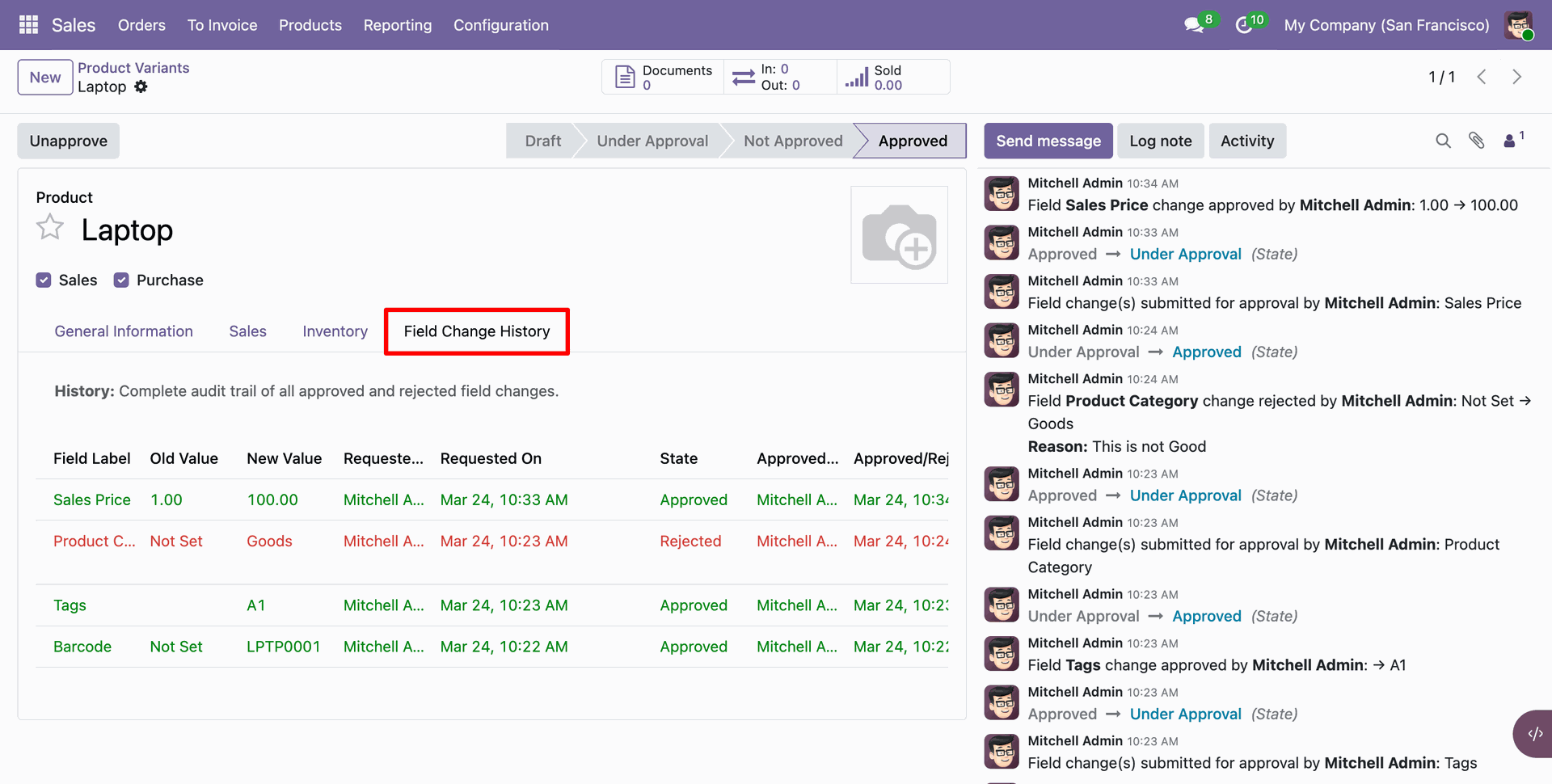
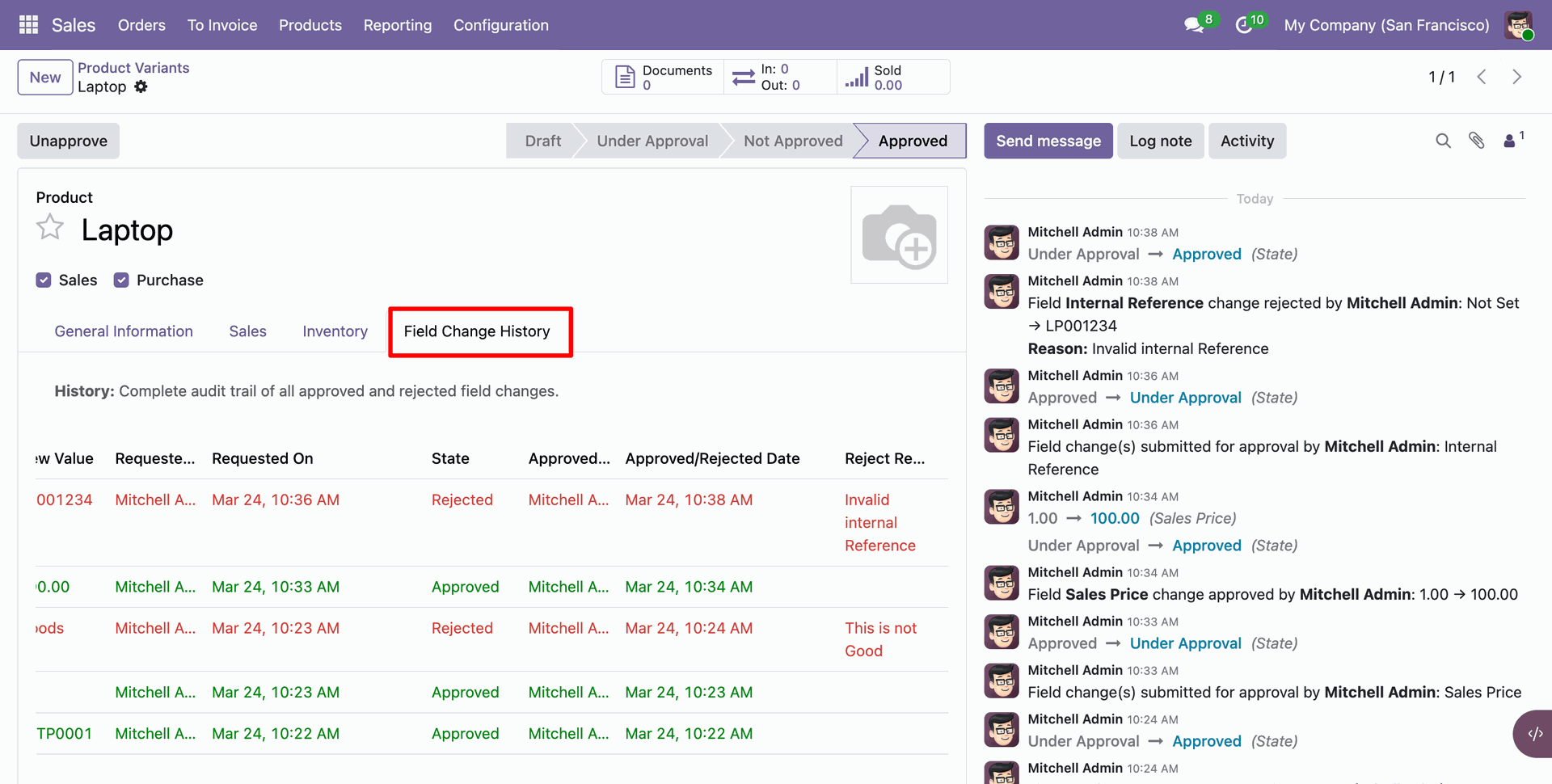
You can view the change history of the fields under the 'Field Change History' tab.
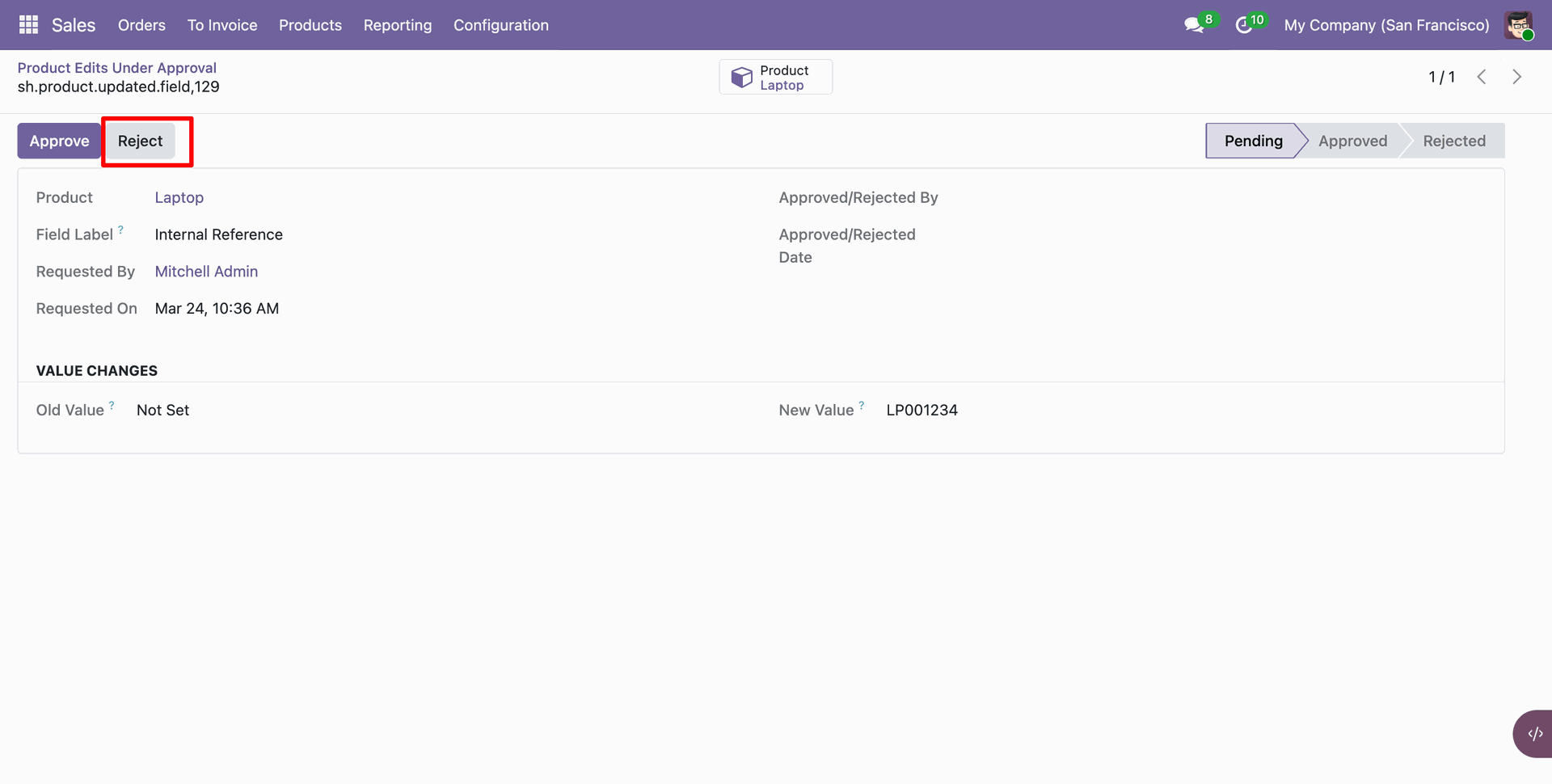
Click on the 'Reject' button.
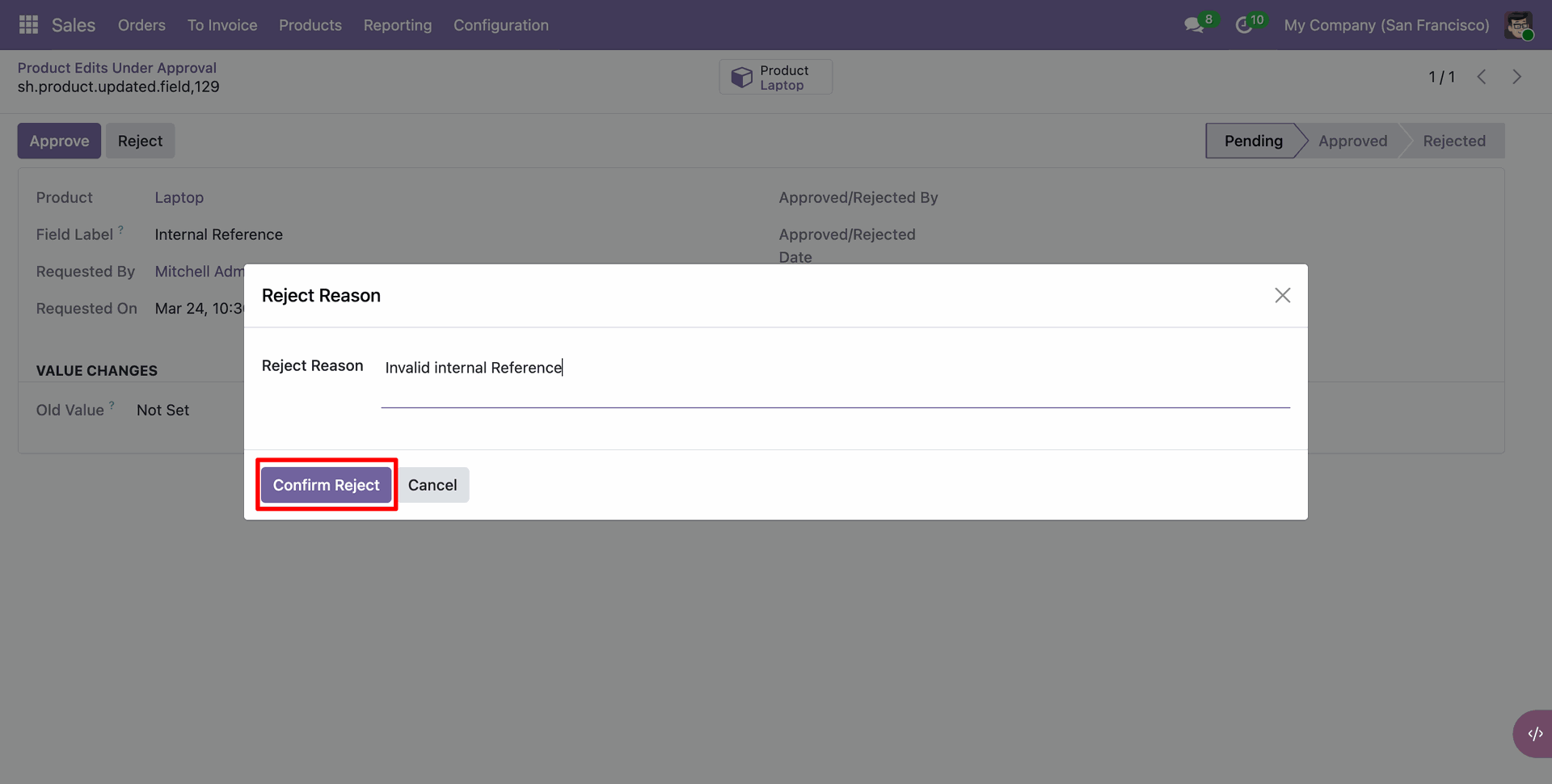
Enter the rejection reason and click on the 'Confirm Reject' button.
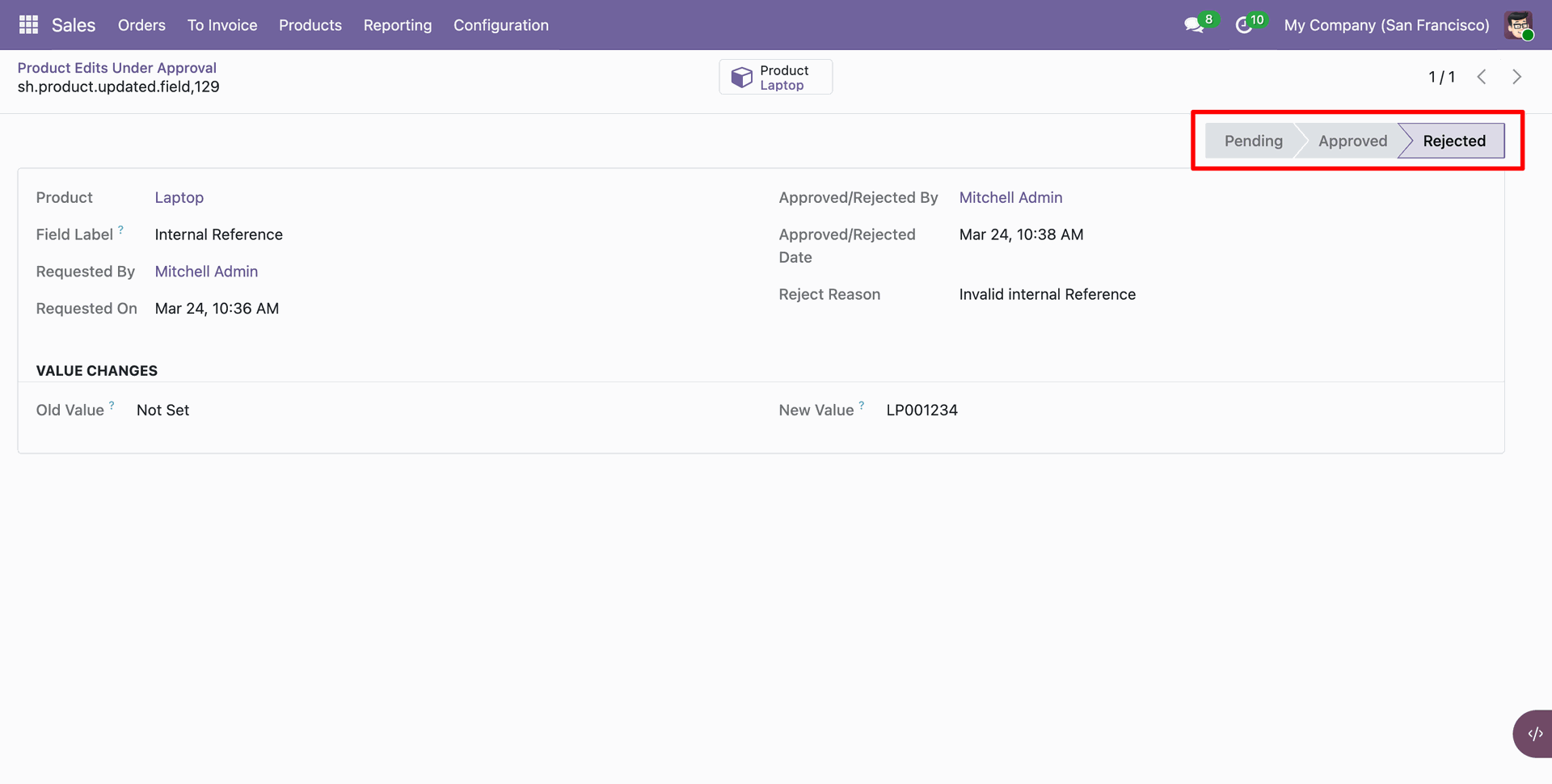
The request is now in the Rejected stage.
You can view the reject reason under the 'Field Change History' tab.
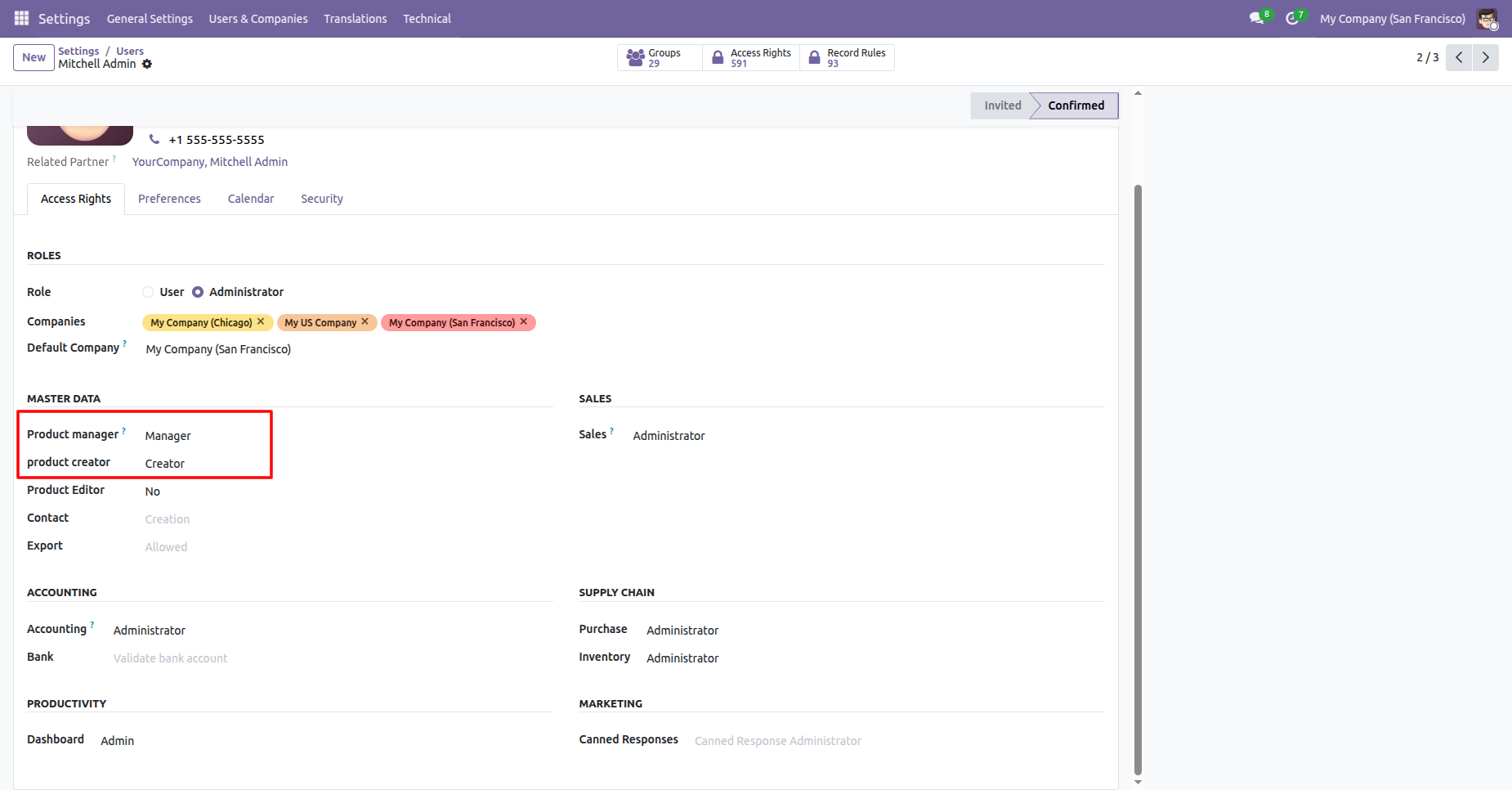
Go to Settings ==> Users & Companies ==> Users. Select a user and configure their roles 'Manager' to Product Manager and 'Creator' to Product Creator.
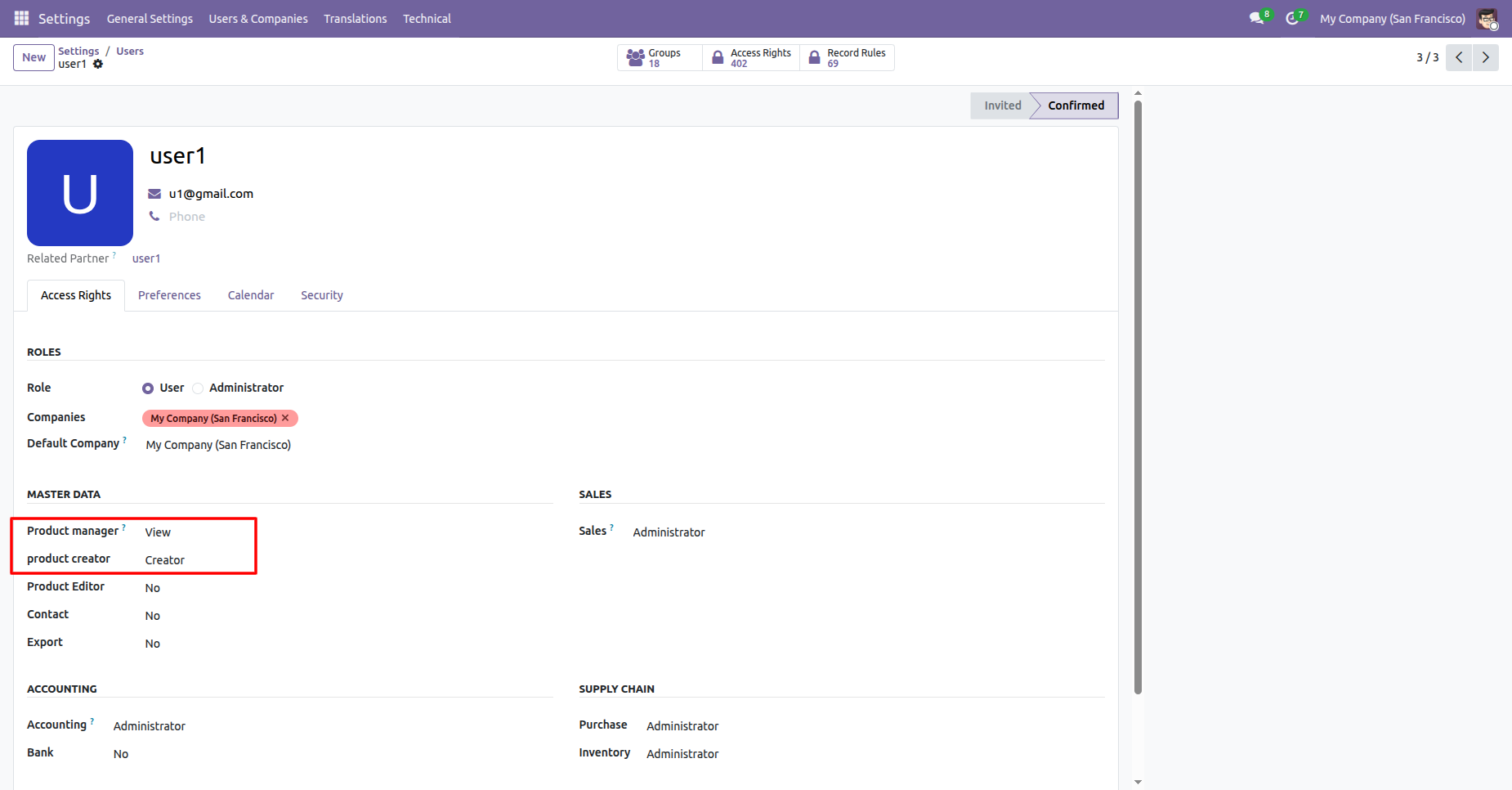
For users who should only have view rights (e.g., user1), assign 'View' to Product Manager and 'Creator' to Product Creator under Access Rights.
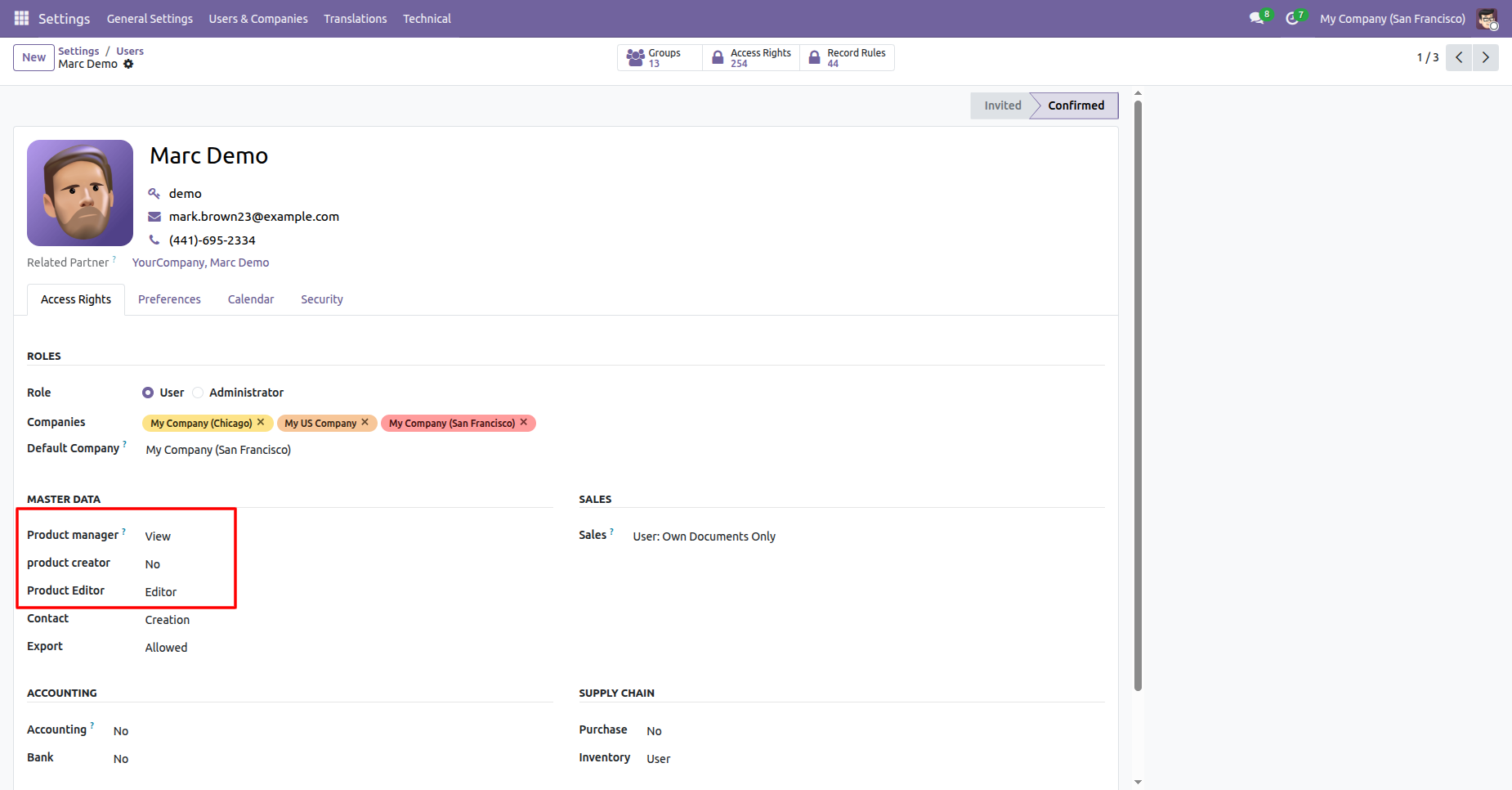
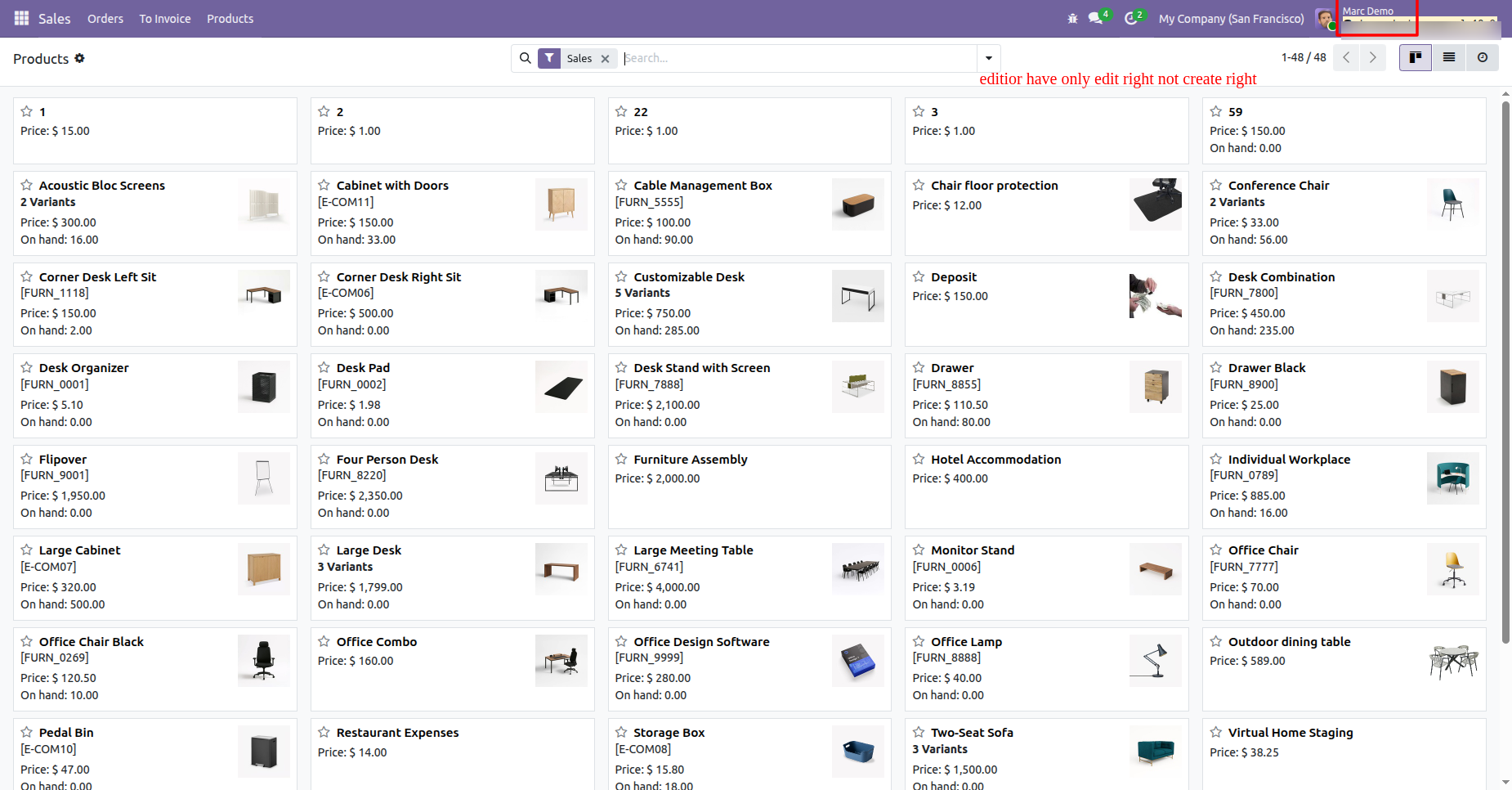
For user roles that perform editing but not creation (e.g., Marc Demo), assign 'View' to Product Manager, 'No' to Product Creator, and 'Editor' to Product Editor.
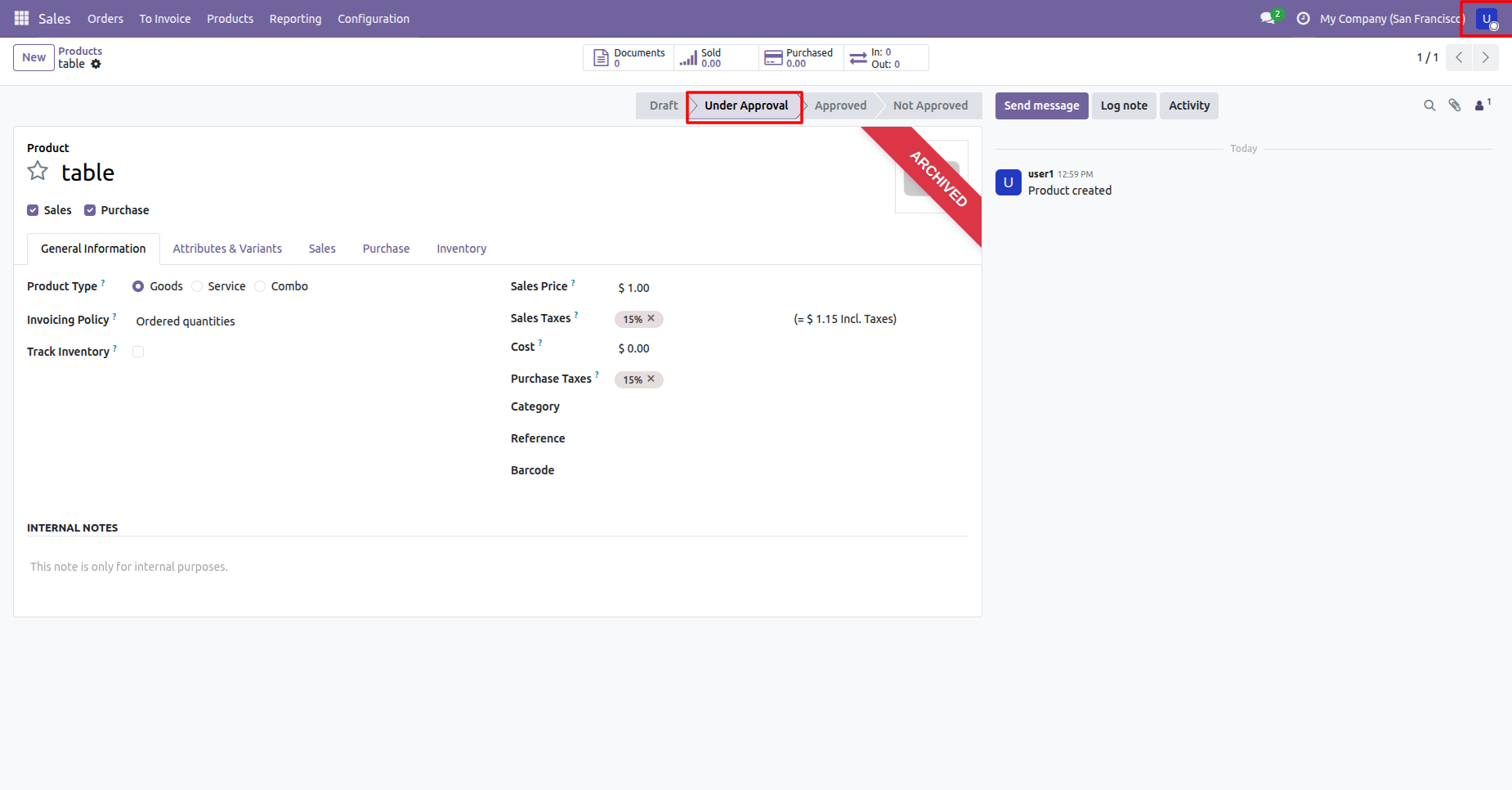
When logged in as a user with View-only manager rights (e.g., user1), the 'Approve' and 'Unapprove' buttons will not be visible on the product form view.
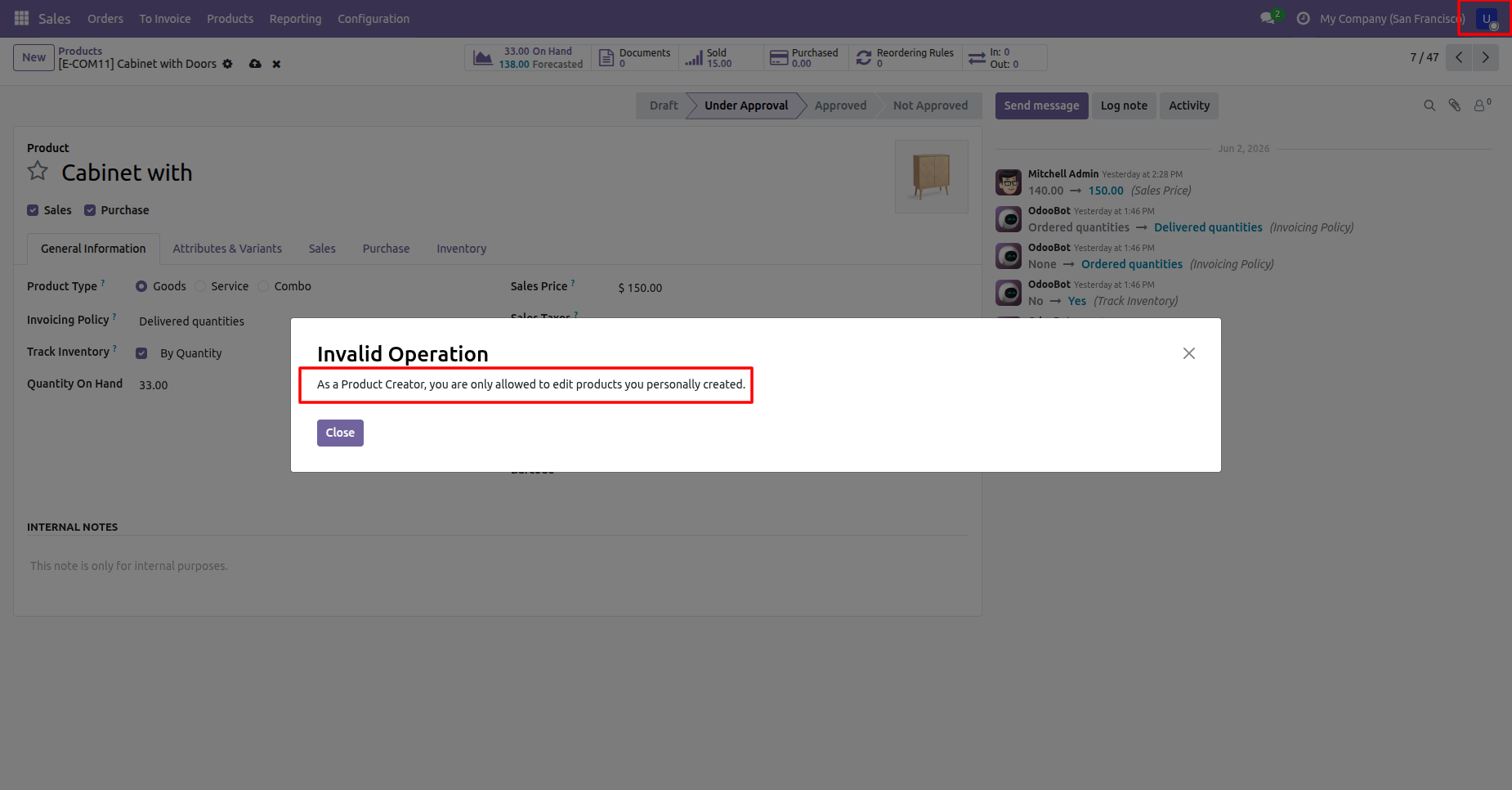
If a Product Creator attempts to edit a product created by another user, an Invalid Operation error dialog restricts them to editing only their own products.
When logged in as a manager with full Manager rights (e.g., Mitchell Admin), the 'Approve' and 'Unapprove' buttons are visible and active on the product form.
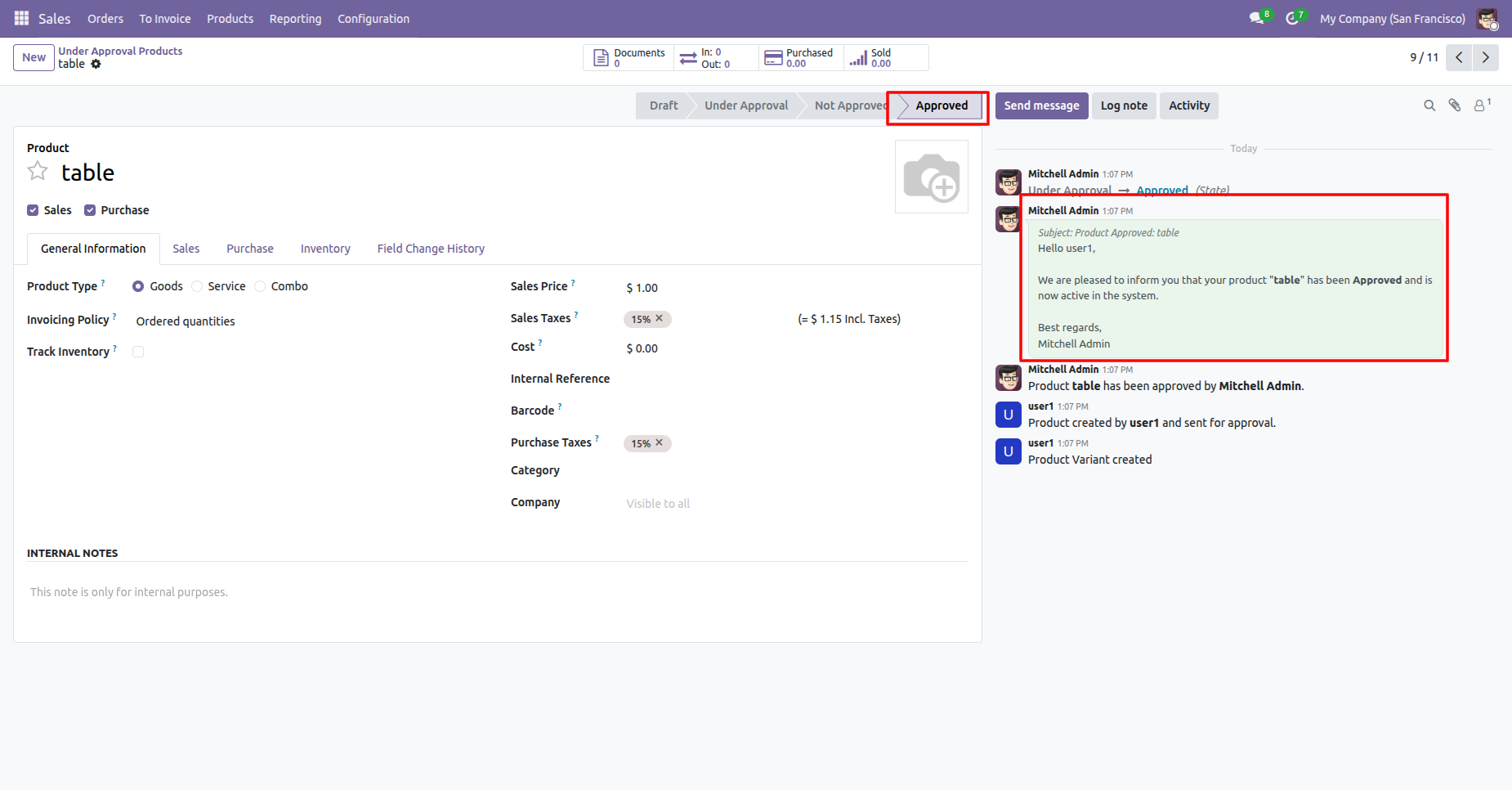
After approval, the product status changes to 'Approved' and a notification is automatically logged in the product's chatter.
When logged in as a user without creation rights (e.g., Marc Demo, with Product Creator set to 'No'), the 'New' button is hidden from the Products Kanban/list views.
Go to Inventory ==> Products ==> Product Edits Under Approval to view the list of all pending product field change requests.
Version 18.0.4.0.0 | Released on : 25th June 2026
Version 18.0.3.0.0 | Released on : 31st March 2026
Version 18.0.2.0.0 | Released on : 12th January 2026
Version 18.0.1.0.0 | Released on : 16th September 2024
- Yes, this app works perfectly with Odoo Enterprise (Odoo.sh & Premise) as well as Community.
- No, this application is not compatible with odoo.com(odoo saas/Odoo Online)
- Yes, to test this module, please contact us at sales@softhealer.com.
- Please contact us at sales@softhealer.comto request customization.
- Yes, we provide free lifetime support for the version you purchased.
- Yes, you will receive lifetime free updates for the version of the module you purchased.
- No, there is no need to install any additional libraries.
- Yes, for version 12 and above, you need to purchase the module separately for each version you intend to use.
- No, exchanges or refunds are not allowed. Please make sure to select the correct version before purchasing.
- You can contact us at support@softhealer.com for language translation support. We use Google Translator tools to provide translations in multiple languages, so the accuracy may vary. We welcome your suggestions to help improve translations.
Discover Our Latest Apps