












Print Report Sequence Controller

This module gives you complete control over how your reports are organized. This adds a drag-and-drop feature to the reports list, allowing you to easily rearrange and prioritize them. Once you set your preferred sequence, your most important reports will always appear exactly where you want them in the 'Print' menu, saving you time and keeping your workspace organized.

Related Modules
Features

Custom Print Menu Sequence
Set report priority and then display reports in your defined sequence inside the Print menu.

Drag-and-Drop Reordering
Enable easy rearrangement and then drag reports to set your preferred order.
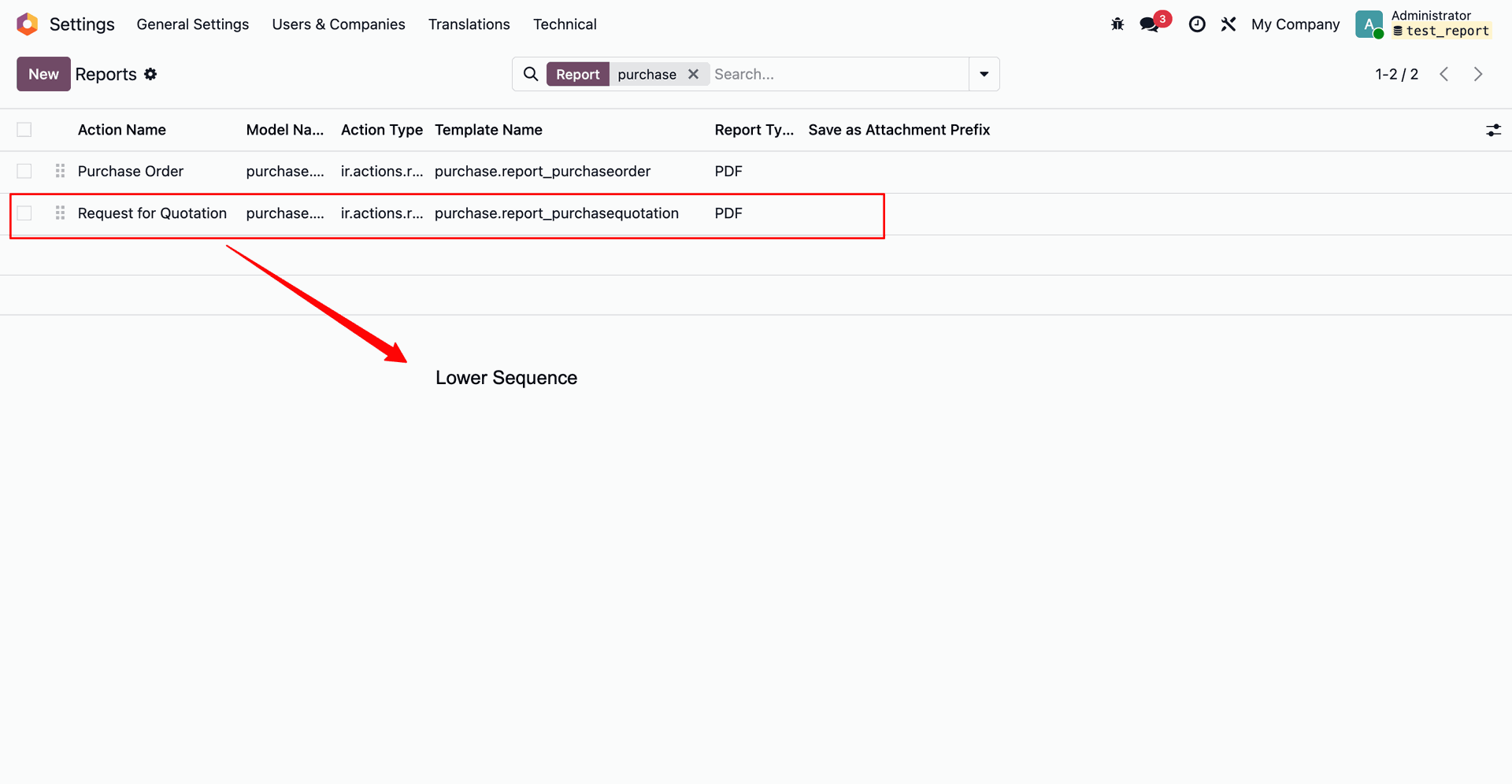
Use the drag handle to move the 'Request for Quotation' report downward, assigning it a lower sequence order in the reports list.
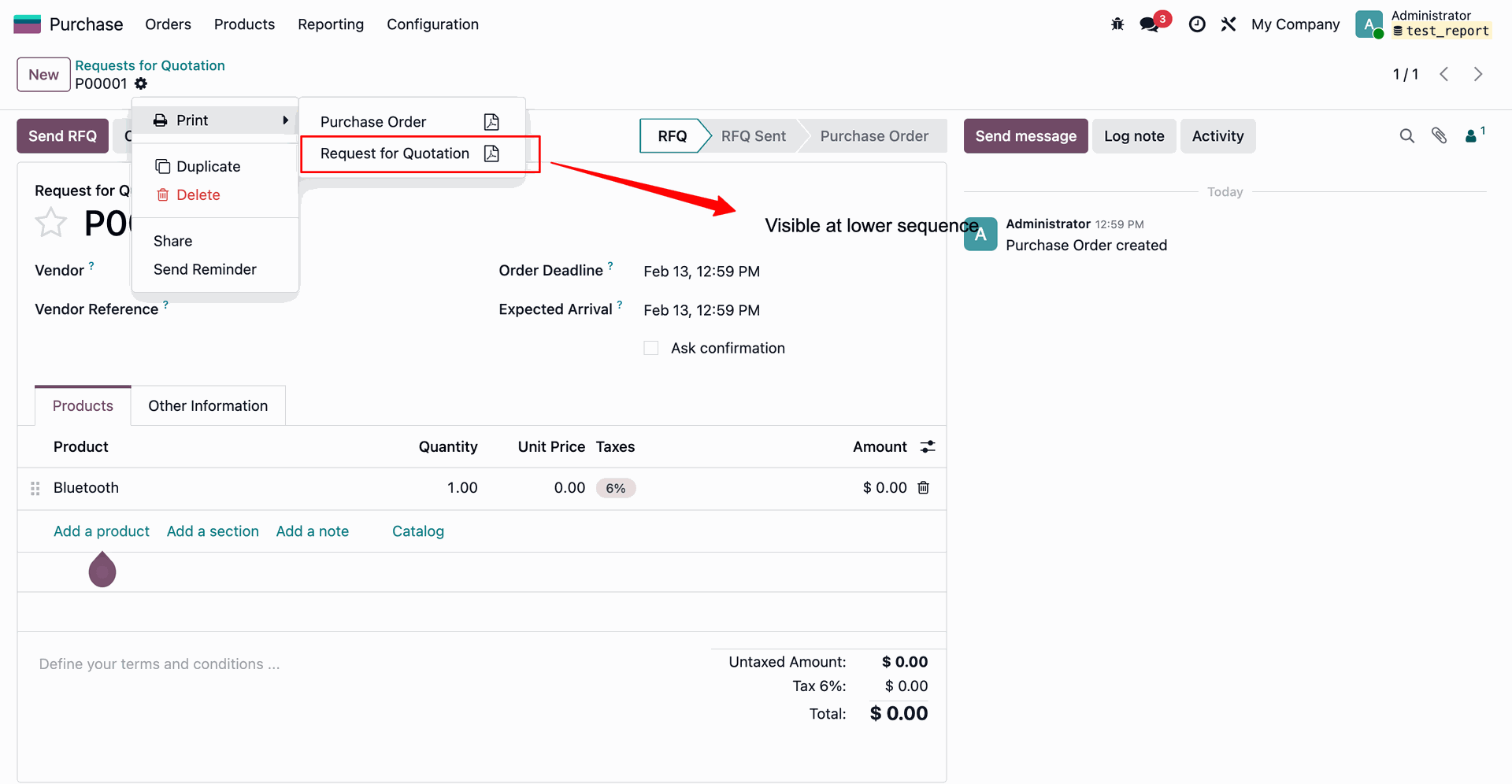
As a result of lowering its sequence in the settings, the 'Request for Quotation' option now appears below 'Purchase Order' in the document's Print menu.
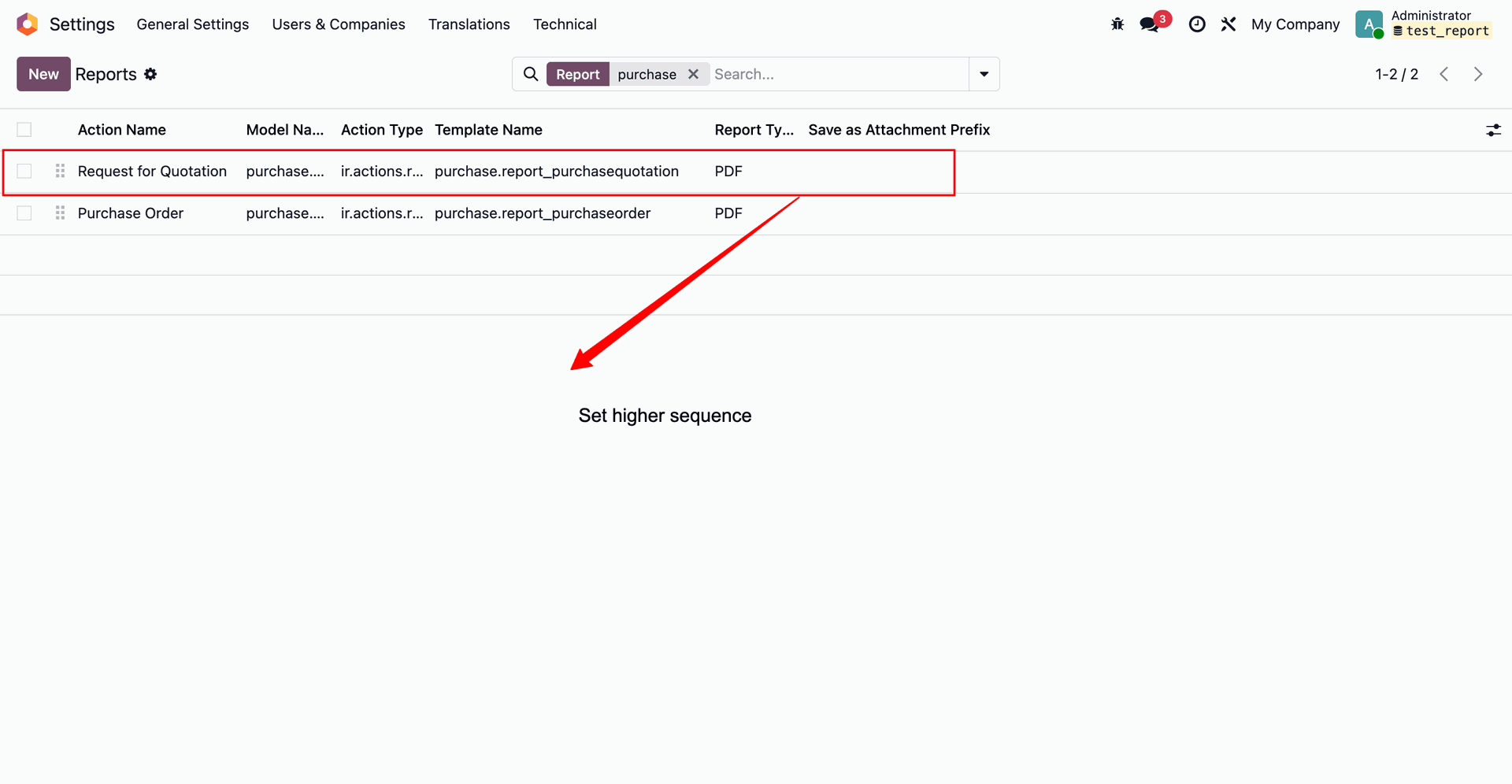
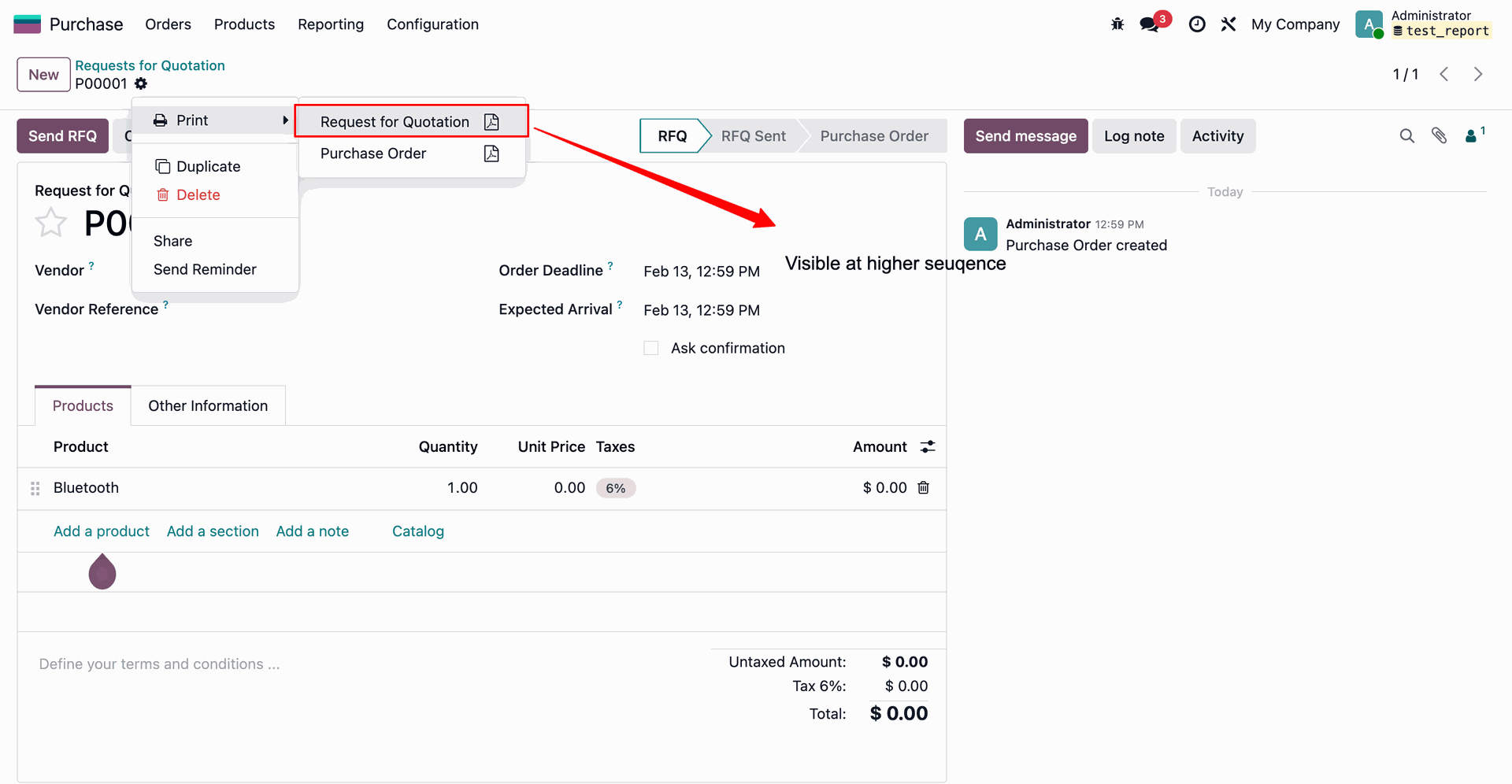
Position the 'Request for Quotation' report at the top of the list to set a higher sequence priority, ensuring it appears first in relevant print menus.
As a result of increasing its sequence priority in the settings, the 'Request for Quotation' option now appears first in the document's Print menu, above the 'Purchase Order' option.
Version 19.0.1.0.0 | Released on : 23rd April 2026
- Yes, this app works perfectly with Odoo Enterprise (Odoo.sh & Premise) as well as Community.
- No, this application is not compatible with odoo.com(odoo saas/Odoo Online)
- Yes, to test this module, please contact us at sales@softhealer.com.
- Please contact us at sales@softhealer.comto request customization.
- Yes, we provide free support for 365 days from the date of purchase.
- Yes, you will receive lifetime free updates for the version of the module you purchased.
- No, there is no need to install any additional libraries.
- Yes, for version 12 and above, you need to purchase the module separately for each version you intend to use.
- No, exchanges or refunds are not allowed. Please make sure to select the correct version before purchasing.
- You can contact us at support@softhealer.com for language translation support. We use Google Translator tools to provide translations in multiple languages, so the accuracy may vary. We welcome your suggestions to help improve translations.
Discover Our Latest Apps