





Print Meeting Minutes

Streamline capturing and sharing meeting summaries with the Print Meeting Minutes app. Assign roles, record times, and document agenda items, action points, and conclusions. With one-click PDF report generation and emailing, this module ensures your team stays organized and informed, enhancing productivity for every meeting.

Related Modules
Features
Assign Meeting Roles
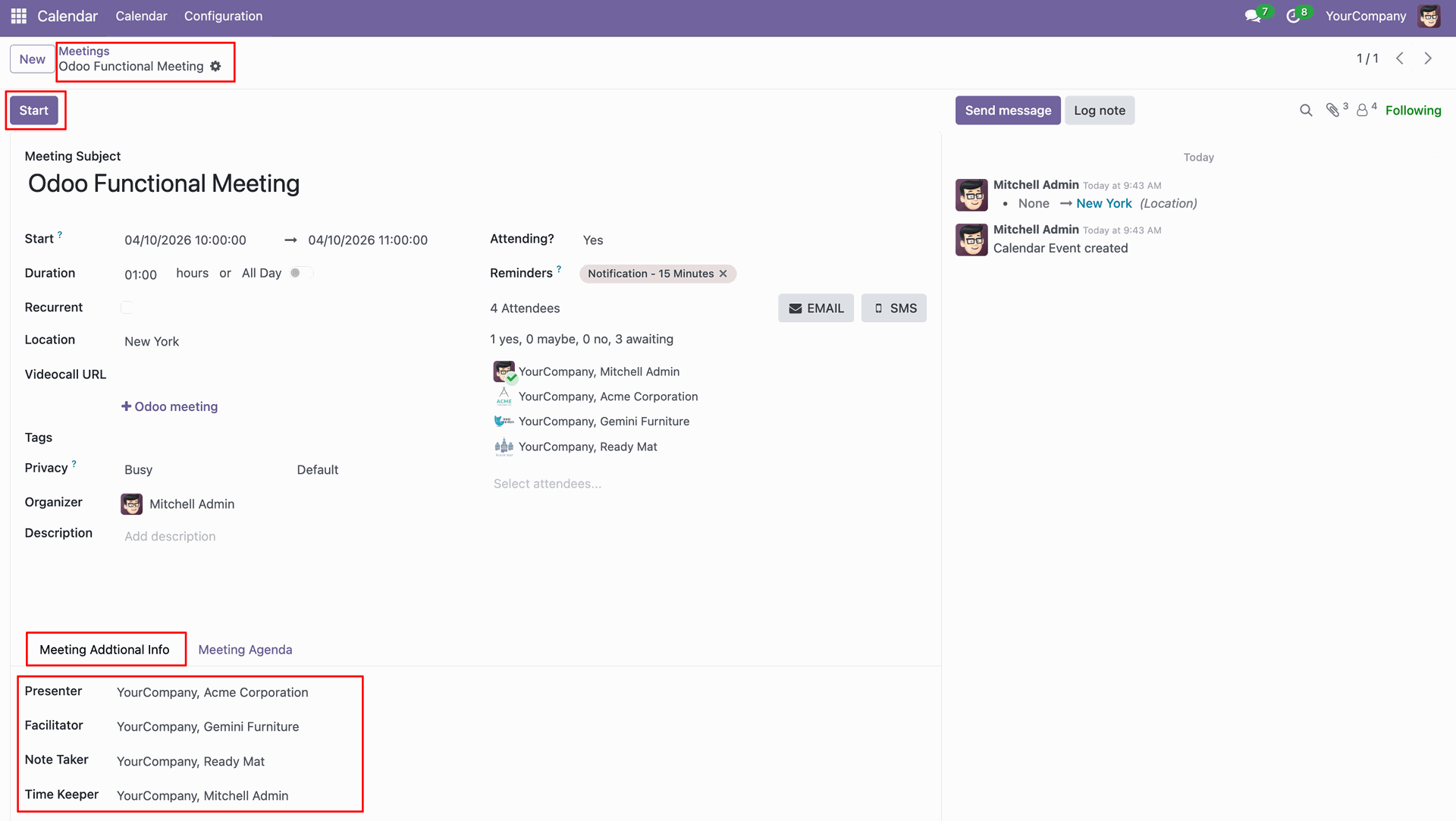
Participants can be assigned specific roles such as Presenter, Facilitator, Note Taker, and Time Keeper.
Track Meeting Duration
Effortlessly record meeting start and end times to automatically calculate and display the total duration.
Manage Agenda Topics
Clear fields to log agenda topics ensuring every point of discussion is tracked properly.
Meeting Conclusion
Capture detailed conclusions and noted points to provide a clear summary of the meeting outcomes.
PDF Report Generation
Generate comprehensive meeting minute reports in PDF format with a single click from the meeting view.
Email Report Send
Send the generated meeting minutes directly to all attendees via email to keep everyone on the same page.
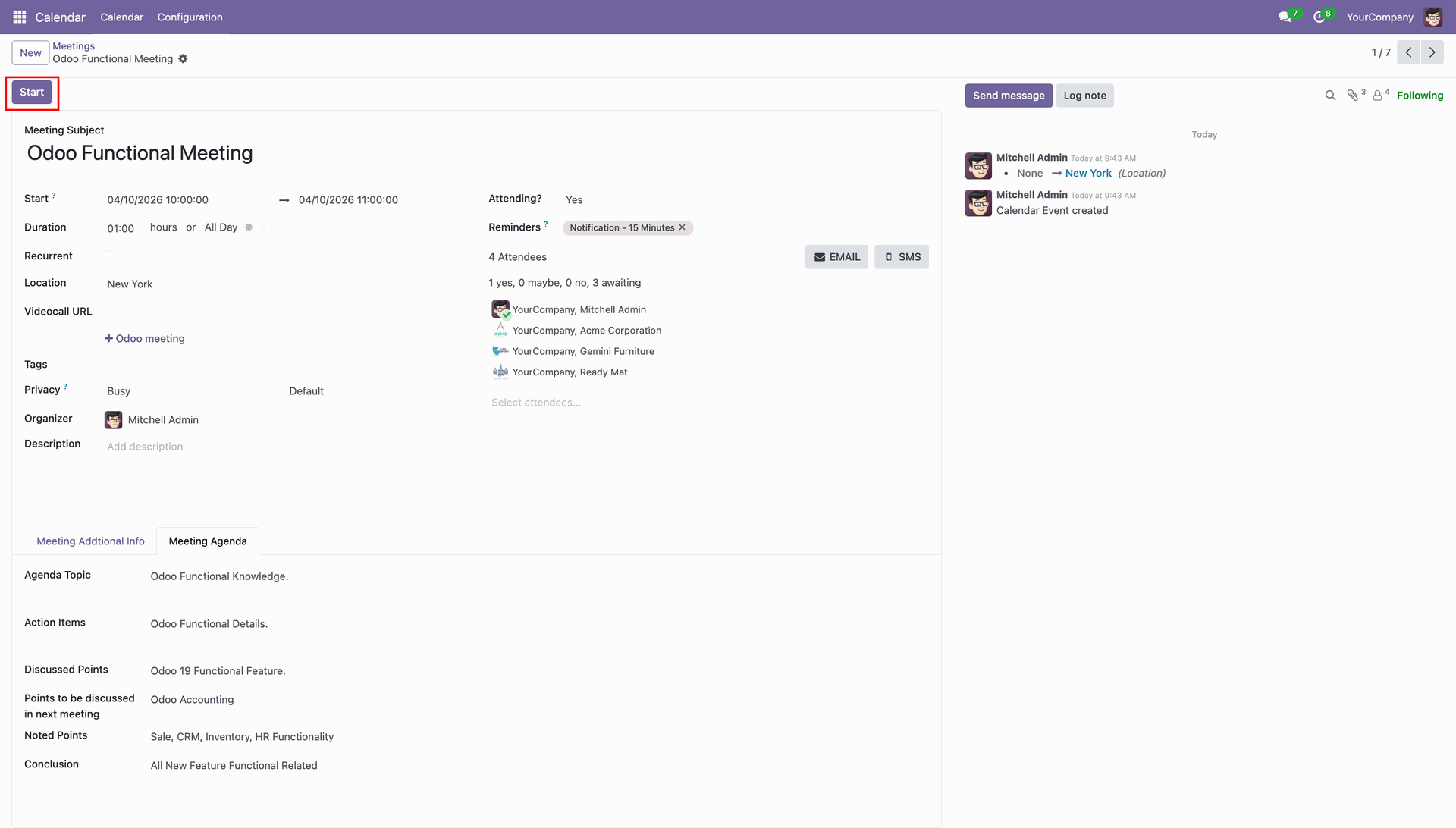
Preparing to Start the Odoo Functional Meeting, featuring a detailed attendee list and specific roles like Presenter and Facilitator defined under the Meeting Additional Info tab.
Reviewing the Meeting Agenda for the "Odoo Functional Meeting," including discussed points on Odoo 19 features and planned topics for the next session.
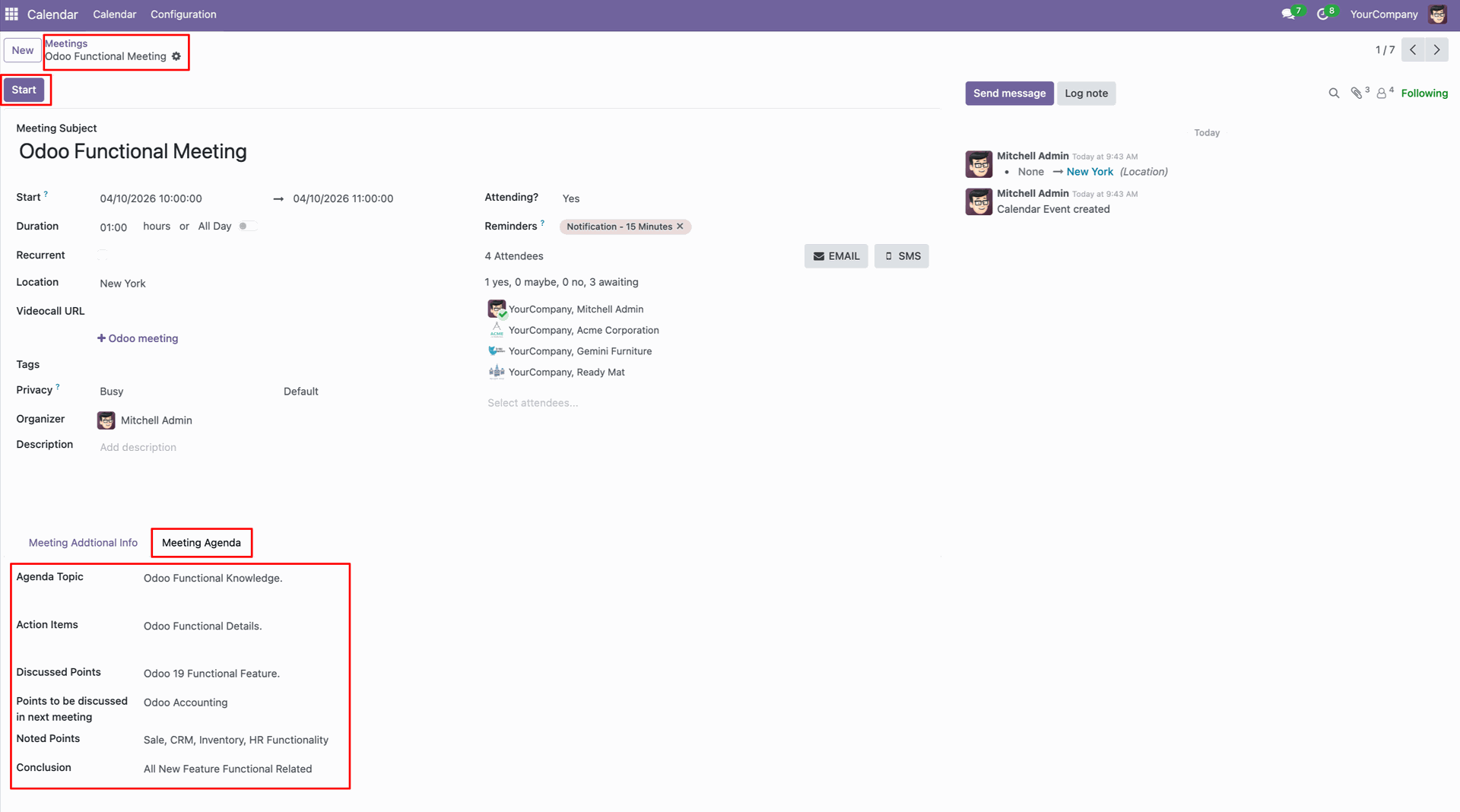
Ready to start the "Odoo Functional Meeting," featuring a detailed agenda.
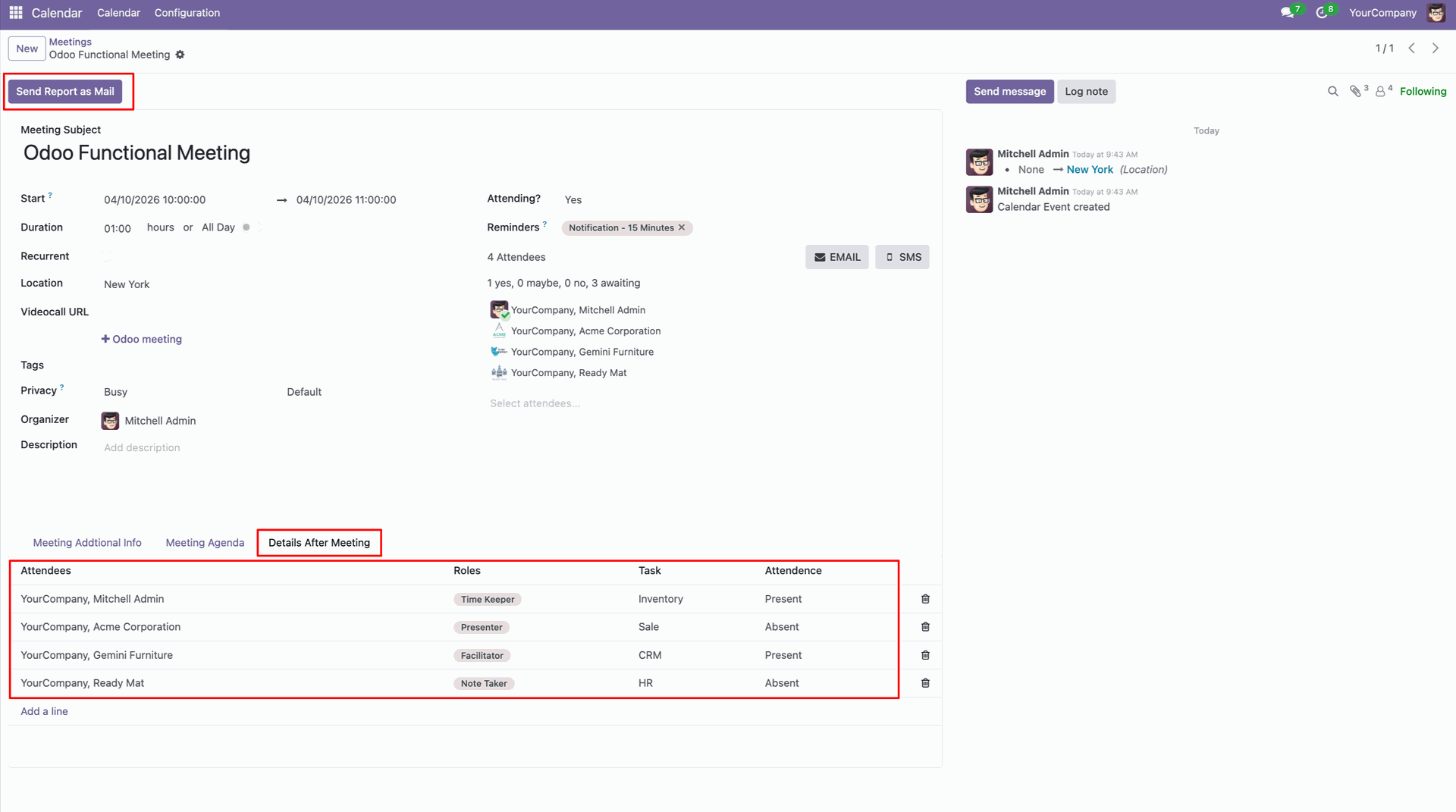
Reviewing the Details After Meeting tab for the "Odoo Functional Meeting", featuring the Send Report as Mail action and attendee status tracking for roles like Time Keeper and Note Taker.
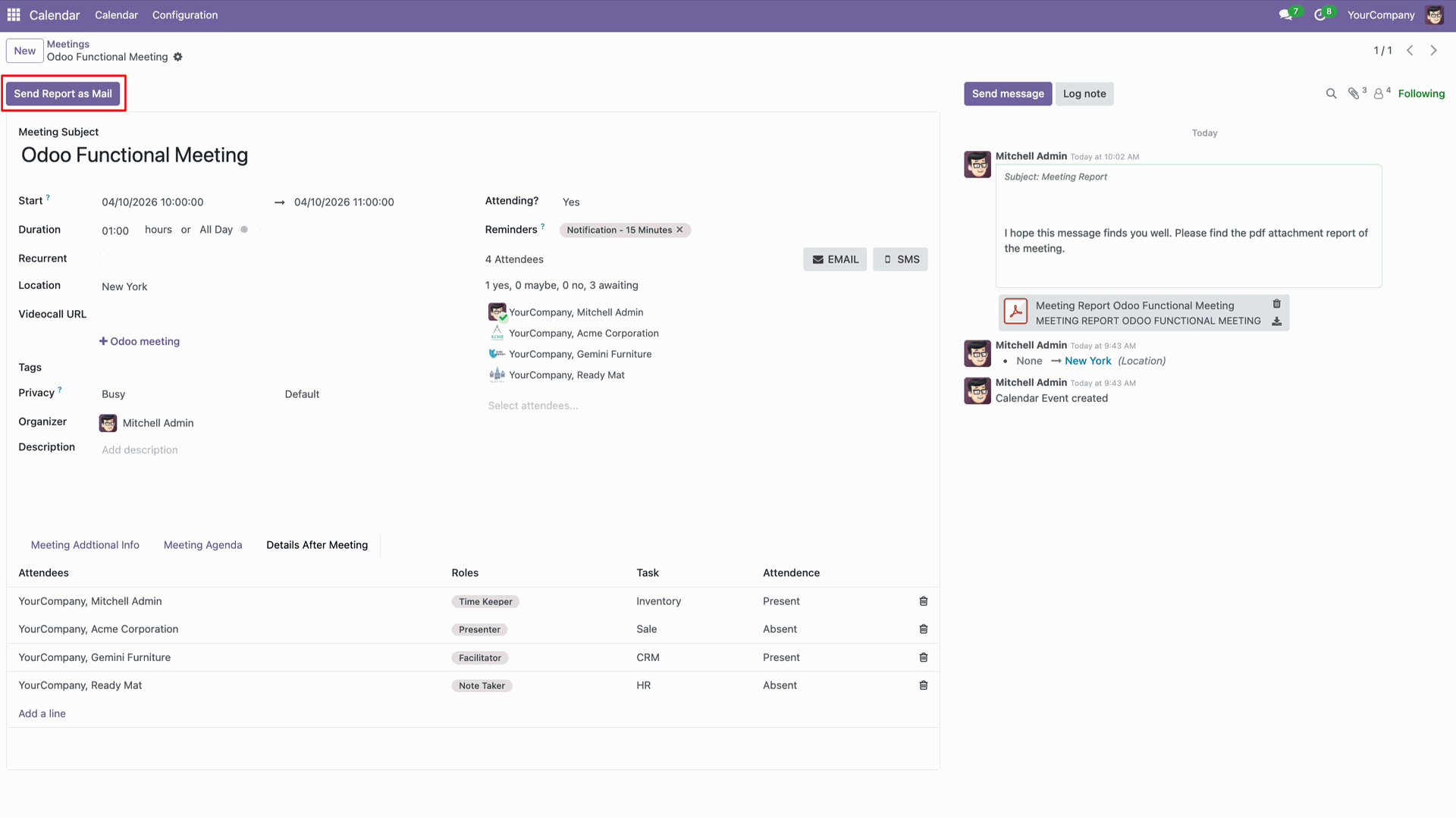
Executing the Send Report as Mail function for the Odoo Functional Meeting, which automatically generates a PDF attachment and logs the sent message in the chatter.
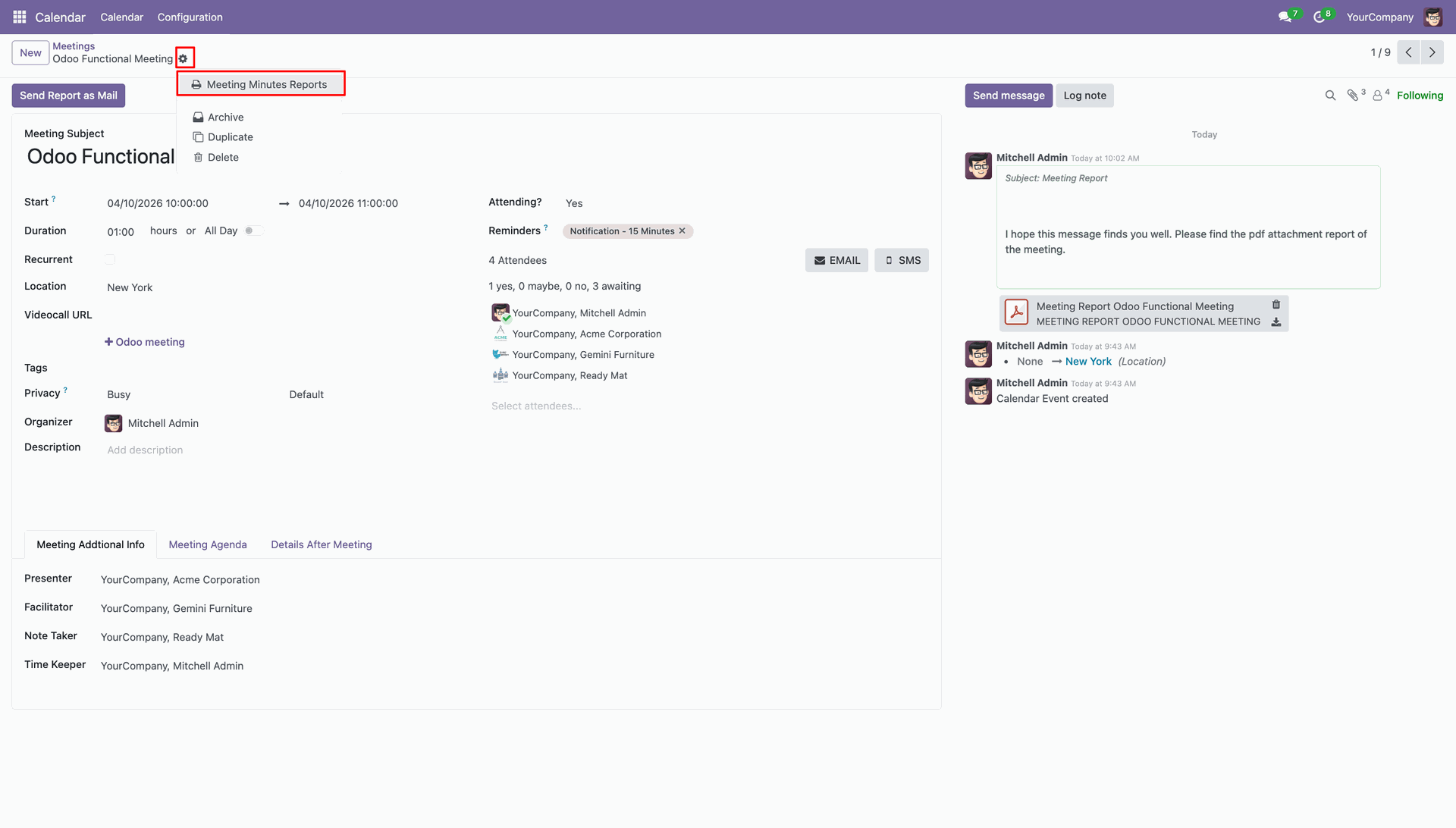
Accessing the action gear menu to print Meeting Minutes Reports for the Odoo Functional Meeting, providing a formal summary of the session.
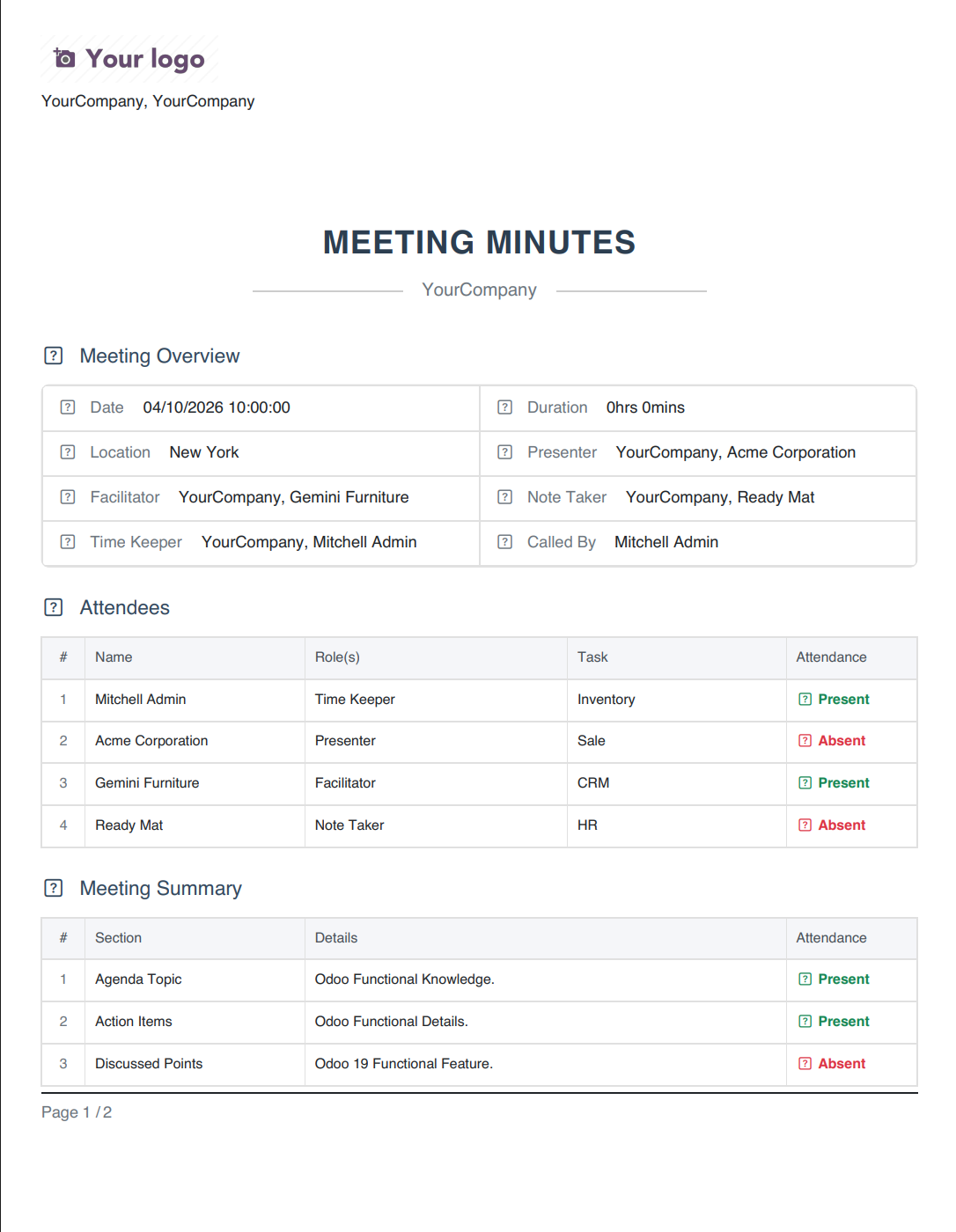
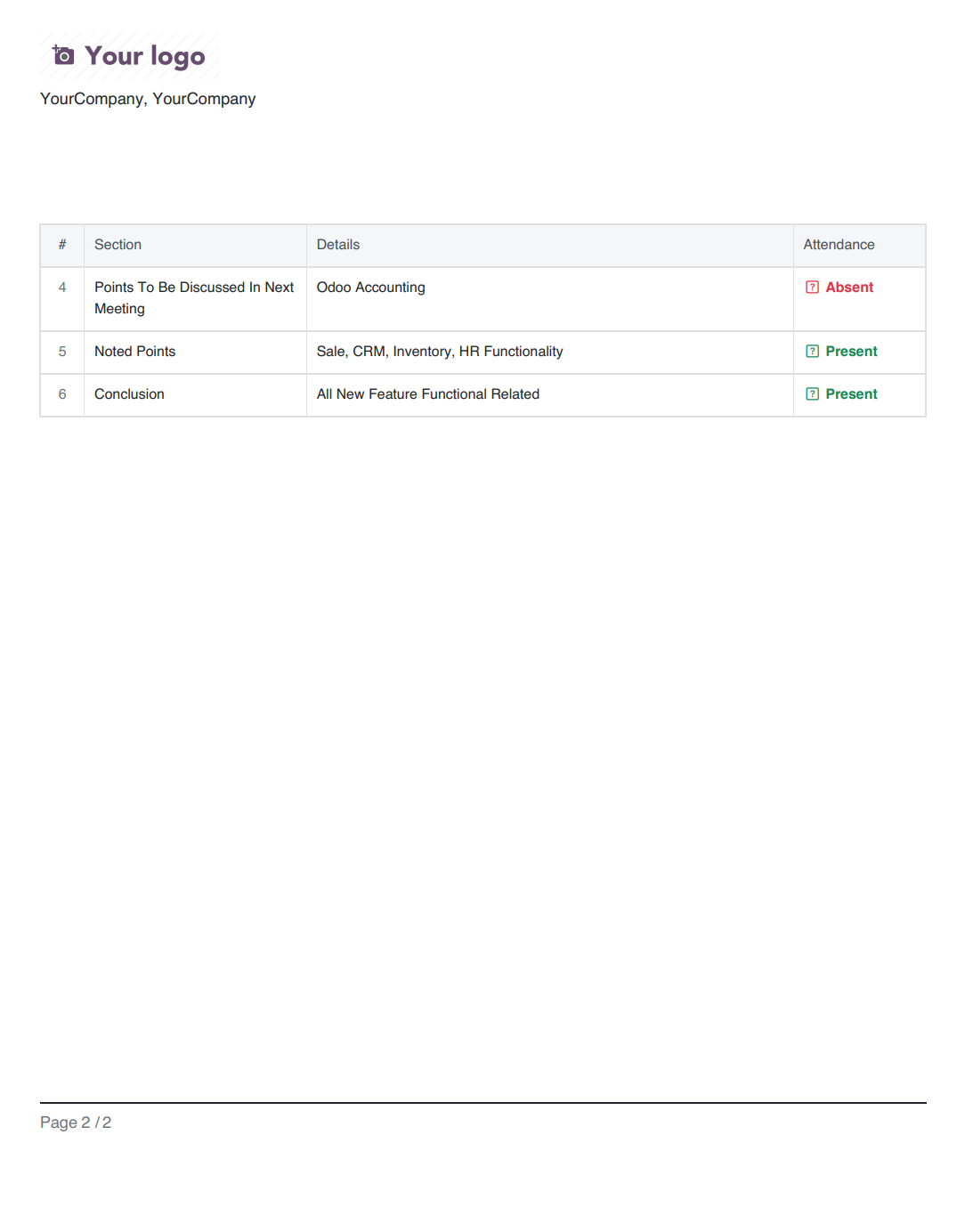
Reviewing the generated Meeting Minutes PDF, which provides a structured overview of the session in New York.
Version 19.0.1.0.0 | Released on : 22nd August 2026
- Yes, this app works perfectly with Odoo Enterprise (Odoo.sh & Premise) as well as Community.
- No, this application is not compatible with odoo.com(odoo saas/Odoo Online)
- Yes, to test this module, please contact us at sales@softhealer.com.
- Please contact us at sales@softhealer.com to request customization.
- Yes, we provide free support for 365 days from the date of purchase.
- Yes, you will receive lifetime free updates for the version of the module you purchased.
- No, there is no need to install any additional libraries.
- Yes, for version 12 and above, you need to purchase the module separately for each version you intend to use.
- No, exchanges or refunds are not allowed. Please make sure to select the correct version before purchasing.
- You can contact us at support@softhealer.com for language translation support. We use Google Translator tools to provide translations in multiple languages, so the accuracy may vary. We welcome your suggestions to help improve translations.
Discover Our Latest Apps