













Pre & Post Due Invoice Reminder

With this module, you can send email notifications for invoices that are due before or after a specified number of days. For example, you can send a reminder to the customer five days before the invoice due date and another five days after the due date for a specific amount. Creating and managing reminders is quick and easy.

Features

Pre Due Invoice Reminder
Notify customers before the invoice due date to ensure timely payments.

Post Due Invoice Reminder
Send email to customers after the invoice due date to follow up on overdue payments.
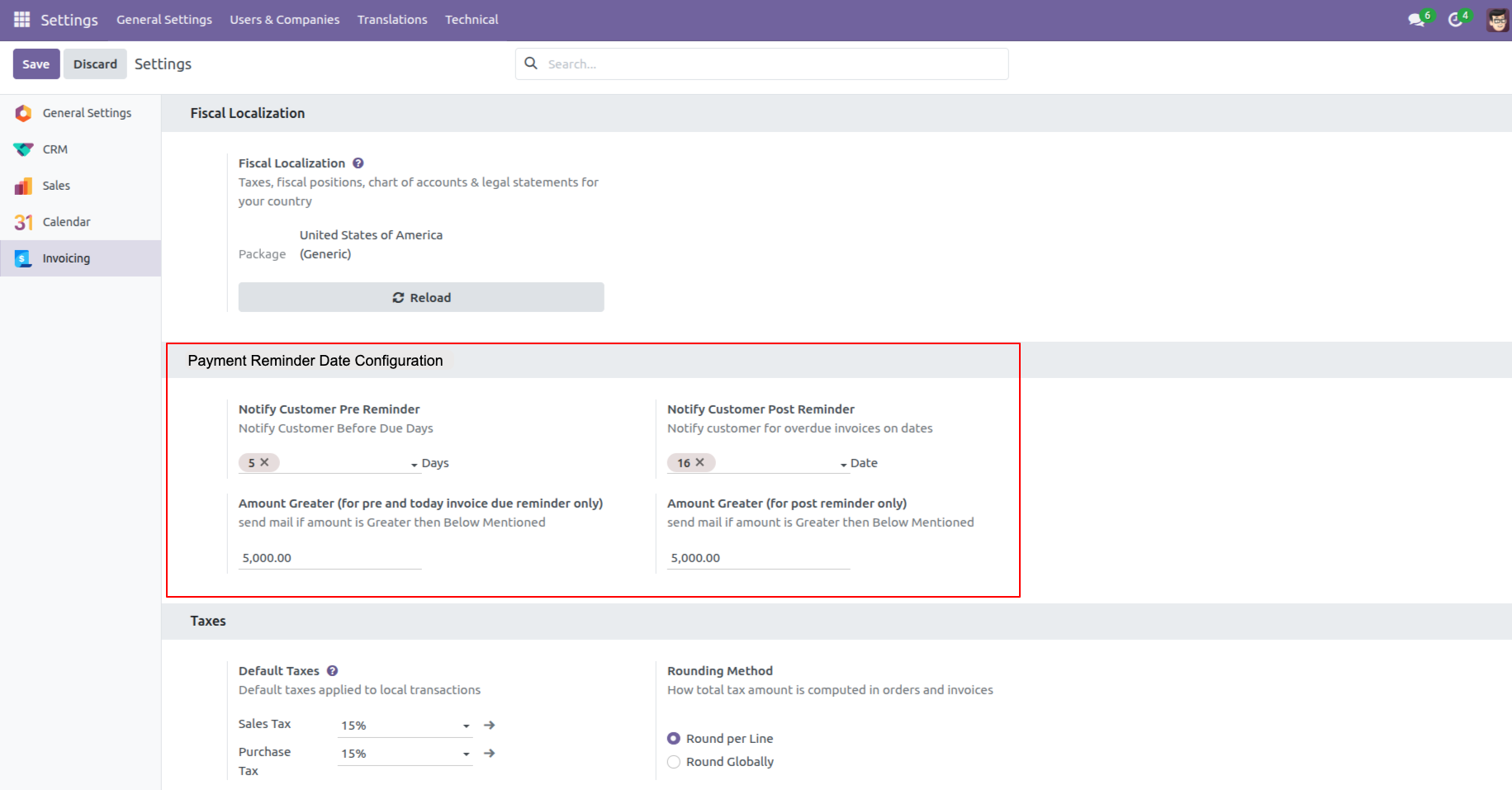
Go to the Invoicing settings and configure the 'Payment Reminder Date Configuration' settings.
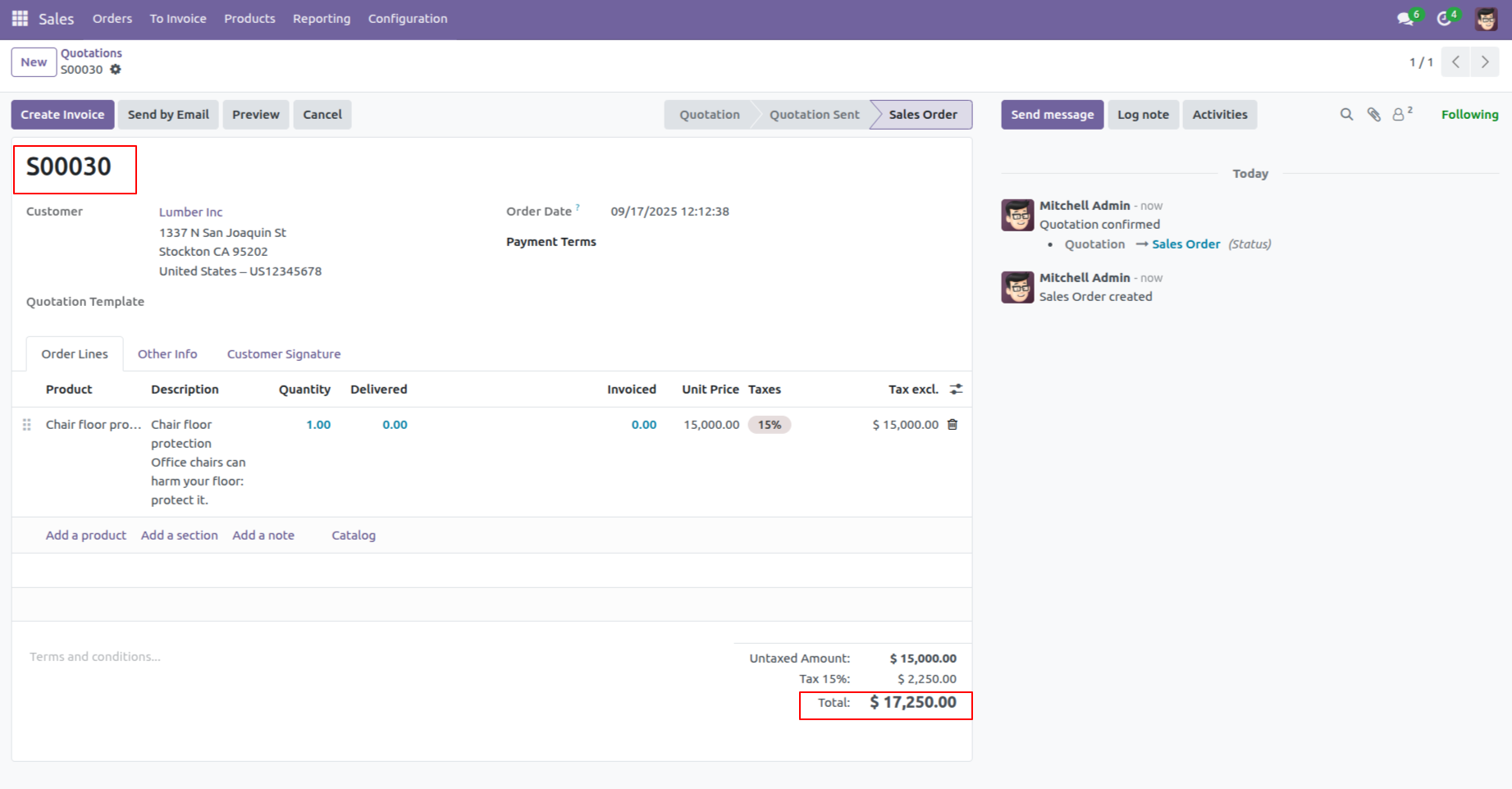
Create a quotation.
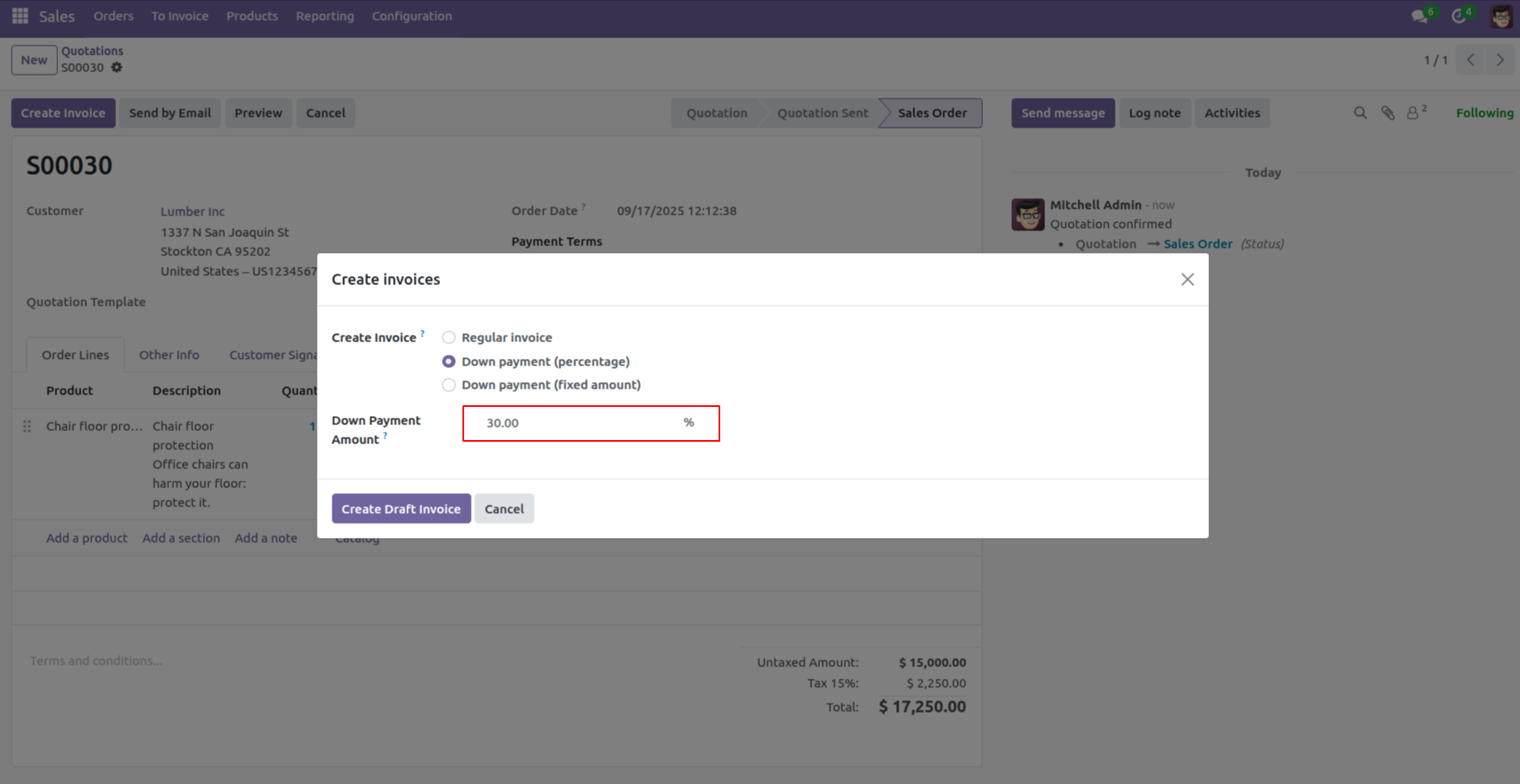
Create invoice.
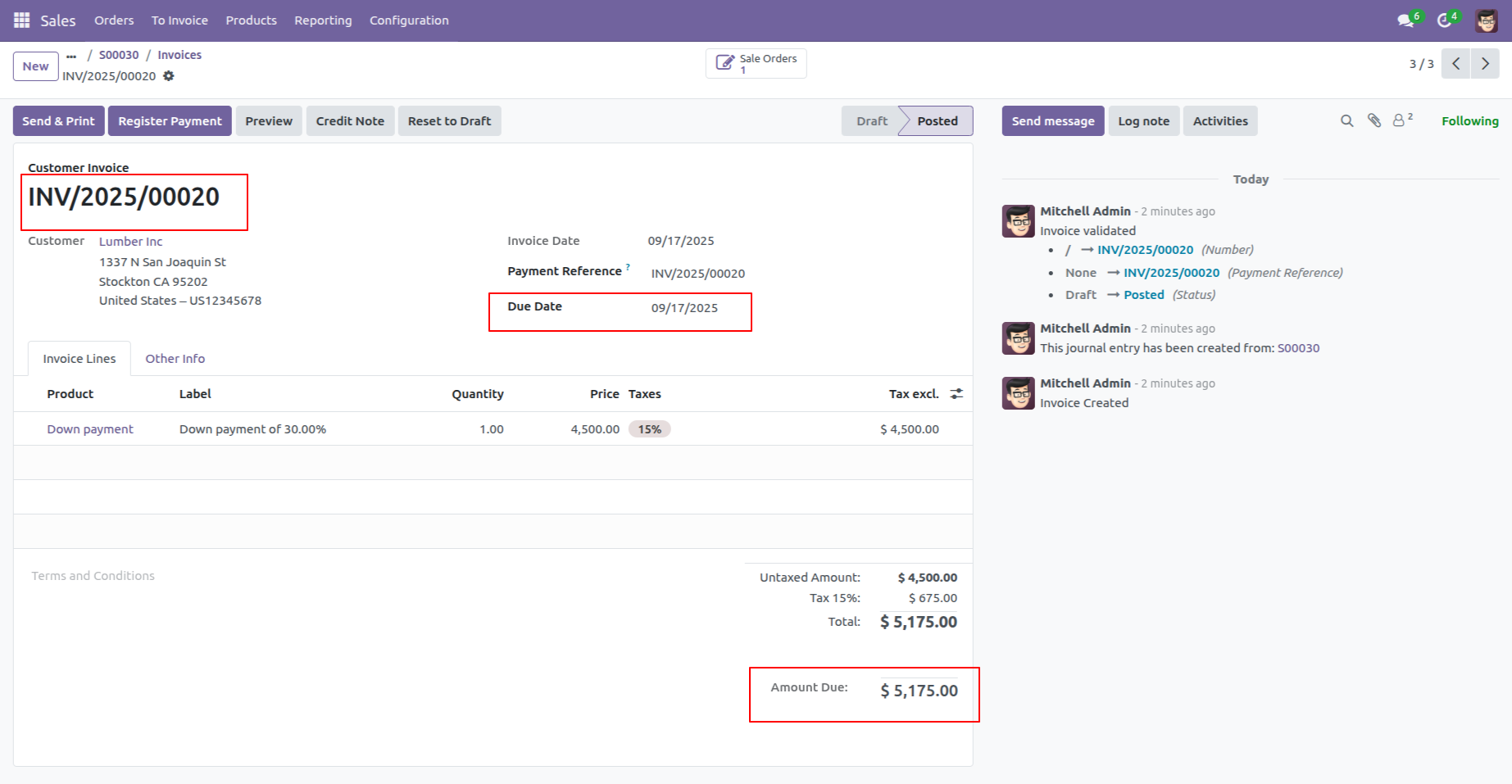
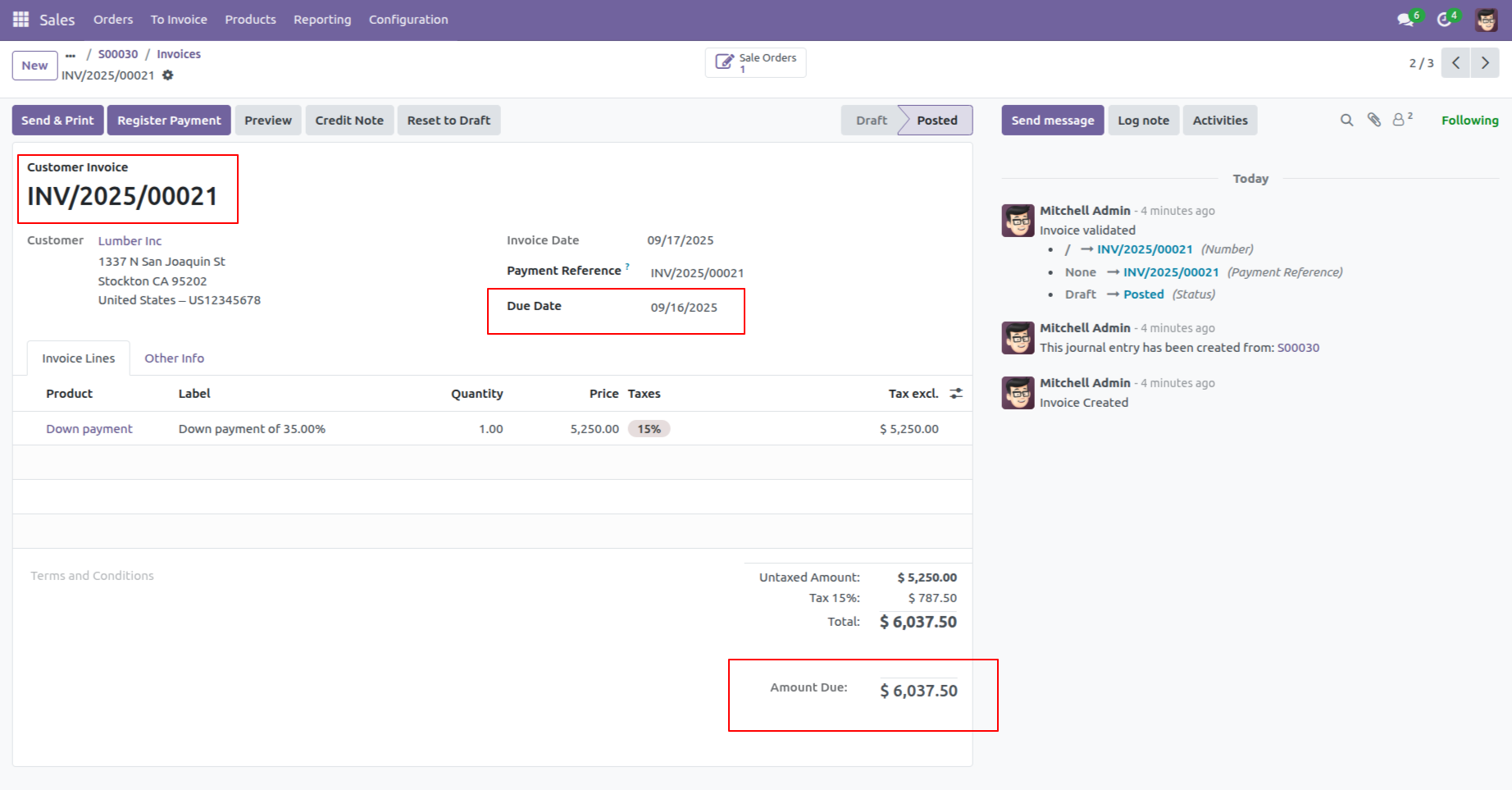
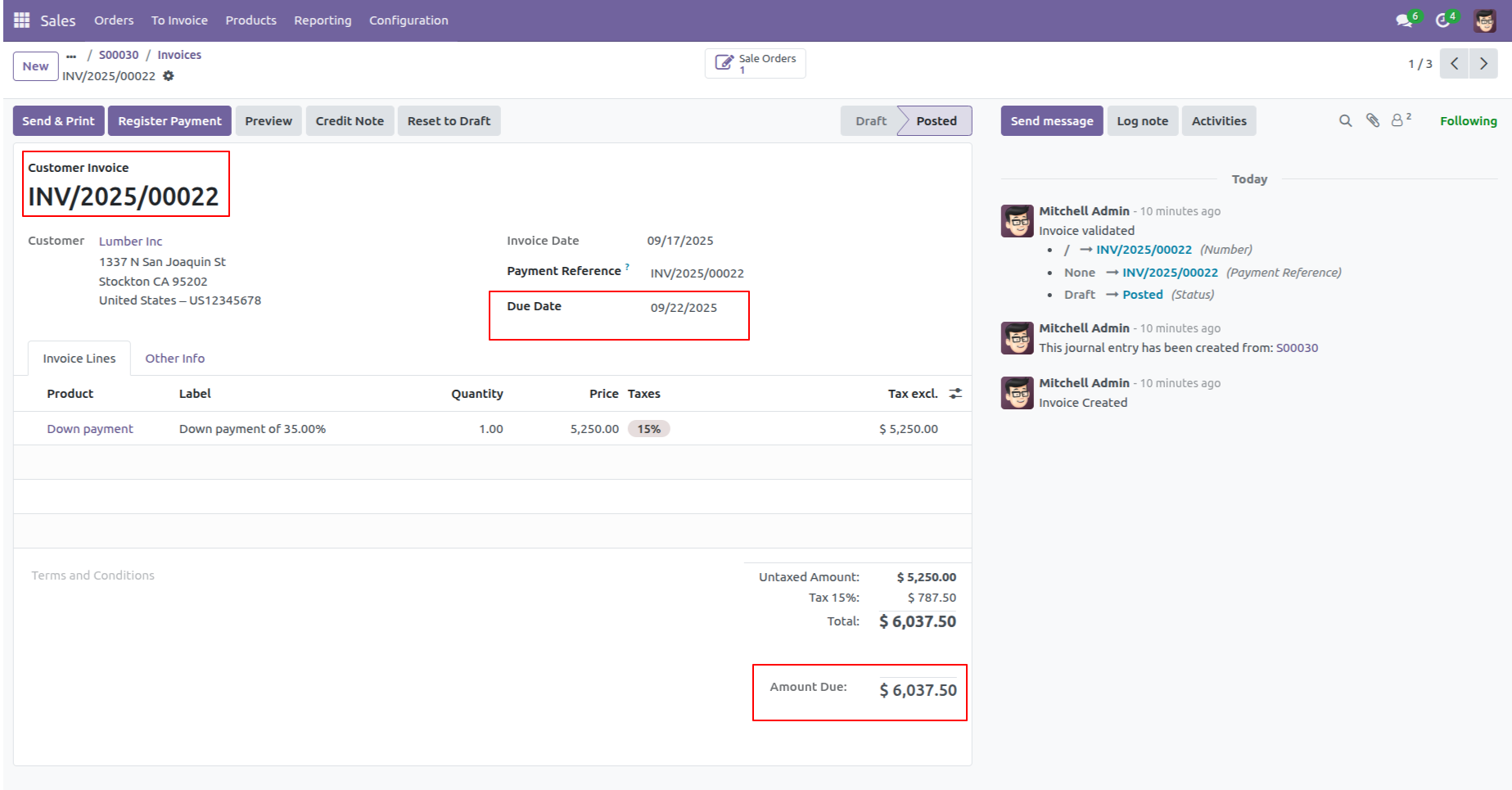
Here, you can view the invoices due date and the Due amount.
Go to the Schedule Actions ==> Send Due Invoice Email Notifications
Click on the 'Run Manually' button.
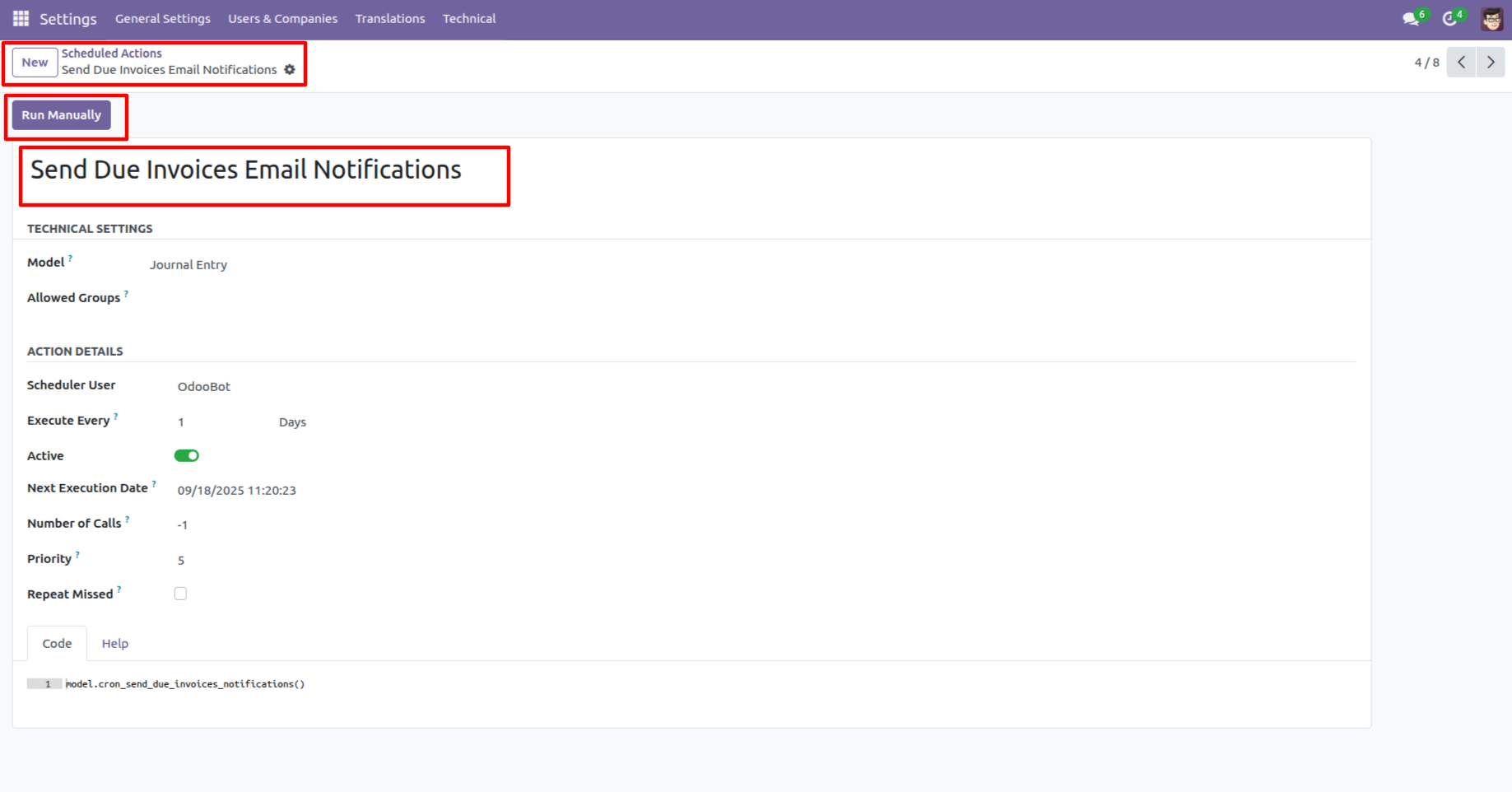
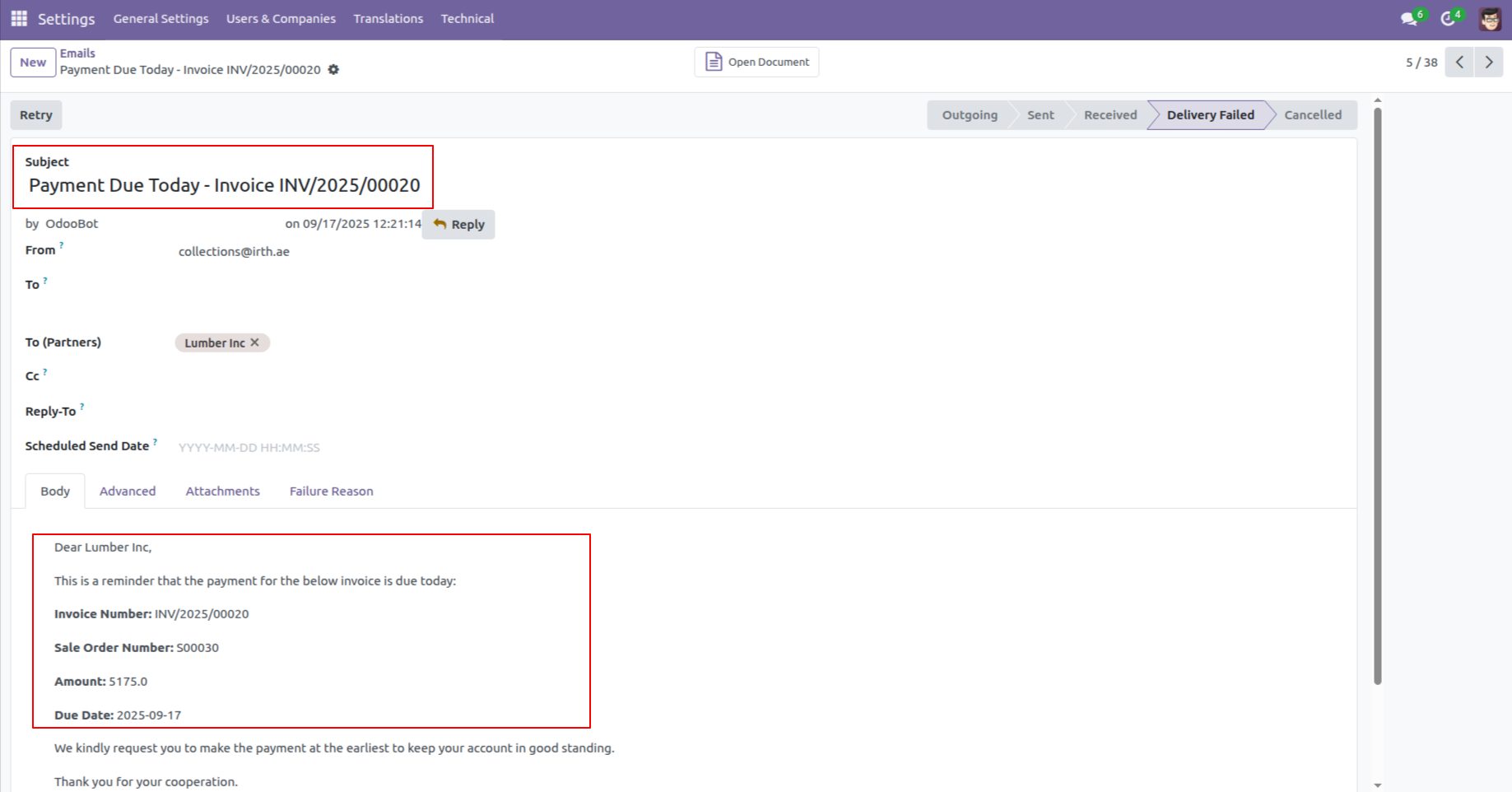
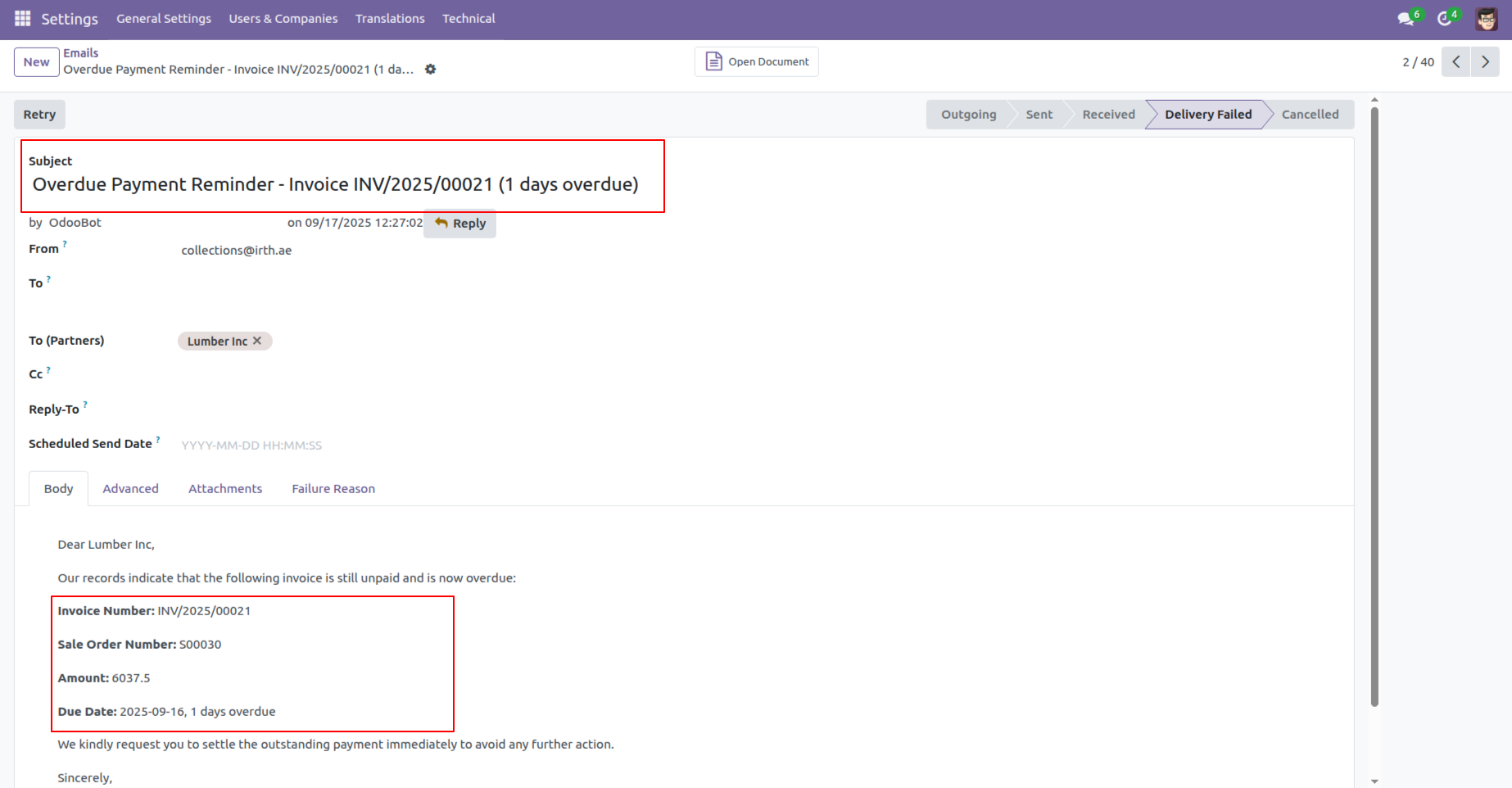
The reminder email looks like below.
Here, you can view the invoices due date and the Due amount.
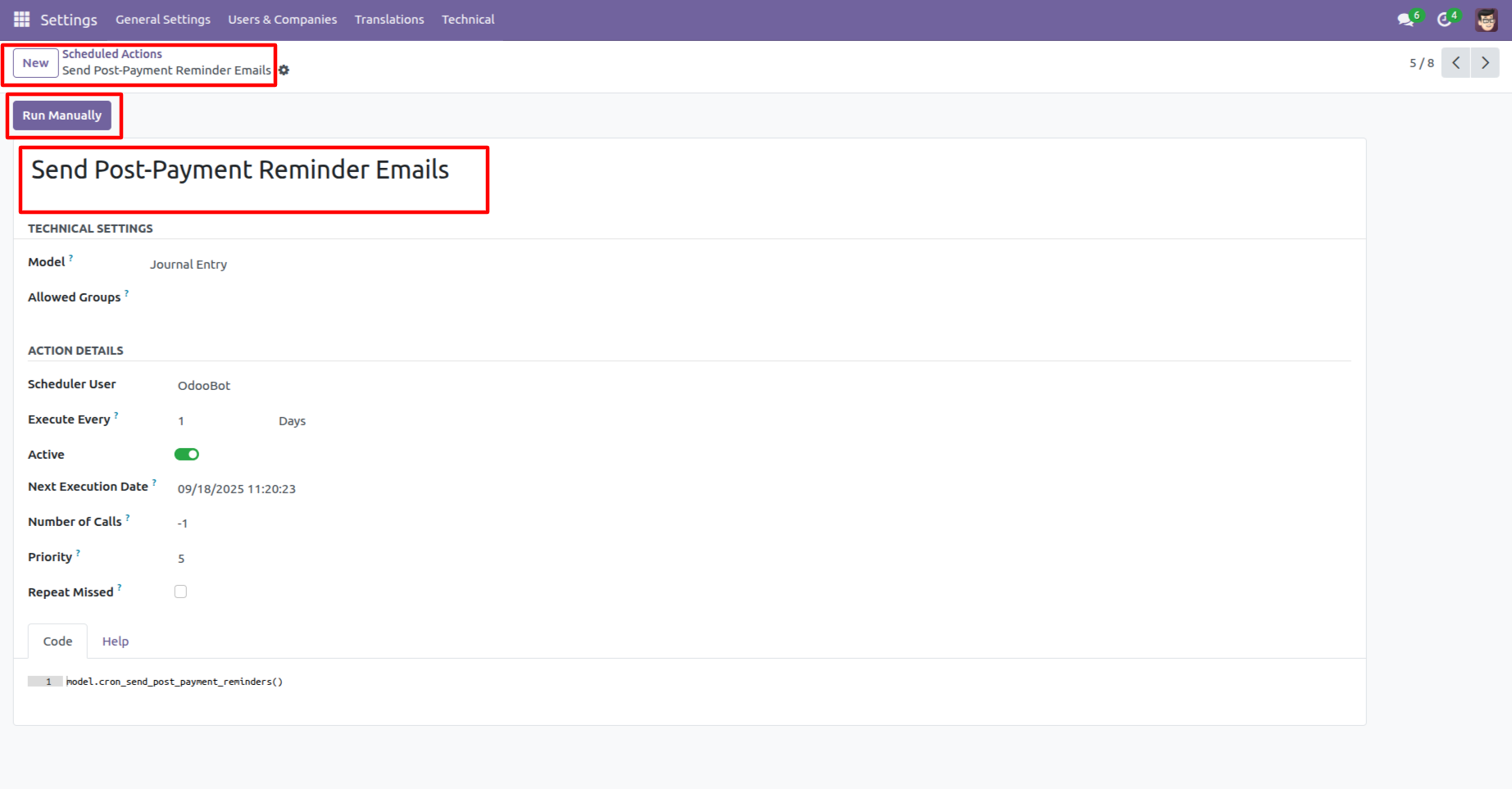
Go to the Schedule Actions ==> Send Post-Payent Reminder Emails
Click on the 'Run Manually' button.
The reminder email looks like below.
Here, you can view the invoices due date and the Due amount.
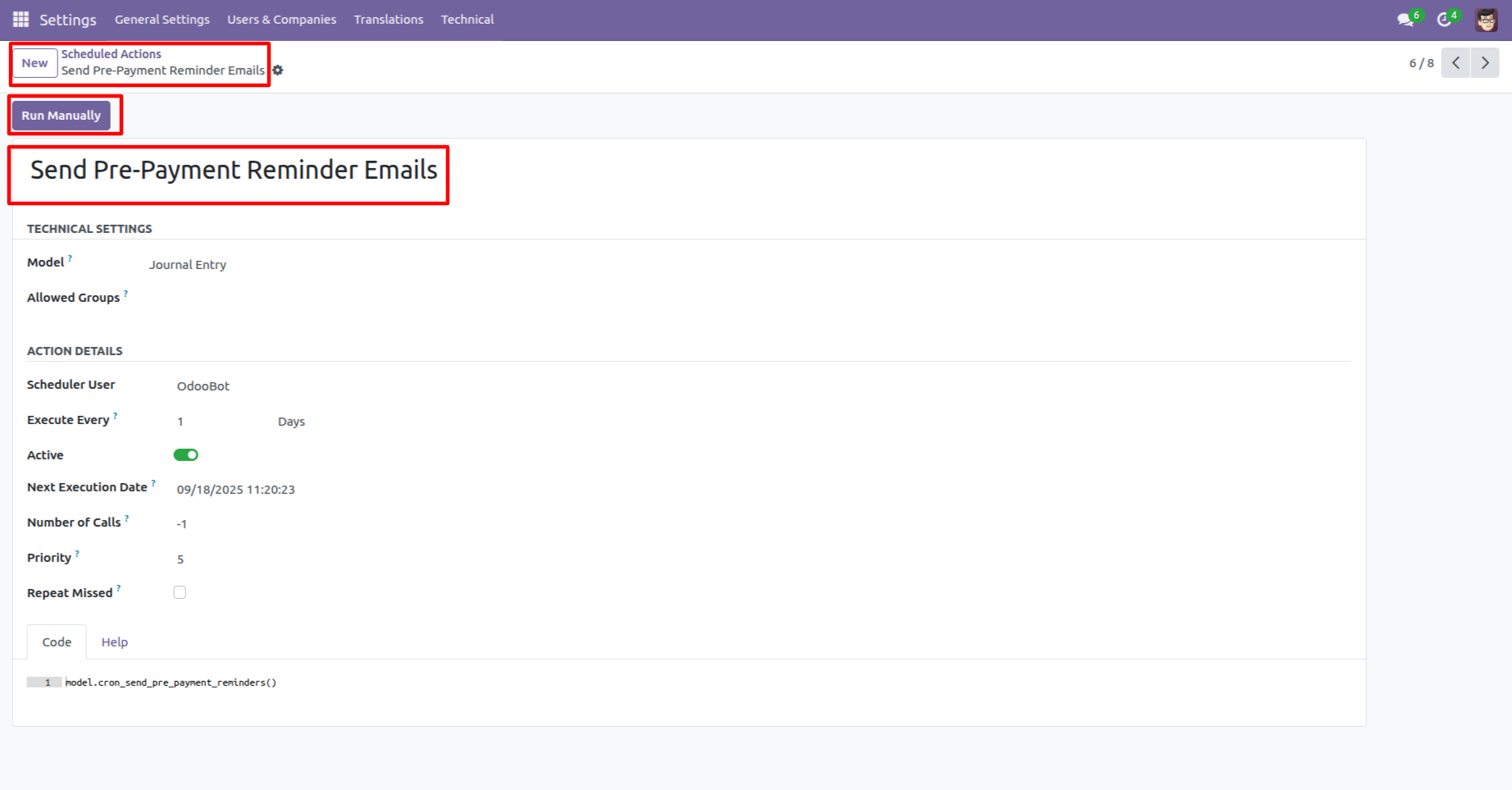
Go to the Schedule Actions ==> Send Pre-Payent Reminder Emails
Click on the 'Run Manually' button.
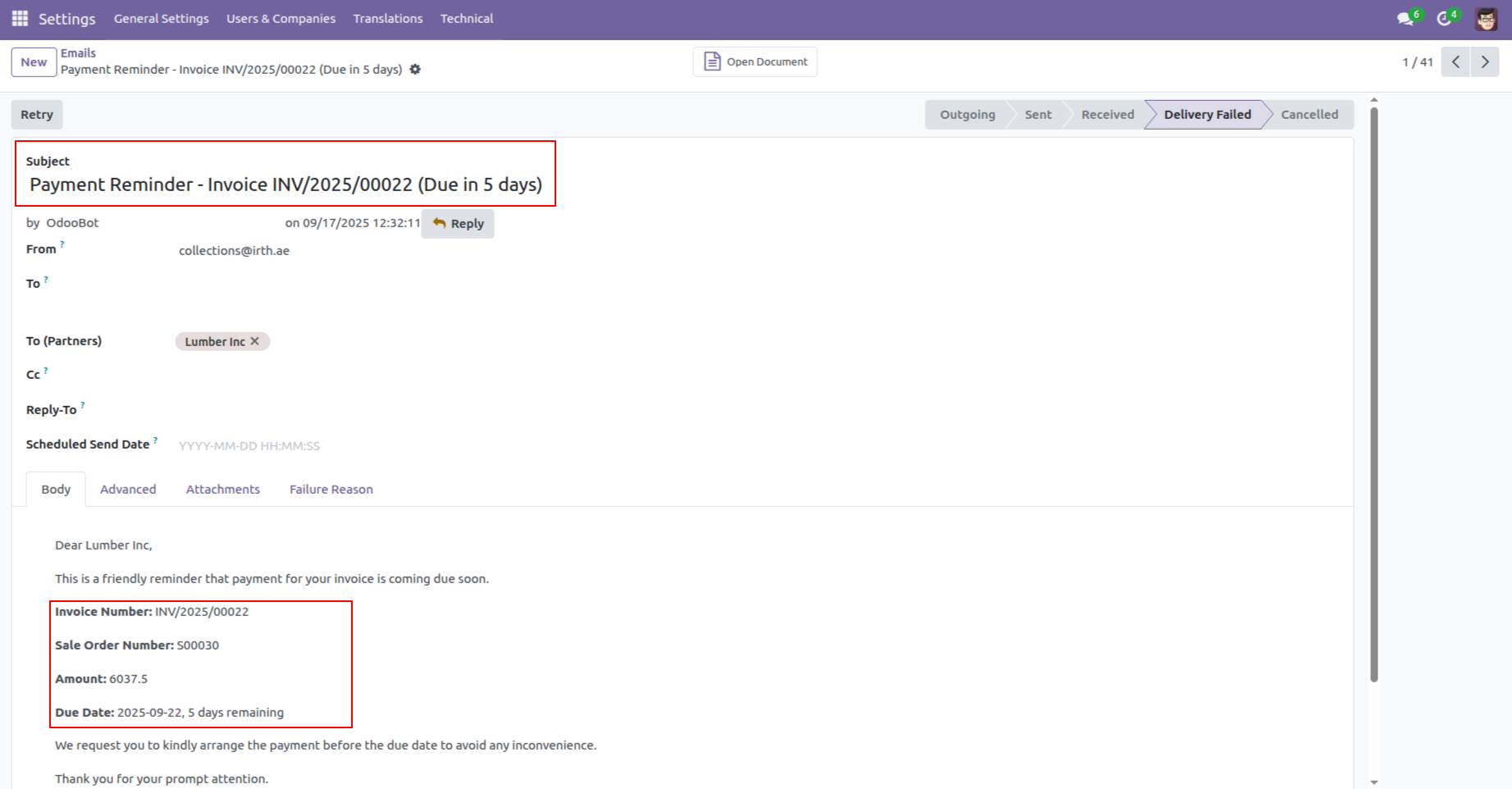
The reminder email looks like below.
Version 19.0.1.0.0 | Released on : 6th January 2026
- Yes, this app works perfectly with Odoo Enterprise (Odoo.sh & Premise) as well as Community.
- No, this application is not compatible with odoo.com(odoo saas/Odoo Online)
- Yes, to test this module, please contact us at sales@softhealer.com.
- Please contact us at sales@softhealer.comto request customization.
- Yes, we provide free support for 365 days from the date of purchase.
- Yes, you will receive lifetime free updates for the version of the module you purchased.
- No, there is no need to install any additional libraries.
- Yes, for version 12 and above, you need to purchase the module separately for each version you intend to use.
- No, exchanges or refunds are not allowed. Please make sure to select the correct version before purchasing.
- You can contact us at support@softhealer.com for language translation support. We use Google Translator tools to provide translations in multiple languages, so the accuracy may vary. We welcome your suggestions to help improve translations.
