
 Easy to Manage
 Dedicated Support















 Scan to email sales




POS Top Customers

This module is useful to do the analysis of your present as well as past POS Customer. you can easily compare customer by customer POS amount. you can easily identify which is New or Lost customer and How much did he buy. You can easily get an analysis report of the top POS customers in pdf or excel file. easy to filter records by no of items & total POS amount. you can easily apply from the date and total date.

Related Modules
Features
- You can generate the report for a specific date-time.
- Generate Report For Single Company as well as Multi-Companies.
- Multi-Company User can print a report of more than one company which assigned to the user.
- Single Company User only allowed to print his/her own company report.
- Compare POS top customers between a specific period.
- You can print the report in PDF and Excel sheets.
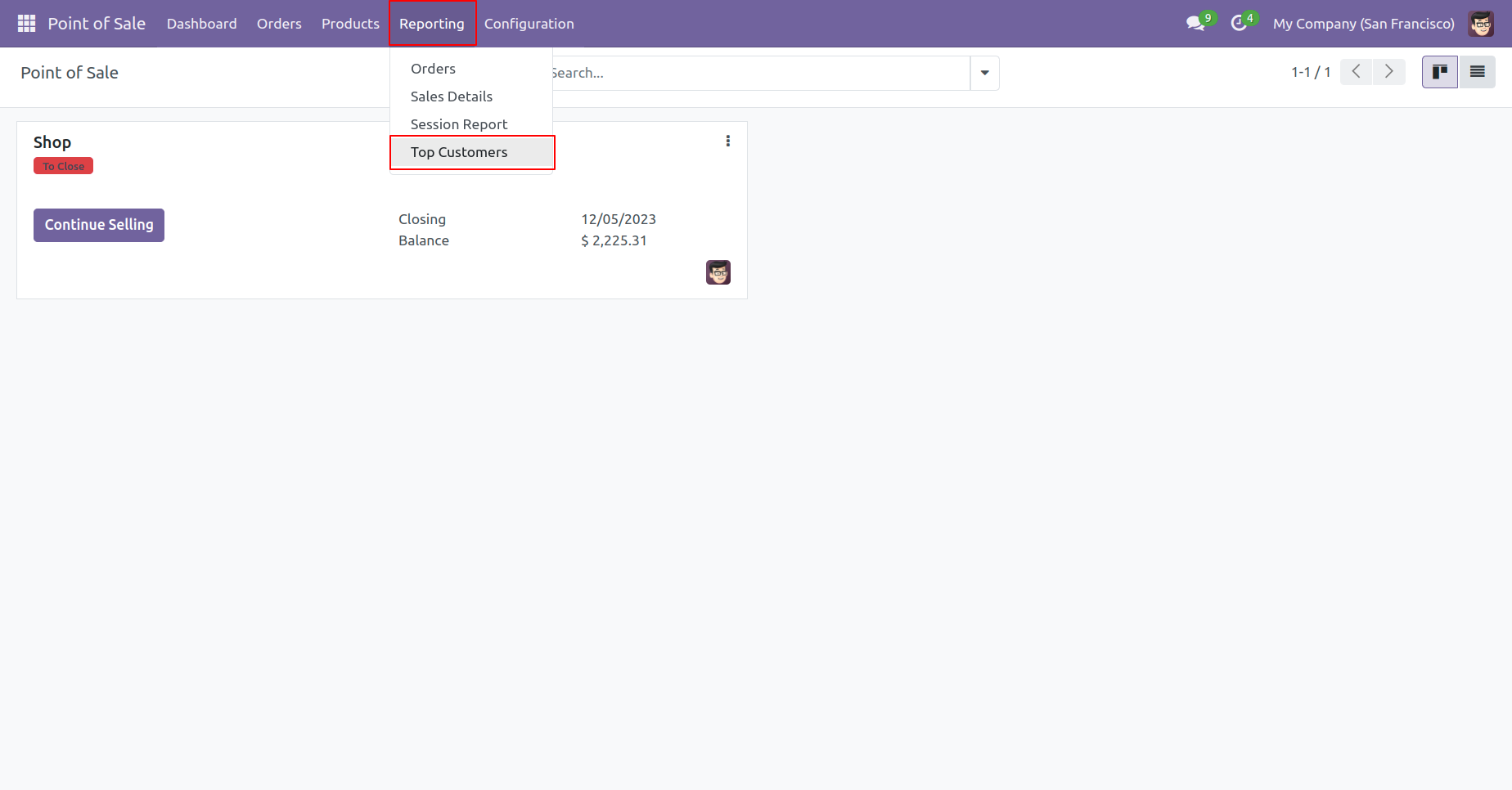
'Top customers' menu.
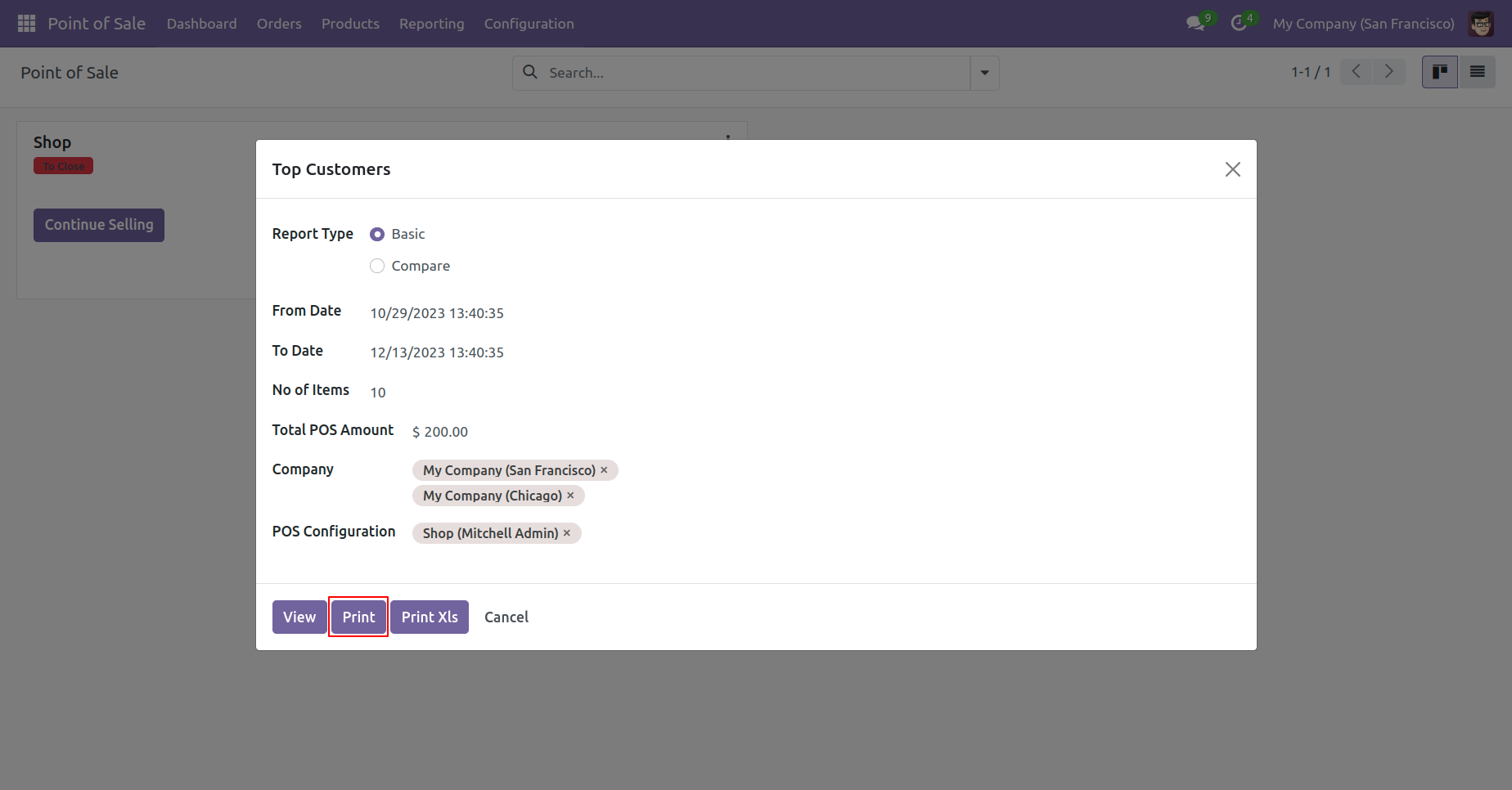
Top customer report wizard and report type select 'Basic'.
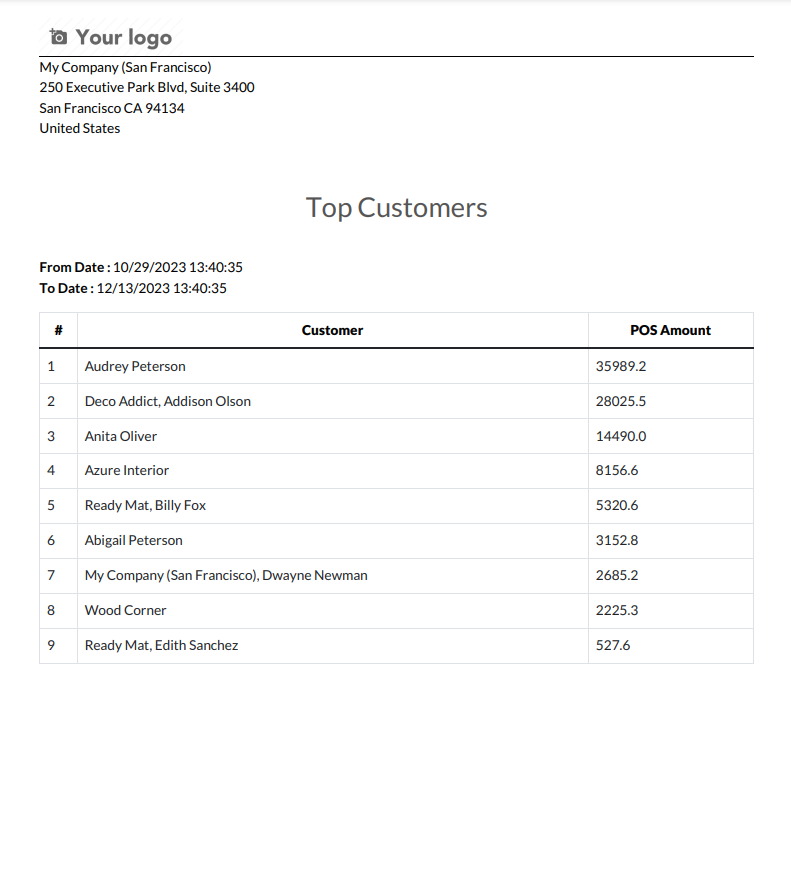
Top customer basic type PDF Report look like below.
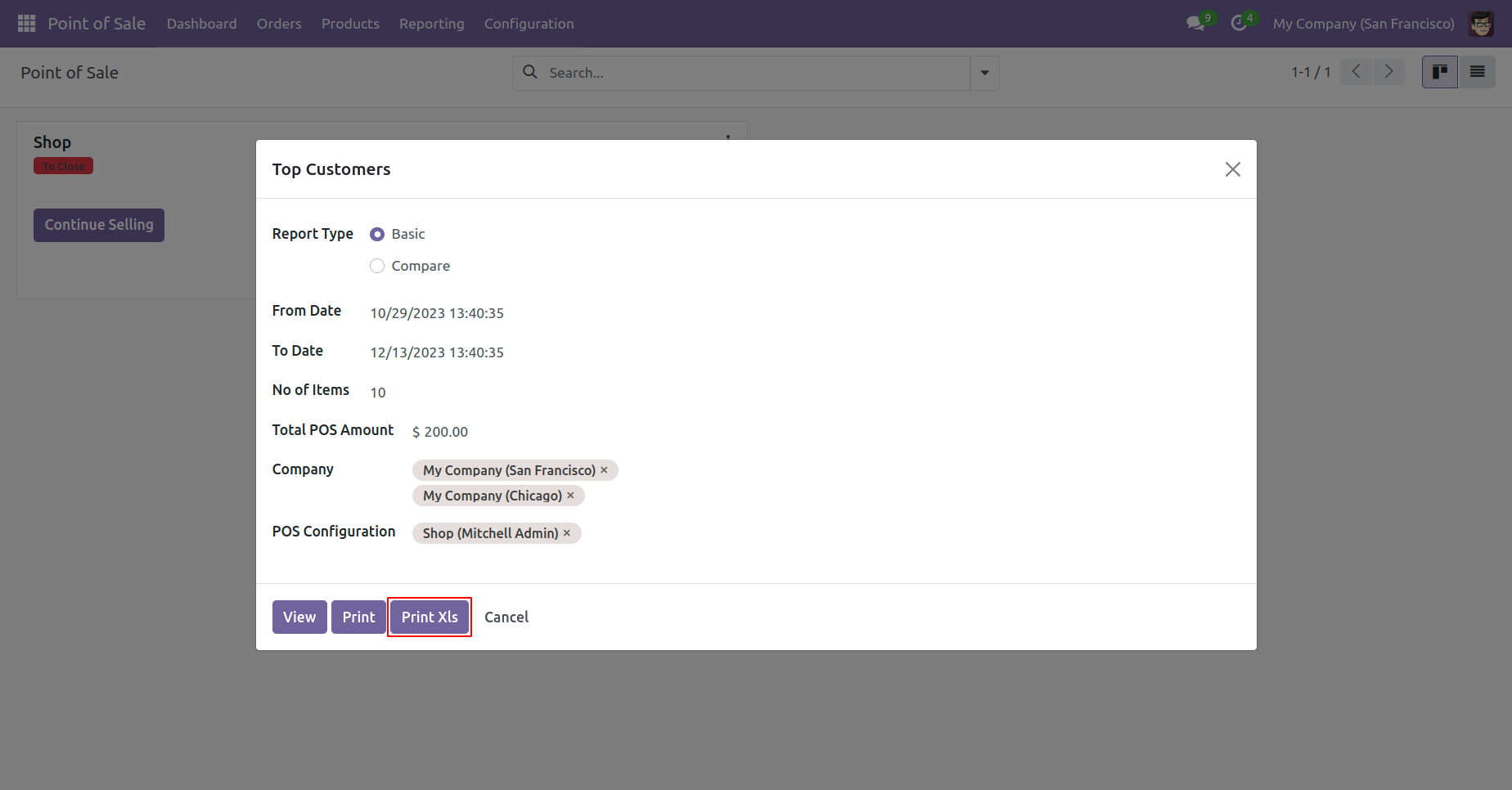
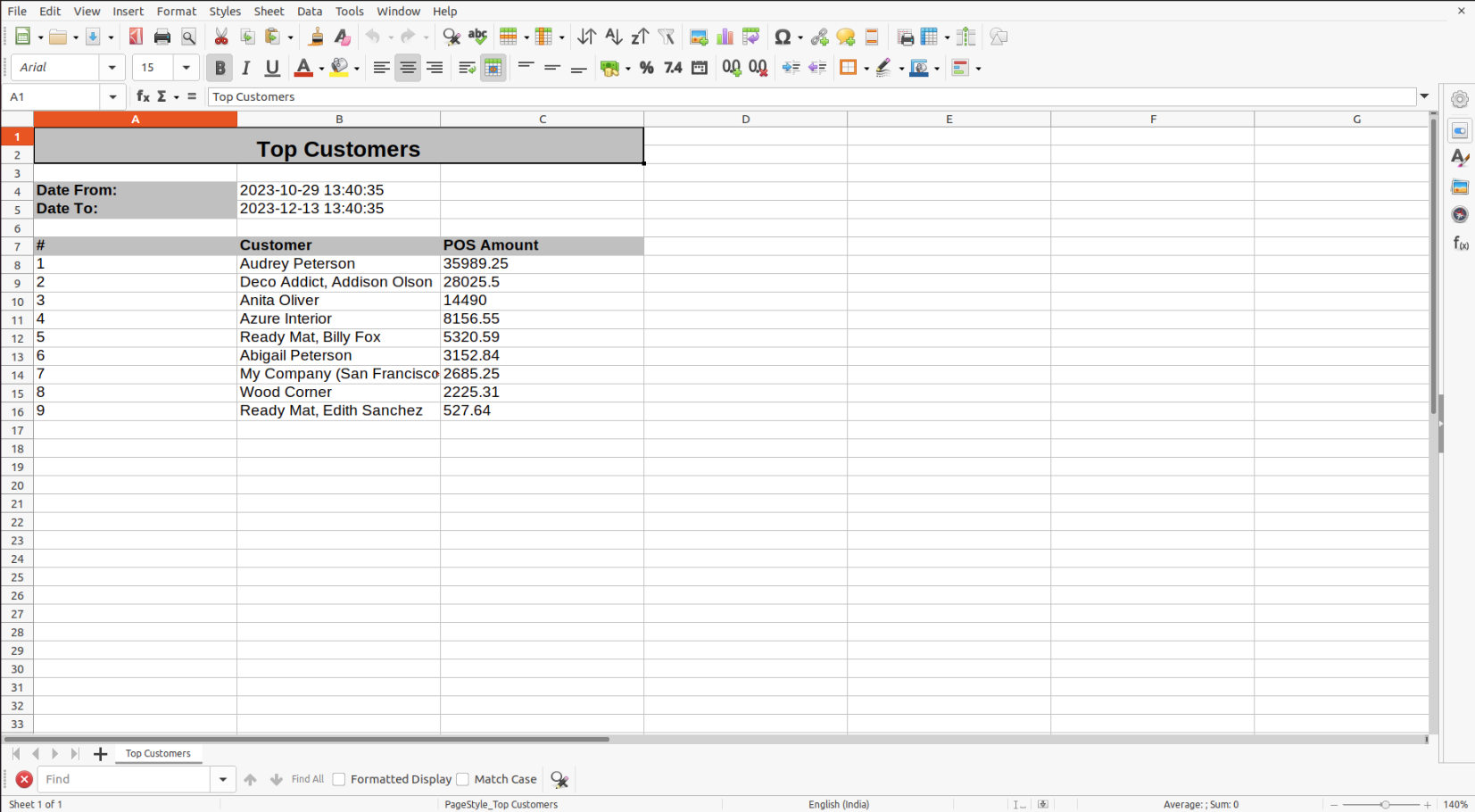
Top customer Select basic type report and print excel report.
Top customer basic excel report looks like below
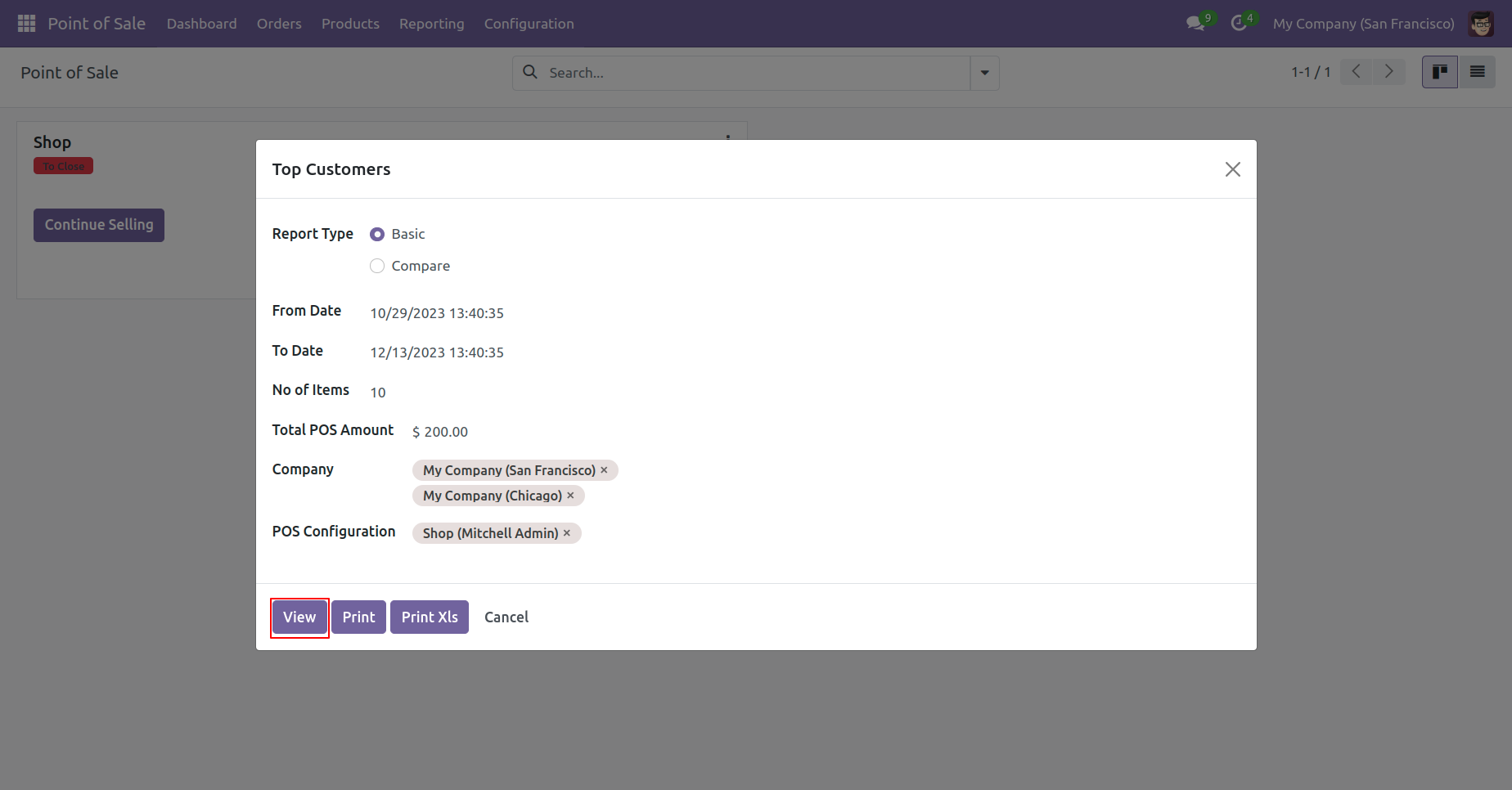
Top customer Select basic type report and View report.
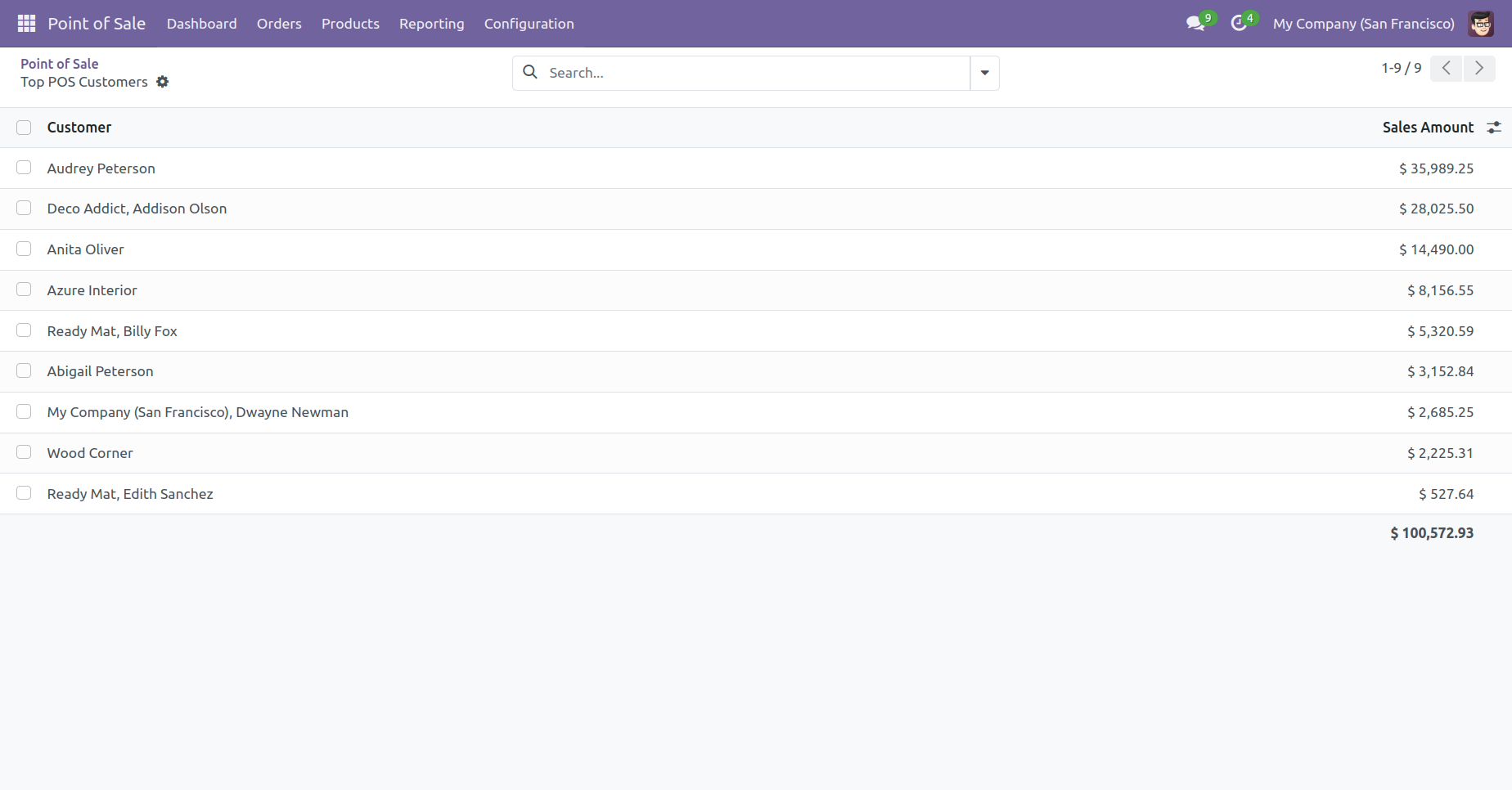
Top customer basic type view of the Report look like below.
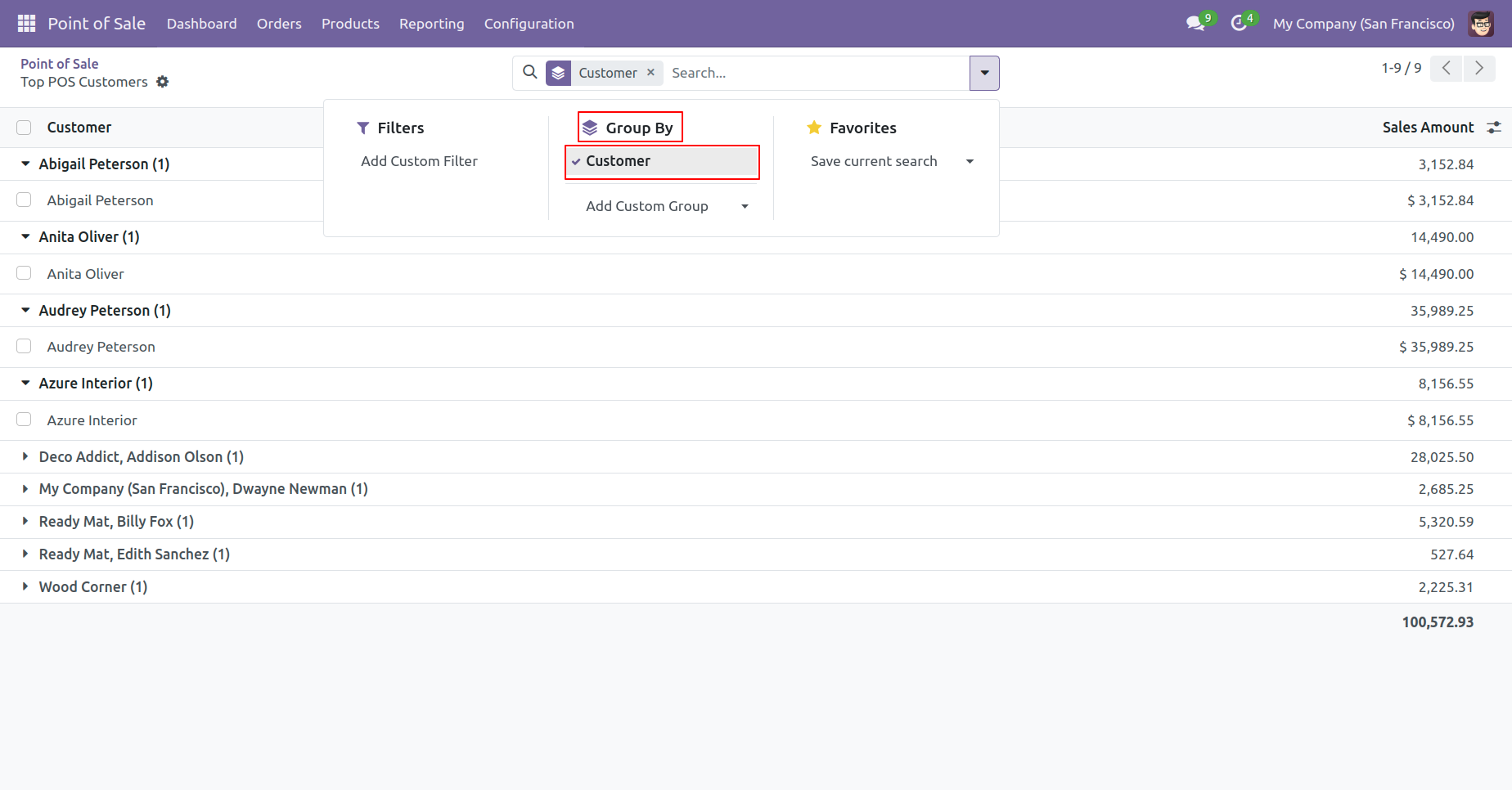
In the report view, you have the option to group the report.
Top customer report wizard and report type select 'Compare'.
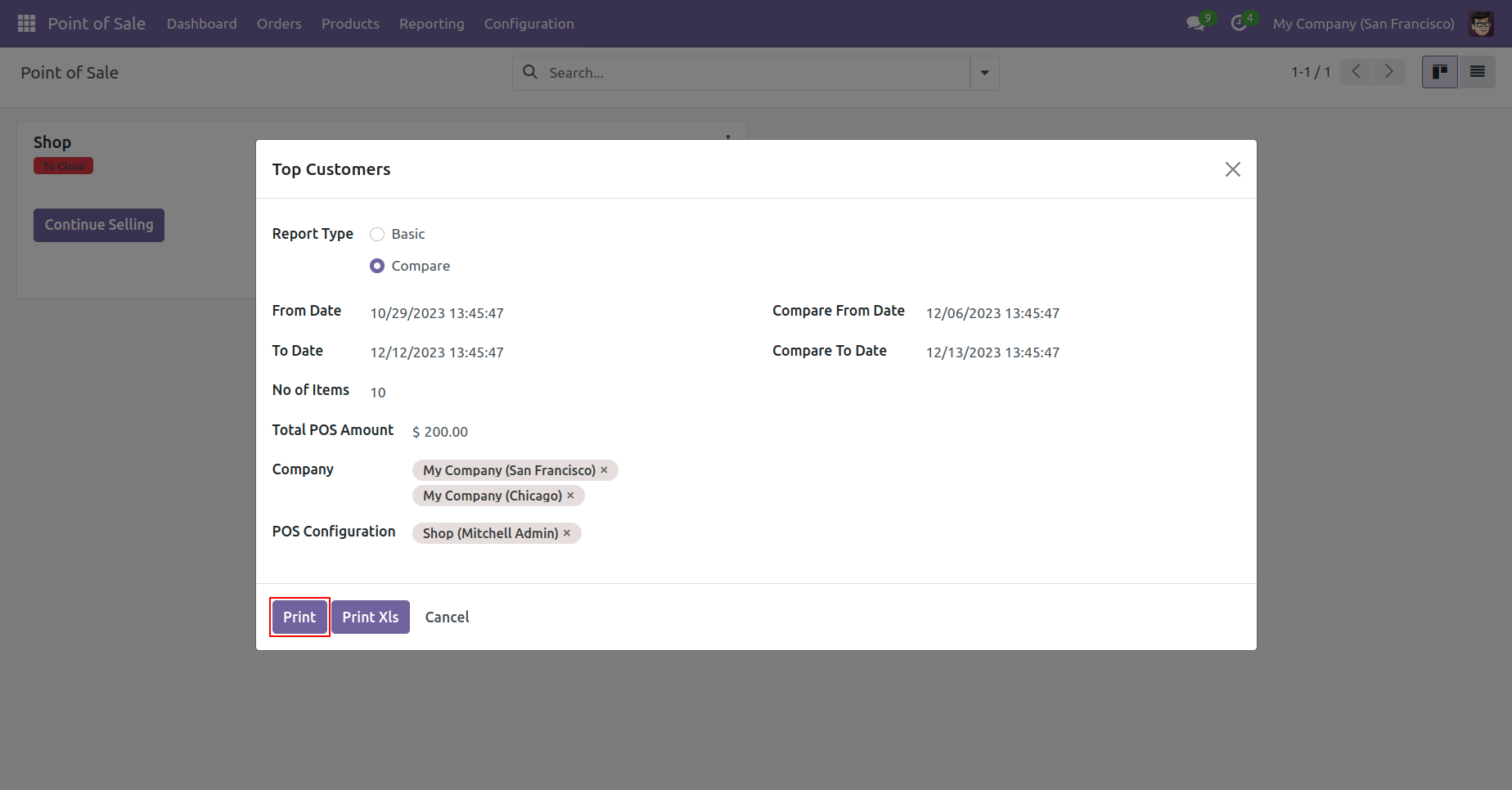
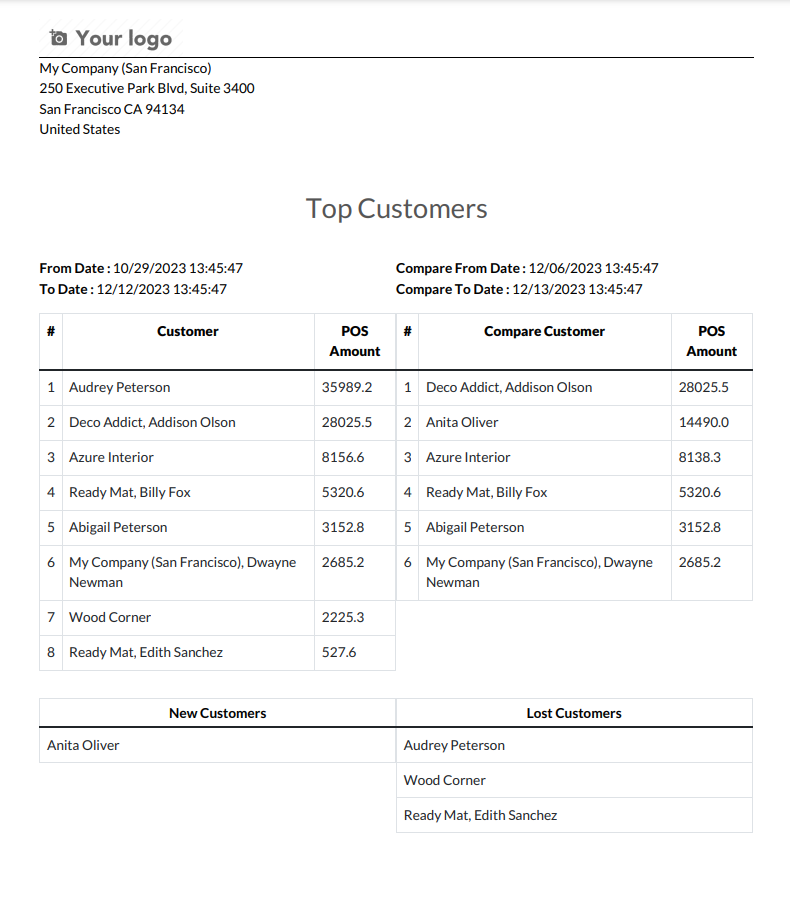
The top customer compares type PDF Report look like below.
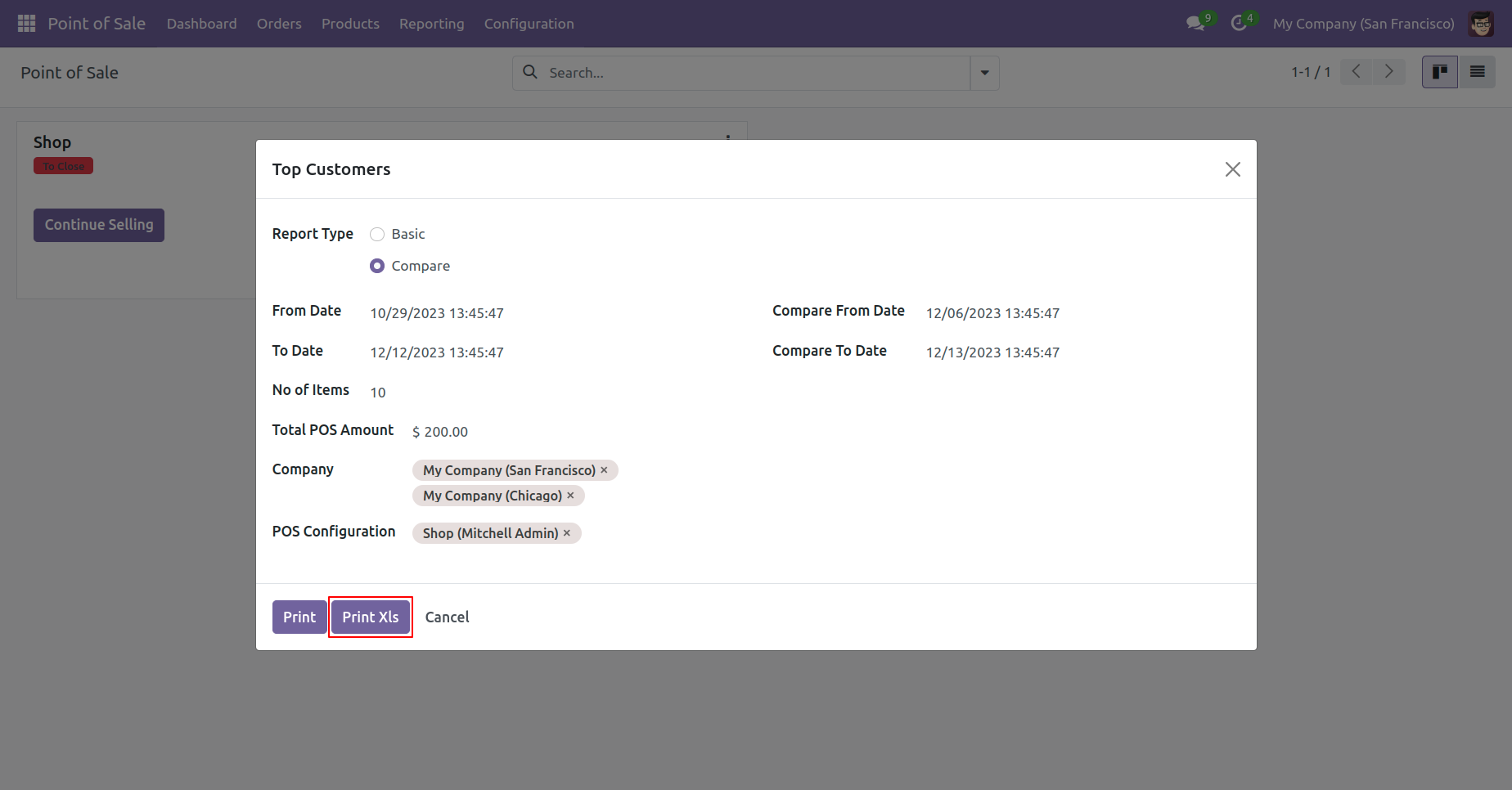
Top customer select compare type report and print excel report.
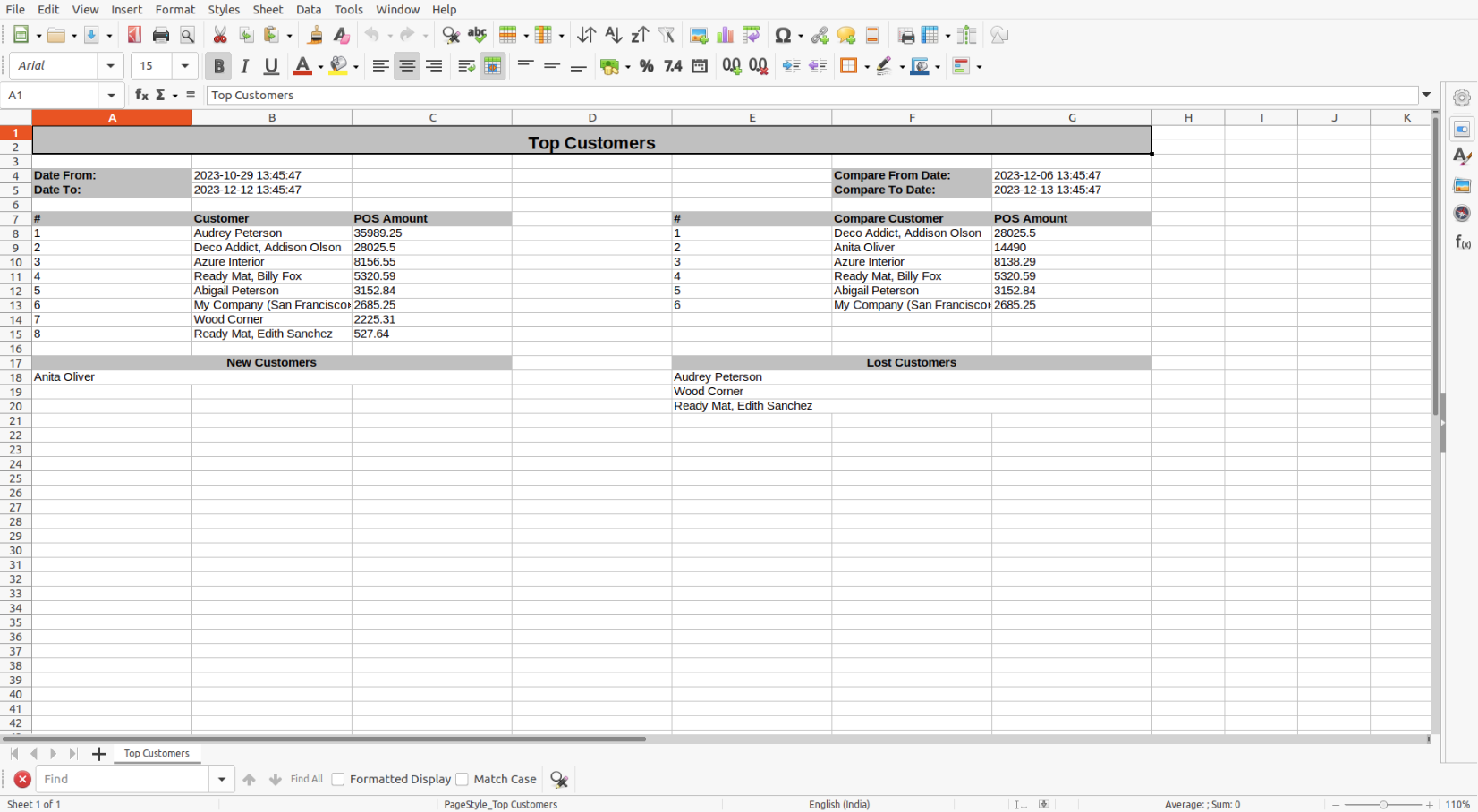
Top customer compare excel report looks like below.
Version 19.0.1 | Released on : 2nd September 2025
- Yes, this app works perfectly with Odoo Enterprise (Odoo.sh & Premise) as well as Community.
- No, this application is not compatible with odoo.com(odoo saas/Odoo Online)
- Yes, to test this module, please contact us at sales@softhealer.com.
- Please contact us at sales@softhealer.comto request customization.
- Yes, we provide free support for 365 days from the date of purchase.
- Yes, you will receive lifetime free updates for the version of the module you purchased.
- No, there is no need to install any additional libraries.
- Yes, for version 12 and above, you need to purchase the module separately for each version you intend to use.
- No, exchanges or refunds are not allowed. Please make sure to select the correct version before purchasing.
- You can contact us at support@softhealer.com for language translation support. We use Google Translator tools to provide translations in multiple languages, so the accuracy may vary. We welcome your suggestions to help improve translations.
Discover Our Latest Apps