

 Easy to Manage
 Dedicated Support















 Scan to email sales



POS Session Closing Balance Validation

Streamline your POS closing process with the POS Close Session Popup. This module provides a professional custom popup that enables cashiers to input cash register amounts directly. It features real-time calculation of cash differences, helps track cash in/out, and generates daily sales reports. All data is seamlessly saved to the backend session for easy auditing and record management.

Features

Custom Close Session
Allow users to close POS sessions through a custom popup with cash amount validation for accurate closing balance management.
Automatic Difference Calculation
Instantly see the variance between expected and actual cash amounts.
Cash In/Out Visibility
Allow users to perform cash in and cash out operations directly from the custom session closing popup before closing the POS session.

Daily Sales Report
Get a quick and accurate summary of the day's sales performance before closing.
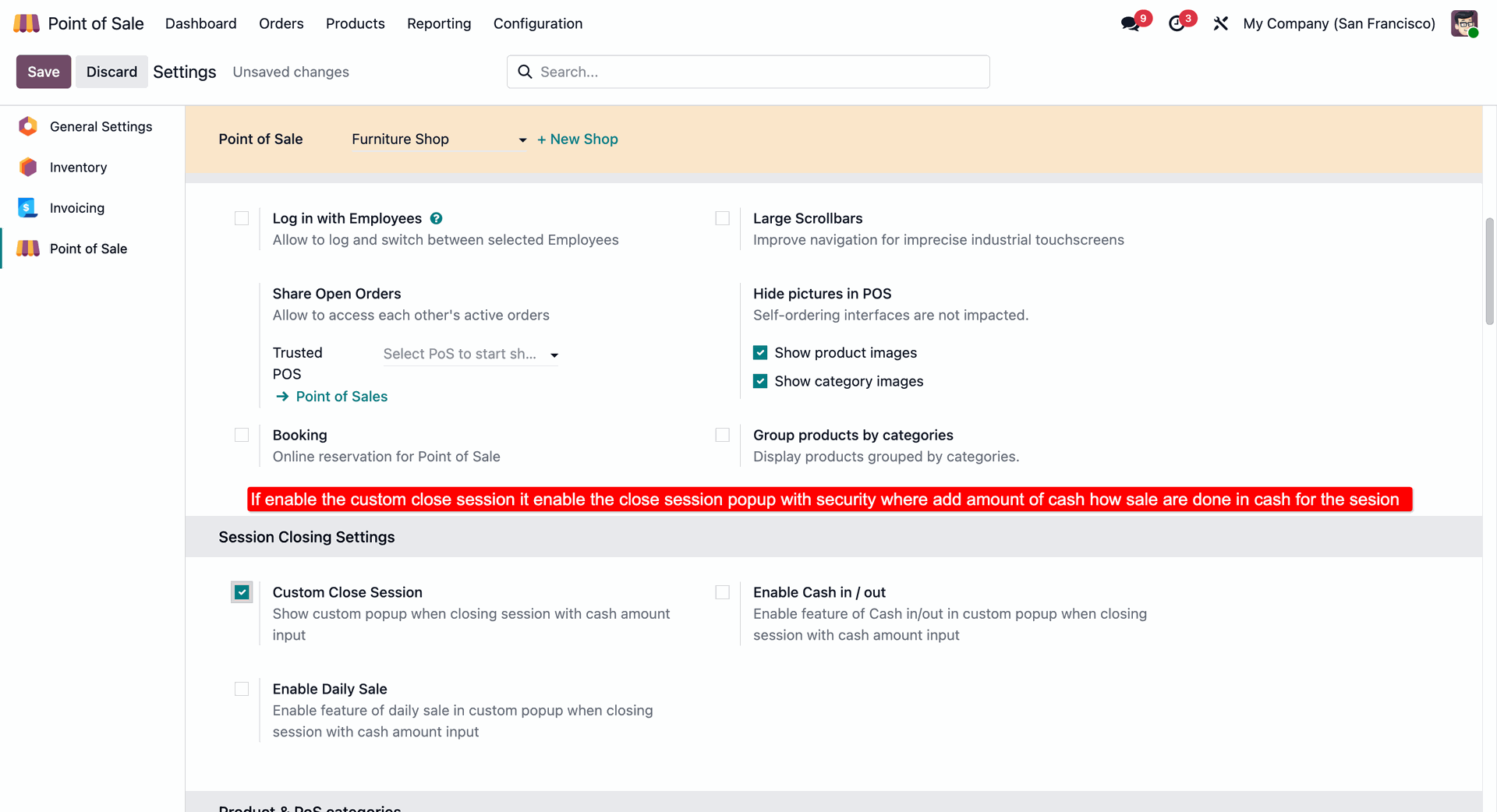
Activating the Custom Close Session feature in PoS settings to enable a secure closing popup for recording exact cash totals at the end of each session.
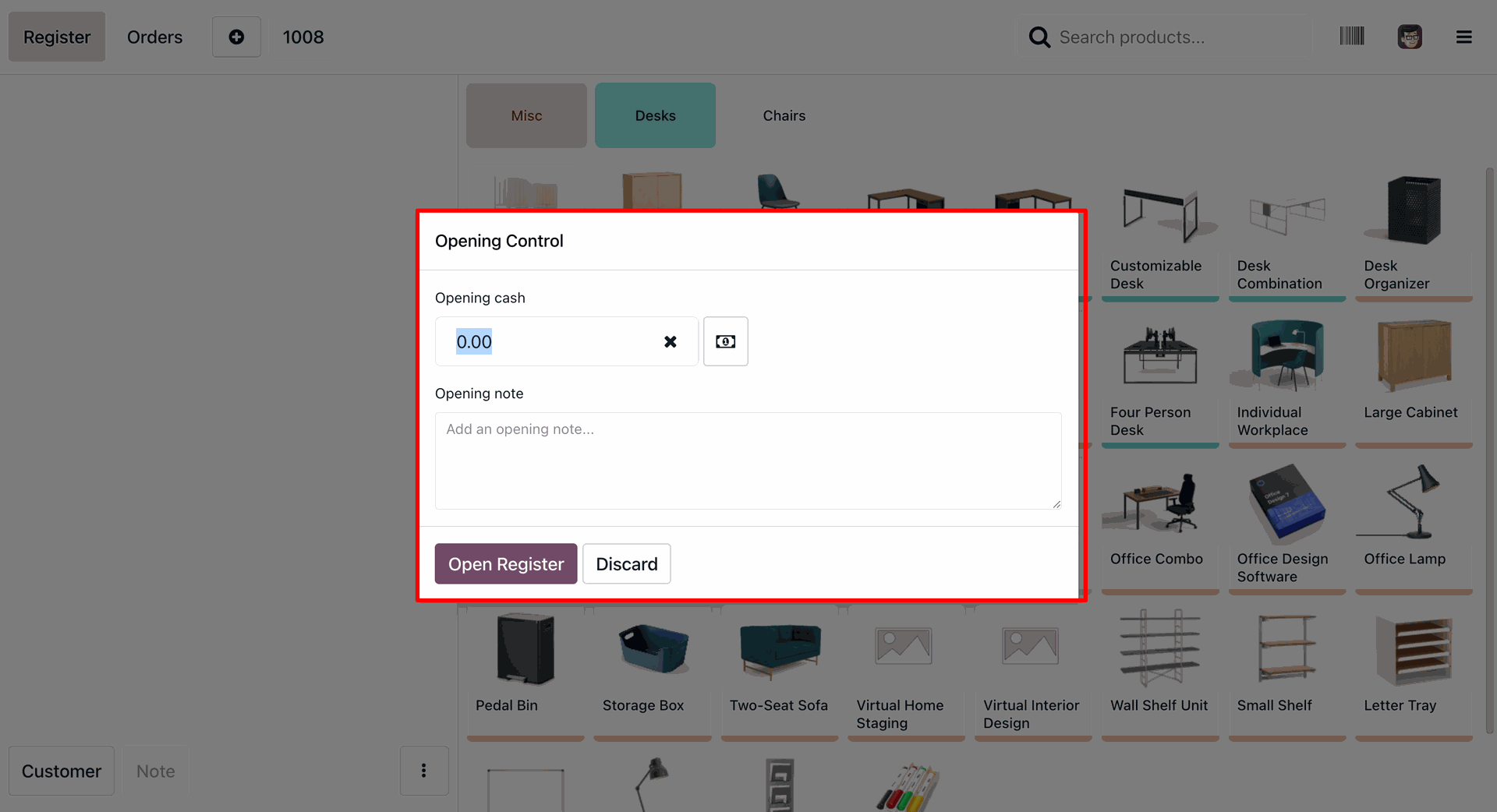
Setting the Opening Cash balance and adding a session note in the Odoo PoS register before starting daily sales activities.
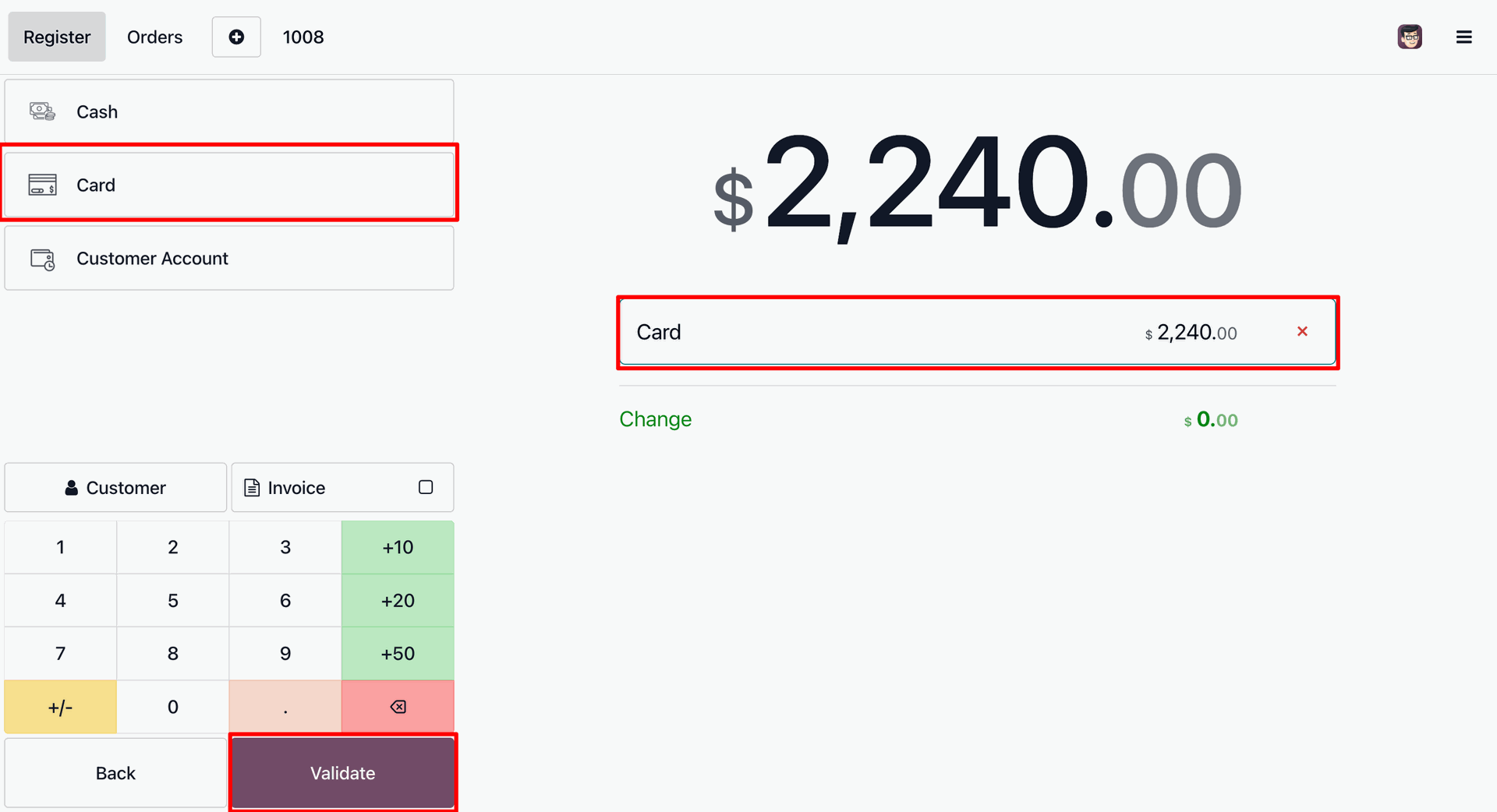
Selecting Card as the payment method for a transaction and preparing to click Validate to finalize the order.
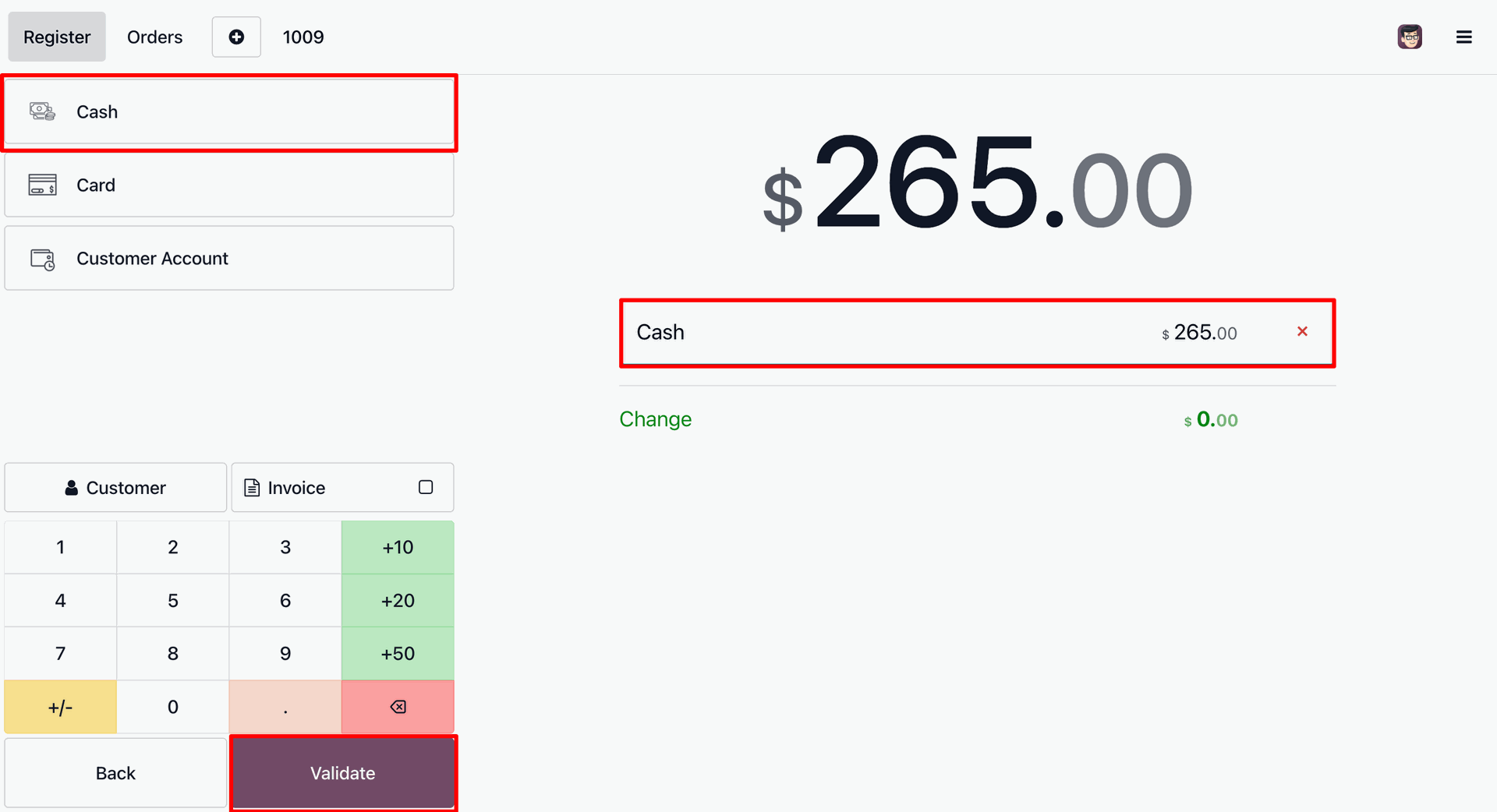
Selecting Cash as the payment method for a transaction and clicking Validate to record the receipt and complete the checkout process.
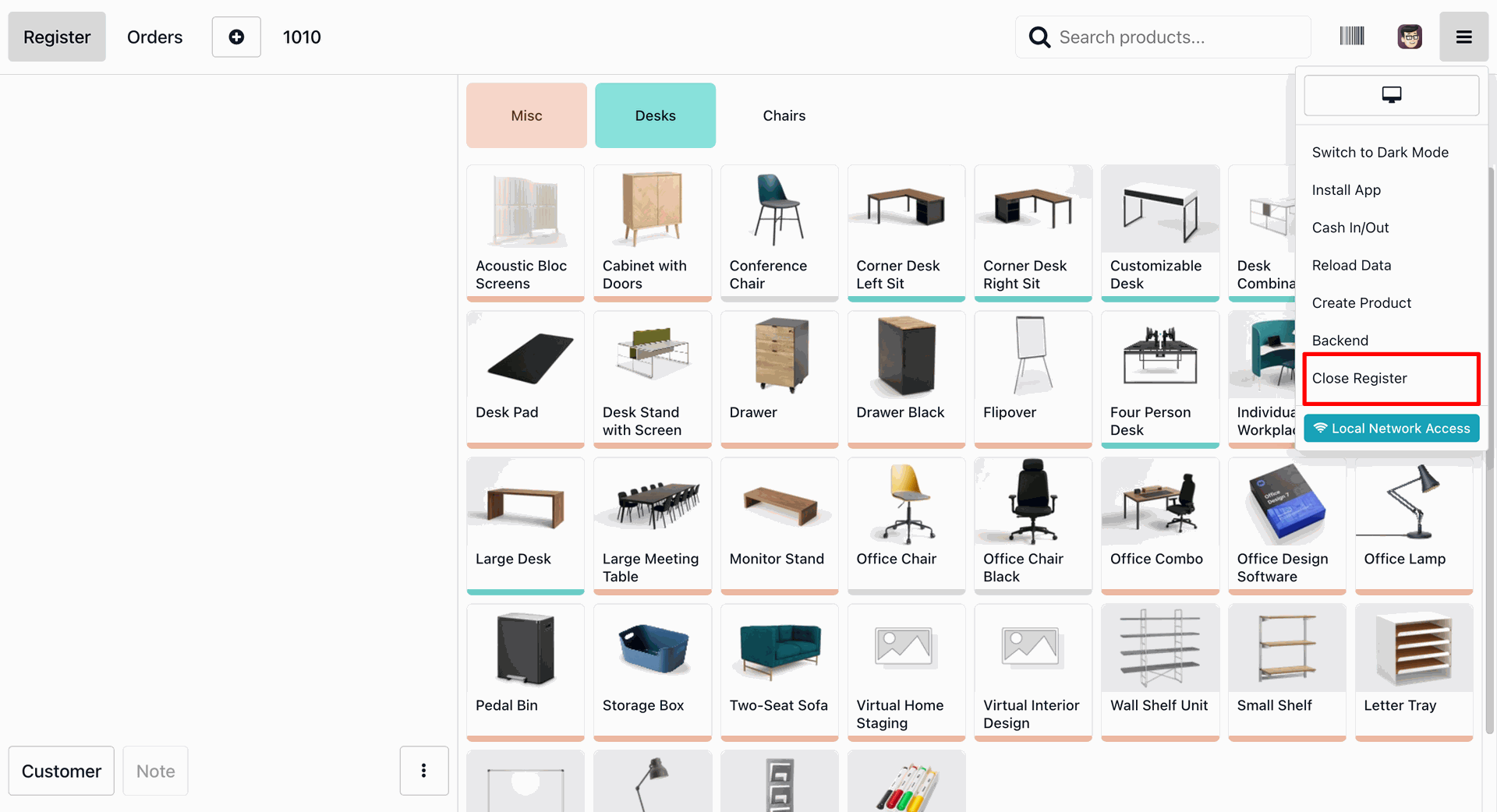
Accessing the PoS menu to select Close Register, initiating the end-of-session workflow and cash reconciliation process.
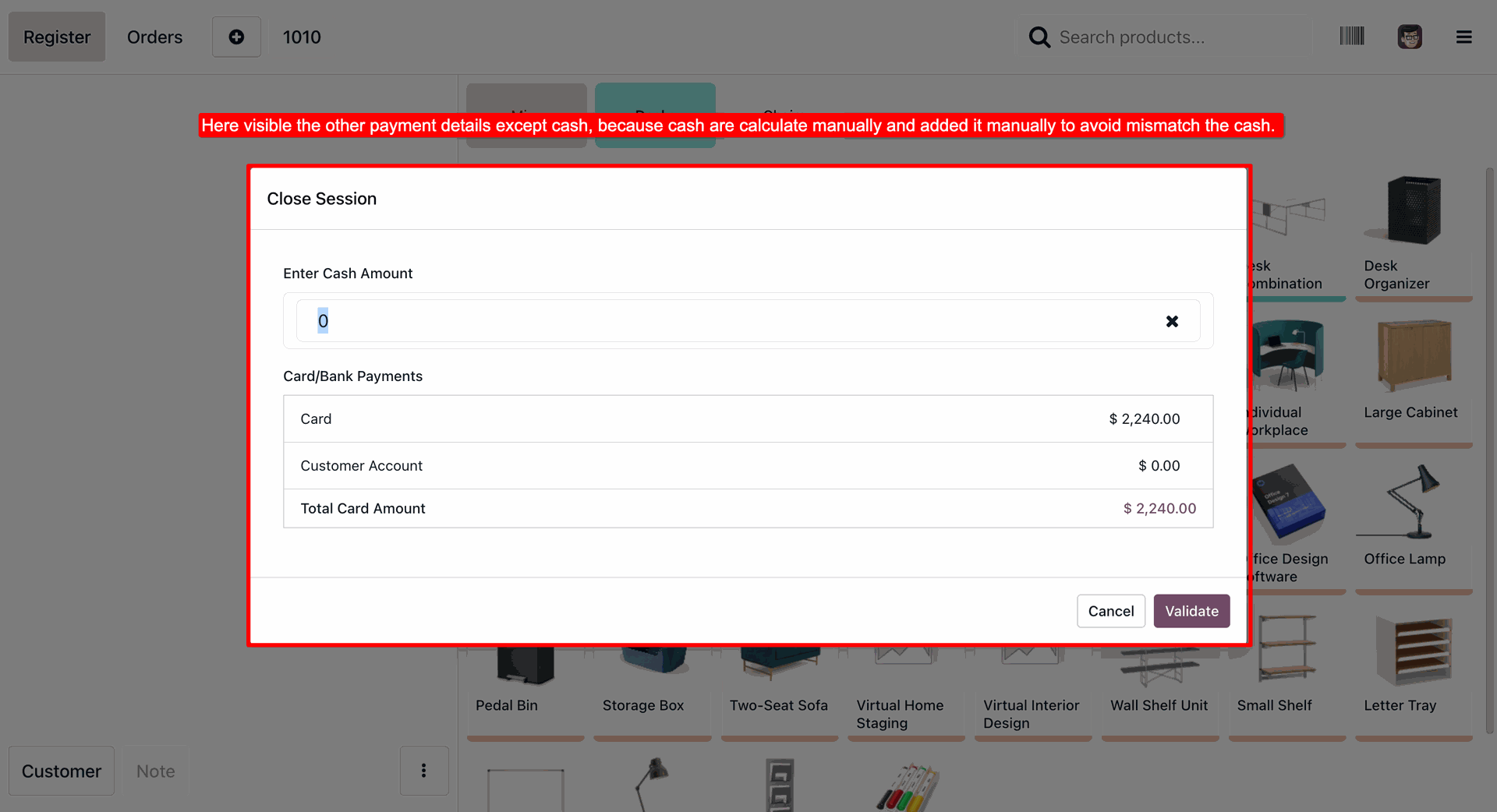
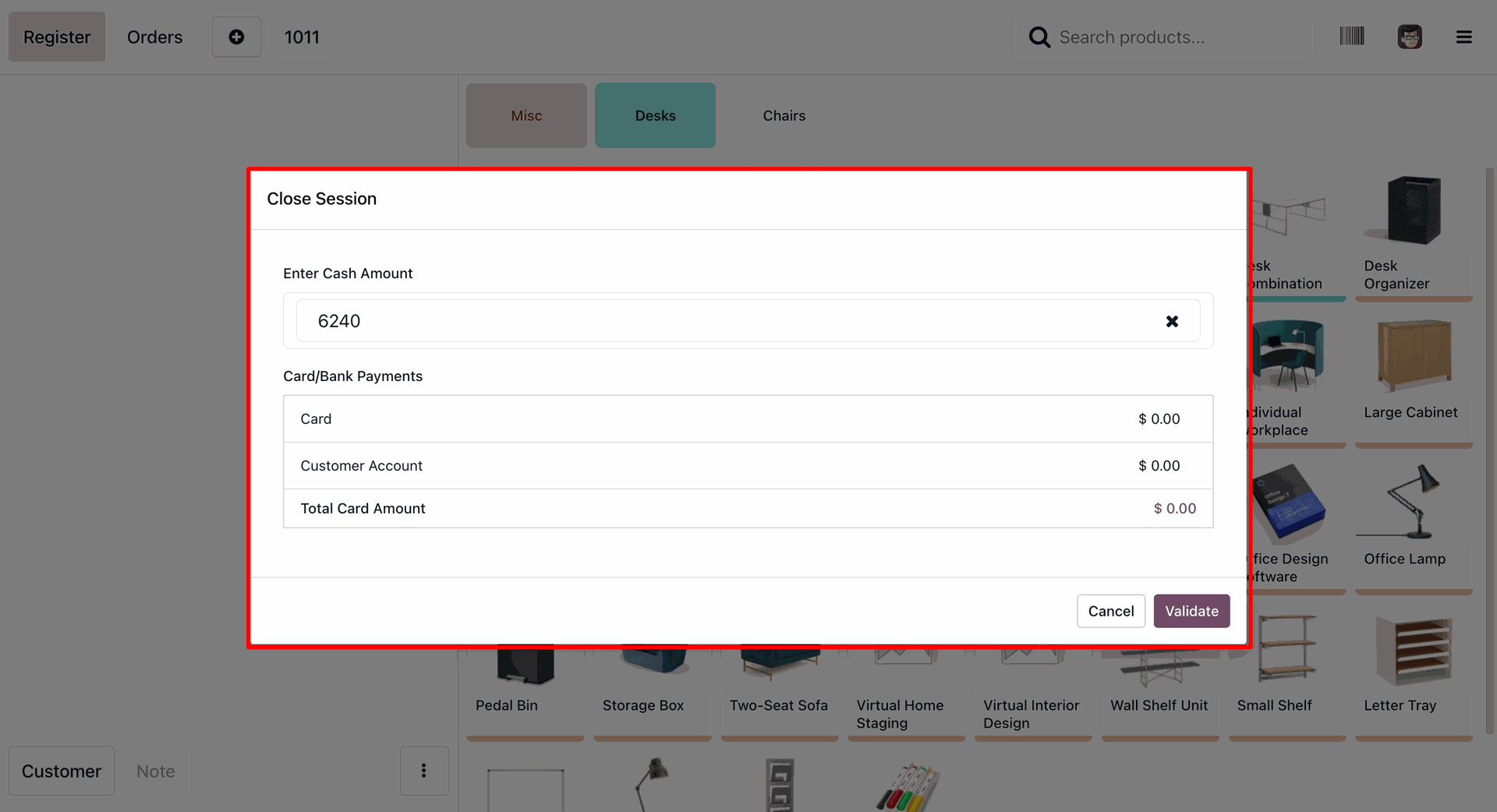
Using the Close Session to manually enter the final cash amount while reviewing automated totals for Card and Bank payments to ensure a perfect reconciliation.
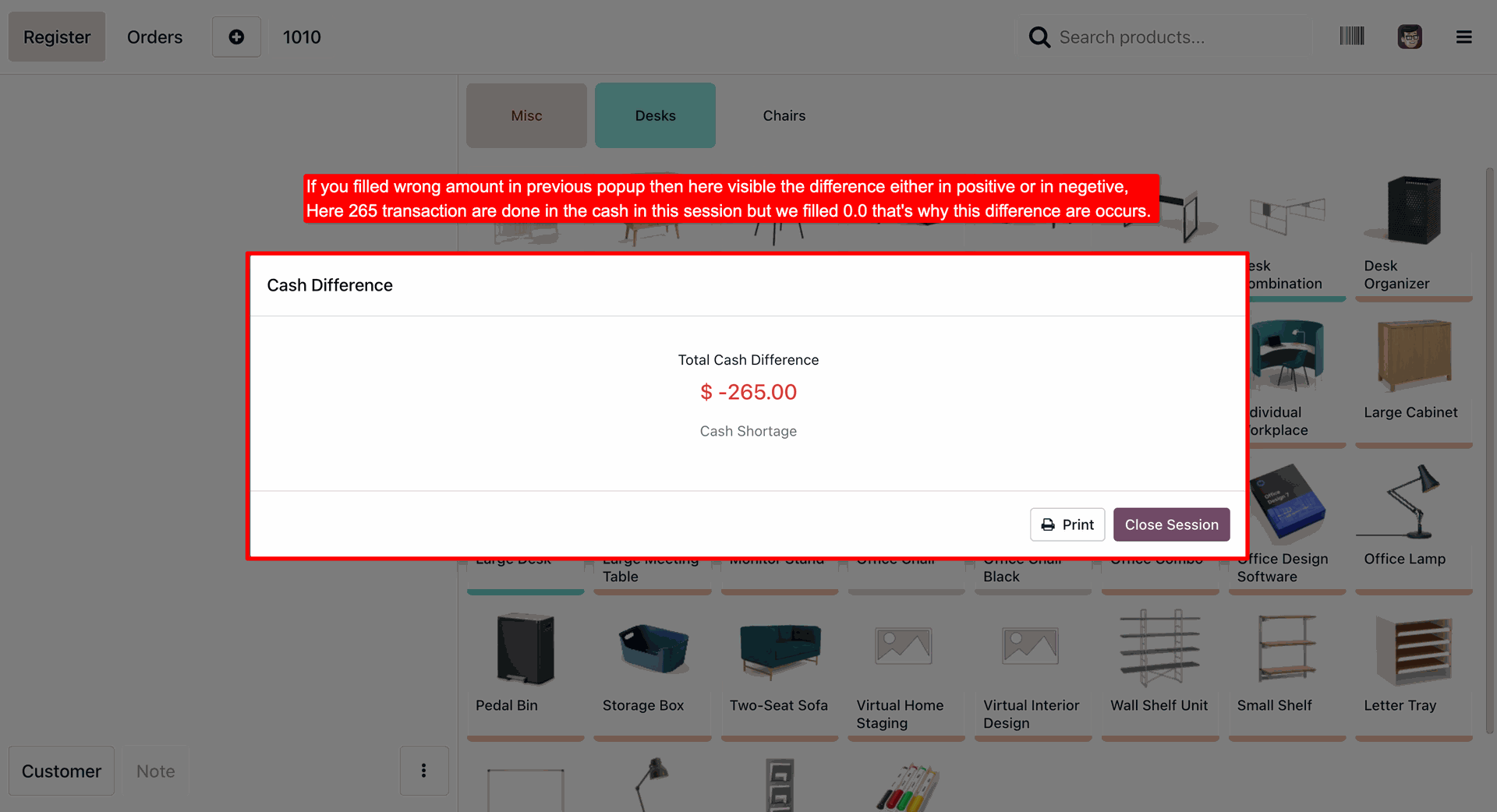
Reviewing a flagged Cash Shortage of $-265.00 during the closing process, allowing the operator to print a discrepancy report before finalizing the session closure.
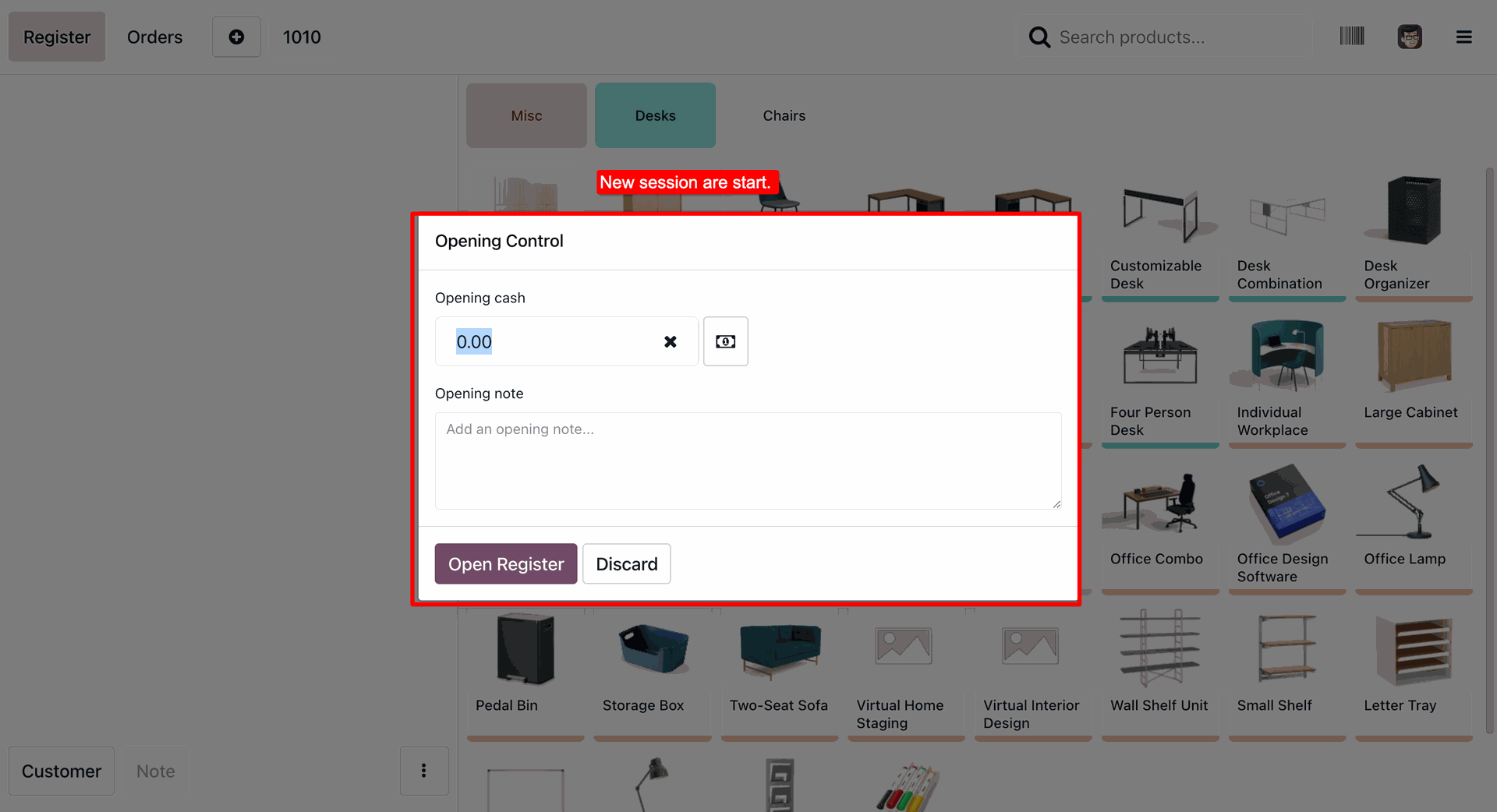
Starting a New Session by entering the initial opening cash amount and recording optional session notes to ensure accurate balance tracking from the start.
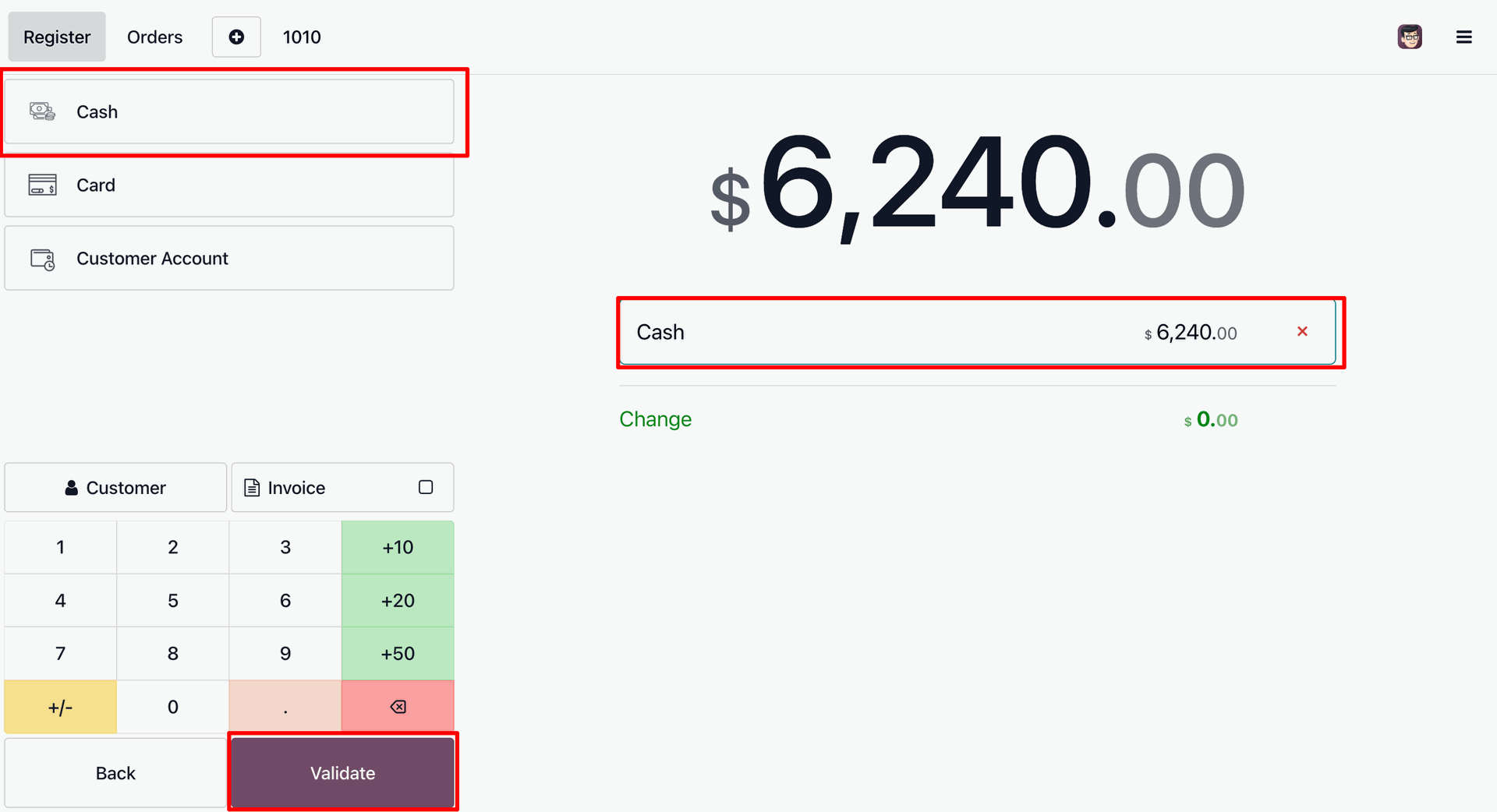
Selecting Cash for a $6,240.00 transaction and clicking Validate to finalize the order and record the payment in the Odoo PoS system.
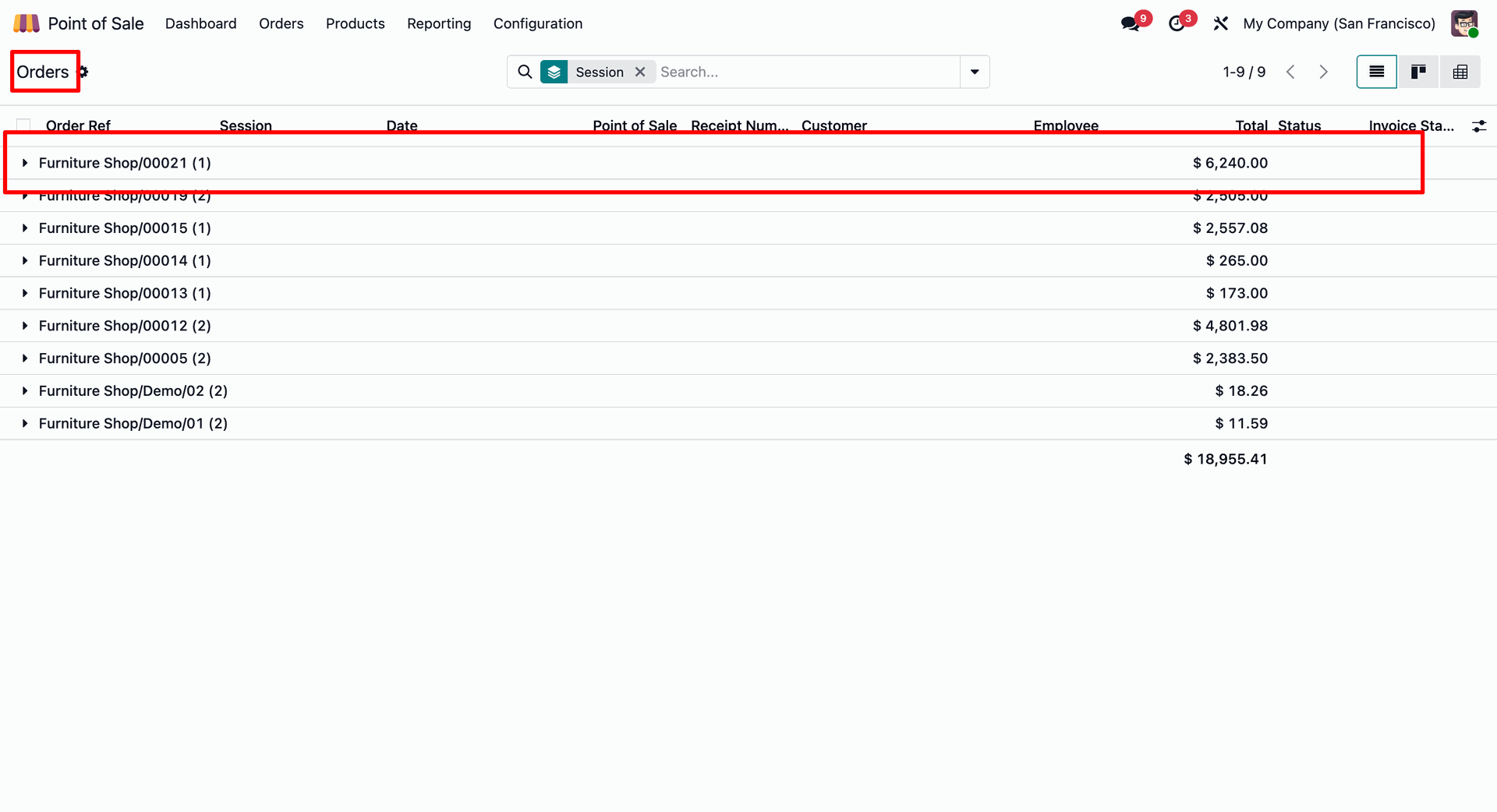
Reviewing the Orders history for the Furniture Shop, highlighting order 00021 with a total of $6,240.00 as part of the current session audit.
Entering the final cash amount of 6240 in the custom Close Session popup to reconcile the register and validate the session's end.
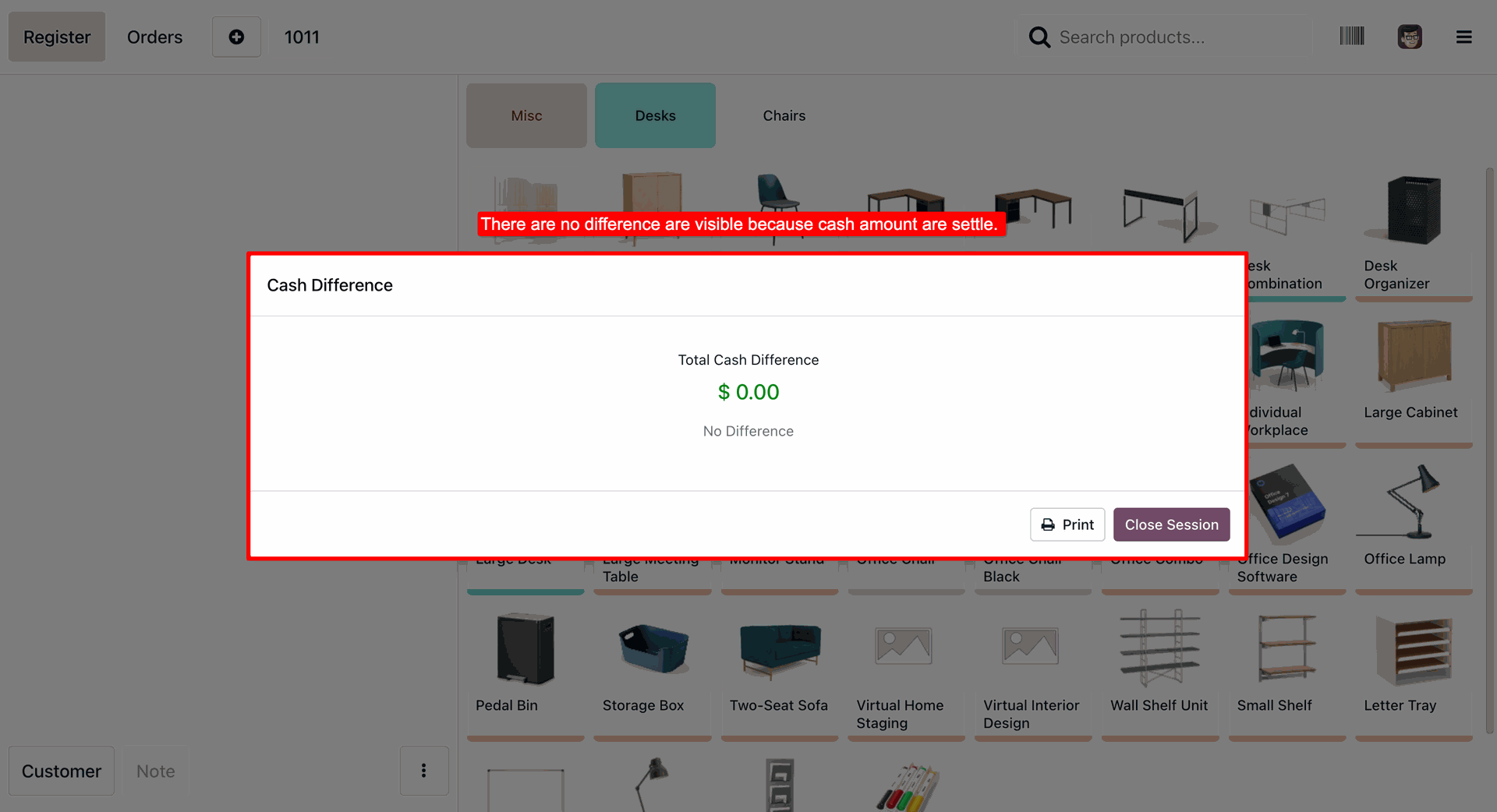
Confirming a balanced register with a Total Cash Difference of $0.00, allowing the operator to proceed with clicking Close Session for a flawless reconciliation.
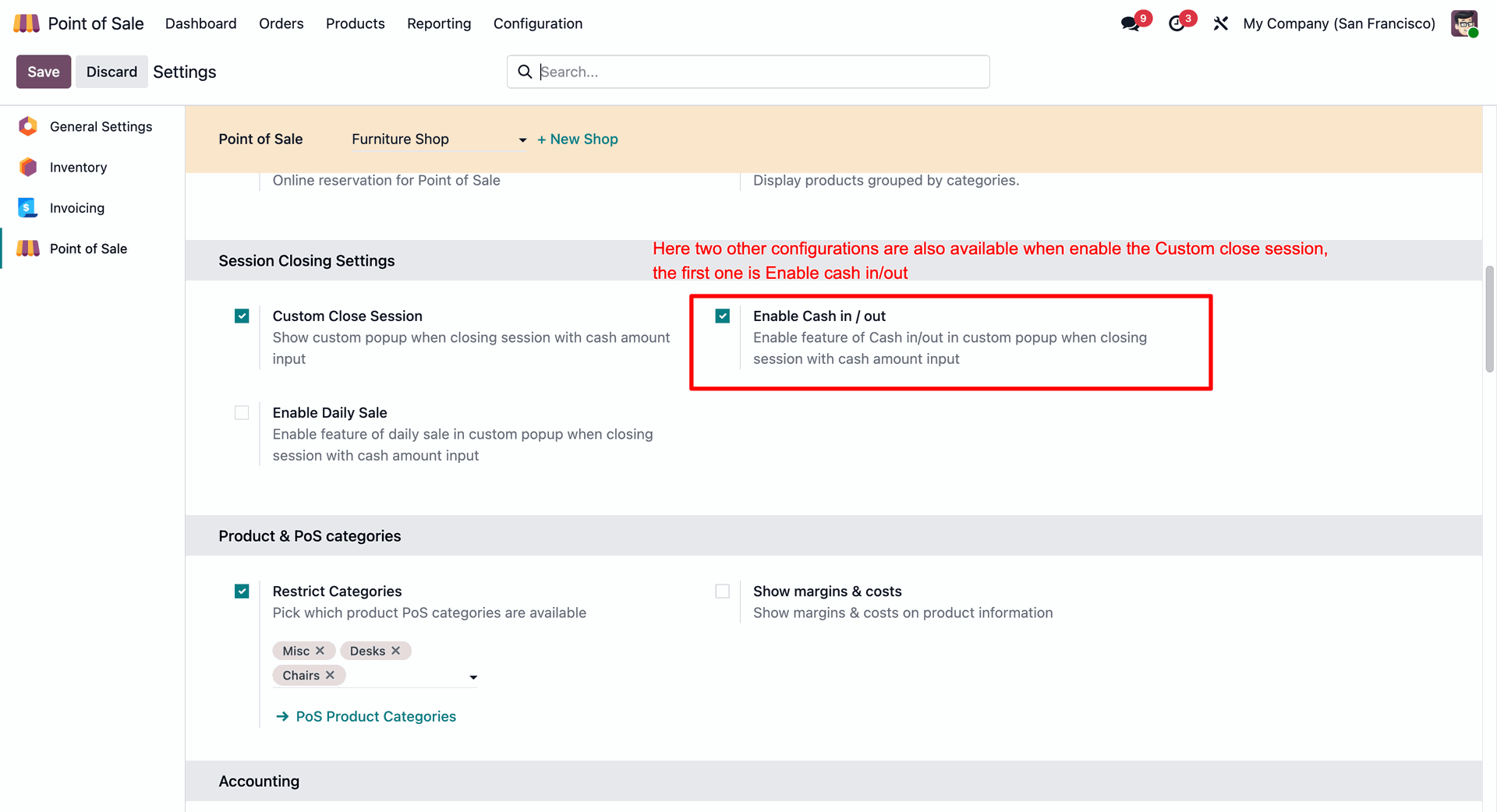
Enabling the Cash in / out feature within the Session Closing Settings to allow tracking of miscellaneous cash movements directly in the custom closing popup.
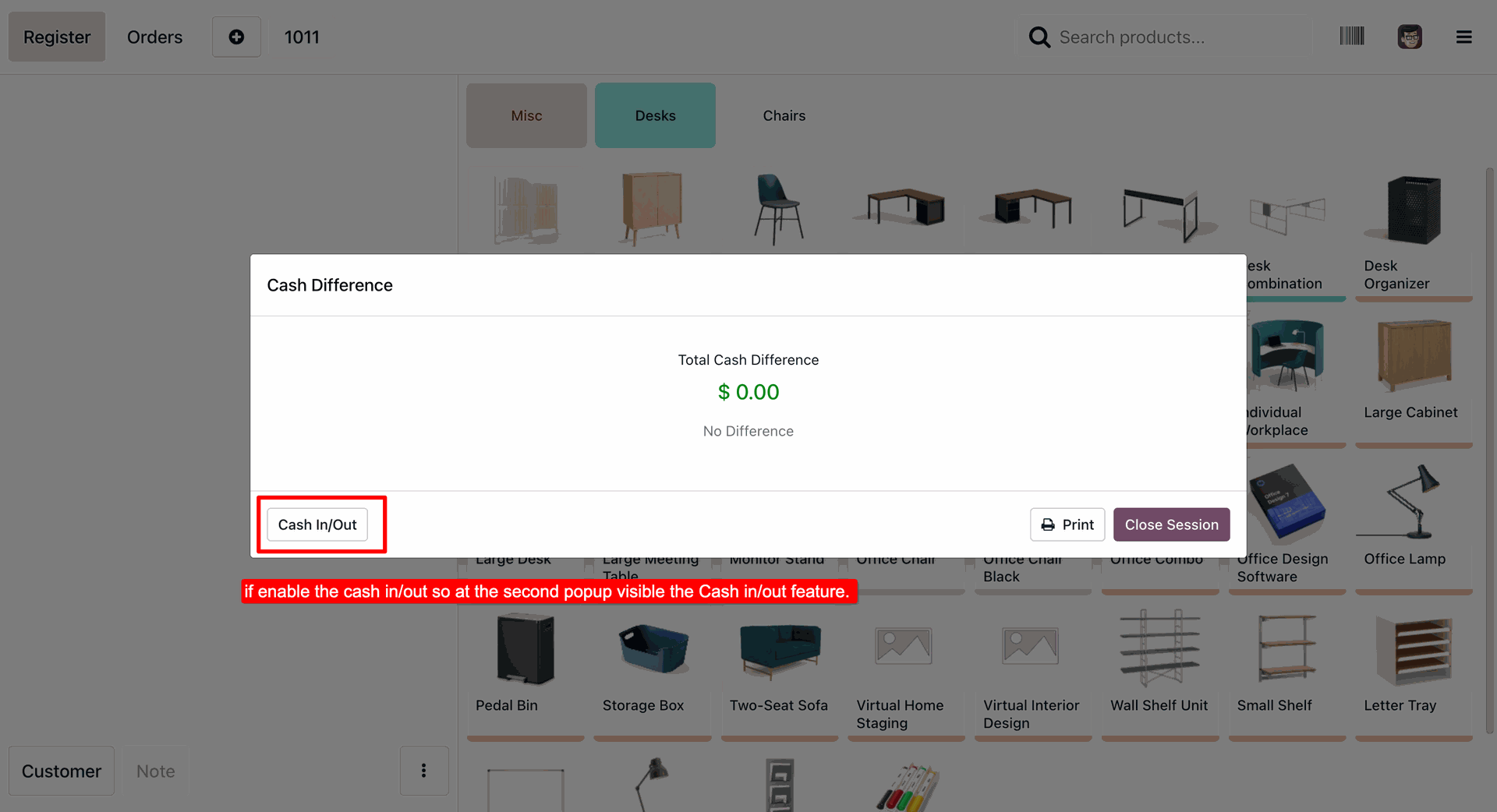
Accessing the Cash In/Out function from the final reconciliation screen to record miscellaneous cash movements before officially clicking Close Session.
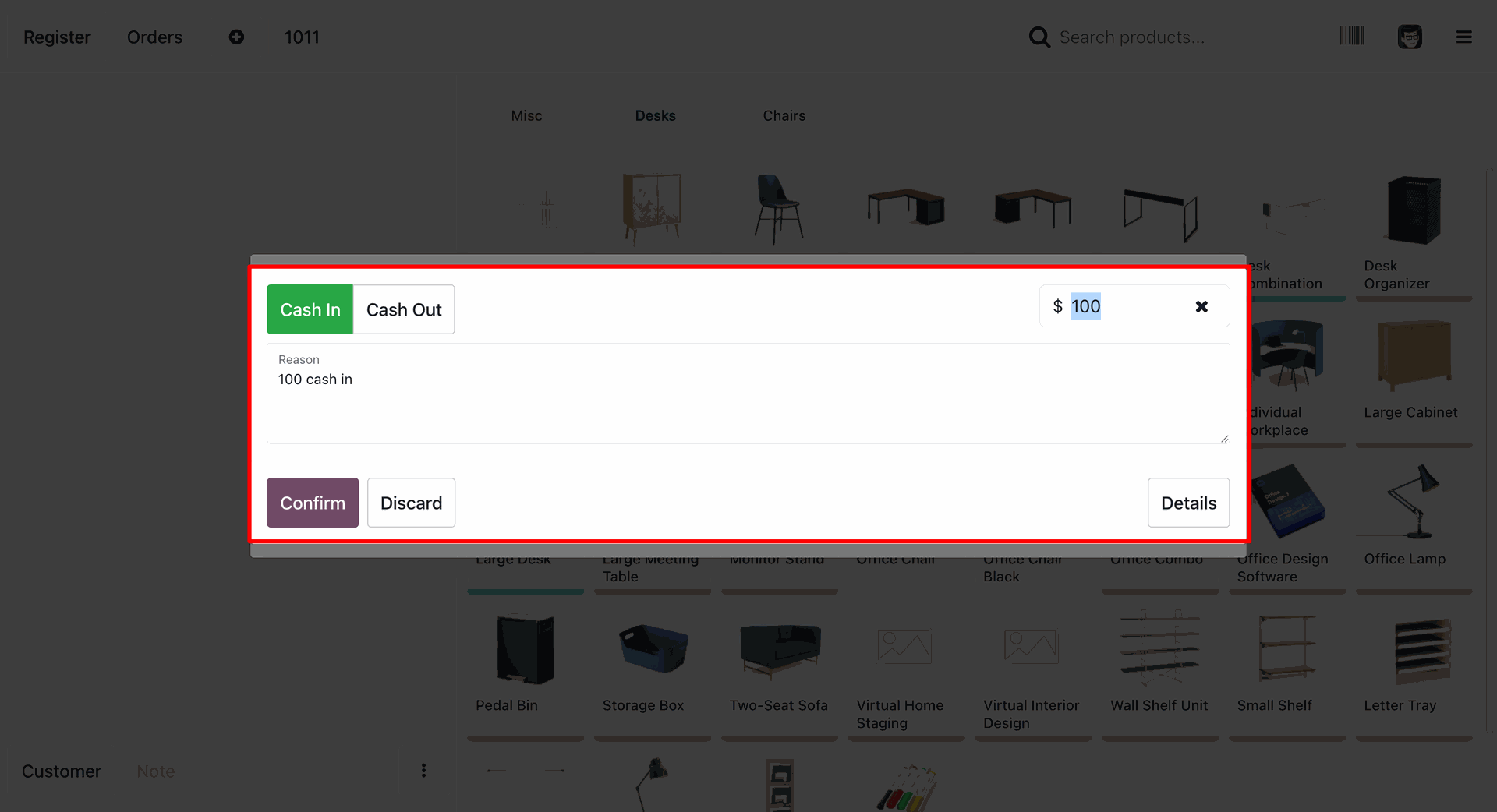
Recording a $100 Cash In transaction during the session closing, including a mandatory reason to ensure a transparent audit trail.
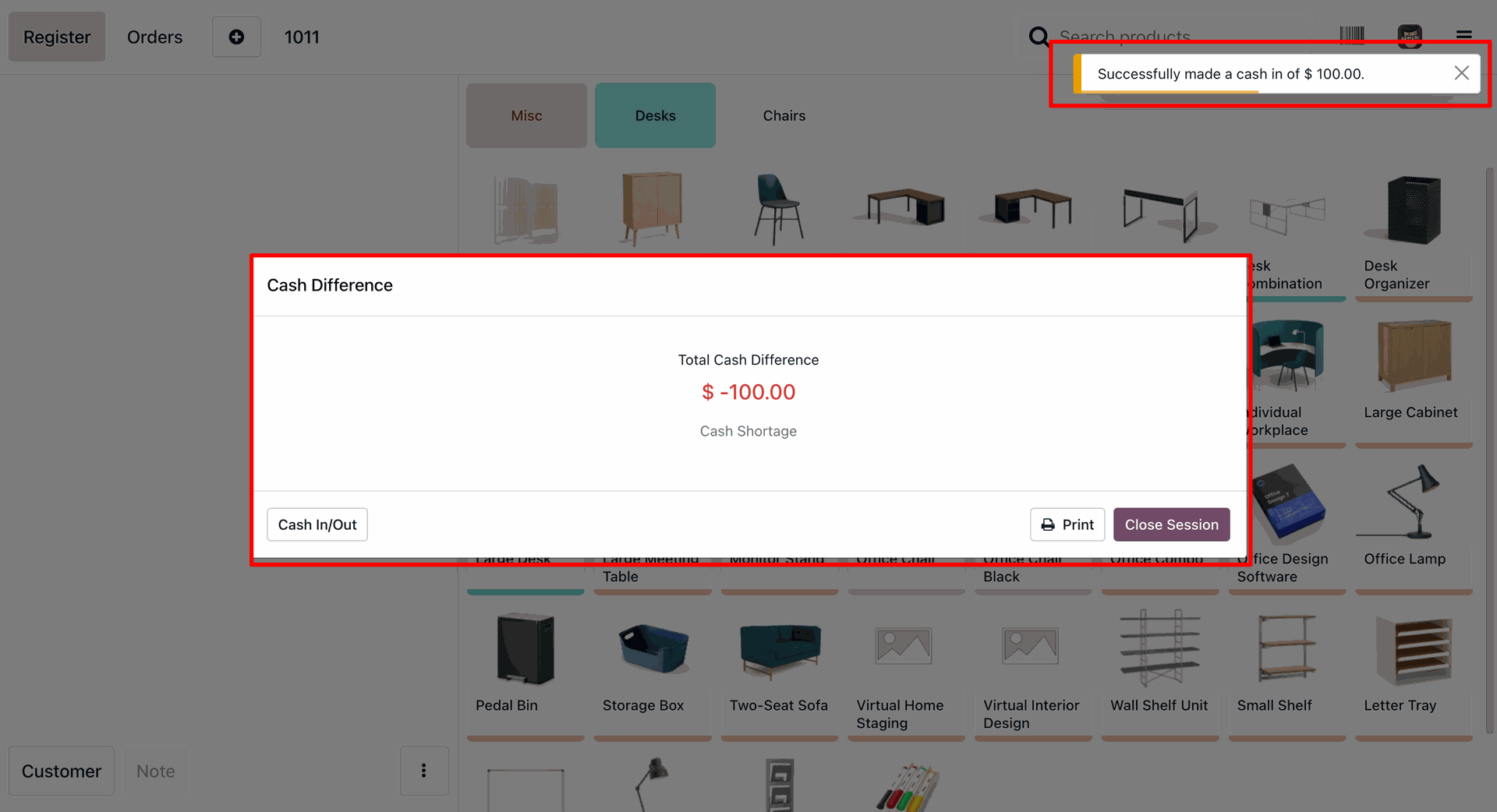
Receiving a success notification after performing a $100.00 Cash In adjustment, which immediately updates the Cash Difference to reflect the new shortage status.
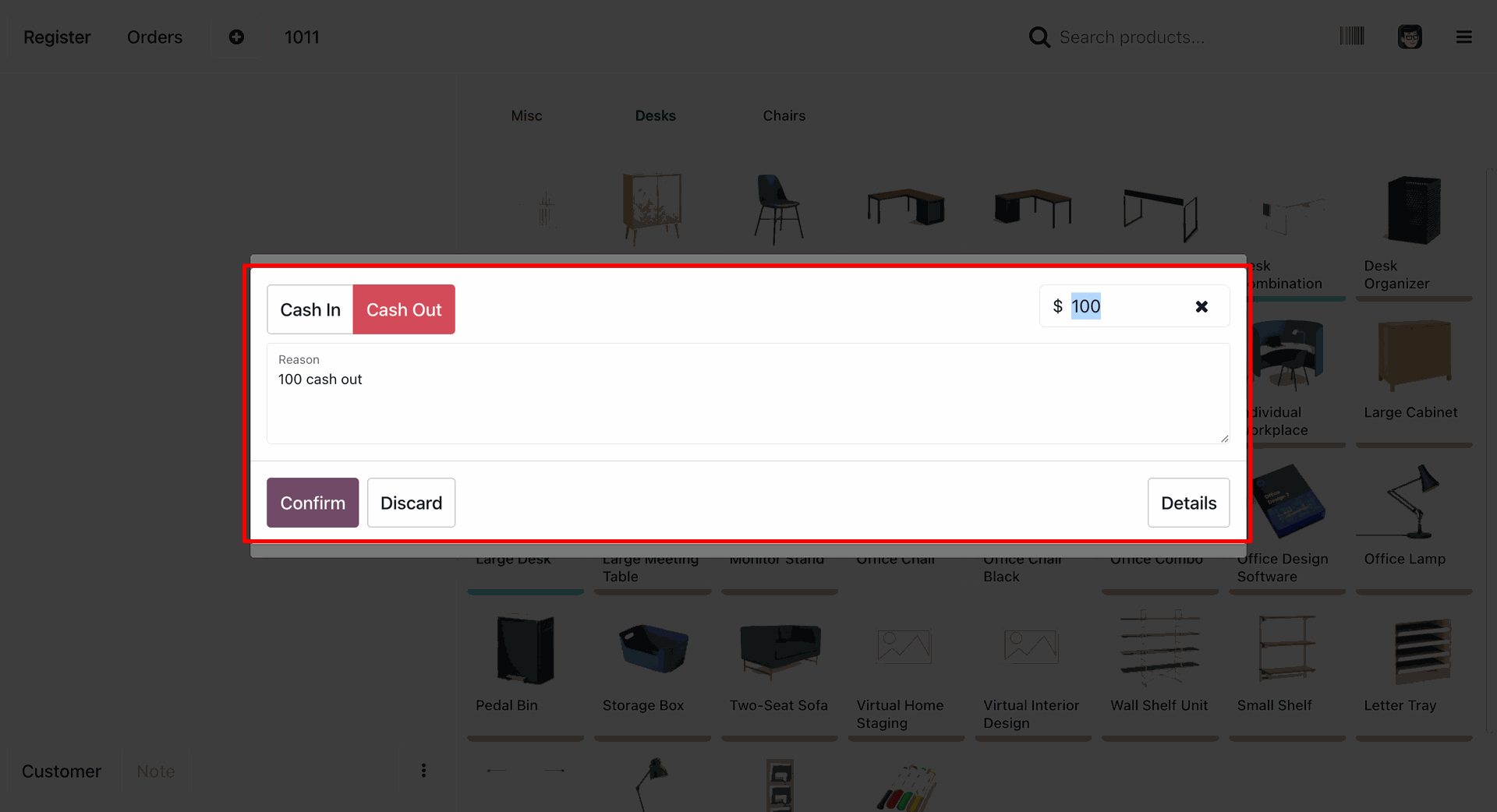
Executing a $100 Cash Out transaction by entering the amount and a specific reason to ensure accurate drawer reconciliation during the closing process.
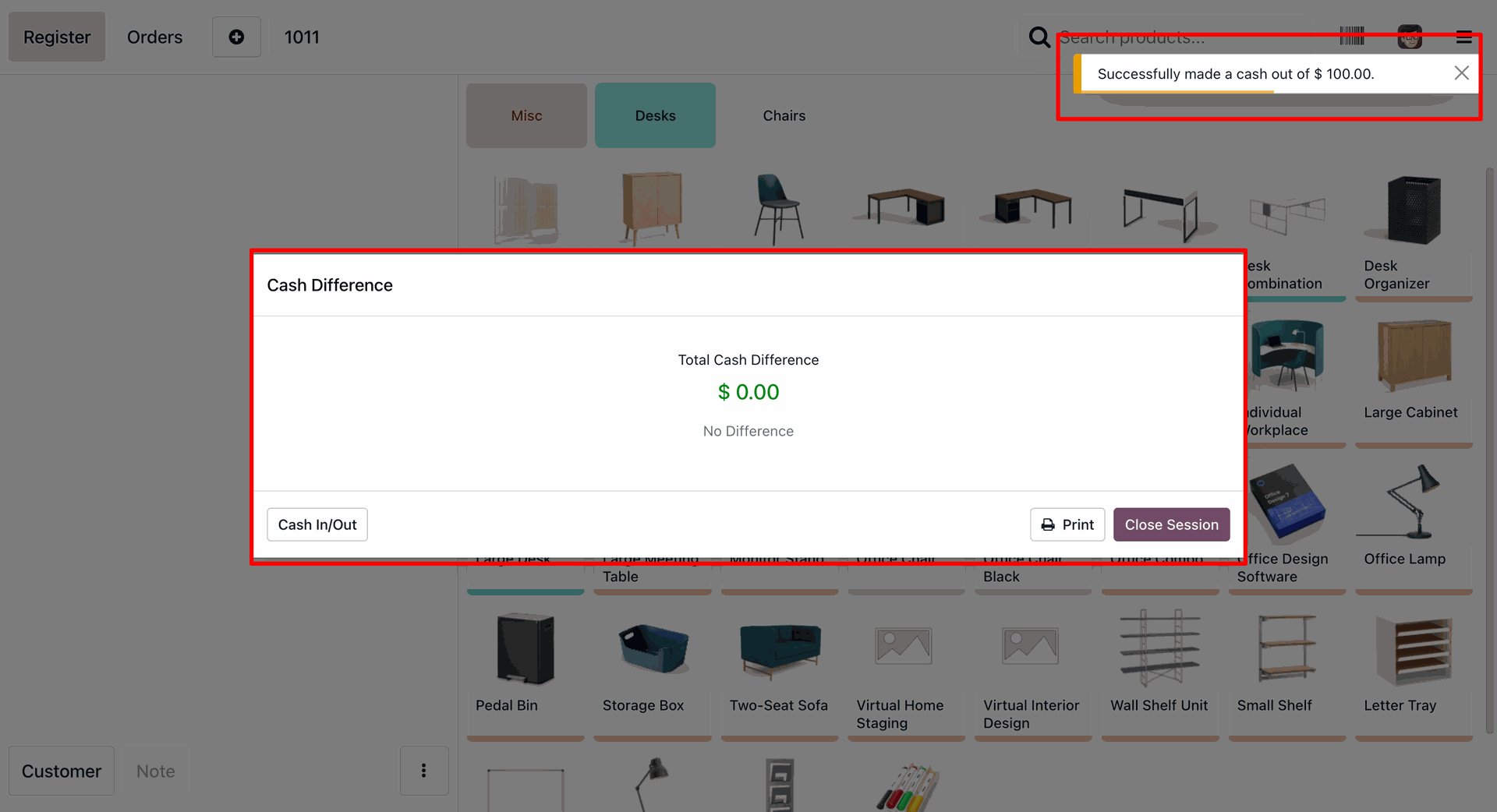
Successfully confirming a $100.00 Cash Out adjustment to settle the register, resulting in a balanced $0.00 Cash Difference before closing the session.
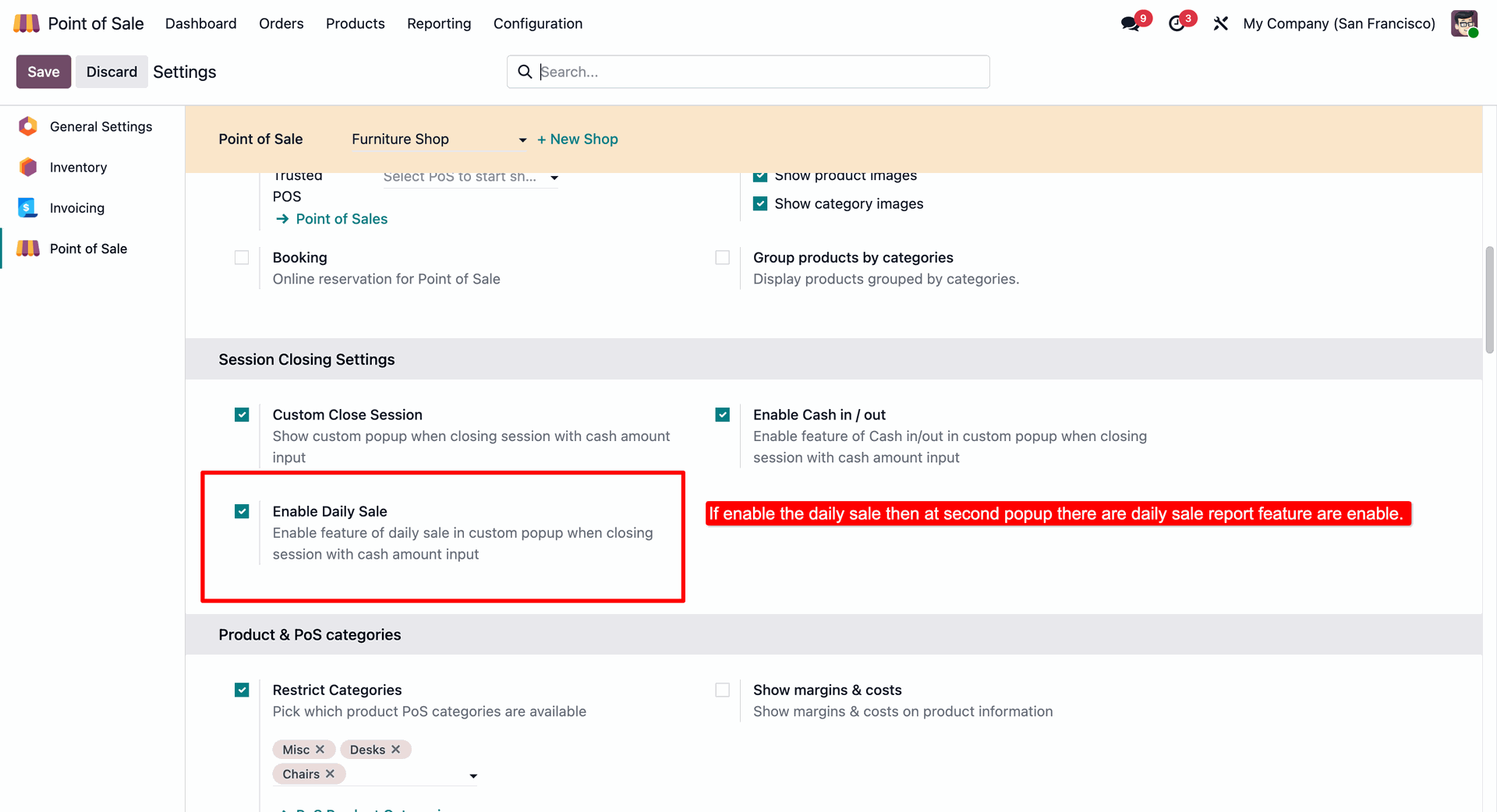
Activating the Enable Daily Sale feature in PoS settings to provide users with a detailed sales report directly within the custom session closing popup.
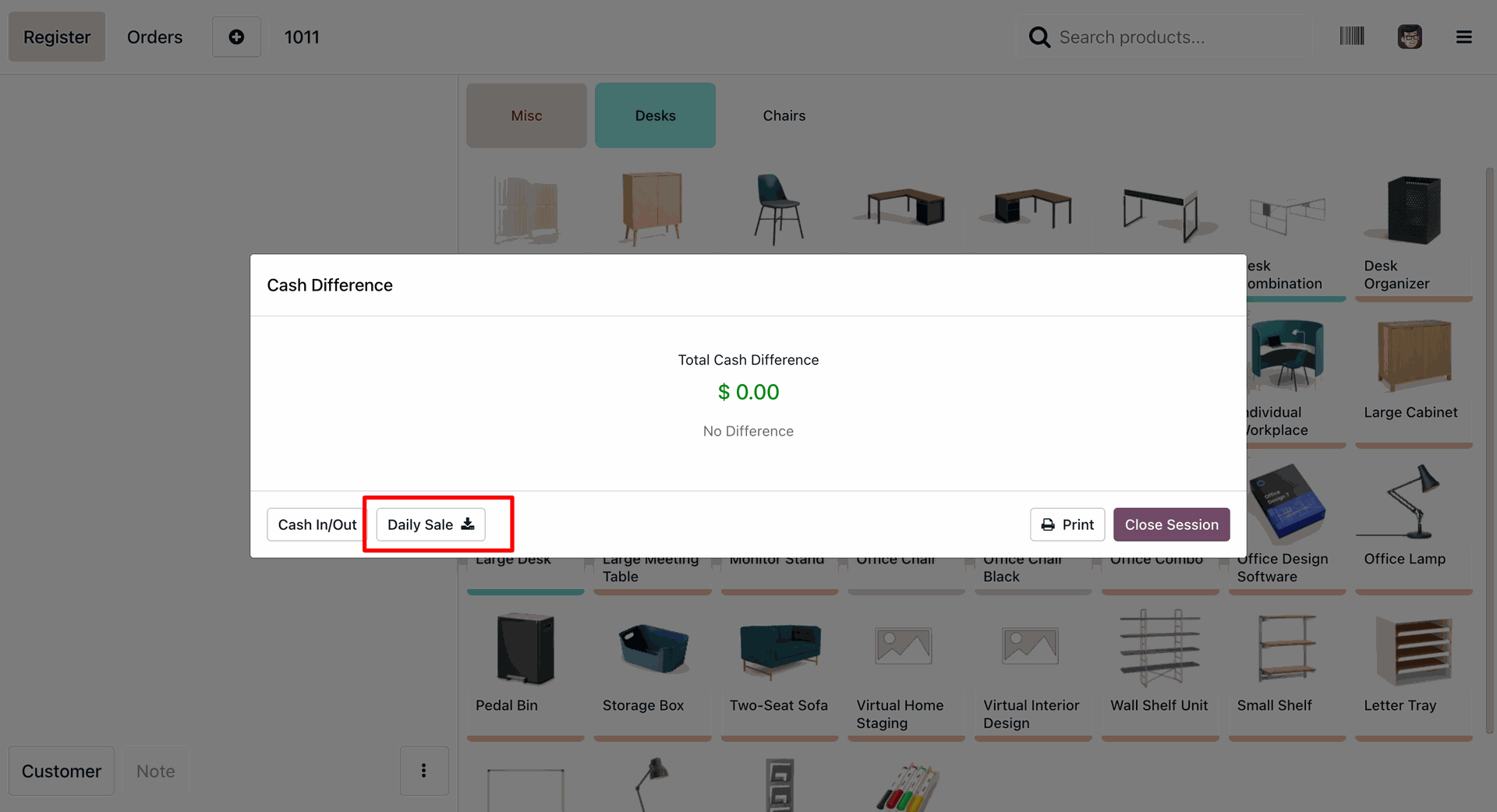
Accessing the Daily Sale download button from the final reconciliation screen to export a summary of the session's performance before clicking Close Session.
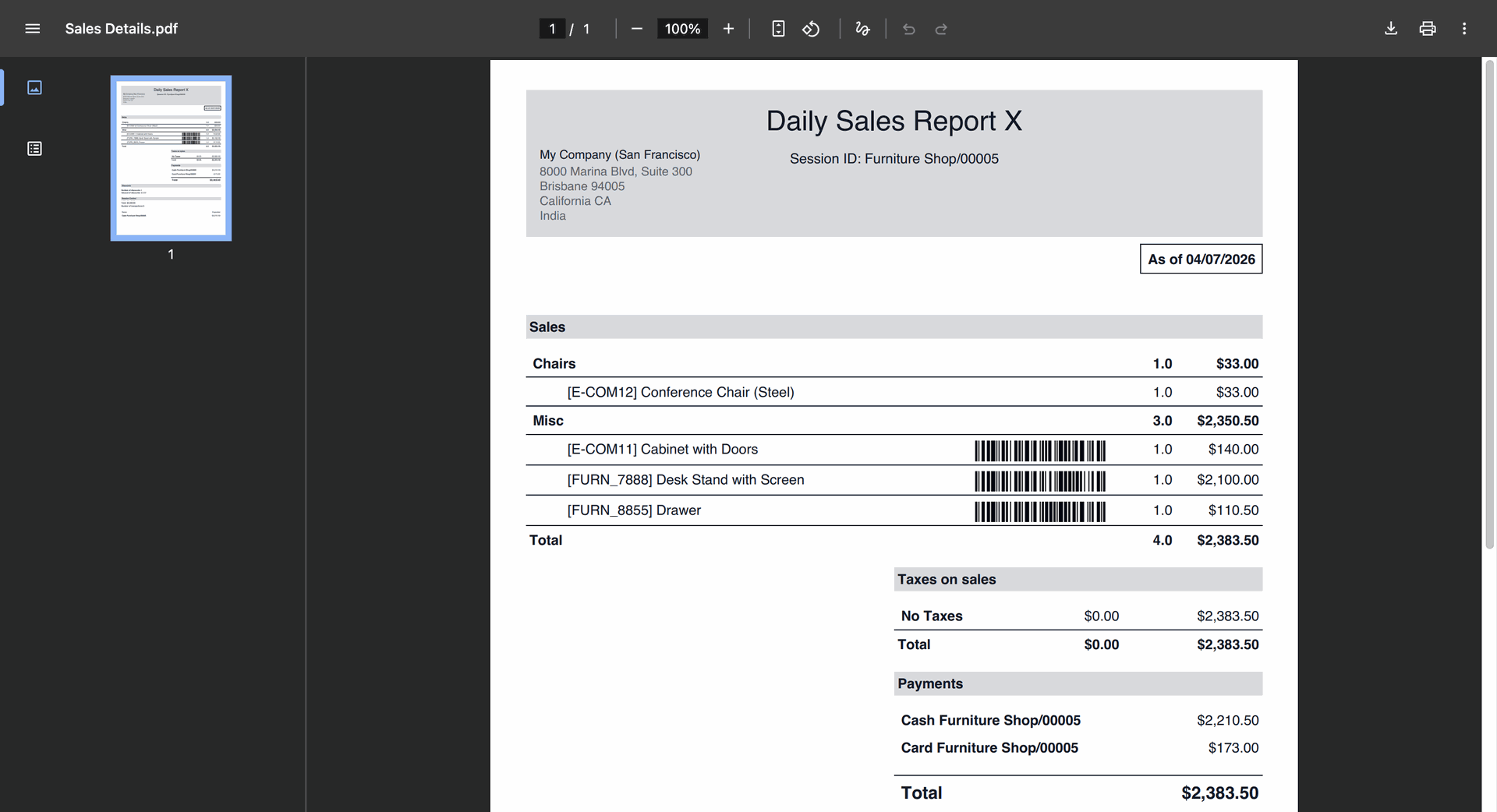
Reviewing the generated Daily Sales Report X for session Furniture Shop/00005, featuring a categorized breakdown of products sold and total payments received.
Version 18.0.1.0.0 | Released on : 28th July 2026
- Yes, this app works perfectly with Odoo Enterprise (Odoo.sh & Premise) as well as Community.
- No, this application is not compatible with odoo.com(odoo saas/Odoo Online)
- Yes, to test this module, please contact us at sales@softhealer.com.
- Please contact us at sales@softhealer.com to request customization.
- Yes, we provide free support for 365 days from the date of purchase.
- Yes, you will receive lifetime free updates for the version of the module you purchased.
- No, there is no need to install any additional libraries.
- Yes, for version 12 and above, you need to purchase the module separately for each version you intend to use.
- No, exchanges or refunds are not allowed. Please make sure to select the correct version before purchasing.
- You can contact us at support@softhealer.com for language translation support. We use Google Translator tools to provide translations in multiple languages, so the accuracy may vary. We welcome your suggestions to help improve translations.
Discover Our Latest Apps