









POS Order Template Product

Do you have multiple products in the pack? Do you want a template that will reuse each time when you want? Do you want to use that template in pos? So here we come with a module that used to make a template of different products and you can easily load that template in pos order. Simply you need to make a template first then you need to load that template and you will see all template products in pos order. This module is useful to define multiple products in one custom template and load all products on a single click in the purchase order. How exactly it works, First need to create a custom product template and add a different kind of product in that, you need to select that template in the sale order and auto all related products of that template will be added in the sale order line. you have done it! it will make your effort very less otherwise you need to add that all products one by one in the sale order line. Another thing is you can add a special price discount to products. so it makes this function more beautiful :) Product Template is like product bundles or combo packs – extension for creating configurable product packages: With Bundles, you can quickly build complex products or create simple discount combos by mixing simple and variable products. It's very easy to configure, fast forward in sales.

Related Modules
Hot Features
Features
- Easy to load product template in POS Screen.
- Easily load different products template/pack/package/plan.
- Easy to create a product template with different products and product unit price, qty, discount, etc.
- You can easily use this feature for different packages/plans/Pack/Templates where normally multiple products defined.
- Reduce human effort and human error.
- Very useful where multip products sales more.
- The fast sales process for combo products as no need to add the individual in sales order lines.
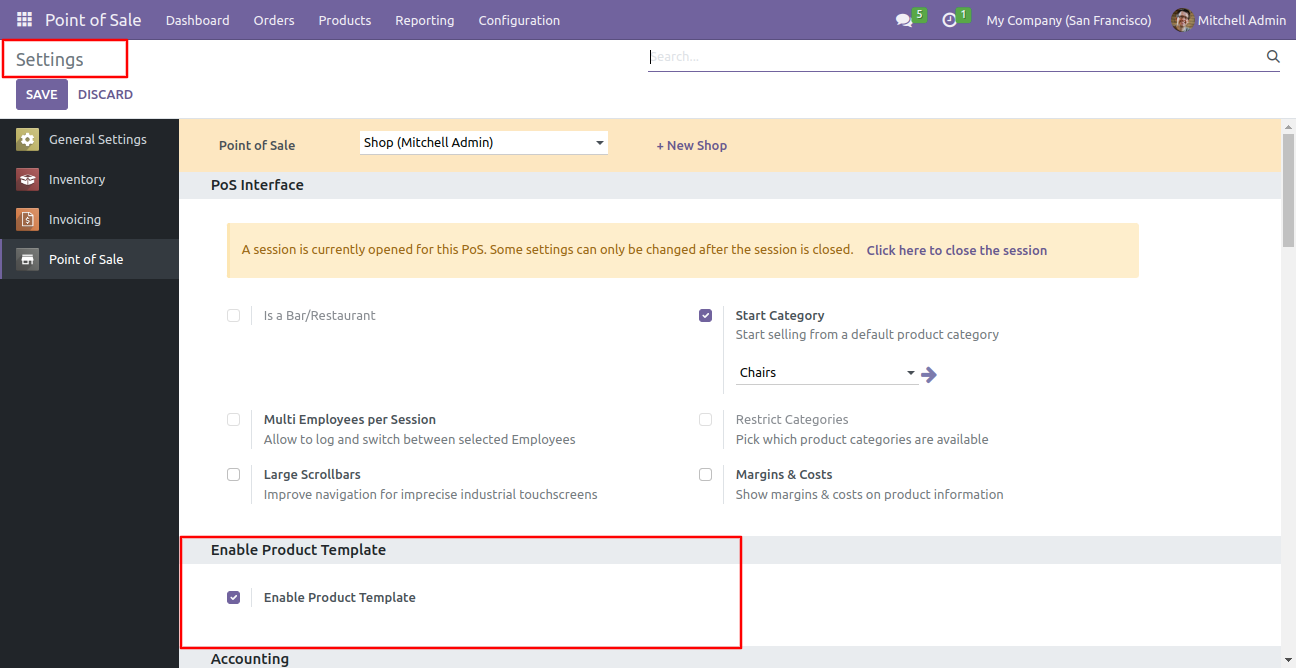
Enable Product Template.
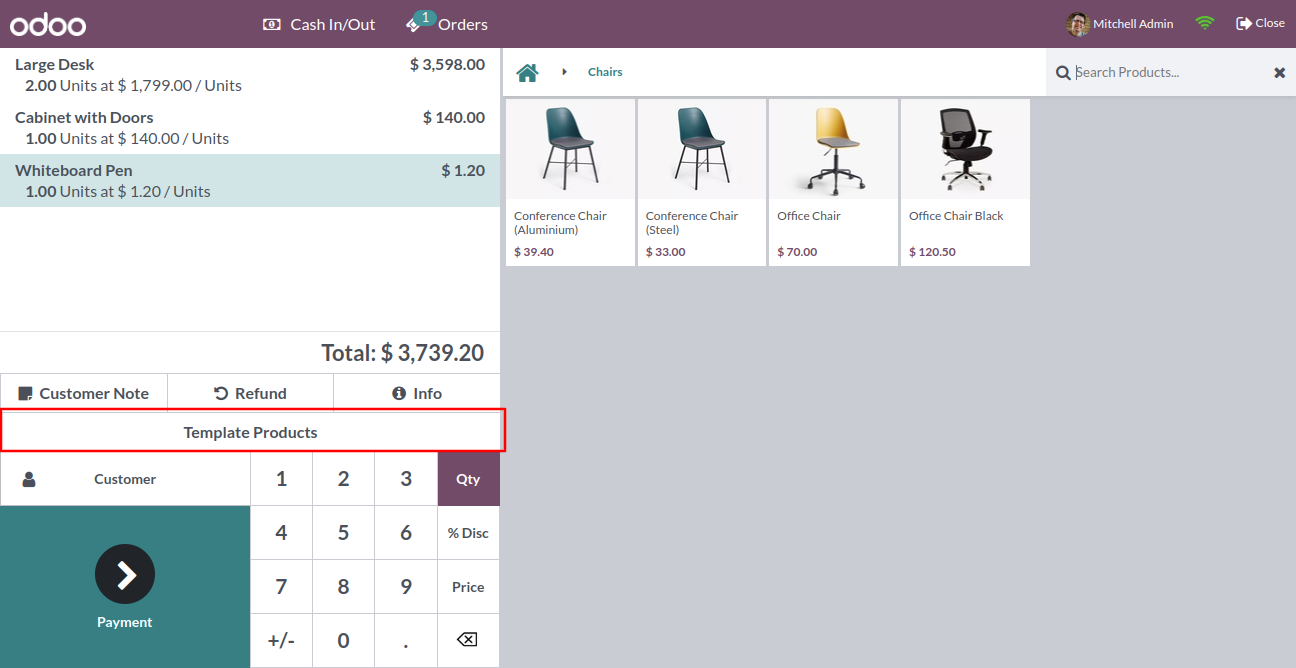
"Template Product" Button in the POS Screen.
You can see the list of Product Template, a select product which you want to load in pos order and click "Load Product Template" Button.
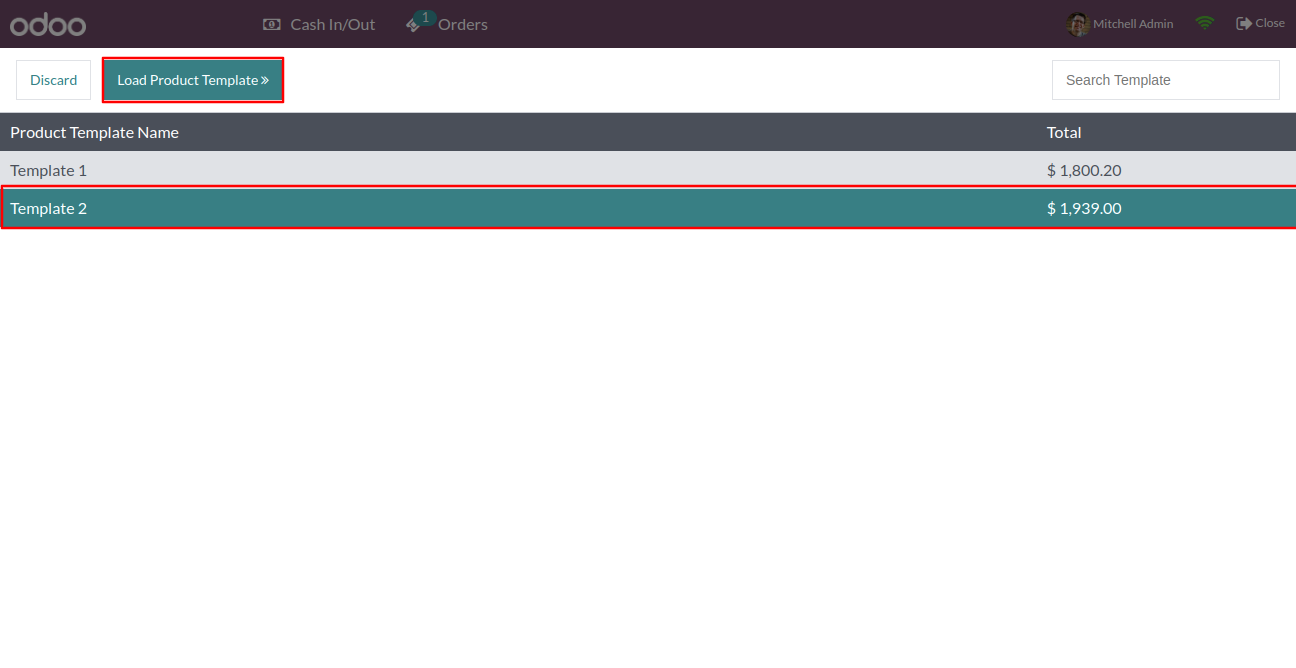
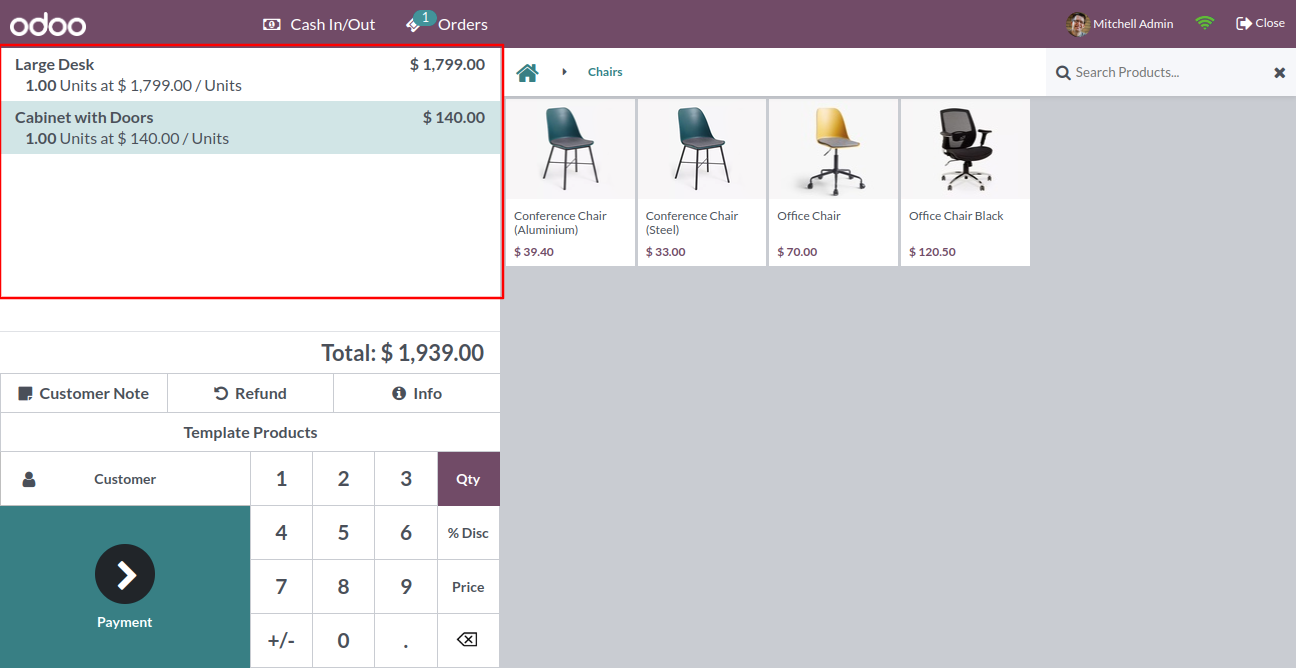
After Click "Load Product Template" you can see all product which in the template.
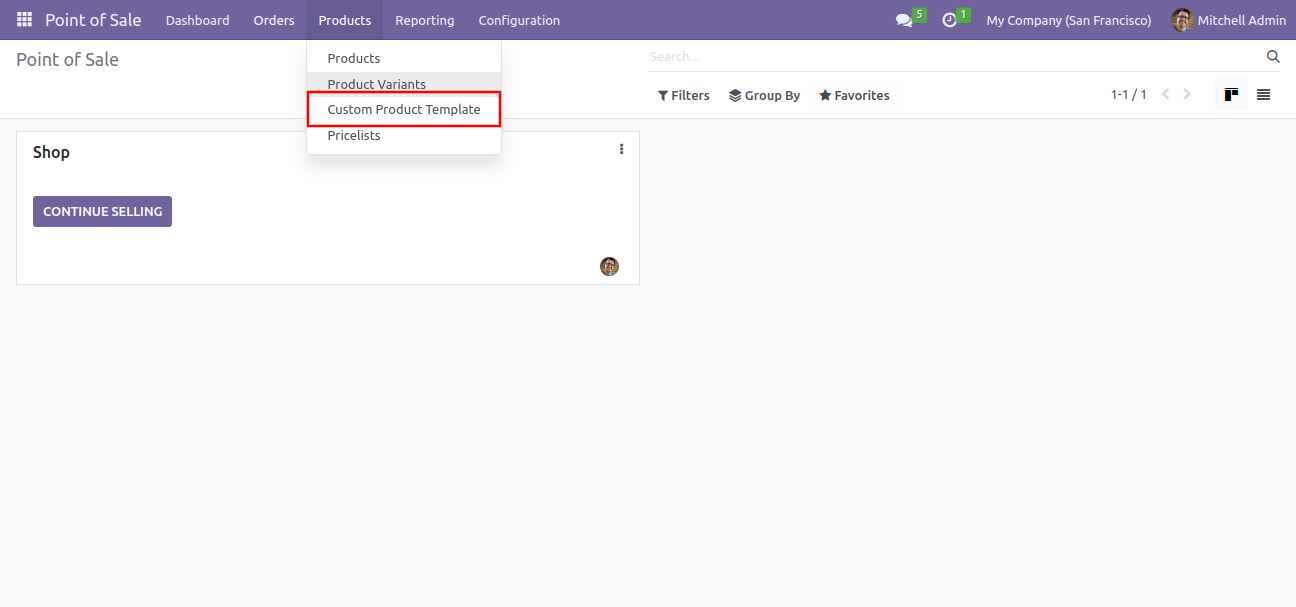
"Custom Product Template" sub menu in Product Menu.
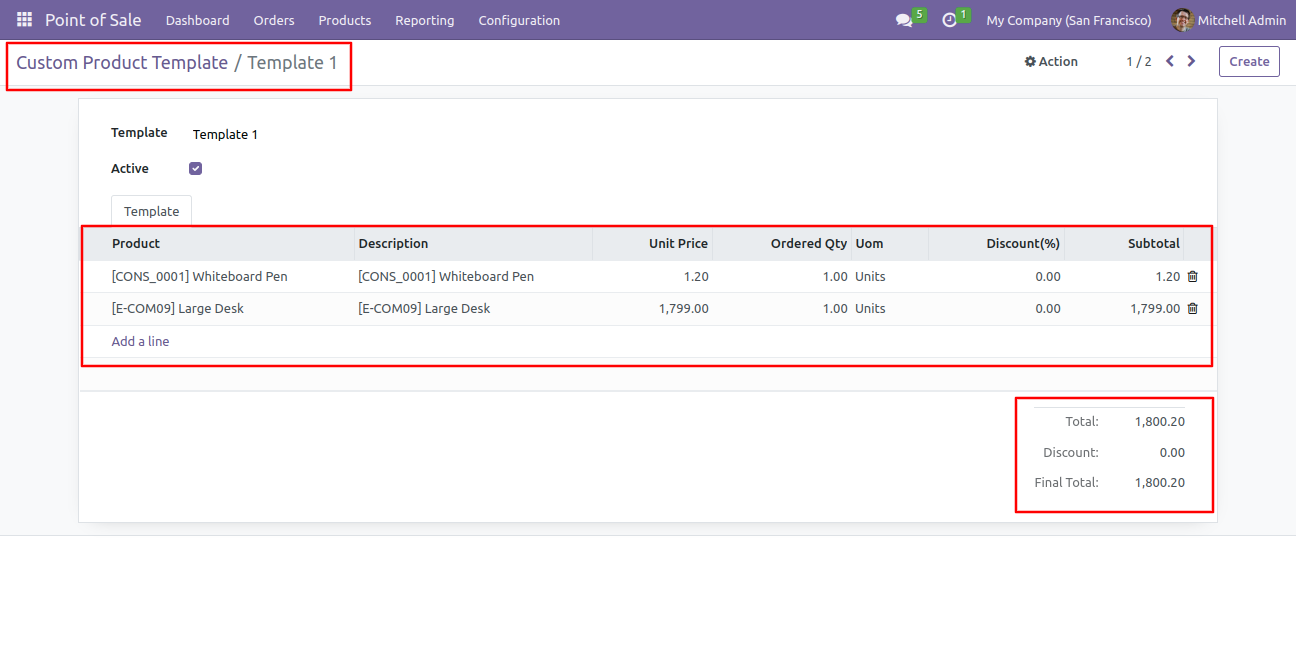
Product Templates that is set Active, available in Sales.
Version 19.0.1 | Released on : 9th September 2025
- Yes, this app works perfectly with Odoo Enterprise (Odoo.sh & Premise) as well as Community.
- No, this application is not compatible with odoo.com(odoo saas/Odoo Online)
- Yes, to test this module, please contact us at sales@softhealer.com.
- Please contact us at sales@softhealer.comto request customization.
- Yes, we provide free support for 365 days from the date of purchase.
- Yes, you will receive lifetime free updates for the version of the module you purchased.
- No, there is no need to install any additional libraries.
- Yes, for version 12 and above, you need to purchase the module separately for each version you intend to use.
- No, exchanges or refunds are not allowed. Please make sure to select the correct version before purchasing.
- You can contact us at support@softhealer.com for language translation support. We use Google Translator tools to provide translations in multiple languages, so the accuracy may vary. We welcome your suggestions to help improve translations.
Discover Our Latest Apps