













Point Of Sale Product Multi Barcode

Currently, odoo allows a single barcode for product and product variants but sometimes we have to manage multiple barcodes for one product. "Point Of Sale Product Multi Barcode" module helps you to set up multiple barcodes for a single product or product variant in the POS Odoo. You no need to select a product and do one by one. When you scan the different barcodes for the same product then product quantity update in the cart. It generates an alert for the unknown barcode. cheers!

Related Modules
Features

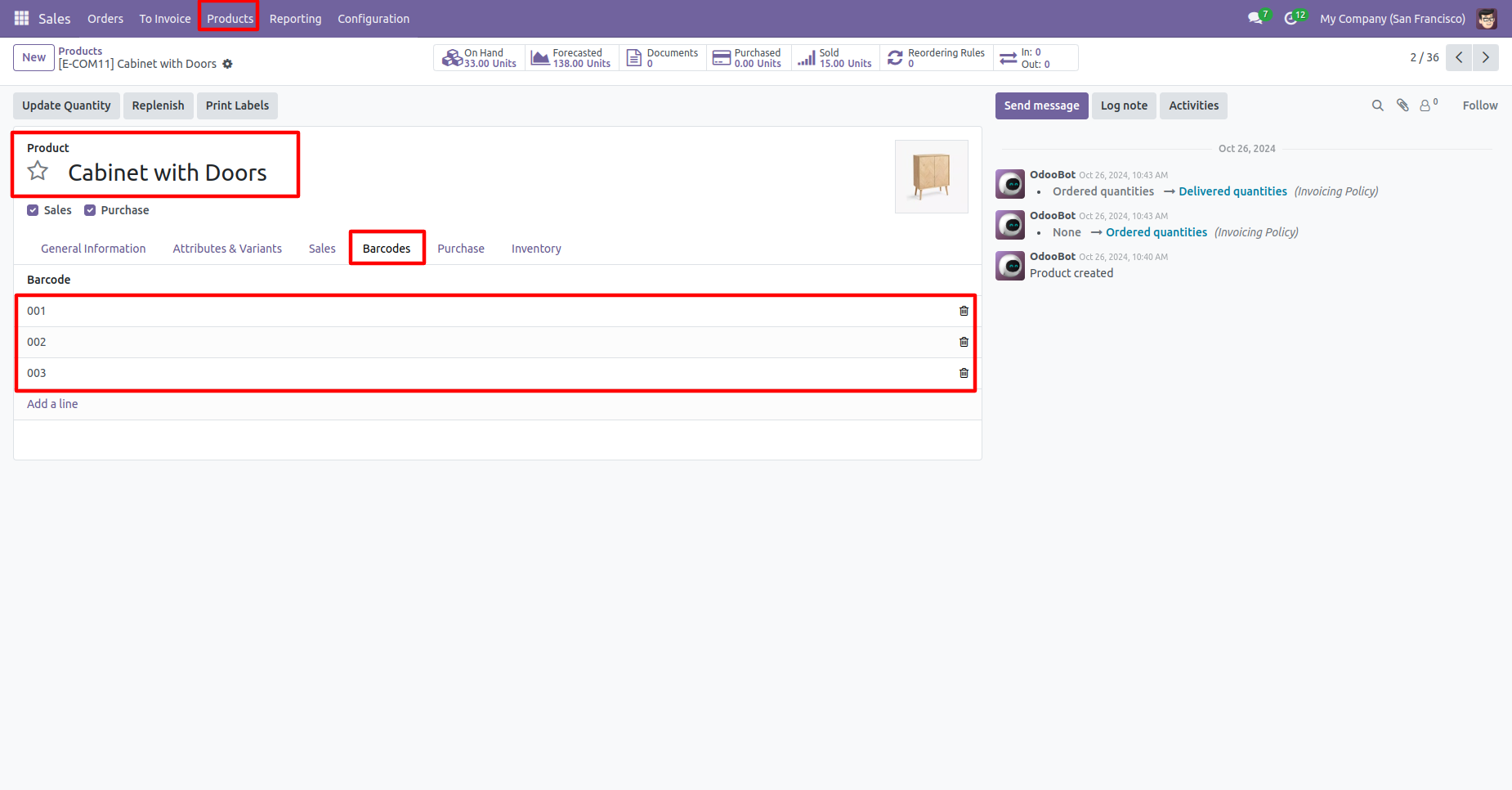
Manage Multiple Barcodes for a Single Product
You can manage and assign multiple barcodes for a single product or product variant in POS.
Easy Product Addition via Barcode Scanner
Products can be added quickly in the POS cart using a barcode scanner.
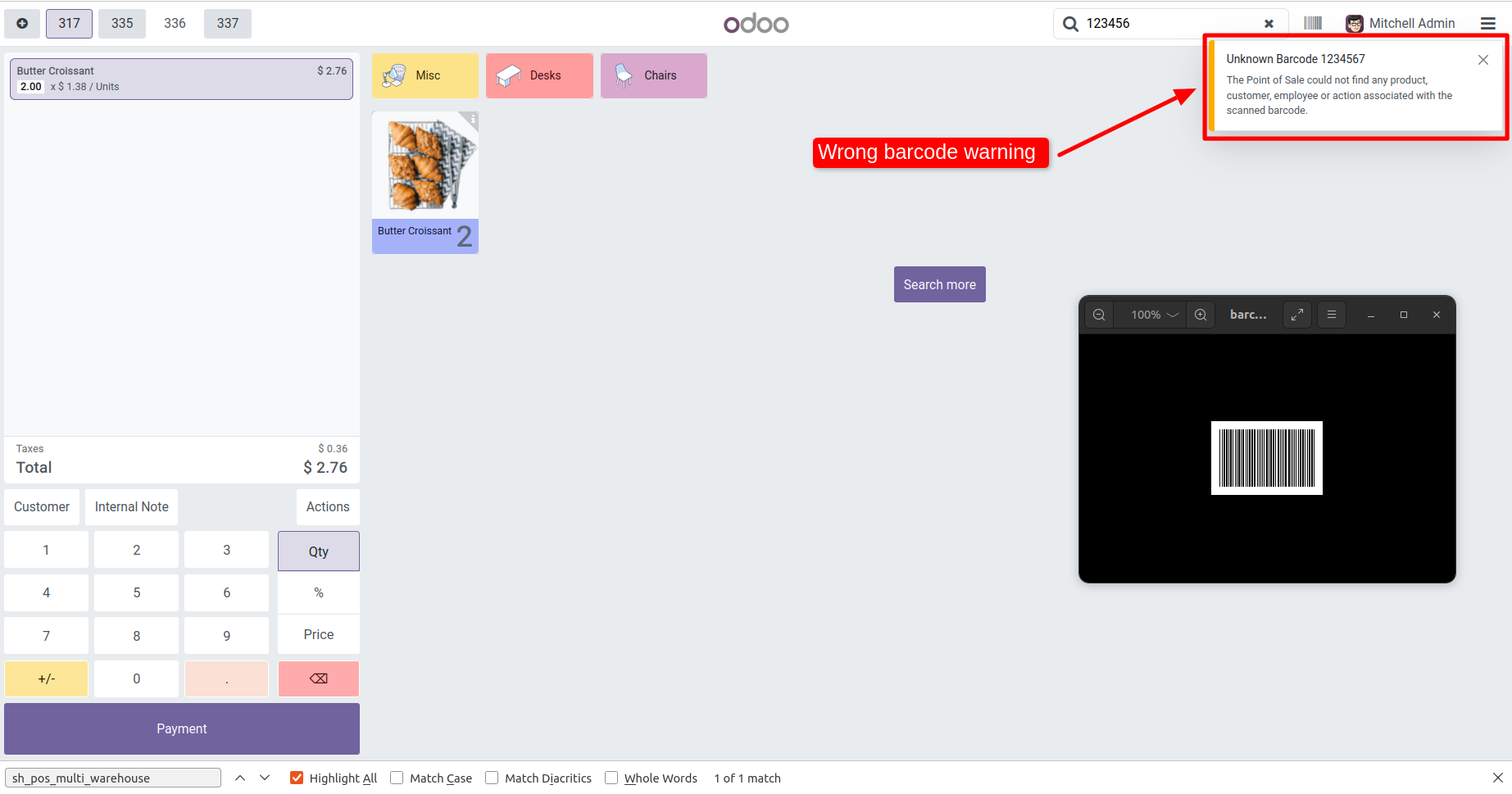
Unknown/Wrong Barcode Alert Popup
The system shows an alert popup when an unknown or wrong barcode is scanned.
Search Product by Multi Barcode
Products can be searched in POS using any of the multiple barcodes assigned.
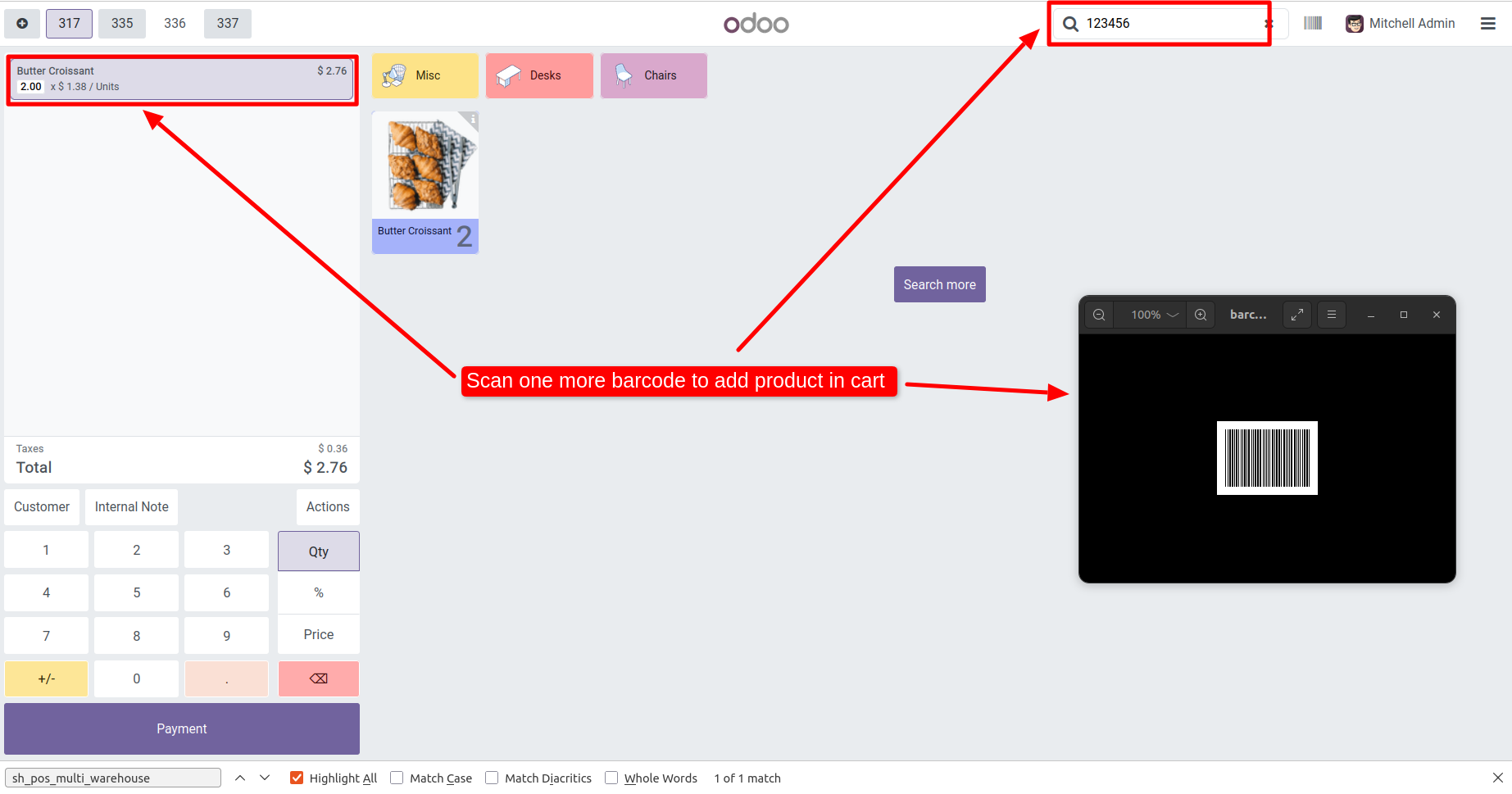
Scan Barcode to Add Product to Cart
When you scan a barcode, the corresponding product is automatically added to the cart.
Scan Different Barcodes Updates Quantity
Scanning different barcodes of the same product increases the product quantity in the cart.
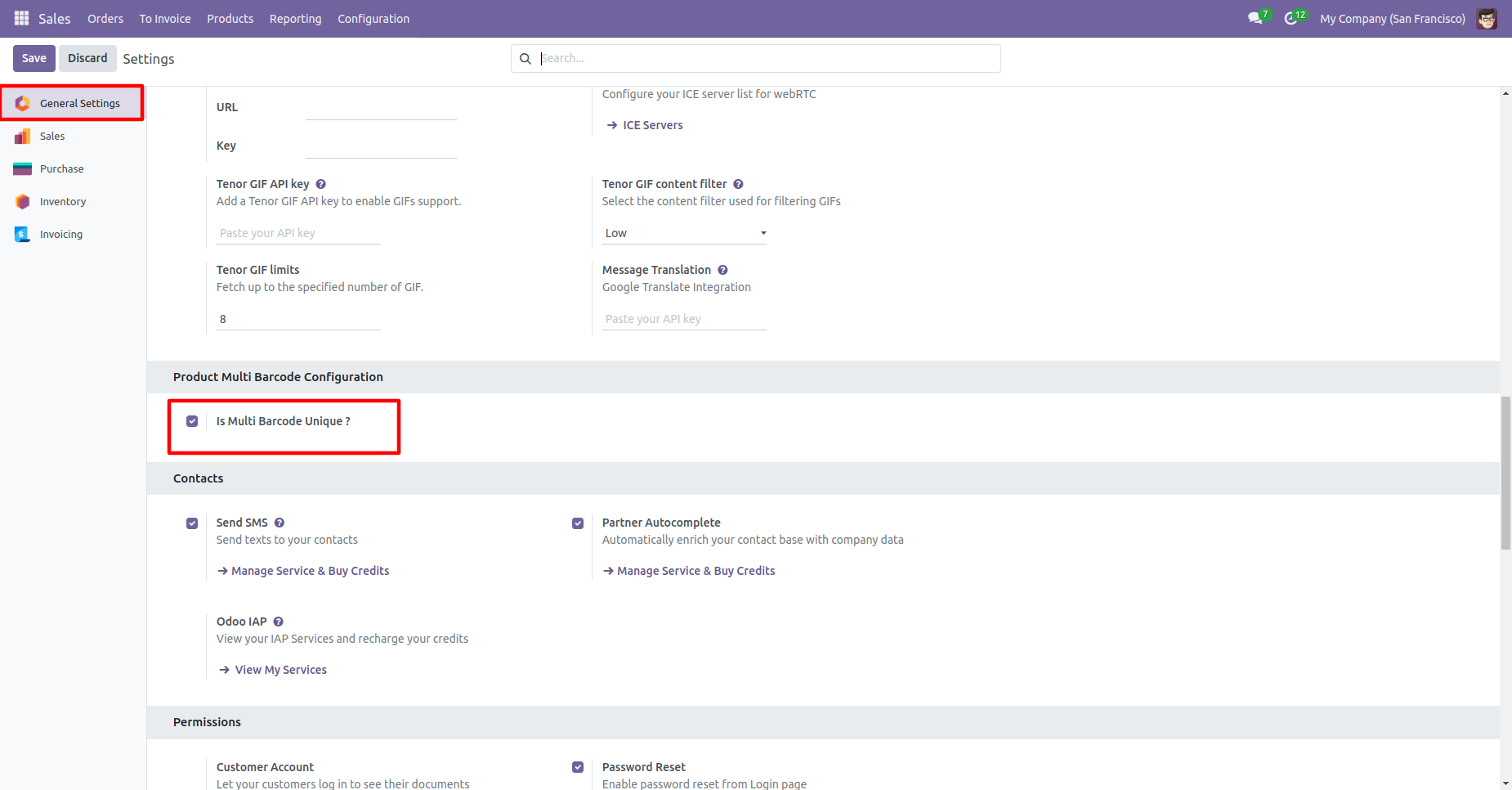
Unique Barcode Validation
Enable optional duplicate-barcode warnings to maintain clean barcode data and prevent mistakes during product creation or import.
Search Product based on Multiple Barcode
Search products using any linked barcode across Sales, Purchase, Inventory, Accounting, and all product dropdowns - instant and accurate every time.
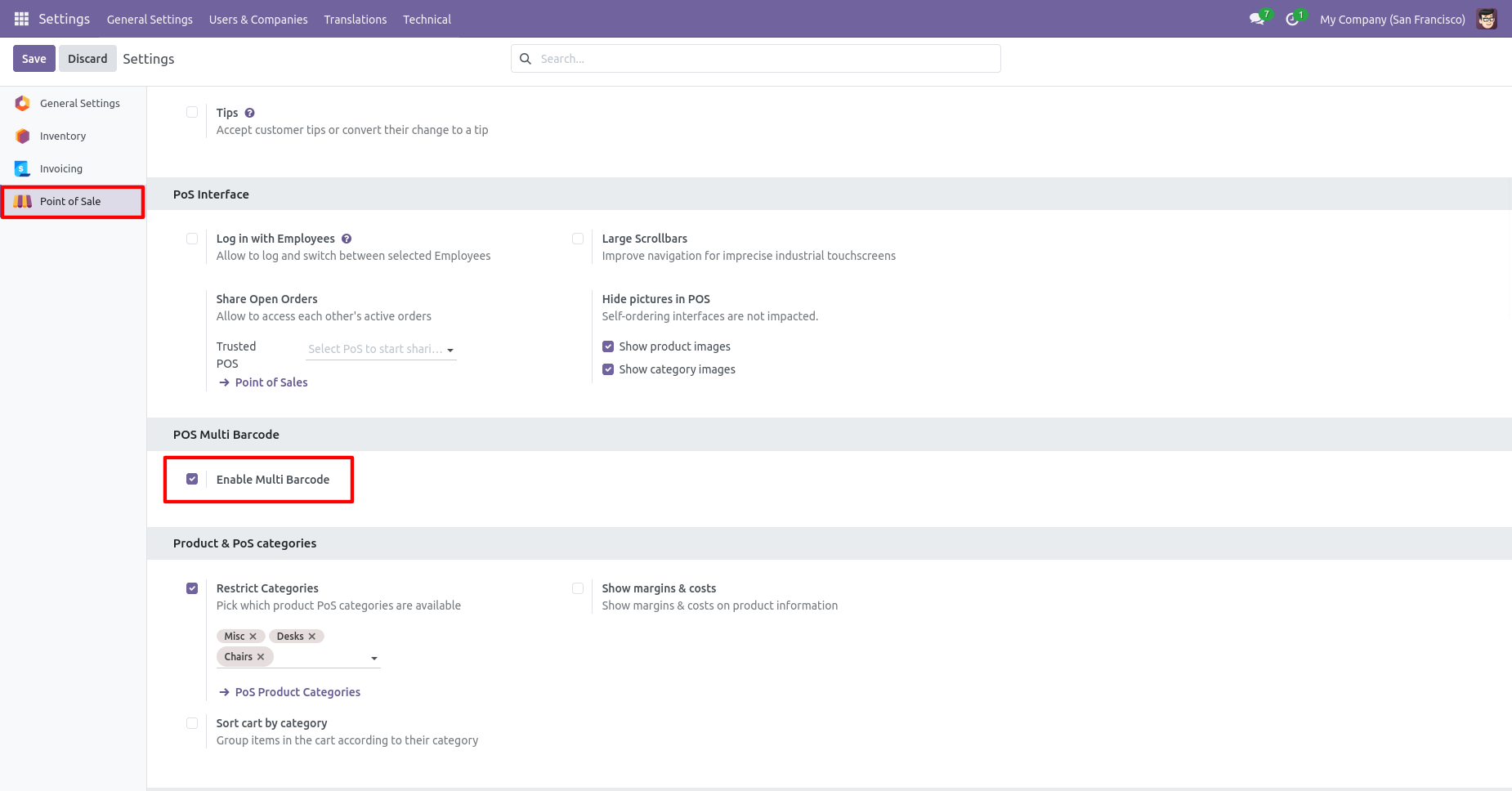
"Enable Multi Barcode" group.
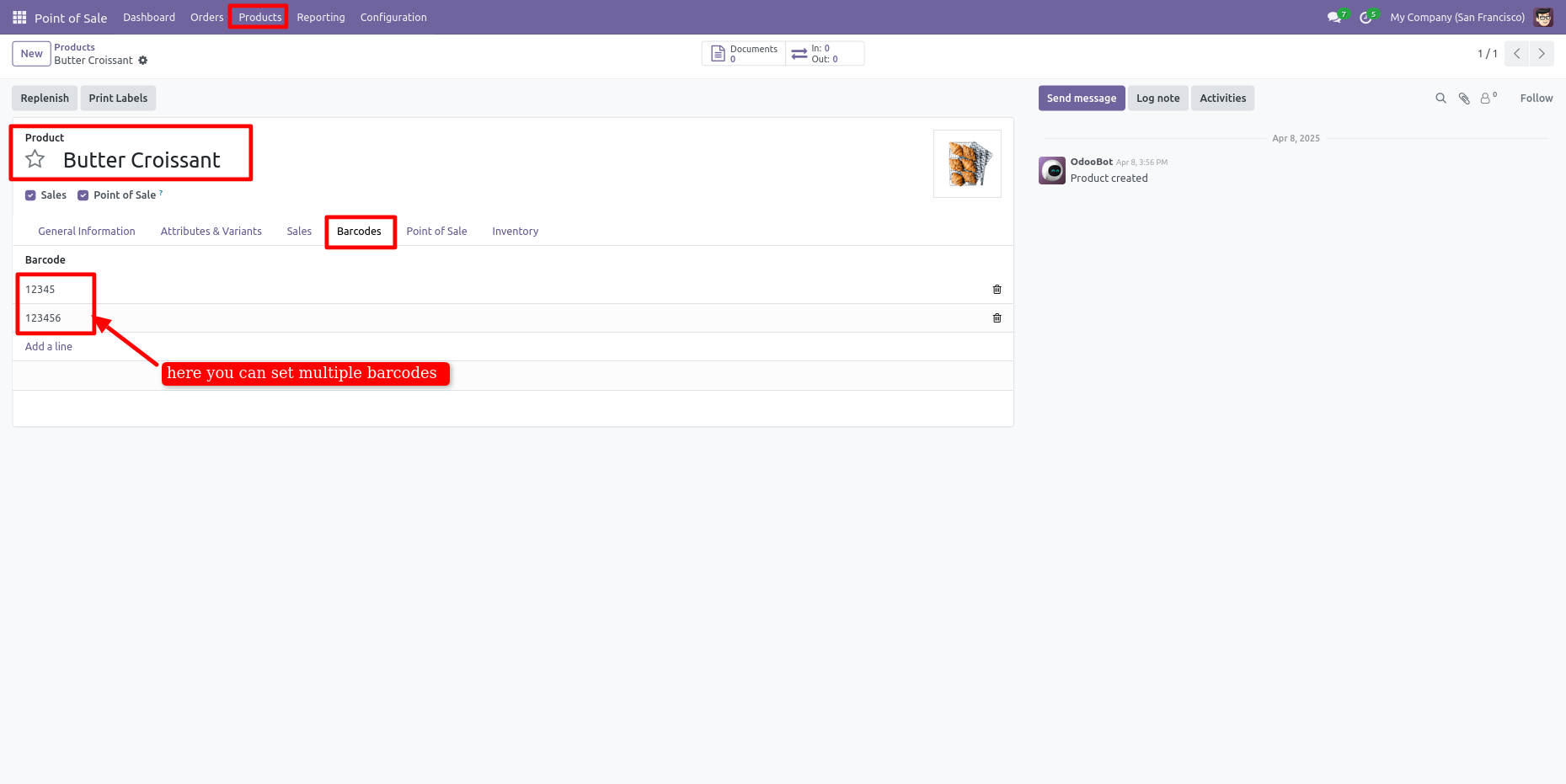
Add multiple barcodes in the product.
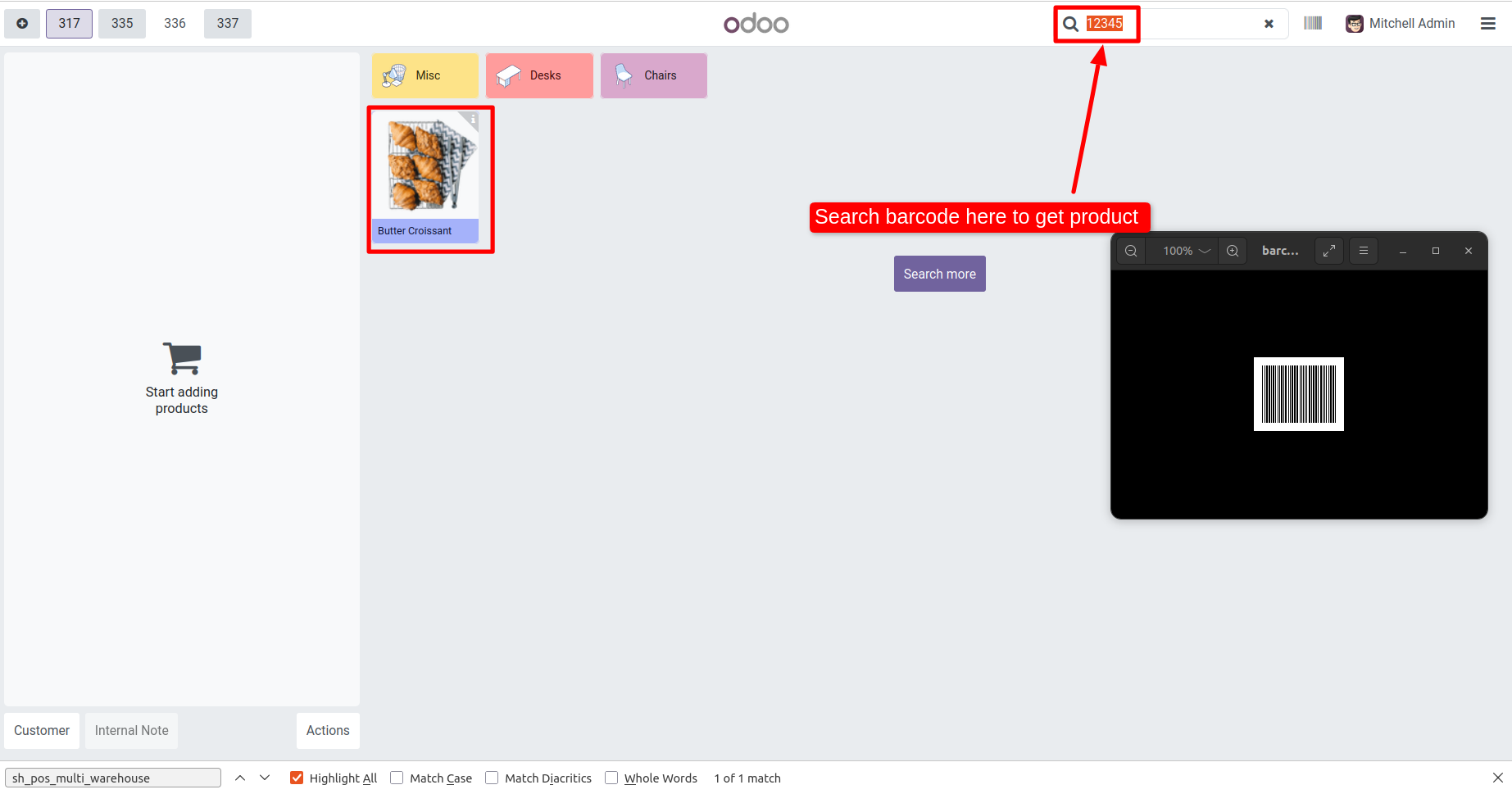
You can search product by multi barcode.
Scan product barcode and that product added to the cart.

Scan different barcodes of the same product and that product quantity updated.
It generates an alert message for the unknown or wrong barcode.
The multi-barcode tab looks like this.
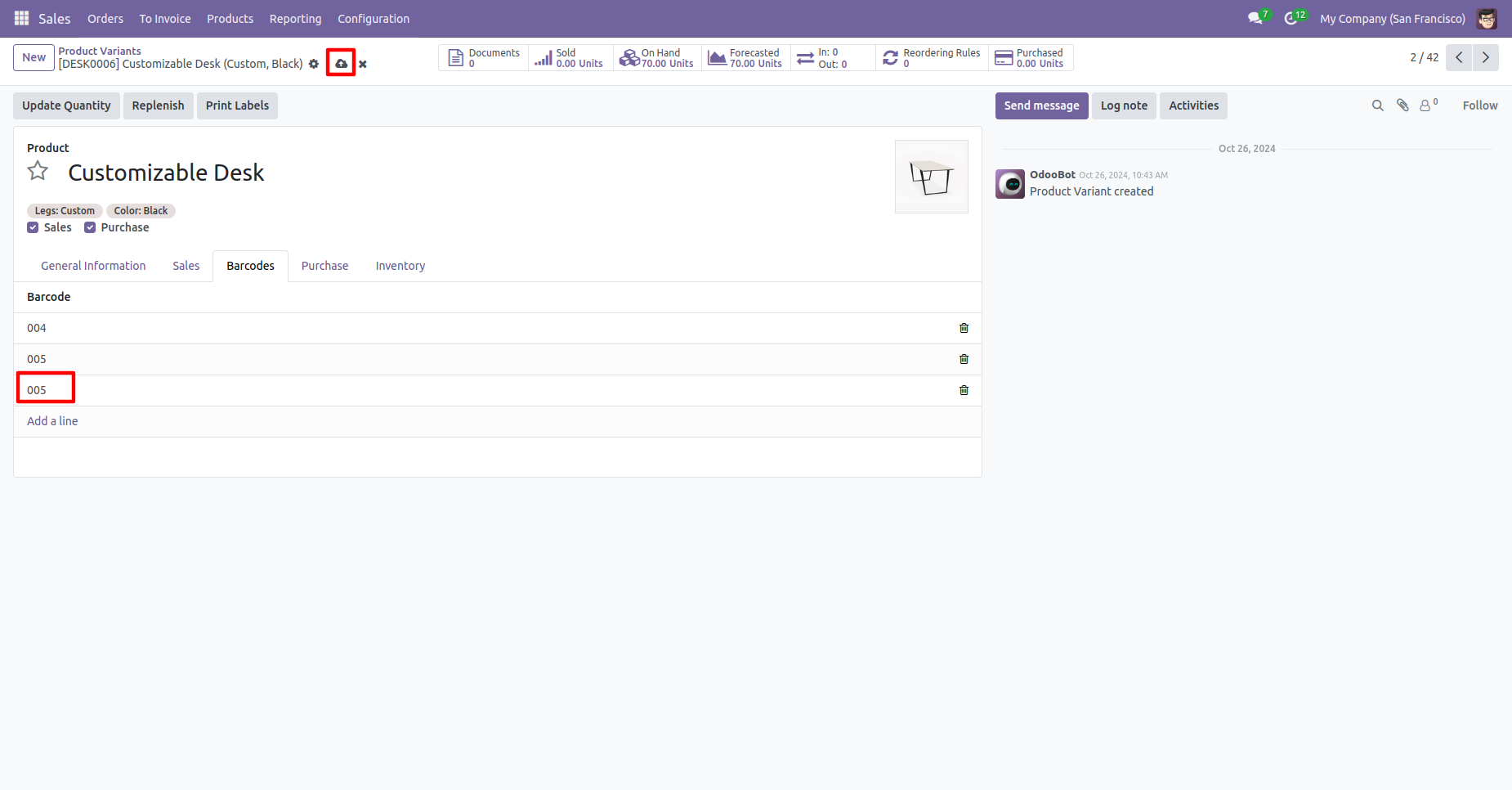
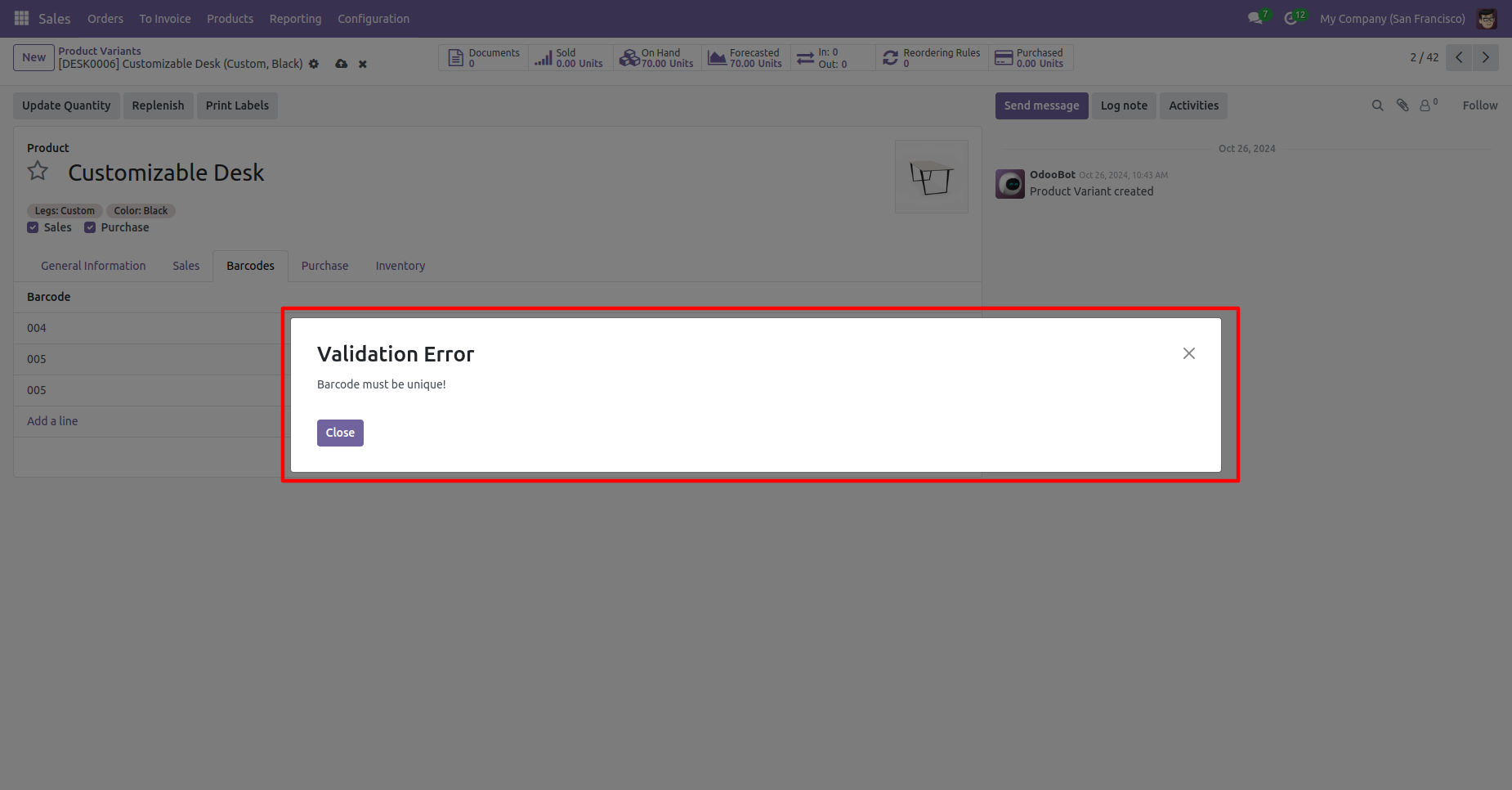
Tick 'Is Multi Barcode Unique?'' to check barcode duplication in the product.
You can search multi-barcodes in the search view.
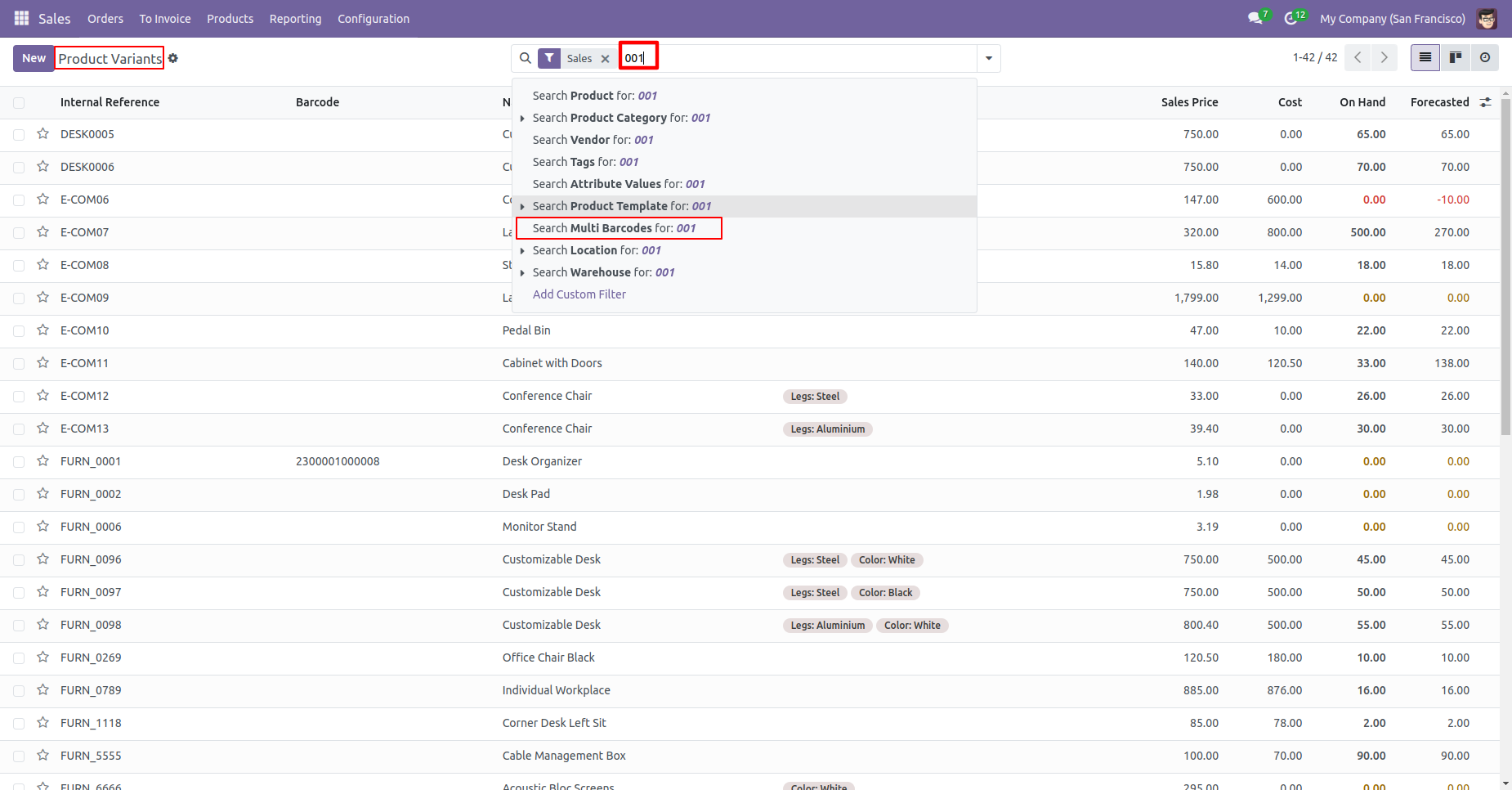
Multi barcodes searched result.
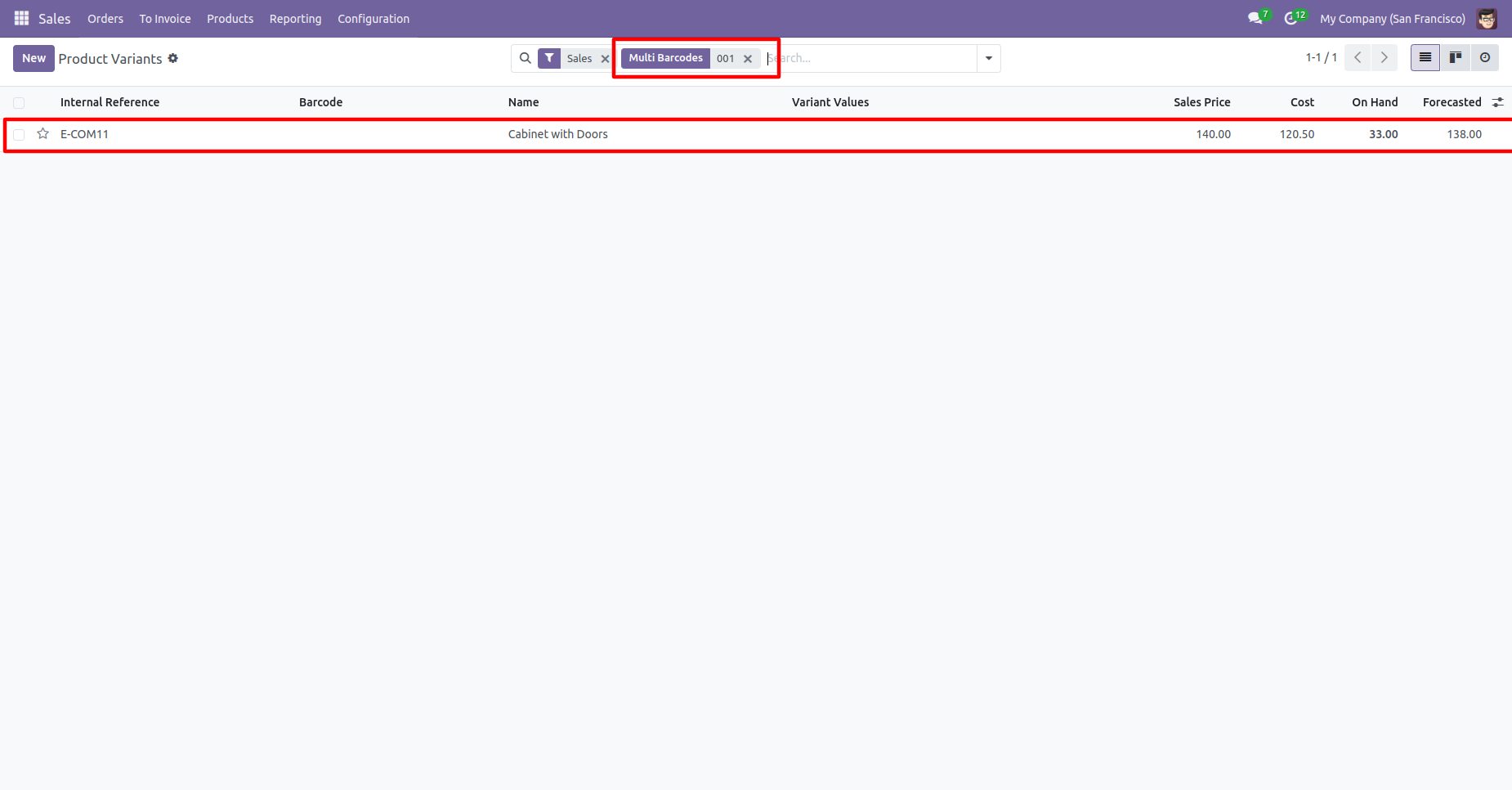
In the product 'Barcode' tab where you can see the multiple barcodes for the product.
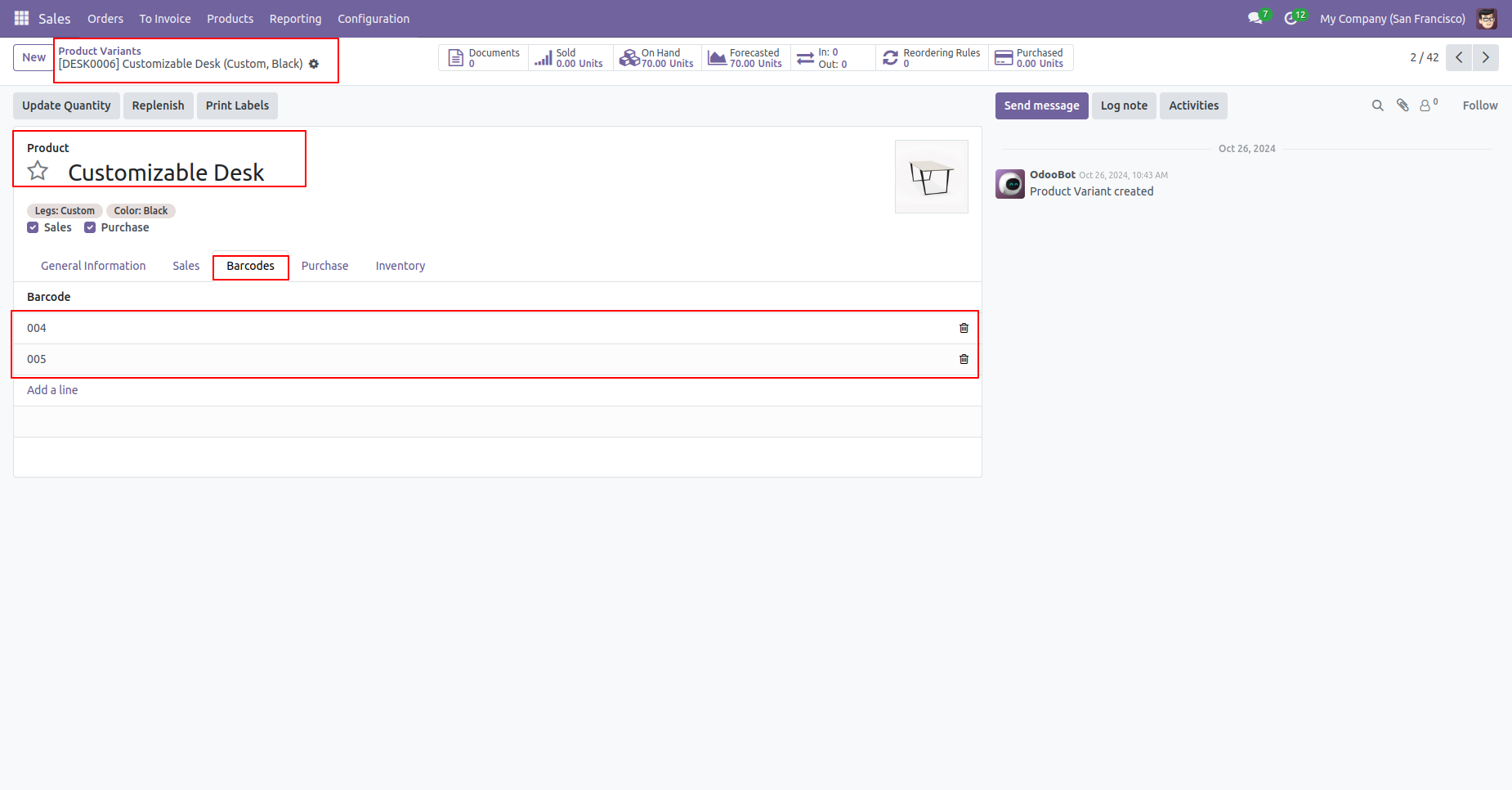
Search products in order lines using a barcode.
Search products in order lines using a same barcode.
If you search for a product with a barcode that already exists in the order line, a warning will appear.
Version 18.0.3 | Released on : 3rd December 2025
Version 18.0.2 | Released on : 27th November 2025
Version 18.0.1 | Released on : 4th October 2024
- Yes, this app works perfectly with Odoo Enterprise (Odoo.sh & Premise) as well as Community.
- No, this application is not compatible with odoo.com(odoo saas).
- Please Contact Us at sales@softhealer.comto request customization.
- Yes, we provide free support for 100 days.
- Yes, you will get free update for lifetime.
- No, you don't need to install addition libraries.
- Yes, You have to download module for each version (13,14,15) except in version 12 or lower.
- No, We do not provide any kind of exchange.
