


 Easy to Manage
 Dedicated Support
















 Scan to email sales






POS Multi Warehouse

By default in POS, only one warehouse can be selected. "POS Multi Warehouse" module helps to manage multiple warehouses within the POS (Point Of Sale) session.

Hot Features
Features
- POS users can manage multiple warehouses in the POS session.
- POS users can add the product from multiple warehouses.
- Real-time quantity update for current session.
-
We have the
below configuration options:
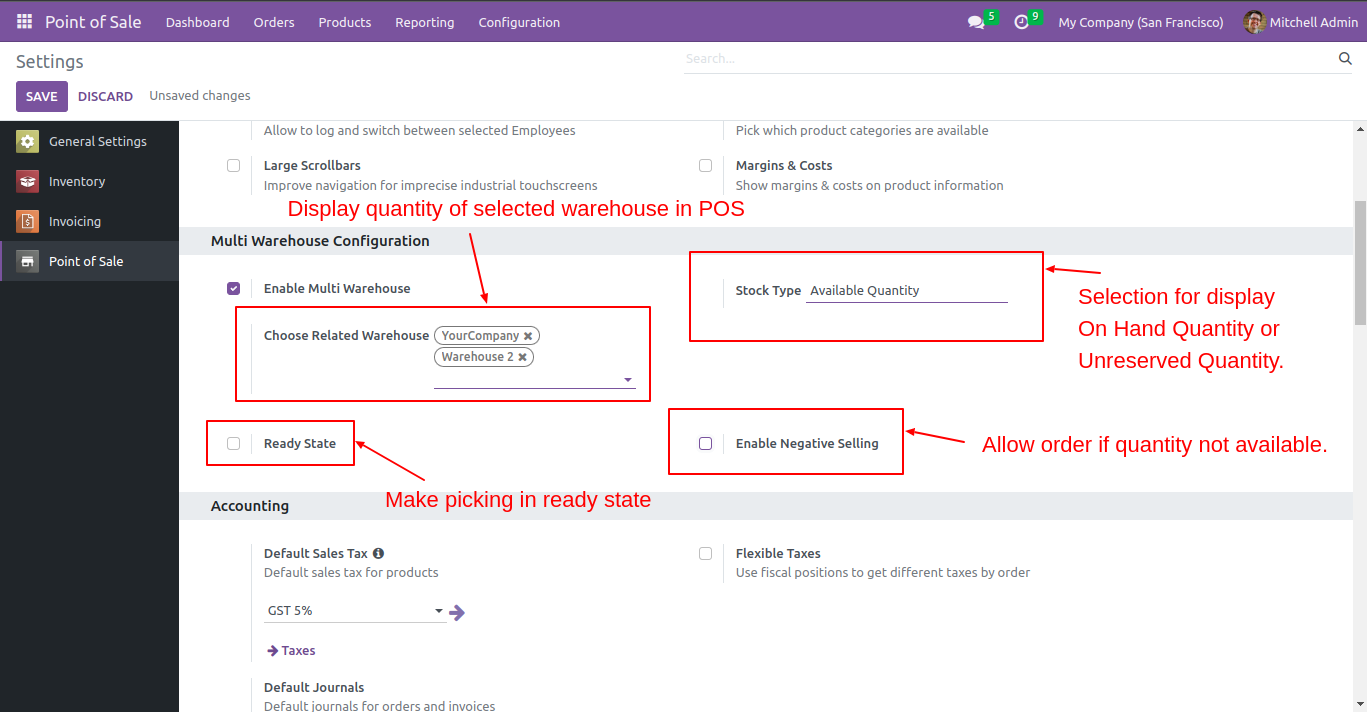
A) Stock Type: This configuration is useful to show stock on the product list, This configuration has 2 options,
1) available quantity 2) available quantity unreserved.
1) Available quantity: This option useful to show onhand qty.
2) Available quantity unreserved: This option useful to show forecasted qty.
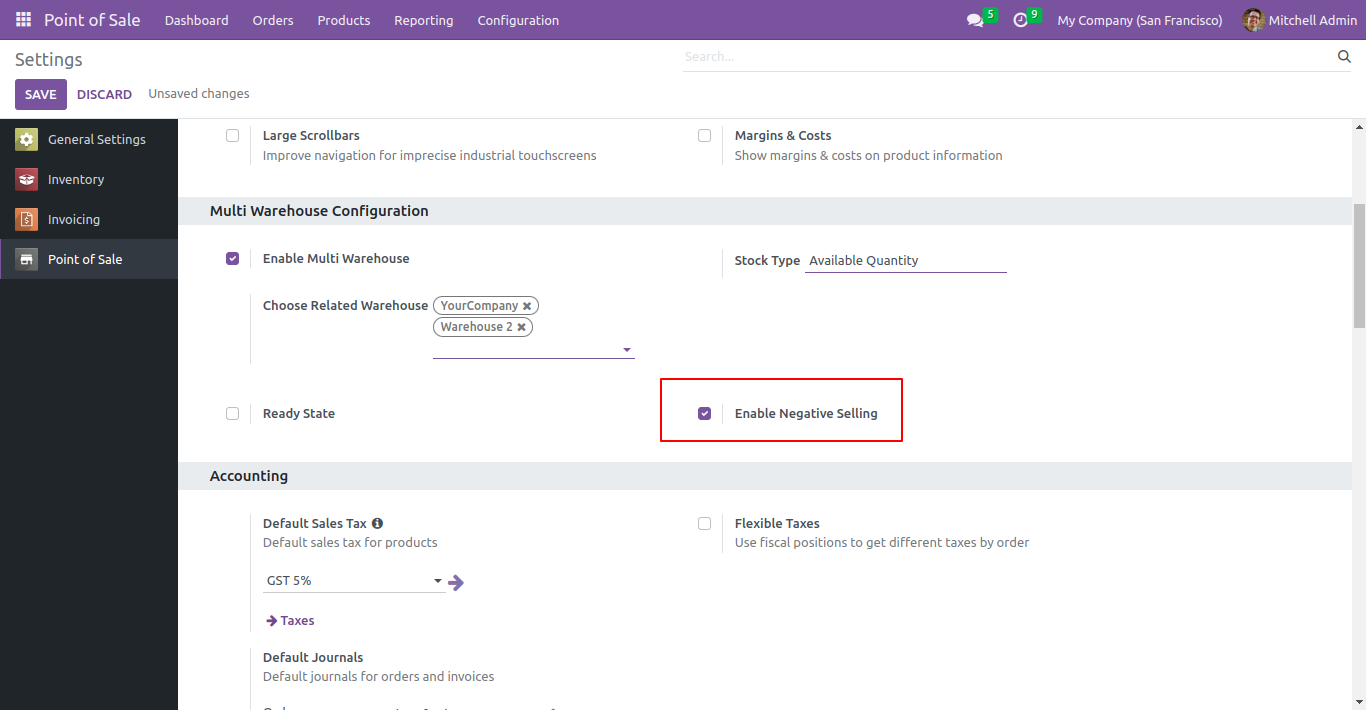
B) Negative Selling: If this option is ticked then you can sell a negative quantity from multi warehouses.
If this option is not ticked then you can not sell a negative quantity from multi warehouses.
c) Ready State: If this option is ticked then after validating pos order, the picking order will go to the ready state.
If this option is not ticked then after validating pos order, picking order will go to the done state.
POS multi-warehouse configuration.
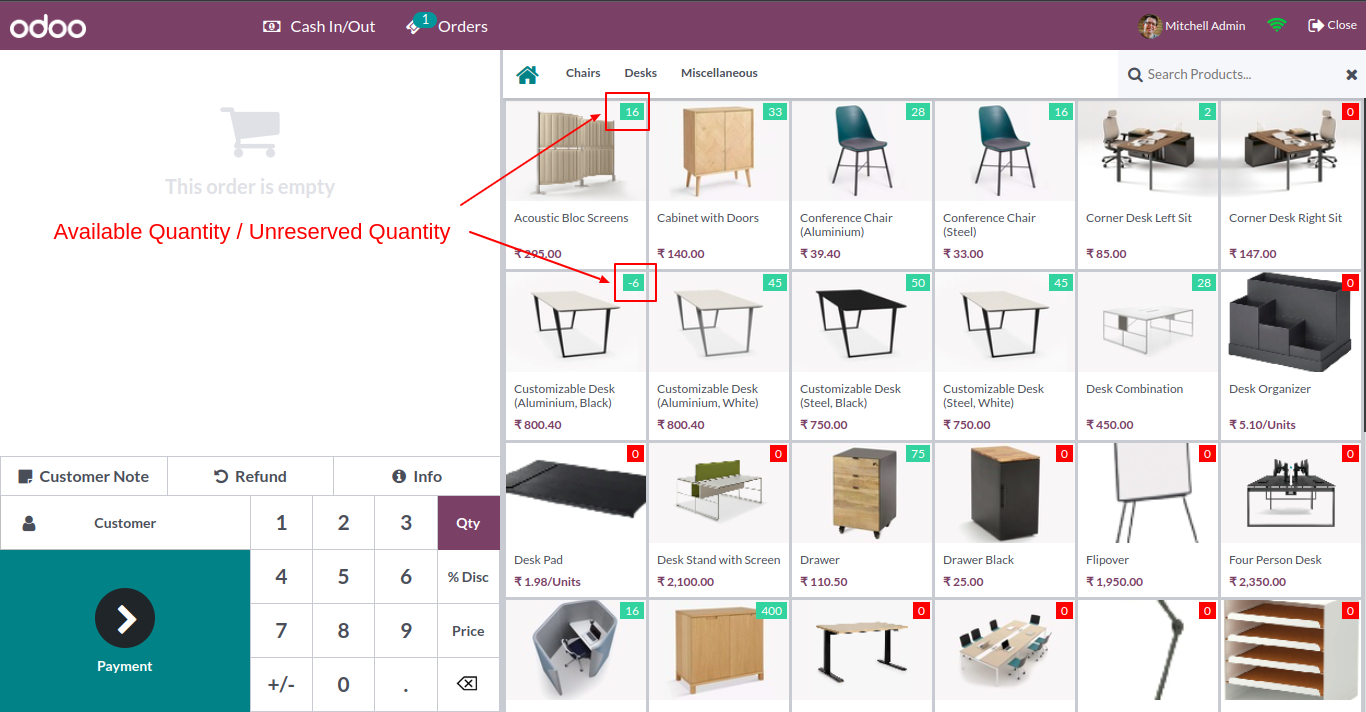
It shows product available/unreserved quantity as per configuration.
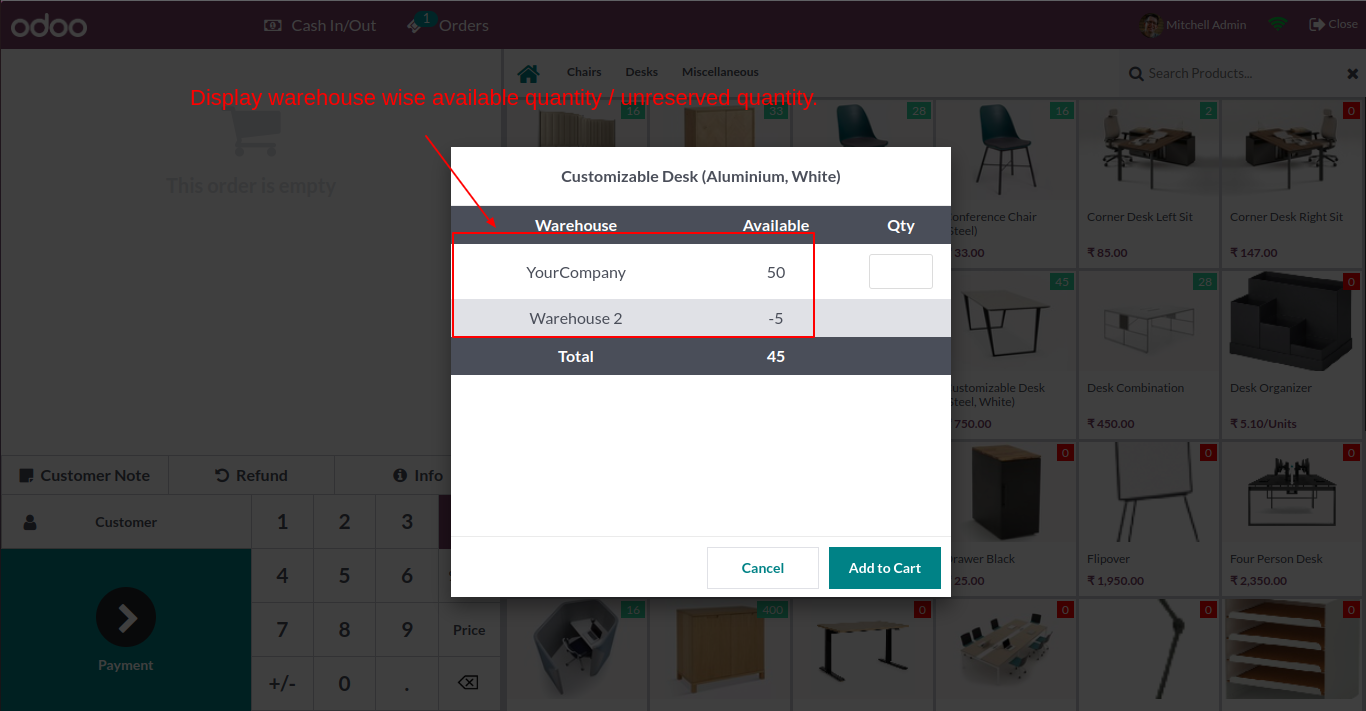
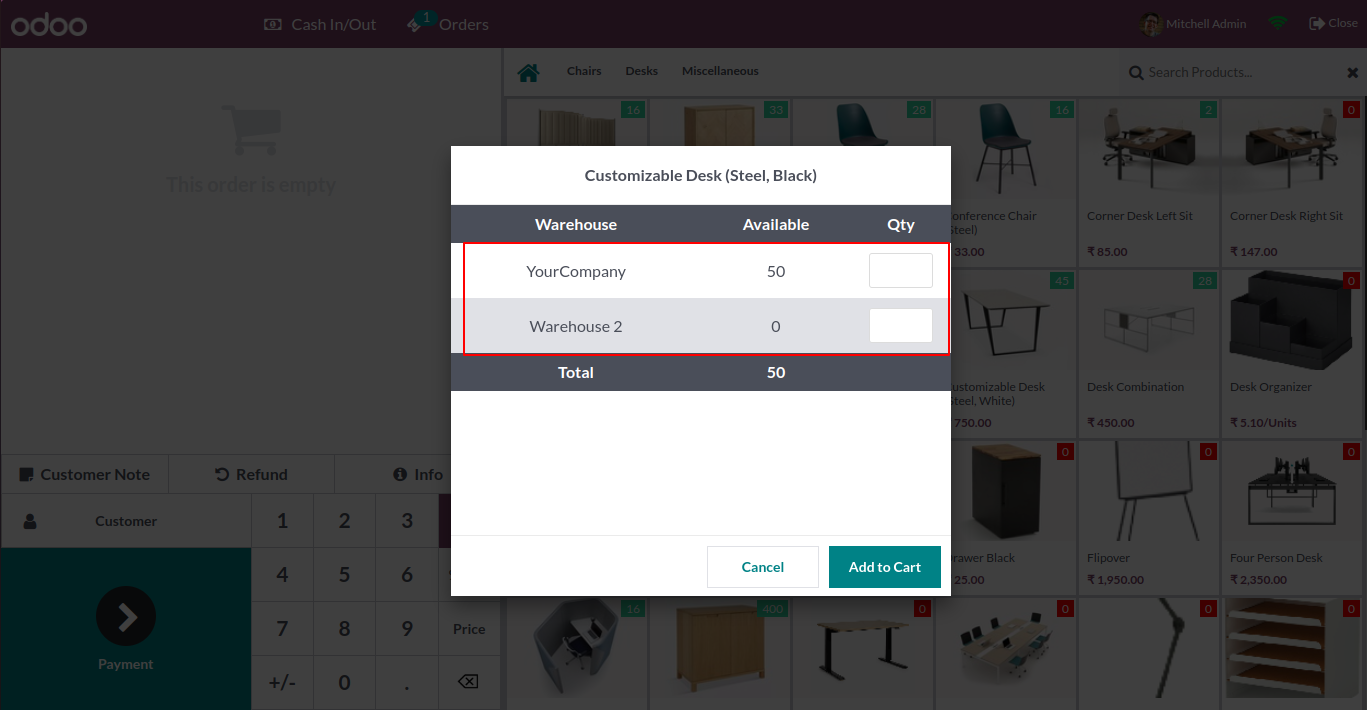
After click on the product wizard opens, you can select product qty from a different warehouse.
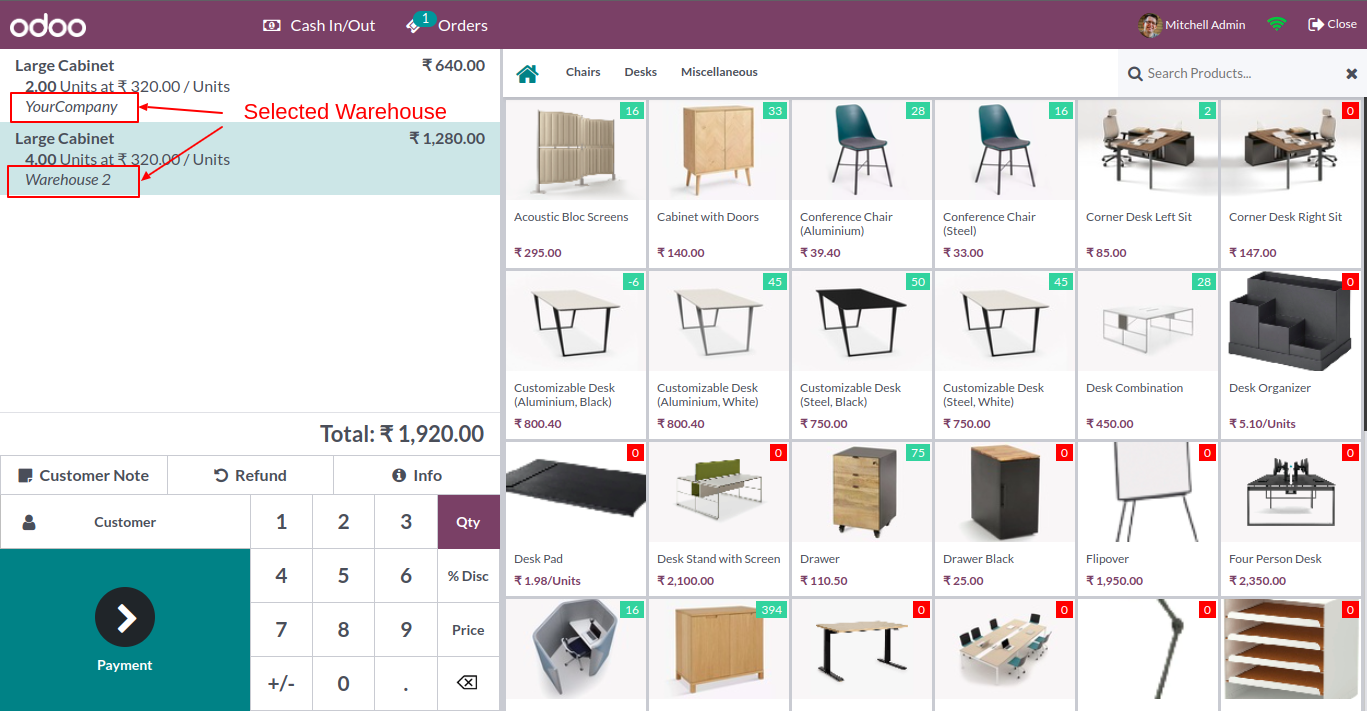
In the cart, it shows the selected product with the warehouse.
Now we purchase 3 qty from the warehouse where qty is "33".
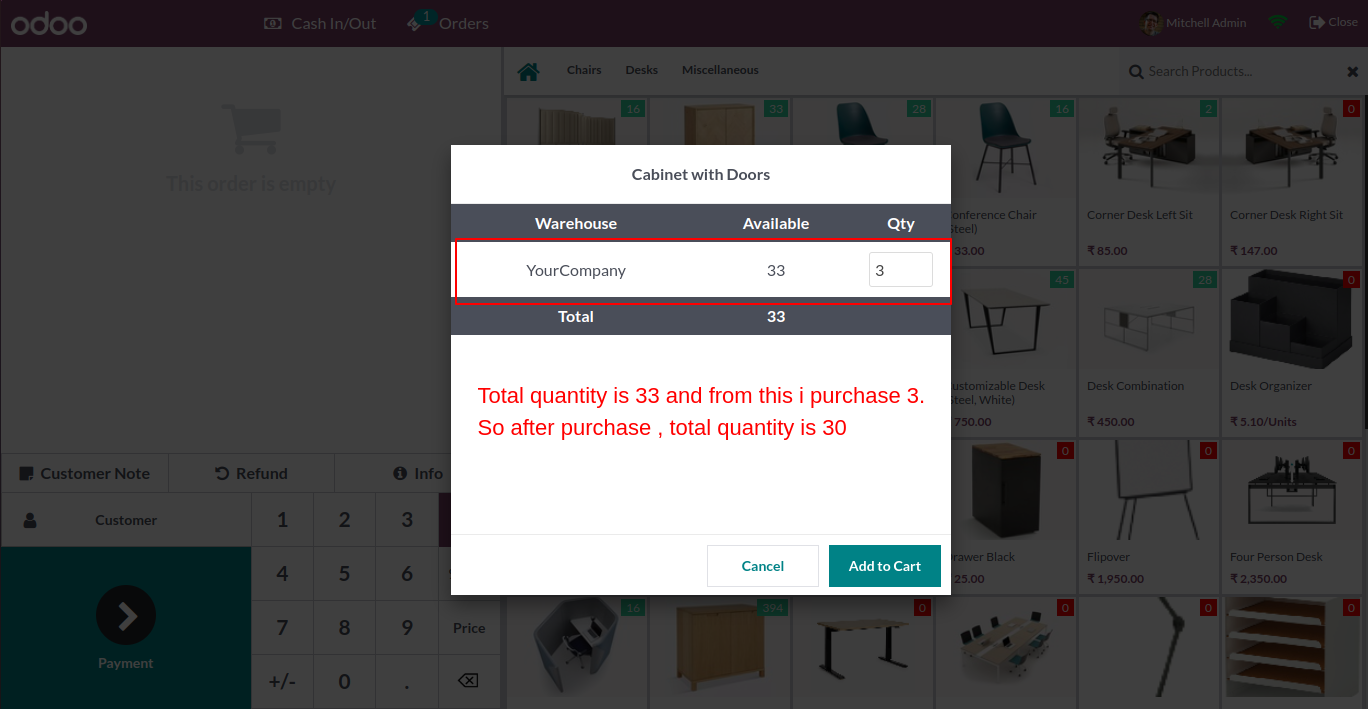
Create an order.
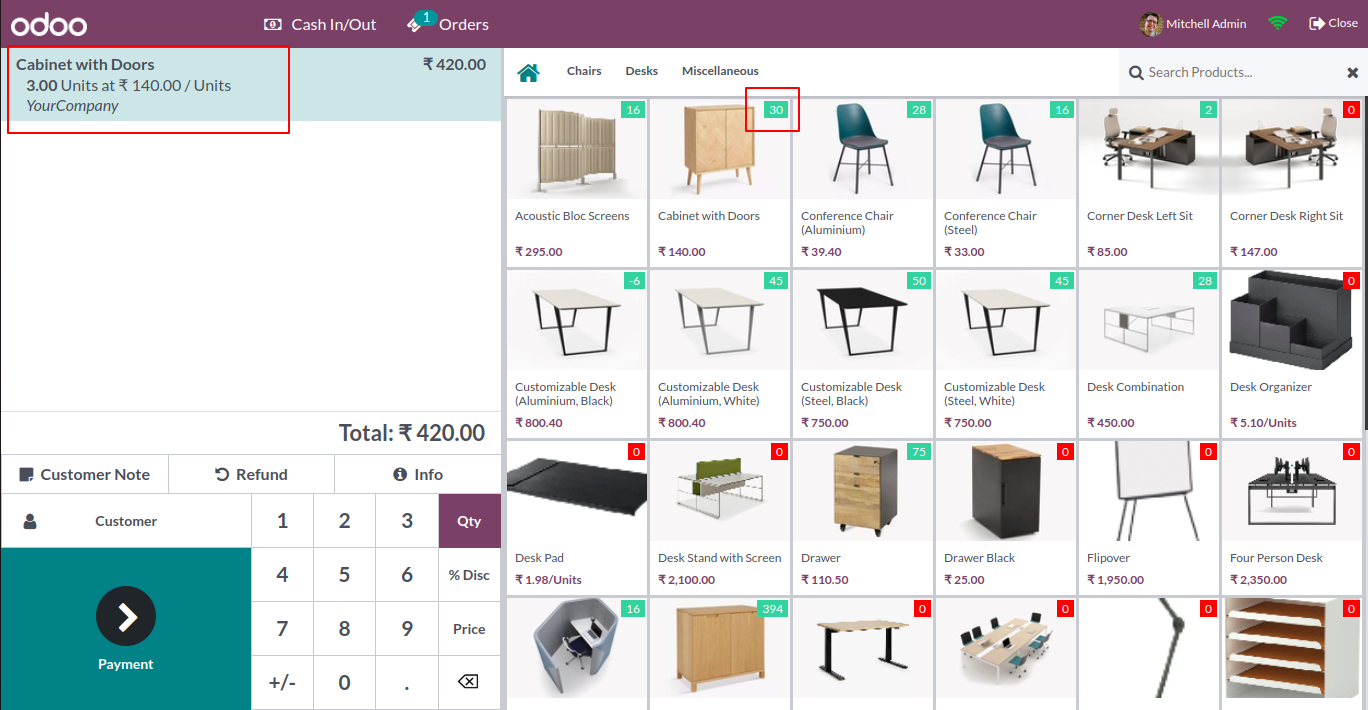
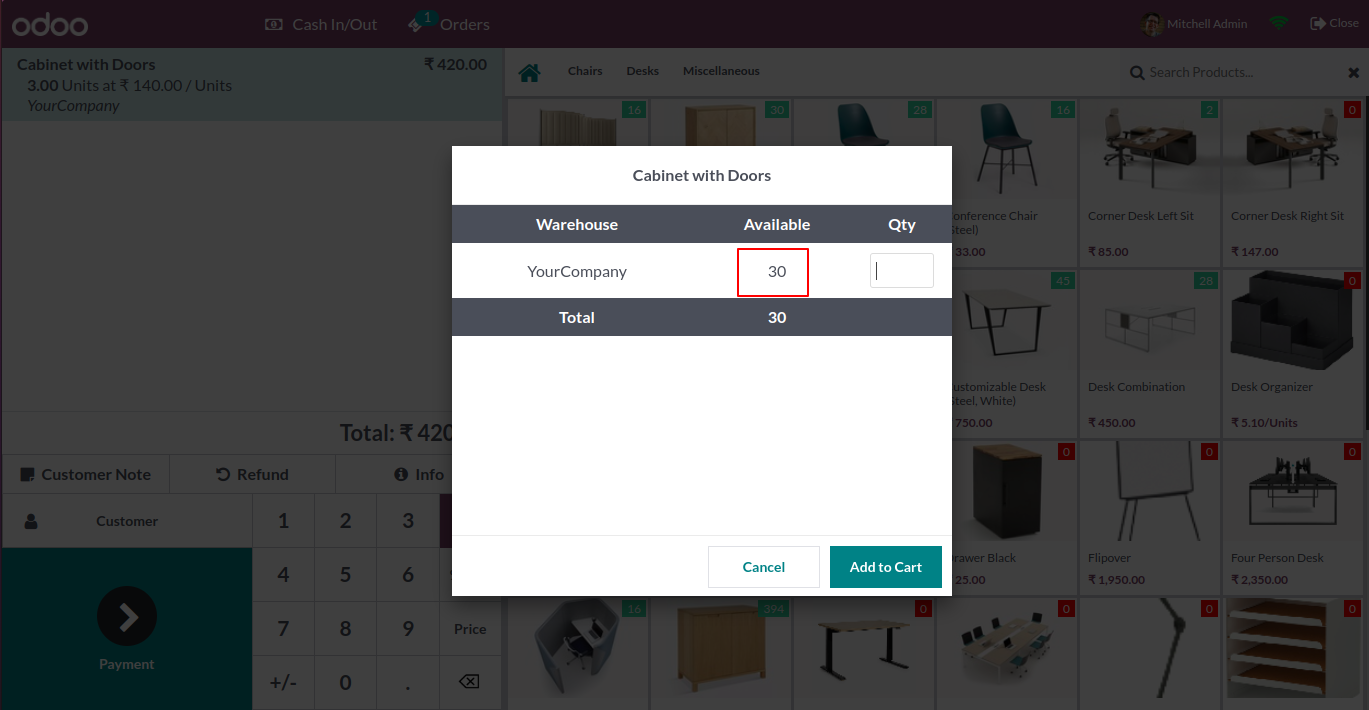
So now the warehouse qty is "30".
Now we enable negative selling.
It display all warehouse when negative selling is on.
Version 18.0.4 | Released on : 29th Aug 2025
Version 18.0.3 | Released on : 23rd May 2025
Version 18.0.2 | Released on : 22nd March 2025
Version 18.0.1 | Released on : 4thMarch 2025
- Yes, this app works perfectly with Odoo Enterprise (Odoo.sh & Premise) as well as Community.
- No, this application is not compatible with odoo.com(odoo saas).
- No, this application is not compatible with odoo.com(odoo saas).
- Please Contact Us at sales@softhealer.comto request customization.
- Yes, we provide free support for 100 days.
- Yes, you will get free update for lifetime.
- No, you don't need to install addition libraries.
- No, this app does not provide real-time quantity updates.
- Yes, You have to download module for each version (13,14,15) except in version 12 or lower.
- No, We do not provide any kind of exchange.
