

 Easy to Manage
 Dedicated Support
















 Scan to email sales





POS Gift Receipt Print

POS Gift Receipt allows cashiers to create and print personalized gift receipts directly from the Odoo Point of Sale. Users can enter recipient details, add personal messages, select specific products and quantities, control price visibility, print multiple copies, and reprint gift receipts from existing POS orders. This helps businesses provide a professional gifting experience while keeping purchase information flexible and easy to manage.

Features

Enable POS Gift Receipt
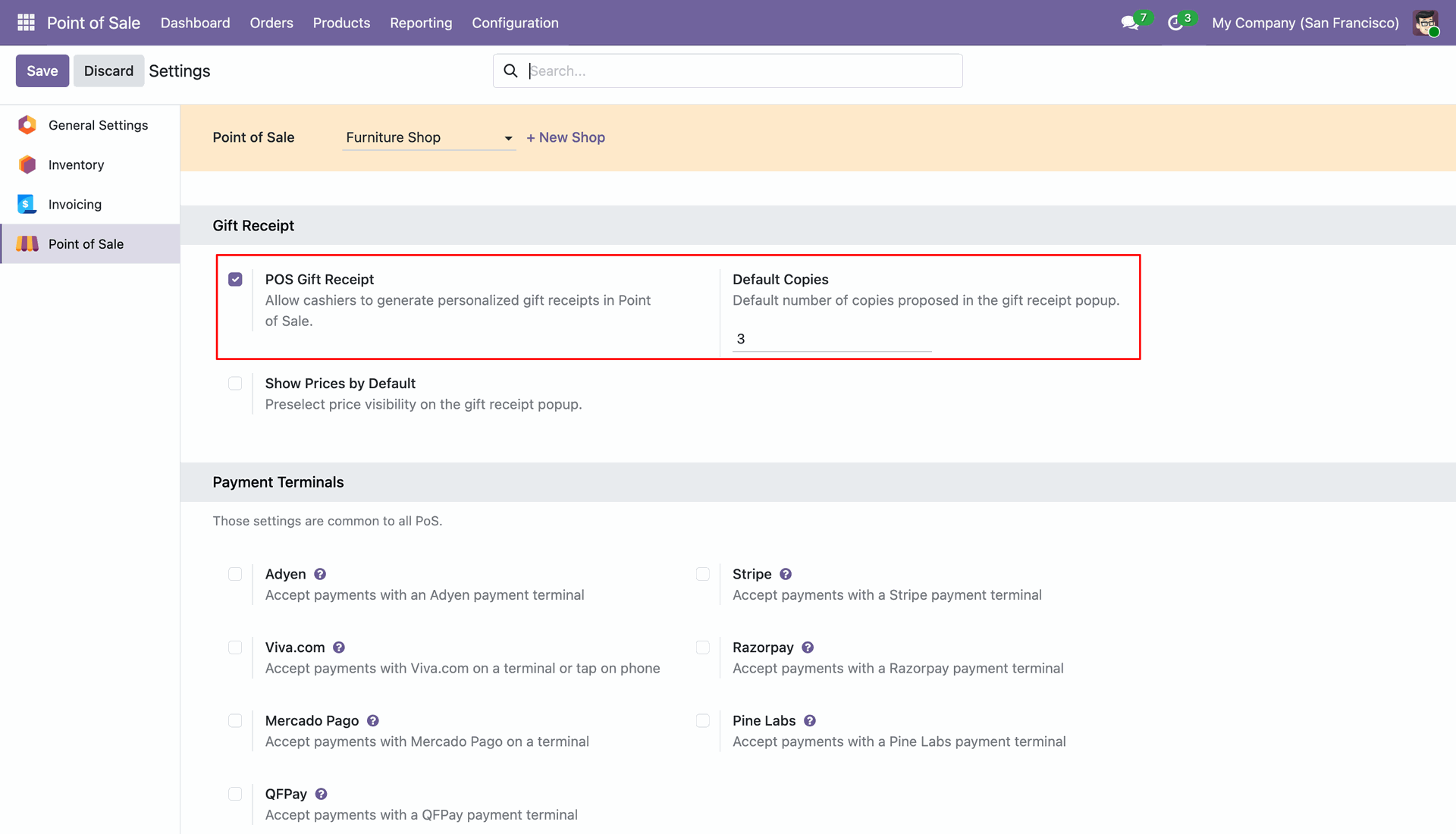
Enable the Gift Receipt feature from Point of Sale settings and define the default number of gift receipt copies.

Show Prices on Gift Receipt
Choose whether product prices should be displayed or hidden on gift receipts by default.

Gift Receipt Button in POS
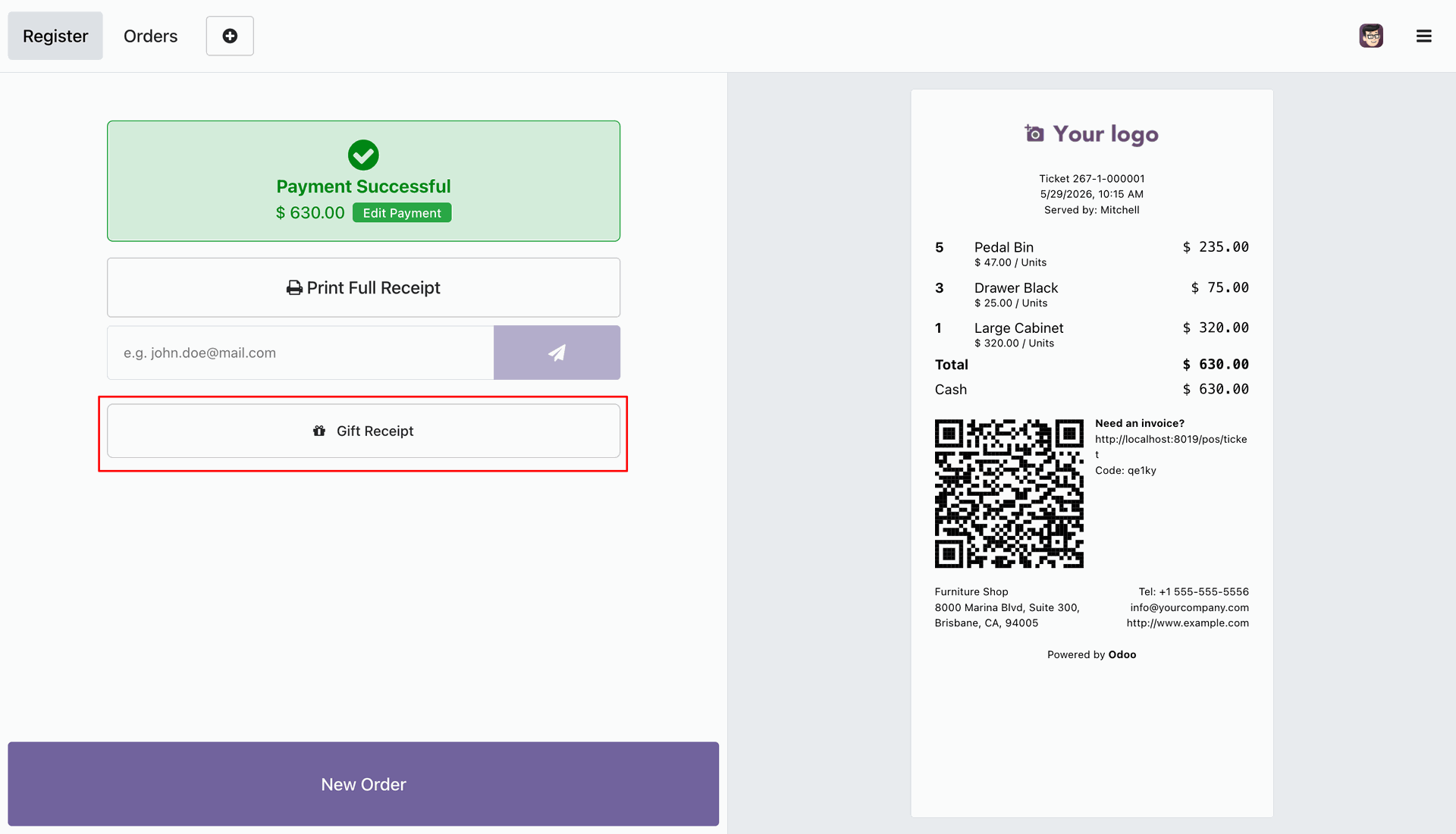
Generate gift receipts directly from the POS payment screen using the dedicated Gift Receipt button.

Recipient Information
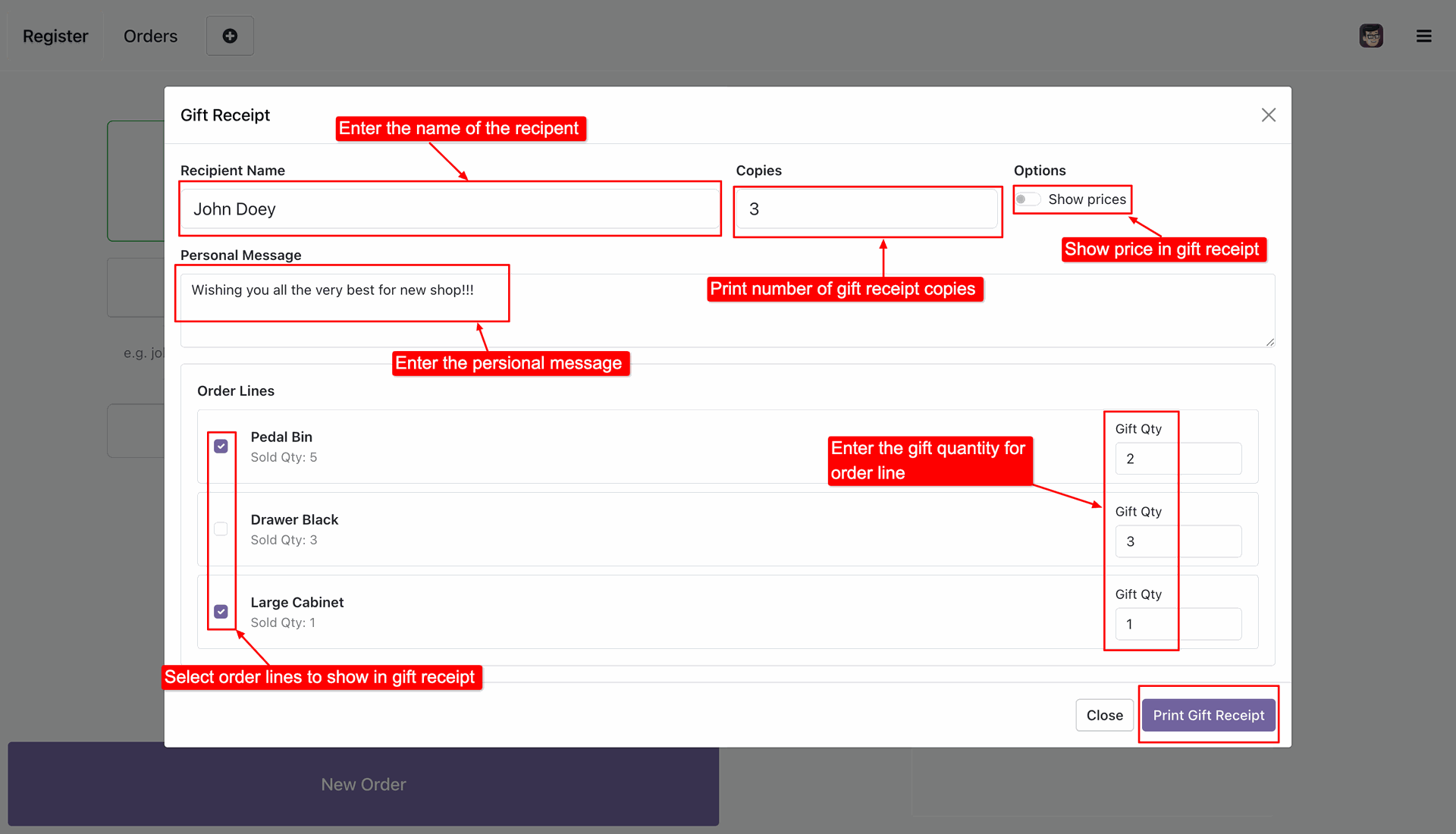
Enter the recipient's name and add a personal message before printing the gift receipt.

Select Products for Gift Receipt
Choose which order lines should appear on the gift receipt and specify gift quantities for each selected product.

Optional Price Visibility
Enable or disable price display for individual gift receipts during the printing process.

Reprint Gift Receipts
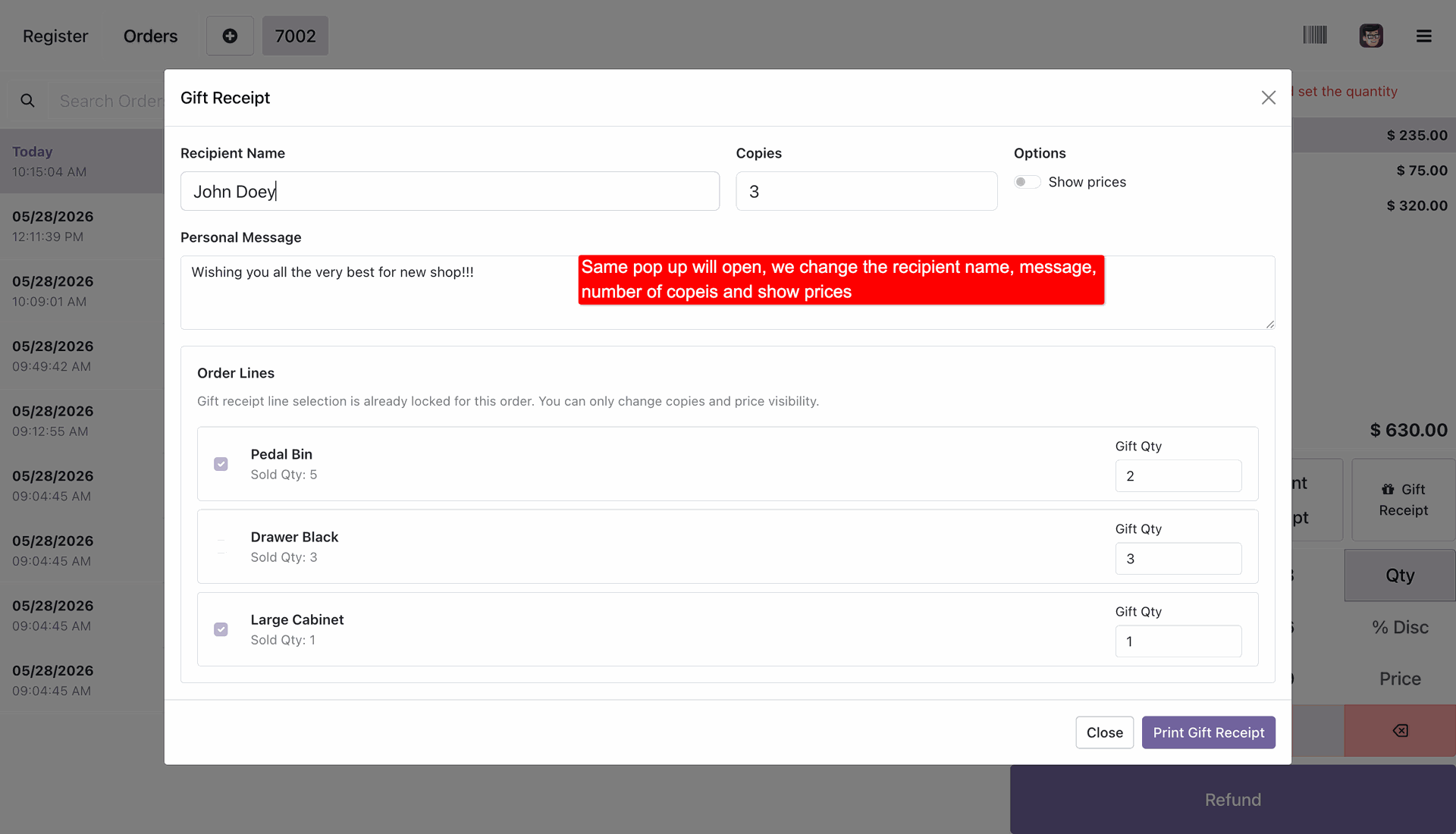
Open previously created gift receipts from POS orders and update recipient details before reprinting.

Gift Receipt Preview & Printing
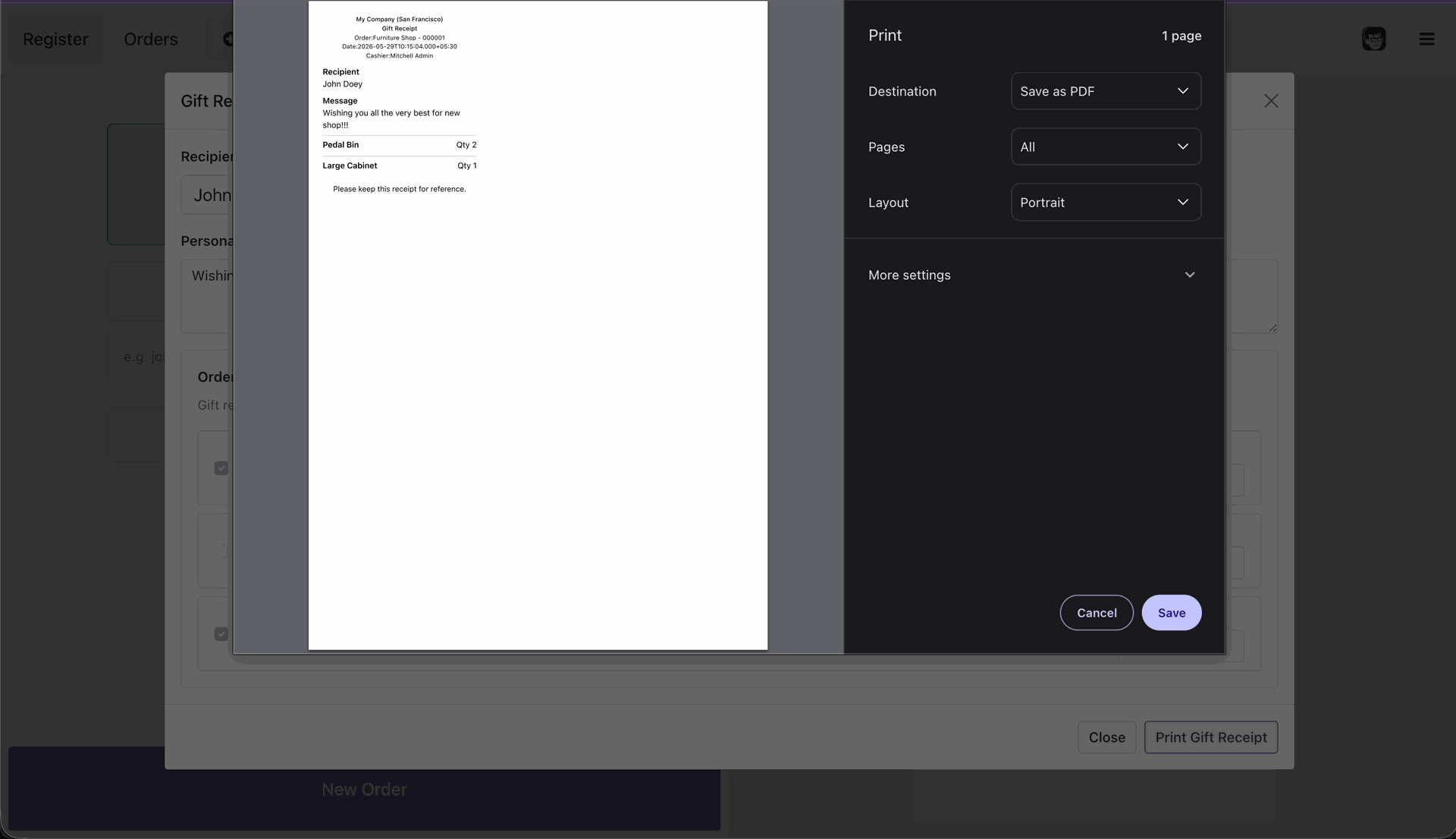
Generate and print a clean gift receipt containing recipient details, personal messages, and selected products.
System administrators can enable the gift receipt functionality and configure default options, such as the default number of copies, from the POS settings panel.
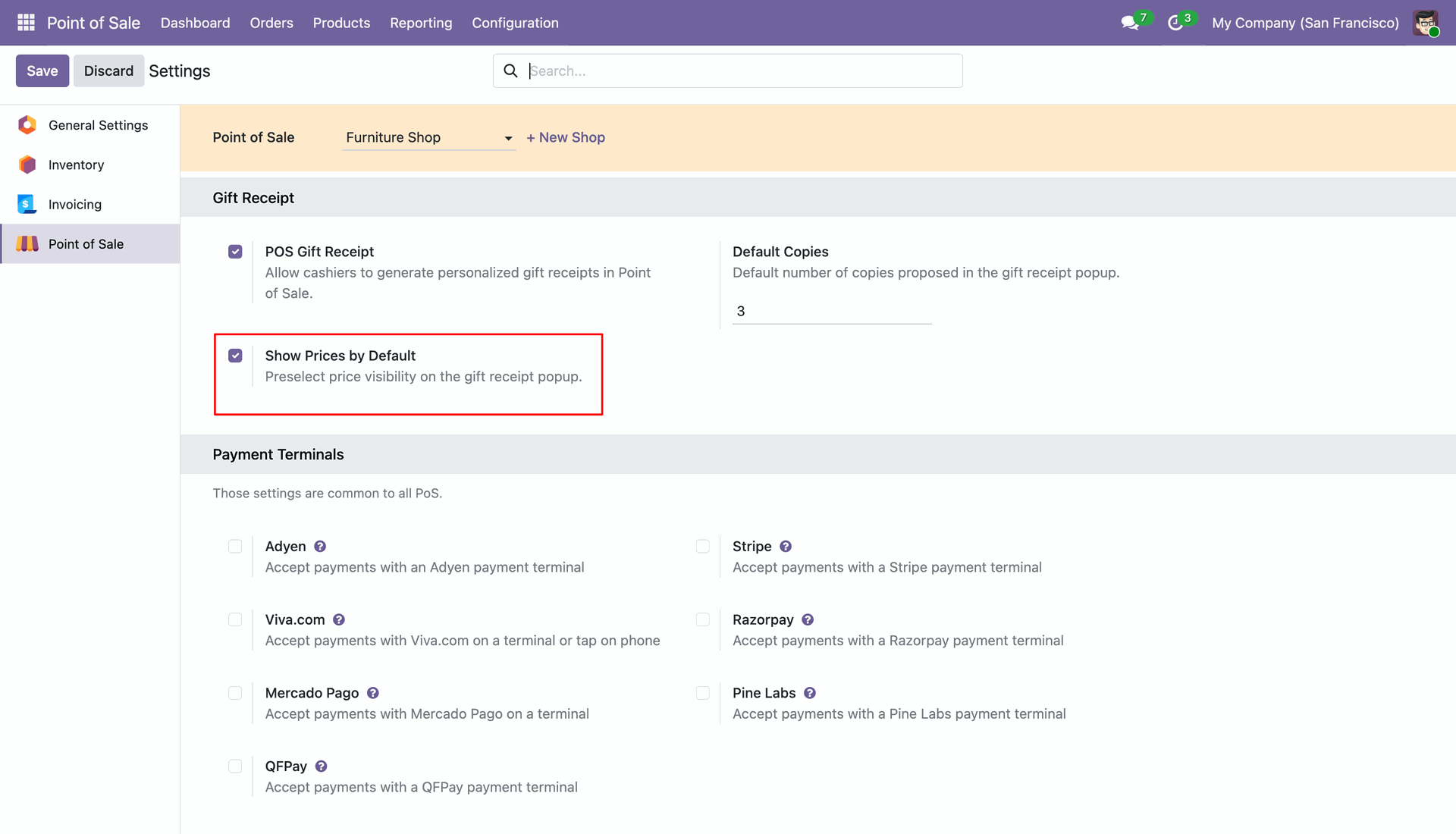
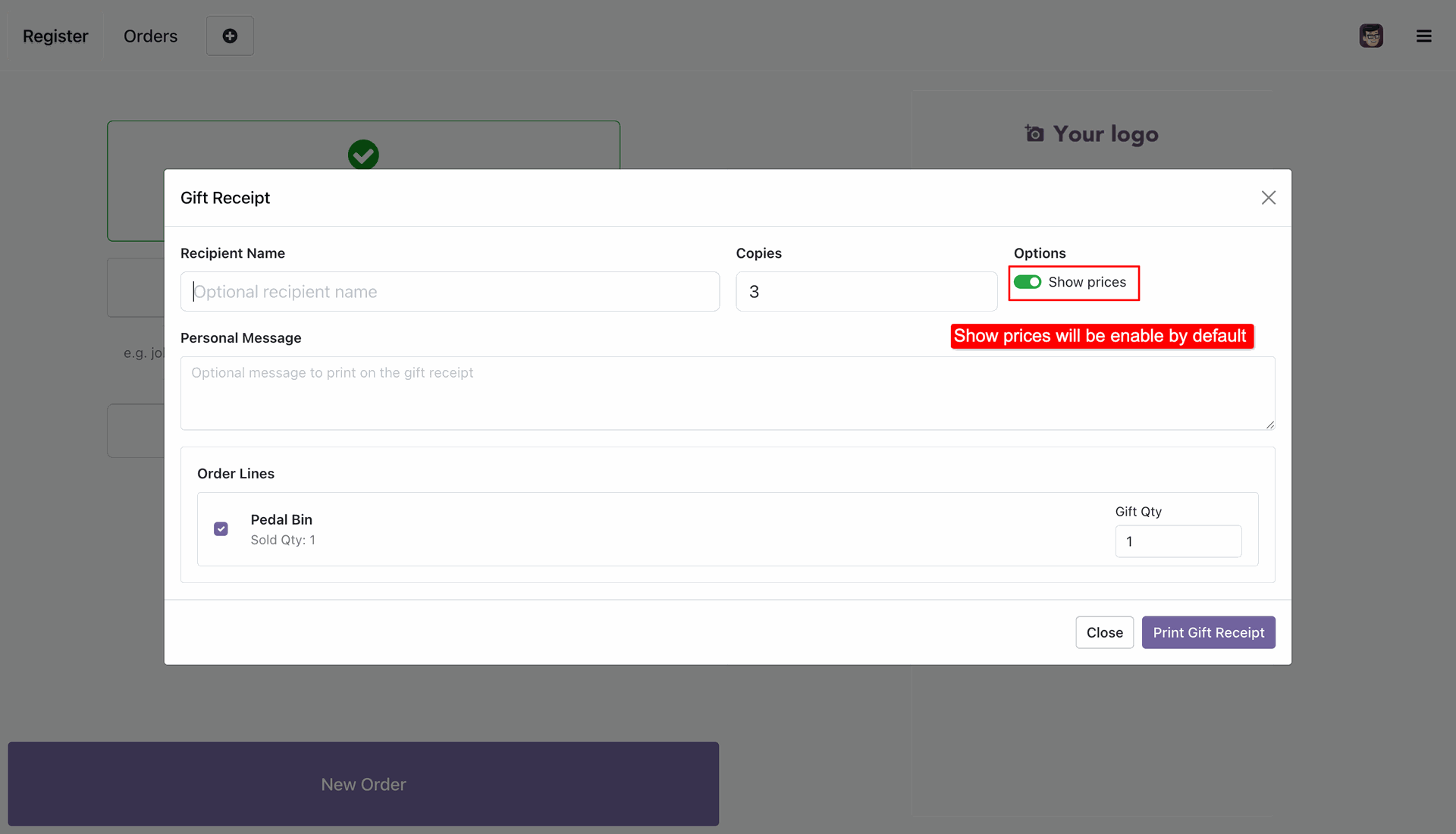
Enabling the 'Show Prices by Default' settings configuration will pre-select the price visibility toggle on the gift receipt customization popup.
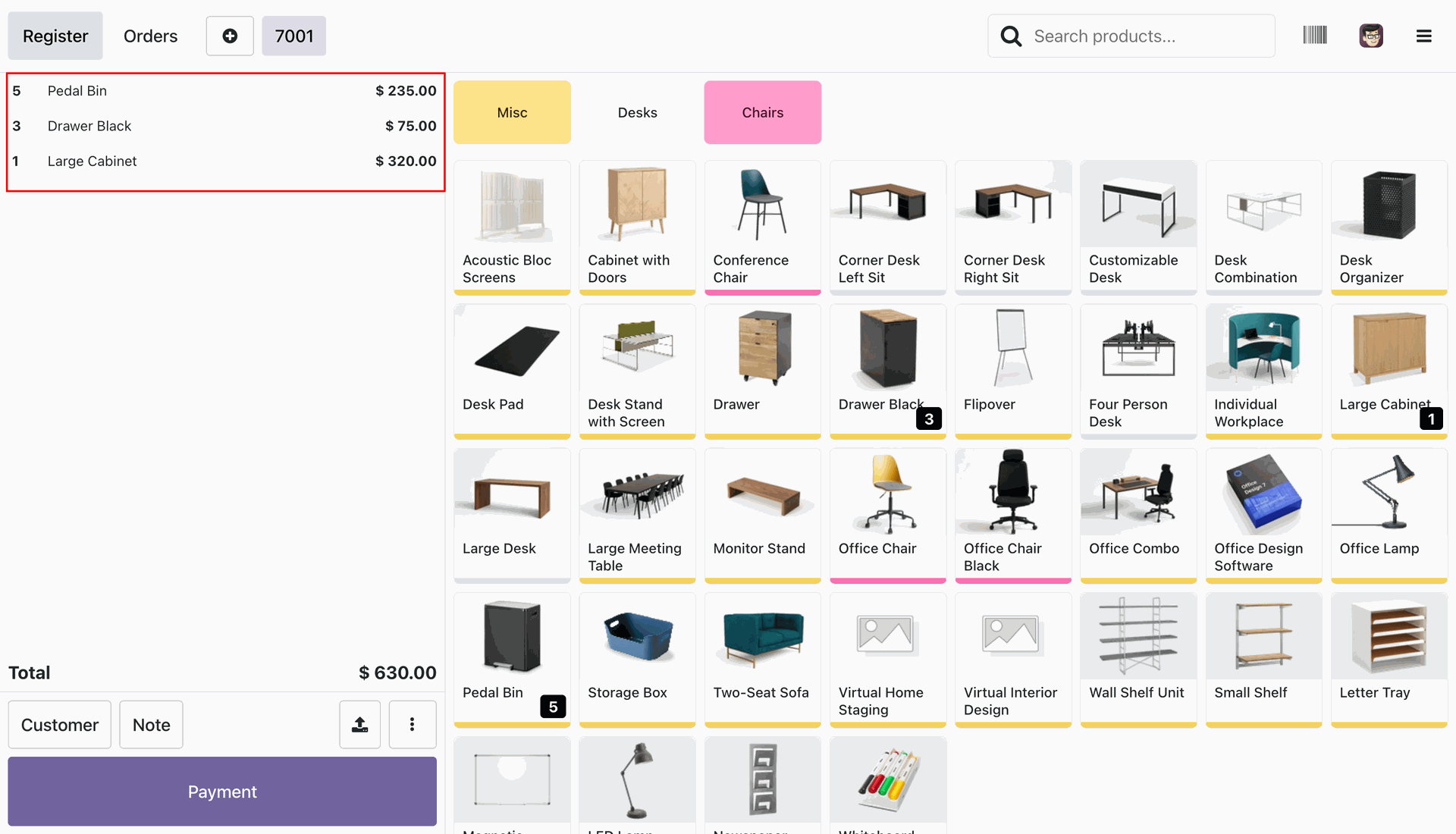
Cashiers can review the active order lines and quantities in the shopping cart during a register session before proceeding to checkout.
Cashiers can quickly generate gift receipts directly from the POS Payment Successful screen using the dedicated Gift Receipt button.
A comprehensive popup dialog appears where cashiers can specify the recipient name, set copies count, toggle price visibility, add a personal message, and select specific order lines.
The 'Show prices' toggle switch is automatically enabled by default when opening the gift receipt popup, following the settings default.
Cashiers can preview and print the customized gift receipt, which displays the recipient name and custom message while hiding prices for a premium experience.
Cashiers can access past paid orders from the POS Orders history screen to print gift receipts at any time.
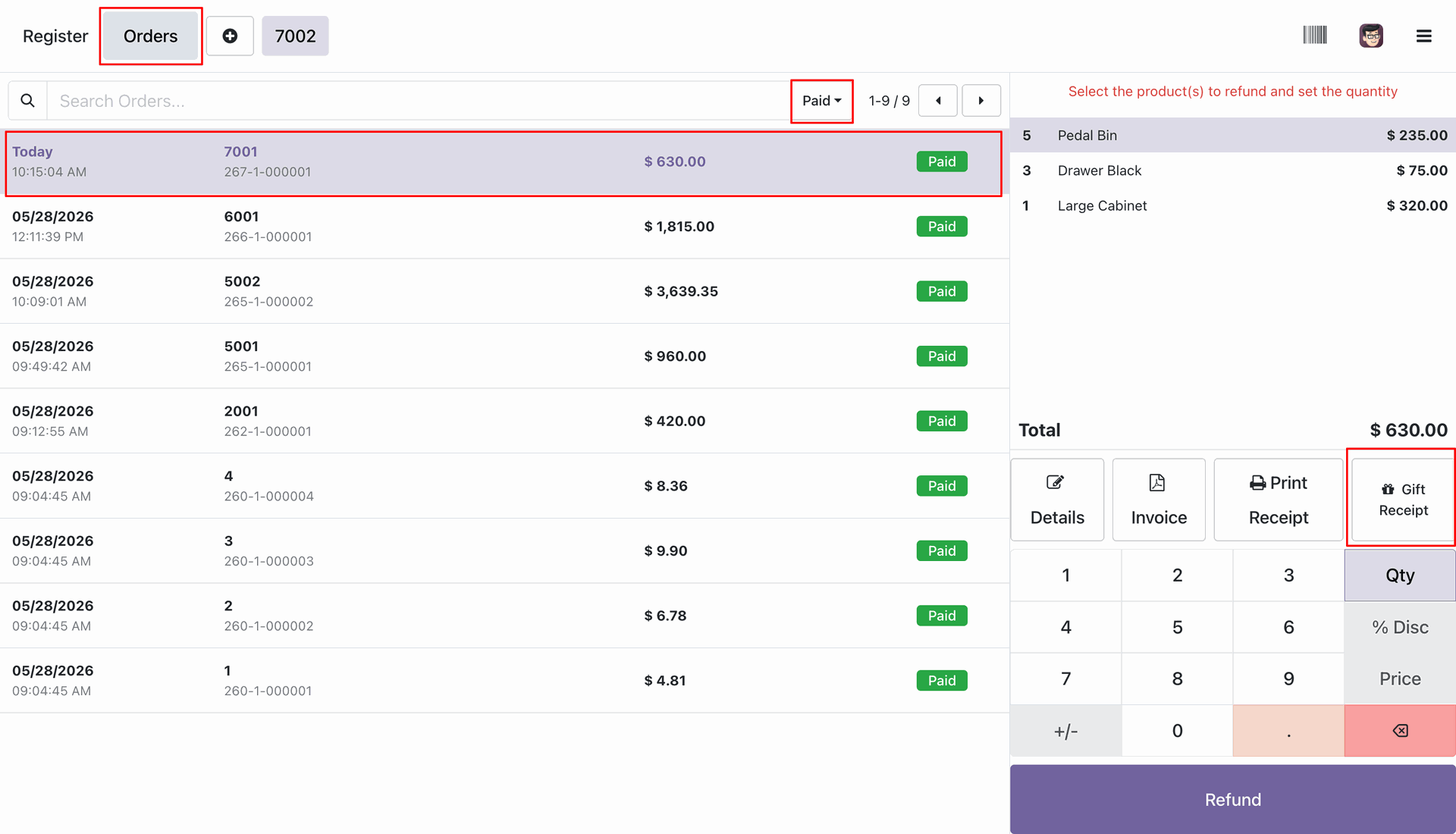
When printing from order history, the order line quantity selections are locked, while other fields remain fully customizable.
Version 18.0.1.0.0 | Released on : 06th July 2026
- Yes, this app works perfectly with Odoo Enterprise (Odoo.sh & Premise) as well as Community.
- No, this application is not compatible with odoo.com(odoo saas/Odoo Online)
- Yes, to test this module, please contact us at sales@softhealer.com.
- Please contact us at sales@softhealer.com to request customization.
- Yes, we provide free support for 365 days from the date of purchase.
- Yes, you will receive lifetime free updates for the version of the module you purchased.
- No, there is no need to install any additional libraries.
- Yes, for version 12 and above, you need to purchase the module separately for each version you intend to use.
- No, exchanges or refunds are not allowed. Please make sure to select the correct version before purchasing.
- You can contact us at support@softhealer.com for language translation support. We use Google Translator tools to provide translations in multiple languages, so the accuracy may vary. We welcome your suggestions to help improve translations.
Discover Our Latest Apps