











POS Employee Attendance

Simplify employee attendance directly from the Odoo Point of Sale interface. Allow employees to check in and check out from the POS with configurable role-based access. Define Basic, Advanced, and Minimal rights for selected employees. The module provides an intuitive attendance interface with one-click attendance and instant success notifications. This makes attendance tracking fast and convenient without leaving the POS environment.

Related Modules
Features
Role-Based Attendance Permissions
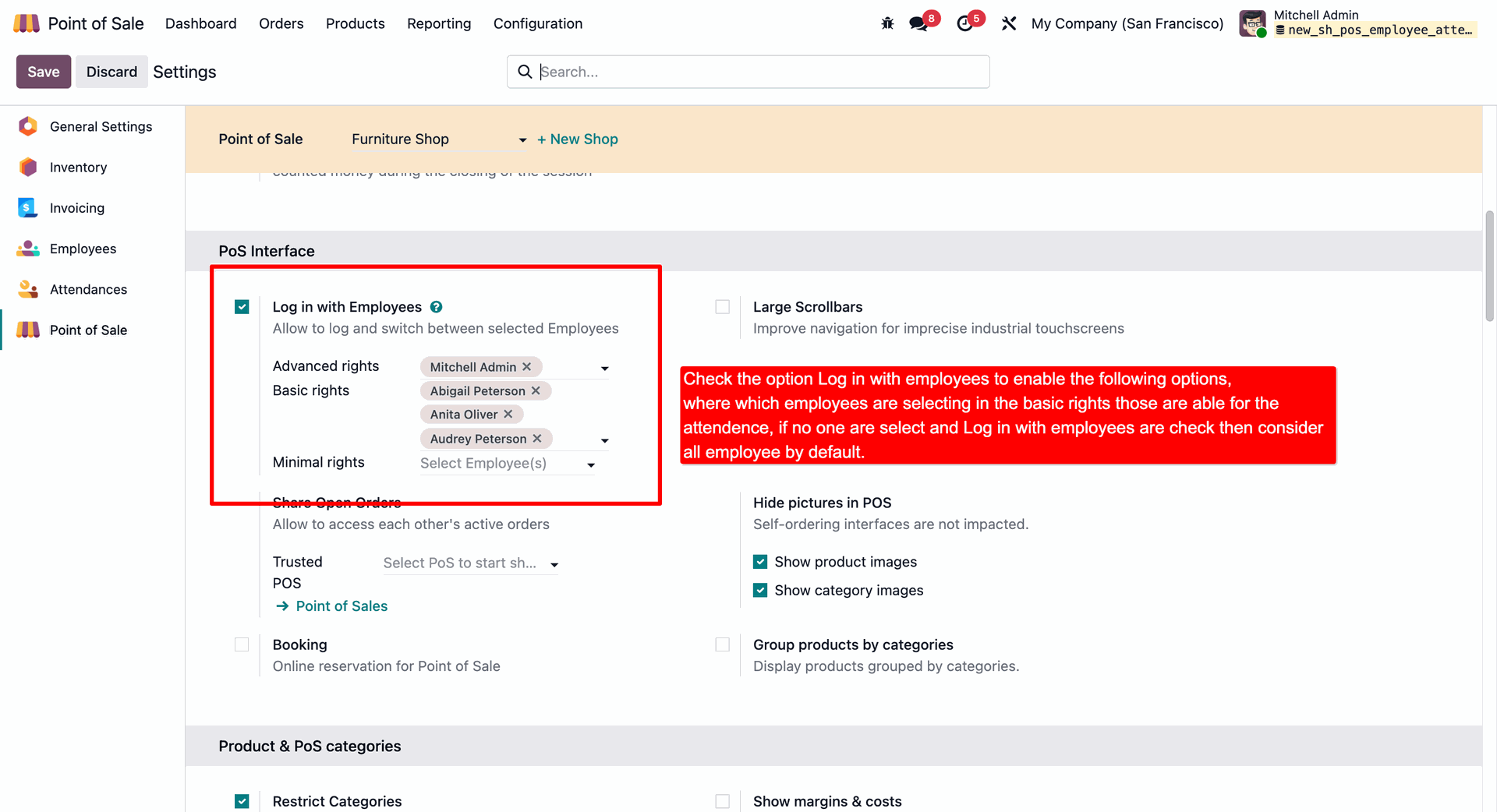
Assign Basic, Advanced, and Minimal rights to control which employees can access POS attendance features.
Check In/Check Out in POS
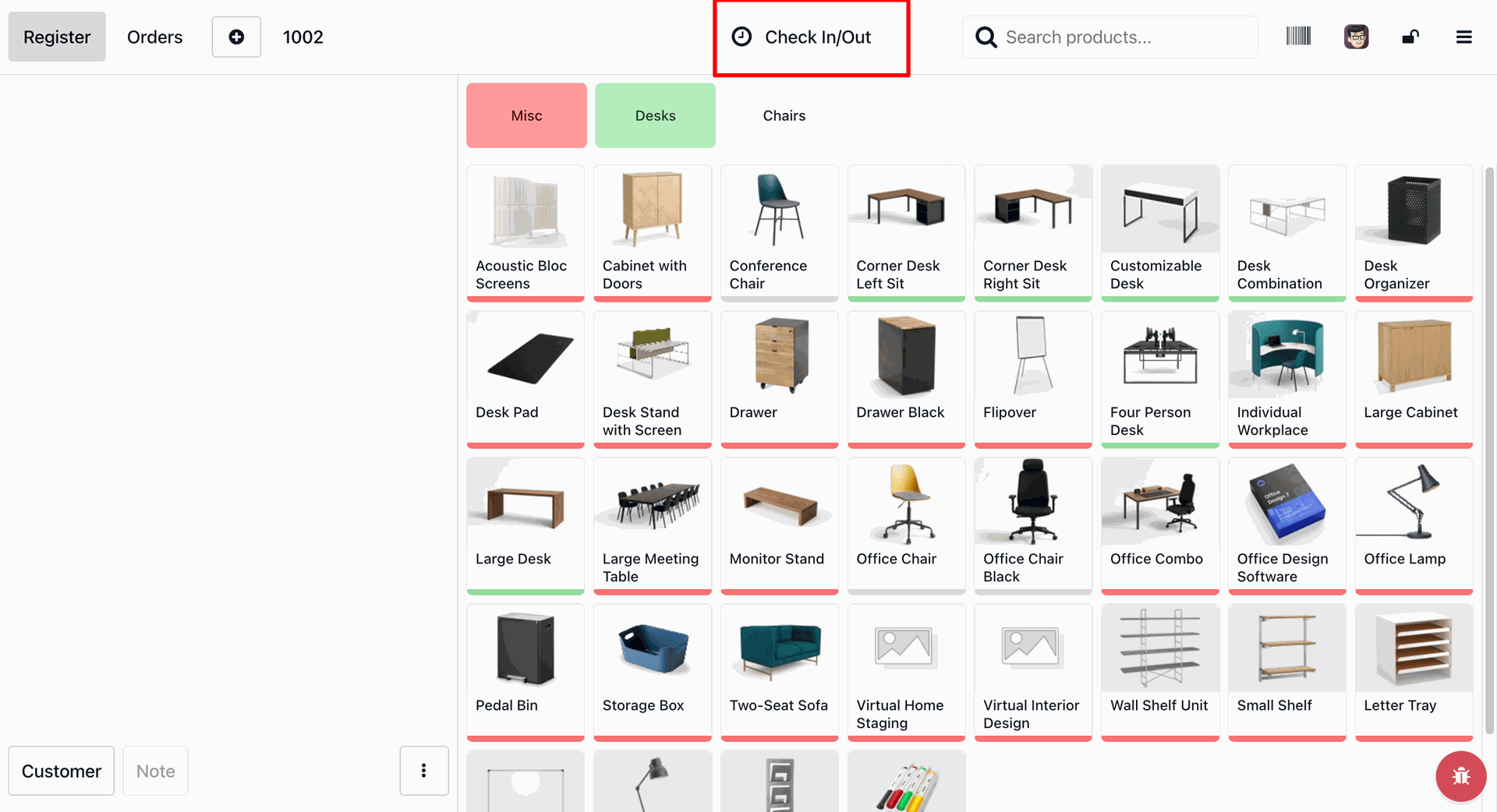
Allows employees to easily check in and check out directly from the Point of Sale interface with a simple header button.
Employee Card Selection
Displays a clean card layout for selecting the employee profile during check-in and check-out.
Secure PIN Verification
Ensures attendance integrity by prompting employees to enter their secure security PIN when logging in or out.

Real-Time Working Timer
Displays a live clock in the POS navbar to track employee session duration and total worked hours for the day.
Instant Attendance Notifications
Show real-time success notifications immediately after employee check in or check out for clear attendance confirmation.
Logout Work Description
Collects a summary/description of tasks completed by the employee upon checking out from the POS interface.
Backend Attendance Logs
Automatically stores check-in/out timestamps, work hours and task descriptions in the backend attendance records.

Employee Cost Calculation
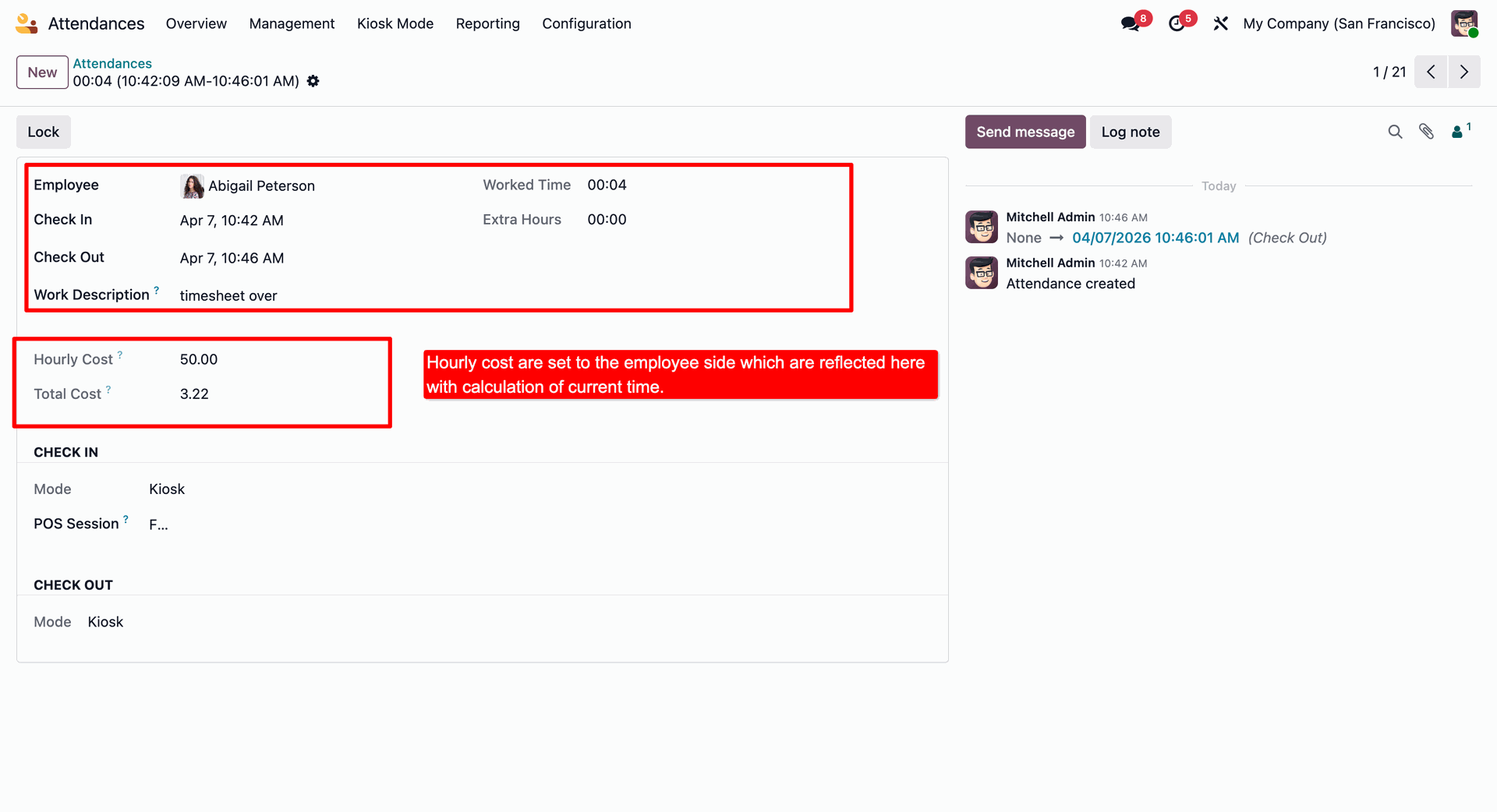
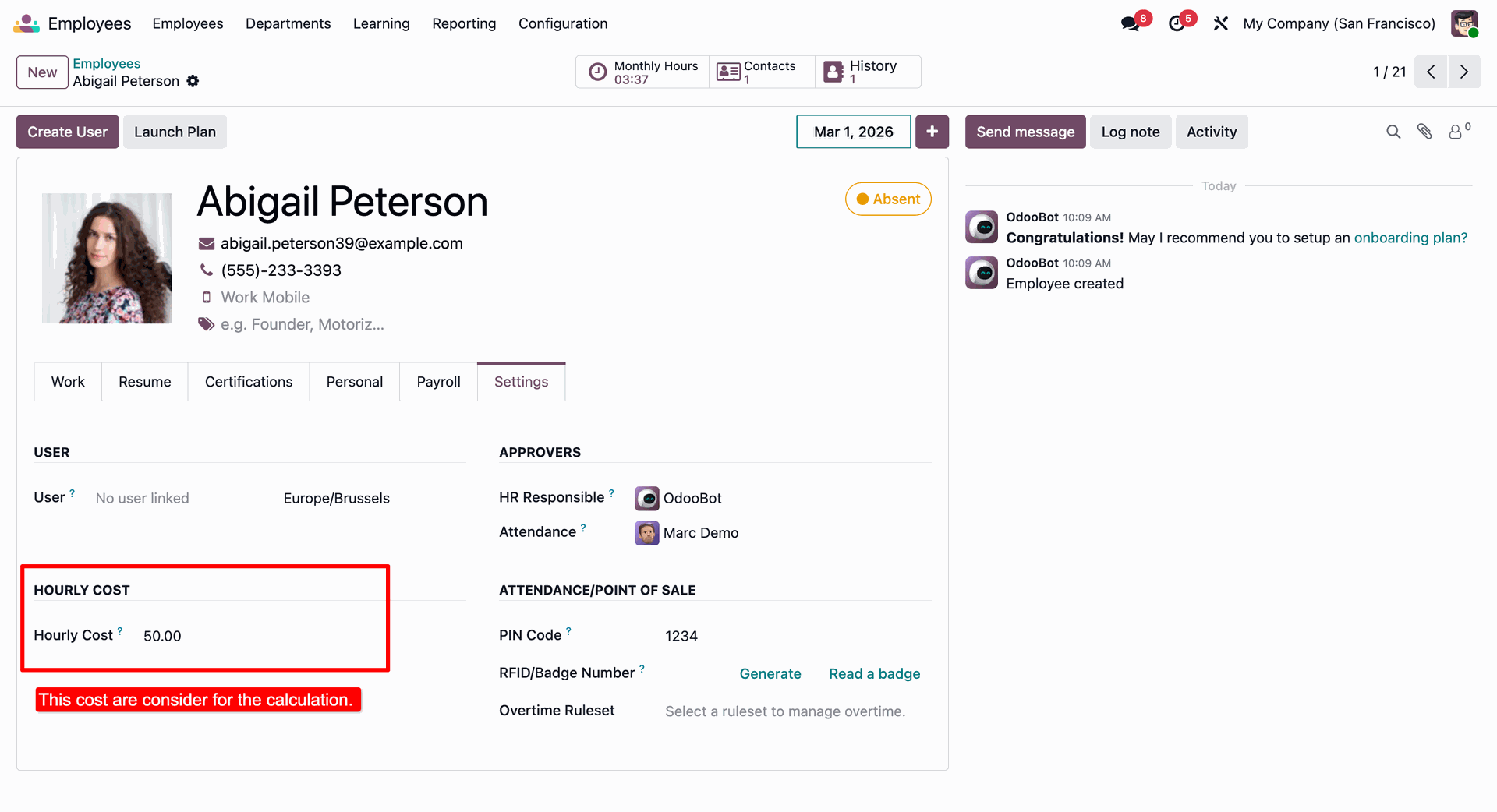
Computes the employee's hourly rate and total shift cost dynamically based on check-in and check-out durations.
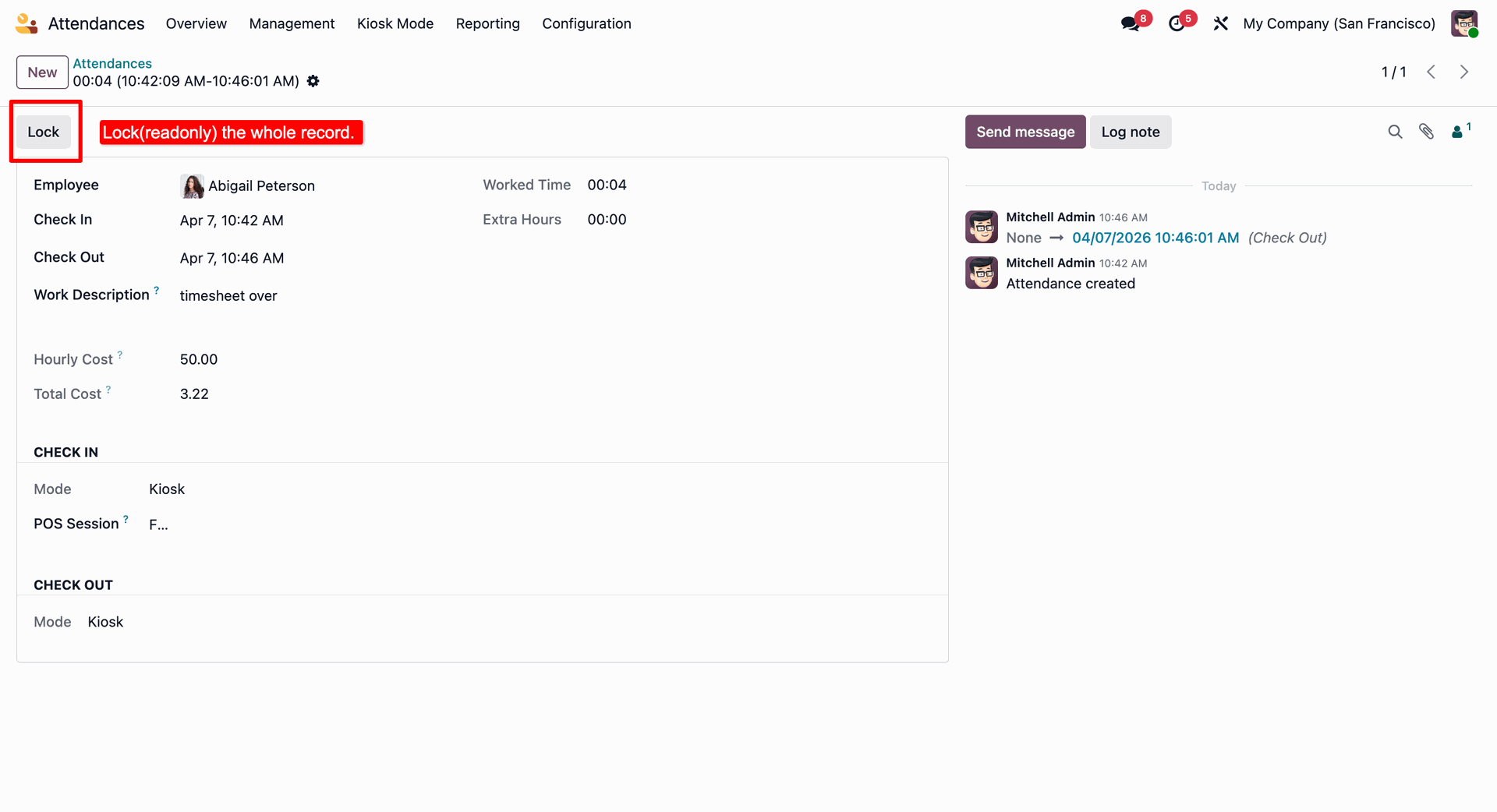
Lock/Unlock Attendance logs
Restricts modification of attendance records by locking them, helping prevent unauthorized edits after payroll run.
Configuring the Employee Rights in the POS Interface Settings.
Point of Sale Navbar showing Check In/Check Out Button.
Employee Attendance card view when clicking the Check In Button.
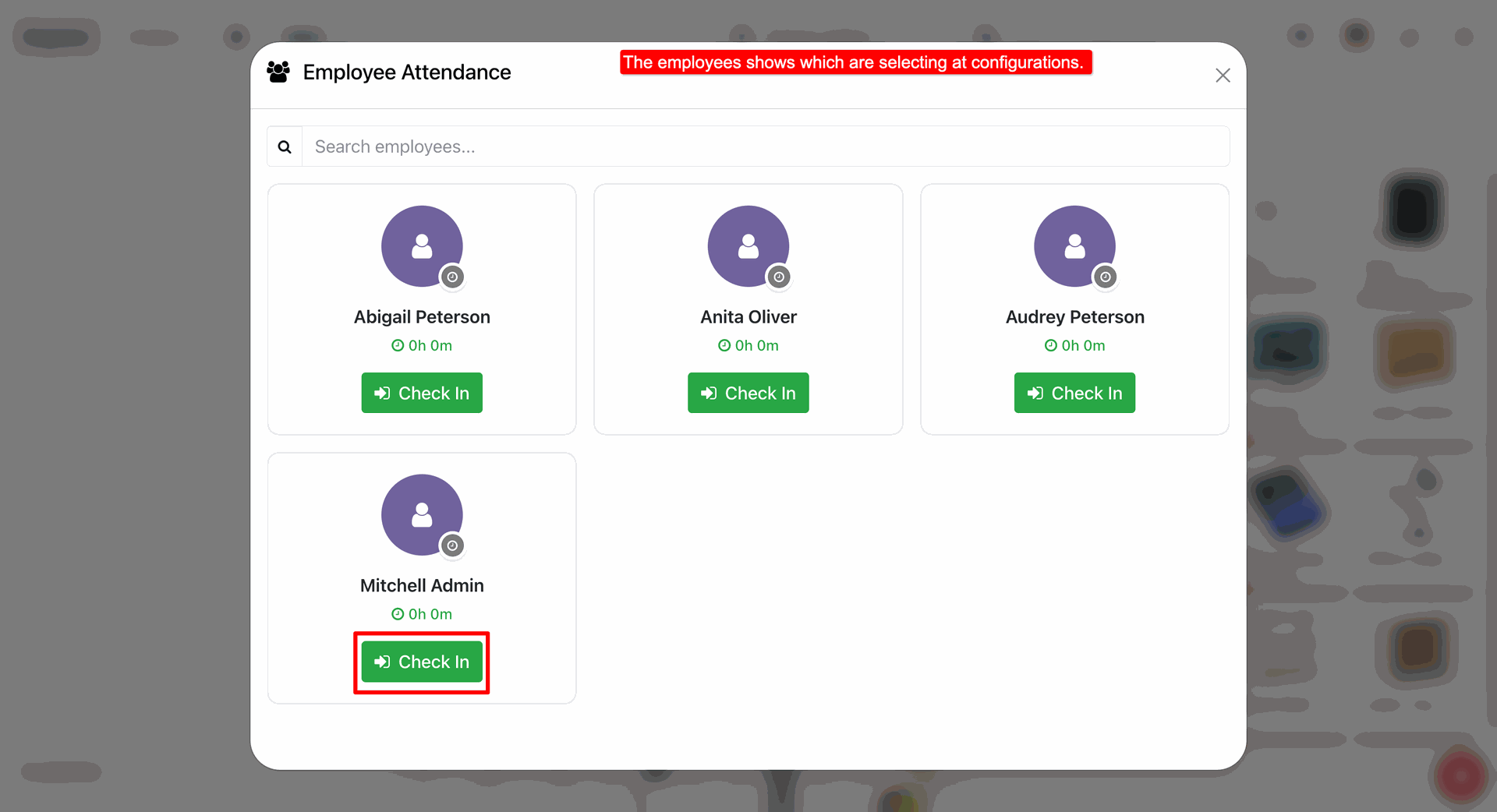
Notification stating that the user has checked in successfully.
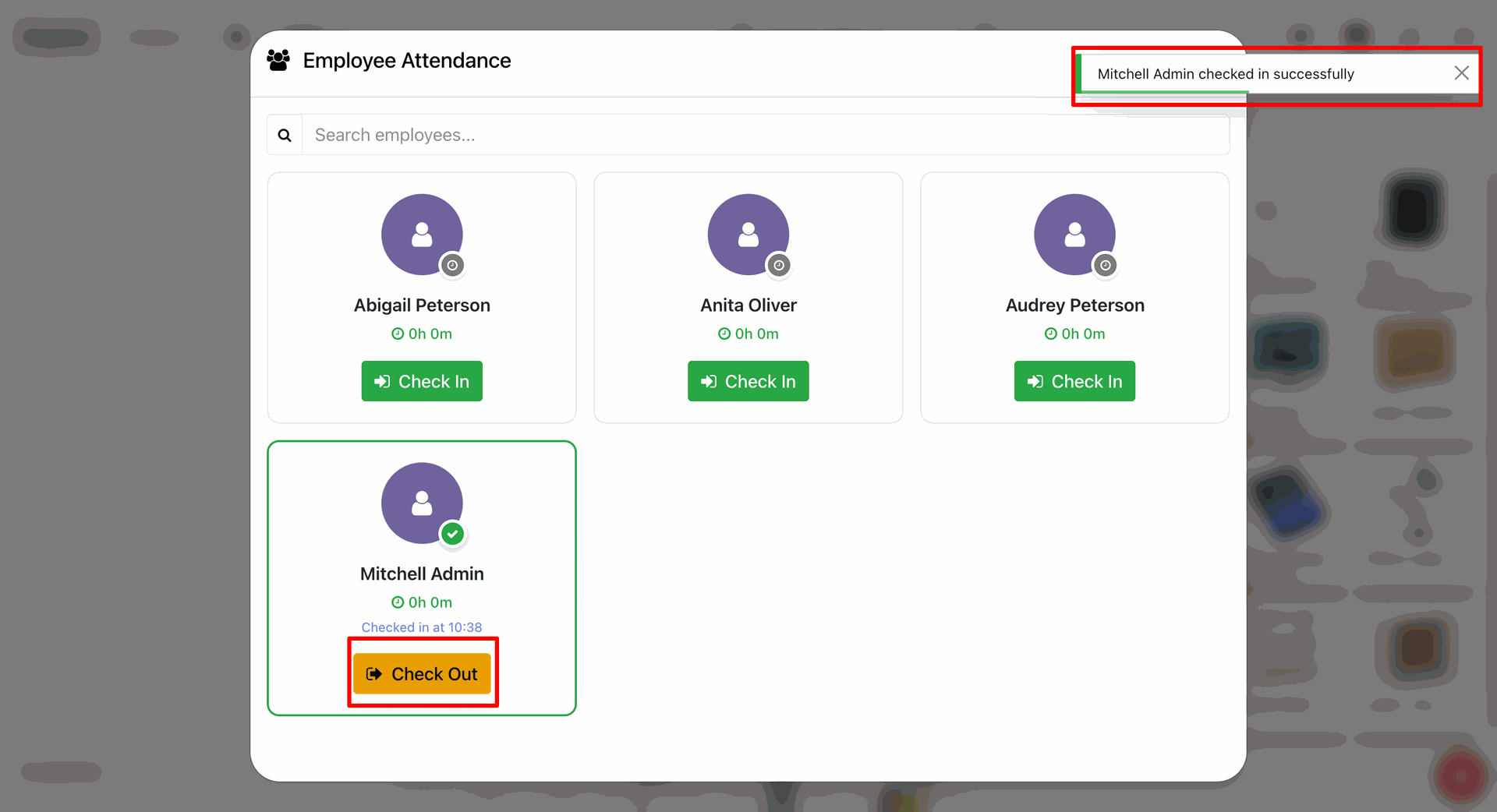
Employee successfully checked in with real-time Timer active.
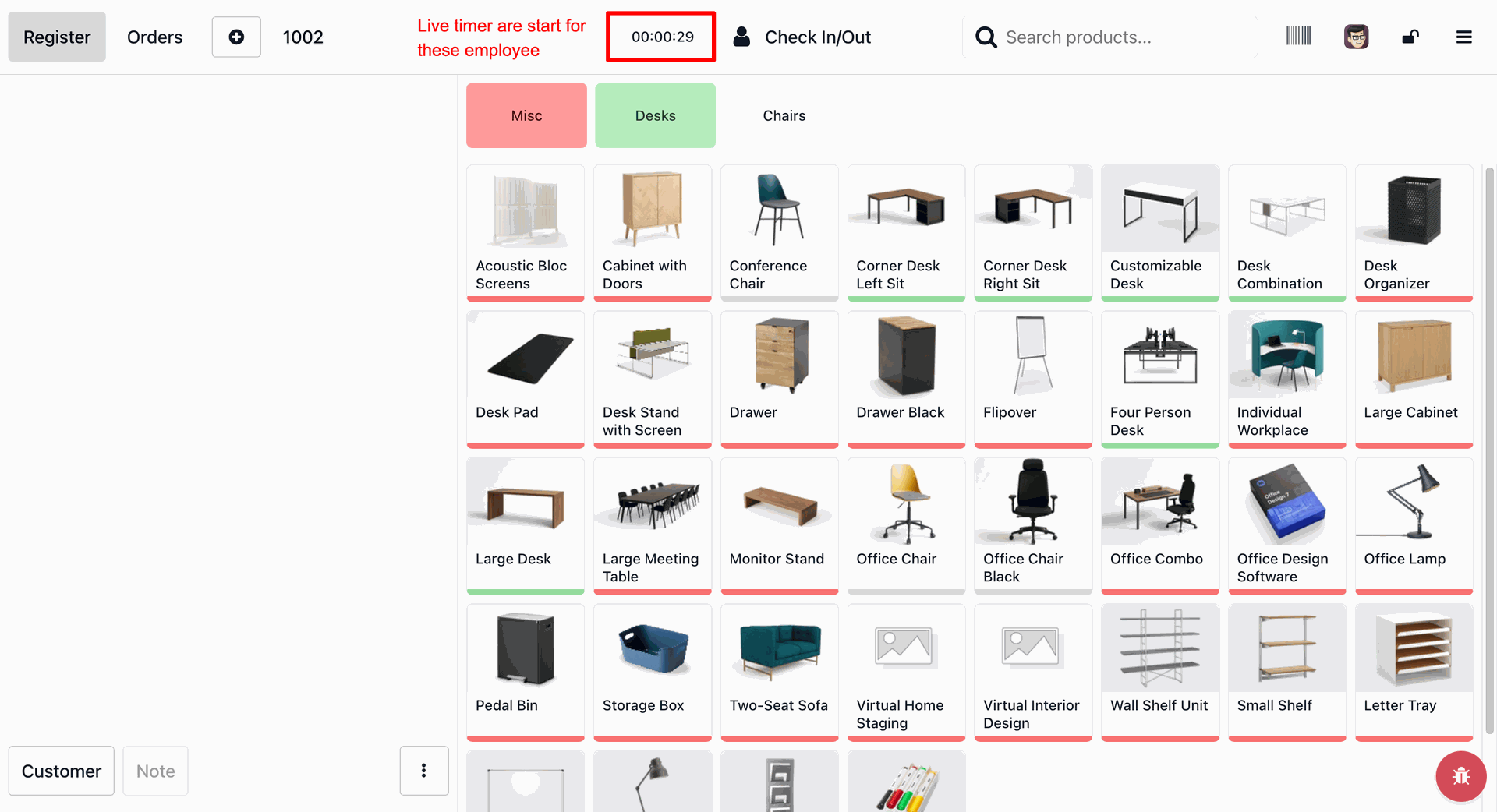
Once checked out the timer automatically stops.
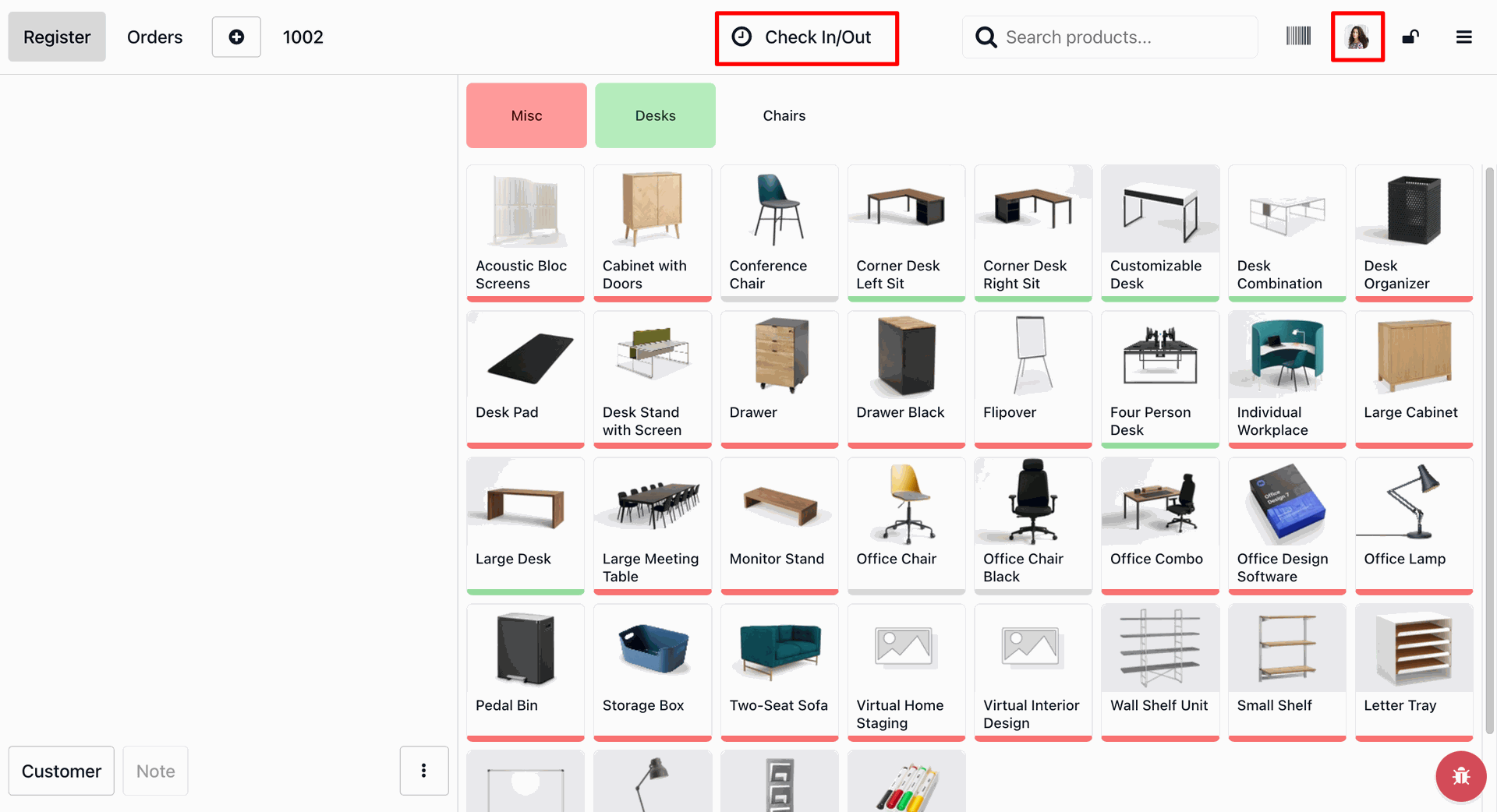
Now check in with a different user.
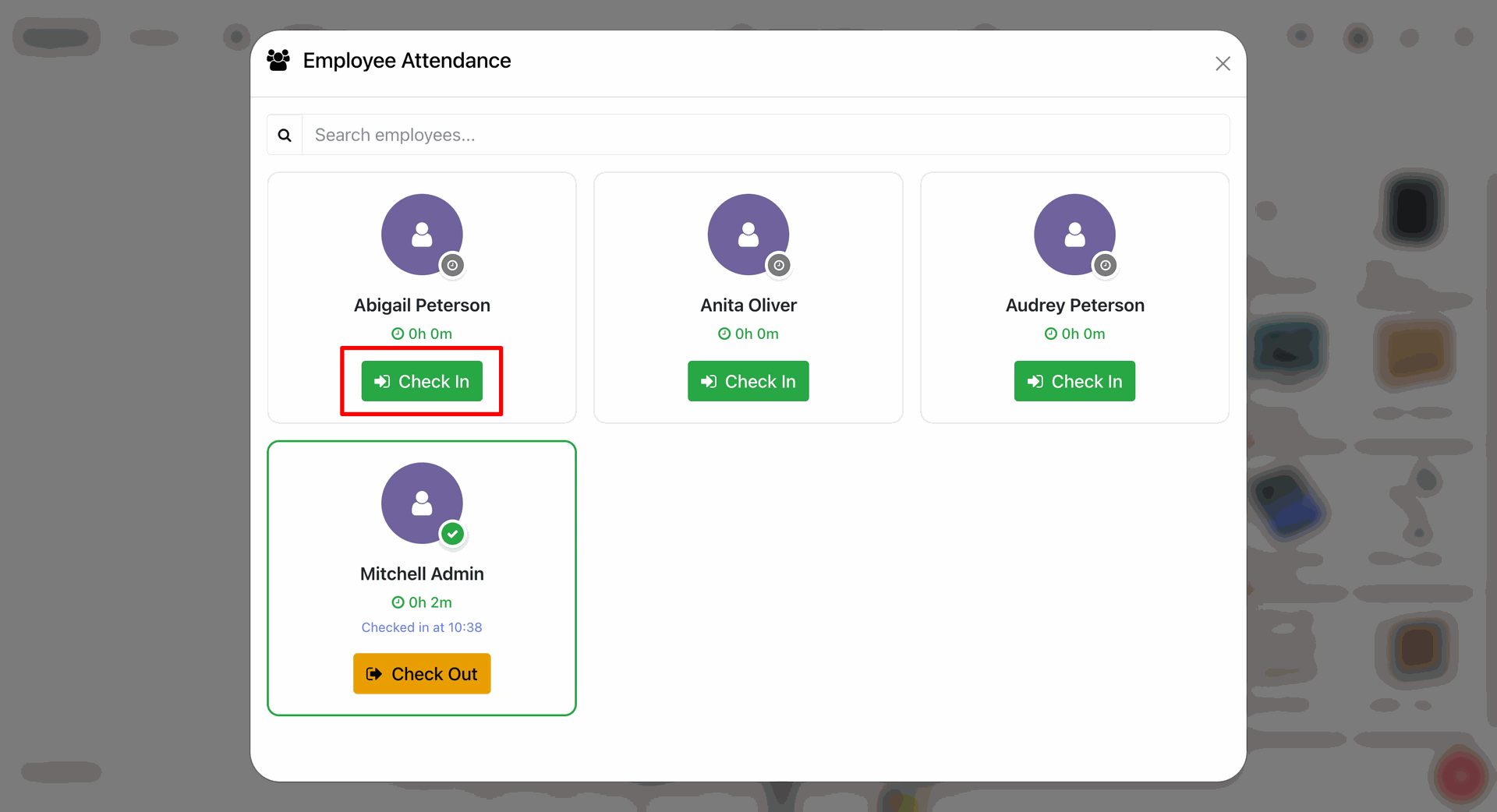
Now entering the PIN to check in.
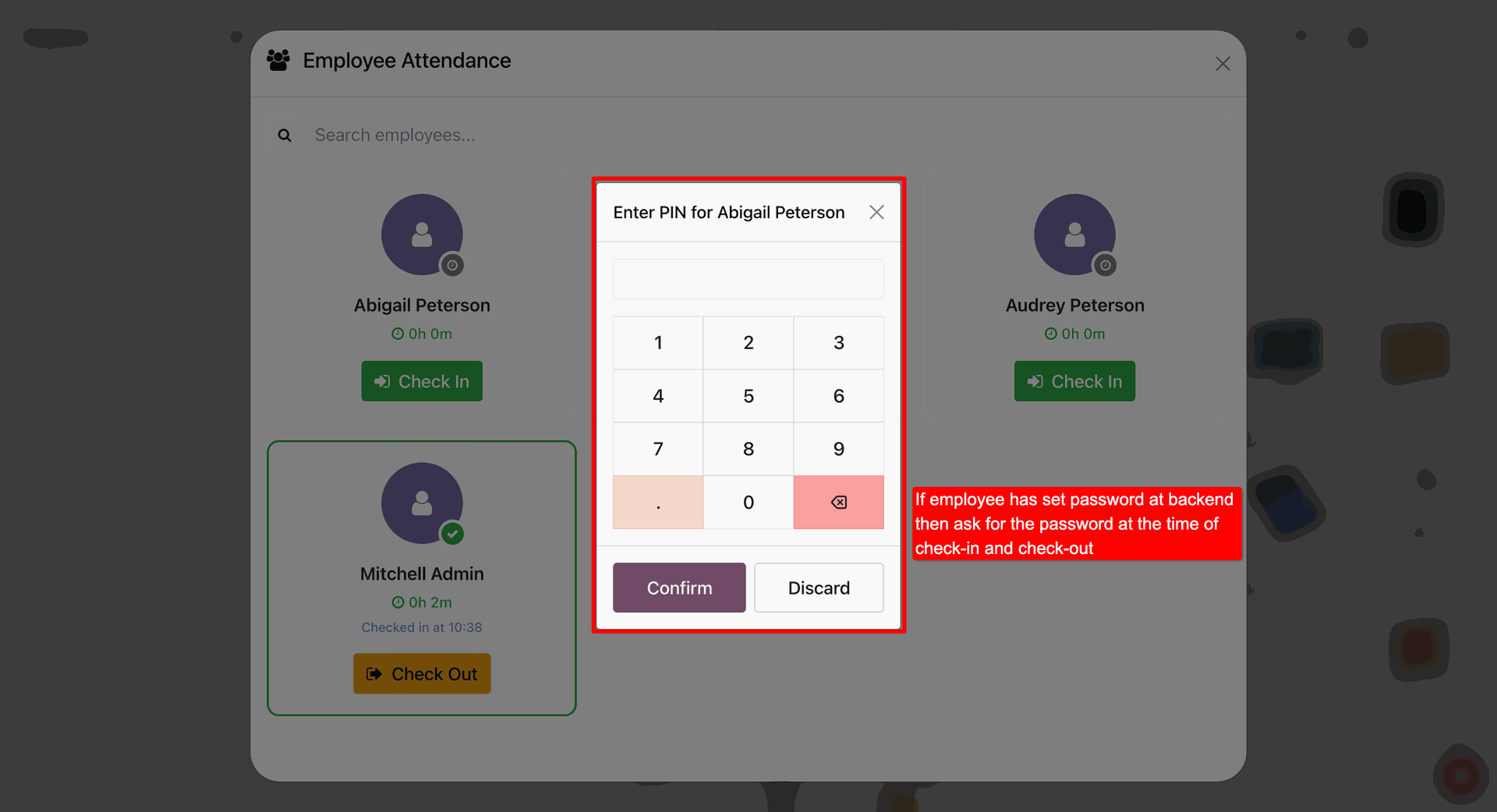
We can set the PIN in the Settings tab in employee.
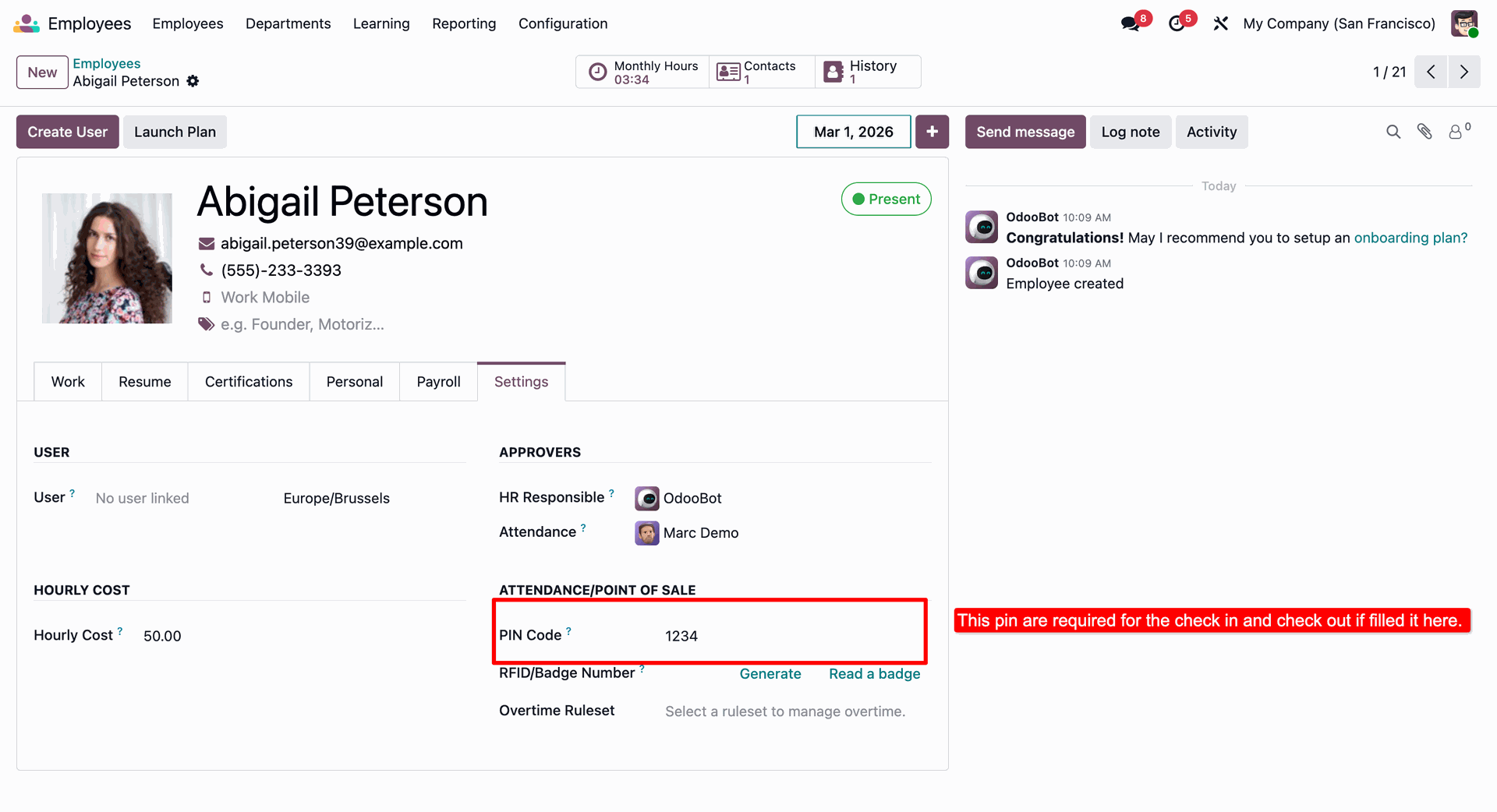
Once PIN entered correctly the check in successful notification appears.
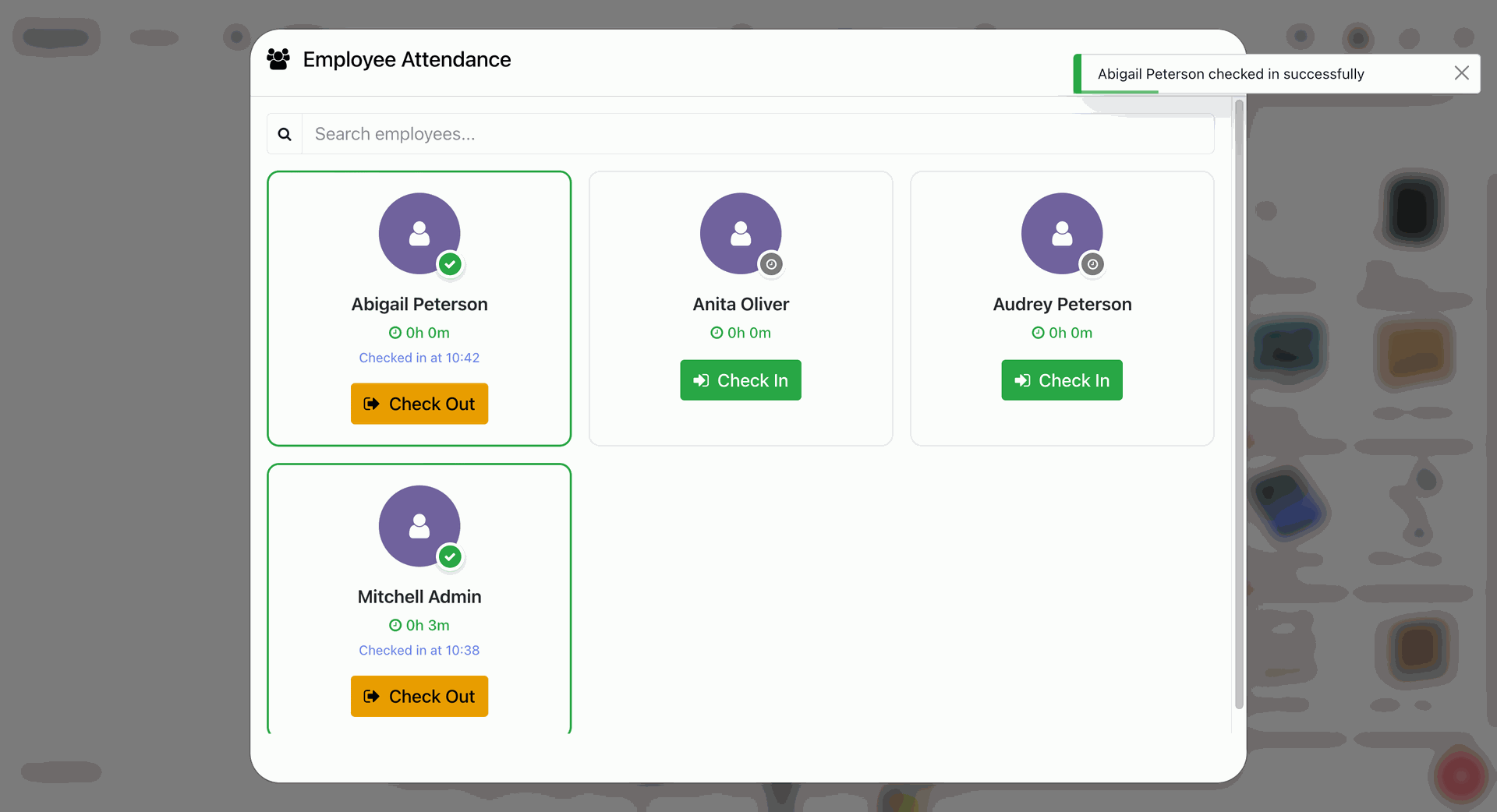
Employee successfully checked in with real-time Timer active.
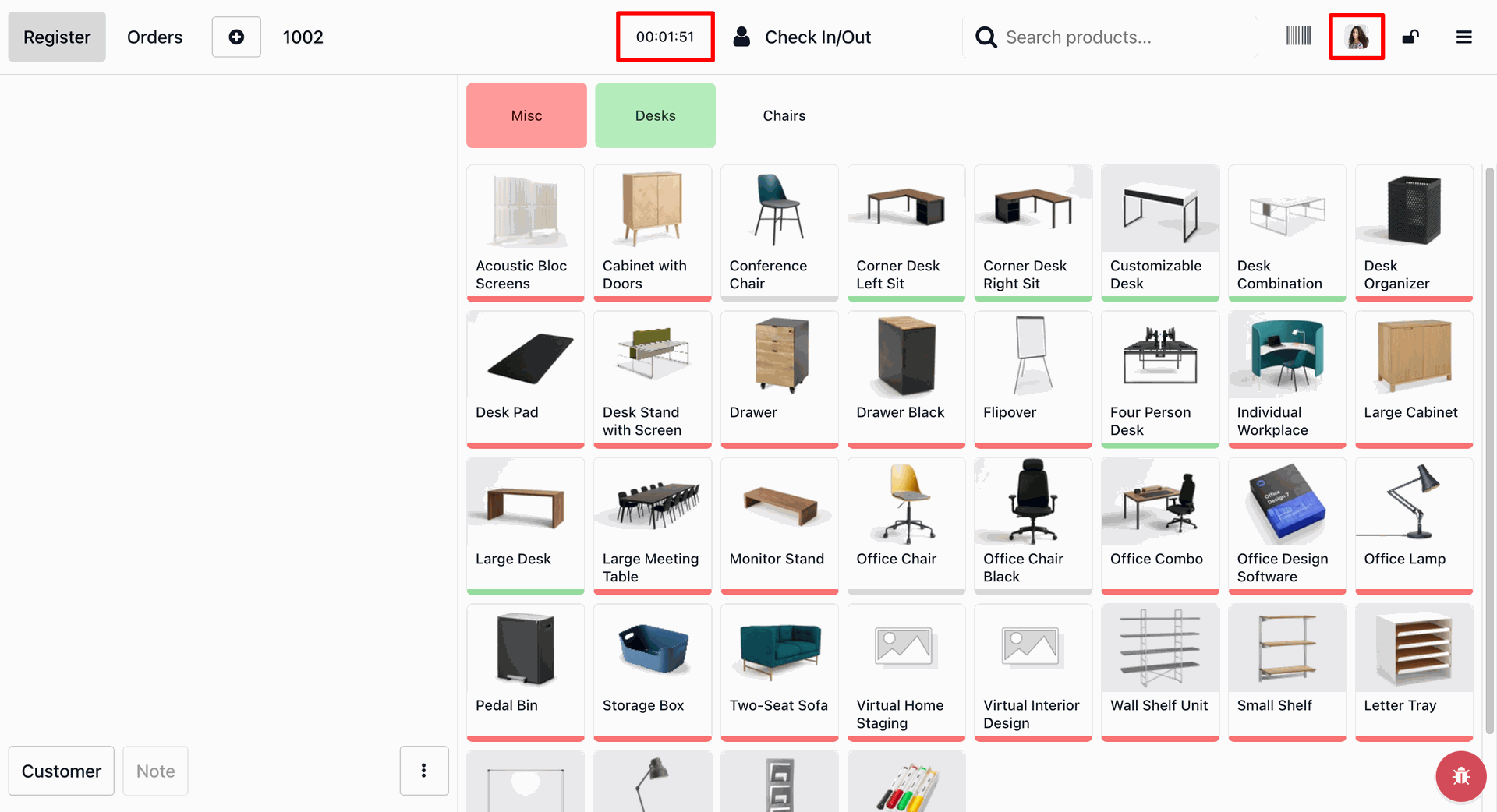
Entering the work description while checkout.
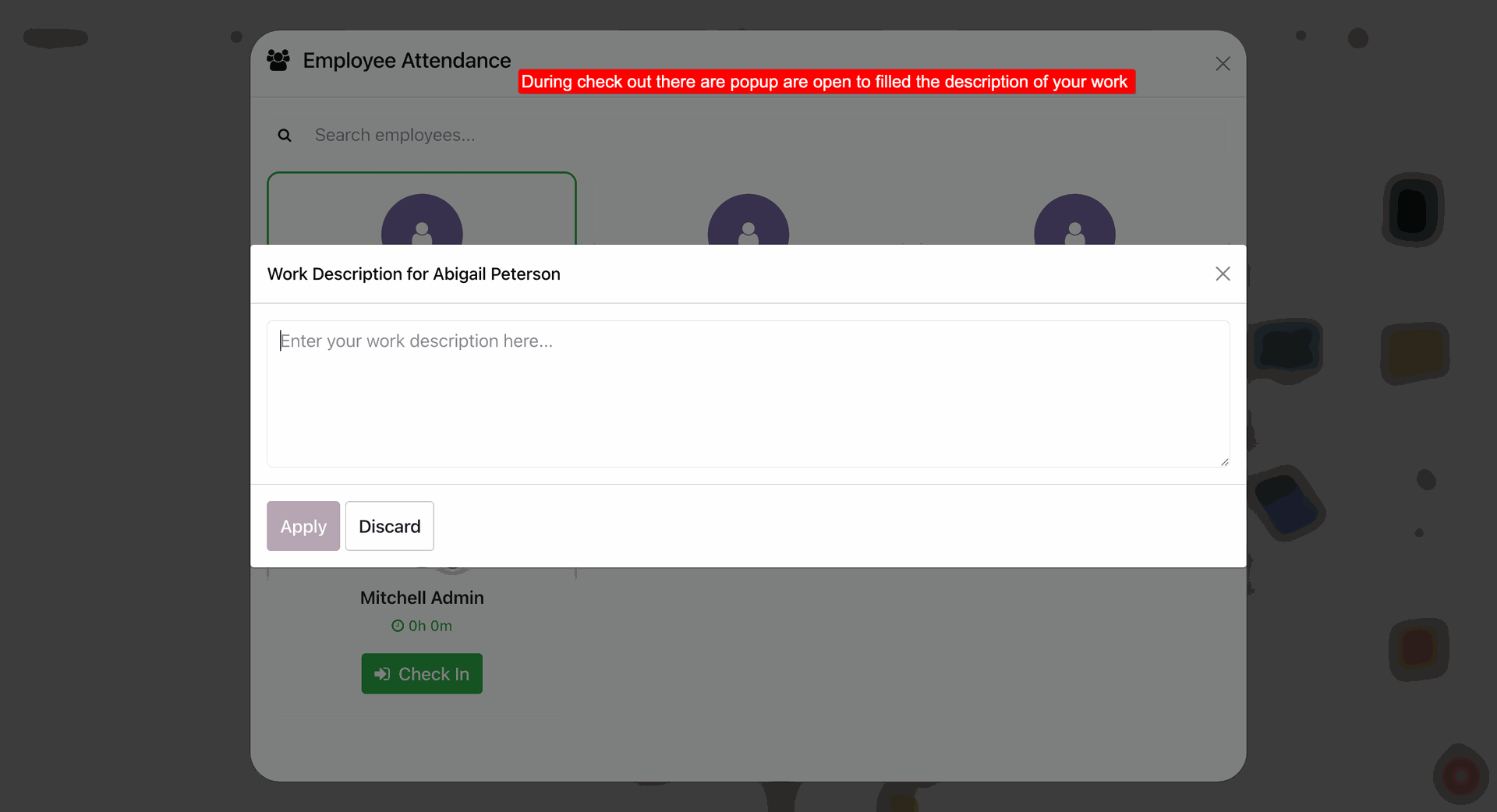
Entered work description and click apply.
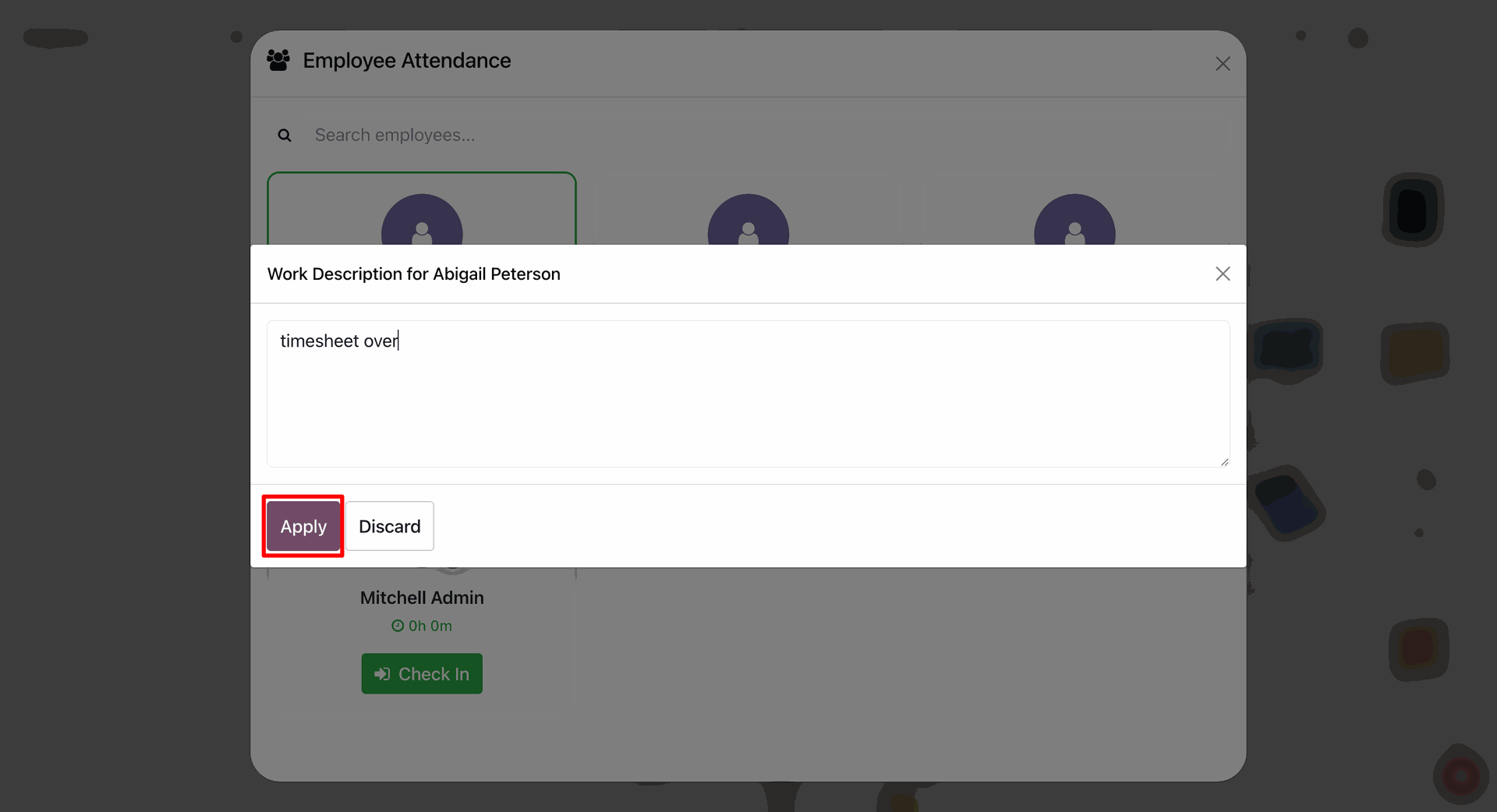
Notification stating that the user has checked out along with its working duration.
We can review the that in attendance records as well.
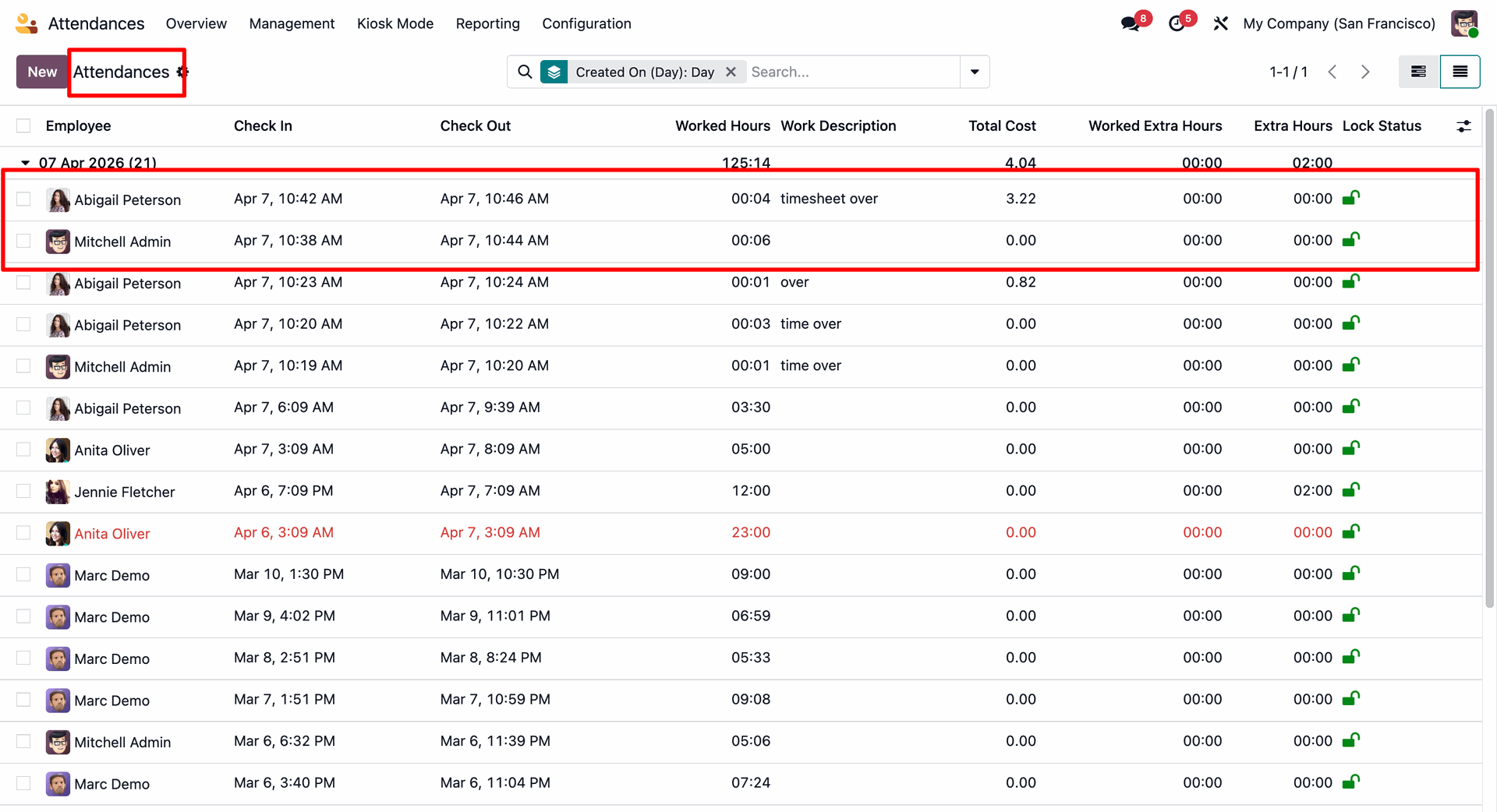
We can review the employee attendance details.
Reviewing the hourly cost in the employee.
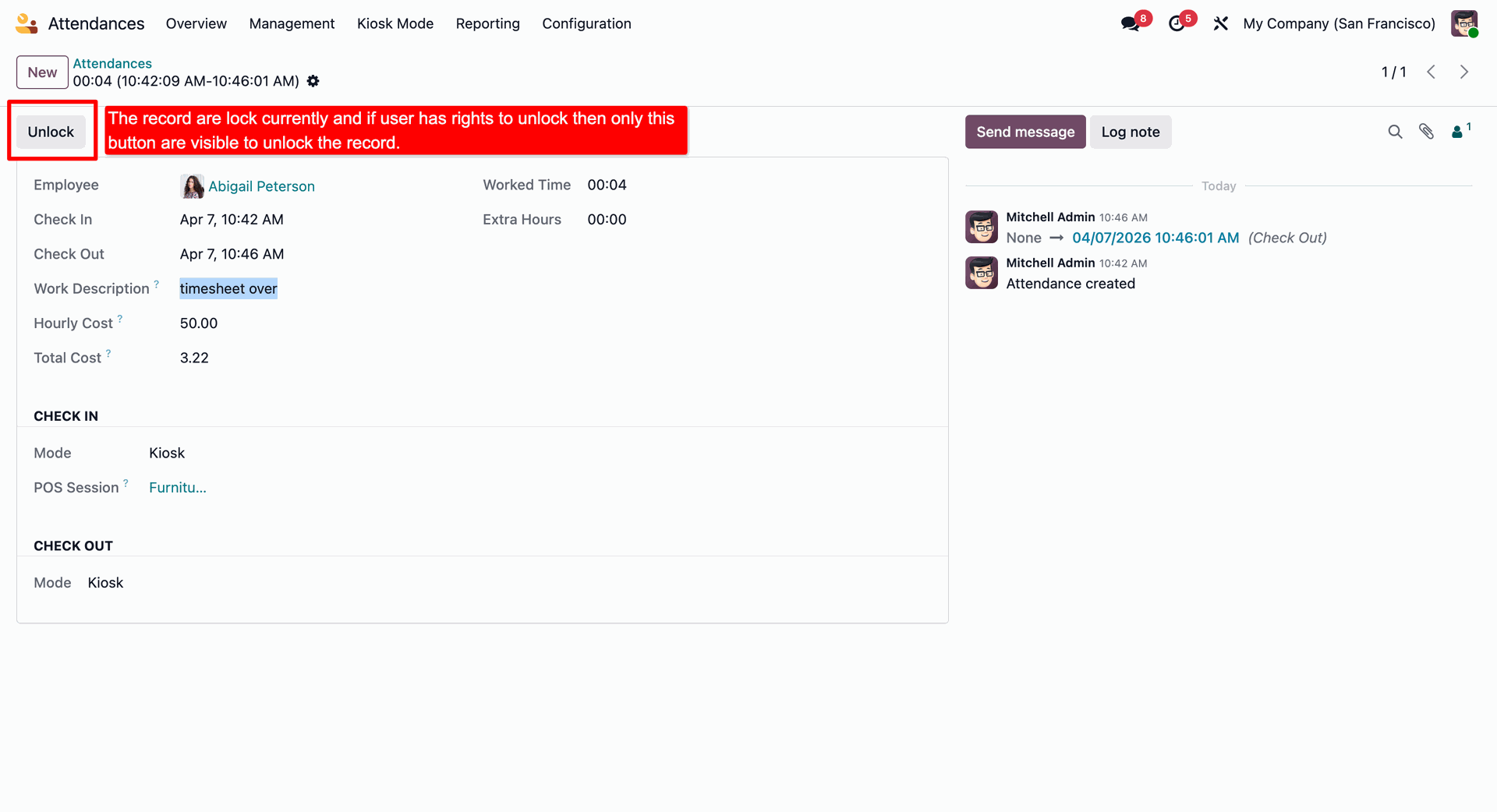
Reviewing the lock/unlock button in the employee. With lock on, the employee can only read his details.
We can enable the lock/unlock button by Enabling Attendance Unlock in the user settings.
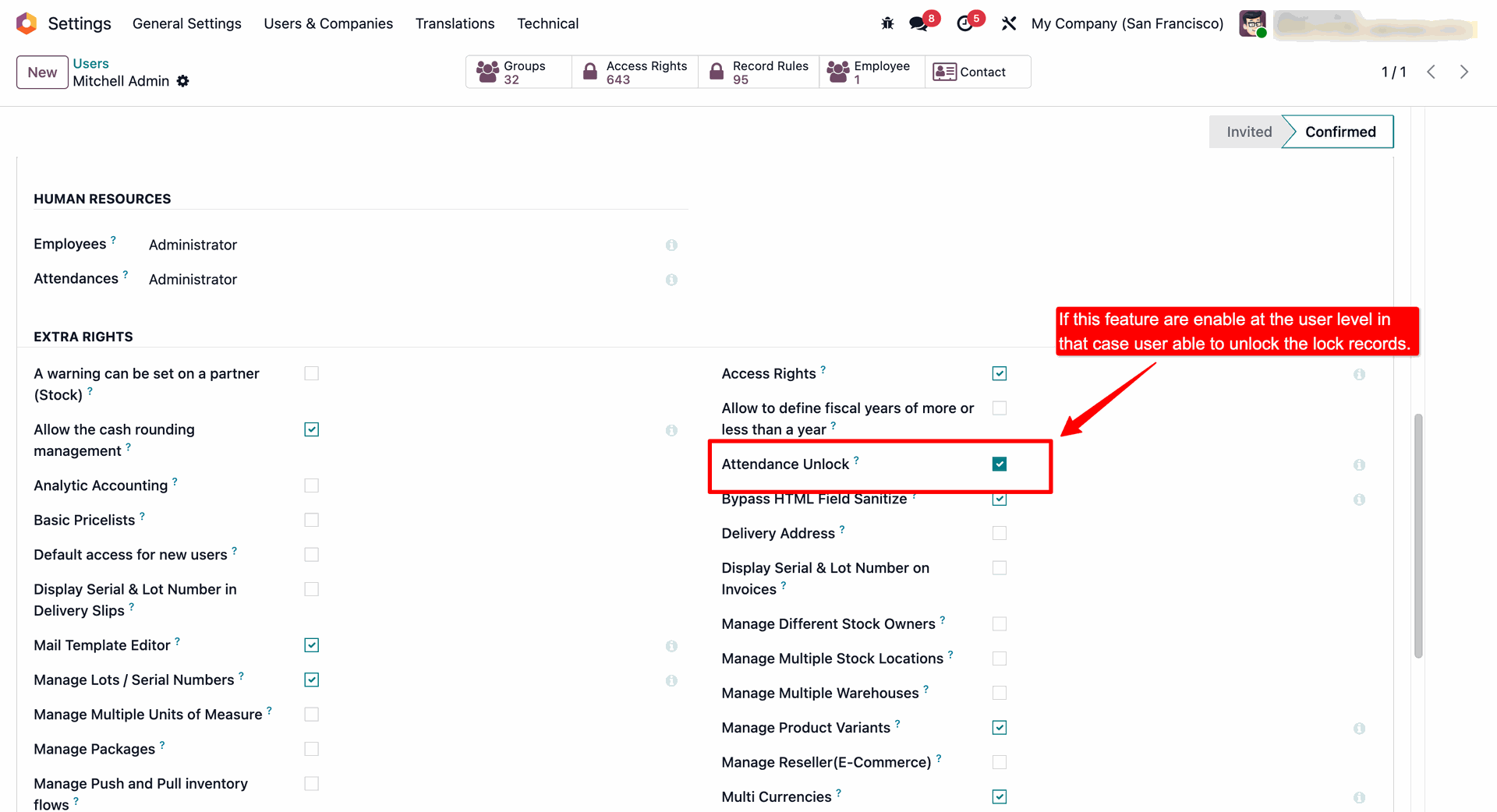
Now if the user has the Attendance Unlock enabled in the user settings then only this Unlock button is visible.
Version 19.0.1.0.0 | Released on : 14th July 2026
- Yes, this app works perfectly with Odoo Enterprise (Odoo.sh & Premise) as well as Community.
- No, this application is not compatible with odoo.com(odoo saas/Odoo Online)
- Yes, to test this module, please contact us at sales@softhealer.com.
- Please contact us at sales@softhealer.com to request customization.
- Yes, we provide free support for 365 days from the date of purchase.
- Yes, you will receive lifetime free updates for the version of the module you purchased.
- No, there is no need to install any additional libraries.
- Yes, for version 12 and above, you need to purchase the module separately for each version you intend to use.
- No, exchanges or refunds are not allowed. Please make sure to select the correct version before purchasing.
- You can contact us at support@softhealer.com for language translation support. We use Google Translator tools to provide translations in multiple languages, so the accuracy may vary. We welcome your suggestions to help improve translations.
Discover Our Latest Apps