












POS Customer Verification by WhatsApp - Enterprise Edition

This module enhances customer authentication in Odoo Point of Sale by verifying customer mobile numbers through WhatsApp OTP. Cashiers or users can send a One-Time Password (OTP) directly to a customer's WhatsApp number, verify the received code, and automatically mark the customer as verified. The verification status is stored on the customer record and displayed in the POS customer selection screen, allowing staff to quickly identify verified customers. This helps improve customer data accuracy, prevent invalid contact information, and build a more reliable customer database.

Related Modules
Features
WhatsApp OTP Verification
Send a secure One-Time Password (OTP) to the customer's registered WhatsApp number directly from the customer form.

One-Click OTP Sending
Generate and send the verification OTP instantly using the dedicated OTP button available on the customer record.

Automatic Customer Verification
Automatically marks the customer as verified once the correct OTP is successfully validated.

Verified Badge in POS
Displays a clear Verified badge in the POS customer selection screen, allowing cashiers to identify verified customers instantly.
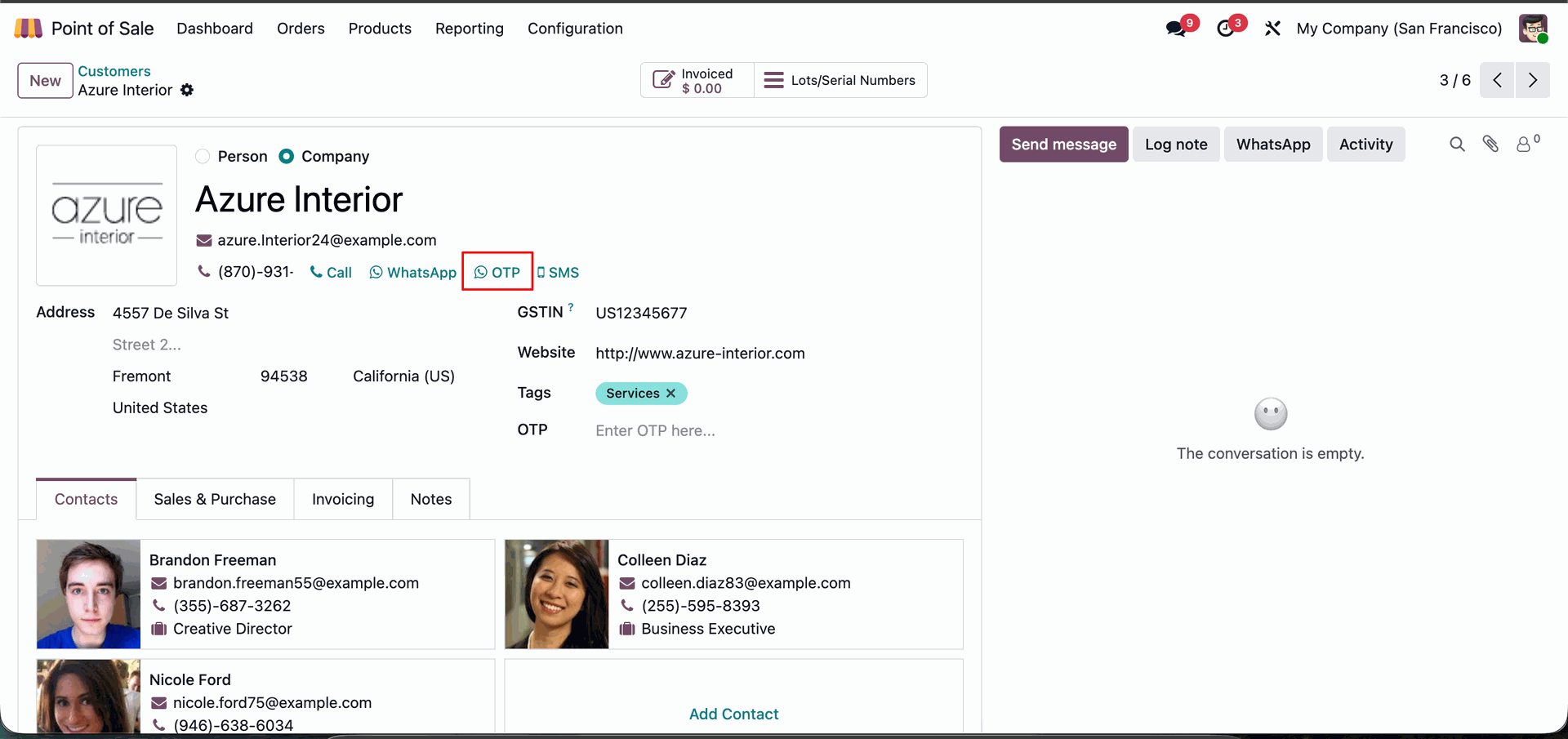
Navigating to the Azure Interior contact card in Odoo to utilize the new OTP (One-Time Password) verification feature located next to the WhatsApp and SMS communication links.
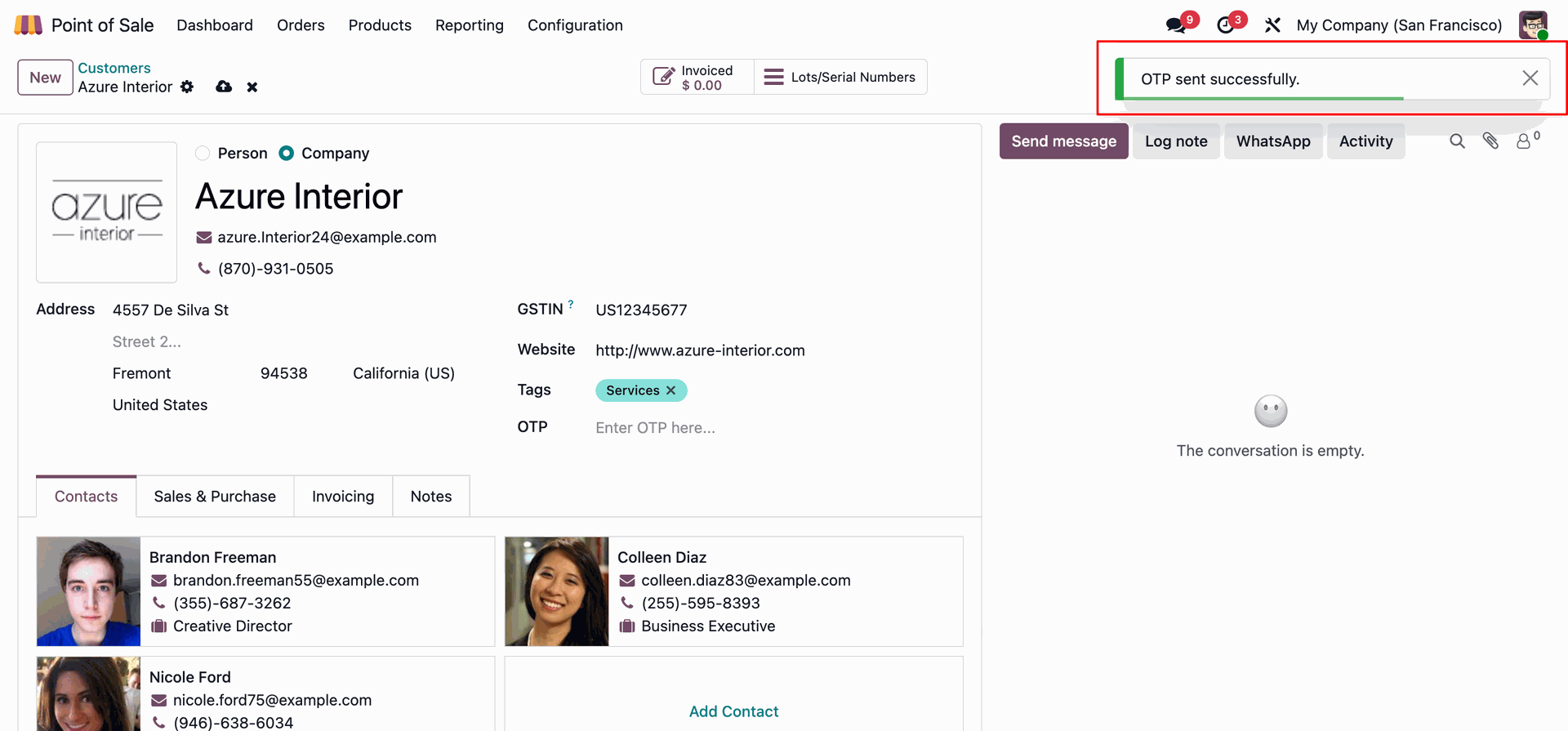
Triggering a One-Time Password for Azure Interior, with the system displaying a green success notification confirming the OTP sent successfully.
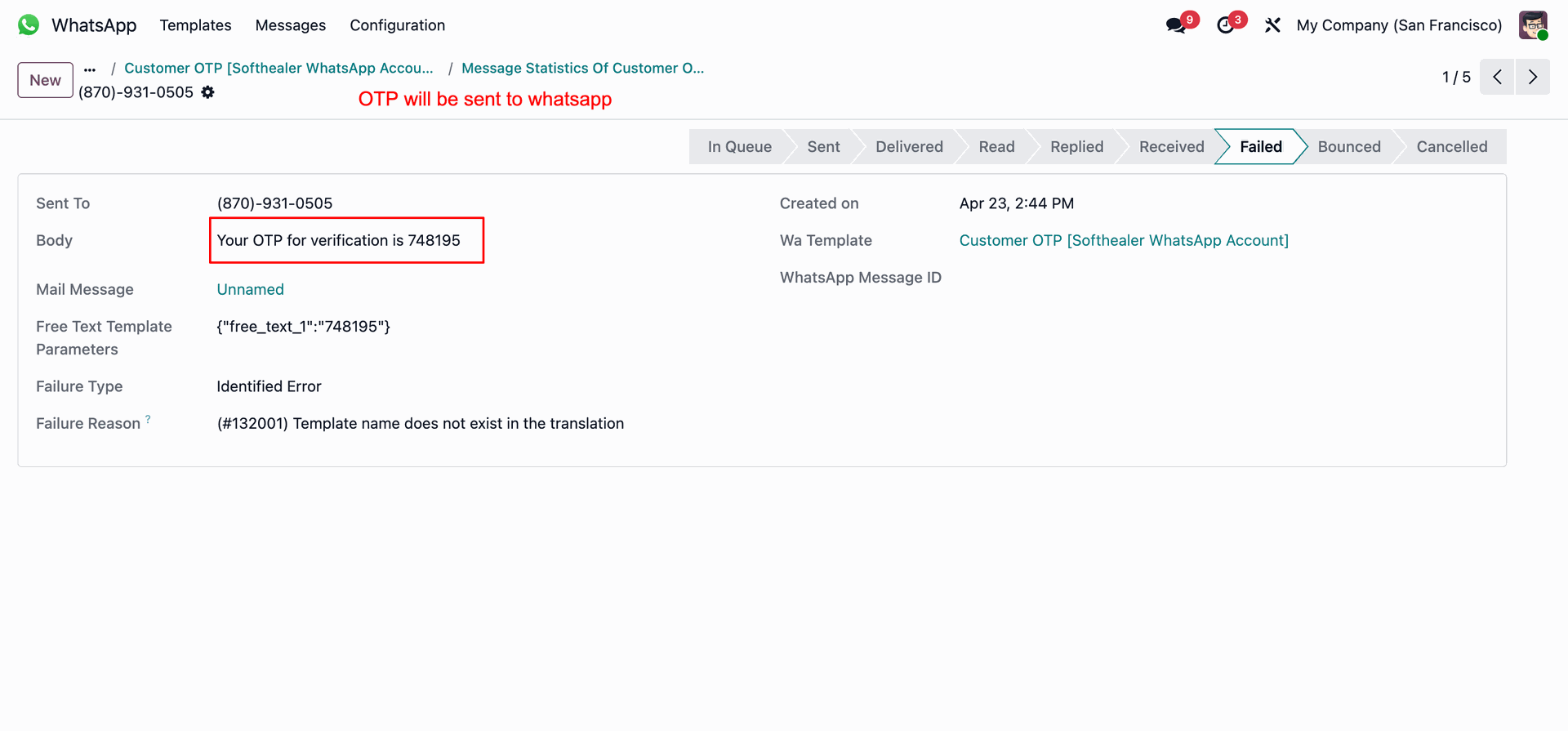
Monitoring the delivery status of a WhatsApp OTP message, showing the code 748195 being correctly generated.
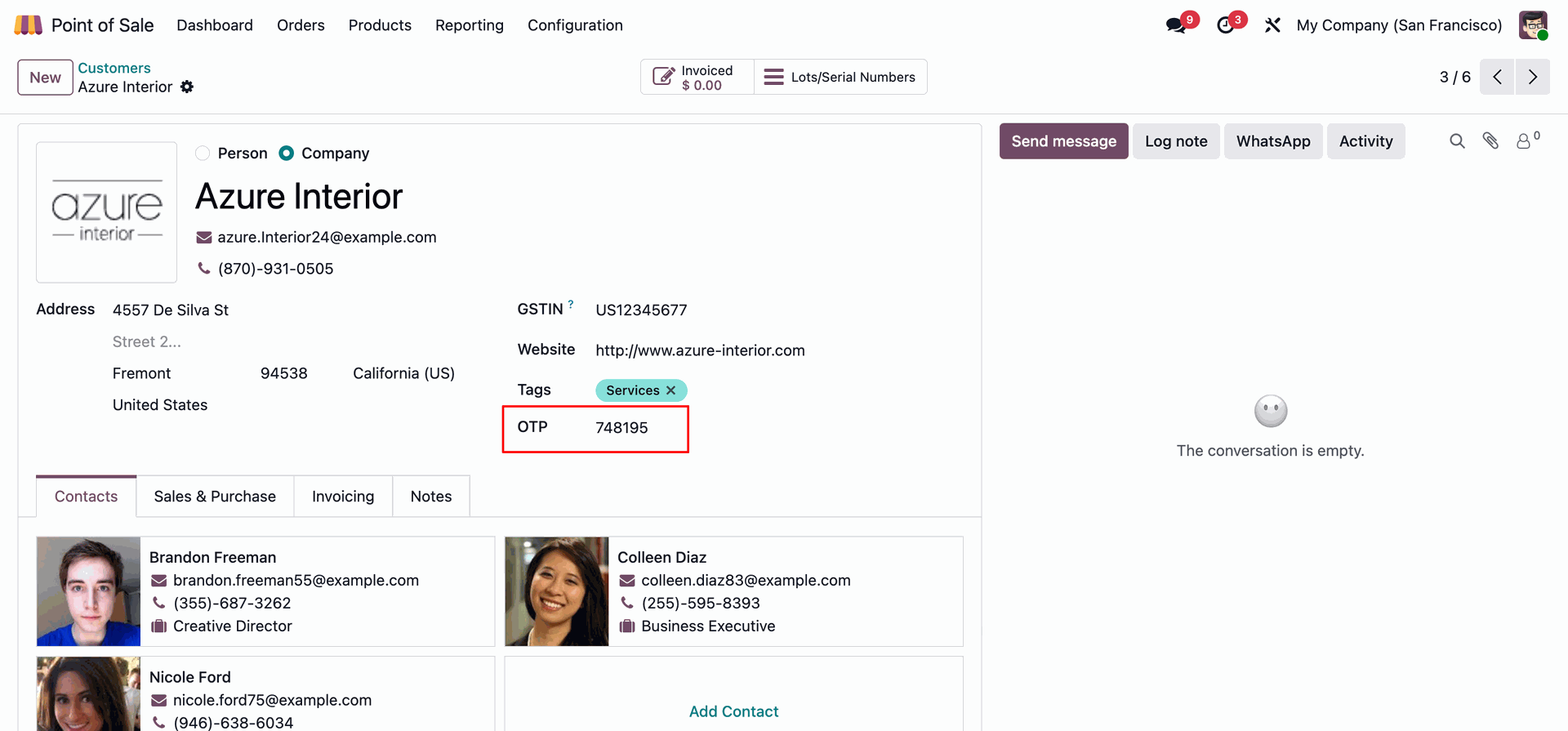
Verifying a customer's identity in Odoo by entering the received code 748195 into the custom OTP input field on the Azure Interior contact card.
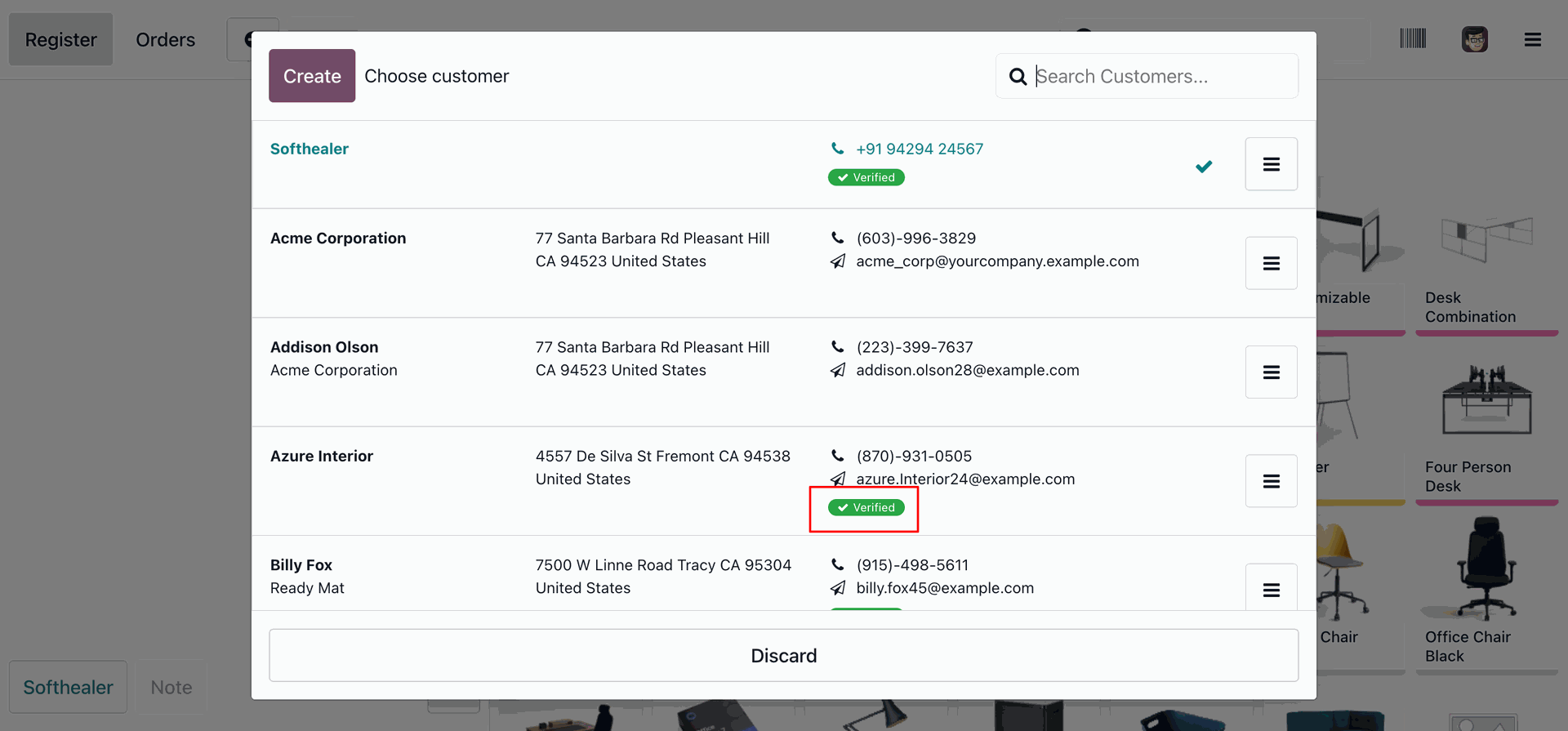
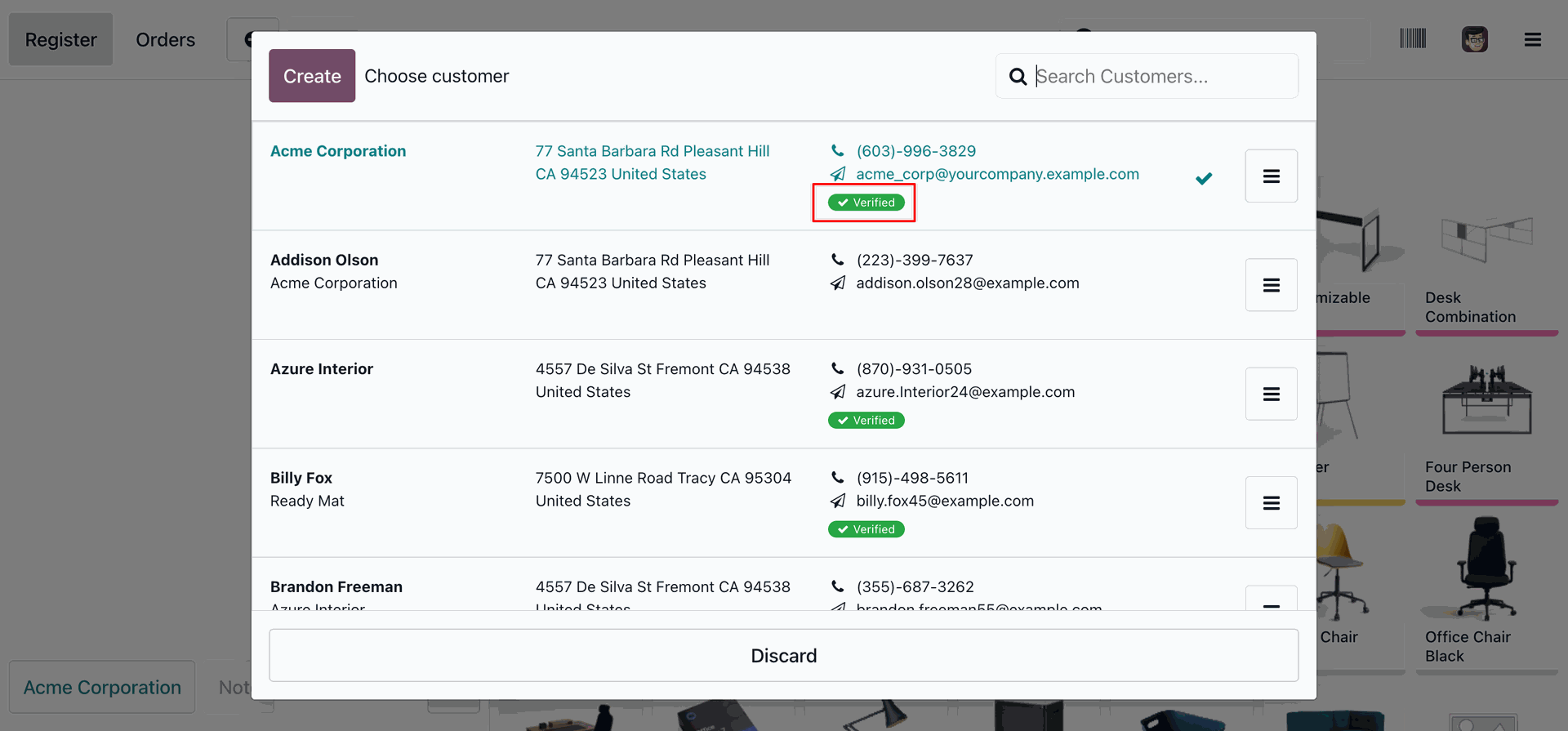
Selecting a customer in the Odoo PoS, highlighting the Verified status badge for Azure Interior after a successful OTP validation.
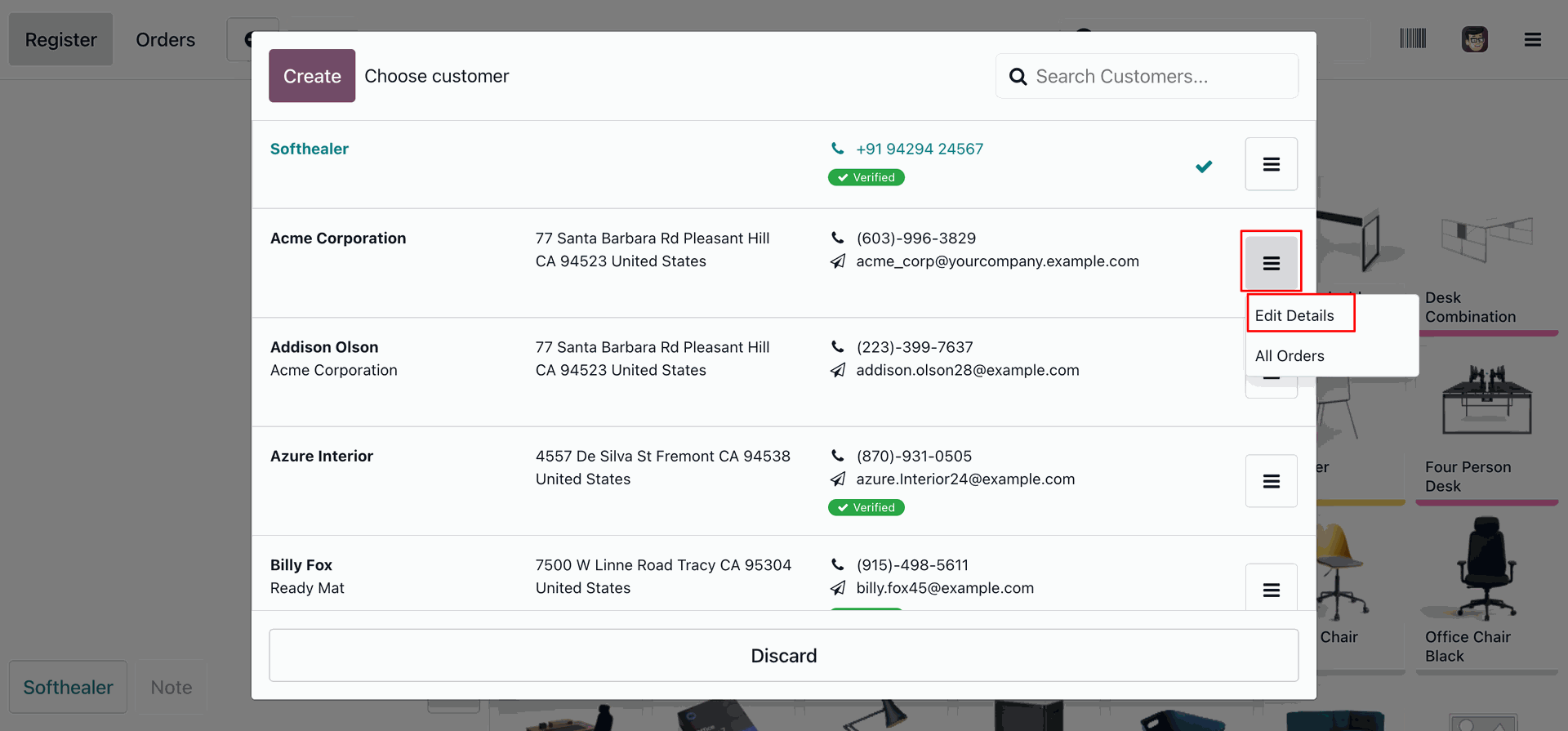
Accessing the customer action menu in the Odoo PoS to select Edit Details for Acme Corporation, allowing for real-time profile updates during the checkout process.
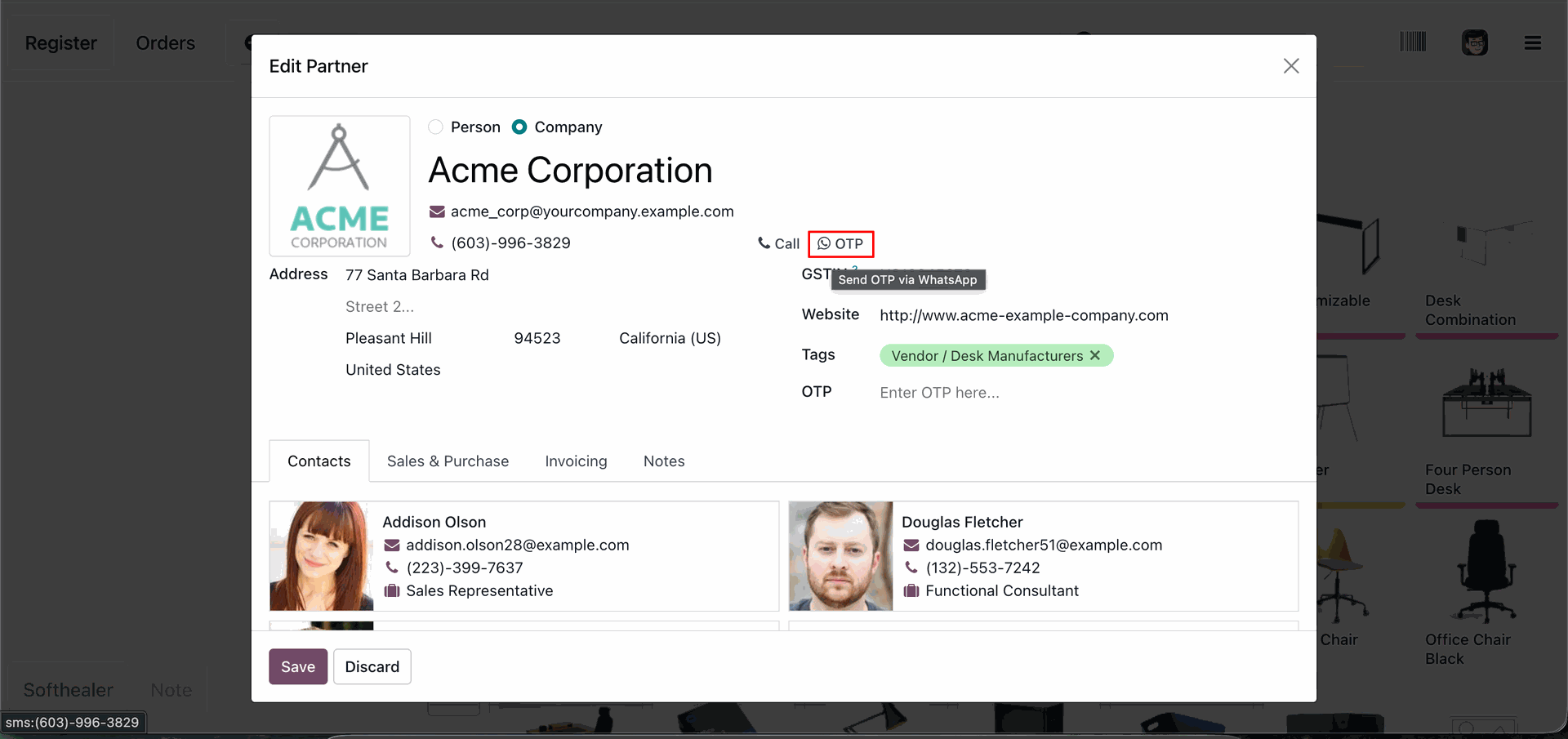
Using the Edit Partner modal for Acme Corporation to initiate the Send OTP via WhatsApp feature for secure customer verification.
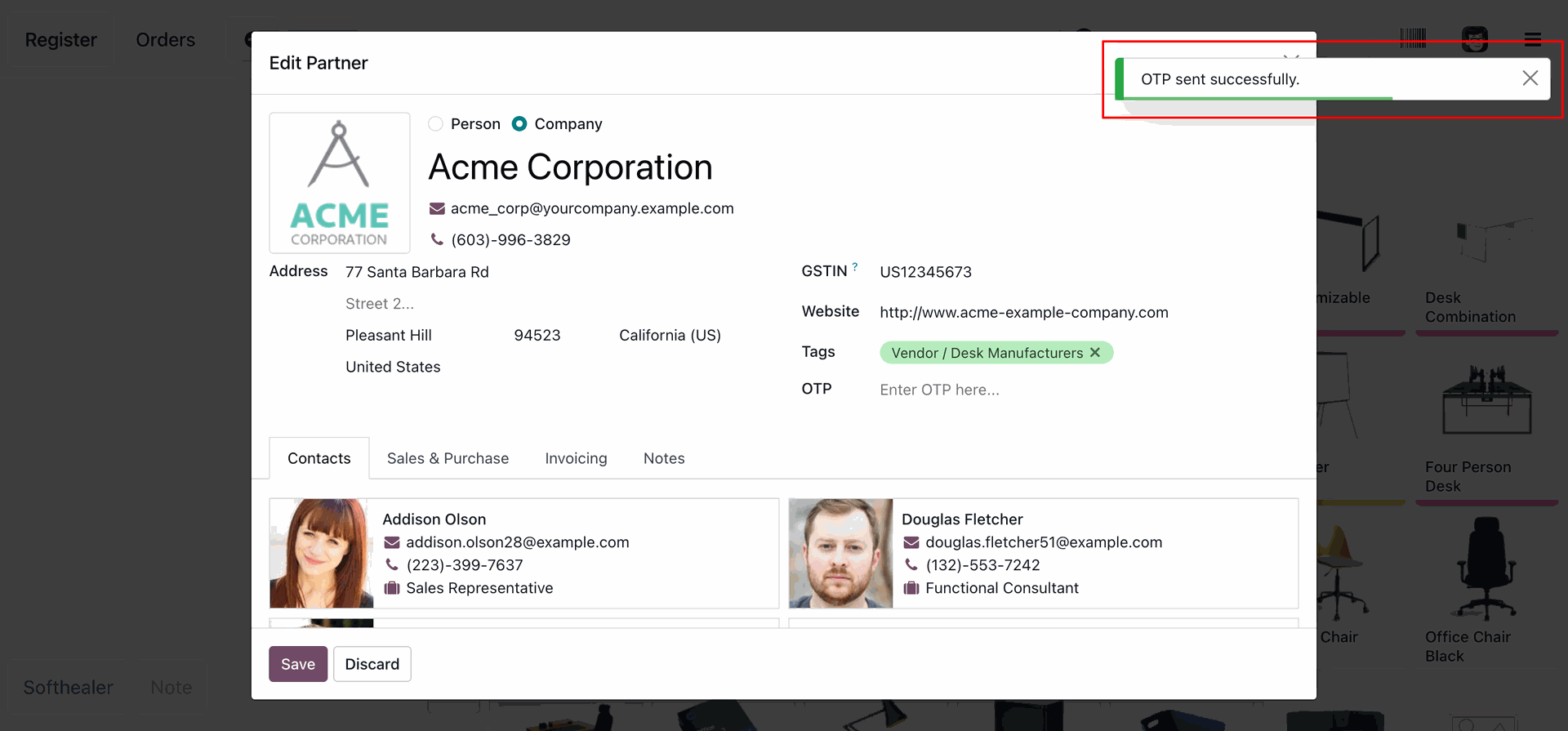
Successfully triggering a One-Time Password for Acme Corporation within the PoS, as confirmed by the green OTP sent successfully notification.
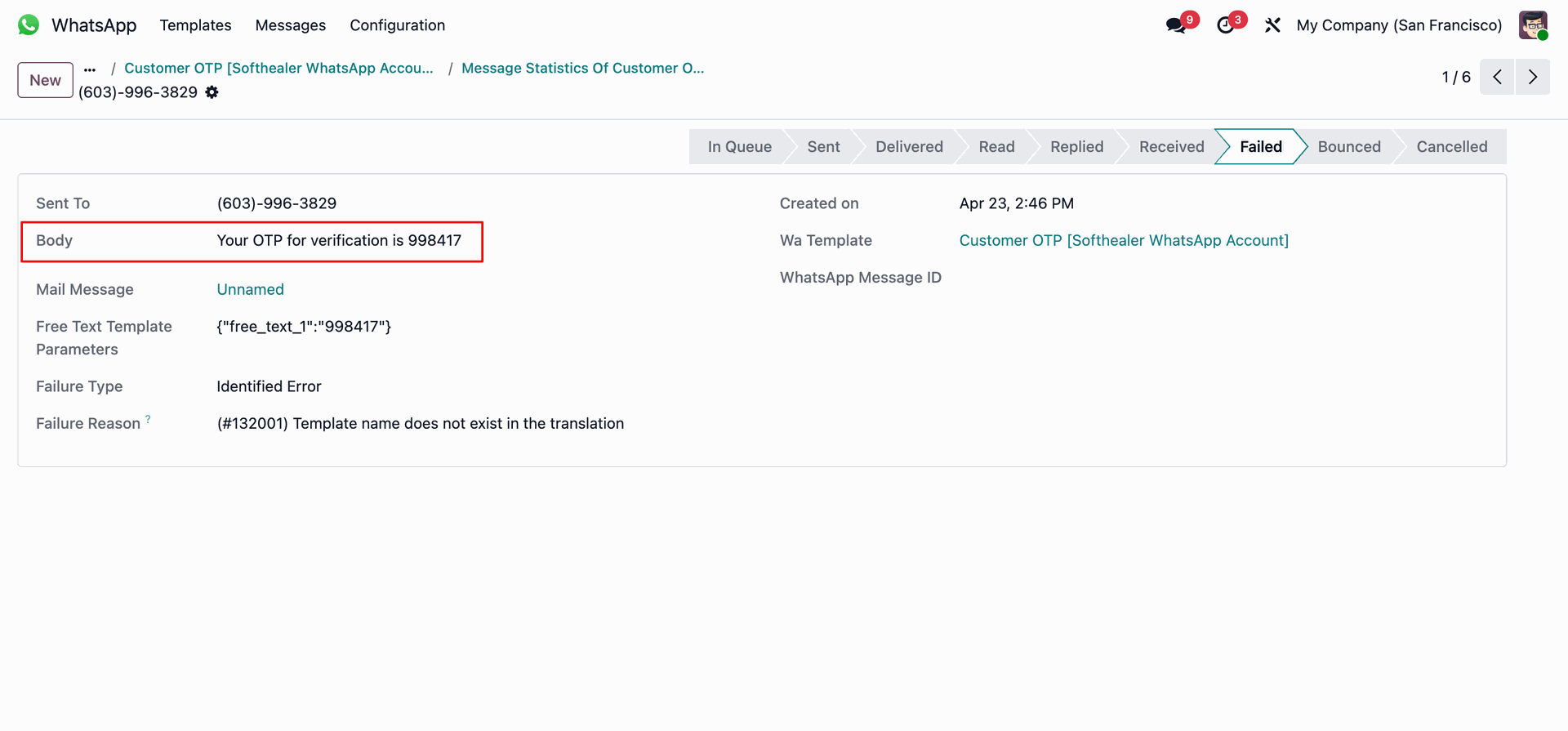
Monitoring the delivery status of a second WhatsApp OTP, showing the code 998417.
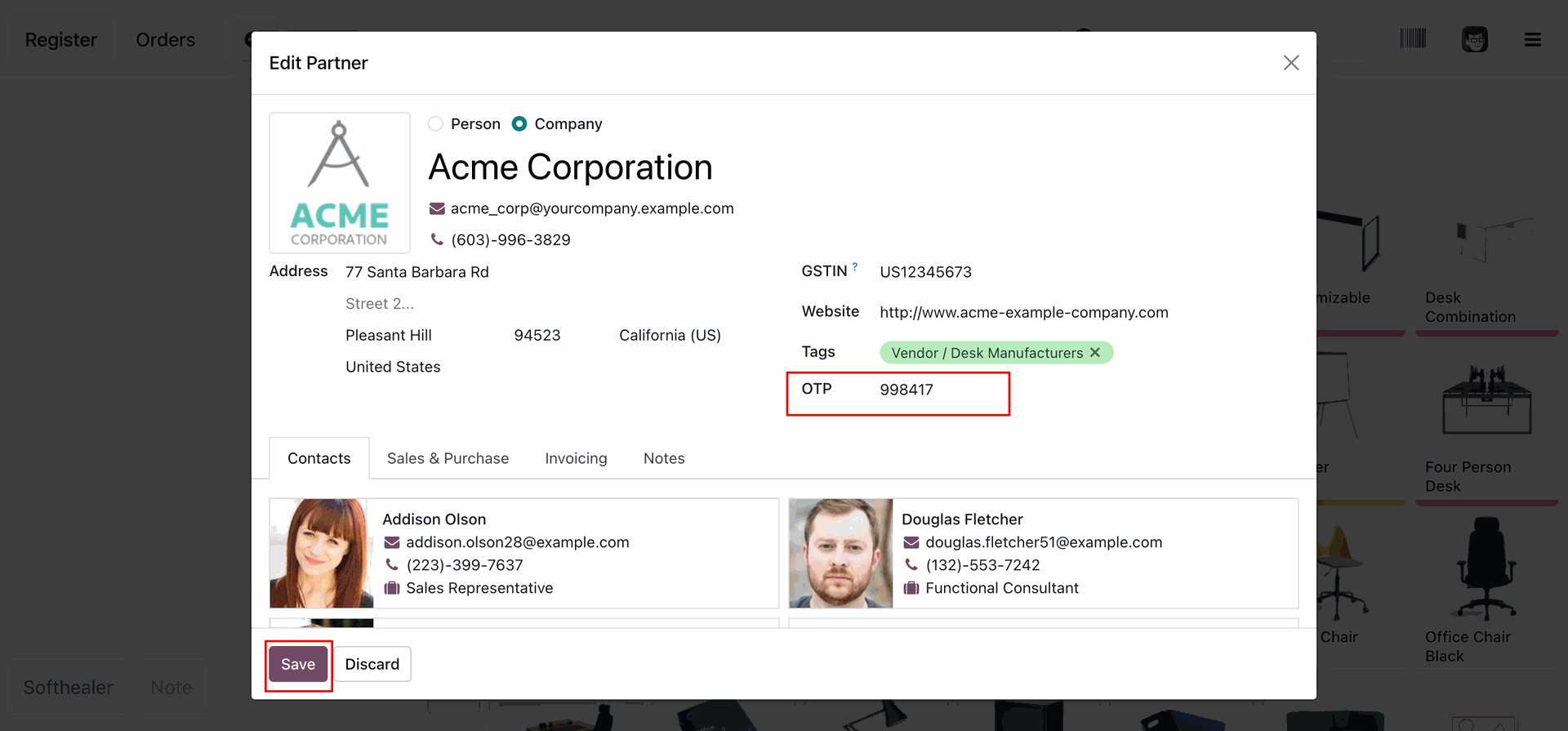
Finalizing the identity verification for Acme Corporation by entering the code 998417 into the OTP field and clicking Save to update the partner record.
Selecting Acme Corporation from the customer list, now prominently featuring a green Verified status badge following the successful OTP authentication.
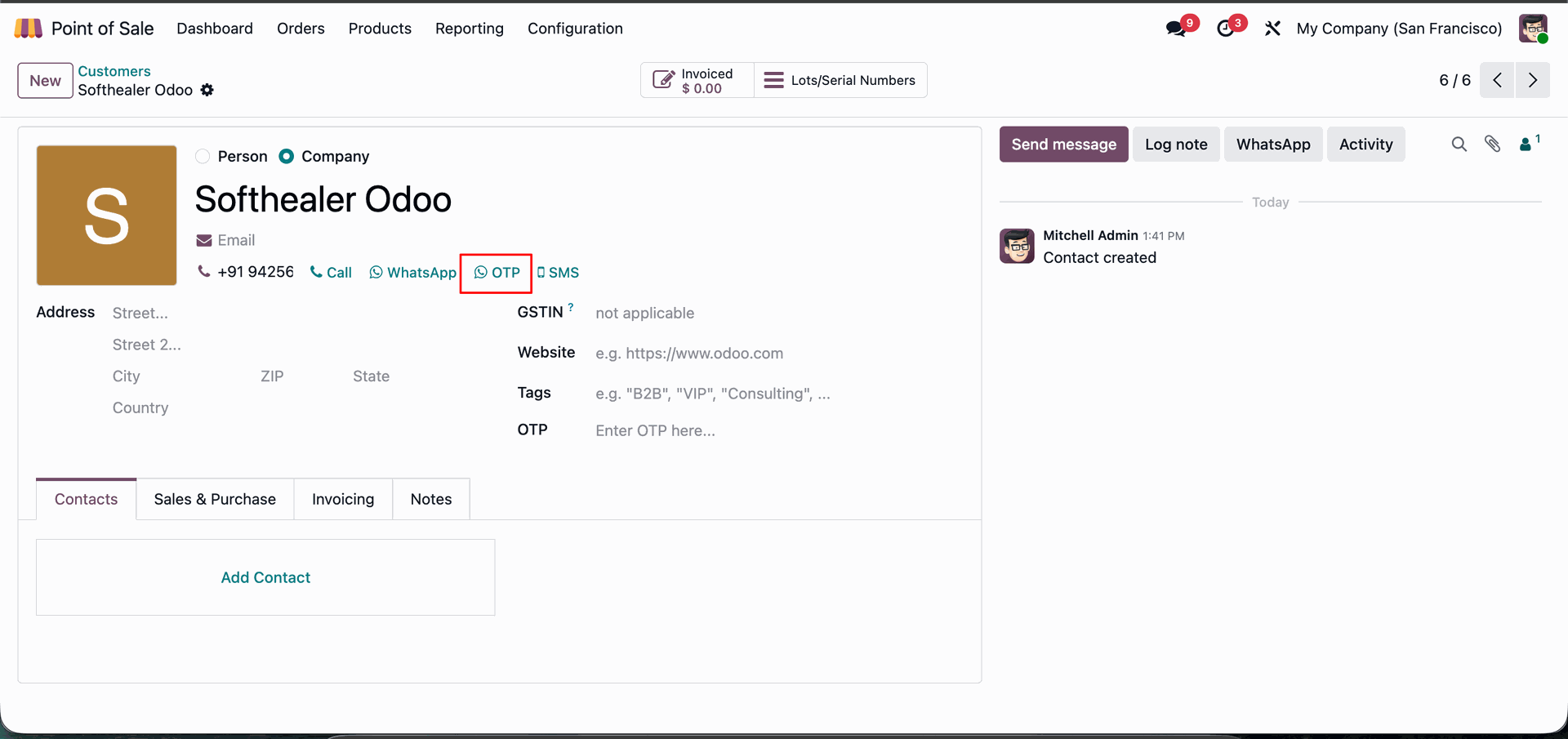
Accessing the Softhealer Odoo contact record to initiate the custom OTP verification process via WhatsApp for secure identity confirmation.
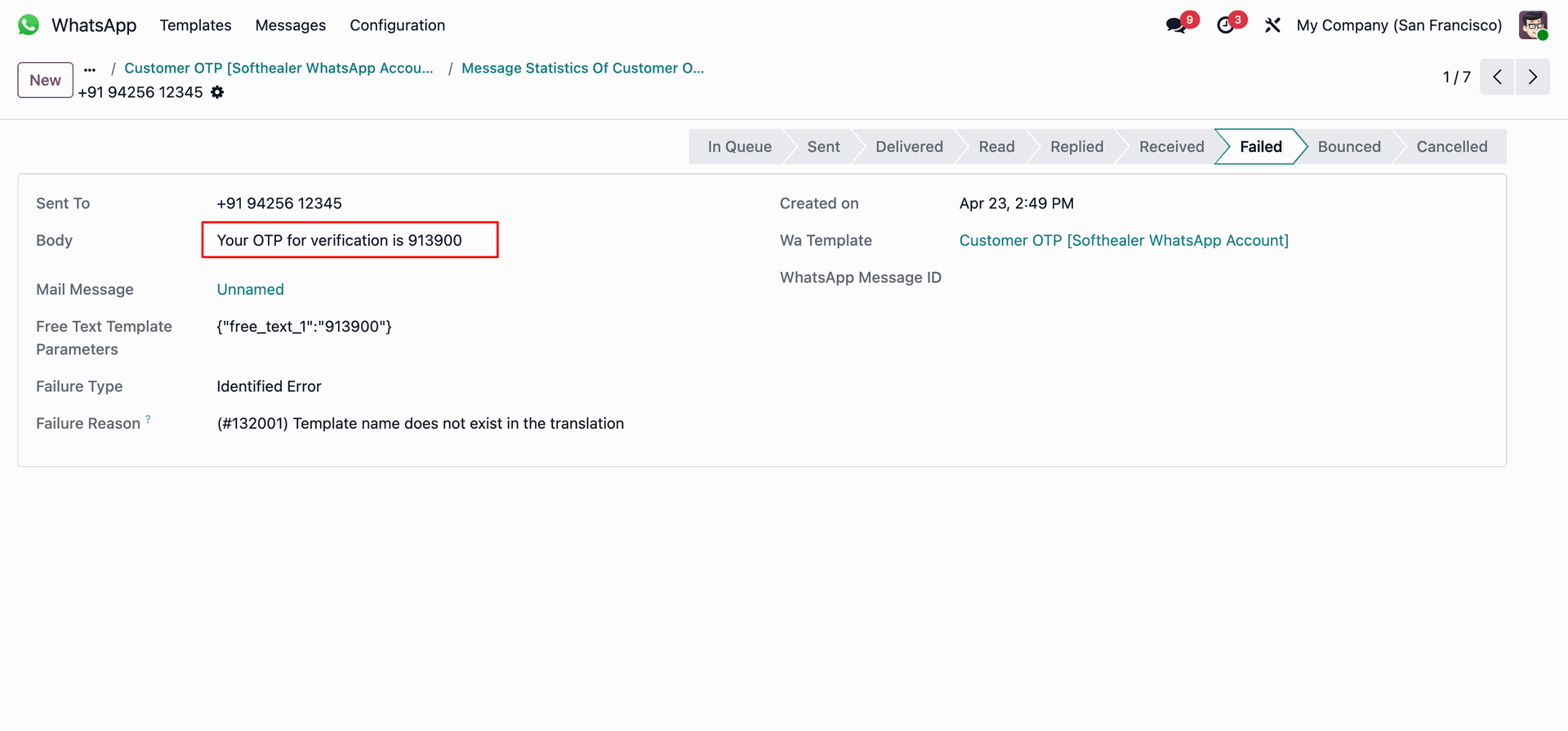
Investigating the delivery status of a second WhatsApp OTP, showing the code 913900.
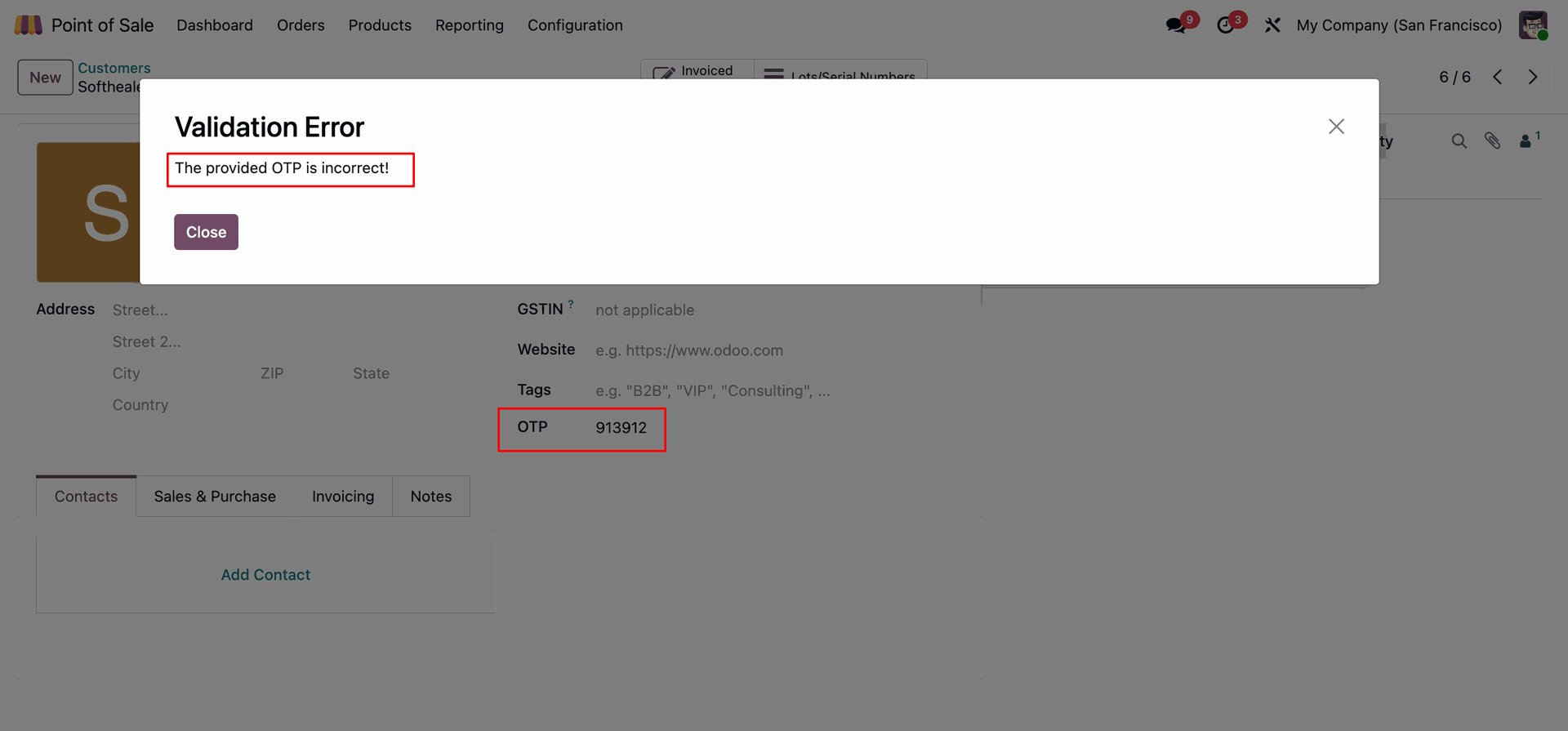
Attempting to verify a customer with an incorrect code, resulting in a Validation Error pop-up stating that the provided OTP is incorrect.
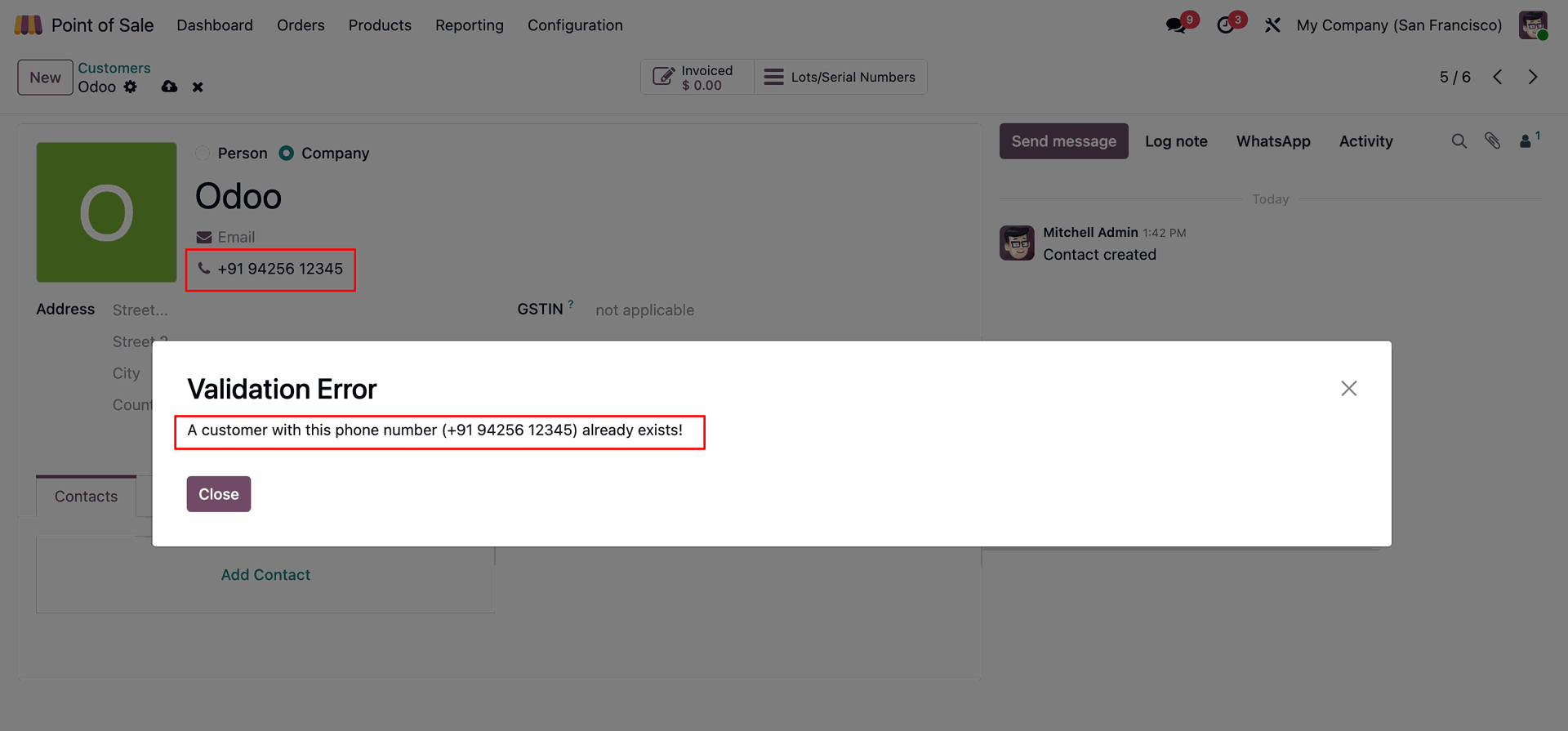
Attempting to save a new contact for Odoo, but receiving a Validation Error because the phone number +91 94256 12345 is already assigned to an existing customer record.
Version 19.0.1.0.0 | Released on : 05th August 2026
- No, this app works perfectly with Odoo Enterprise (Odoo.sh & Premise) only.
- No, this application is not compatible with odoo.com(odoo saas/Odoo Online)
- Yes, to test this module, please contact us at sales@softhealer.com.
- Please contact us at sales@softhealer.com to request customization.
- Yes, we provide free support for 365 days from the date of purchase.
- Yes, you will receive lifetime free updates for the version of the module you purchased.
- No, there is no need to install any additional libraries.
- Yes, for version 12 and above, you need to purchase the module separately for each version you intend to use.
- No, exchanges or refunds are not allowed. Please make sure to select the correct version before purchasing.
- You can contact us at support@softhealer.com for language translation support. We use Google Translator tools to provide translations in multiple languages, so the accuracy may vary. We welcome your suggestions to help improve translations.
Discover Our Latest Apps