












Portal Overtime Request

This module enables employees to seamlessly request and track their overtime from the portal. It features an easy-to-use interface for submitting requests with calculated hours, while allowing managers to approve or refuse them directly. The module integrates communication history, supporting different overtime types to streamline the entire management process for both users and administrators.

Features

Portal Overtime Management
Access and manage your overtime requests directly from the portal dashboard.

Easy Request Submission
Submit new overtime requests easily with intuitive date and time pickers.

Automated Hours Calculation
Total overtime hours are automatically calculated based on selected start and end times.
Managerial Approval Workflow
Managers can approve or refuse overtime requests from their portal account with ease.

Real-time Status Tracking
Track the progress of your requests through various stages from submission to approval.

Integrated Communication
Communicate effectively regarding any request using the integrated portal chatter system.

Overtime Type Customization
Support for multiple overtime types to categorize and manage different work scenarios.
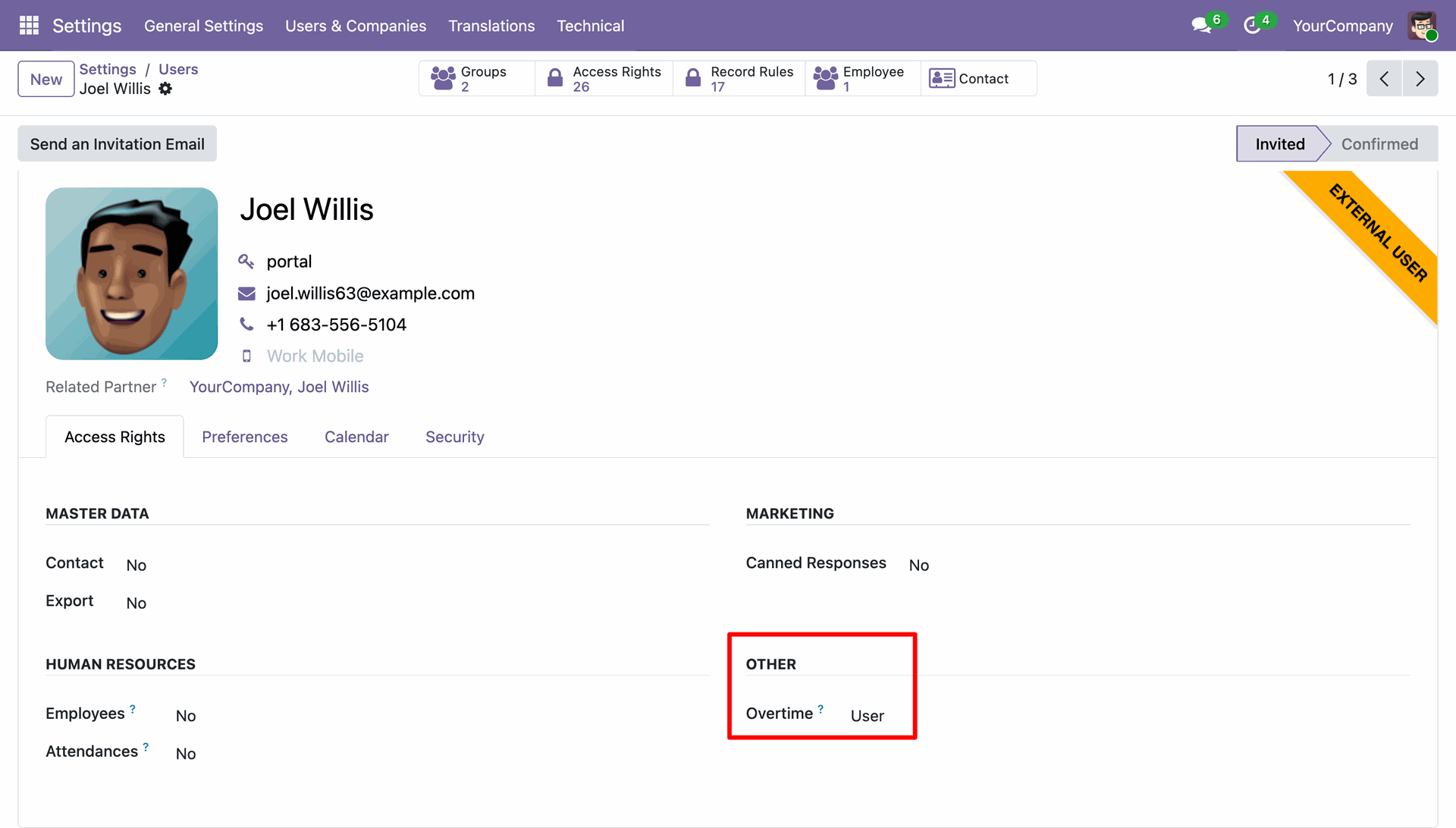
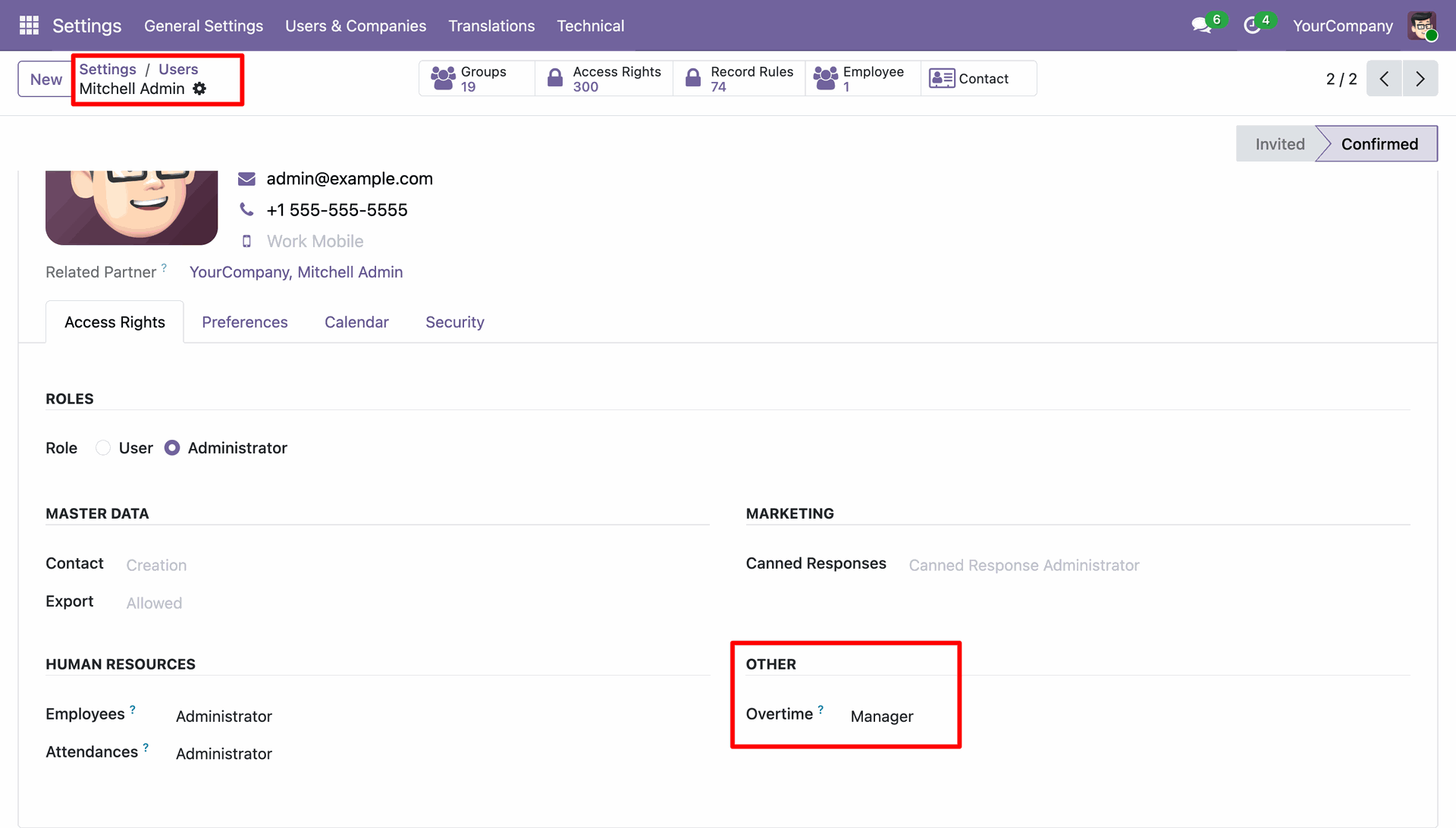
Configure 'Overtime User' role and 'Portal' access for employees to enable external request management.
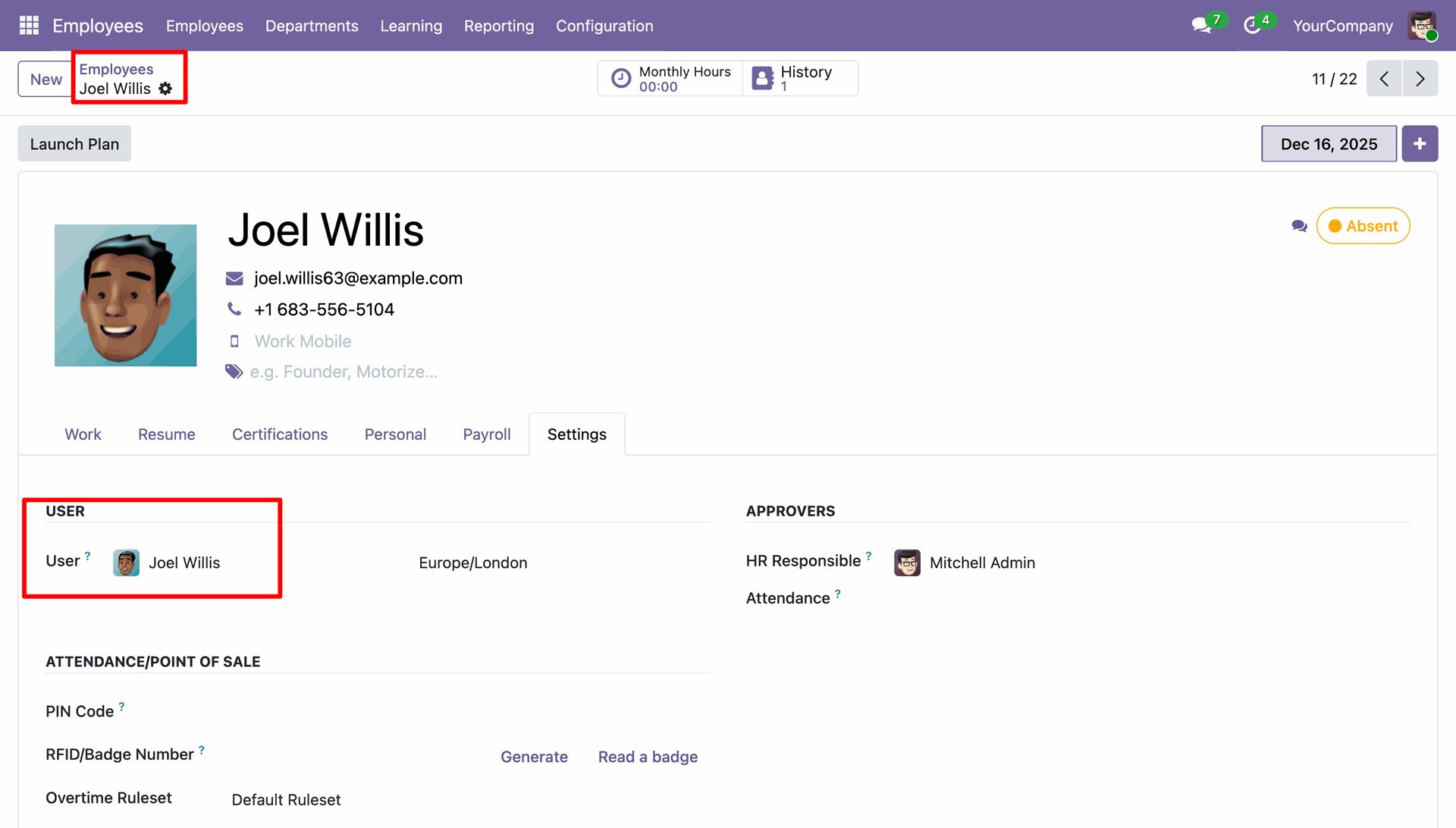
Employee Profile Setup: Link the portal user to the corresponding employee profile to ensure accurate data tracking.
A 'Overtime' menu is integrated into the employee's portal dashboard for quick access.
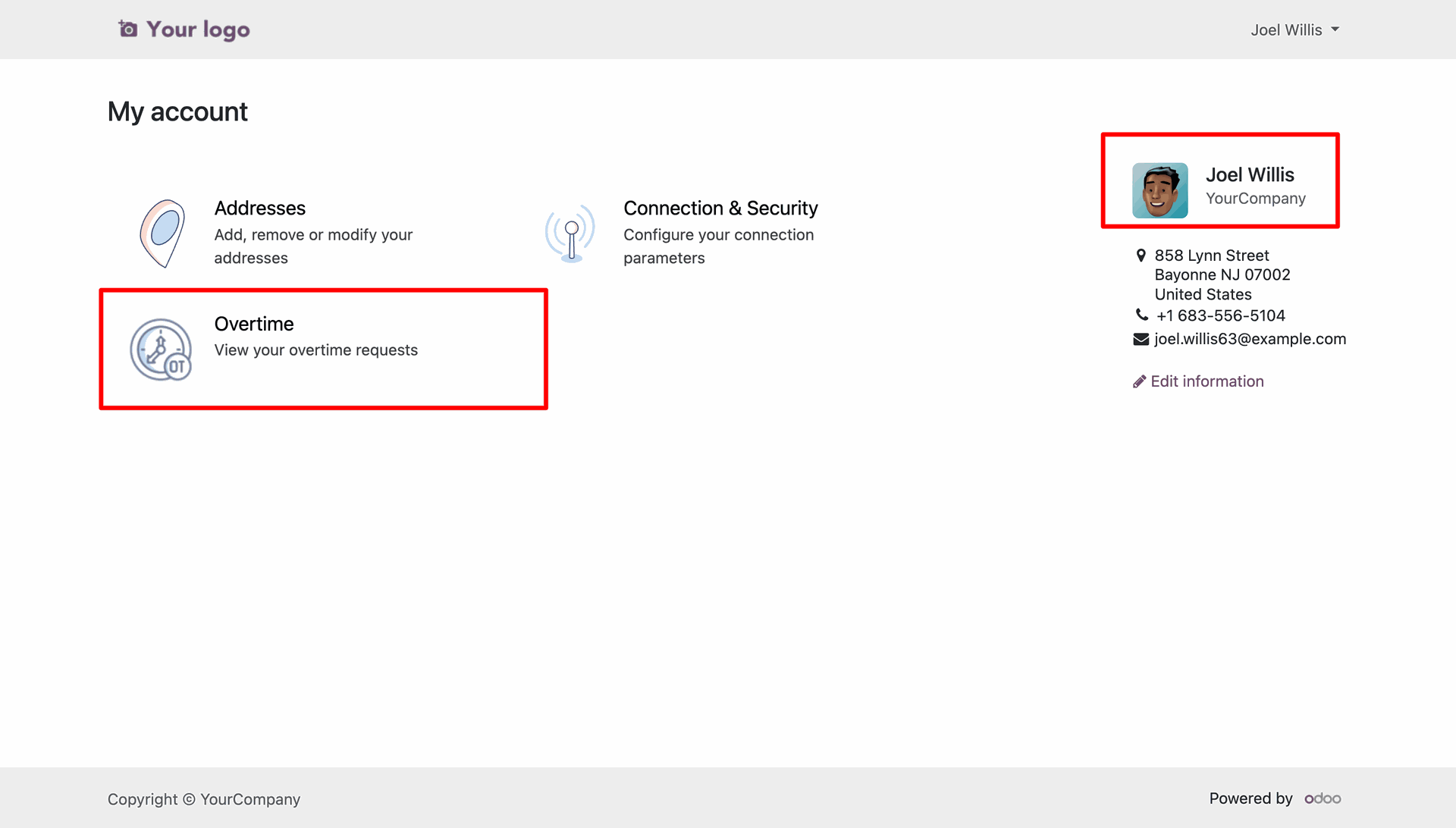
Employees can view a structured list of all their overtime
submissions and current statuses.
Create a new overtime request.
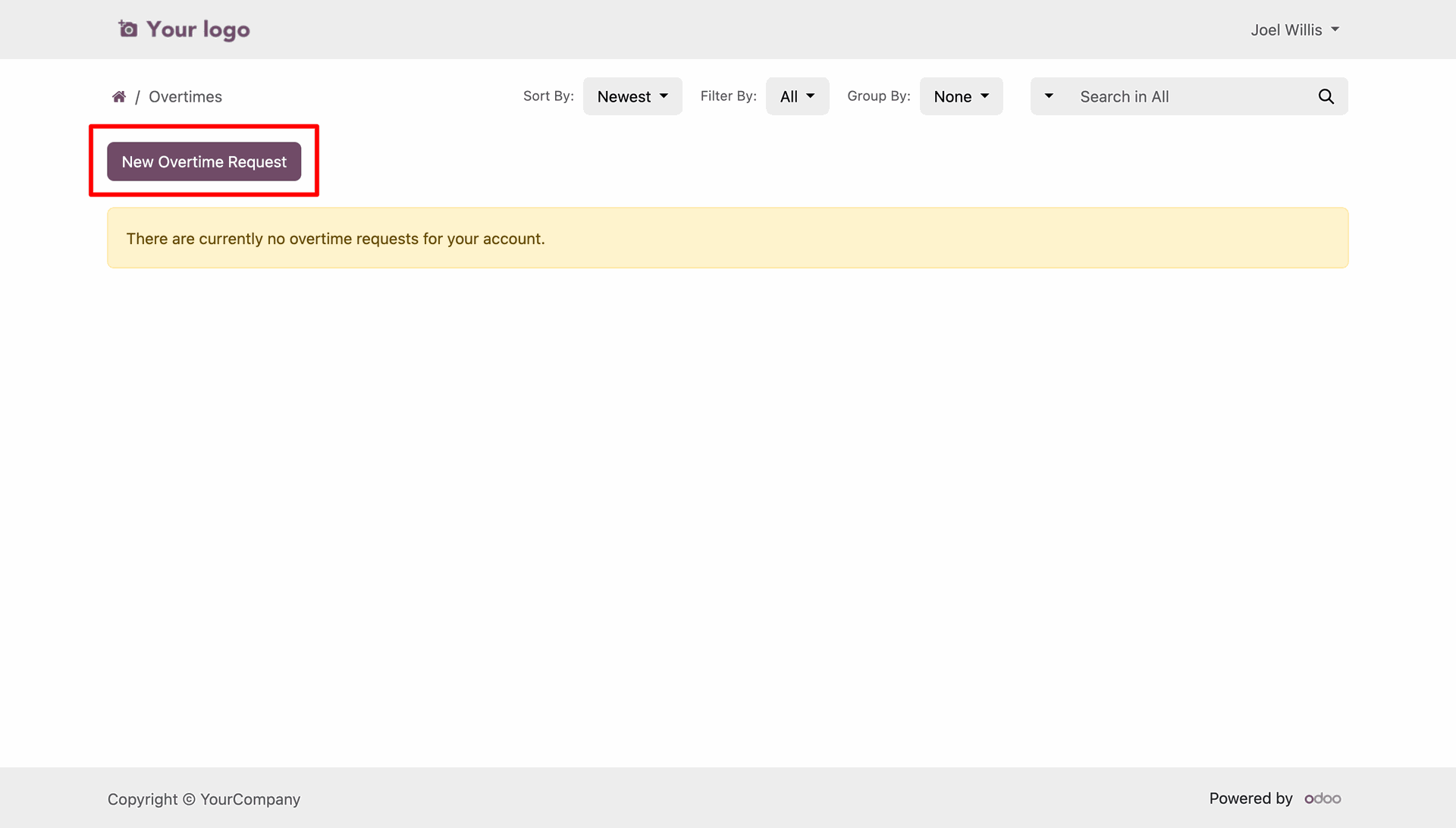
Employees can specify the date range, overtime type, and time.
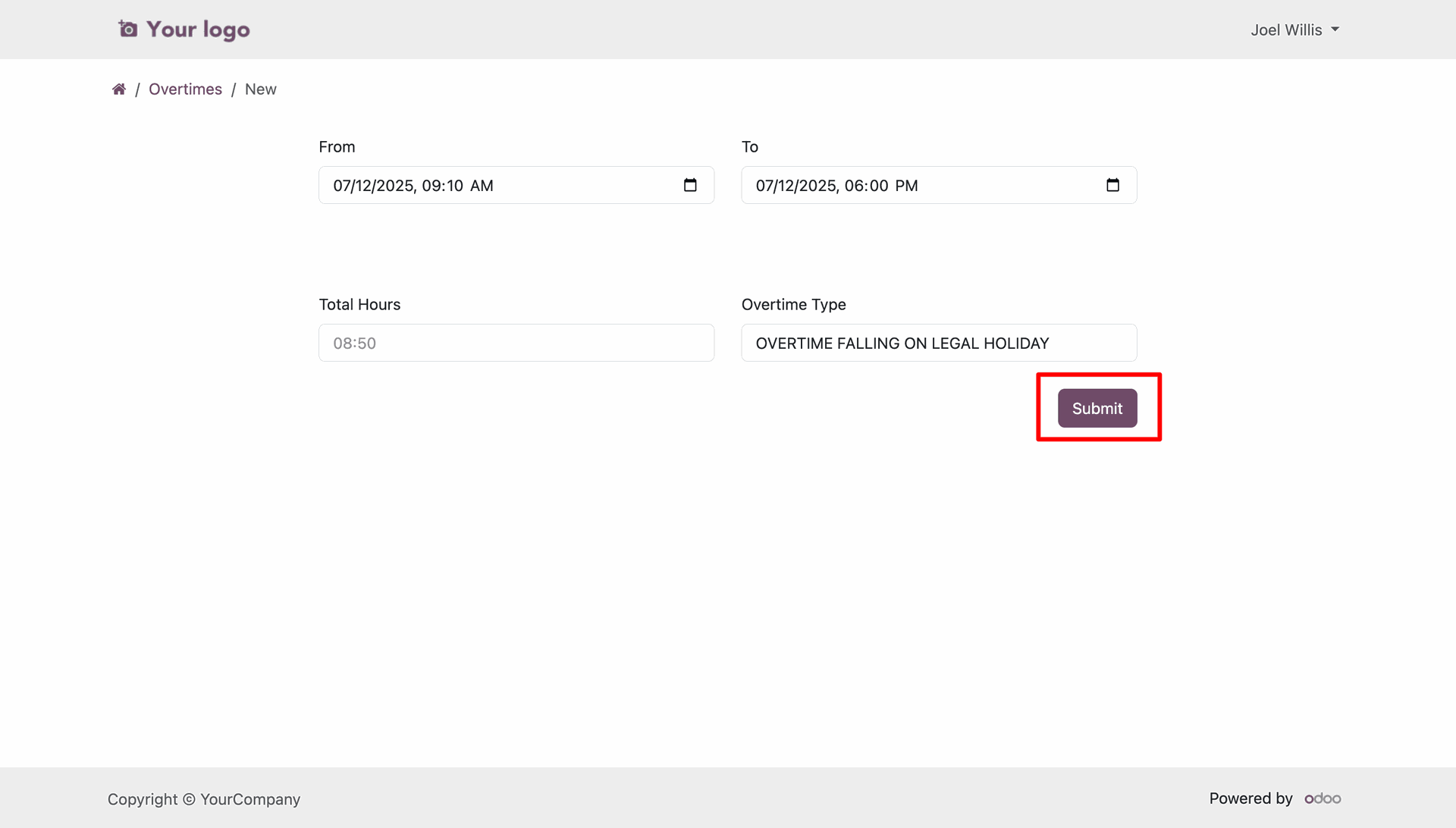
Once created, the overtime request appears in the list view in 'New' (Draft) state.
View all request specifics and participate in the communication thread via the portal.
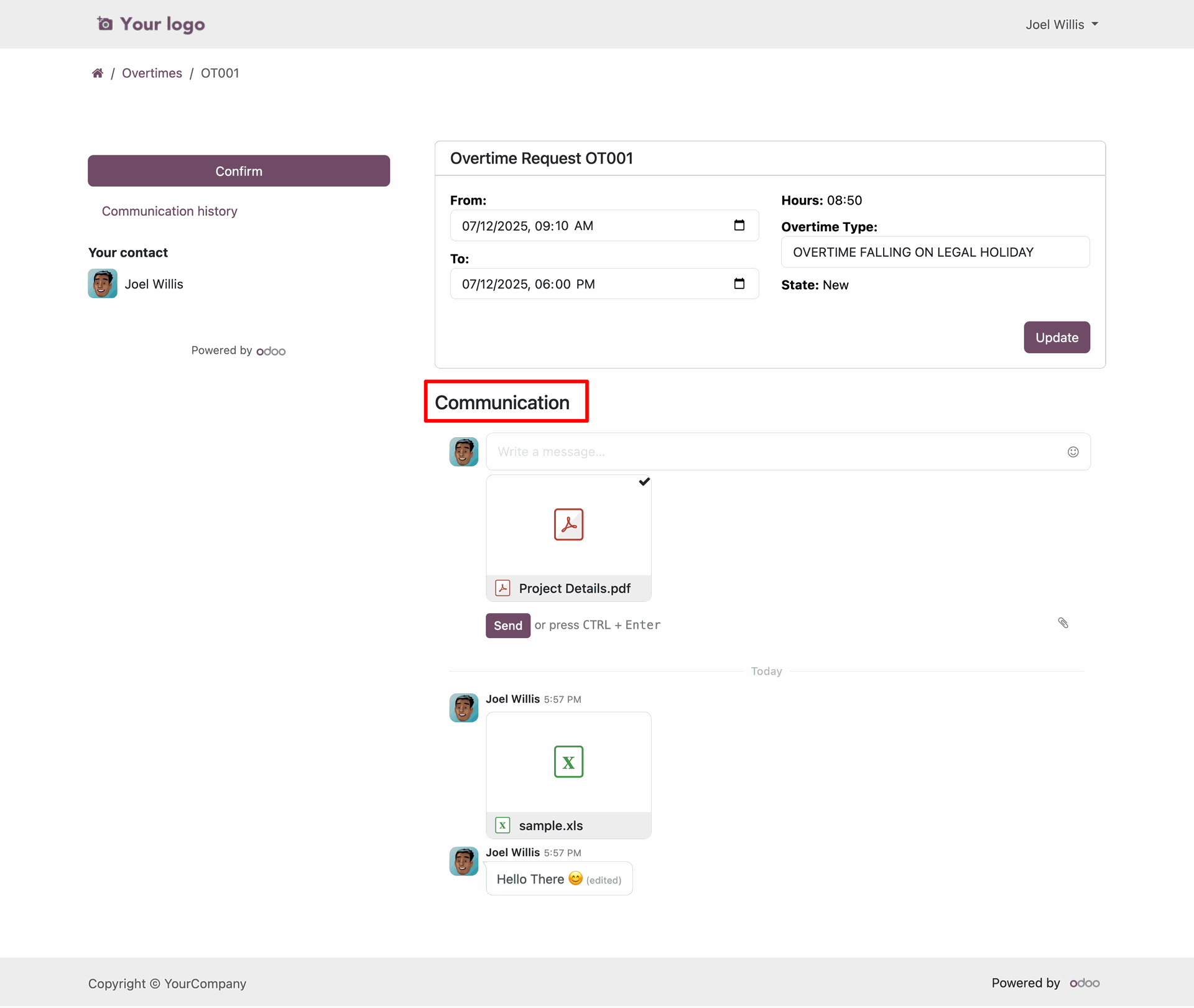
Employee can also update the orvertime request.
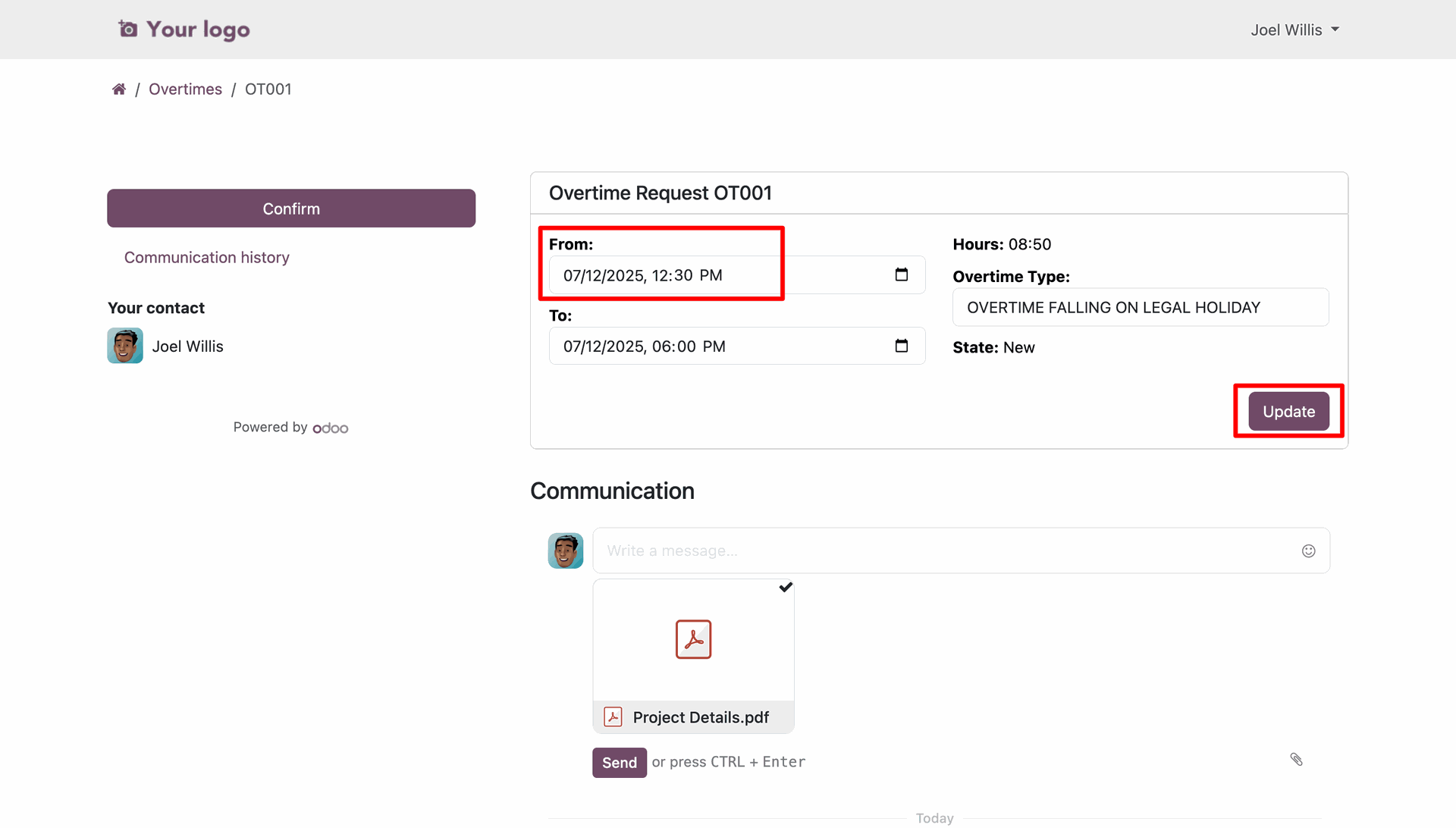
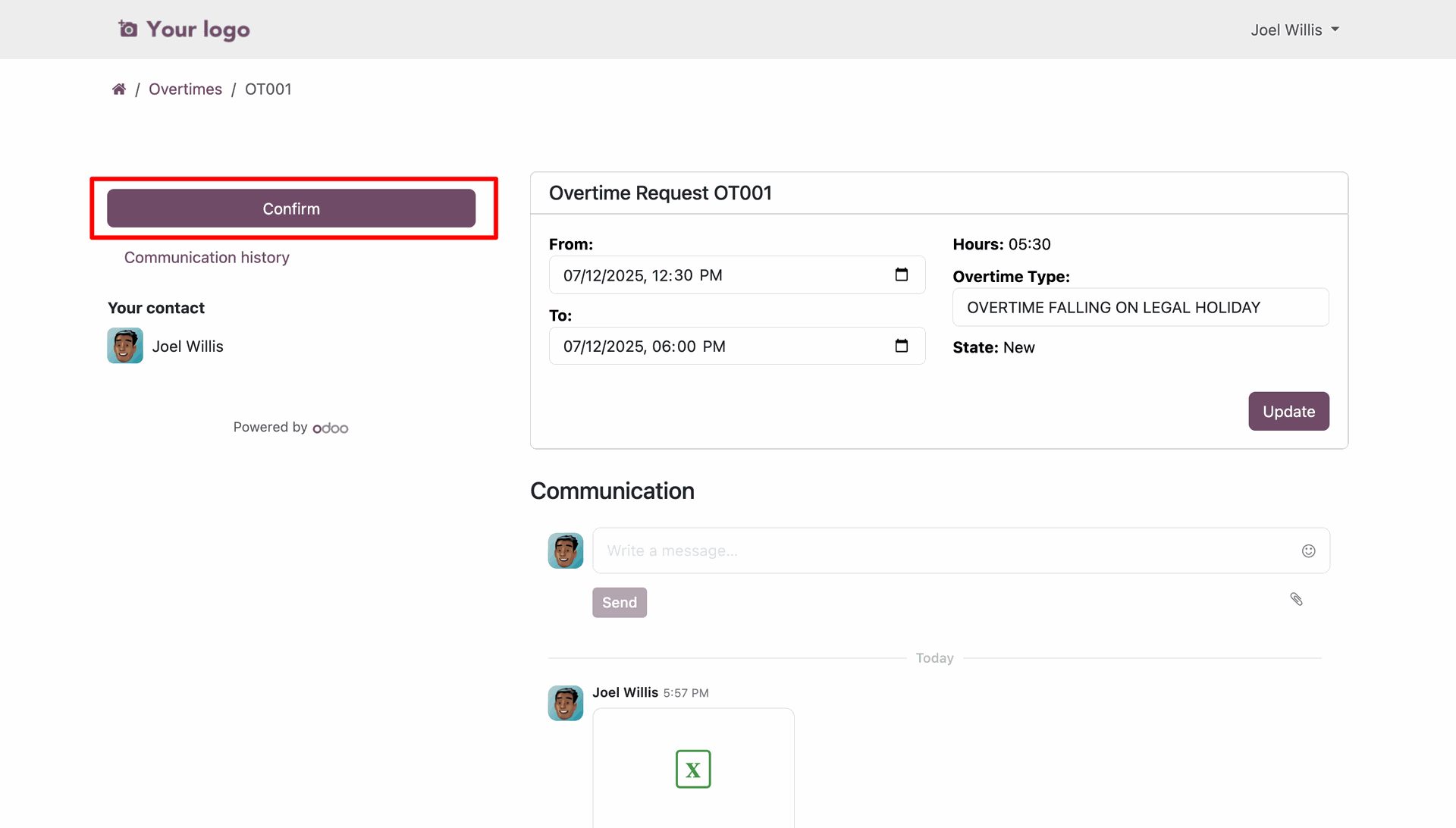
Employees can click 'Confirm' to submit their draft request for managerial review.
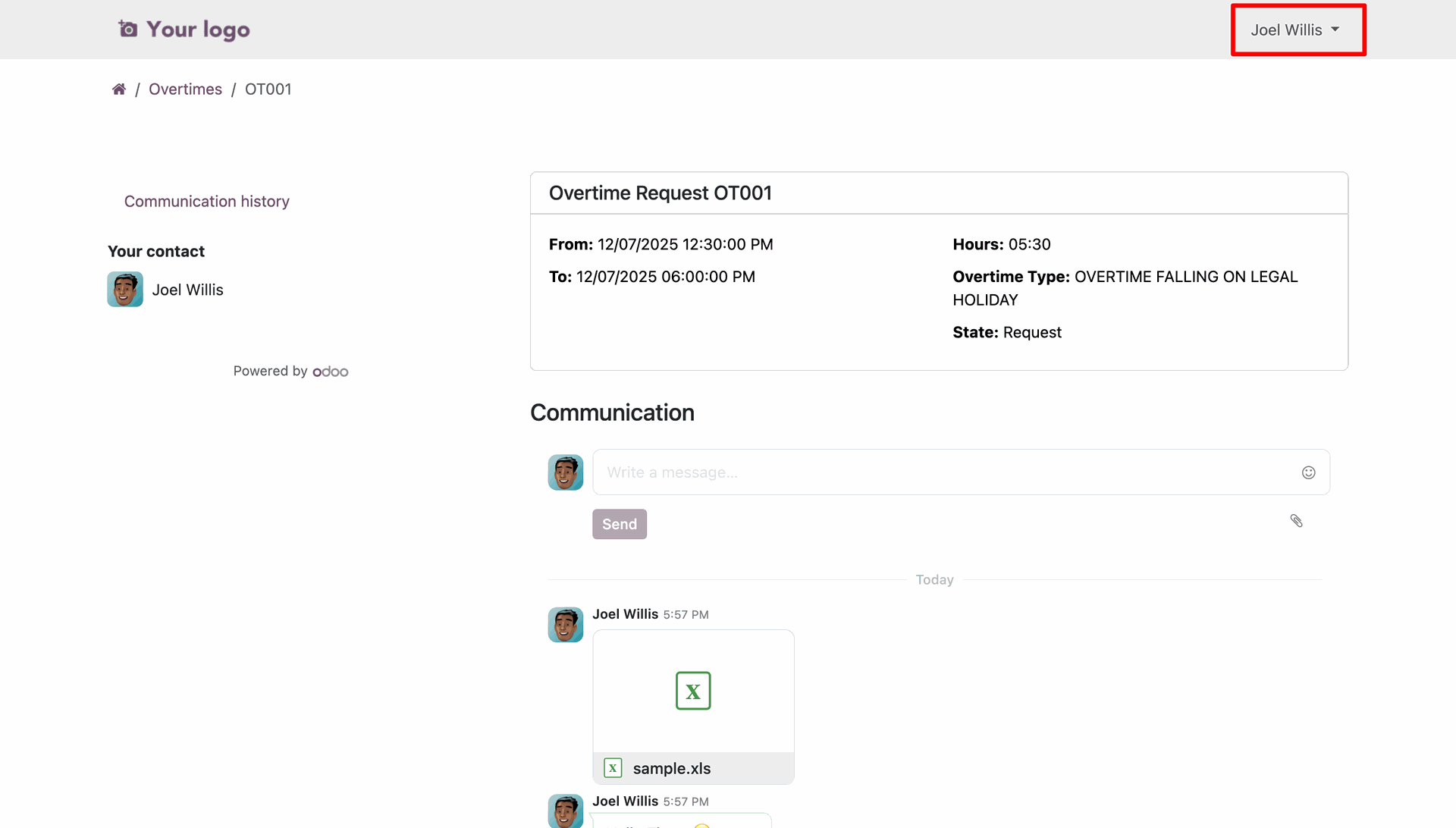
The request status automatically updates to 'Requested' after confirmation, notifying the manager.
Define 'Overtime Manager' permissions for supervisors to handle the approval workflow.
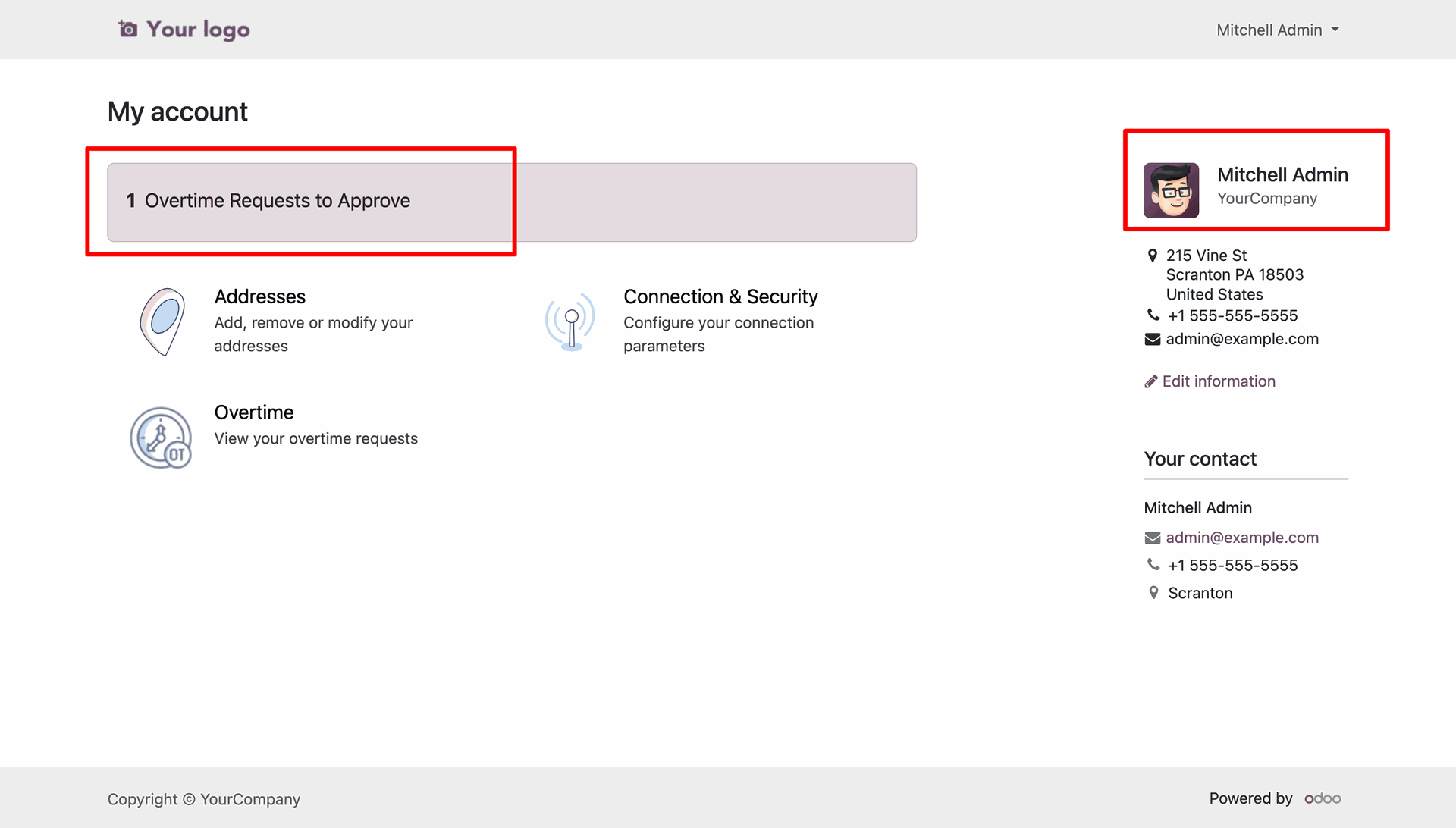
Manager can see a 'Overtime Requests to Approve' on their portal.
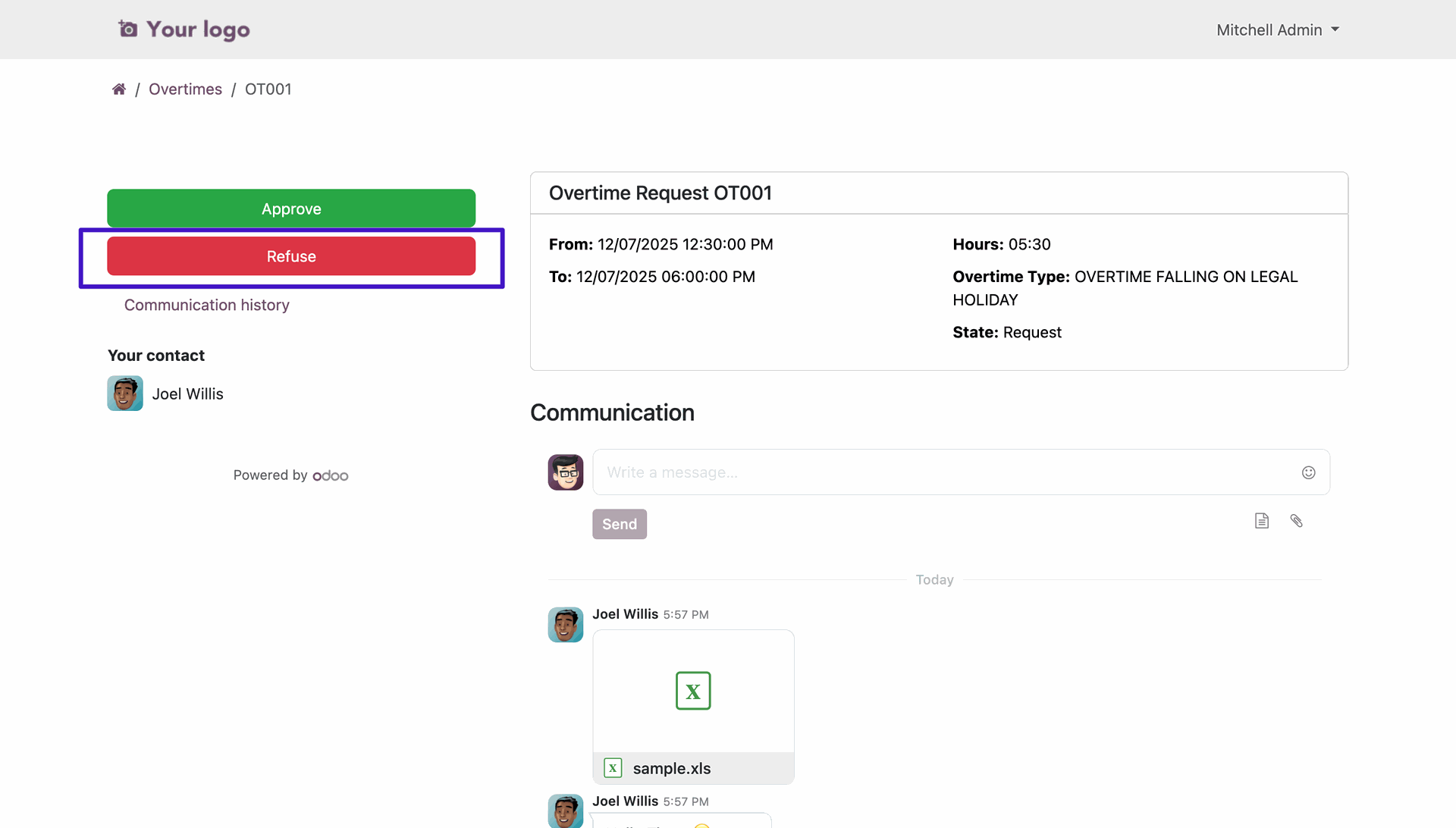
Managers can review team requests with full details and
direct 'Approve'/'Refuse' actions.
Click on the 'Refuse' button.
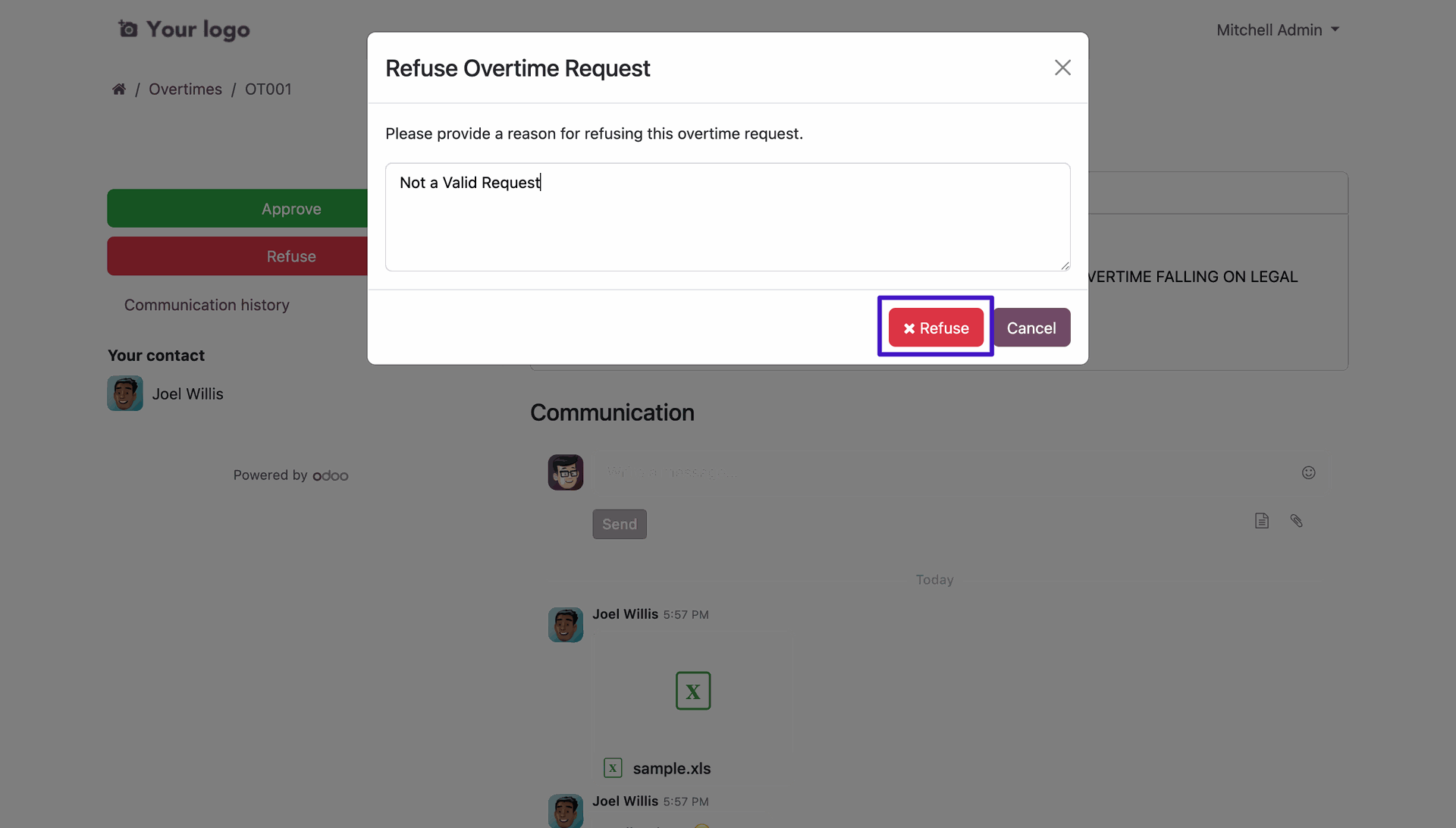
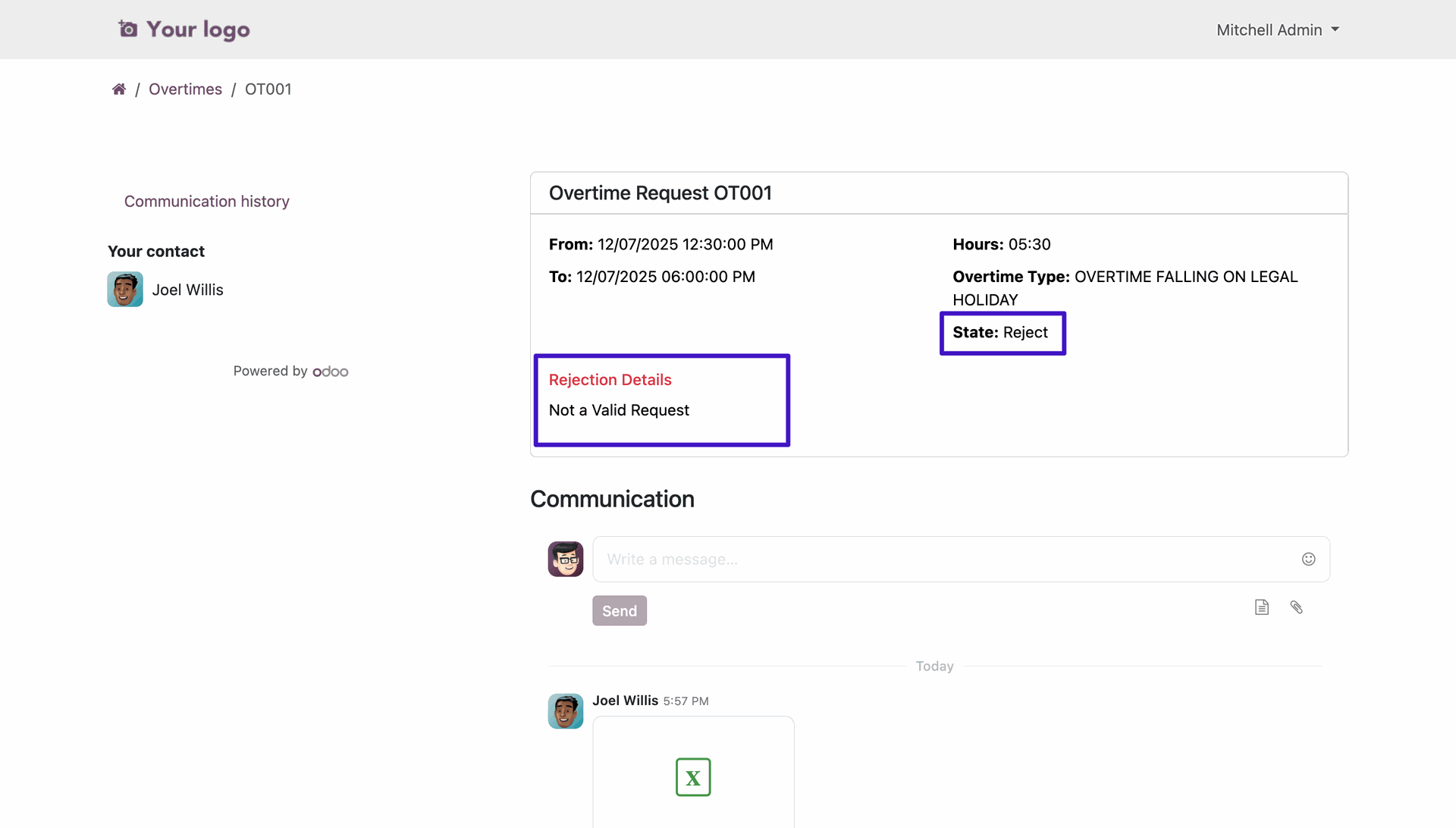
A popup allows managers to provide specific reasons when a request needs to be refused.
Rejection details are clearly displayed to the employee, facilitating clear feedback.
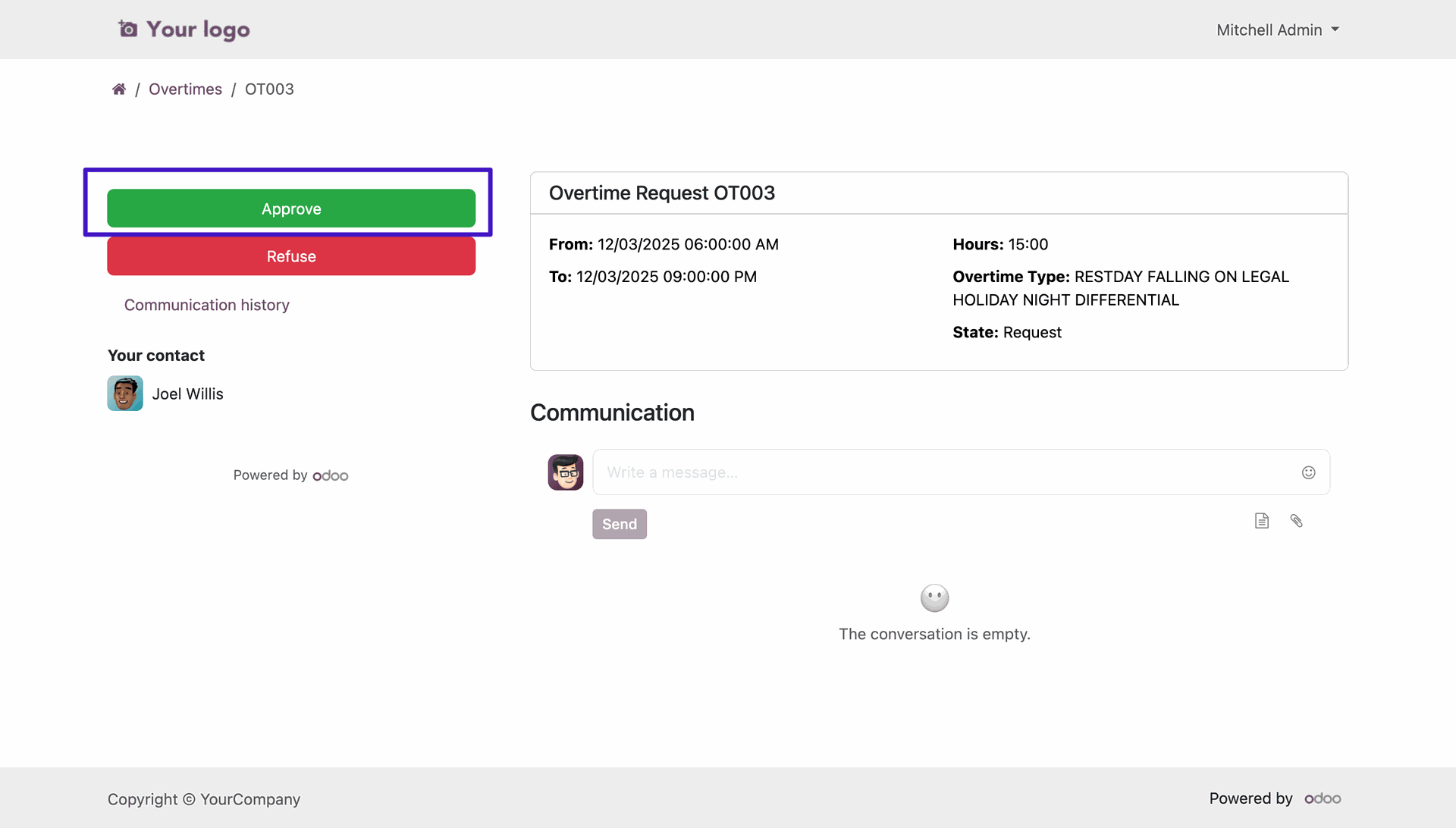
Click on the 'Approve' button to approve the request.
Version 18.0.1.0.0 | Released on : 8th April 2026
- Yes, this app works perfectly with Odoo Enterprise (Odoo.sh & Premise) as well as Community.
- No, this application is not compatible with odoo.com(odoo saas/Odoo Online)
- Yes, to test this module, please contact us at sales@softhealer.com.
- Please contact us at sales@softhealer.com to request customization.
- Yes, we provide free support for 365 days from the date of purchase.
- Yes, you will receive lifetime free updates for the version of the module you purchased.
- No, there is no need to install any additional libraries.
- Yes, for version 12 and above, you need to purchase the module separately for each version you intend to use.
- No, exchanges or refunds are not allowed. Please make sure to select the correct version before purchasing.
- You can contact us at support@softhealer.com for language translation support. We use Google Translator tools to provide translations in multiple languages, so the accuracy may vary. We welcome your suggestions to help improve translations.
Discover Our Latest Apps