








Portal Dashboard

A dashboard is a view of geographic information that helps you monitor sale, purchase, invoice, project, lead, bills activities. Dashboards are designed to display multiple visualizations that work together on a single screen. Do you want to show a dashboard to your portal users? Do you want to show a well-formatted dashboard to your customer/vendor on my account screen? Do you want to show information on the lead, opportunity, quotation, sales, RFQ, purchase, invoices, bills, task, etc in graphical view? So here it is. we have made a materialize dashboard design for my account page. currently in odoo 'my account' have not well-formatted dashboard and is not well designed. we have modified and made that very beautiful and attractive.

Features
- Portal Dashboard For Customer, Vendor.
- Material Design.
- Beautiful Counters.
- Well organized Dashboard.
- Beautiful layout for customers and vendors.
- Easy to use and configuration features.
- Many graphs for graphical presentations.
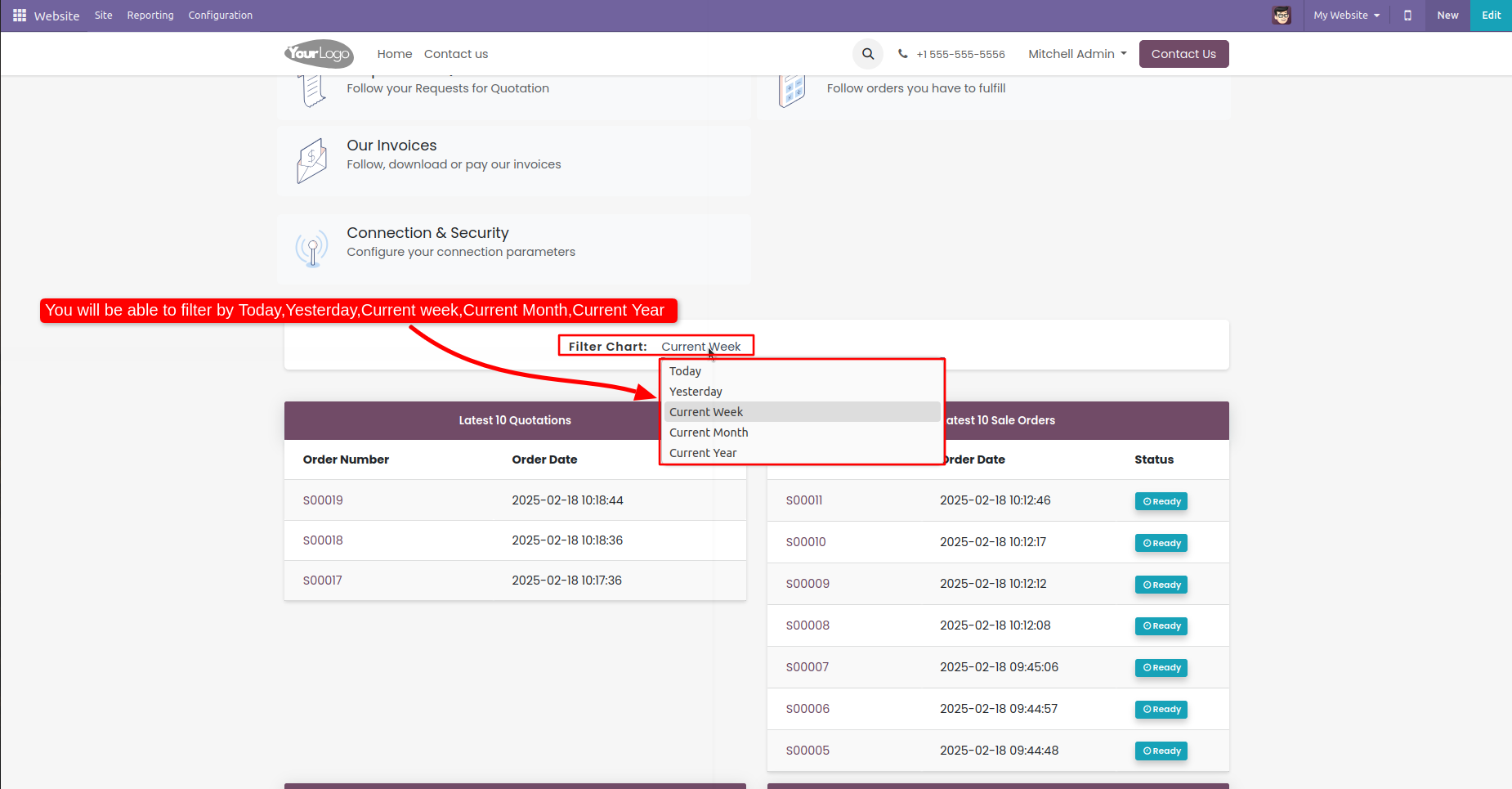
- Easy to filter charts and table by today, yesterday, current week, month, year.
- Easy to Enable disable charts or tables from rec config settings.
Configuration Settings
Config Setting for Customer:
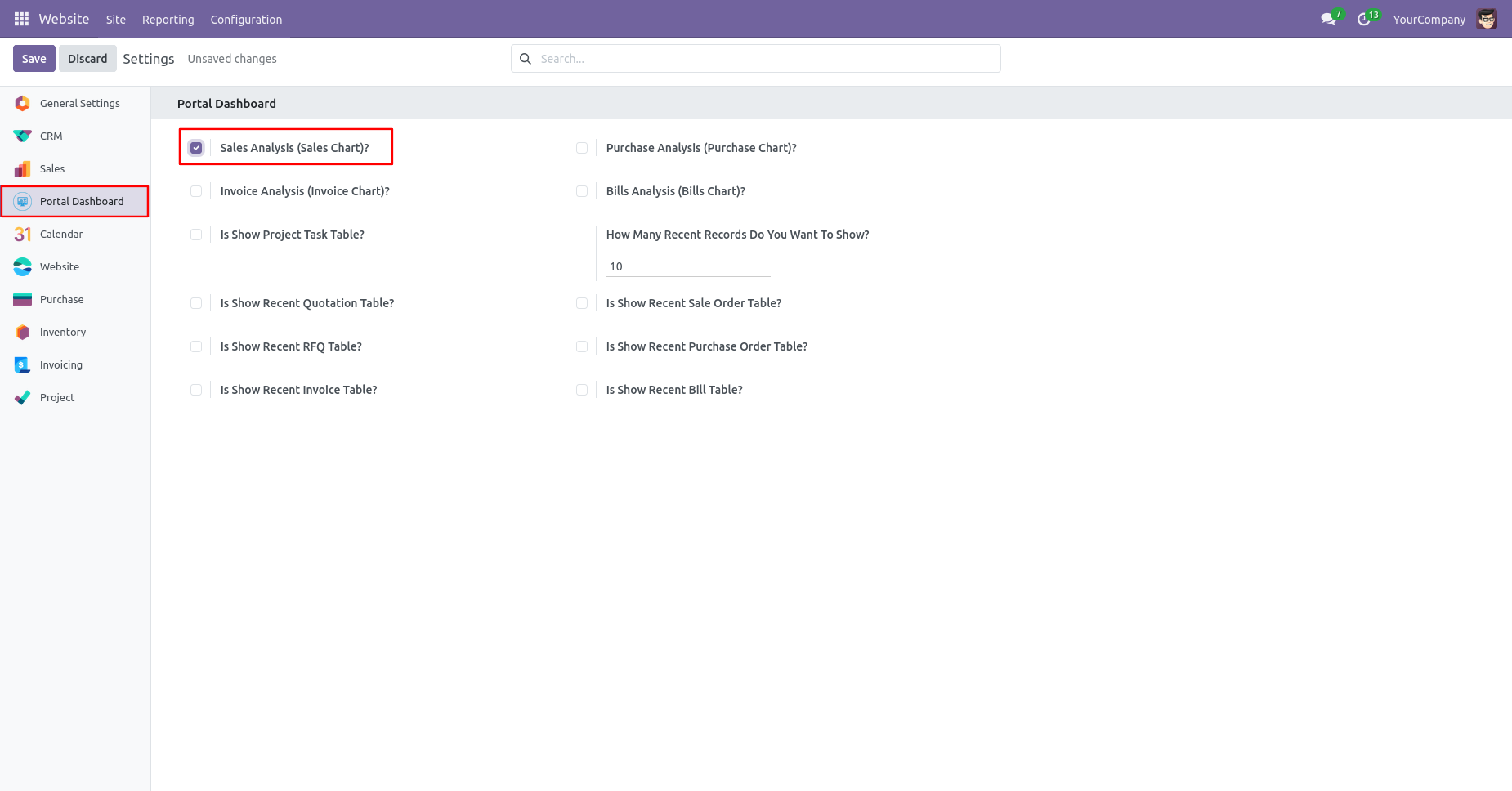
- Sales Analysis (Sales Chart) You can see the Sales analysis of the year chart in the dashboard.
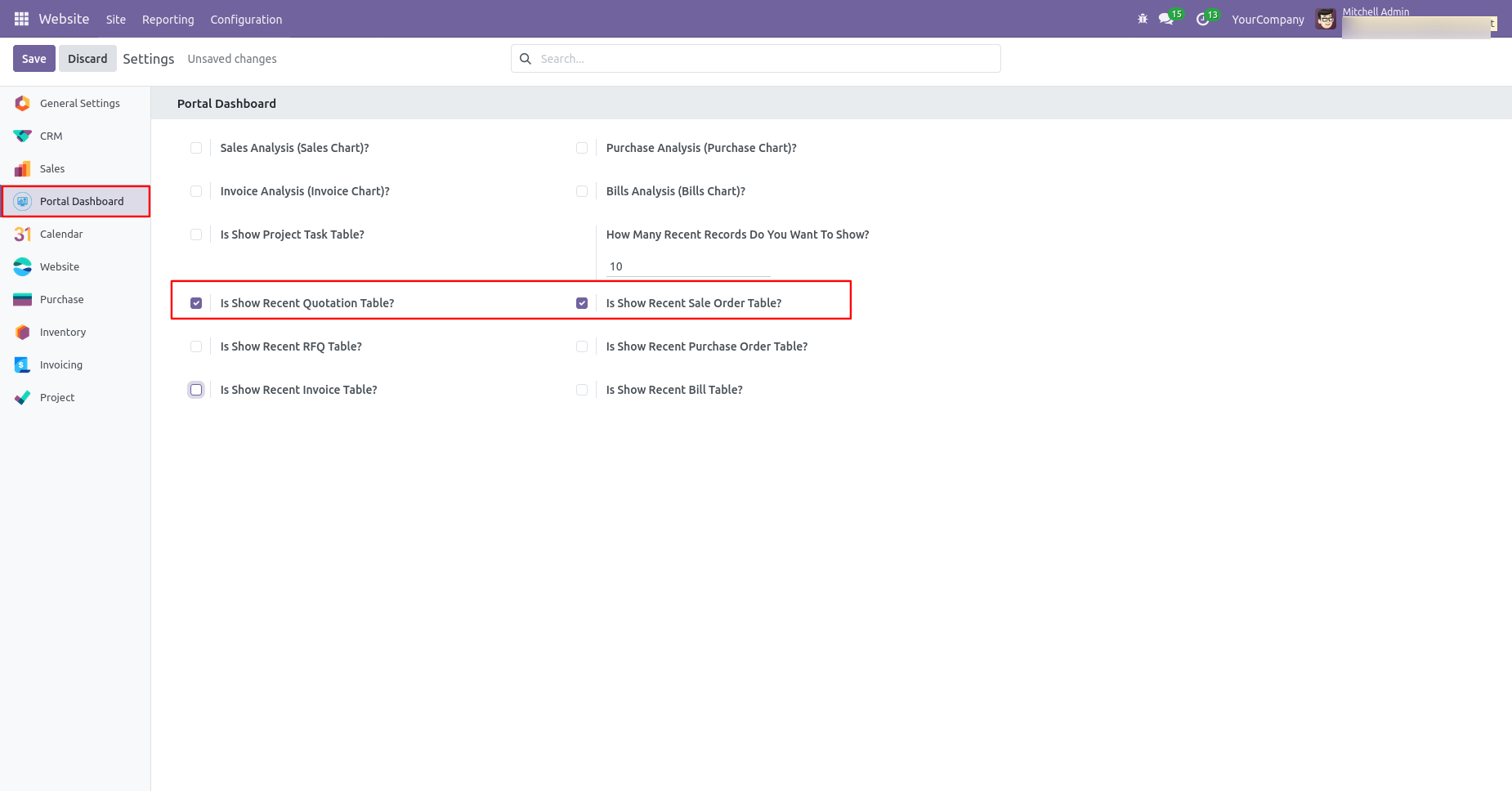
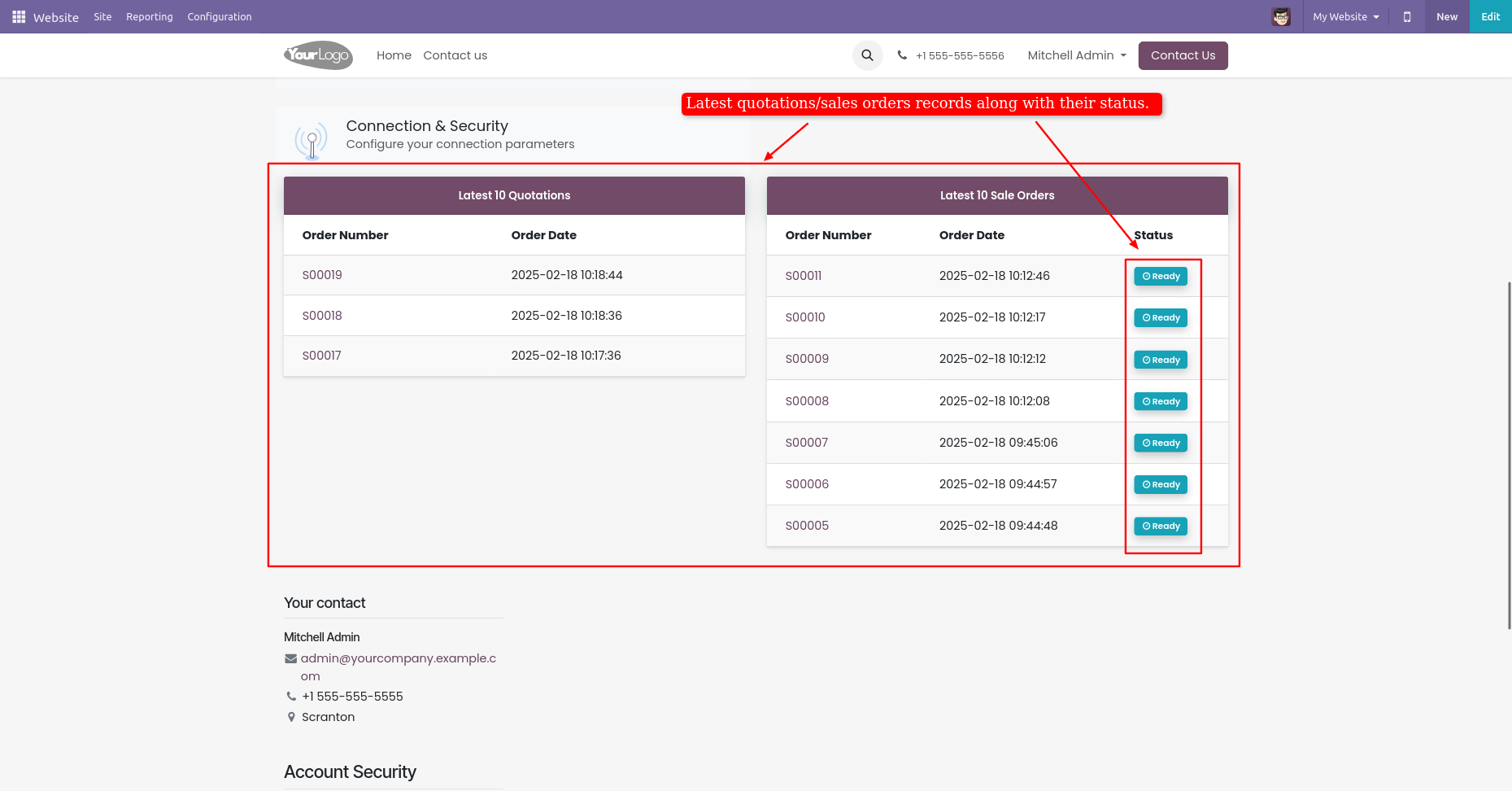
- Show Recent Quotation Table You can see the recent quotation records in the table view.
- Is Show Recent Sale Order Table You can see the recent sale order records in the table view.
- Invoice Analysis (Invoice Chart) You can see the Invoice analysis of the year chart in the dashboard.
- Show Recent Invoice Table You can see the recent invoice records in the table view.
- Bill Analysis (Bill Chart) You can see the Bill analysis of the year chart in thedashboard.
- Purchase Analysis (Purchase Chart) You can see the Purchase analysis of the year chart in the dashboard.
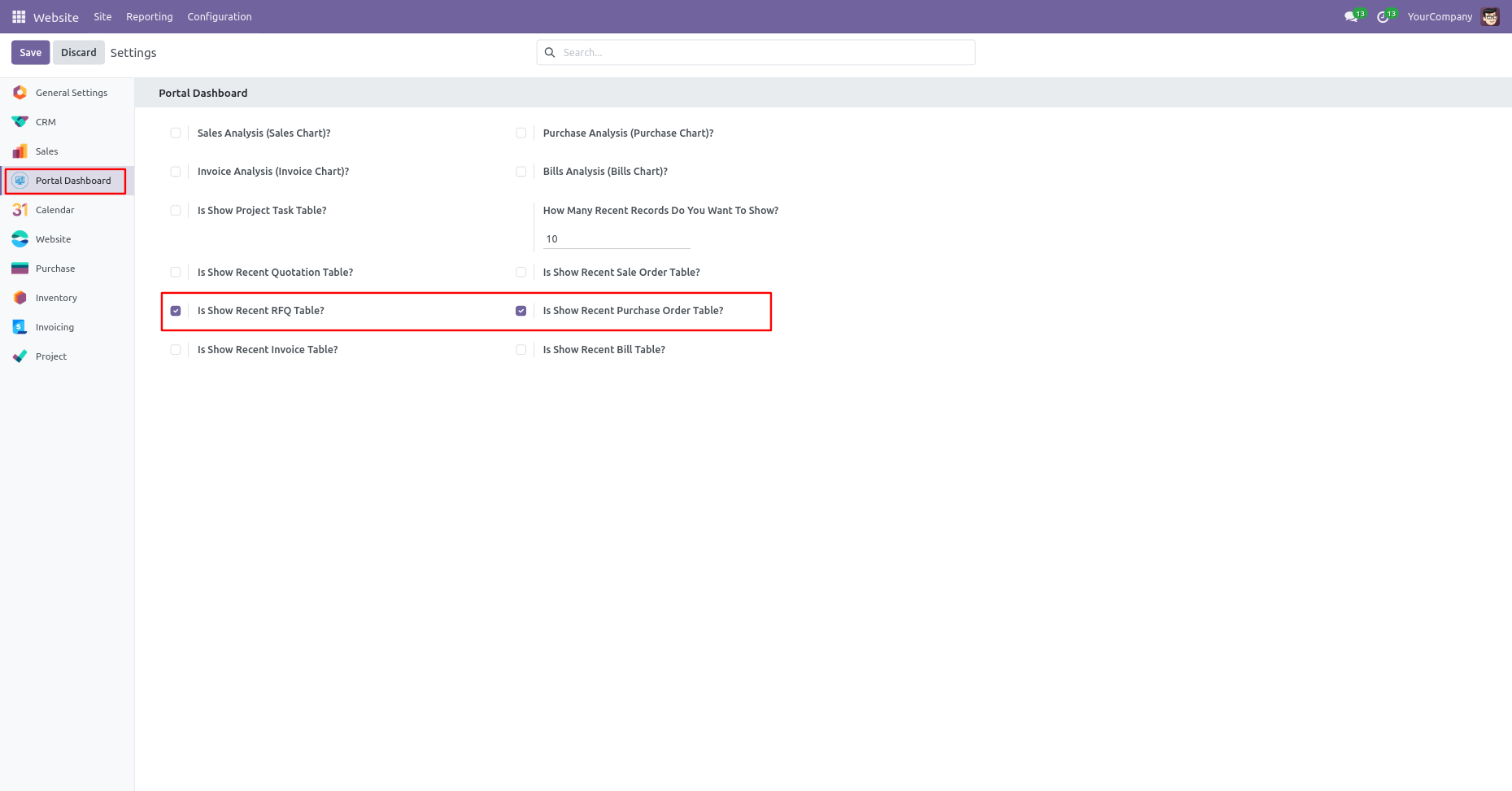
- Is Show Recent Purchase Order Table You can see the recent purchase order records in the table view.
- Show Recent RFQ Table You can see the recent RFQ records in the table view.
- Show Recent Bill Table You can see the recent bill records in the table view.
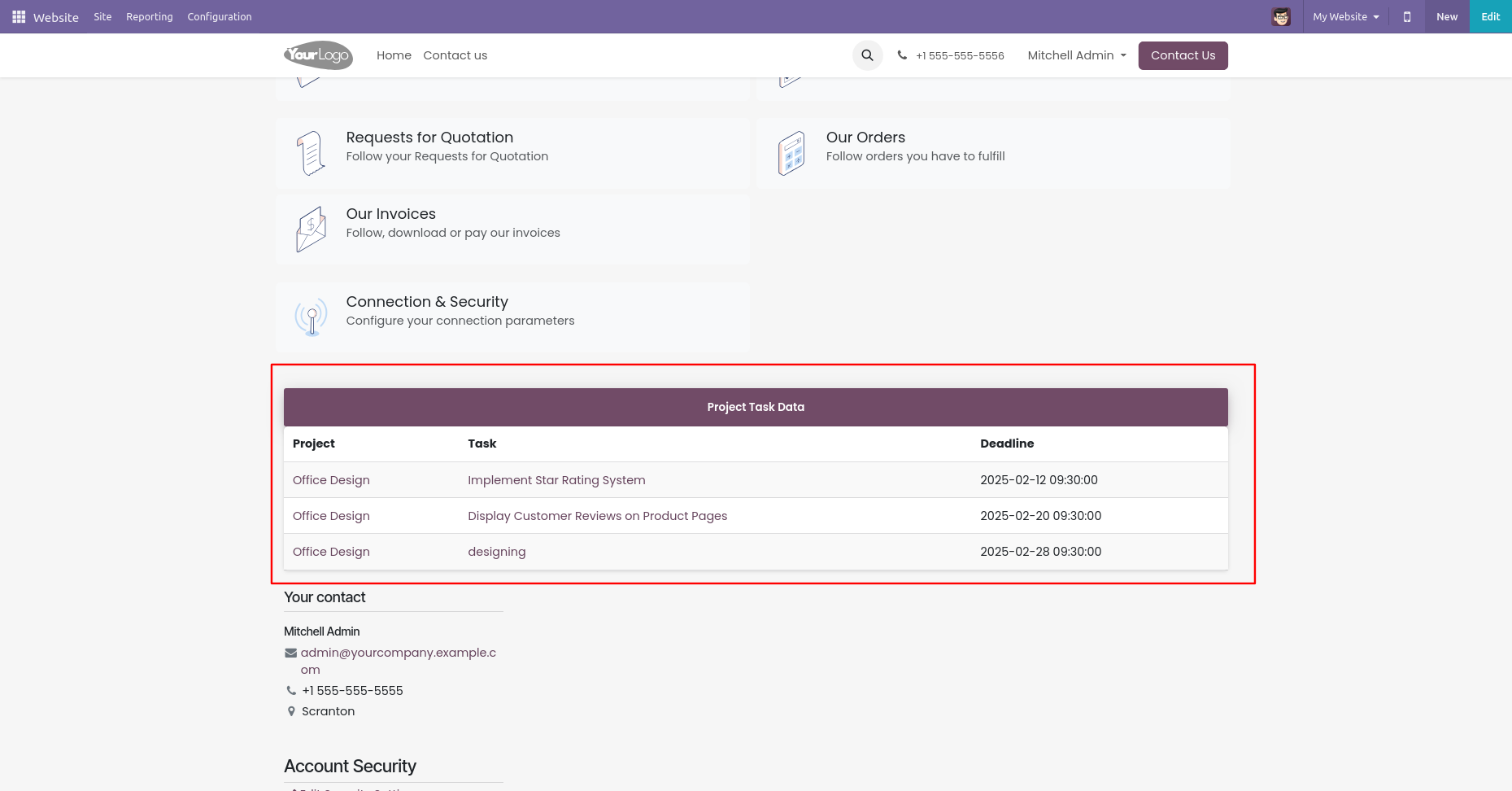
- Is Show Recent Project Task Table You can see the recent project and task records in the table view.
- In config setting 'How many recent records do you want to show' set number of recent records which is shown in the dashboard.
Config Setting for Vendor:
Config Setting for Project and Task:
Portal dashboard settings in website settings.
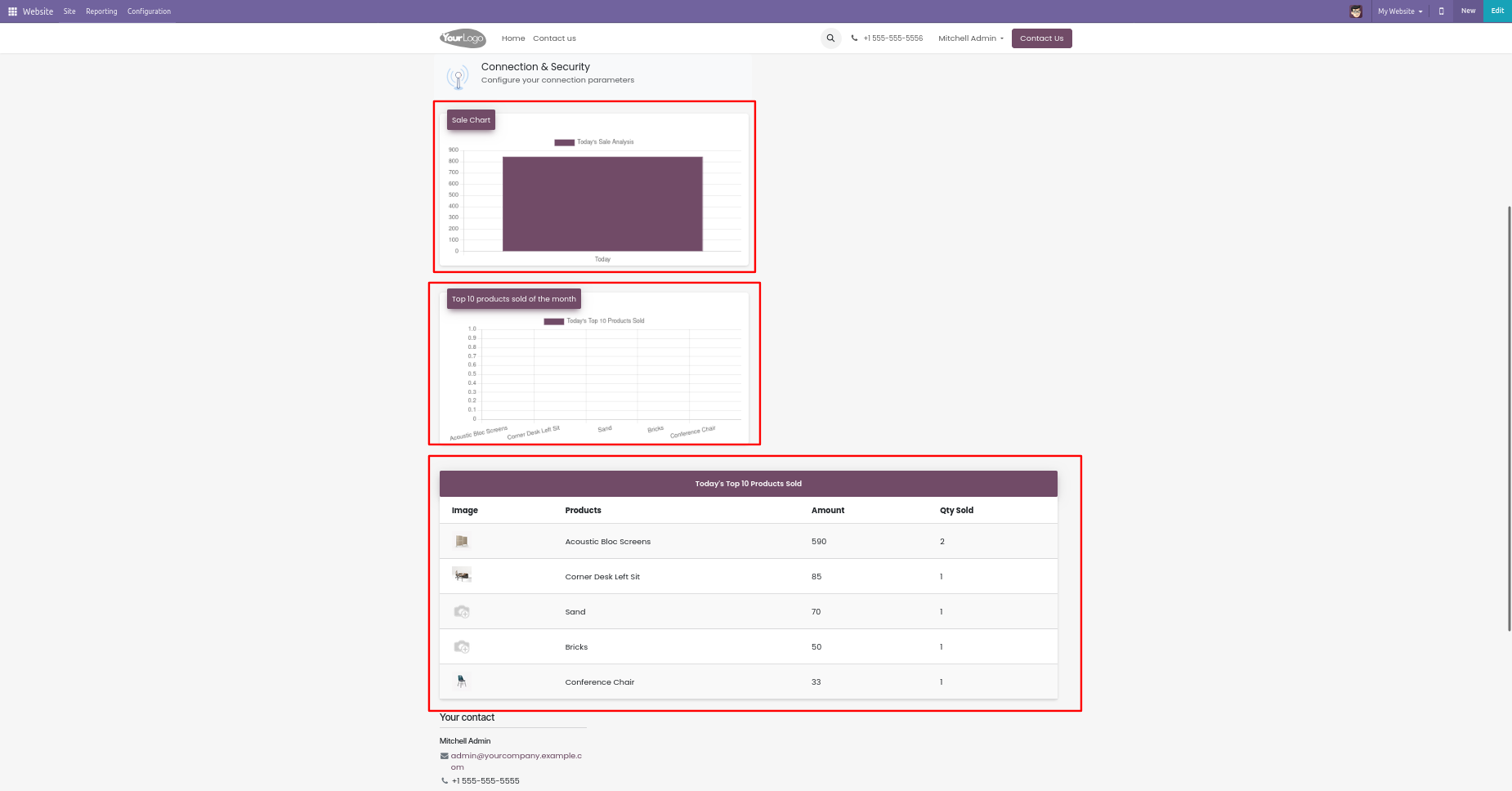
Enable the 'Sales Analysis (Sales Chart)'.
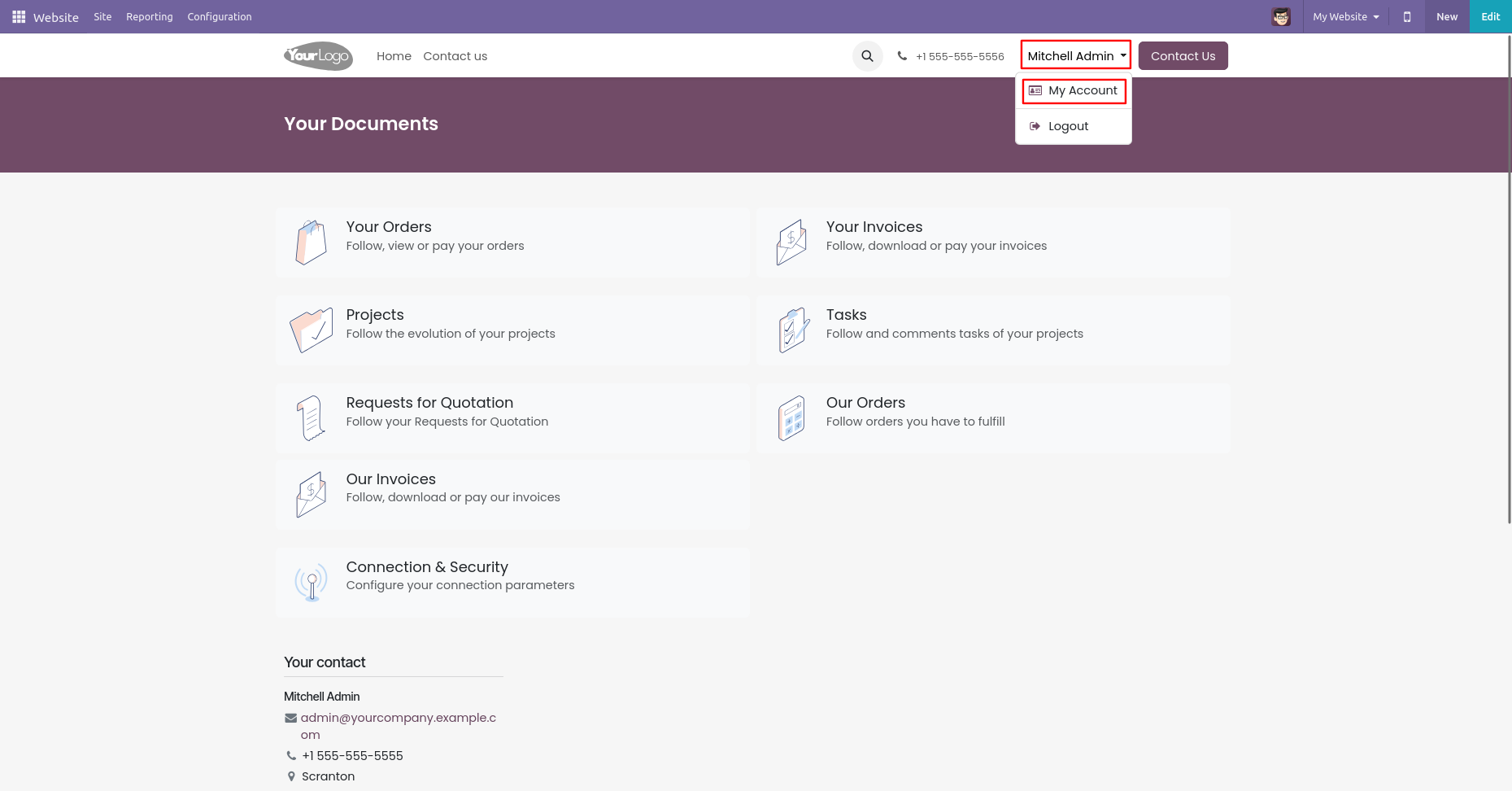
In website, go to user --> my account and you can see tiles design looks like below.
Sales analysis charts.
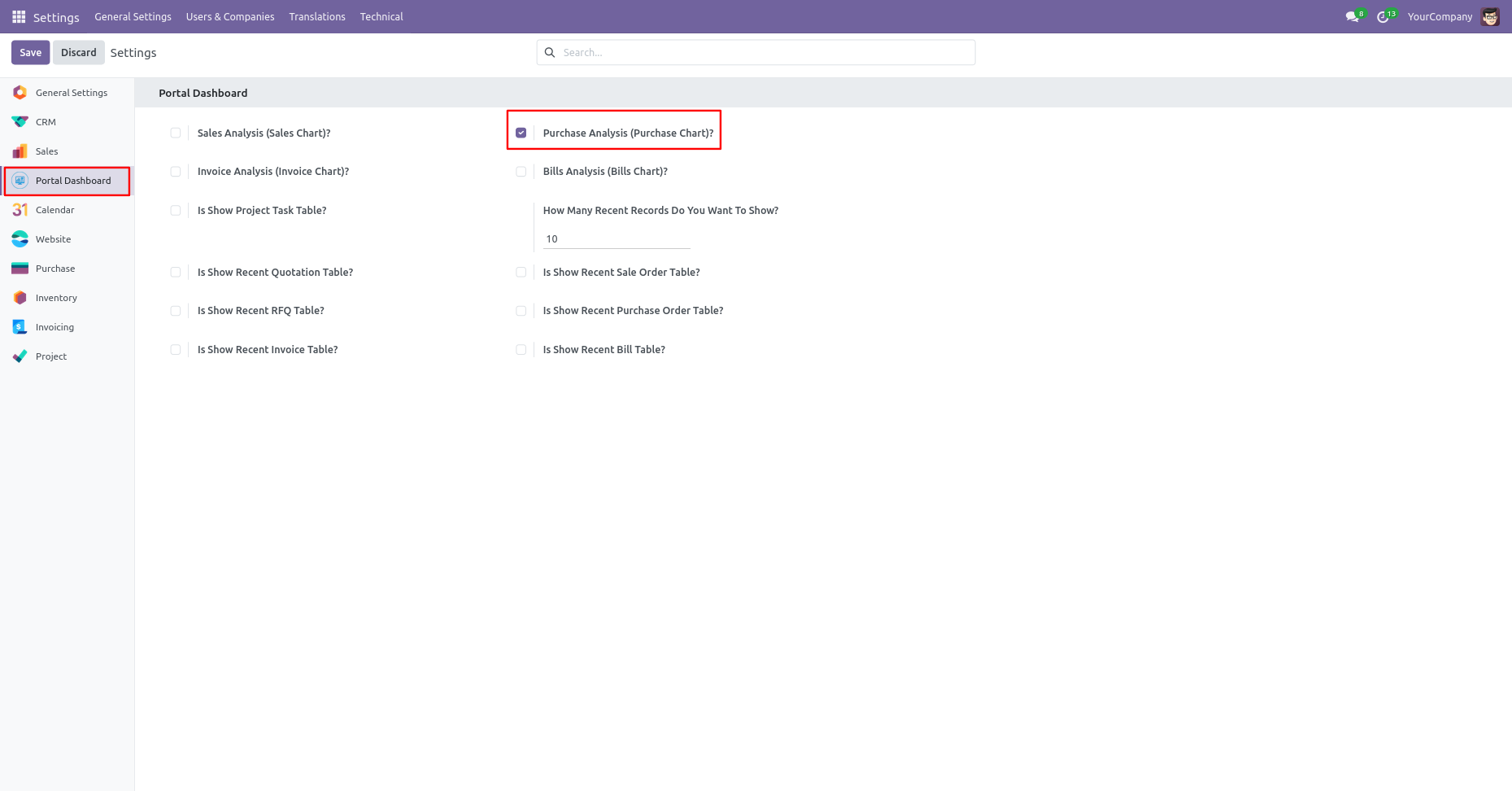
Go to the website settings and enable the 'Purchase Analysis (Purchase Chart)'.
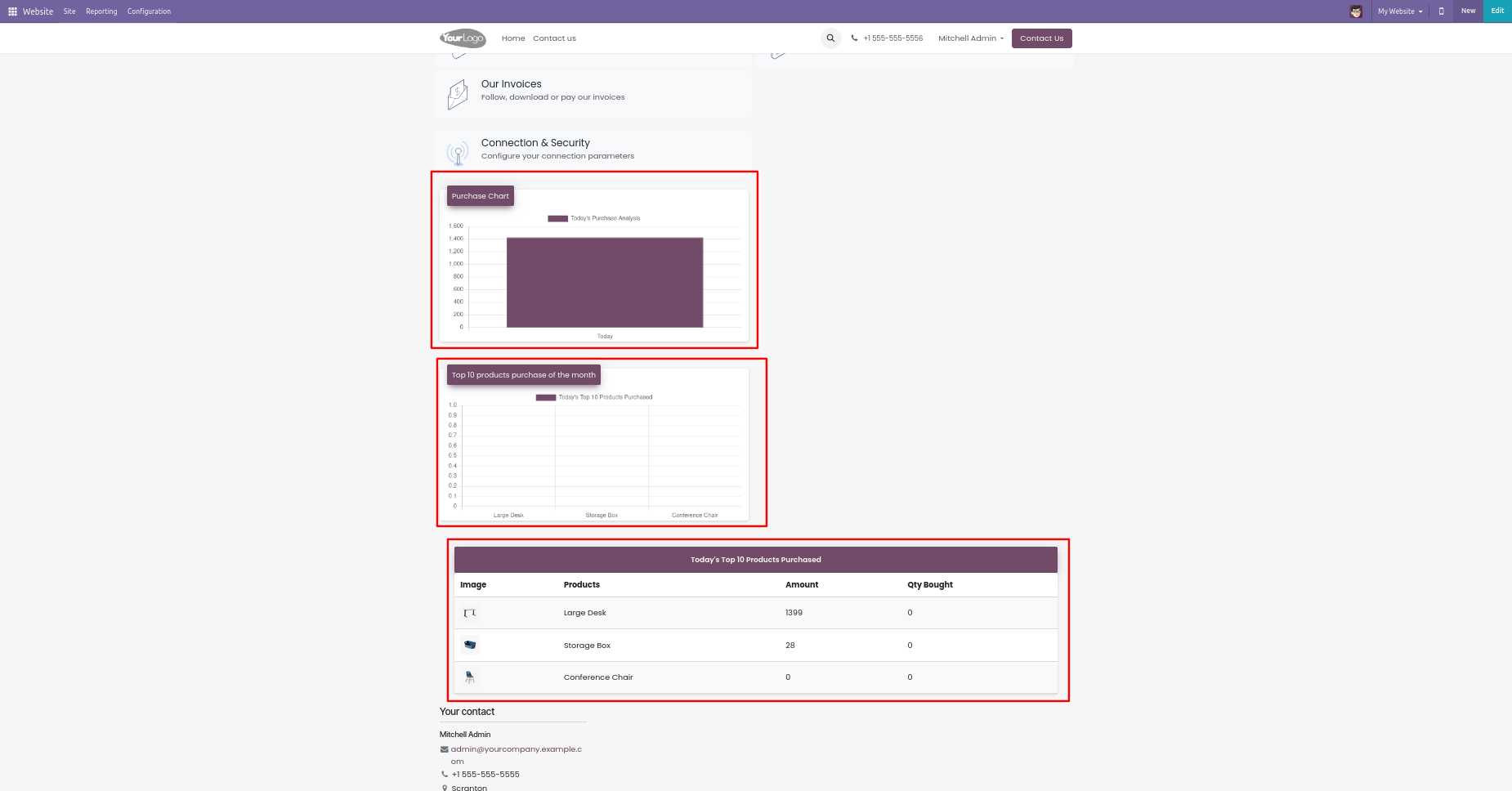
Purchase analysis charts.
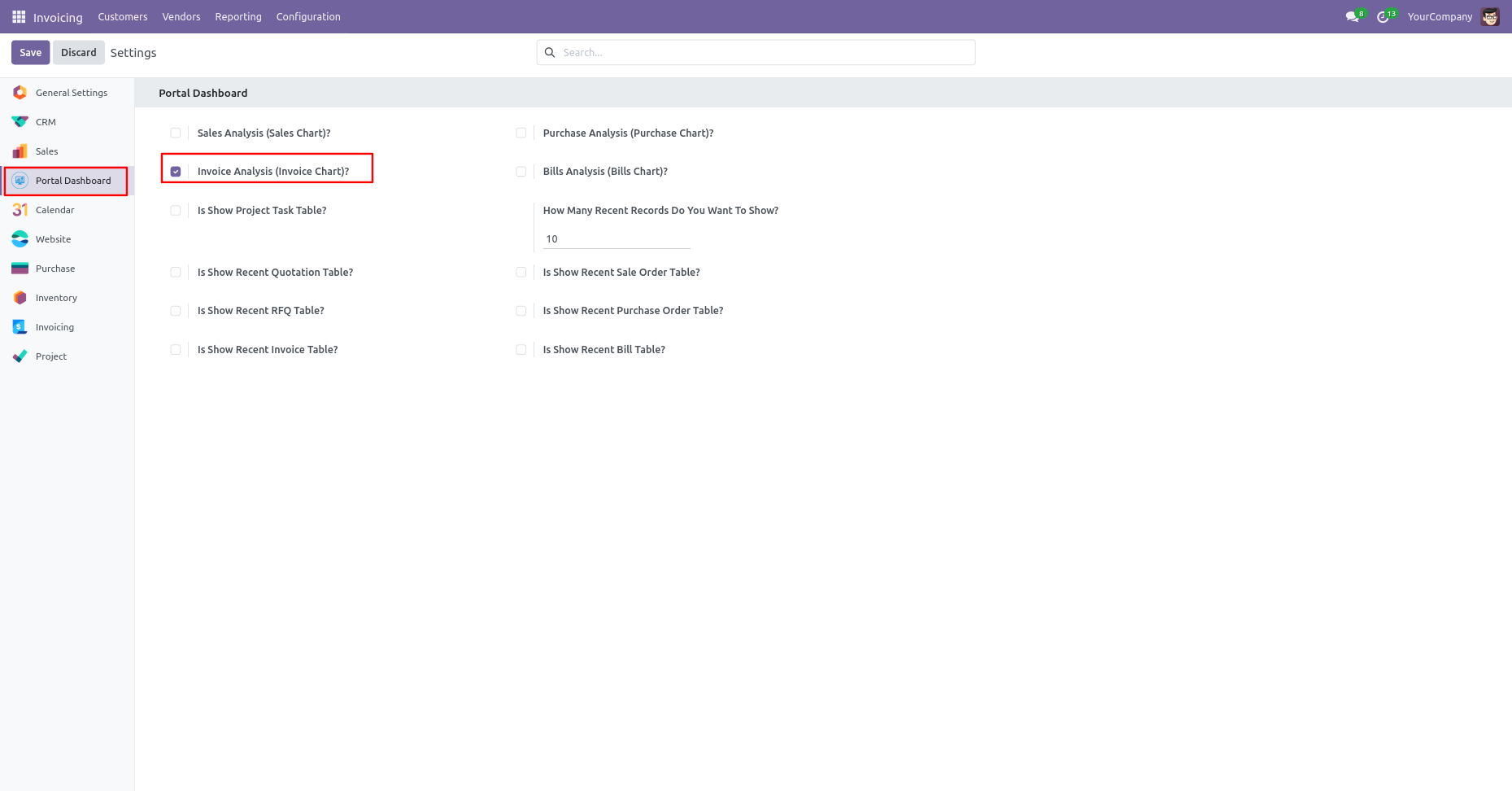
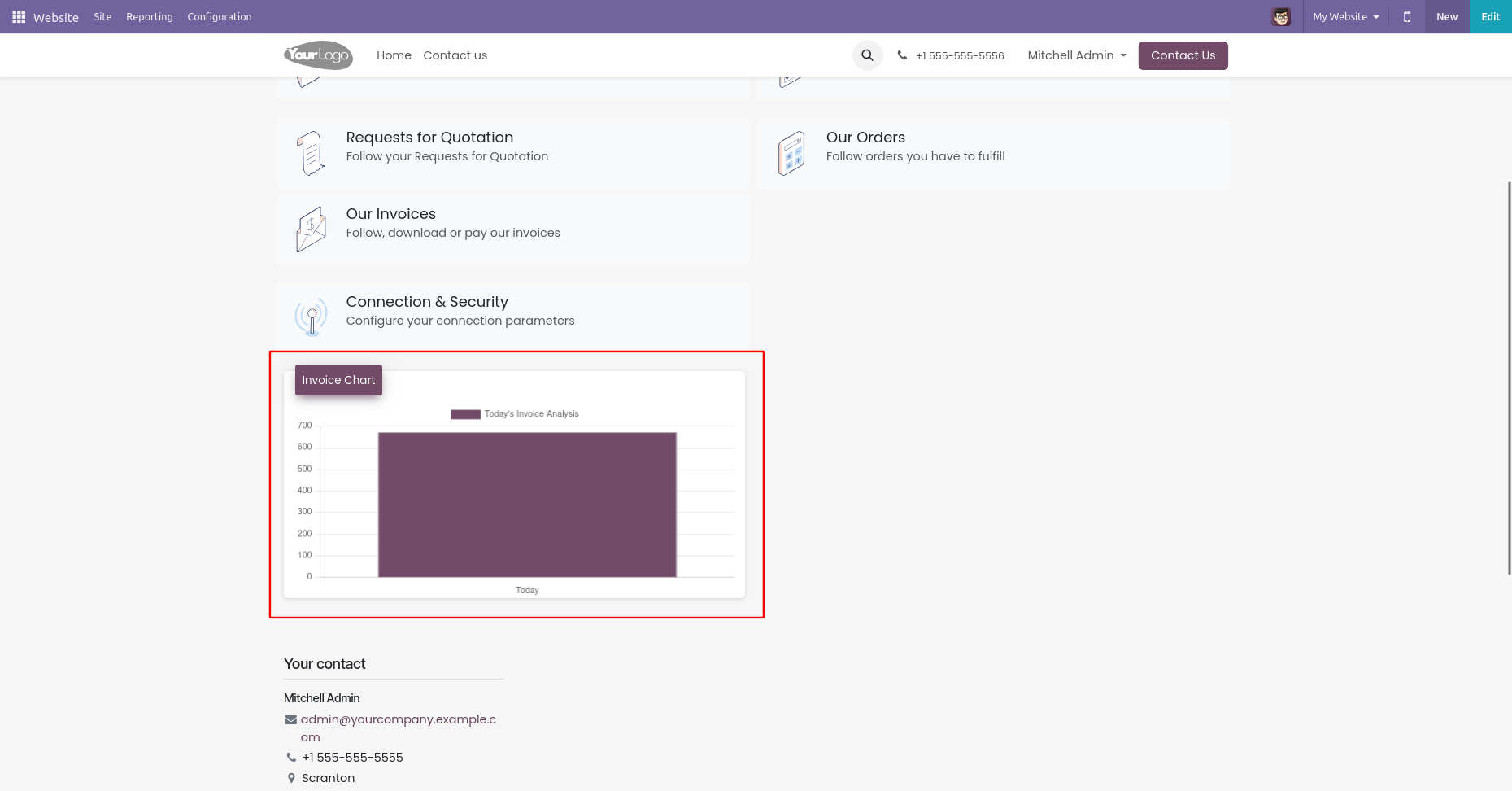
Go to the website settings and enable the 'Invoice Analysis (Invoice Chart)'.
Invoice analysis charts.
Go to the website settings and enable the 'Bills Analysis (Bills Chart)'.
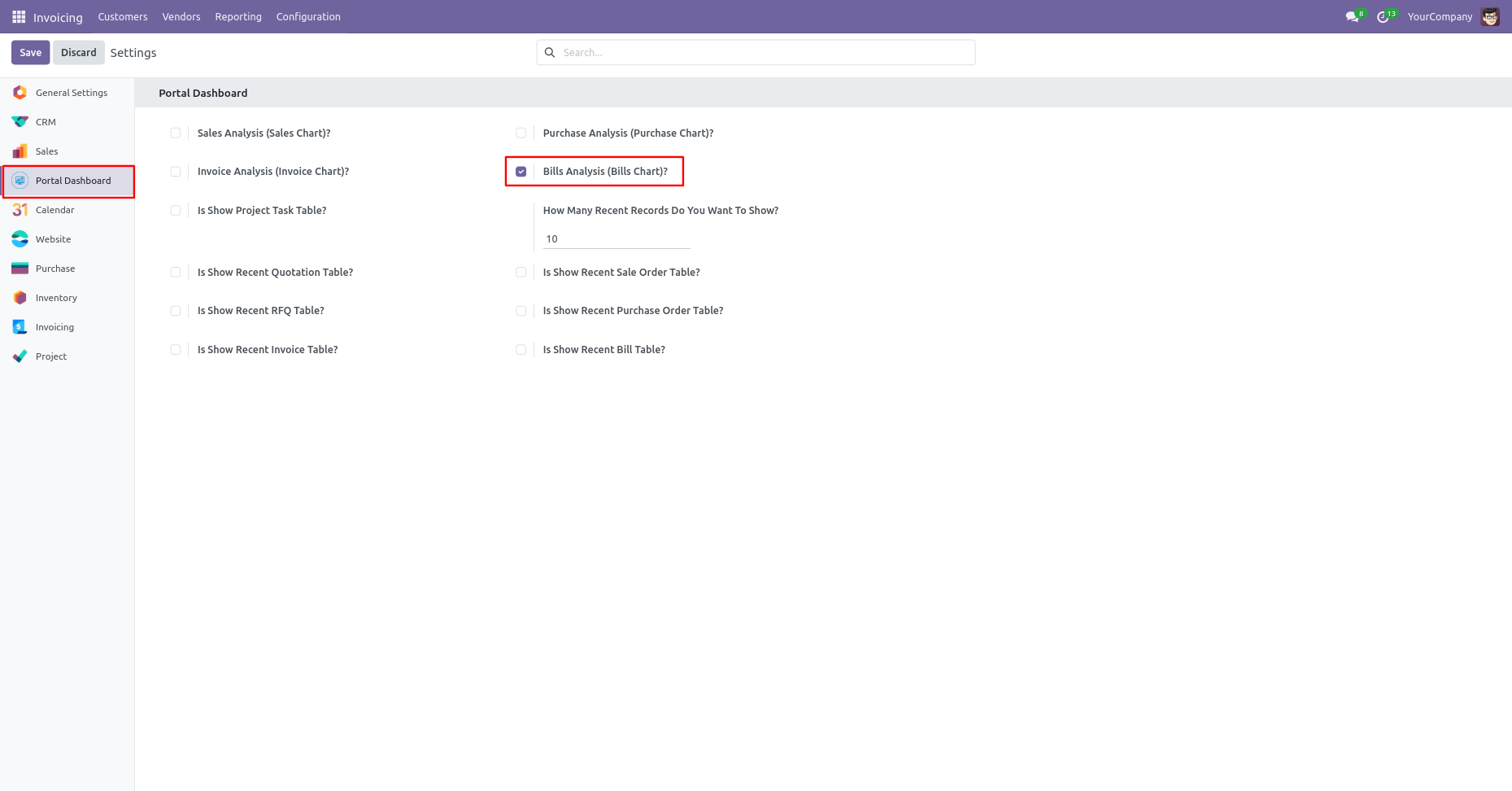
Bills analysis charts.
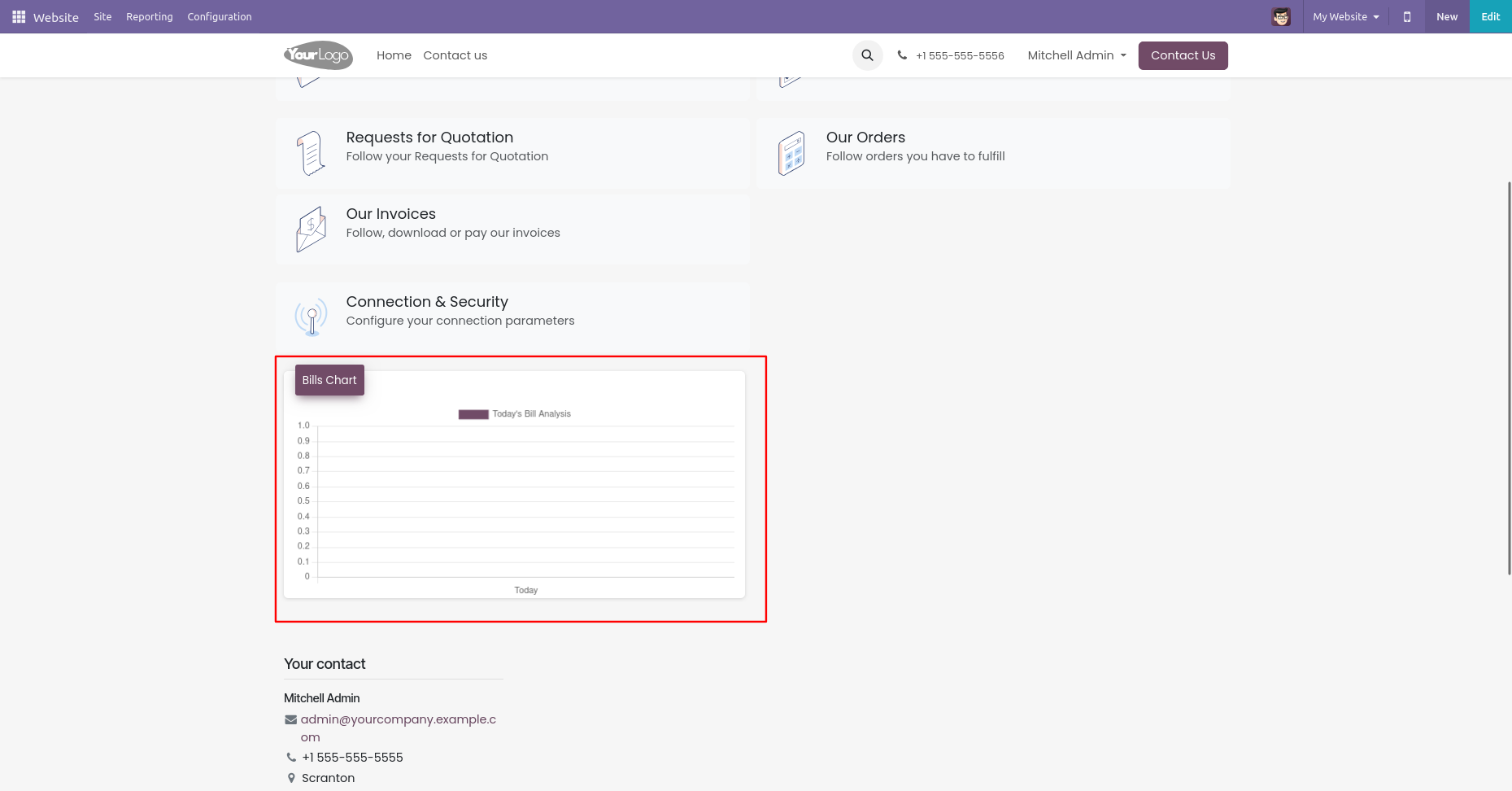
Go to the website settings and enable the 'Is Show Project Task Table'.
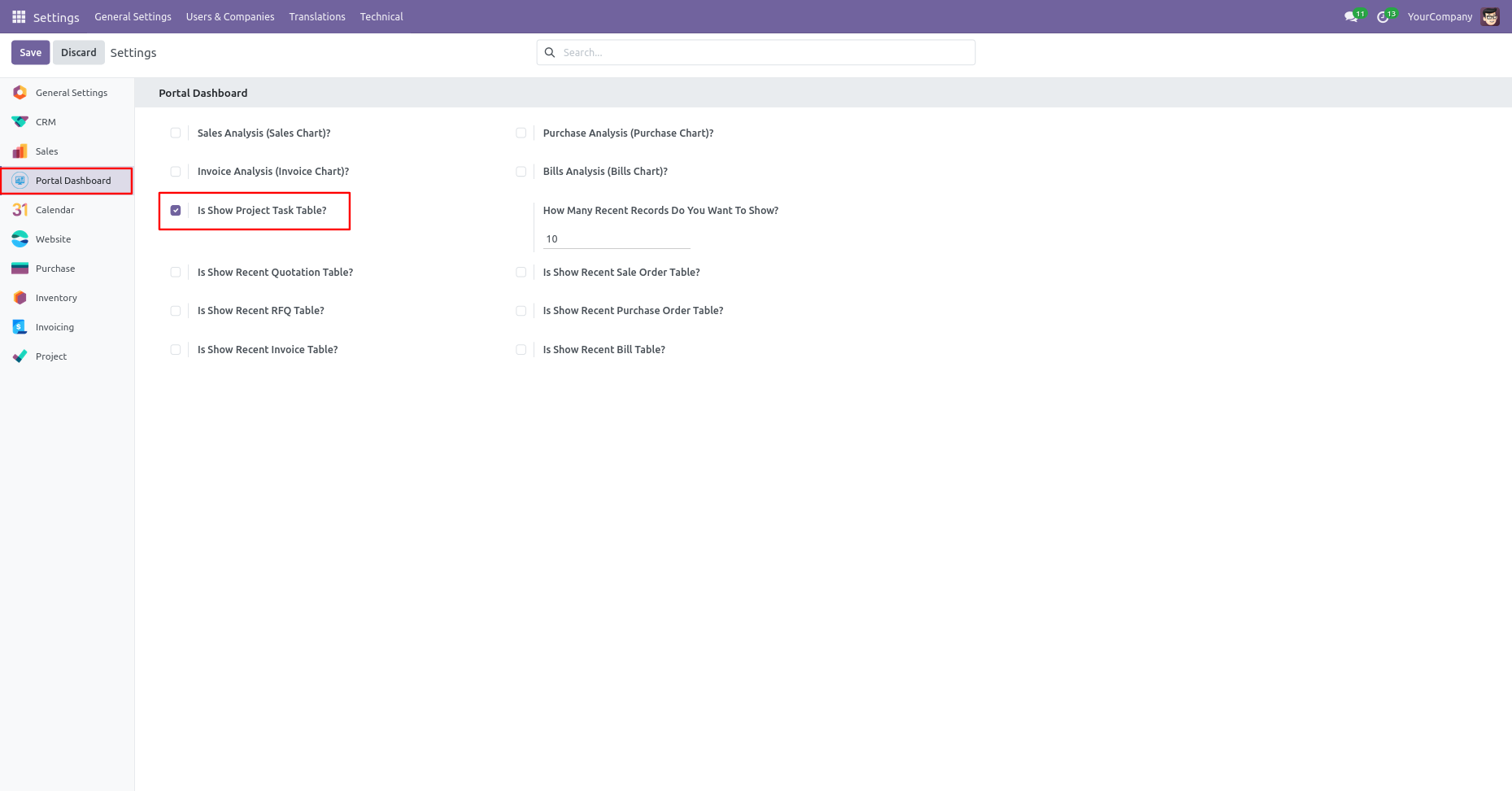
Project Task data tables
Go to the website settings and enable the 'Is Show Recent Quotation Table' & 'Is Show Recent Sales Order Table'.
Latest Quotation/Sale Order Table with status.
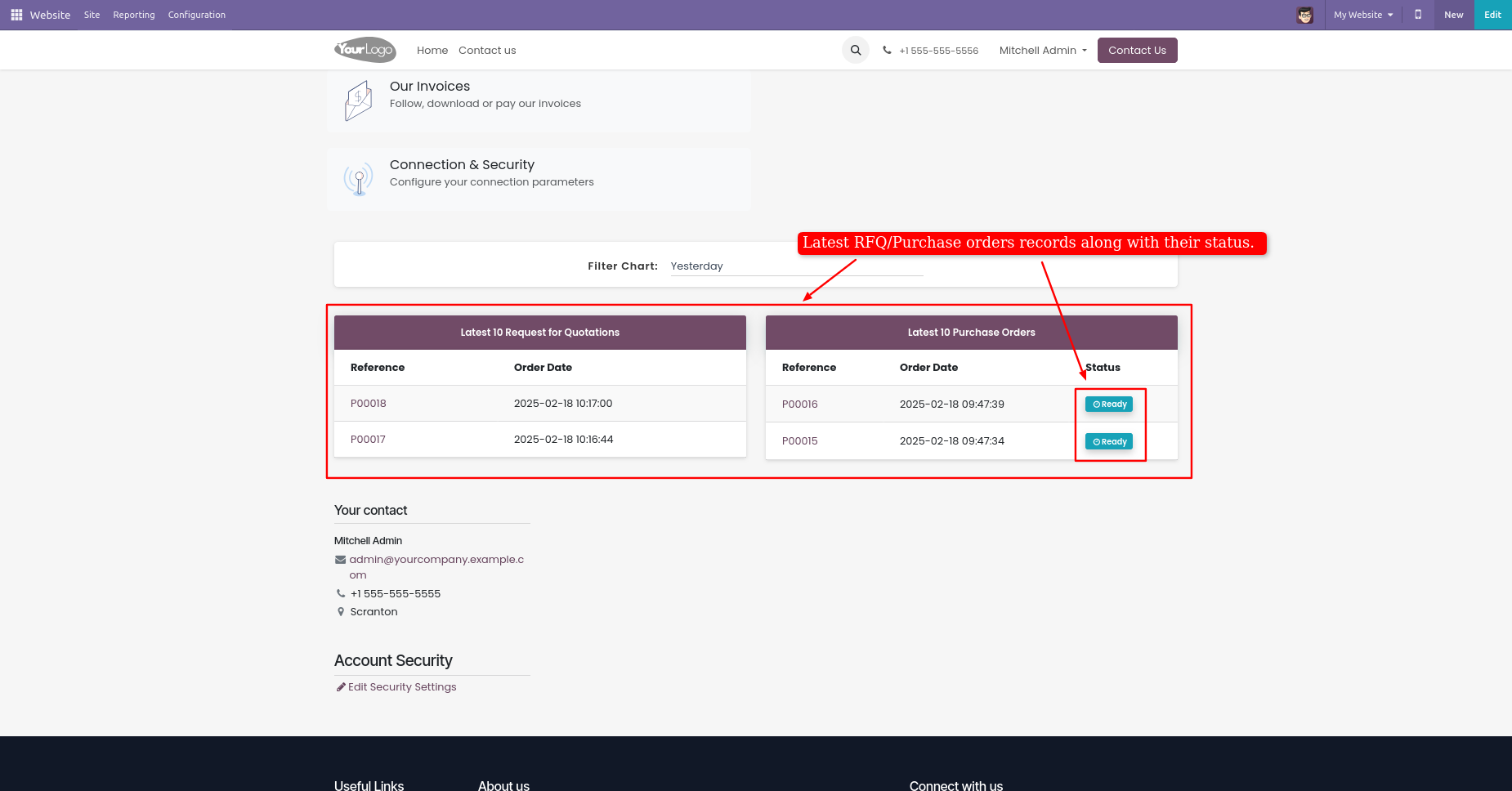
Go to the website settings and enable the 'Is Show Recent RFQ Table' & 'Is Show Recent Purchase Order Table'.
Latest RFQ/Purchase Order Table With Status.
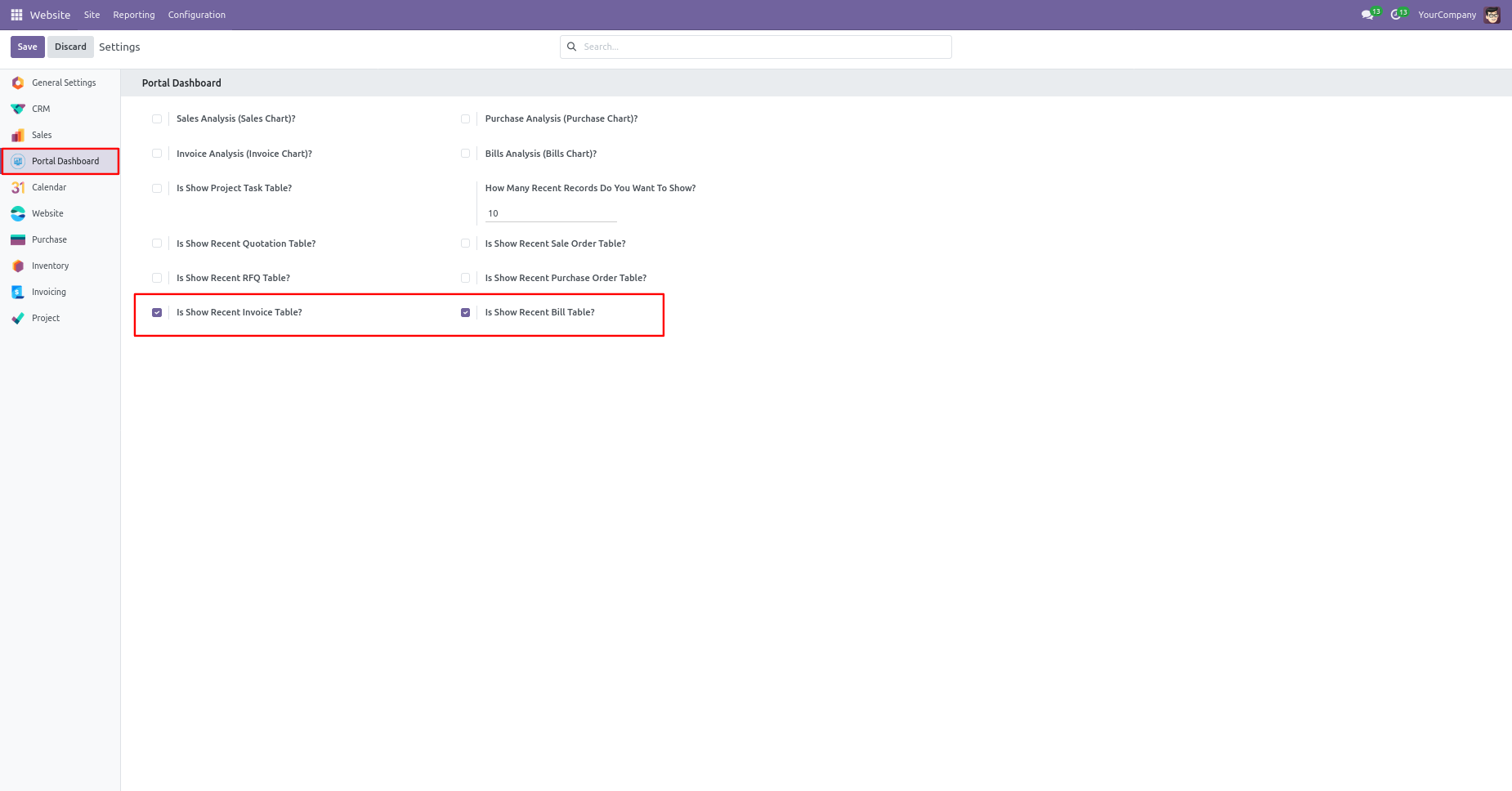
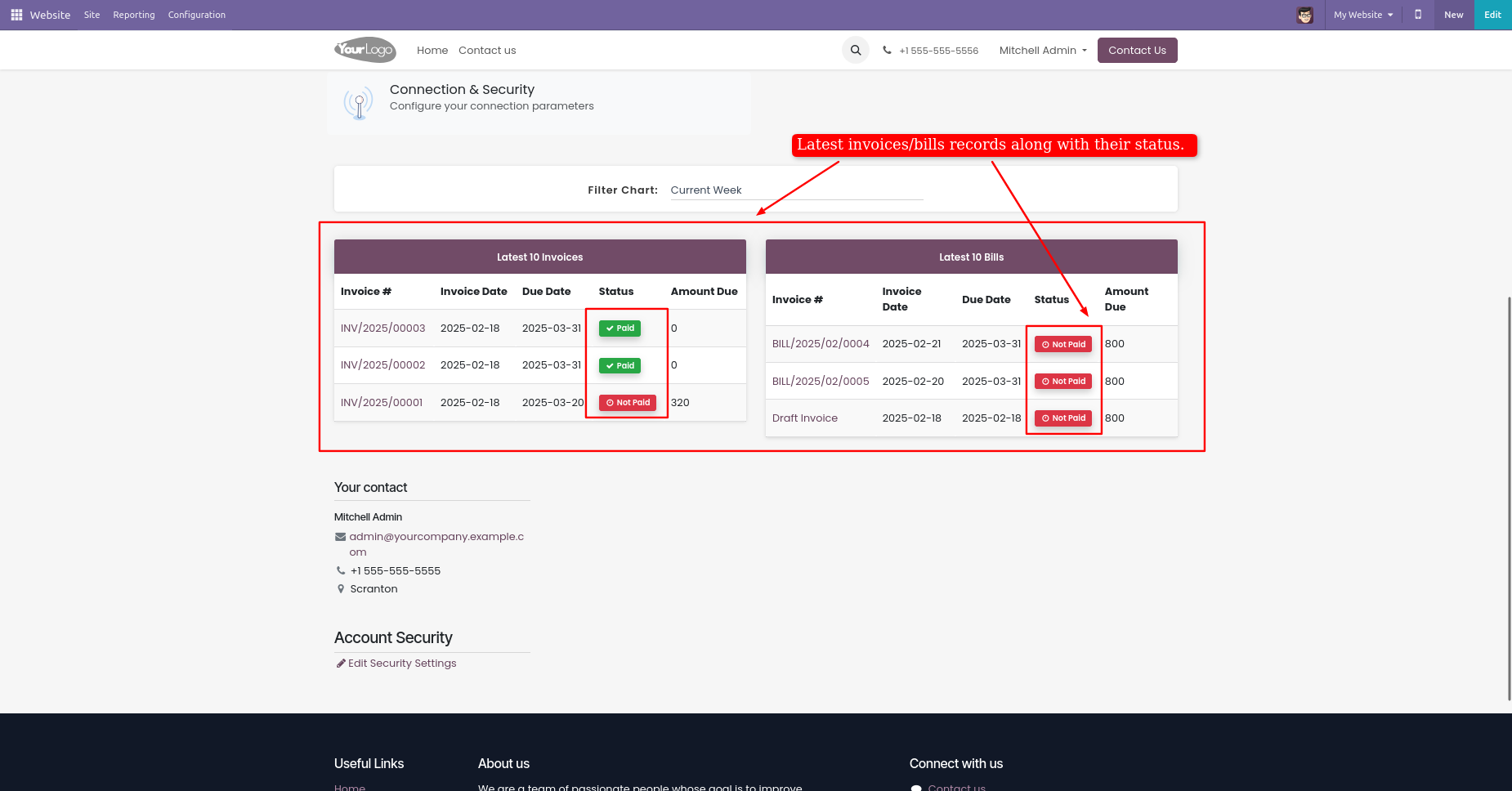
Go to the website settings and enable the 'Is Show Recent Invoice Table' & 'Is Show Recent Bill Table'.
Latest invoice and bill table with status.
Filter charts and table by today, yesterday, current week/month/year etc.
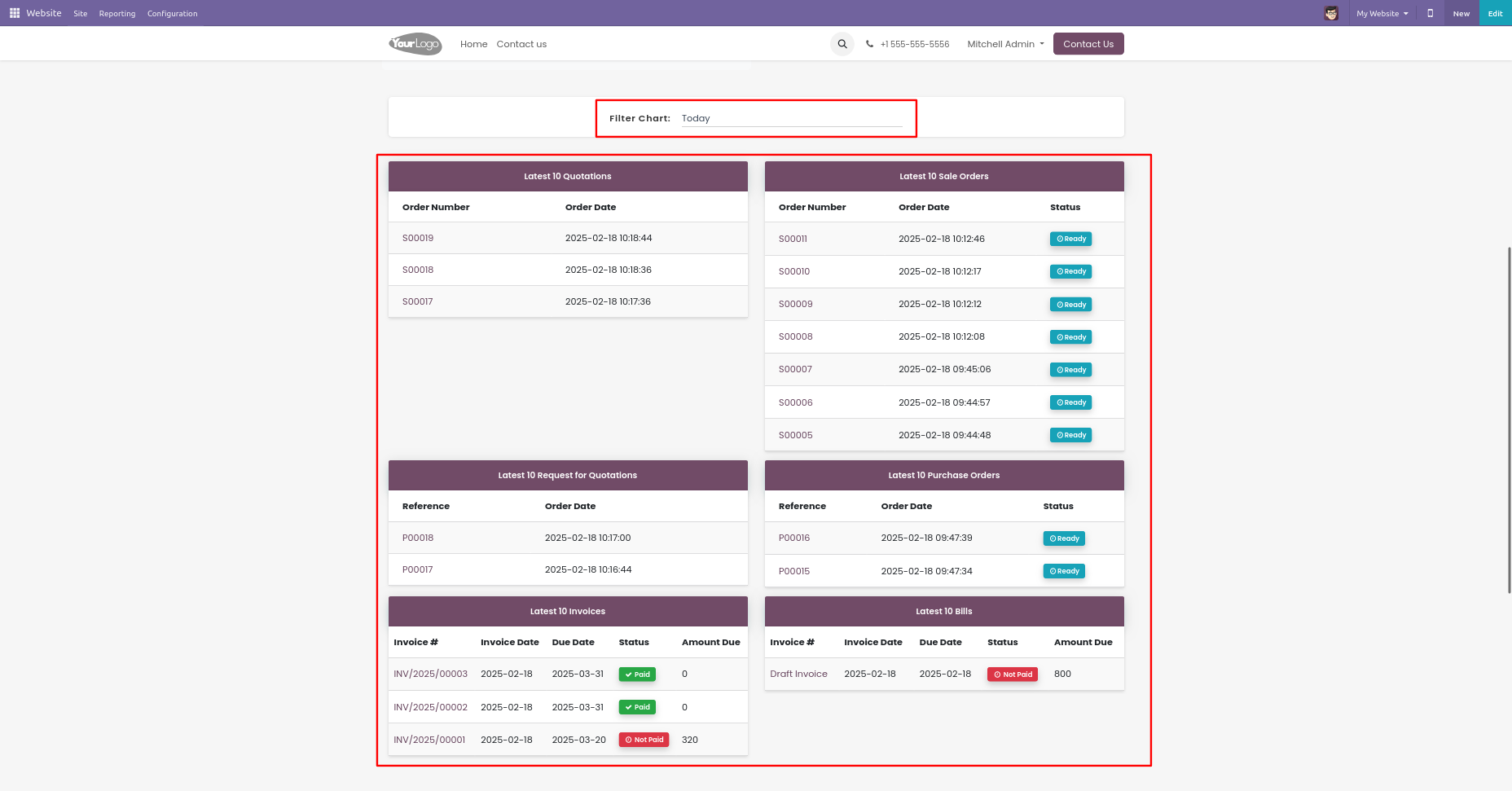
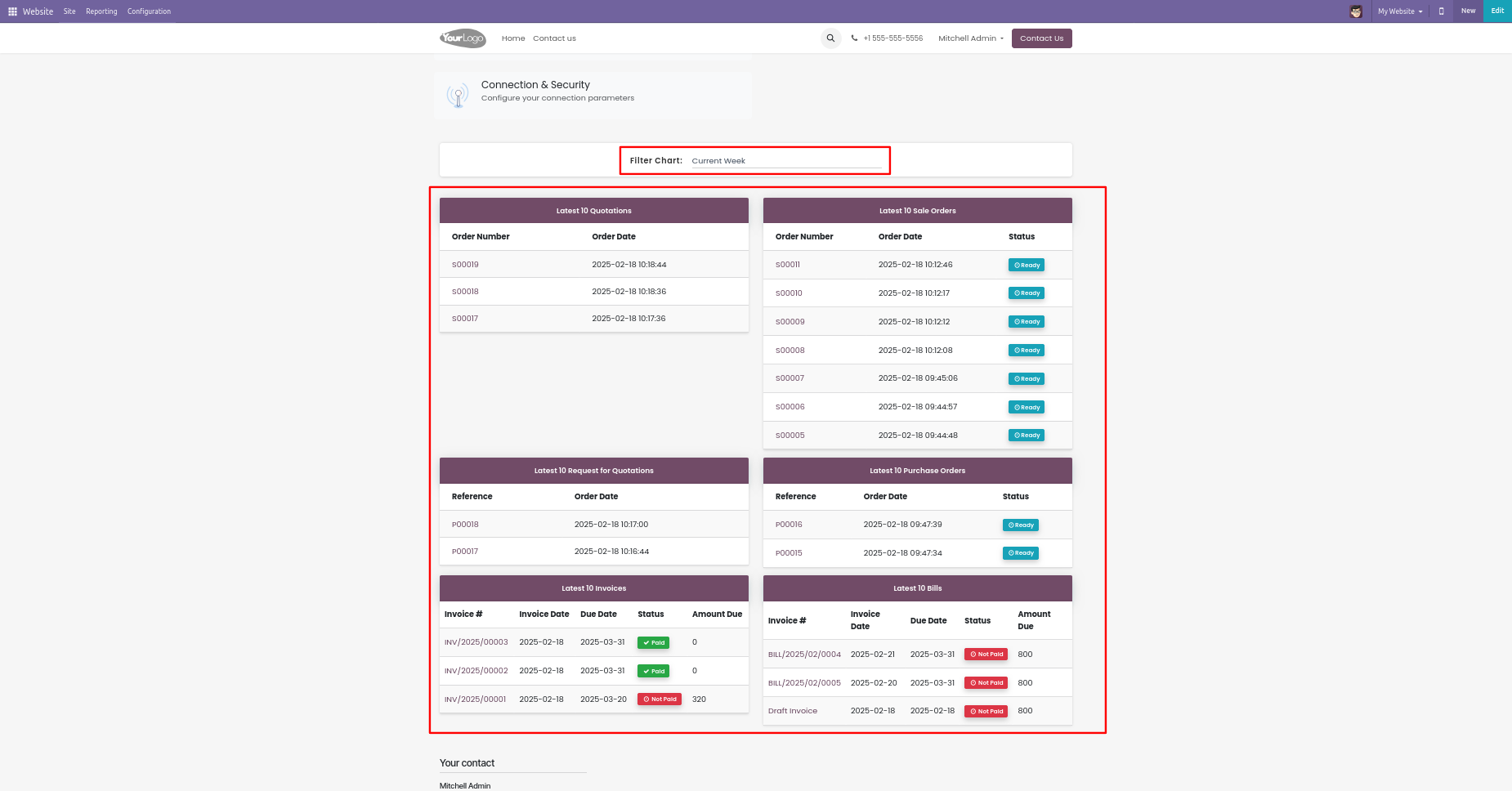
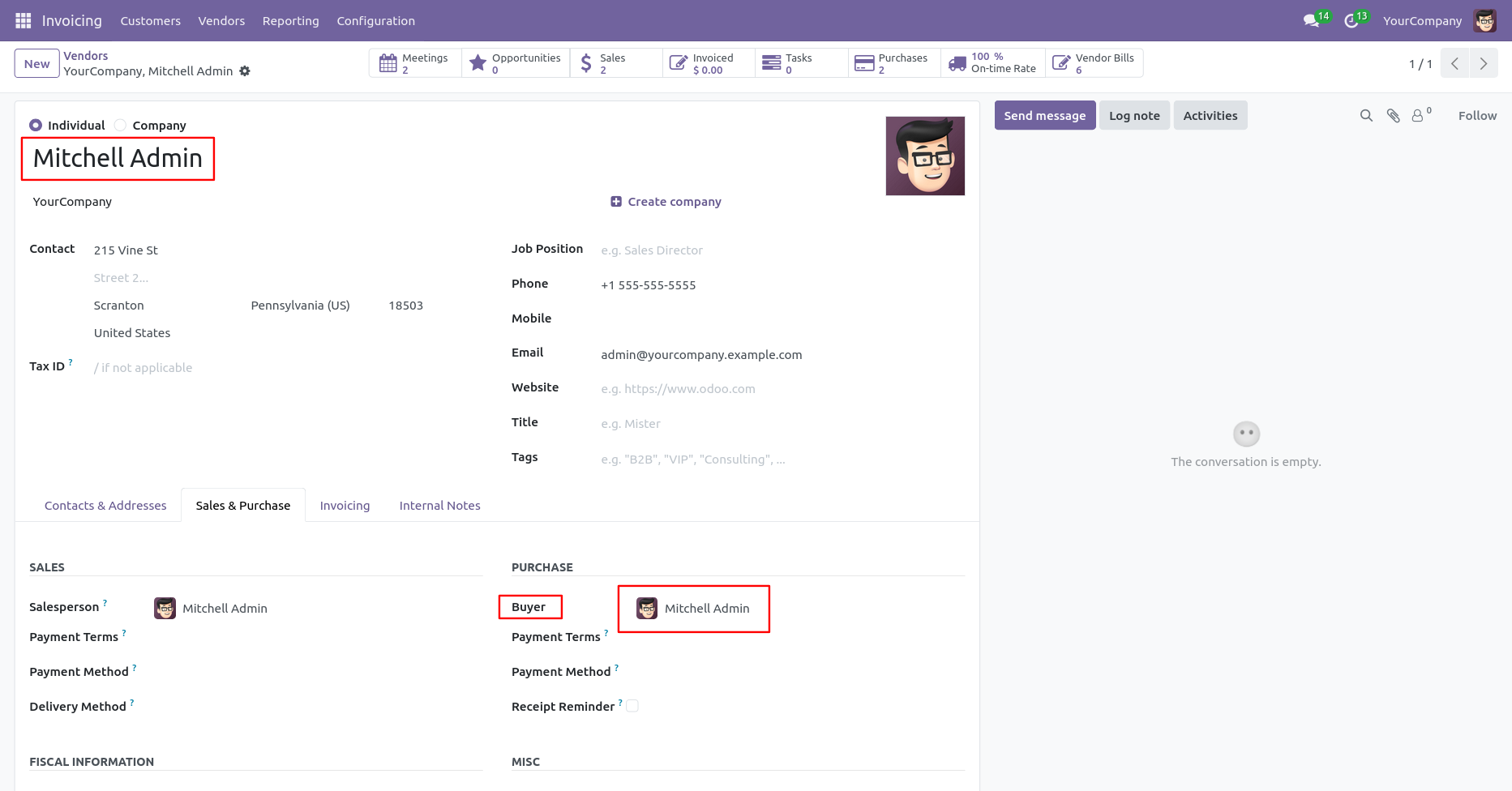
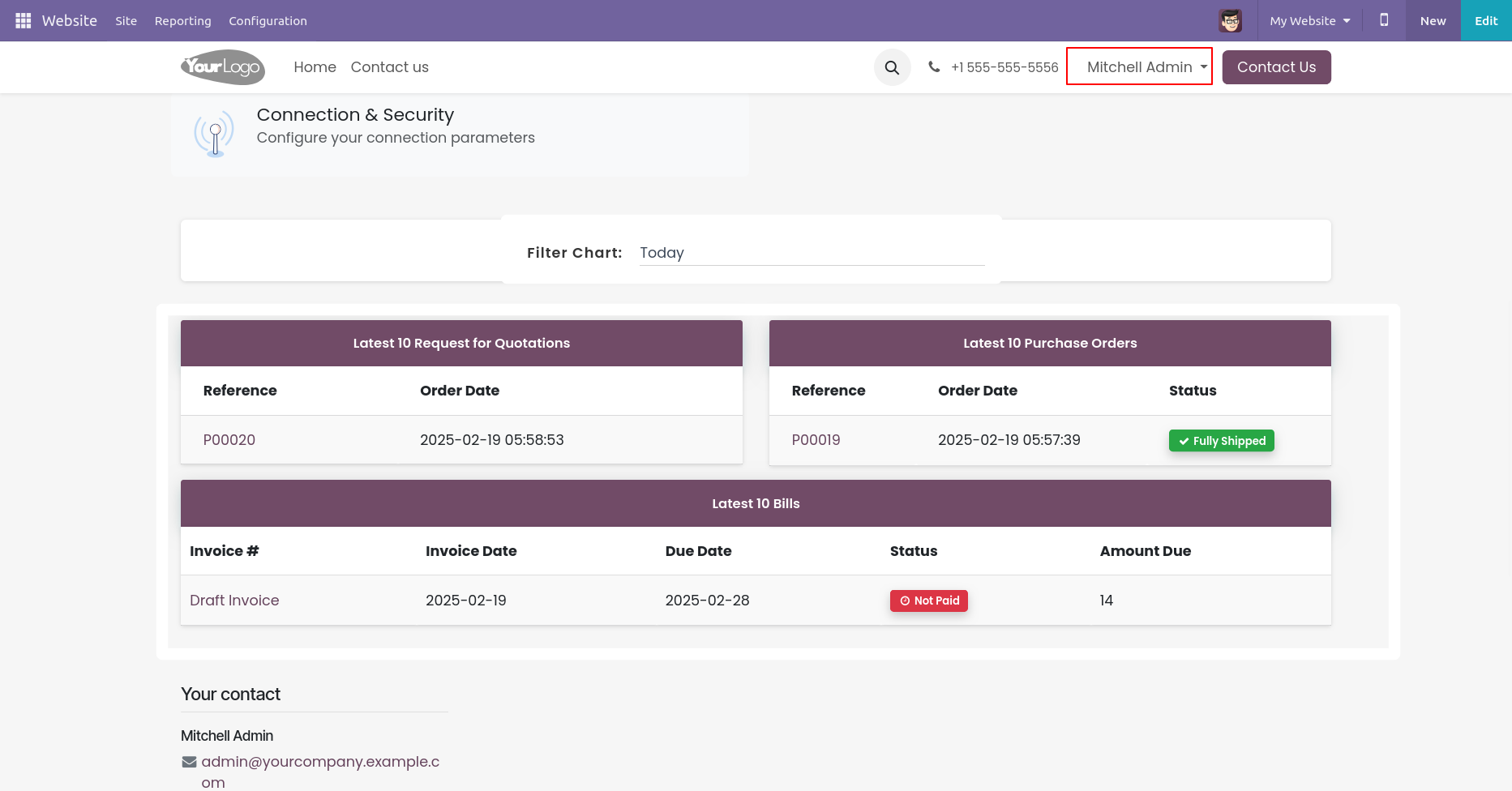
Here Mitchell Admin is a Buyer, so his can only see purchase data.
Purchase data for vendor Mitchell Admin.
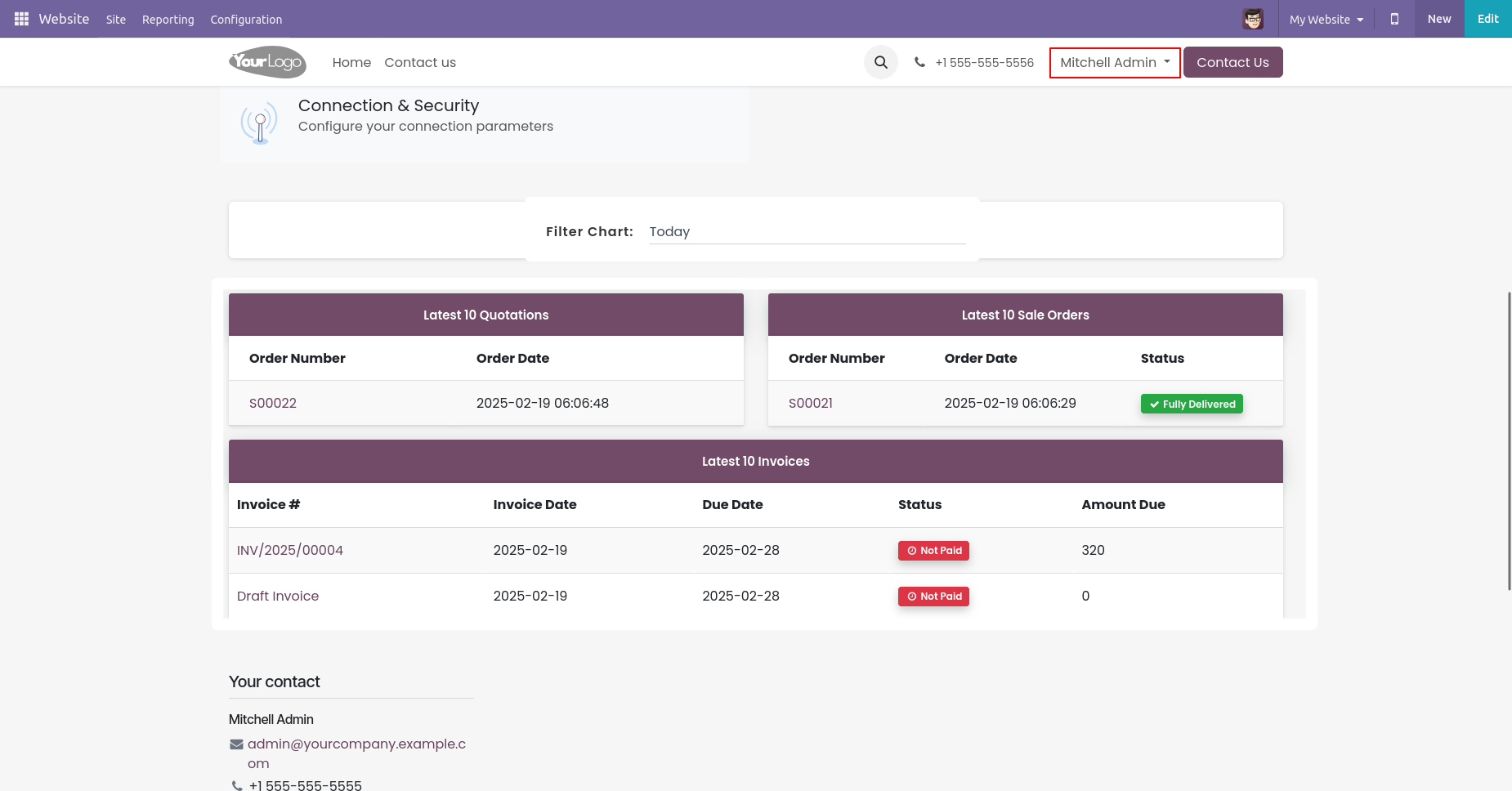
Here Mitchell Admin is a Sales Person, so his can only see purchase data.
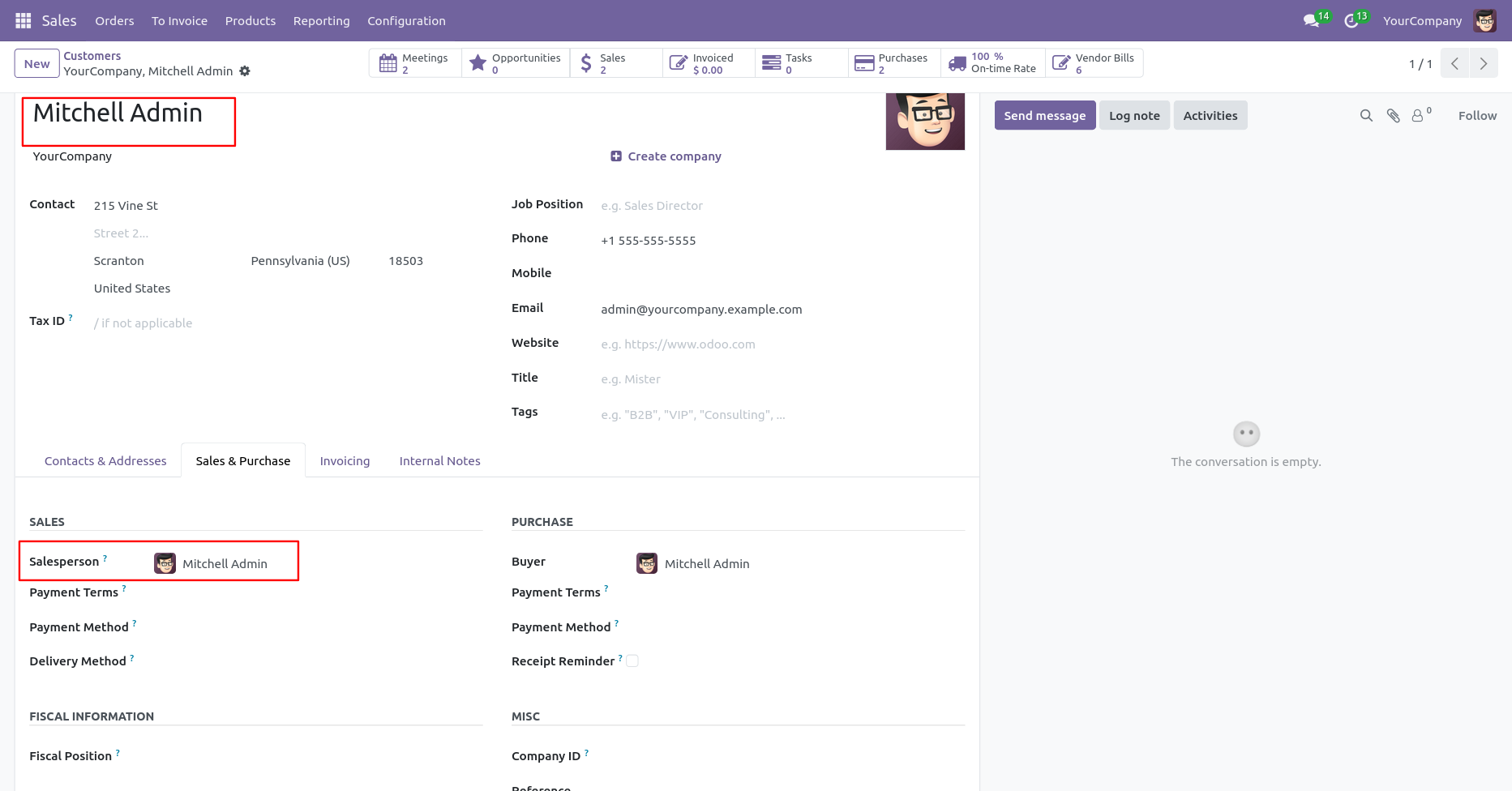
Sales data for customer Mitchell Admin.
Version 20.0.1.0.0 | Released on : 15th September 2026
- Yes, this app works perfectly with Odoo Enterprise (Odoo.sh & Premise) as well as Community.
- No, this application is not compatible with odoo.com(odoo saas/Odoo Online)
- Yes, to test this module, please contact us at sales@softhealer.com.
- Please contact us at sales@softhealer.com to request customization.
- Yes, we provide free support for 365 days from the date of purchase.
- Yes, you will receive lifetime free updates for the version of the module you purchased.
- No, there is no need to install any additional libraries.
- Yes, for version 12 and above, you need to purchase the module separately for each version you intend to use.
- No, exchanges or refunds are not allowed. Please make sure to select the correct version before purchasing.
- You can contact us at support@softhealer.com for language translation support. We use Google Translator tools to provide translations in multiple languages, so the accuracy may vary. We welcome your suggestions to help improve translations.
Discover Our Latest Apps