

 Easy
to Manage
 Dedicated
Support
















 Scan to email sales






Portal Access to Calendar Meetings for Attendees

Enhance Odoo Calendar with a dedicated portal view for external attendees. This module allows portal users to conveniently access their calendar meetings, view complete meeting details such as the subject, date, duration, location, and description, and communicate with administrators directly through the meeting chatter. Attendees can also submit their Accept, Tentative, or Decline attendance responses, while administrators can monitor and respond to attendee updates from the chatter. The portal also provides convenient search, sorting, and filtering options, making it easier for attendees to manage and track their meetings without accessing the Odoo backend.

Features

Portal Attendees Responses
Attendees can easily respond to meetings using the available options.
Accept: Confirm attendance.
Tentative: Indicate that attendance is not yet confirmed.
Decline: Indicate that they will not attend.

Portal Meeting Access
Portal attendees can view their assigned meetings and complete details, including the meeting location directly from the portal.

Meeting Search & Sorting
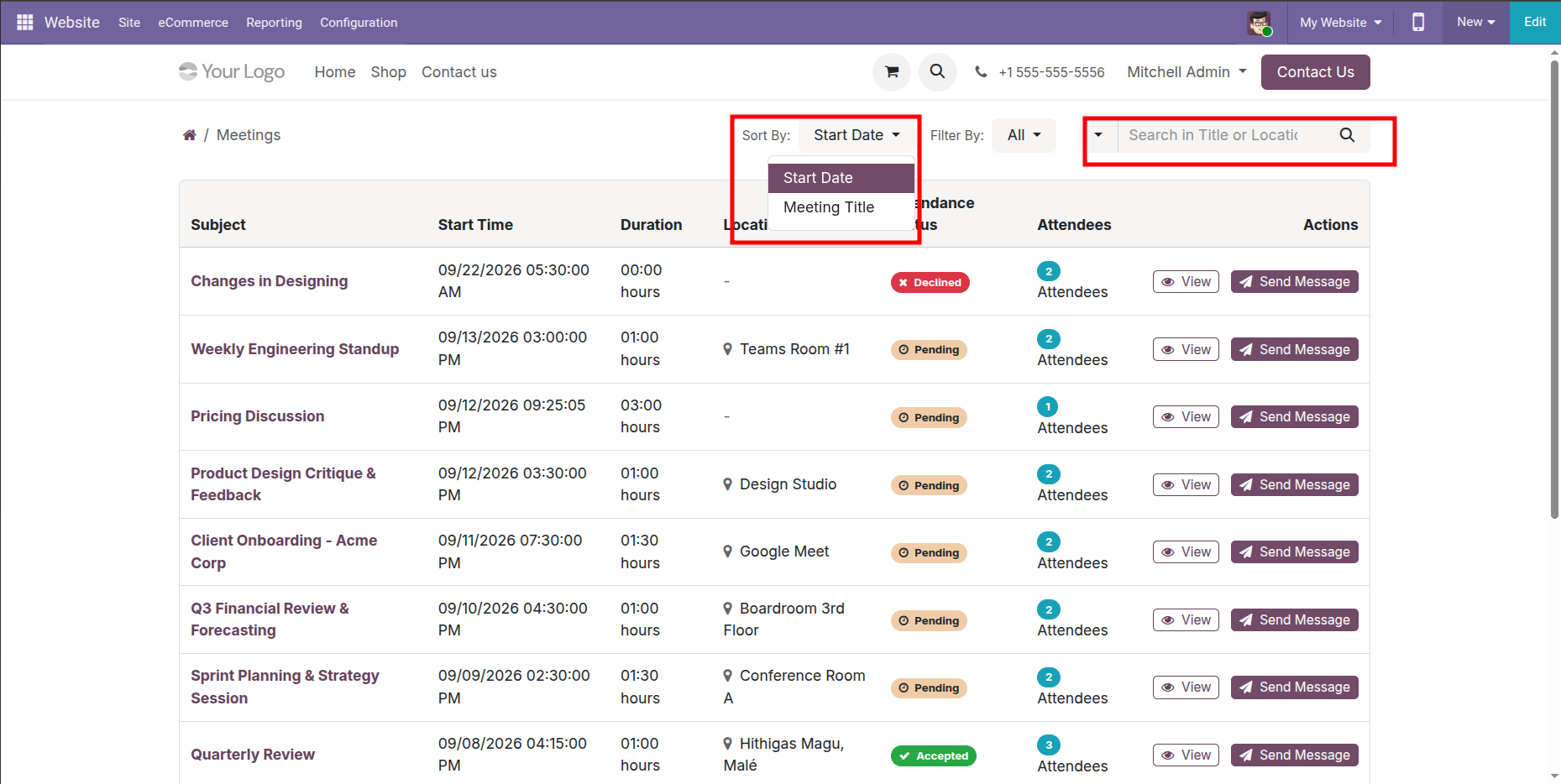
Attendees can search for meetings by Title or Location and sort them by Start Date or Meeting Title.

Meeting Filtering
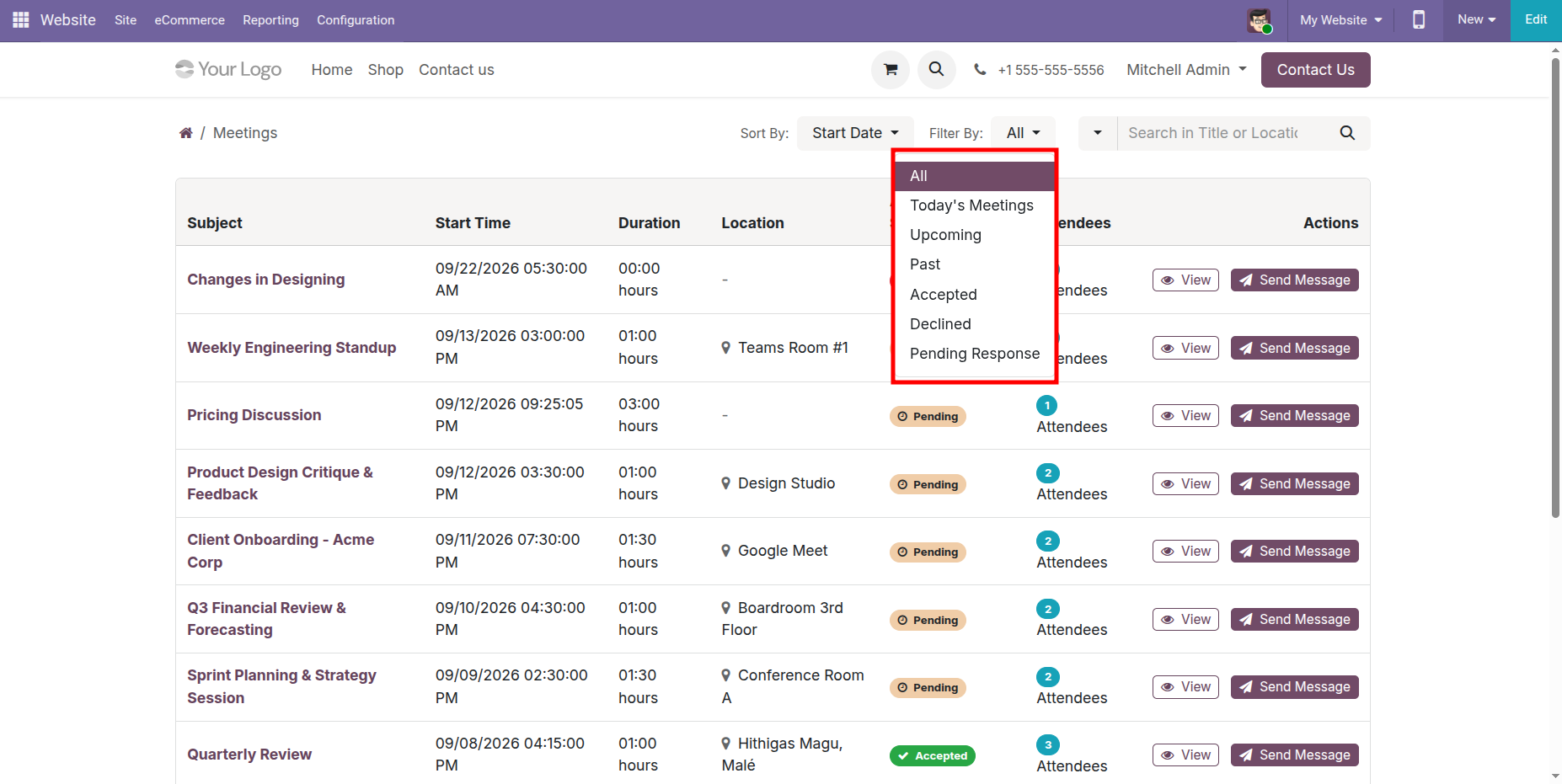
Attendees can filter meetings using the available filter options for easier meeting management.

Send Messages From Portal
Attendees can send message directly from the portal meeting list using Send Message button and view meeting details using View button.
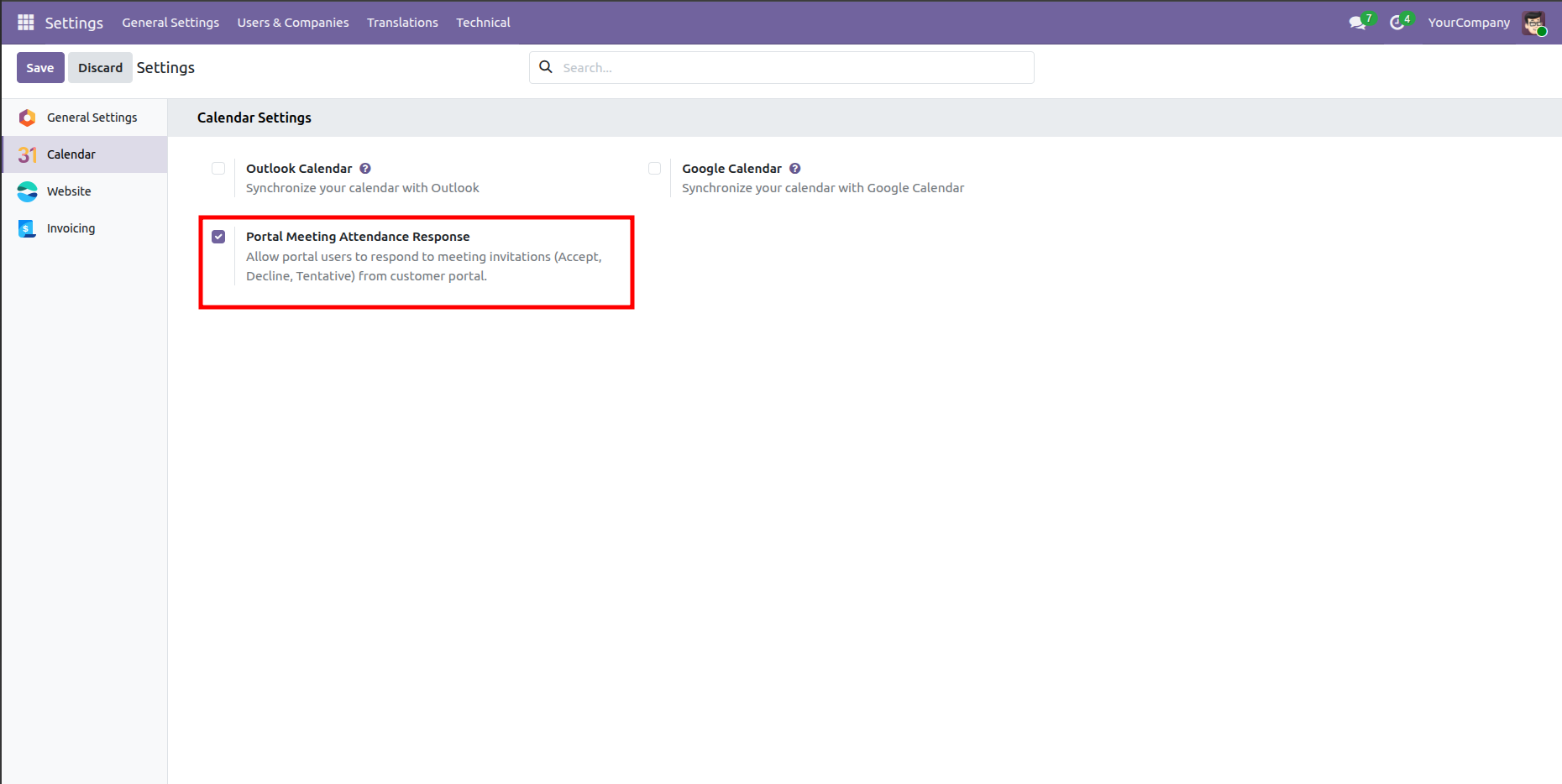
Go to Calendar settings and enable 'Portal Meeting Attendance Response' option.
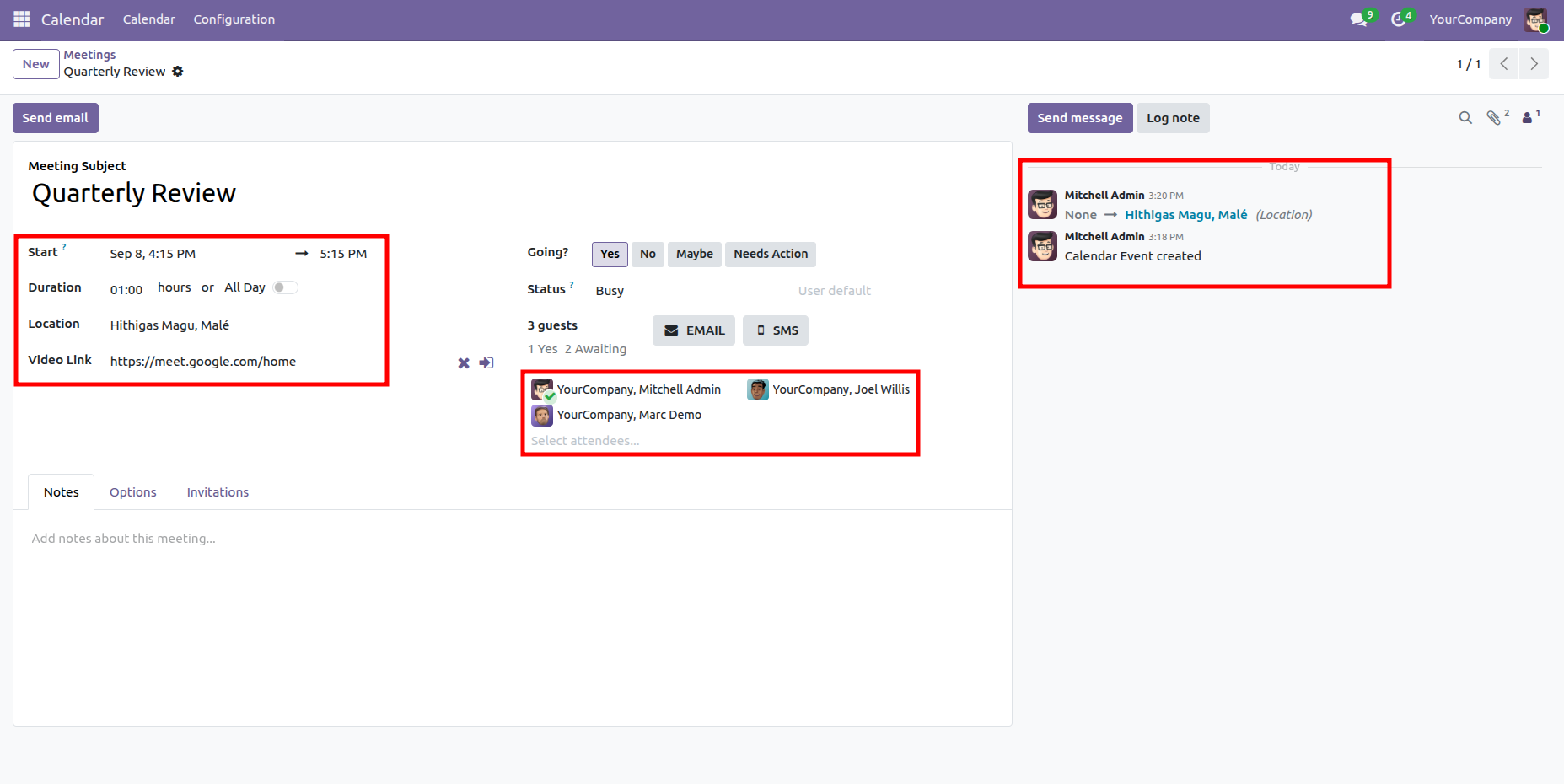
Create a meeting. The location is displayed in the chatter.
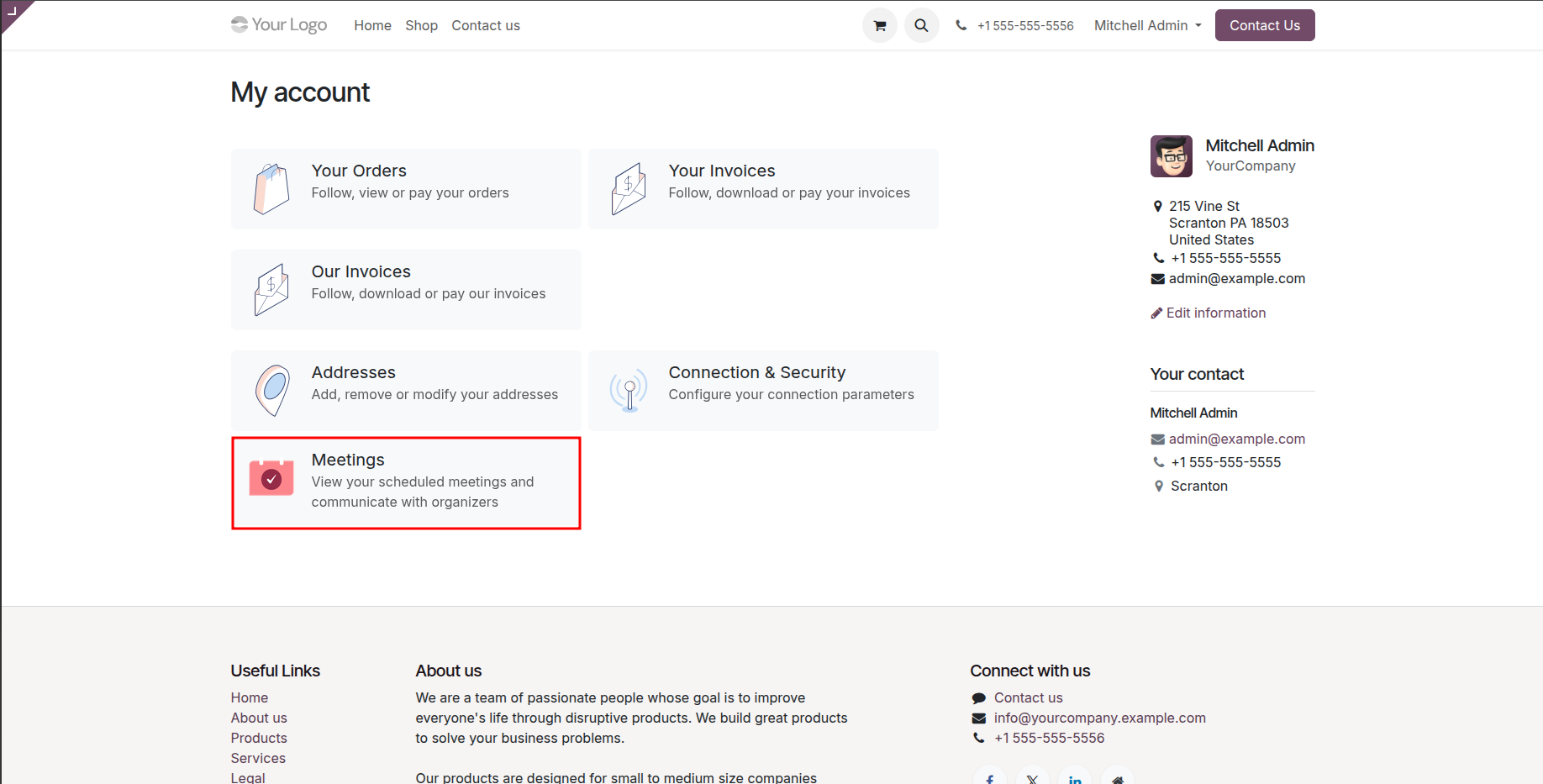
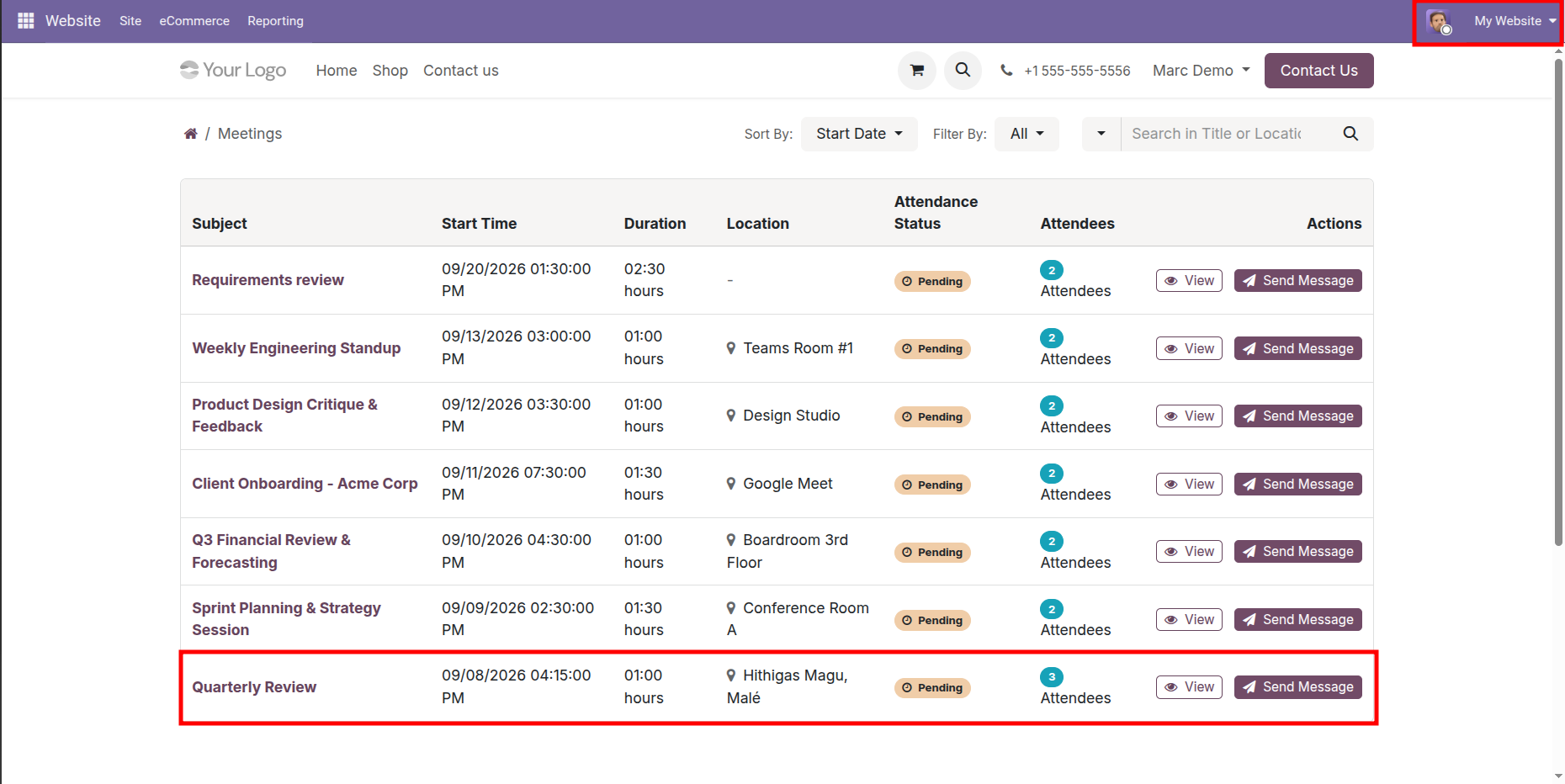
Portal View. Click "Meetings".
The meeting details are displayed on the attendee's(Marc Demo) portal, along with the View
and
Send Message buttons.
Click 'Send Message' button.
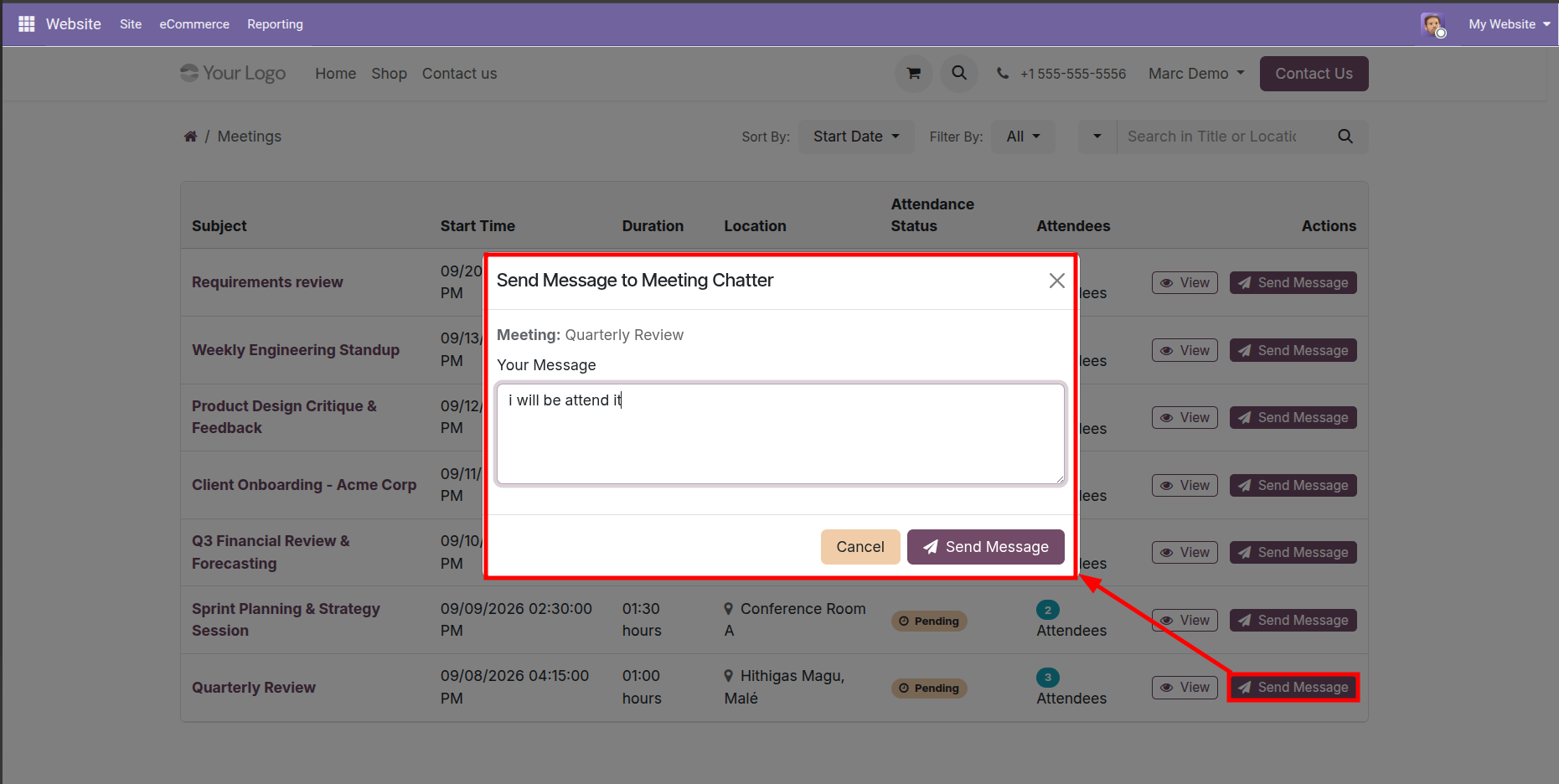
Enter your message in the Send Message wizard and click the 'Send Message' button.
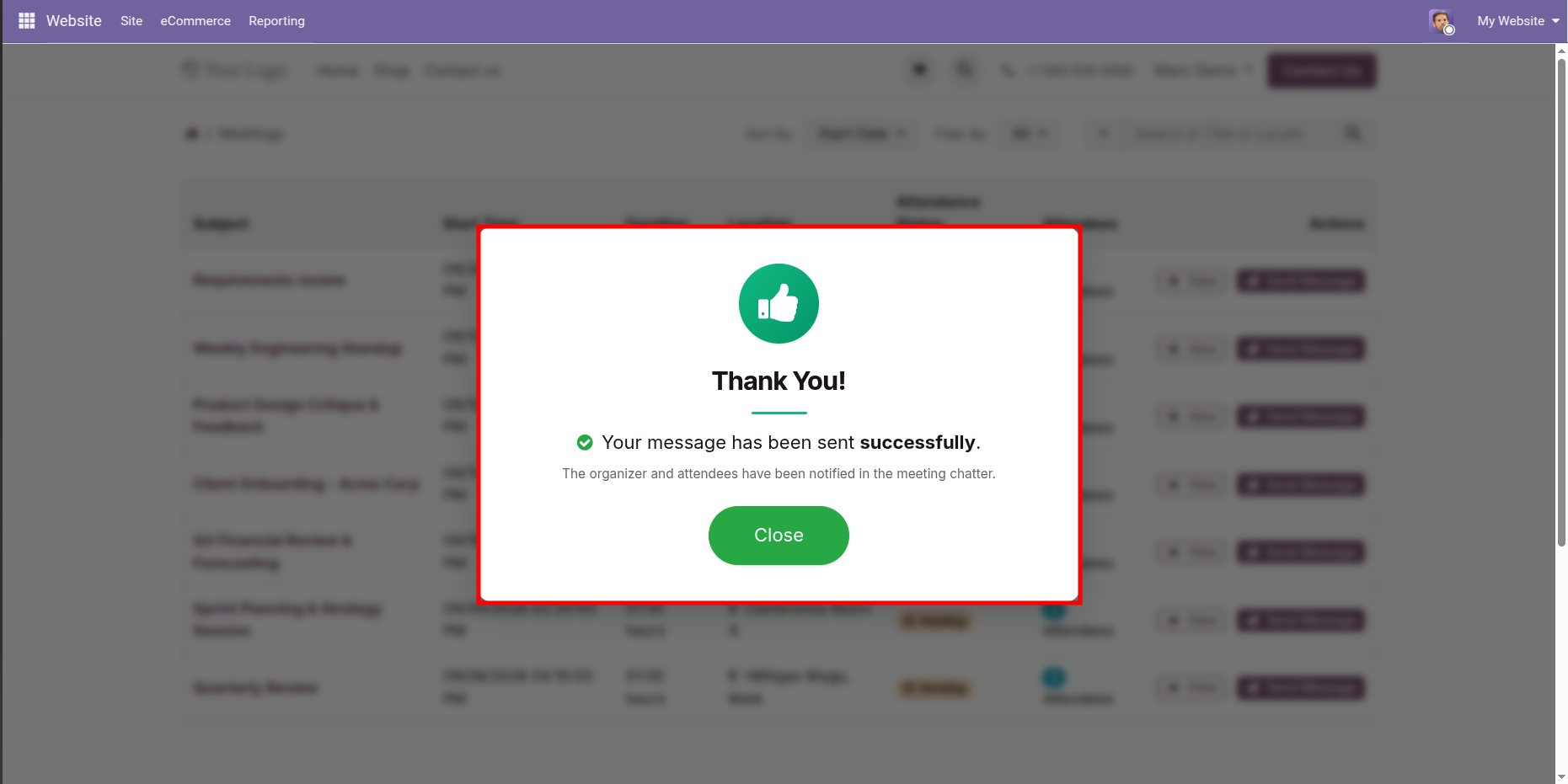
After the message is sent successfully, a confirmation wizard will appear. Click the 'Close' button.
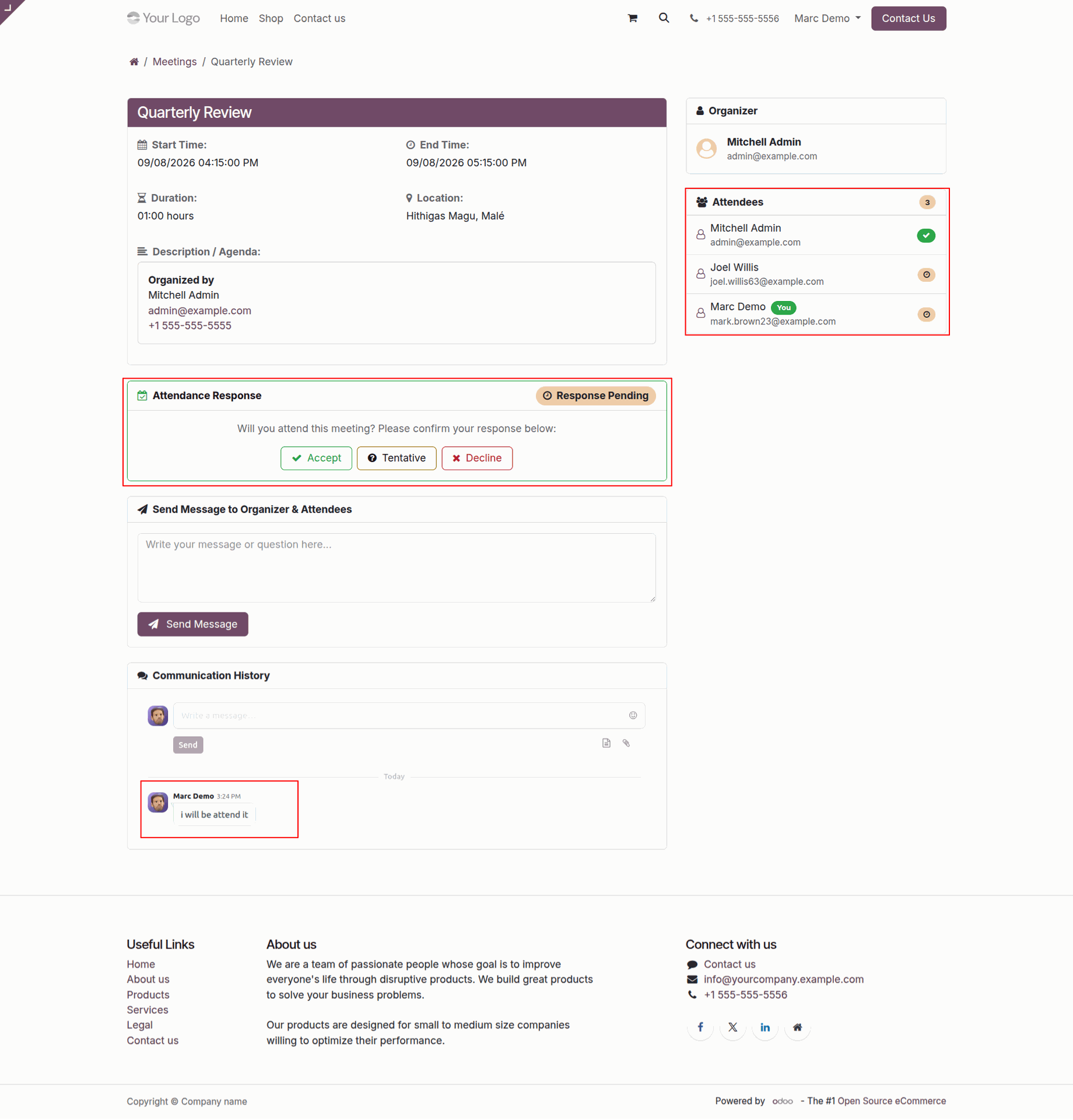
On the portal, attendees can view the list of attendees and submit their responses. Click the
'Accept' button to confirm your availability.
After clicking the 'Accept' button, a confirmation message is sent via chatter.
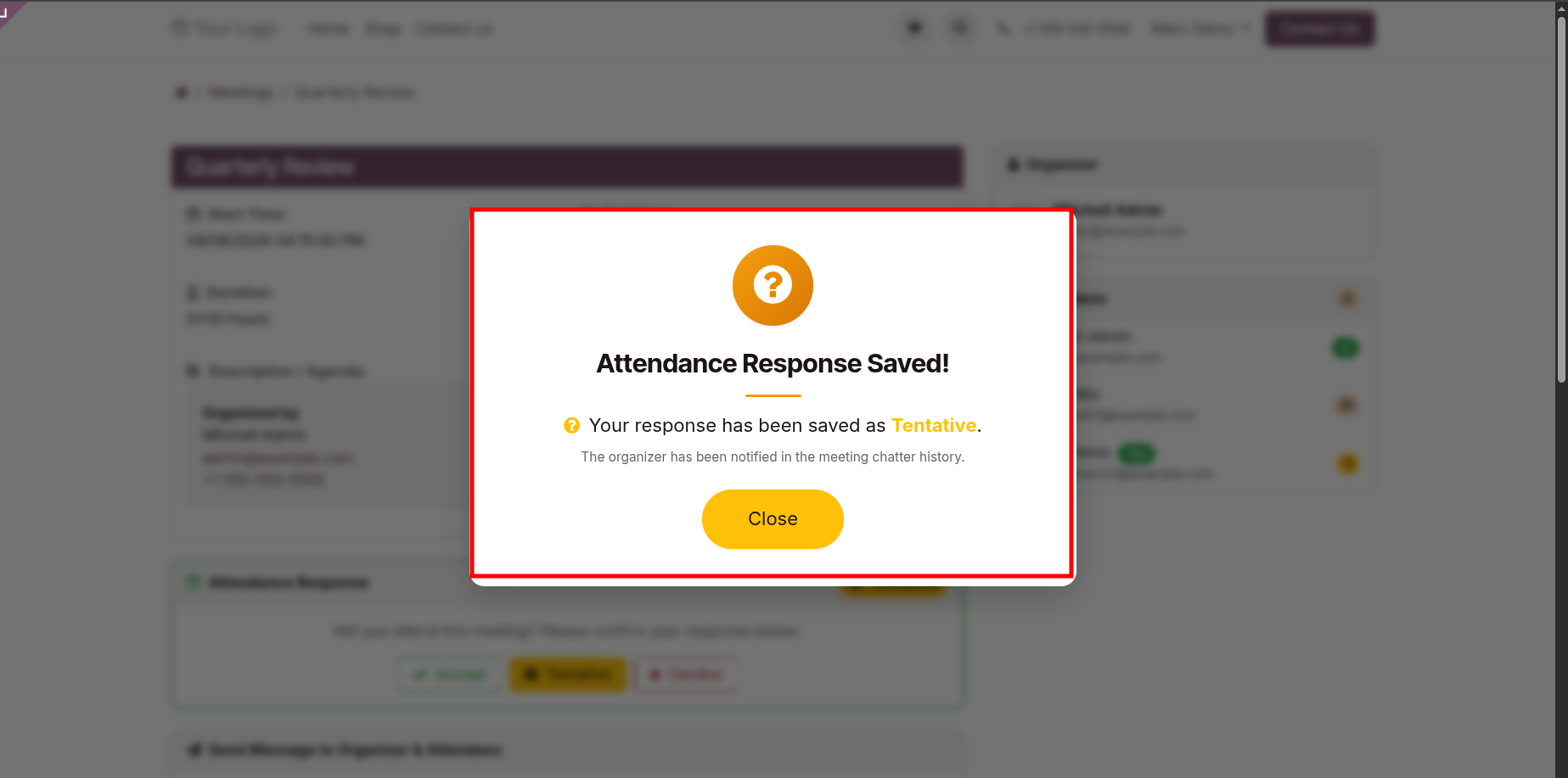
Click on the 'Tentative' button.
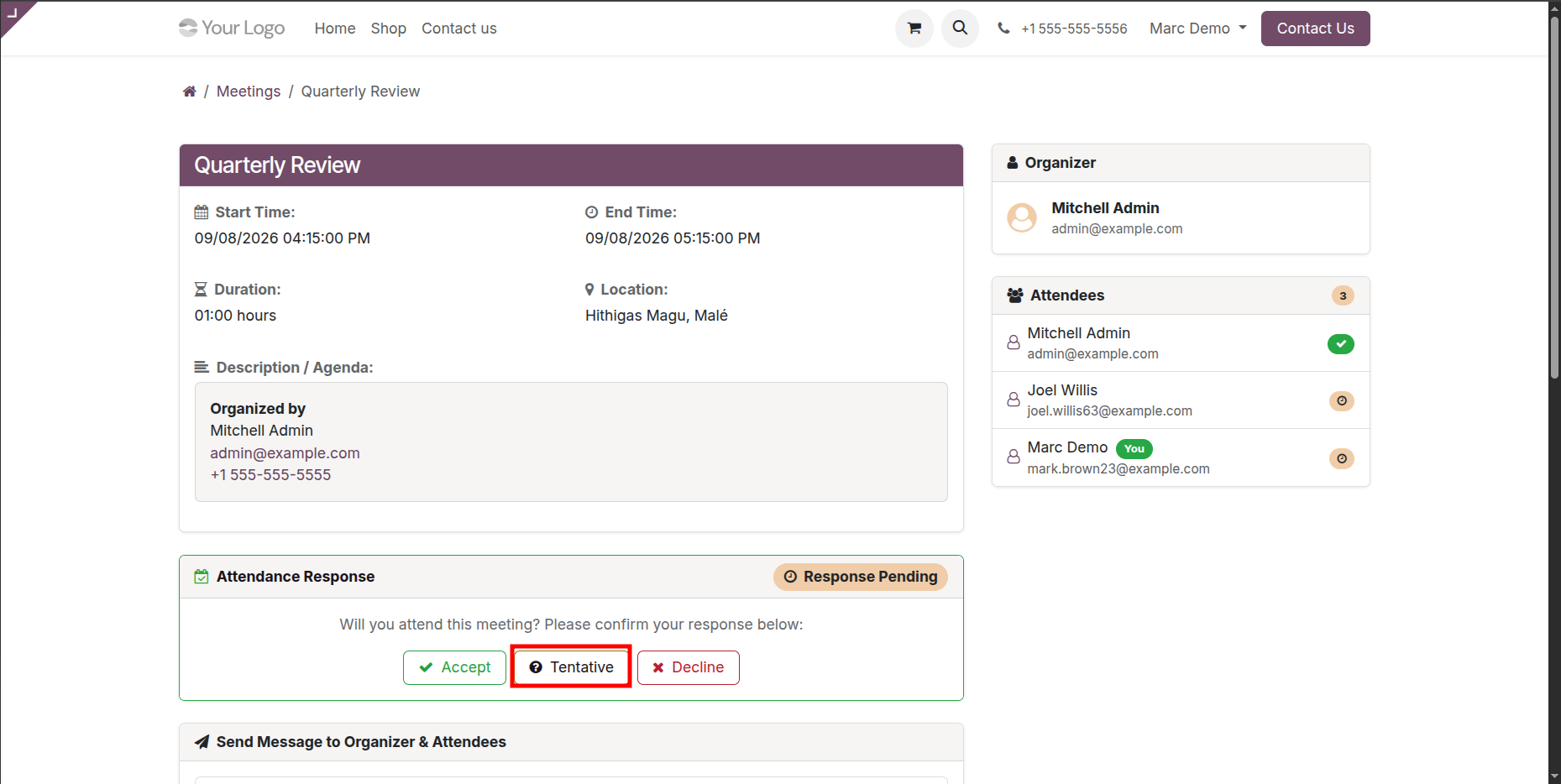
After that the 'Attendance Response Saved!' wizard will appears.
March Demo, an attendee, has shared a 'Tentative' response.
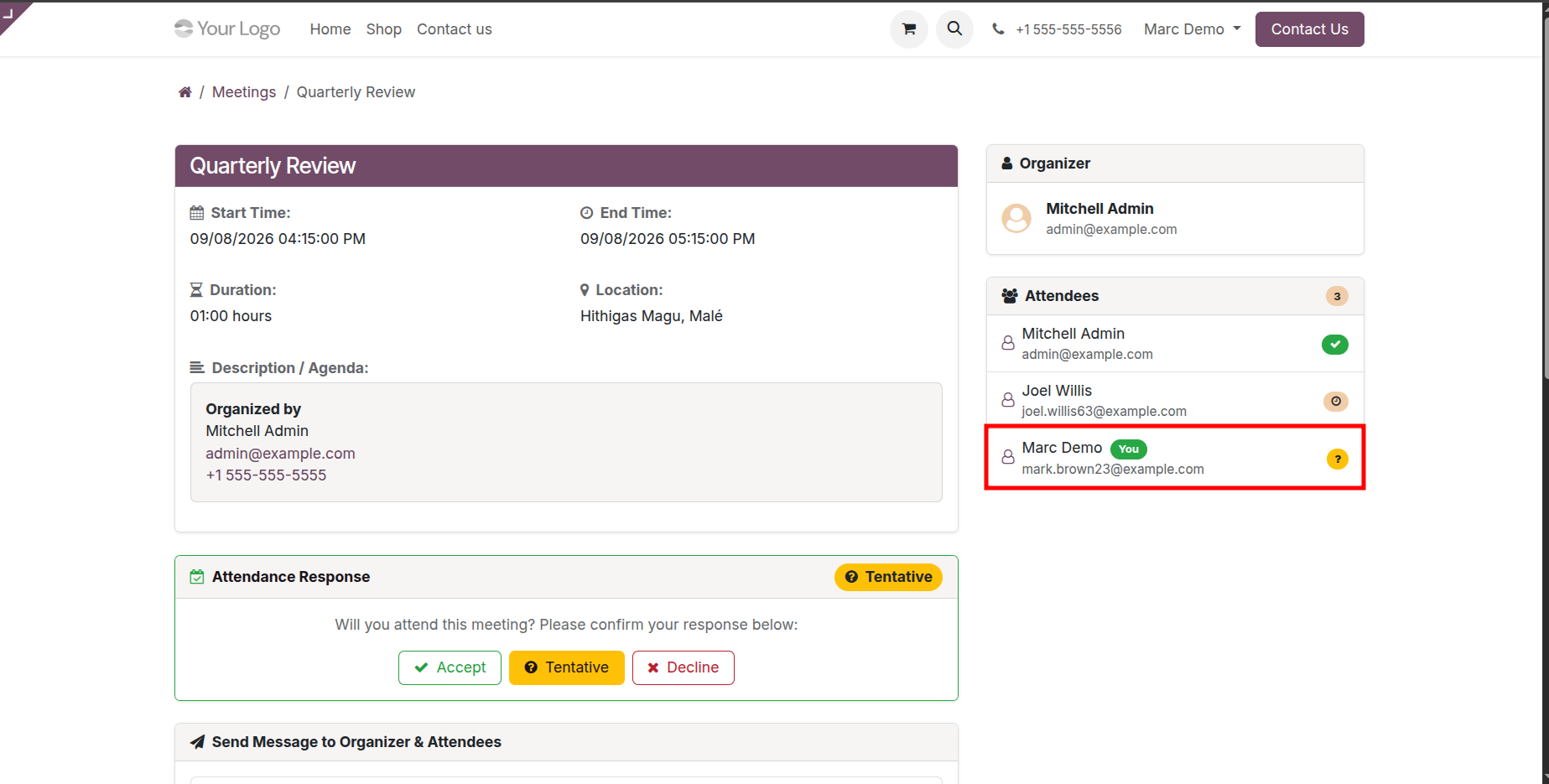
Attendees can view the responses directly in the portal chatter.
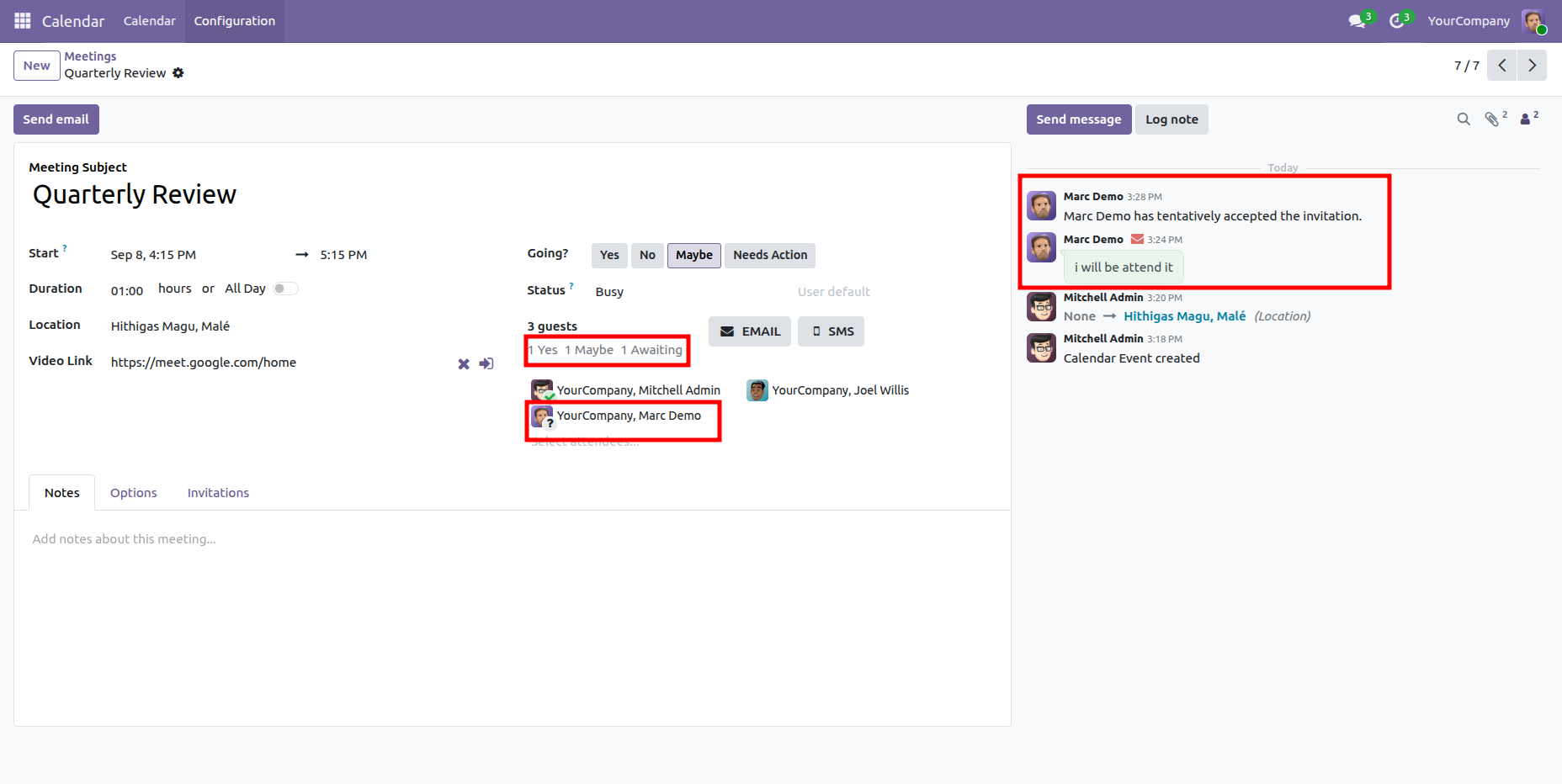
The admin can view responses in the chatter and send responses directly from the chatter.
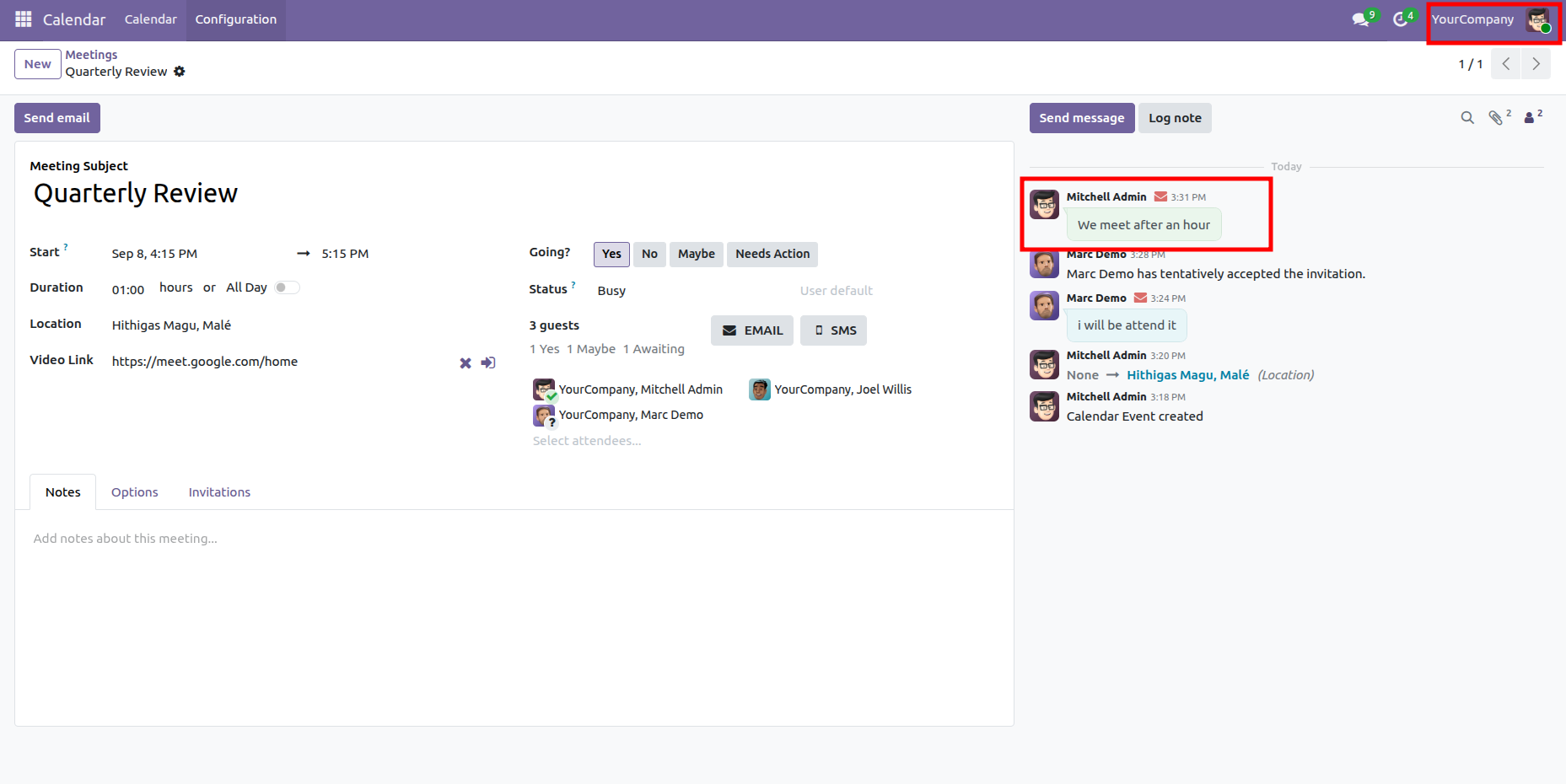
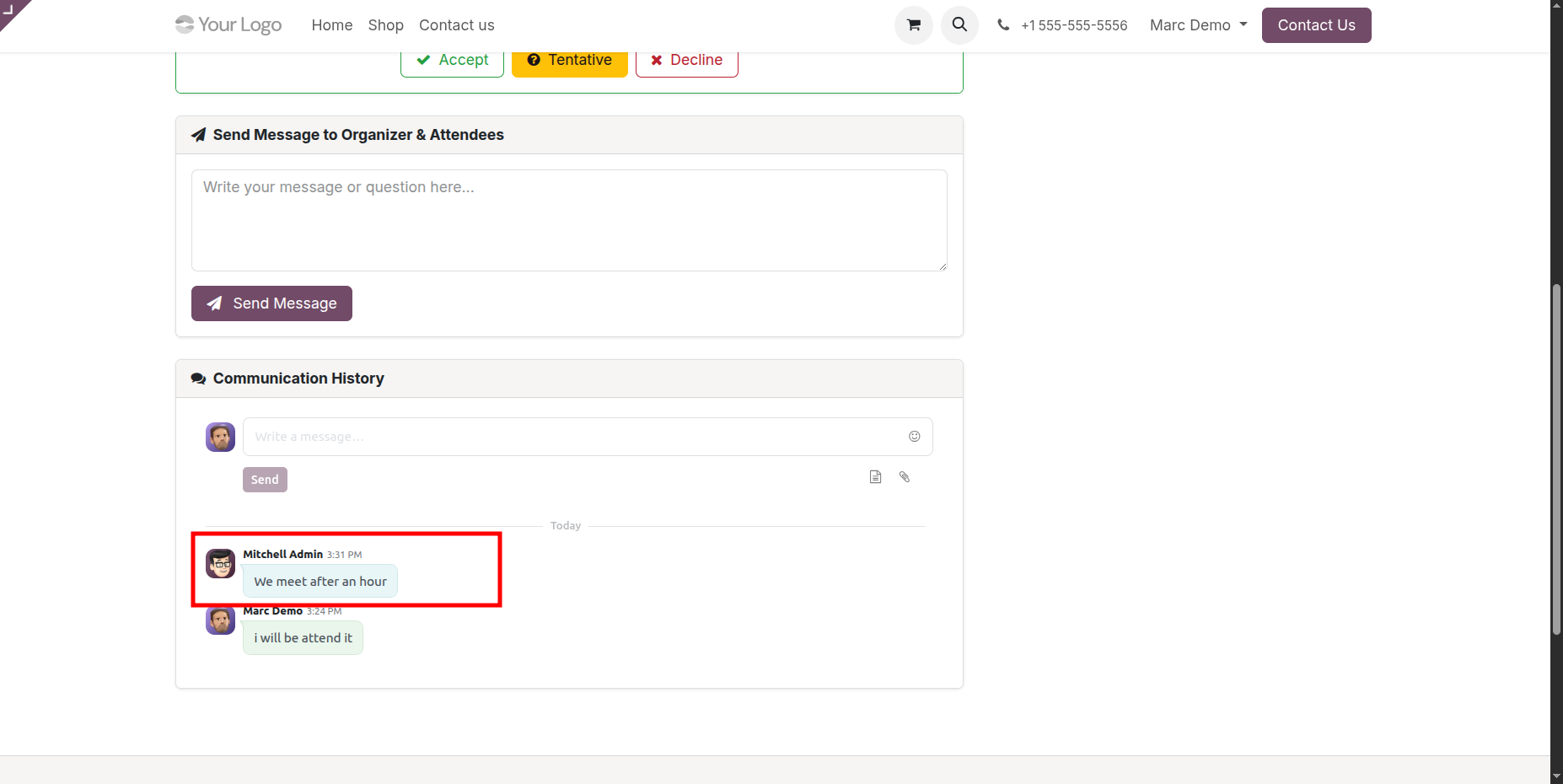
Attendees can view the admins responses directly in the portal chatter.
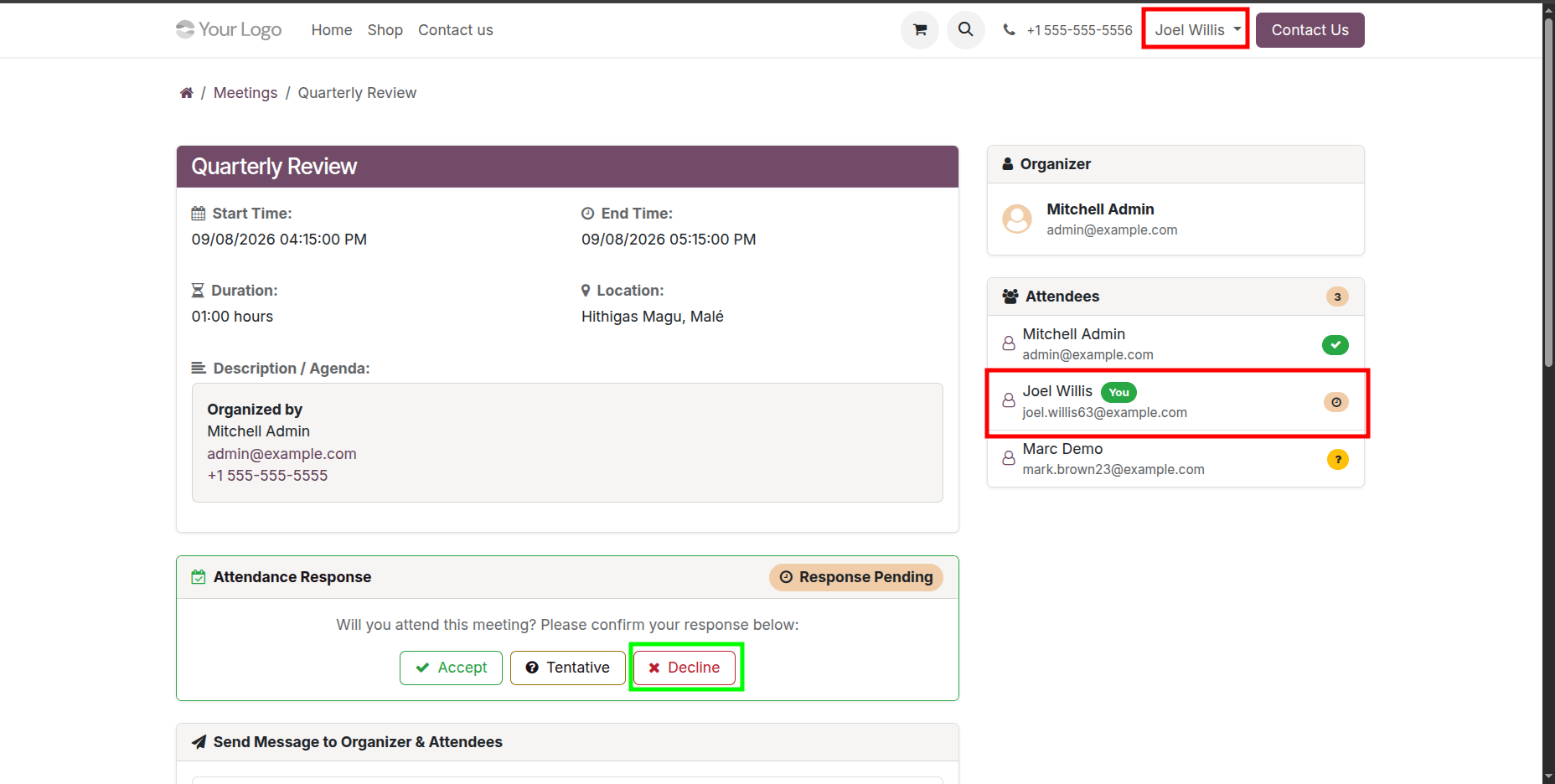
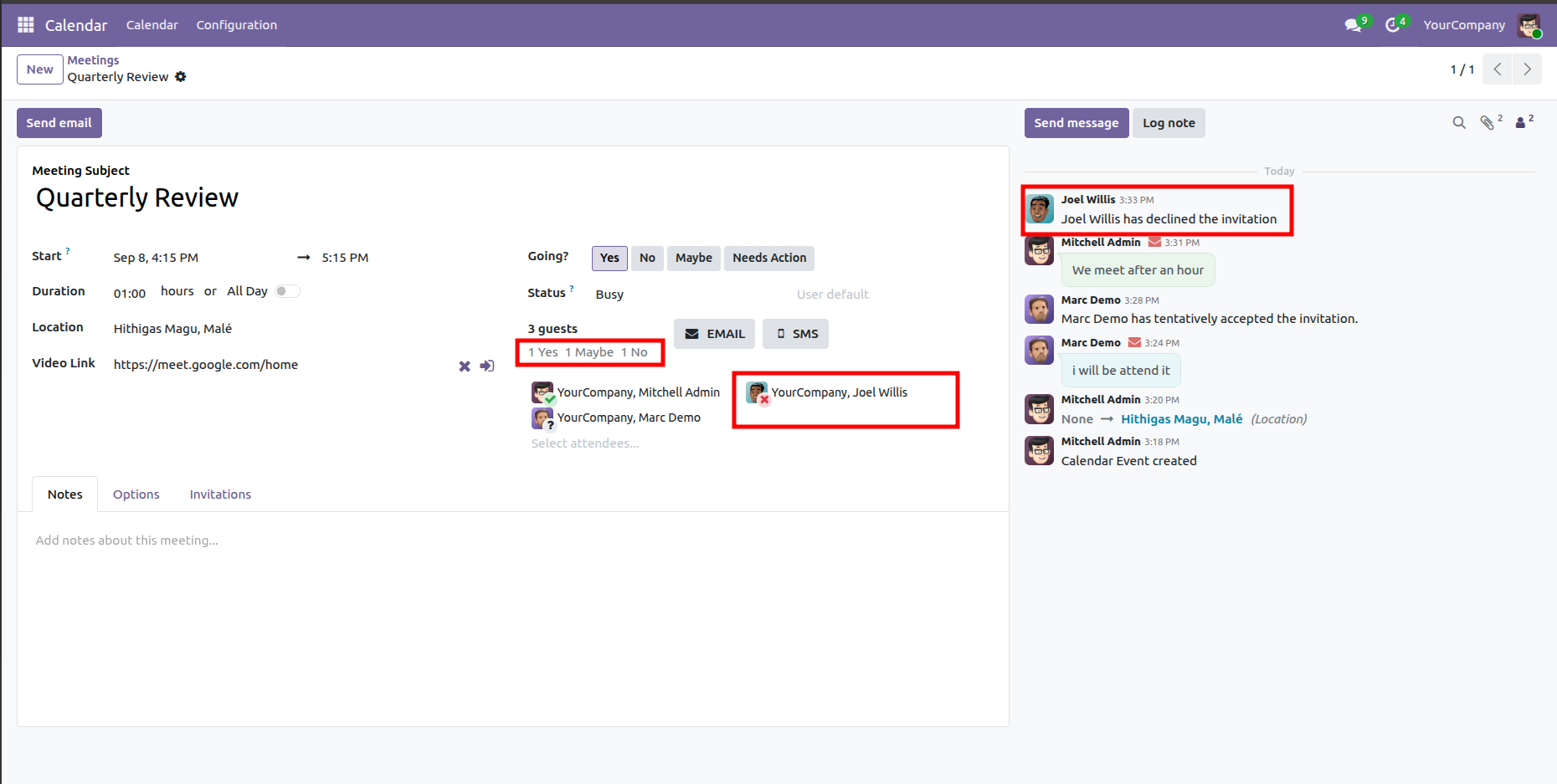
Joel Wills, an attendee, has shared a 'Decline' response.
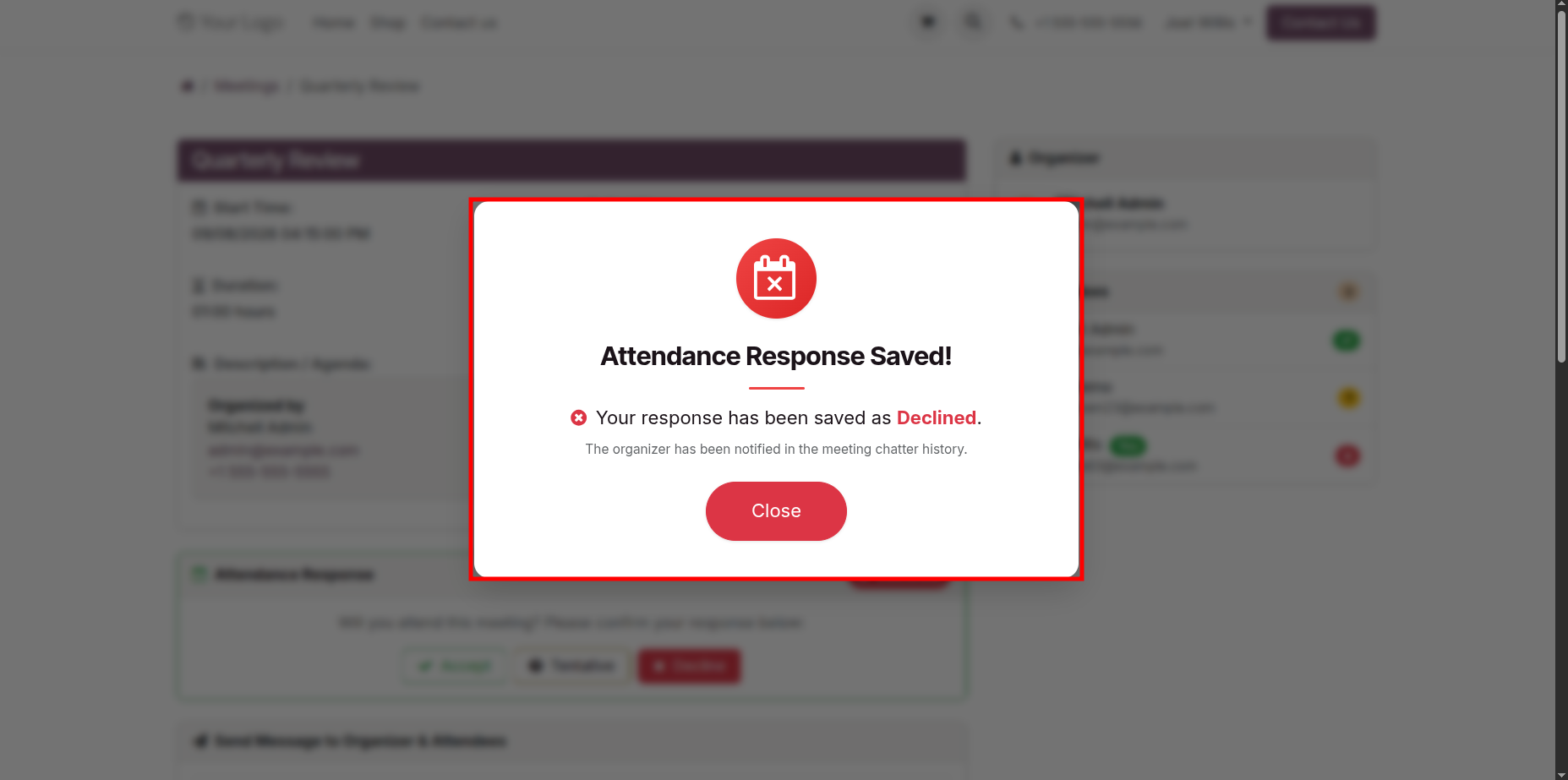
After that the 'Attendance Response Saved!' wizard will appears.
The admin can view the attendees meeting responses in the chatter.
Attendees can sort meetings by Start Date and Meeting Title, and search for meetings by their Title or Location.
Attendees can filter meetings based on their preferred criteria.
Version 19.0.1.0.0 | Released on : 18th November 2026
- Yes, this app works perfectly with Odoo Enterprise (Odoo.sh & Premise) as well as Community.
- No, this application is not compatible with odoo.com(odoo saas/Odoo Online)
- Yes, to test this module, please contact us at sales@softhealer.com.
- Please contact us at sales@softhealer.com to request customization.
- Yes, we provide free support for 365 days from the date of purchase.
- Yes, you will receive lifetime free updates for the version of the module you purchased.
- No, there is no need to install any additional libraries.
- Yes, for version 12 and above, you need to purchase the module separately for each version you intend to use.
- No, exchanges or refunds are not allowed. Please make sure to select the correct version before purchasing.
- You can contact us at support@softhealer.com for language translation support. We use Google Translator tools to provide translations in multiple languages, so the accuracy may vary. We welcome your suggestions to help improve translations.
Discover Our Latest Apps