











Point Of Sale - Weighing Scale Integration

This module integrates PLU-based weighing products between Odoo and electronic weighing scales by allowing products to be configured as PLU items with separate barcodes and POS barcode nomenclature rules to read barcodes. It generates a PLU.txt file with PLU codes, product names, and prices that can be exported and uploaded to the weighing scale using its Windows software, and also supports importing data when required. Barcodes printed by the weighing scale containing product and weight information can be scanned in Odoo POS to automatically add the product to the bill with the correct weight and price.

Related Modules
Features

Seamless weighing Scale Integration
Easily connect your weighing scale with Odoo by adding dedicated PLU and Barcode fields directly to the product form.
Powerful Export Wizard
Export product data effortlessly using a dedicated wizard. Select multiple products and generate scale-ready files in just a few clicks.

Automatic Barcode Recognition
Scan a product barcode and let Odoo automatically detect and extract barcode data using your Barcode Nomenclature rules.
Smart & Clean Product Configuration
weighing scale fields appear only when needed. Enable 'To Weigh With Scale' to keep the product form clean and user-friendly.
Standardized File Output
Generates a downloadable plu.txt file formatted specifically for weighing scales containing PLU, Barcode, Name, and Price.

Mass Export Made Easy
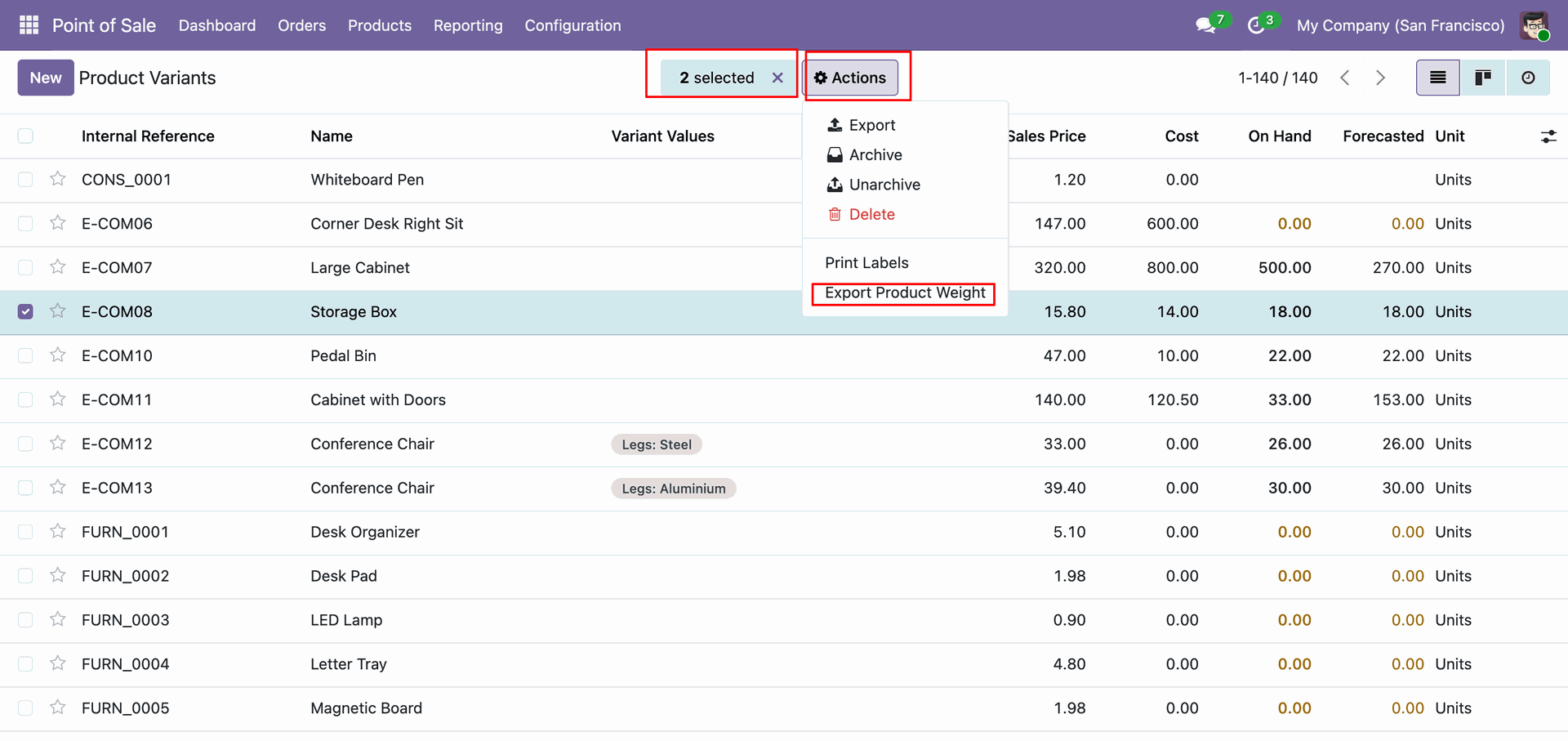
Save time by exporting multiple products directly from the product list view using the Action menu.
Secure Export Access
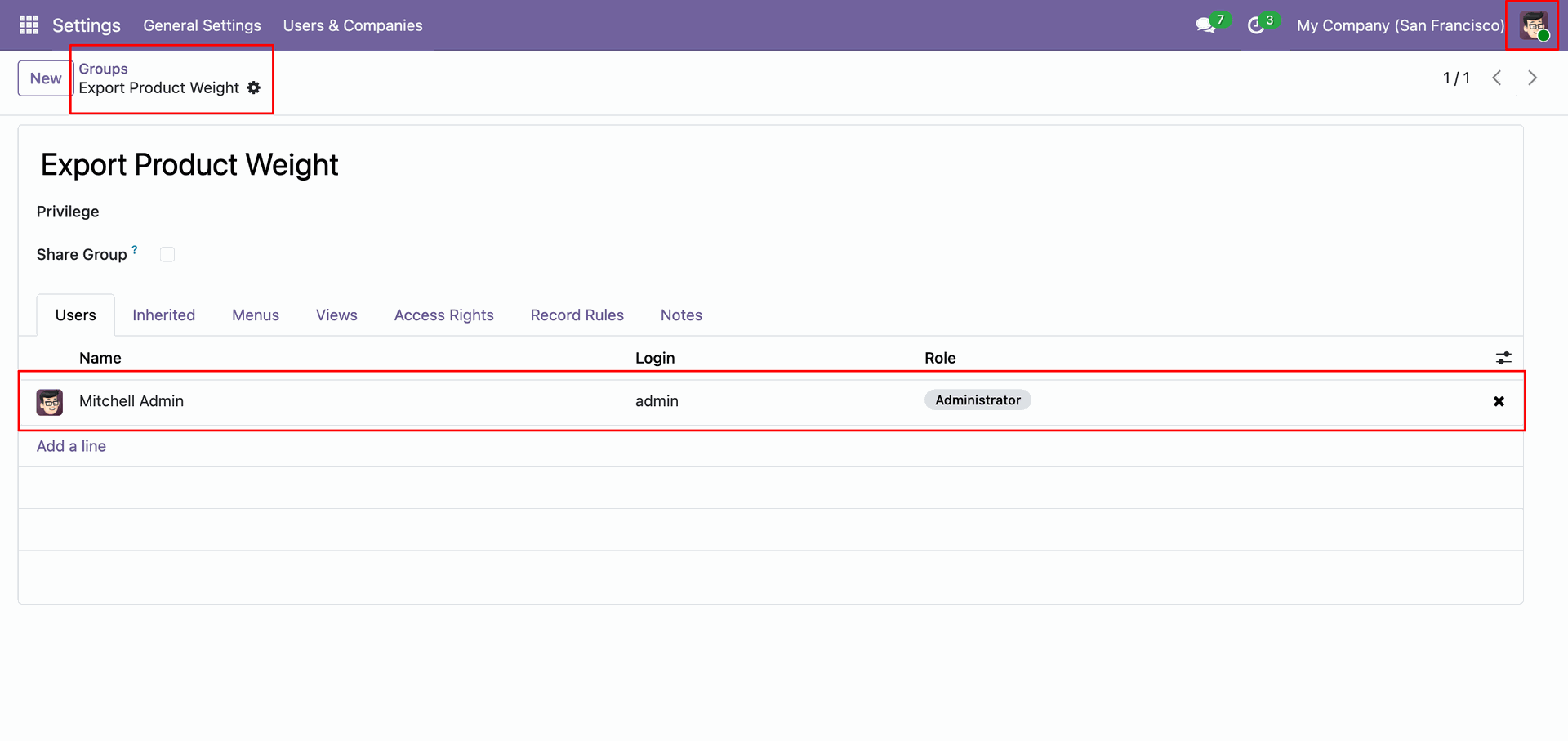
Control who can export weighing scale data with the dedicated 'Export Product Weight' security group.
Export Product Weight
Easily export product data for your scale. Choose specific items from the list, use the wizard for batch selection, or export all weighing products with a single click.
Easy Data Import in POS
Use the Import Data button in POS to manually load or synchronize weighing scale data for smooth and accurate billing.
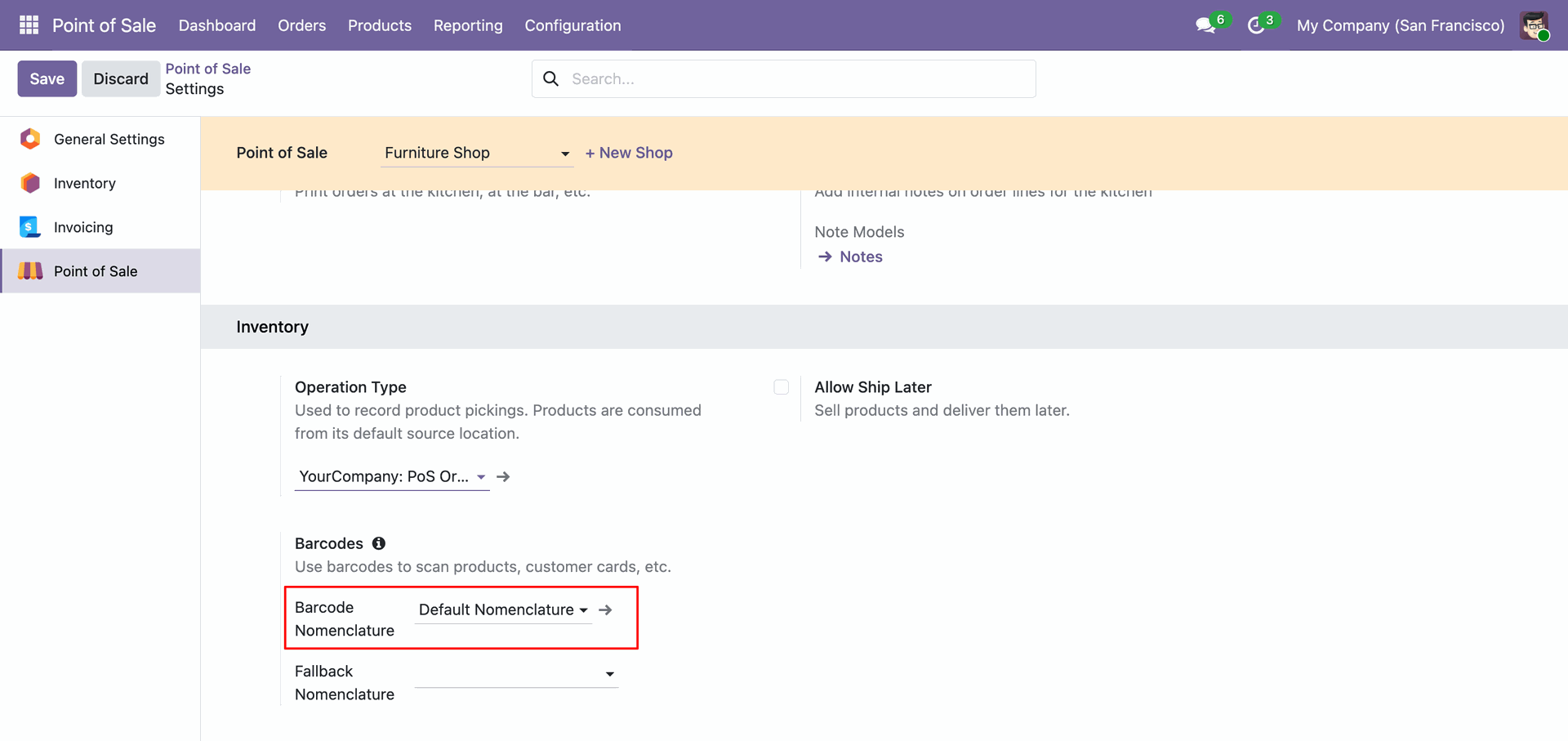
Locate the Barcode Nomenclature setting under the Inventory section to select the parsing rules for product and customer card barcodes.
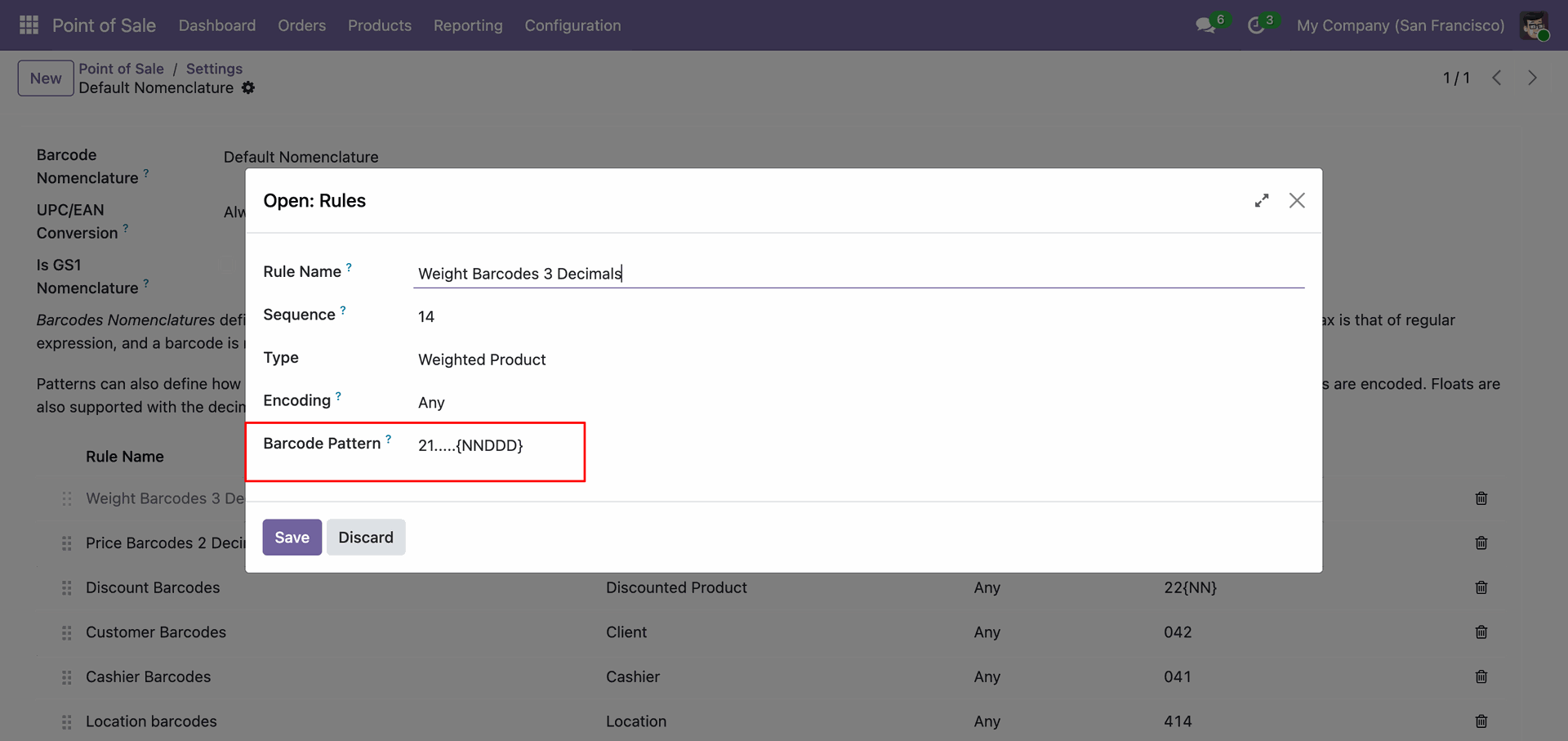
Enter the specific syntax in the Barcode Pattern field to define how the system decodes the structure of the scanned barcode.
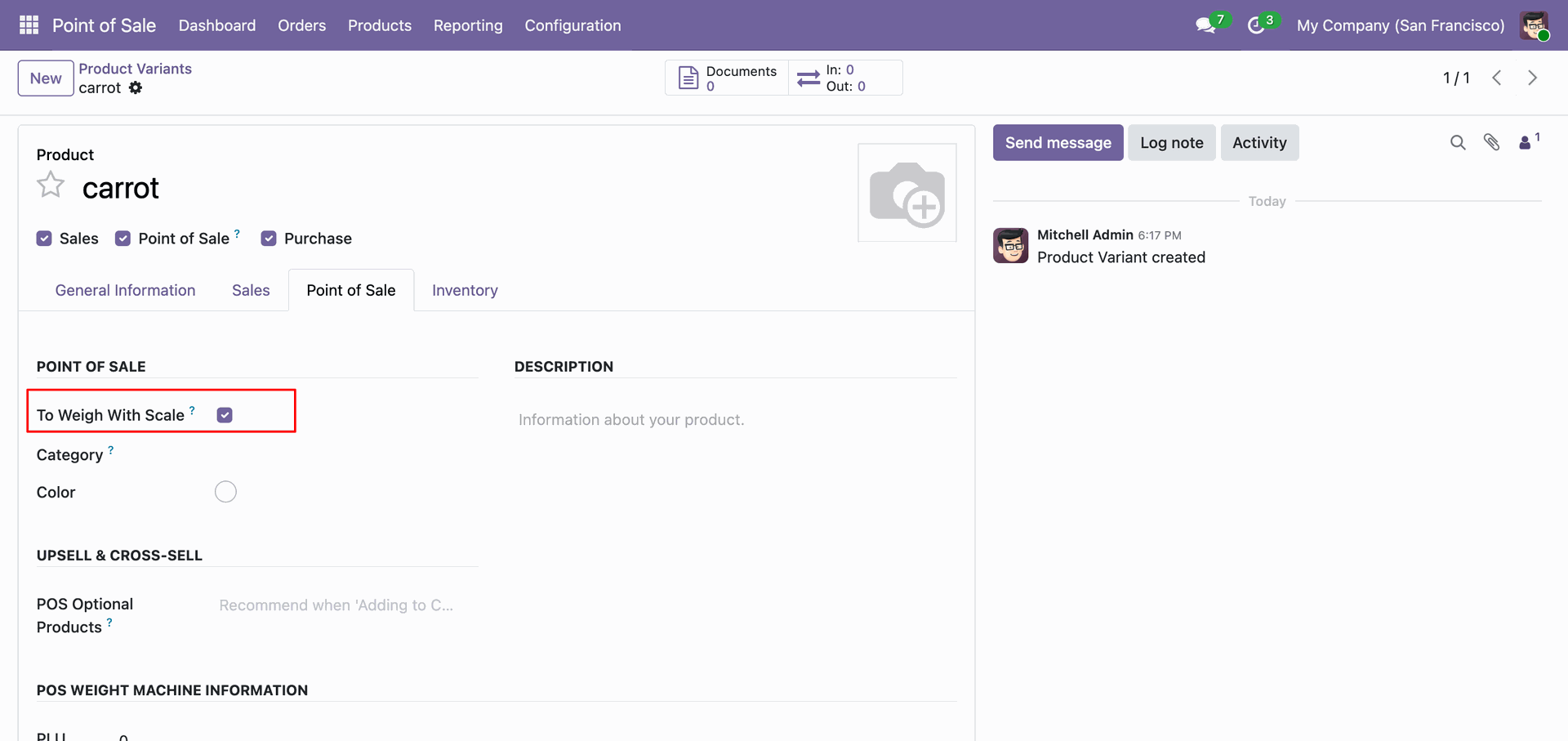
Check the To Weigh With Scale box in the Point of Sale tab to ensure the product is weighted and priced accordingly at checkout.
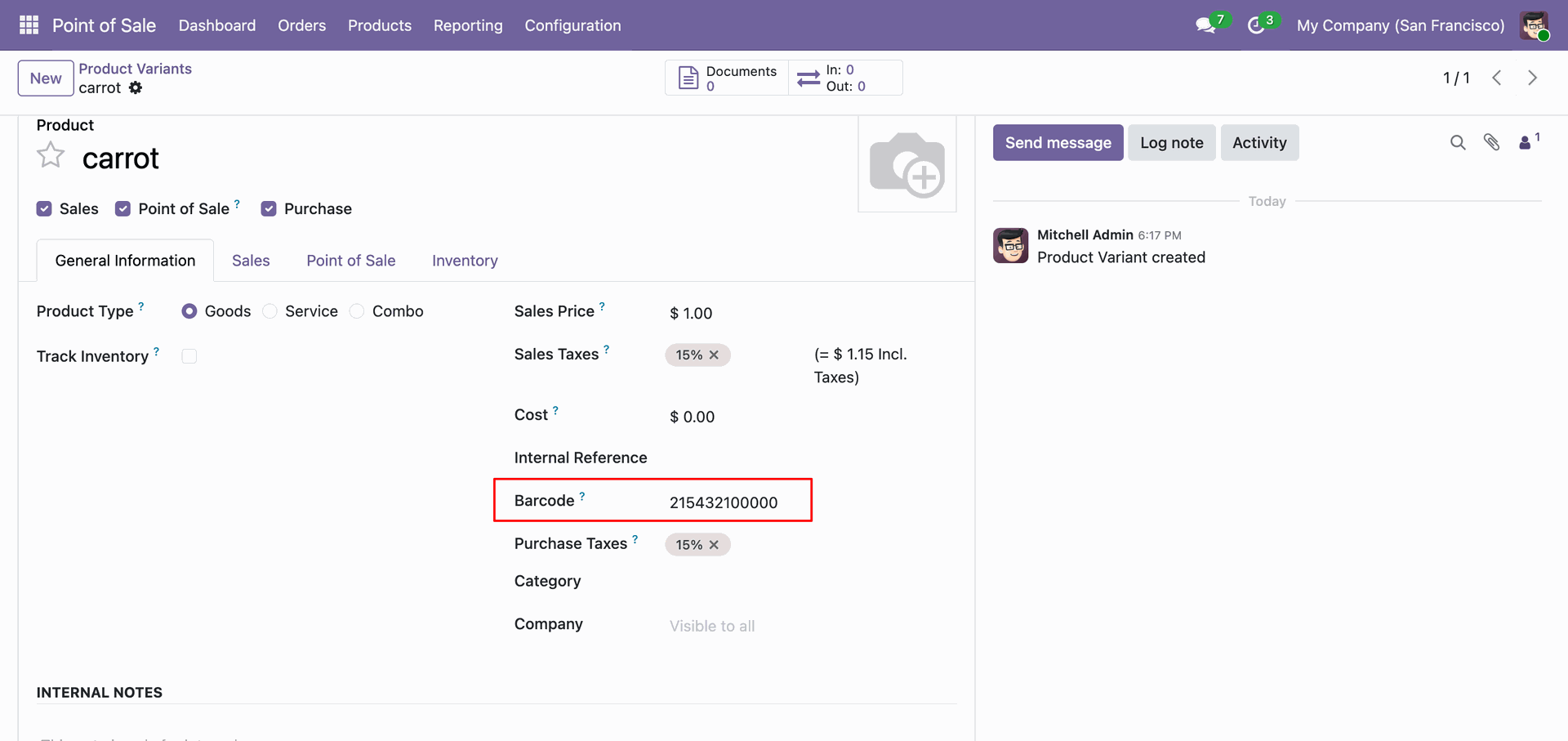
Enter the unique identifier in the Barcode field under the General Information tab to enable product recognition via scanner.
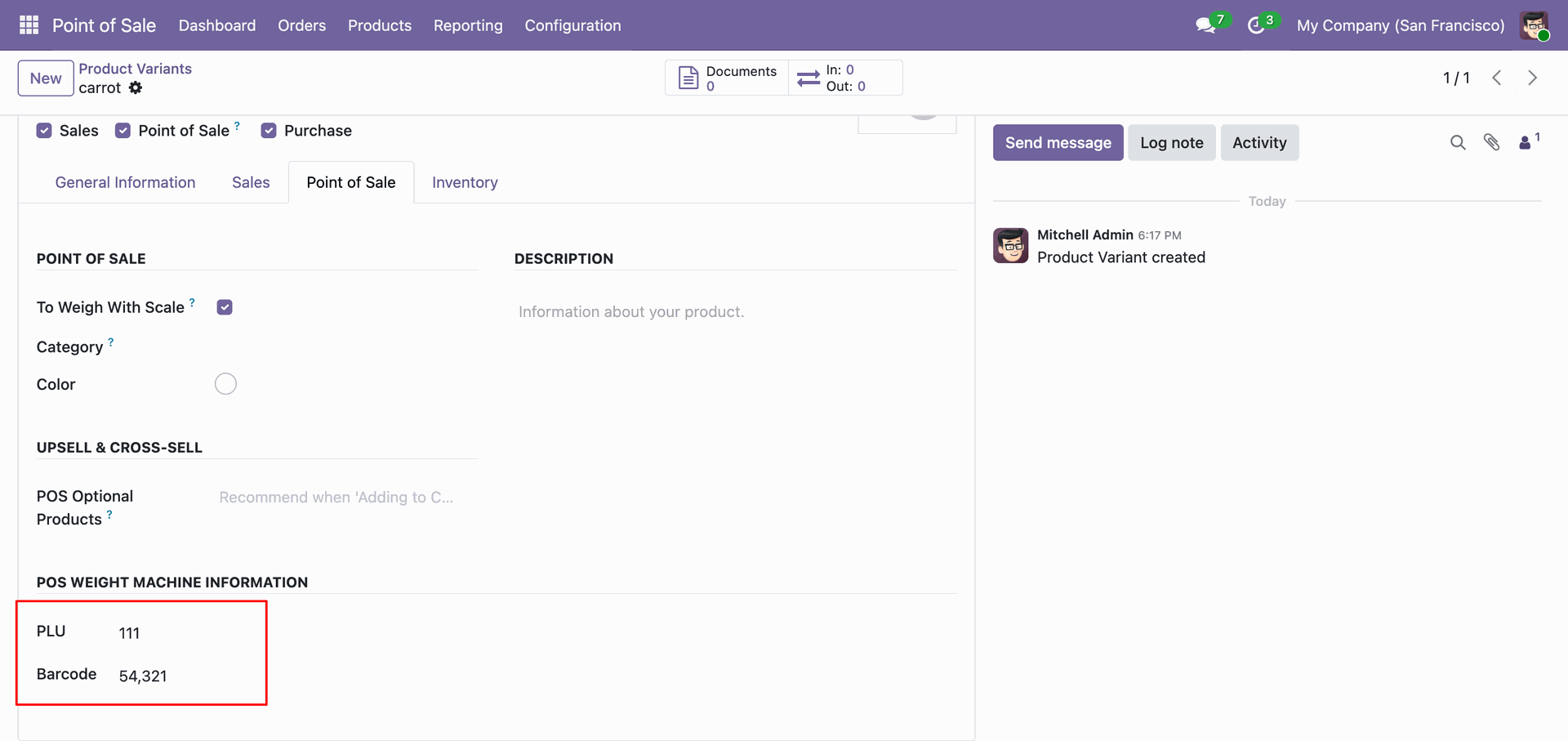
Enter the PLU and Barcode in the POS WEIGHT MACHINE INFORMATION section to map the Odoo product to the corresponding item in the weighing scale's memory.
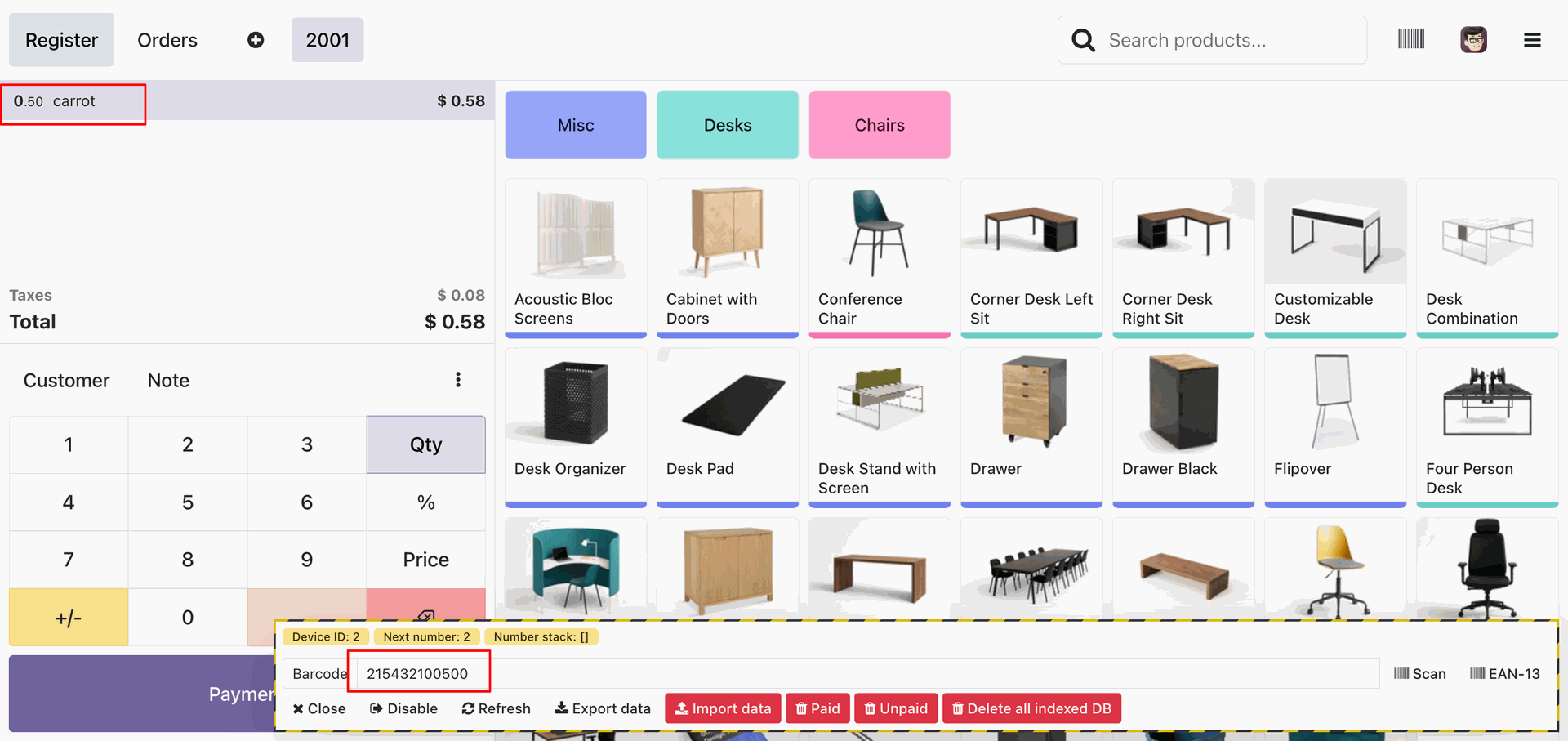
Scanning the barcode 215432100500 automatically adds the 'carrot' to the cart with the parsed weight of 0.50, validating the barcode nomenclature configuration.
Add users like Mitchell Admin to the Export Product Weight group to explicitly grant them permission to export weight data to the scale.
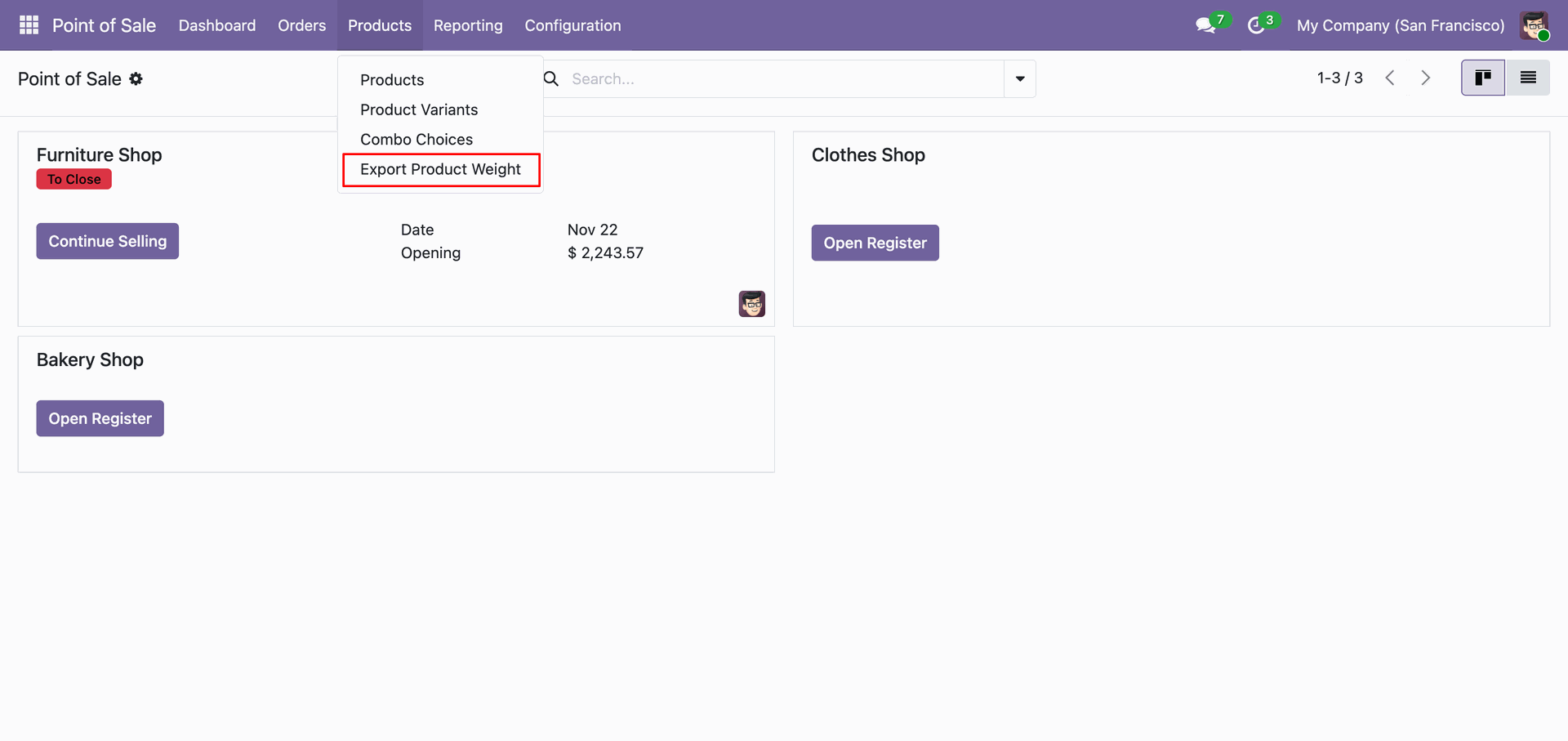
From the Products menu, select Export Product Weight to generate the synchronization file for the external weighing scale.
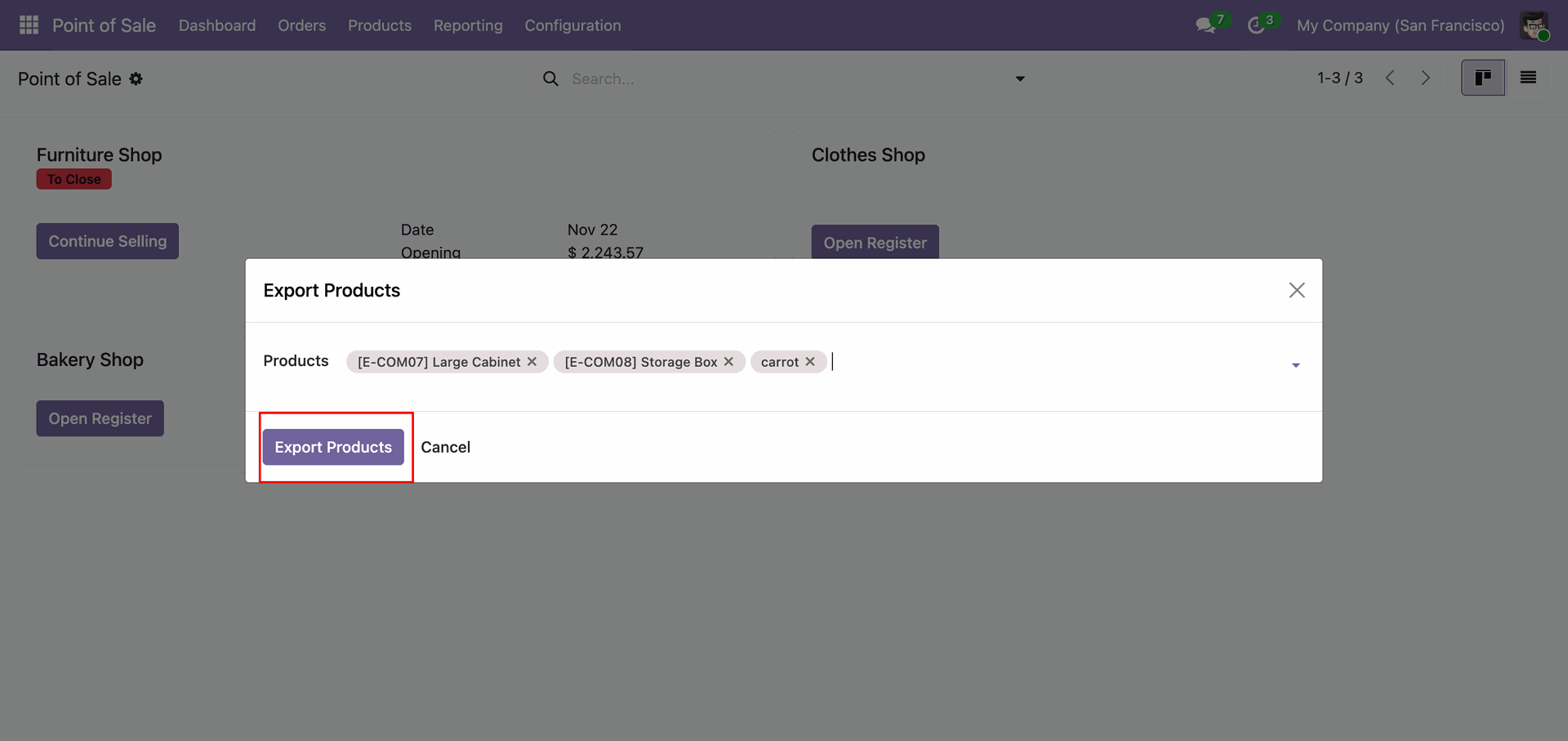
Select the desired items and click Export Products to download the configuration file containing PLU data for the weighing scale.
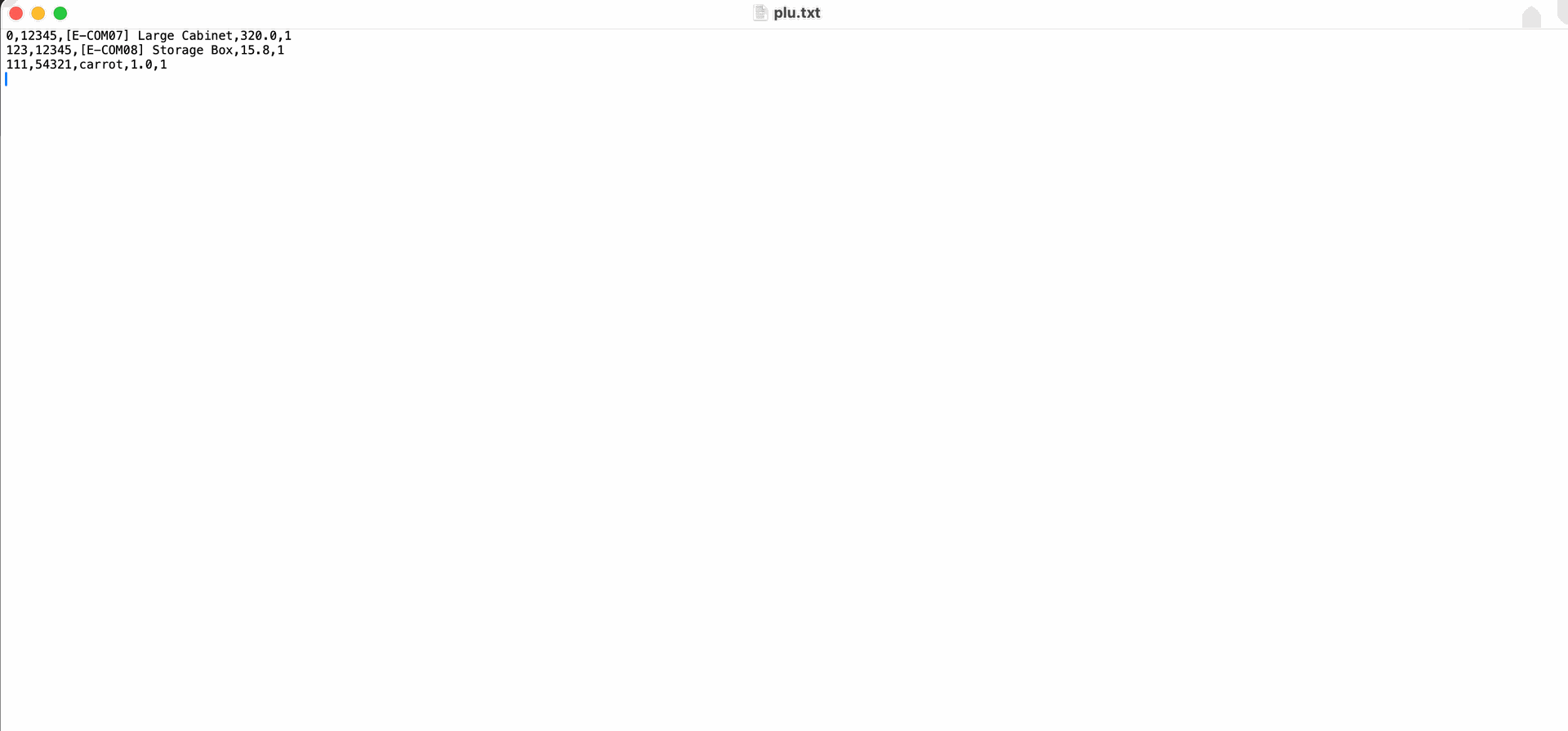
The generated plu.txt file lists the exported products with their corresponding PLU, Barcode, and price details, ready for import into the weighing scale.
Select multiple products in the list view, click Actions, and choose Export Product Weight to efficiently export data for specific items in bulk.
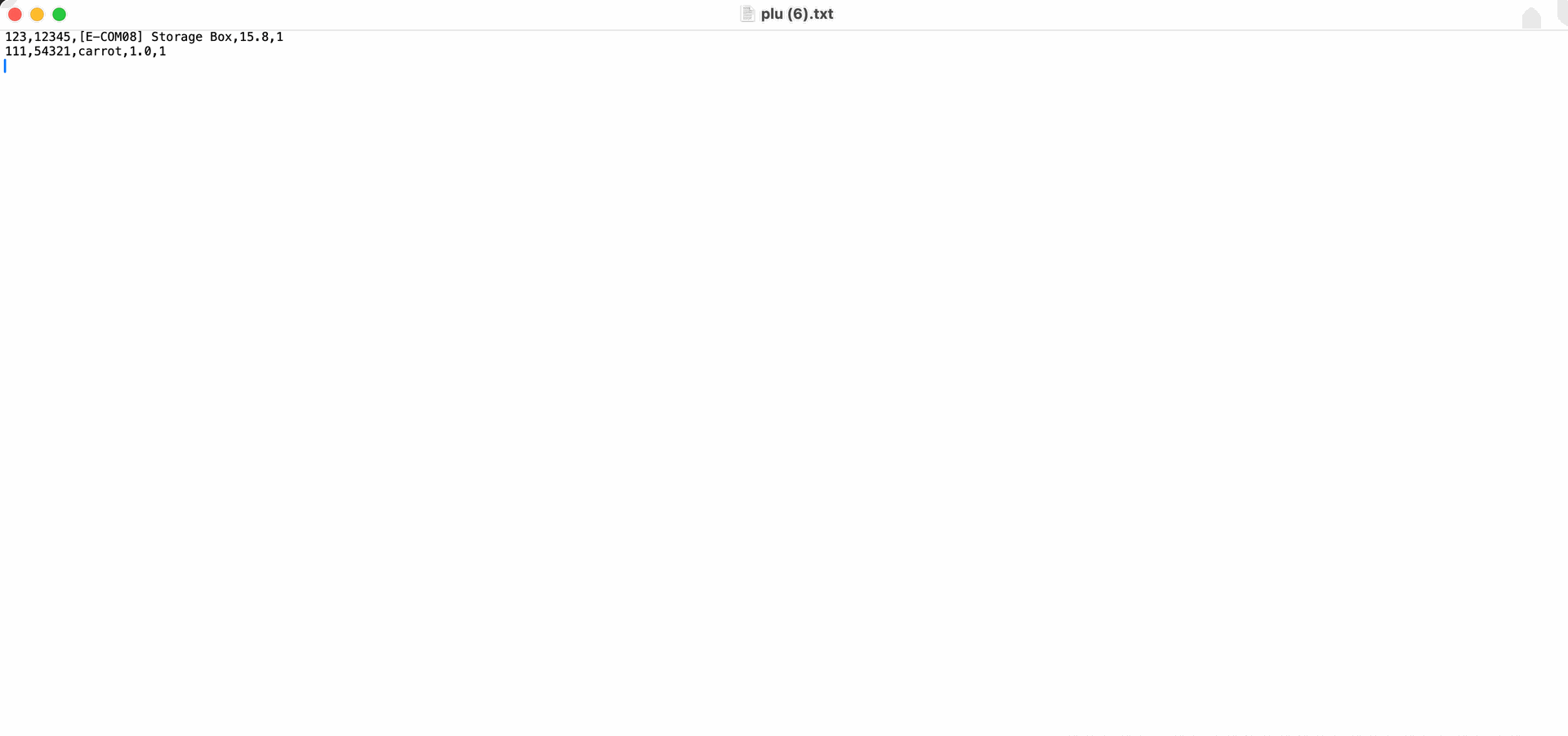
The downloaded file verifies the export success, listing products like Storage Box with their PLU and barcode values formatted for the external scale.
Version 19.0.1 | Released on : 10th January 2026
- Yes, this app works perfectly with Odoo Enterprise (Odoo.sh & Premise) as well as Community.
- No, this application is not compatible with odoo.com(odoo saas/Odoo Online)
- Yes, to test this module, please contact us at sales@softhealer.com.
- Please contact us at sales@softhealer.comto request customization.
- Yes, we provide free support for 365 days from the date of purchase.
- Yes, you will receive lifetime free updates for the version of the module you purchased.
- No, there is no need to install any additional libraries.
- Yes, for version 12 and above, you need to purchase the module separately for each version you intend to use.
- No, exchanges or refunds are not allowed. Please make sure to select the correct version before purchasing.
- You can contact us at support@softhealer.com for language translation support. We use Google Translator tools to provide translations in multiple languages, so the accuracy may vary. We welcome your suggestions to help improve translations.
Discover Our Latest Apps