












Point Of Sale Save & Restore Orders

This module enhances Odoo Point of Sale by allowing users to save ongoing orders as drafts and retrieve them later when needed. Users can easily import saved draft orders into the POS session and manage pending transactions without losing selected items. It is an ideal solution for retail environments where checkout processes may be paused or resumed later, helping businesses handle customer orders more flexibly and efficiently.

Features

Save Orders as Draft
Save ongoing POS orders as drafts to continue checkout later without losing cart details.

Import Draft Orders
Import saved draft orders back into the POS session for quick order continuation.
Manage Pending Orders
Store unfinished customer orders securely in the backend until they are ready for completion.

Close Session with Draft Orders
Manage POS sessions smoothly even when draft orders are pending in the system.

Flexible Checkout Process
Allow customers to pause purchases and resume checkout whenever needed.

Improved POS Efficiency
Handle interrupted transactions efficiently for a seamless retail workflow.
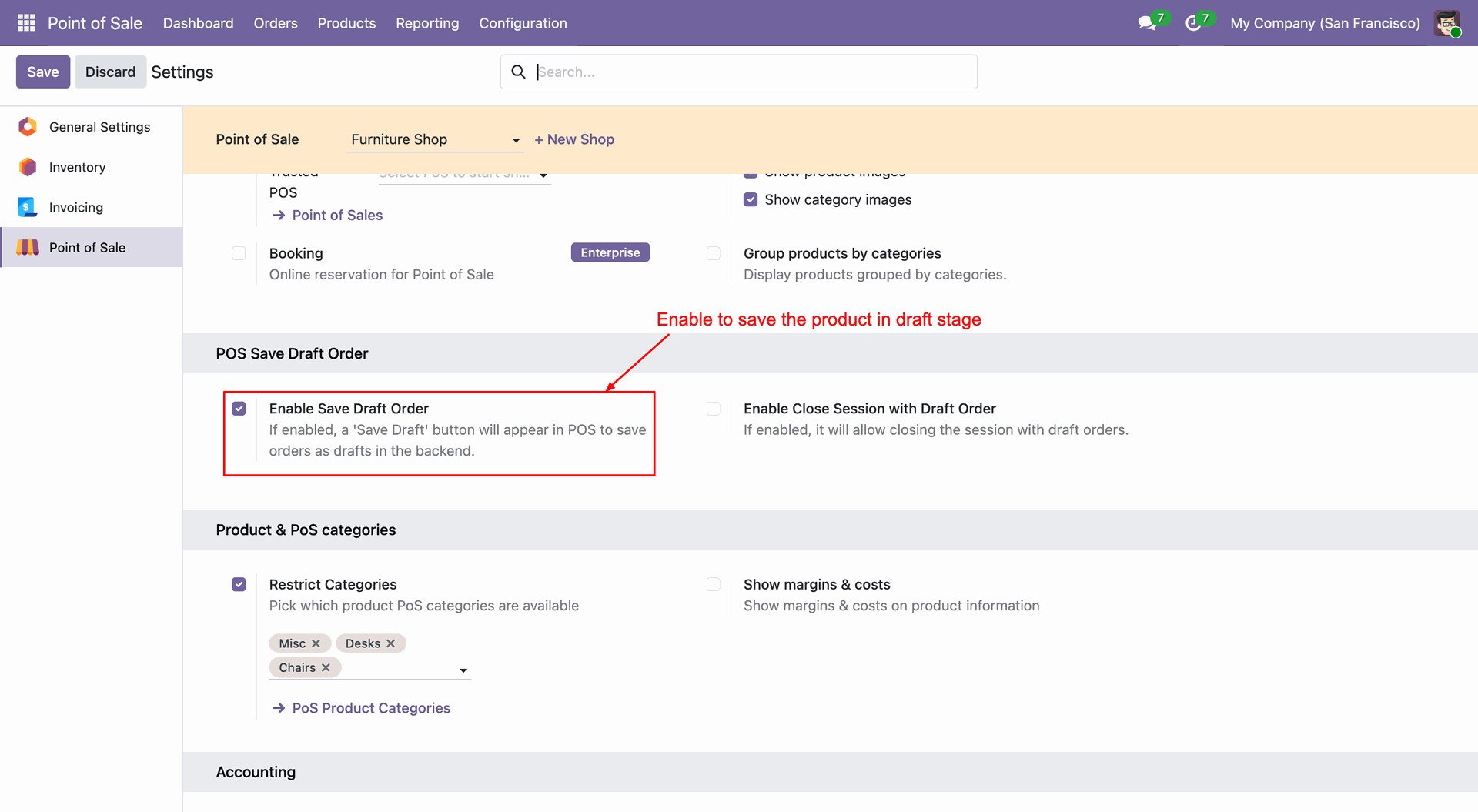
Enabling the 'Save Draft' feature in POS settings.
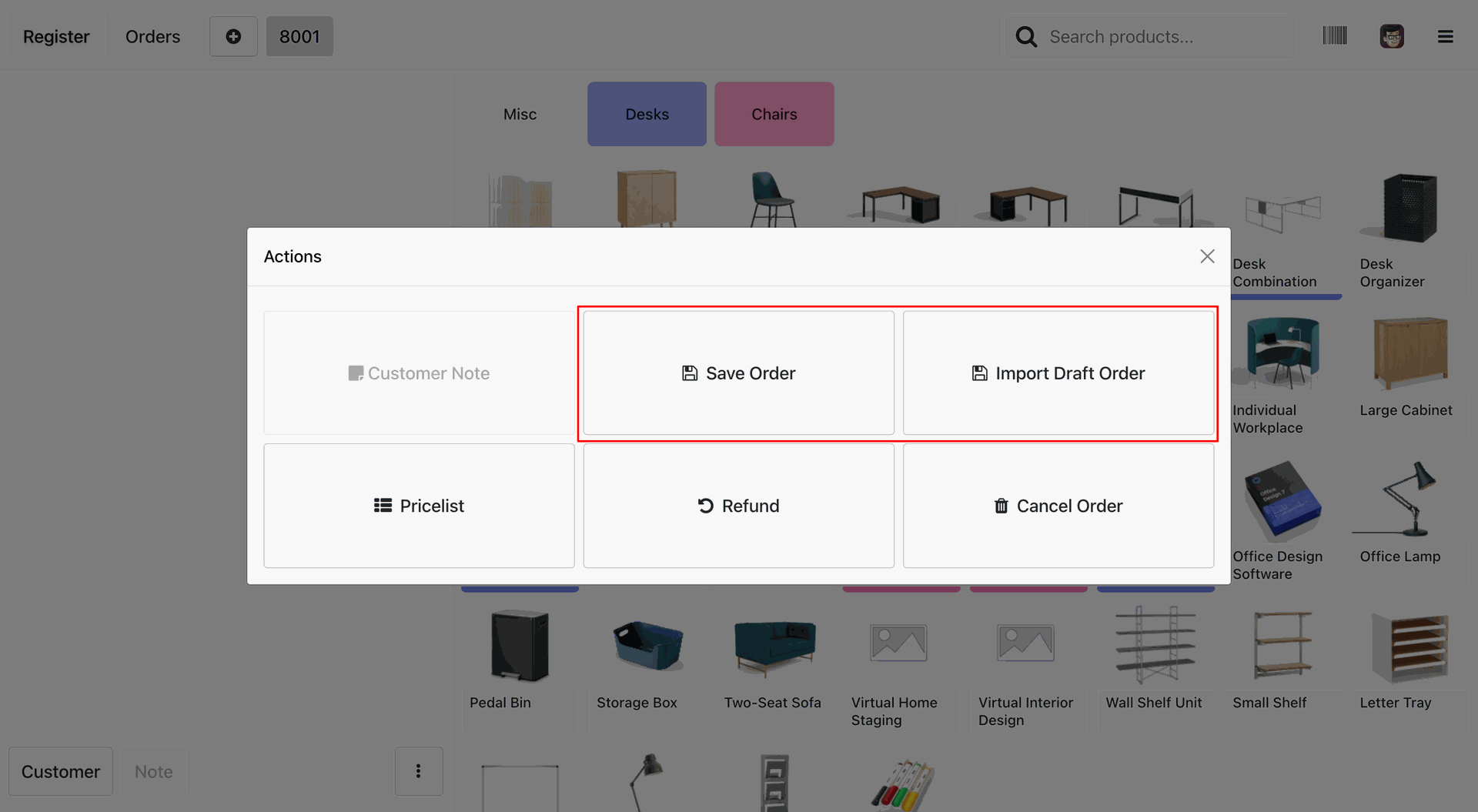
Managing draft orders directly from the POS interface.
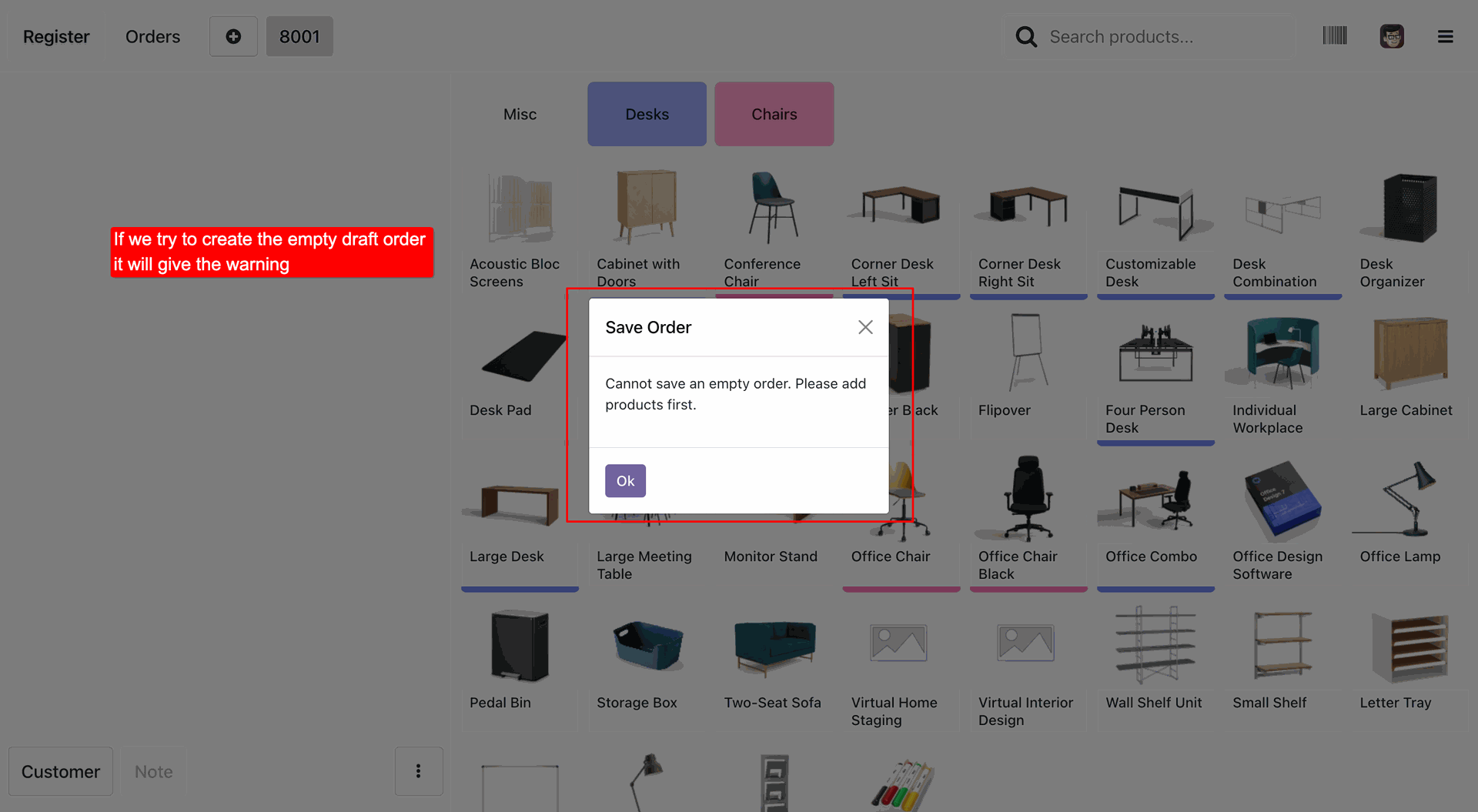
Warning message preventing the saving of an empty draft order.
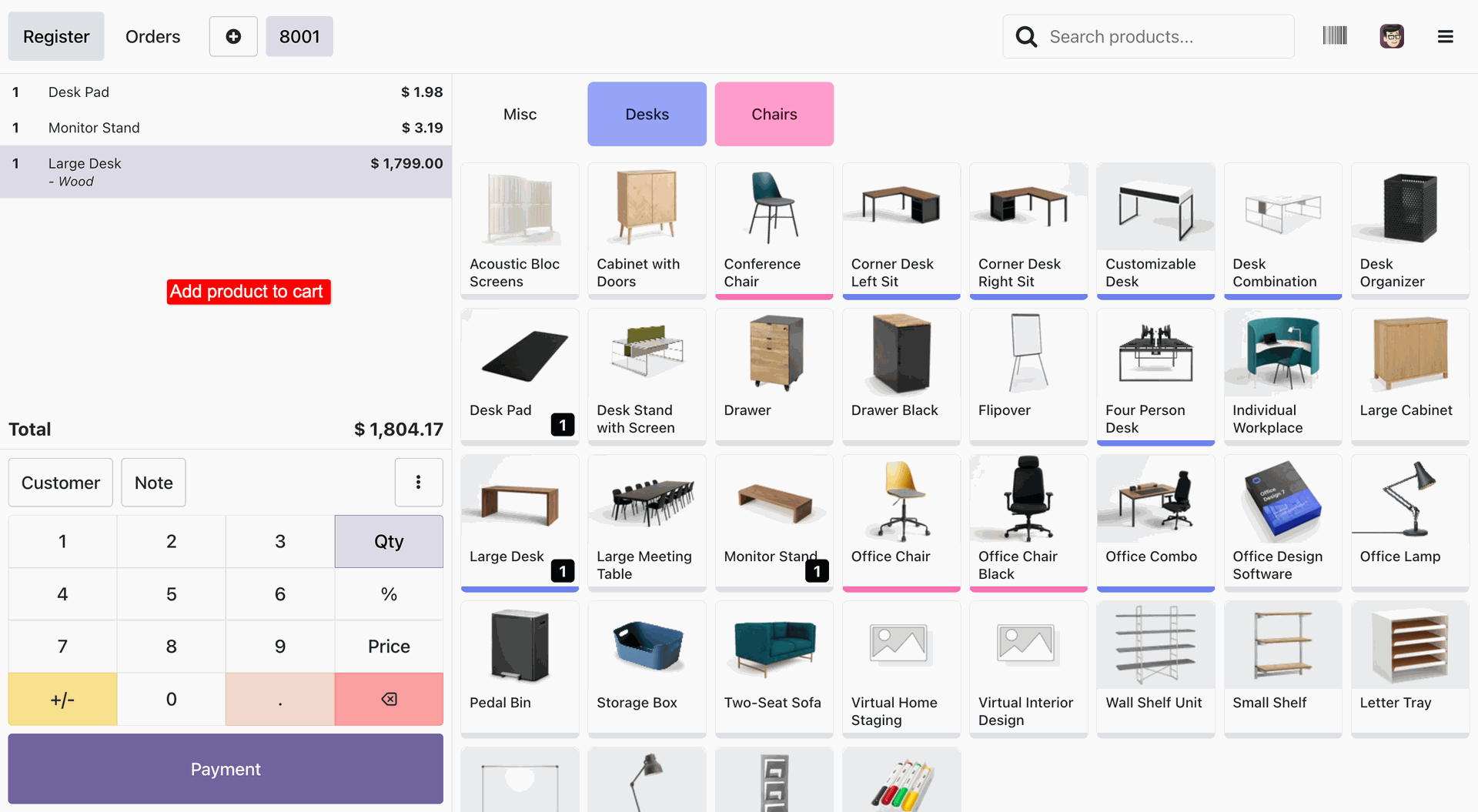
Adding products to the POS cart before saving as a draft.
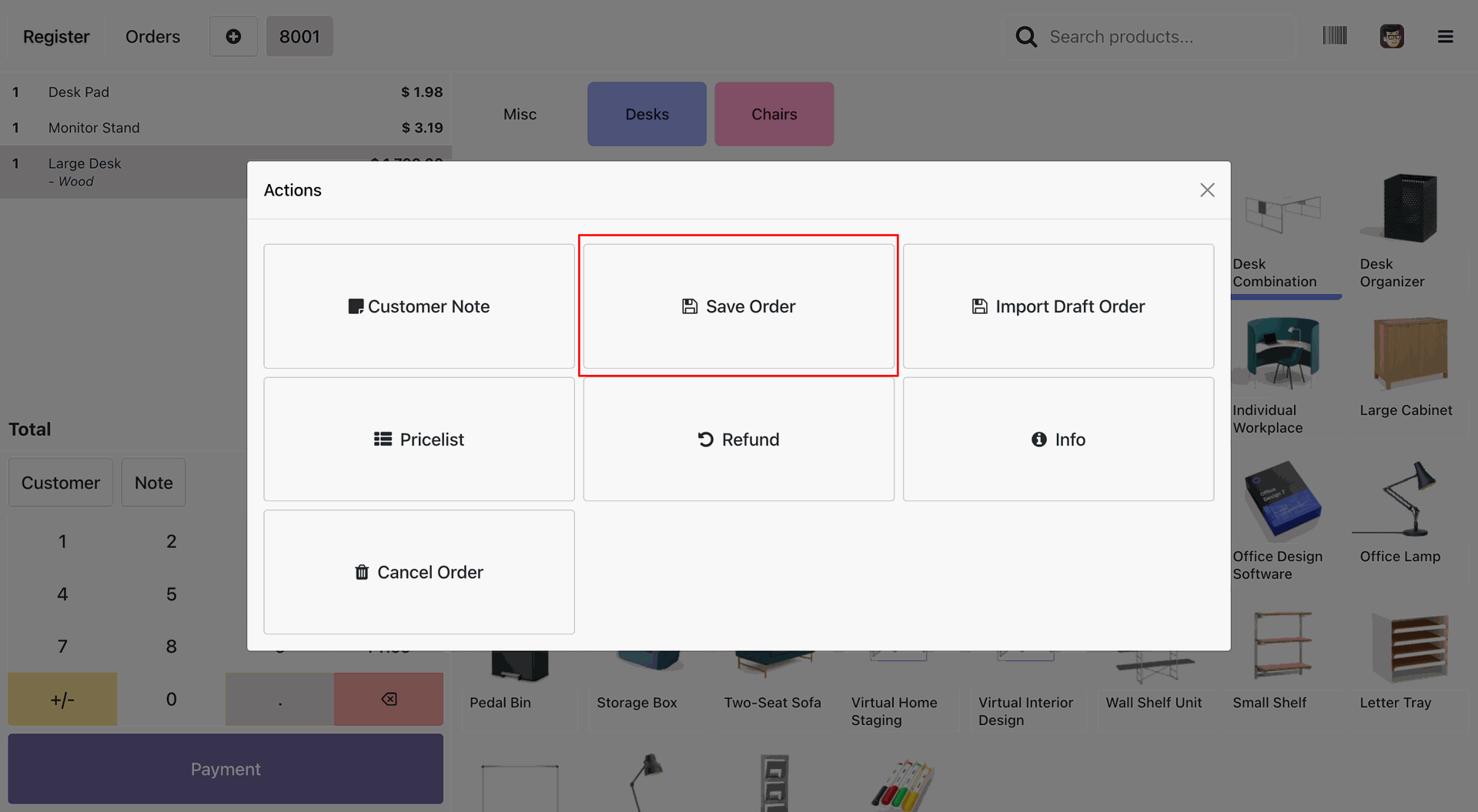
Selecting 'Save Order' to create a draft in the backend.
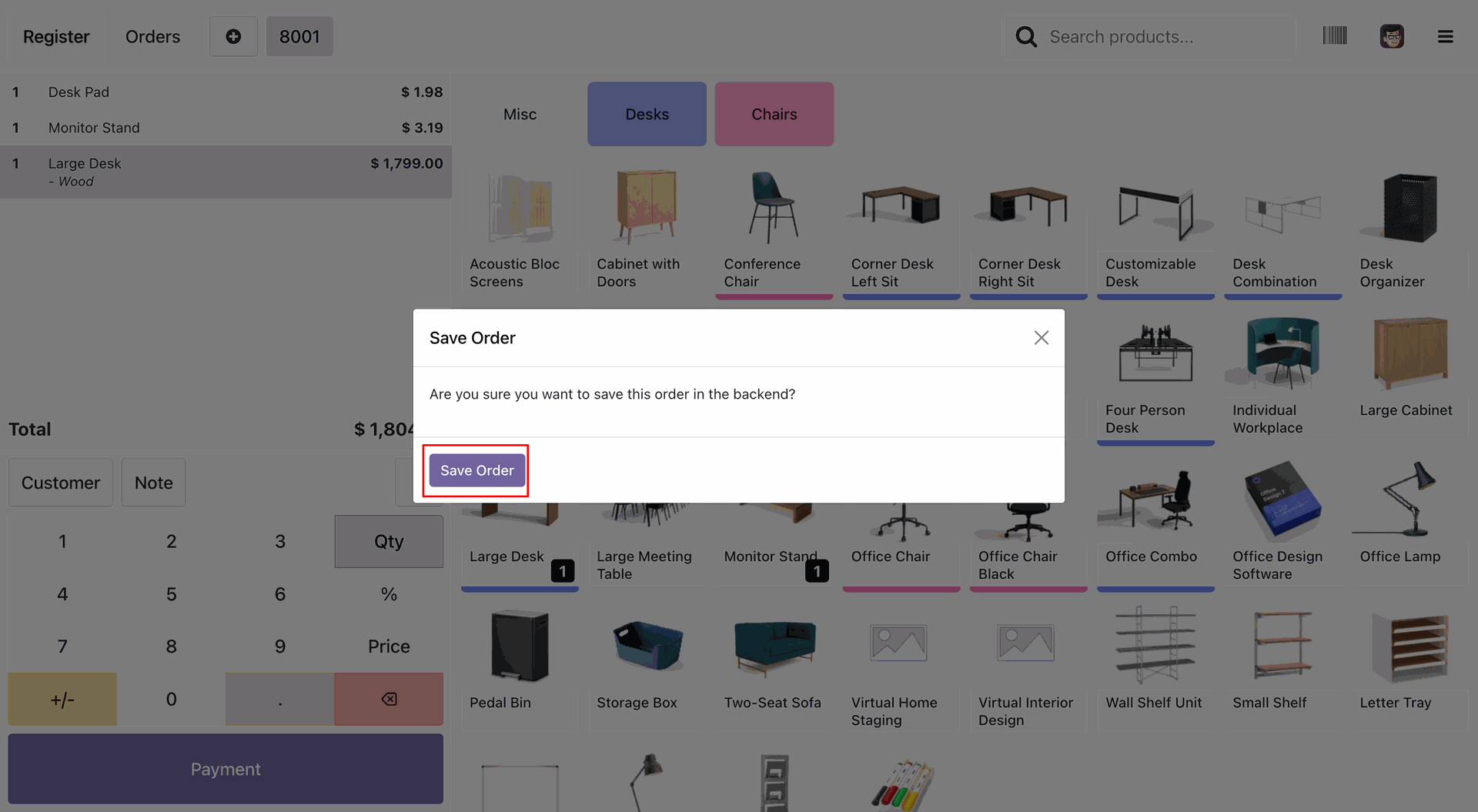
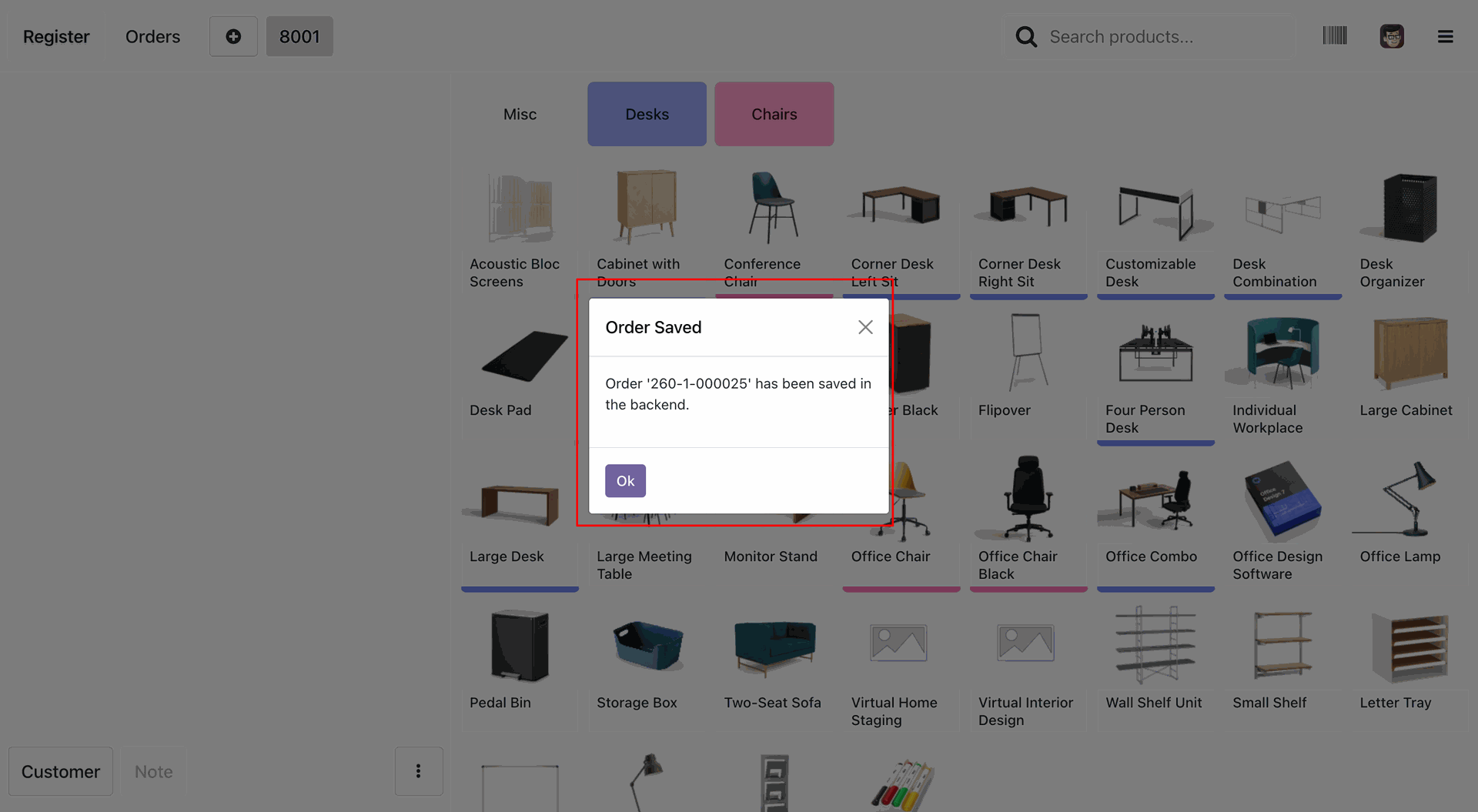
Confirming the order save to the backend.
Success notification confirming the draft order is saved in the backend.
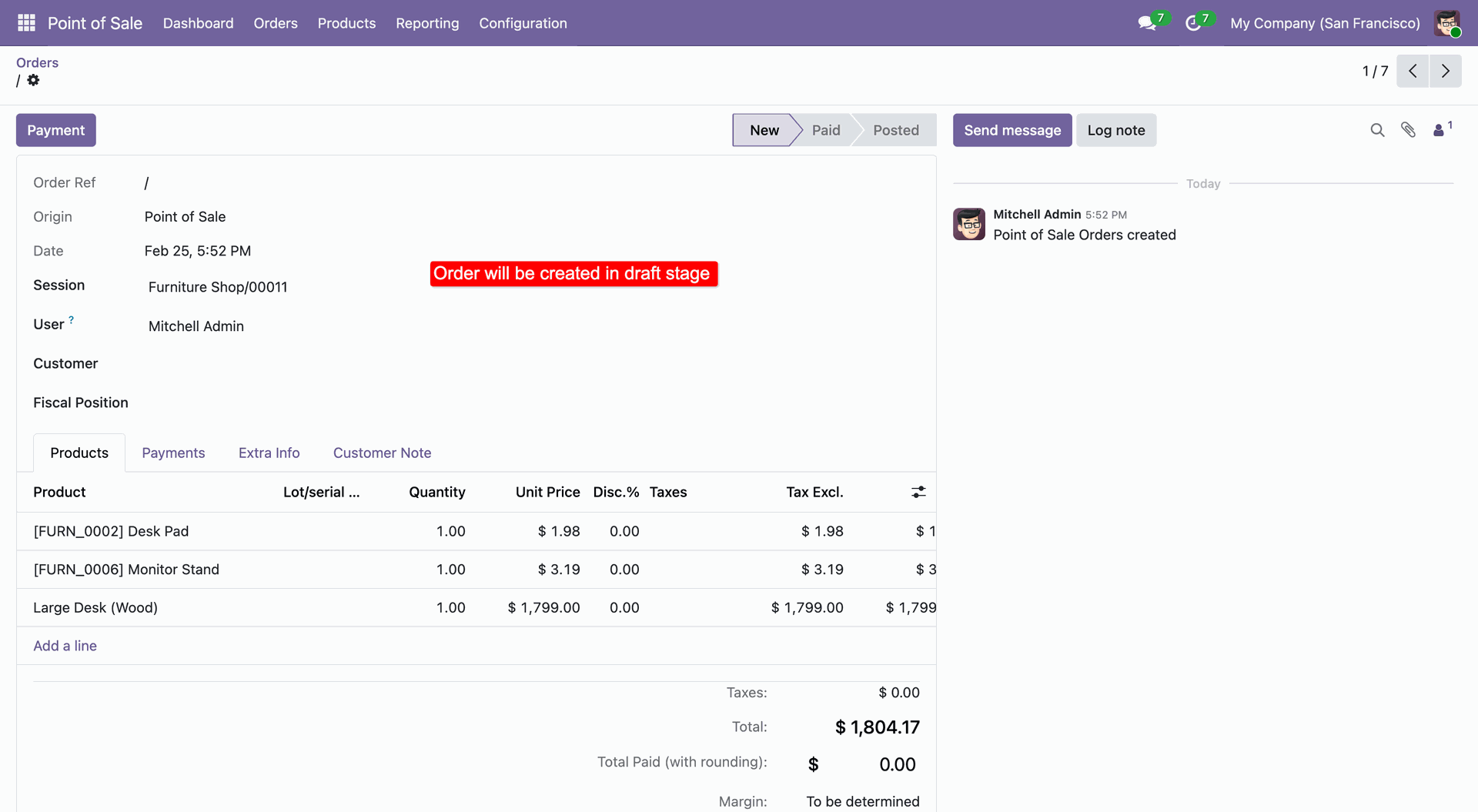
Reviewing the newly created draft order in the backend.
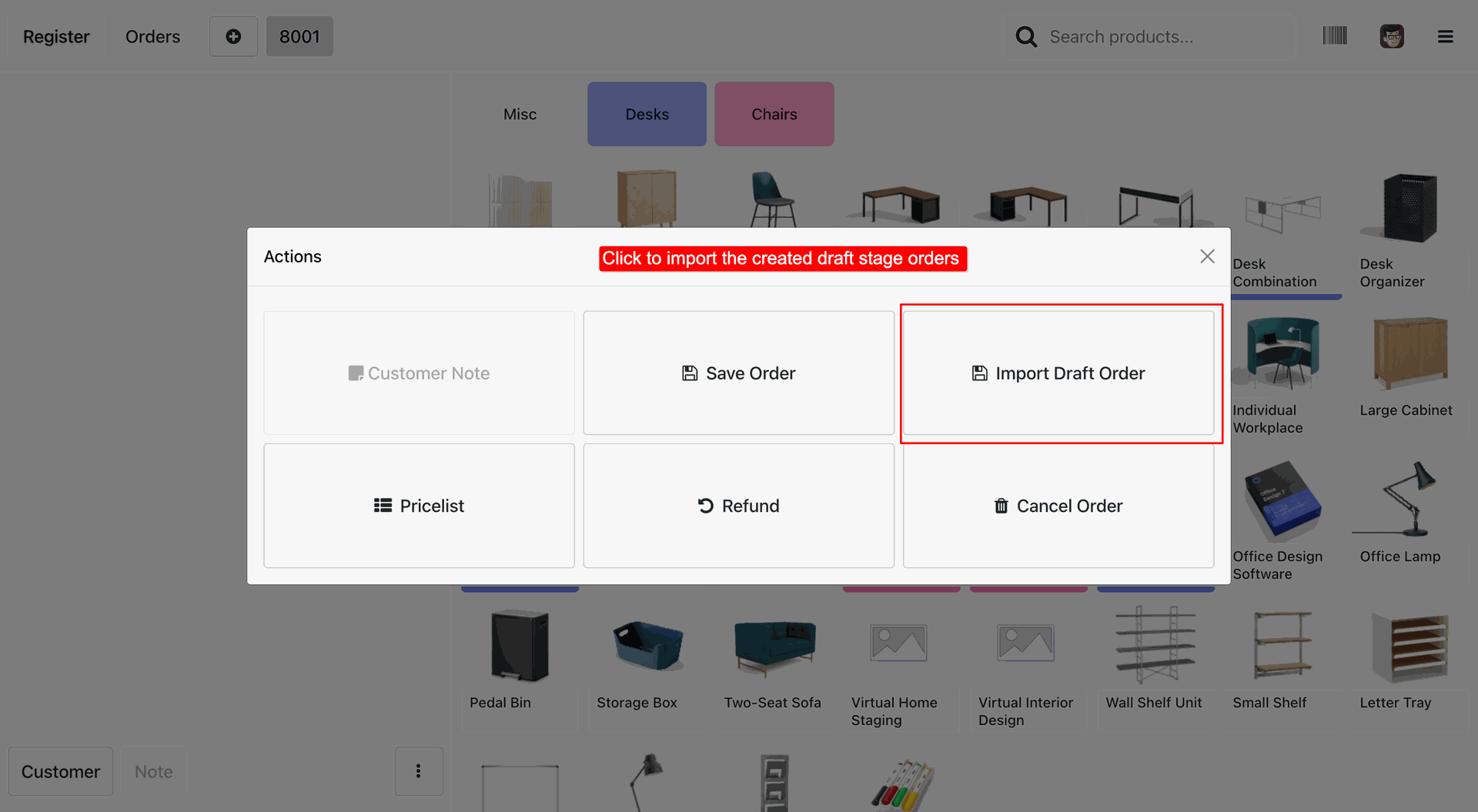
Selecting 'Import Draft Order' to retrieve saved orders.
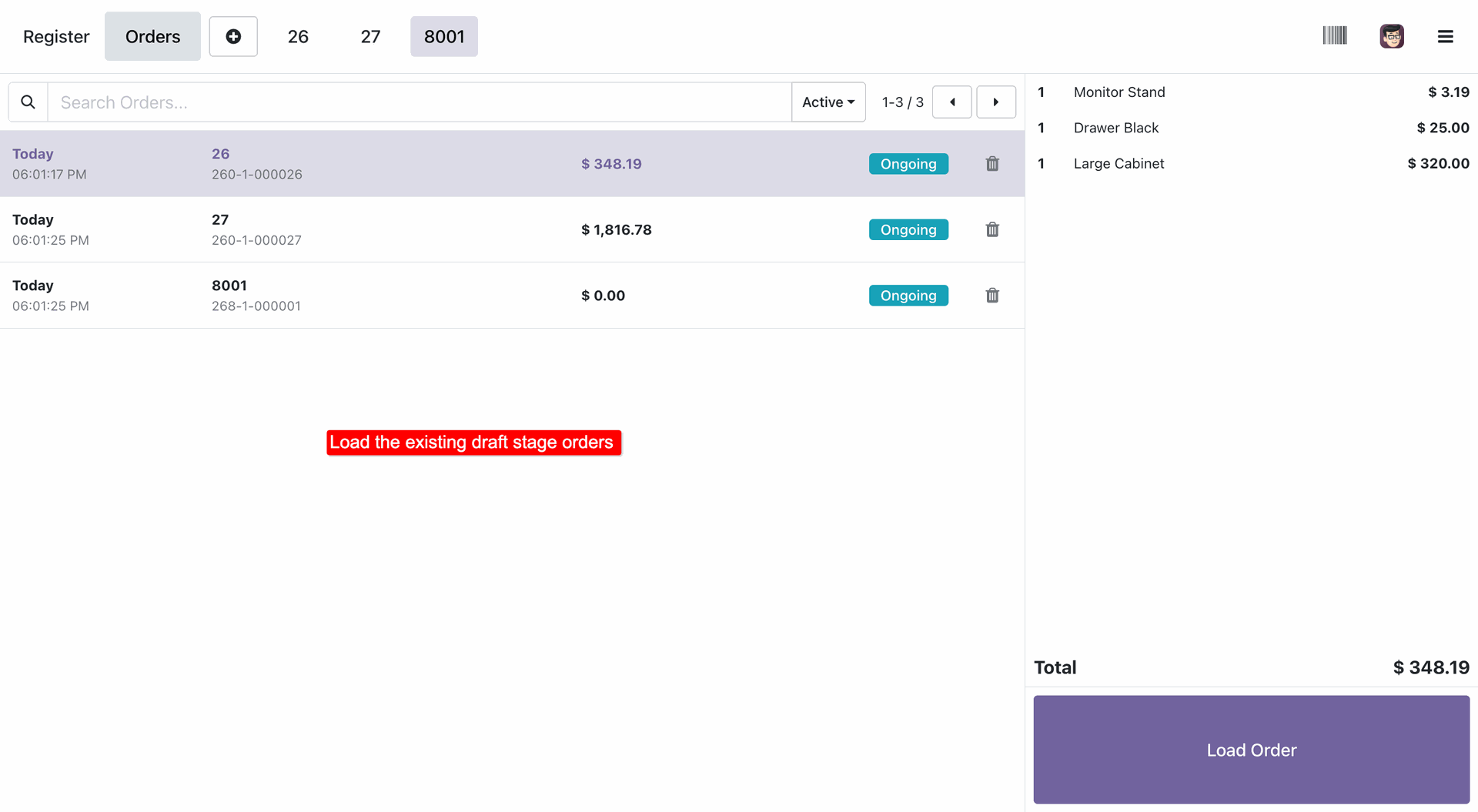
Selecting an existing draft to load into the current session.
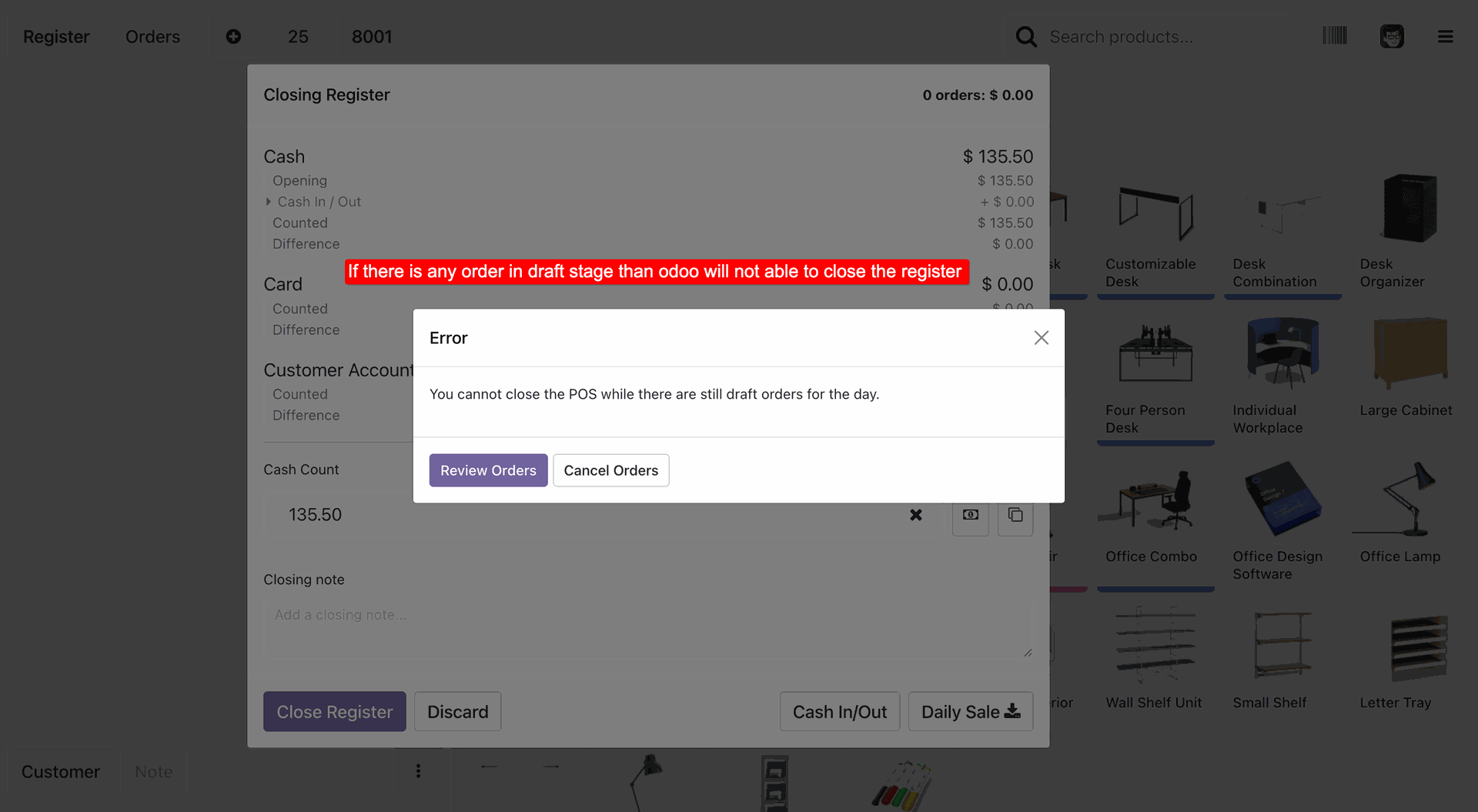
Error message preventing session closure due to pending draft orders.
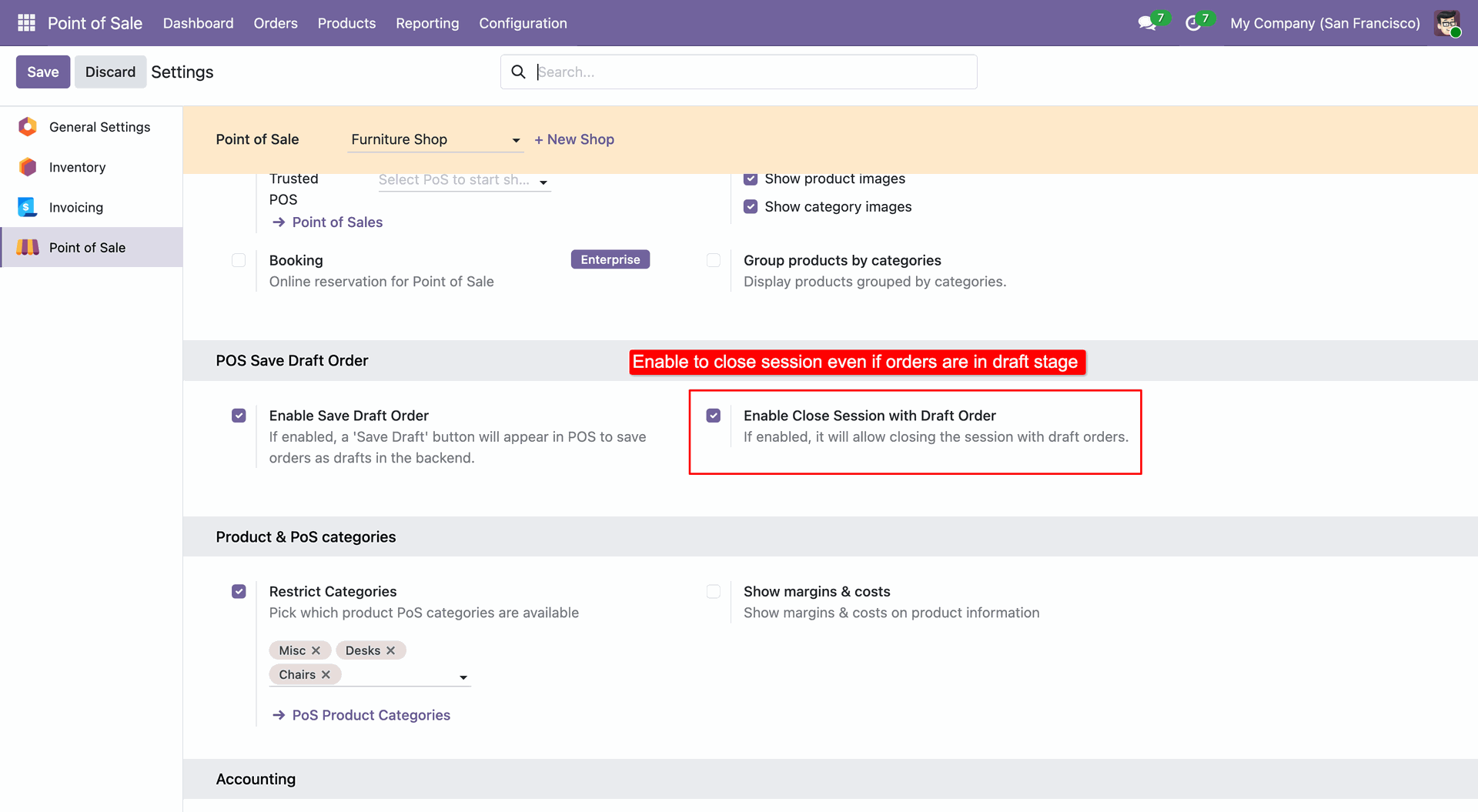
Enabling POS session closure while draft orders are pending.
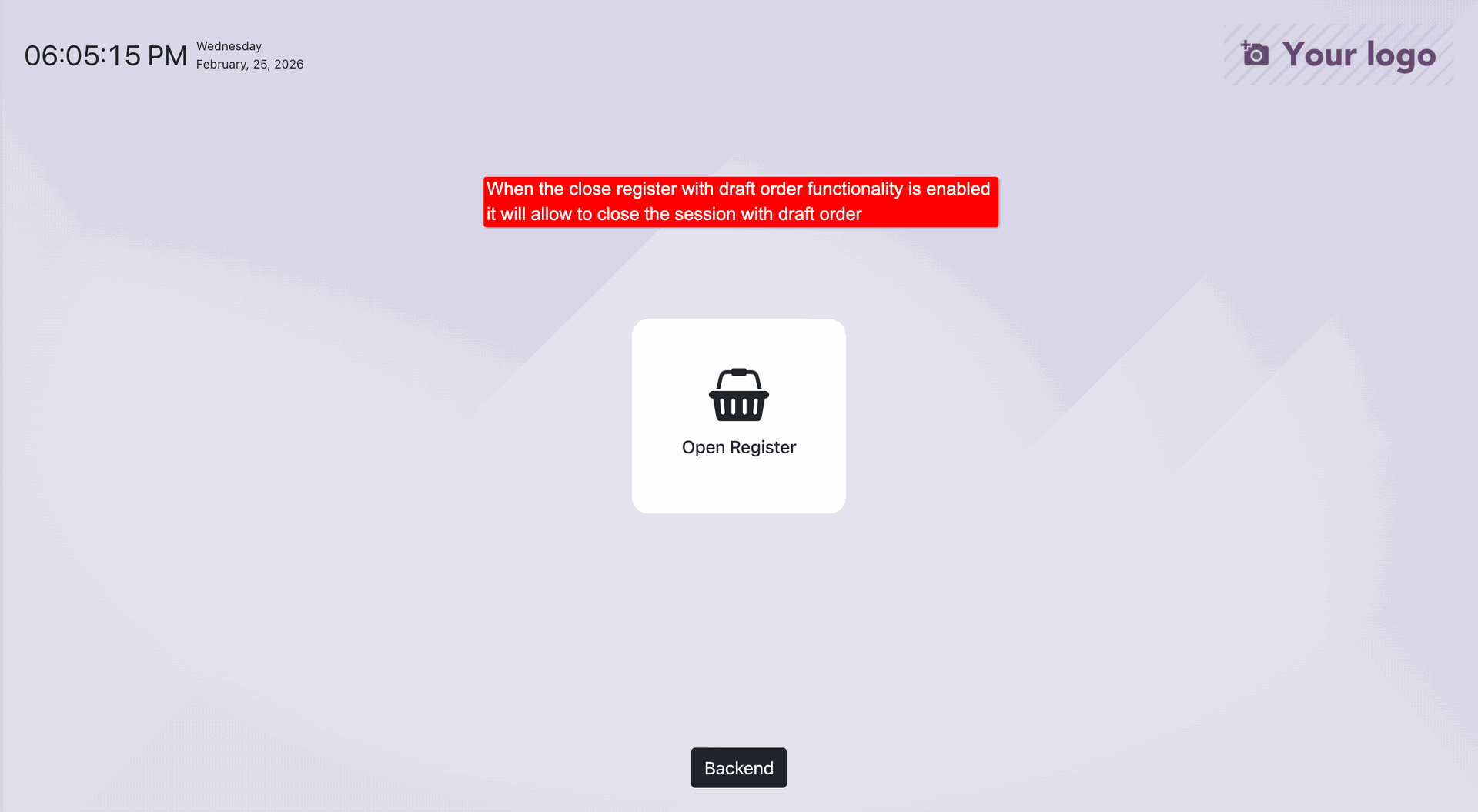
Successfully closing the POS session with active draft orders.
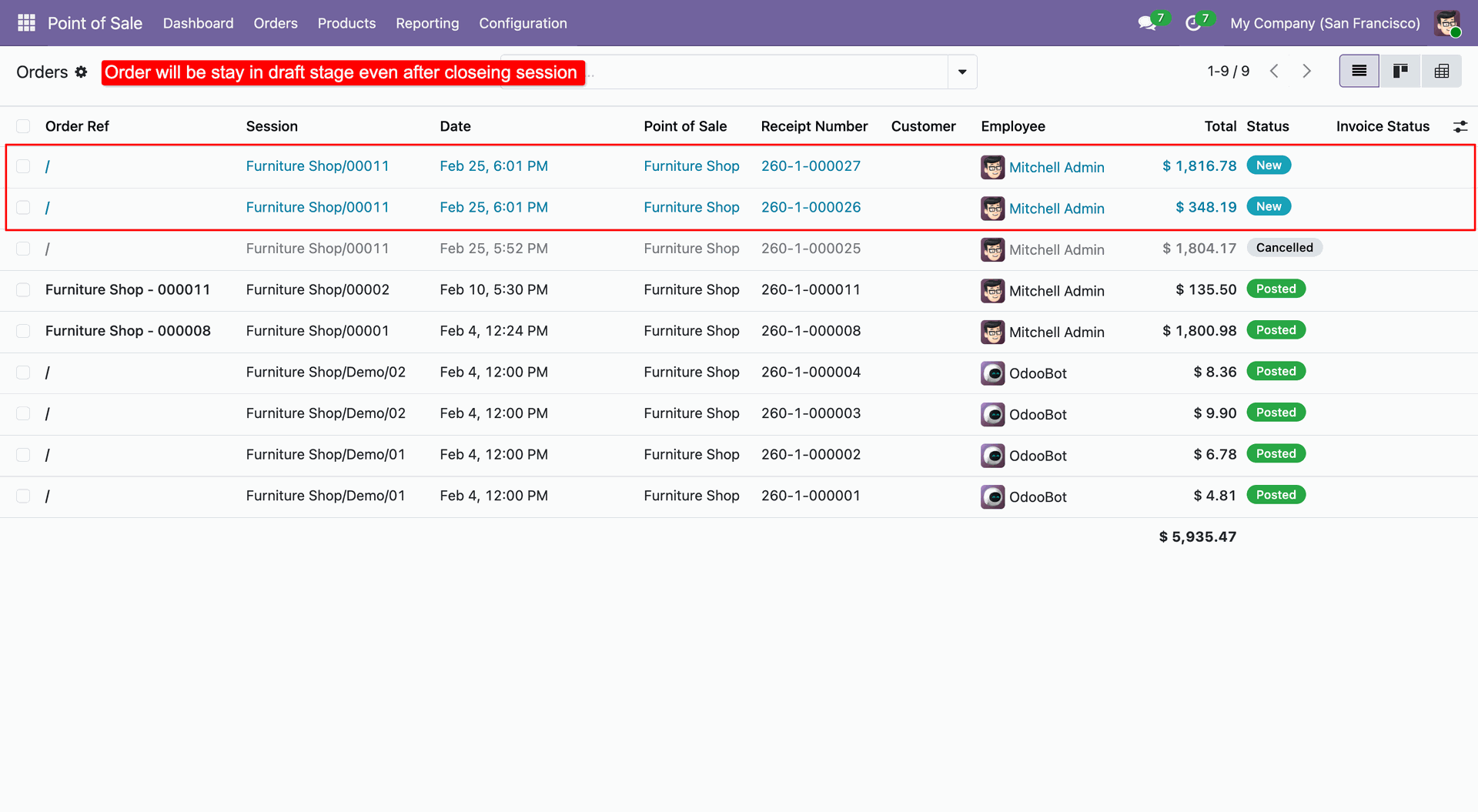
Monitoring draft orders that remain active after session closure.
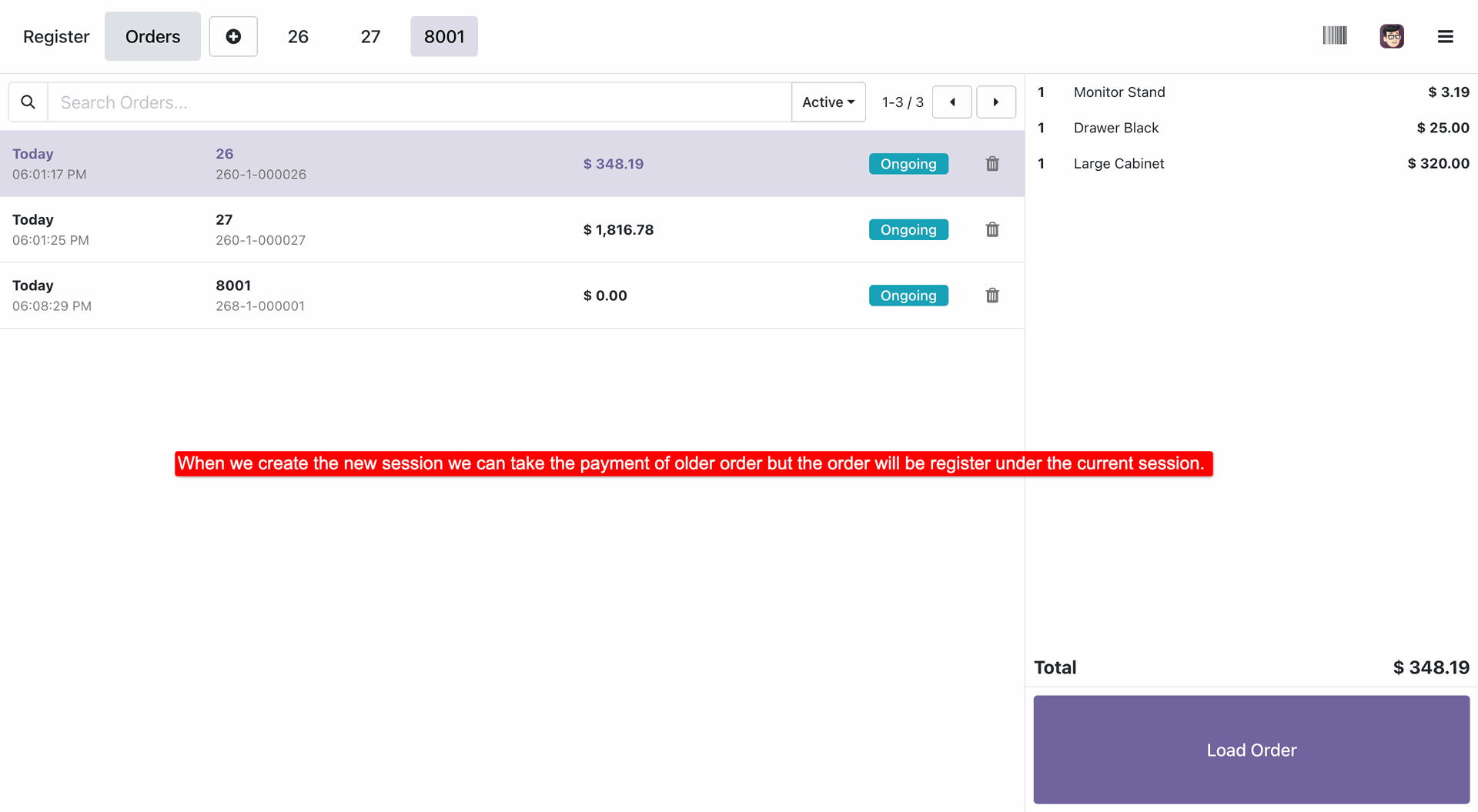
Loading a draft order from a previous session for payment.
Version 19.0.1.0.0 | Released on : 6th April 2026
- Yes, this app works perfectly with Odoo Enterprise (Odoo.sh & Premise) as well as Community.
- No, this application is not compatible with odoo.com(odoo saas/Odoo Online)
- Yes, to test this module, please contact us at sales@softhealer.com.
- Please contact us at sales@softhealer.com to request customization.
- Yes, we provide free support for 365 days from the date of purchase.
- Yes, you will receive lifetime free updates for the version of the module you purchased.
- No, there is no need to install any additional libraries.
- Yes, for version 12 and above, you need to purchase the module separately for each version you intend to use.
- No, exchanges or refunds are not allowed. Please make sure to select the correct version before purchasing.
- You can contact us at support@softhealer.com for language translation support. We use Google Translator tools to provide translations in multiple languages, so the accuracy may vary. We welcome your suggestions to help improve translations.
Discover Our Latest Apps