












Point Of Sale Salesperson Employee

POS Employee Salesperson extends Odoo Point of Sale by allowing you to configure employees under Advanced Rights, Basic Rights, and Minimal Rights for salesperson assignment. You can assign a salesperson to selected order lines directly from POS actions. Also display receipt lines grouped under the assigned employee name for clear sales visibility.

Related Modules
Features
Rights-Based Employee Configuration
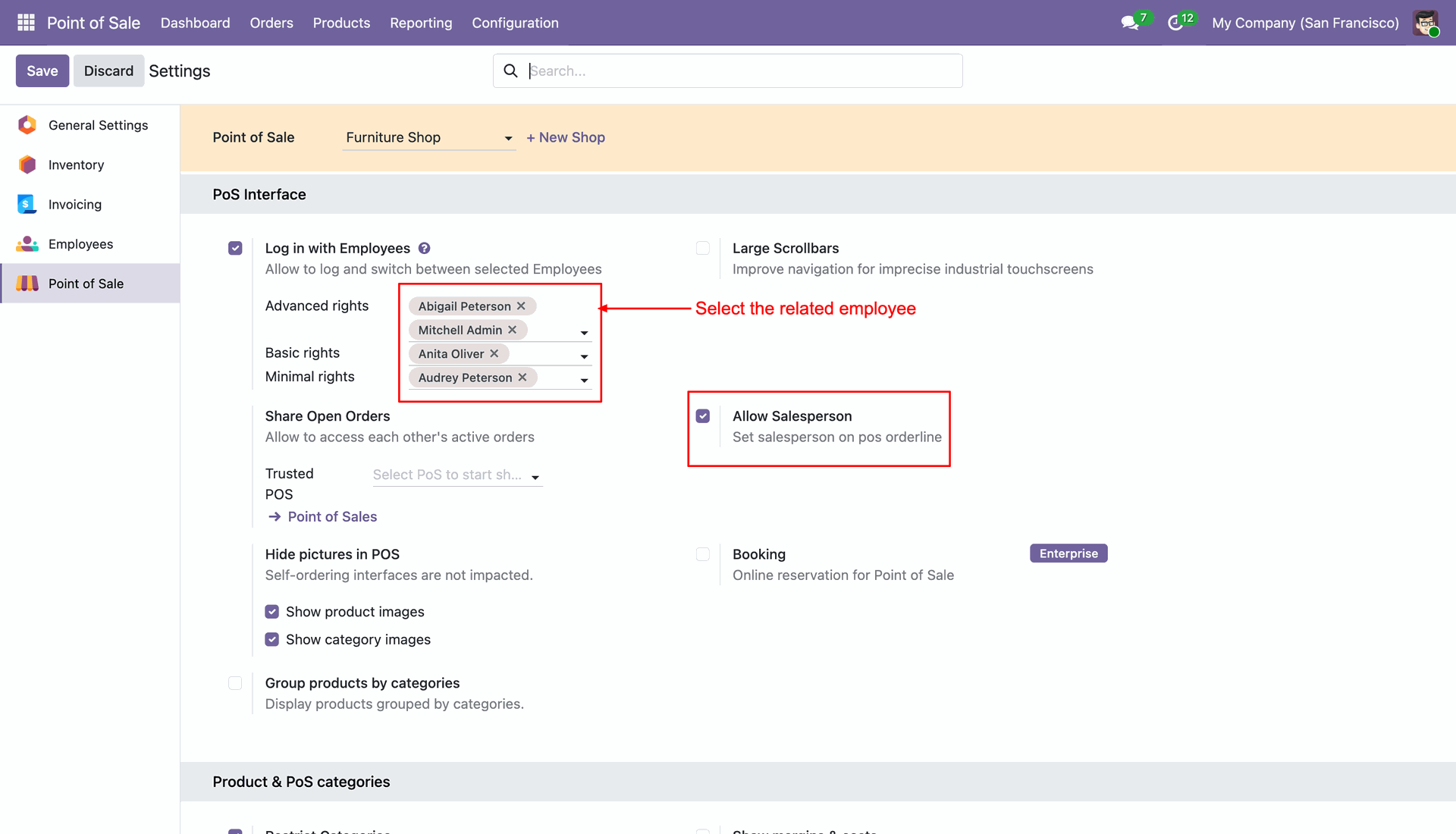
Configure employees under Advanced Rights, Basic Rights, and Minimal Rights for salesperson selection.

Order Line Salesperson Selection
Select any order line and assign a salesperson directly from POS Order.

Quick Employee Selection
Search and select employee names easily through the salesperson popup window.
Salesperson-Wise Order Grouping
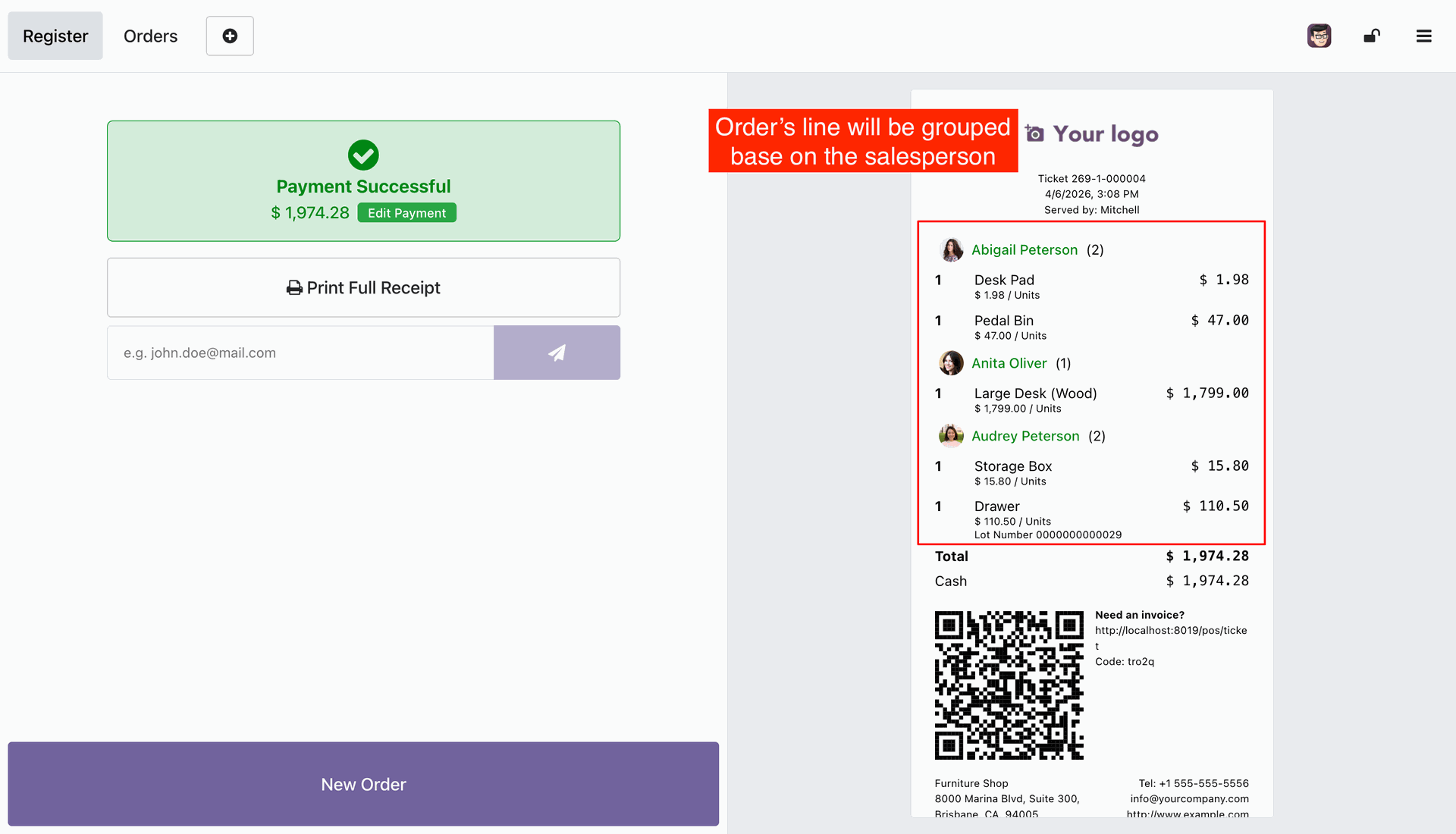
Automatically group receipt order lines based on assigned salesperson names.
Configuring employee access and permissions.
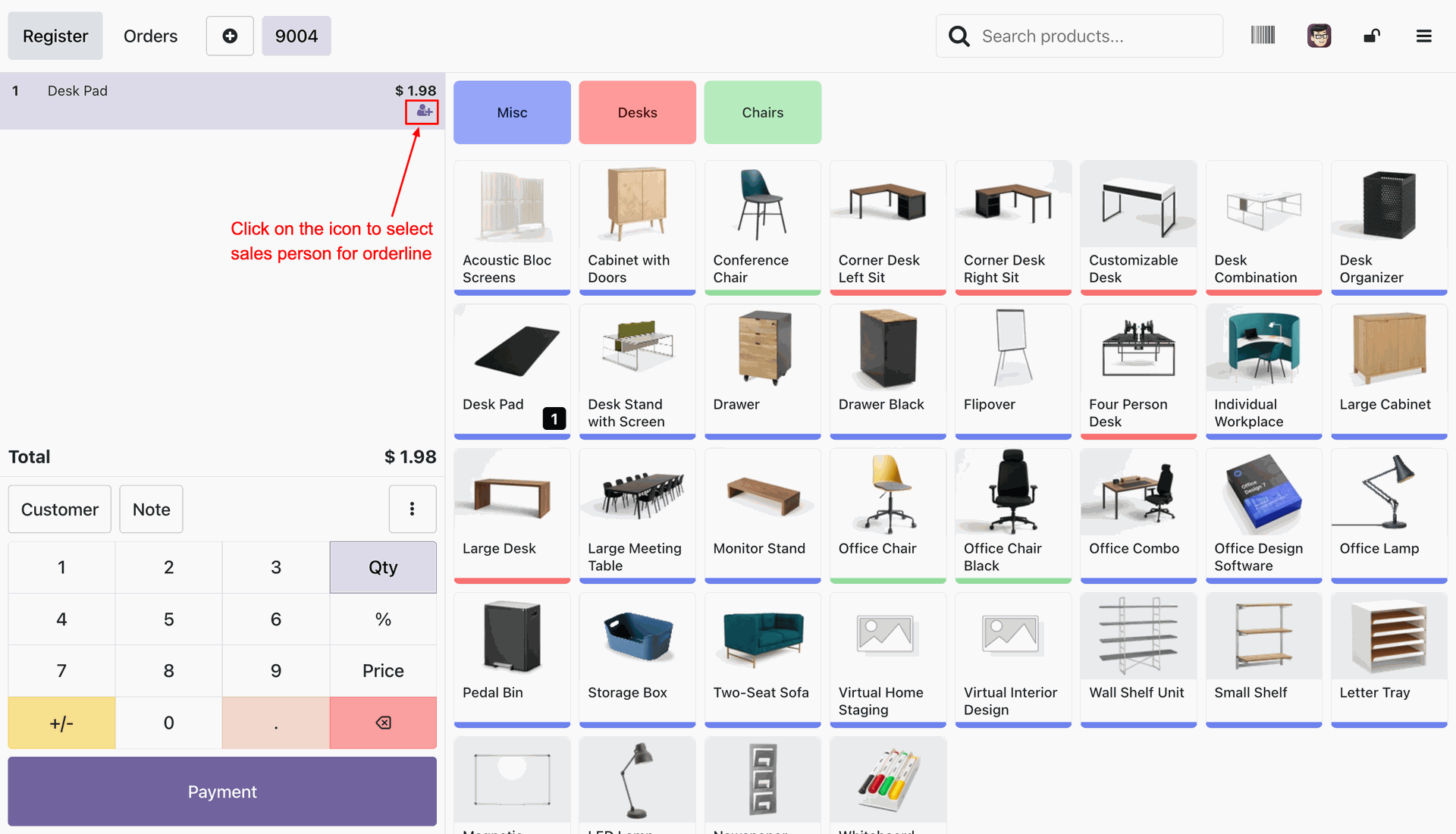
Selecting the user icon on the "Desk Pad" order line to assign a specific salesperson to the transaction.
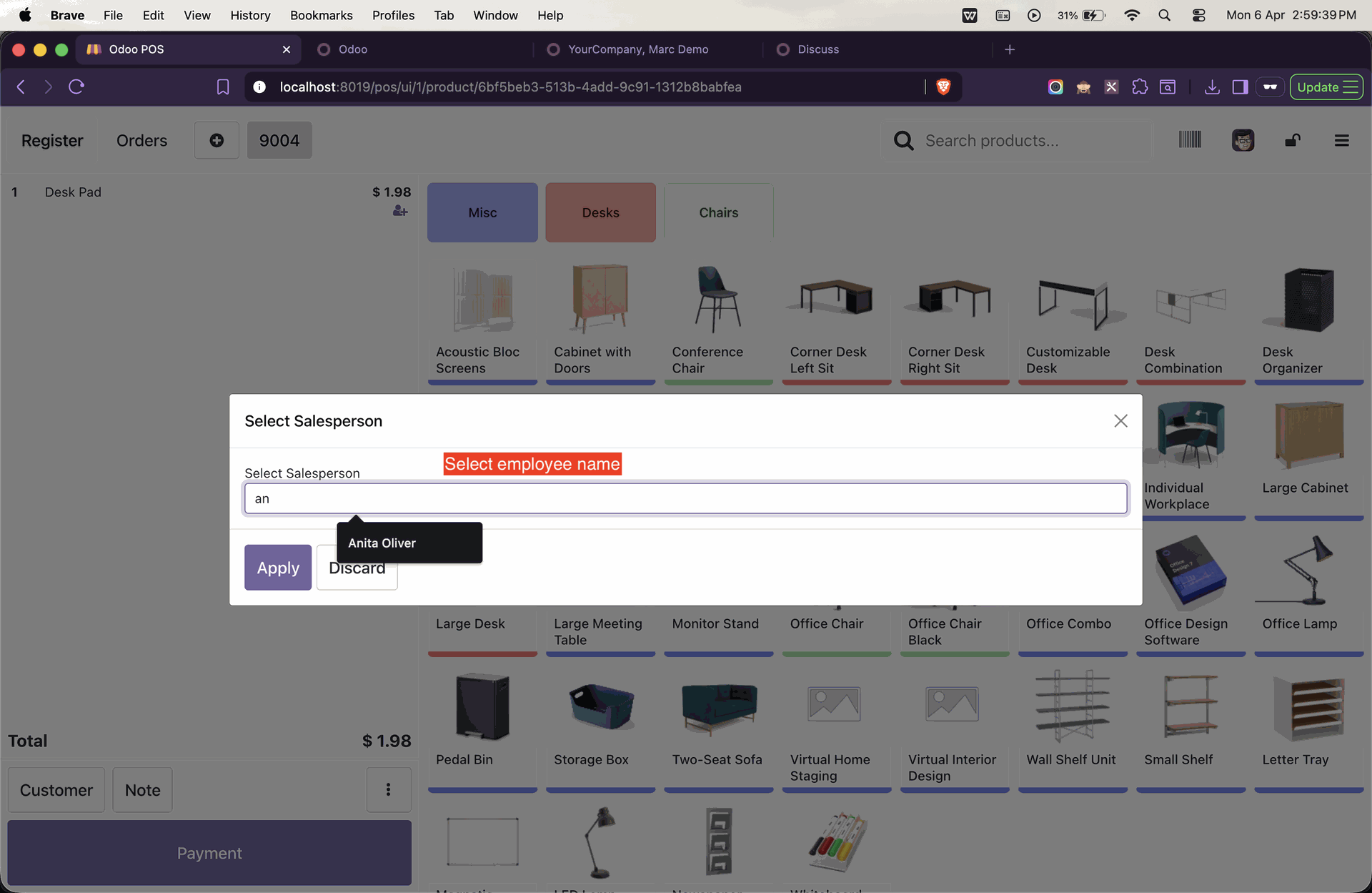
Using the Select Salesperson pop-up to search for and assign an employee, such as Anita Oliver, to a specific PoS order line.
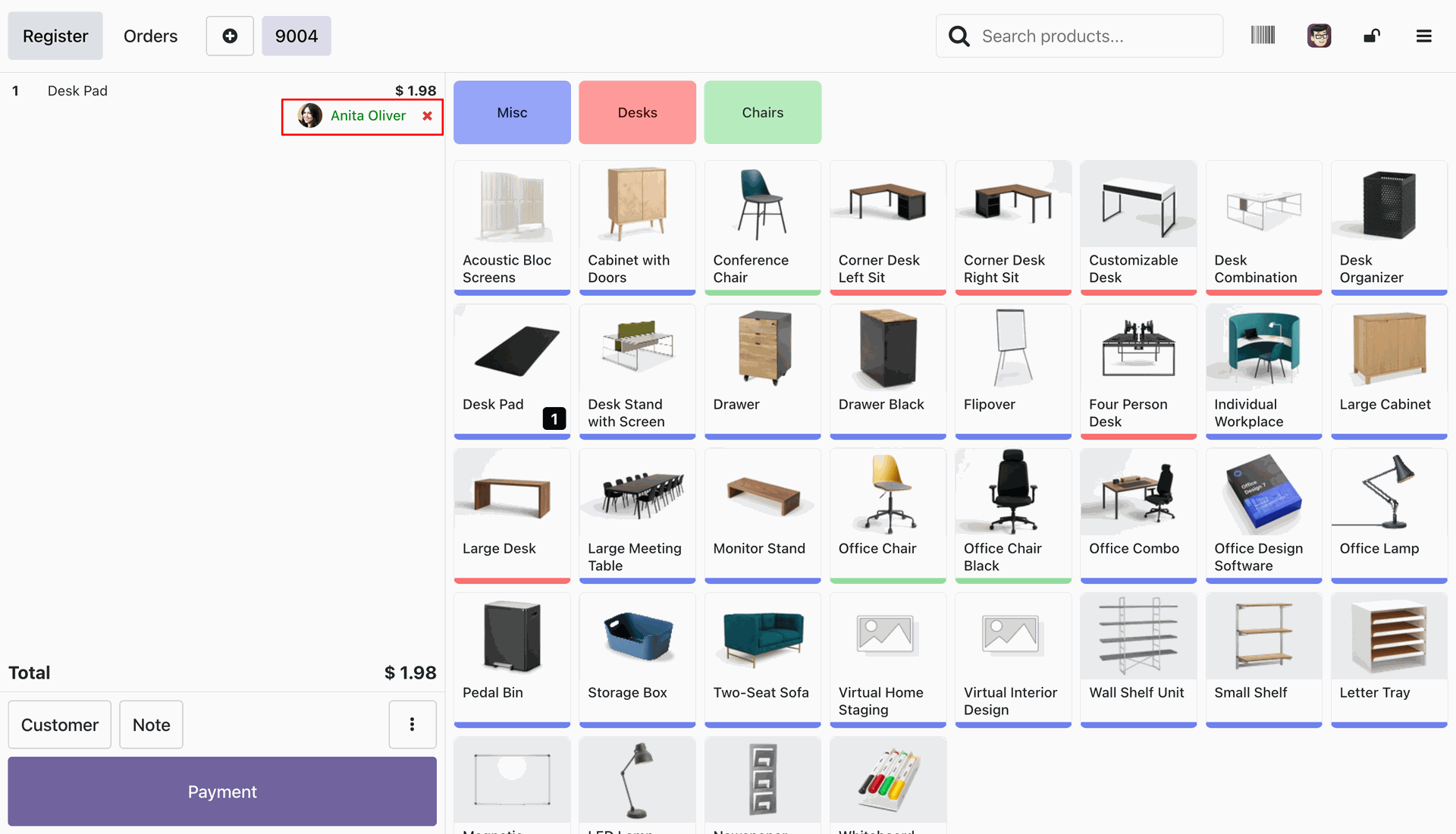
Confirming Anita Oliver as the assigned salesperson for the "Desk Pad" order line before proceeding to payment.
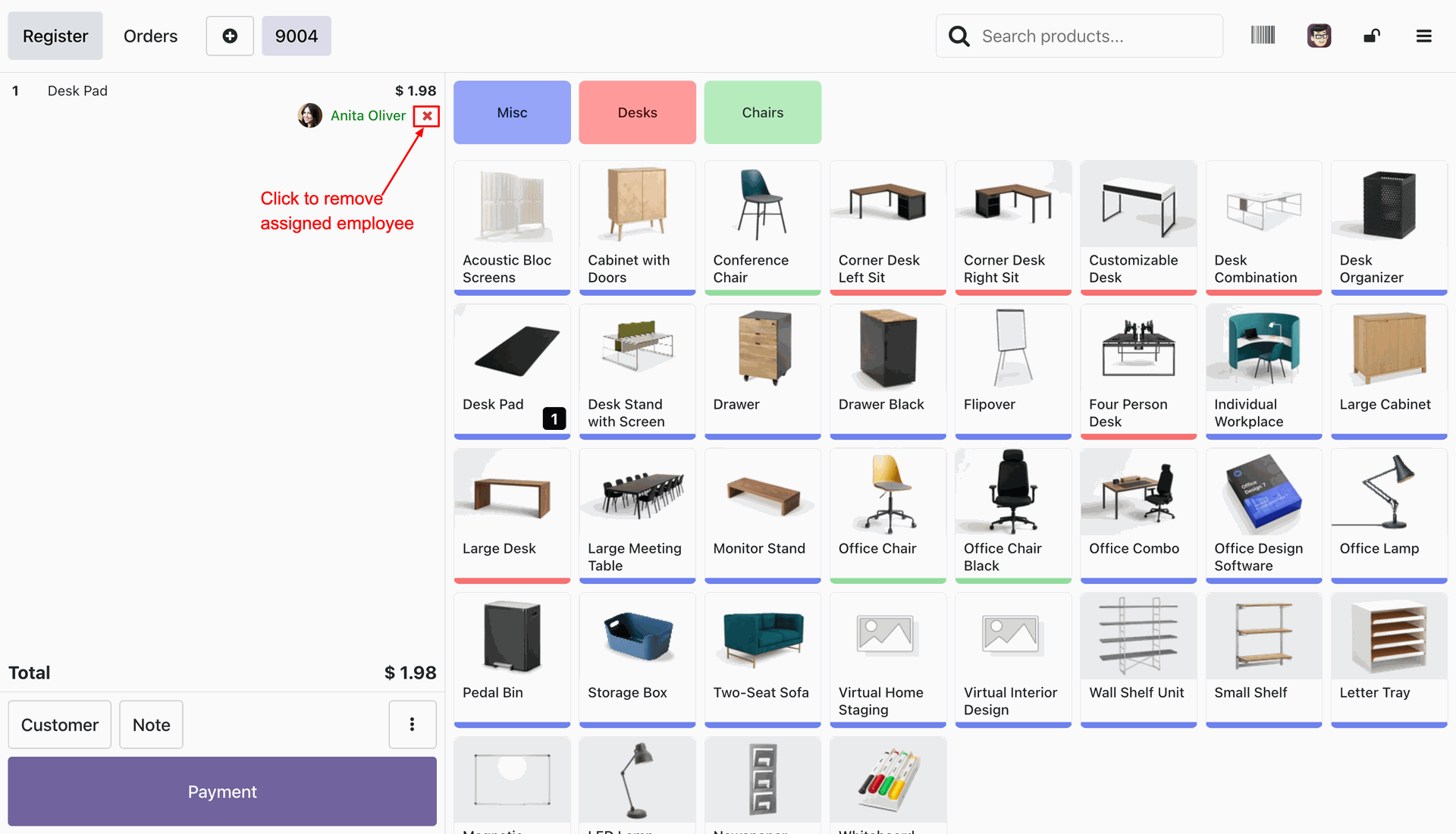
Clicking the "X" icon next to the employee's name to remove the assigned salesperson from the "Desk Pad" order line.
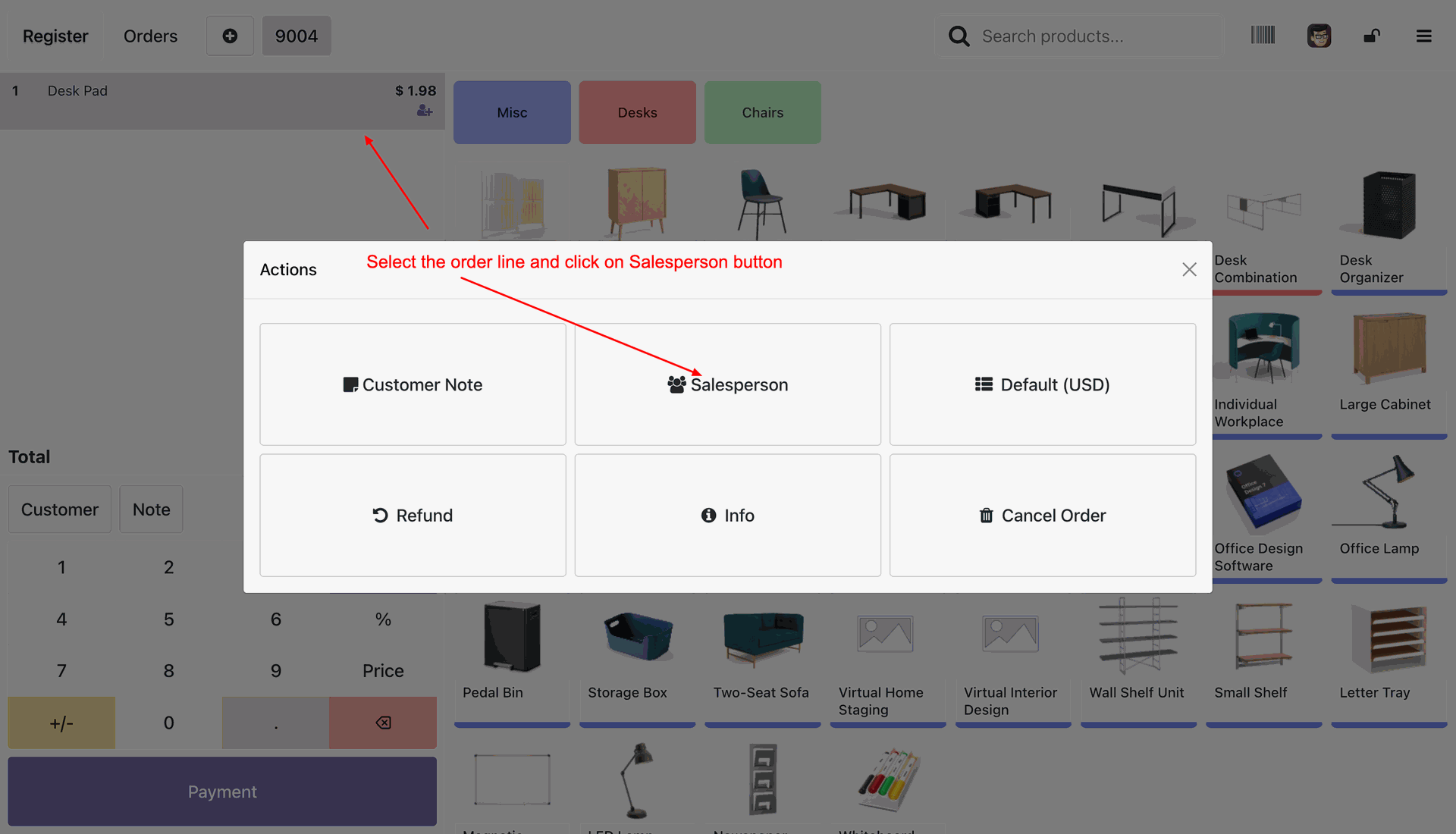
Accessing the Actions menu to select the Salesperson button for attributing the current order line to a specific employee.
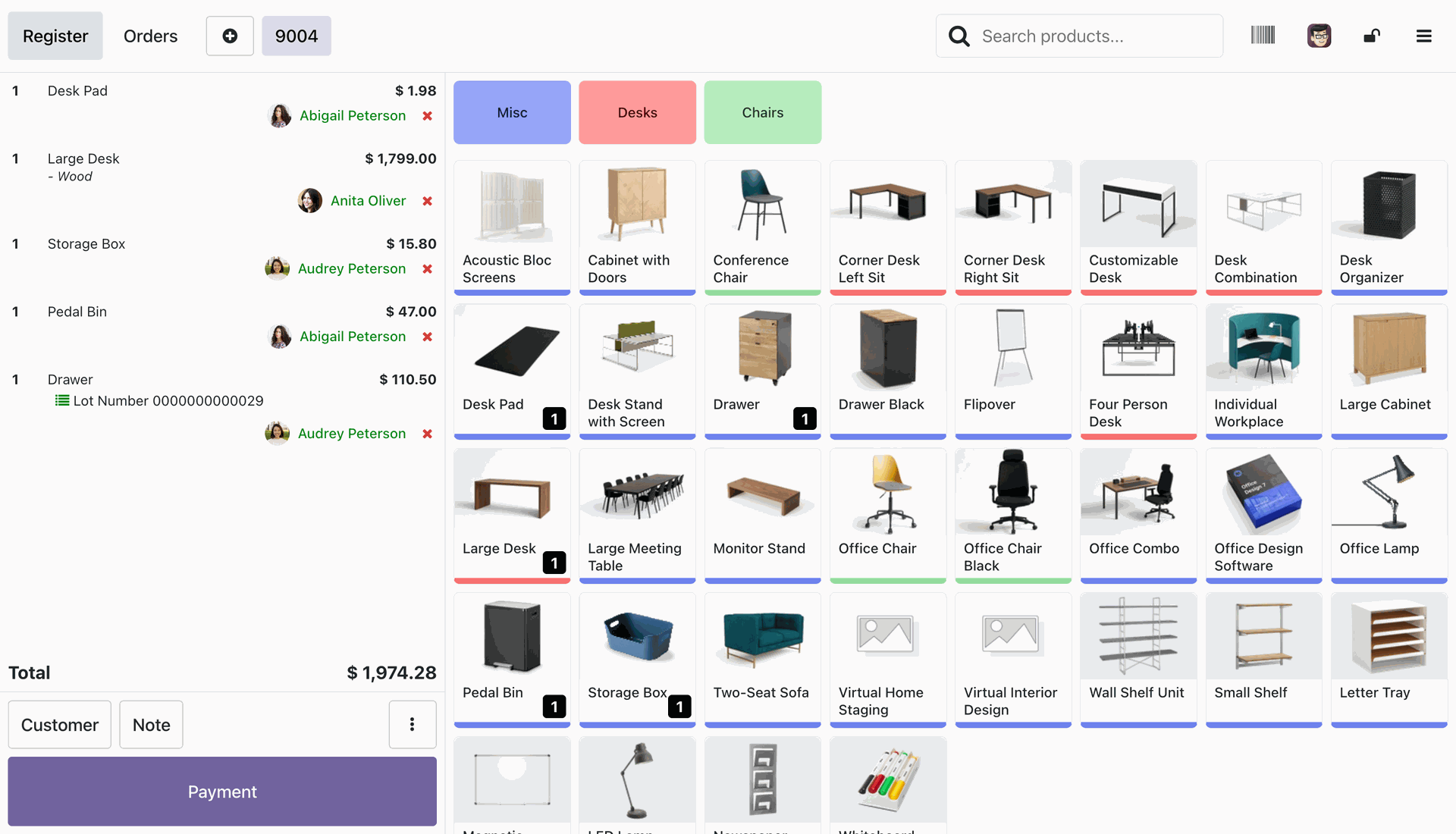
Reviewing a complex order where multiple salespersons, including Abigail Peterson and Anita Oliver, are assigned to different items within the same transaction.
Reviewing the digital receipt after a Payment Successful screen, where order lines are automatically grouped by the assigned salesperson.
Version 19.0.1.0.0 | Released on : 21st April 2026
- Yes, this app works perfectly with Odoo Enterprise (Odoo.sh & Premise) as well as Community.
- No, this application is not compatible with odoo.com(odoo saas/Odoo Online)
- Yes, to test this module, please contact us at sales@softhealer.com.
- Please contact us at sales@softhealer.com to request customization.
- Yes, we provide free support for 365 days from the date of purchase.
- Yes, you will receive lifetime free updates for the version of the module you purchased.
- No, there is no need to install any additional libraries.
- Yes, for version 12 and above, you need to purchase the module separately for each version you intend to use.
- No, exchanges or refunds are not allowed. Please make sure to select the correct version before purchasing.
- You can contact us at support@softhealer.com for language translation support. We use Google Translator tools to provide translations in multiple languages, so the accuracy may vary. We welcome your suggestions to help improve translations.
Discover Our Latest Apps