











Point Of Sale Product Package Pricelist

Streamline your bulk sales with our POS Product Package Pricelist module. You can define custom packages with specific quantities, and the cashier can also select different price lists for the same package. When a cashier scans a package barcode or selects a product, a pop-up instantly displays available package options, automatically adding the correct total quantity and applying the special bulk price. This ensures faster checkouts, precise inventory tracking, and flexible pricing for your bundled products.

Features

Create Custom Product Packages
Easily define packages in the backend with specific item quantities and unique barcodes.

Interactive POS Popup
When a cashier selects a product with available packages, a user-friendly pop-up appears, allowing them to choose between selling a single unit or a specific package.

Barcode Scanning Support
Scanning a package's specific barcode in the POS automatically detects the package.
Pricelist Integration
Applies pricelist directly on your created packages within Odoo's standard pricelists.

Automatic Calculation
The module automatically calculates the total quantity (Package Qty * Selected Count) and applies the correct unit price based on the defined pricelist rule.

Order Line Details
Order lines in the POS clearly display package information, ensuring clarity for both the cashier and the customer.
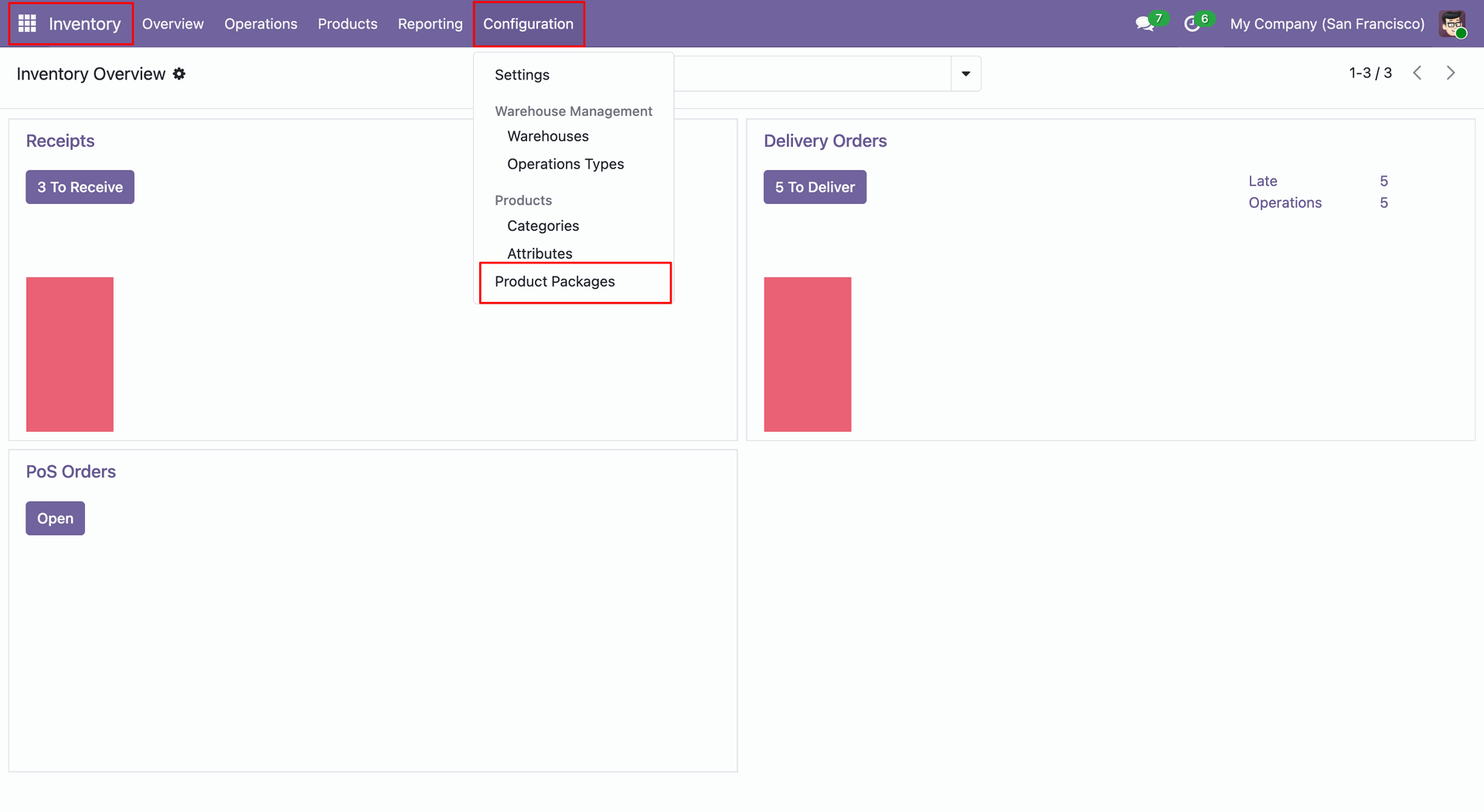
The user navigates to the Inventory app, opens the Configuration menu, and selects Product Packages, as highlighted by the red boxes.
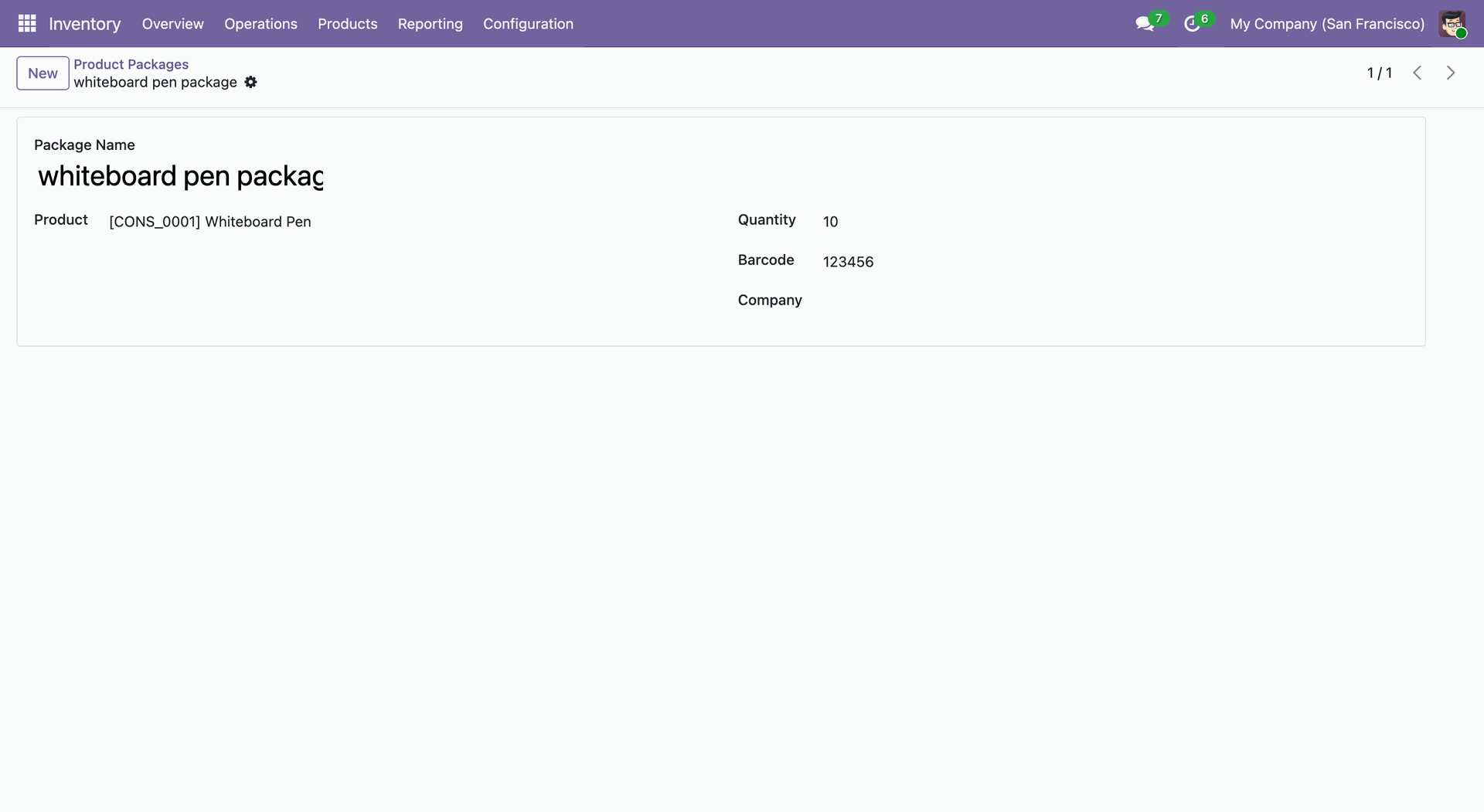
The user defines the whiteboard pen package, specifying 10 units of [CONS_0001] Whiteboard Pen and the barcode 123456.
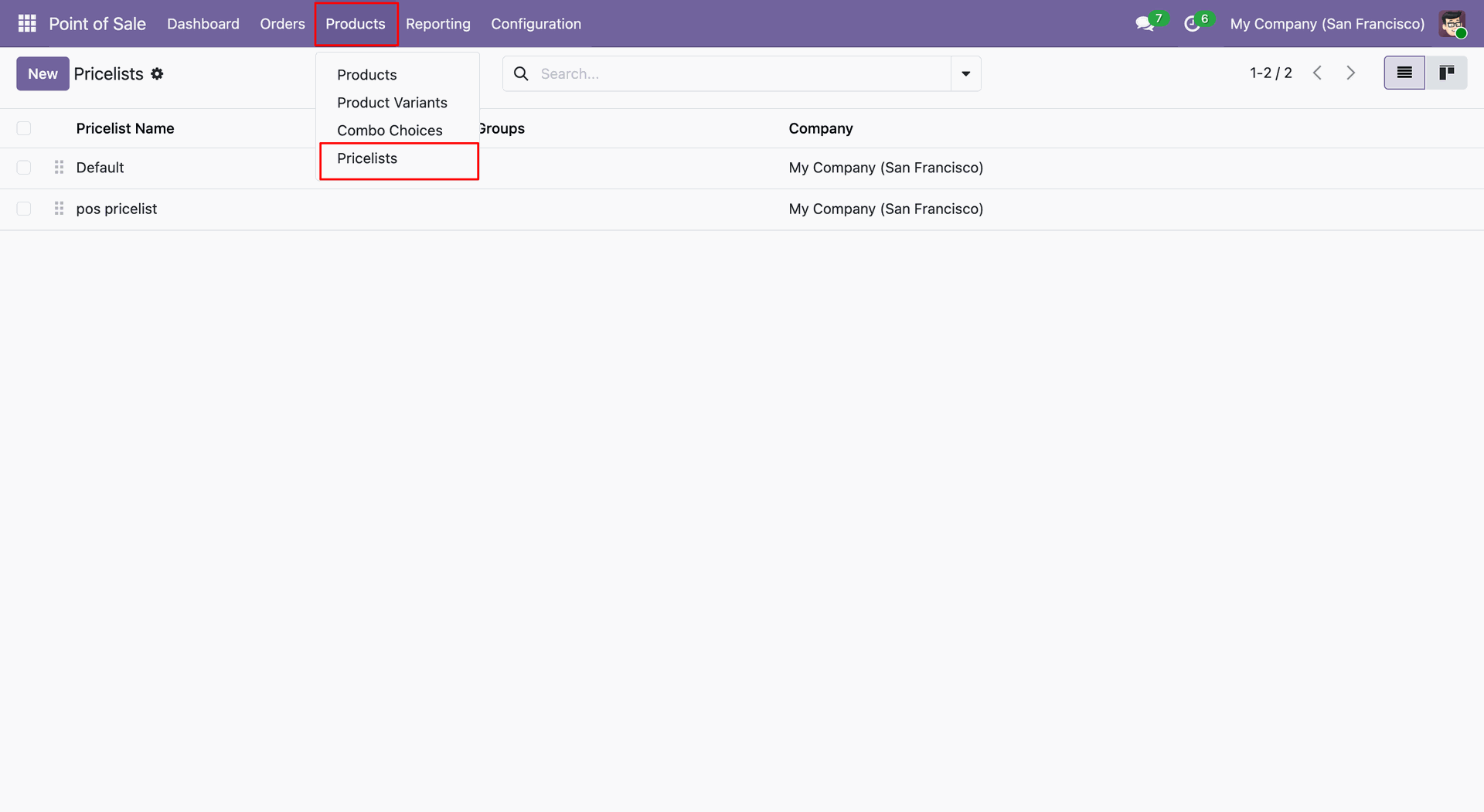
The user clicks the Products menu and selects Pricelists, as highlighted by the red boxes, to view the available pricing configurations.
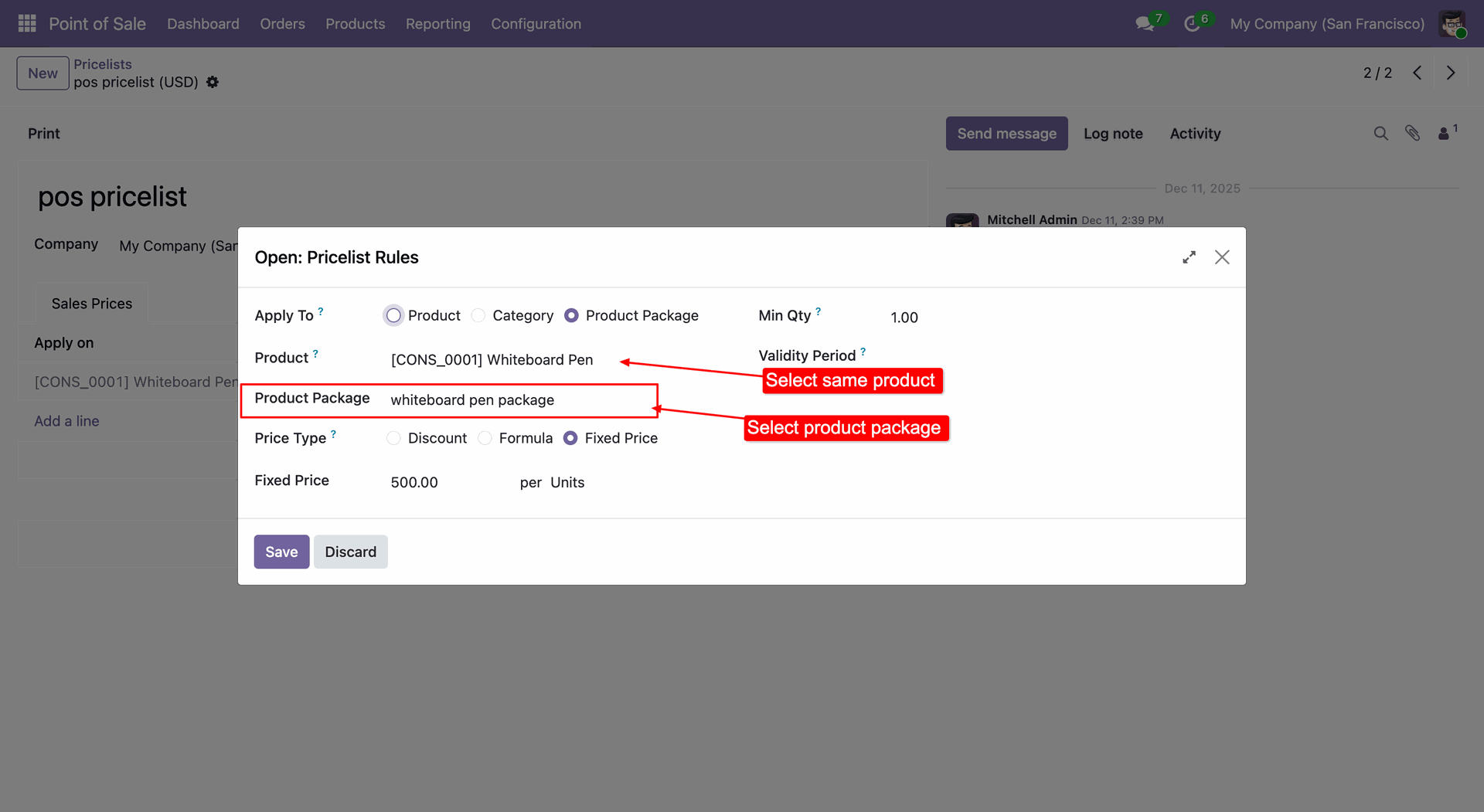
The user configures the price by selecting the whiteboard pen package for the Whiteboard Pen product and setting a fixed price of 500.00, as highlighted by the red box and annotations.
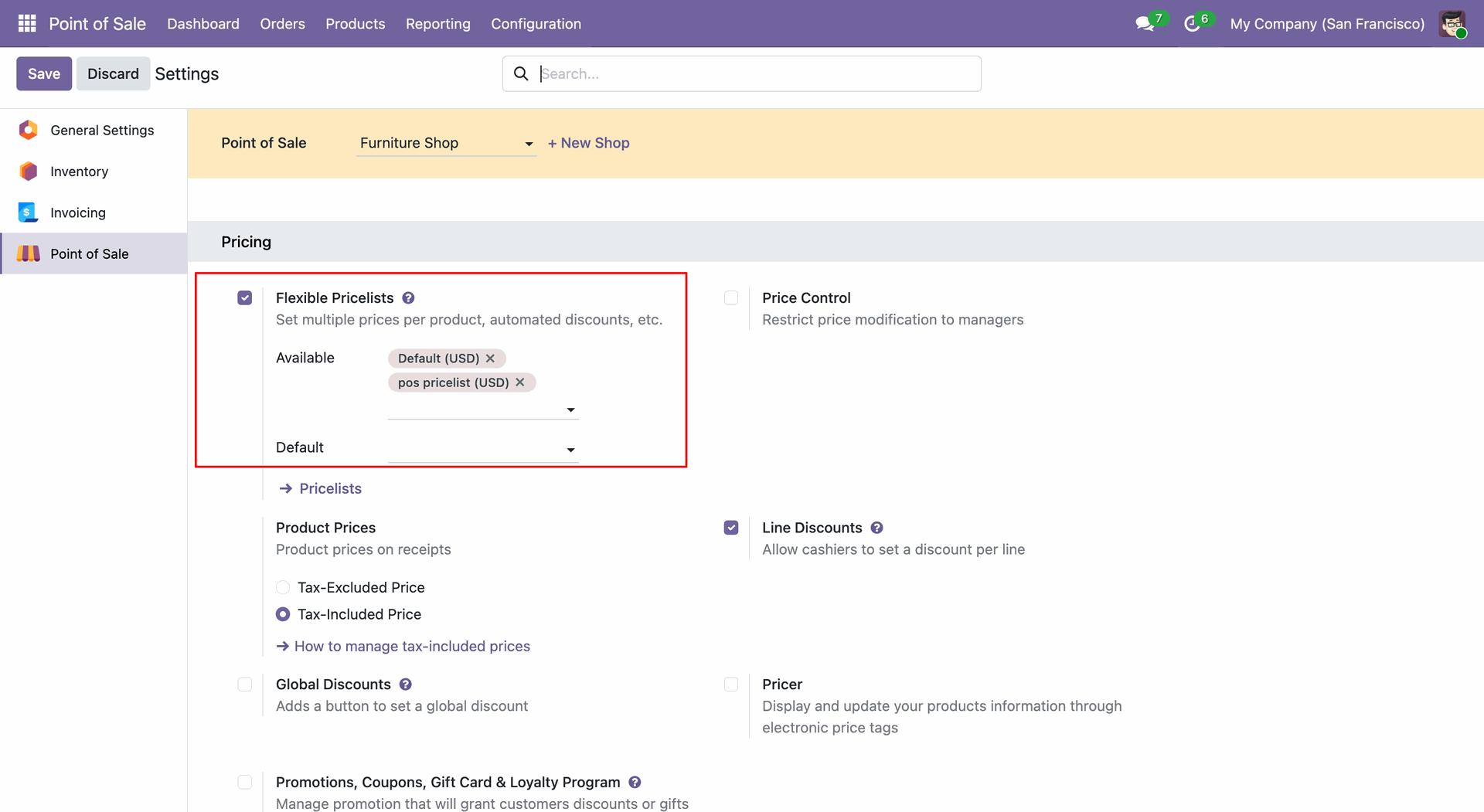
The user enables Flexible Pricelists in the Pricing settings and selects Default (USD) and pos pricelist (USD) as available options, as highlighted by the red box.
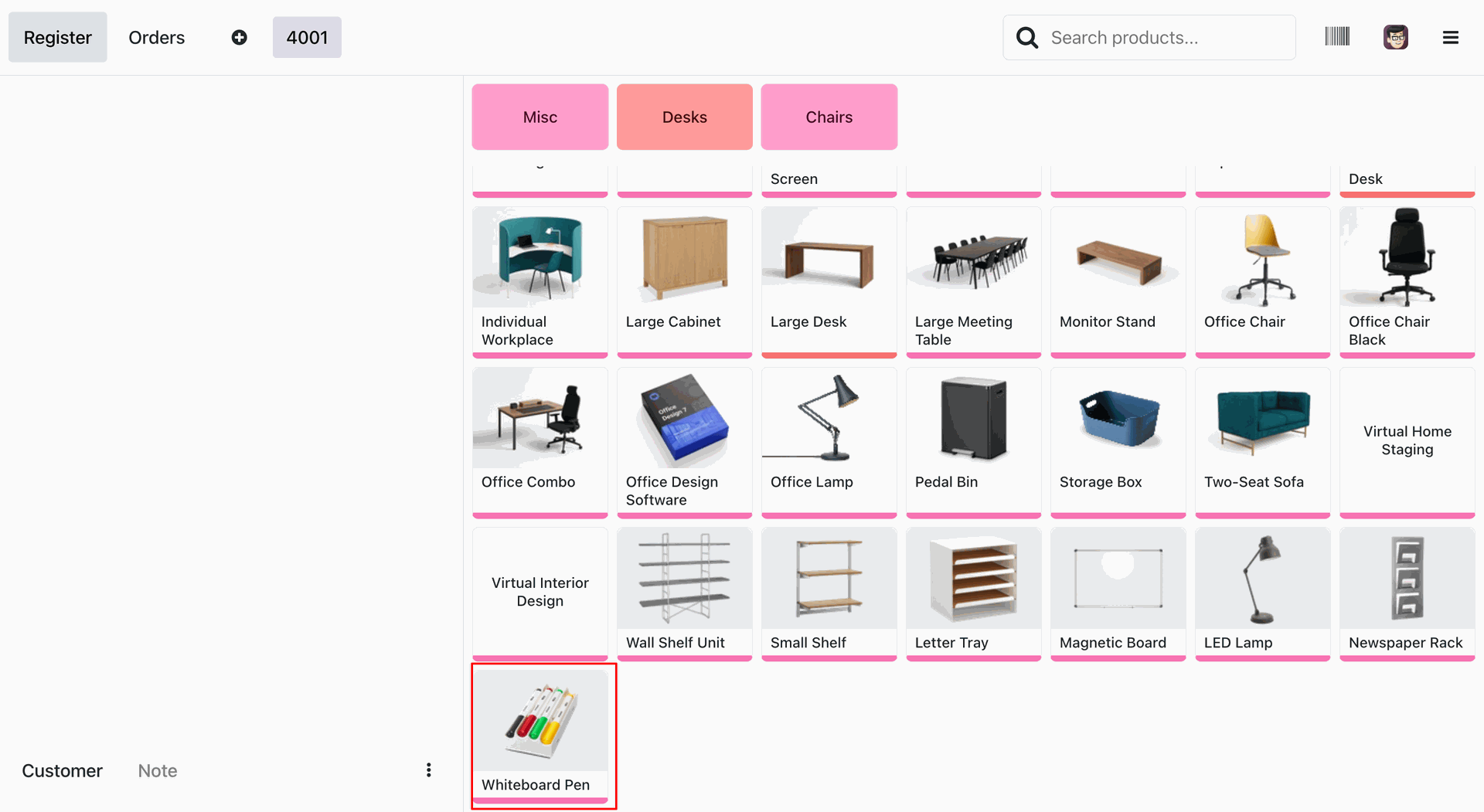
The user selects the Whiteboard Pen from the product grid in the POS interface for Order 4001, as highlighted by the red box.
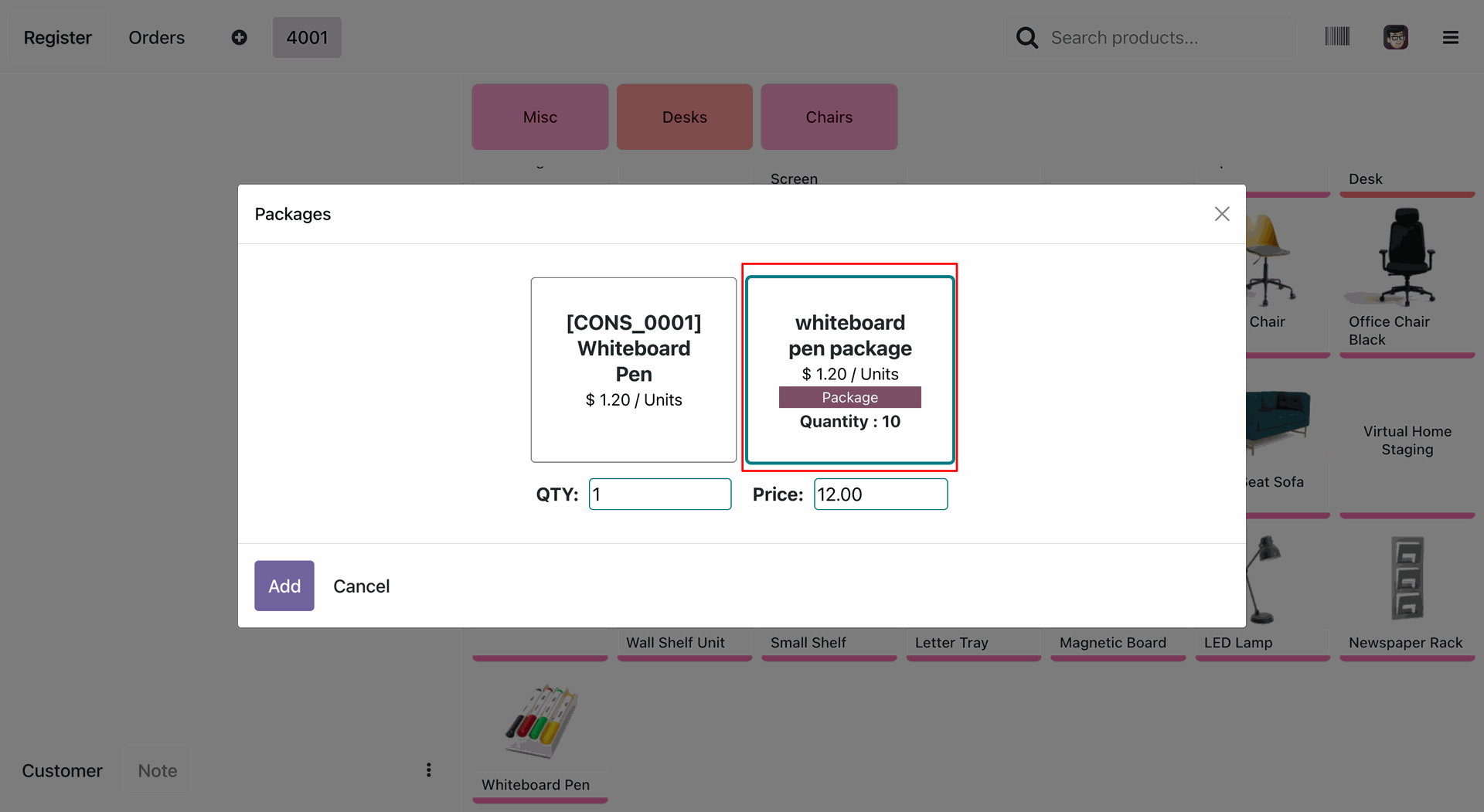
The user selects the whiteboard pen package from the Packages, where the red box highlights the Quantity : 10 and the calculated total Price of 12.00.
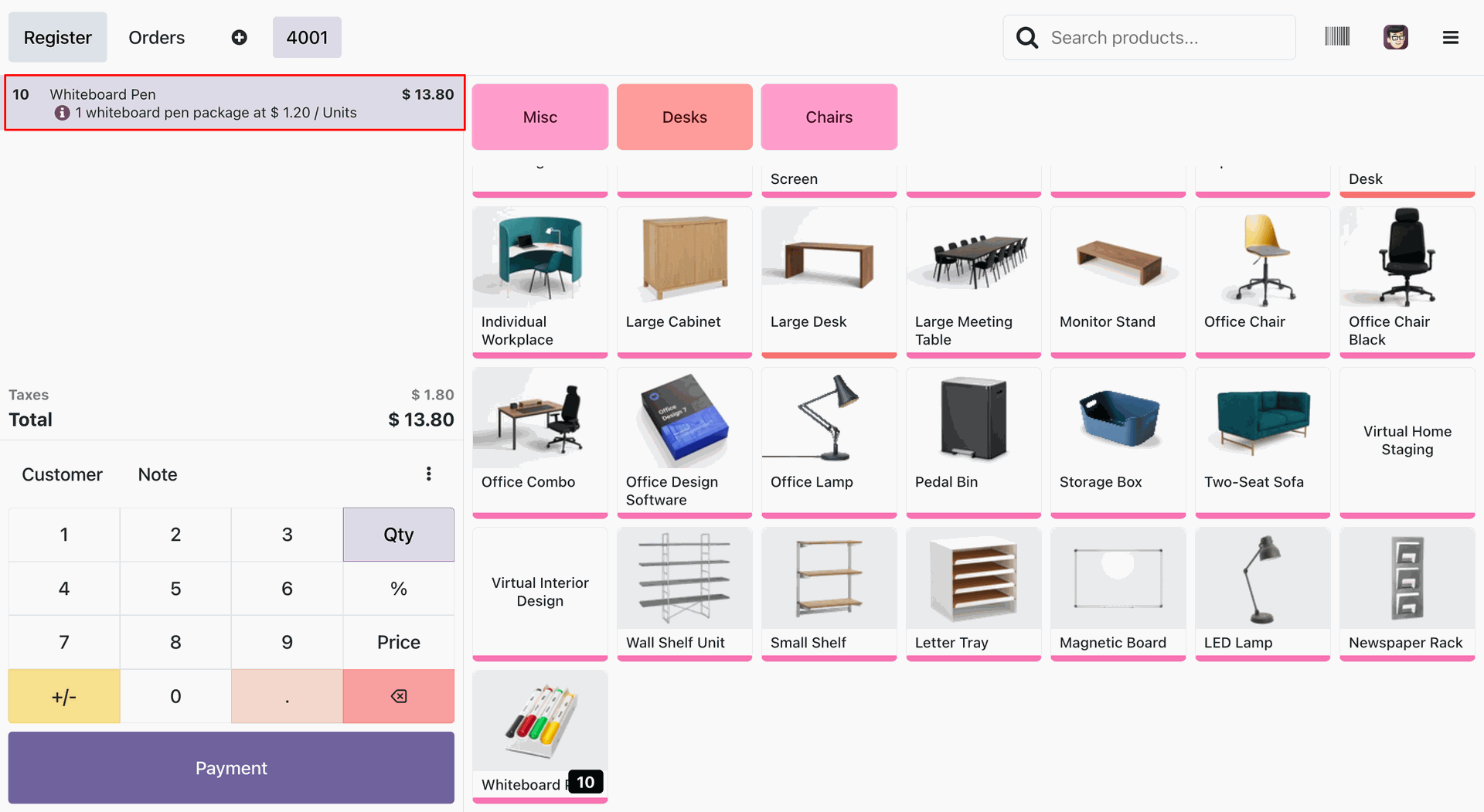
The user verifies the order line for Whiteboard Pen, where the red box highlights the quantity of 10, the total of $ 13.80, and the note '1 whiteboard pen package at $ 1.20 / Units'.
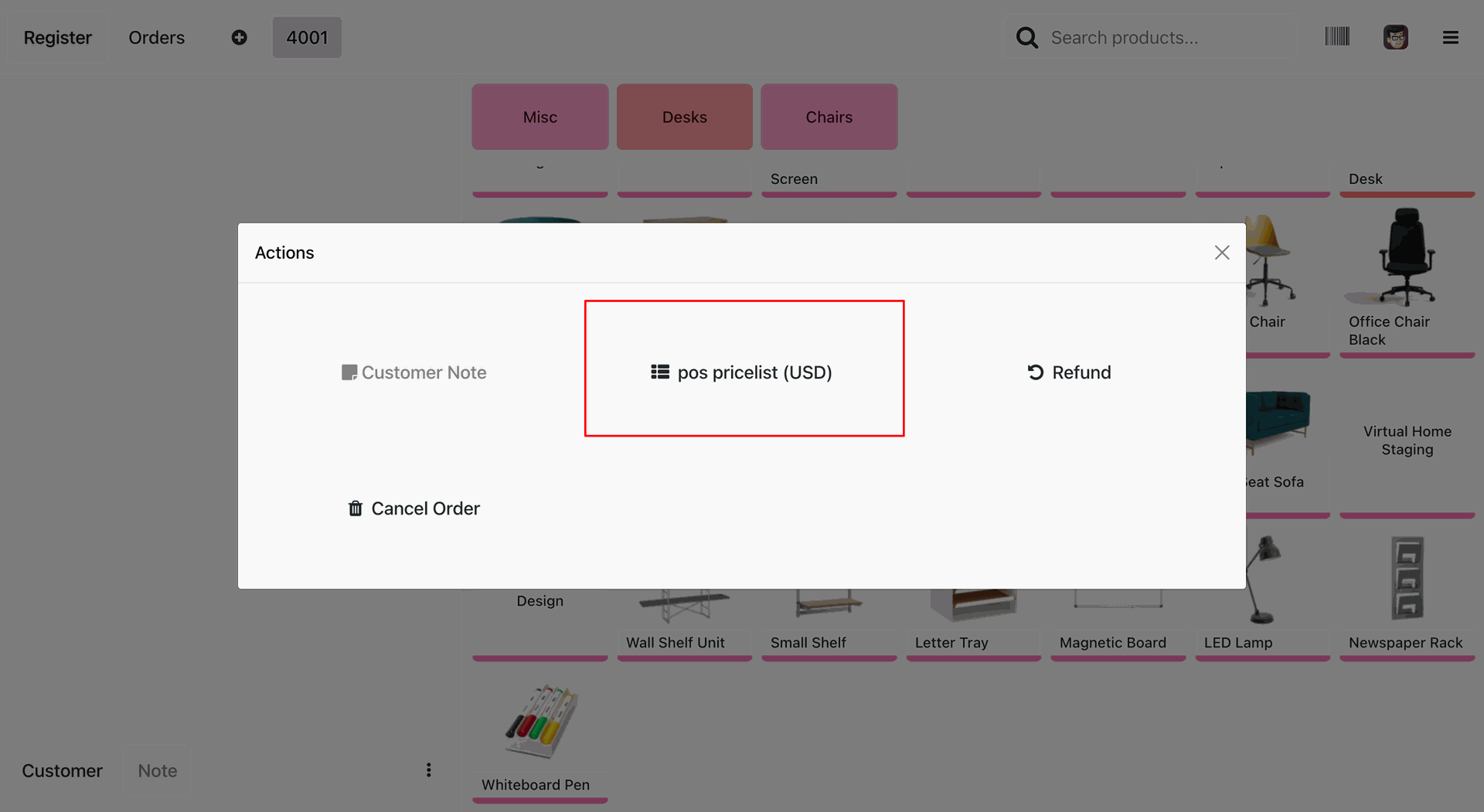
The user selects the pos pricelist (USD) option from the Actions, highlighted by the red box, to apply the specific pricing rules to the current order.
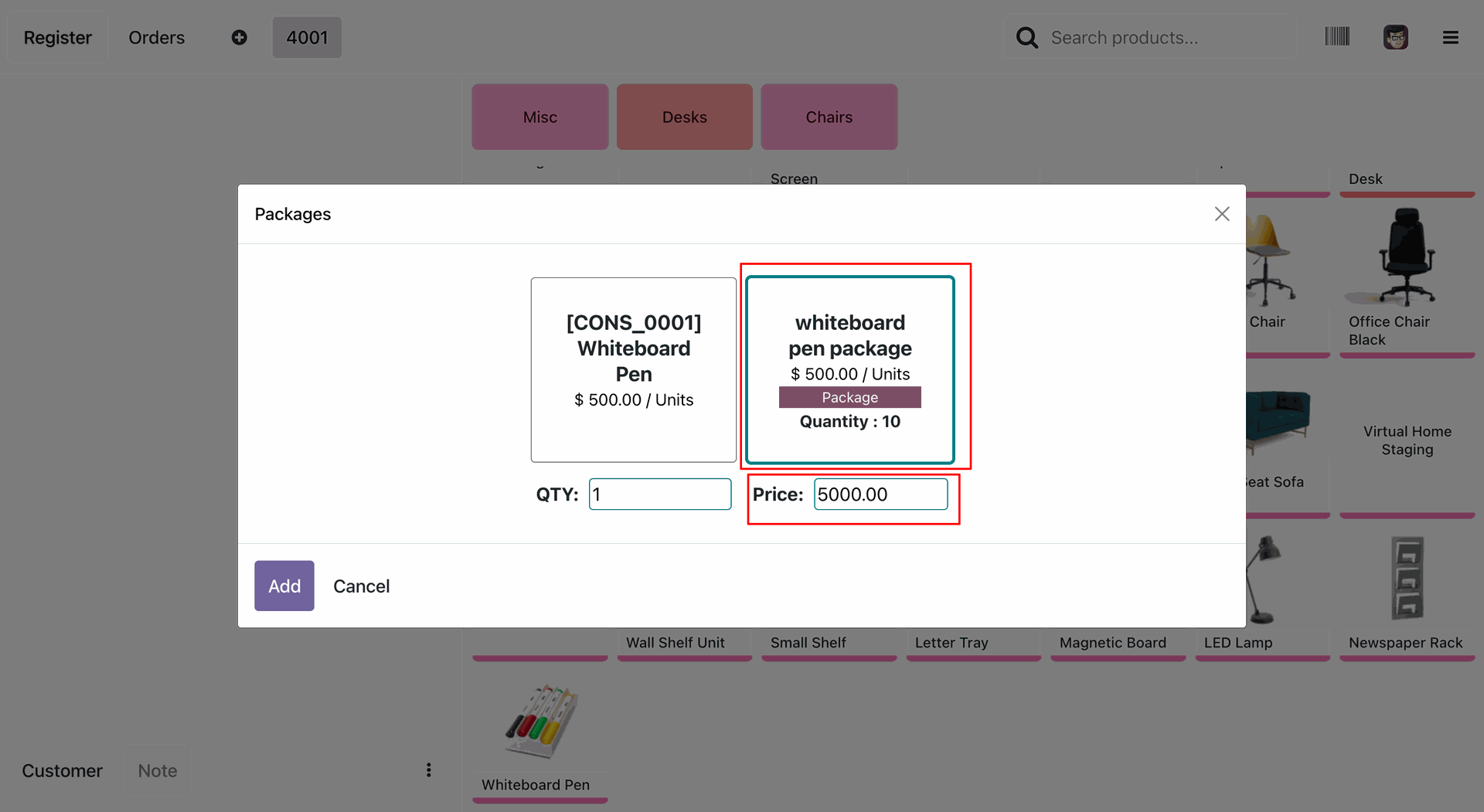
The user selects the whiteboard pen package in the Packages, where red boxes highlight the updated unit price of $ 500.00 and the total calculated Price of 5000.00.
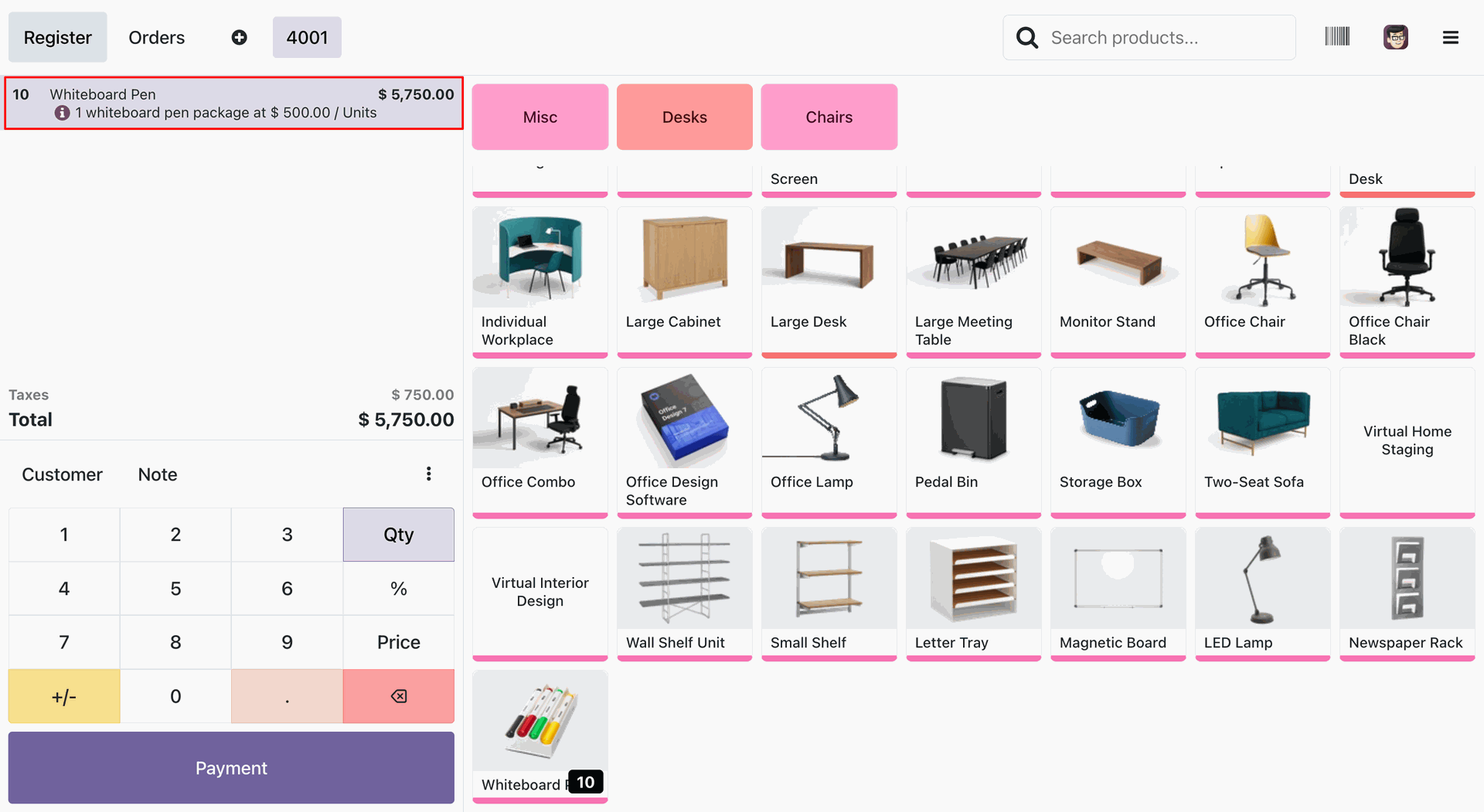
The user verifies the Whiteboard Pen order line, where the red box highlights the new total of $ 5,750.00 and the confirmation note '1 whiteboard pen package at $ 500.00 / Units'.
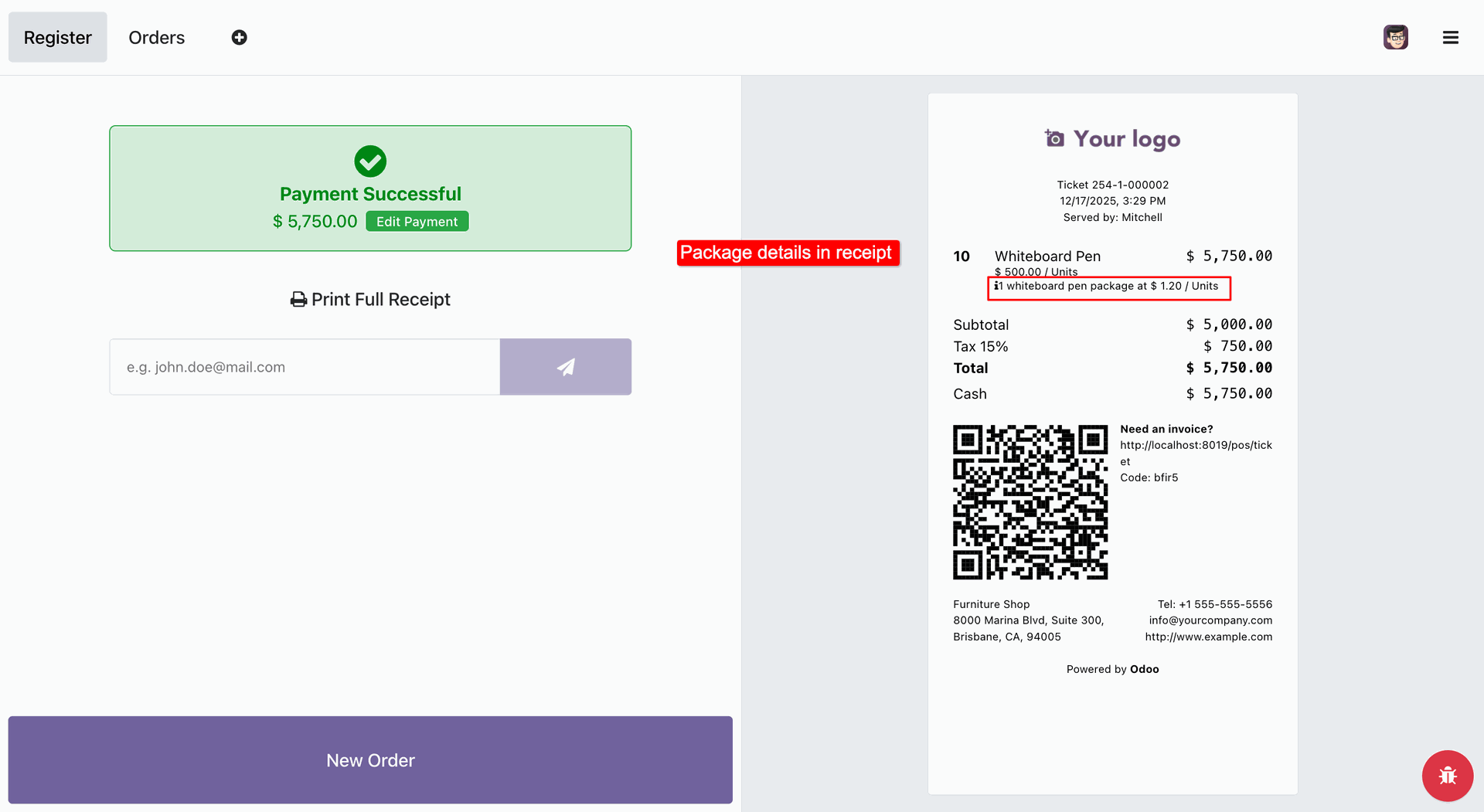
The user reviews the receipt on the Payment Successful screen, where a red box and annotation highlight the printed package details: '1 whiteboard pen package at $ 1.20 / Units'.
Version 17.0.1 | Released on : 4th February 2026
- Yes, this app works perfectly with Odoo Enterprise (Odoo.sh & Premise) as well as Community.
- No, this application is not compatible with odoo.com(odoo saas/Odoo Online)
- Yes, to test this module, please contact us at sales@softhealer.com.
- Please contact us at sales@softhealer.comto request customization.
- Yes, we provide free support for 365 days from the date of purchase.
- Yes, you will receive lifetime free updates for the version of the module you purchased.
- No, there is no need to install any additional libraries.
- Yes, for version 12 and above, you need to purchase the module separately for each version you intend to use.
- No, exchanges or refunds are not allowed. Please make sure to select the correct version before purchasing.
- You can contact us at support@softhealer.com for language translation support. We use Google Translator tools to provide translations in multiple languages, so the accuracy may vary. We welcome your suggestions to help improve translations.
Discover Our Latest Apps