













Point Of Sale Own Products

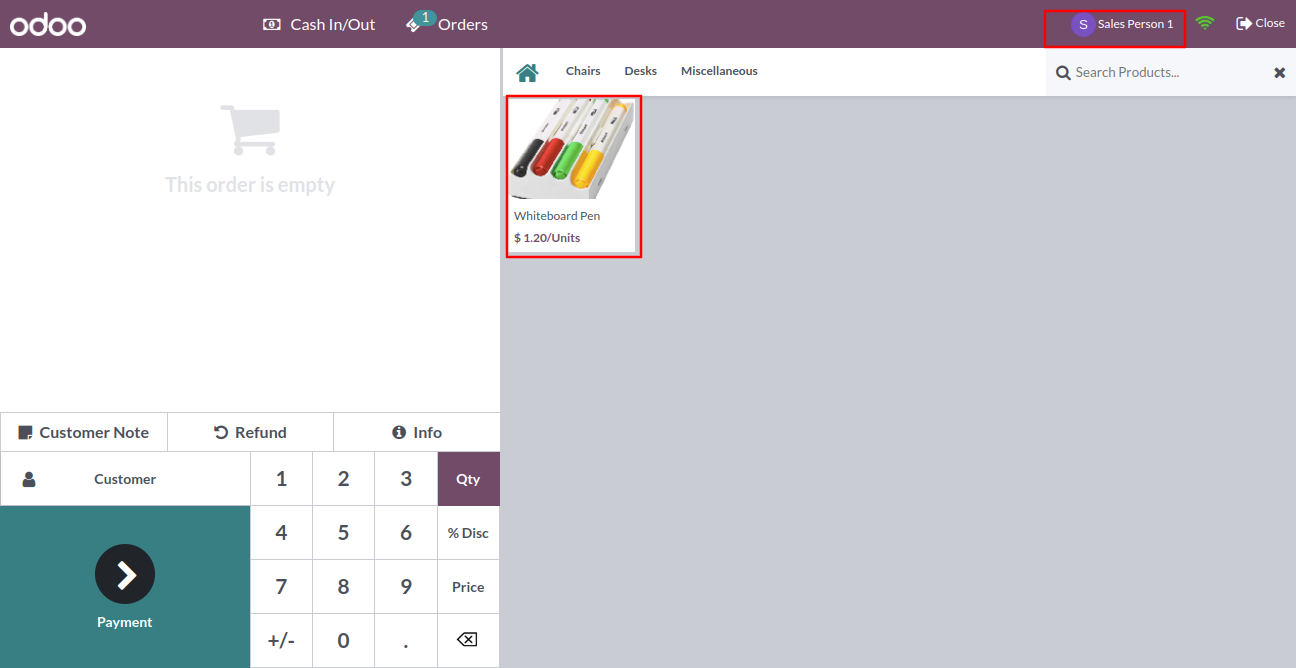
Sometimes it necessary that salesperson can see their products only. Our module will help to show only specific products to the salesperson in the point of sale. You can assign a salesperson to a particular product so that salesperson only can see the product and its variants. You can assign multiple salesperson for one product.

Related Modules
Features
- Salesperson can access only specific products in the point of sale.
- You can display specific products and product variants to specific salespersons.
- You can assign a mass salesperson to a single product.
- Easy to install and use it, no more configuration required.
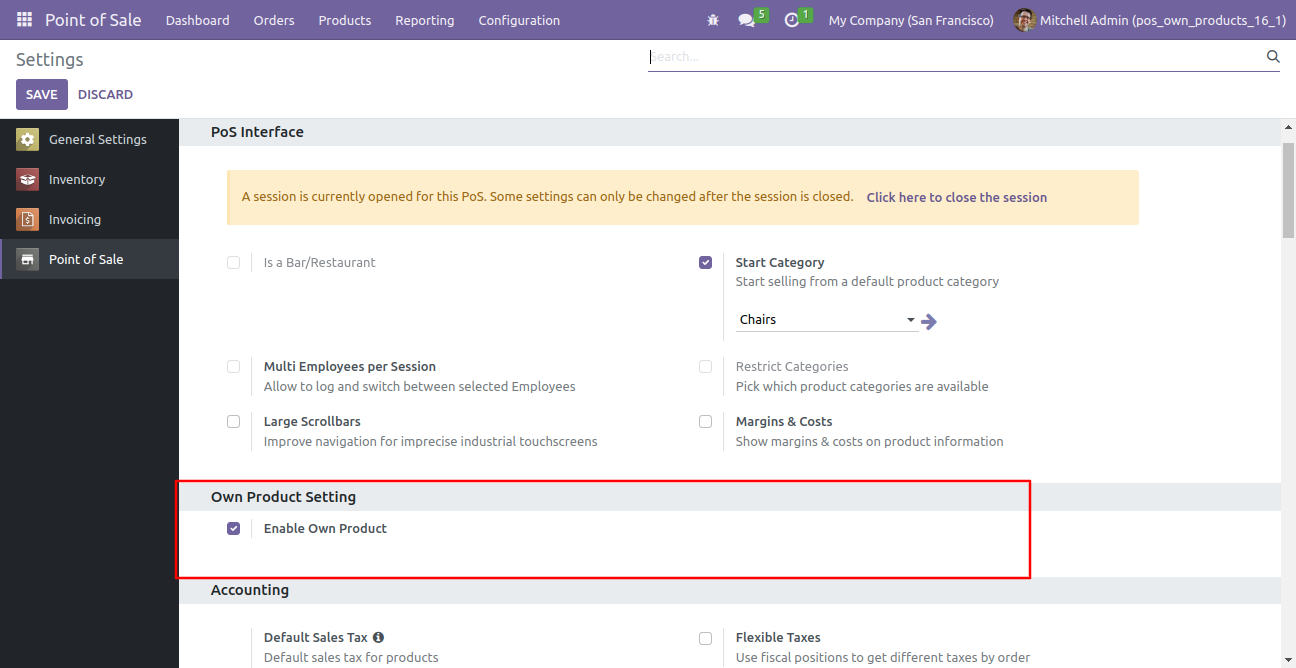
Tick the "Enable Own Product" group.
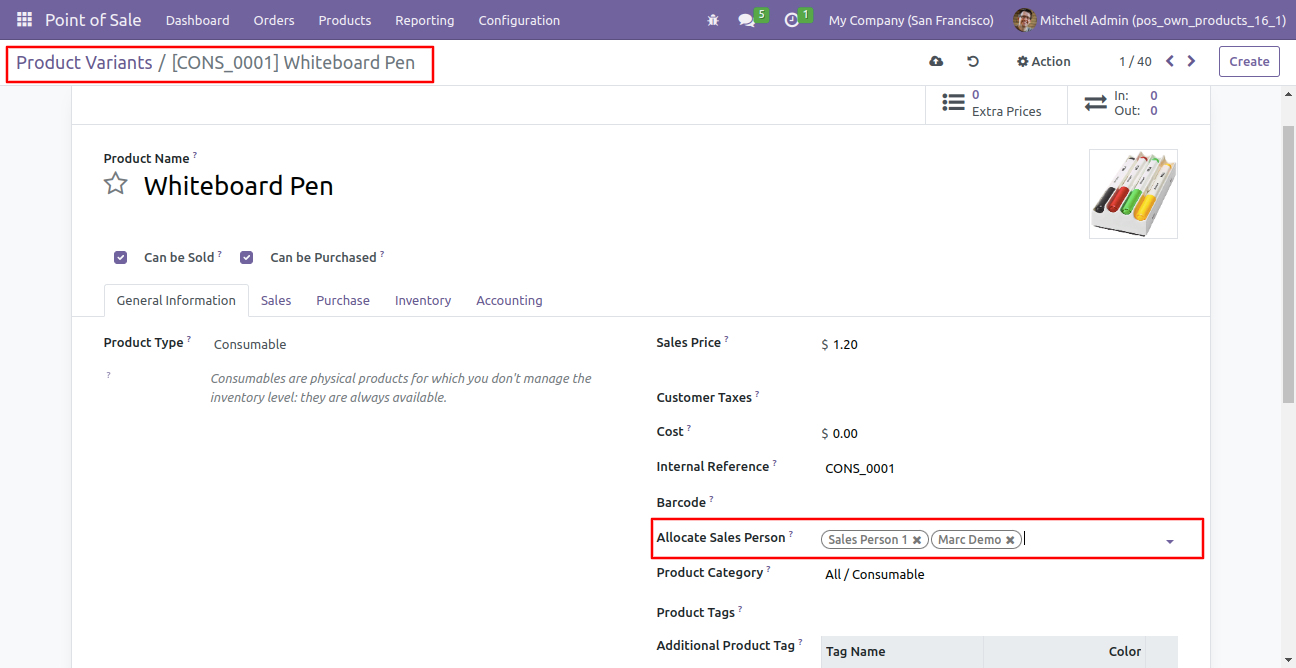
We assign a mass salesperson to a single product/product variant.
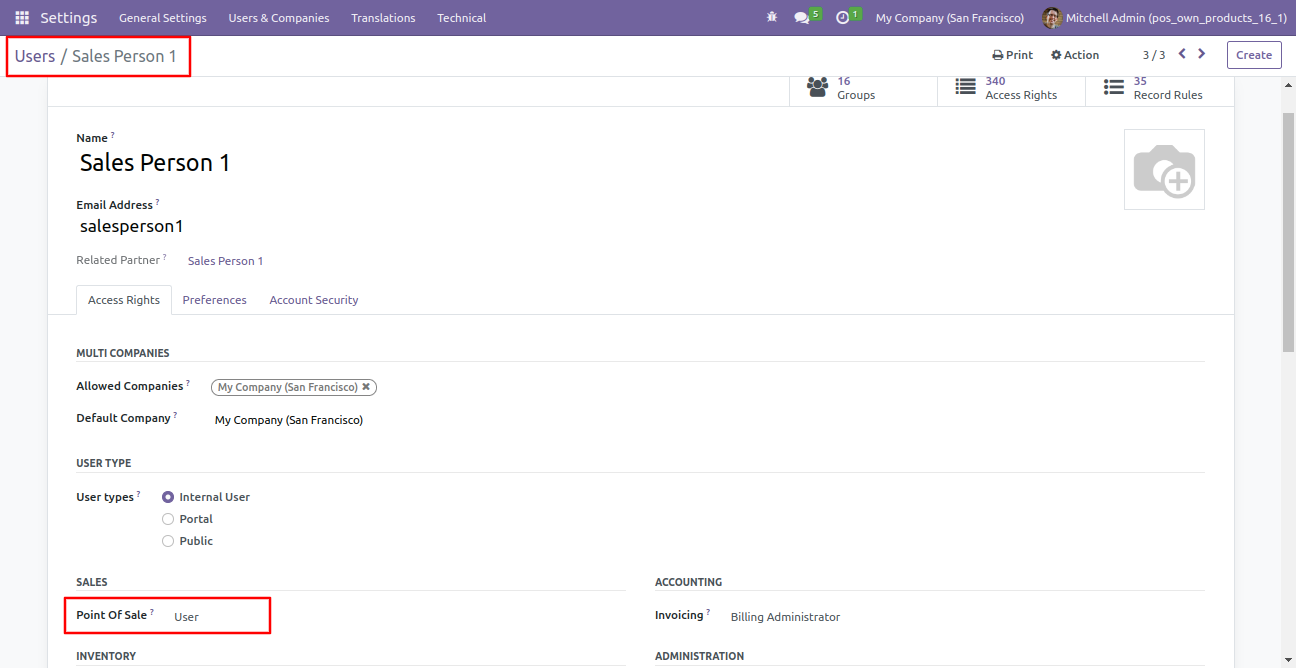
We assign the salesperson rights of sales "User".
So salesperson can access only assigned products in the point of sale.
Version 18.0.1 | Released on : 30th September 2024
- No, this application is not compatible with odoo.com(odoo saas).
- Yes, this app works perfectly with Odoo Enterprise (Odoo.sh & Premise) as well as Community.
- Please Contact Us at sales@softhealer.comto request customization.
- Yes, we provide free support for 100 days.
- Yes, you will get free update for lifetime.
- No, you don't need to install addition libraries.
- Yes, You have to download module for each version (13,14,15) except in version 12 or lower.
- No, We do not provide any kind of exchange.
