












Point Of Sale Order Sync

This module provide
an amazing feature is sync pos order with multiple sessions. With this module you can send, receive,
cancel, pay orders with other session. Let’s understand in a native example.
Restaurant: In the restaurant, there are three different people
like one who take orders and send them to the kitchen(the kitchen is the second user) which is receive
the order and the last one is the cashier, which pays the bills. basically, in this flow, there are one
who send orders and another who receive orders.
Packing: In the packing business, there is more than one user like
one who takes orders and sends them to another team who packs the order and ready for delivery to the
cashier who pays the bill and serves the order to the customer.

Related Modules
Hot Features
Important Notes
- If the user is sender and receiver both then notification will not be generated.
- We are using long-polling in this module.
- The sync will not work properly if you open multiple tabs.
Features
- Easy to allow users rights like sender, recevier, both
- Define nickname for different users.
- Related user can receive notification of following process like send orders, pay order, update order.
- Easy to allow access for different user like cancel, pay and edit orders from draft stage.
- Easy to allow select multiple reciver.
- Order list on POS Main screen.
- Order list on restaurant order list..
- Search Order by date, name and number also.
- Easy to enable/disable this feature.
- Display orders session wise with current session and number of previous sessions, also day wise like last number of days.
- You can Re-Order of any previous order.
- Easy to reprint orders.
- Easy to improve communication with employee.
- Better Customer Experience
- Grow Customer Loyalty.
- You can track order in real time.
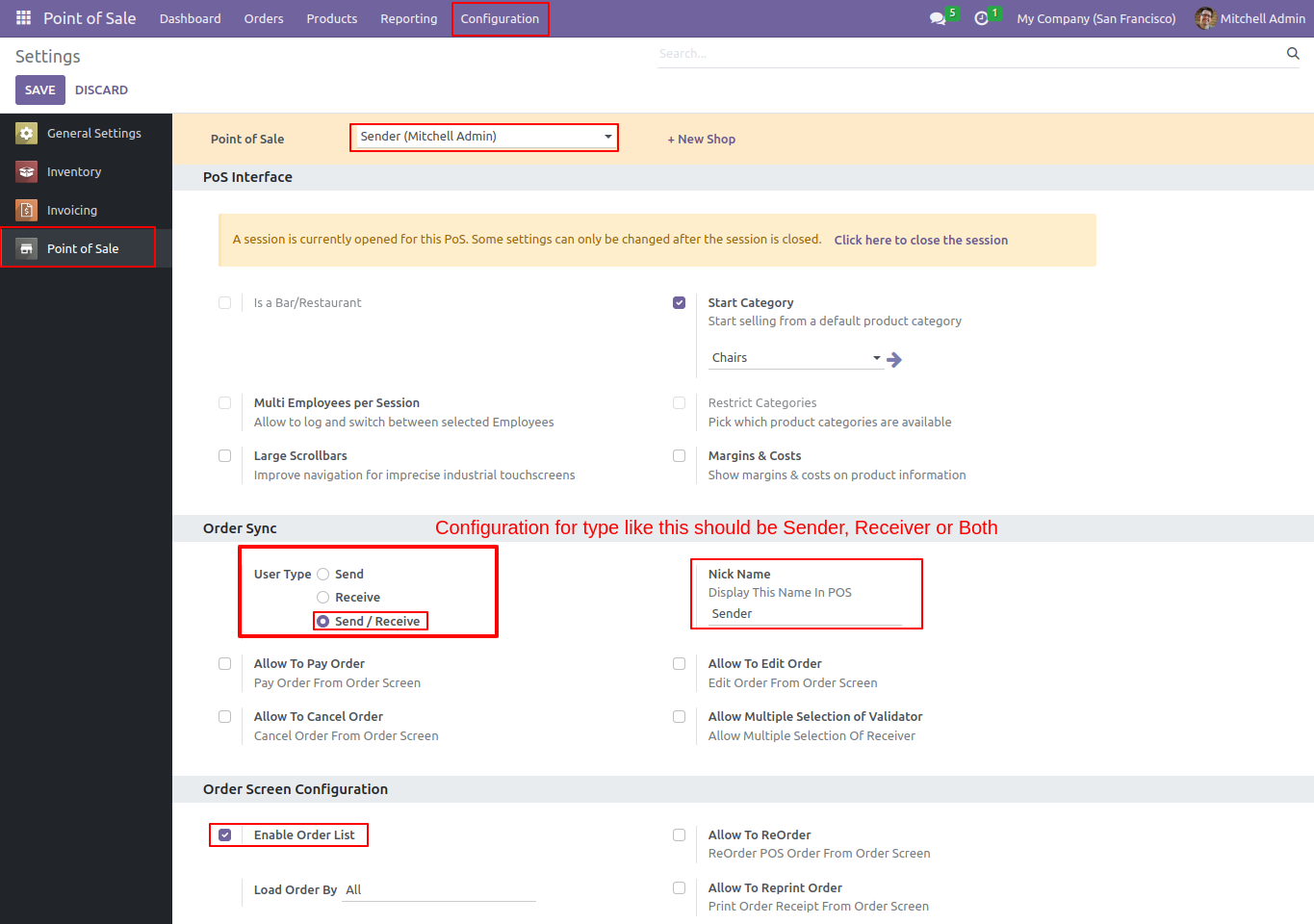
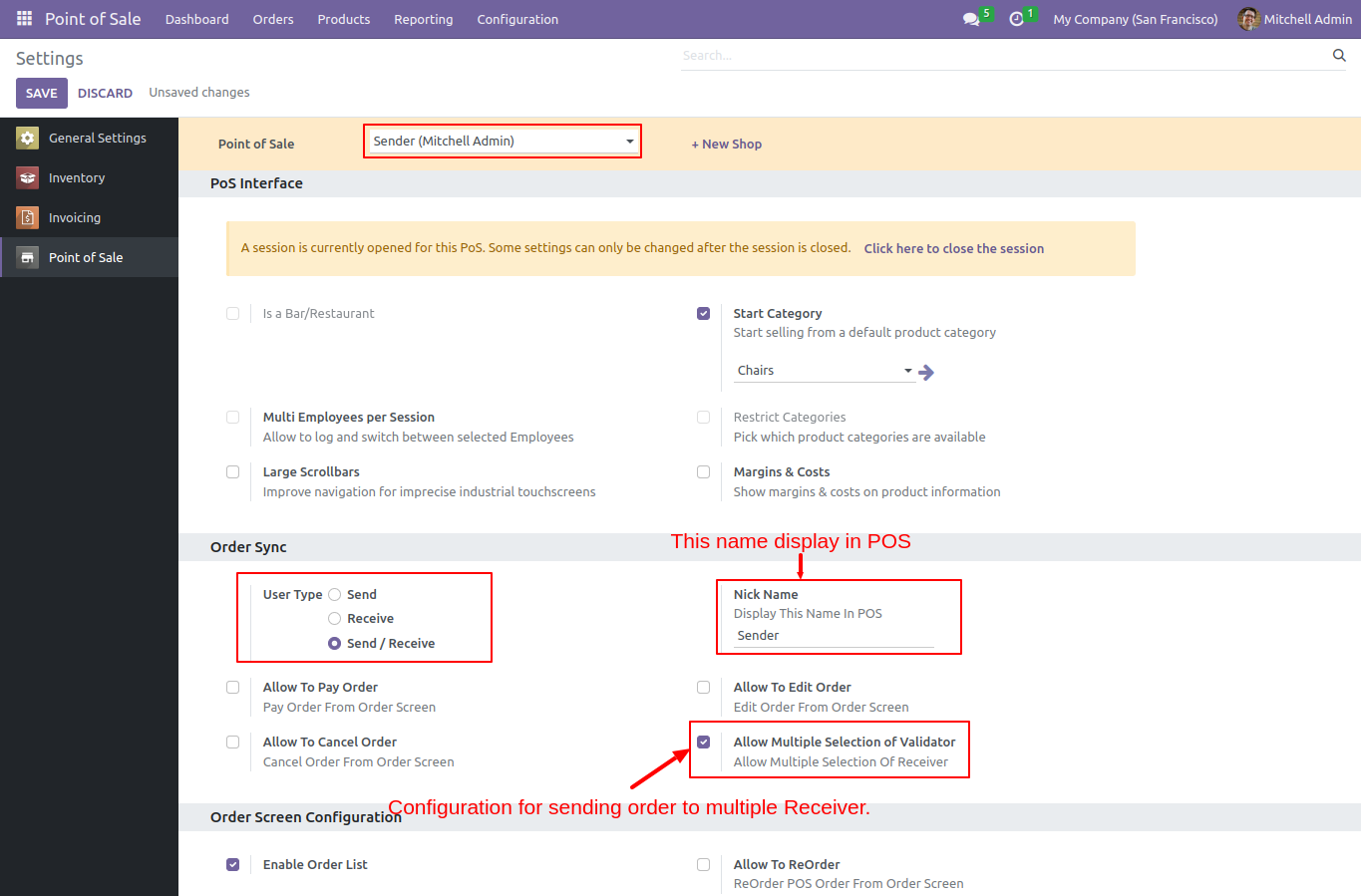
Go to the pos config settings => Enable Order Sync. After that you can see various options like User type, Nickname. Other option is based on users types.
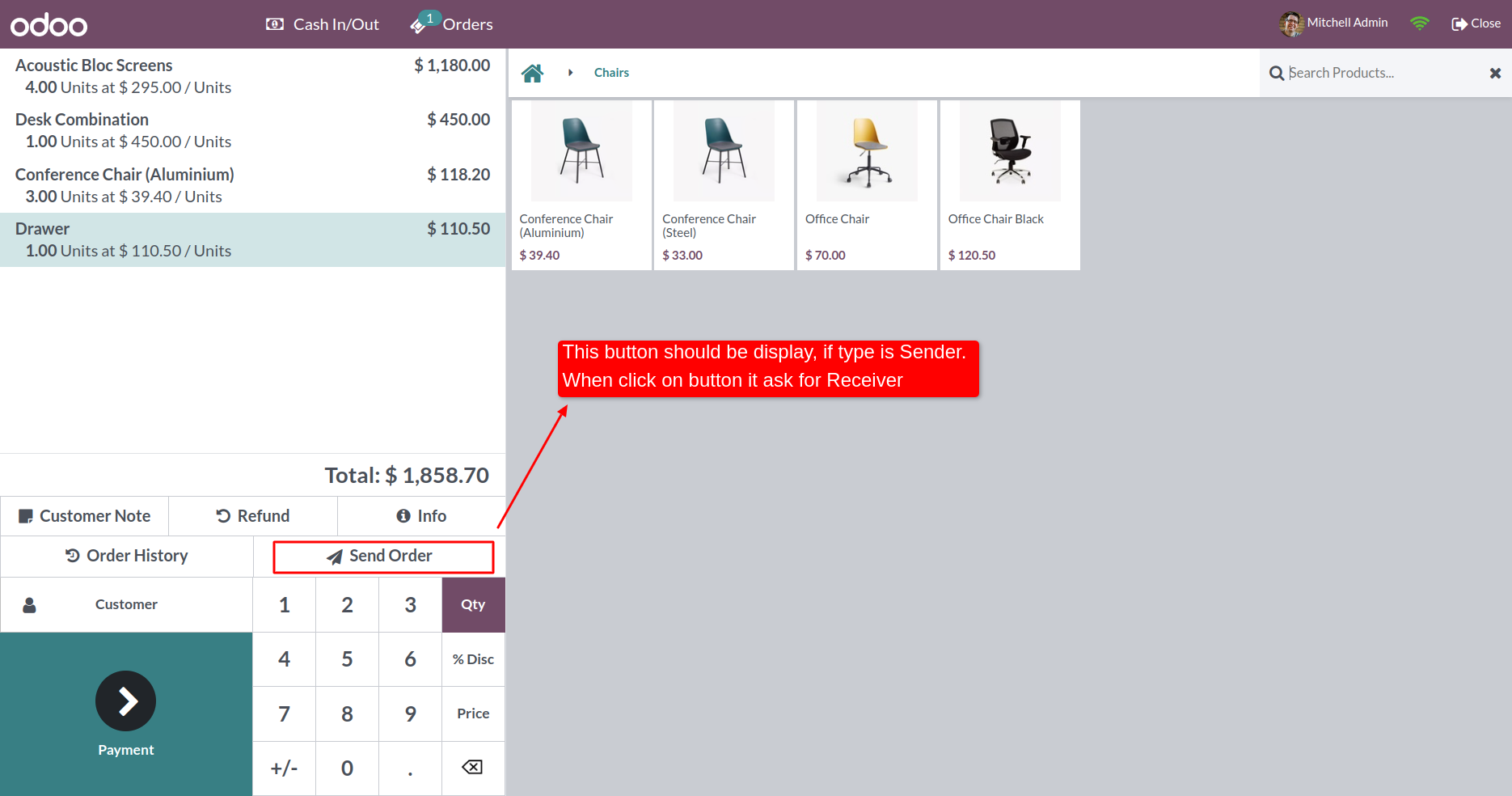
You can see the 'Send Order Button' in Pos Order Screen.
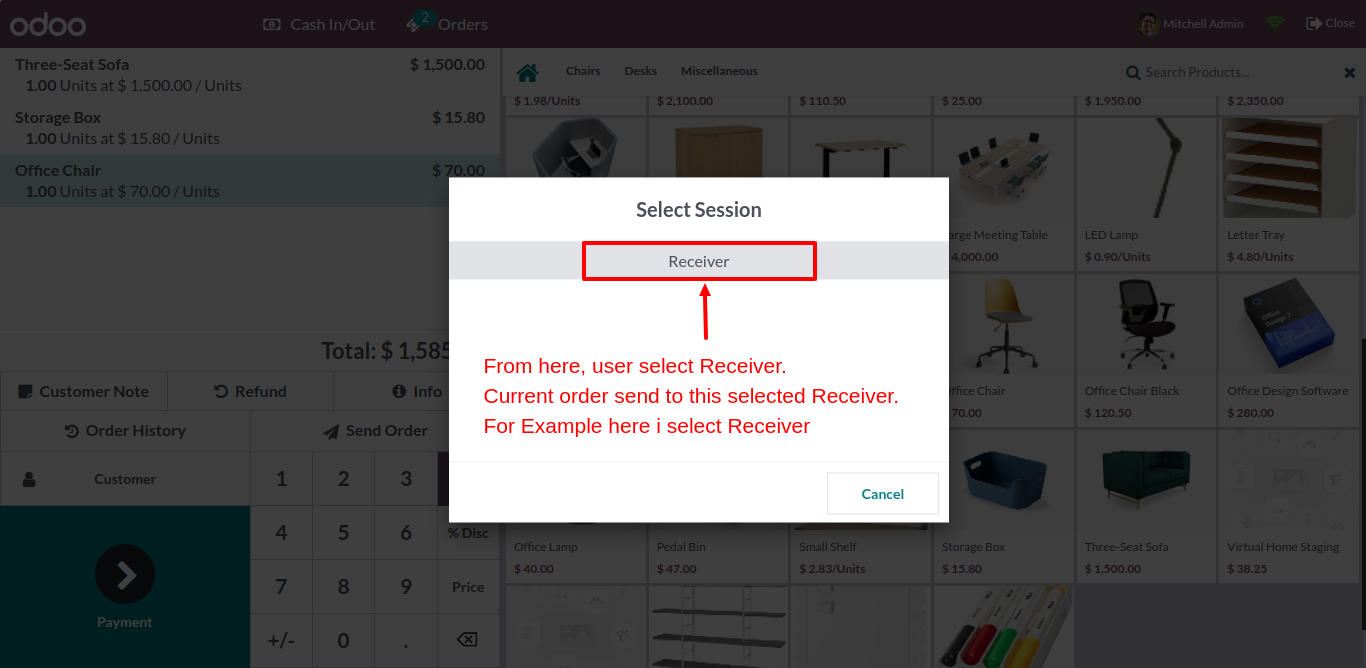
After click on 'Send Order' button you have to specify receiver.
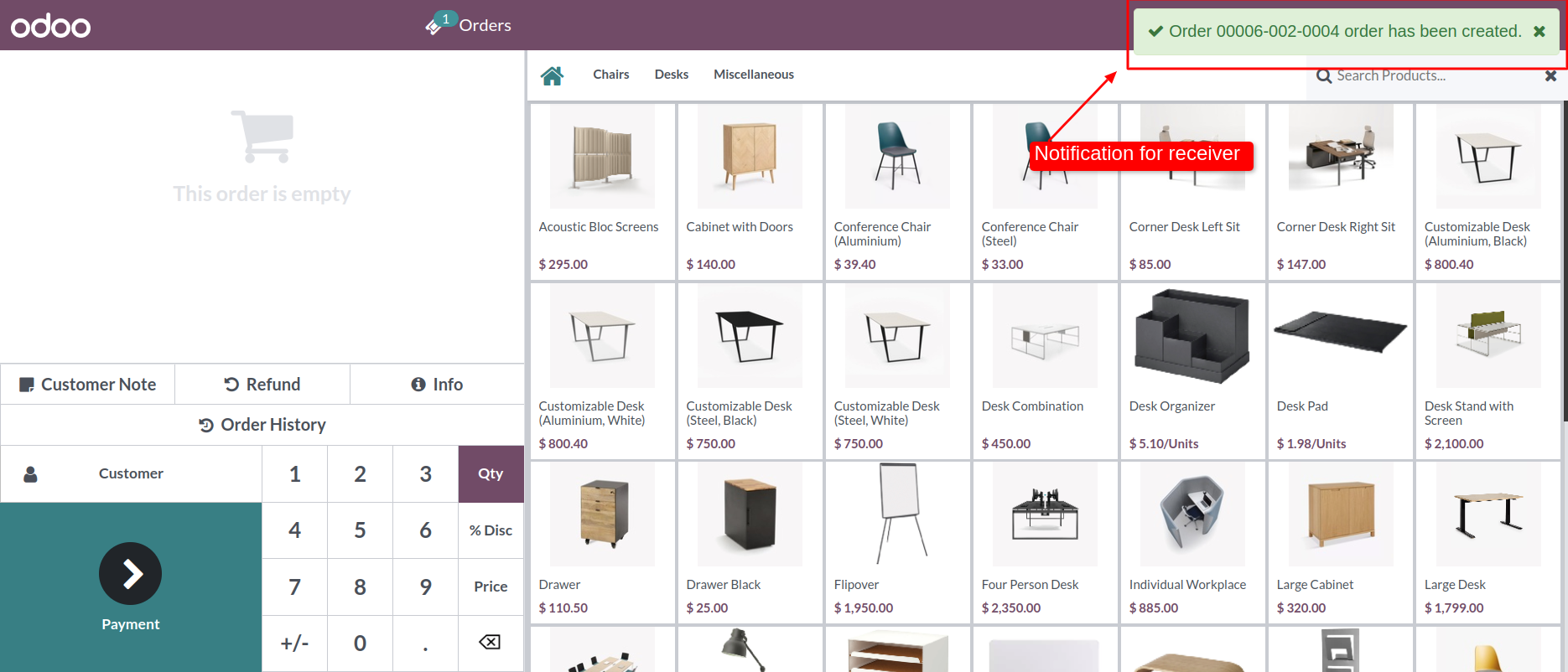
Receiver can receive order and notification as well.
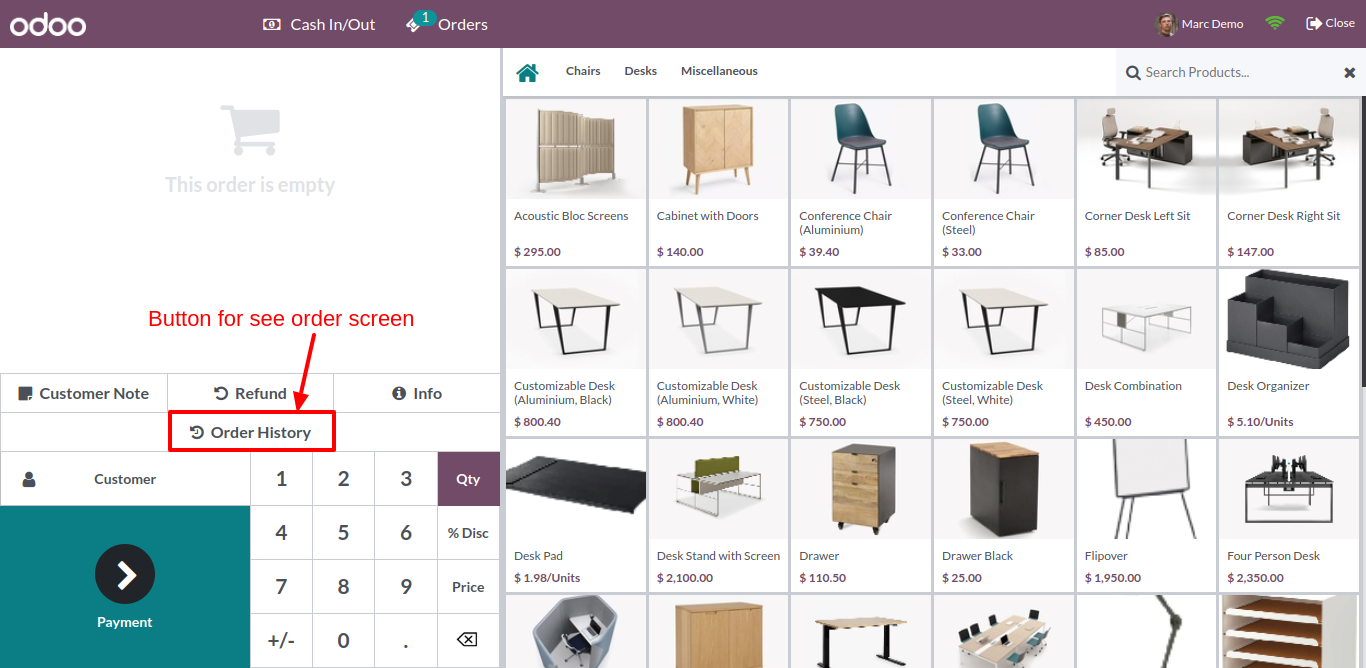
'Receiver' can see 'Order History' button.
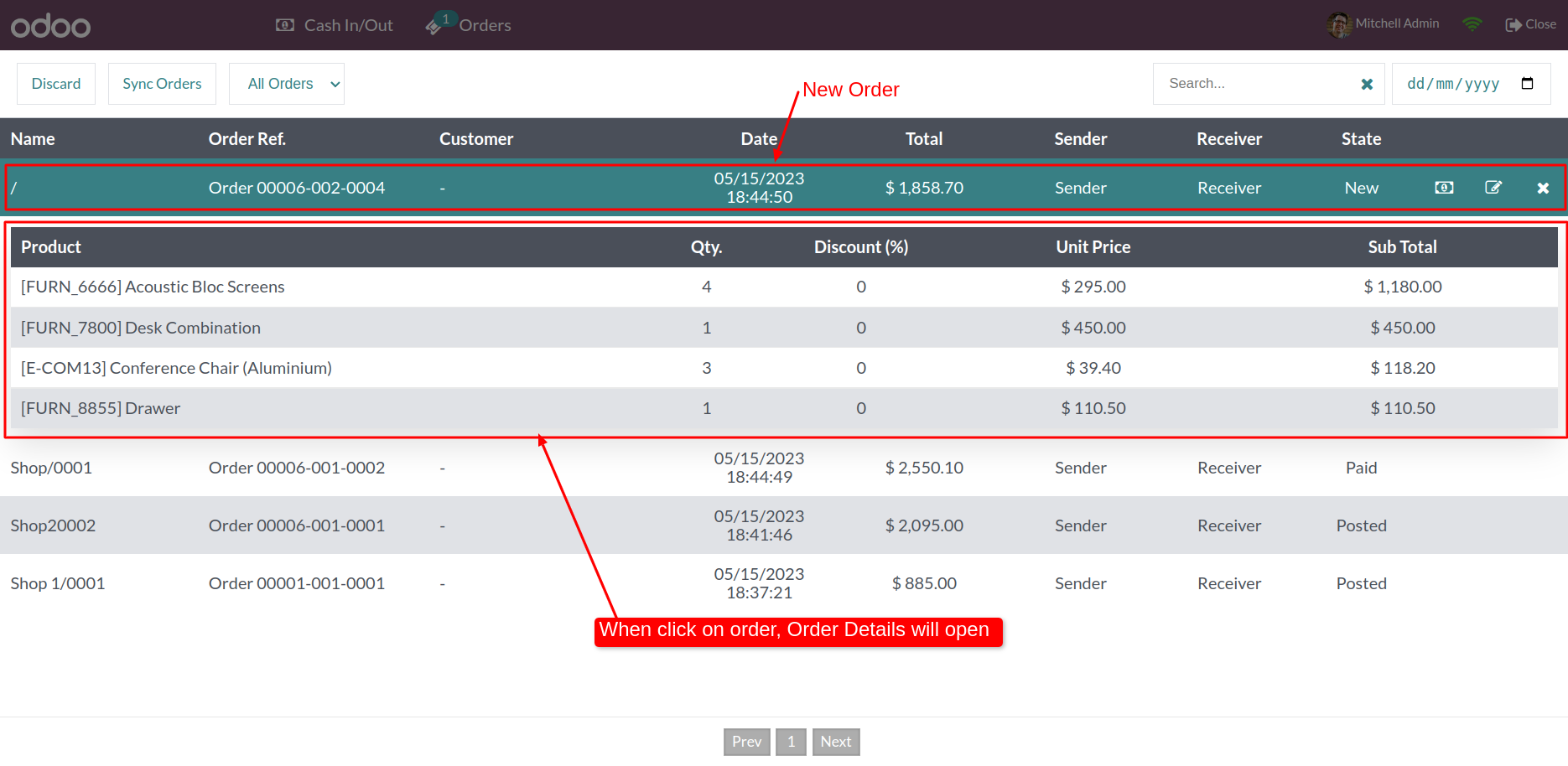
After click on 'Order History' button you can see the whole order which is received.
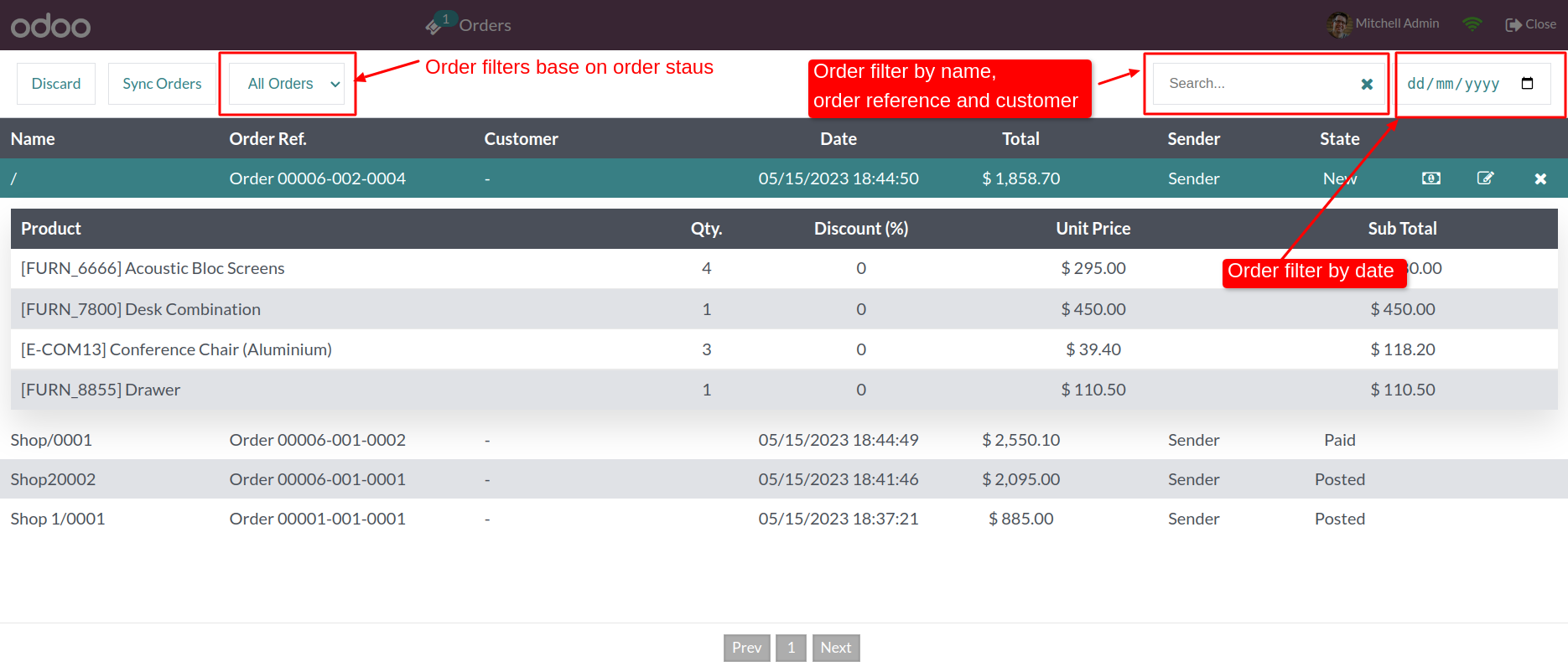
Here you can search order by order number. Also find order by date. And refresh to get new update orders.
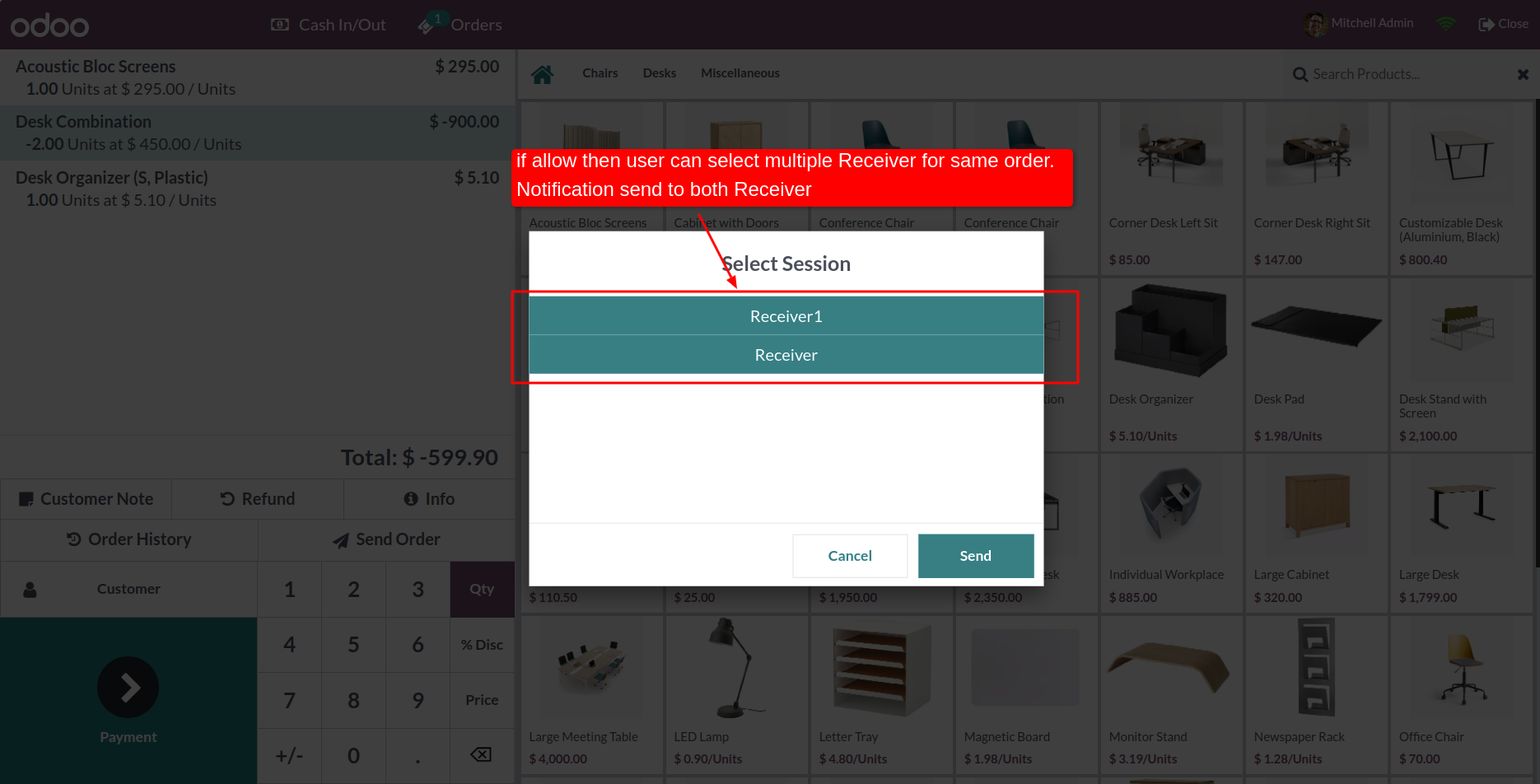
Check 'Allow to Multiple Selection of Validator', You can send order to multiple receivers.
Now sender can select more than one receivers. and send order to selected receivers.
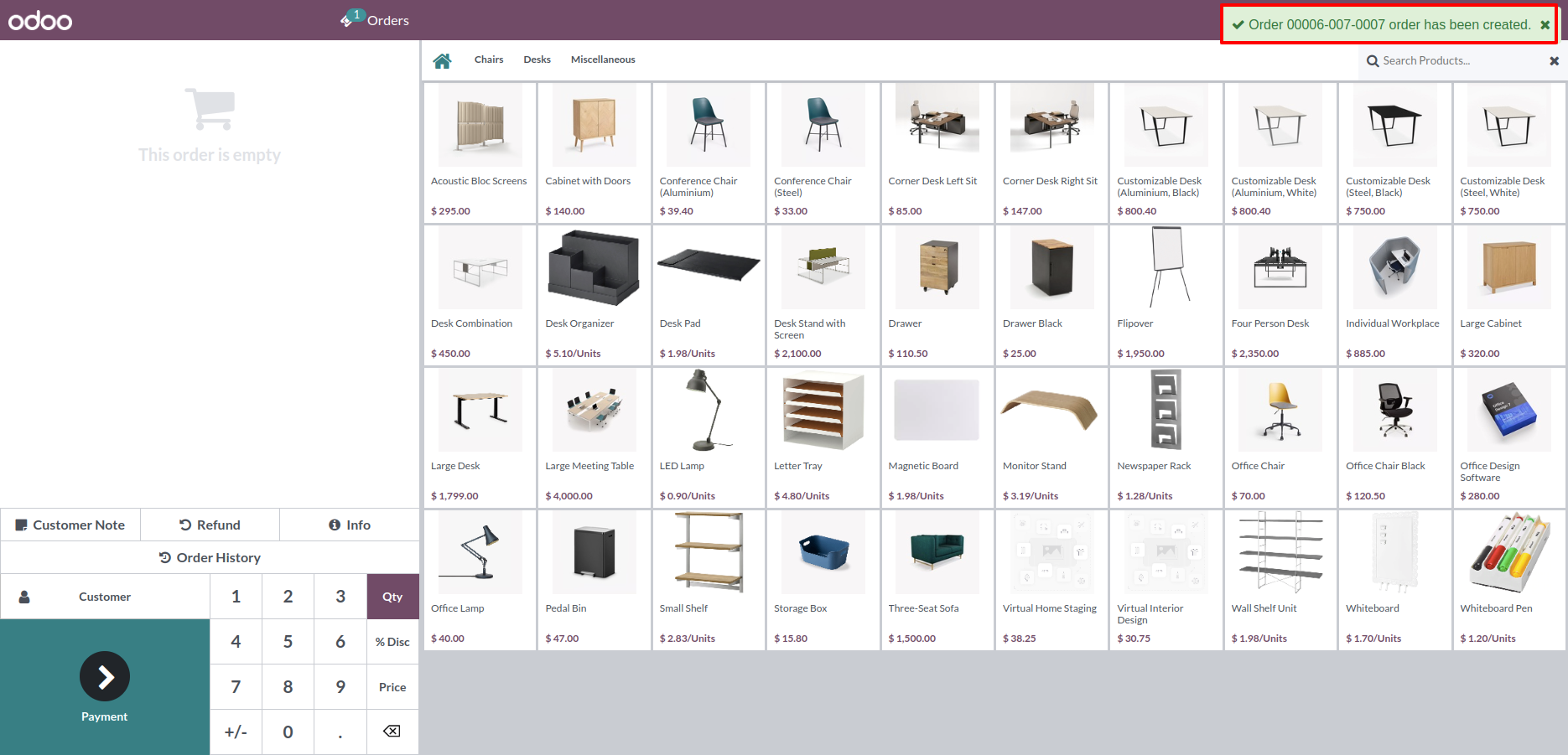
Receiver 1 can receive notification of received order
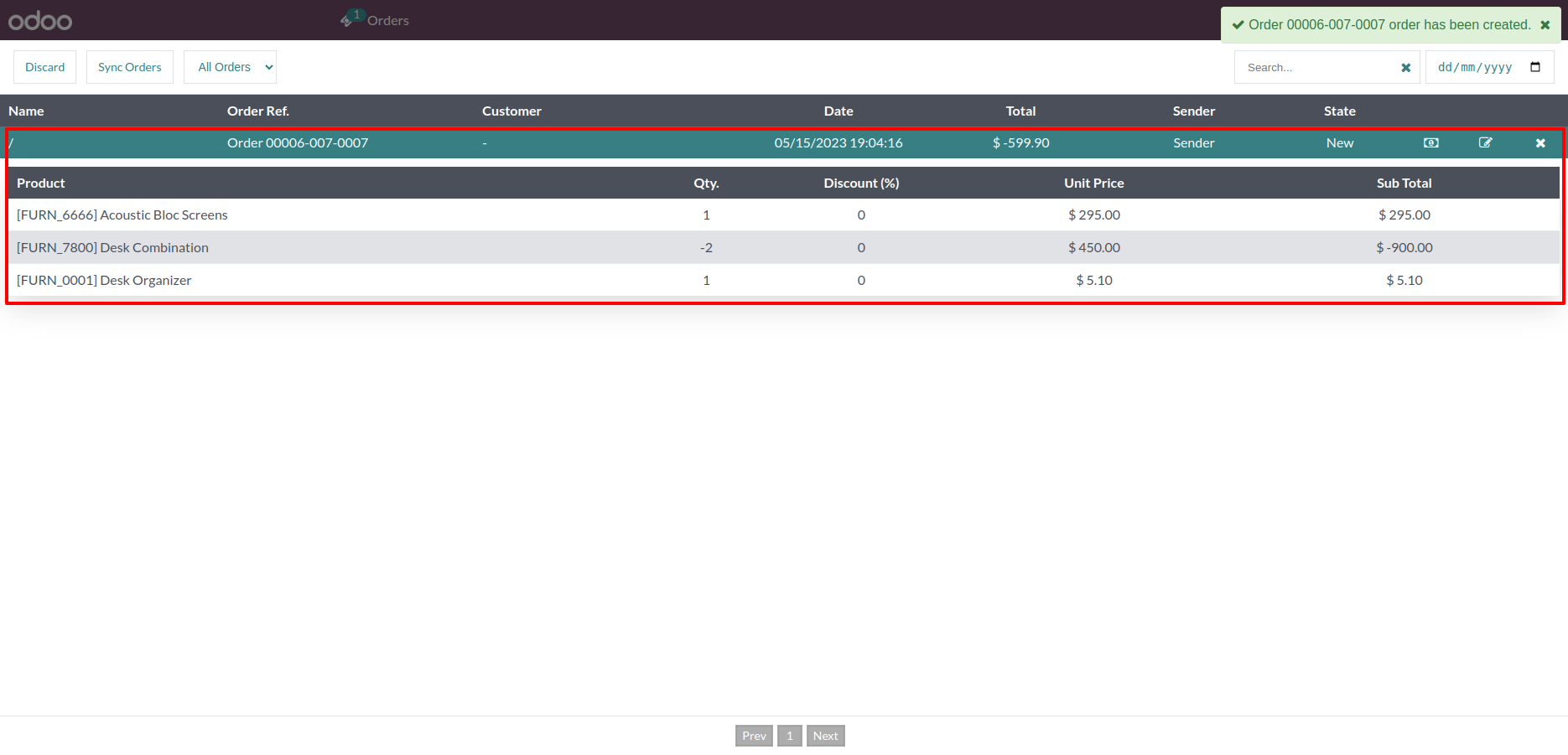
Received order in order list.
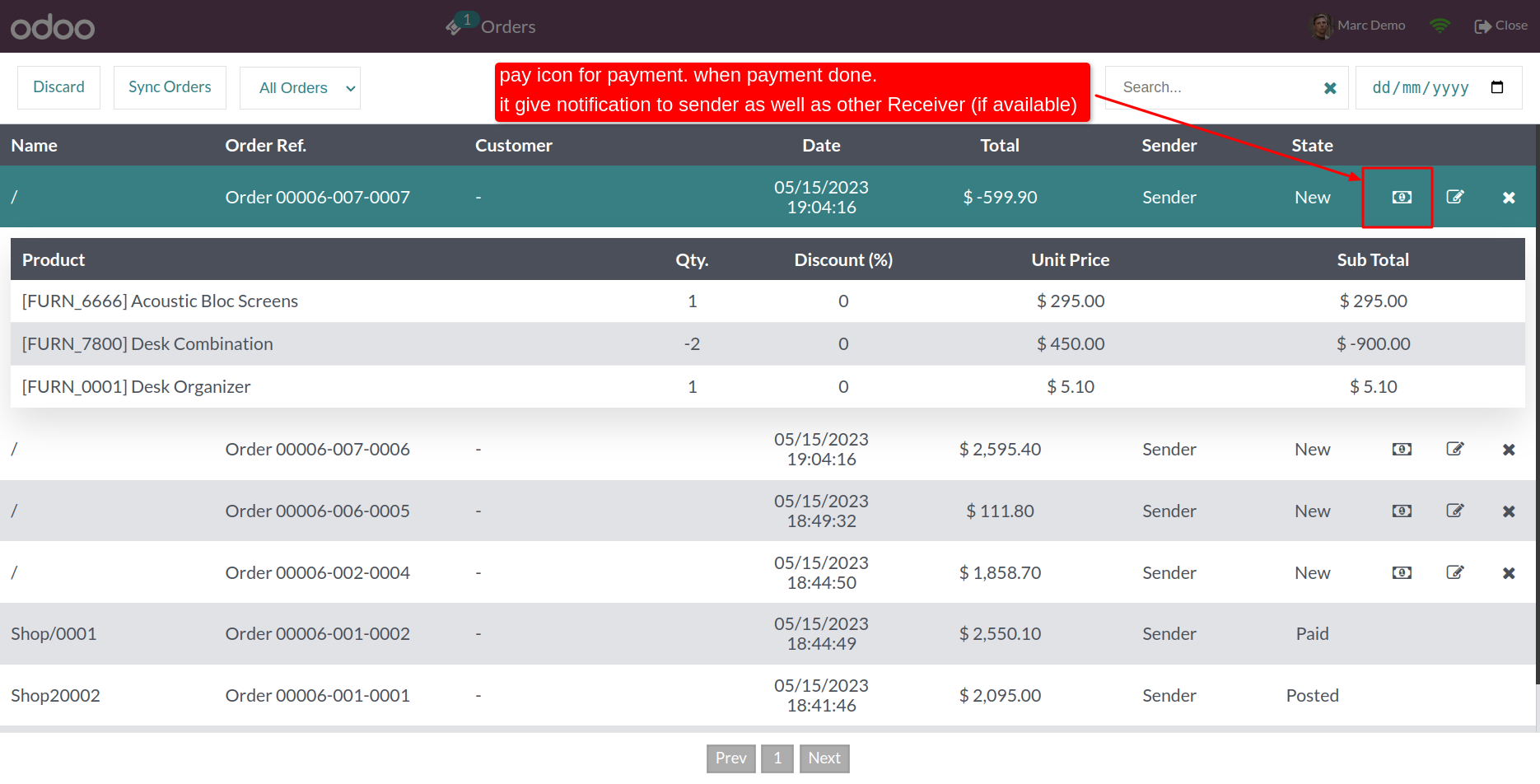
Received order in order list. This feature allow to receiver can pay order. 'Pay' button in receiver's order list.
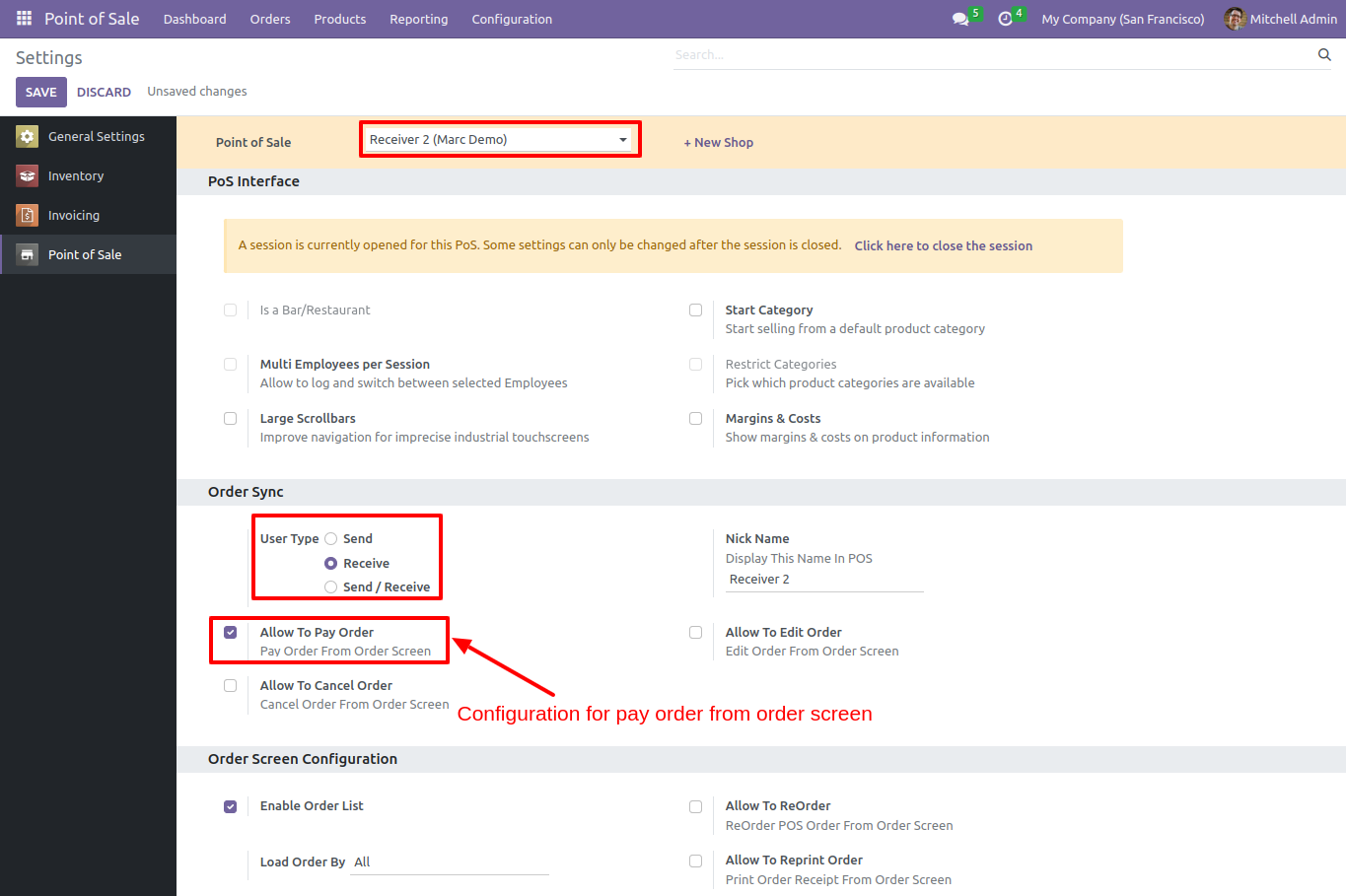
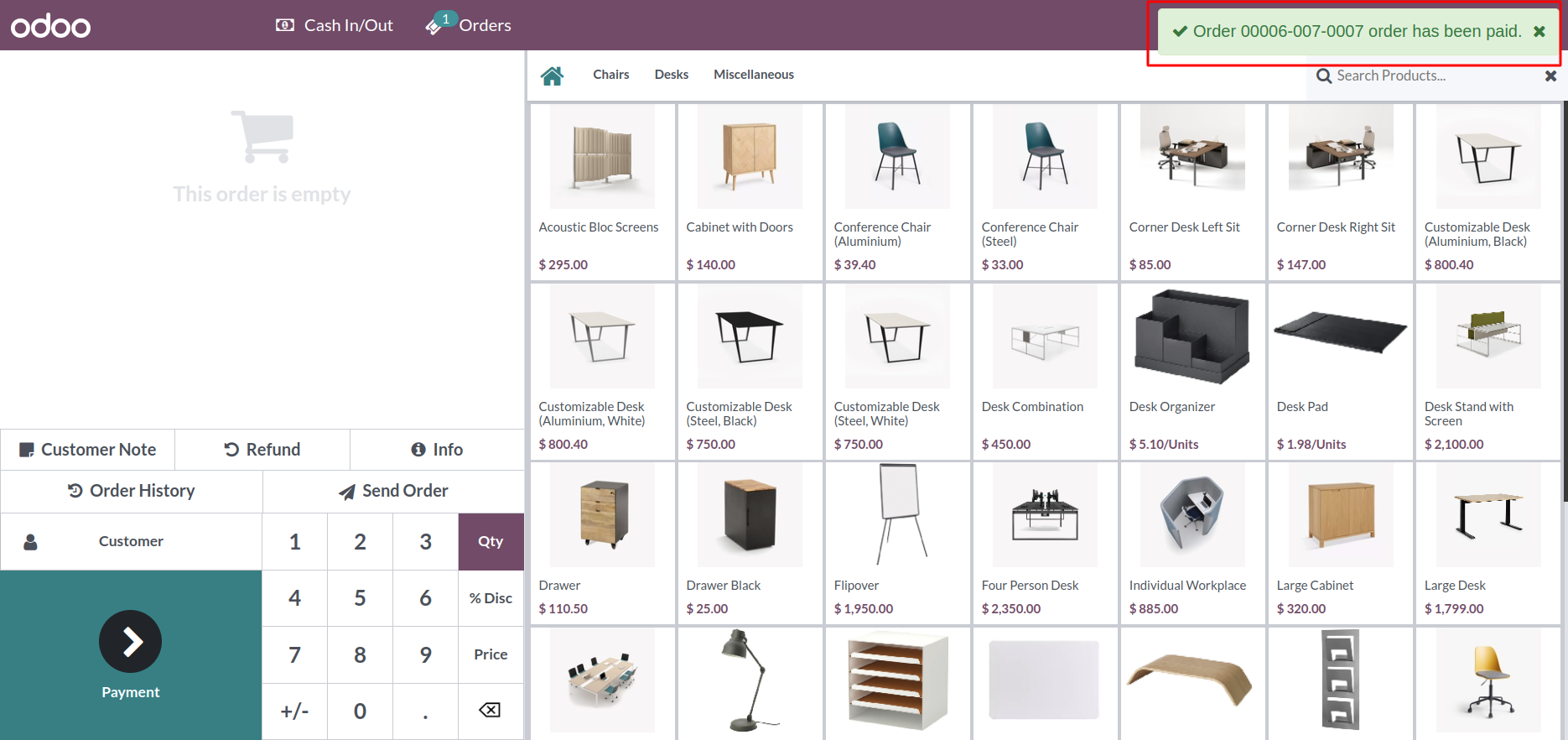
After order paying by receiver, Sender can receive notification.
When order Print paid notification show.
Now Set shop Reciver and there nick name and this reciver also edit and pay there order.
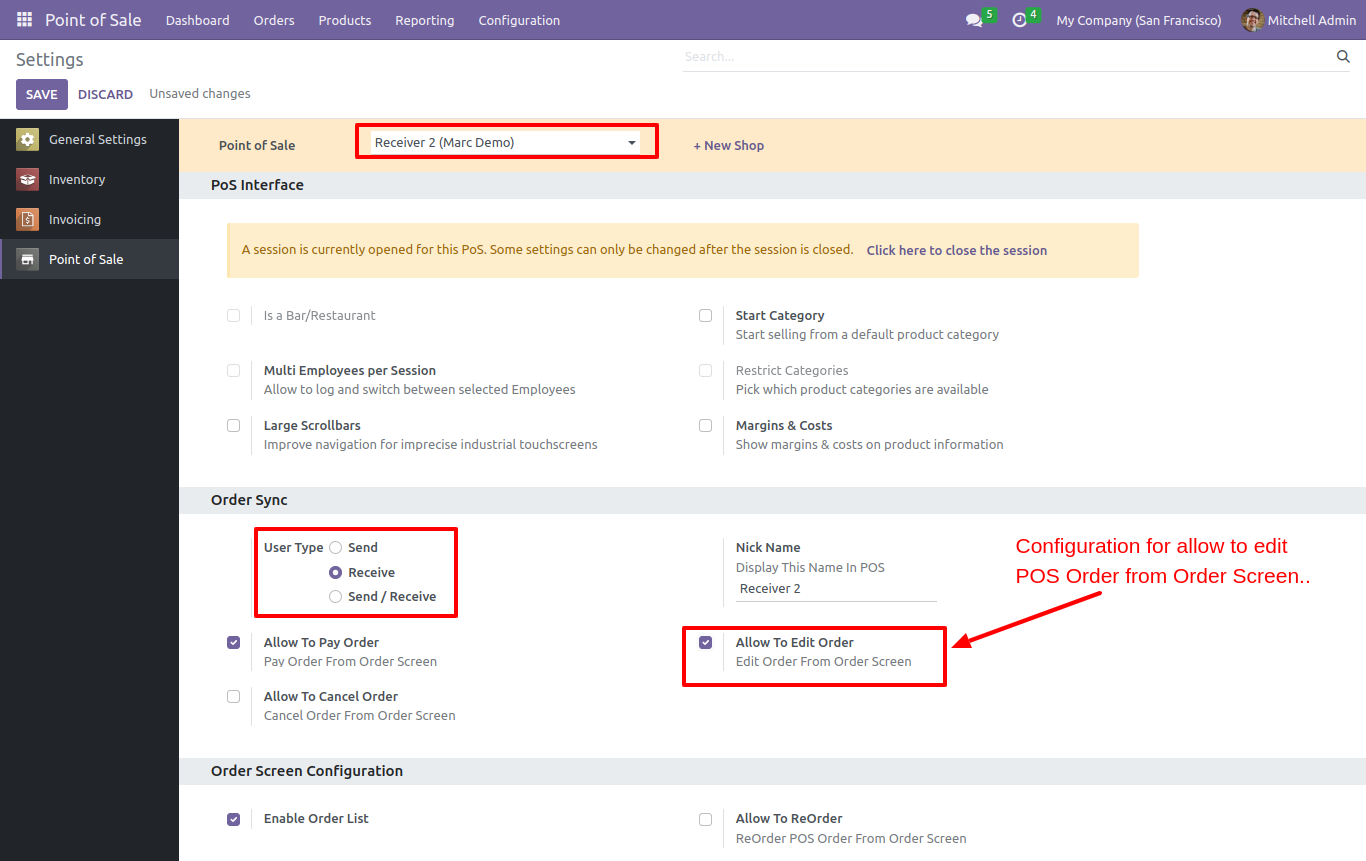
Receiver can edit orders "Order History" screen.
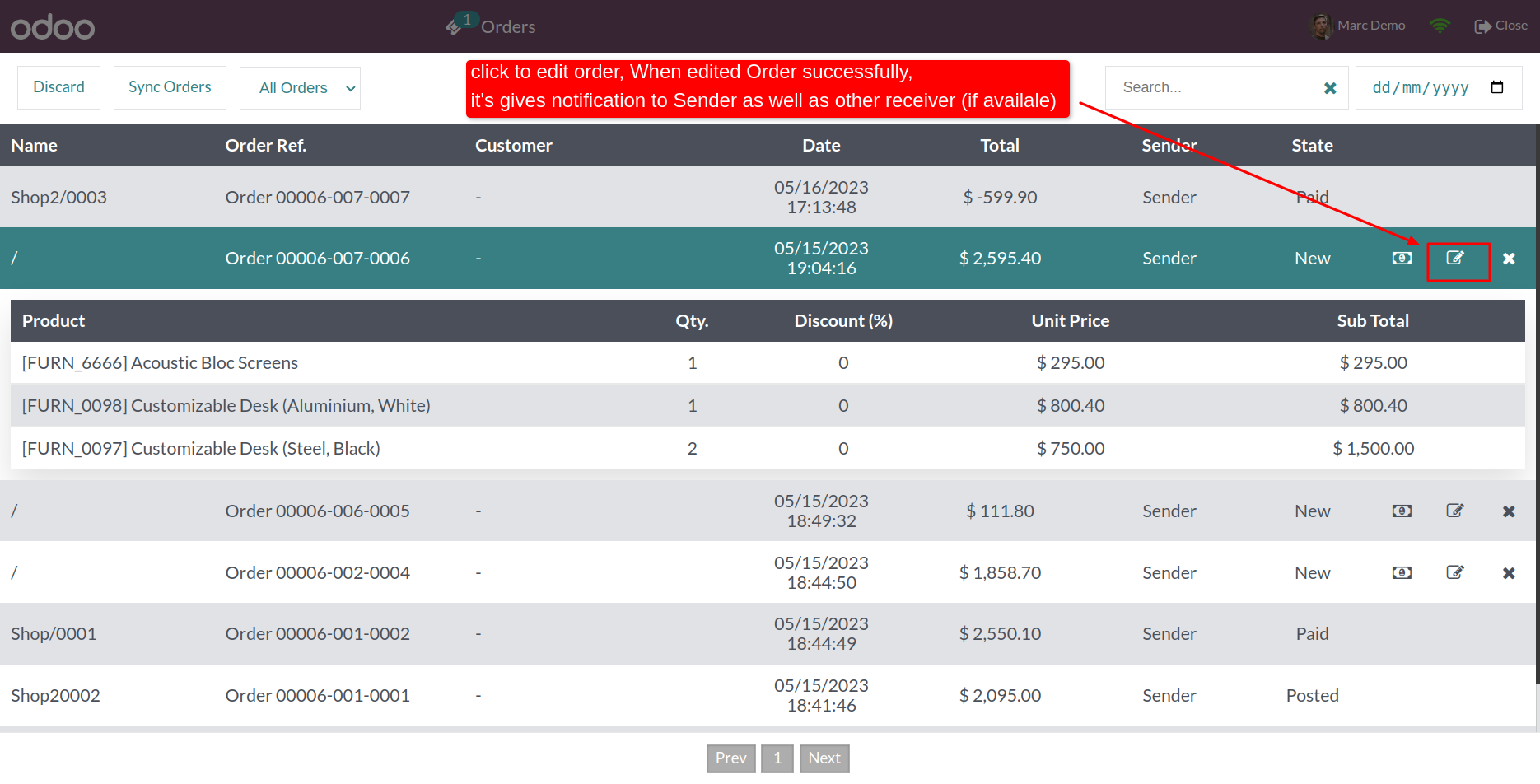
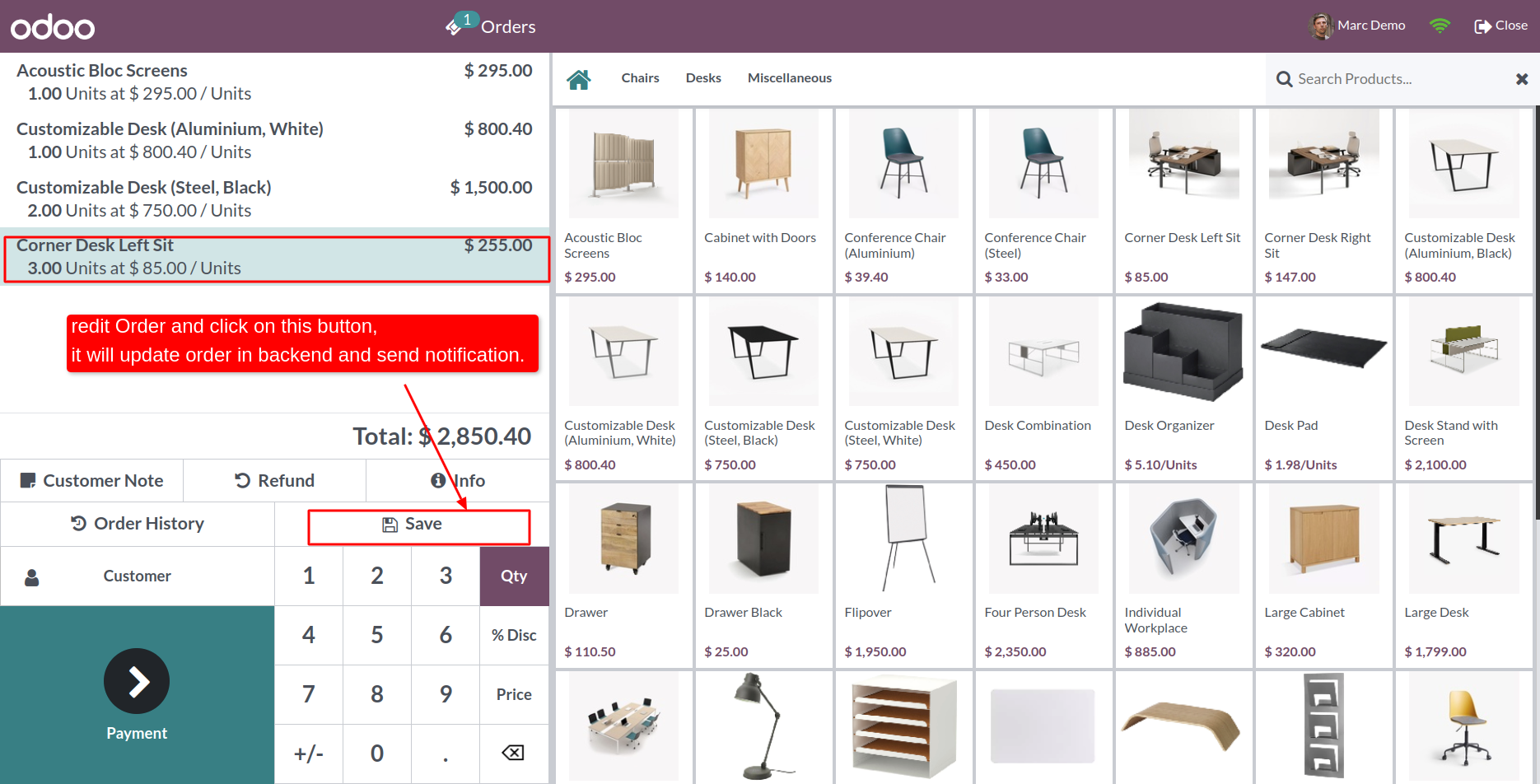
After click on 'Edit' that order open in edit mode and you can see 'Save' button.
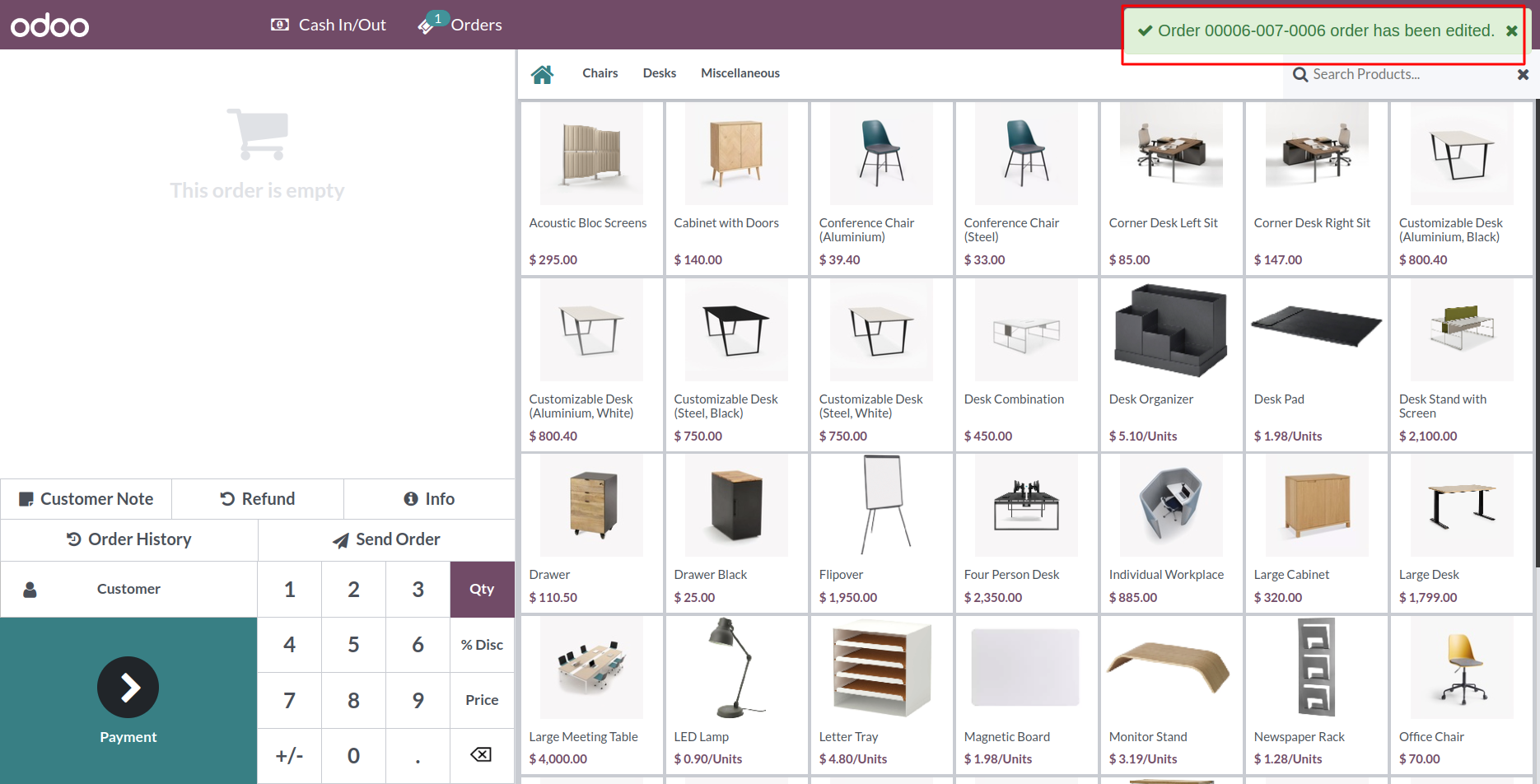
After edit order, Sender and other receiver can received a notification.
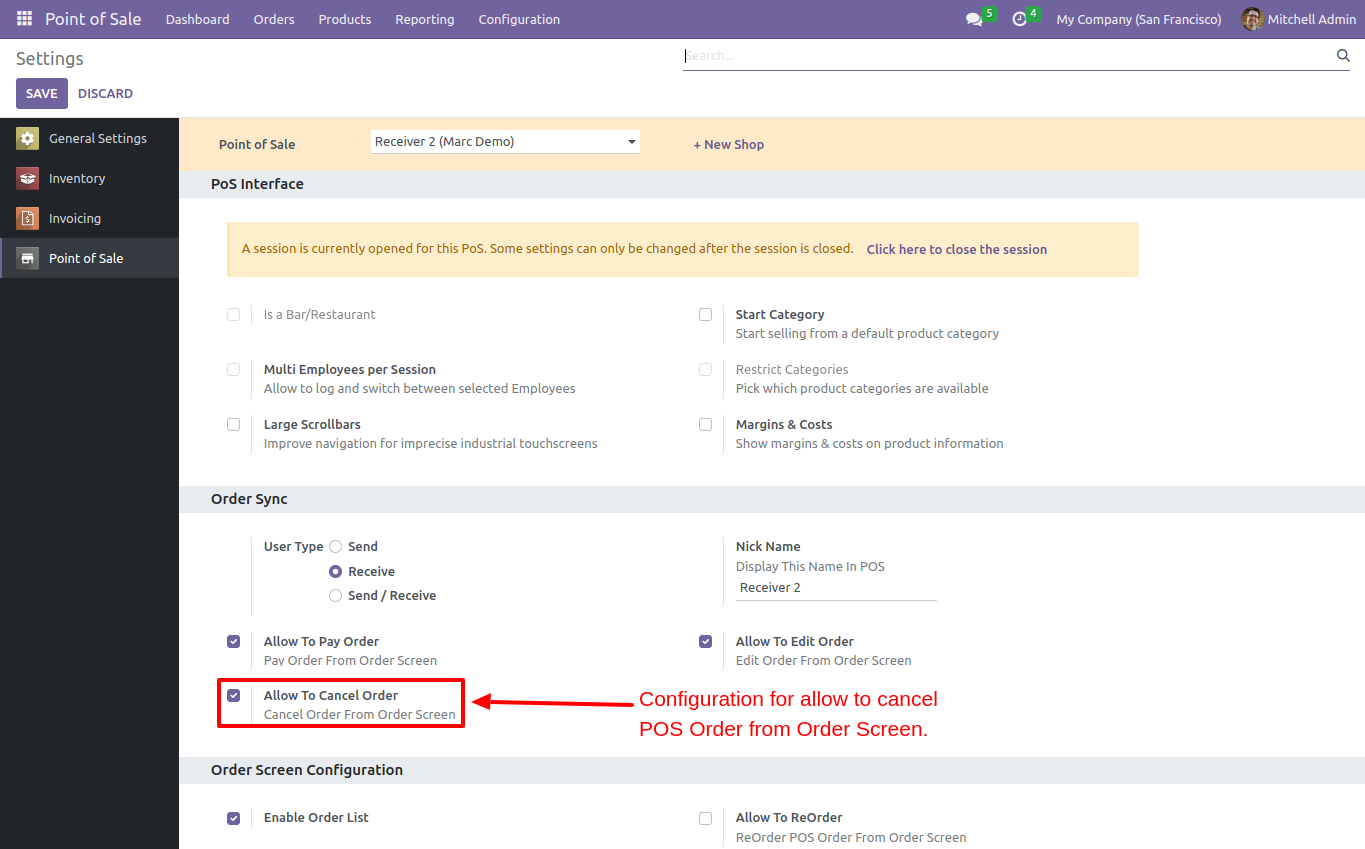
'Allow To Cancel Order', Receiver can cancel order(*Only cancel order not deleting) (*Cancel Order will not display on order list).
You can see the cancel button in order list.
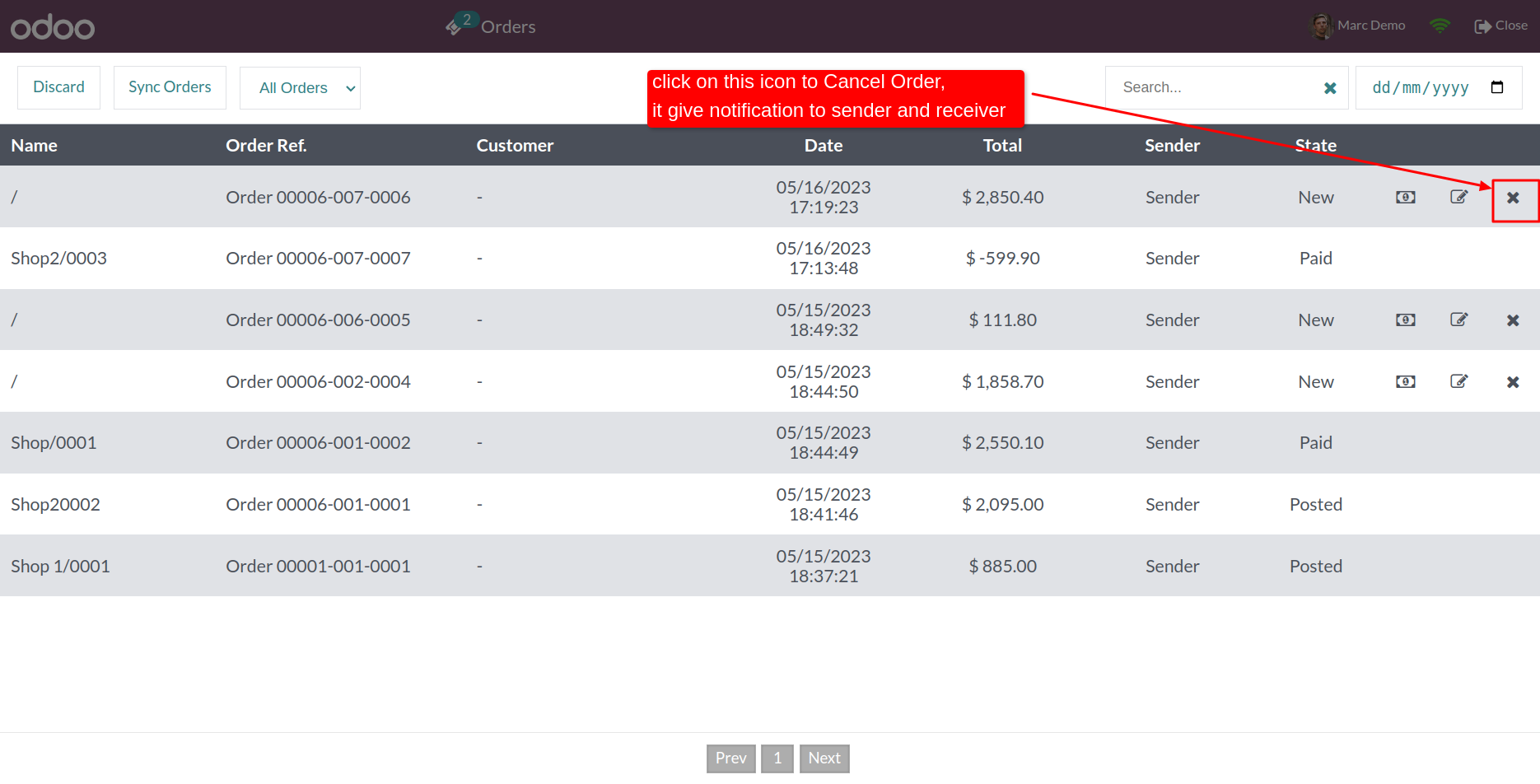
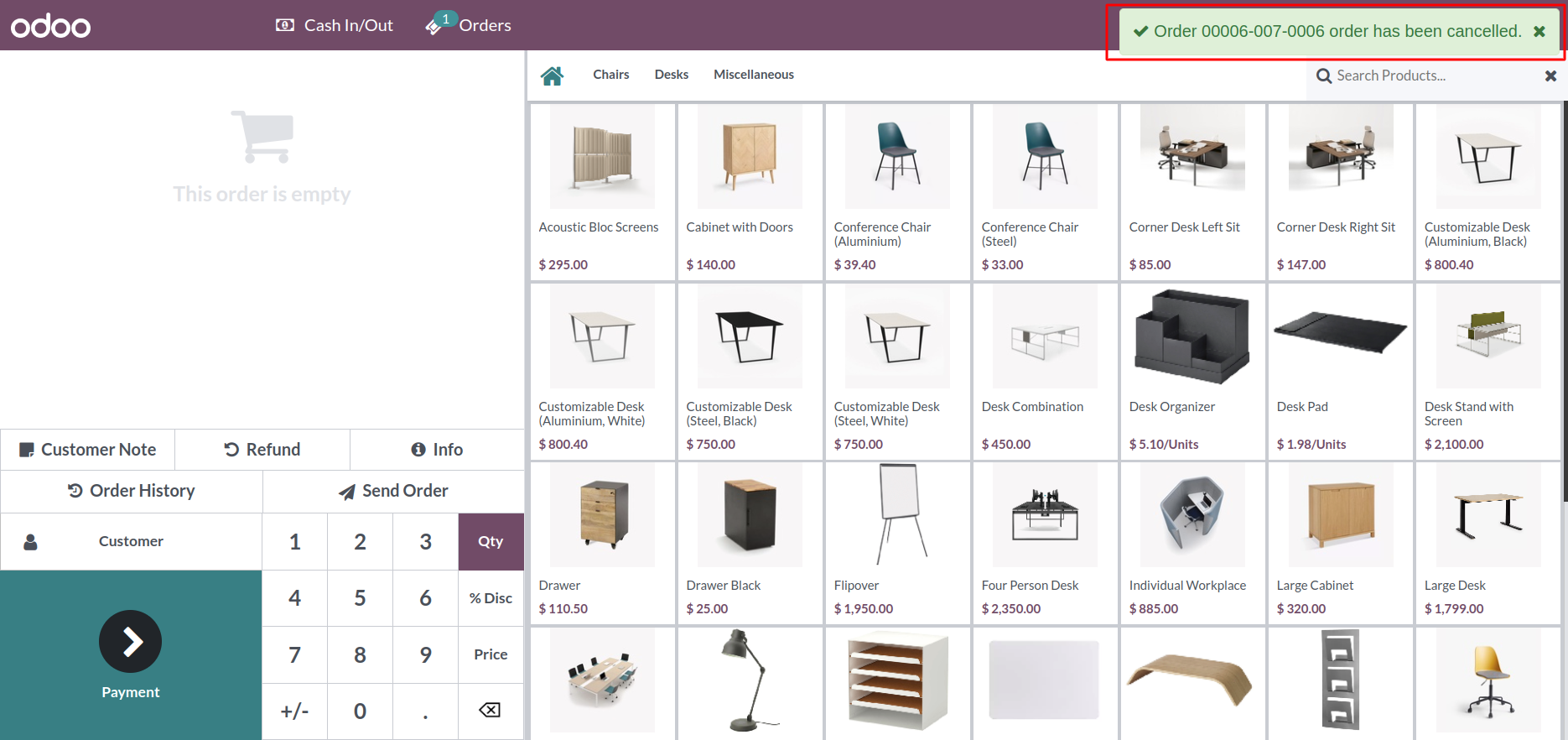
After cancel any order, sender and releated receiver can receive notification.
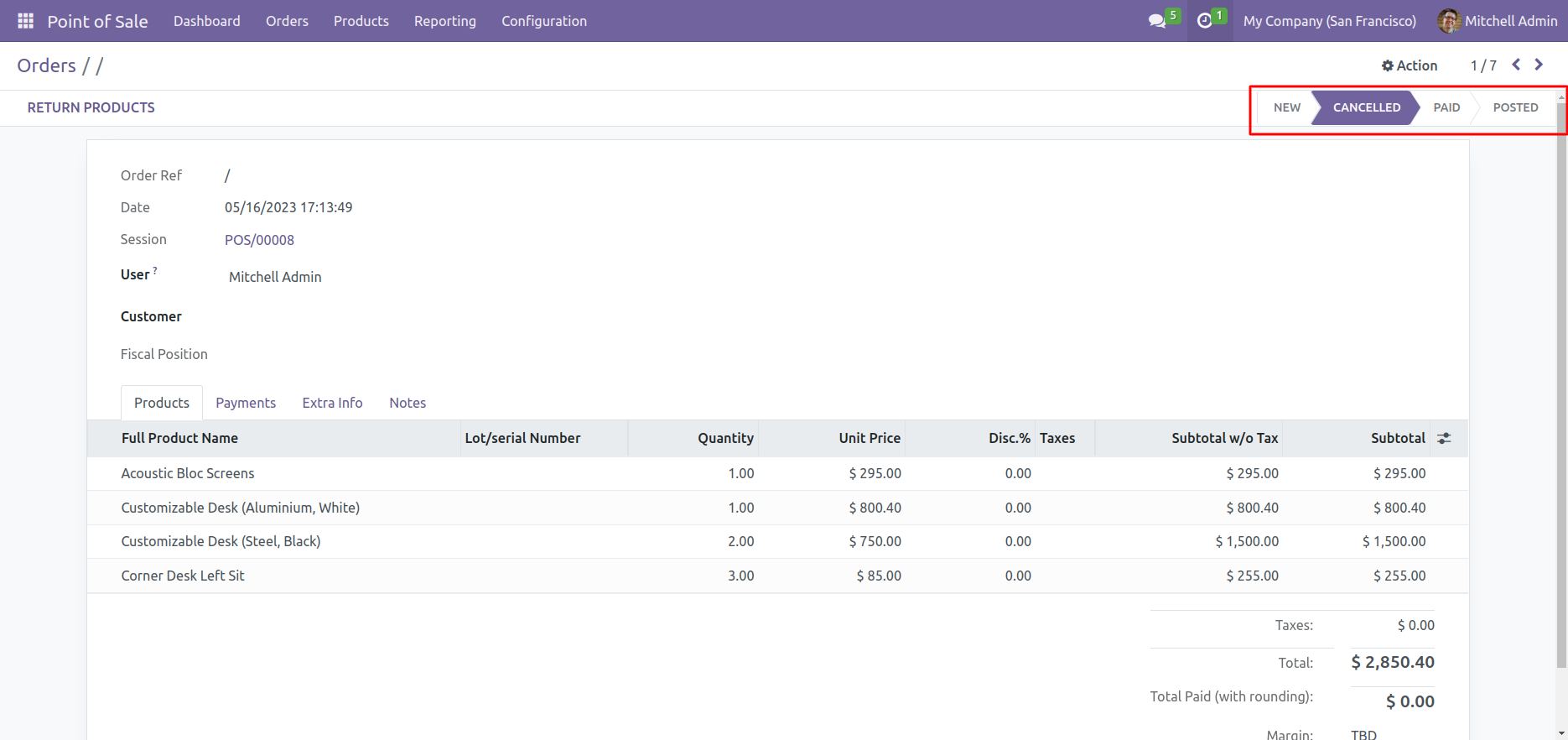
Order canceled in backend.
Version 20.0.1.0.0 | Released on : 15th September 2026
- Yes, this app works perfectly with Odoo Enterprise (Odoo.sh & Premise) as well as Community.
- No, this application is not compatible with odoo.com(odoo saas/Odoo Online)
- Yes, to test this module, please contact us at sales@softhealer.com.
- Please contact us at sales@softhealer.com to request customization.
- Yes, we provide free support for 365 days from the date of purchase.
- Yes, you will receive lifetime free updates for the version of the module you purchased.
- No, there is no need to install any additional libraries.
- Yes, for version 12 and above, you need to purchase the module separately for each version you intend to use.
- No, exchanges or refunds are not allowed. Please make sure to select the correct version before purchasing.
- You can contact us at support@softhealer.com for language translation support. We use Google Translator tools to provide translations in multiple languages, so the accuracy may vary. We welcome your suggestions to help improve translations.
Discover Our Latest Apps