












POS Loyalty and Coupon Management

Loyalty programs helps to make your customers feel recognized and special which further leads to retention, more referrals and profits. Also rewarding your customers for their loyalty and frequent engagement with your brand can help distinguish your brand from other competitors and also make customers feel valued. A great loyalty program that adds value can accelerate the loyalty life cycle.

Related Modules
Hot Features
Features
- Easy to create multiple loyalty programs for multiple sessions.
- Easy to create offer coupons.
- Easy to define rules and reward values for loyalty.
- Easy to send coupons to your customer's email.
- Show loyalty points on the pos customer list.
- A loyalty program helps to increase your revenue.
- Make consumers feel appreciated.
Loyalty Programm Menu and Tree View.
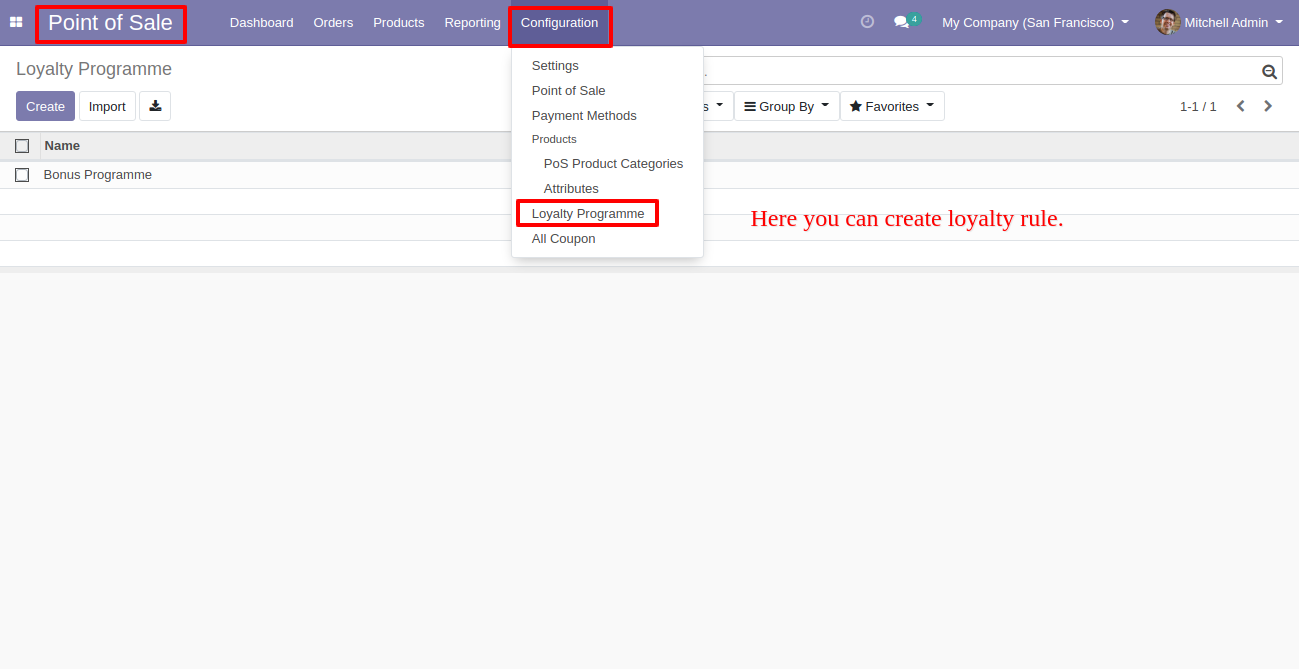
Loyalty Program Form View. Where you can create a loyalty program with different rules and rewards features.
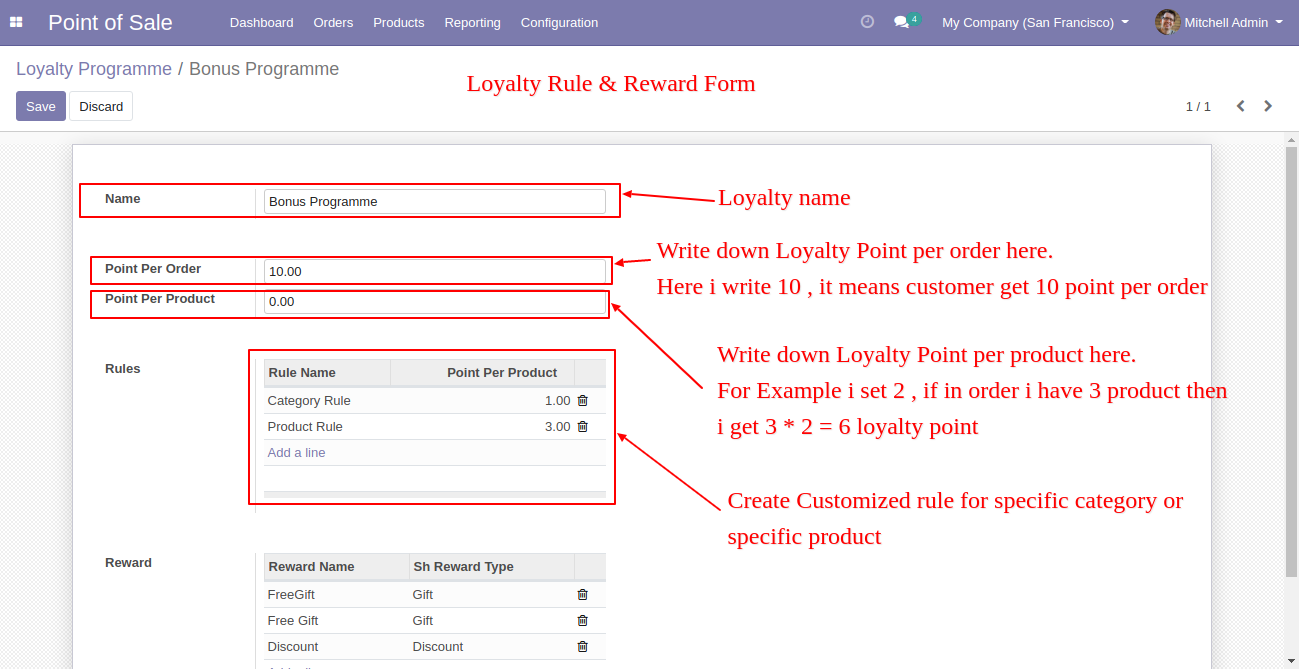
After click on 'Rules'. This wizard popout, where you can define the rules of loyalty points as per your requirements. Here in this image create rules for the particular product category. And click Save.
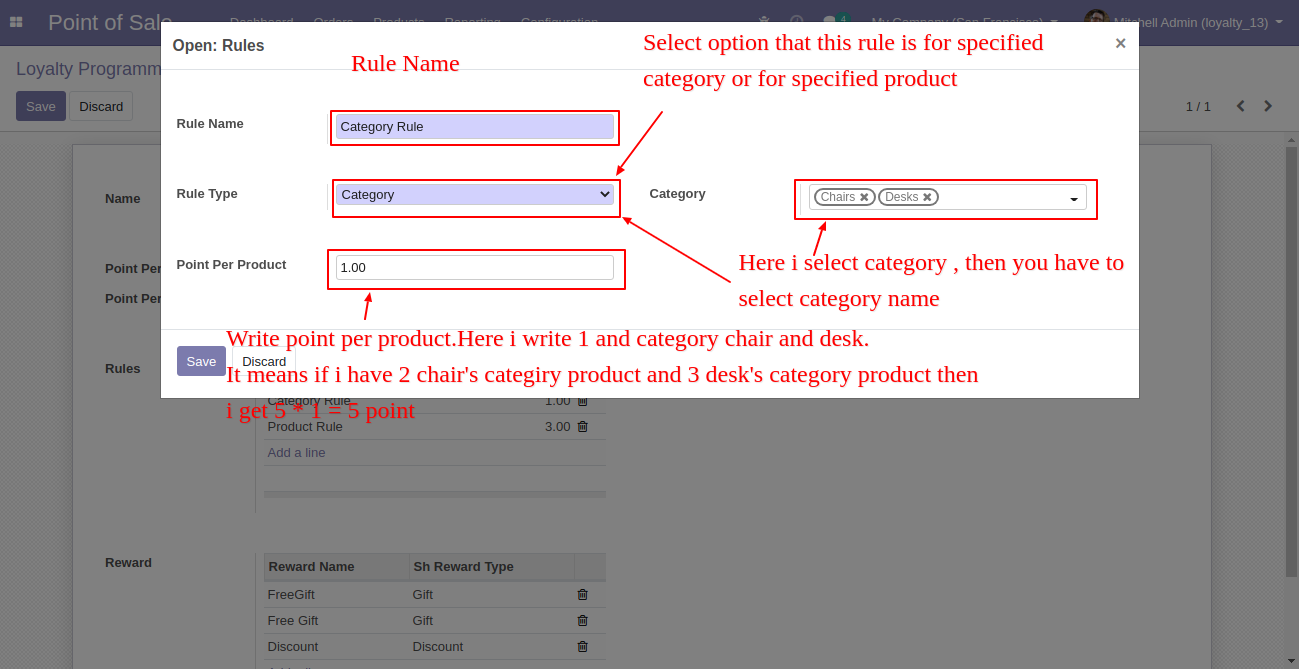
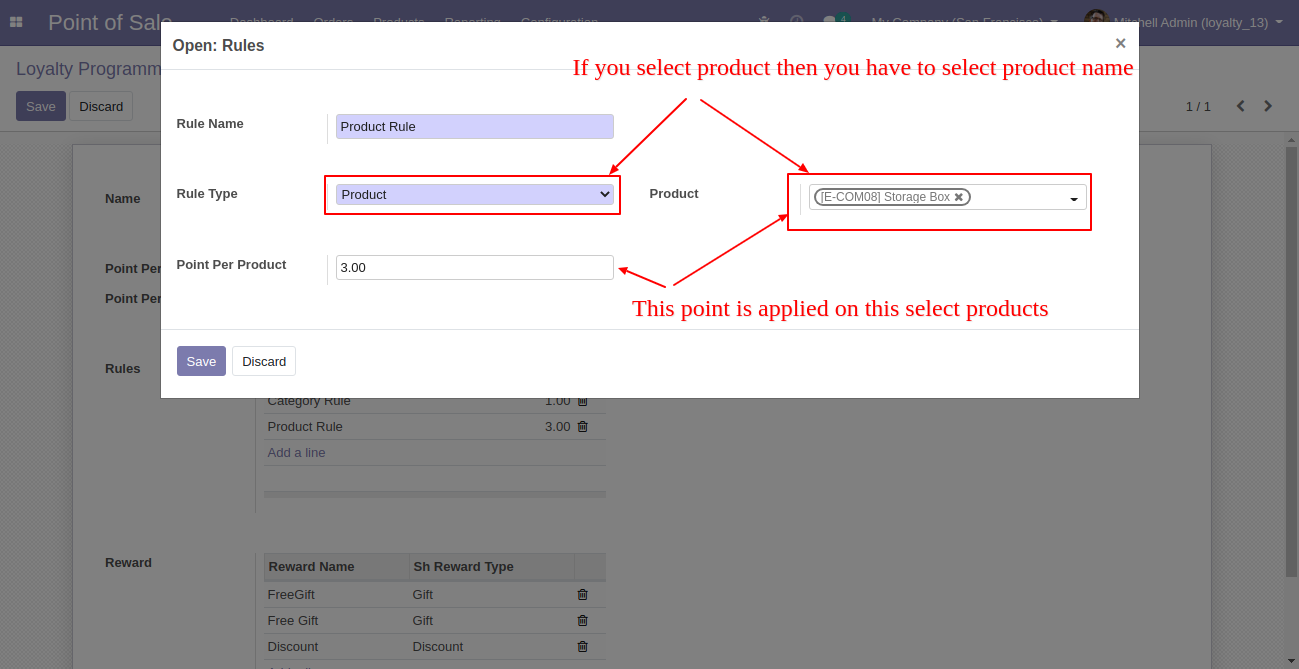
Here in this rules wizard, create rules for particular products, so just select rules type 'Product' and select those products in 'Product'.
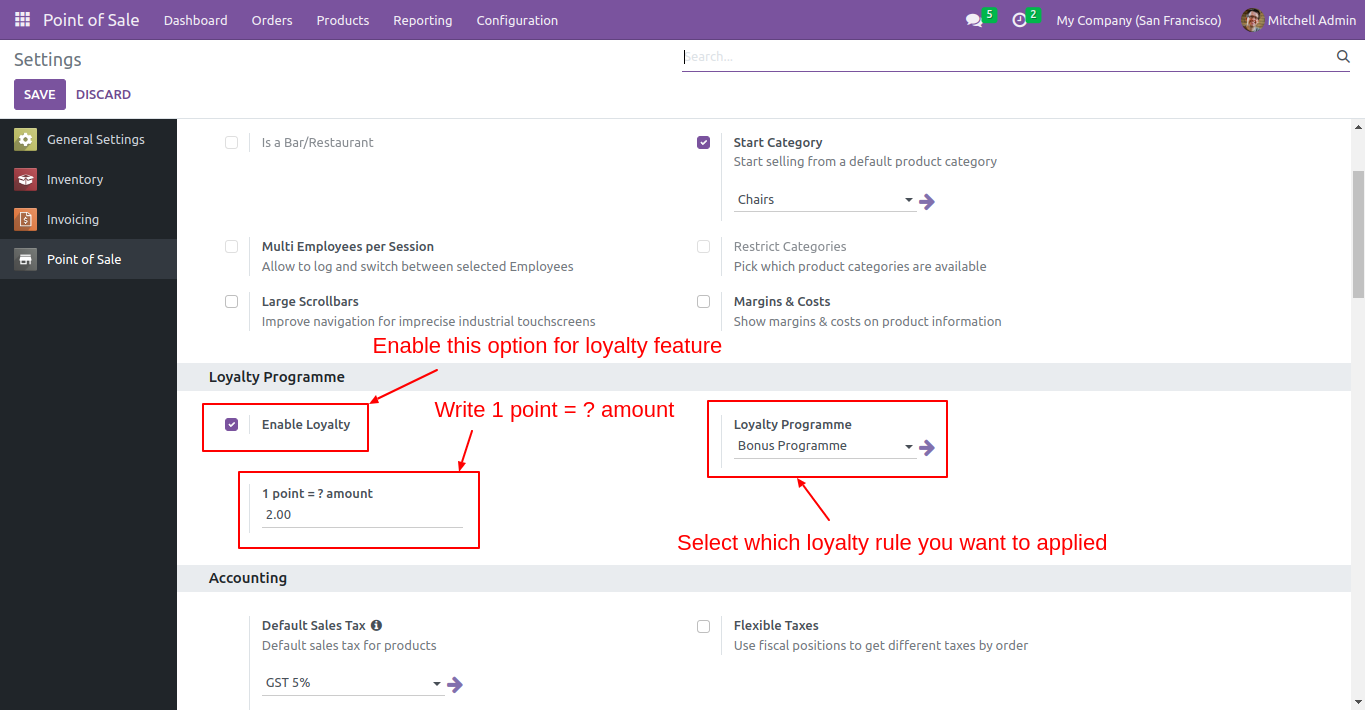
Now go to point of sale shop setting and enable 'Enable Loyalty'. After that, you have to set 1 point amount and select a loyalty program.
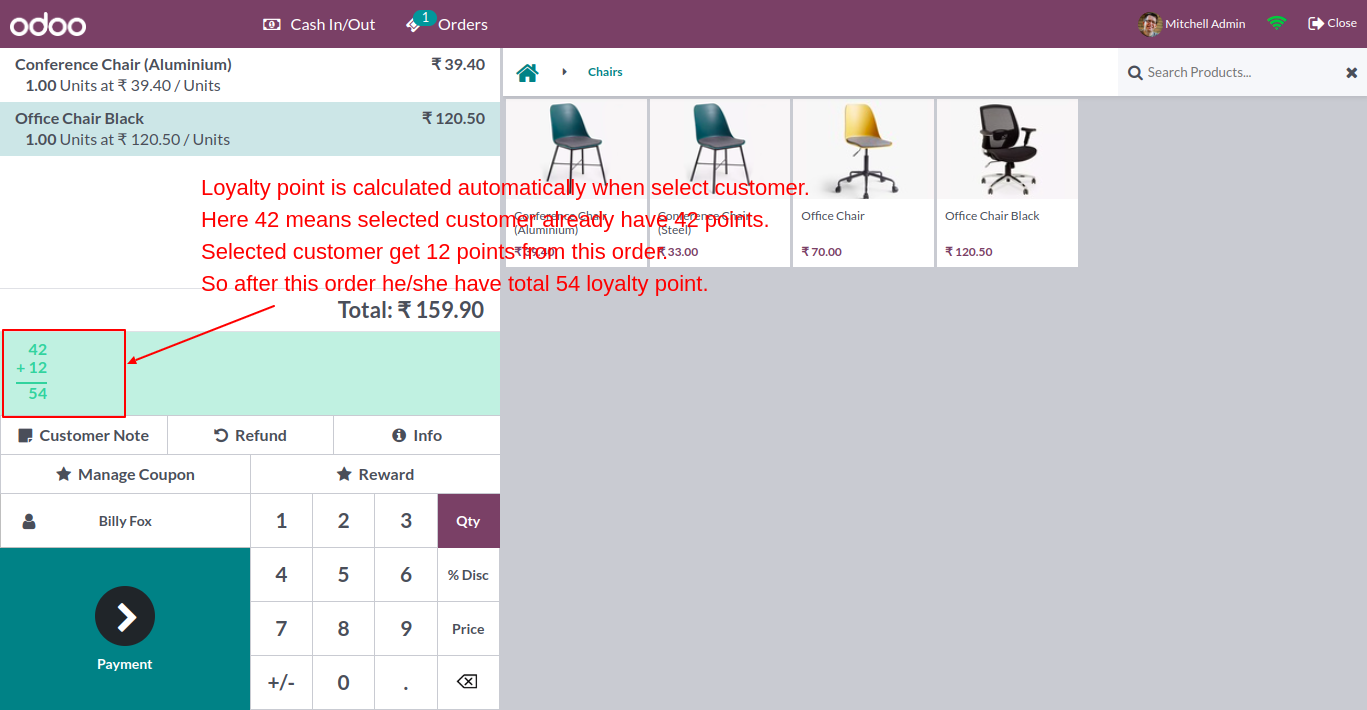
Now create a pos order for particular customer, you can see the loyalty points counter. Here 46 point is already earned and other 13 loyalty points are earned from the current order.
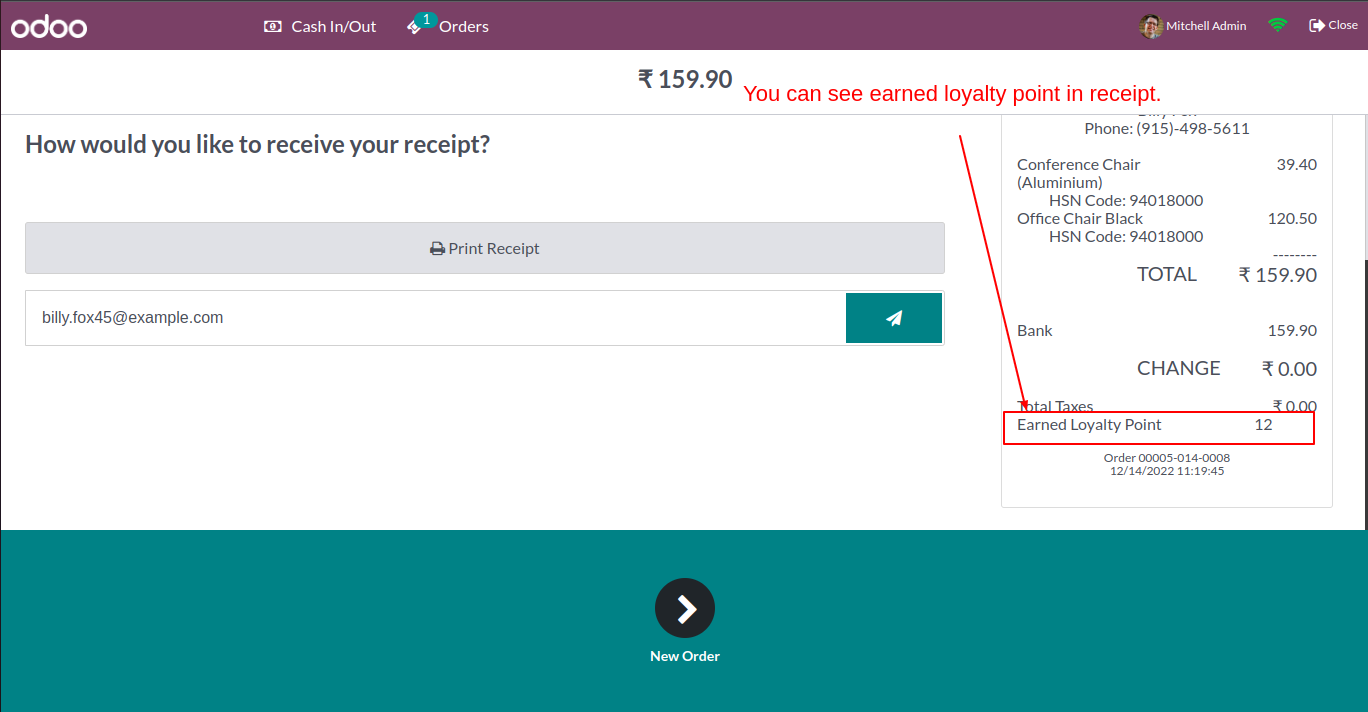
You can see the earned points on receipt from current order.
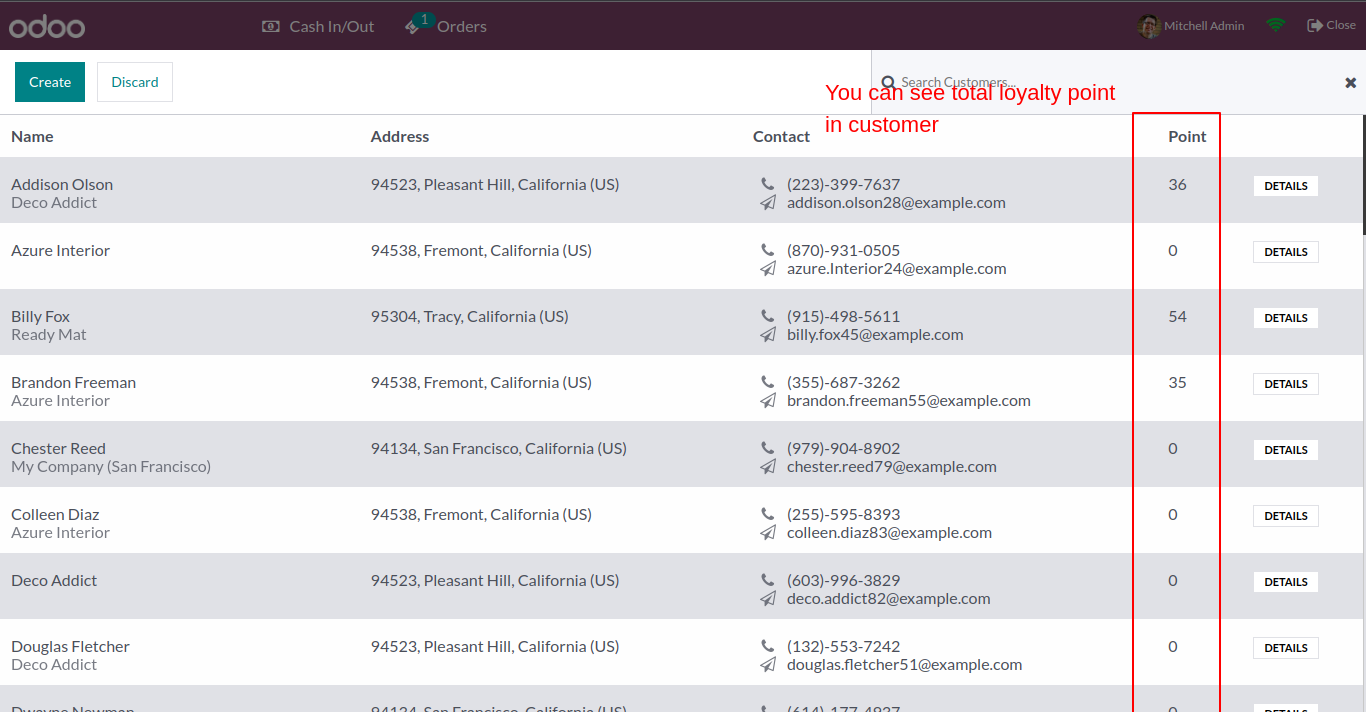
You can see the total loyalty point of each customer in customer list.
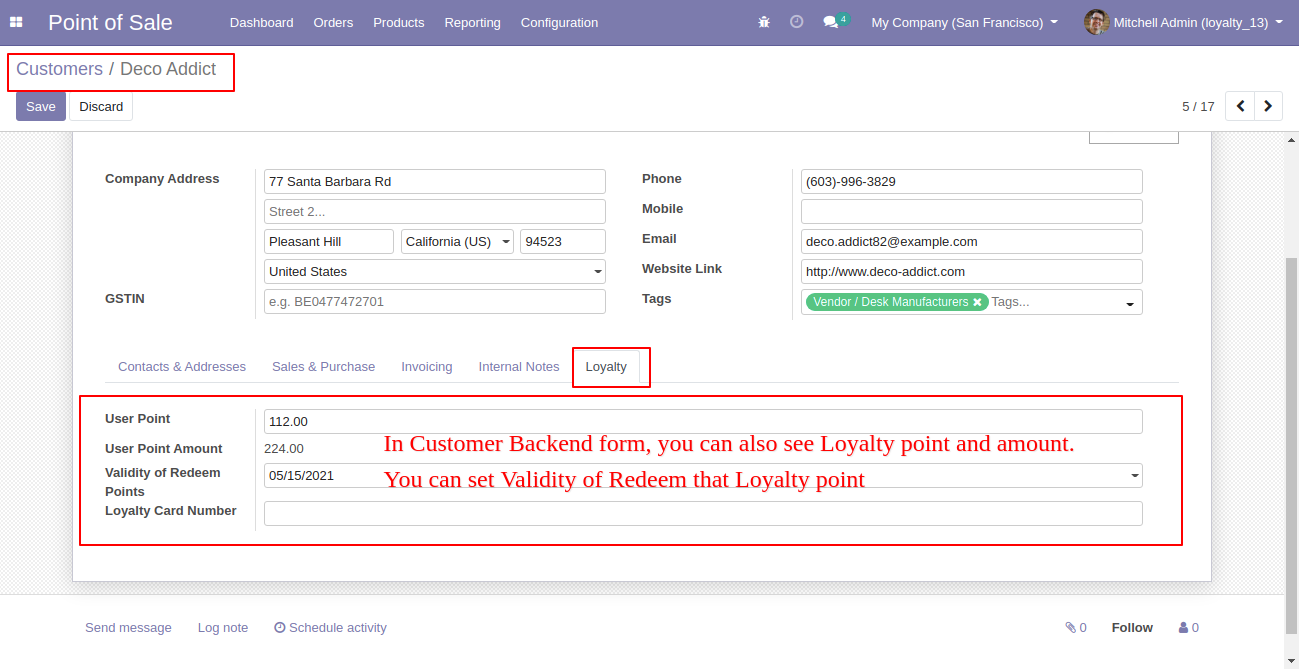
Also you can see the loyalty points, it's amount, validity date in customer form view.
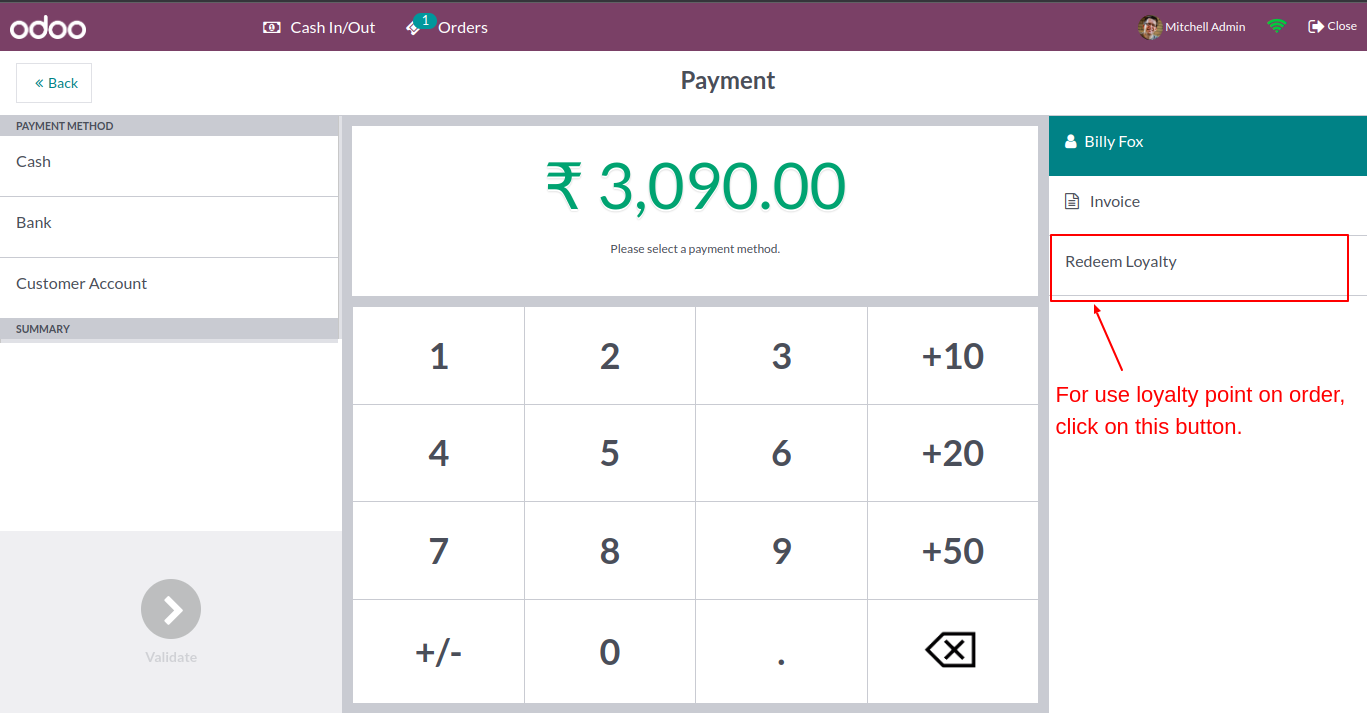
'Redeem Loyalty' button in payment view. Where you can redeem your loyalty points.
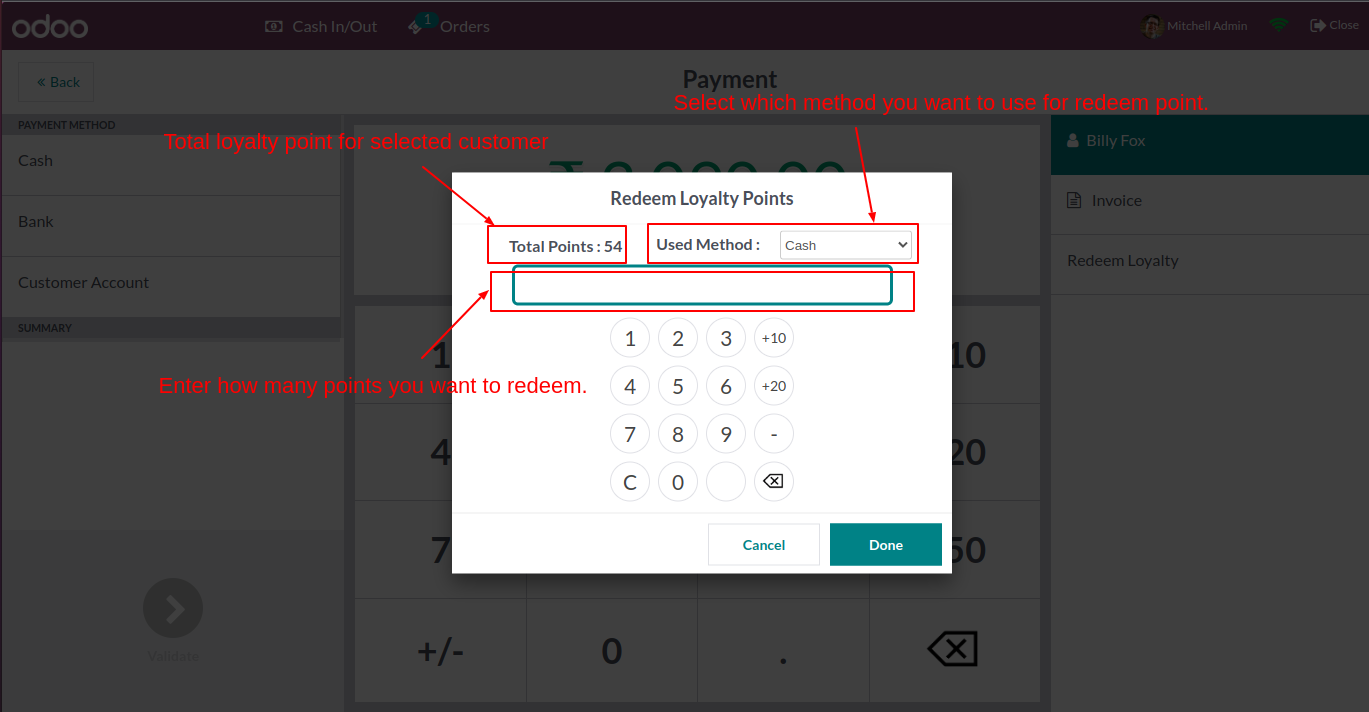
After click on 'Redeem Loyalty' this wizard popout, Here in this wizard you can add loyalty point. and click 'Done'.
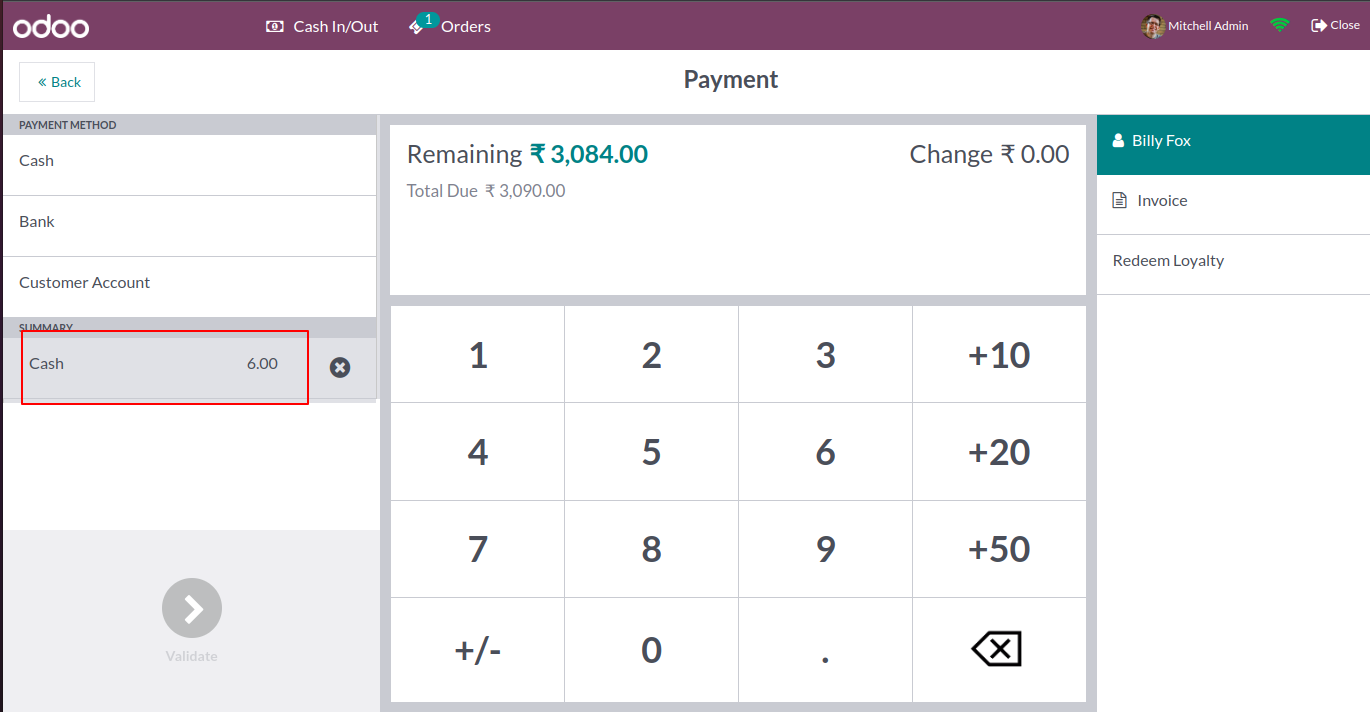
On payment screen you can see the total calculation of redeem points and its amount deduct from current order value.
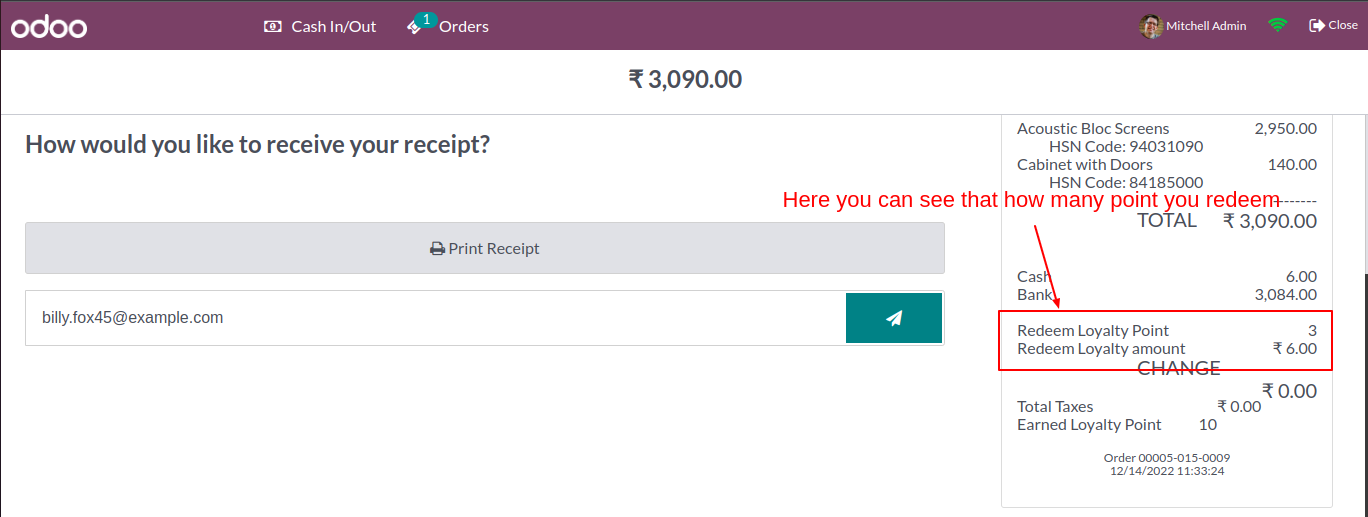
Redeem Loyalty points and amount on order receipt.
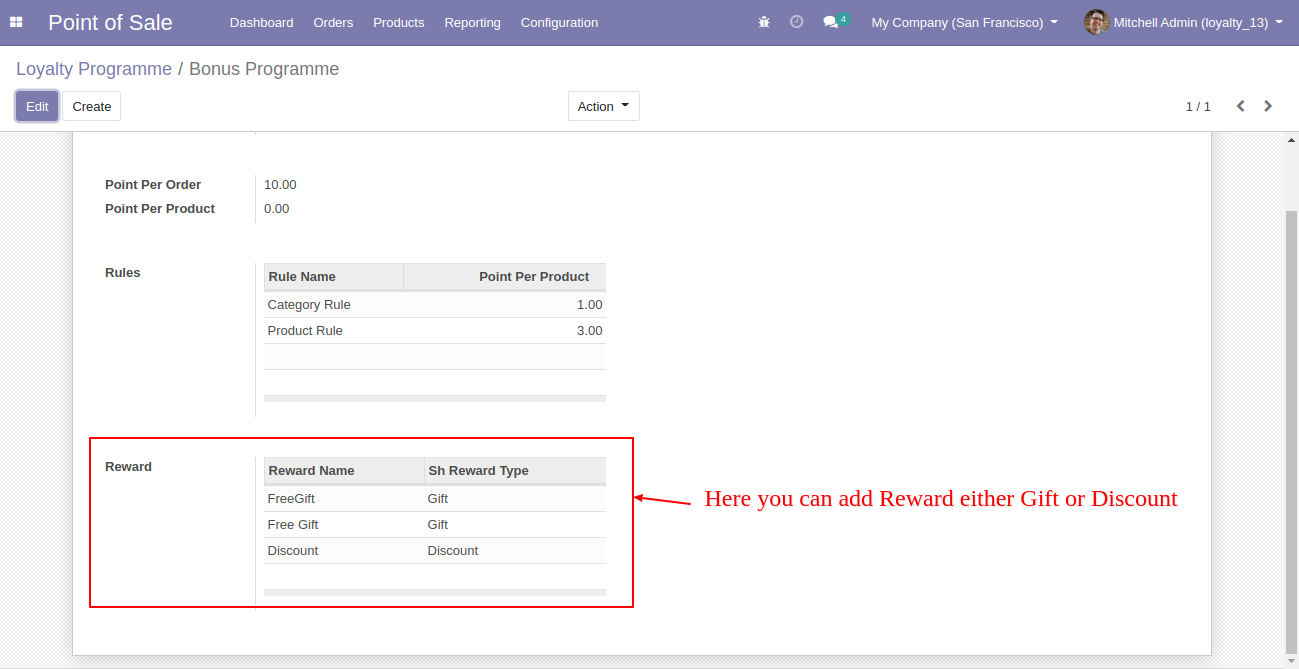
Here you can add reward.
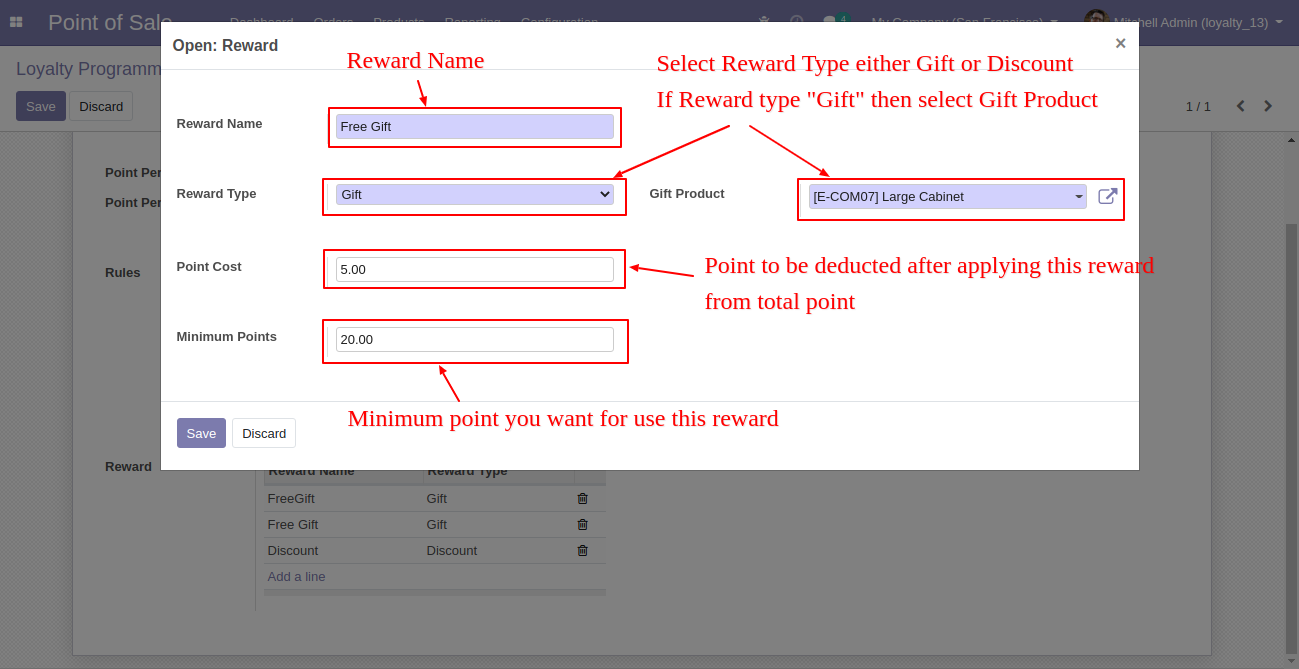
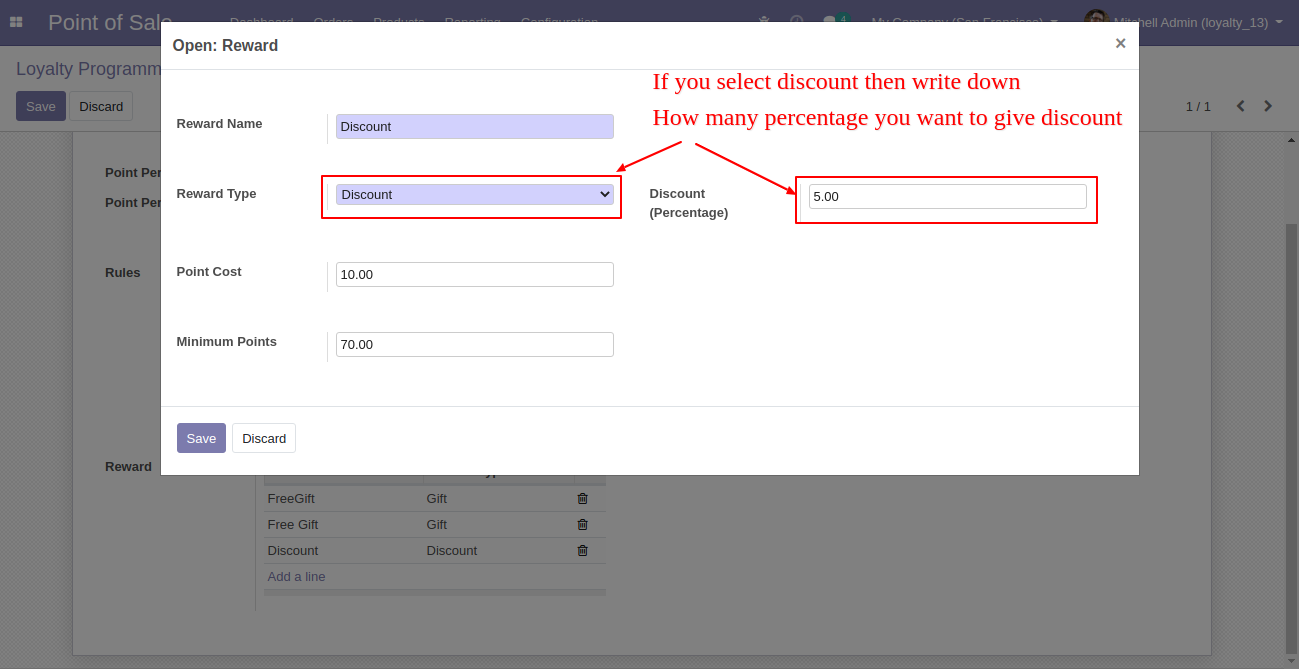
After click on add reward, this wizard pop out, here you can define reward as per your choice. Here two types of reward 1. Gif 2. Discount.
Here in this reward wizard , make discount type that means customer get discount in order if valid.
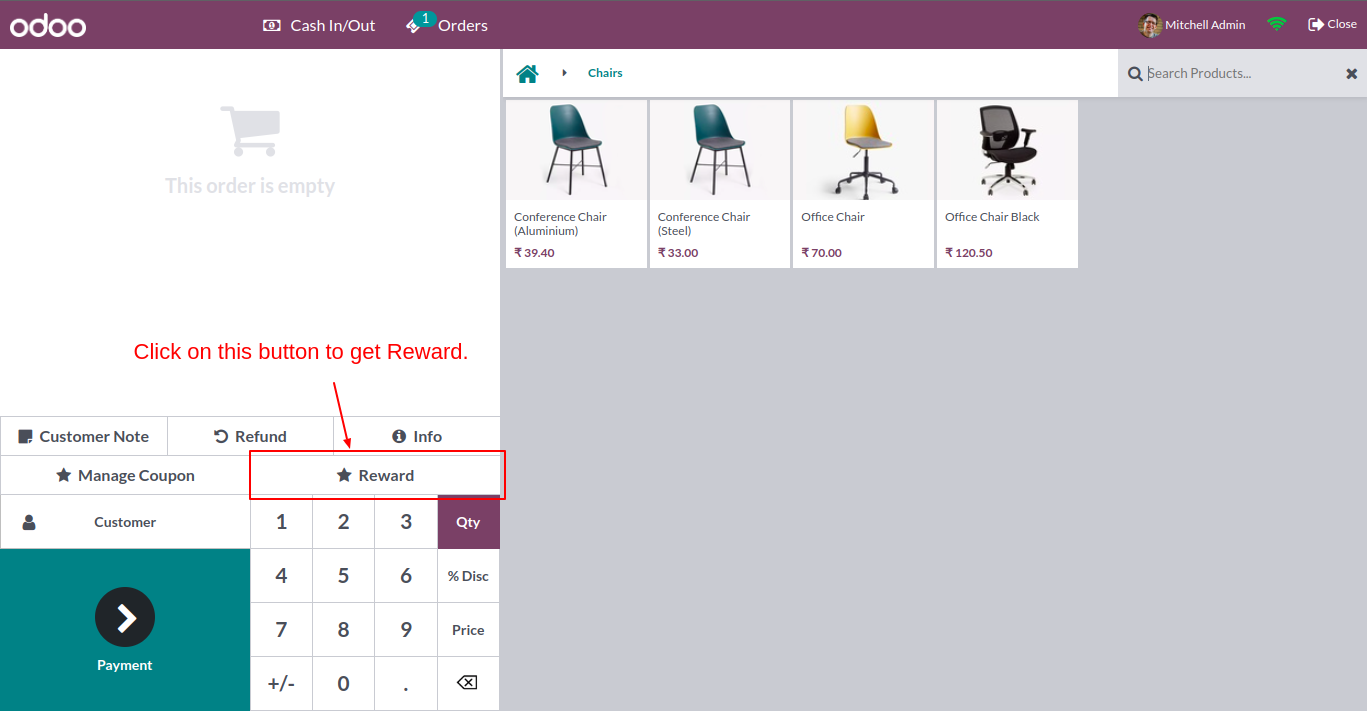
In pos shop screen you can see the reward button.
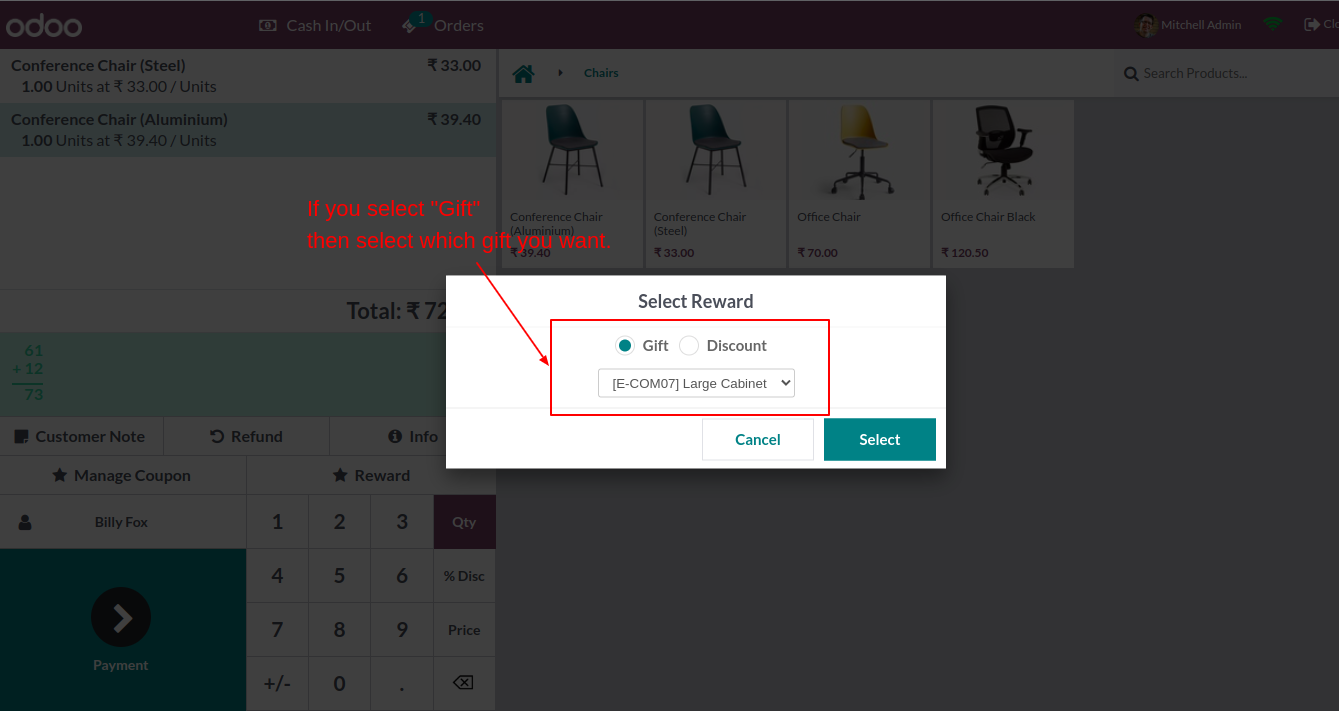
After click on that you can see the wizard, where you can select type of reward and it will display related this, like here select 'Gift' so it display product added on order with no cost.
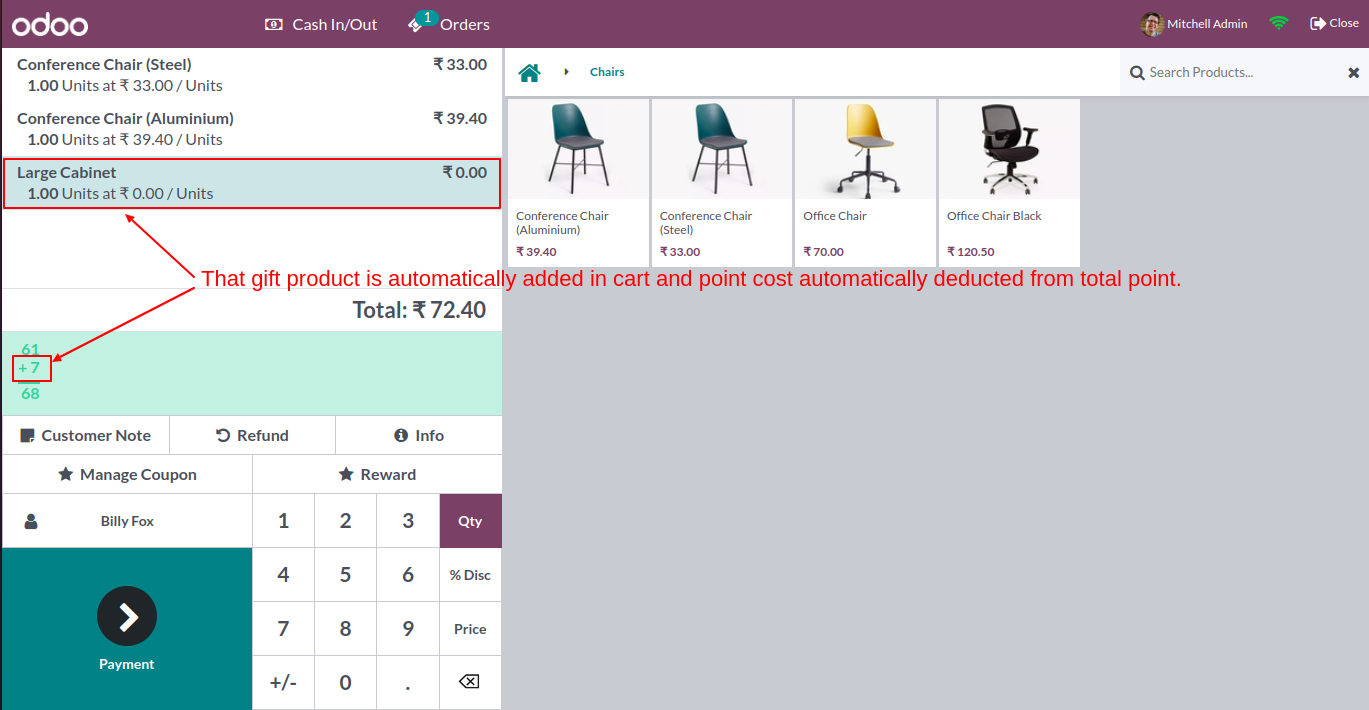
Gift product added in order with no cost.
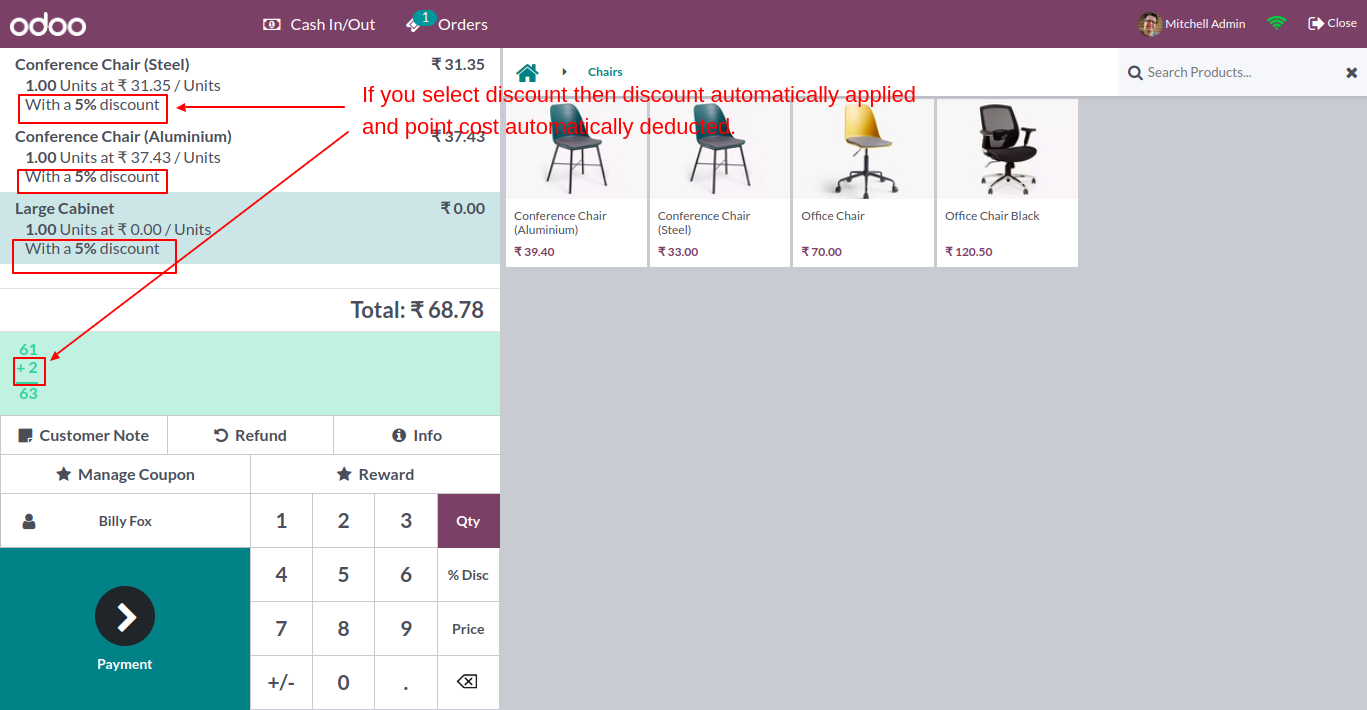
If reward is discount selected then, it will automatically apply on order.
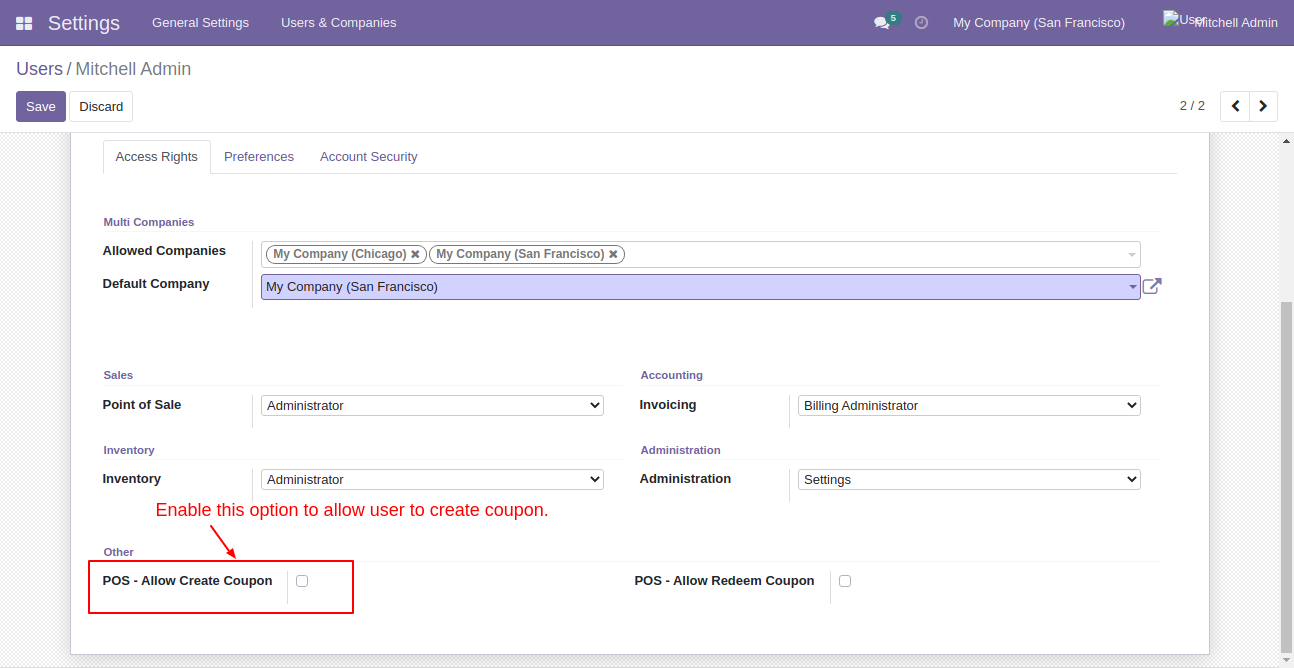
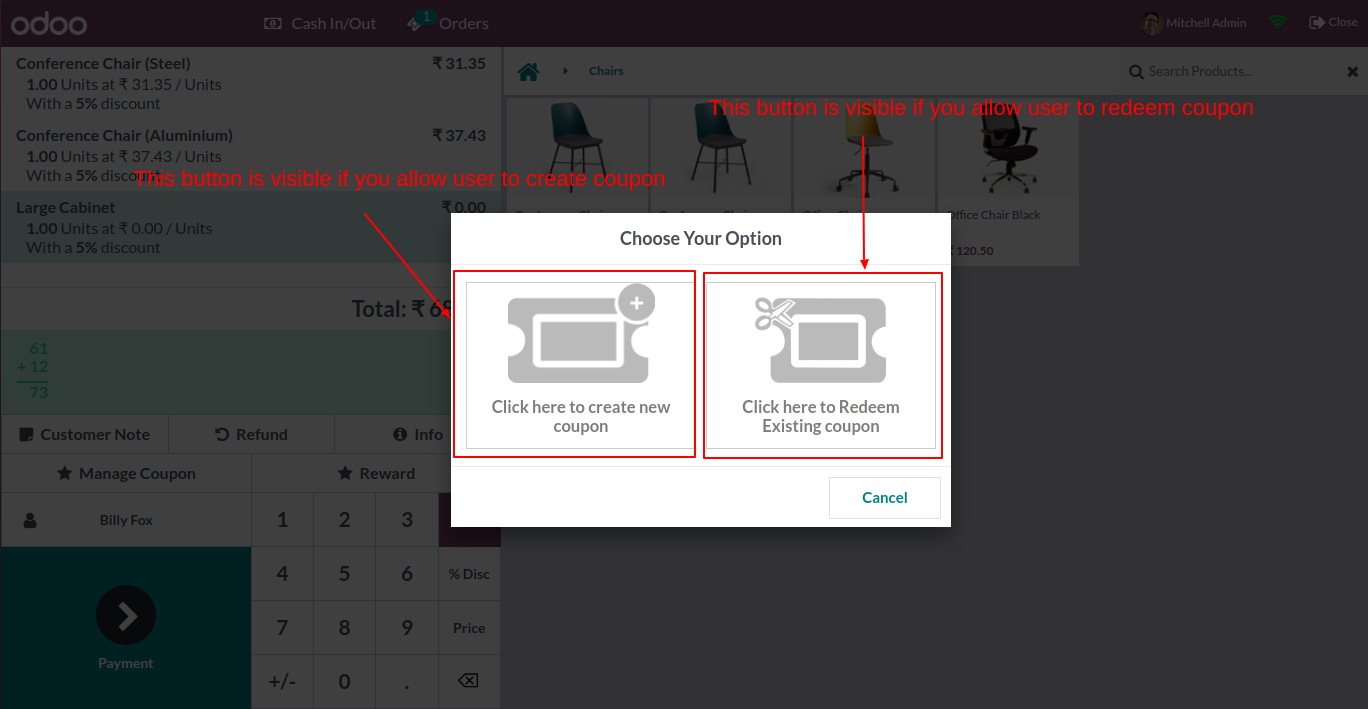
Enable the "POS - Allow Create Coupon" option to allow the user to create a coupon.
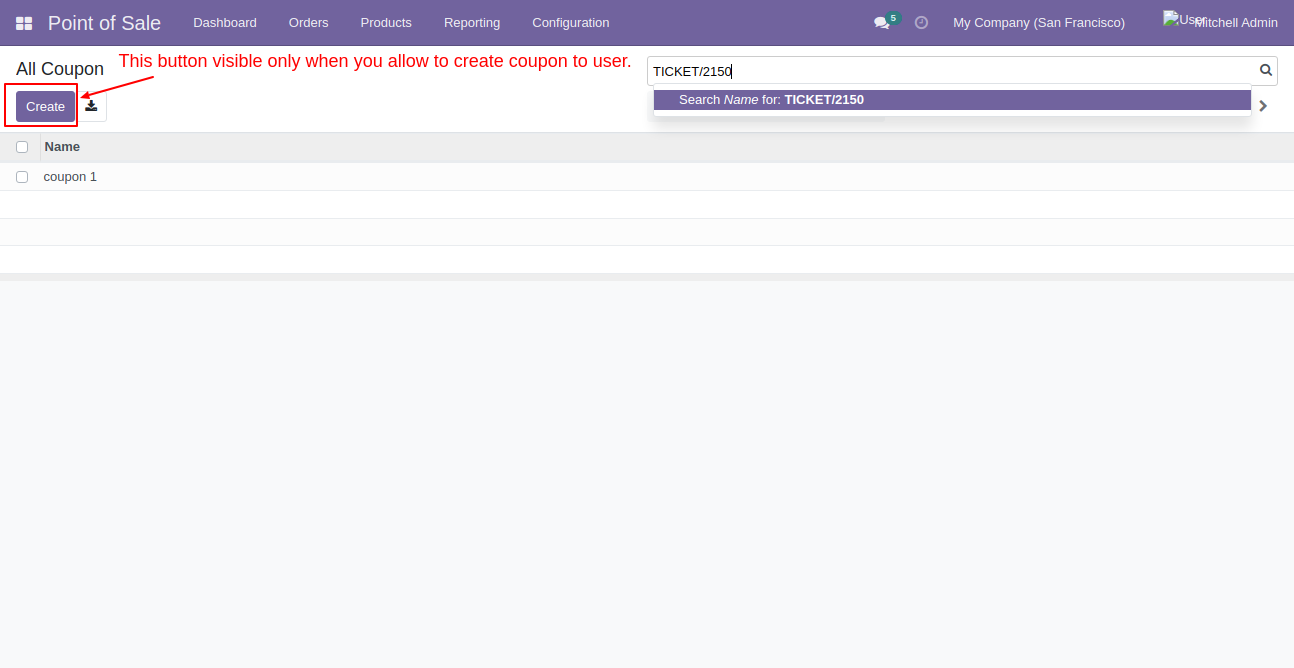
The "Create" button is visible only if the "POS - Allow Create Coupon" option is enabled.
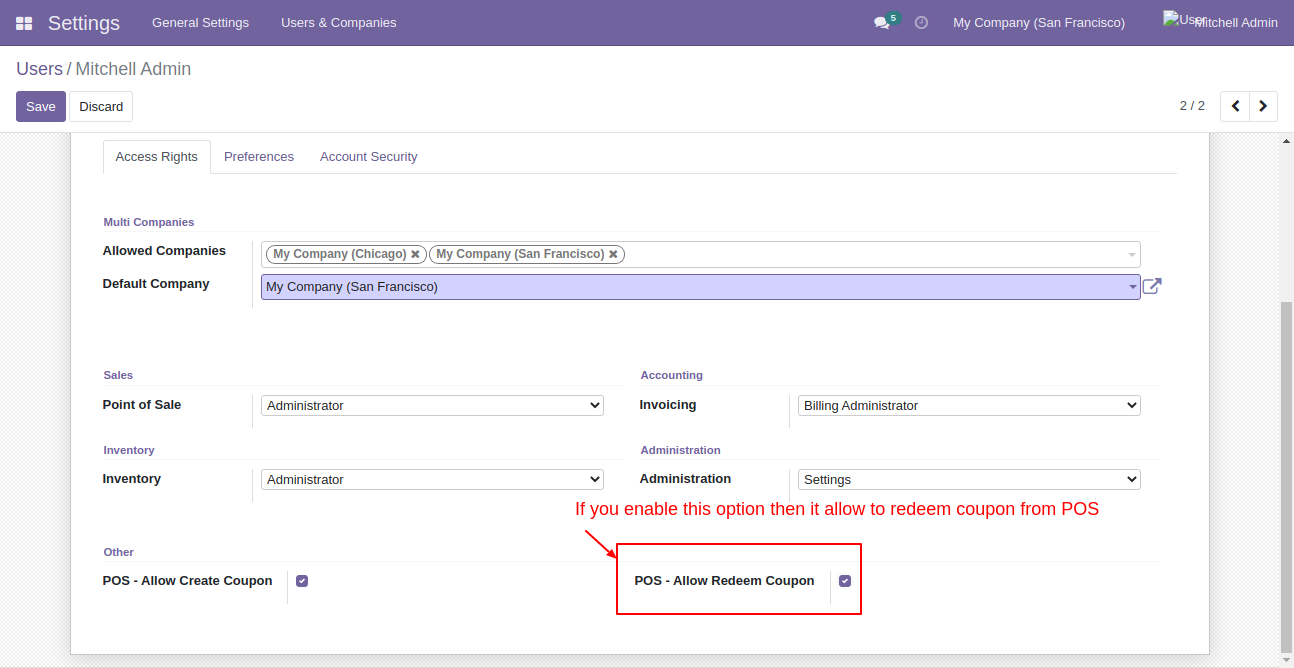
Enable the "POS - Redeem Create Coupon" option to allow redeem the coupon from POS.
Create & redeem coupon button visible only if you have enabled those options.
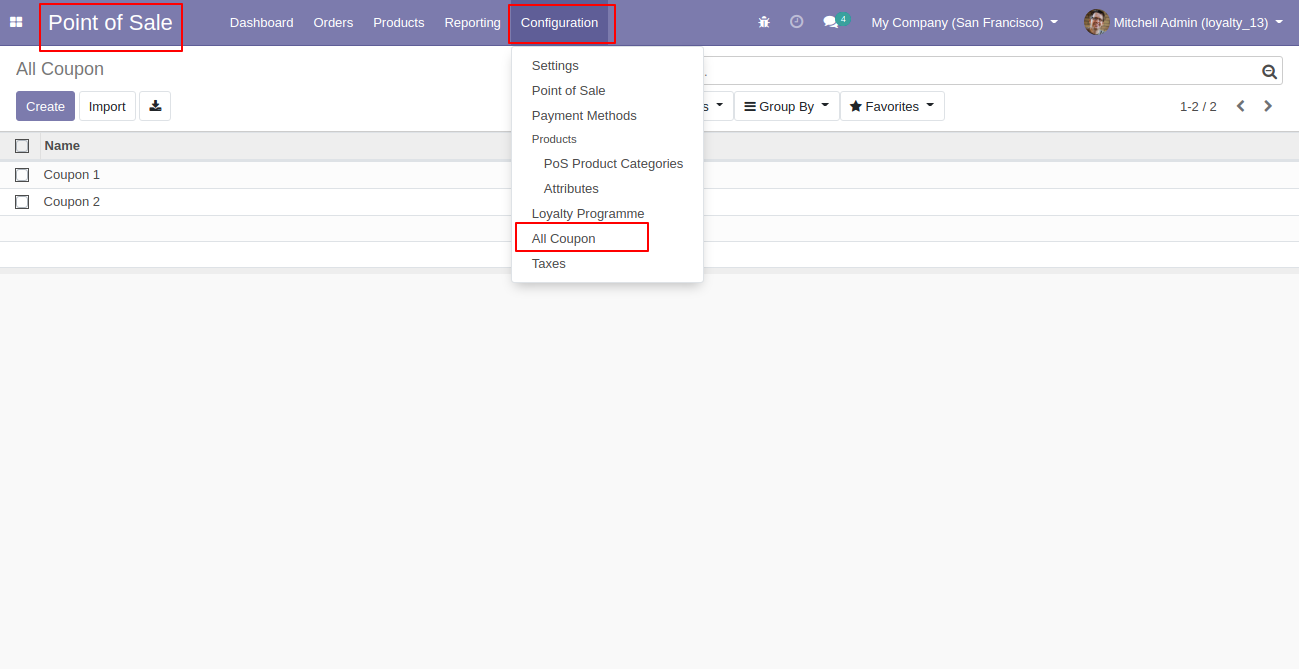
Coupon tree view and menu.
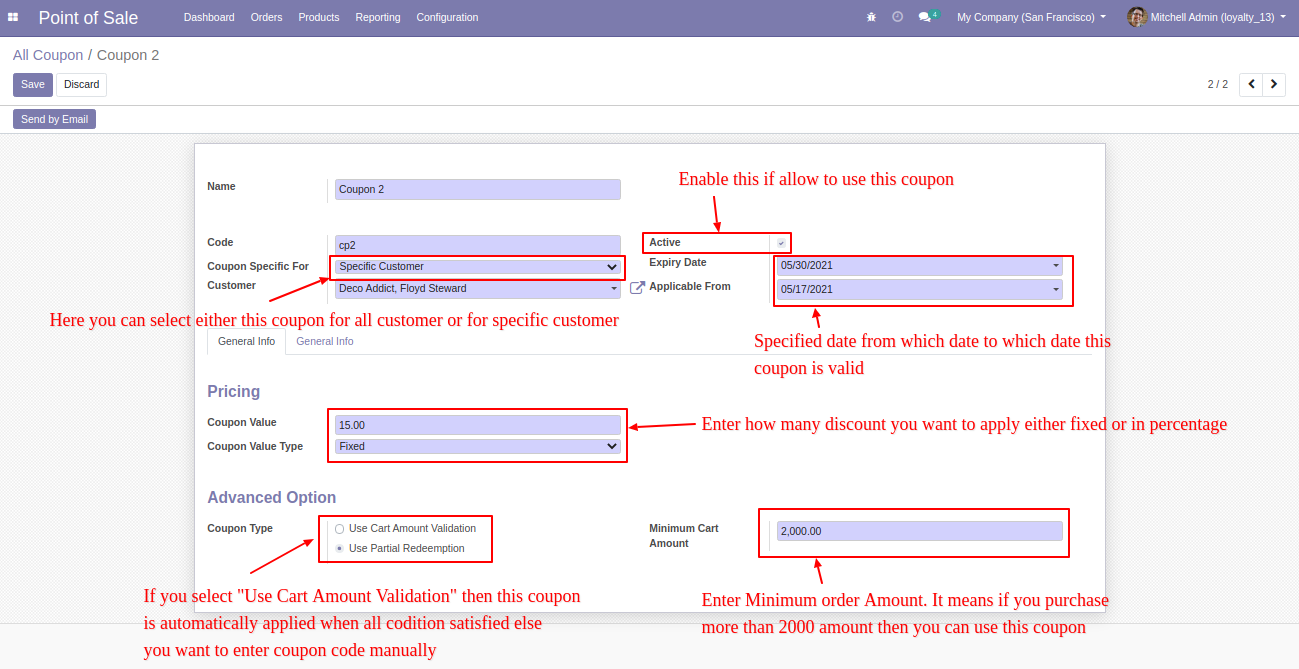
Coupon form view, here you can create a coupon as per your requirements.
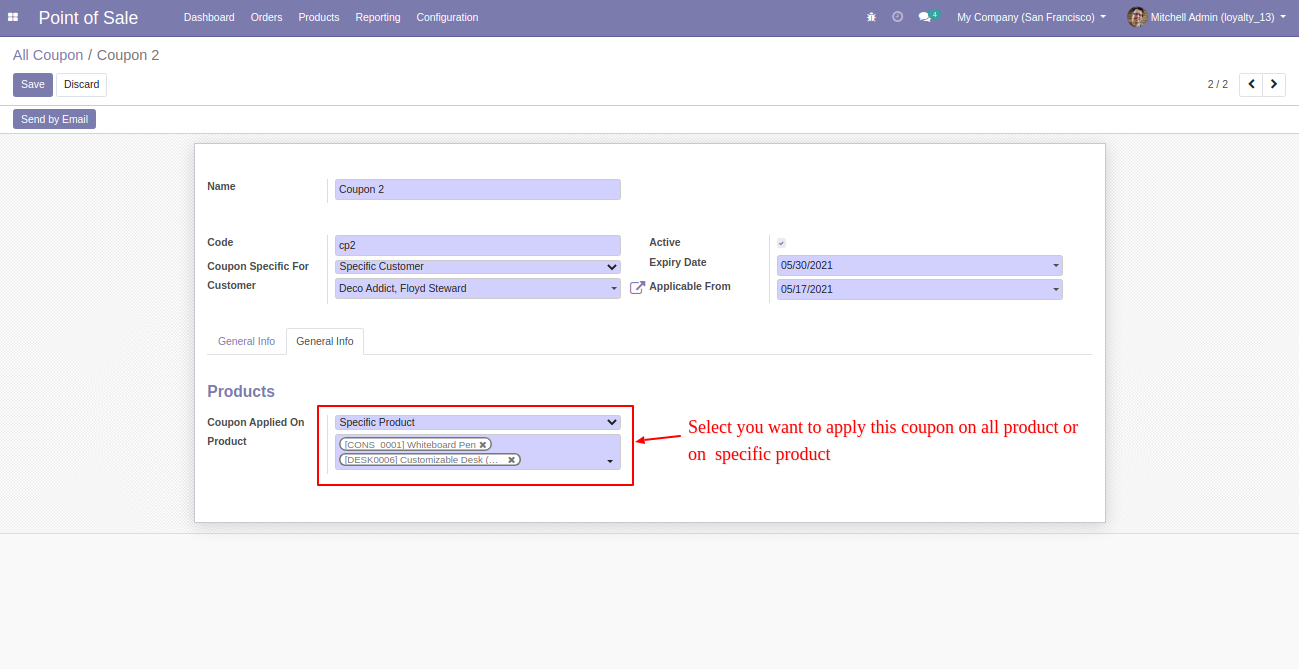
In 'General' tab where you can set coupon applied.
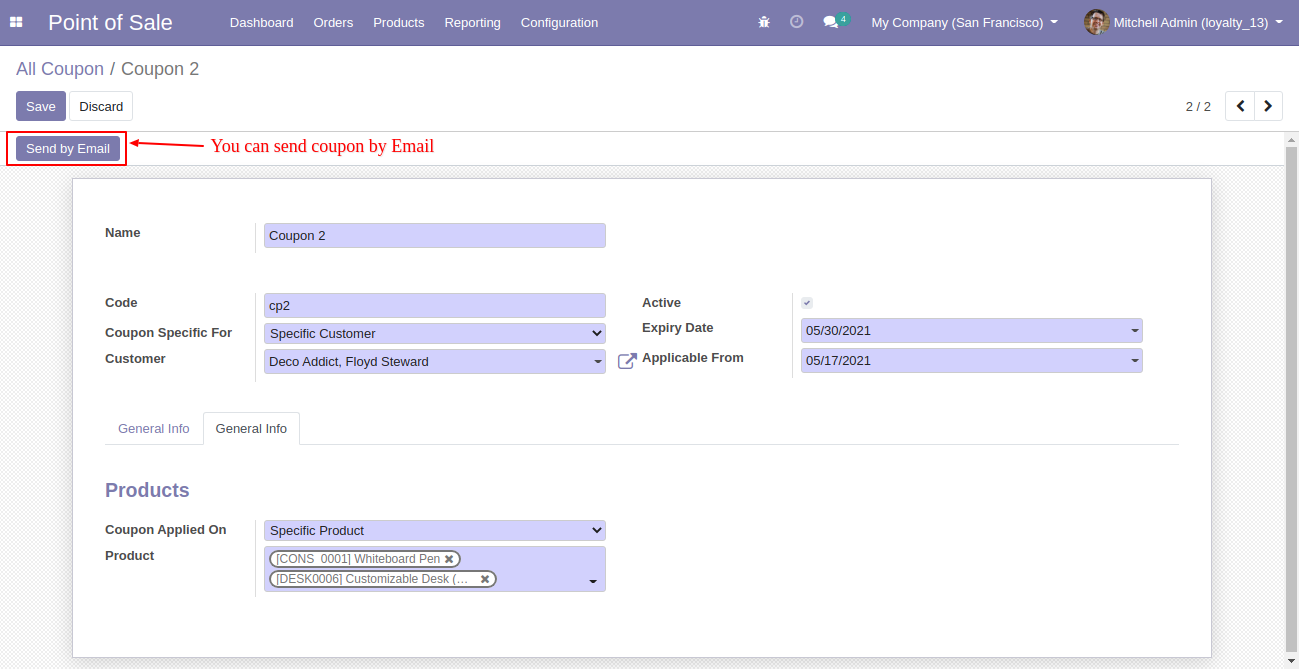
Click 'Send By Email', you can send coupons to your customer as well.
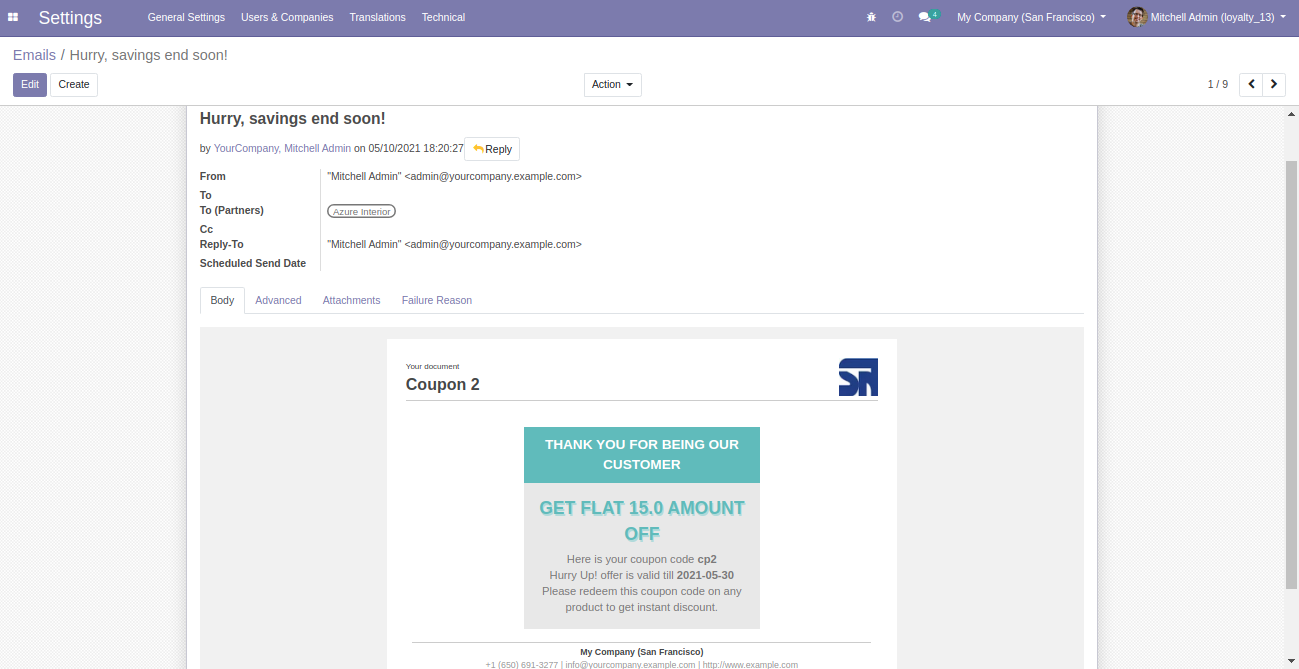
Email Template.
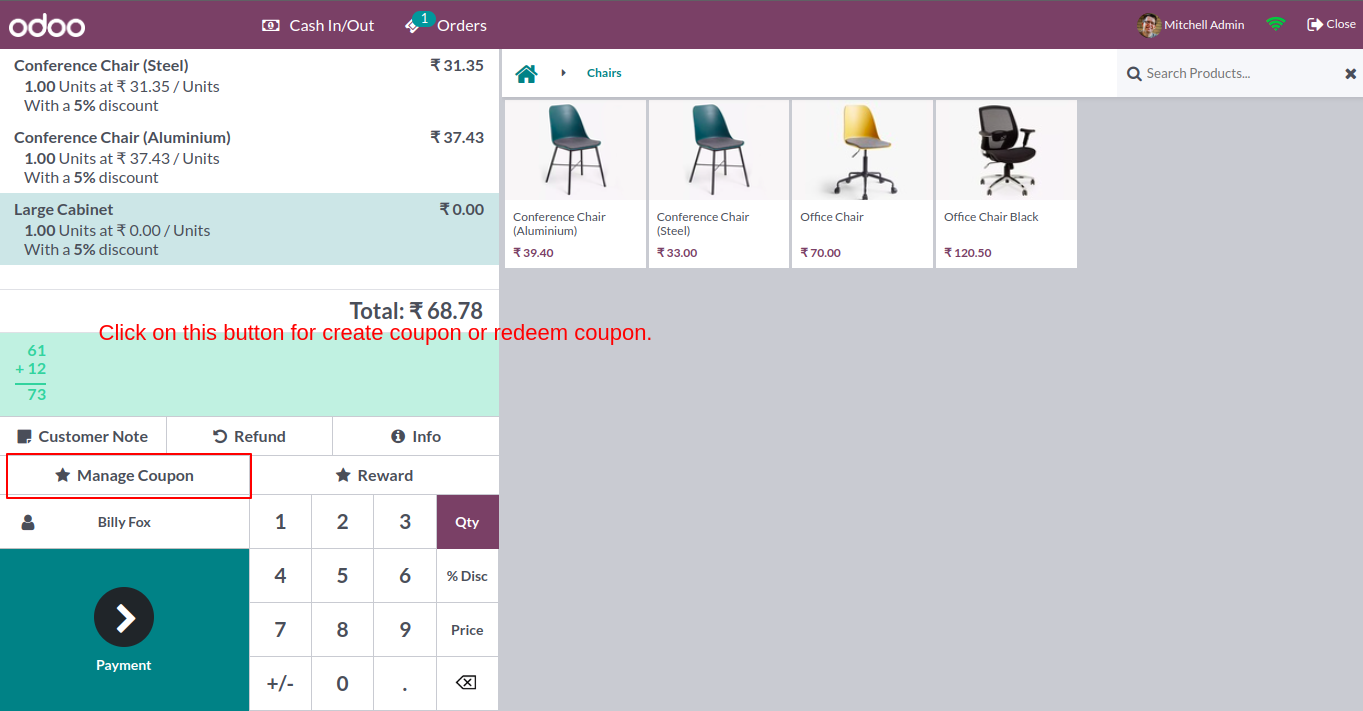
Click 'Manage Coupon' in pos shop page.
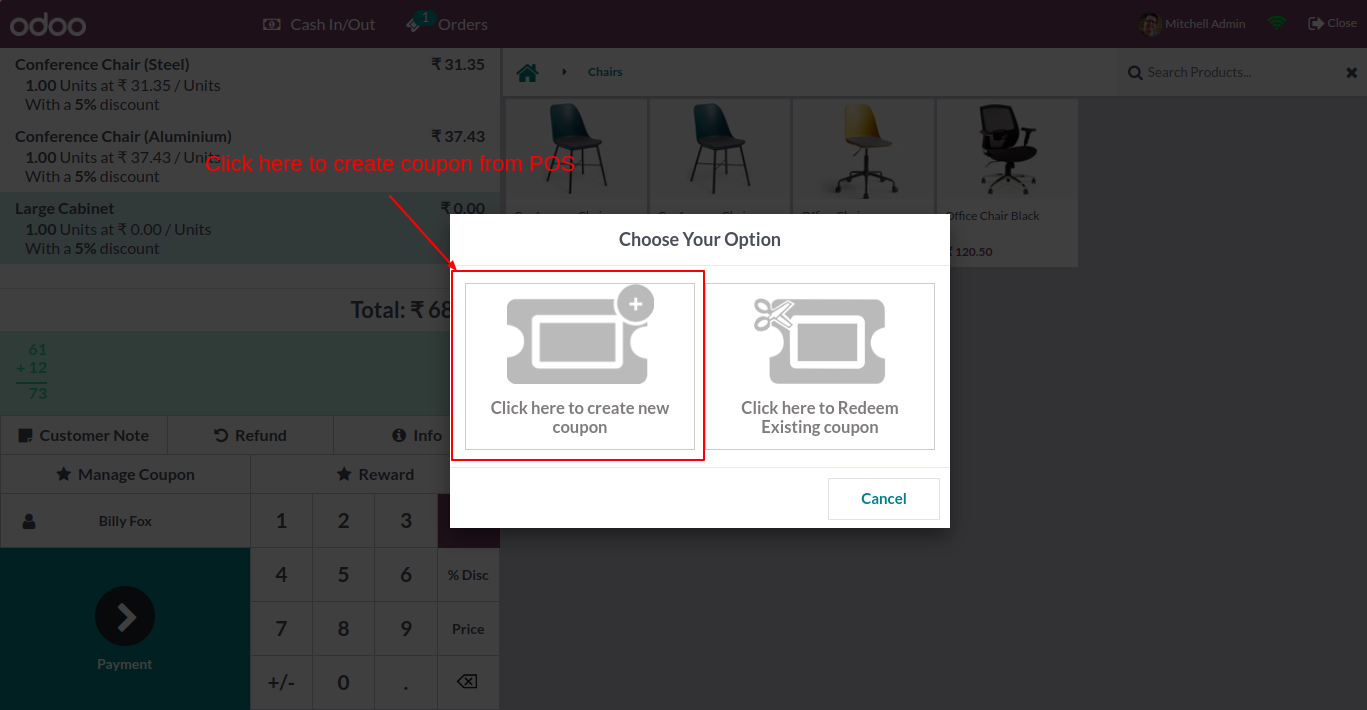
After that this wizard popout, here you can create a new coupon or apply.
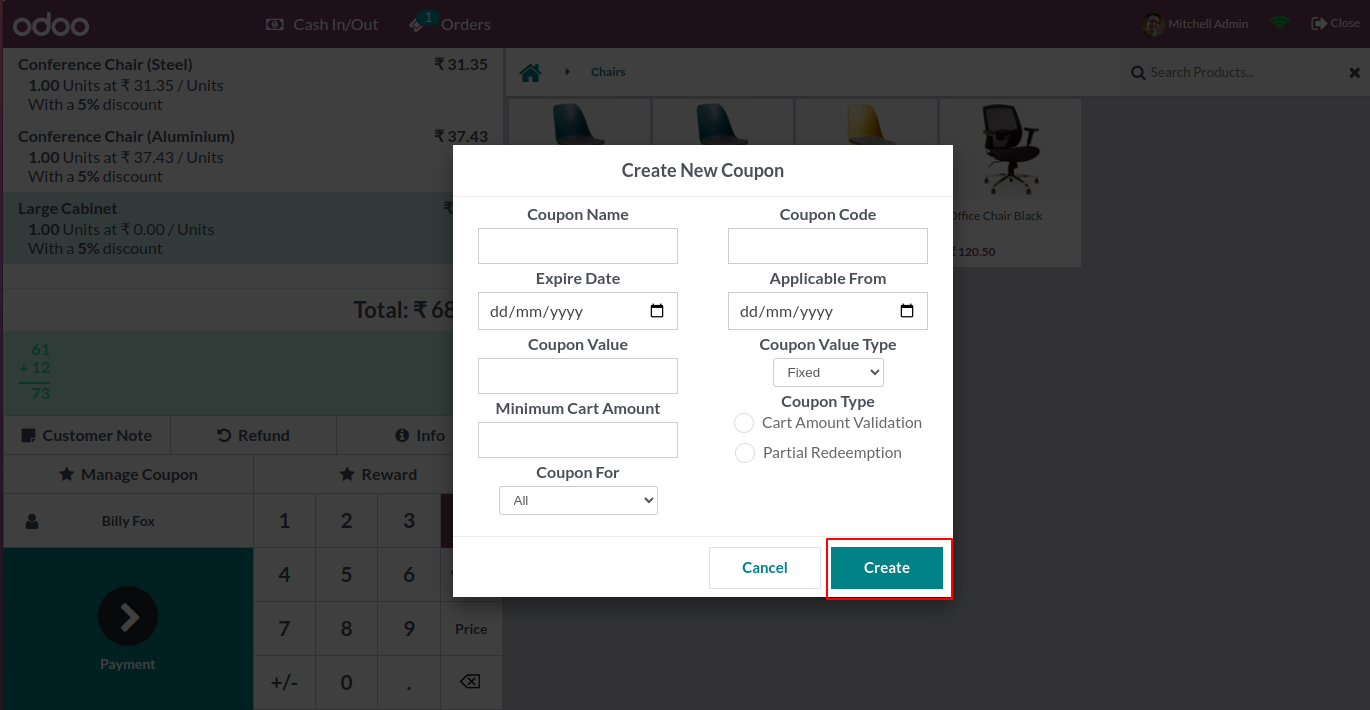
After click on 'Create Coupon', this wizard open and create coupon .
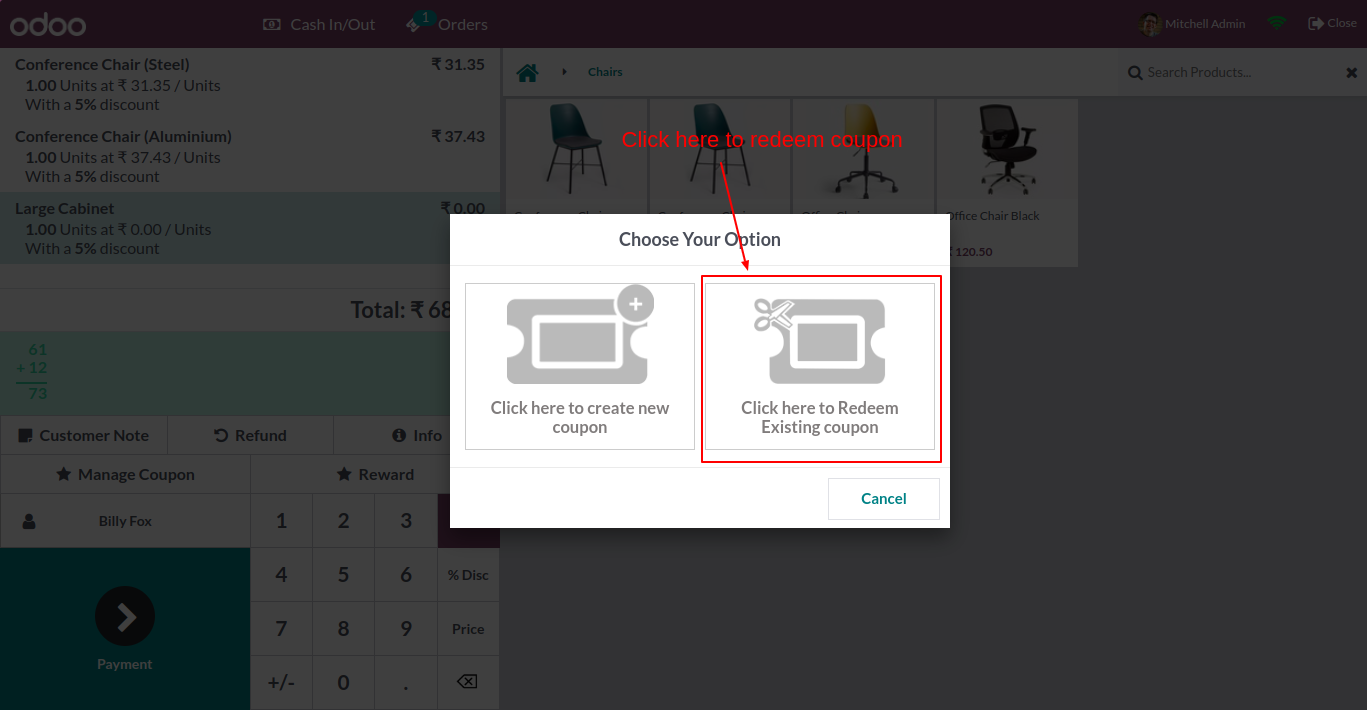
If you want to apply coupon on this order. Click on 'Redeem Existing Coupon'.
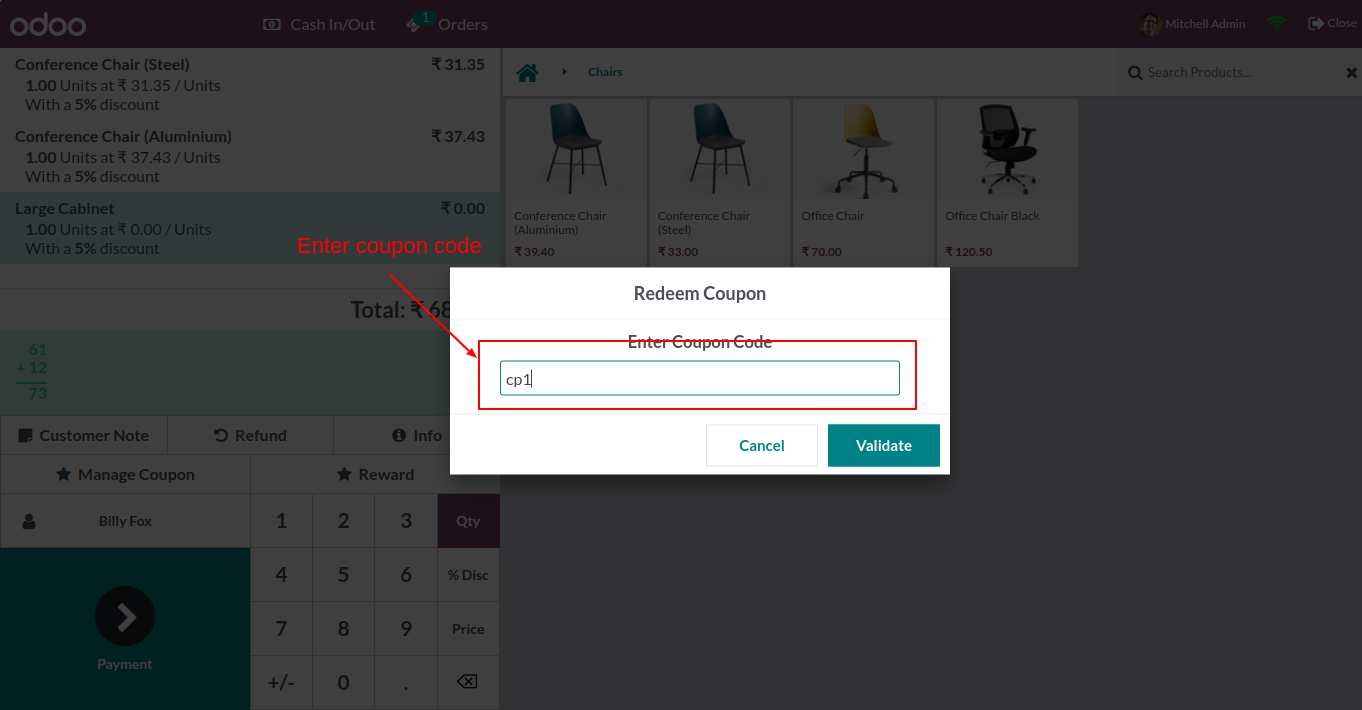
After that you have to add coupon code and click 'Validate'.
Successfully applied coupon message.
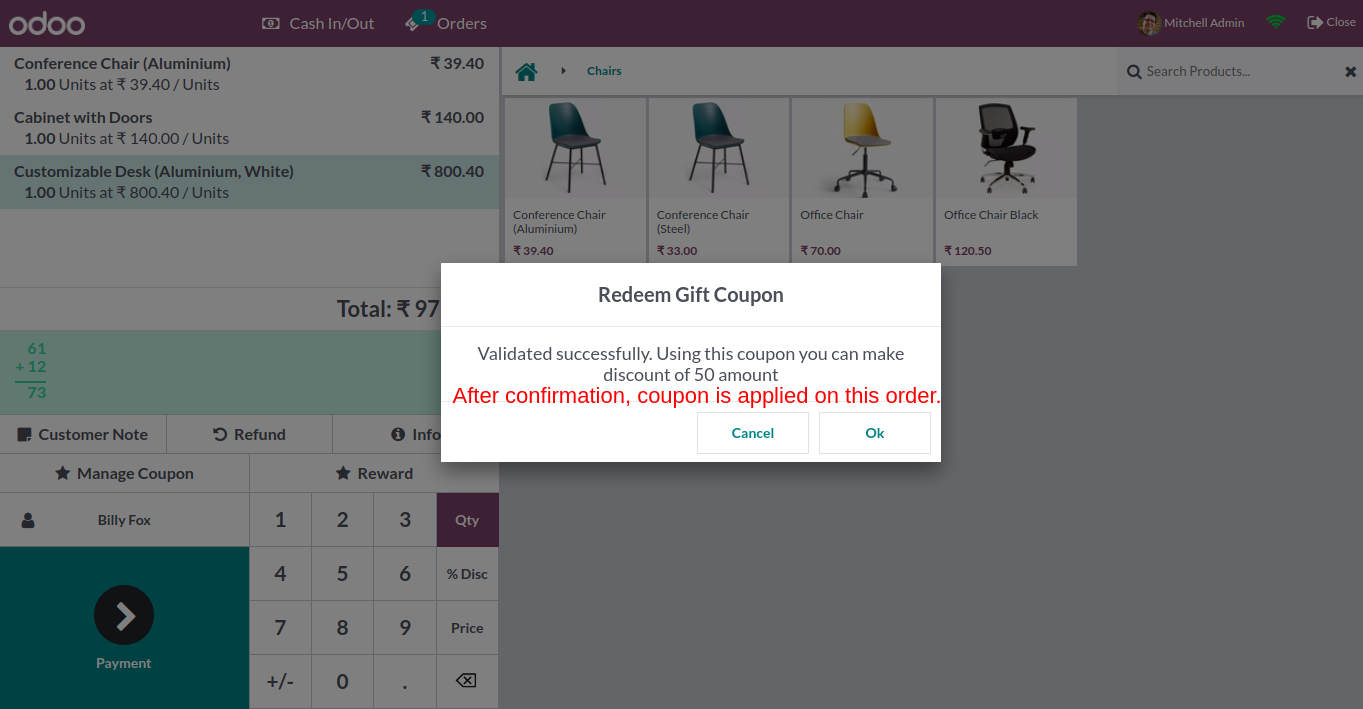
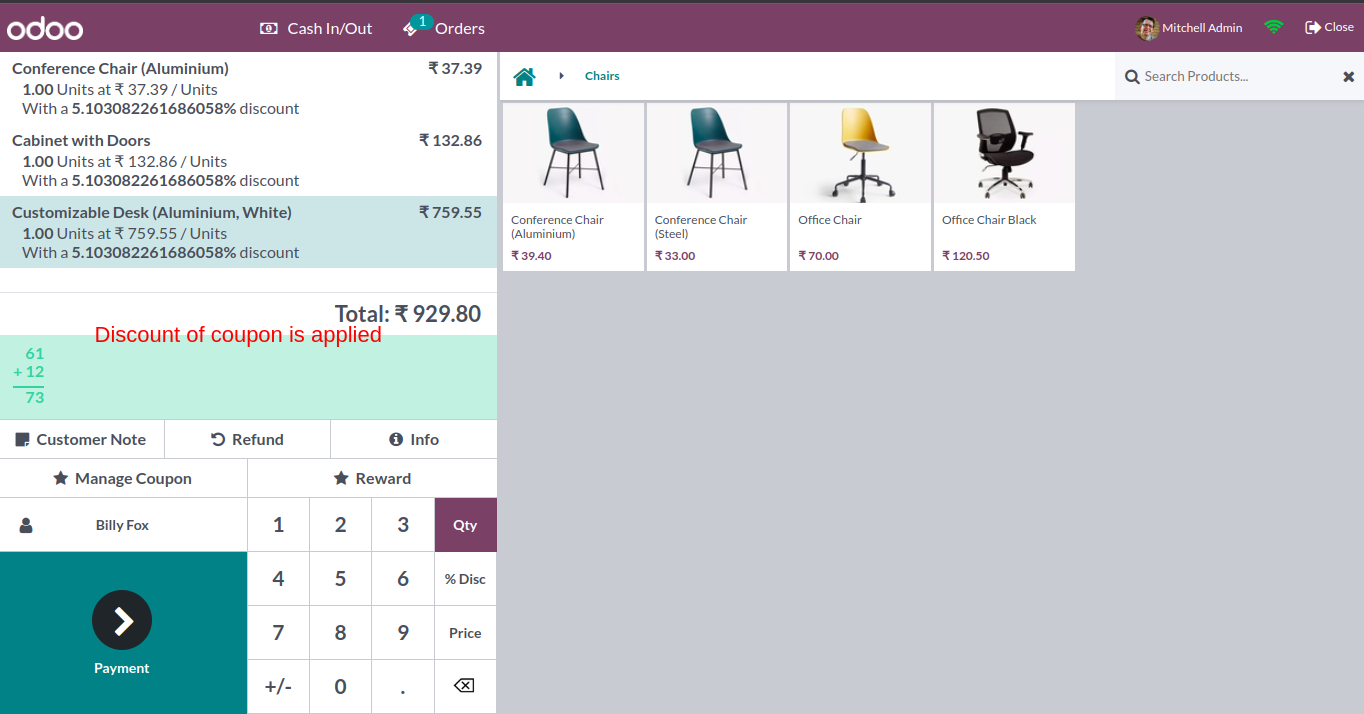
A coupon is applied.
Version 20.0.1.0.0 | Released on : 15th September 2026
- Yes, this app works perfectly with Odoo Enterprise (Odoo.sh & Premise) as well as Community.
- No, this application is not compatible with odoo.com(odoo saas/Odoo Online)
- Yes, to test this module, please contact us at sales@softhealer.com.
- Please contact us at sales@softhealer.com to request customization.
- Yes, we provide free support for 365 days from the date of purchase.
- Yes, you will receive lifetime free updates for the version of the module you purchased.
- No, there is no need to install any additional libraries.
- Yes, for version 12 and above, you need to purchase the module separately for each version you intend to use.
- No, exchanges or refunds are not allowed. Please make sure to select the correct version before purchasing.
- You can contact us at support@softhealer.com for language translation support. We use Google Translator tools to provide translations in multiple languages, so the accuracy may vary. We welcome your suggestions to help improve translations.
Discover Our Latest Apps