












Point Of Sale Offline Management

POS Offline empowers your Point of Sale with seamless offline capabilities. Transform your POS into a high-performance Progressive Web App (PWA) that works even without an internet connection. Create orders, manage customers, create products, and perform cash moves offline. All data is automatically synchronized once the connection is restored, ensuring zero downtime for your business.

Features

Offline Order Synchronization
Allows creating and saving POS orders while offline, automatically syncing them when a connection is restored.

Progressive Web App Support
Convert Odoo POS into a Progressive Web App for a fast, reliable, and app-like experience across devices.

Offline Invoice Management
Create and post an invoice for an order offline, ensuring works done smoothly.

Offline Customer Management
Create customer records even without an internet connection, ensuring data is captured immediately.

Offline Product Management
Add product details in offline mode, ensuring your POS operations never stop for catalog updates.

Offline Cash In/Out
Perform essential cash move operations during network outages with automatic background synchronization.
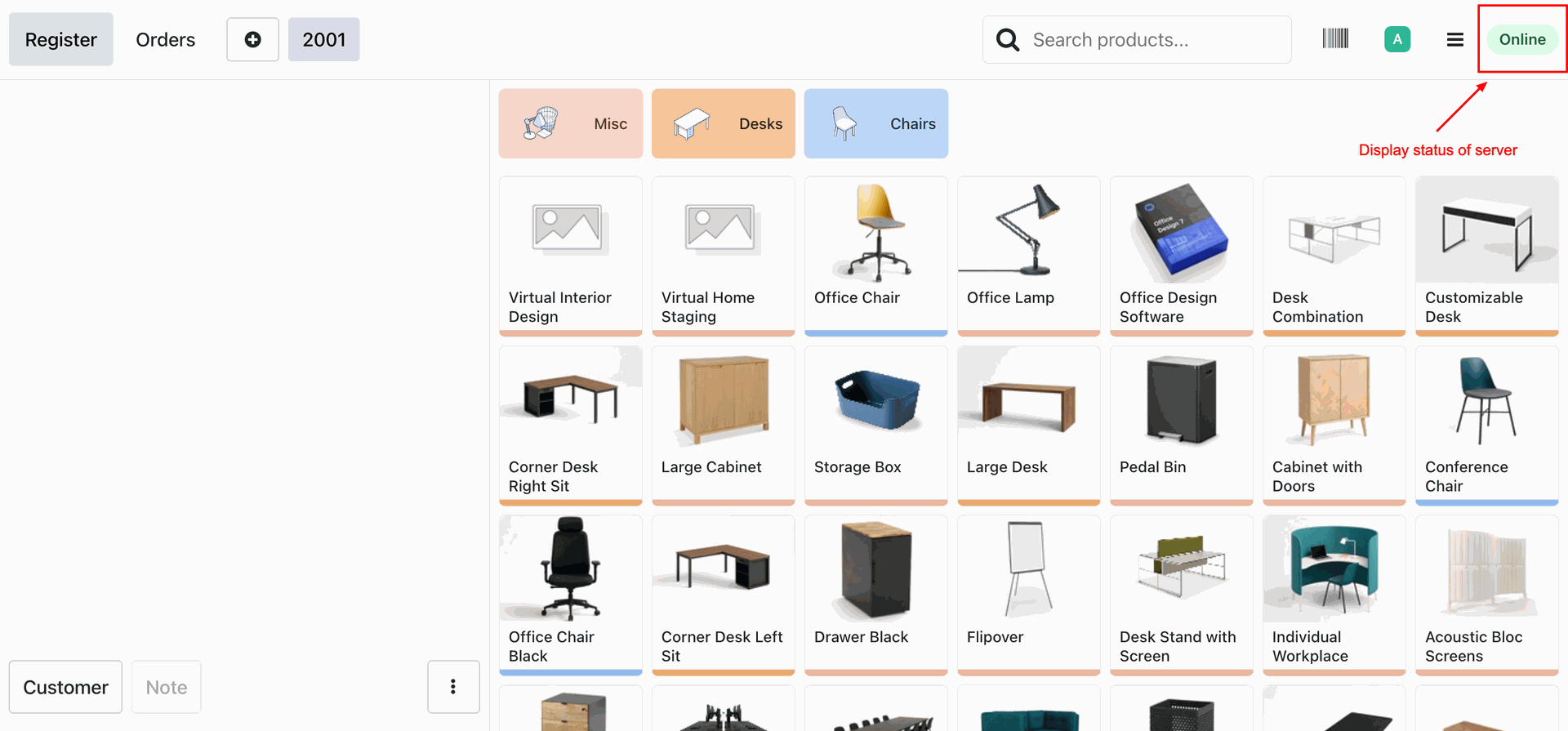
POS view with Server Status in the top right corner
Server logs stating that the server is offline

Creating the new order in the POS.
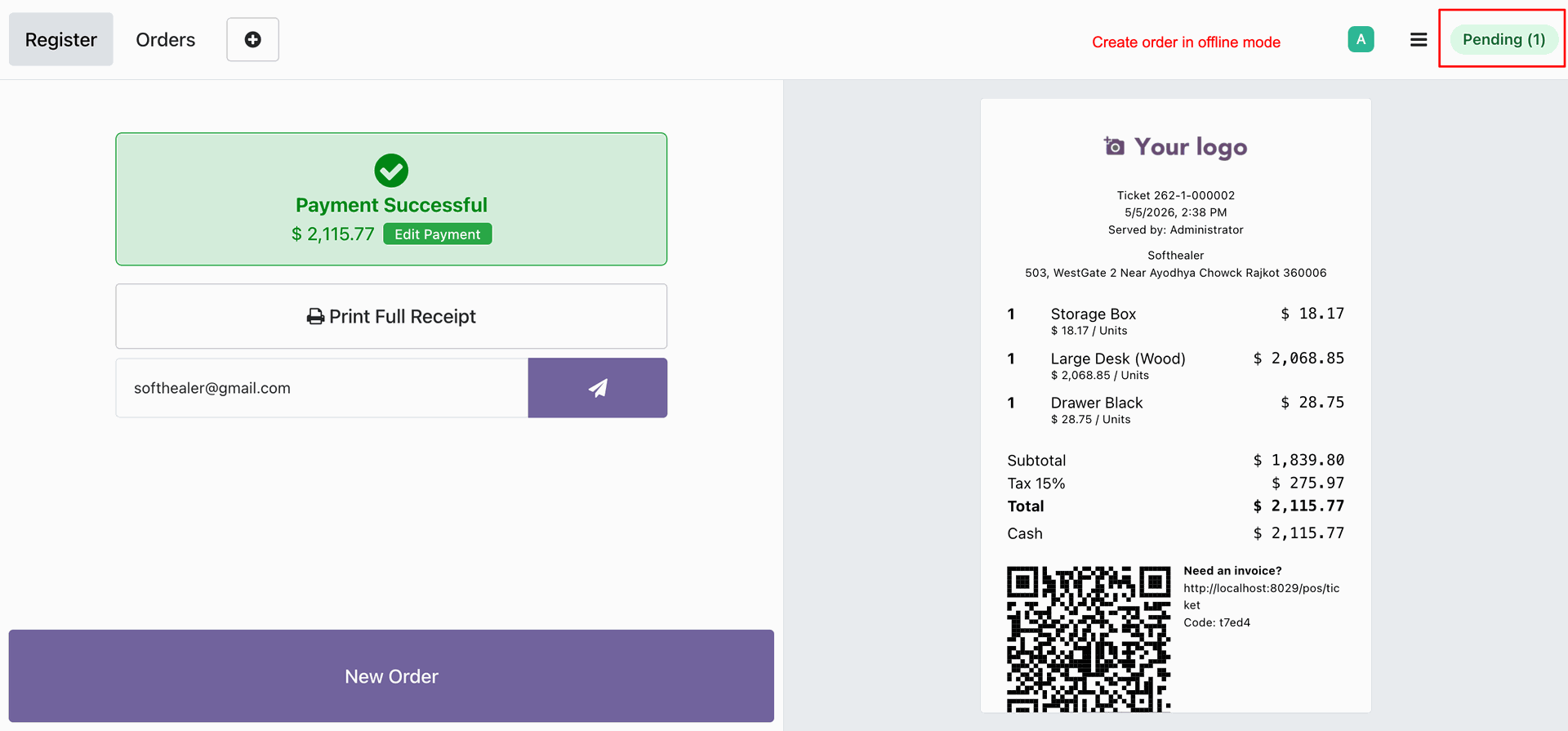
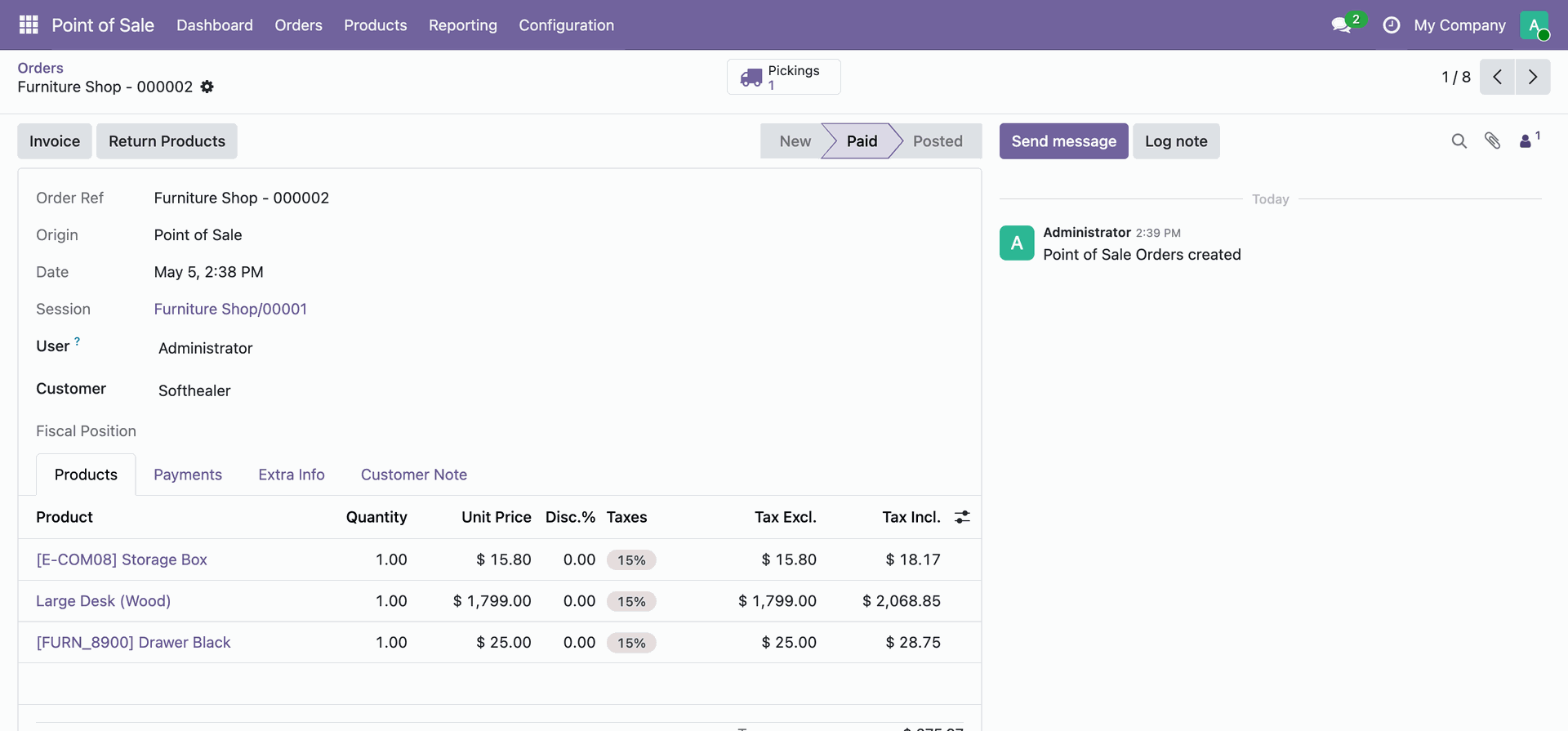
POS Order created.
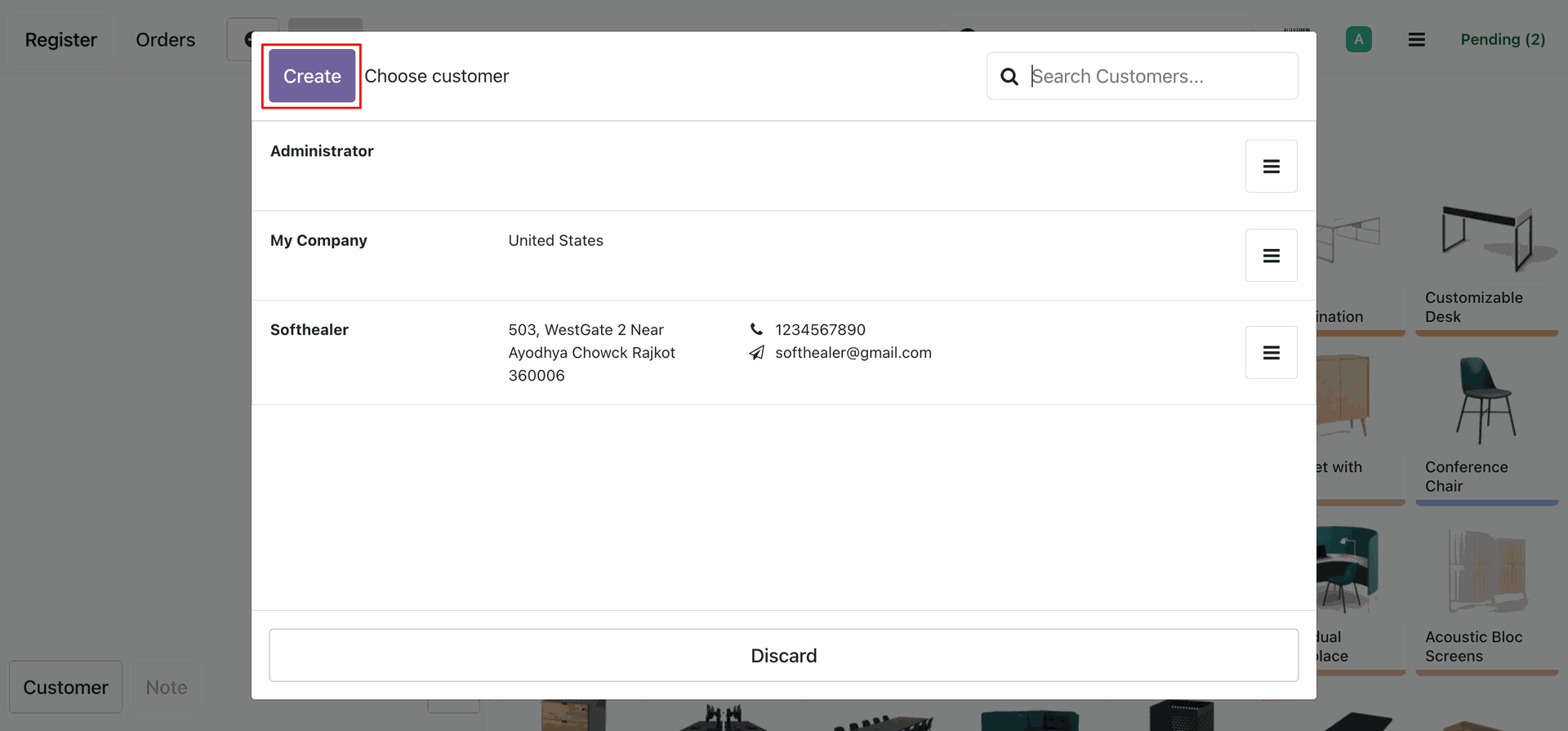
Creating a new customer in the Offline mode.
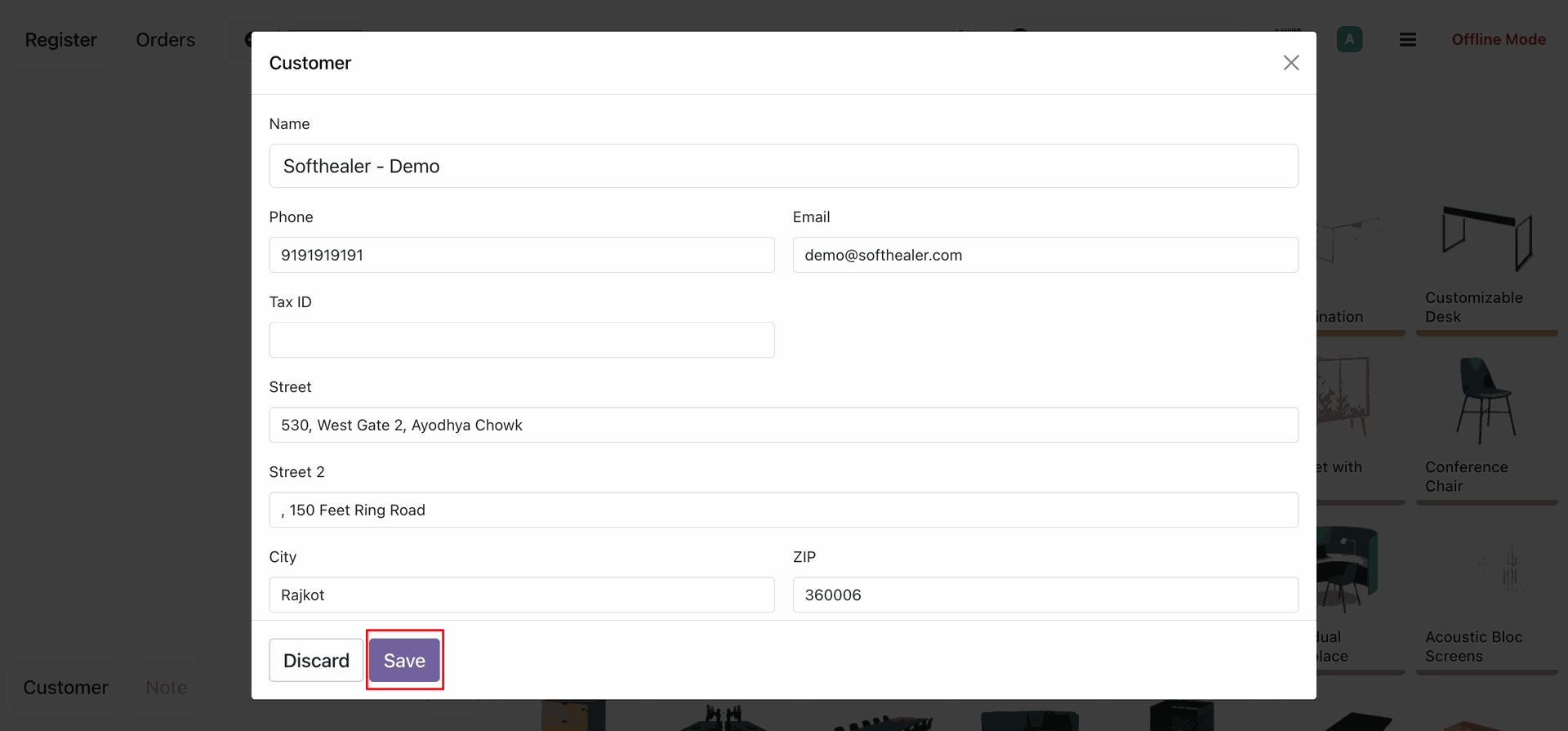
Customer Details Entry and saving the customer.
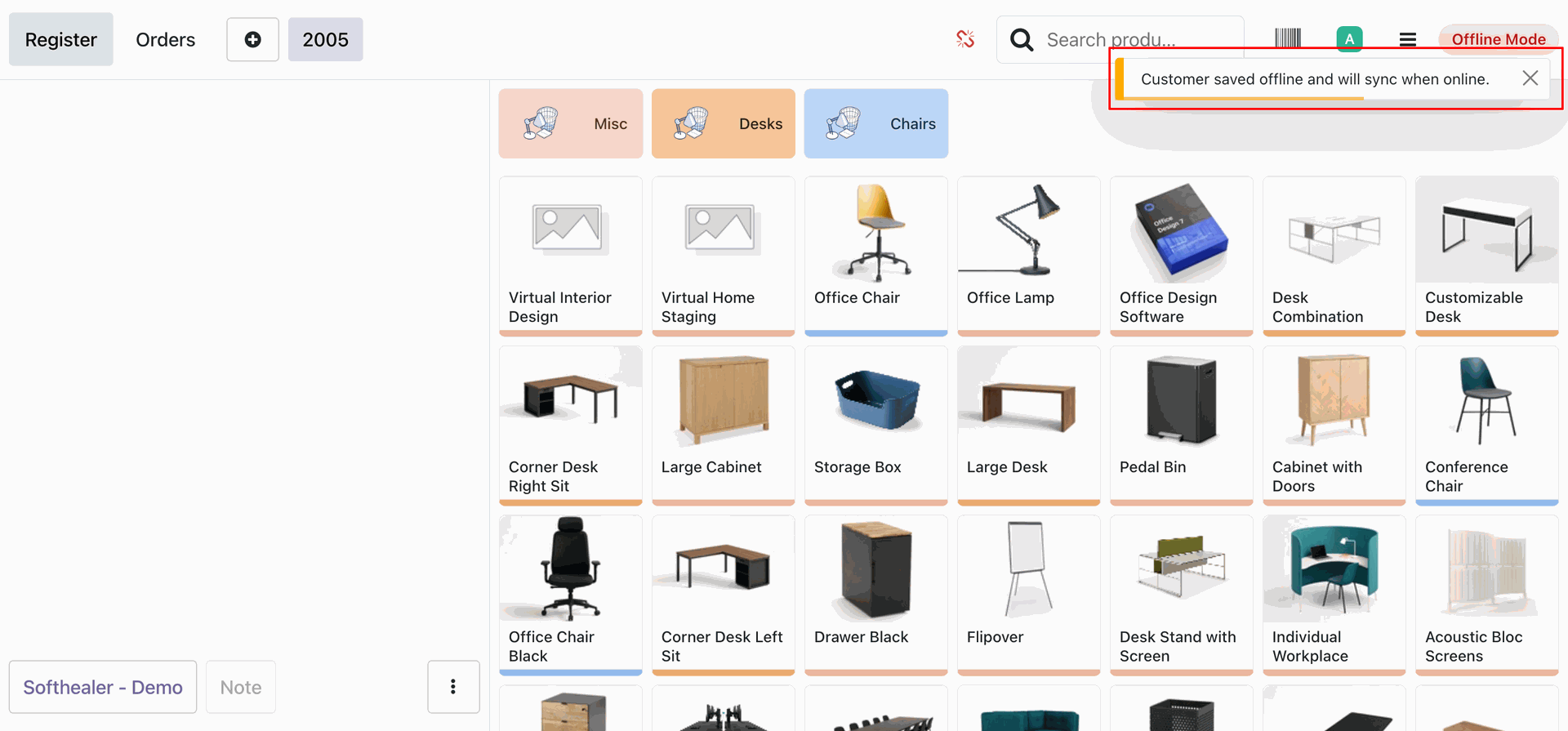
A notification shows that the customer is saved offline and will be synced when the server is online.
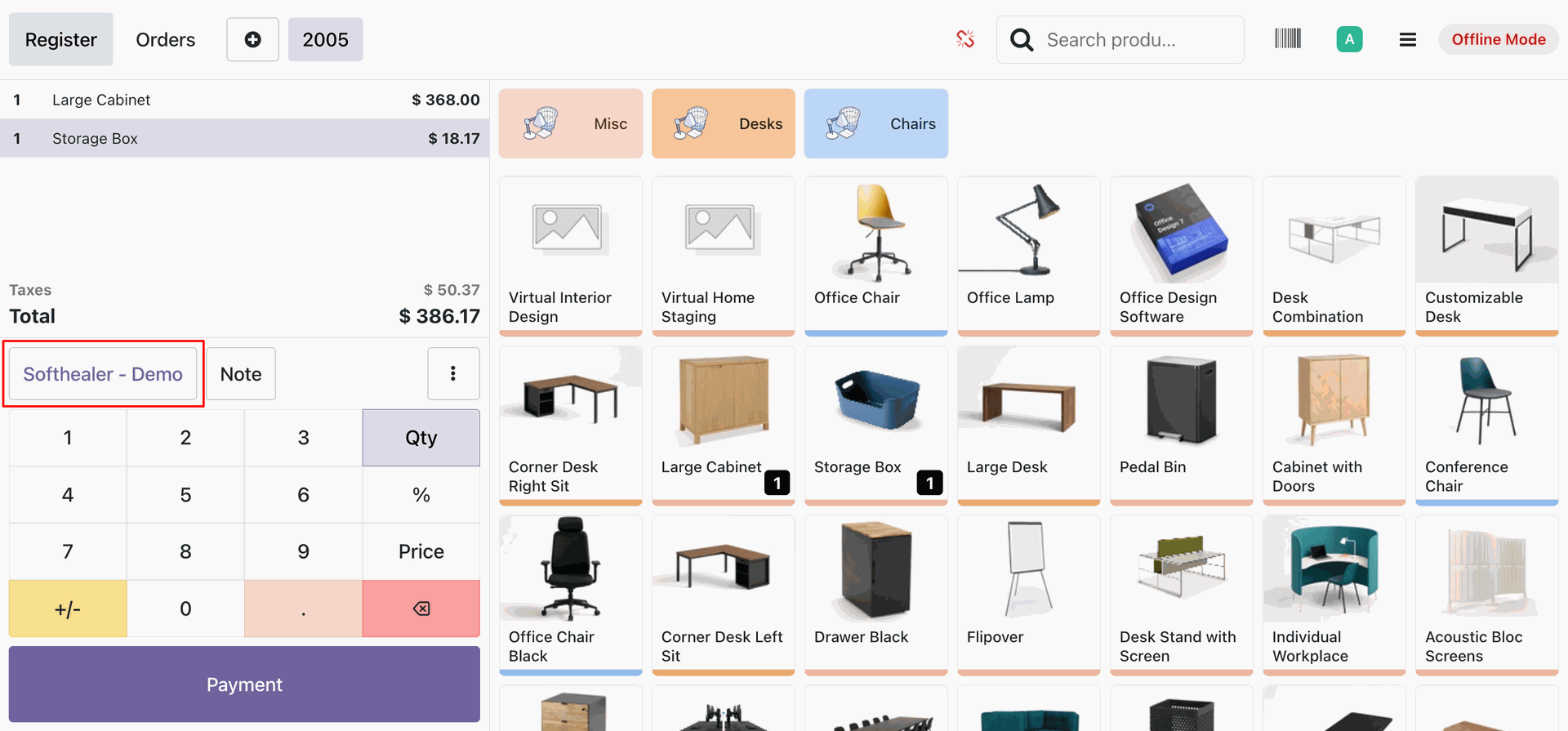
Creating a POS order with newly created customer in Offline mode.
Creating the invoice offline.
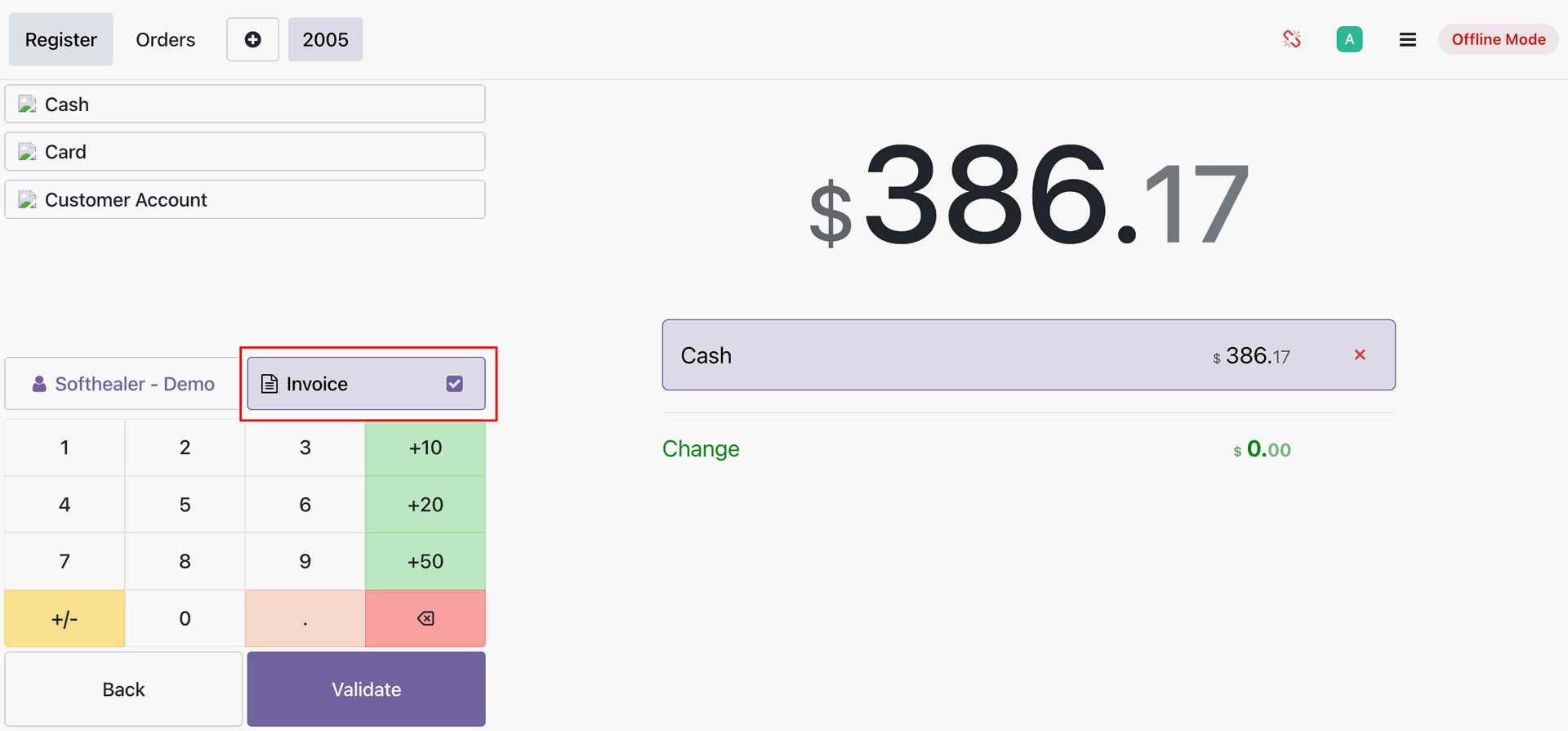
Invoice posted offline.
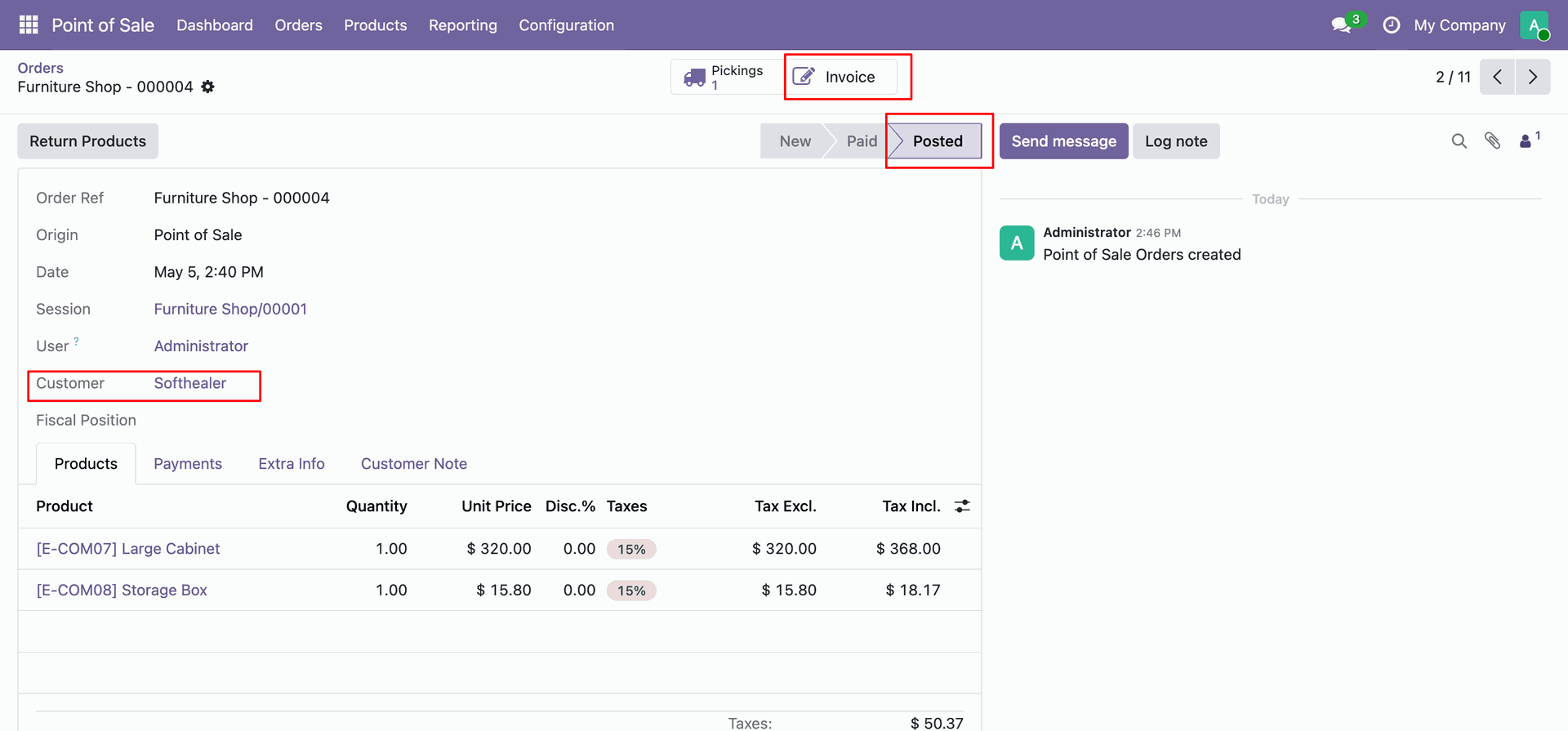
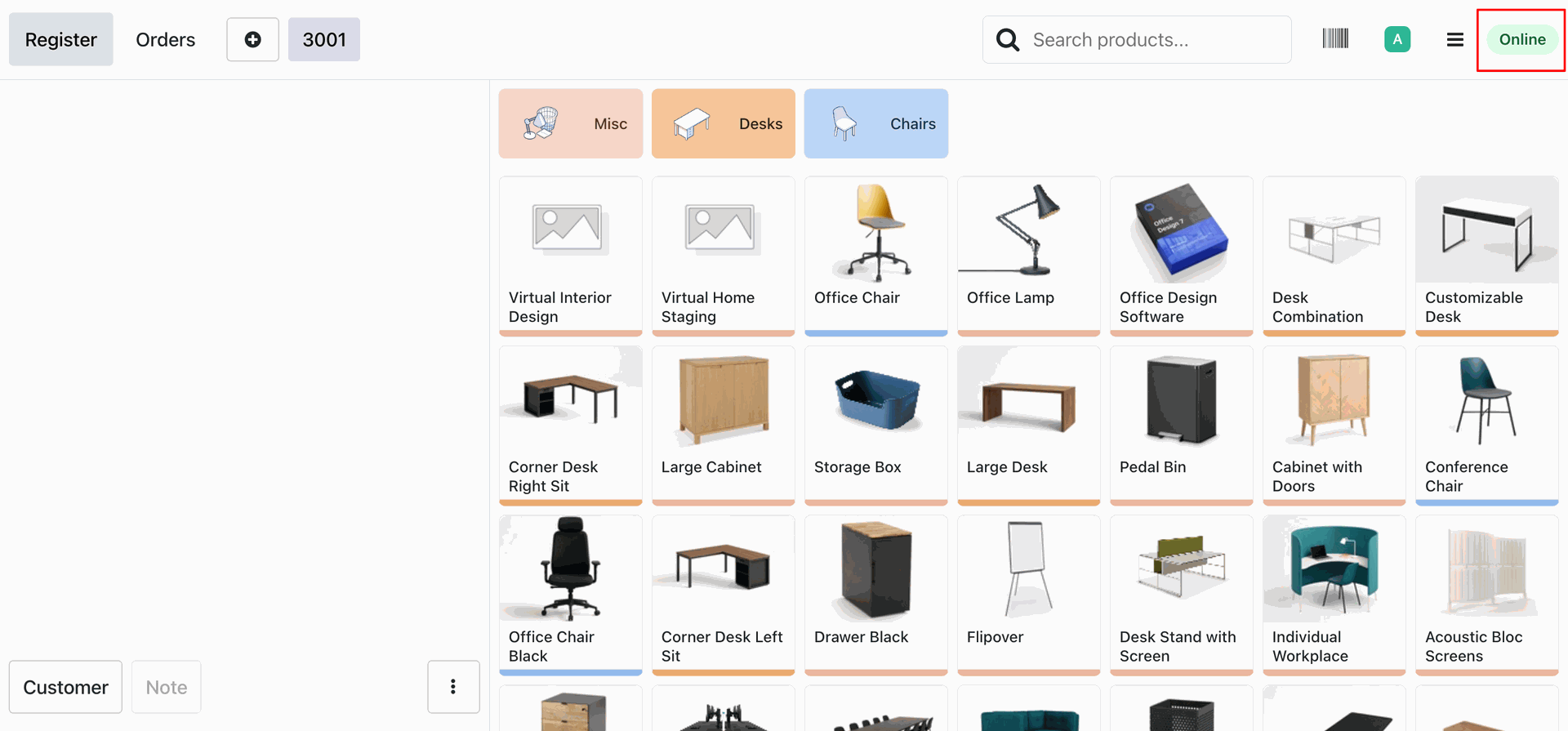
Now once the server is gone online.
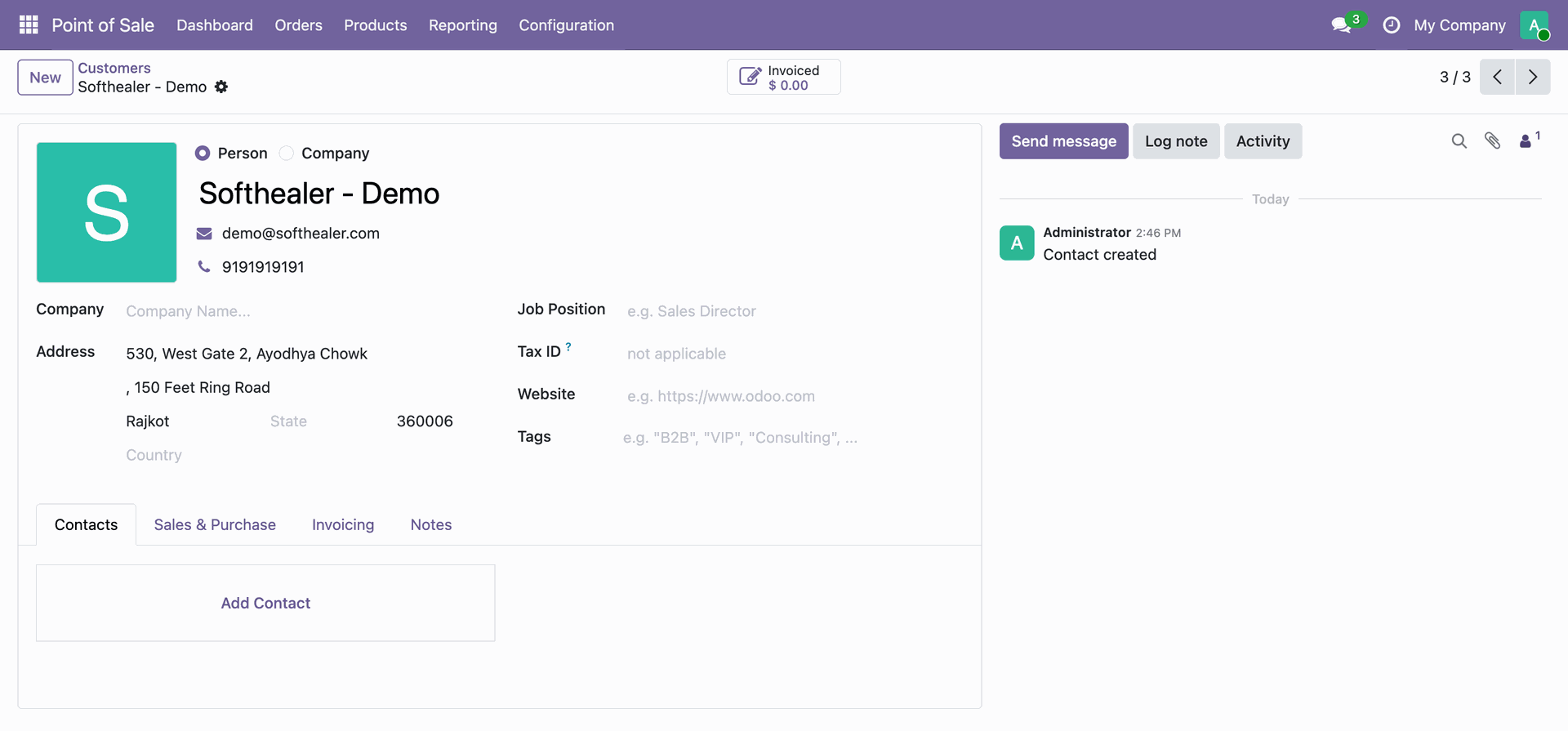
You can see that the customers is created successfully.
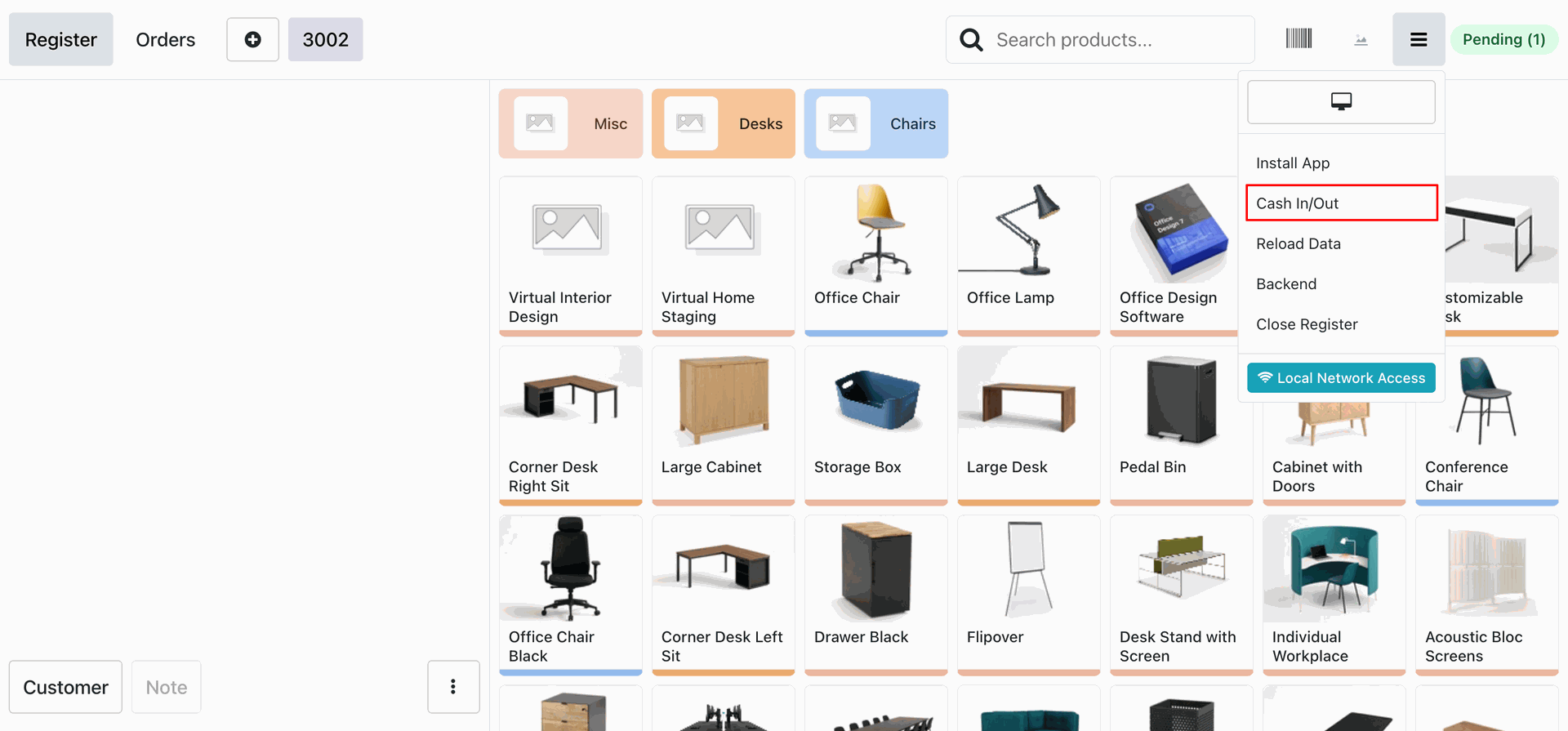
Cash In/Out the while the server is offline.
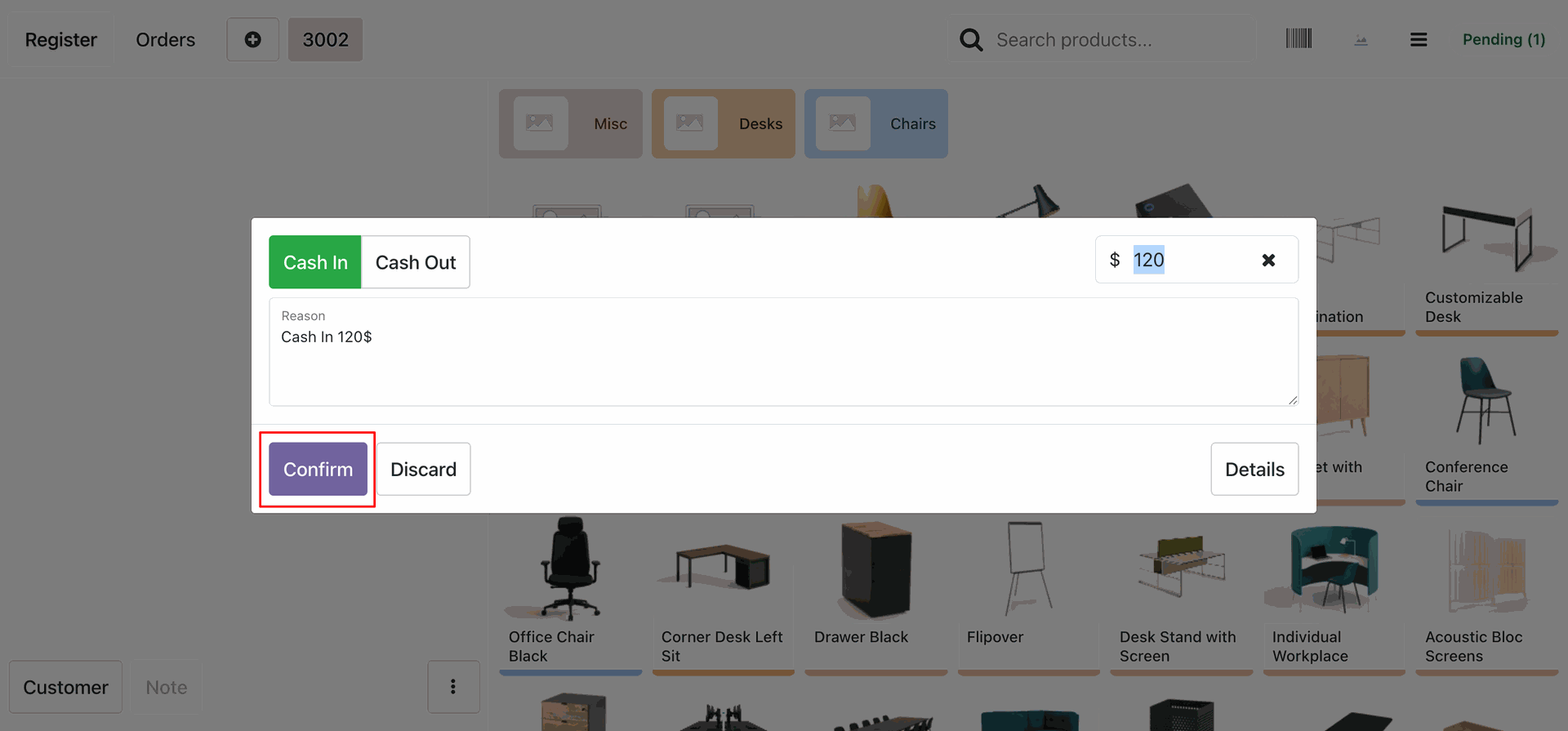
Creating a cash in entry and confirming it.
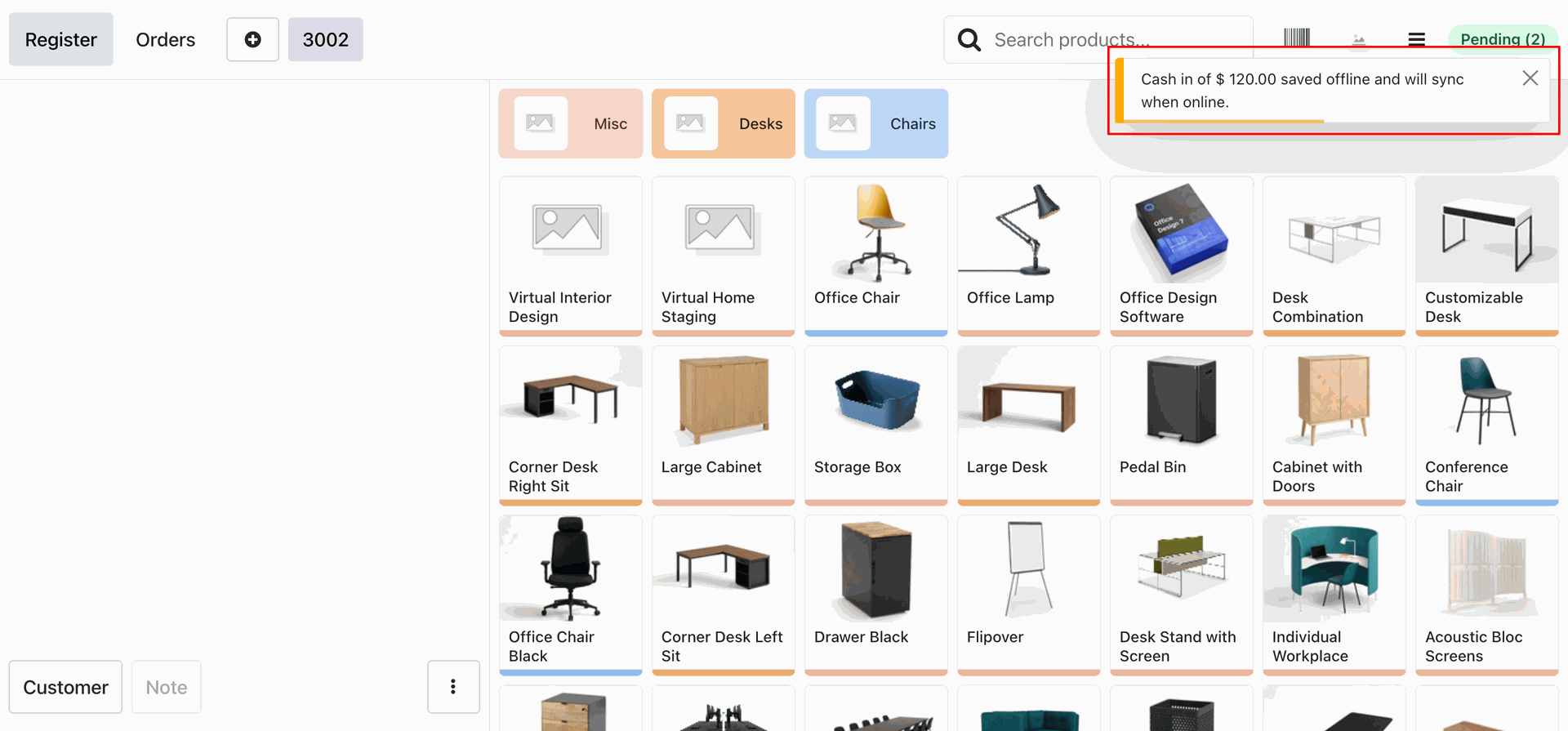
Cash in entry saved offline and will sync when online.
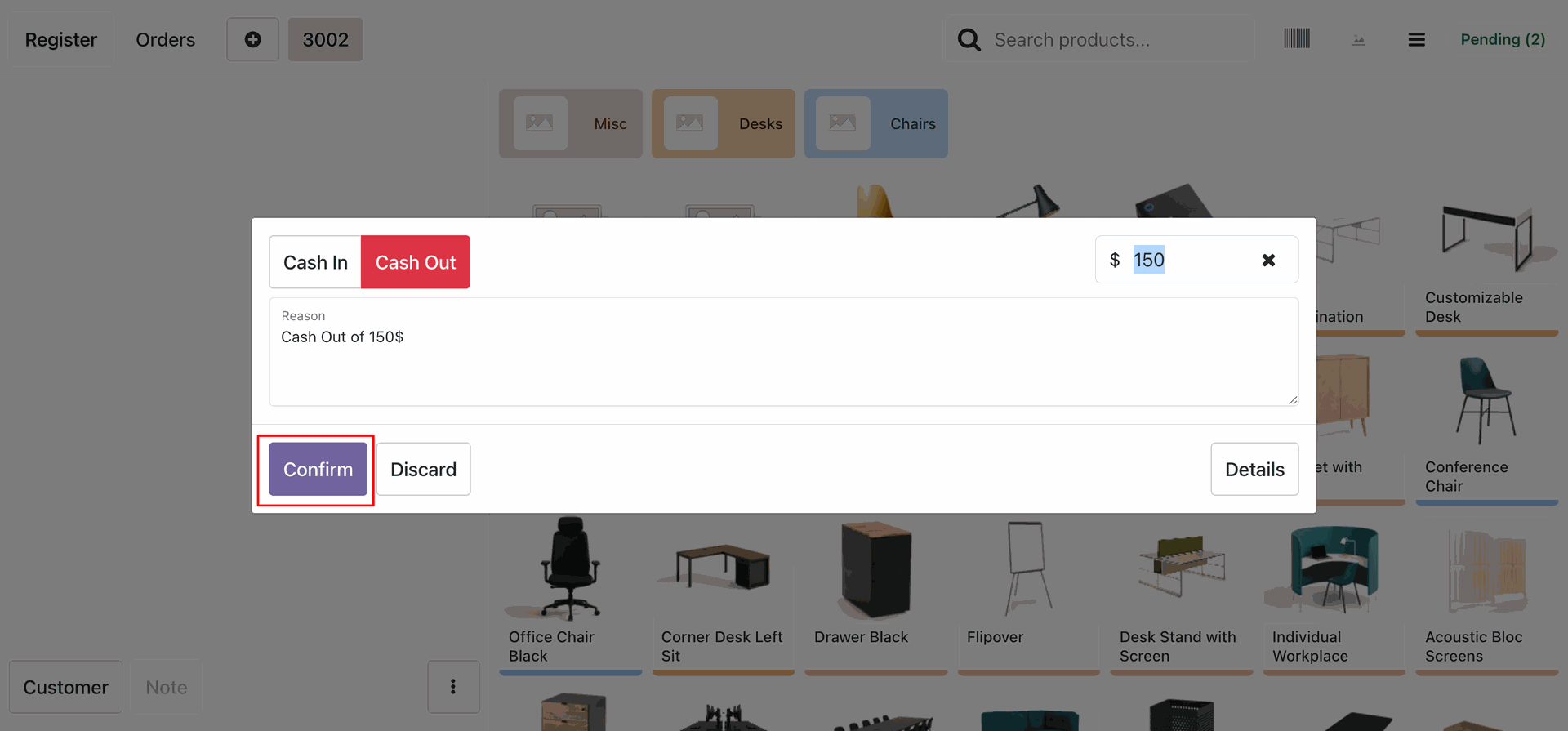
Creating a cash out entry and confirming it.
Cash out entry saved offline and will sync when online.
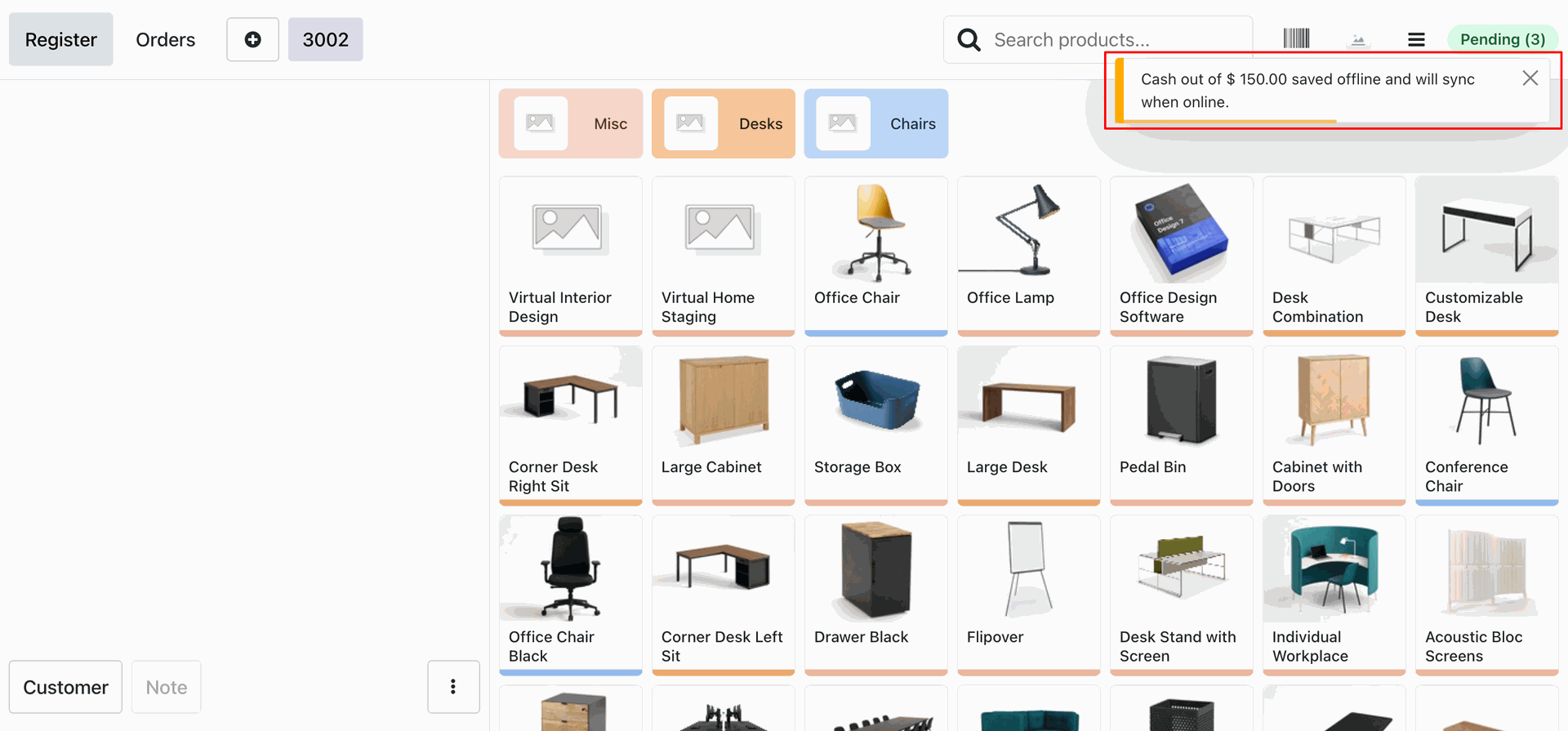
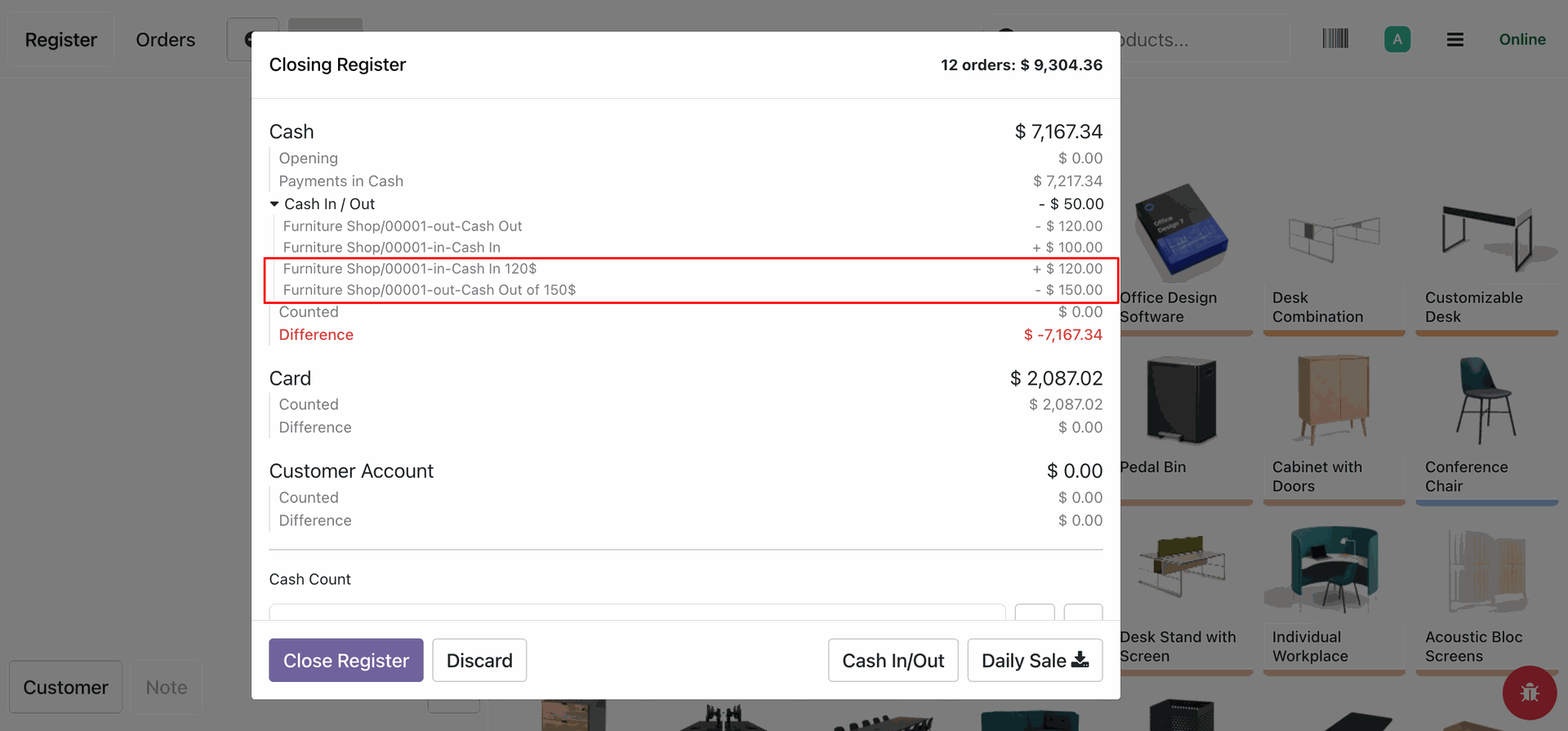
When server is online we can see that the cash in/out entries are synced successfully.
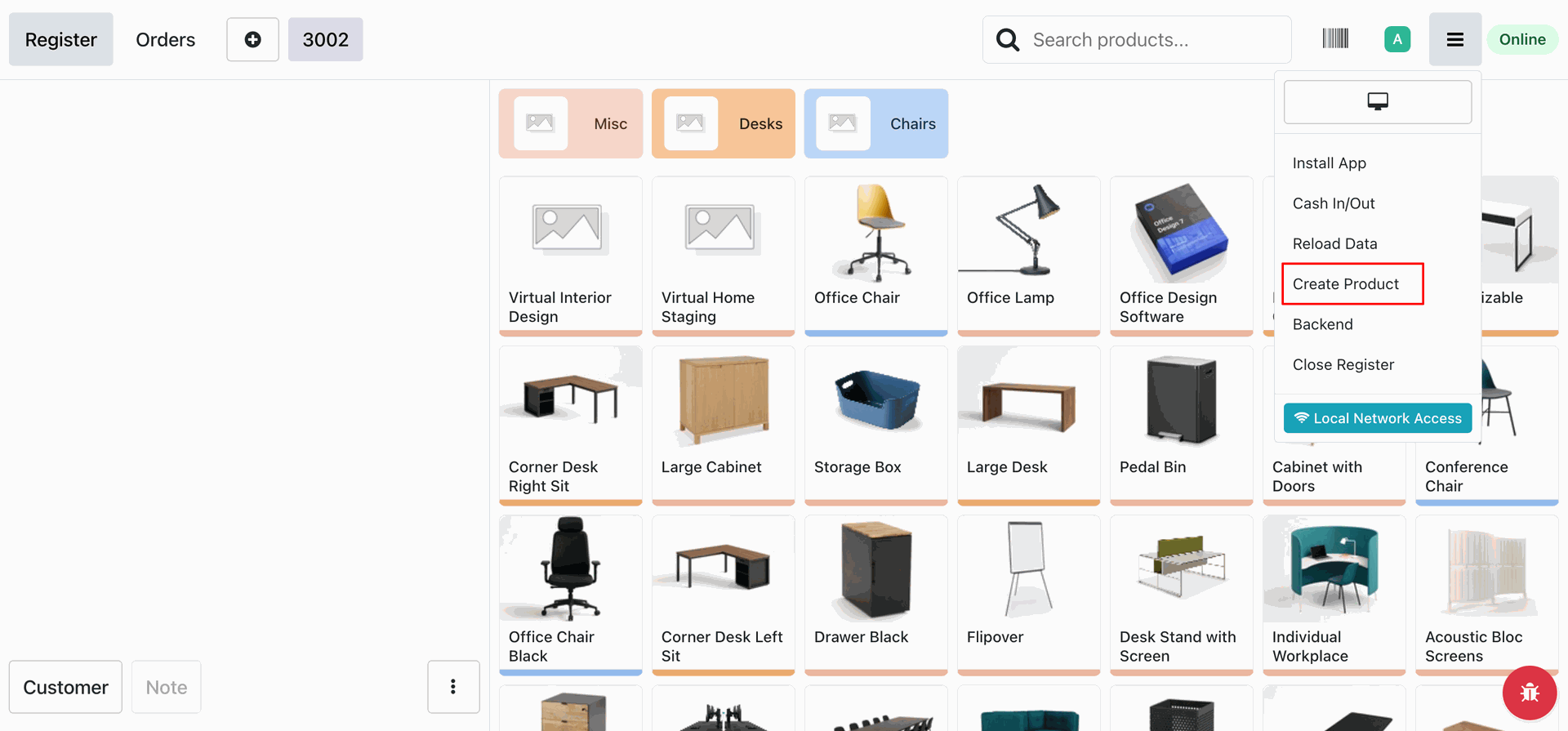
Creating the product offline.
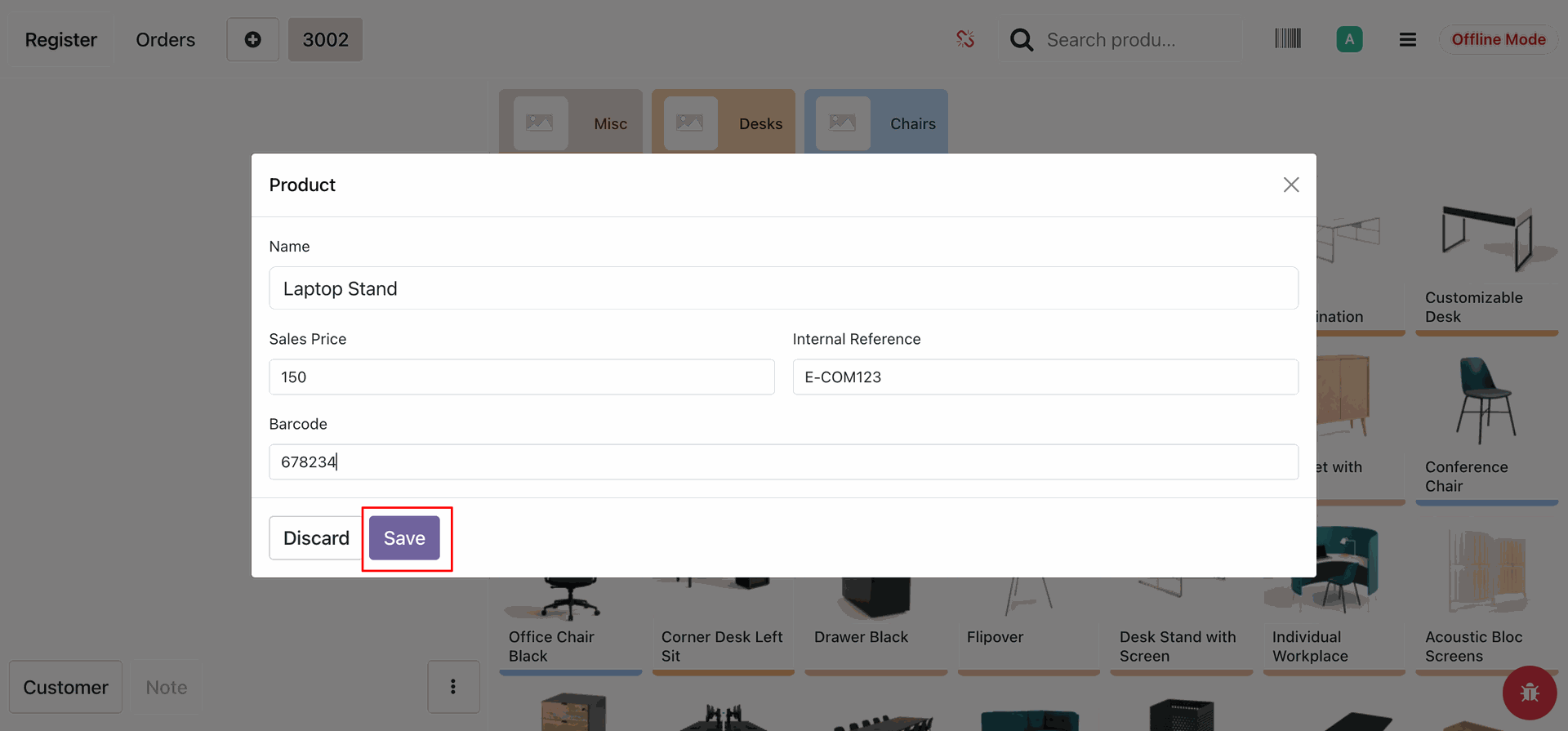
Entering the product details offline and saving it.
Product is saved offline and will synced when online.
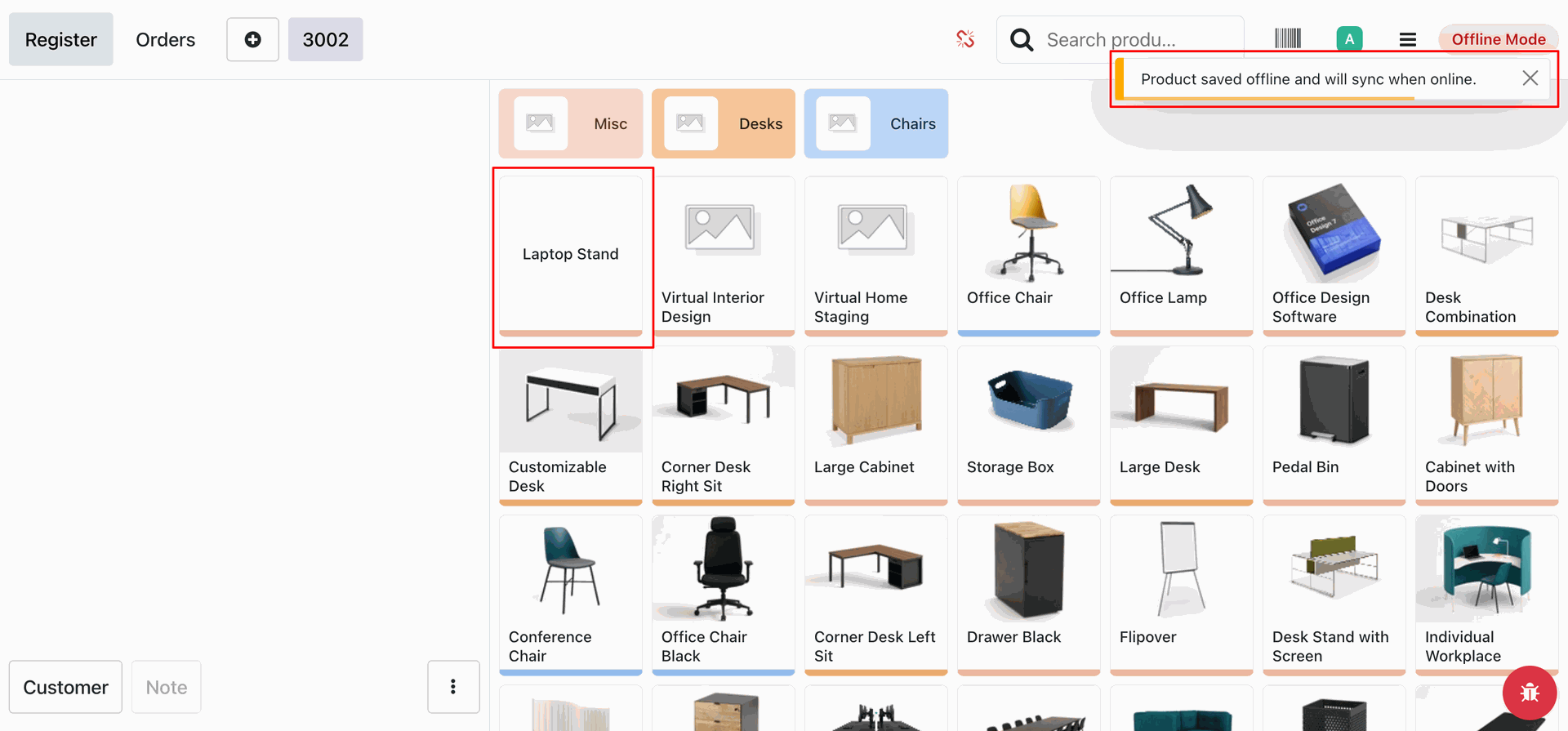
Creating an order offline with the same product.
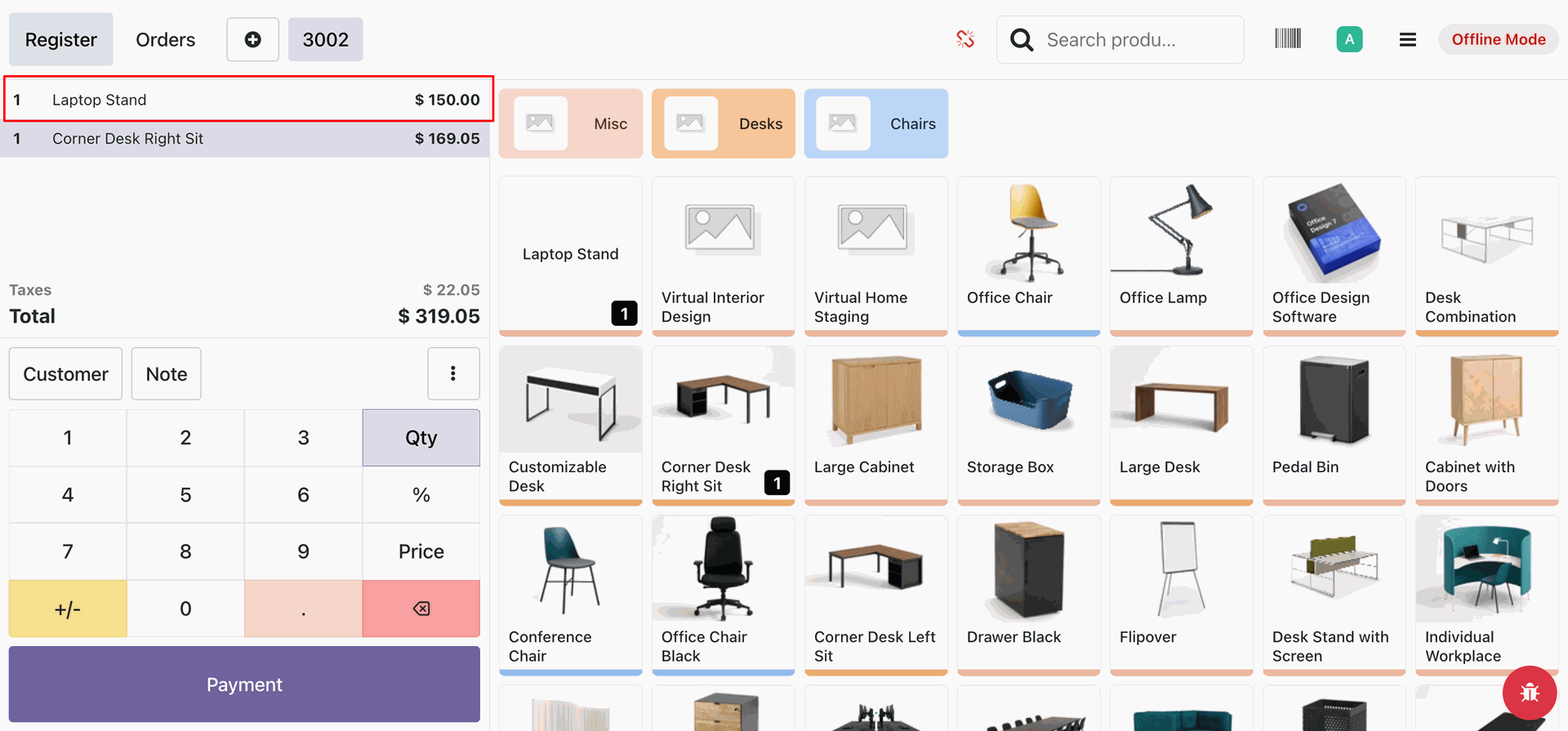
POS order created.
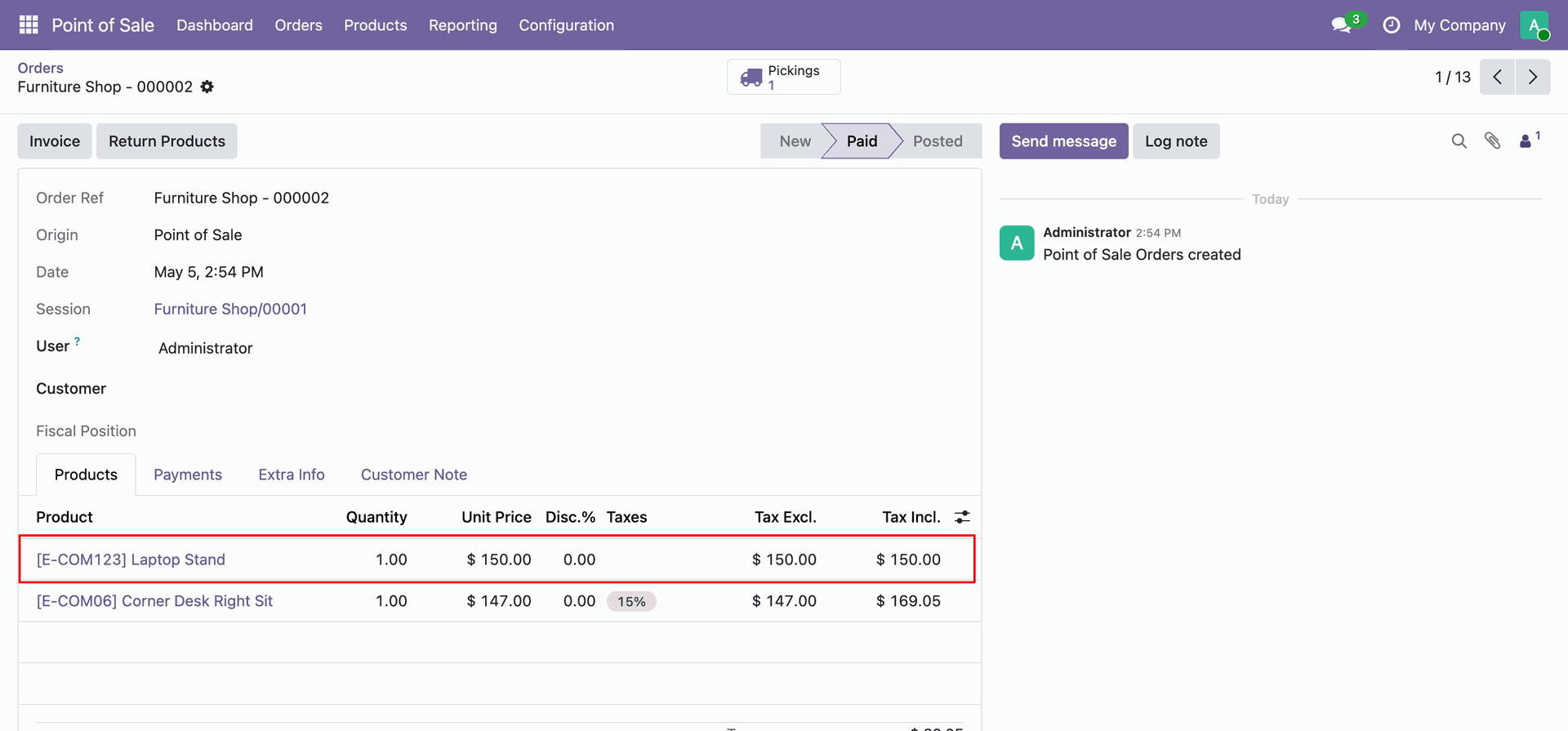
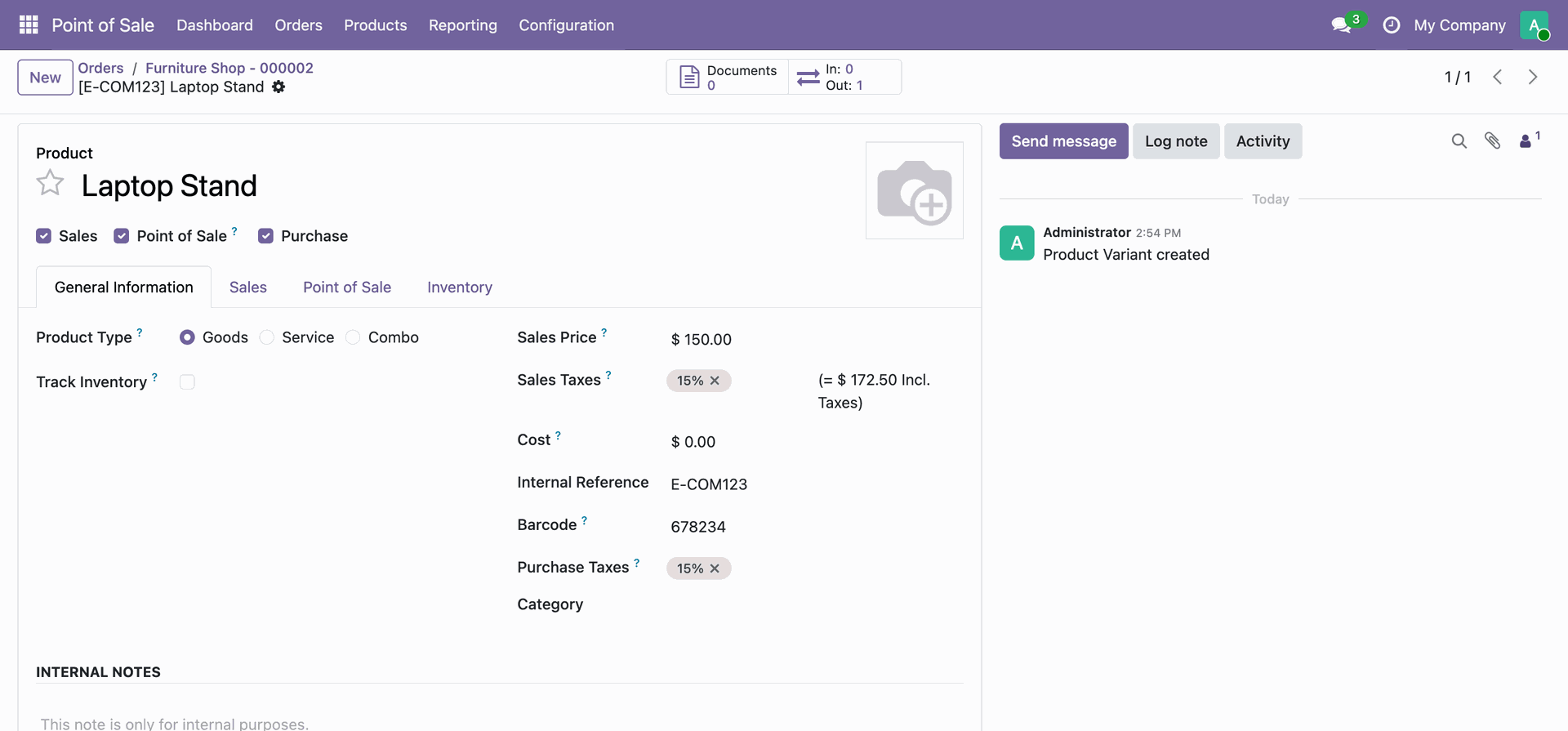
Product Synced successfully once the server is online.
Version 18.0.1.0.0 | Released on : 22nd July 2026
- Yes, this app works perfectly with Odoo Enterprise (Odoo.sh & Premise) as well as Community.
- No, this application is not compatible with odoo.com(odoo saas/Odoo Online)
- Yes, to test this module, please contact us at sales@softhealer.com.
- Please contact us at sales@softhealer.comto request customization.
- Yes, we provide free support for 365 days from the date of purchase.
- Yes, you will receive lifetime free updates for the version of the module you purchased.
- No, there is no need to install any additional libraries.
- Yes, for version 12 and above, you need to purchase the module separately for each version you intend to use.
- No, exchanges or refunds are not allowed. Please make sure to select the correct version before purchasing.
- You can contact us at support@softhealer.com for language translation support. We use Google Translator tools to provide translations in multiple languages, so the accuracy may vary. We welcome your suggestions to help improve translations.
Discover Our Latest Apps