












POS Multi Currency Pricelist

This module helps in point of sale (POS) functionality by allowing users to use multiple currencies. Normally, Odoo's POS supports only one currency, but with this module, you can have different currencies for your price lists. When a user selects a different currency's price list, the prices displayed in the POS will adjust accordingly. You can print receipts showing the prices in the selected currency. Additionally, during payment, you can choose to pay in the currency of the selected price list, or you can even change the currency during the payment process. Essentially, it makes managing multiple currencies in the POS much simpler and more flexible.

Related Modules
Features
- Easy to set the multi-currency in the point of sale.
- You can configure the different currency pricelists in the POS.
- Pricelist currency and price change based on the currency rate.
- You can pay the order in pricelist currency.
- You can change currency rate and pay order using new currency rate.
- It displays amount in base currency when "Payment In pricelist currency" is disable.
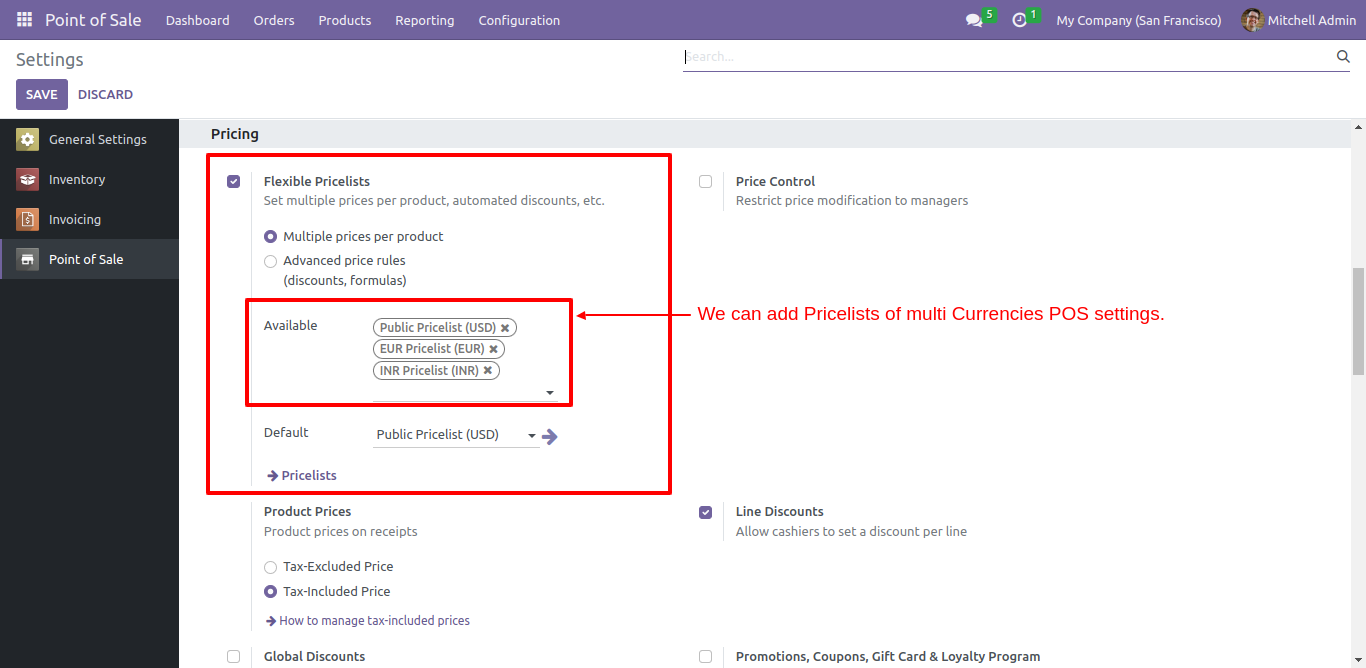
Go to the point of sale settings => in available pricelist => add multiple currency pricelist.
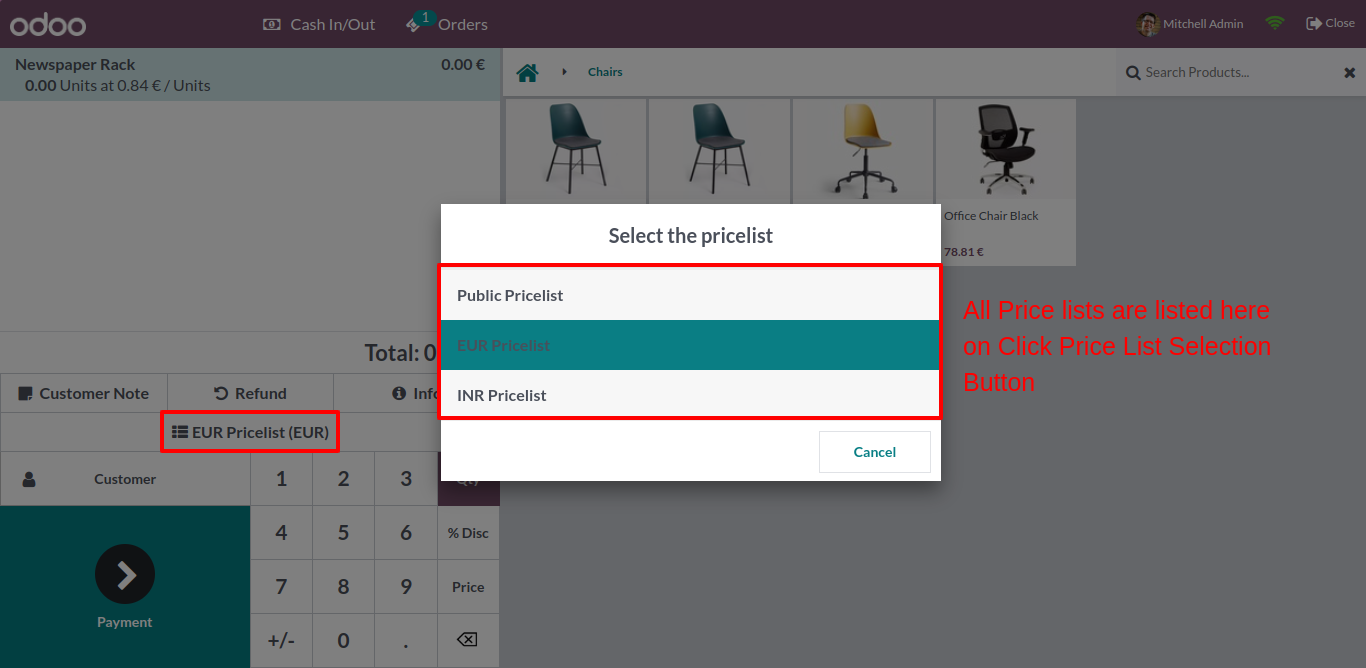
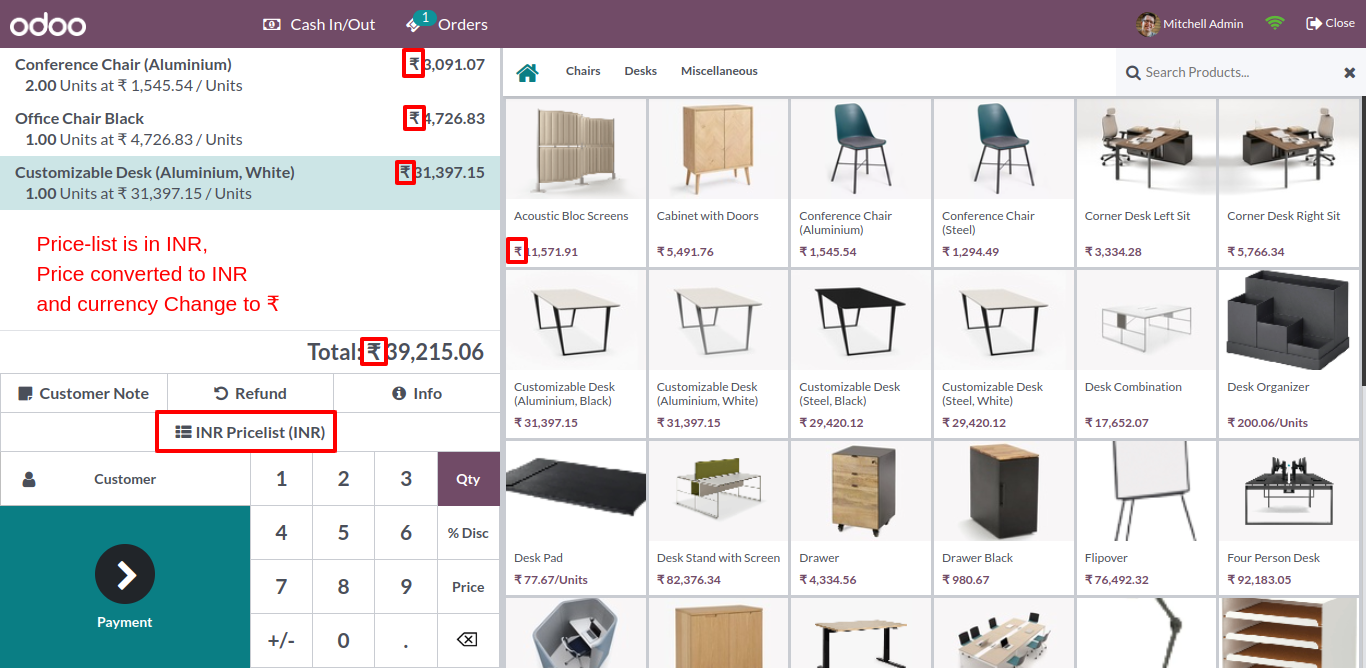
Click "INR Pricelist", after that popup box opens, select the pricelist from all listed pricelist.
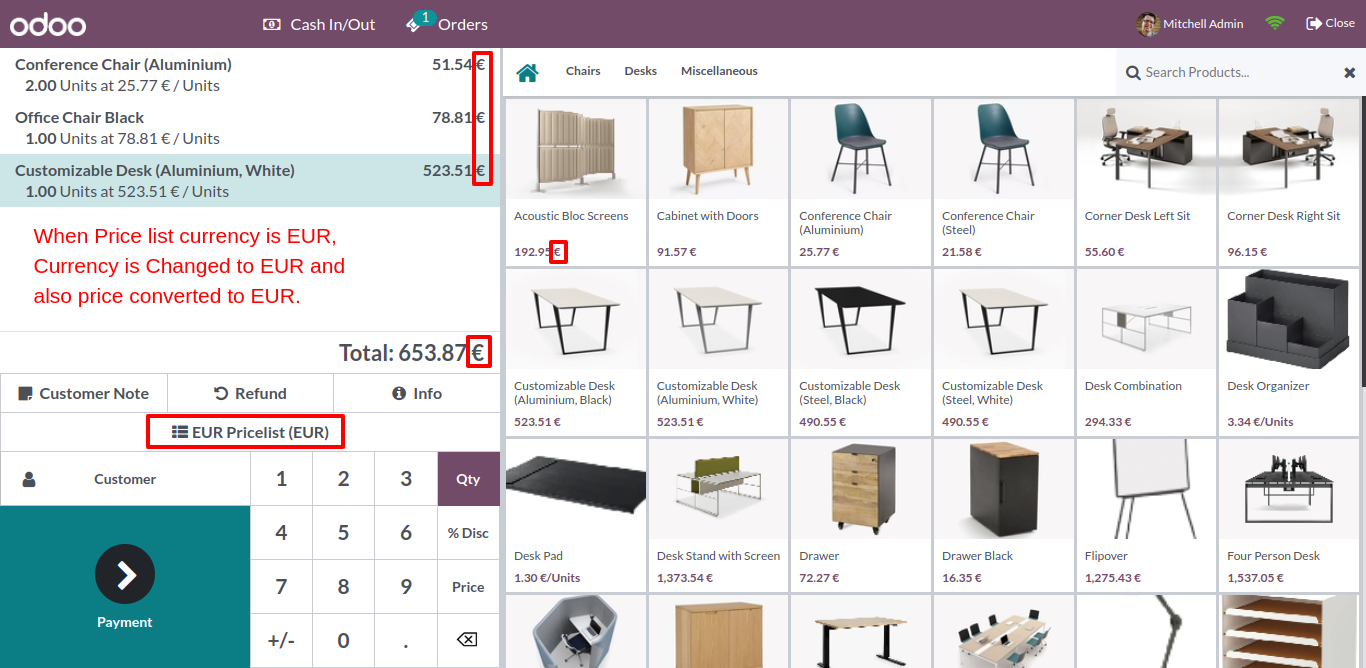
When you choose the pricelist currency to EUR, it changes currency to EUR and also the price is converted to EUR.
When you choose the pricelist currency to INR, it changes currency to INR and also the price is converted to "Ruppess".
In the payment screen currency and amount comes according to the default pricelist.
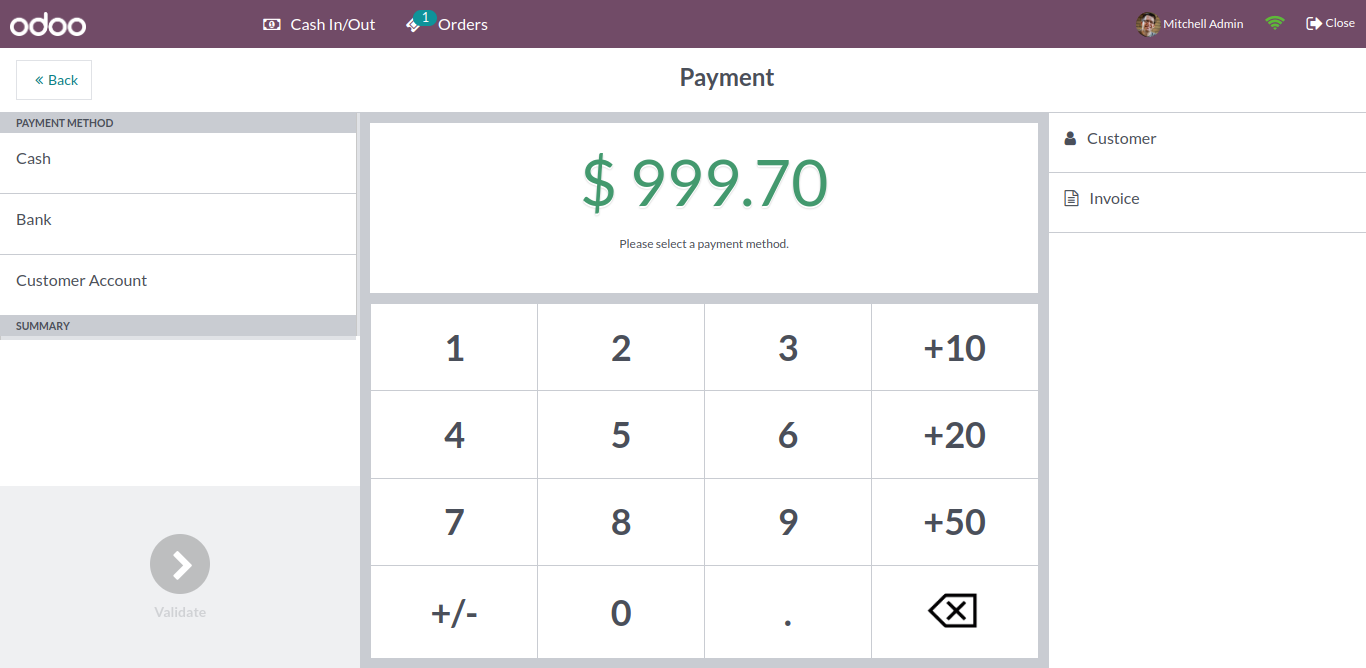
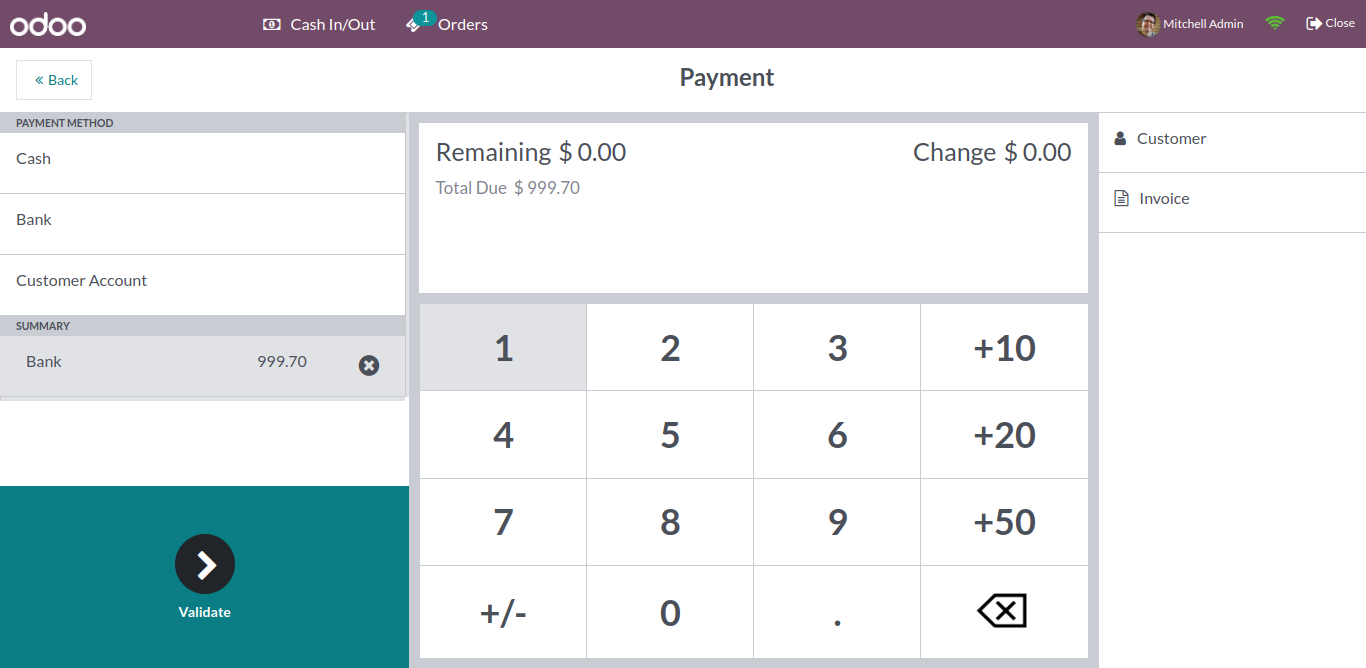
In the payment method, you can pay the amount with default pricelist.
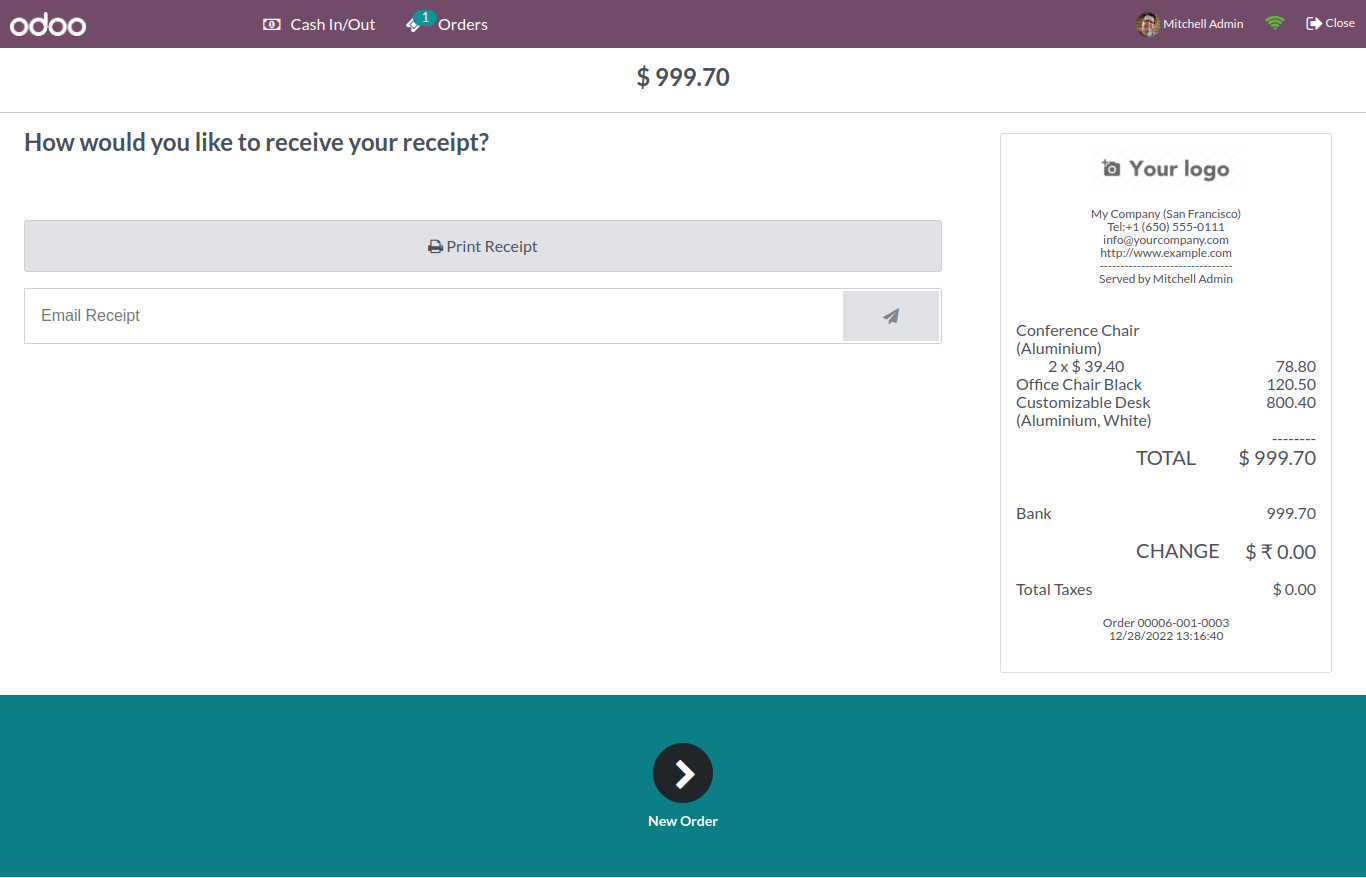
POS receipt printed with the default pricelist currency.
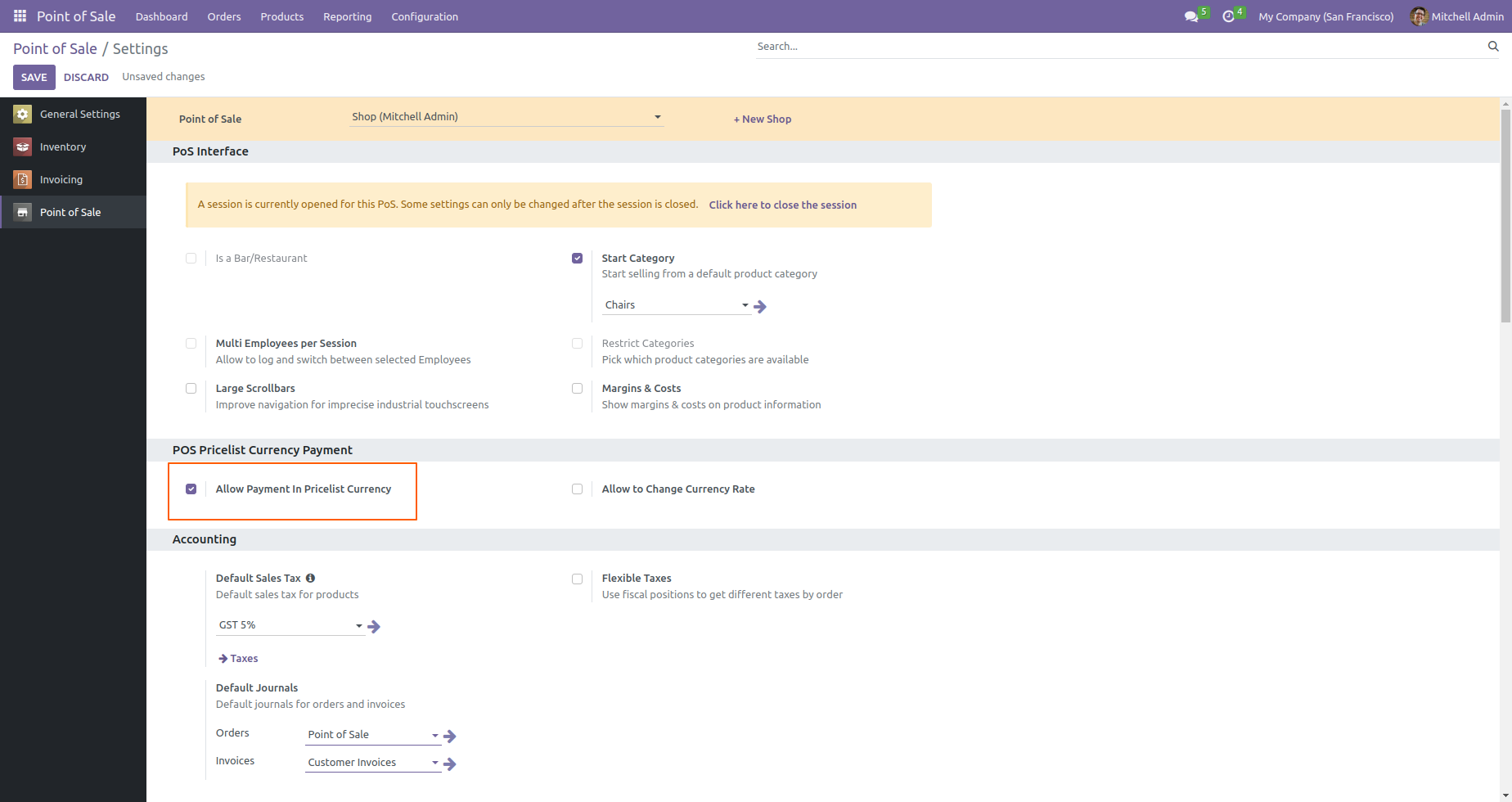
Go to the point of sale settings => in POS pricelist currency payment => tick Allow payment in pricelist currency.
Click "INR Pricelist", after that popup box opens, select the pricelist from all listed pricelist.
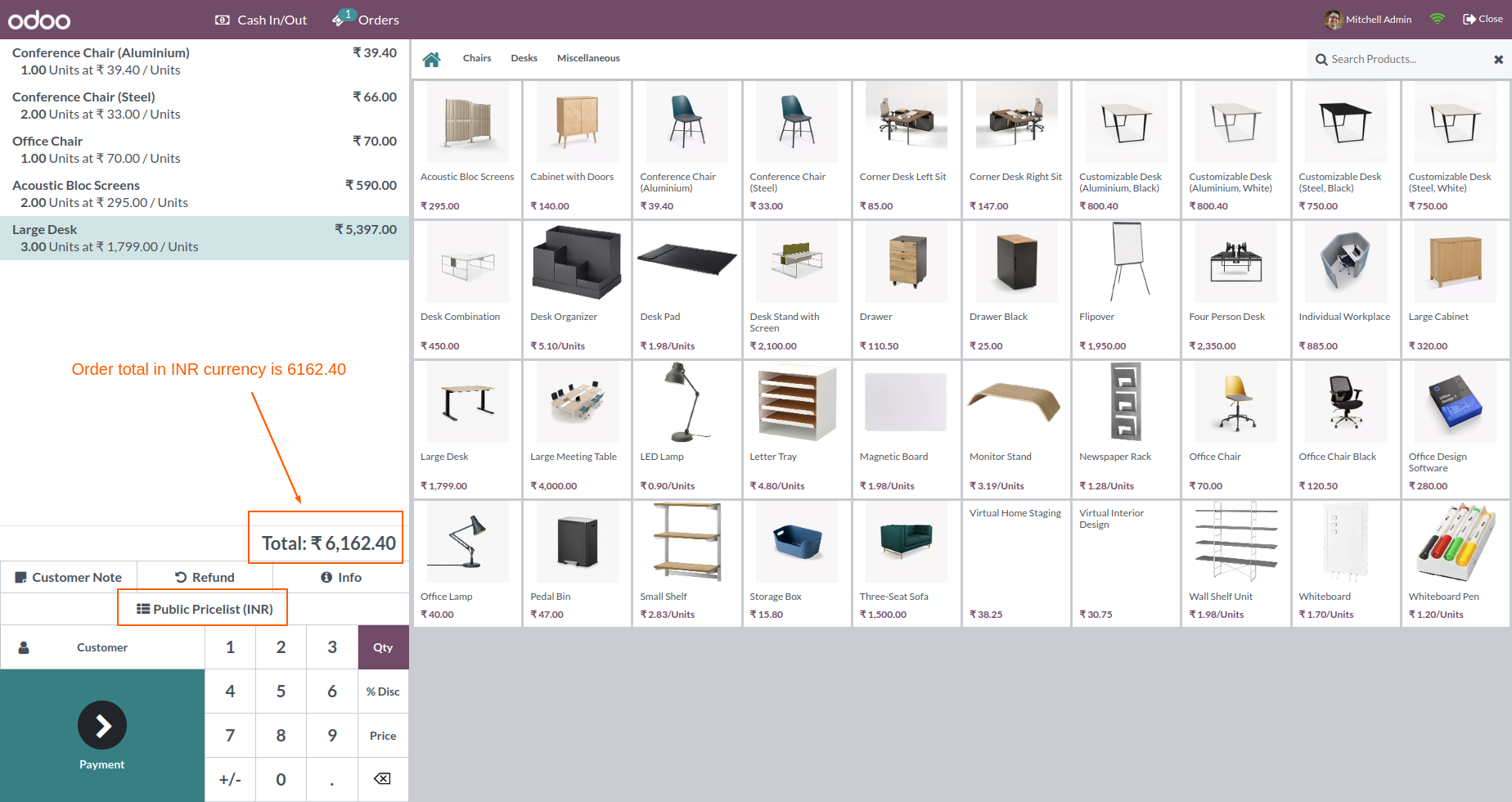
When you choose pricelist currency to USD, it changes currency to USD and the price is converted according to USD currency rate.
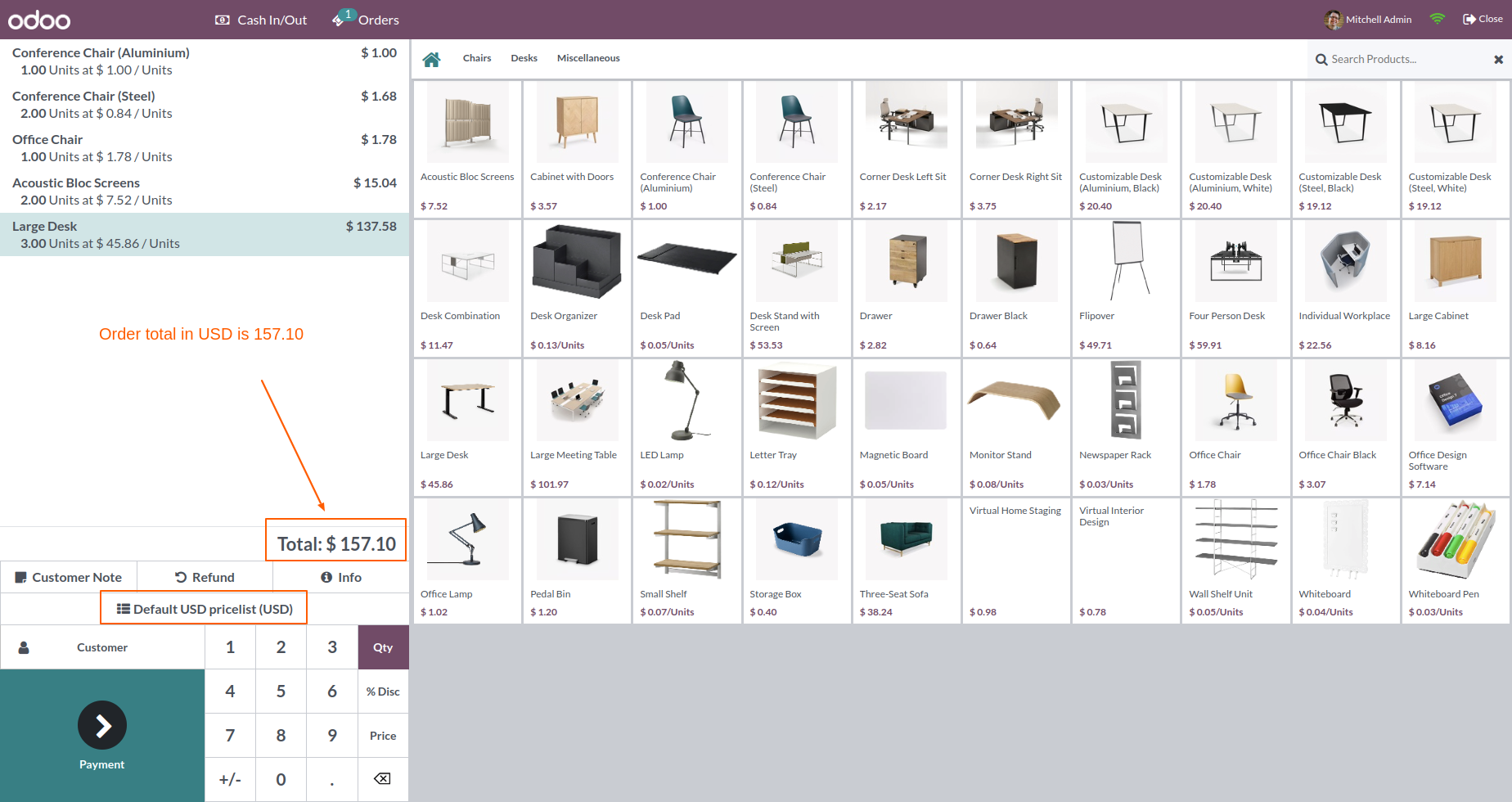
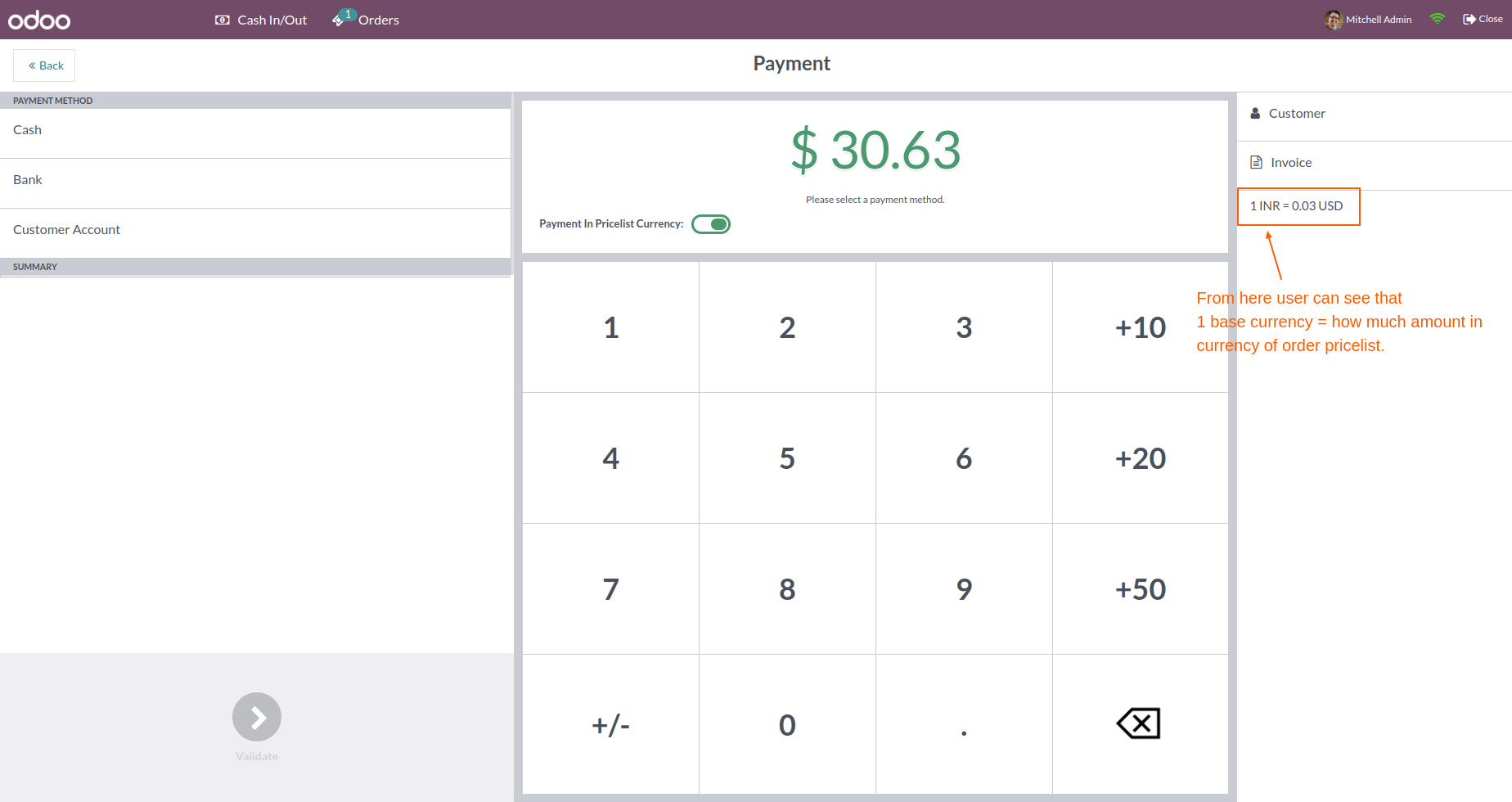
In payment, the price is displayed in the ordered pricelist if the toggle button is enabled.
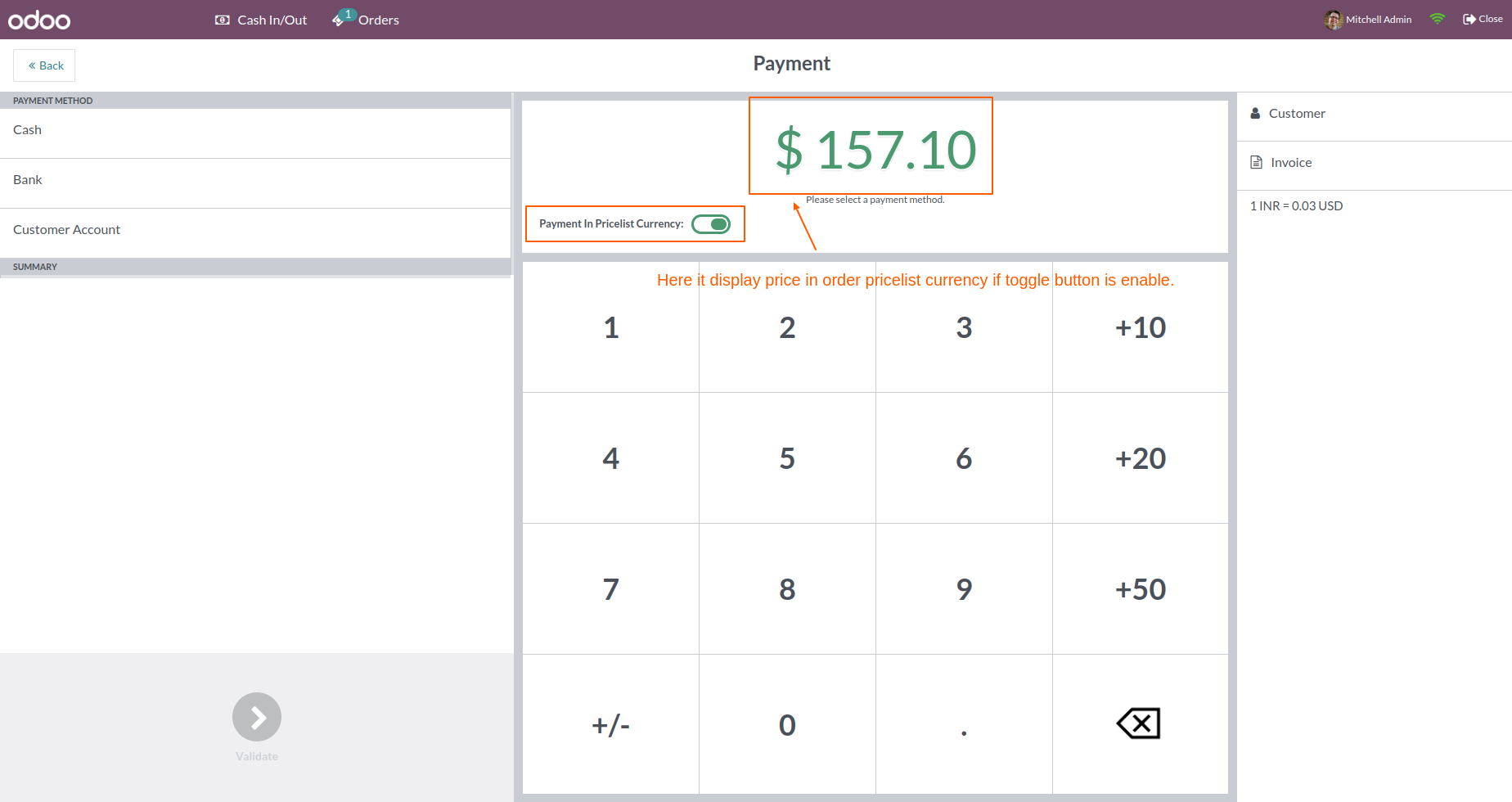
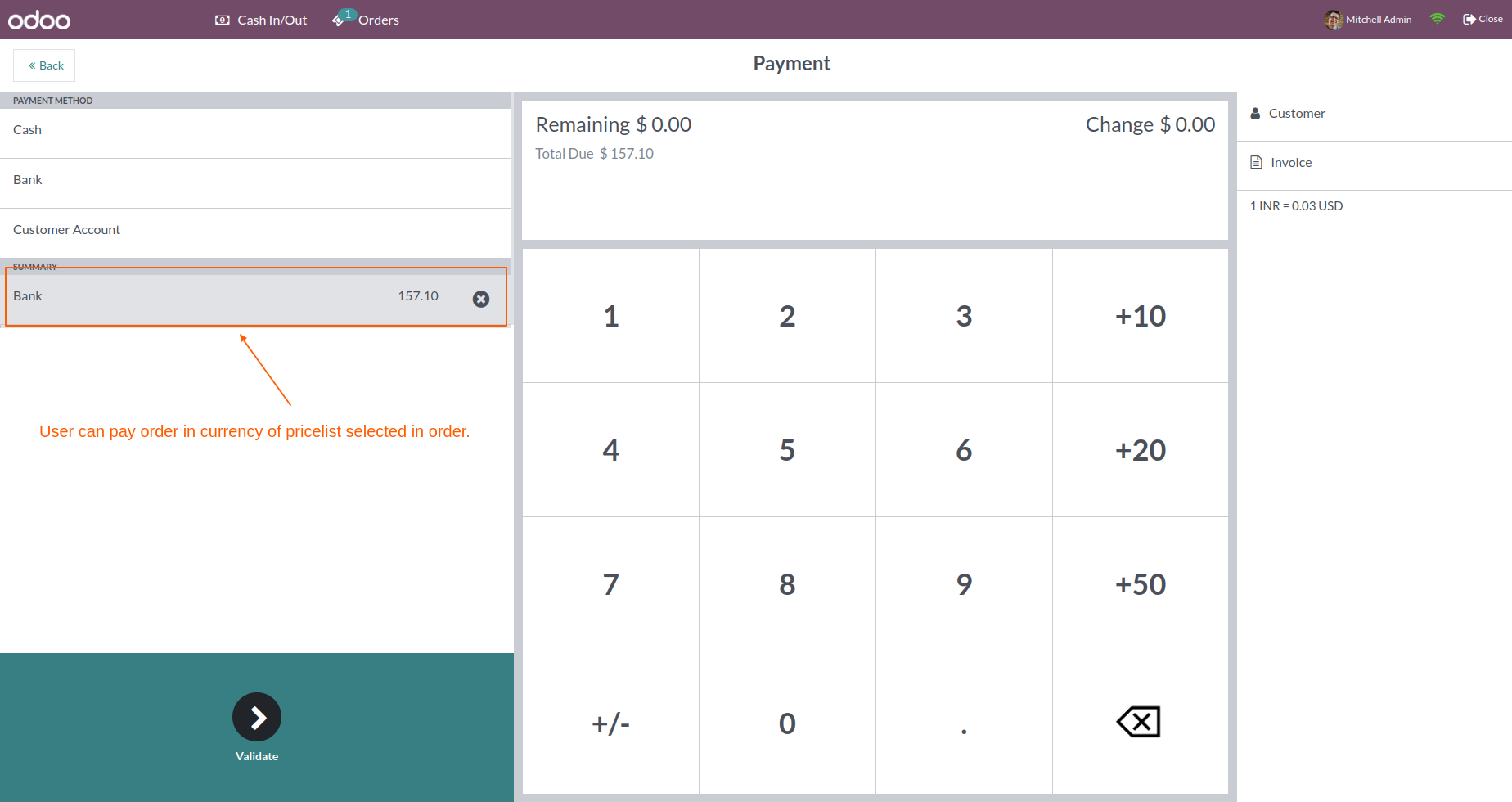
In the payment method, the user can pay an order in the currency of the pricelist selected in the order.
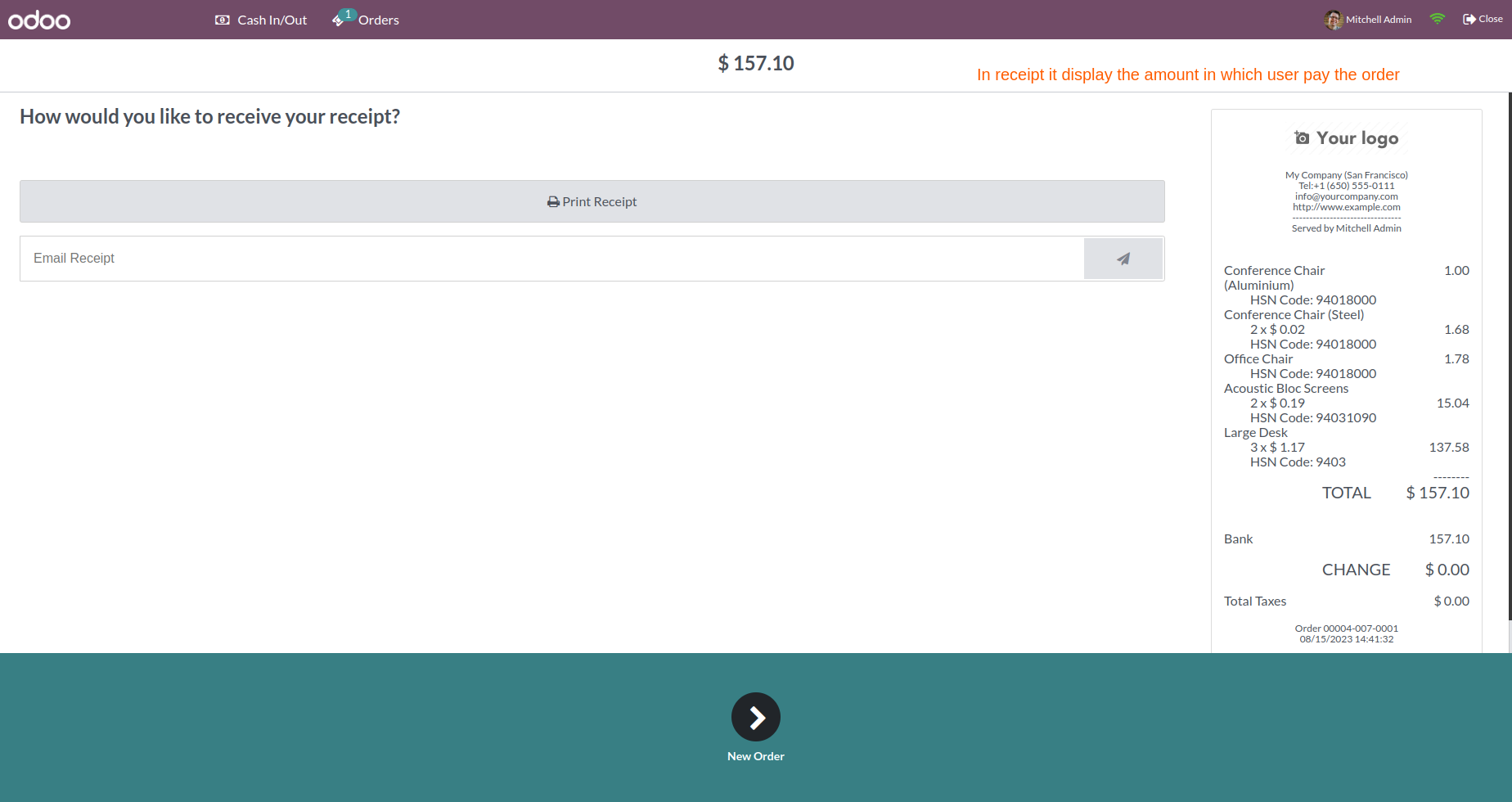
The payment receipt displays the amount in which the user pays the order.
In the payment, the user can see the currency rate of the ordered pricelist.
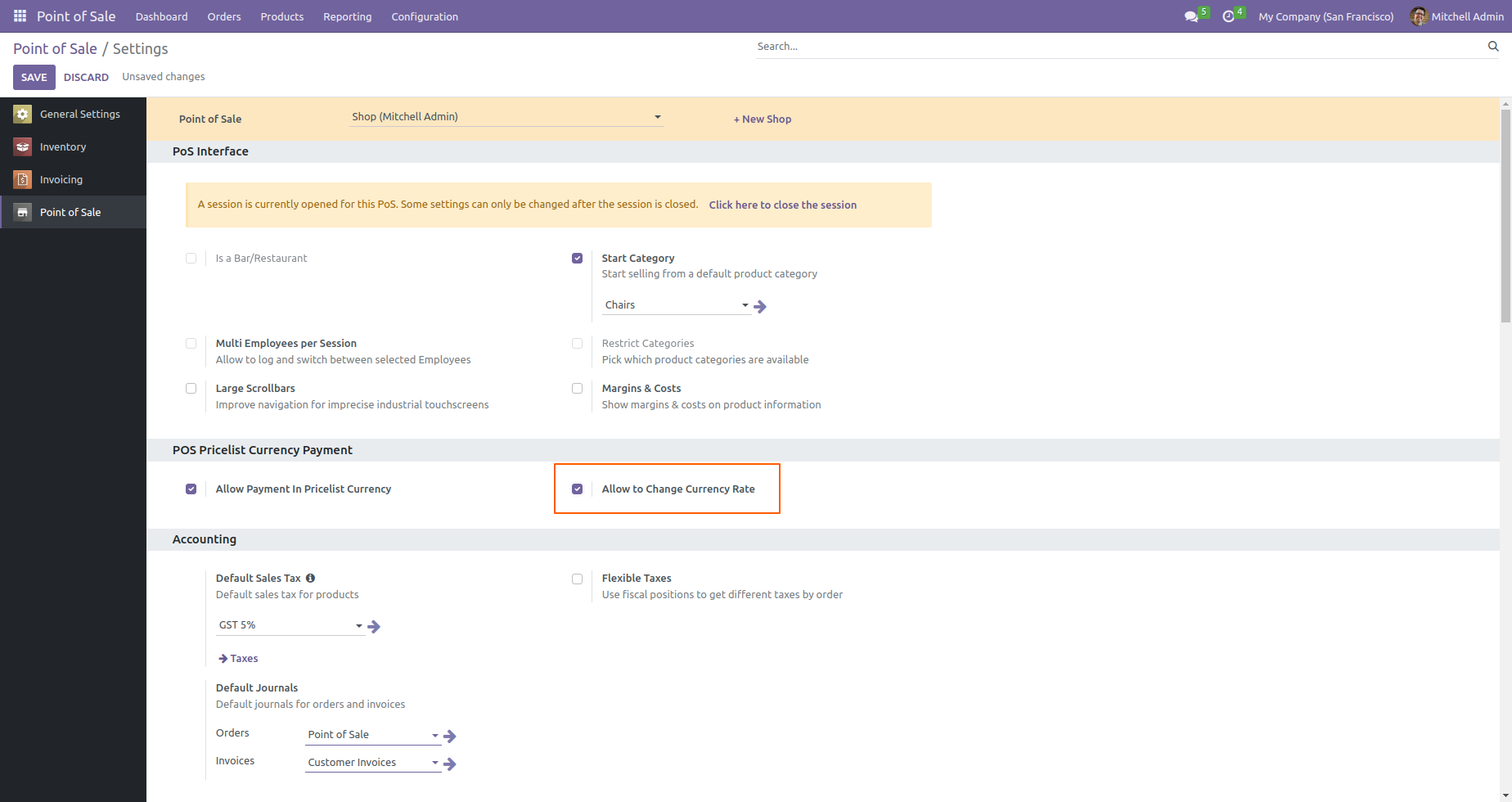
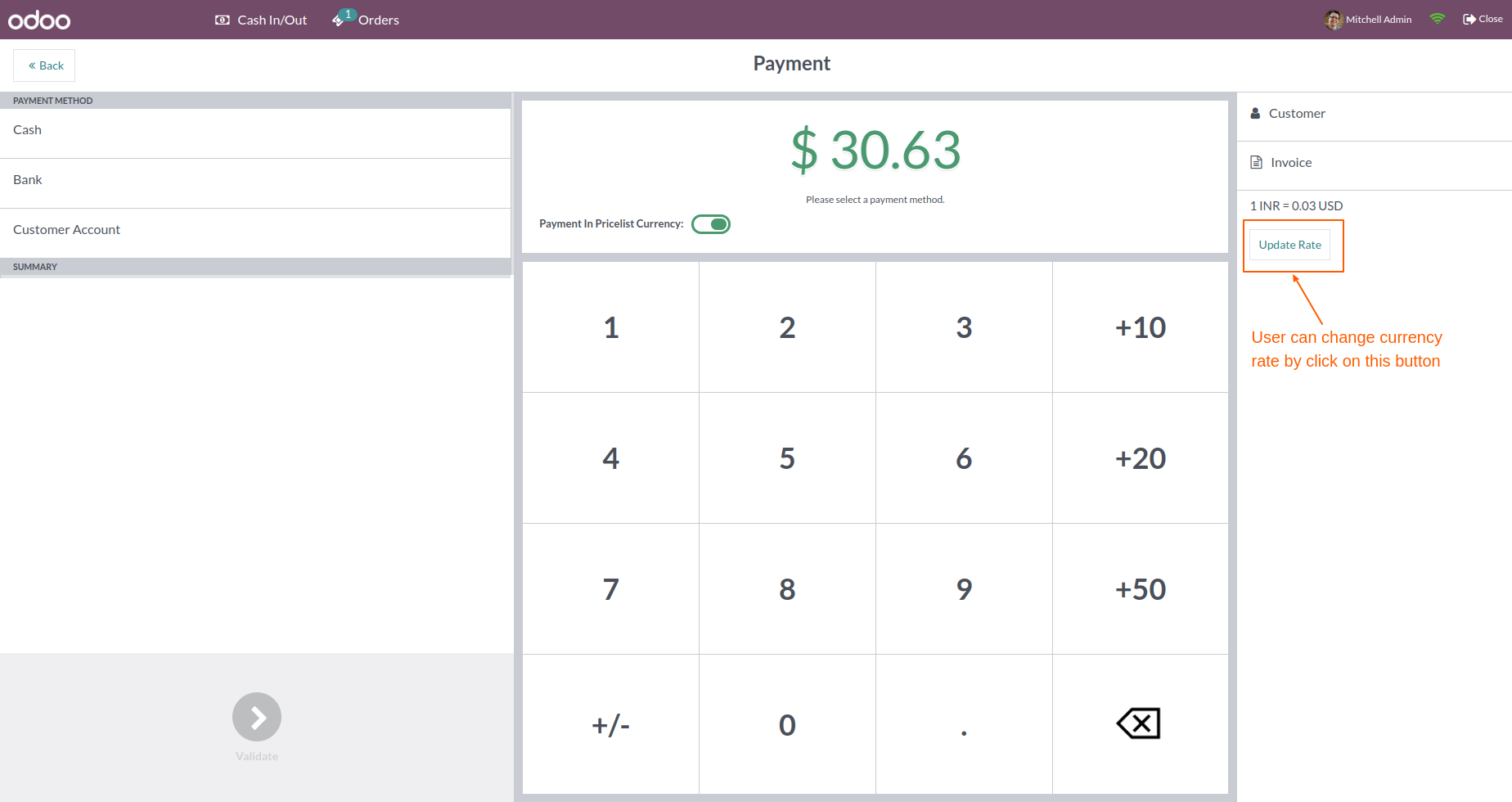
Go to POS settings => tick Allow to change currency rate
You can change the currency rate by clicking on the "Update Rate" button.
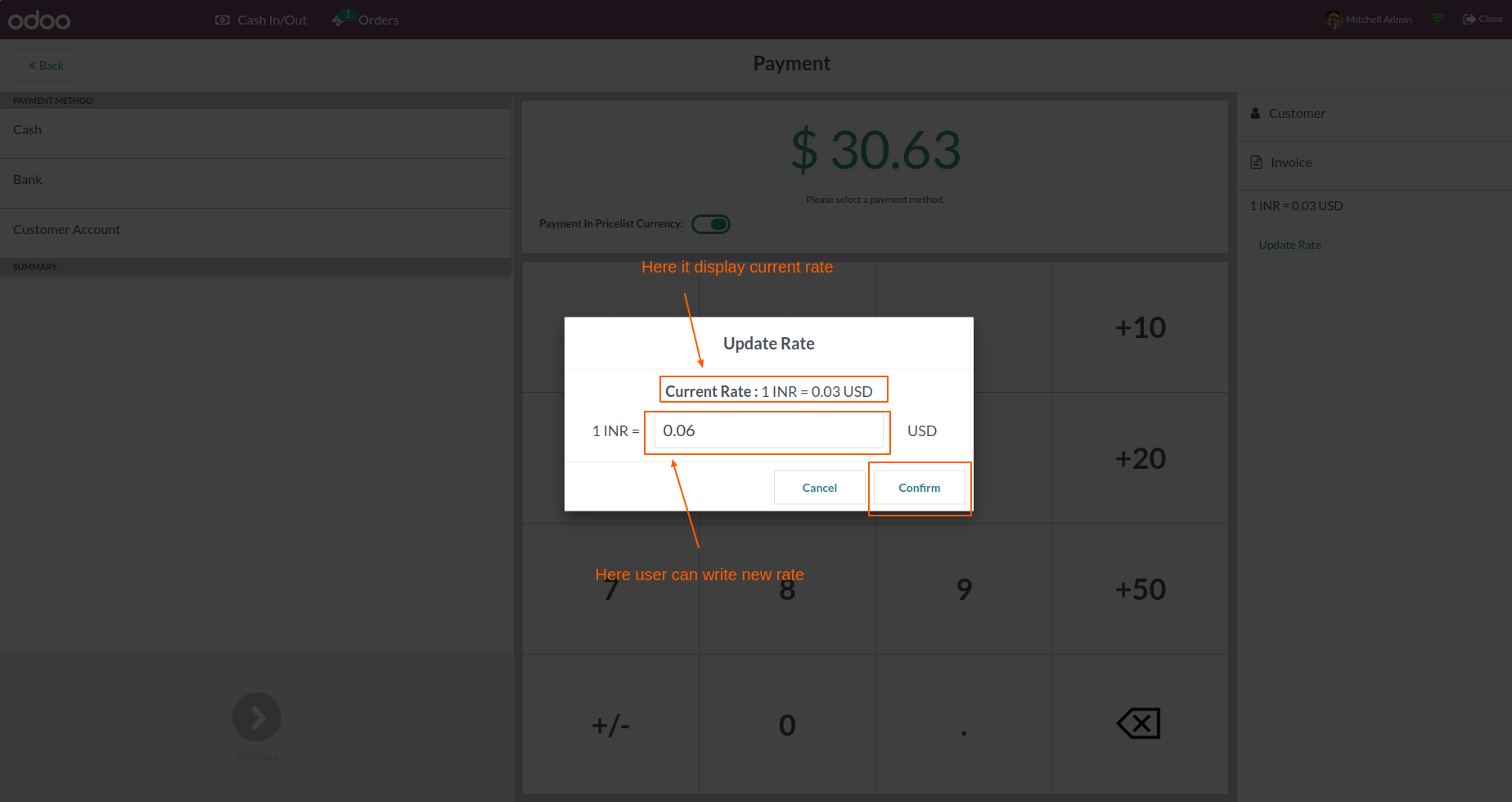
Here you can add a new currency rate.
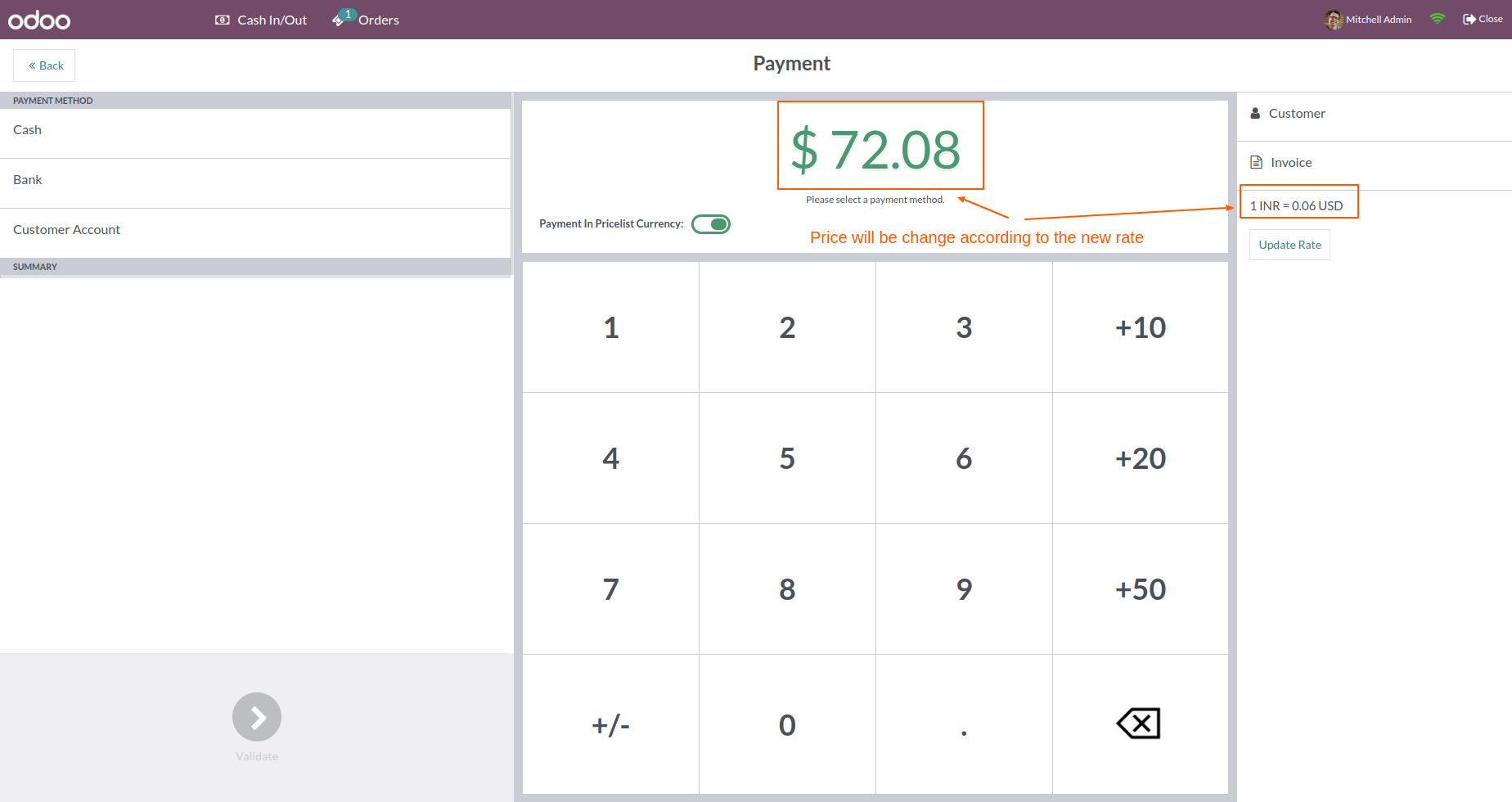
The price will be changed according to the new currency rate.
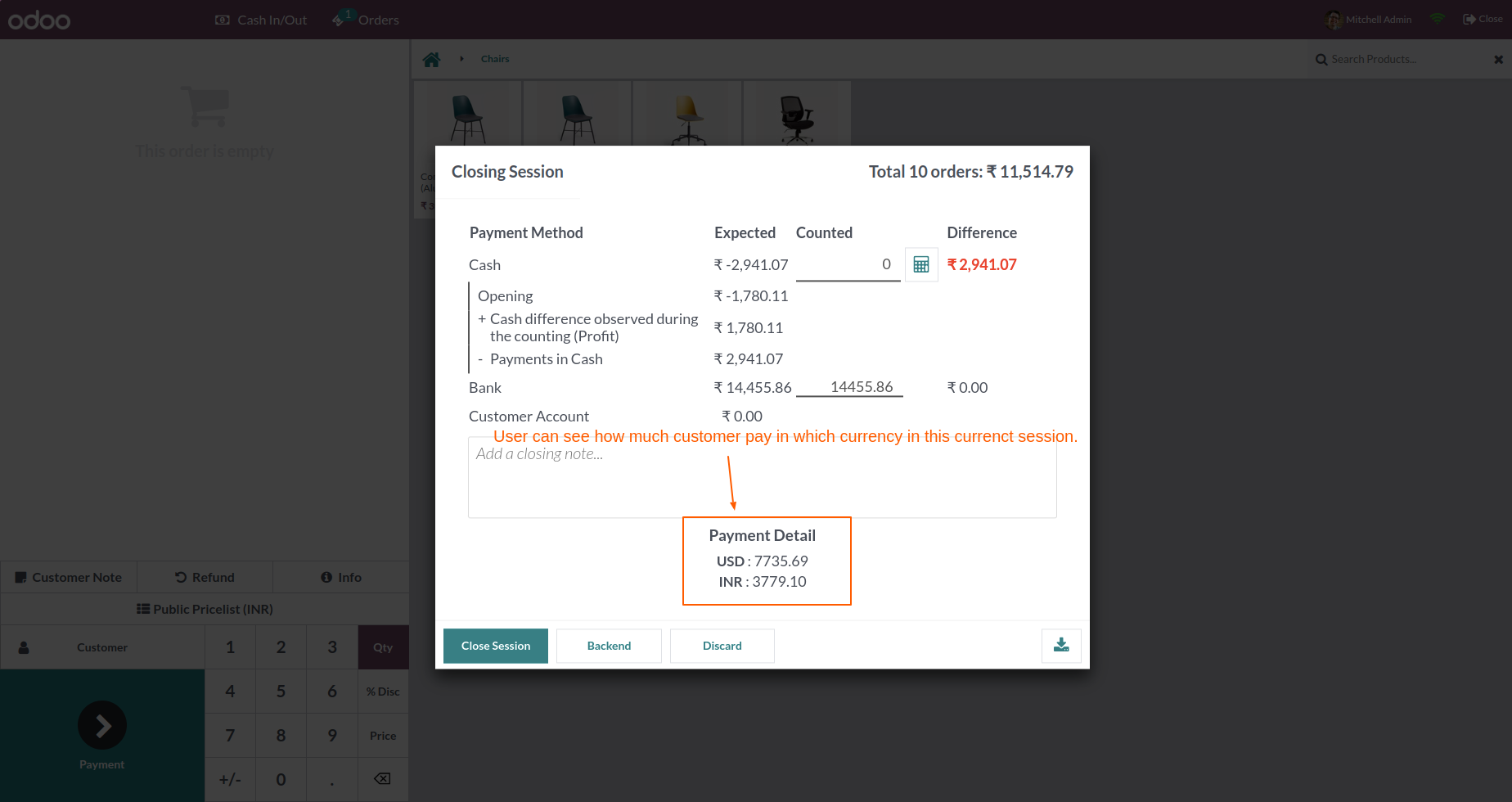
Users can see how much customers pay in which currency in this current session.
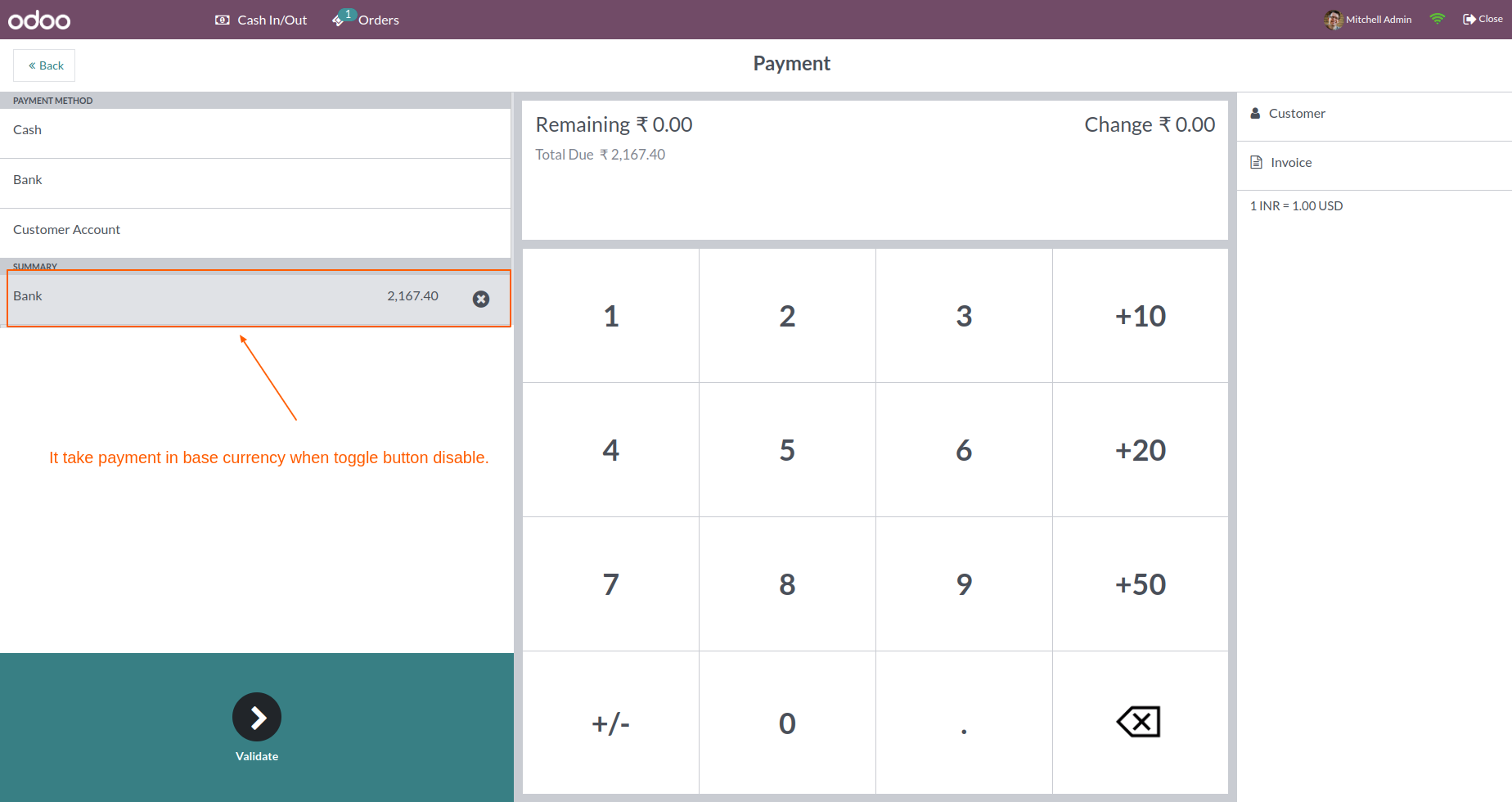
Users can pay orders in base currency by disabling the toggle.
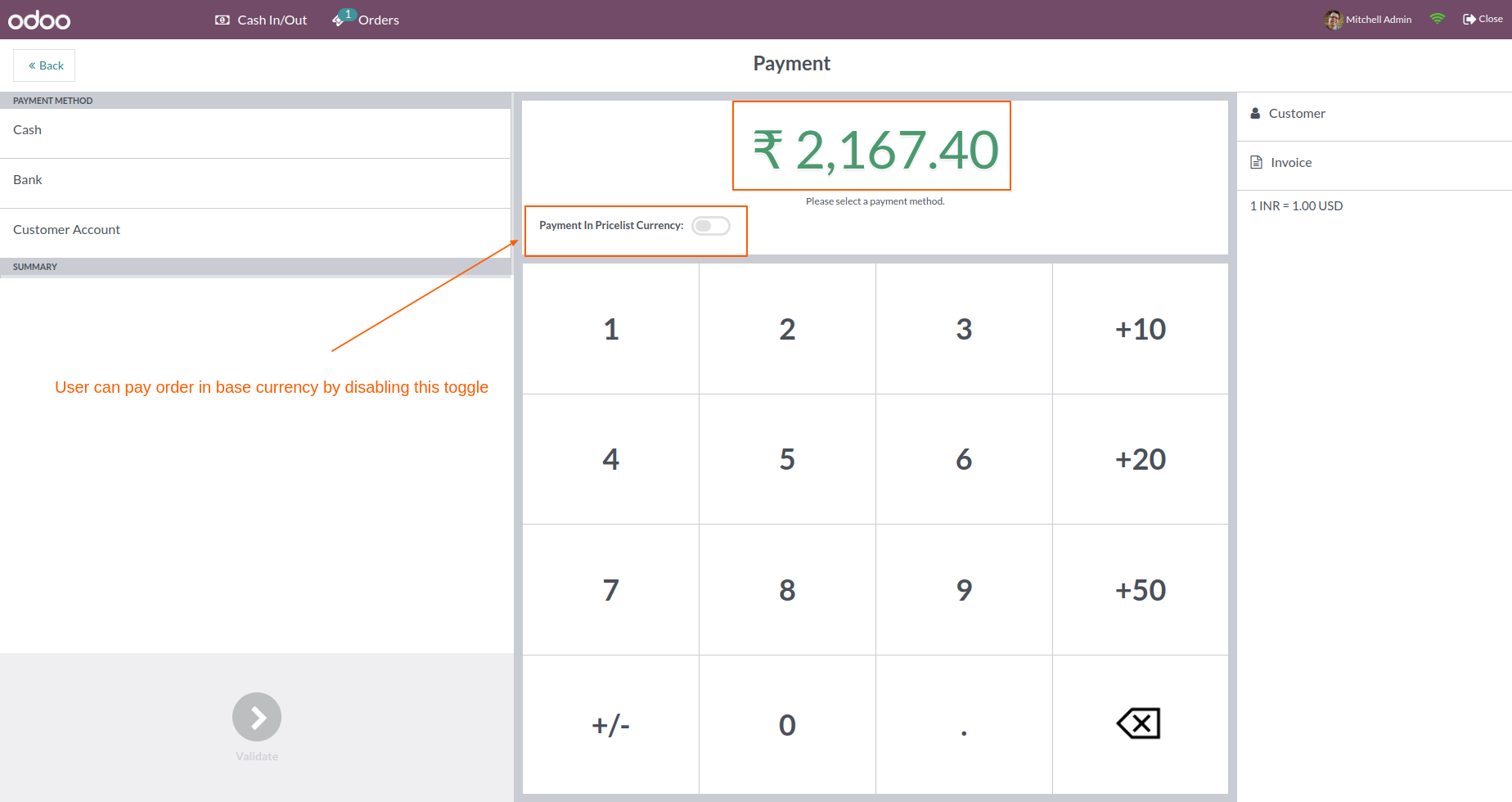
It takes payment in base currency when the toggle button is disabled.
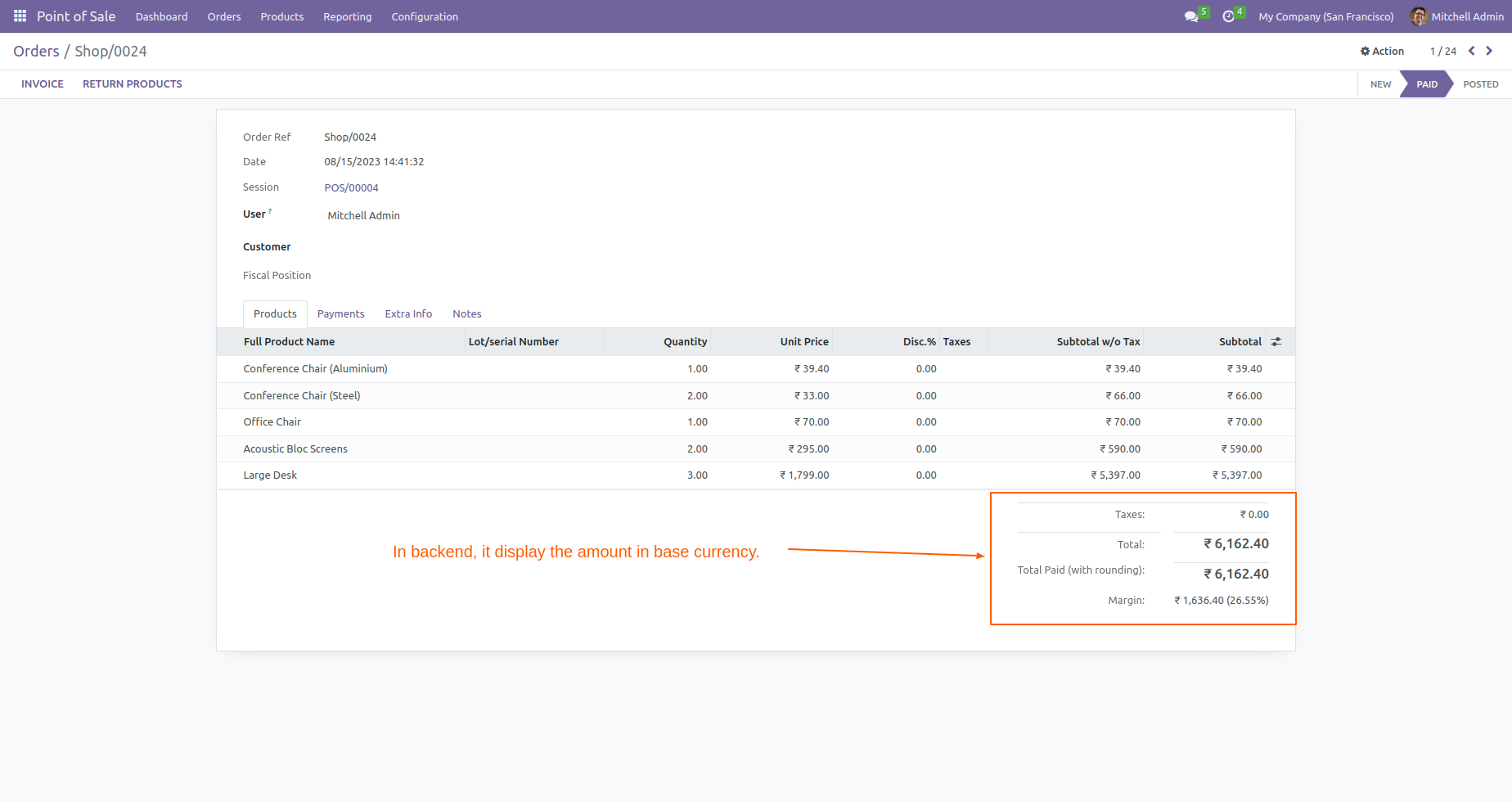
In the backend, the product amount and total amount are displayed with base currency.
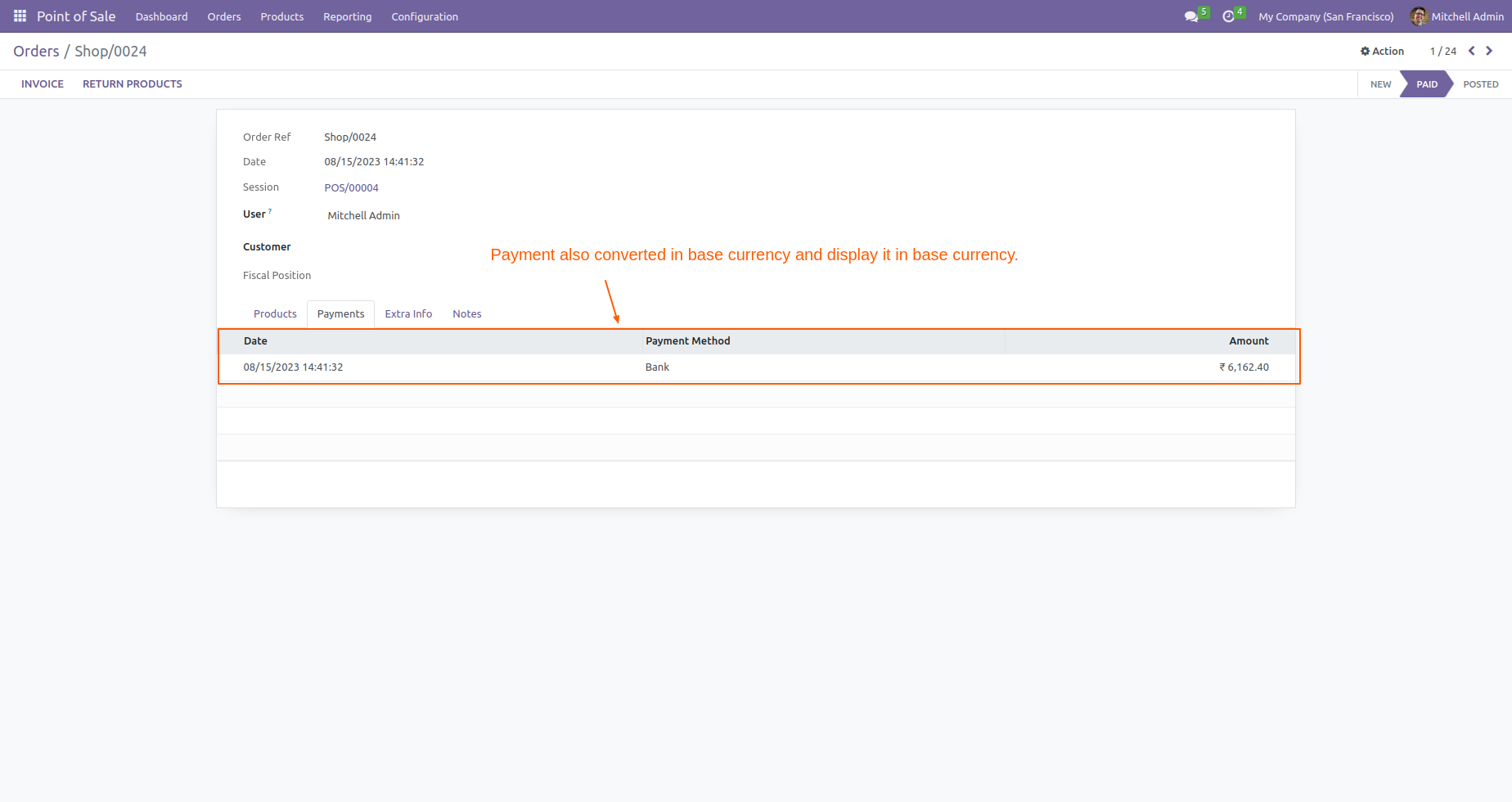
In the backend, payment is also converted into base currency and displayed in base currency.
Version 20.0.1.0.0 | Released on : 14th September 2026
- Yes, this app works perfectly with Odoo Enterprise (Odoo.sh & Premise) as well as Community.
- No, this application is not compatible with odoo.com(odoo saas/Odoo Online)
- Yes, to test this module, please contact us at sales@softhealer.com.
- Please contact us at sales@softhealer.com to request customization.
- Yes, we provide free support for 365 days from the date of purchase.
- Yes, you will receive lifetime free updates for the version of the module you purchased.
- No, there is no need to install any additional libraries.
- Yes, for version 12 and above, you need to purchase the module separately for each version you intend to use.
- No, exchanges or refunds are not allowed. Please make sure to select the correct version before purchasing.
- You can contact us at support@softhealer.com for language translation support. We use Google Translator tools to provide translations in multiple languages, so the accuracy may vary. We welcome your suggestions to help improve translations.
Discover Our Latest Apps