












Point Of Sale Multi-Currency Payments

POS Multi-Currency Payments enables businesses to accept payments in multiple currencies directly from the Odoo Point of Sale. Users can configure currency-specific payment methods and automatically convert foreign currency payments into the POS base currency during transactions. The module stores original currency amounts and converted values on POS orders and payment records for complete traceability. It also supports separate cash counting for each currency during session closing.

Related Modules
Features

POS Multi-Currency Support
Enable multi-currency payments in Point of Sale and accept customer payments in different currencies.

Currency-Based Payment Methods
Assign a specific currency to each payment method for easier payment processing.

Automatic Currency Conversion
Automatically convert foreign currency payments into the POS currency using configured exchange rates.

Receipt Currency Details
Display both the paid currency amount and converted amount on customer receipts.

Session Closing Currency Summary
Display counted and difference amounts for each foreign currency payment method during POS register closing.

Backend Payment Visibility
View payment currency, foreign amount, and converted amount directly from POS order payment records in the backend.

Currency-Based Closing Validation
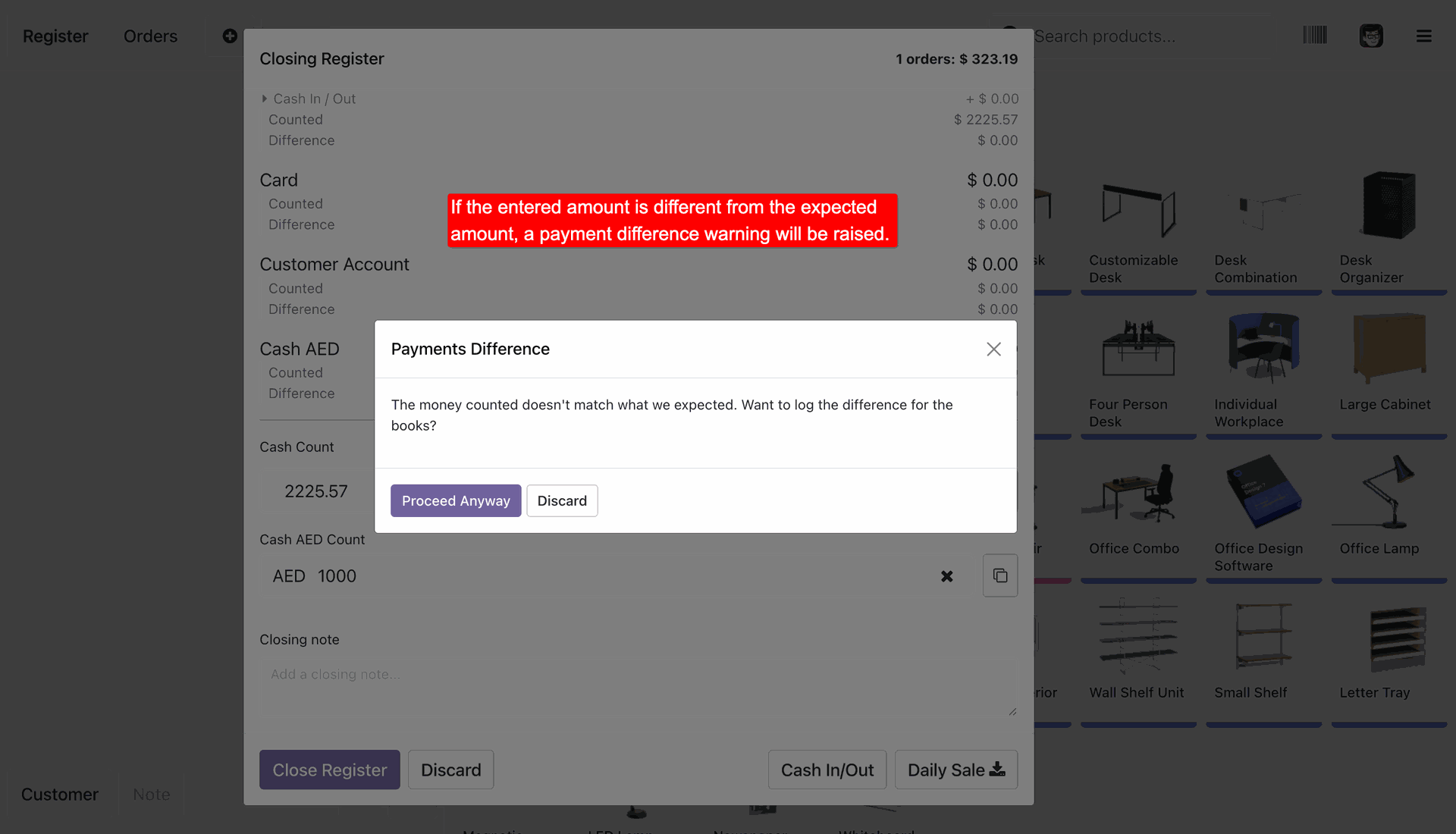
Automatically compare entered foreign currency amounts with expected values and display a difference warning when mismatches occur.
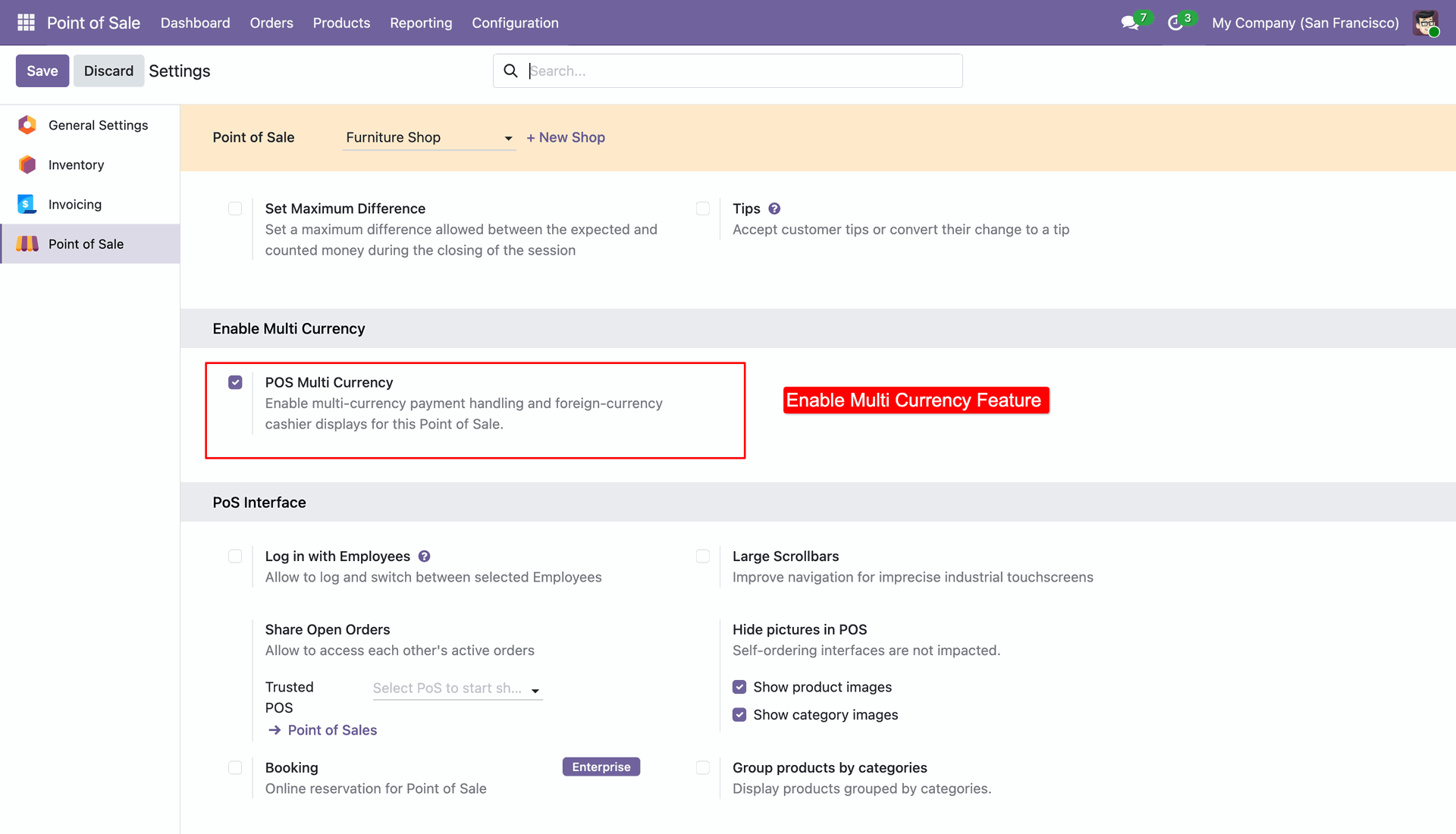
Go to the Point of Sale configuration settings to enable the POS Multi Currency feature.
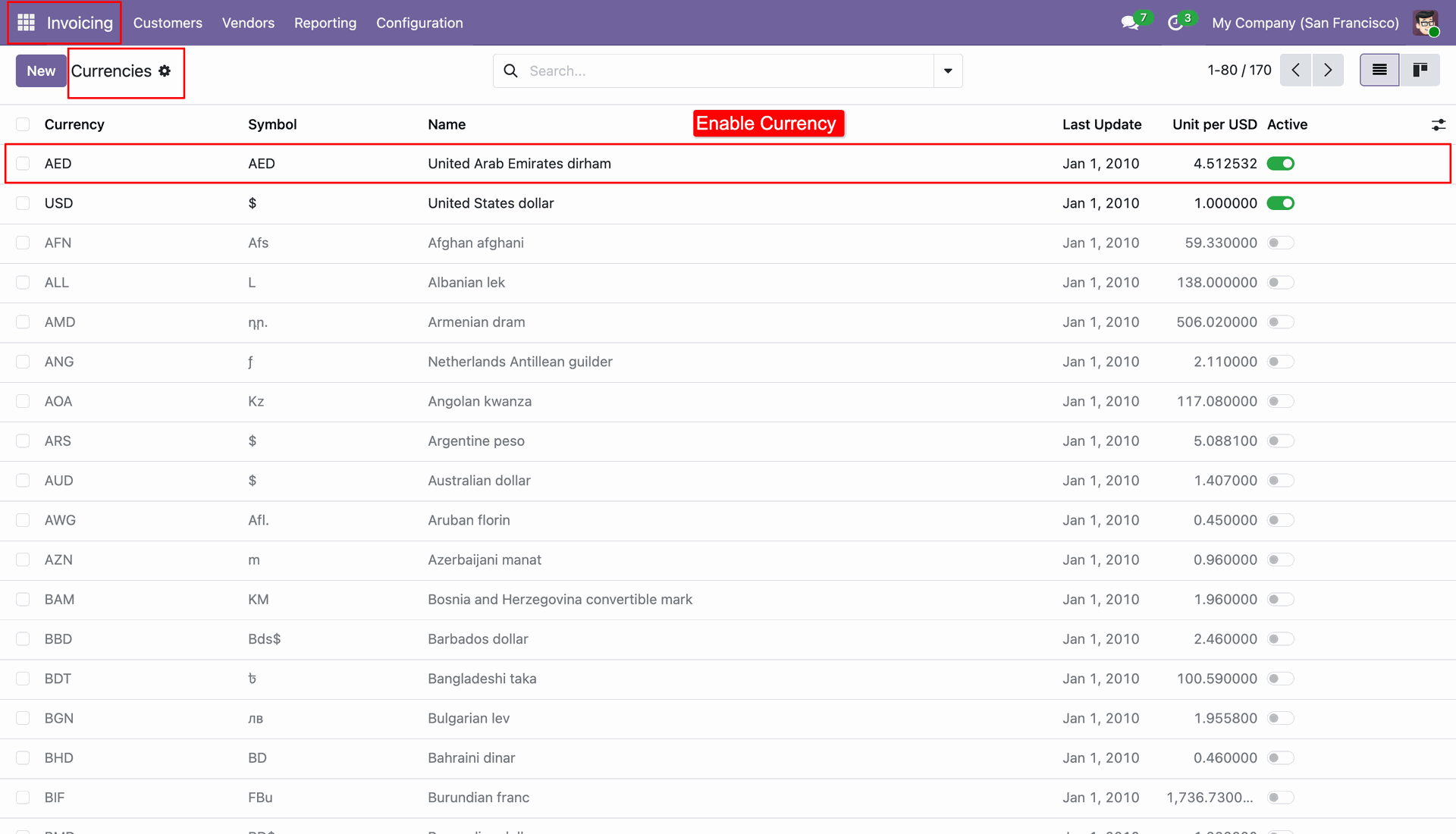
Activate desired foreign currencies (e.g., AED, EUR).
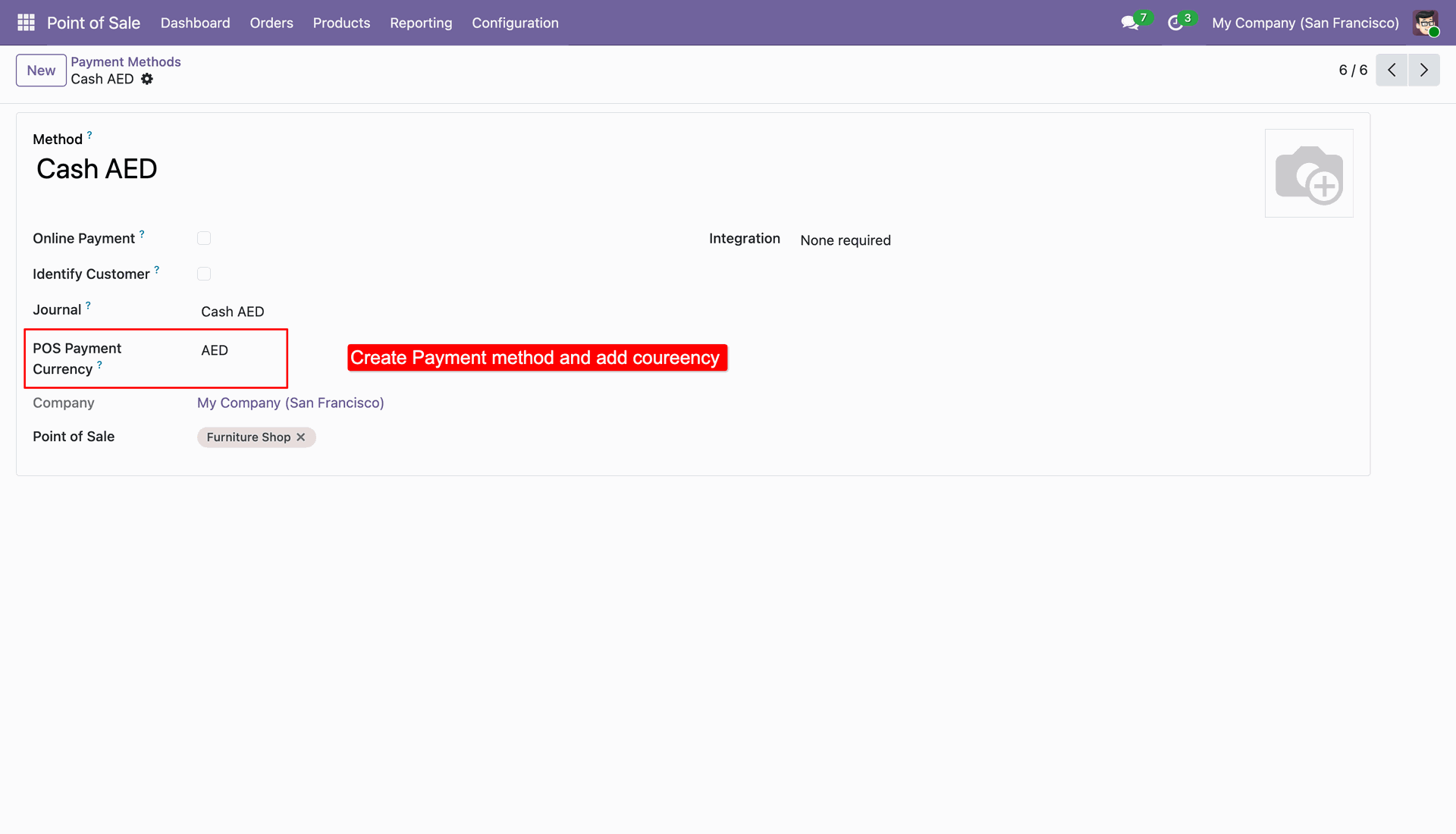
Link a foreign currency to a specific payment method (e.g., Cash AED) to allow payments in that currency during checkout.
Products and totals are displayed in the main POS register base currency.
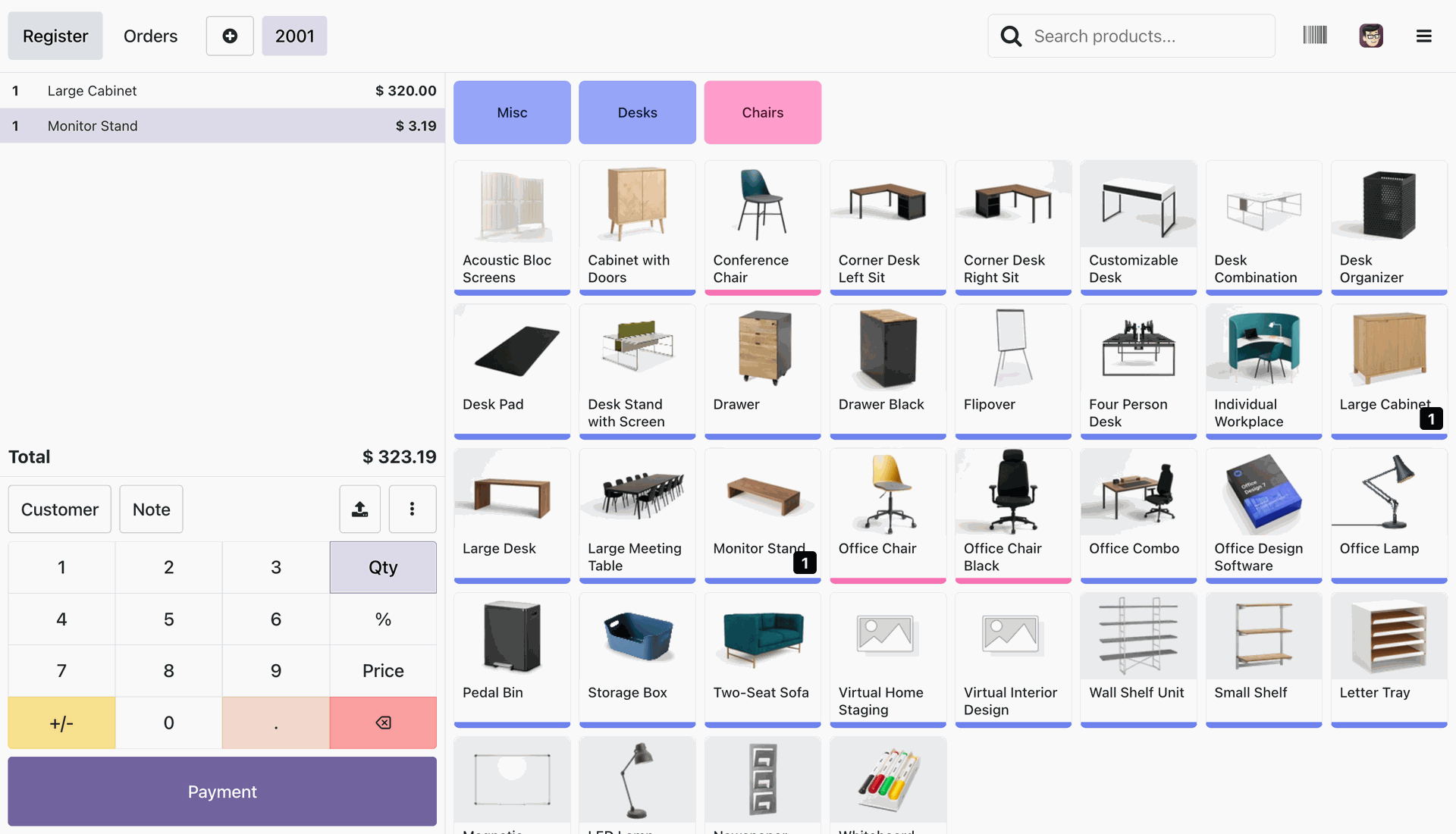
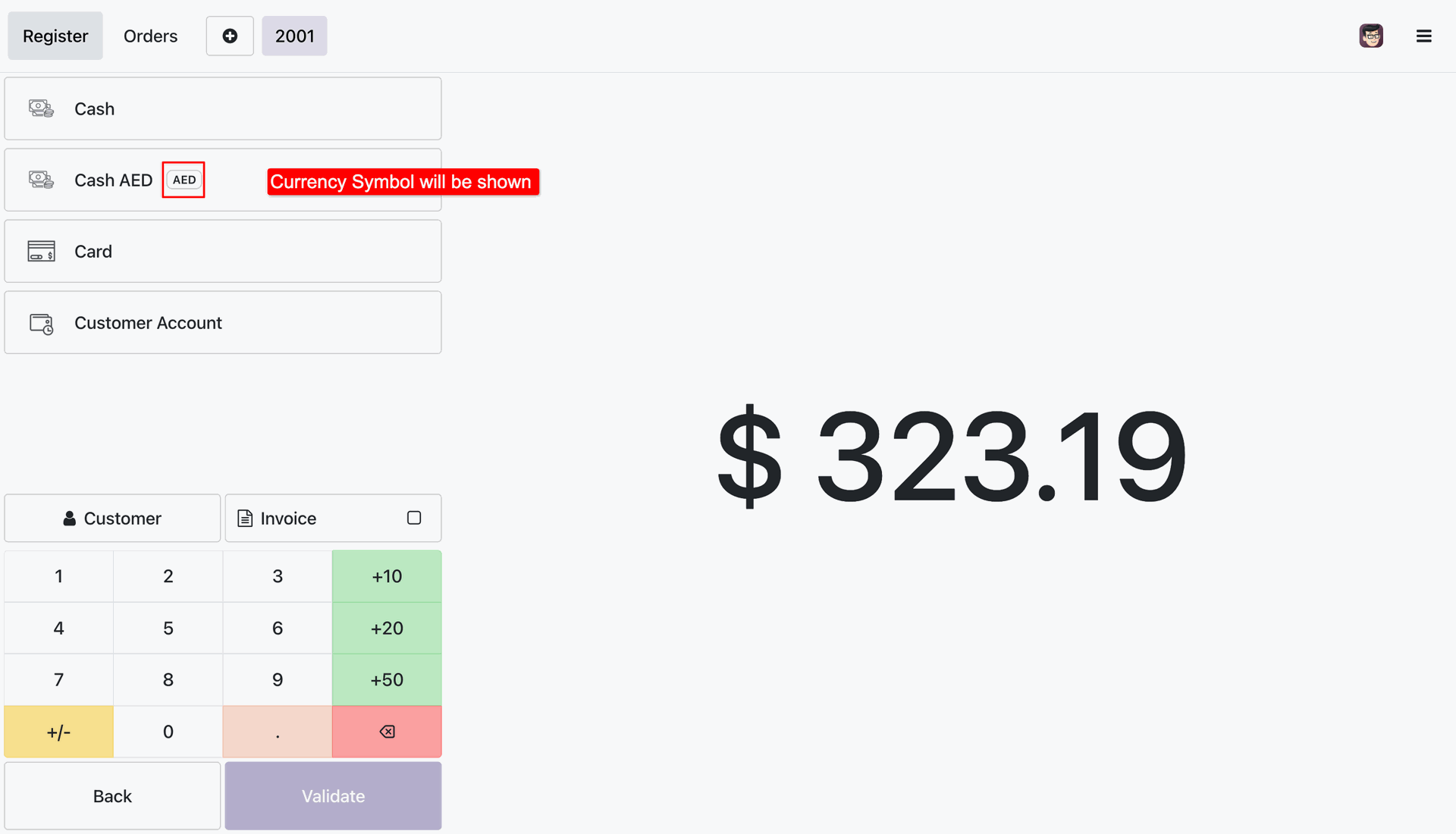
On the payment screen, payment methods linked to foreign currencies show their respective currency codes next to the amount buttons.
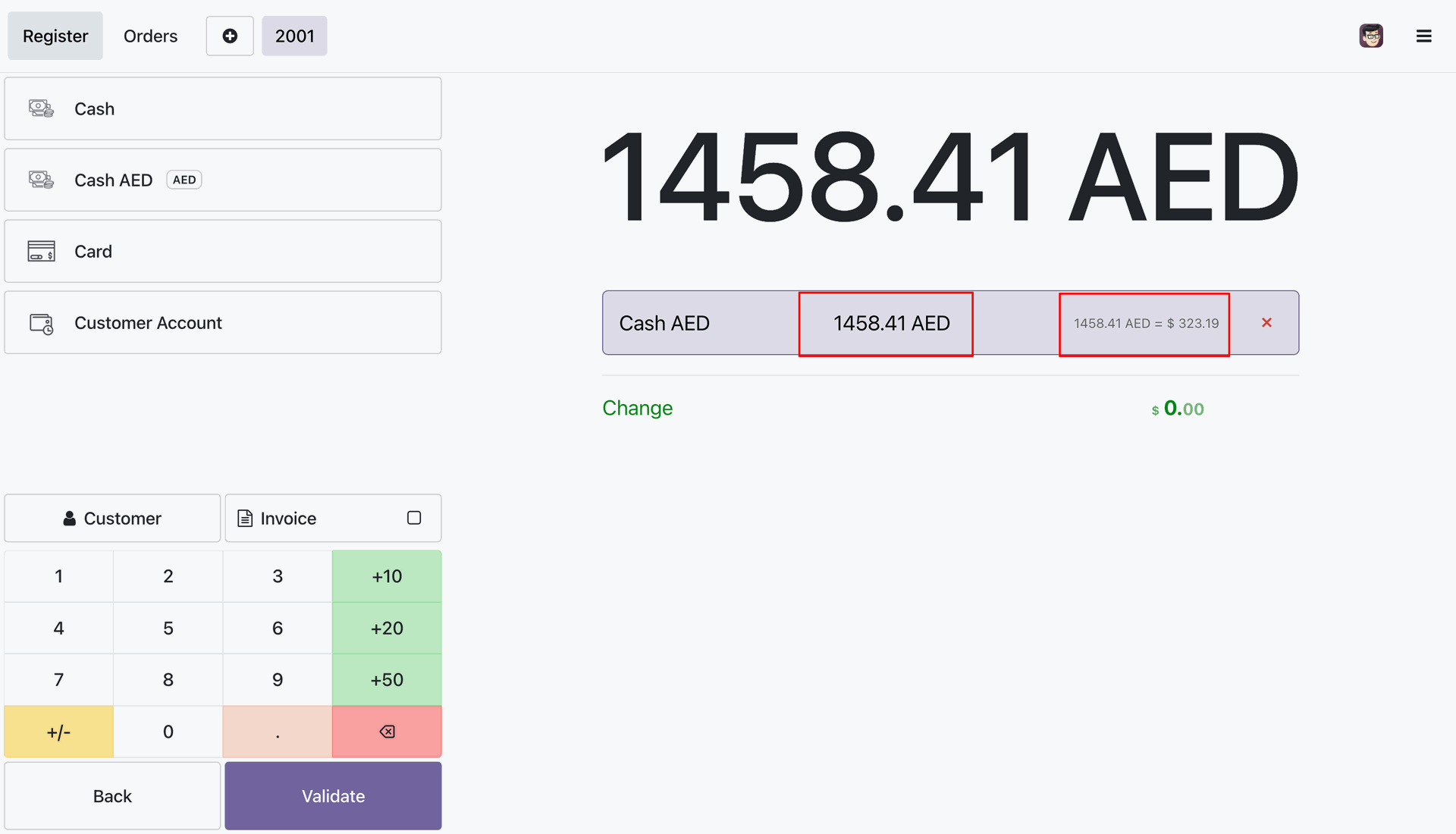
Enter the exact tendered amount in the foreign currency. The system automatically converts the payment to the register's base currency in real-time.
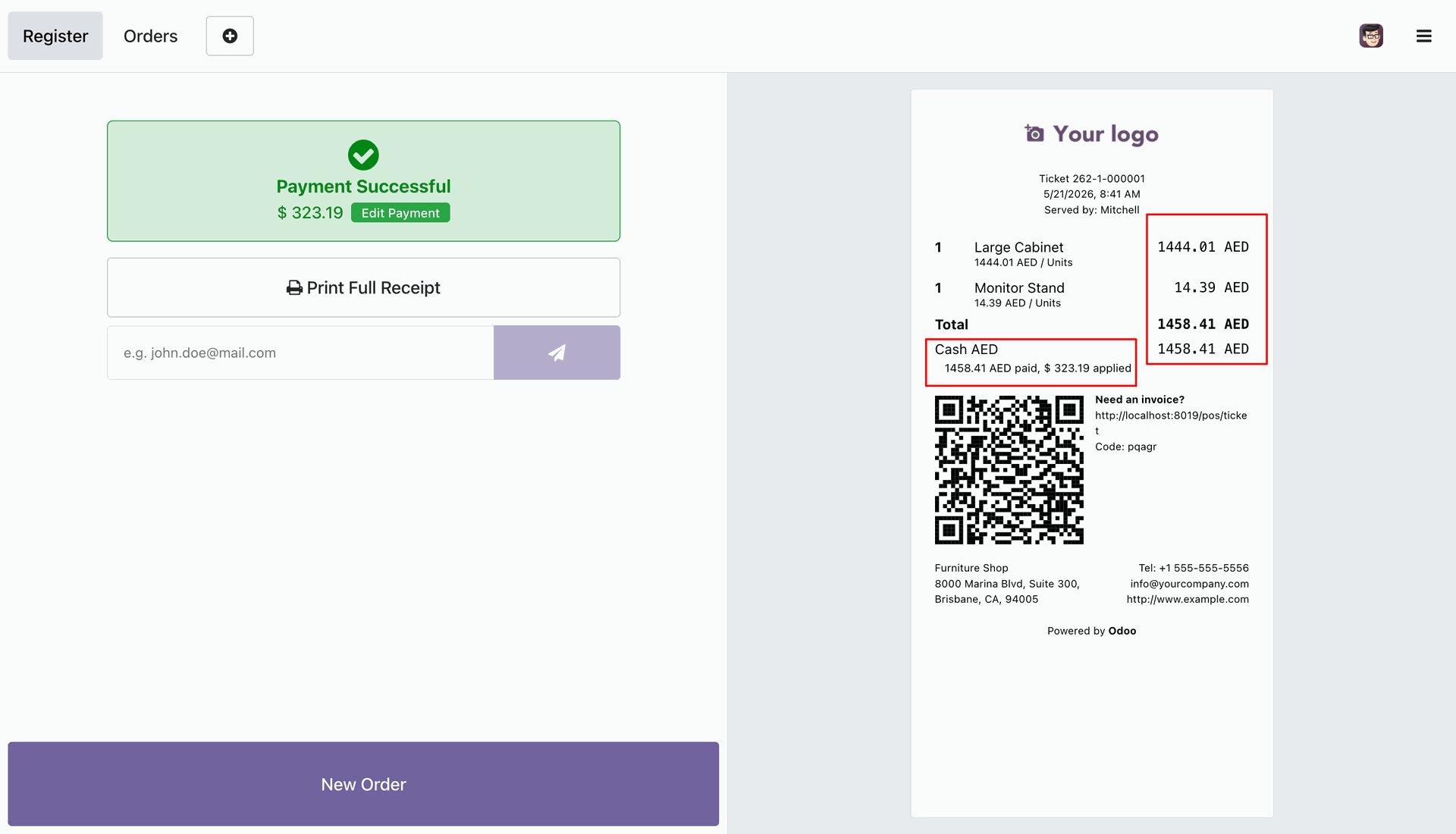
Print custom customer receipts detailing the exact foreign currency amount paid along with the converted base currency amount applied to the order.
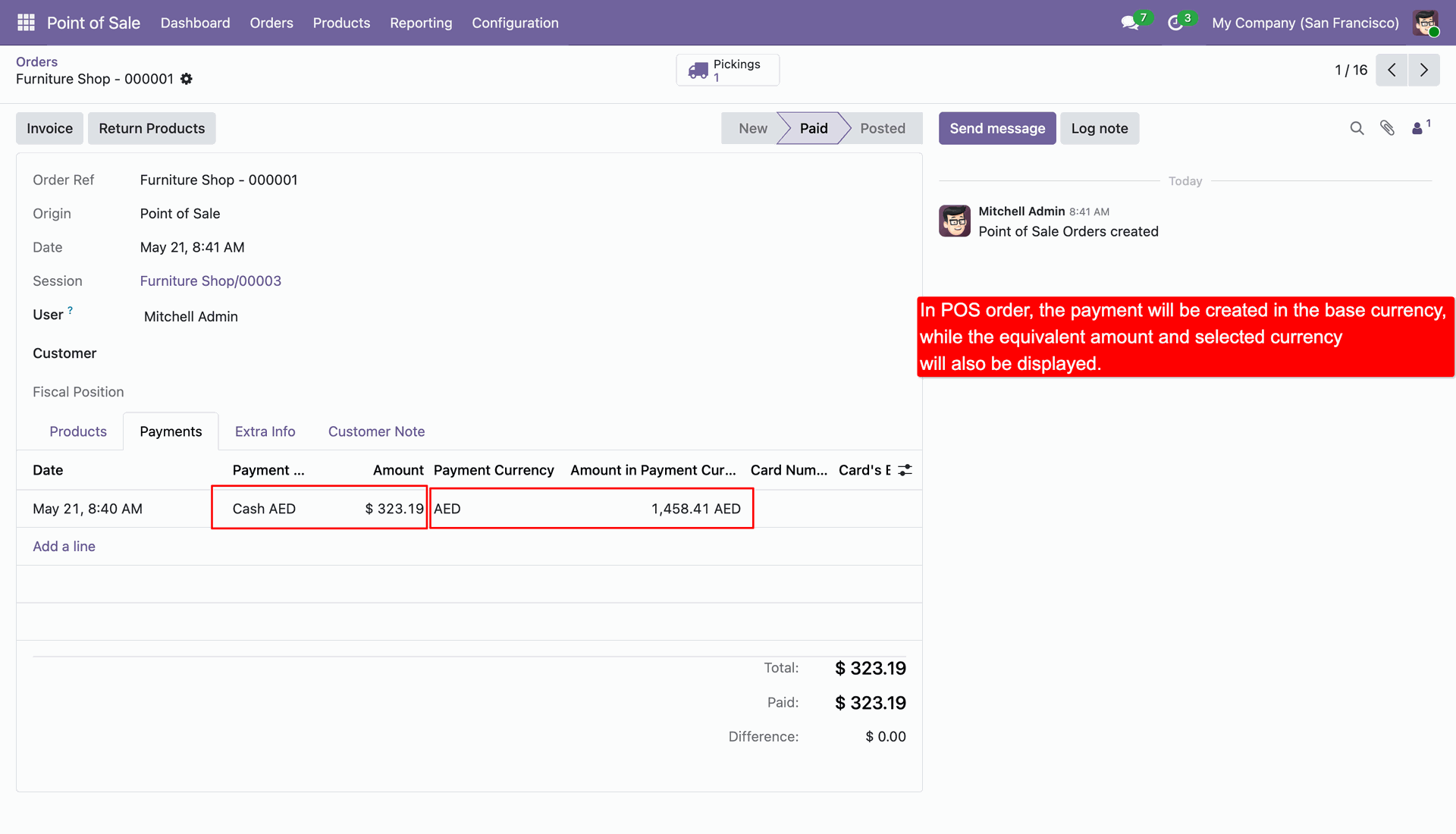
Review payments on POS orders in the backend, displaying the payment currency and original foreign currency amount.
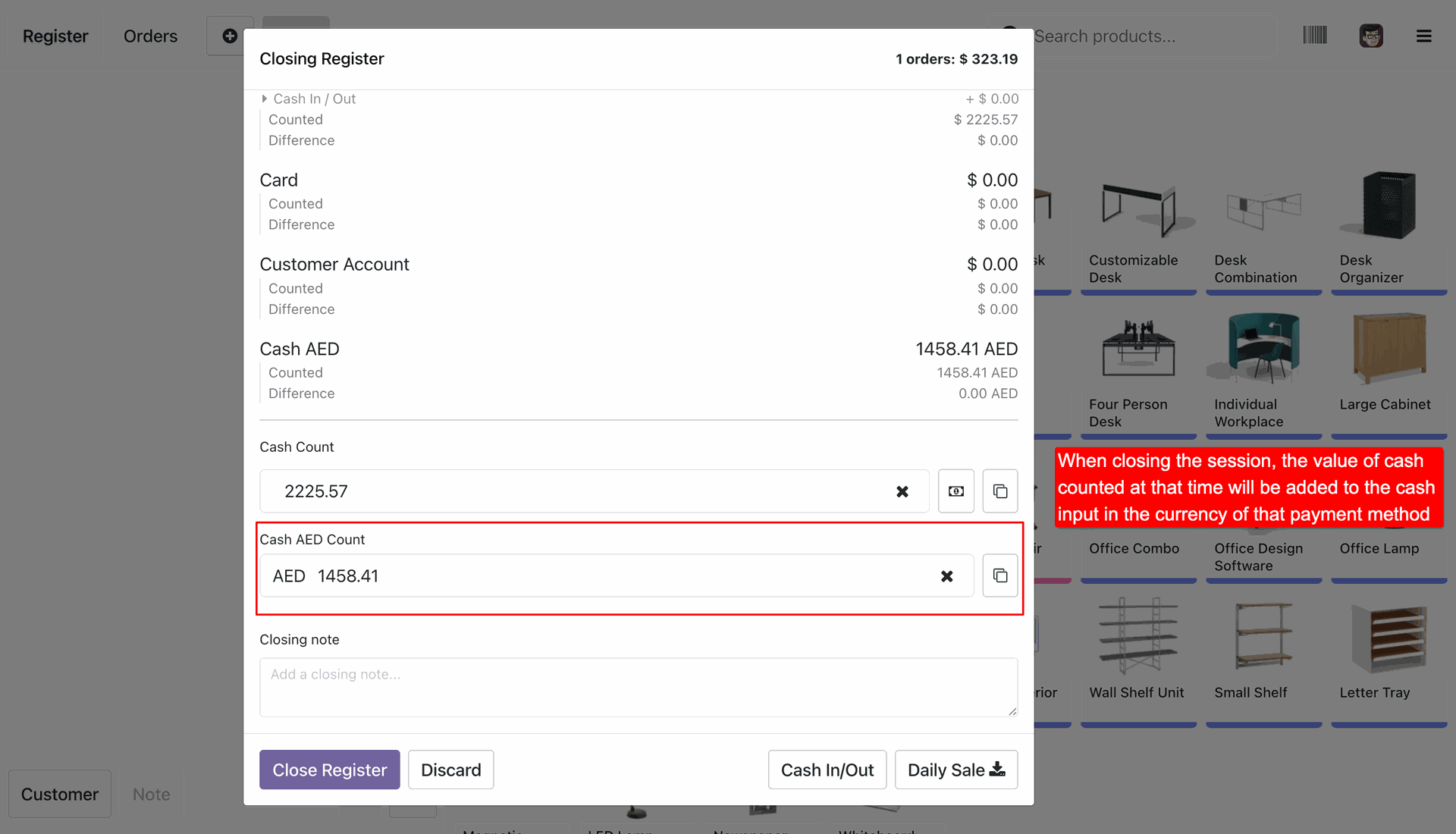
The closing control popup tracks counted and difference amounts.
Easily identify and audit differences in expected vs. counted cash amounts in their original currencies.
Version 19.0.1.0.0 | Released on : 29th June 2026
- Yes, this app works perfectly with Odoo Enterprise (Odoo.sh & Premise) as well as Community.
- No, this application is not compatible with odoo.com(odoo saas/Odoo Online)
- Yes, to test this module, please contact us at sales@softhealer.com.
- Please contact us at sales@softhealer.com to request customization.
- Yes, we provide free support for 365 days from the date of purchase.
- Yes, you will receive lifetime free updates for the version of the module you purchased.
- No, there is no need to install any additional libraries.
- Yes, for version 12 and above, you need to purchase the module separately for each version you intend to use.
- No, exchanges or refunds are not allowed. Please make sure to select the correct version before purchasing.
- You can contact us at support@softhealer.com for language translation support. We use Google Translator tools to provide translations in multiple languages, so the accuracy may vary. We welcome your suggestions to help improve translations.
Discover Our Latest Apps