








Complete AI Automation Suite
FLAT 30% OFF
AI Insight Assistant
Talk to your data. Get instant answers
AI Live Chatbot
24/7 customer support, always on
AI Dashboard Studio
 Beautiful dashboards, zero effort
MCP Integration
Seamless multi-channel connections
And Many More Features
Complete AI Automation Suite — FLAT 30% OFF

Point Of Sale Minimum Quantity | POS Product Quantity Selector | Point Of Sale Product Quantity Selector | POS Minimum Qty | Point Of Sale Minimum Qty v19

  • Home
  • Blogs
  • Point Of Sale Minimum Quantity | POS Product Quantity Selector | Point Of Sale Product Quantity Selector | POS Minimum Qty | Point Of Sale Minimum Qty v19
logo
Free Support
Life Time
Counter box img
Custom Apps
1500+
counter box img
top seller of odoo marketplace
counter box img
Happy Customer
10K+
counter box img
Year Of Experience
11+
counter box img
countries
100+
counter box img
Talented healers
150+
counter box img
Industries Served
45+
counter box img
Odoo Community Implementation
350+
counter box img
Odoo Enterprise Implementation
150+
counter box img
Best partner Nominee
2024
counter box img
Global Presence
counter box img

Free Demo
Email: sales@softhealer.com
Lifetime Free Support
Contact: support@softhealer.com
Customization
Sales: sales@softhealer.com
logo
Community Enterprise Odoo.sh

Point Of Sale Minimum Quantity

heading

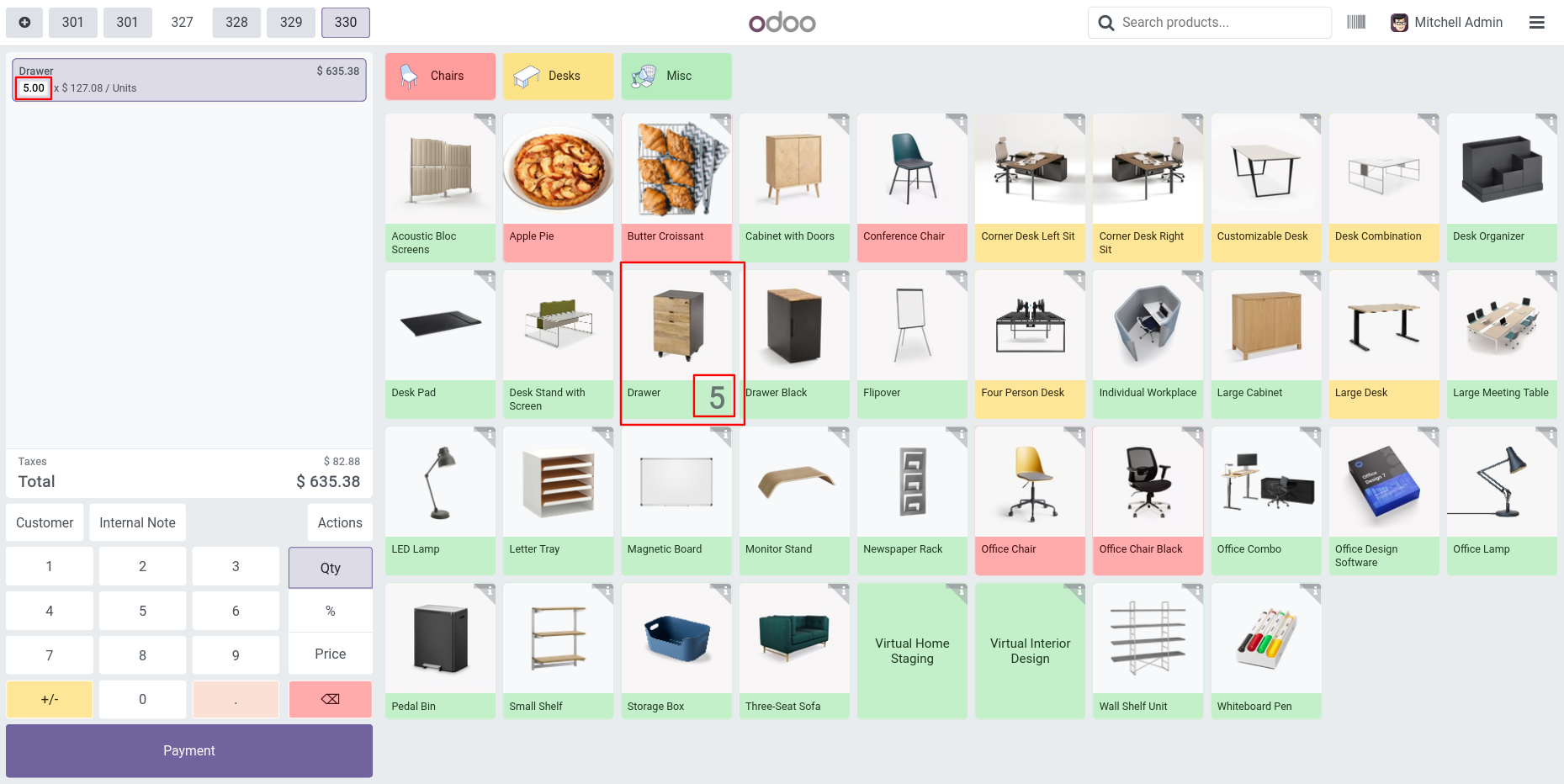
Are you planning to define the minimum quantities of the products at the point of sale? You can set minimum quantities in the POS using this module. Suppose you set the minimum quantity as 5 so it will automatically take that number of quantities in the POS cart. You can increase the quantity of the product relative to the default quantity (default is 5) in the POS.

Features

heading
  • Easy to set minimum quantities of products at the point of sale.
  • You can increase product quantity relative to the minimum quantity in the POS.
  • We provide the below configurations,

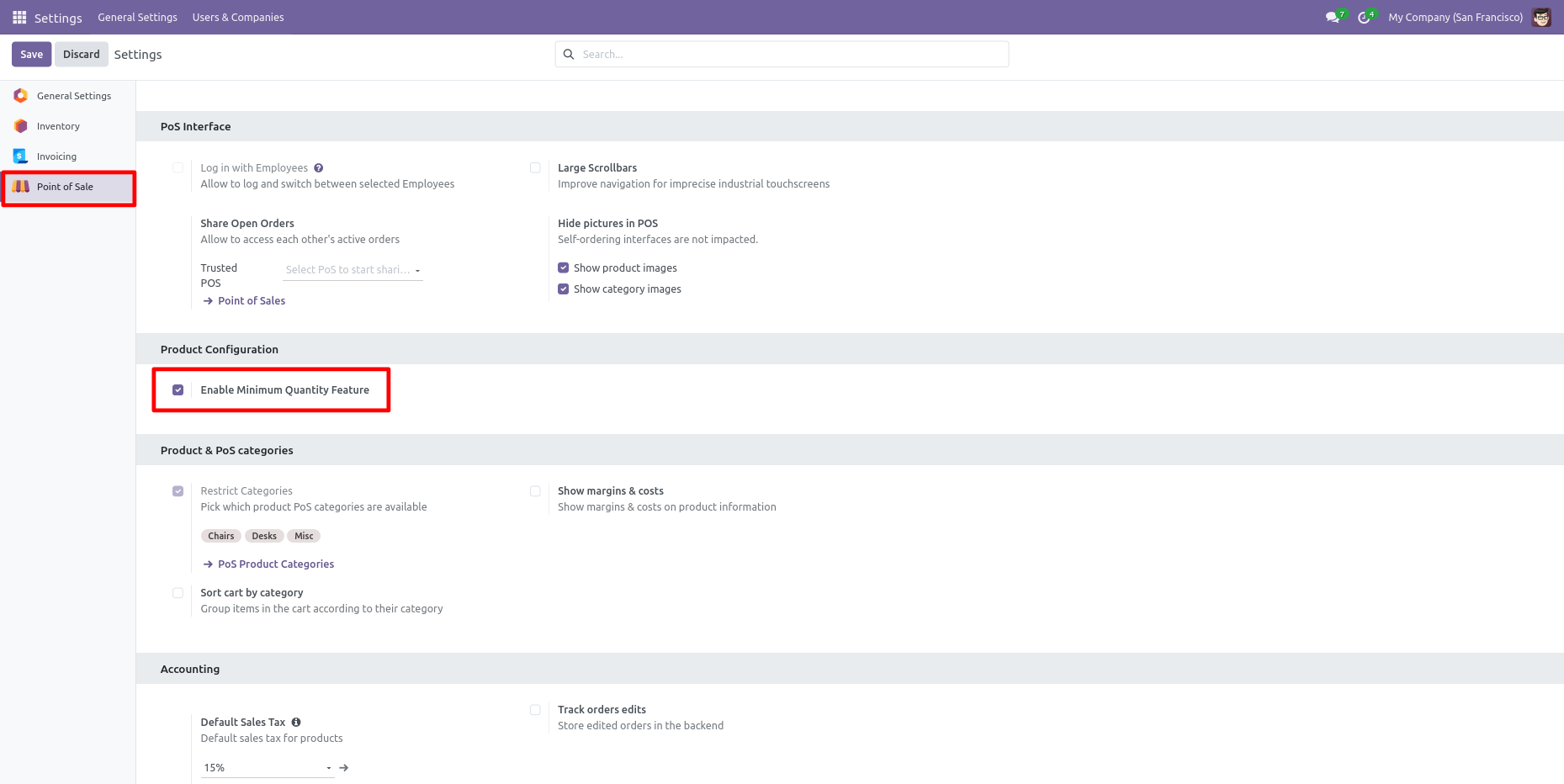
    A) Enable Minimum Quantity Feature: If you tick this group then you can set the product minimum quantity in the POS.
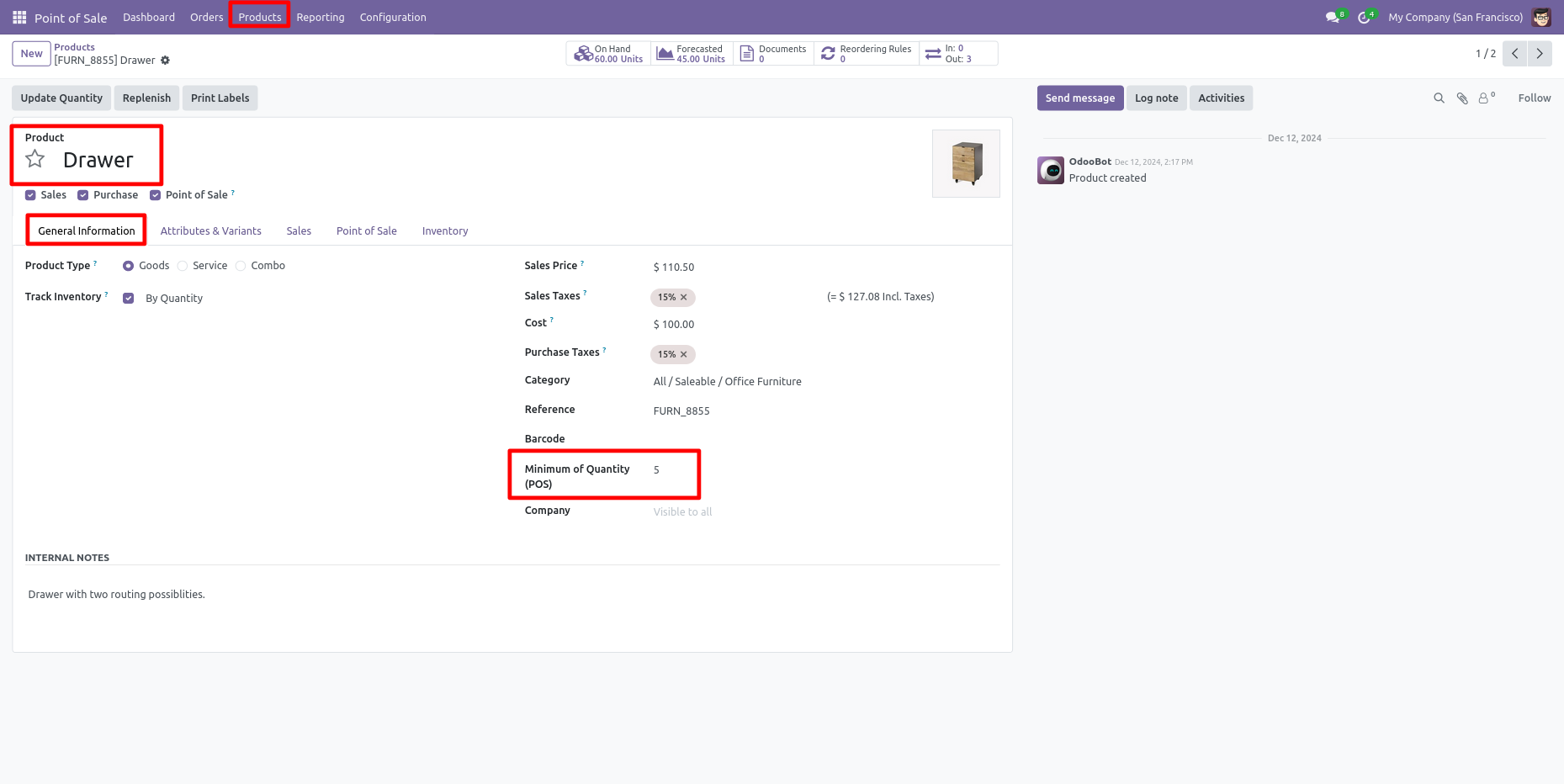
    B) Minimum Of Quantity: You have to set minimum quantities of product in the "Minimum Of Quantity" field.

Tick the "Enable Minimum Quantity" group to set minimum of quantity numbers in the POS.

Set "Minimum of Quantity" in the product.

In the cart, product quantity comes according to that minimum quantity.

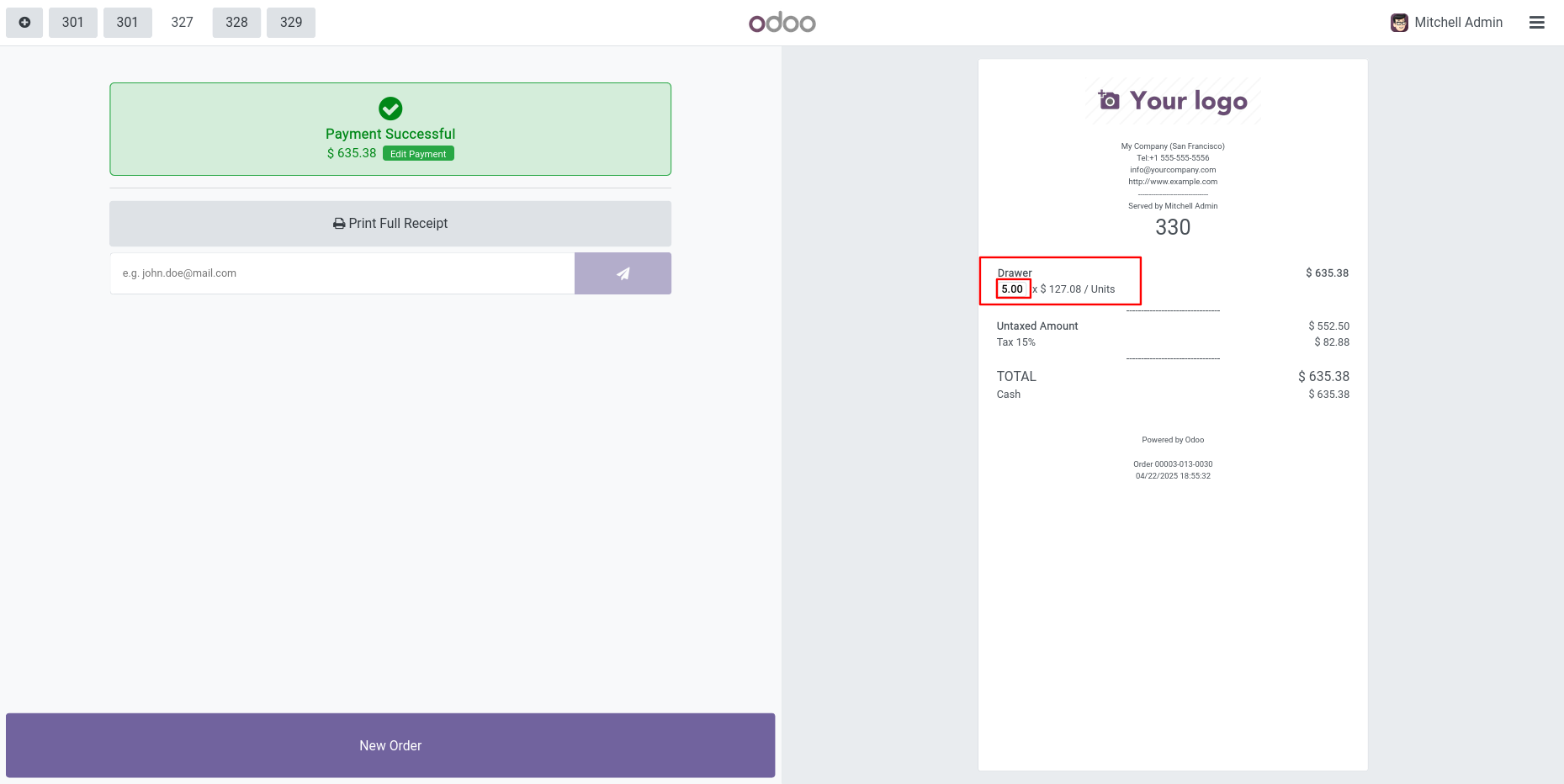
Minimum quantity in receipt.
Version 19.0.1.0.0 | Released on : 18th March 2026

Initial Initial Release.
  • Yes, this app works perfectly with Odoo Enterprise (Odoo.sh & Premise) as well as Community.
  • No, this application is not compatible with odoo.com(odoo saas/Odoo Online)
  • Yes, this app works perfectly when pos offline.
  • Yes, we provide free support for 365 days from the date of purchase.
  • Yes, you will receive lifetime free updates for the version of the module you purchased.
  • No, there is no need to install any additional libraries.
  • Yes, for version 12 and above, you need to purchase the module separately for each version you intend to use.
  • No, exchanges or refunds are not allowed. Please make sure to select the correct version before purchasing.
  • You can contact us at support@softhealer.com for language translation support. We use Google Translator tools to provide translations in multiple languages, so the accuracy may vary. We welcome your suggestions to help improve translations.

Discover Our Latest Apps
heading
NEW

Odoo Direct Print

  • Print Any Odoo PDF
  • Access From Anywhere
  • No IoT Required
And many more powerful features..

NEW

AI Insight Assistant

  • Dedicated AI Chat Interface
  • Instant Response Engine
  • Intelligent Data Understanding
And many more powerful features..

NEW

Knowledge Base System

  • Smart Dashboard
  • User & Manager Roles
  • Portal View
And many more powerful features..

Point Of Sale Multiples Quantity | POS Product Quantity Selector | Point Of Sale Product Quantity Selector | POS Multiples Qty | Point Of Sale Multiples Qty | Point Of Sale Multiple QTY | POS Multiples Qty v19

Transforming Businesses with Next-Gen Solutions

Our next-generation solutions are built to transform businesses and drive growth in the digital era.

Find Us

530, West Gate 2,
Ayodhya Chowk, 150 Feet Ring Road Rajkot, Gujarat 360006.

Find Us

131 South End, Croydon CRO 1BJ,
United Kingdom

Contact No.

HR : +91 90232 46069
Sales : +91 93288 25451
Support : +91 63571 93747

Contact No.

Sales : +44 7562 893296

Reach Us Read Blog Contact Us Submit Support Ticket Watch Video Tutorial
whatsapp-support-store whatsapp-support-store
Click to Chat