


 Easy to Manage
 Dedicated Support
















 Scan to email sales






Point Of Sale Logo

This module helps to set the global POS receipt logo and global header logo which is applied for all the POS sessions. You can set the custom POS receipt logo and custom header logo for the specific POS session also.

Related Modules
Features
- Easy to set the custom logo in the point of the sale receipt and point of sale header.
- You can set the global logo in the point of the sale receipt and point of sale header.
-
Automatically locks the POS screen after a set time and shows a customizable background and timer
color.


Tick the checkbox 'Enable POS Receipt Logo' to set the custom logo for the receipt and tick the checkbox 'Enable POS Header Logo' to set the custom logo for the header.

POS header with the custom logo.

POS receipt with the custom logo.

Enable the 'Screen Saver Background' checkbox and then configure the 'timer Color, 'Background' and 'Sleep Timer In Minutes'.
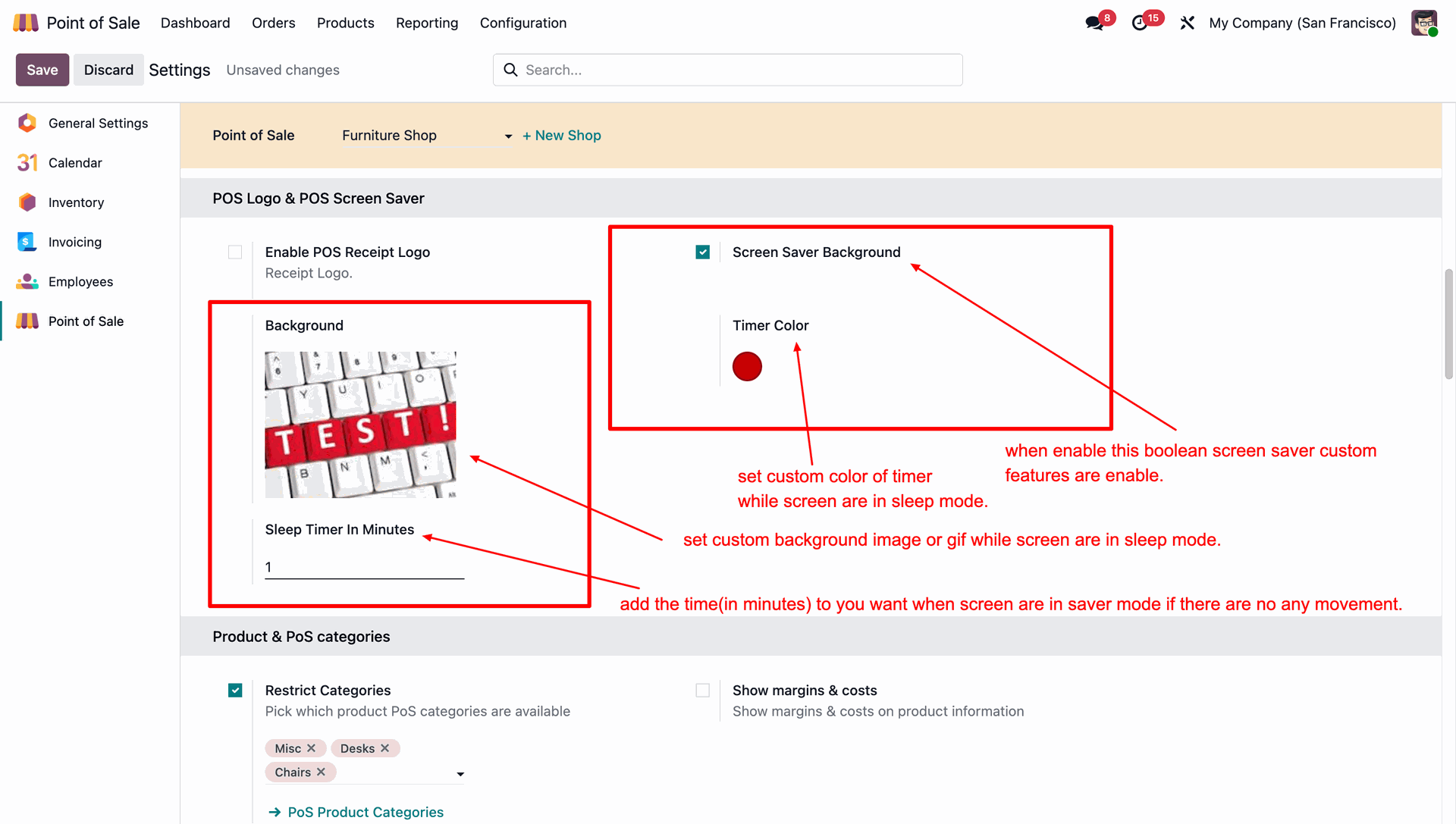
Keep the POS screen open for 1 minute, as configured, without any user activity or movement.

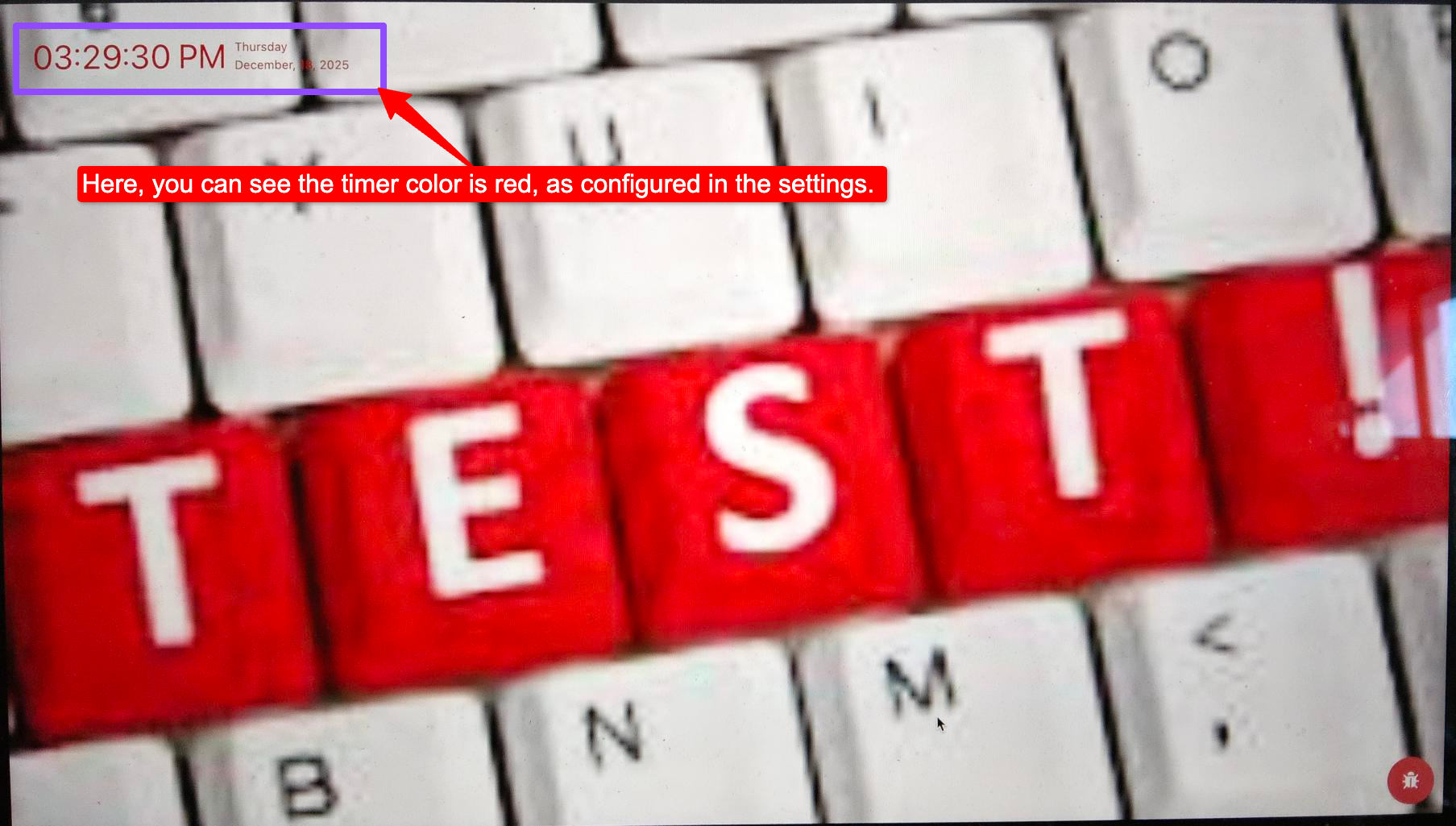
The screen will lock after 1 minute, and the configured background will be displayed.
Here, you can see the timer color is red, as configured in the settings.
Version 18.0.3.0.0 | Released on : 31st December 2025
Version 18.0.2.0.0 | Released on : 21st November 2024
Version 18.0.1.0.0 | Released on : 20th September 2024
- Yes, this app works perfectly with Odoo Enterprise (Odoo.sh & On-Premise) as well as Community.
- No, this application is not compatible with odoo.com(odoo saas/Odoo Online).
- Please Contact Us at sales@softhealer.com to request customization.
- Yes, you will get free update for lifetime.
- No, you don't need to install addition libraries.
- For version 12 or upper, you will need to purchase the module for each version that you want to use.
- Yes, we provide free support for 100 days.
- No, We do not provide any kind of exchange.
