











Point Of Sale Happy Hours

This module automatically applies special promotions during your chosen time slots with selected
products, helping you drive more traffic during slow hours and maximize peak-time revenue. Easily
configure daily or date-specific offers such as discounts, special pricing, or Buy One Get One (BOGO)
deals. You can also target loyal customers with exclusive offers, while a built-in countdown timer keeps
your staff informed about active promotions. All discounts and free items are applied instantly at
checkout, ensuring a fast and smooth POS experience.

Features

Dynamic Happy Hour Scheduling
Run promotions during specific time slots or keep Happy Hours active all day to match your sales strategy.
Combine Multiple Offers
Create powerful combo promotions by activating multiple reward types simultaneously in a single configuration.

Loyalty-Based Rewards
Offer exclusive Happy Hour deals only to loyal customers who meet order history criteria.

Auto-Add Rewards to Cart
Free and pack products are added automatically for a smooth checkout experience.

Offers for All Customers
Apply Happy Hour offers to all customers, with no loyalty restrictions if desired.

Date-Based Campaign Scheduling
Create seasonal and limited-time promotions for holidays, festivals, or special events.

Automatic Product Discounts
Apply discounts automatically on selected products during Happy Hour periods.

Automatic Happy Hour Pricelists
Automatically activate a dedicated Happy Hour pricelist during promotions.

Buy X, Get Y Free Deals
Create attractive Buy X Get Y Free promotions to increase basket value.

Pack Deals
Automatically add pack products when quantity conditions are met, and encourage efficient ordering.
Visual Promotion Labels
Highlight discounted and free products with clear visual labels in POS.
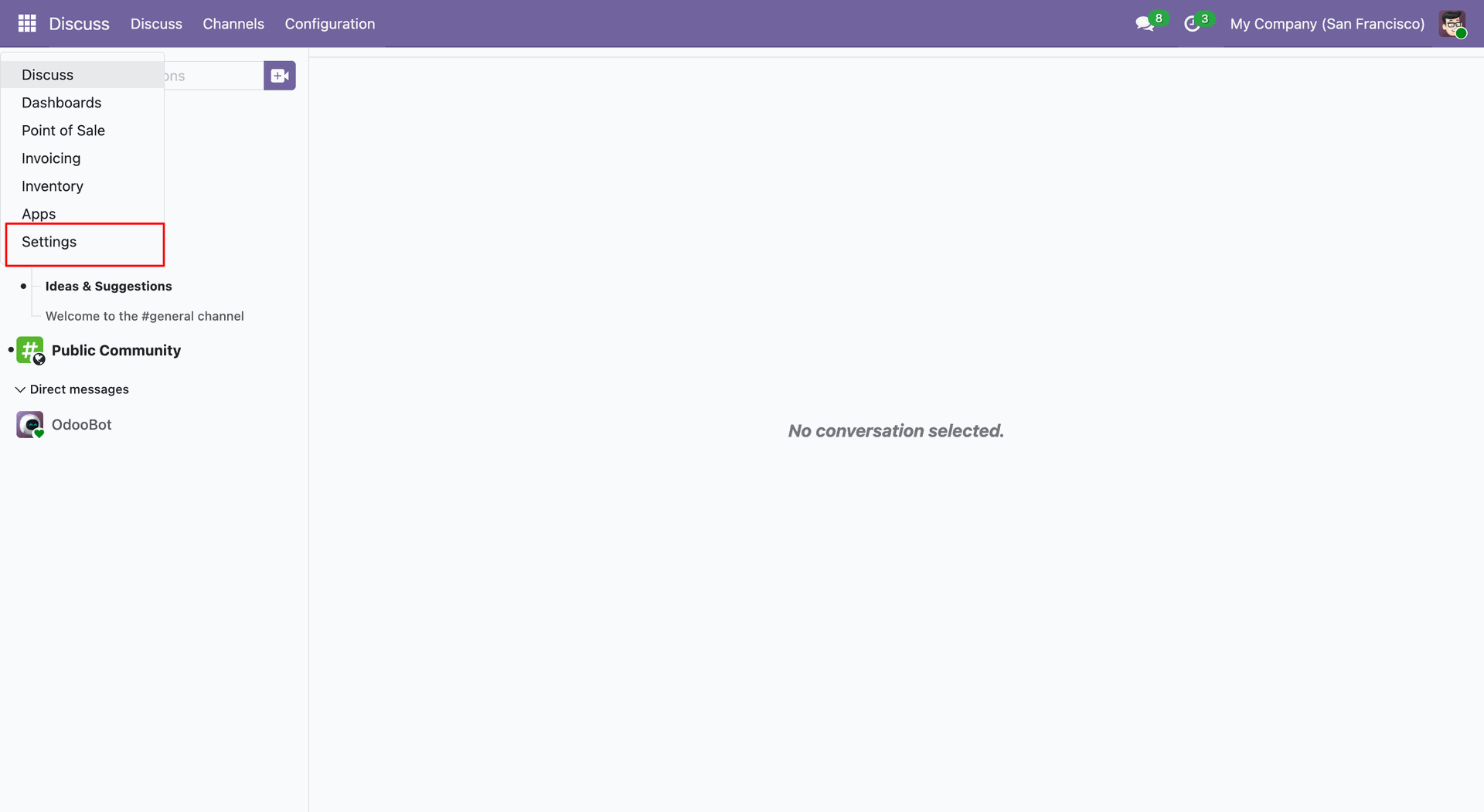
Click Settings to access the global configuration menu.
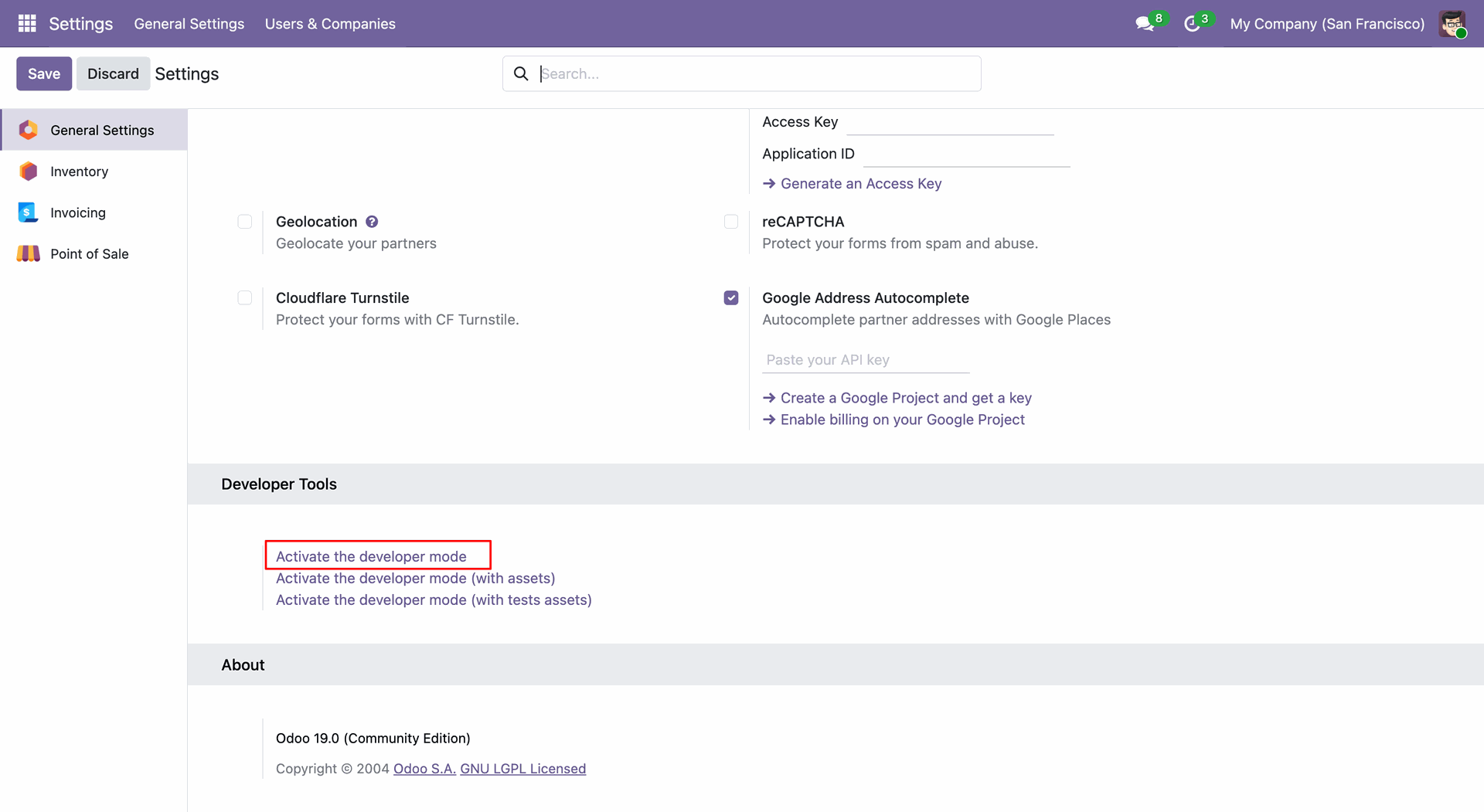
Activate the developer mode to enable advanced technical tools and debugging features.
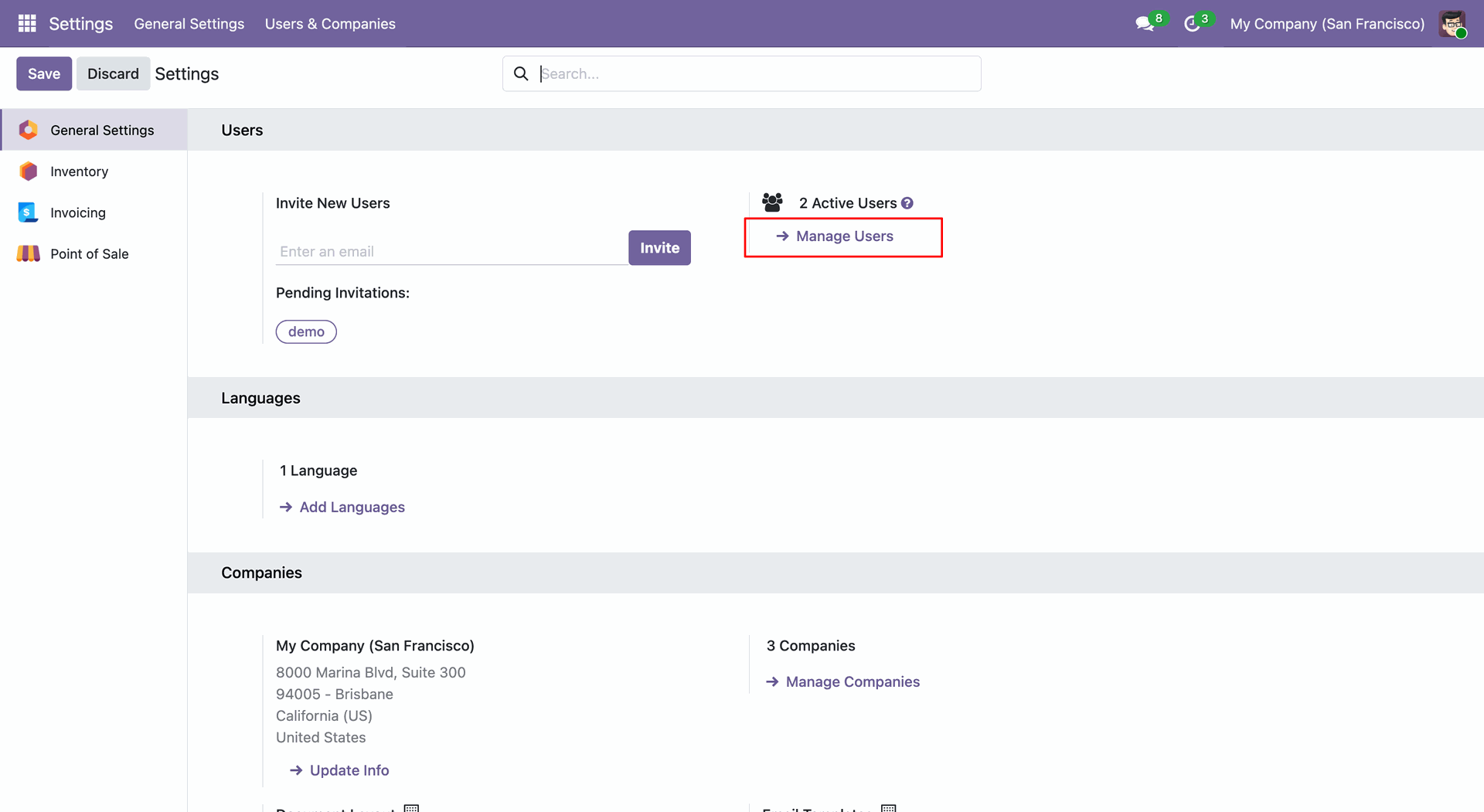
In the Users section, click the Manage Users link to open the full list of system users for editing and creation.
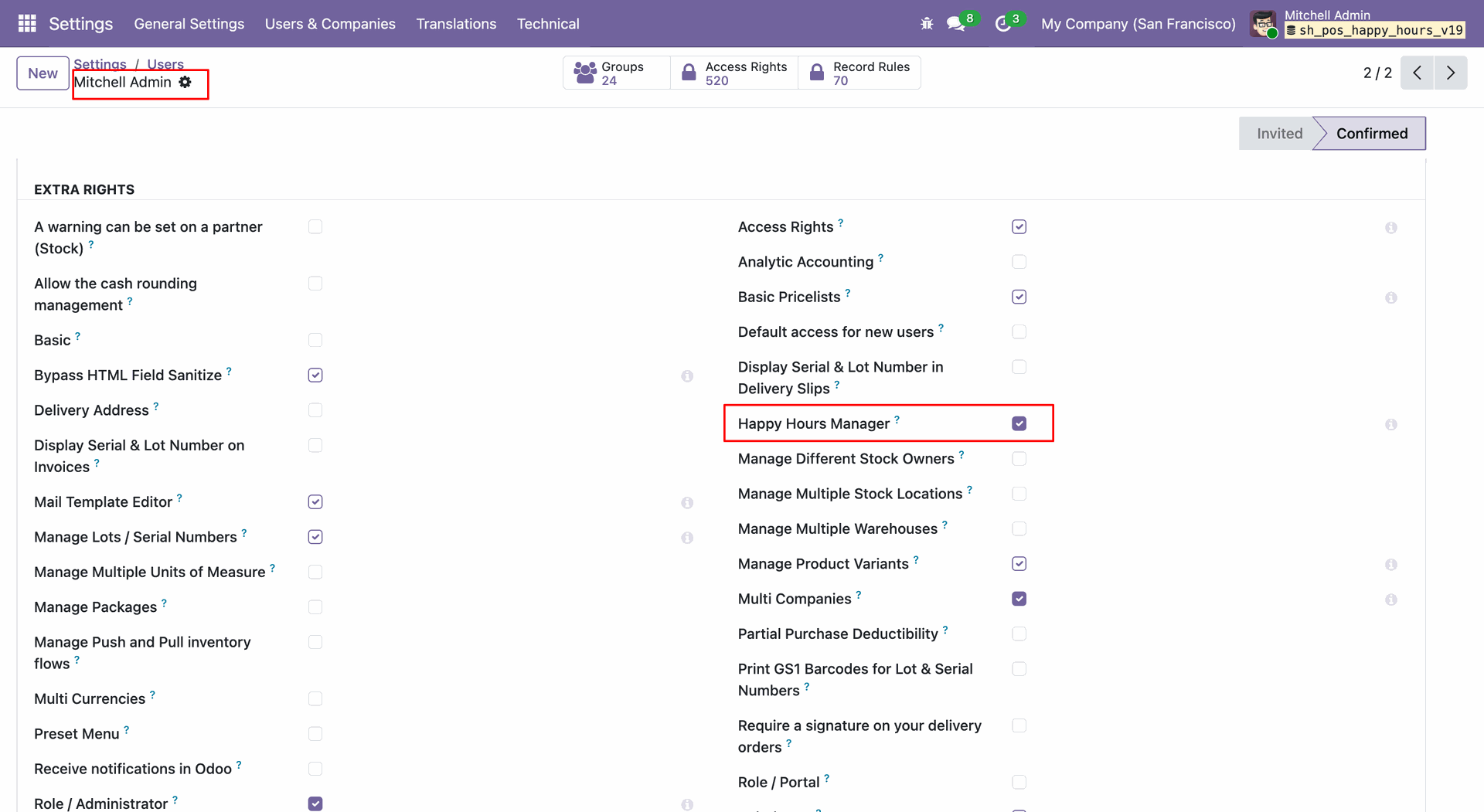
Enable the Happy Hours Manager checkbox in the Extra Rights section to grant the user full administrative access to Happy Hour configurations.
Navigate to Configuration -> Happy Hours Discount within the Point of Sale module to access the setup menu.
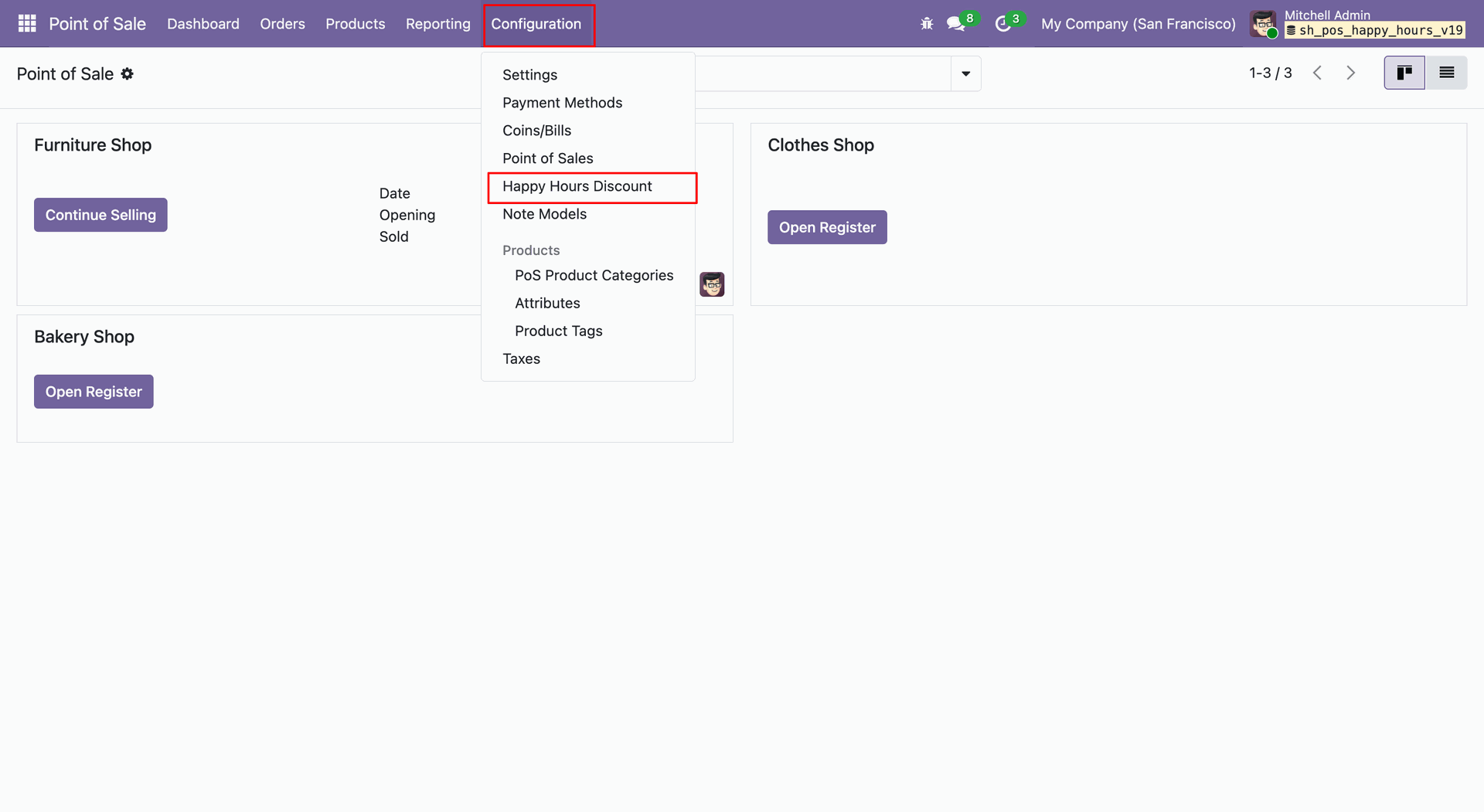
Specify the Starting Time and Ending Time to define the exact date and time range for the promotion's validity.
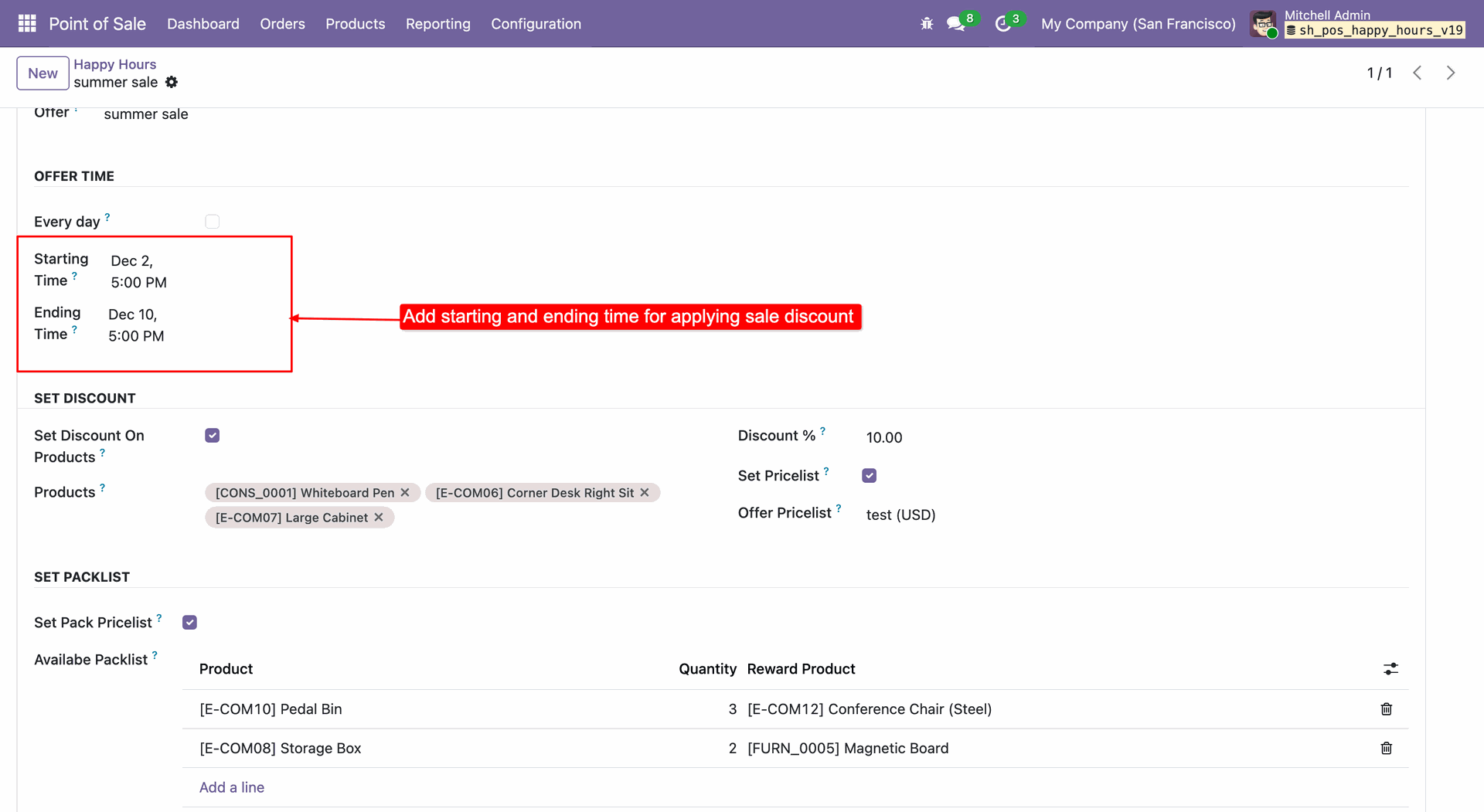
Check the Every day box to configure a recurring daily promotion active only between specific hours, such as 5 PM to 6 PM.
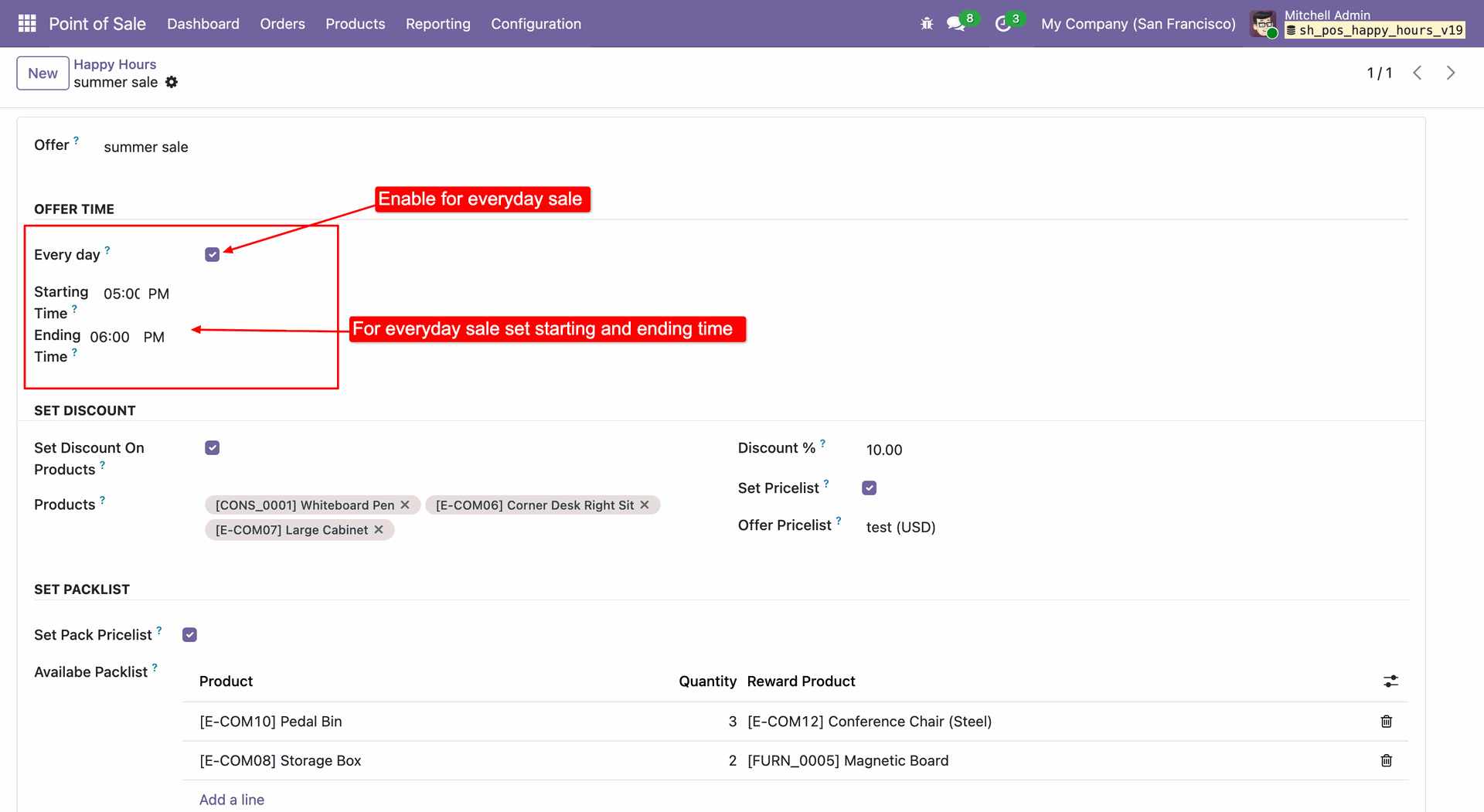
Turn on this feature to give a percentage discount on specific products. You can also apply a special price list automatically during the Happy Hour.
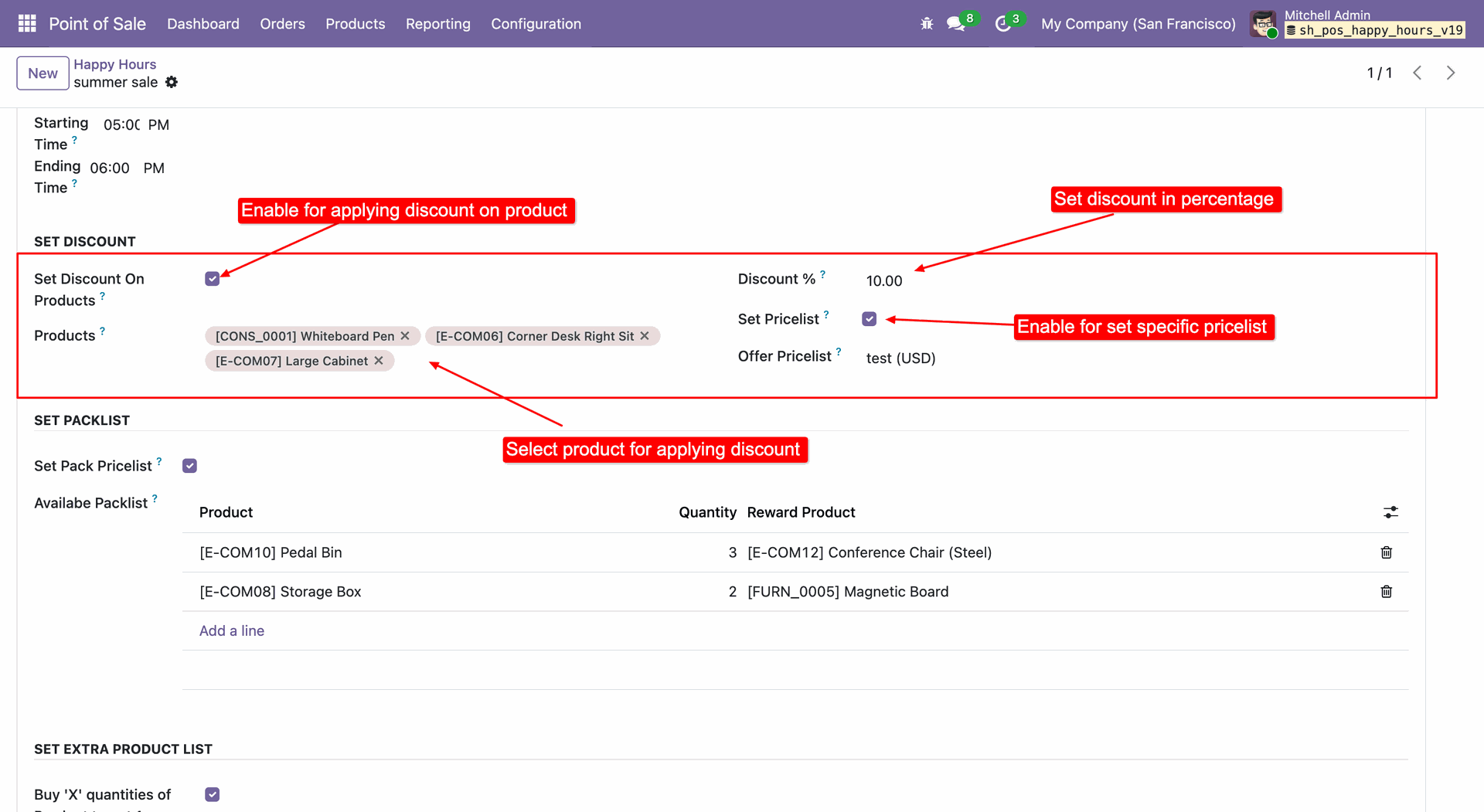
Enable Set Pack Pricelist to define reward rules, where purchasing a specific quantity of a product automatically triggers a free reward item.
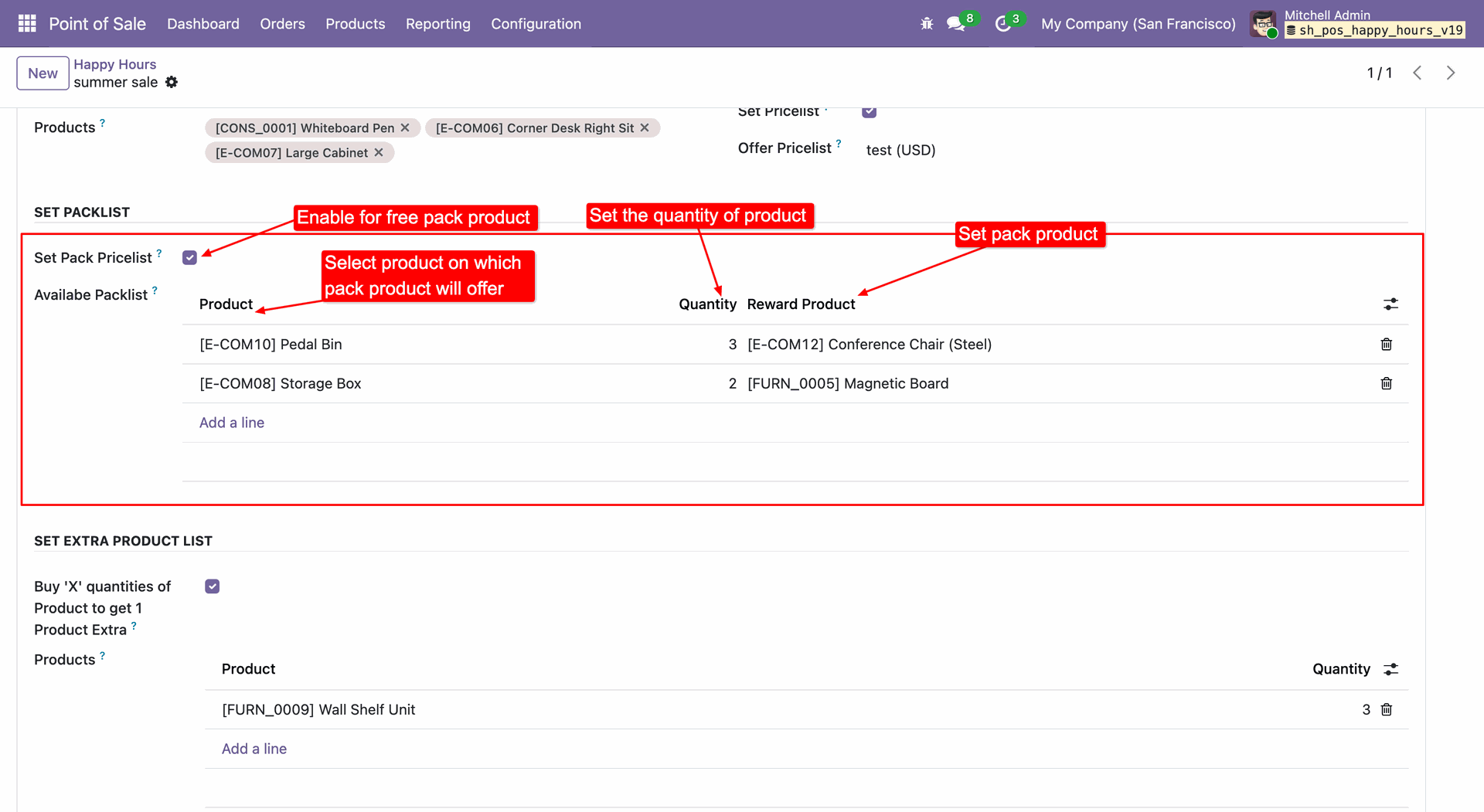
Enable the Buy 'X' quantities... option and define the product and quantity limit to automatically grant a free extra item for bulk purchases.
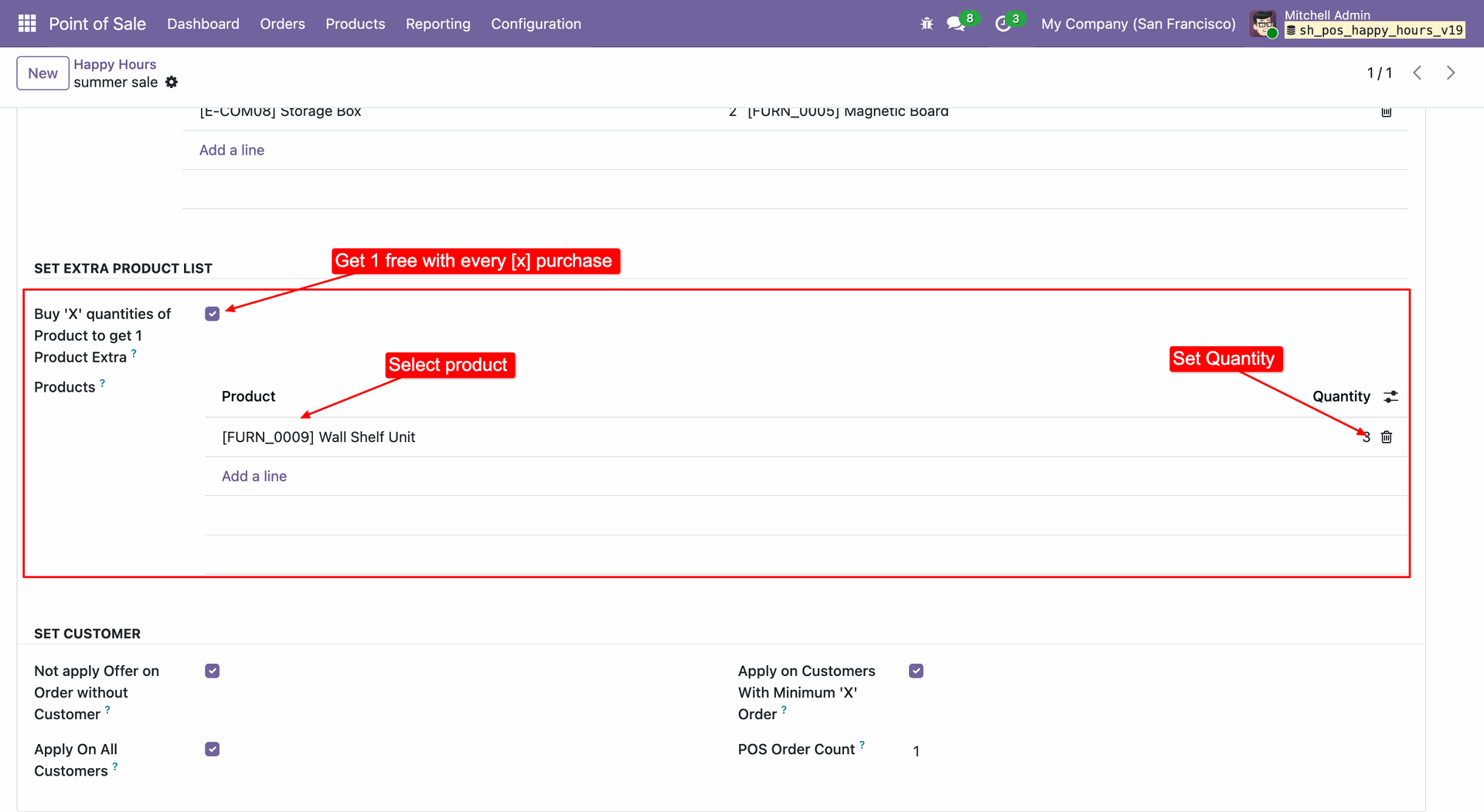
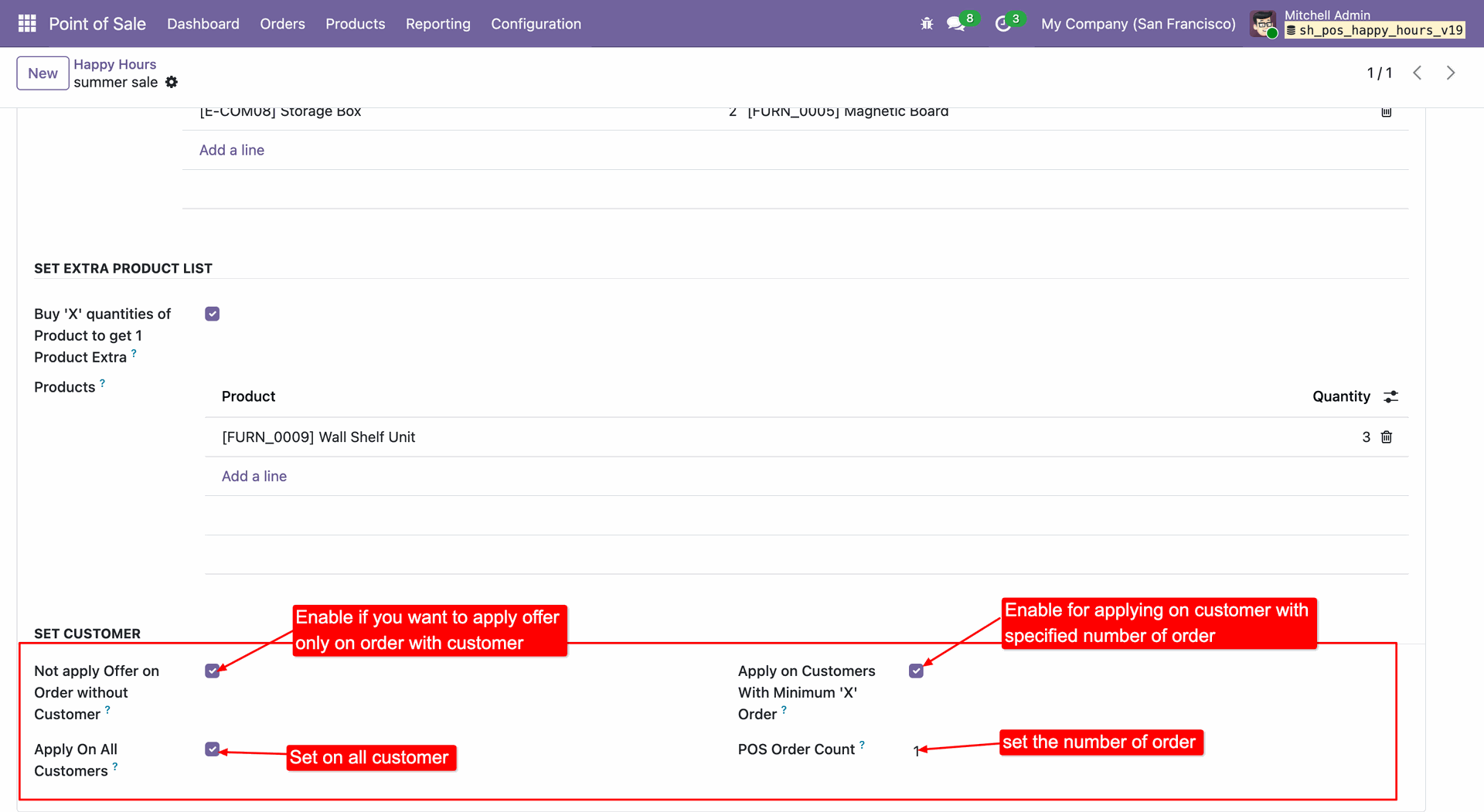
Configure eligibility rules to require customer identification, restrict offers to loyal clients with a minimum order history, or open the promotion to all registered customers.
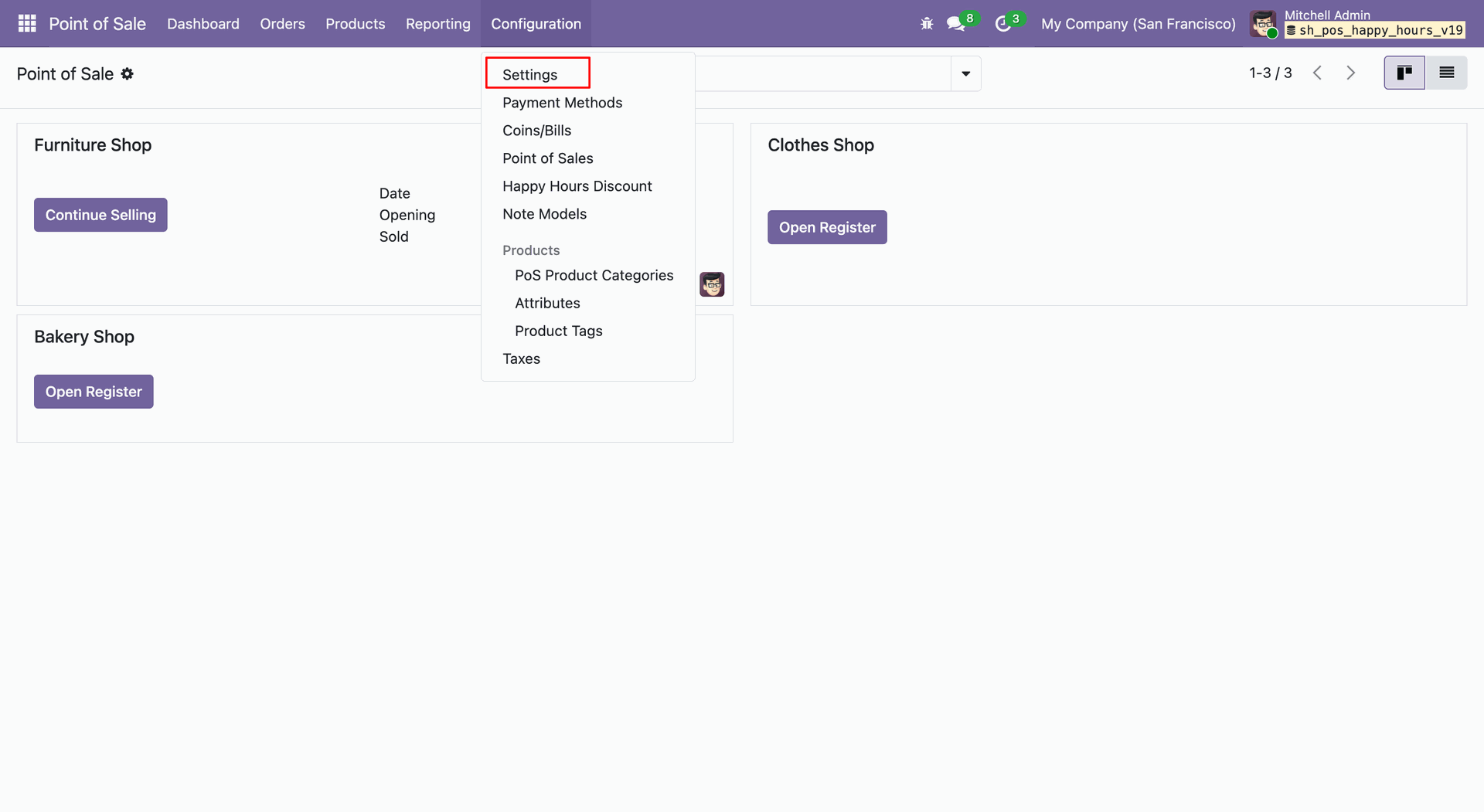
Navigate to Configuration -> Settings to access the general configuration options for the Point of Sale module.
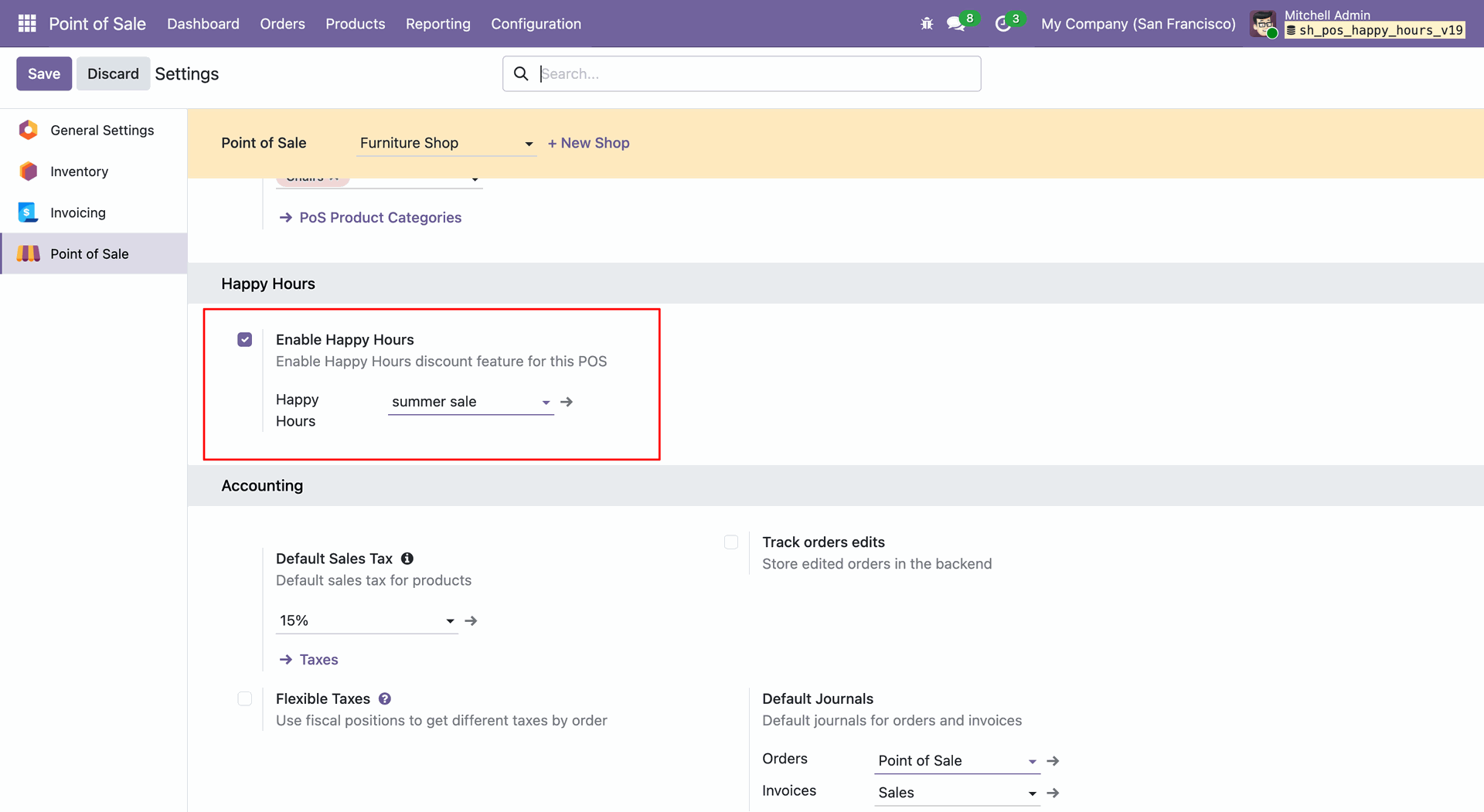
In the POS Settings, enable the Happy Hours checkbox and select the desired offer (e.g., 'summer sale') to activate the promotion for the current shop.
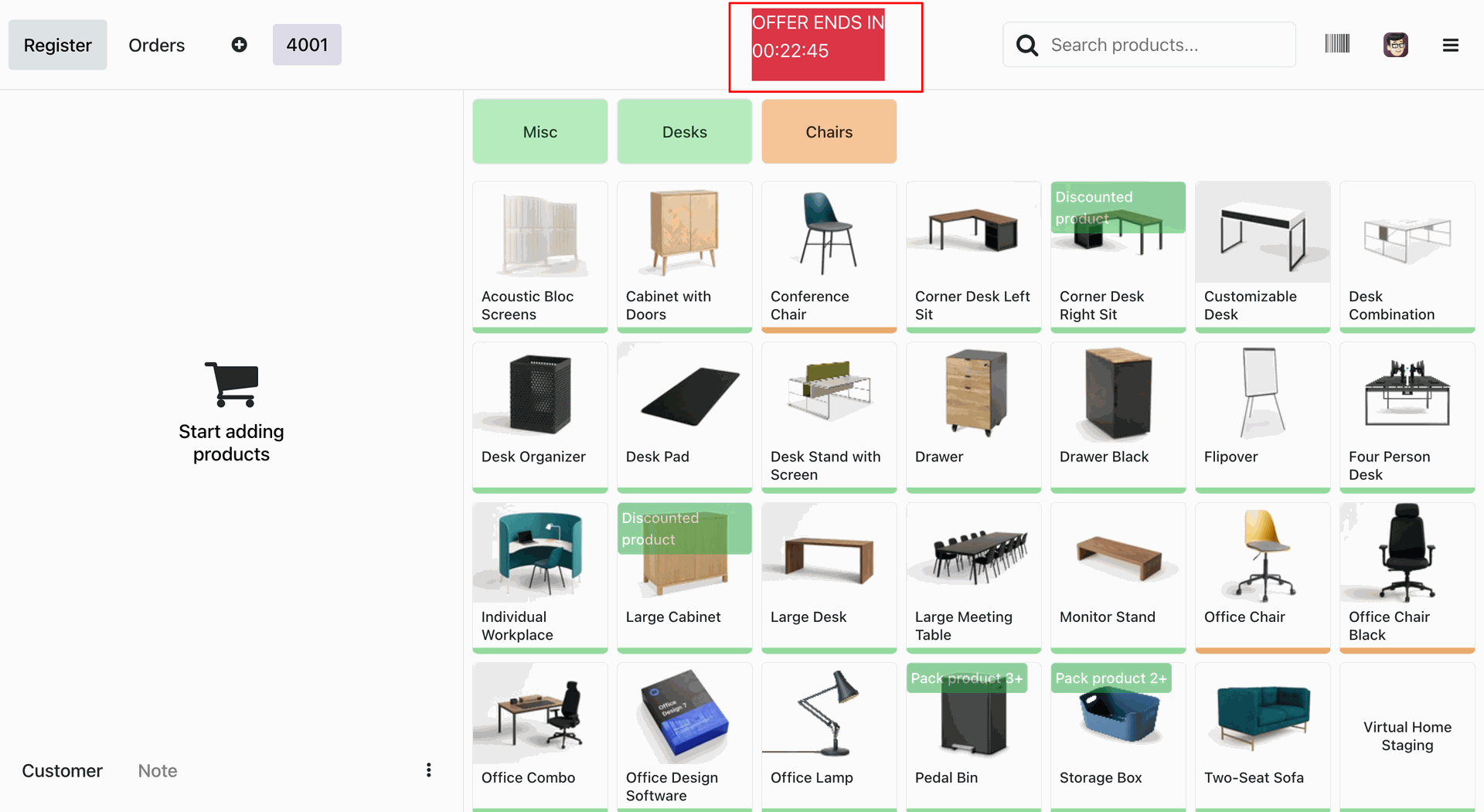
The POS interface displays a live countdown timer for the active offer and highlights eligible products with visual ribbons for easy identification.
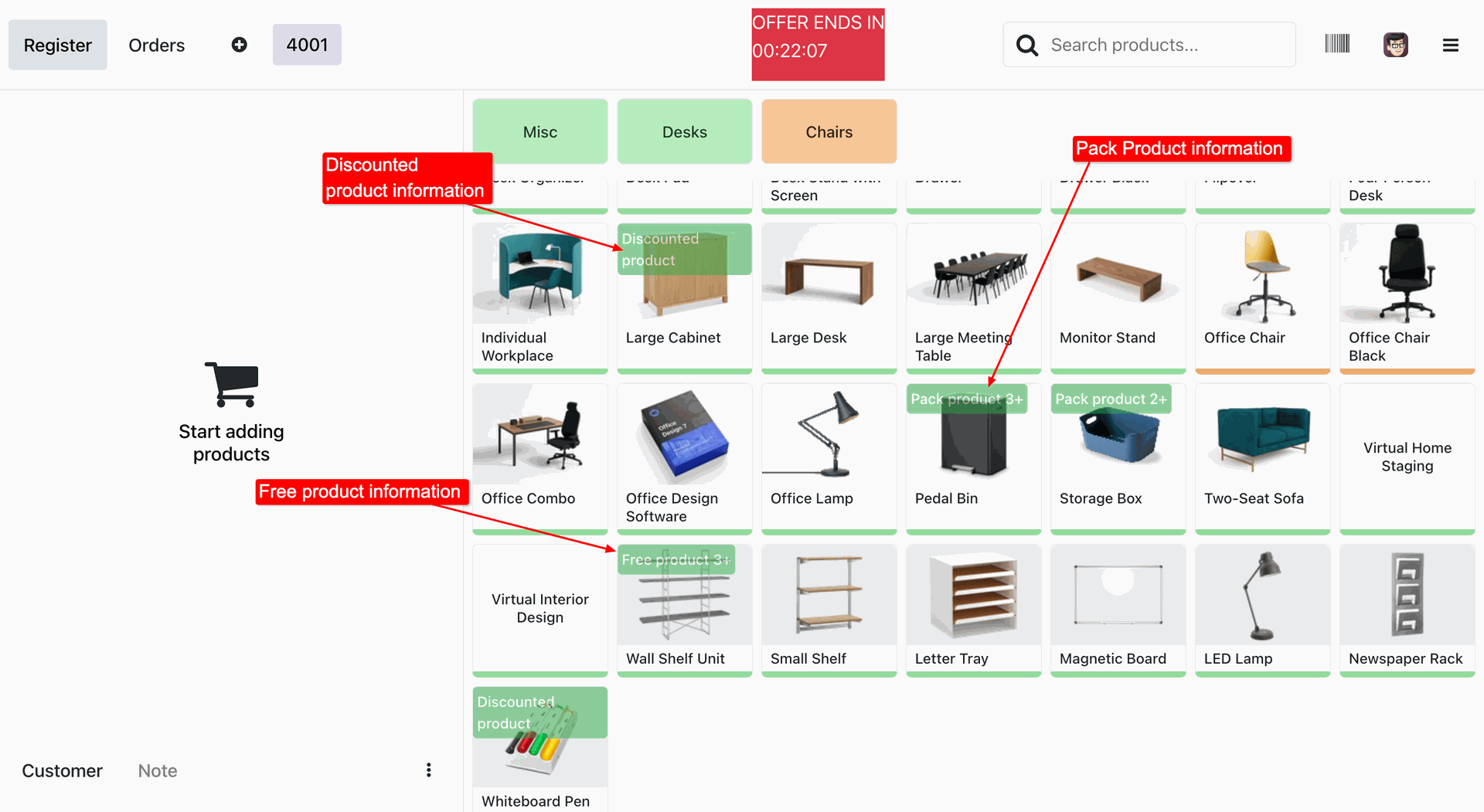
Green ribbons overlay product images to clearly identify items with active discounts, pack deals, or free product offers.
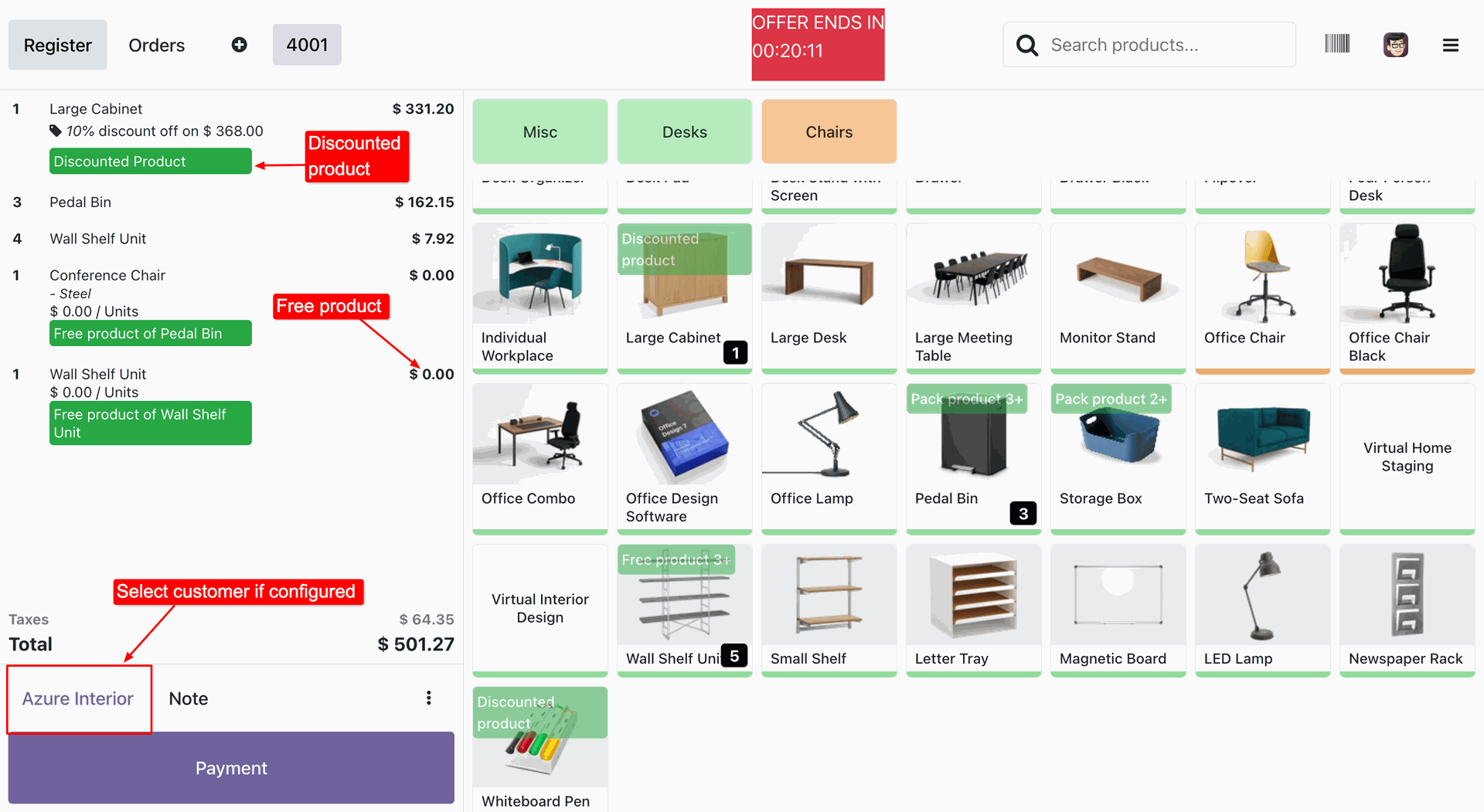
The POS cart automatically calculates discounts and inserts free reward products at $0.00, validating the selected customer for eligibility.
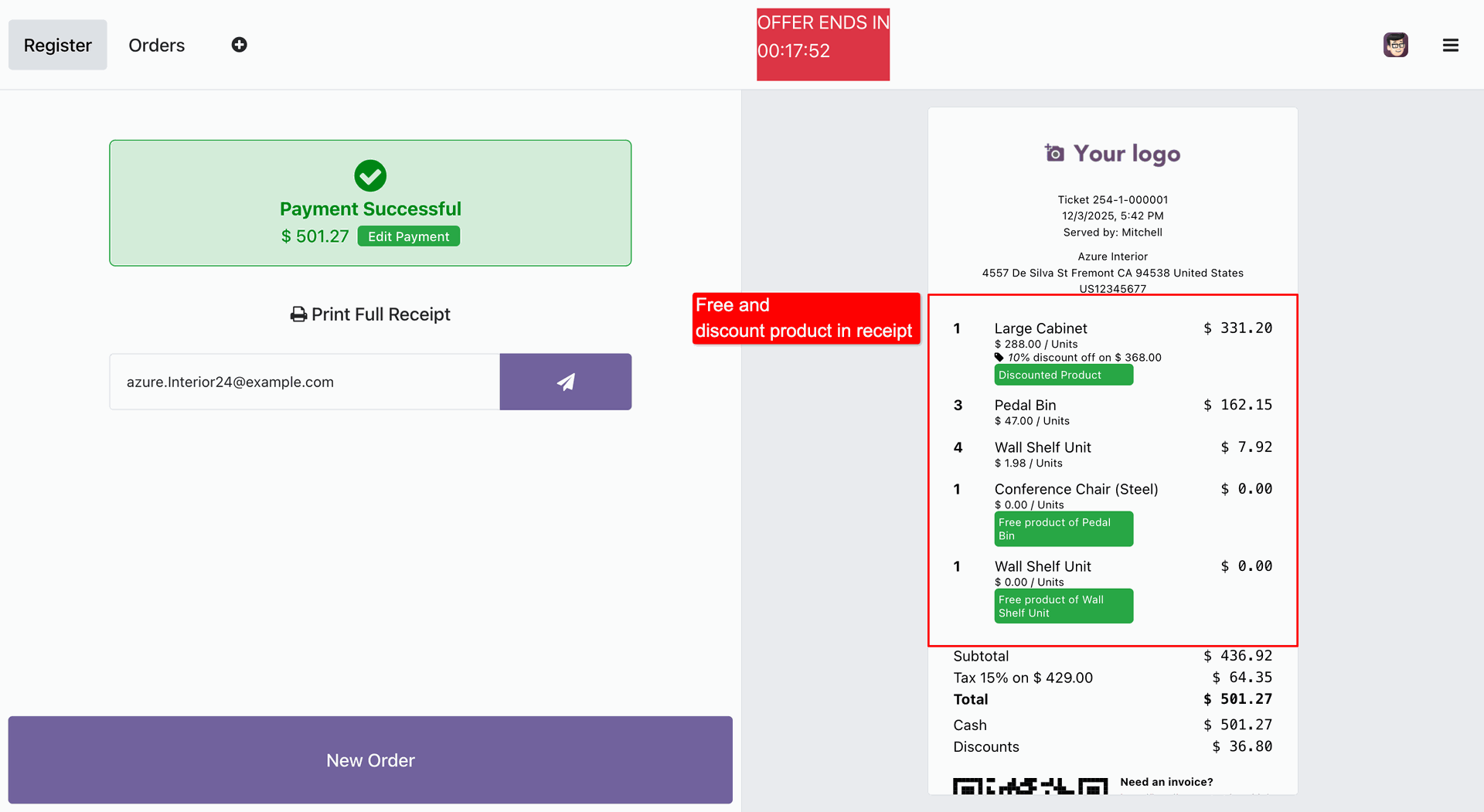
Receipt is generated with the free and discounted products.
Version 18.0.1 | Released on : 28th November 2025
- Yes, this app works perfectly with Odoo Enterprise (Odoo.sh & Premise) as well as Community.
- No, this application is not compatible with odoo.com(odoo saas/Odoo Online)
- Yes, to test this module, please contact us at sales@softhealer.com.
- Please contact us at sales@softhealer.comto request customization.
- Yes, we provide free support for 365 days from the date of purchase.
- Yes, you will receive lifetime free updates for the version of the module you purchased.
- No, there is no need to install any additional libraries.
- Yes, for version 12 and above, you need to purchase the module separately for each version you intend to use.
- No, exchanges or refunds are not allowed. Please make sure to select the correct version before purchasing.
- You can contact us at support@softhealer.com for language translation support. We use Google Translator tools to provide translations in multiple languages, so the accuracy may vary. We welcome your suggestions to help improve translations.
Discover Our Latest Apps