












Point Of Sale Expiry Lot Restriction

This module helps you efficiently manage product expiry at the point of sale. By tracking lot with expiration dates, it provides real-time alerts and restricts the sale of expired or soon-to-expire products. This ensures compliance with safety standards, reduces waste, improves inventory accuracy, and enhances customer satisfaction by preventing the sale of unsafe items.

Related Modules
Features
- Easily set expiration dates for products tracked by lot number.
- Get alerts for products that are about to expire or already expired.
- Keep track of expiration dates with lot.
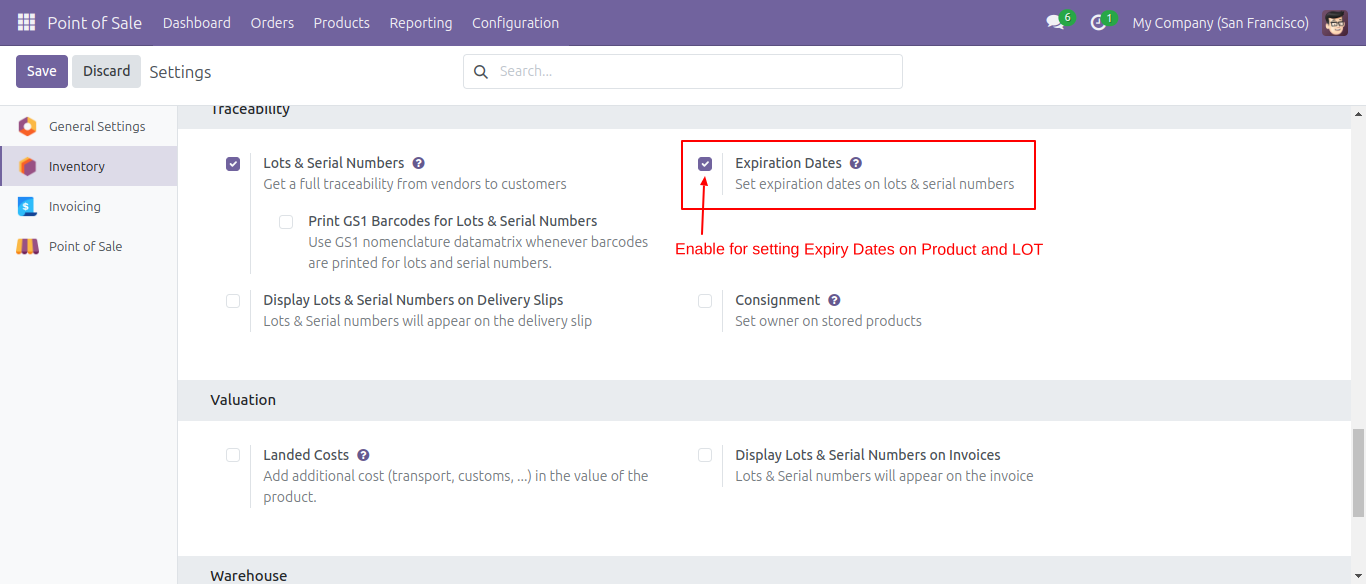
Go to Inventory → Configuration and enable the 'Expiration Dates' option to allow setting expiration dates on lot number products.
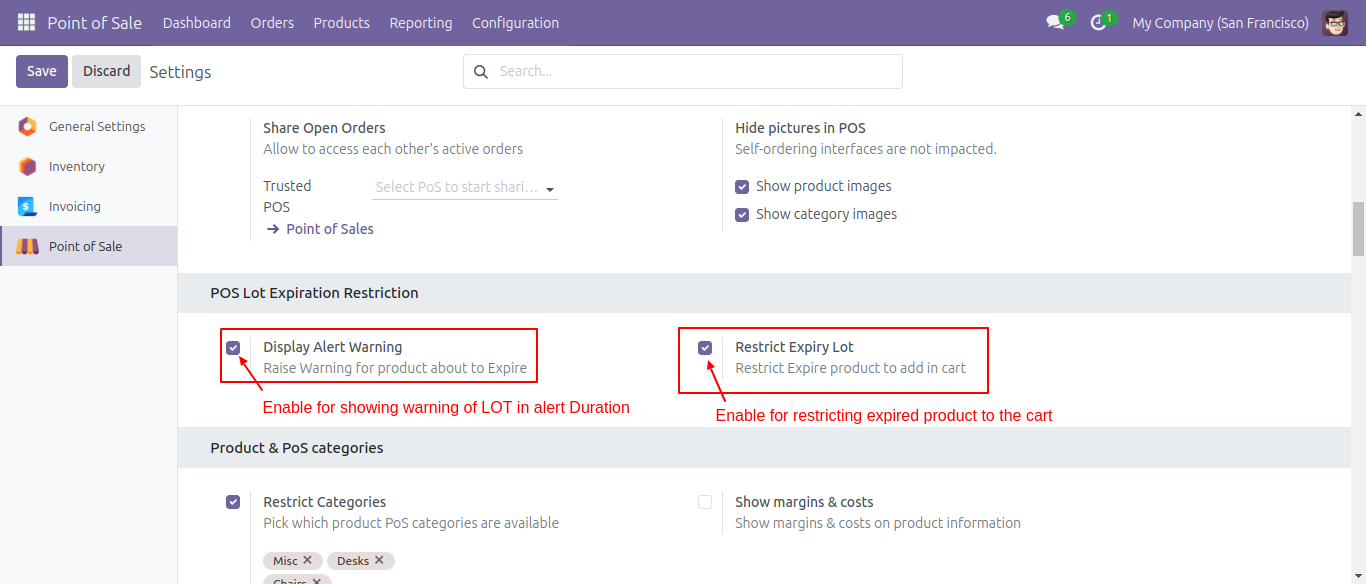
Go to POS → Configuration and activate the 'Display Alert Warning' and 'Restrict Expiry Lot' options.
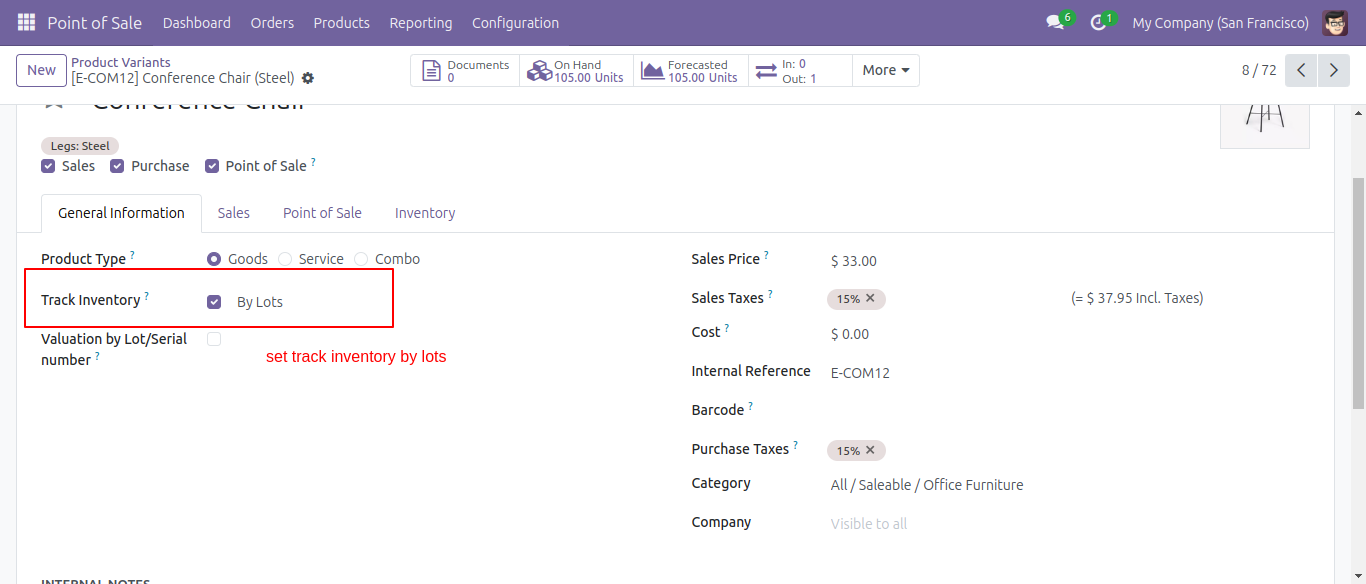
In the form view of the product variant, set the Tracking option to By Lot.
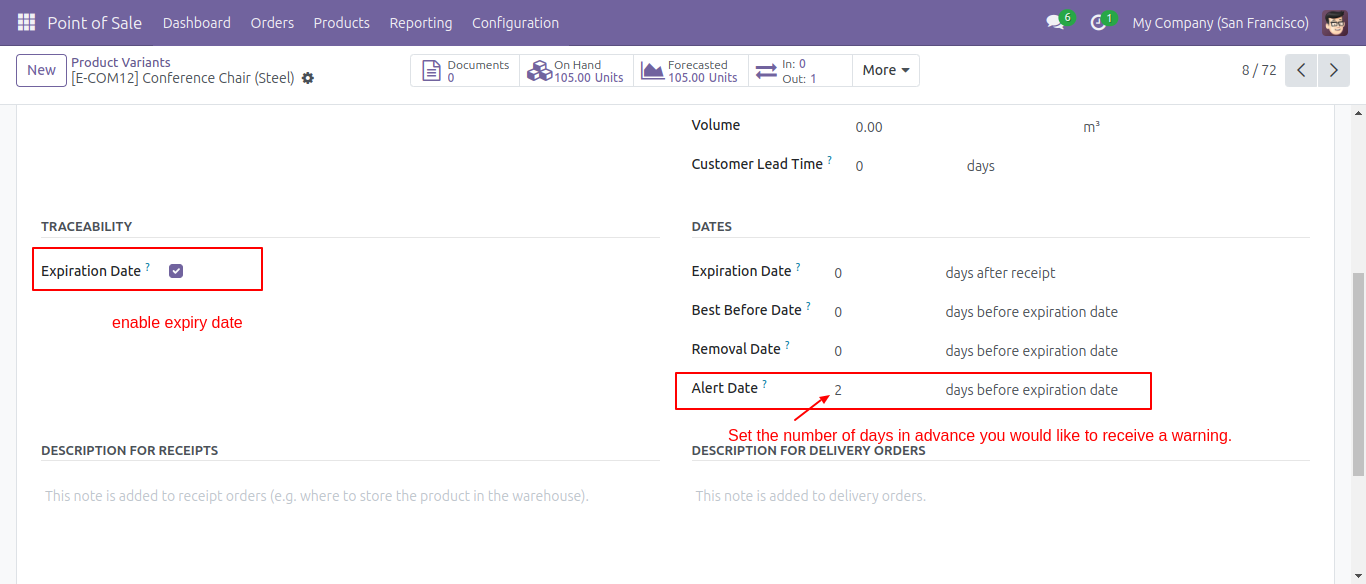
Enable the 'Expiration Date' option and configure the Alert Date under the Inventory tab.
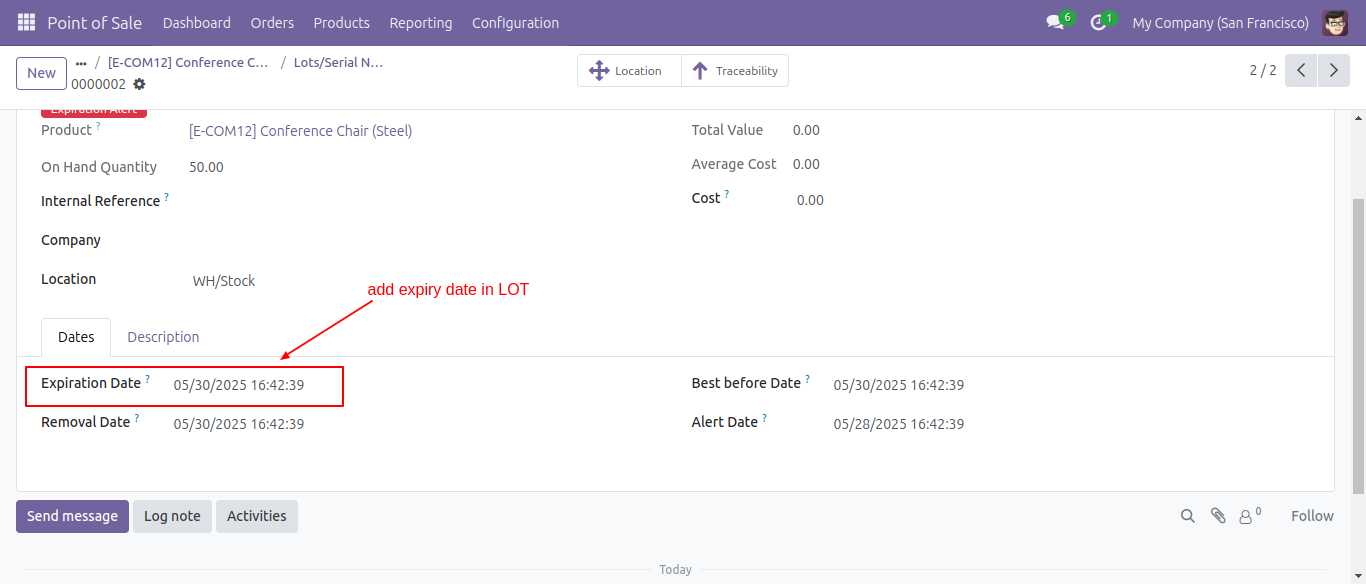
Add expiration date in lot.
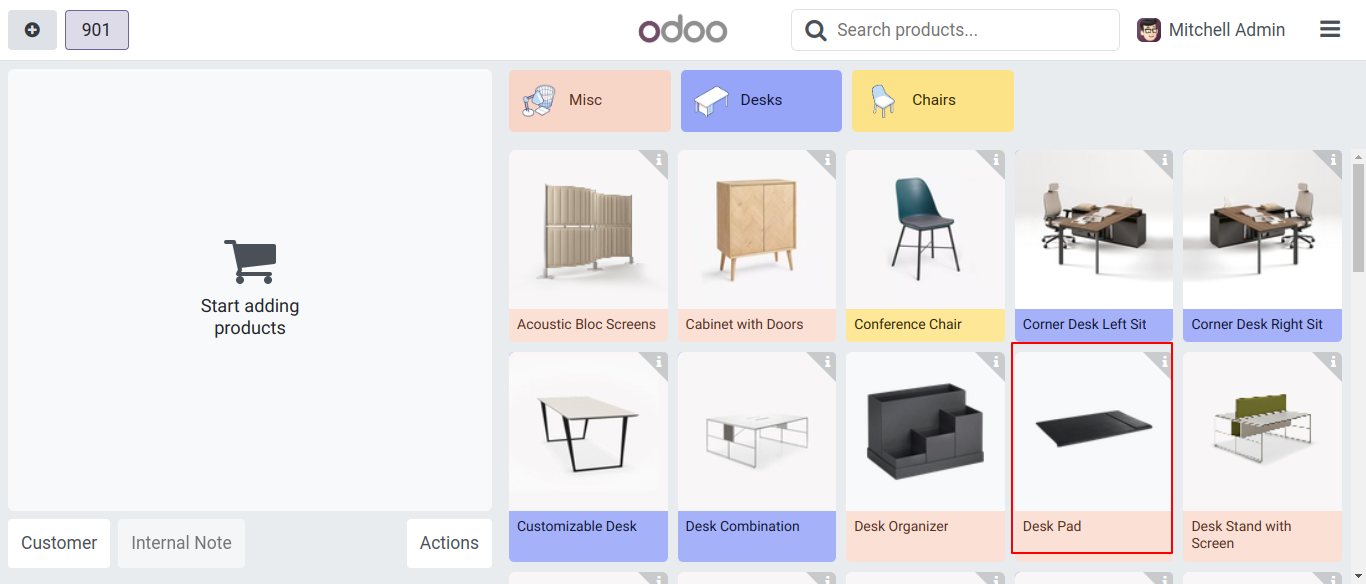
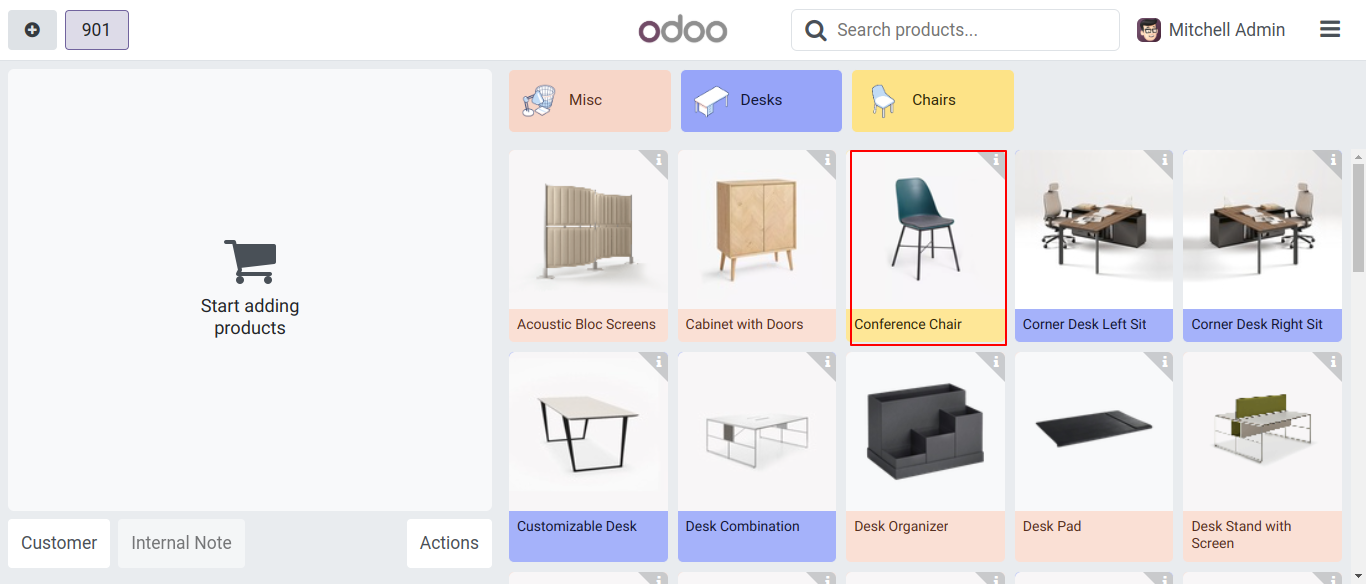
On pos screen, select the product.
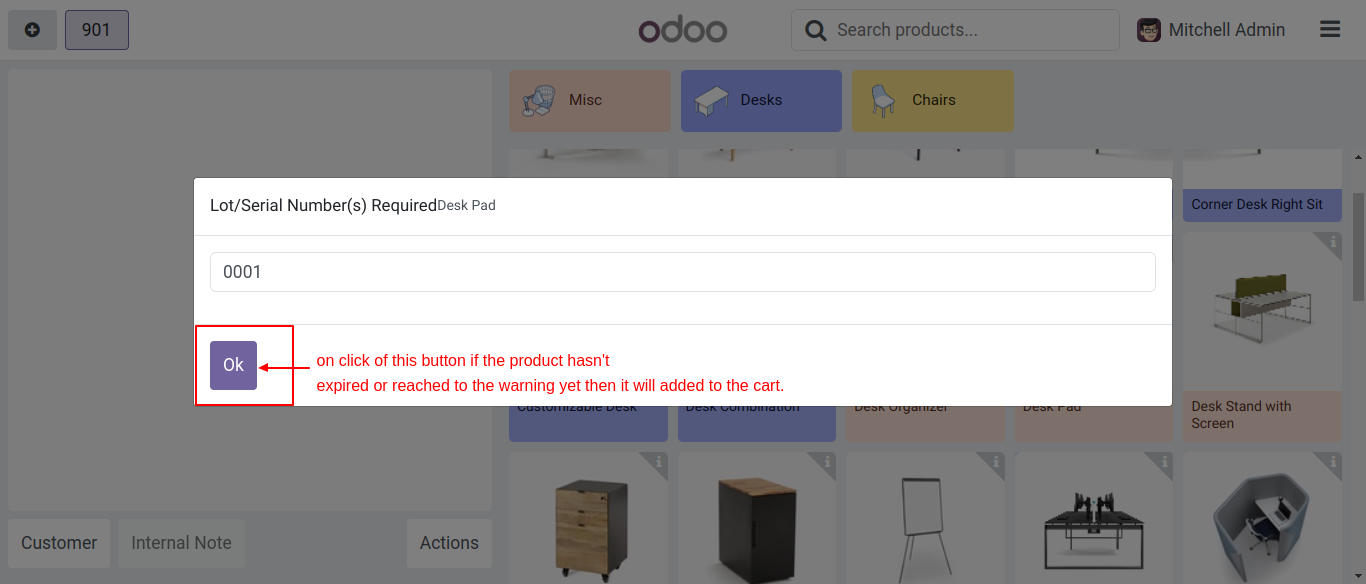
After that, the Lot/Serial Number wizard will appear. Enter the lot number and click on the 'OK' button.
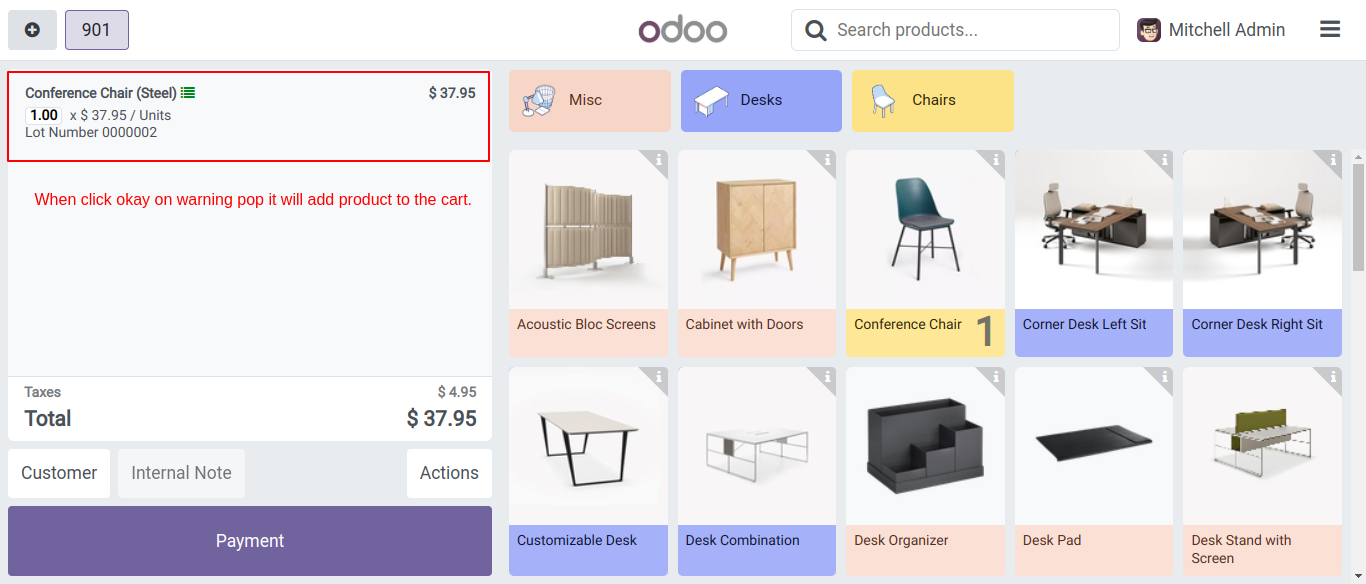
Here, the product is displayed along with its lot number.
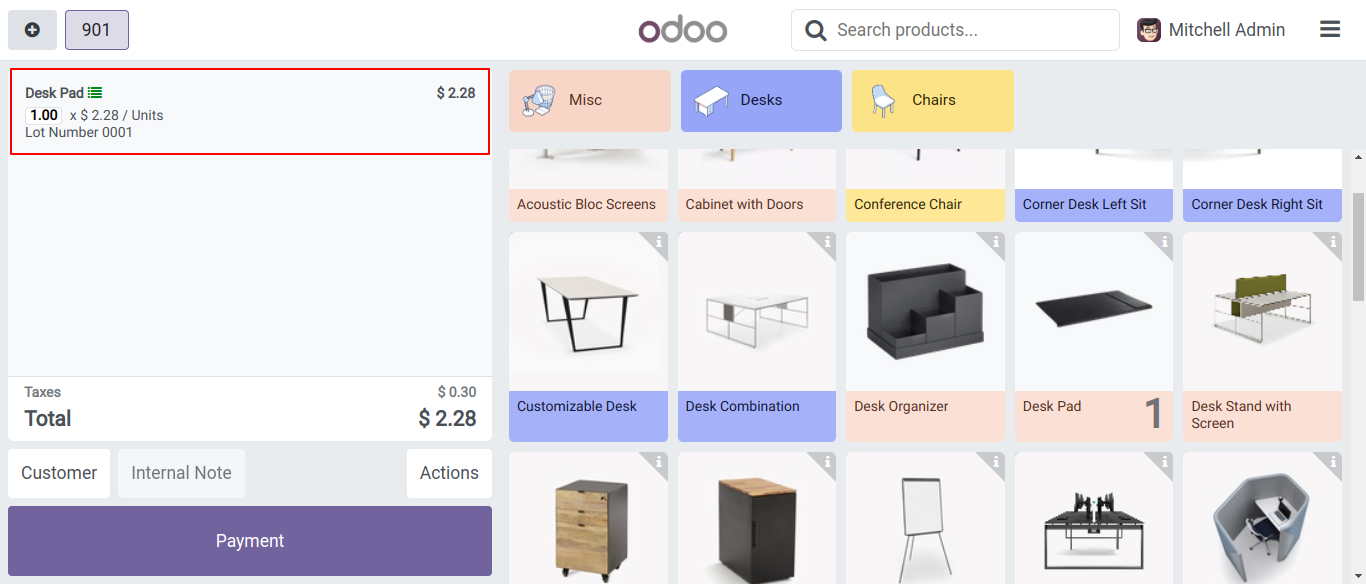
Select the product.
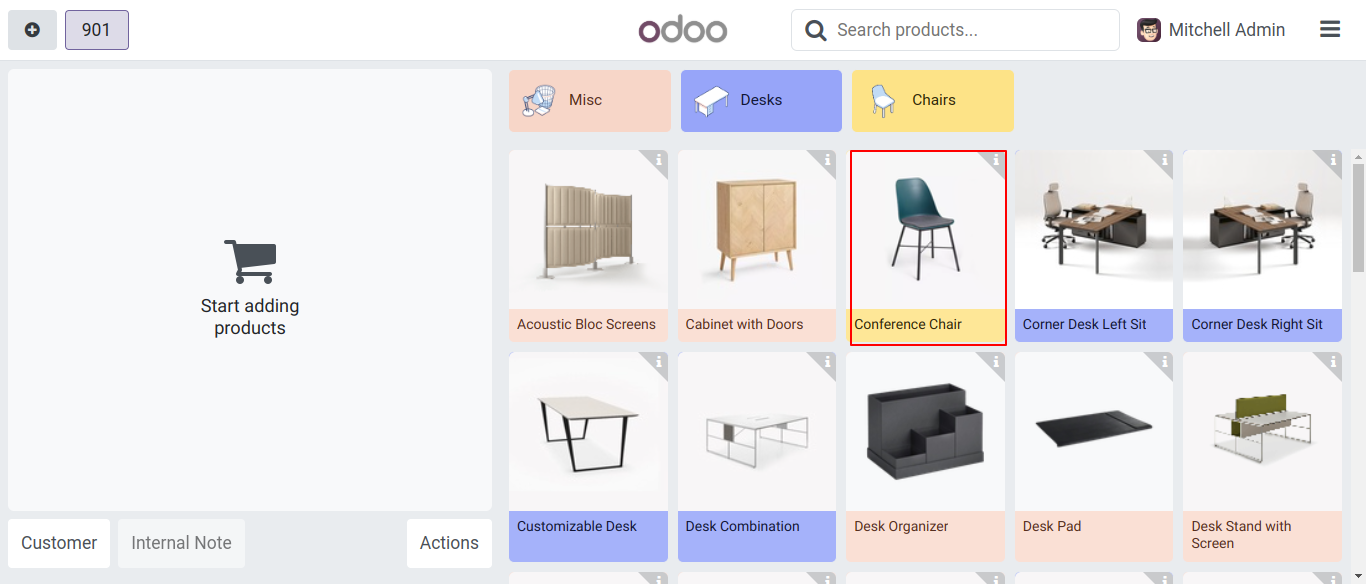
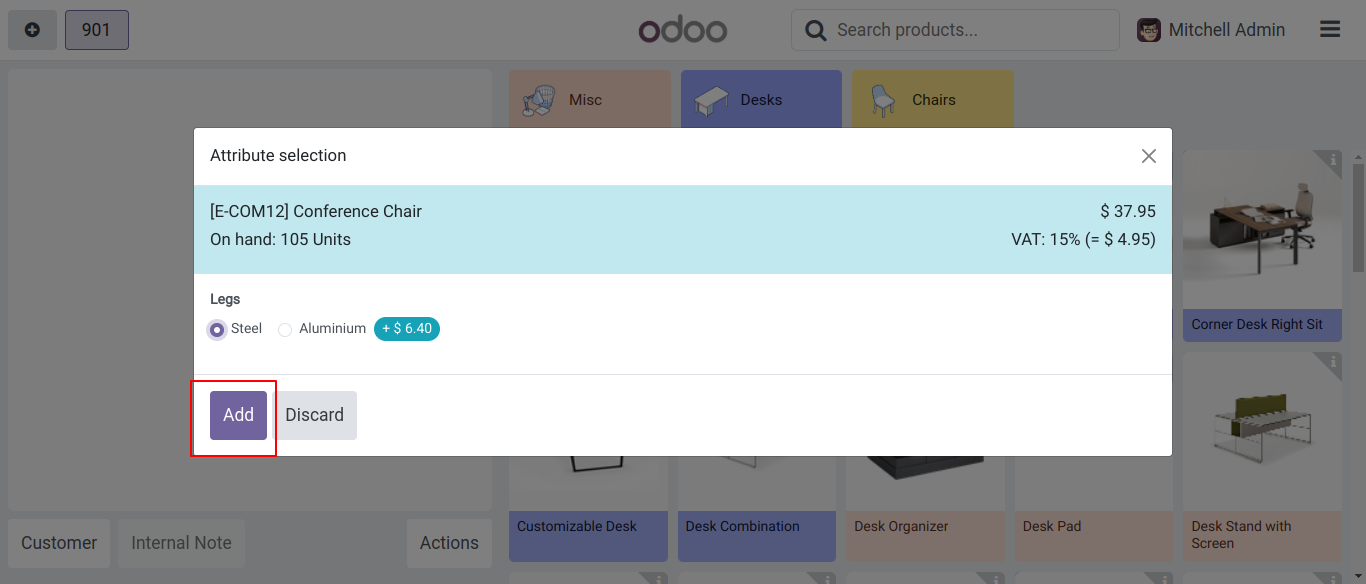
After that, the attribute selection wizard will appear. Select the attribute and click on the 'Add' button.
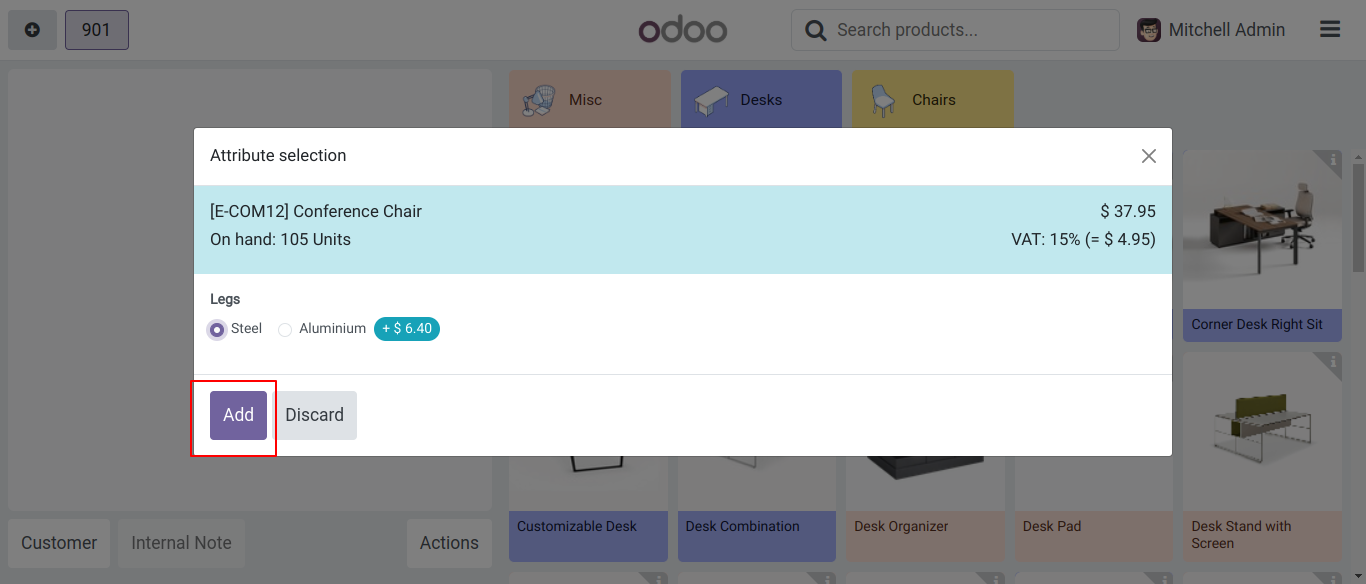
Enter the lot number and click on the 'OK' button.
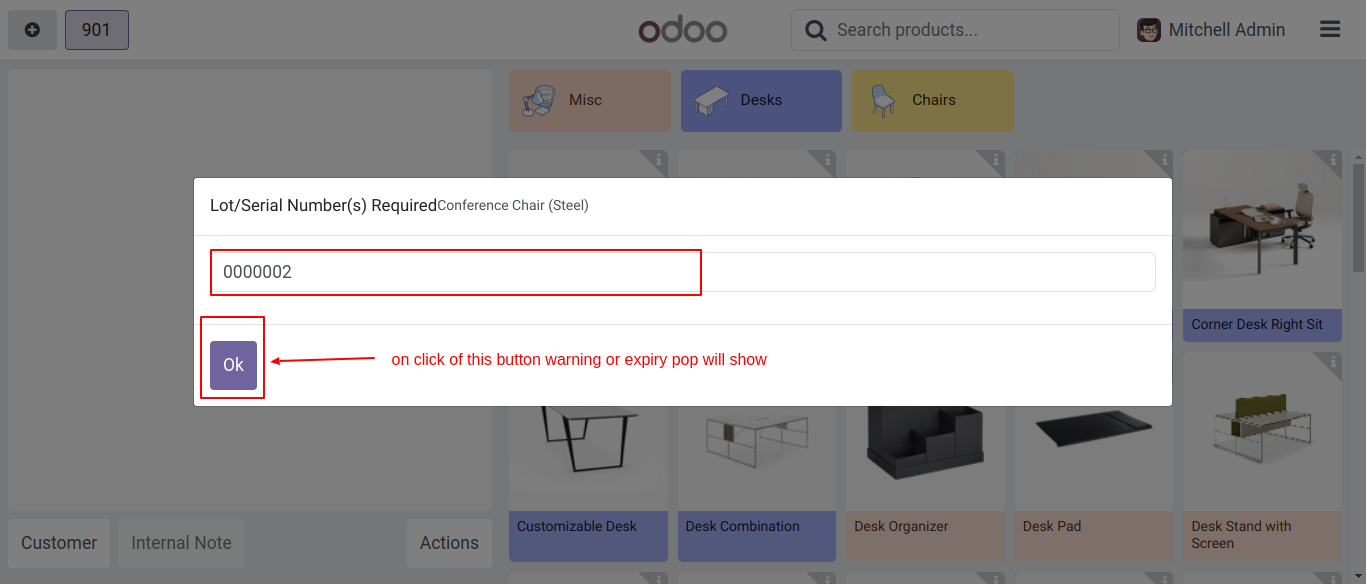
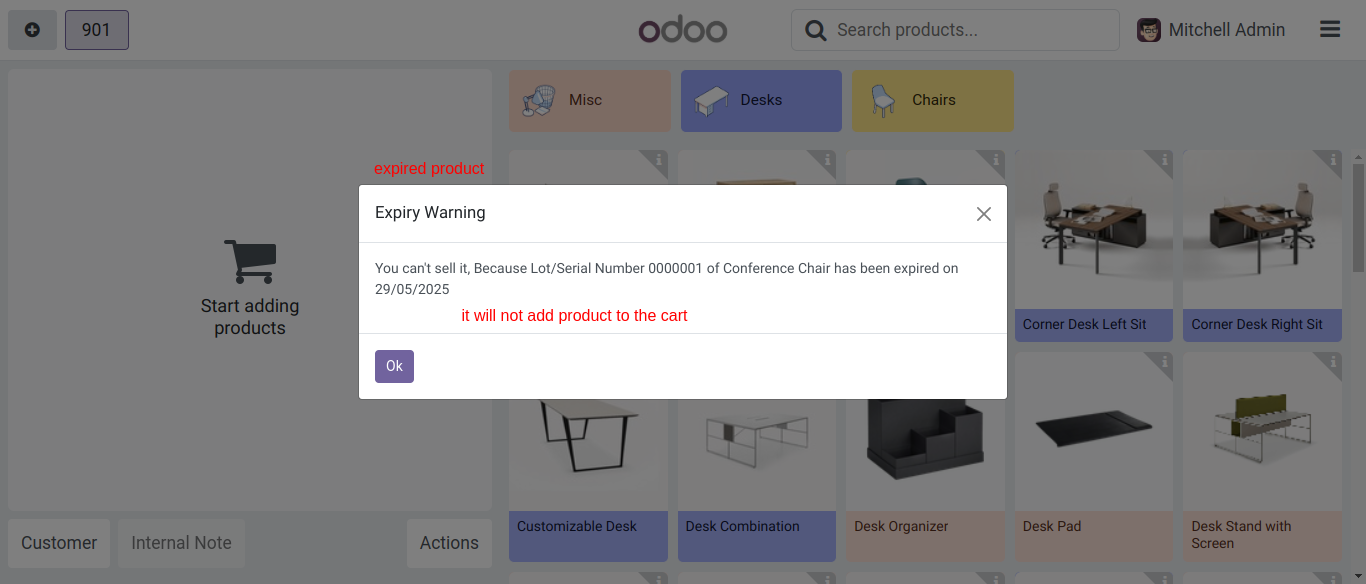
The warning message will appear based on the expiration date set for the product.
Click on the 'Okay' button to continue.
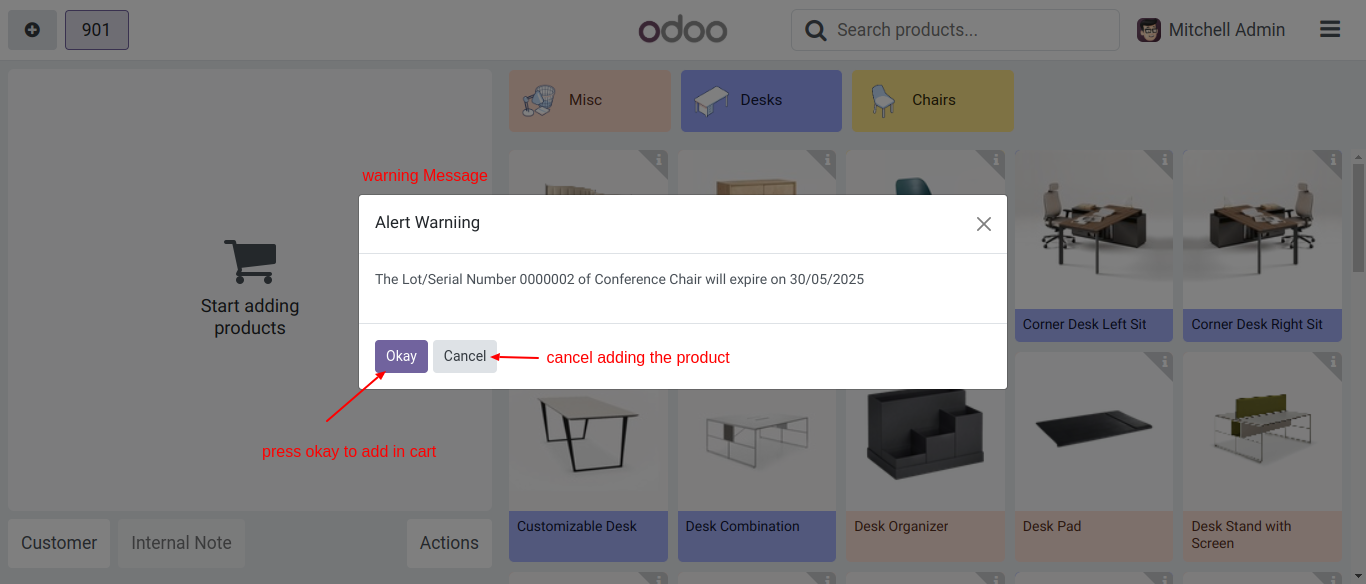
Here, the product is displayed along with its lot number.
Select the product.
Select the attribute and click on the 'Add' button.
Enter the lot number and click on the 'OK' button.
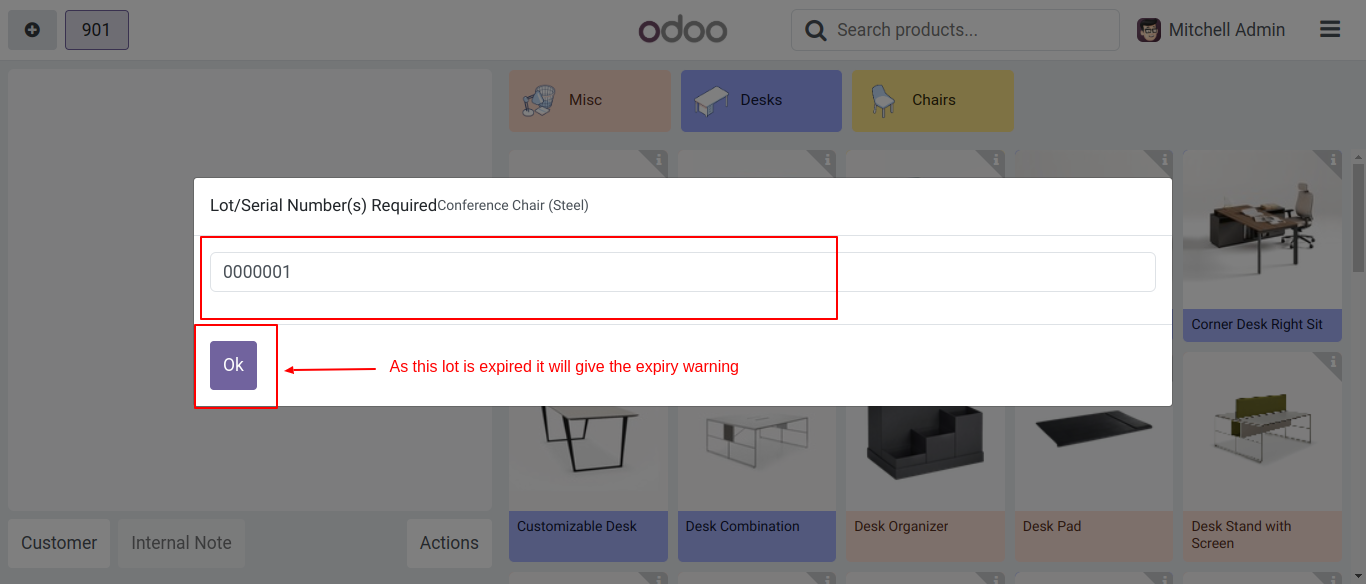
If you try to add an expired product, a warning message will appear.
Version 20.0.1.0.0 | Released on : 15th September 2026
- Yes, this app works perfectly with Odoo Enterprise (Odoo.sh & Premise) as well as Community.
- No, this application is not compatible with odoo.com(odoo saas/Odoo Online)
- Yes, to test this module, please contact us at sales@softhealer.com.
- Please contact us at sales@softhealer.com to request customization.
- Yes, we provide free support for 365 days from the date of purchase.
- Yes, you will receive lifetime free updates for the version of the module you purchased.
- No, there is no need to install any additional libraries.
- Yes, for version 12 and above, you need to purchase the module separately for each version you intend to use.
- No, exchanges or refunds are not allowed. Please make sure to select the correct version before purchasing.
- You can contact us at support@softhealer.com for language translation support. We use Google Translator tools to provide translations in multiple languages, so the accuracy may vary. We welcome your suggestions to help improve translations.
Discover Our Latest Apps